Upgrade to Pro
— share decks privately, control downloads, hide ads and more …
Speaker Deck
Sign up for free
Menu
Search
Features
All features
Private URLs
Password Protection
Custom URLS
Scheduled publishing
Remove Branding
Restrict embedding
Deck Collections
Notes
Features
All features
Private URLs
Password Protection
Custom URLS
Scheduled publishing
Remove Branding
Restrict embedding
Deck Collections
Notes
Explore
Featured decks
Featured speakers
Programming
Technology
Storyboards
Explore
Featured decks
Featured speakers
Programming
Technology
Storyboards
Pricing
Search
Sign in
Sign up for free
lab-02-replication.pdf
Search
Sponsored
·
Your Podcast. Everywhere. Effortlessly.
Share. Educate. Inspire. Entertain. You do you. We'll handle the rest.
→
Christopher Prener
January 28, 2019
Education
410
0
Share
Embed
Copy iframe code
Copy JS code
Copy link
Start on current slide
lab-02-replication.pdf
This is the replication file for Lab-02: Tornado Sirens in Jefferson City, MO.
Christopher Prener
January 28, 2019
More Decks by Christopher Prener
See All by Christopher Prener
washu-lec
chrisprener
0
200
slu_ahead.pdf
chrisprener
0
270
fundamental-causes-psych
chrisprener
0
160
fundamental-causes- slu-geriatric
chrisprener
0
240
fundamental-causes-ances
chrisprener
0
510
stitching-across-data-seams-stlc
chrisprener
0
130
fundamental-causes-slu-med
chrisprener
0
170
data-seams-paa
chrisprener
0
200
ami_hospitalizations
chrisprener
0
110
Other Decks in Education
See All in Education
Science Tokyo University for International Research Excellence scheme_April 2026
sciencetokyo
PRO
0
330
Book-keeping
bvr7352
0
120
Soluciones al examen de Geografía 2026. JULIO (Convocatoria Extraordinaria)
juanmartin2026
1
20k
Beyond the Prompt: Programming as a Pathway to Statistical Thinking
minecr
0
410
Railsチュートリアル × 反転学習の事例紹介
yasslab
PRO
3
190k
未踏峰連山 Frontiers: Creating and Conquering Untrodden Peaks
ishii_mit
1
160
TISSUE
pawan_pharm
0
150
第2部-高校生とAI活用/high-school2026-2
okana2ki
0
200
Introduction to Accounting
bvr7352
0
240
Fundamentos, Caracteristicas y Aplicaciones de los Modulos NumPy , Matplotlib y Pandas
robintux
0
270
Introduction to M&A
bvr7352
0
220
GENERAL PHARMACOLOGY
pawan_pharm
0
160
Featured
See All Featured
Impact Scores and Hybrid Strategies: The future of link building
tamaranovitovic
0
440
RailsConf 2023
tenderlove
30
1.6k
jQuery: Nuts, Bolts and Bling
dougneiner
66
8.6k
brightonSEO & MeasureFest 2025 - Christian Goodrich - Winning strategies for Black Friday CRO & PPC
cargoodrich
3
850
My Coaching Mixtape
mlcsv
0
330
Writing Fast Ruby
sferik
630
63k
[RailsConf 2023] Rails as a piece of cake
palkan
59
7k
Building Experiences: Design Systems, User Experience, and Full Site Editing
marktimemedia
1
610
Fight the Zombie Pattern Library - RWD Summit 2016
marcelosomers
234
18k
Abbi's Birthday
coloredviolet
4
10k
Chasing Engaging Ingredients in Design
codingconduct
0
340
The innovator’s Mindset - Leading Through an Era of Exponential Change - McGill University 2025
jdejongh
PRO
1
350
Transcript
Lab-02 Replication Tornado Sirens in Jefferson City, MO
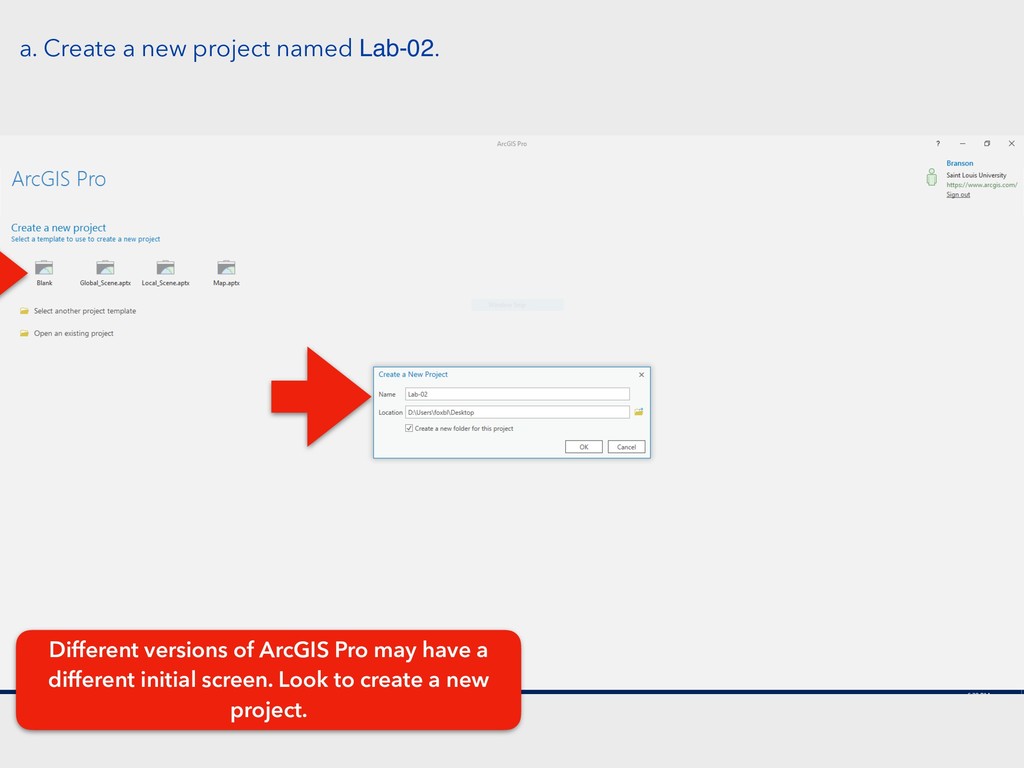
a. Create a new project named Lab-02. Different versions of
ArcGIS Pro may have a different initial screen. Look to create a new project.
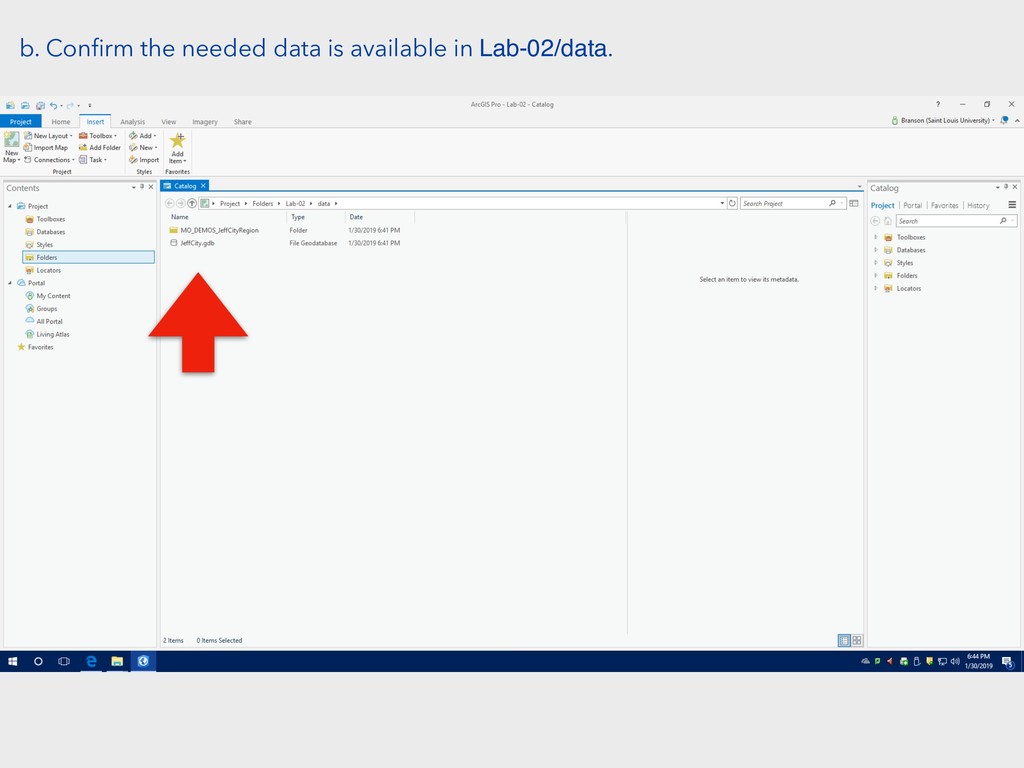
b. Confirm the needed data is available in Lab-02/data.
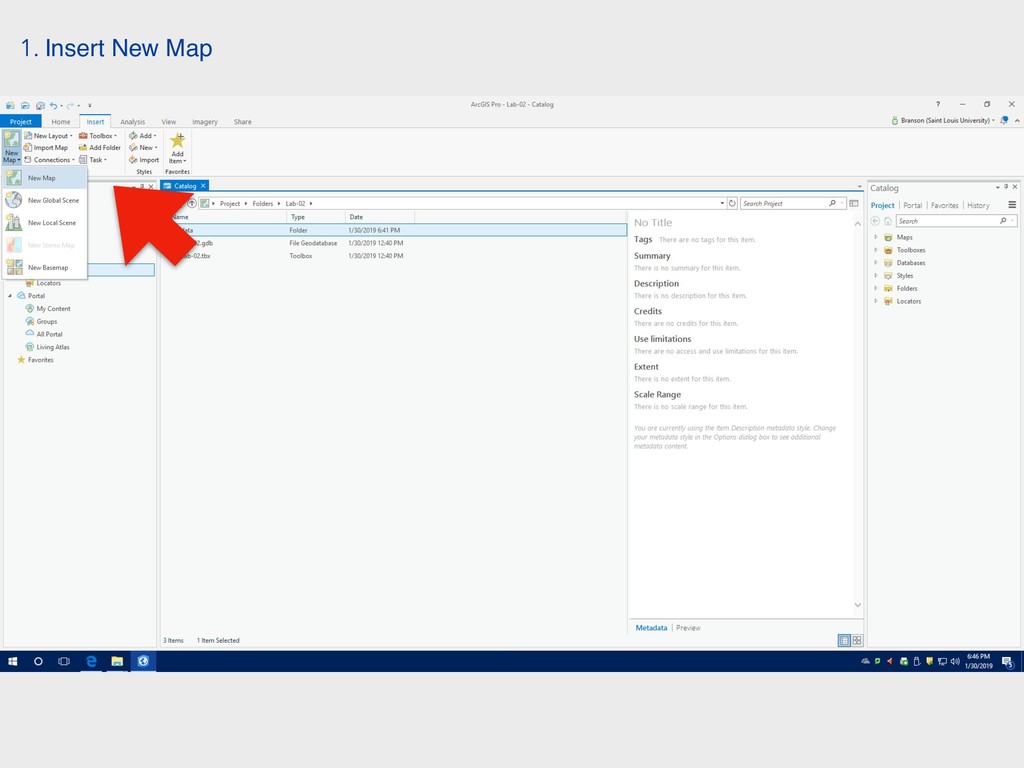
1. Insert New Map
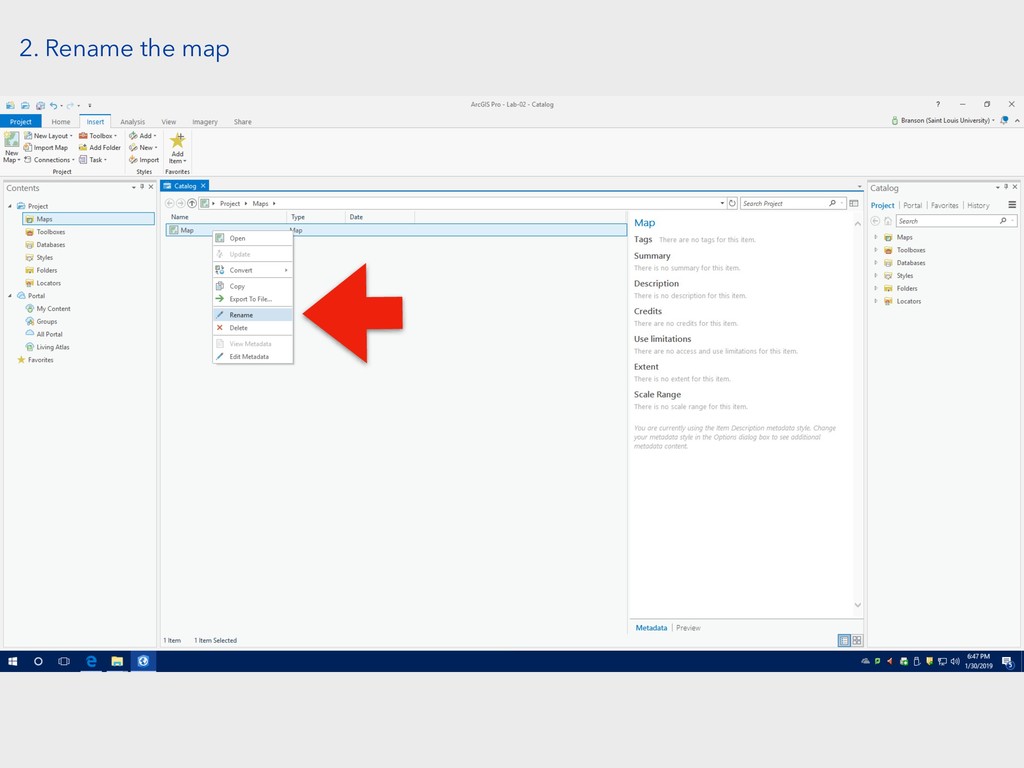
2. Rename the map
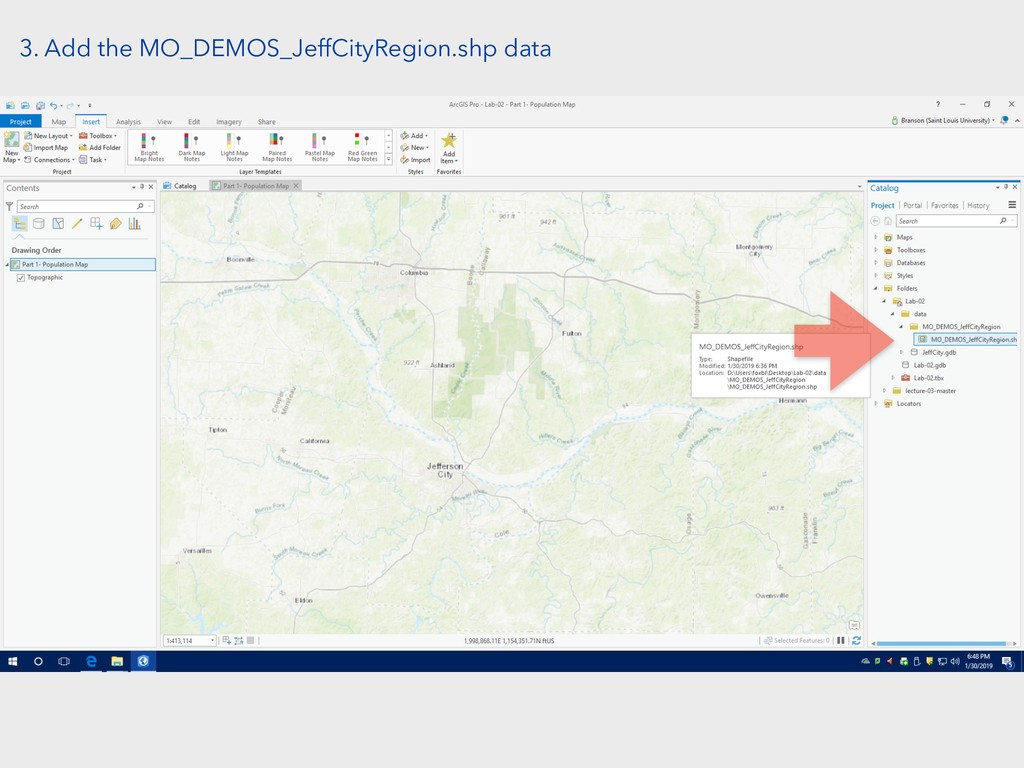
3. Add the MO_DEMOS_JeffCityRegion.shp data
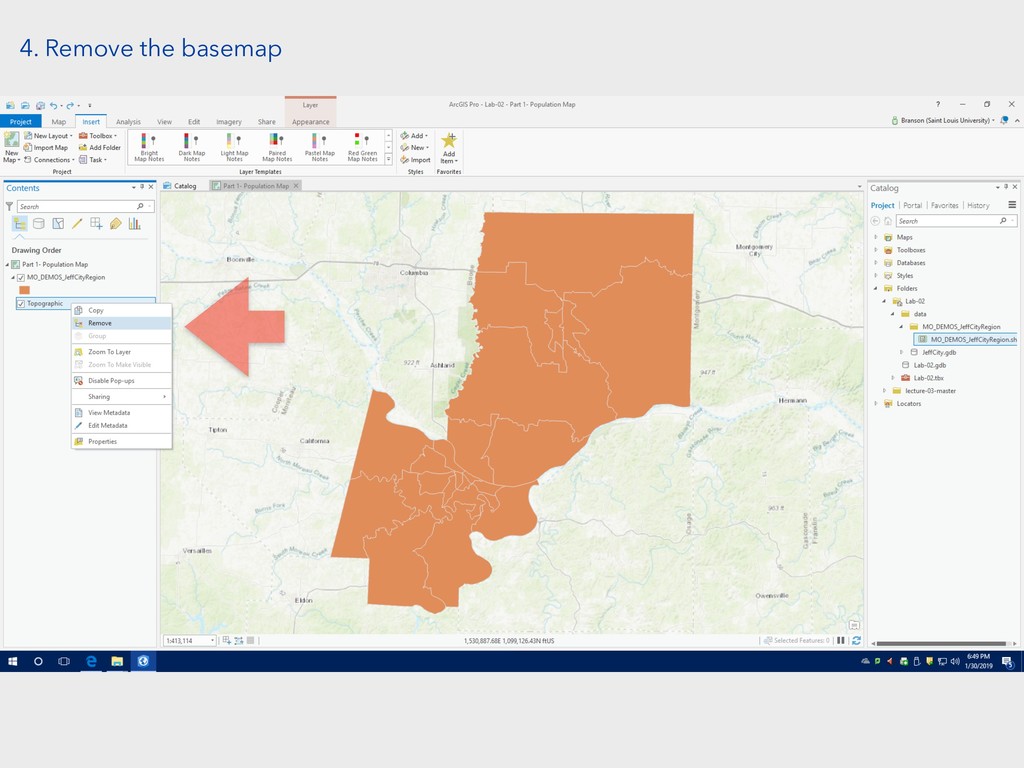
4. Remove the basemap
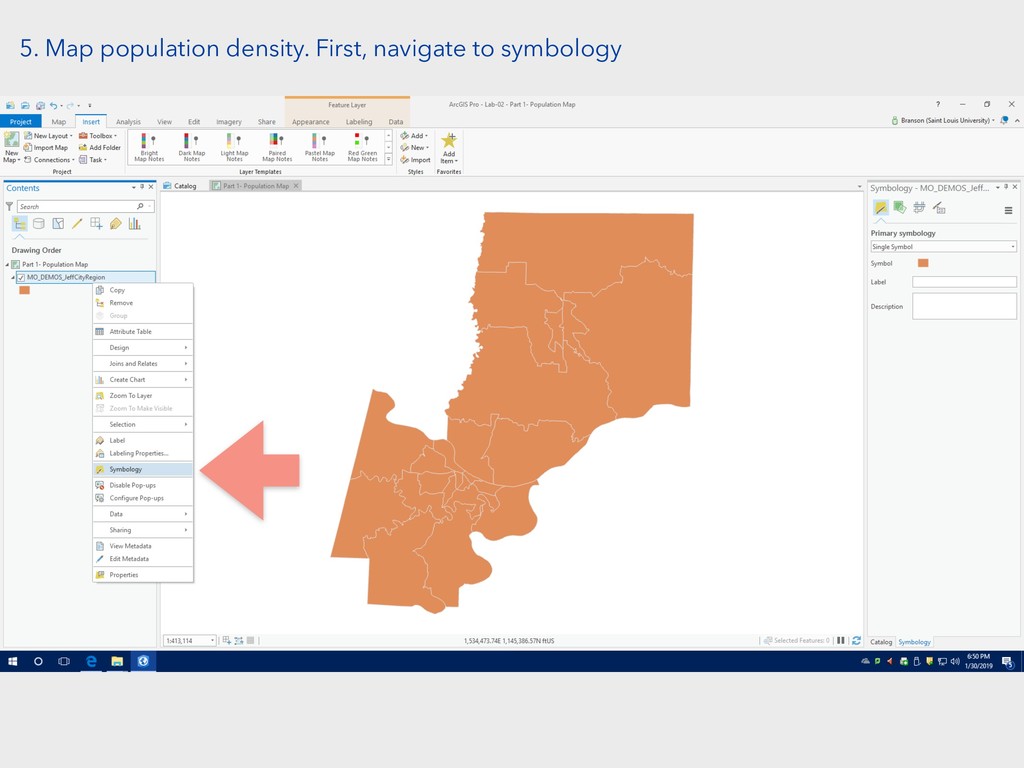
5. Map population density. First, navigate to symbology
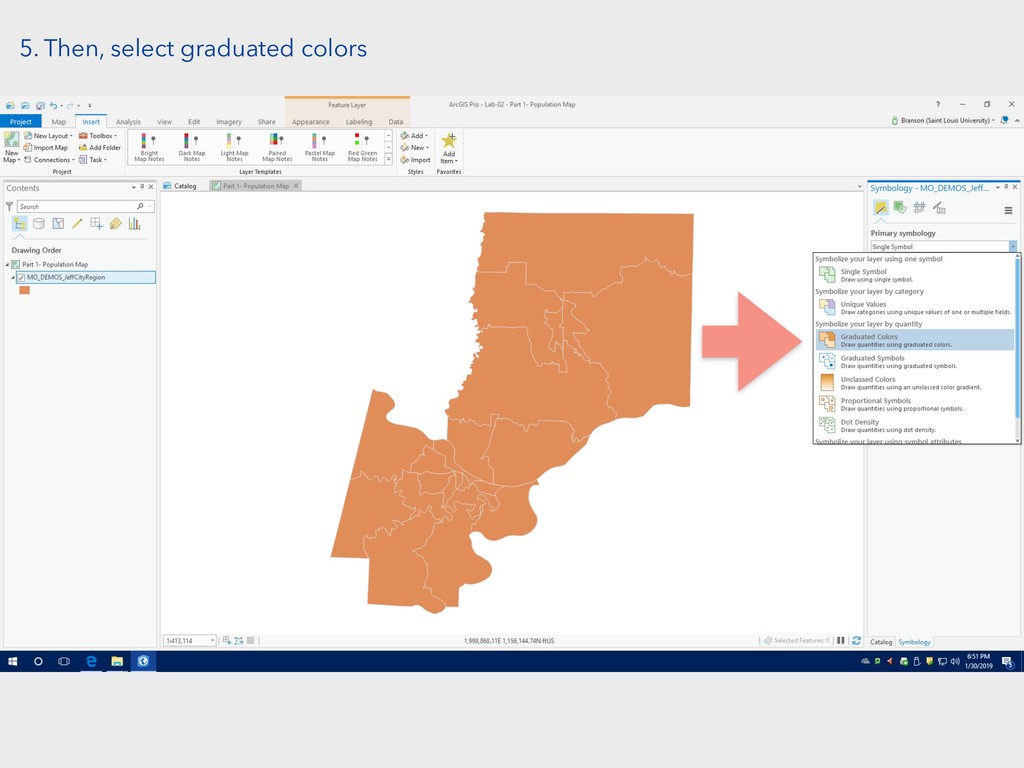
5. Then, select graduated colors
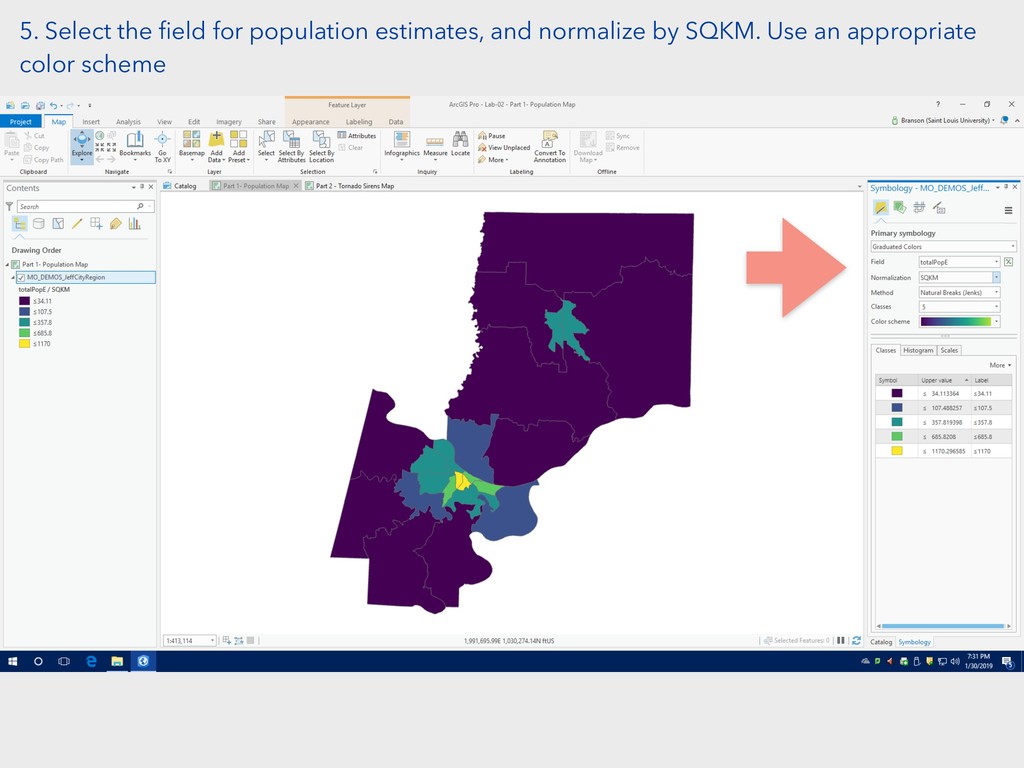
5. Select the field for population estimates, and normalize by
SQKM. Use an appropriate color scheme
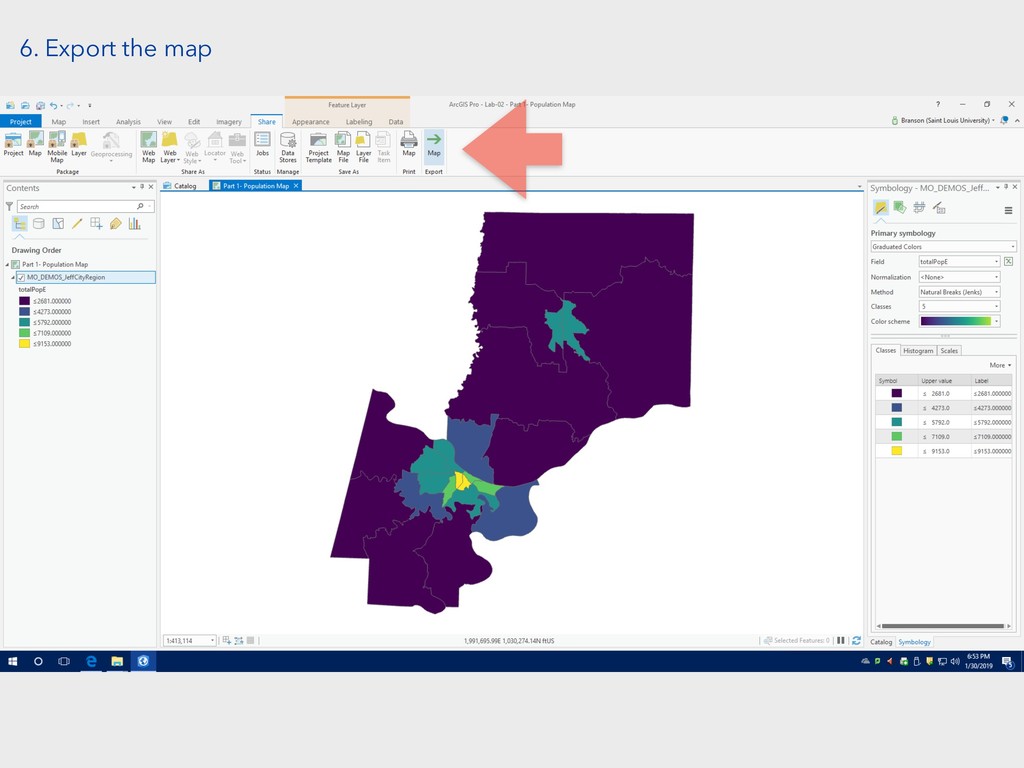
6. Export the map
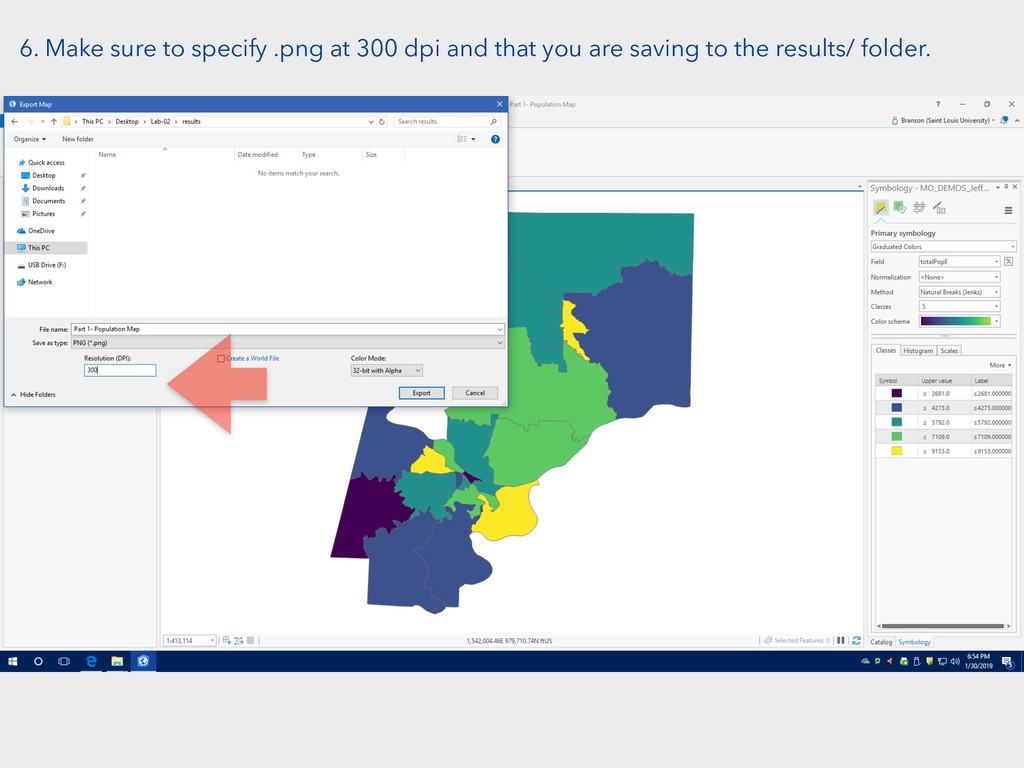
6. Make sure to specify .png at 300 dpi and
that you are saving to the results/ folder.
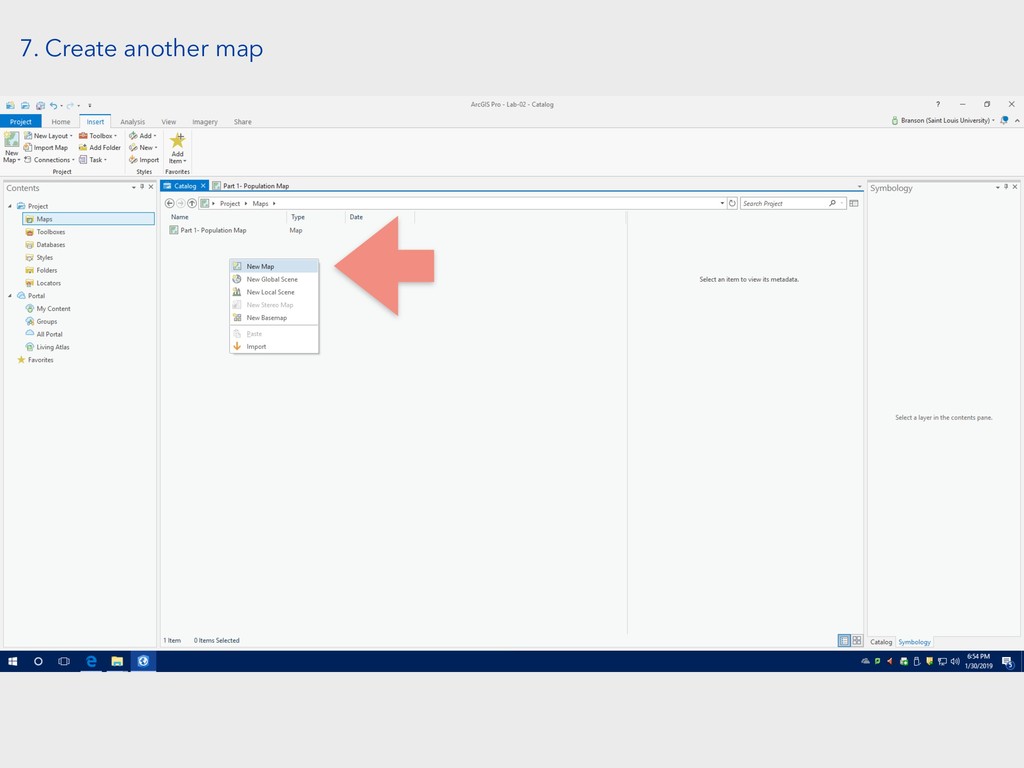
7. Create another map
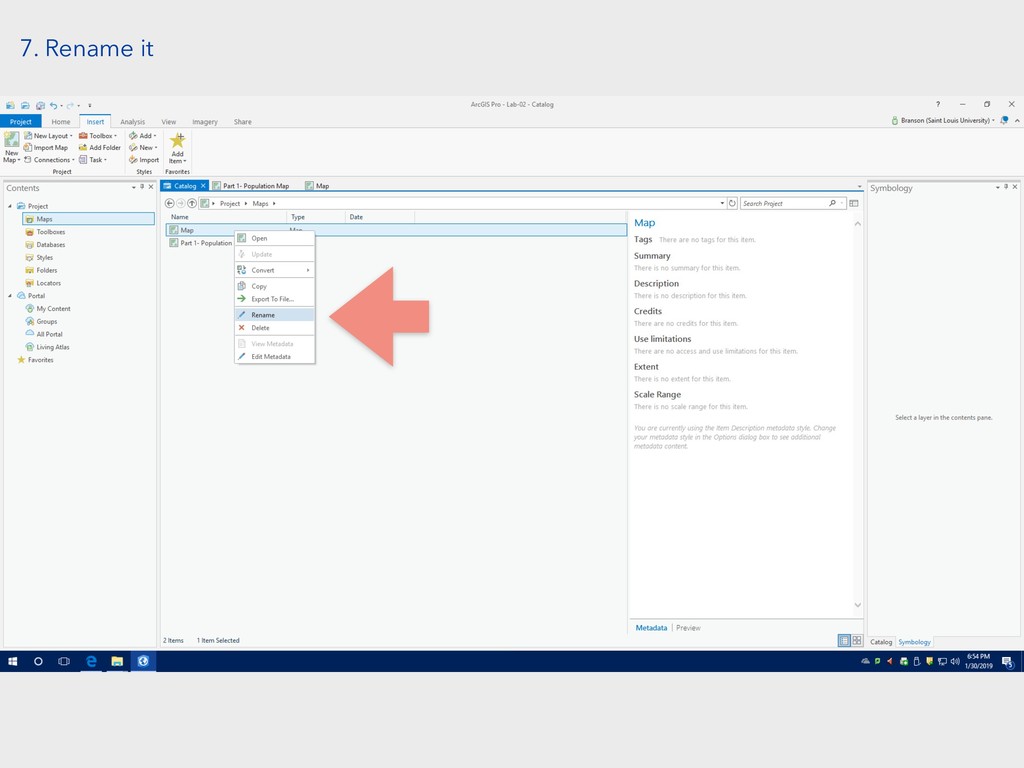
7. Rename it
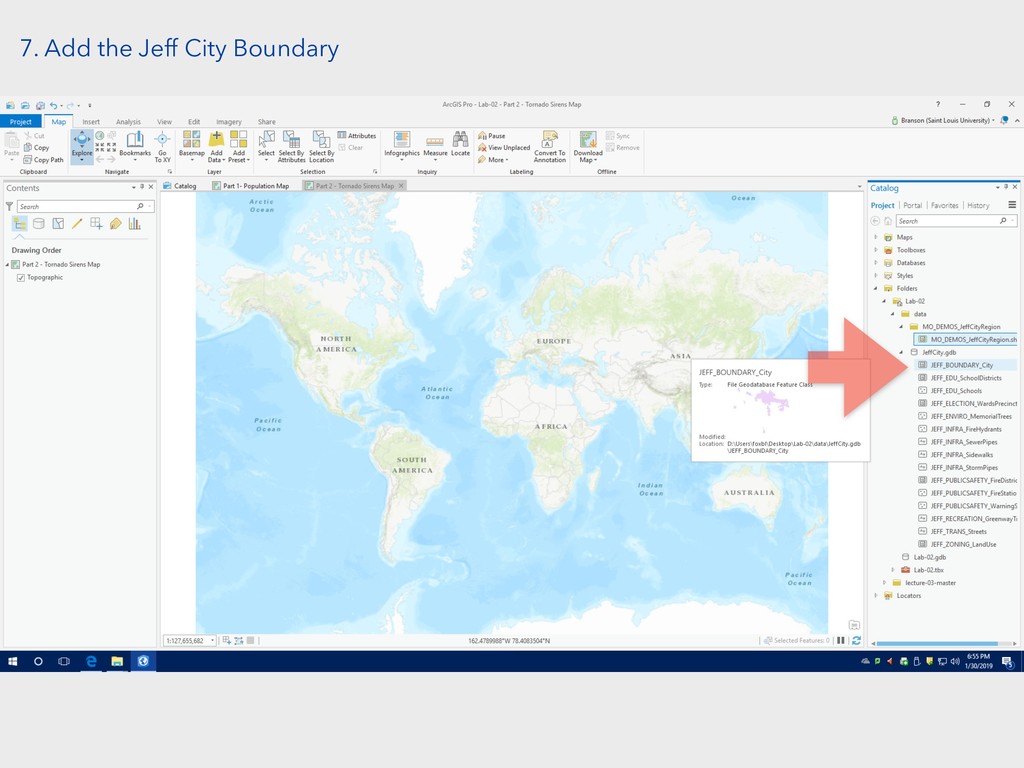
7. Add the Jeff City Boundary
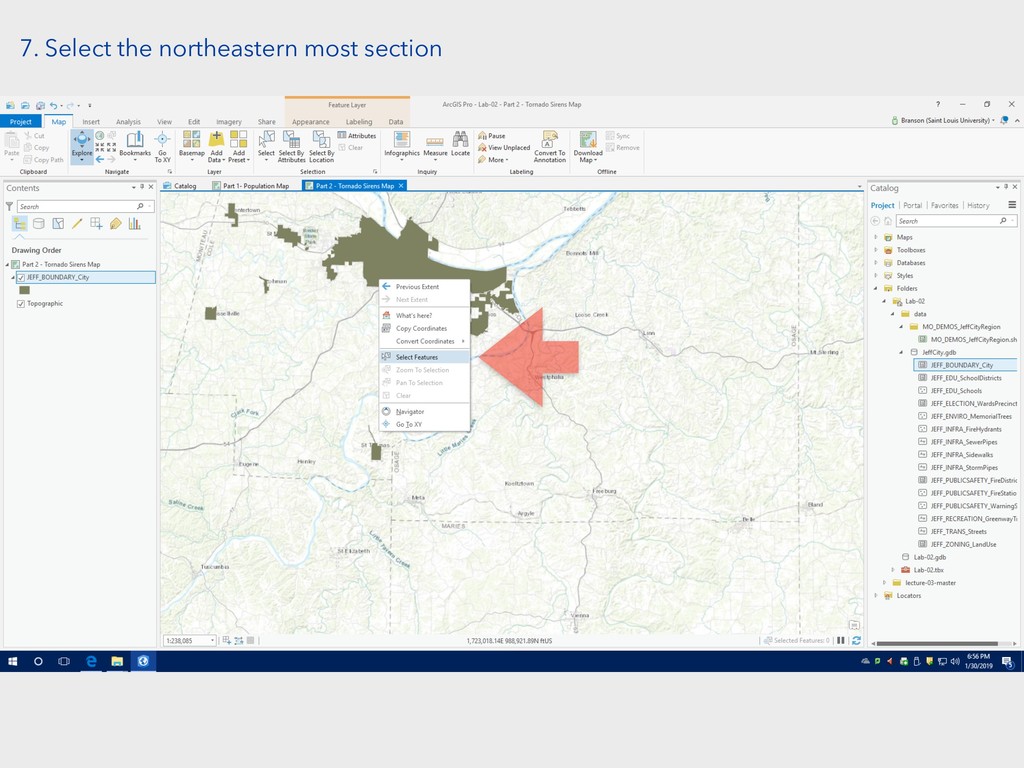
7. Select the northeastern most section
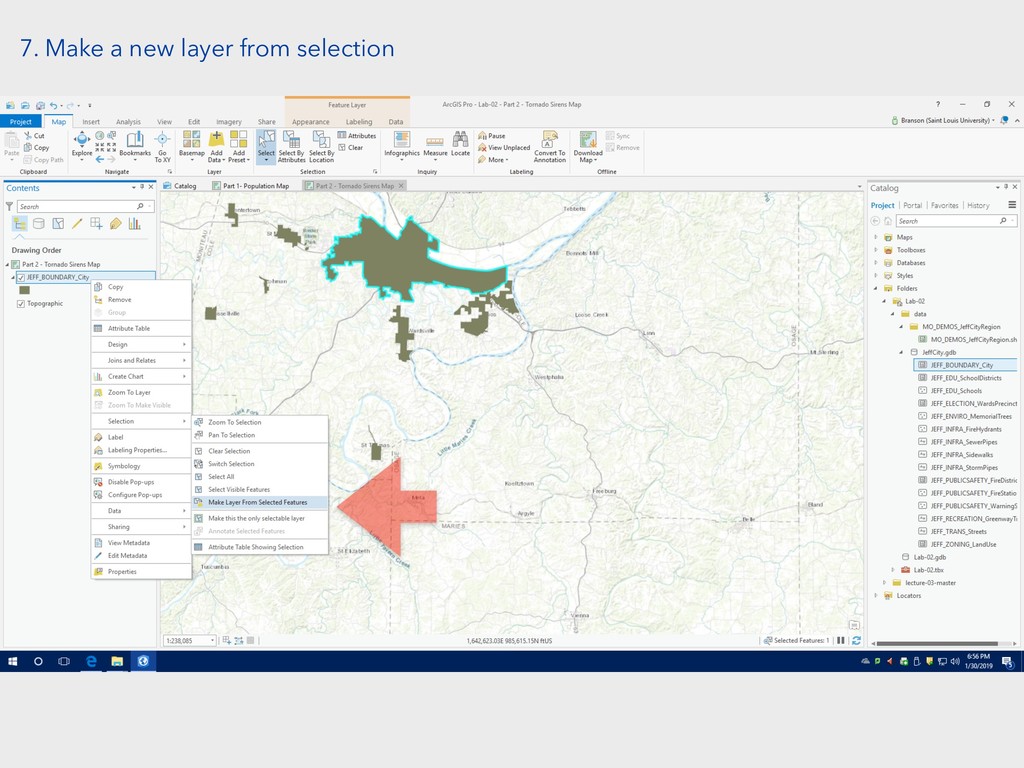
7. Make a new layer from selection
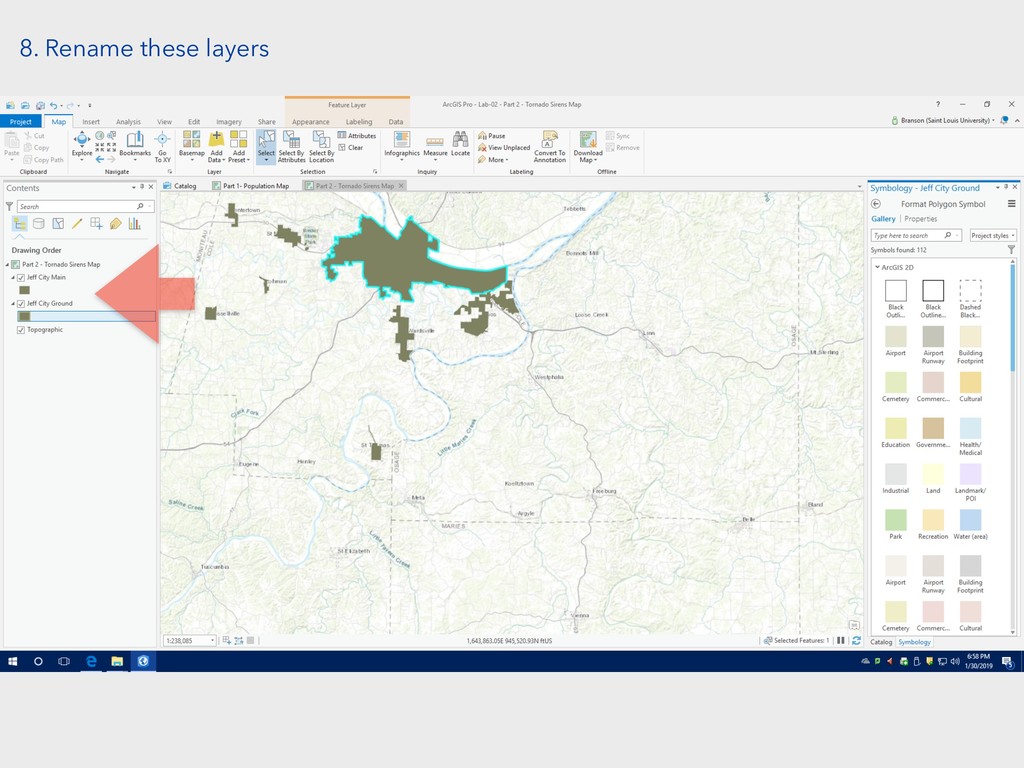
8. Rename these layers
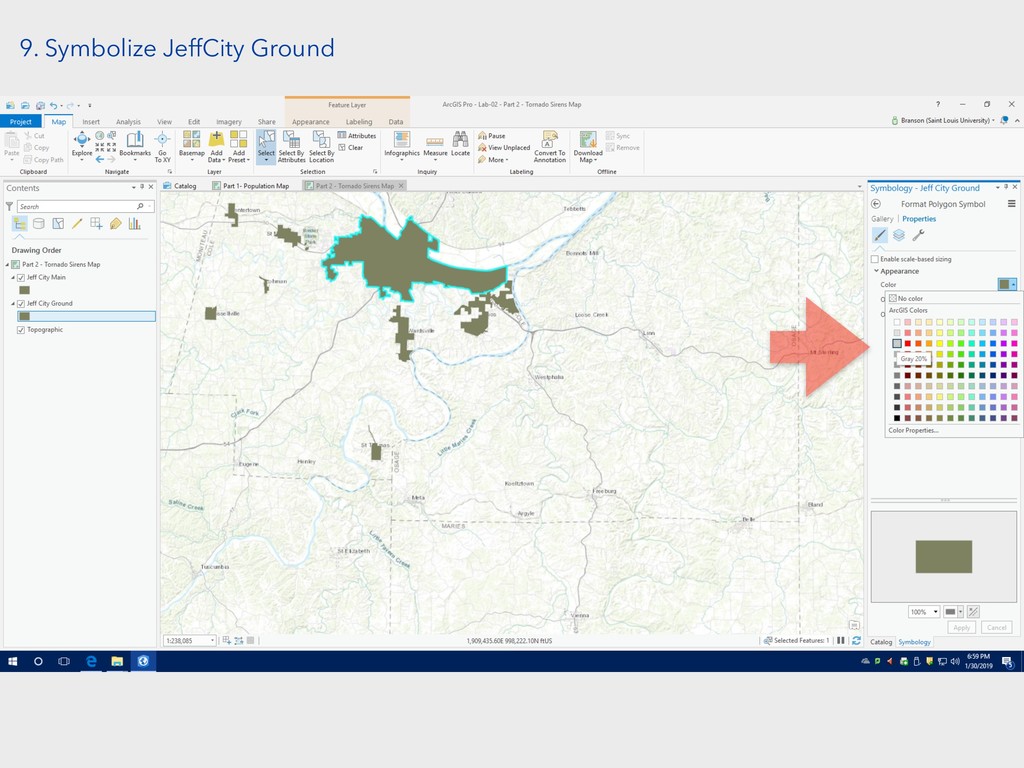
9. Symbolize JeffCity Ground
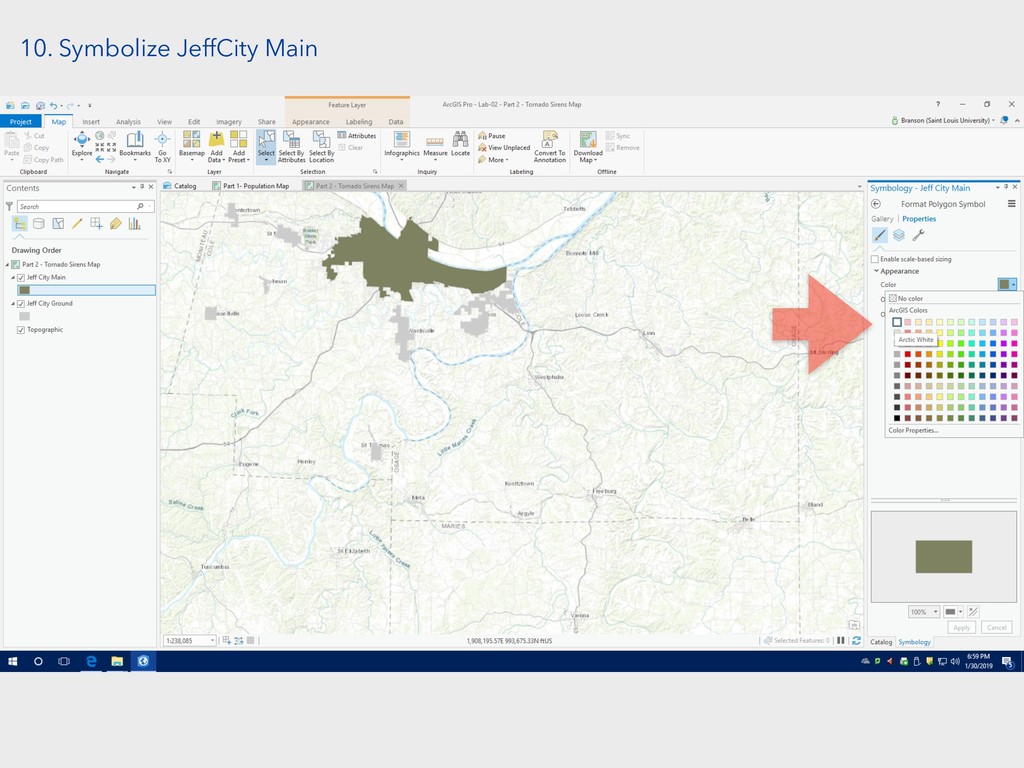
10. Symbolize JeffCity Main
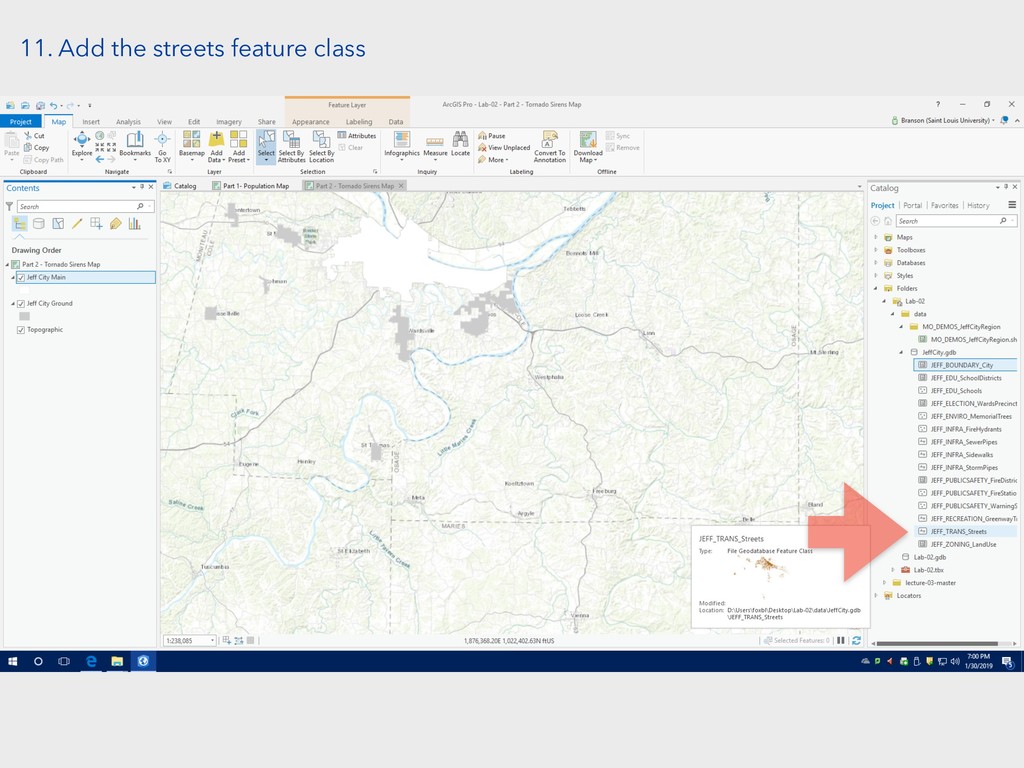
11. Add the streets feature class
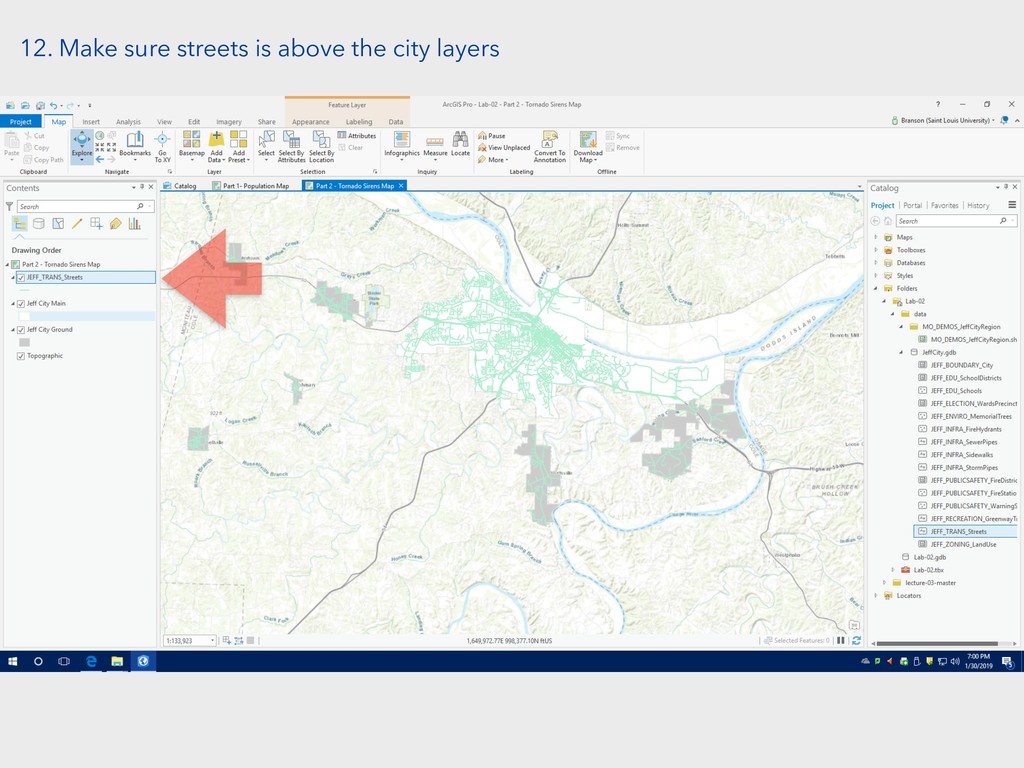
12. Make sure streets is above the city layers
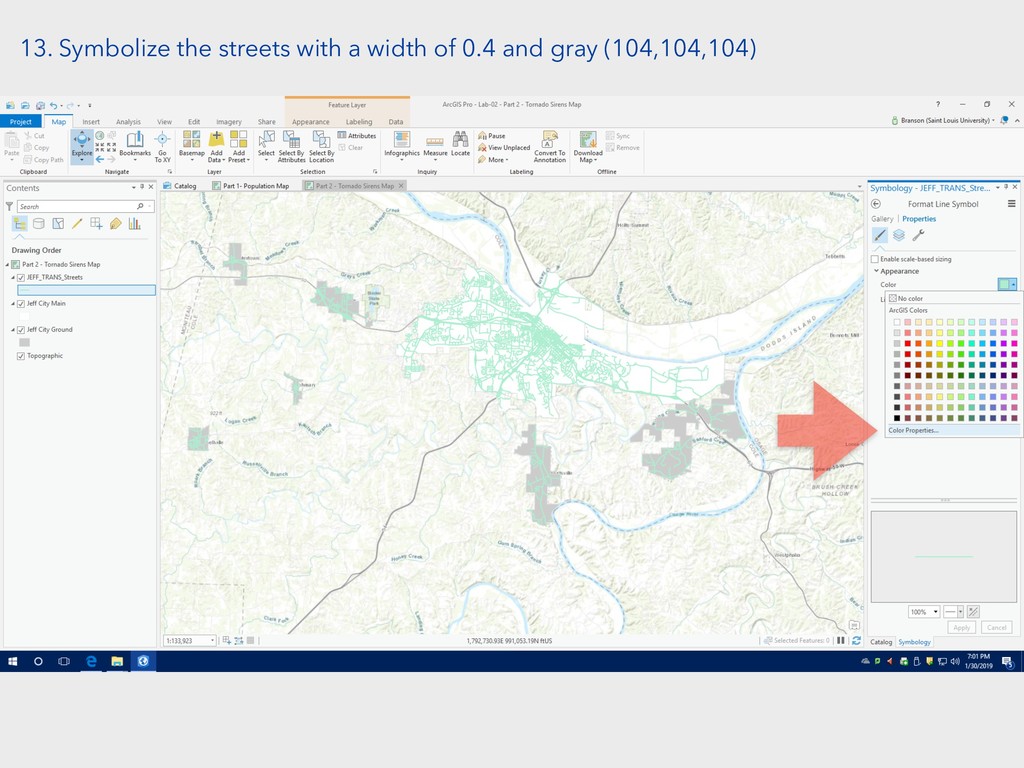
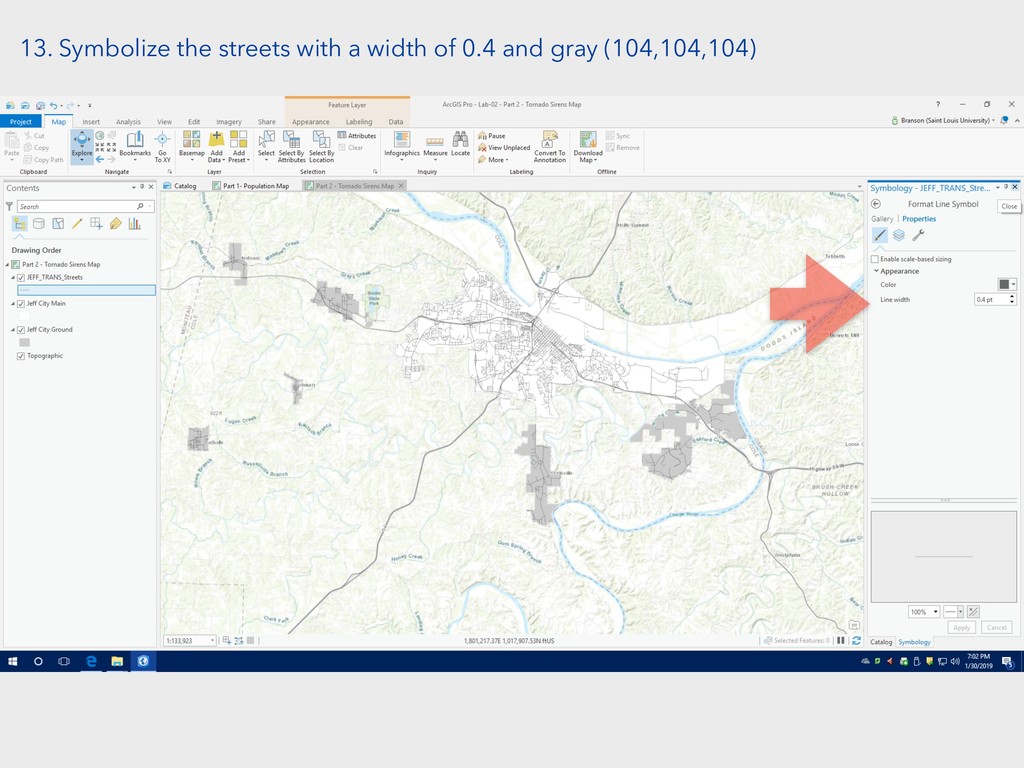
13. Symbolize the streets with a width of 0.4 and
gray (104,104,104)
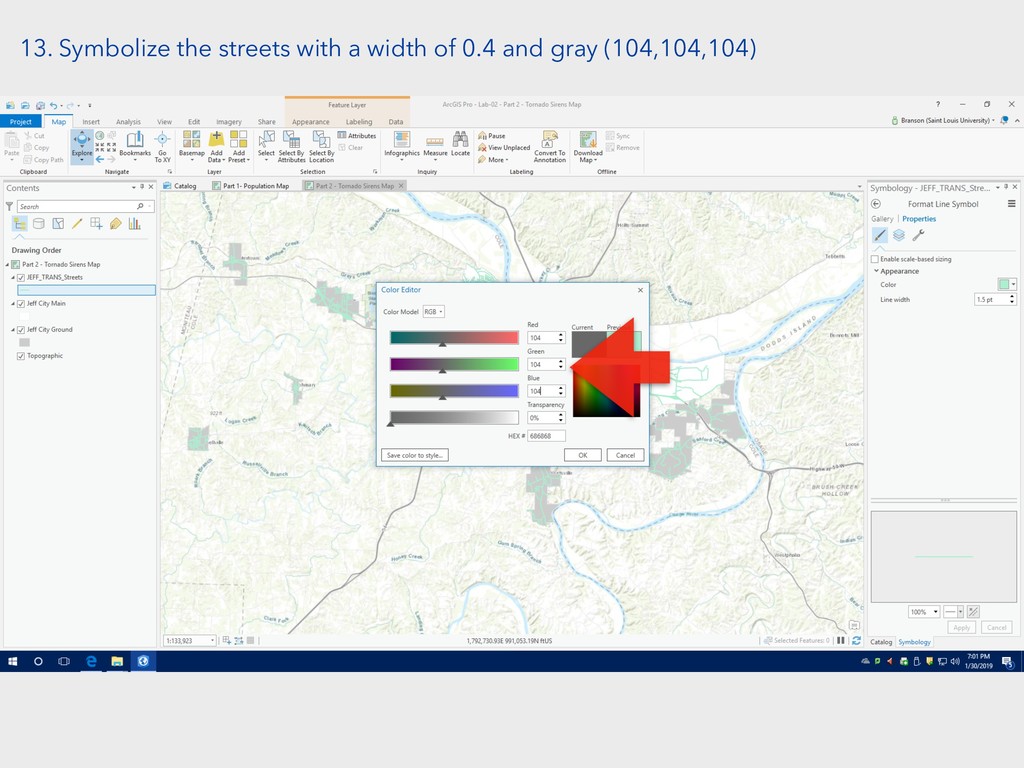
13. Symbolize the streets with a width of 0.4 and
gray (104,104,104)
13. Symbolize the streets with a width of 0.4 and
gray (104,104,104)
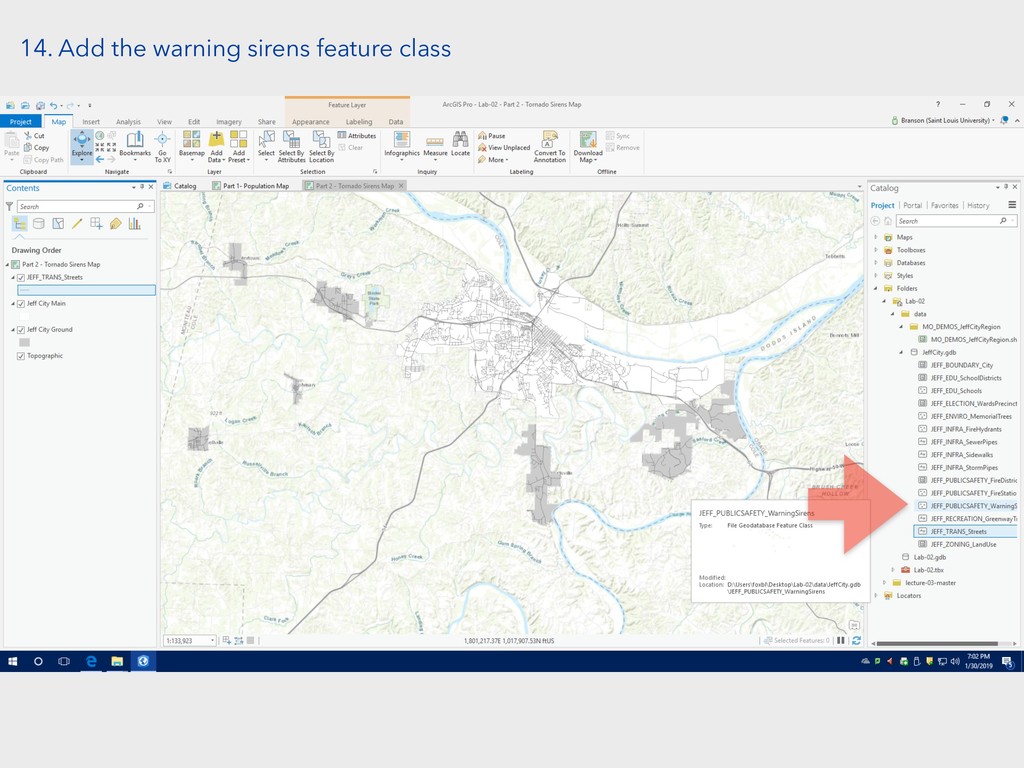
14. Add the warning sirens feature class
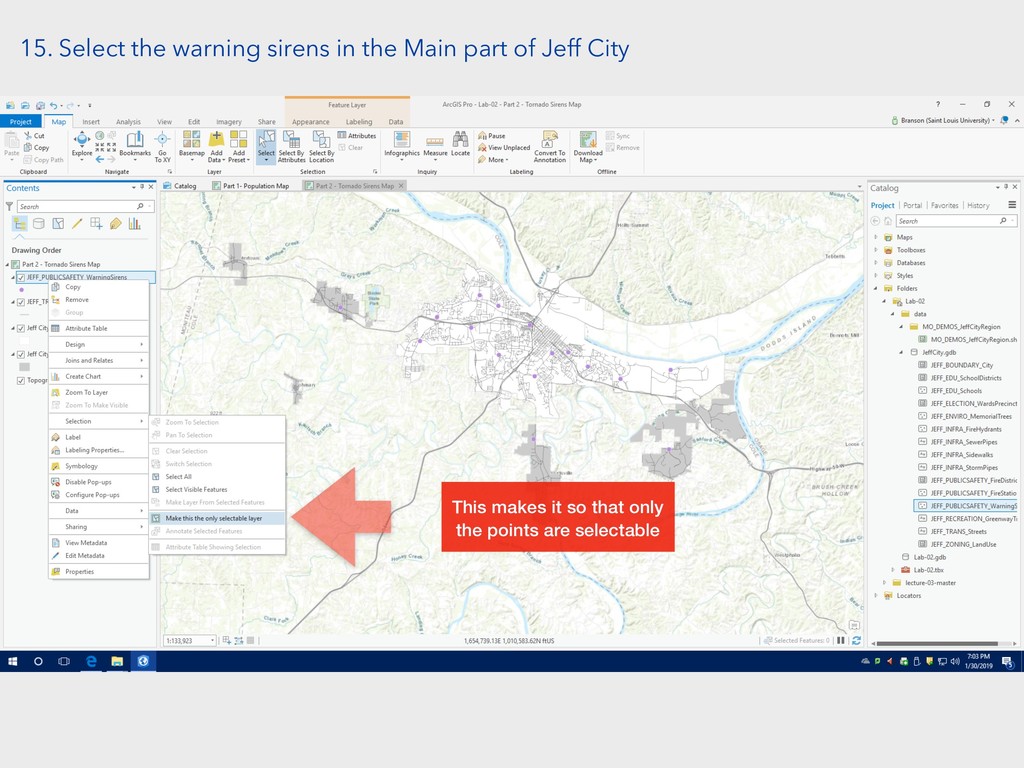
15. Select the warning sirens in the Main part of
Jeff City This makes it so that only the points are selectable
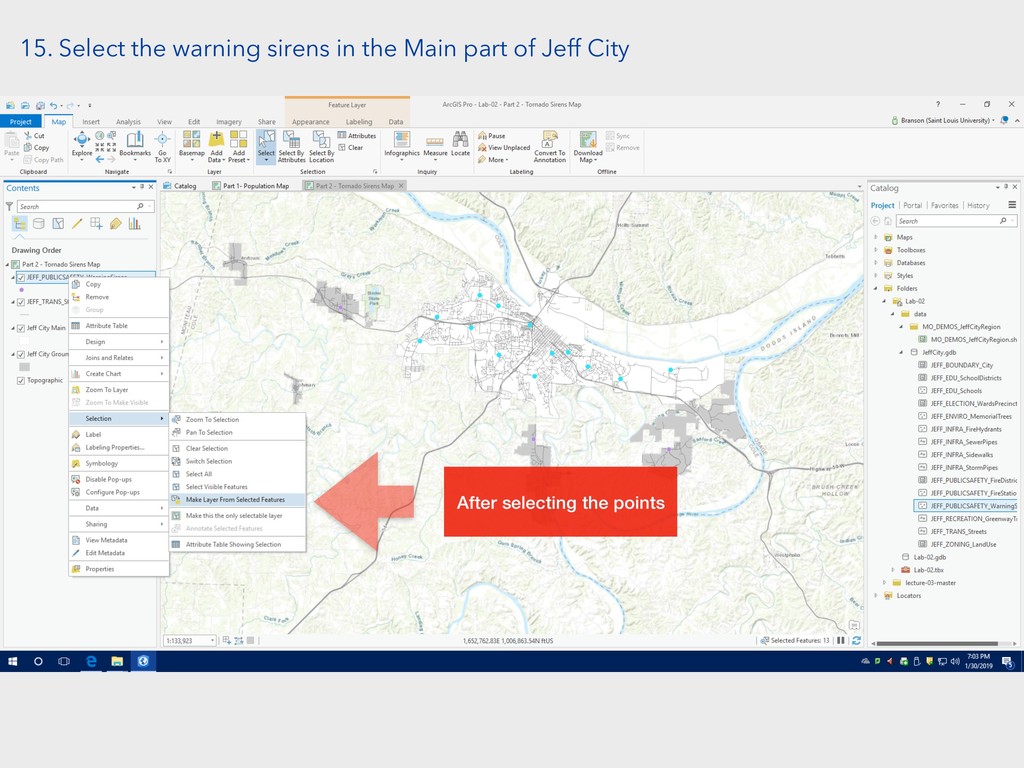
15. Select the warning sirens in the Main part of
Jeff City After selecting the points
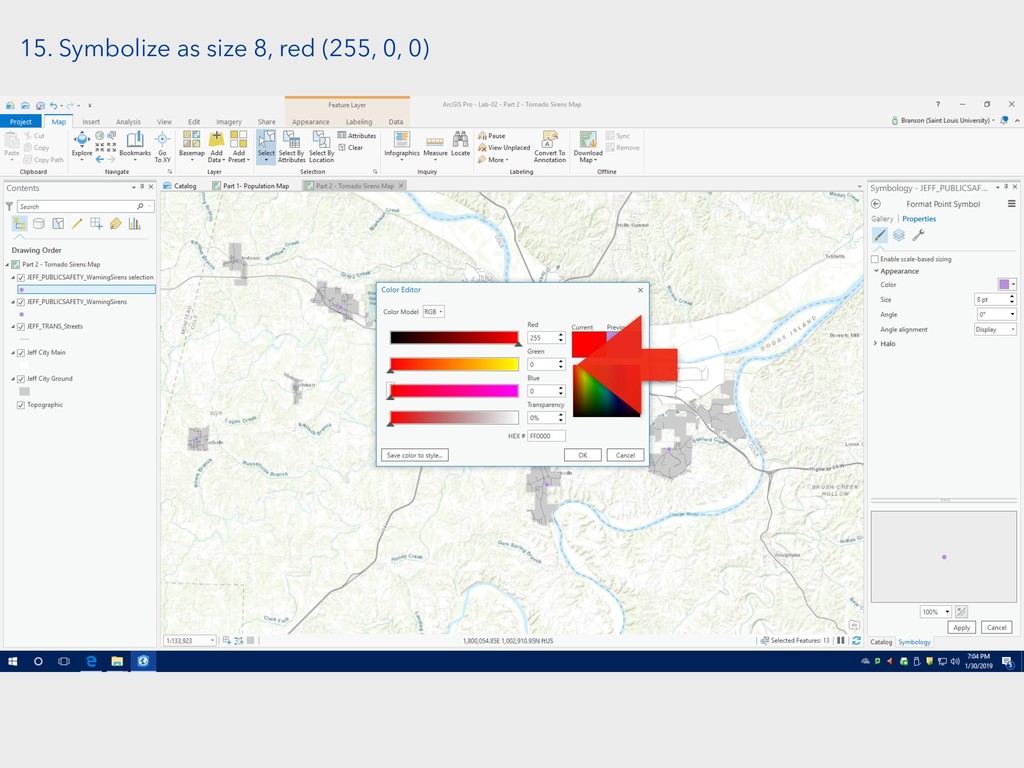
15. Symbolize as size 8, red (255, 0, 0)
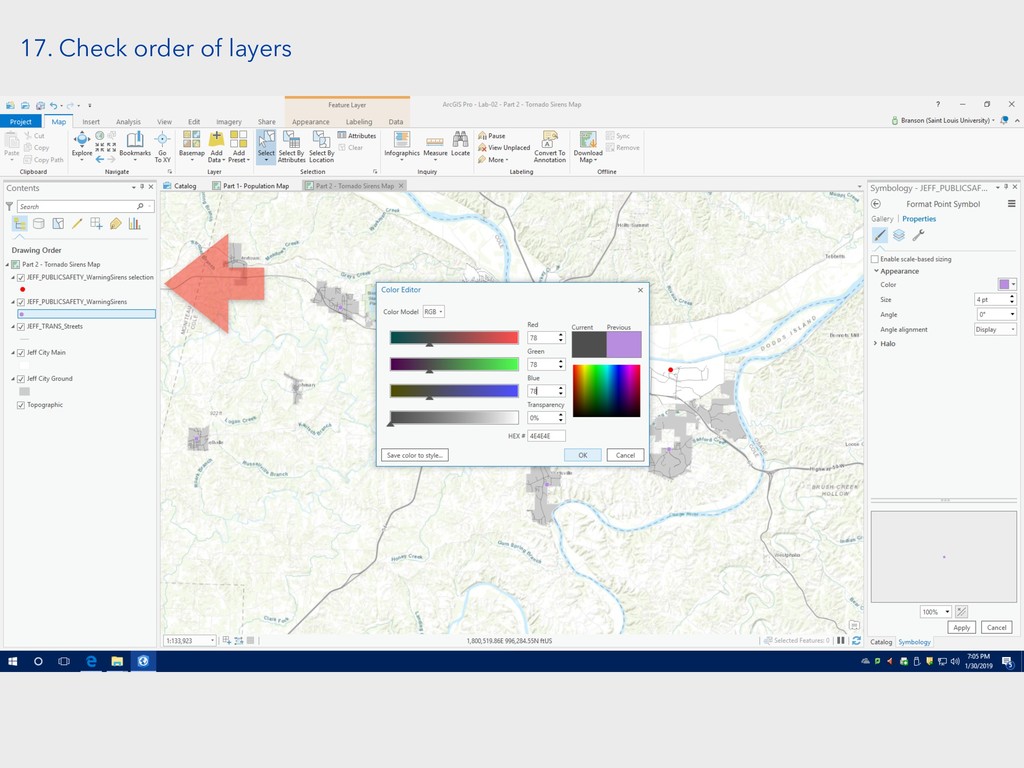
16. Symbolize the other warning sirens as size 4, gray
(78,78,78)
17. Check order of layers
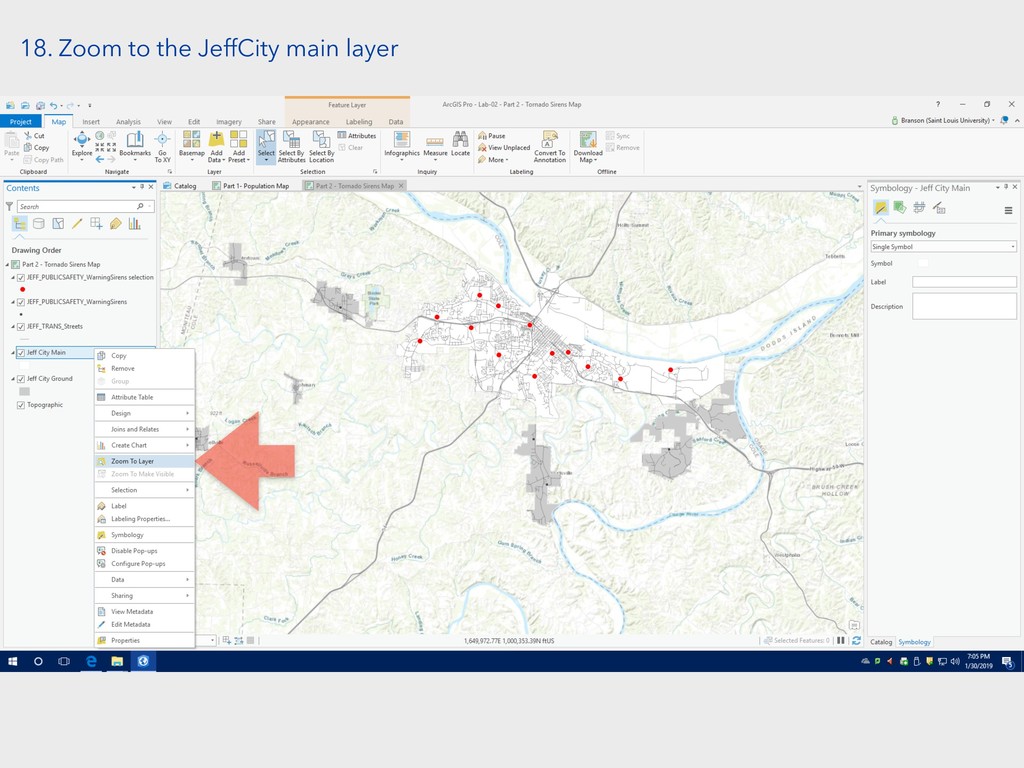
18. Zoom to the JeffCity main layer
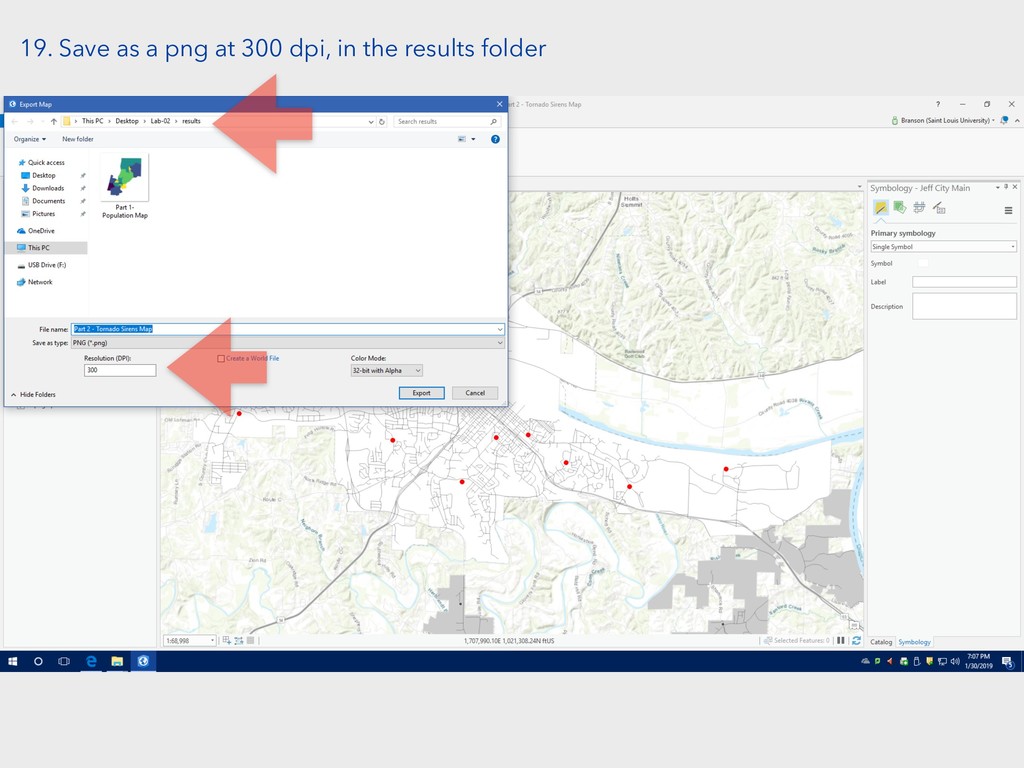
19. Save as a png at 300 dpi, in the
results folder


 chrisprener
 sciencetokyo
 bvr7352
 juanmartin2026
 minecr
 yasslab
 ishii_mit
 pawan_pharm
 okana2ki
 robintux
 tamaranovitovic
 tenderlove
 dougneiner
.jpg) cargoodrich
cargoodrich
 mlcsv
mlcsv
 sferik
 palkan
 marktimemedia
 marcelosomers
 coloredviolet
 codingconduct
 jdejongh