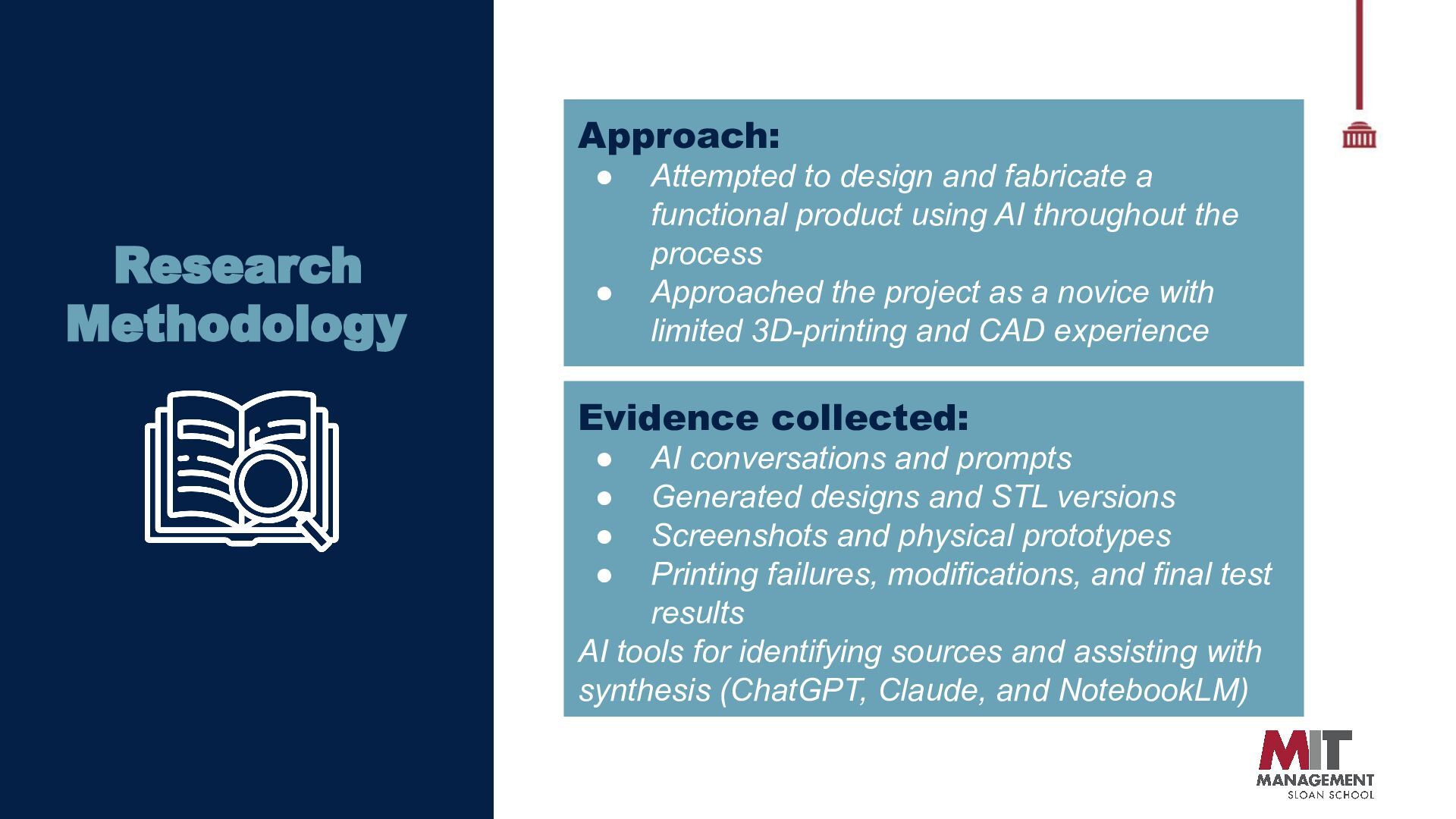
a functional product using AI throughout the process Approached the project as a novice with limited 3D-printing and CAD experience Evidence collected: • • • • AI conversations and prompts Generated designs and STL versions Screenshots and physical prototypes Printing failures, modifications, and final test results AI tools for identifying sources and assisting with synthesis (ChatGPT, Claude, and NotebookLM)
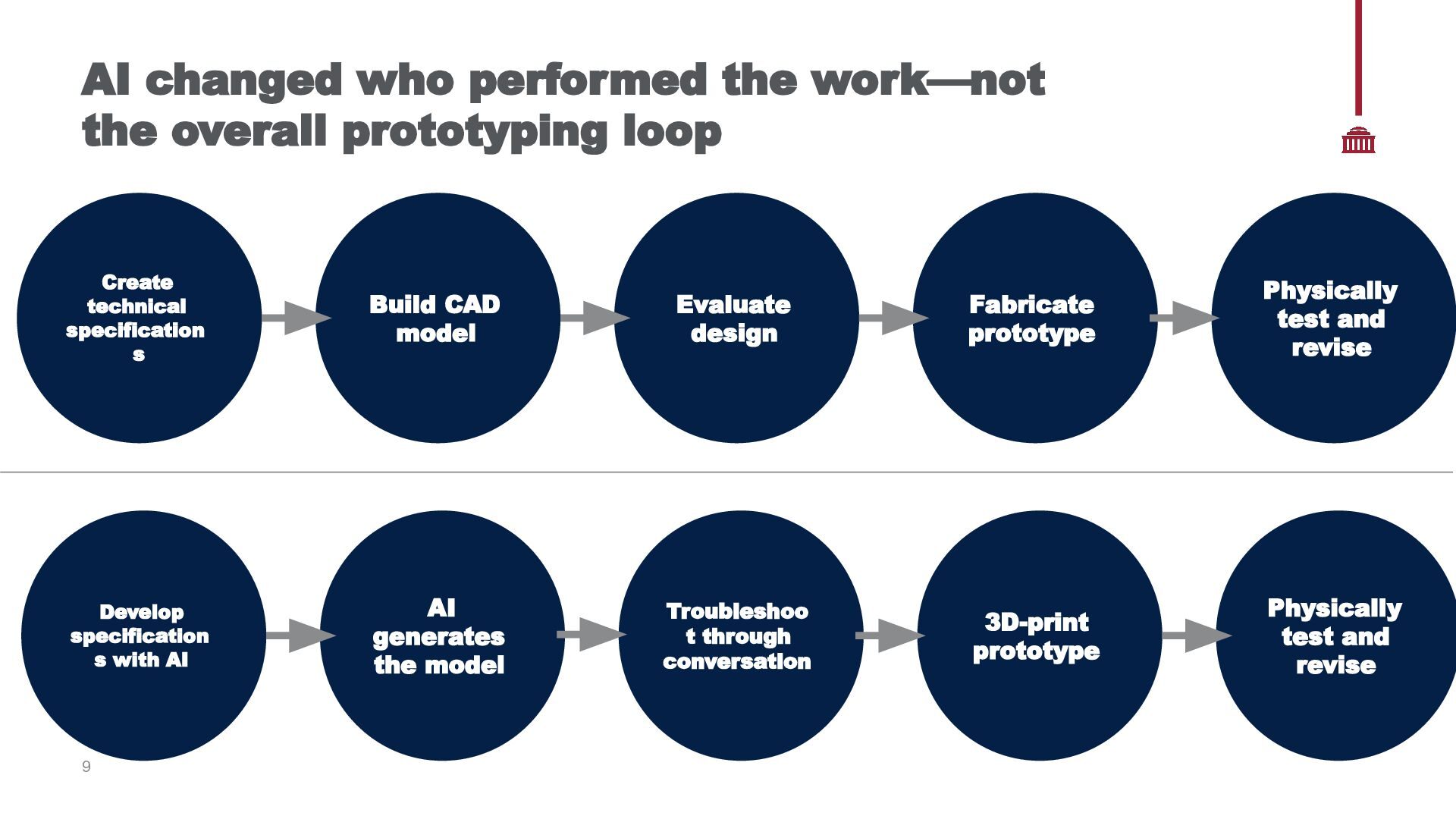
Create technical specification s Build CAD model Evaluate design Fabricate prototype Physically test and revise Troubleshoo t through conversation 3D-print prototype Physically test and revise 24% Develop specification s with AI AI generates the model 24% 24% 9
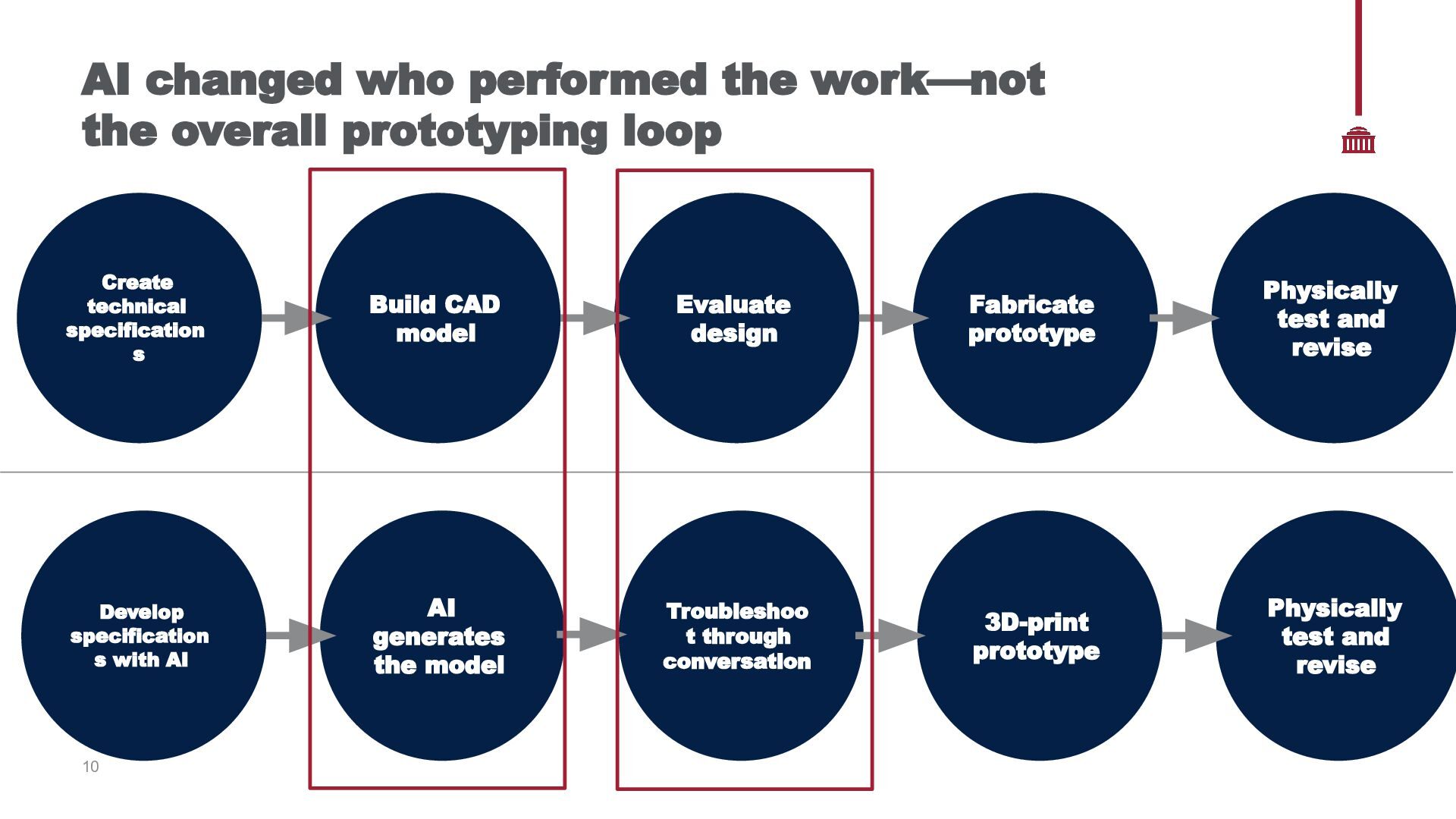
Create technical specification s Build CAD model Evaluate design Fabricate prototype Physically test and revise Troubleshoo t through conversation 3D-print prototype Physically test and revise 24% Develop specification s with AI AI generates the model 24% 24% 10
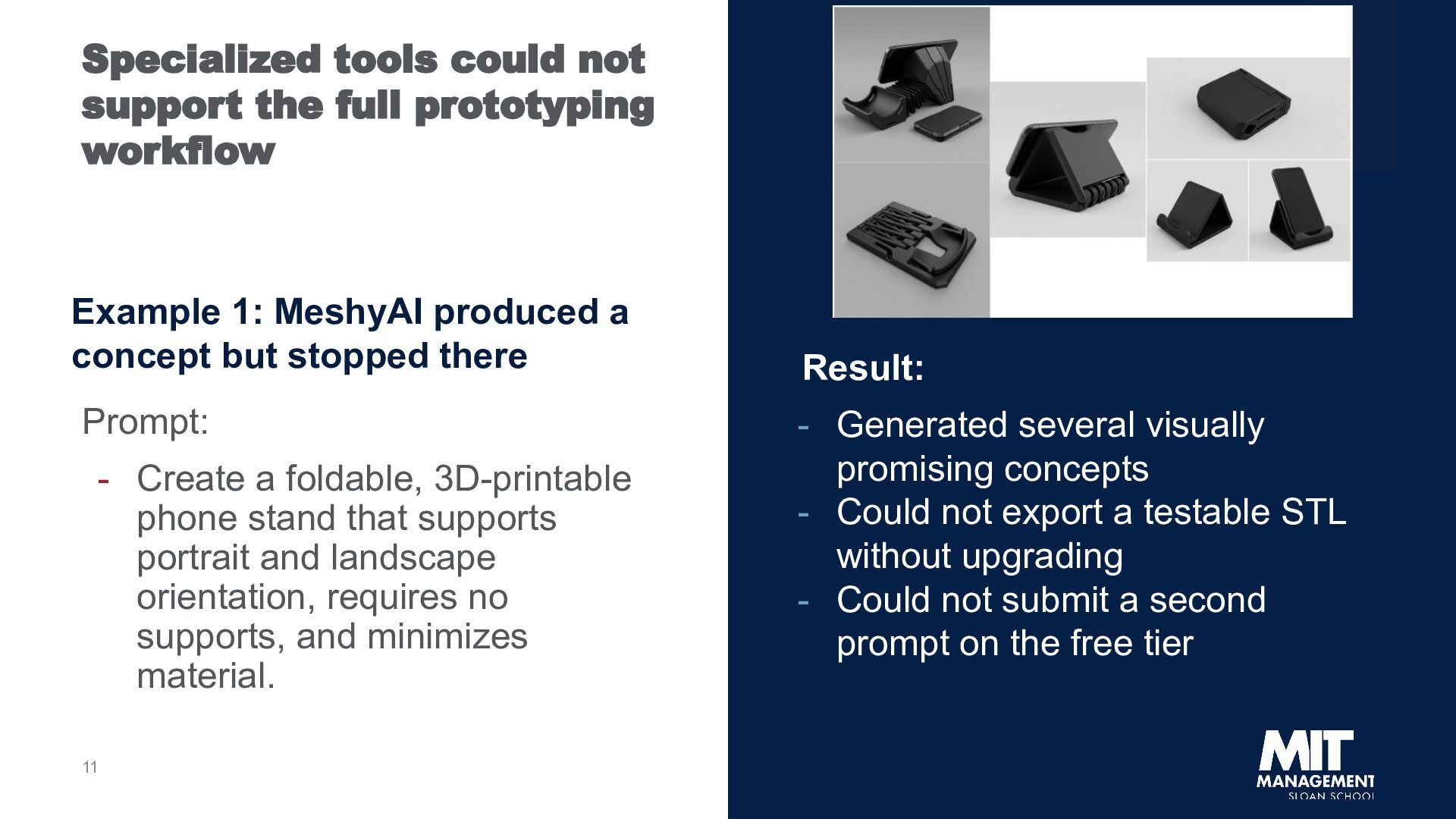
1: MeshyAI produced a concept but stopped there Prompt: - Create a foldable, 3D-printable phone stand that supports portrait and landscape orientation, requires no supports, and minimizes material. 11 Result: - Generated several visually promising concepts - Could not export a testable STL without upgrading - Could not submit a second prompt on the free tier
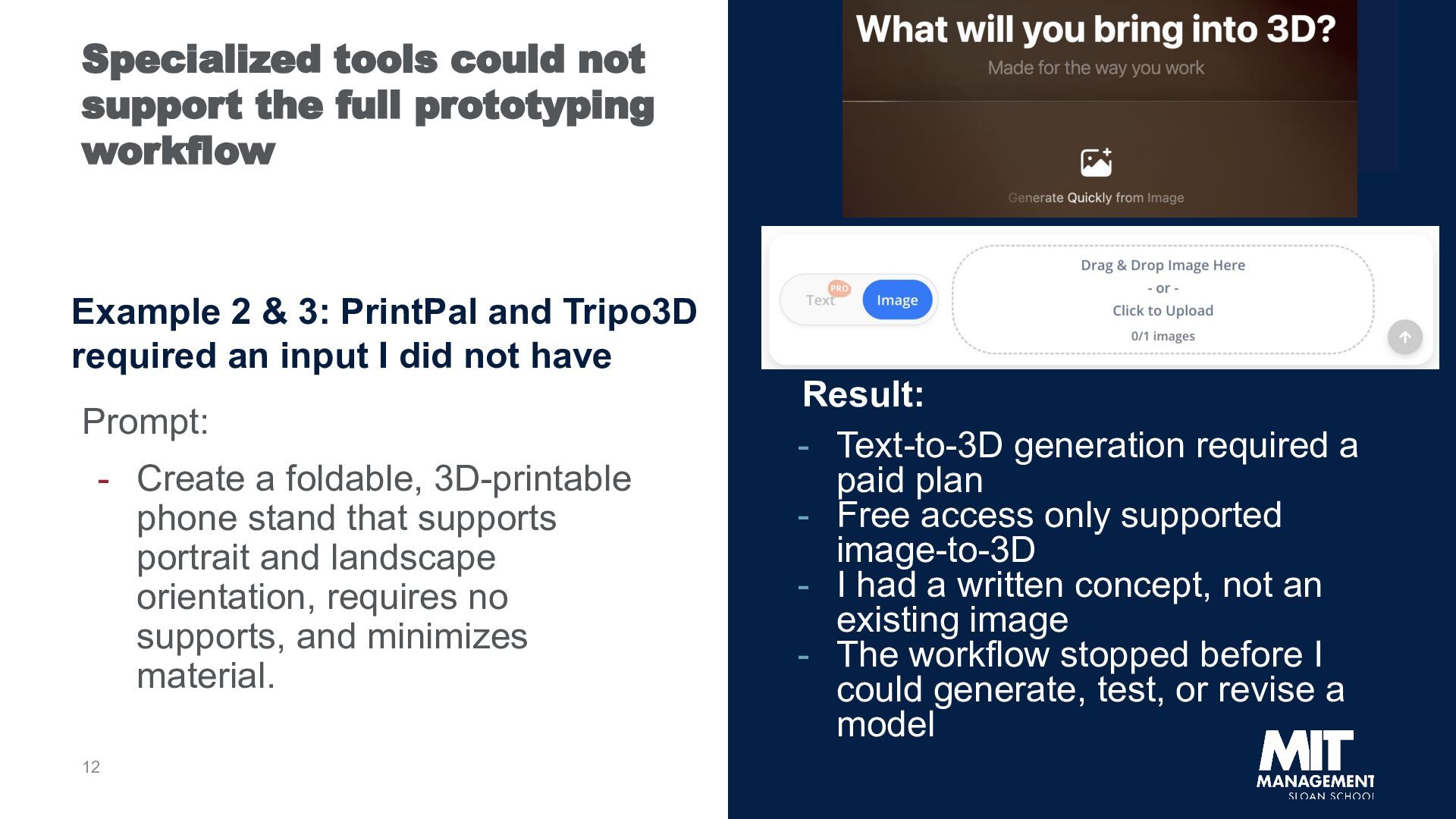
2 & 3: PrintPal and Tripo3D required an input I did not have Prompt: - Create a foldable, 3D-printable phone stand that supports portrait and landscape orientation, requires no supports, and minimizes material. 12 Result: - Text-to-3D generation required a paid plan - Free access only supported image-to-3D - I had a written concept, not an existing image - The workflow stopped before I could generate, test, or revise a model
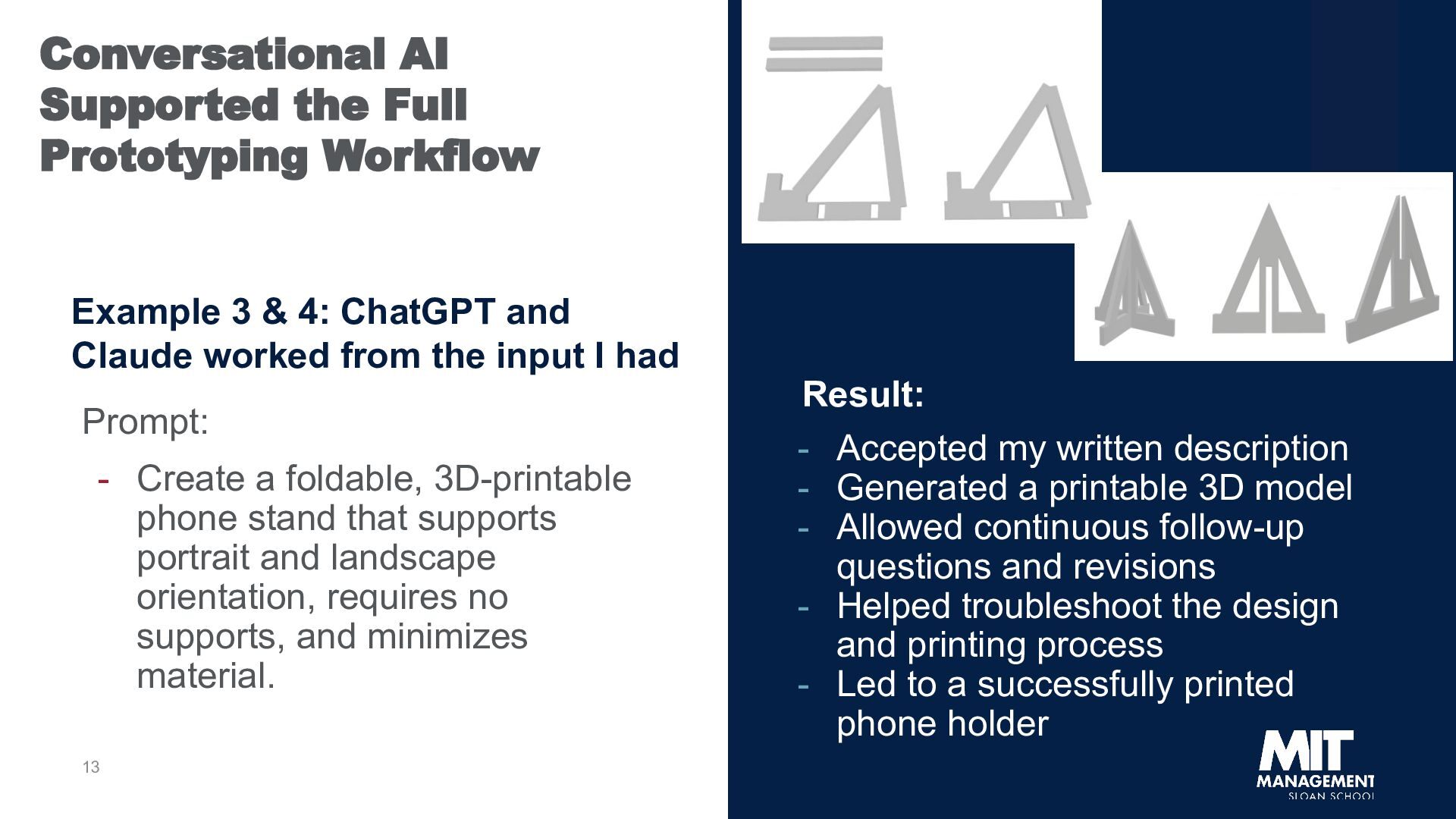
4: ChatGPT and Claude worked from the input I had Prompt: - Create a foldable, 3D-printable phone stand that supports portrait and landscape orientation, requires no supports, and minimizes material. 13 Result: - Accepted my written description - Generated a printable 3D model - Allowed continuous follow-up questions and revisions - Helped troubleshoot the design and printing process - Led to a successfully printed phone holder
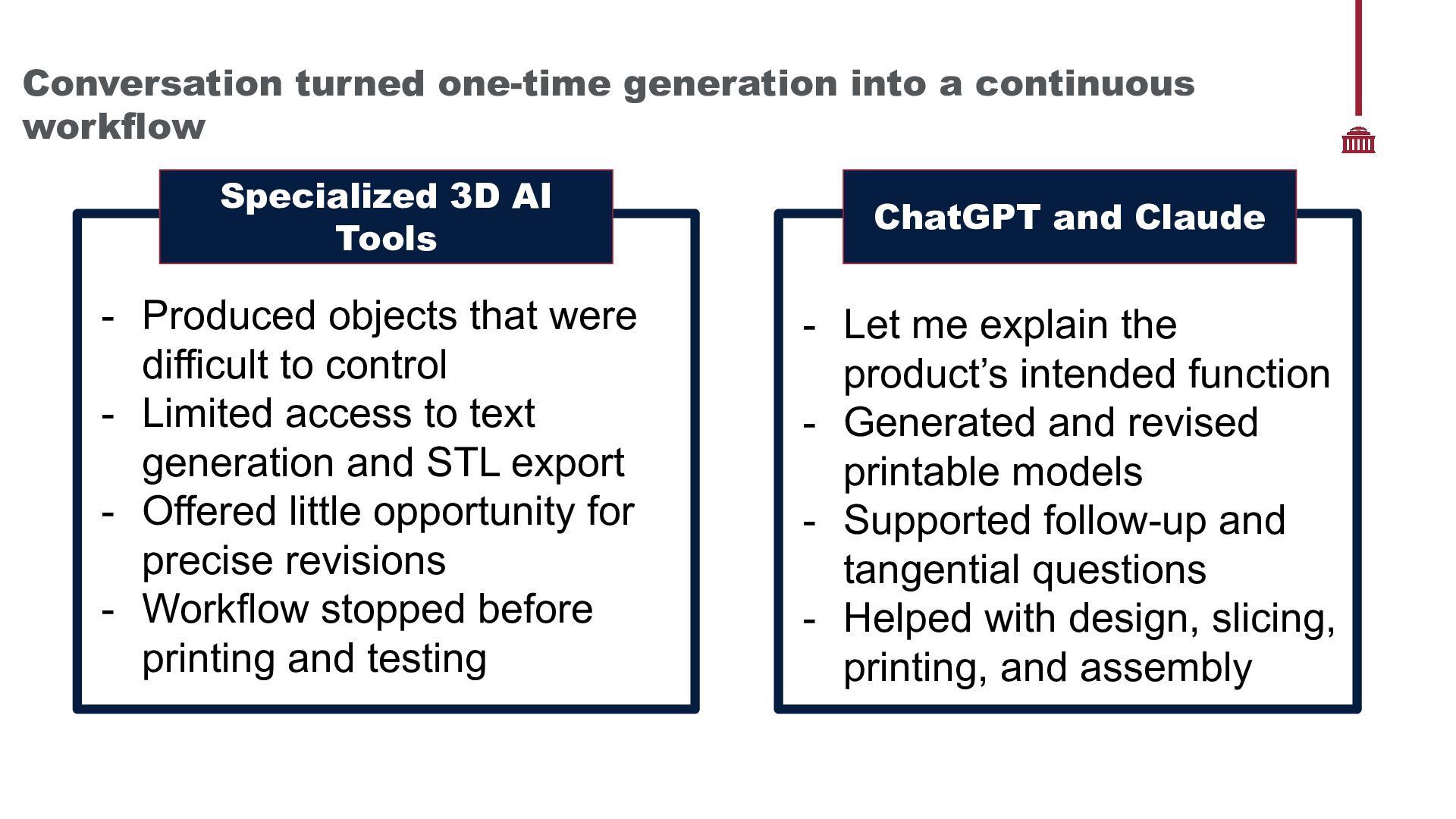
AI Tools ChatGPT and Claude - Produced objects that were difficult to control - Limited access to text generation and STL export - Offered little opportunity for precise revisions - Workflow stopped before printing and testing - Let me explain the product’s intended function - Generated and revised printable models - Supported follow-up and tangential questions - Helped with design, slicing, printing, and assembly
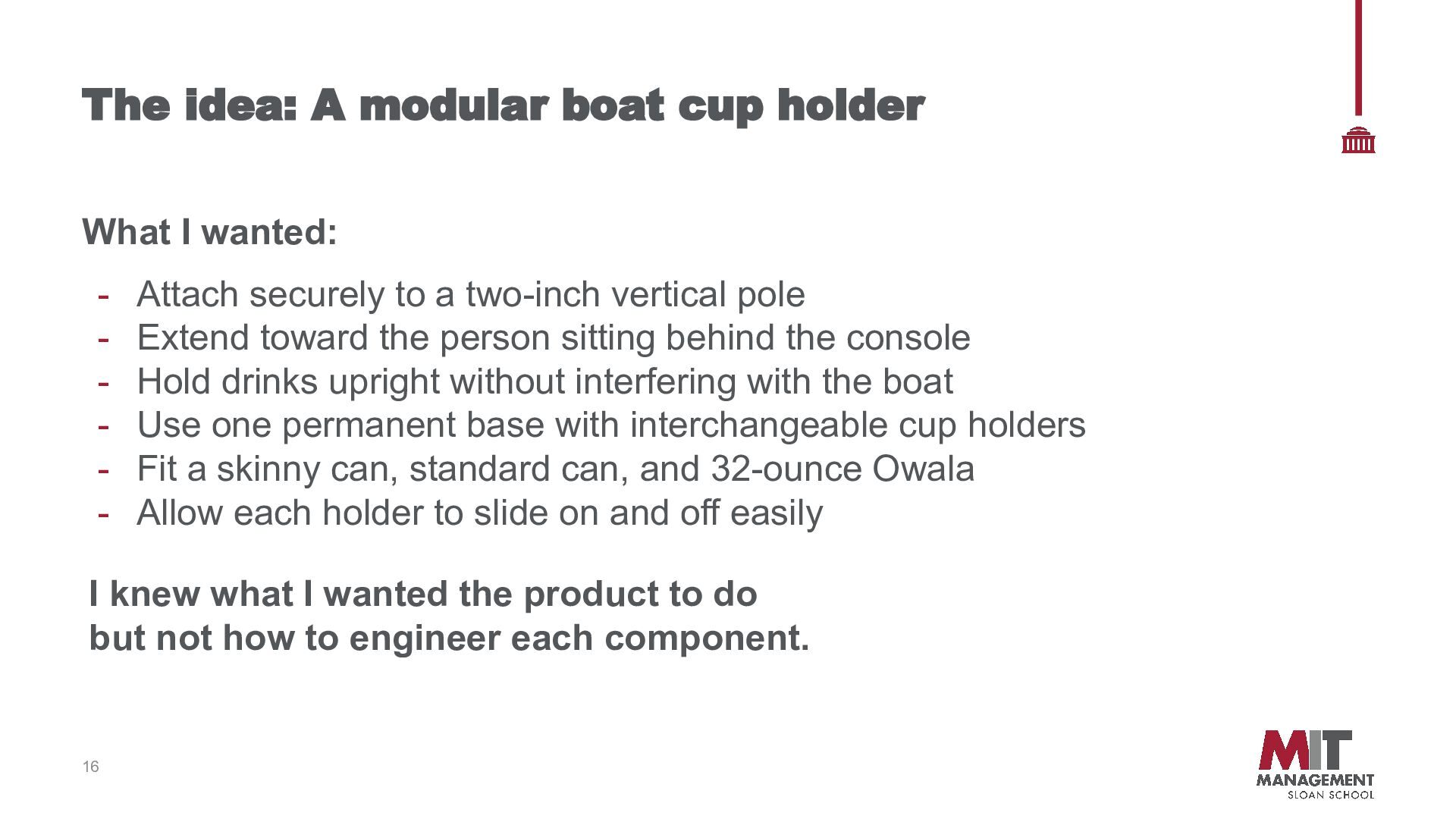
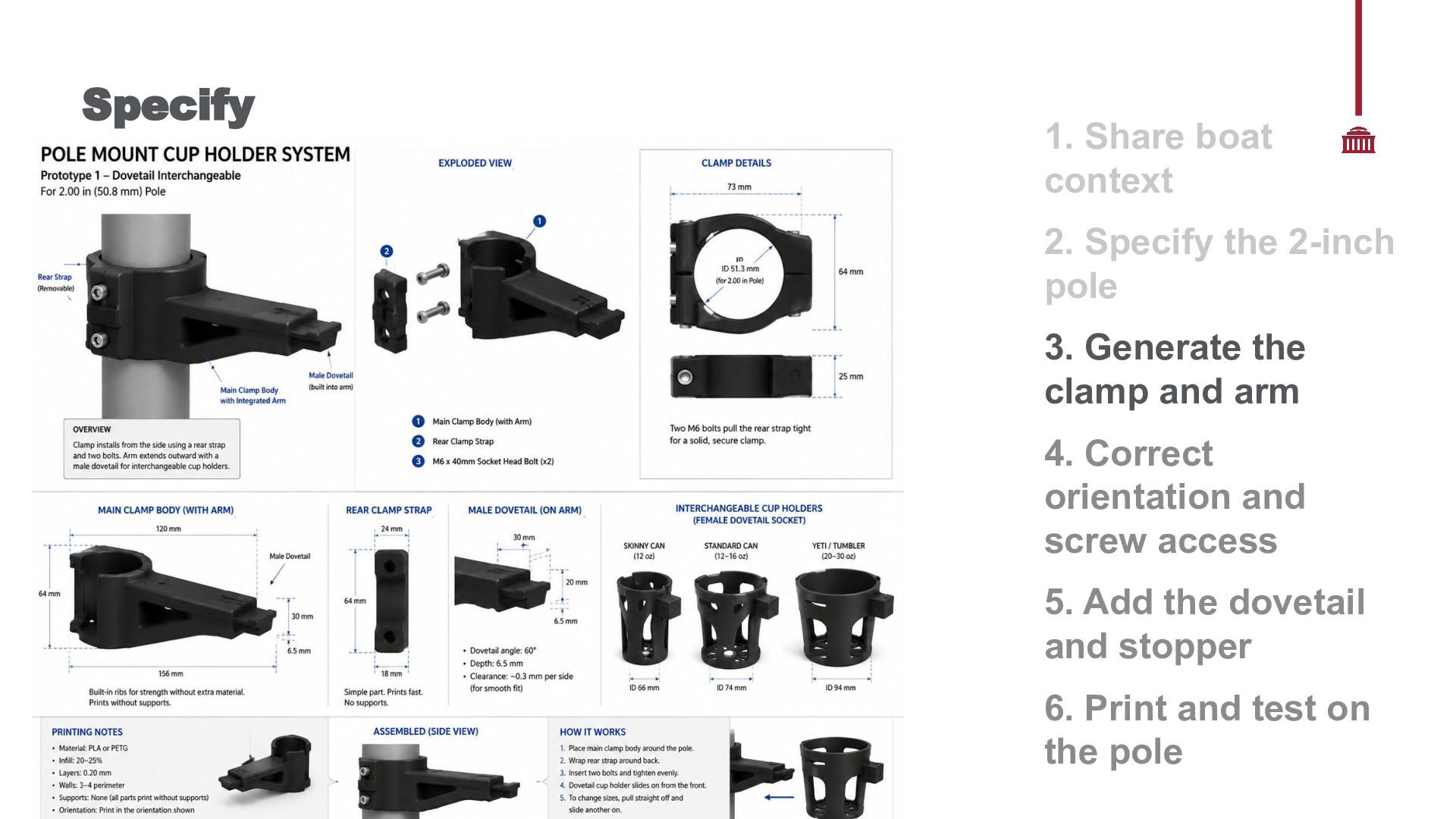
- Attach securely to a two-inch vertical pole Extend toward the person sitting behind the console Hold drinks upright without interfering with the boat Use one permanent base with interchangeable cup holders Fit a skinny can, standard can, and 32-ounce Owala Allow each holder to slide on and off easily I knew what I wanted the product to do but not how to engineer each component. 16
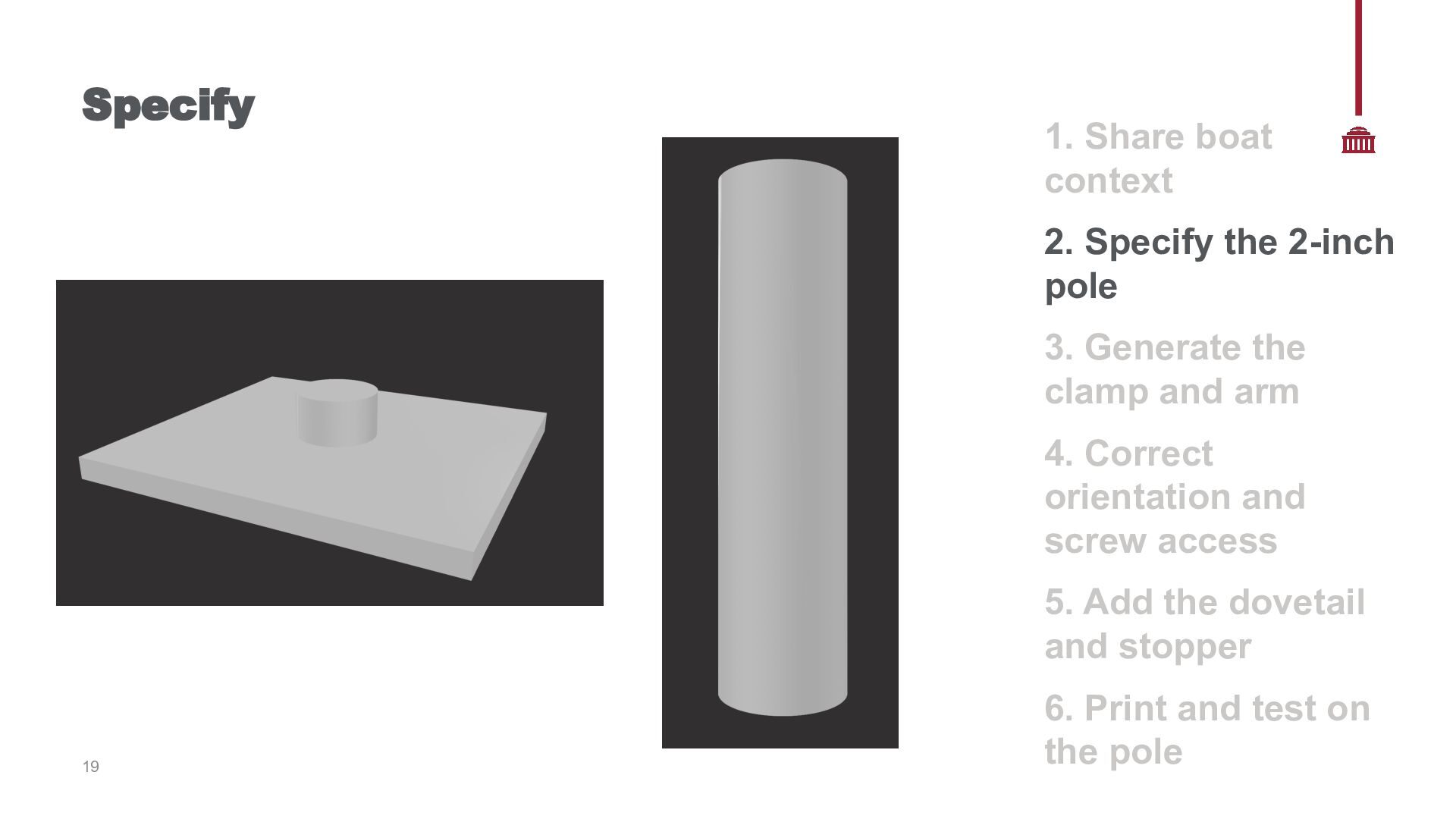
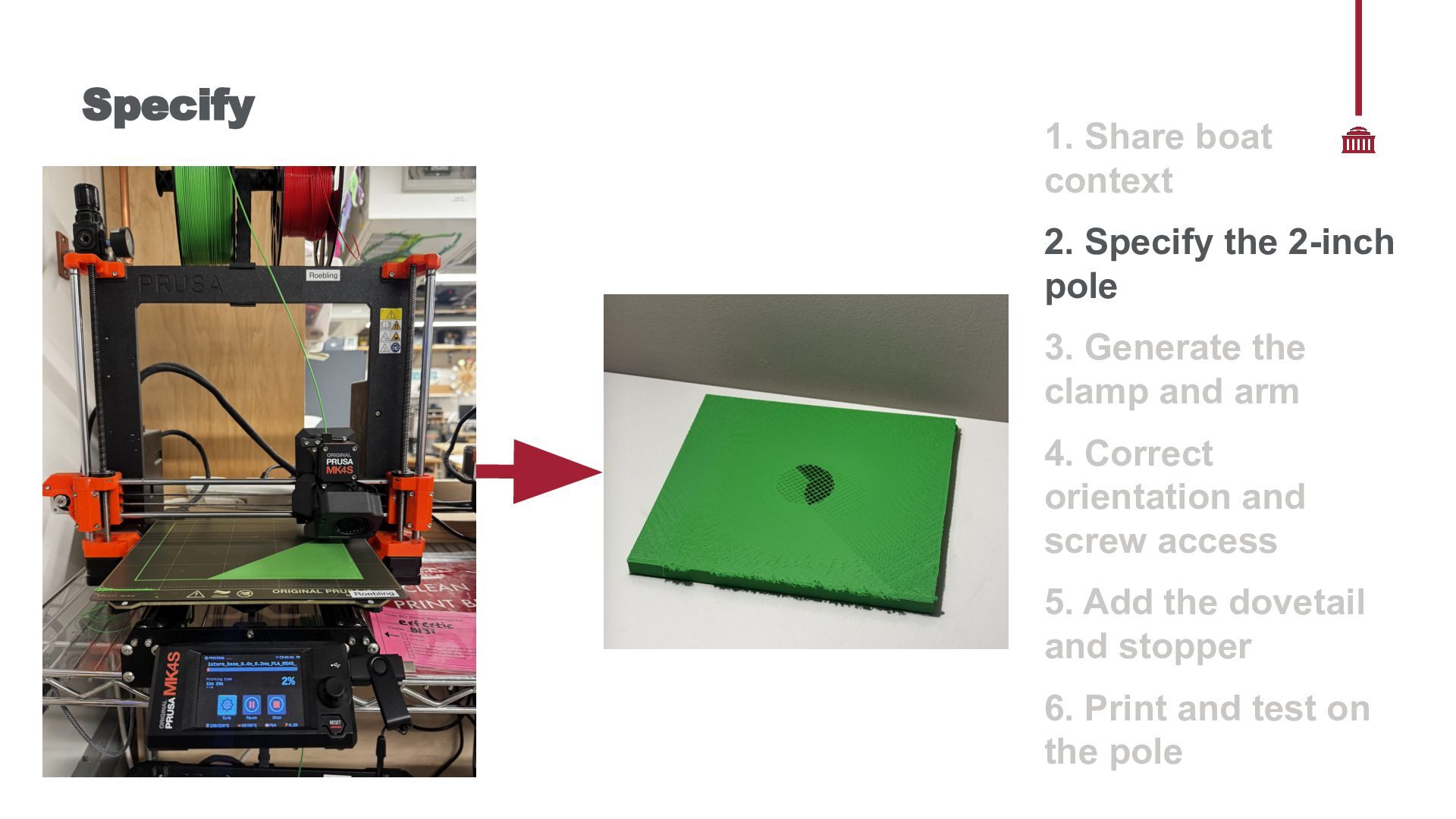
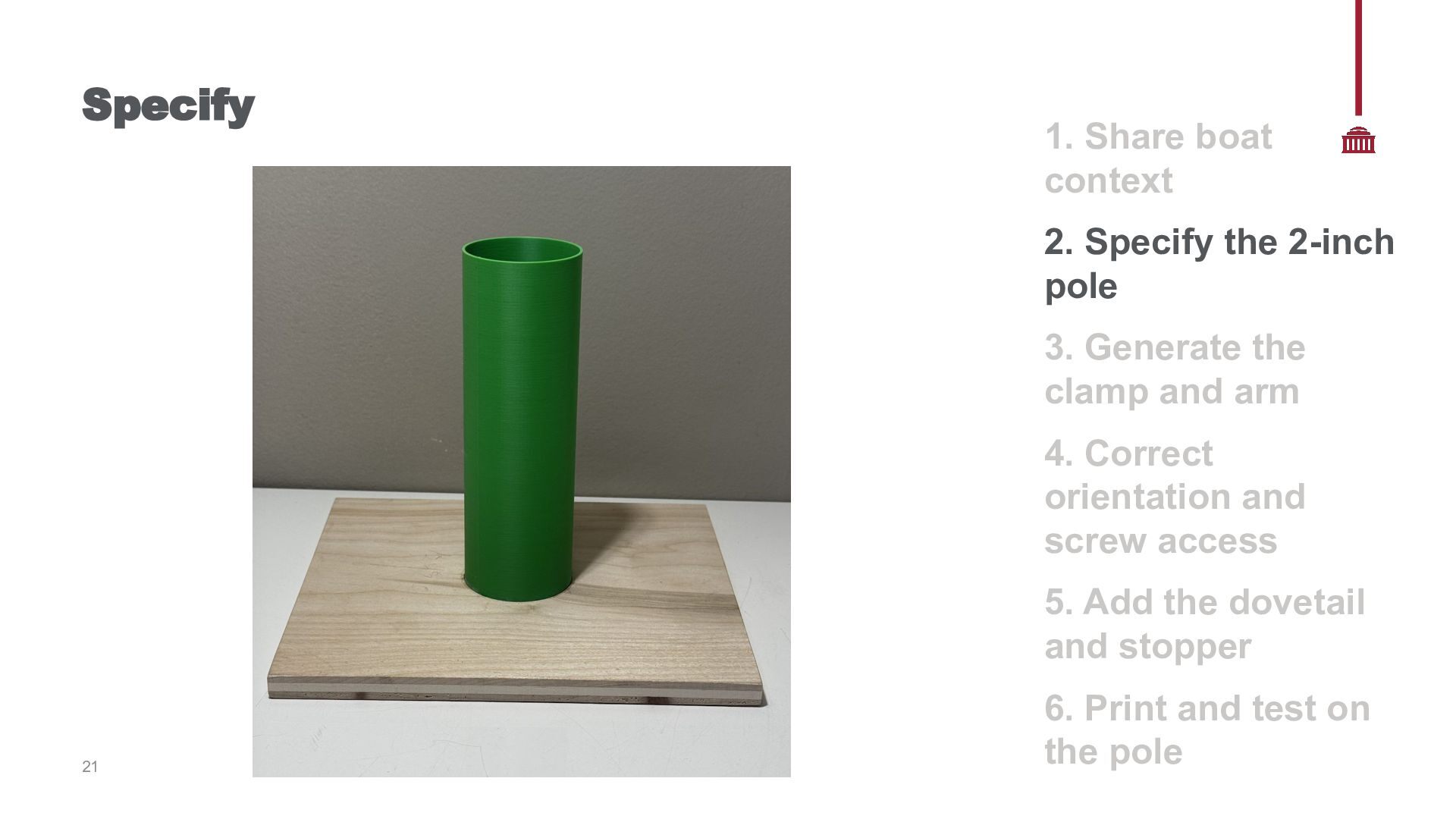
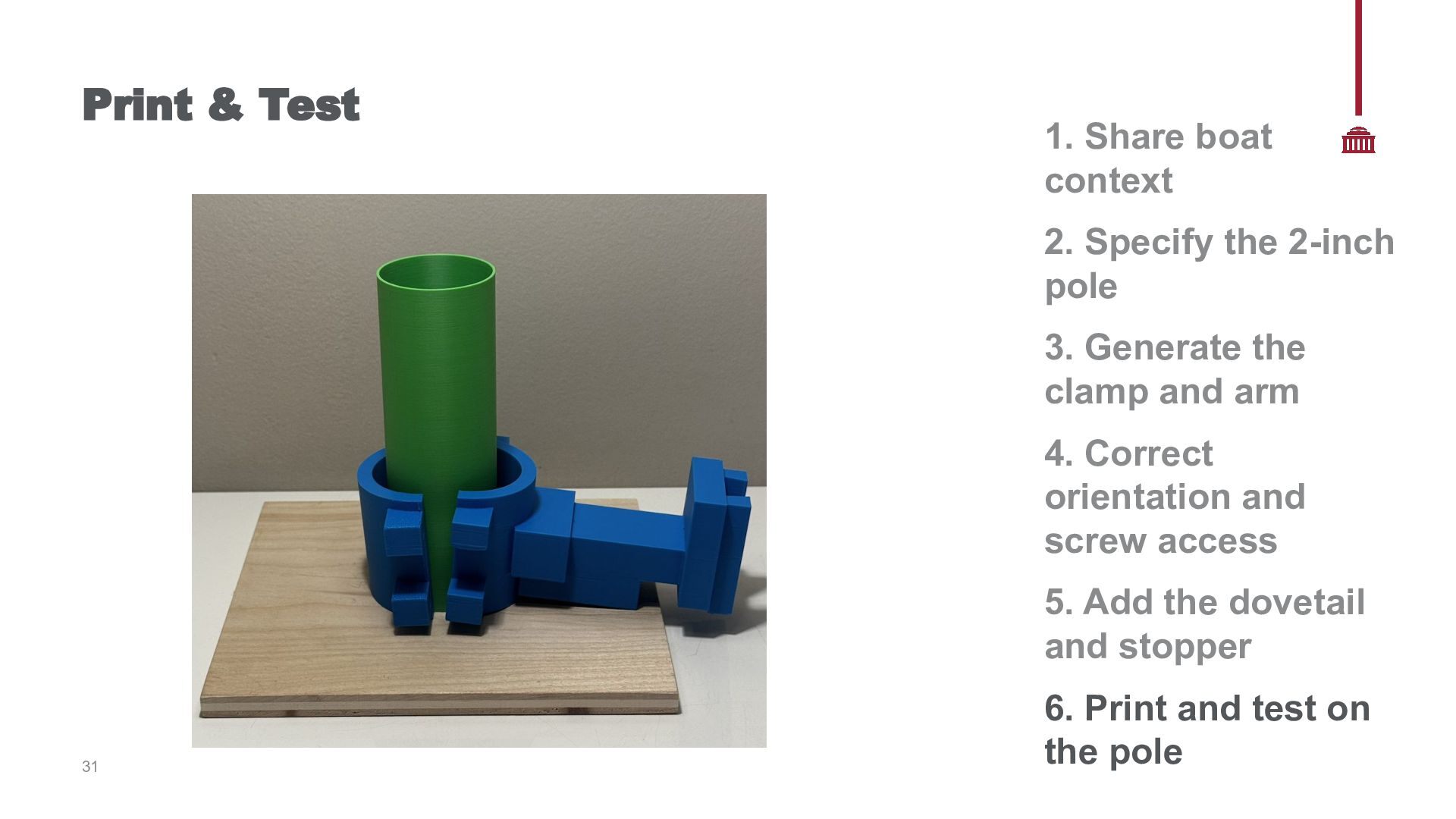
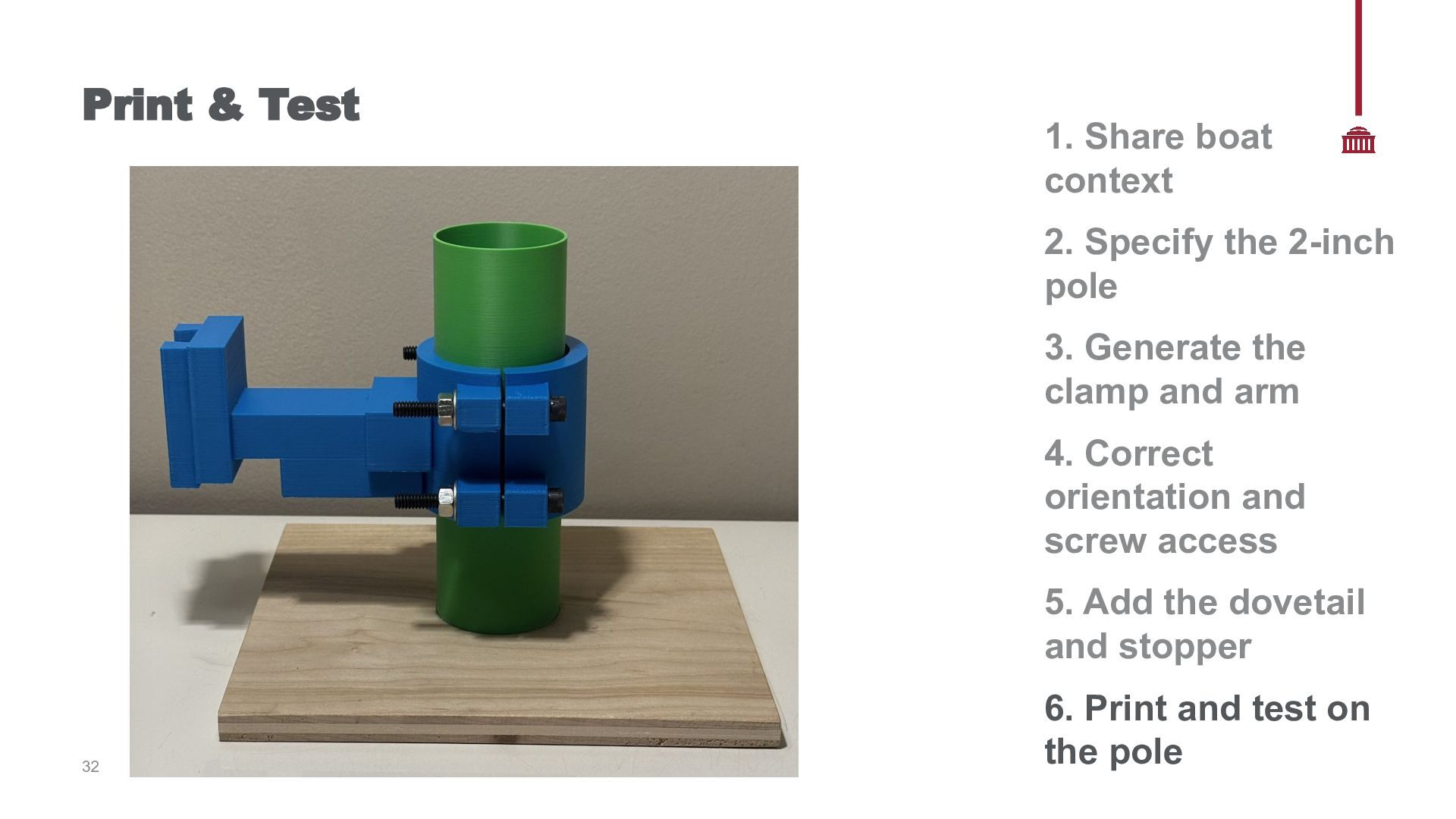
Boat Context → 2. Specify the 2-Inch Pole → 3. Generate the Clamp and Arm → 4. Correct Orientation and Screw Access → 5. Add the Dovetail and Stopper → 6. Print and Test on the Pole 17
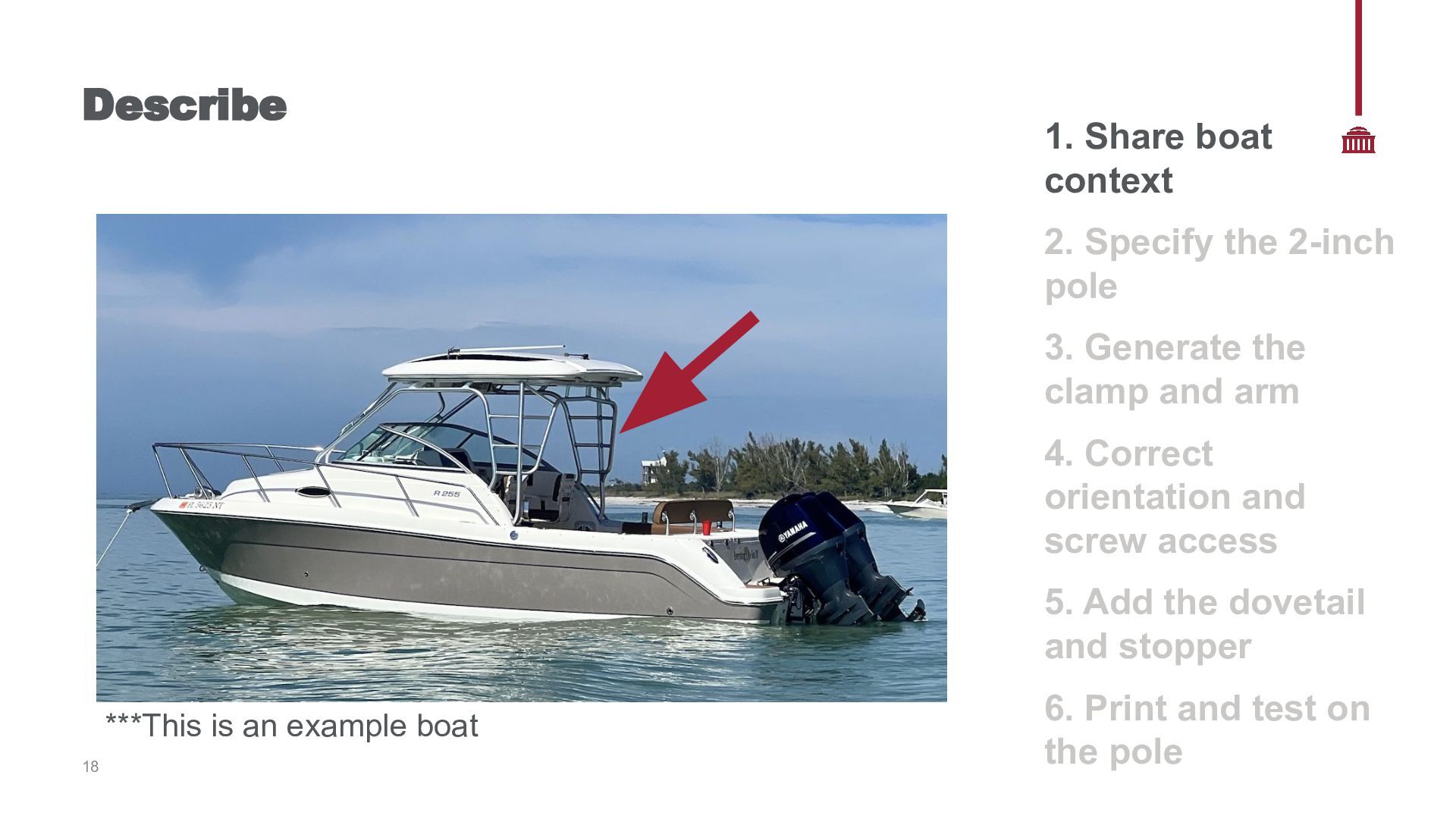
3. Generate the clamp and arm 4. Correct orientation and screw access 5. Add the dovetail and stopper ***This is an example boat 18 6. Print and test on the pole
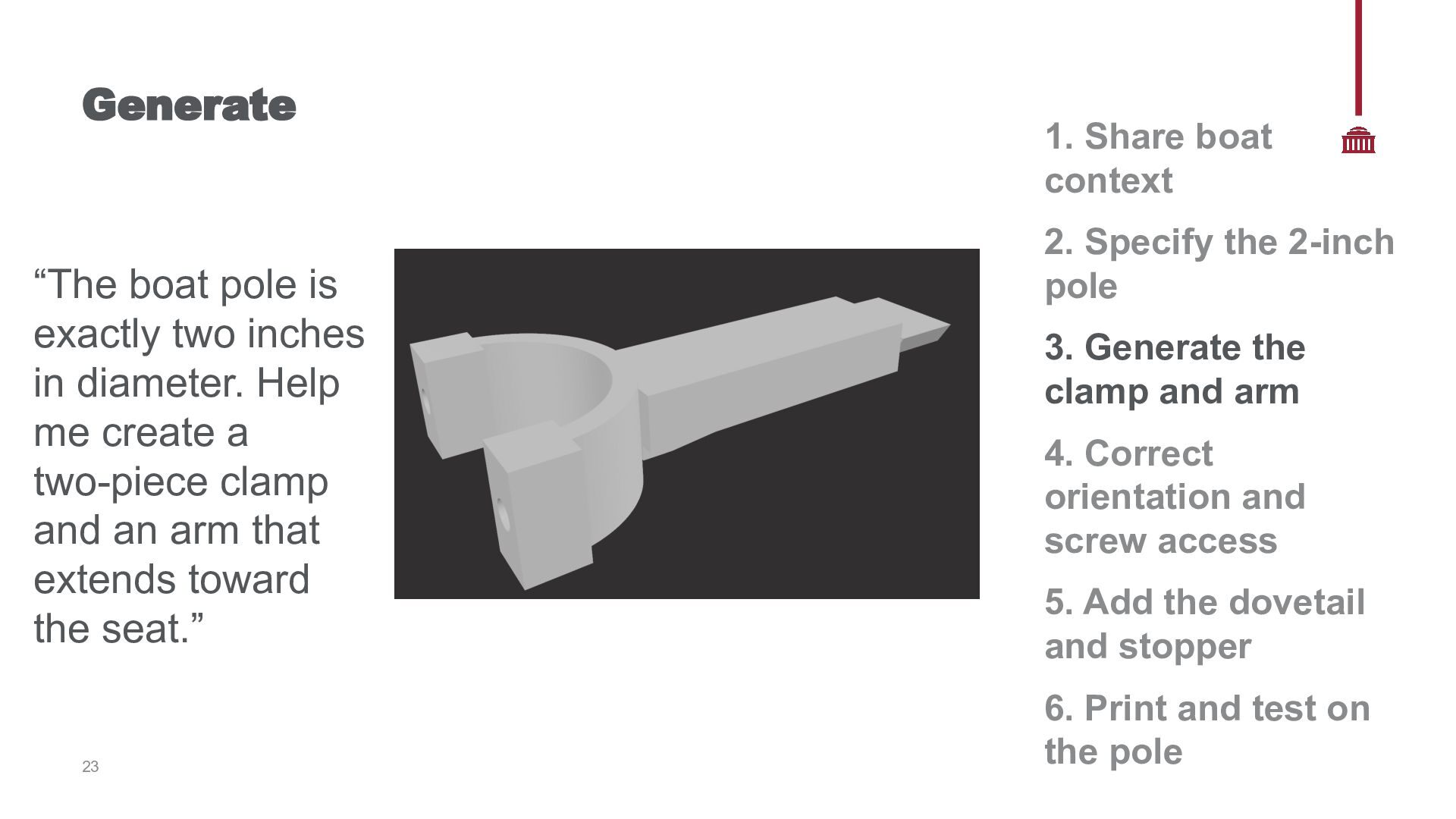
Help me create a two-piece clamp and an arm that extends toward the seat.” 23 1. Share boat context 2. Specify the 2-inch pole 3. Generate the clamp and arm 4. Correct orientation and screw access 5. Add the dovetail and stopper 6. Print and test on the pole
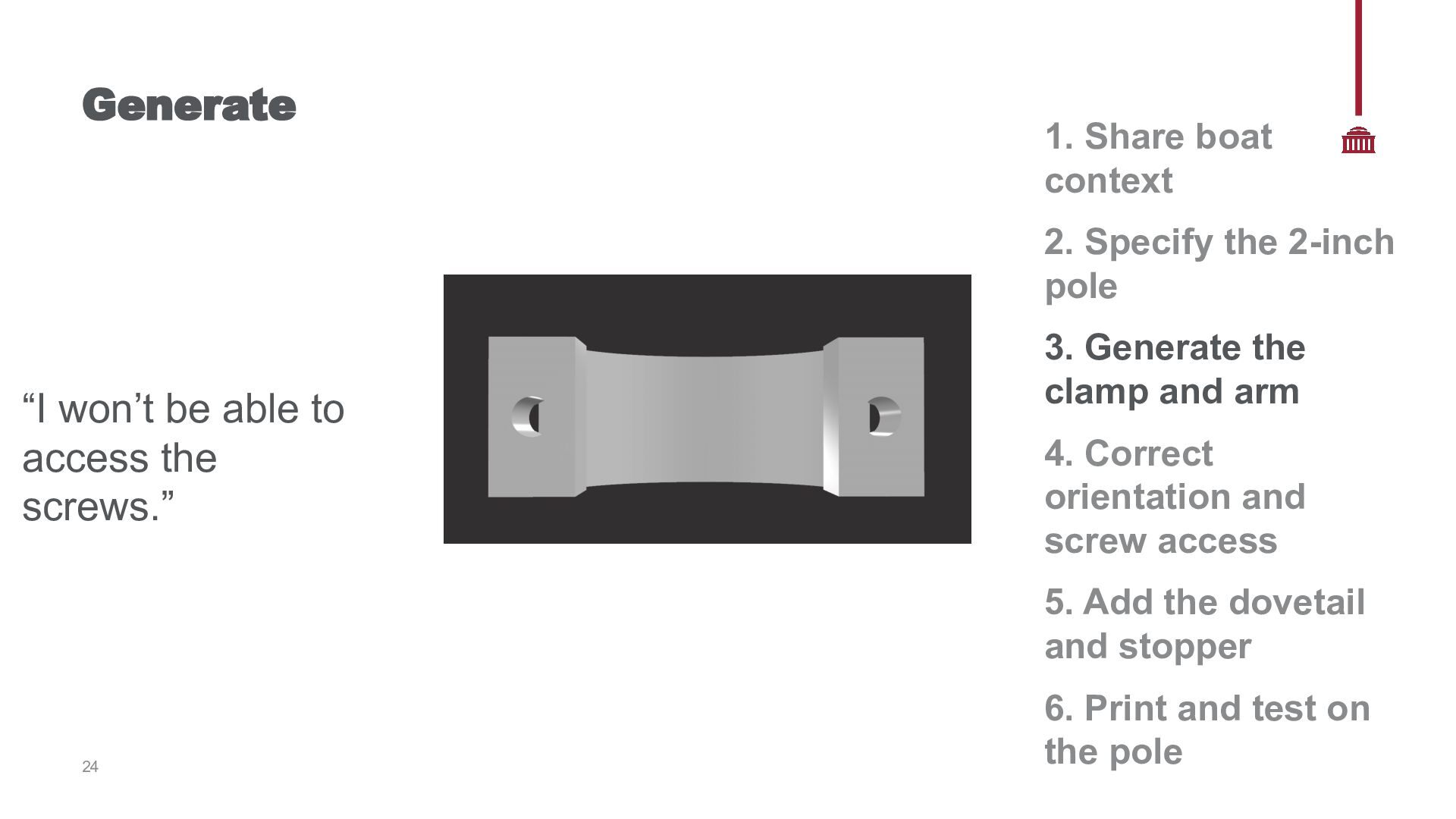
“I won’t be able to access the screws.” 3. Generate the clamp and arm 4. Correct orientation and screw access 5. Add the dovetail and stopper 24 6. Print and test on the pole
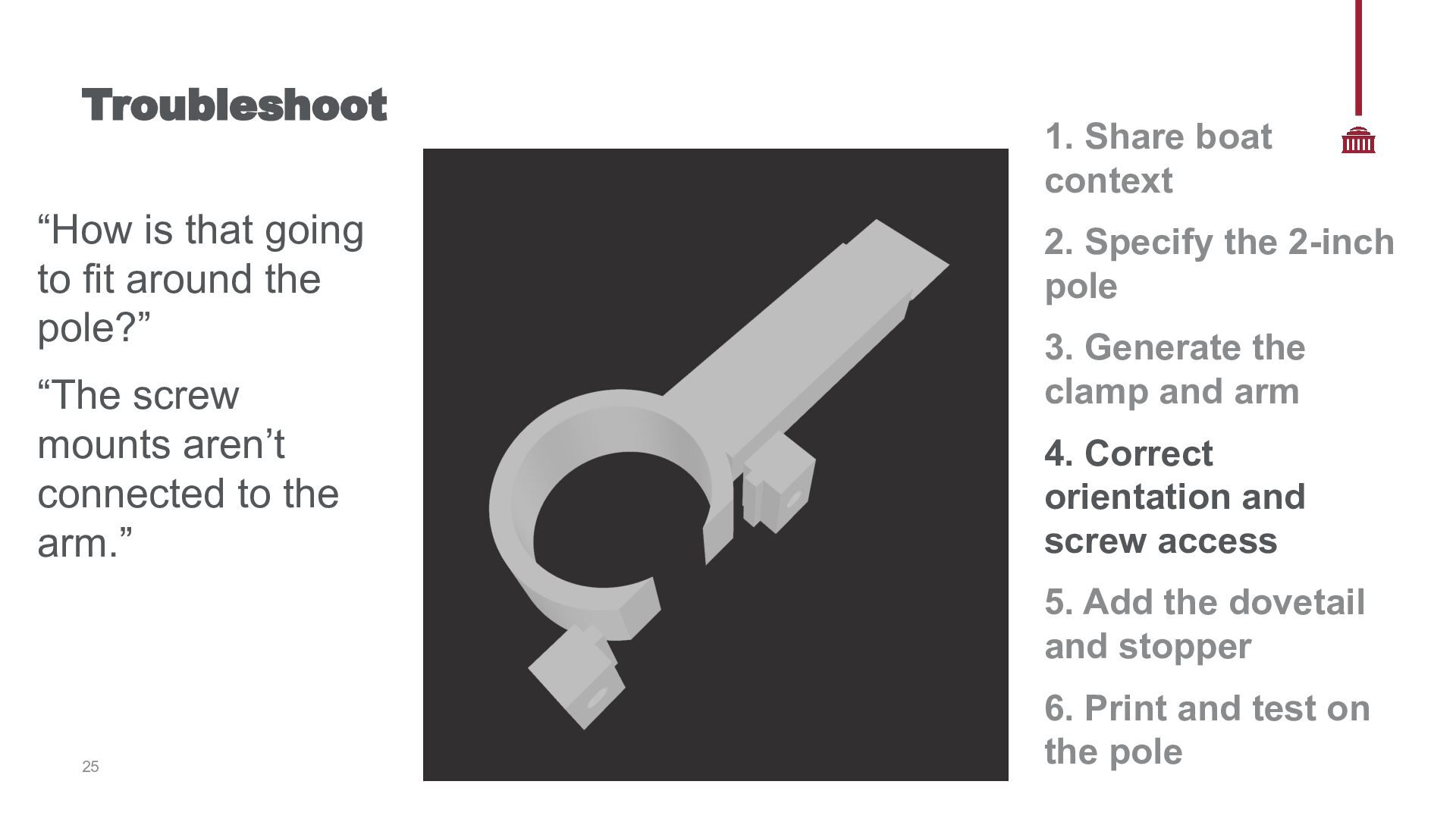
“The screw mounts aren’t connected to the arm.” 1. Share boat context 2. Specify the 2-inch pole 3. Generate the clamp and arm 4. Correct orientation and screw access 5. Add the dovetail and stopper 25 6. Print and test on the pole
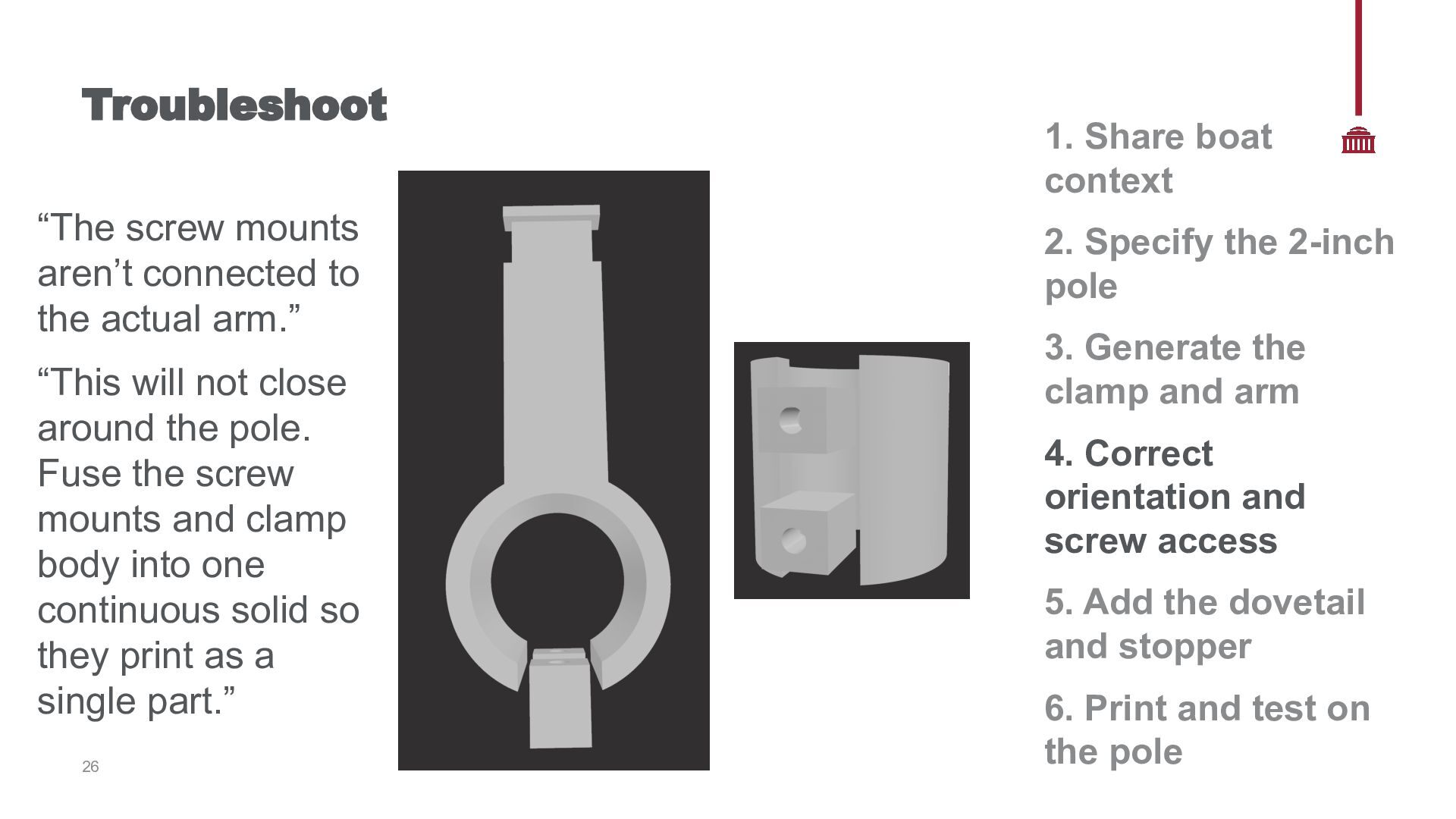
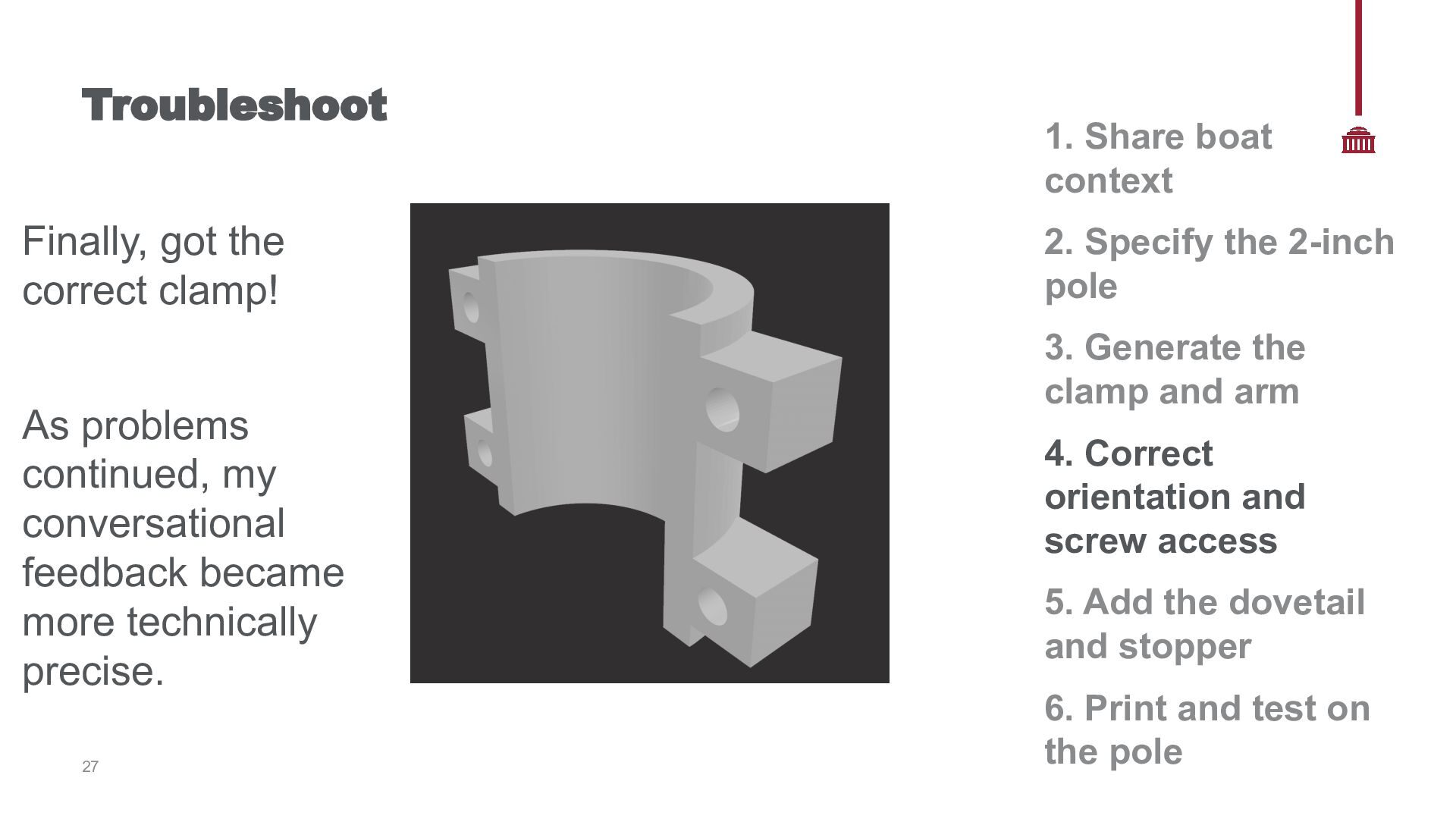
“This will not close around the pole. Fuse the screw mounts and clamp body into one continuous solid so they print as a single part.” 26 1. Share boat context 2. Specify the 2-inch pole 3. Generate the clamp and arm 4. Correct orientation and screw access 5. Add the dovetail and stopper 6. Print and test on the pole
conversational feedback became more technically precise. 27 1. Share boat context 2. Specify the 2-inch pole 3. Generate the clamp and arm 4. Correct orientation and screw access 5. Add the dovetail and stopper 6. Print and test on the pole
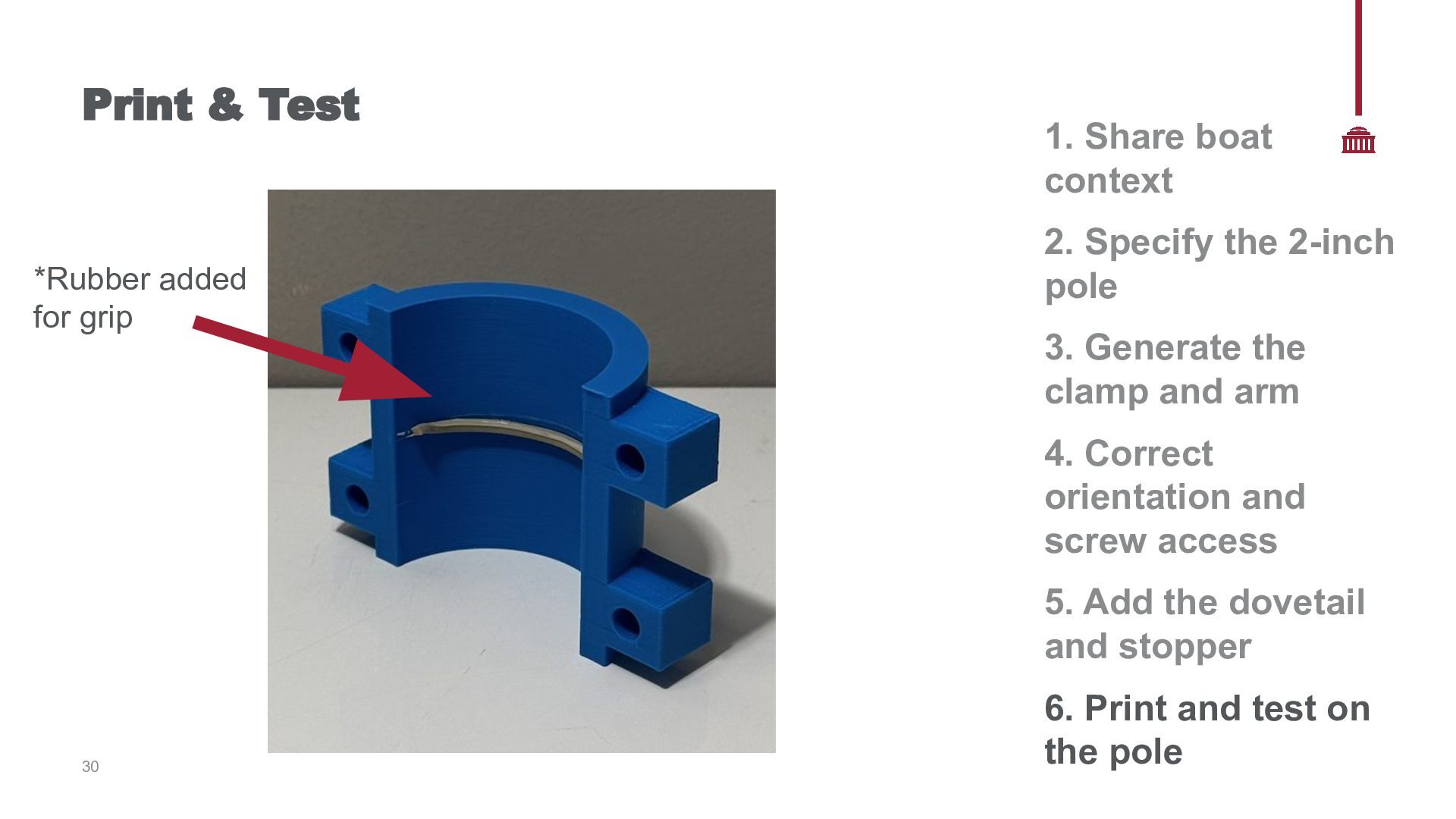
context 2. Specify the 2-inch pole 3. Generate the clamp and arm 4. Correct orientation and screw access 5. Add the dovetail and stopper 30 6. Print and test on the pole
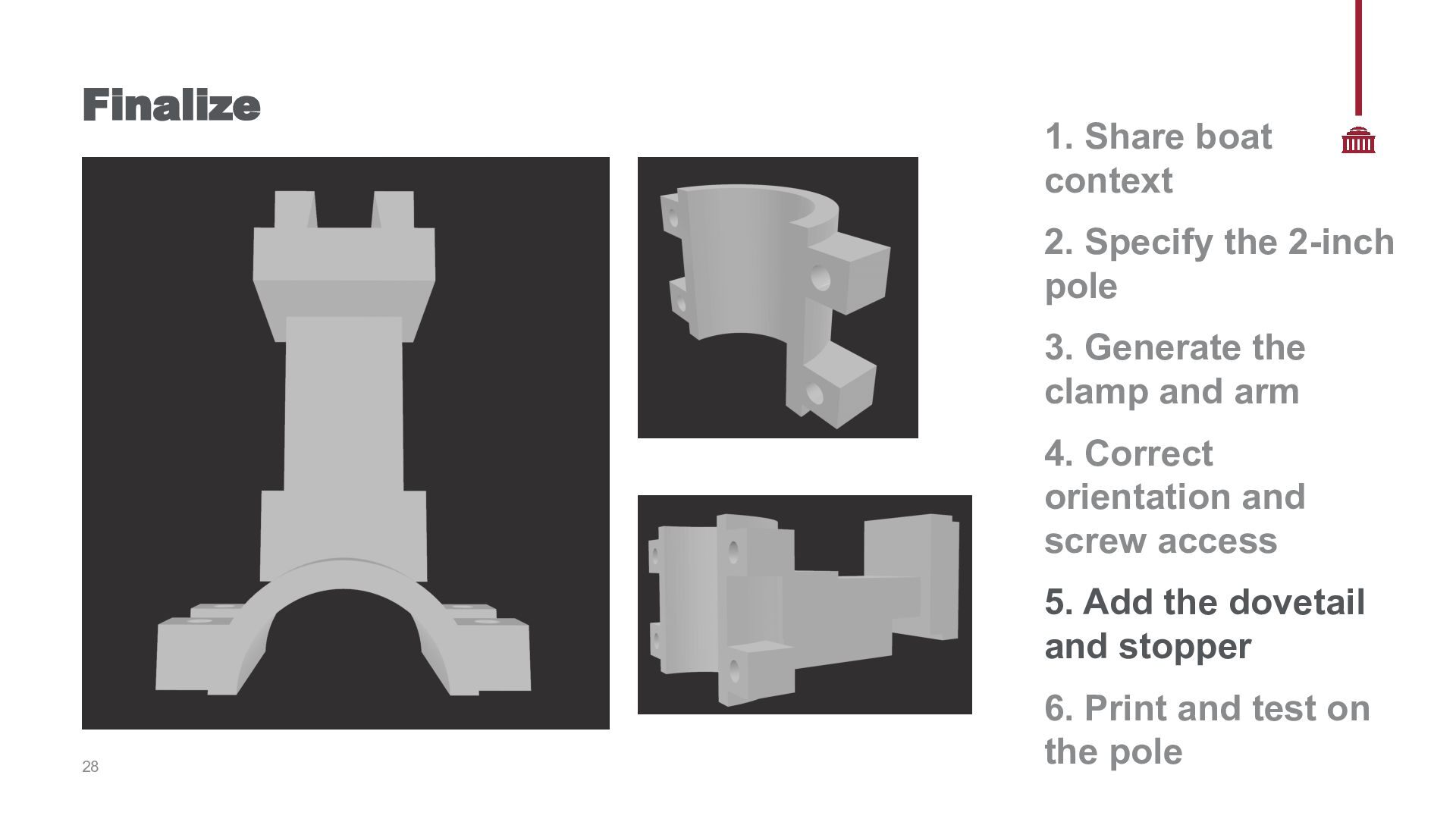
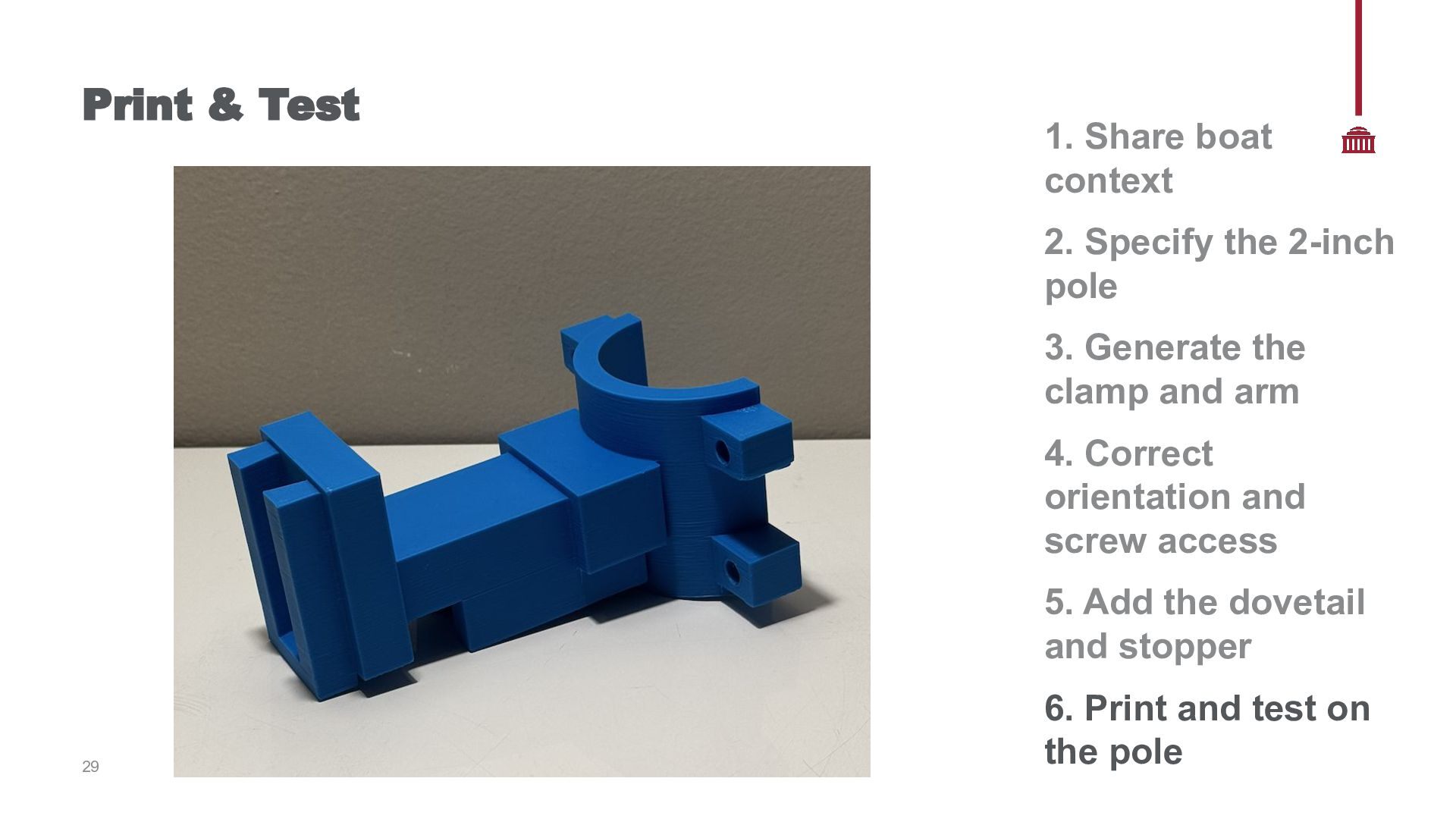
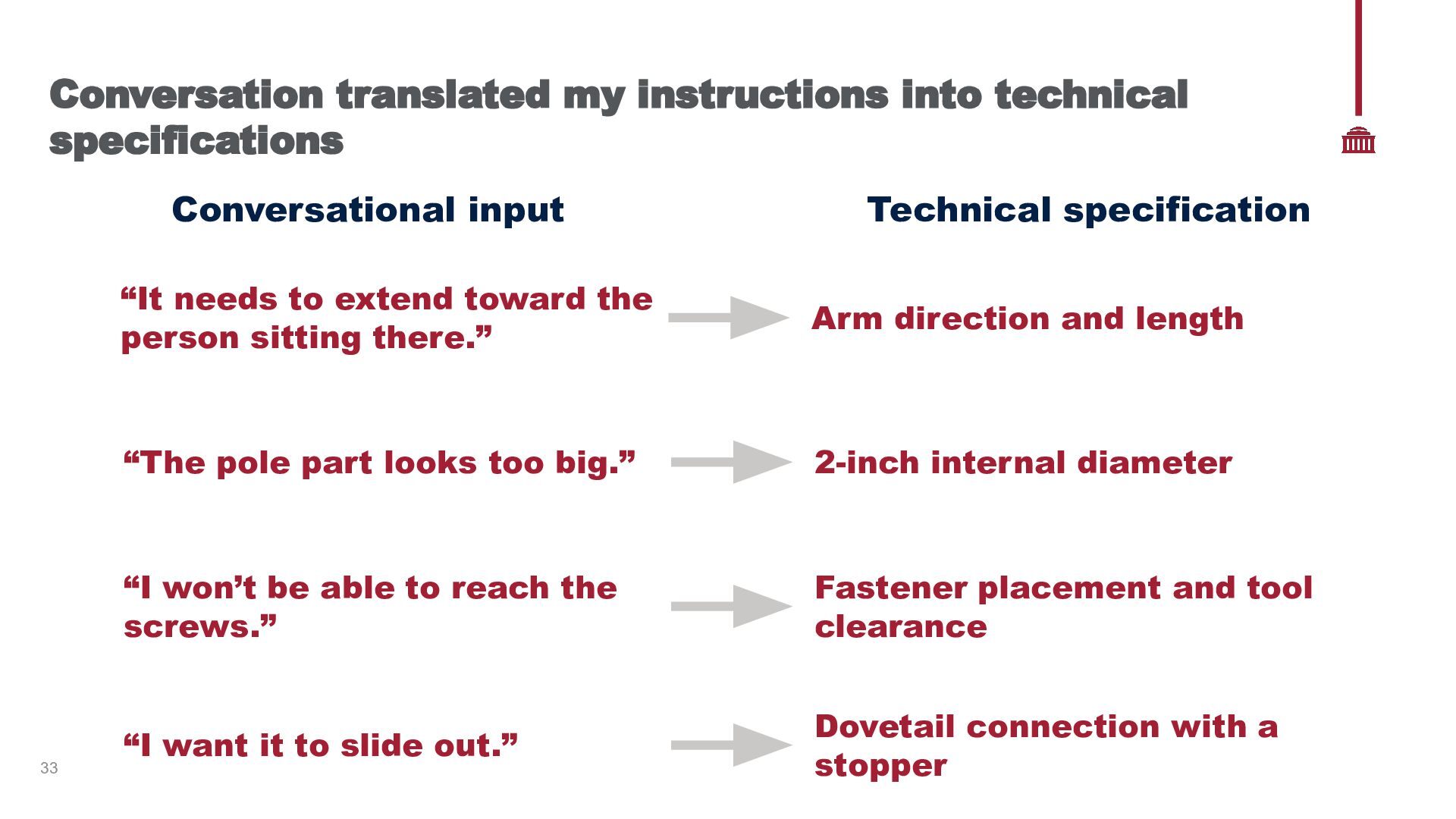
Technical specification “It needs to extend toward the person sitting there.” Arm direction and length “The pole part looks too big.” 2-inch internal diameter “I won’t be able to reach the screws.” Fastener placement and tool clearance “I want it to slide out.” Dovetail connection with a stopper
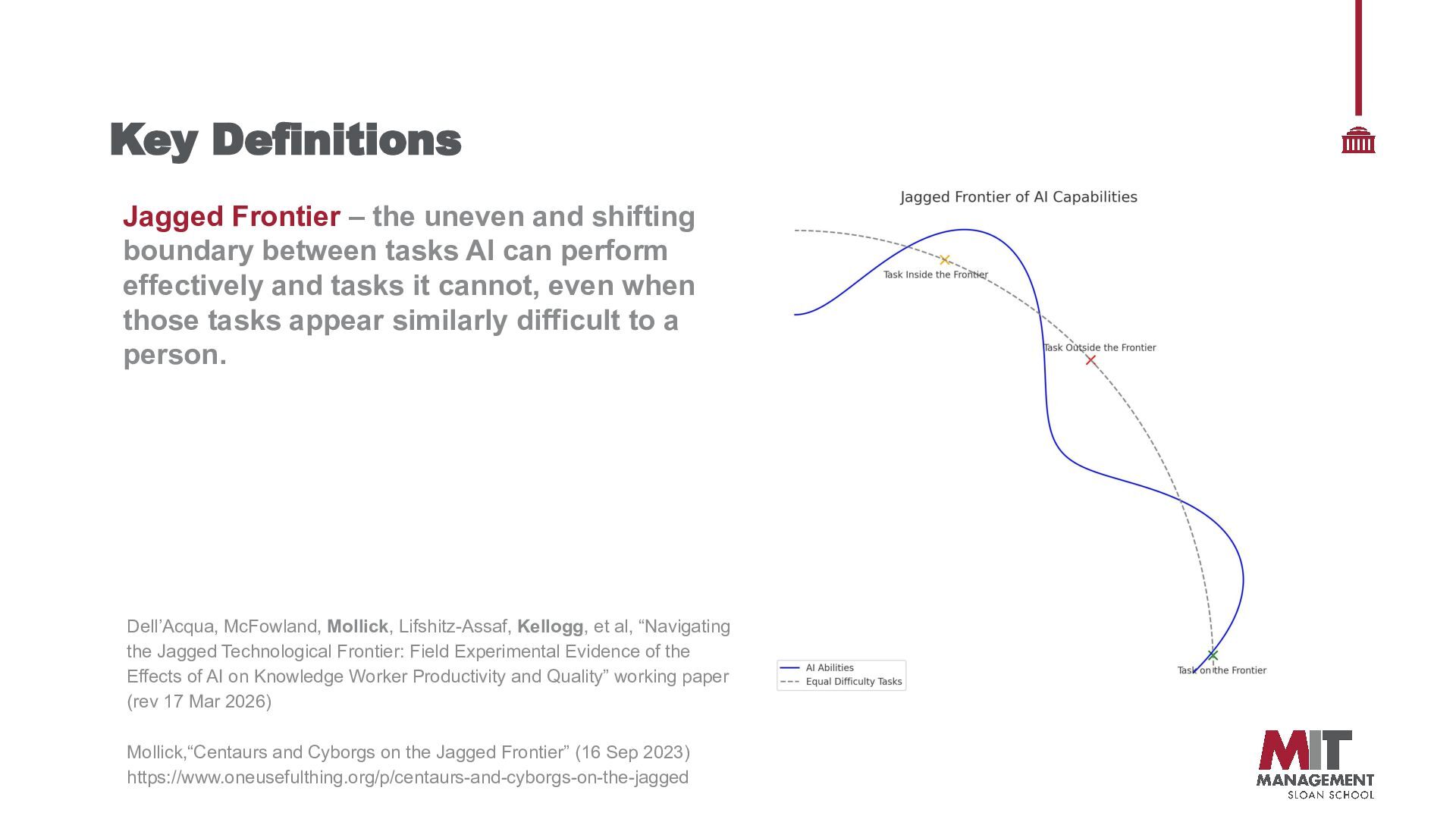
between tasks AI can perform effectively and tasks it cannot, even when those tasks appear similarly difficult to a person. Dell’Acqua, McFowland, Mollick, Lifshitz-Assaf, Kellogg, et al, “Navigating the Jagged Technological Frontier: Field Experimental Evidence of the Effects of AI on Knowledge Worker Productivity and Quality” working paper (rev 17 Mar 2026) Mollick,“Centaurs and Cyborgs on the Jagged Frontier” (16 Sep 2023) https://www.oneusefulthing.org/p/centaurs-and-cyborgs-on-the-jagged
threads and fastening hardware → 2. Define the three drink sizes → 3. Generate the interchangeable holders → 4. Check drink fit and clearance → 5. Adjust the dovetail for printable Tolerance → 6. Evaluate weight distribution and arm support 36
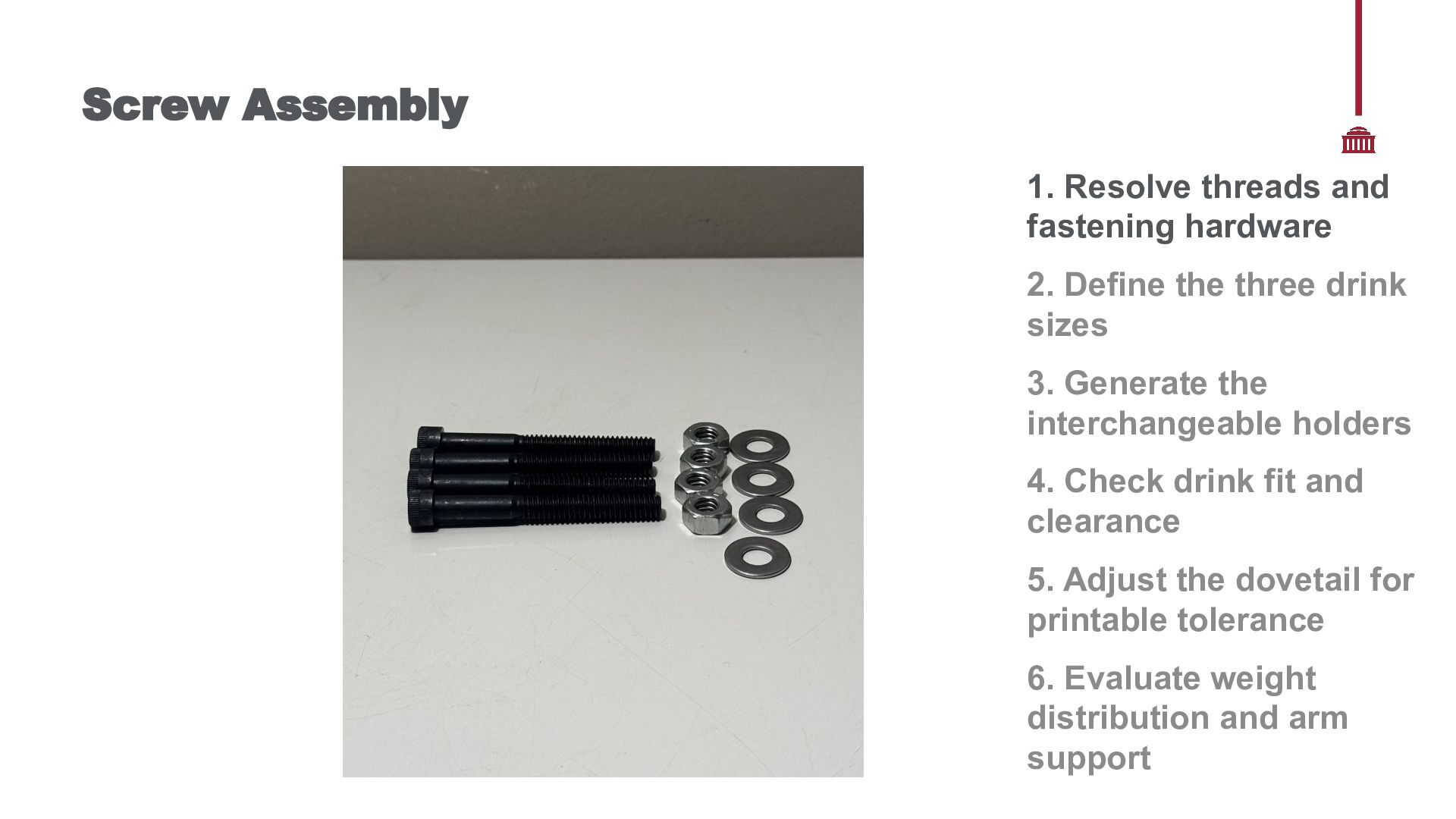
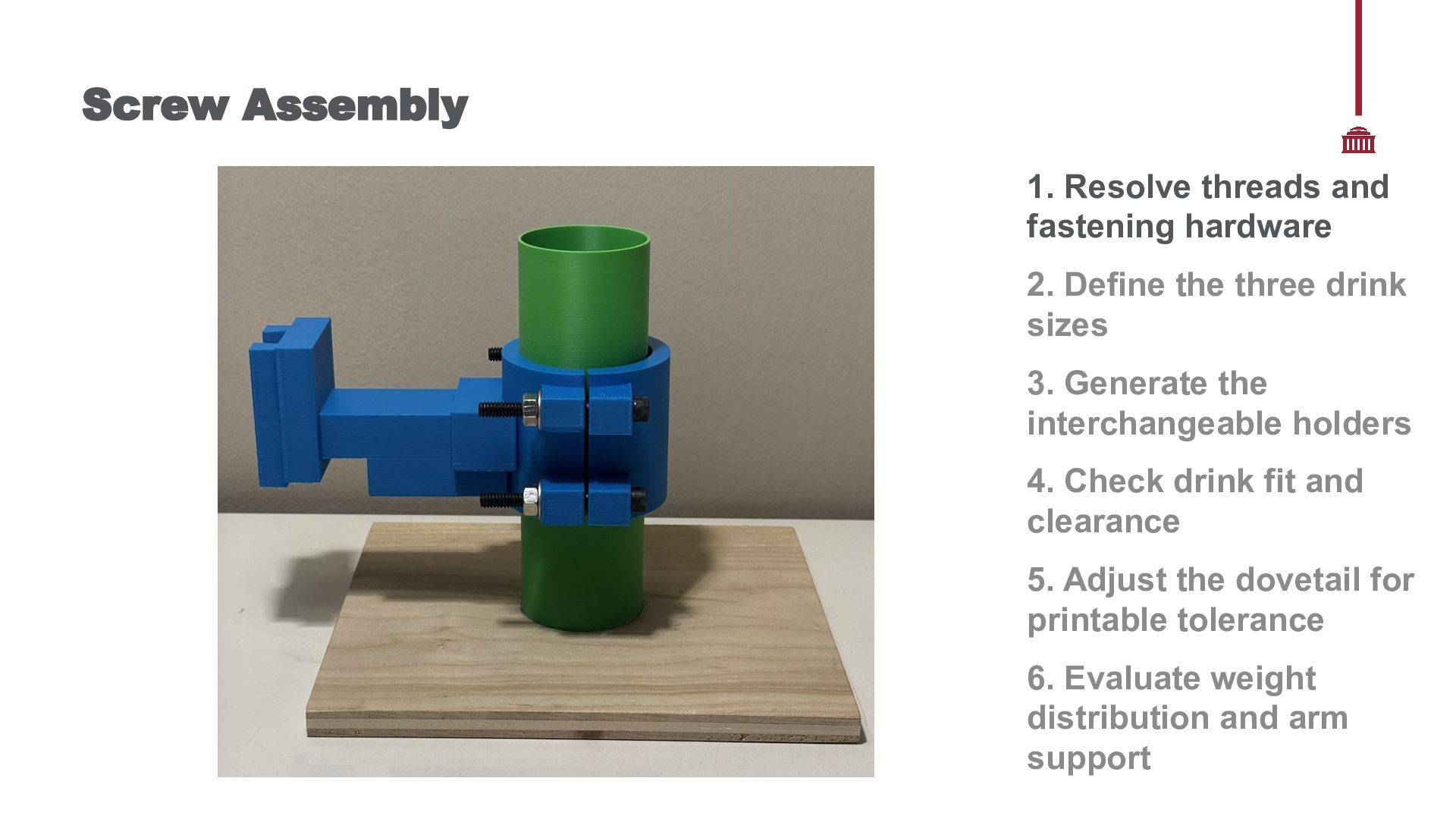
1. 2. 3. 4. - AI generated the clamp The model contained smooth through-holes (not threaded) Printing revealed a missing question “What screw am I using to put all of this together?” I showed AI the hardware available AI explained that I needed a bolt through both pieces A washer and nut would secure the opposite side The bolt needed to be long enough to span the entire assembly I physically checked the recommendation Compared the available bolts with the printed parts AI could explain the fastening system once asked, but it did not proactively communicate the hardware assumptions built into its design. 1. Resolve threads and fastening hardware 2. Define the three drink sizes 3. Generate the interchangeable holders 4. Check drink fit and clearance 5. Adjust the dovetail for printable tolerance 6. Evaluate weight distribution and arm support
the three drink sizes 3. Generate the interchangeable holders 4. Check drink fit and clearance 5. Adjust the dovetail for printable tolerance 6. Evaluate weight distribution and arm support
the three drink sizes 3. Generate the interchangeable holders 4. Check drink fit and clearance 5. Adjust the dovetail for printable tolerance 6. Evaluate weight distribution and arm support
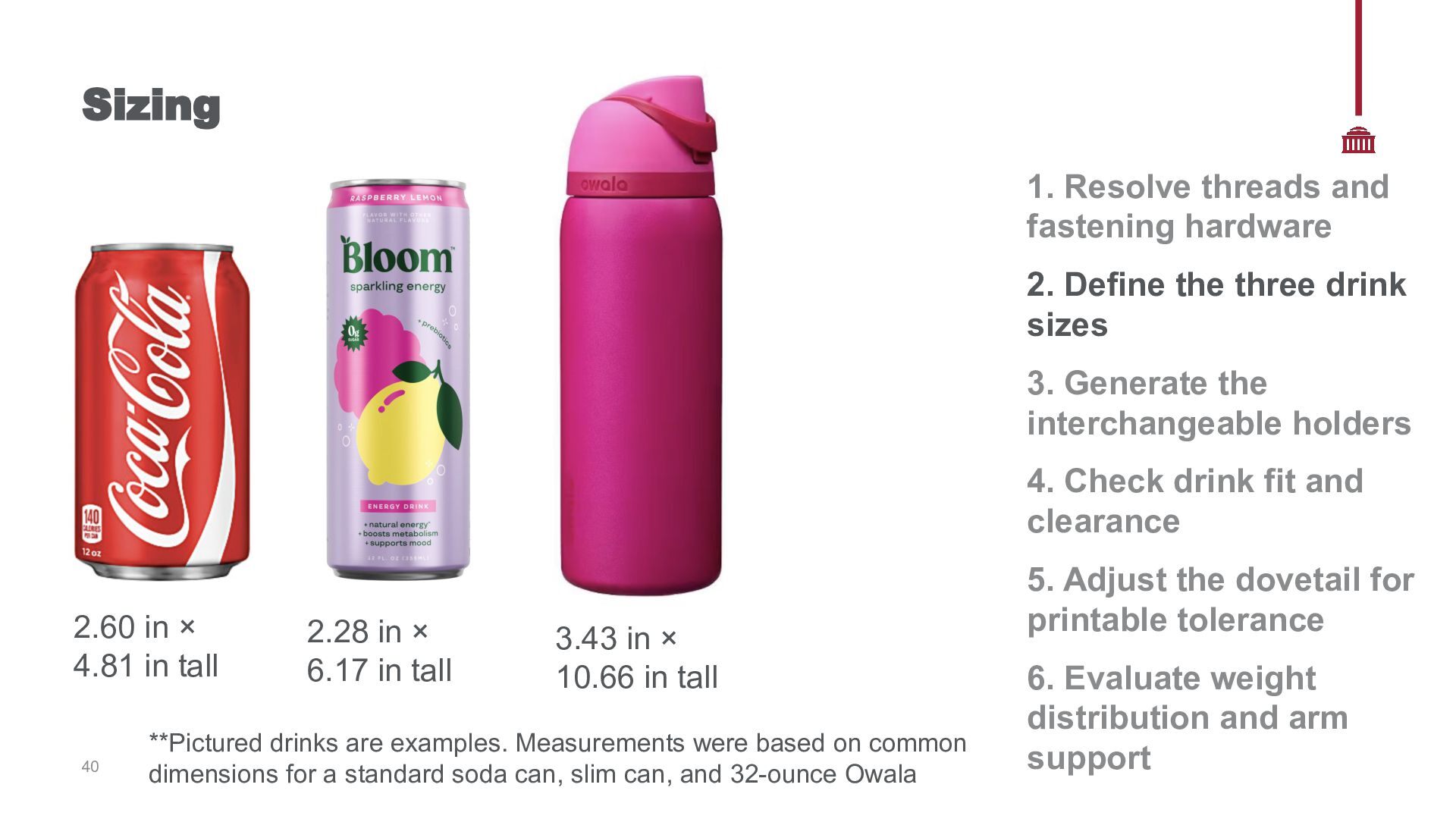
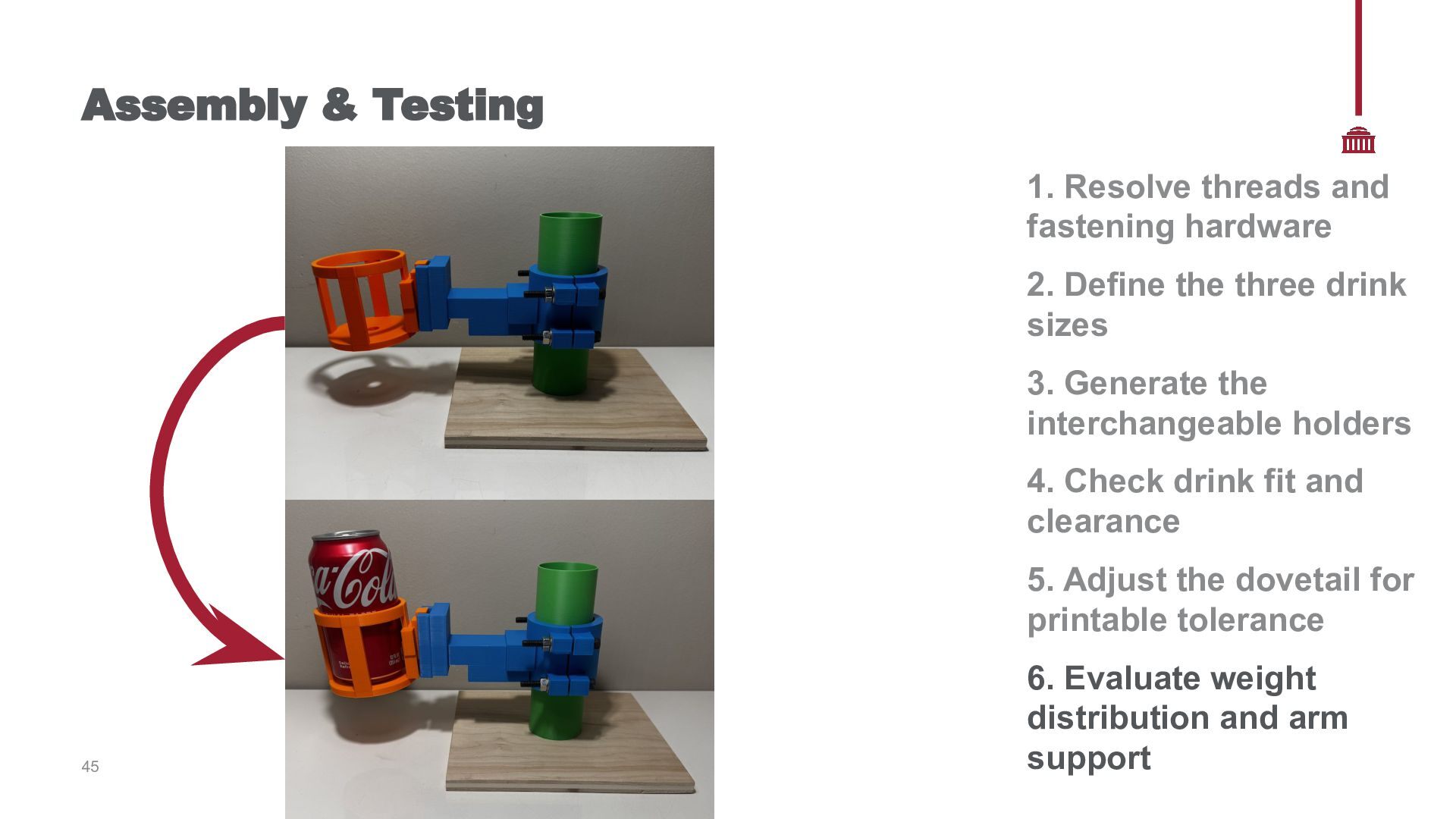
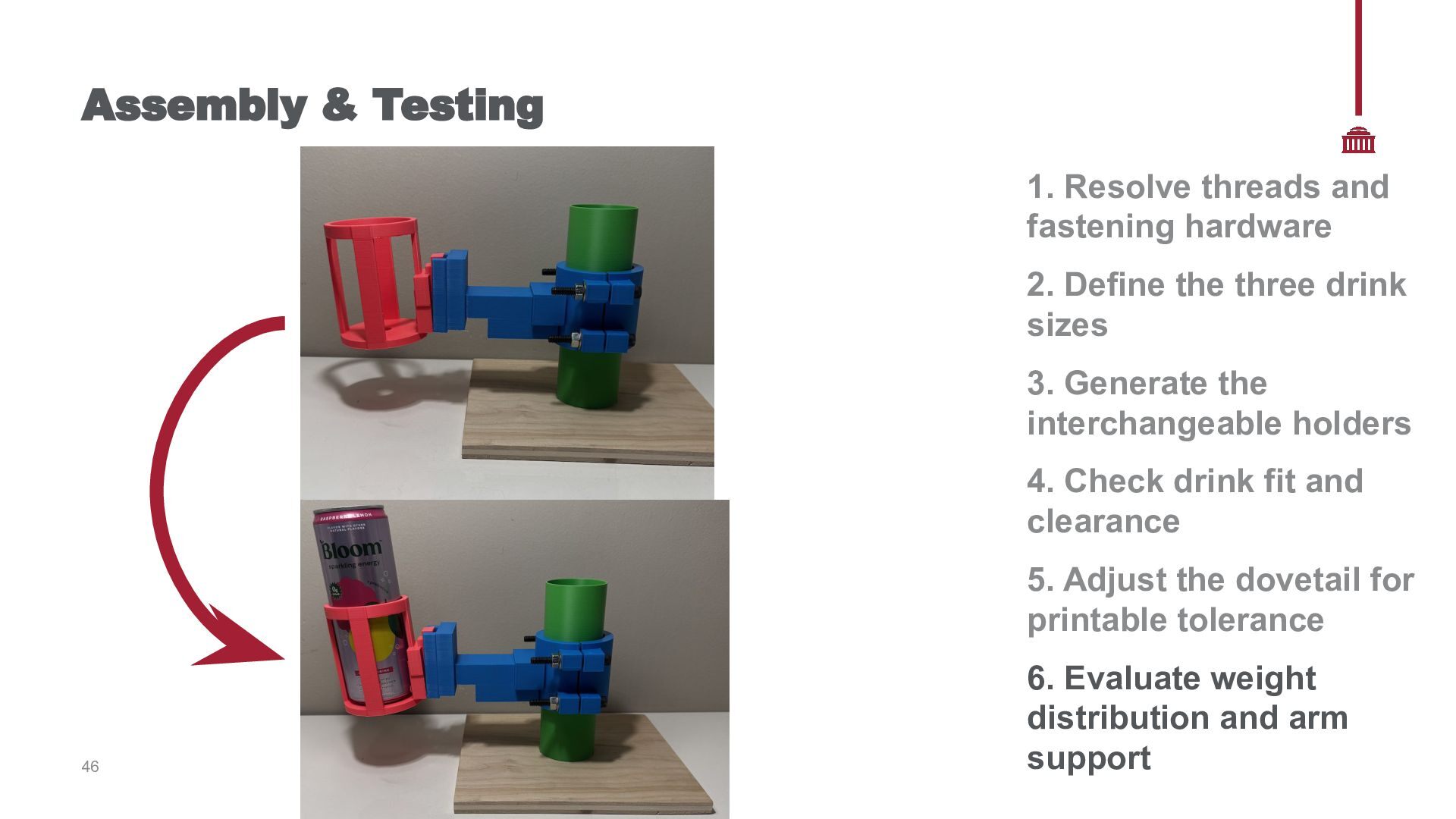
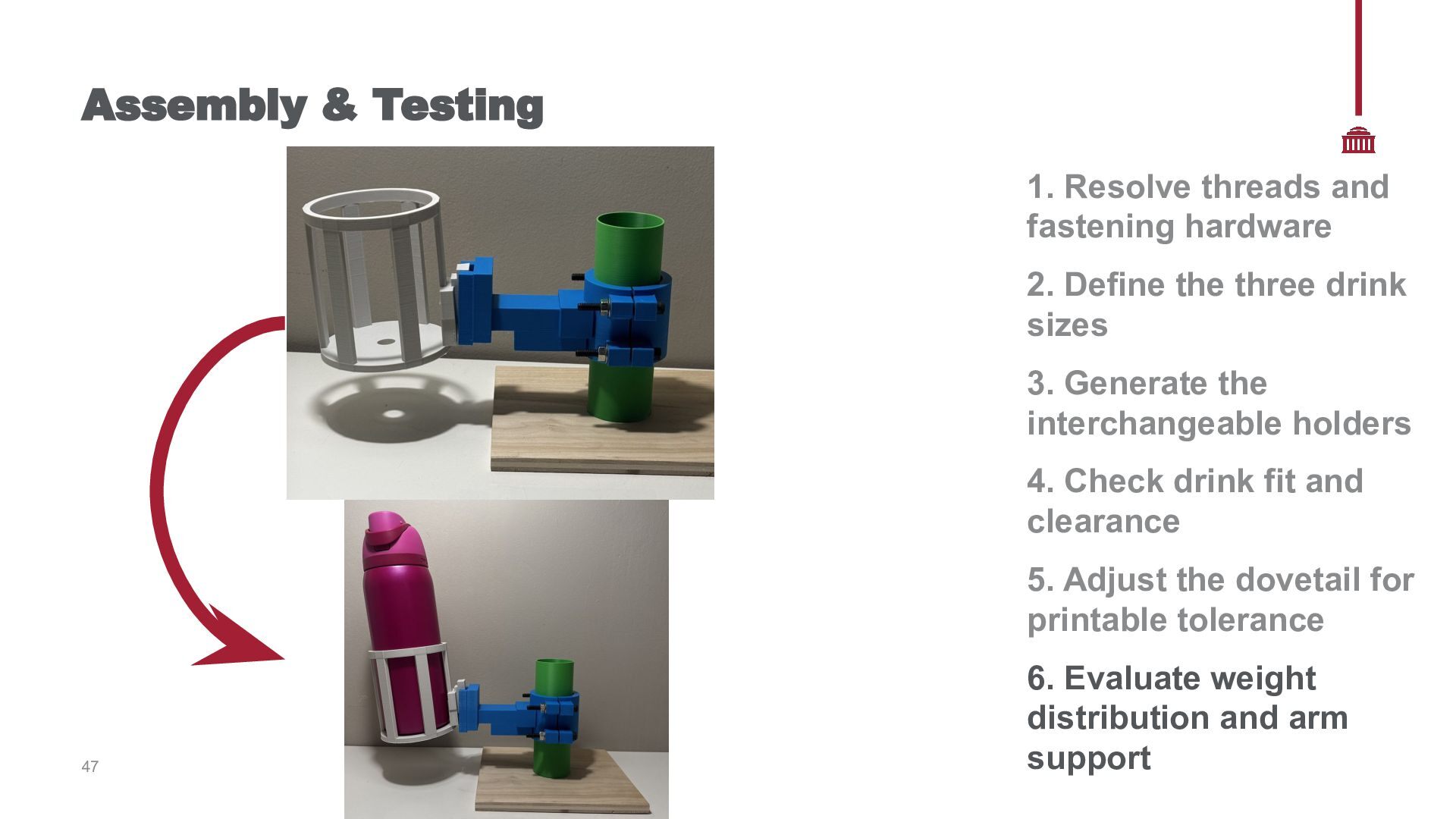
three drink sizes 3. Generate the interchangeable holders 4. Check drink fit and clearance 2.60 in × 4.81 in tall 40 2.28 in × 6.17 in tall 3.43 in × 10.66 in tall **Pictured drinks are examples. Measurements were based on common dimensions for a standard soda can, slim can, and 32-ounce Owala 5. Adjust the dovetail for printable tolerance 6. Evaluate weight distribution and arm support
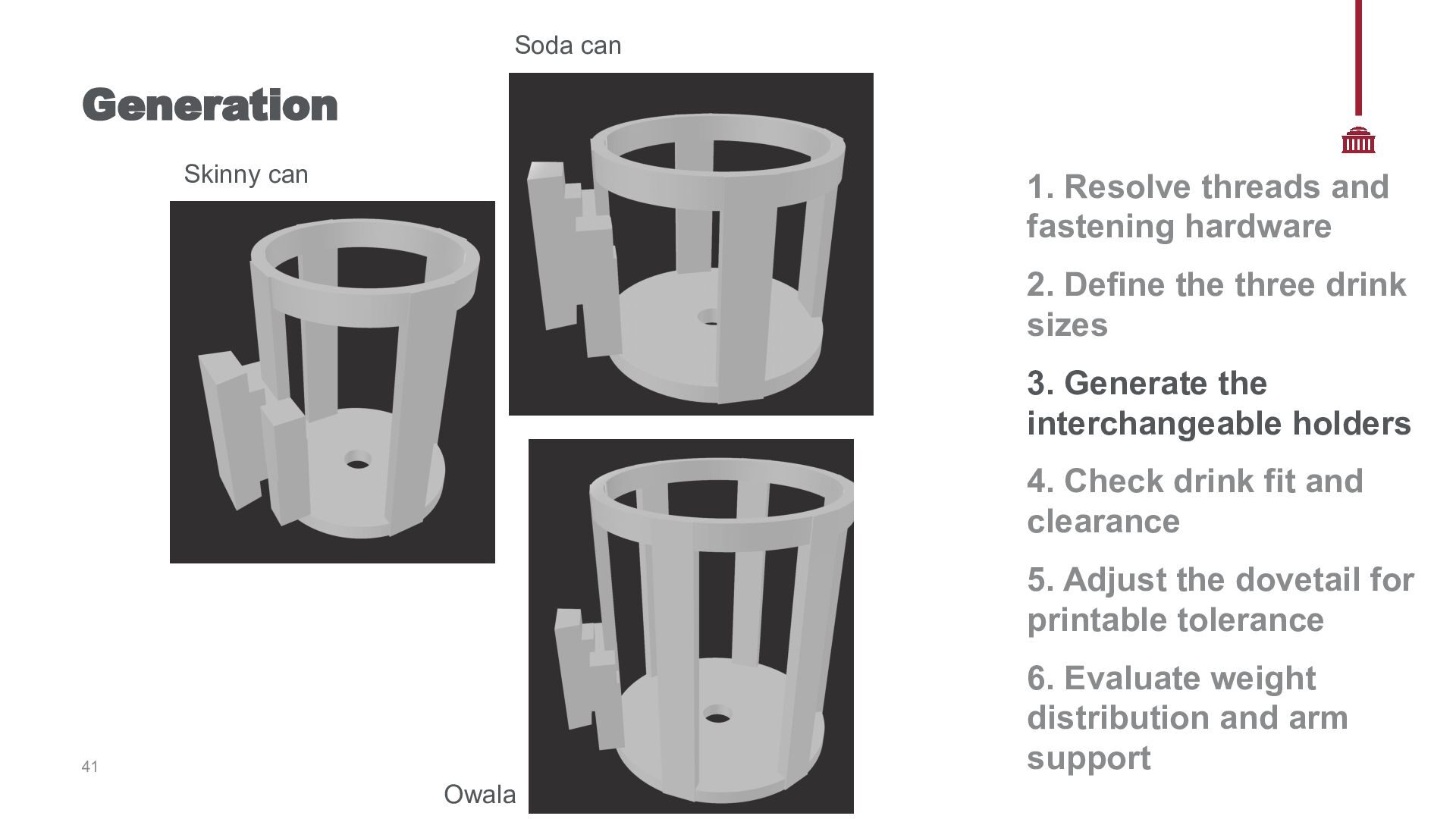
hardware 2. Define the three drink sizes 3. Generate the interchangeable holders 4. Check drink fit and clearance 5. Adjust the dovetail for printable tolerance 6. Evaluate weight distribution and arm support 41 Owala
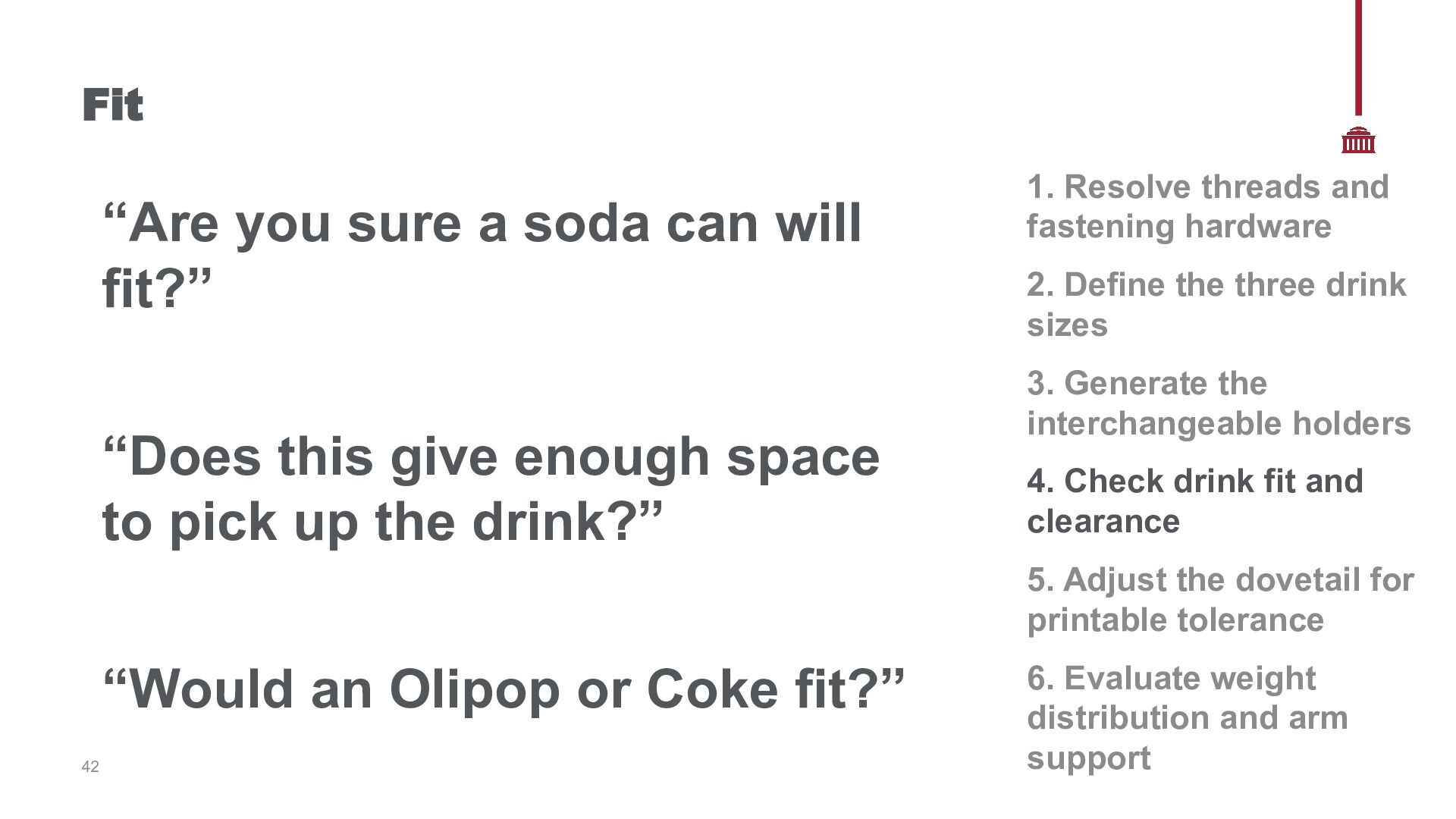
this give enough space to pick up the drink?” 1. Resolve threads and fastening hardware 2. Define the three drink sizes 3. Generate the interchangeable holders 4. Check drink fit and clearance 5. Adjust the dovetail for printable tolerance “Would an Olipop or Coke fit?” 42 6. Evaluate weight distribution and arm support
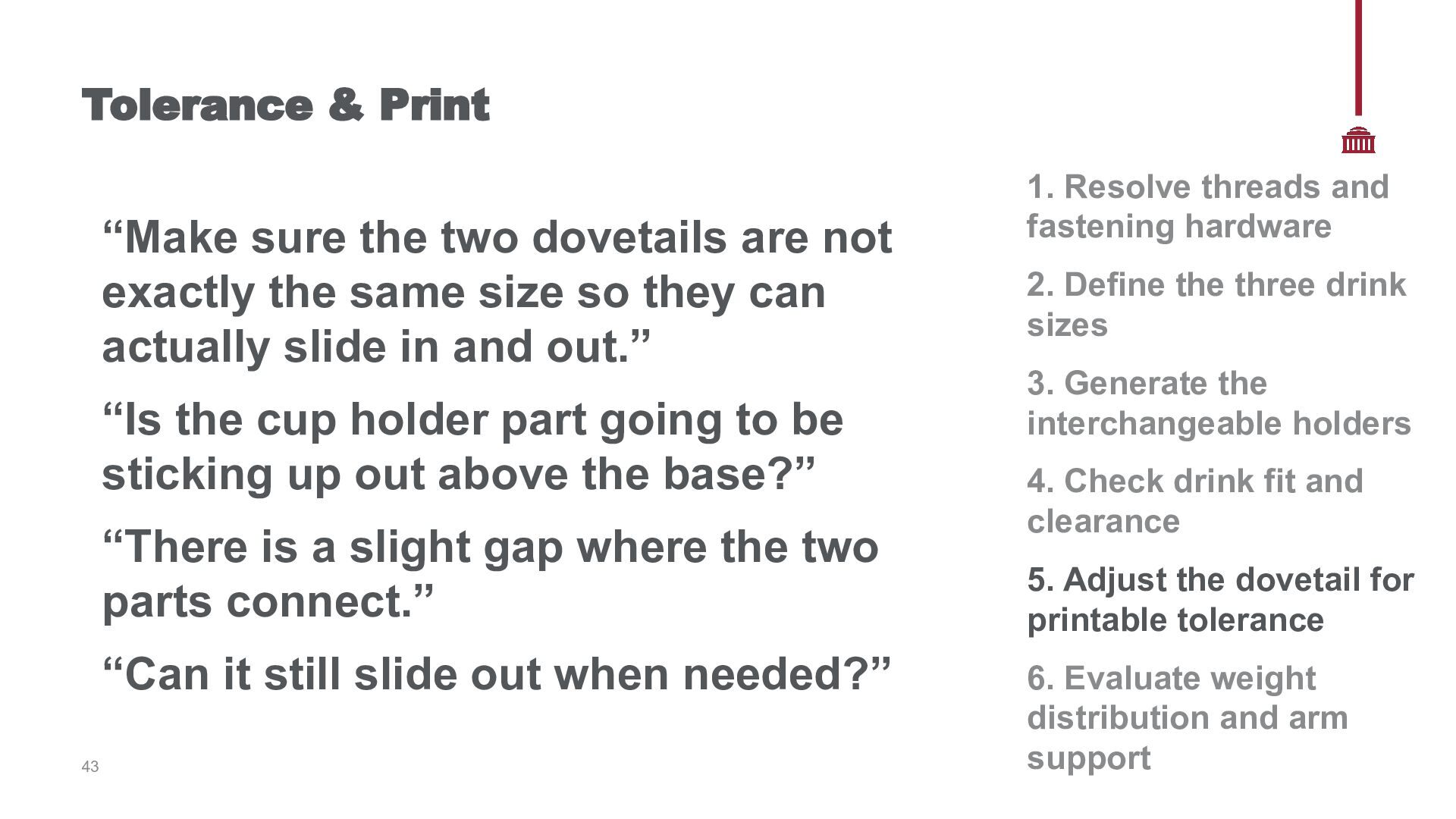
exactly the same size so they can actually slide in and out.” “Is the cup holder part going to be sticking up out above the base?” “There is a slight gap where the two parts connect.” “Can it still slide out when needed?” 43 1. Resolve threads and fastening hardware 2. Define the three drink sizes 3. Generate the interchangeable holders 4. Check drink fit and clearance 5. Adjust the dovetail for printable tolerance 6. Evaluate weight distribution and arm support
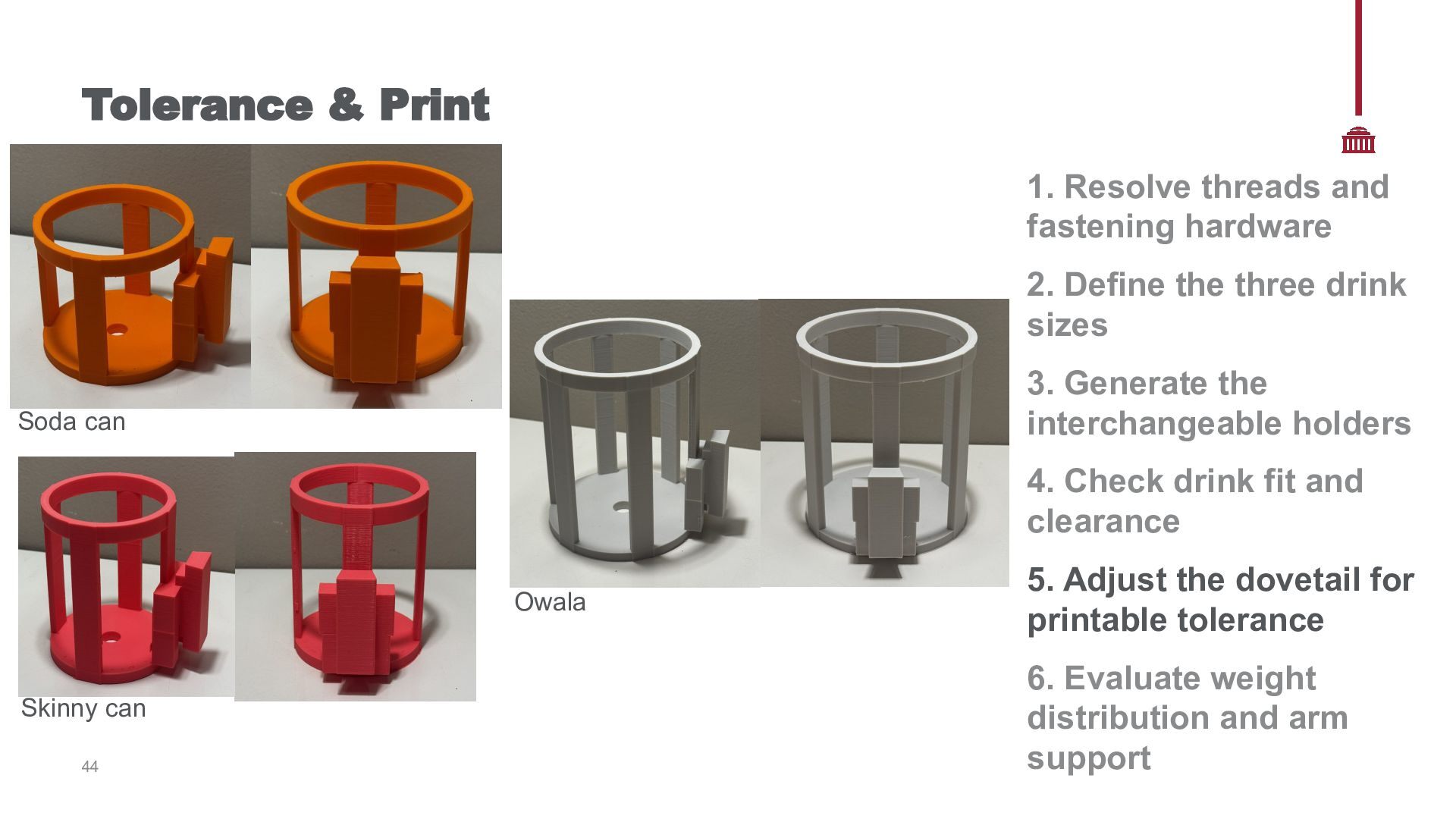
Define the three drink sizes 3. Generate the interchangeable holders Soda can 4. Check drink fit and clearance Owala Skinny can 44 5. Adjust the dovetail for printable tolerance 6. Evaluate weight distribution and arm support
Define the three drink sizes 3. Generate the interchangeable holders 4. Check drink fit and clearance 5. Adjust the dovetail for printable tolerance 45 6. Evaluate weight distribution and arm support
Define the three drink sizes 3. Generate the interchangeable holders 4. Check drink fit and clearance 5. Adjust the dovetail for printable tolerance 46 6. Evaluate weight distribution and arm support
Define the three drink sizes 3. Generate the interchangeable holders 4. Check drink fit and clearance 5. Adjust the dovetail for printable tolerance 47 6. Evaluate weight distribution and arm support
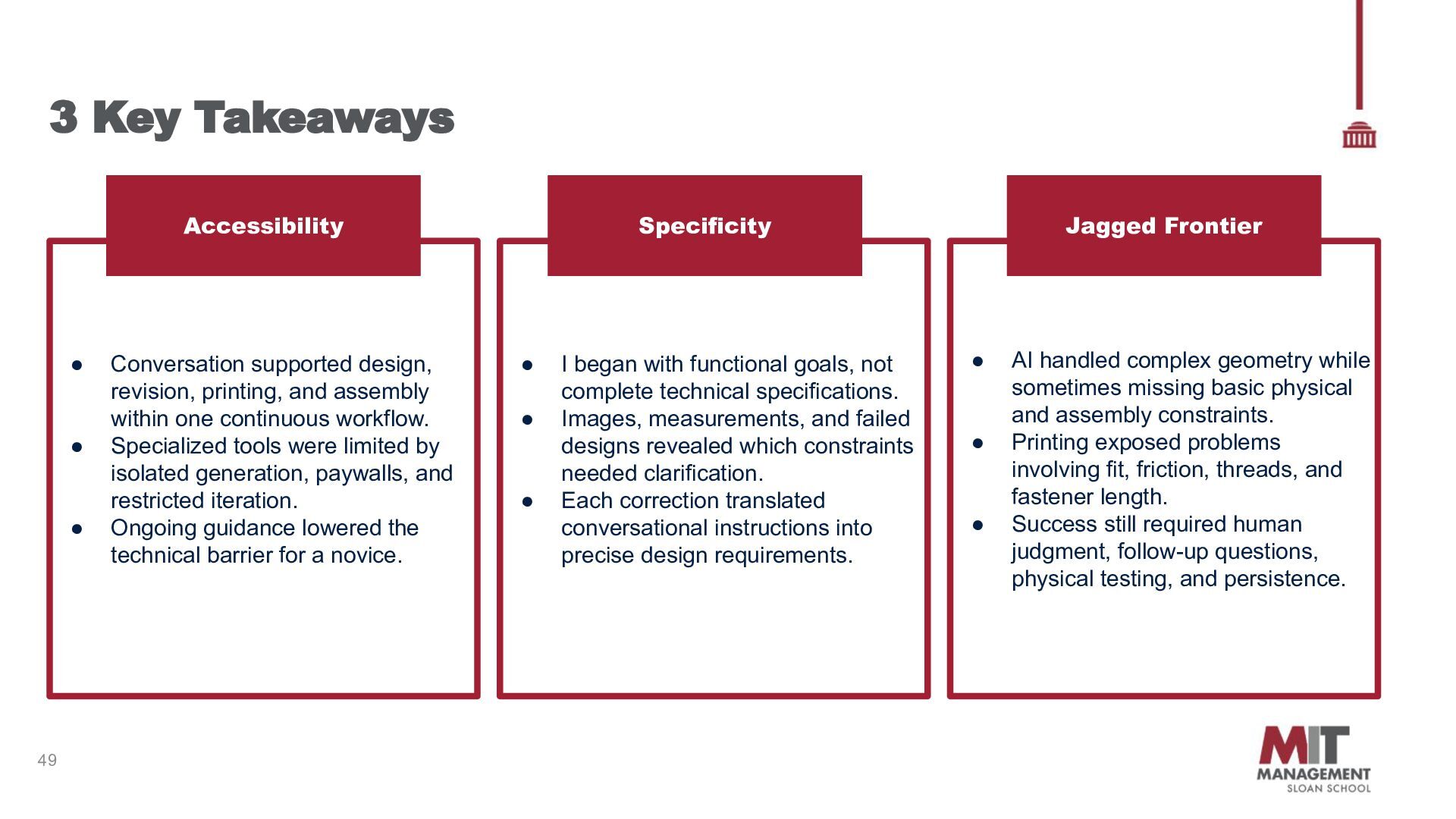
supported design, revision, printing, and assembly within one continuous workflow. Specialized tools were limited by isolated generation, paywalls, and restricted iteration. Ongoing guidance lowered the technical barrier for a novice. • • • I began with functional goals, not complete technical specifications. Images, measurements, and failed designs revealed which constraints needed clarification. Each correction translated conversational instructions into precise design requirements. Jagged Frontier • • • AI handled complex geometry while sometimes missing basic physical and assembly constraints. Printing exposed problems involving fit, friction, threads, and fastener length. Success still required human judgment, follow-up questions, physical testing, and persistence.
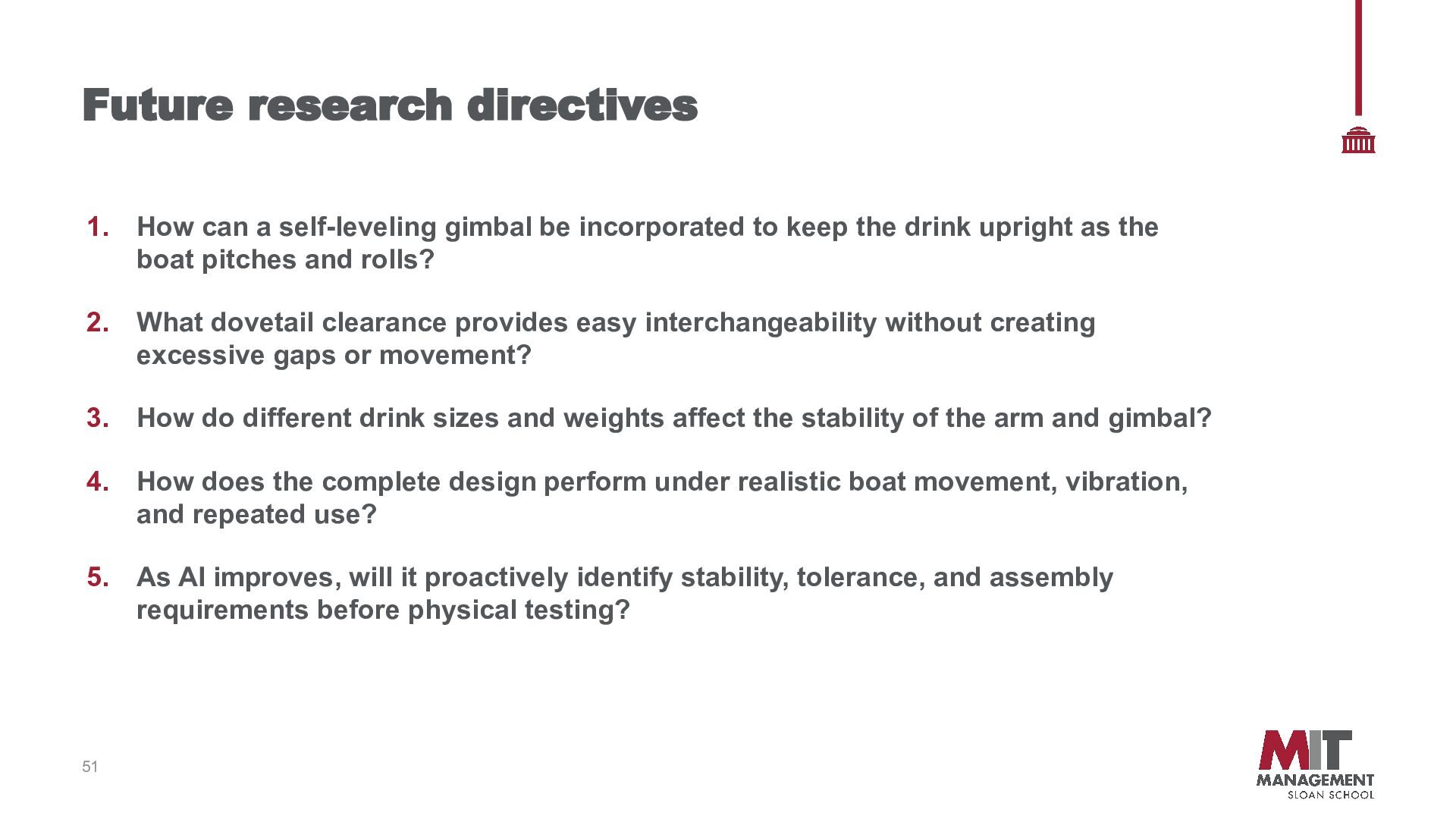
incorporated to keep the drink upright as the boat pitches and rolls? 2. What dovetail clearance provides easy interchangeability without creating excessive gaps or movement? 3. How do different drink sizes and weights affect the stability of the arm and gimbal? 4. How does the complete design perform under realistic boat movement, vibration, and repeated use? 5. As AI improves, will it proactively identify stability, tolerance, and assembly requirements before physical testing? 51
Ben Fertic MIT Metropolis and its staff, for providing the space and equipment used to print my designs IT SLOAN SCHOO F MANAGEMENT Acknowledgements : 52


 erfertic
 jct
jct
 rabernat
 chriscoyier
 inesmontani
 jacobian
.jpg) cargoodrich
cargoodrich
 trallard
 aleyda
 marktimemedia
 marketingsoph
 tammyeverts