Upgrade to Pro
— share decks privately, control downloads, hide ads and more …
Speaker Deck
Sign up for free
Menu
Search
Features
All features
Private URLs
Password Protection
Custom URLS
Scheduled publishing
Remove Branding
Restrict embedding
Deck Collections
Notes
Features
All features
Private URLs
Password Protection
Custom URLS
Scheduled publishing
Remove Branding
Restrict embedding
Deck Collections
Notes
Explore
Featured decks
Featured speakers
Programming
Technology
Storyboards
Explore
Featured decks
Featured speakers
Programming
Technology
Storyboards
Pricing
Search
Sign in
Sign up for free
SwiftUIでProfileアプリを作ろう
Search
Sponsored
·
SiteGround - Reliable hosting with speed, security, and support you can count on.
→
harutiro
October 04, 2024
Technology
88
0
Share
Embed
Copy iframe code
Copy JS code
Copy link
Start on current slide
SwiftUIでProfileアプリを作ろう
harutiro
October 04, 2024
More Decks by harutiro
See All by harutiro
IoTデバイスを繋げるプロトコルMatterをAndroidで使用する方法
harutiro
0
150
マンション備え付けのネットワークとLTE回線を組み合わせた ネットワークの安定化の考案
harutiro
1
240
DeployGateを無料で使いたかった
harutiro
0
390
モバイルエンジニアもCodeRabbitを使ってレビューを少し楽しよう!
harutiro
0
280
プログラマーのGoogle検索および、生成AIを用いたエラー解決方法
harutiro
0
140
「DroidKaigi2024」 スピーカー体験記
harutiro
0
160
[初心者向けGitHub勉強会資料(VScode版)]How To GitHub In VSCode
harutiro
0
830
モバイル開発をする上での利点とは? Webとの違いを考えてみる
harutiro
0
75
安物サーマルプリンターとAndroidを使って遊んでみる
harutiro
0
330
Other Decks in Technology
See All in Technology
OR学会2026年秋期大会_機械学習と数理最適化の融合による、配合レシピ最適化システム開発事例
brainpadpr
0
130
【Data Engineering Summit2026_登壇資料】医療ビッグデータ×AIエージェントを支えるデータ基盤とハーネスエンジニアリング
jmdc_presentation
0
130
大型犬好きによるPugの紹介
yamanoku
1
150
AIに攻撃される前に、AIに攻撃させる
tsuchikazu
0
170
分析AIエージェントを育てる、動く環境を育てる
codatum
1
1k
自作バイナリを動かす「入口」8選
puhitaku
2
1.3k
TinyGoでオブザーバビリティ?OpenTelemetryはTinyGoで使えるのか / Is OpenTelemetry available in TinyGo environment?
ymotongpoo
2
140
AI時代のPRレビューにどう向き合うか?
kairim0
1
210
オンラインゲームのシステム全体像 - コロプラ 2026年度 新卒研修
colopl
0
1.1k
Deep Data Security 機能解説
oracle4engineer
PRO
2
790
FOSS4Gを活用した自治体業務DXの試み
470715
0
150
More Freedom on the Same Shared GPU Cluster: A Small Team’s Experience with vCluster
nttcom
0
160
Featured
See All Featured
Lightning Talk: Beautiful Slides for Beginners
inesmontani
PRO
2
730
Ruling the World: When Life Gets Gamed
codingconduct
0
400
It's Worth the Effort
3n
188
29k
Data-driven link building: lessons from a $708K investment (BrightonSEO talk)
szymonslowik
1
1.4k
Future Trends and Review - Lecture 12 - Web Technologies (1019888BNR)
signer
PRO
0
3.8k
Ethics towards AI in product and experience design
skipperchong
2
420
Pawsitive SEO: Lessons from My Dog (and Many Mistakes) on Thriving as a Consultant in the Age of AI
davidcarrasco
0
260
Effective software design: The role of men in debugging patriarchy in IT @ Voxxed Days AMS
baasie
1
570
The AI Search Optimization Roadmap by Aleyda Solis
aleyda
2
6.3k
Google's AI Overviews - The New Search
badams
0
1.6k
Done Done
chrislema
187
17k
svc-hook: hooking system calls on ARM64 by binary rewriting
retrage
2
620
Transcript
SwiftUIで Profileアプリを作ろう 牧野遥斗(はるちろ)
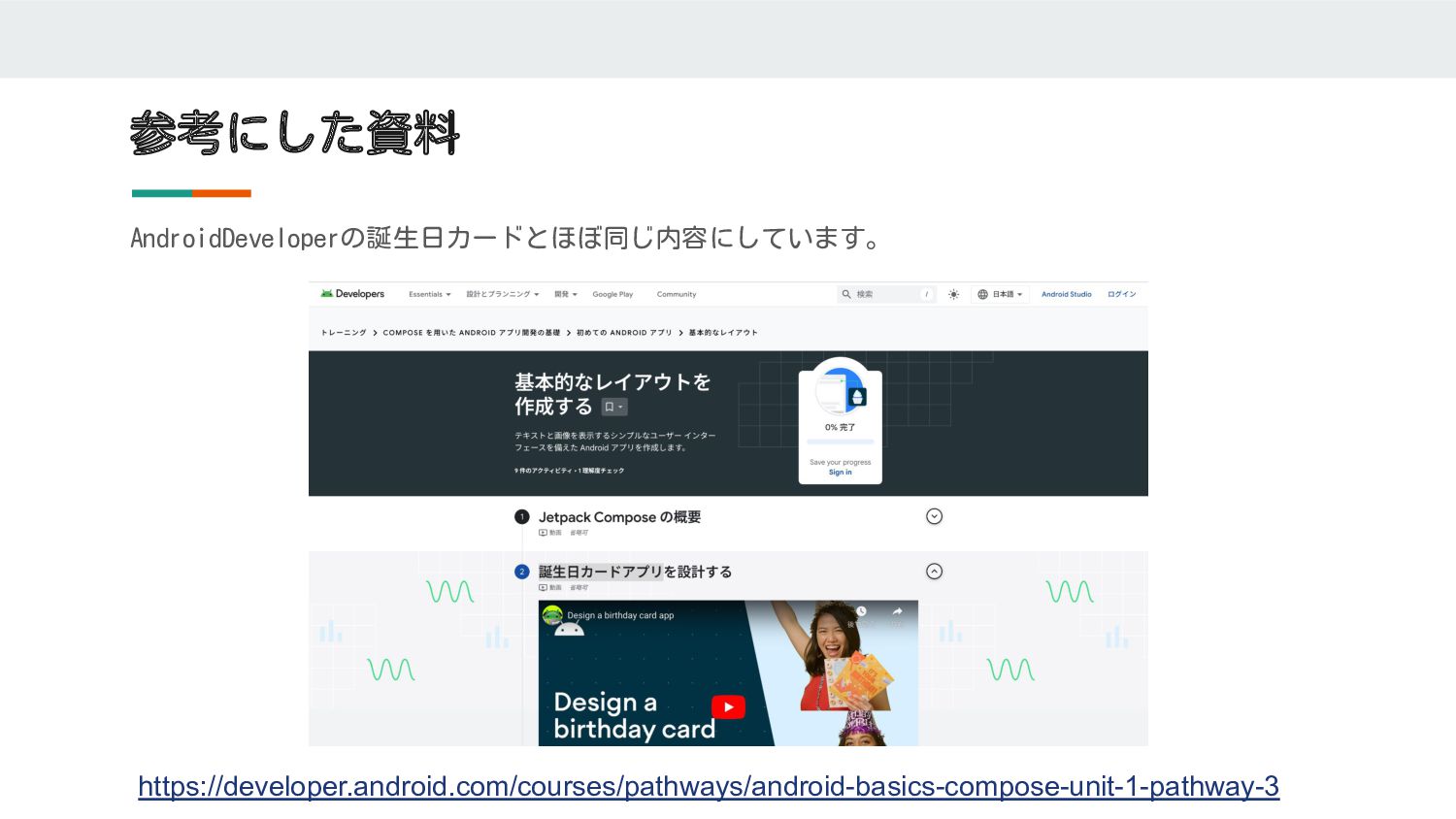
参考にした資料 AndroidDeveloperの誕生日カードとほぼ同じ内容にしています。 https://developer.android.com/courses/pathways/android-basics-compose-unit-1-pathway-3
プロジェクトを作ろう
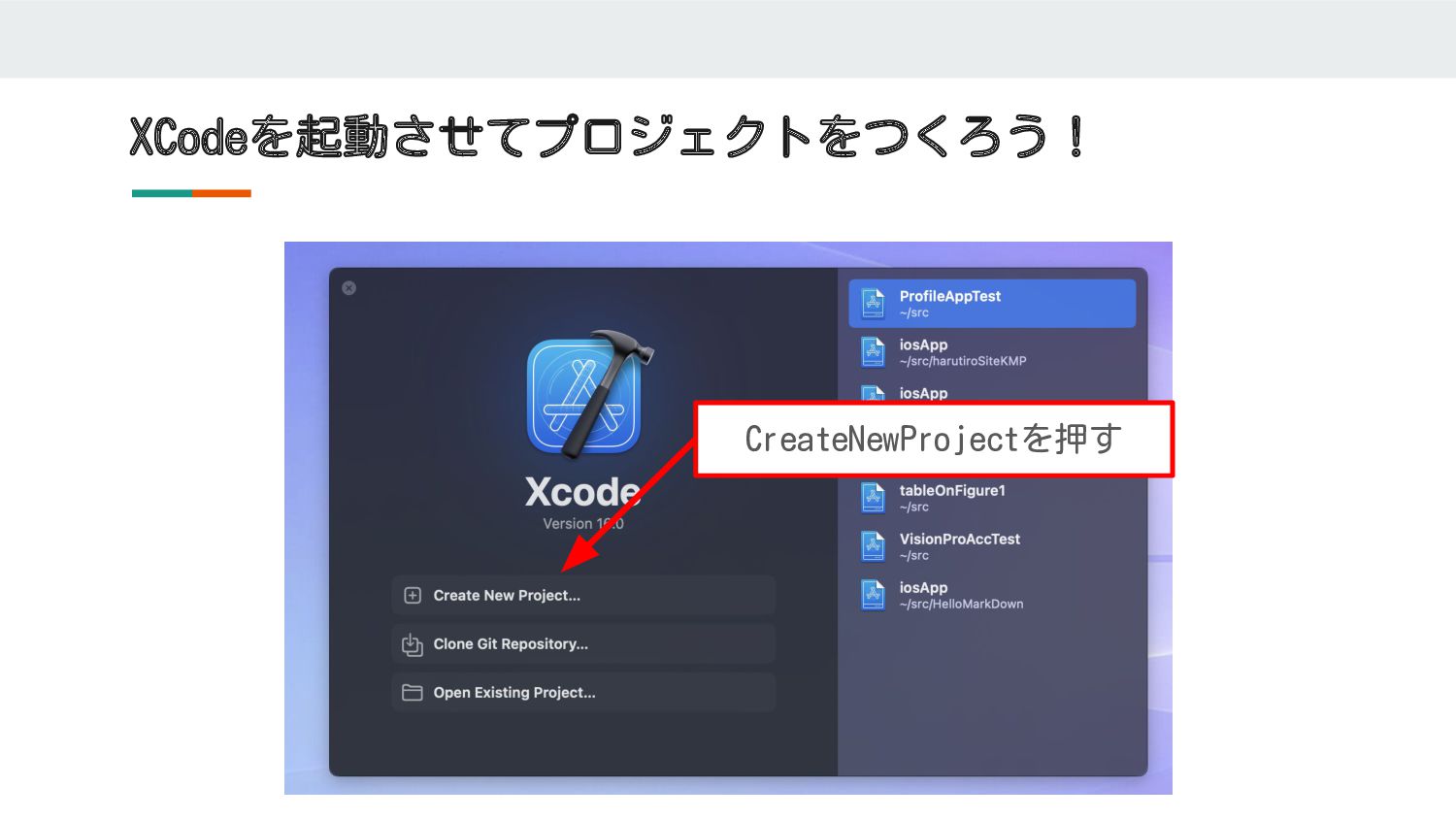
XCodeを起動させてプロジェクトをつくろう! CreateNewProjectを押す
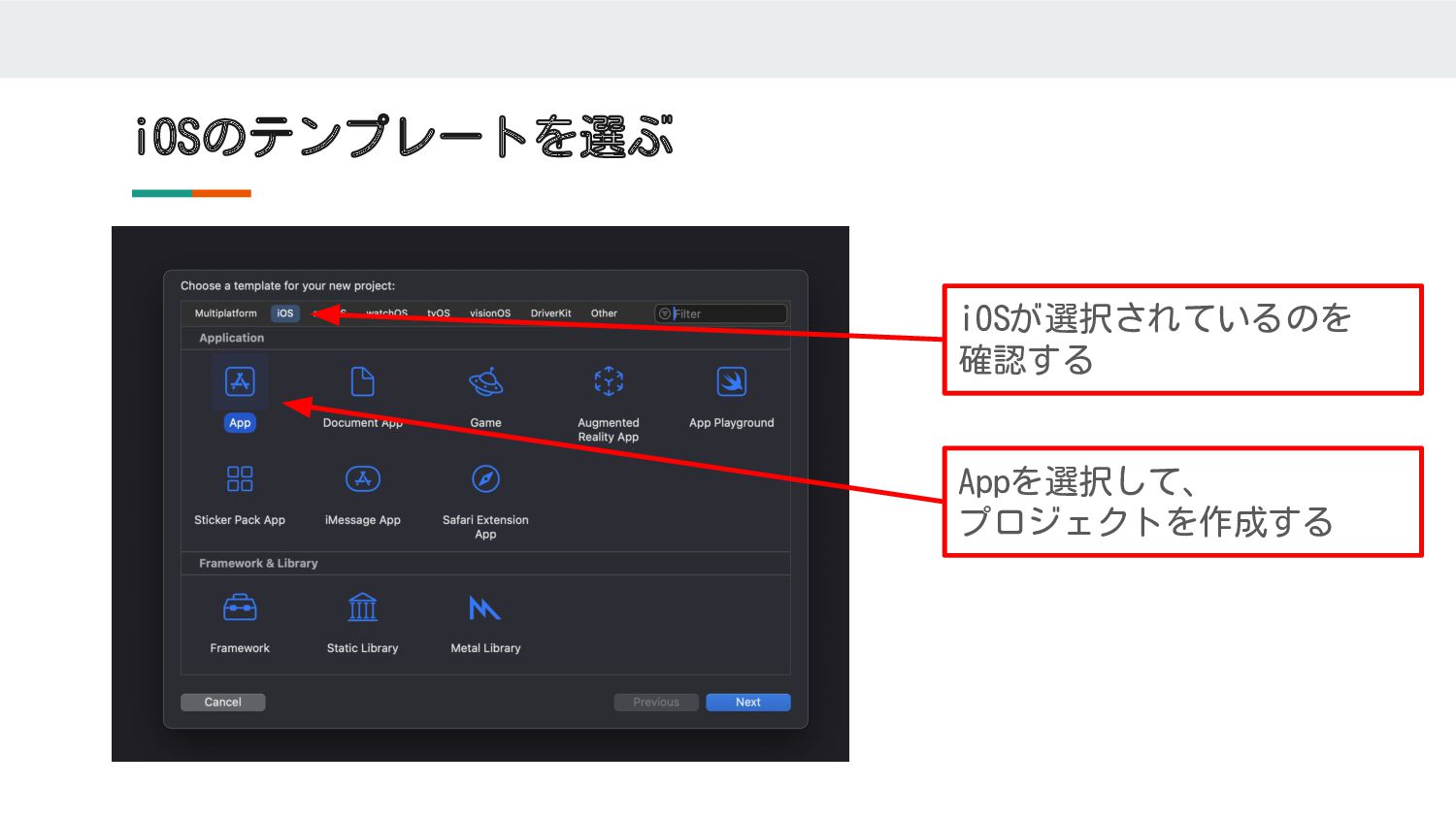
iOSのテンプレートを選ぶ iOSが選択されているのを 確認する Appを選択して、 プロジェクトを作成する
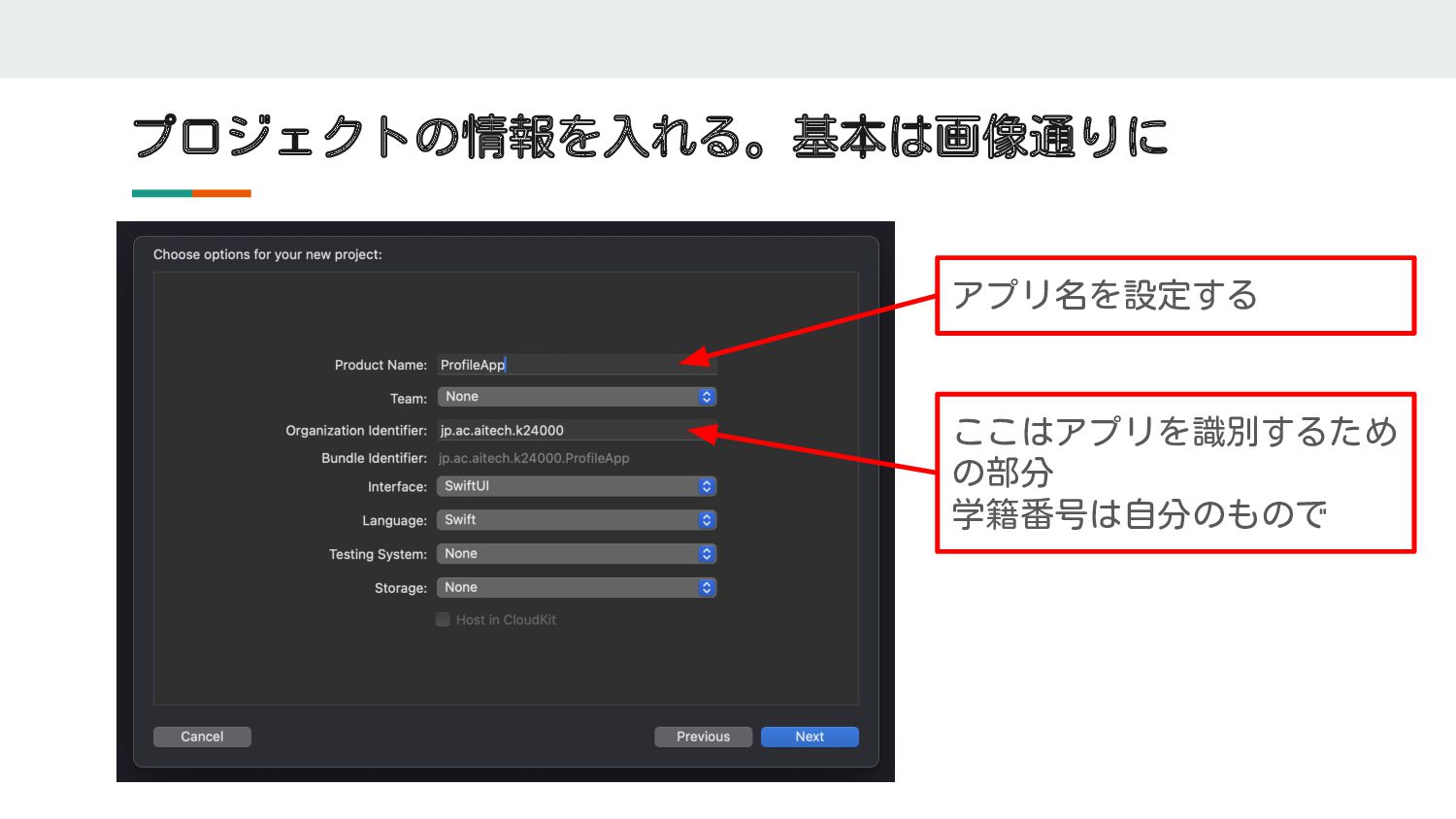
プロジェクトの情報を入れる。基本は画像通りに アプリ名を設定する ここはアプリを識別するため の部分 学籍番号は自分のもので
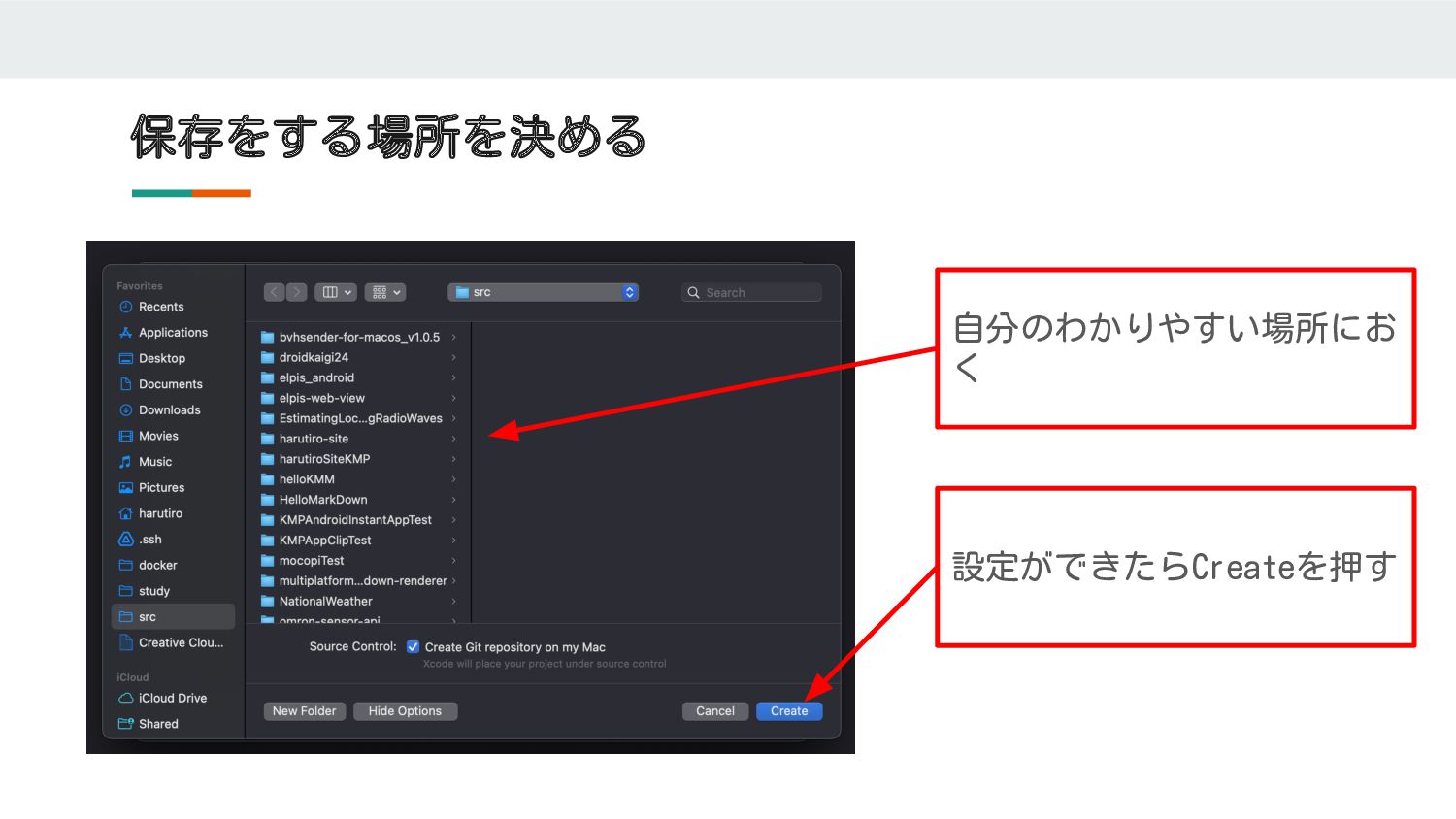
保存をする場所を決める 自分のわかりやすい場所にお く 設定ができたらCreateを押す
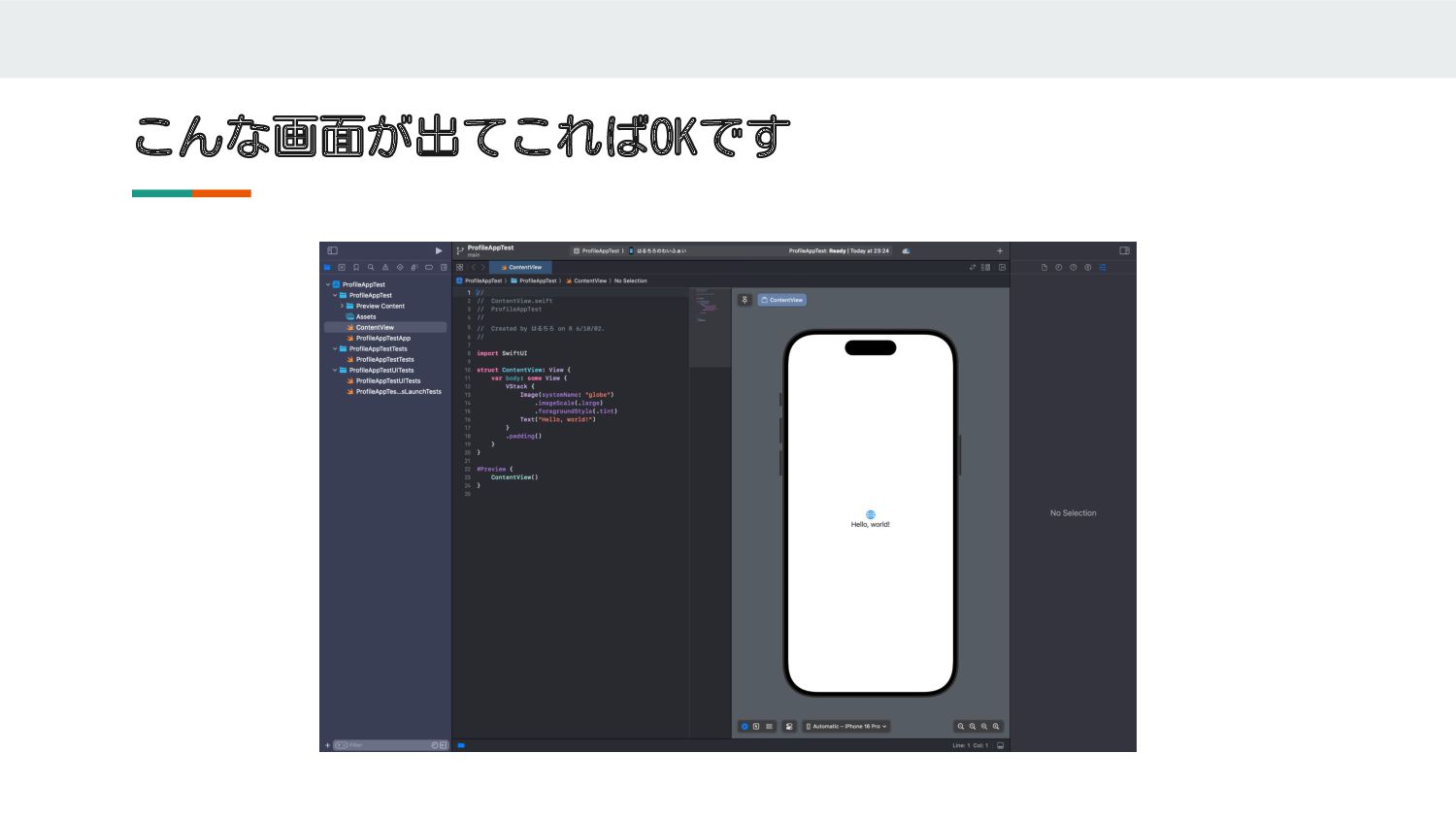
こんな画面が出てこればOKです
文字を置いてみよう
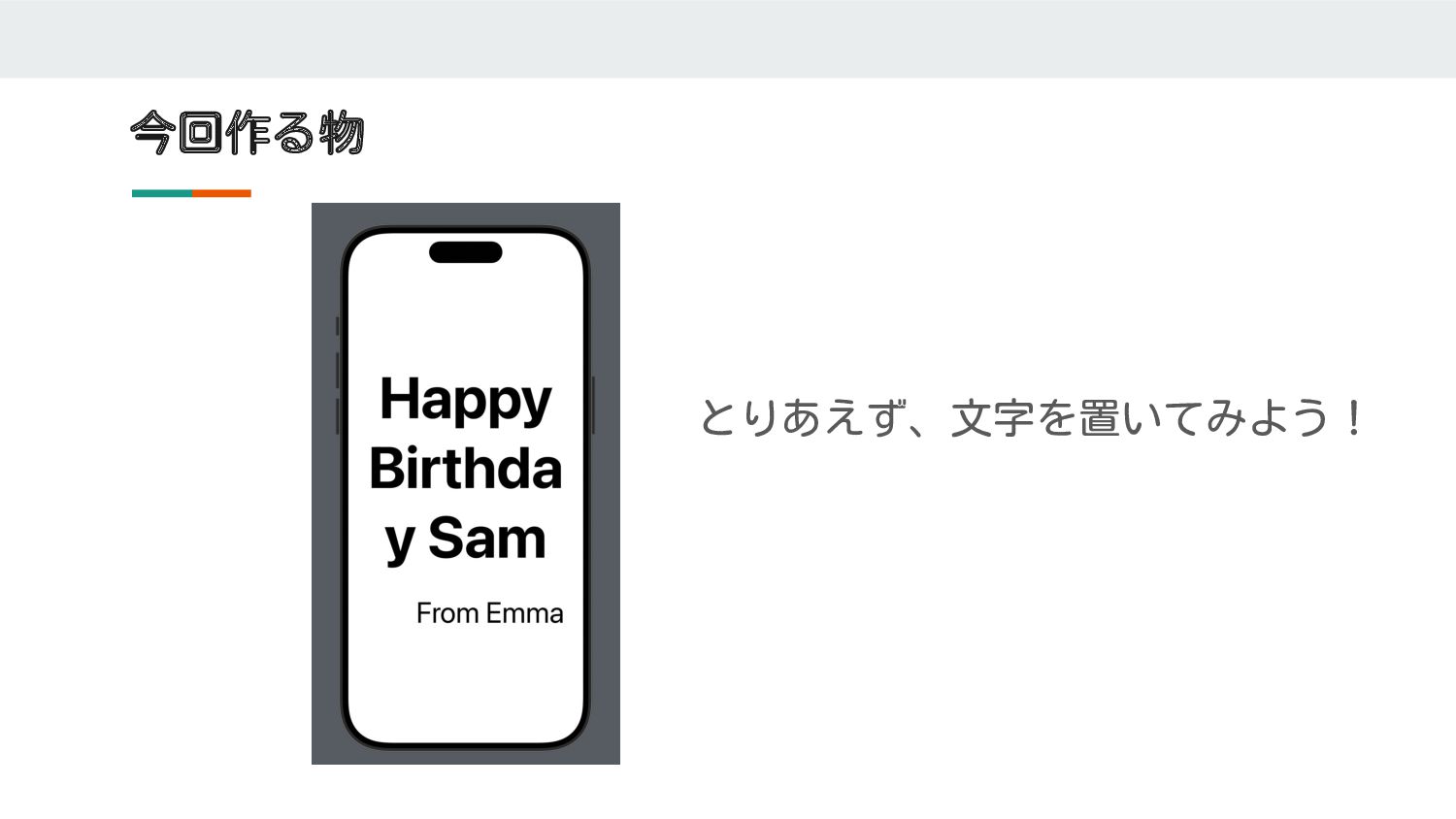
今回作る物 とりあえず、文字を置いてみよう!
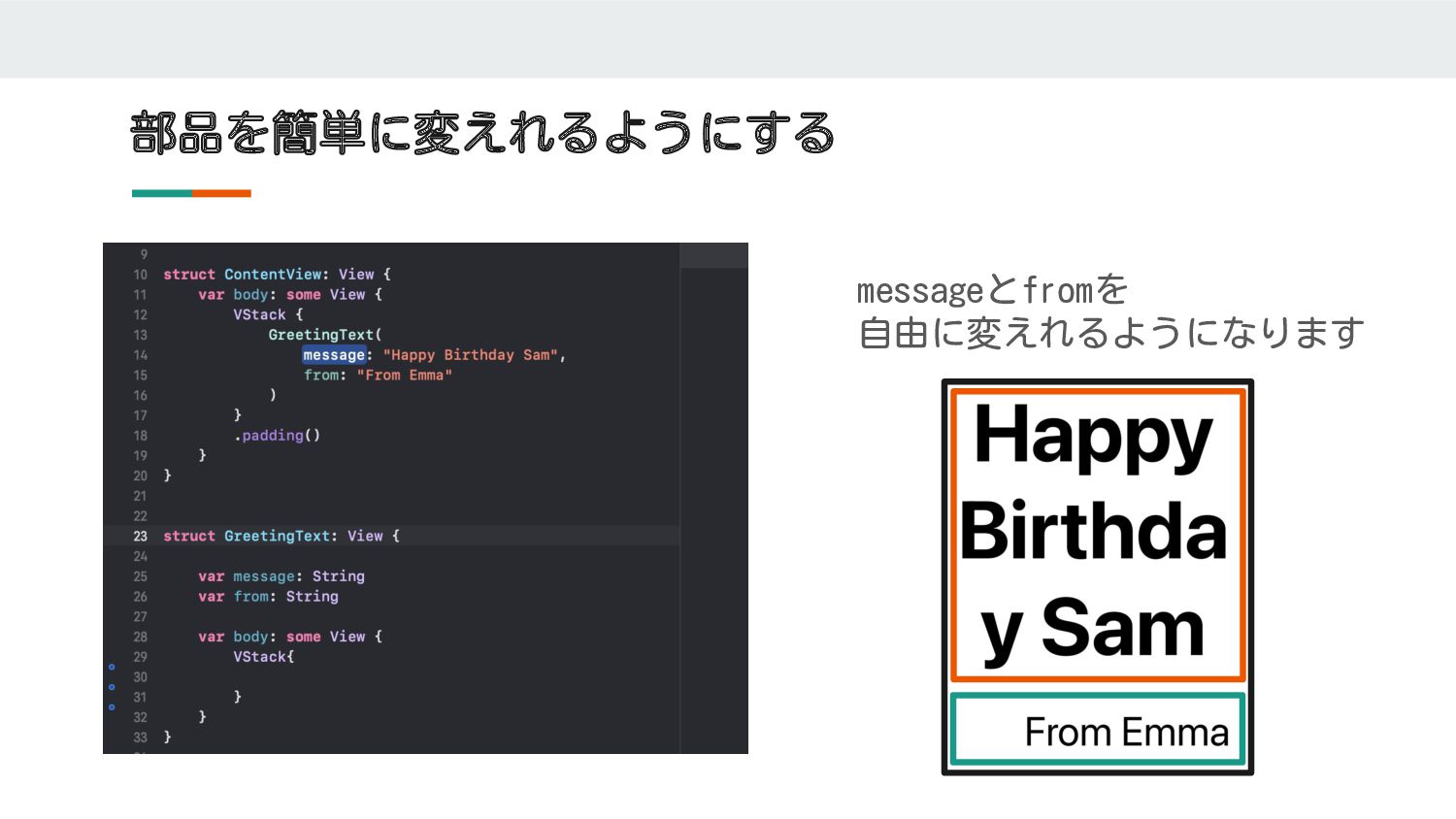
文字をおくためのコンポーネントを作る ※コンポーネント=部品という意味 [メッセージ]と[誰からの文章か]を入れたら、簡単に切り替えれるようにする GreetingText( message: "Happy Birthday Sam", from: "From
Emma" ) GreetingText
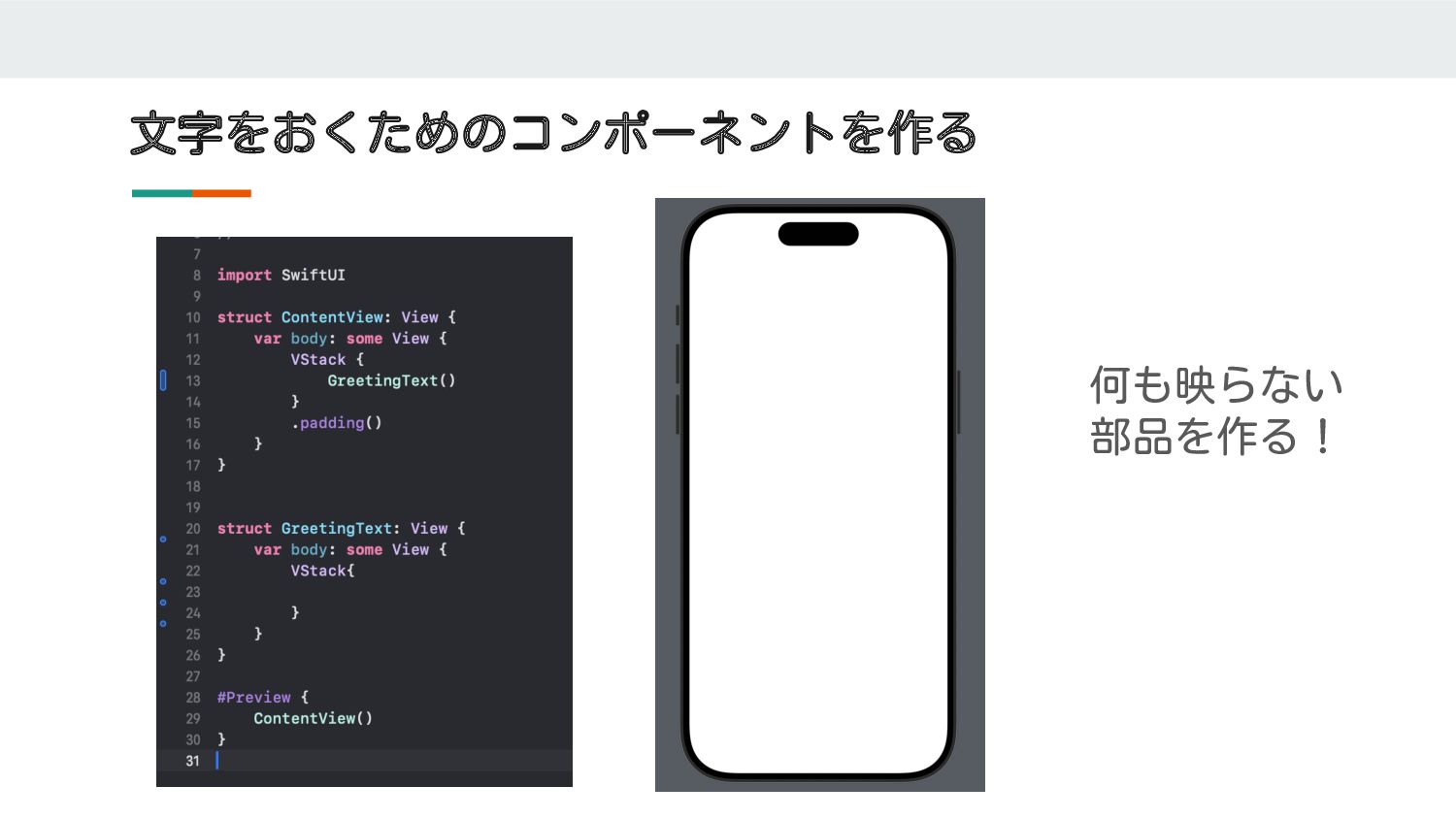
文字をおくためのコンポーネントを作る 何も映らない 部品を作る!
部品を簡単に変えれるようにする messageとfromを 自由に変えれるようになります
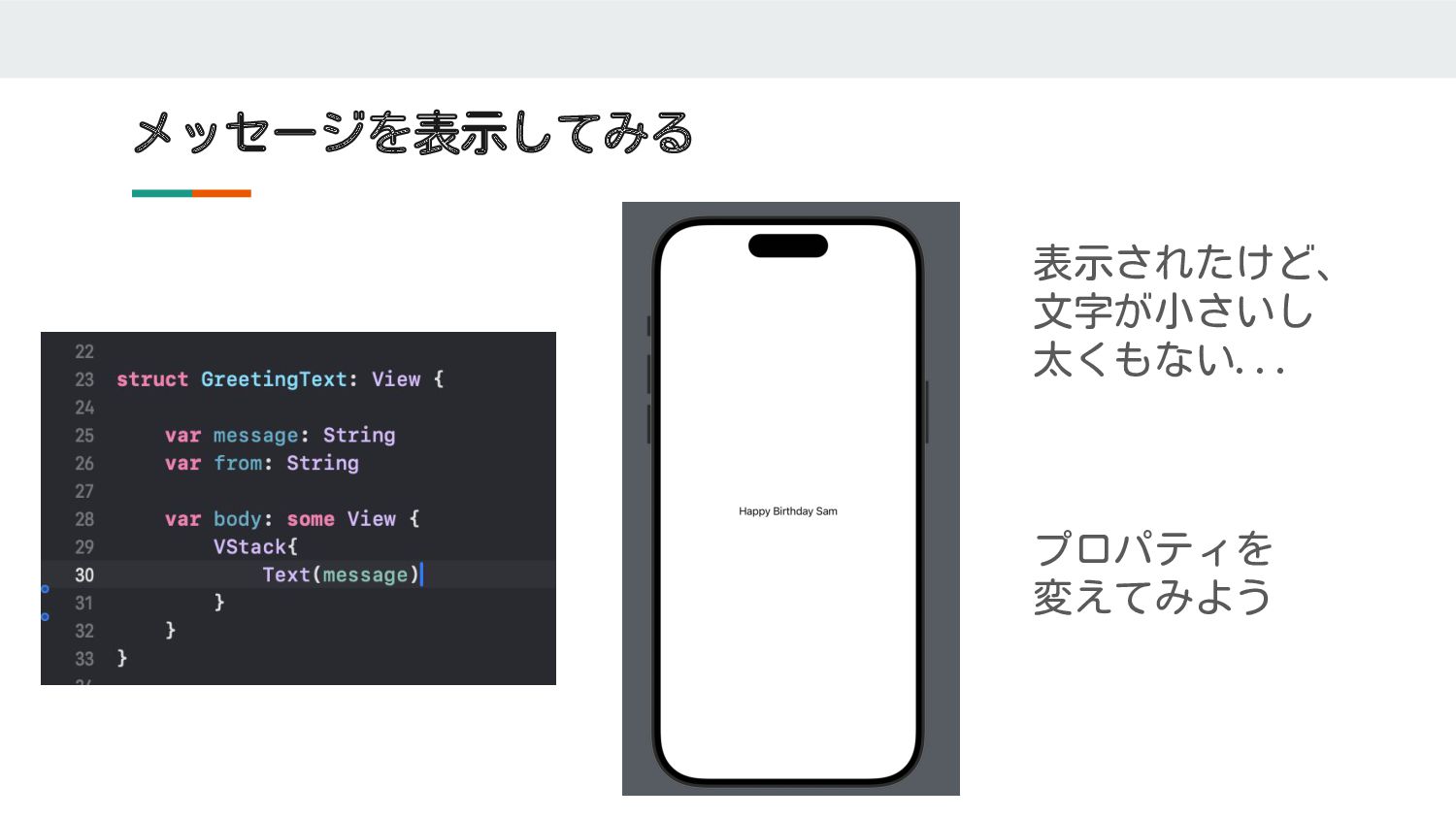
メッセージを表示してみる 表示されたけど、 文字が小さいし 太くもない... プロパティを 変えてみよう
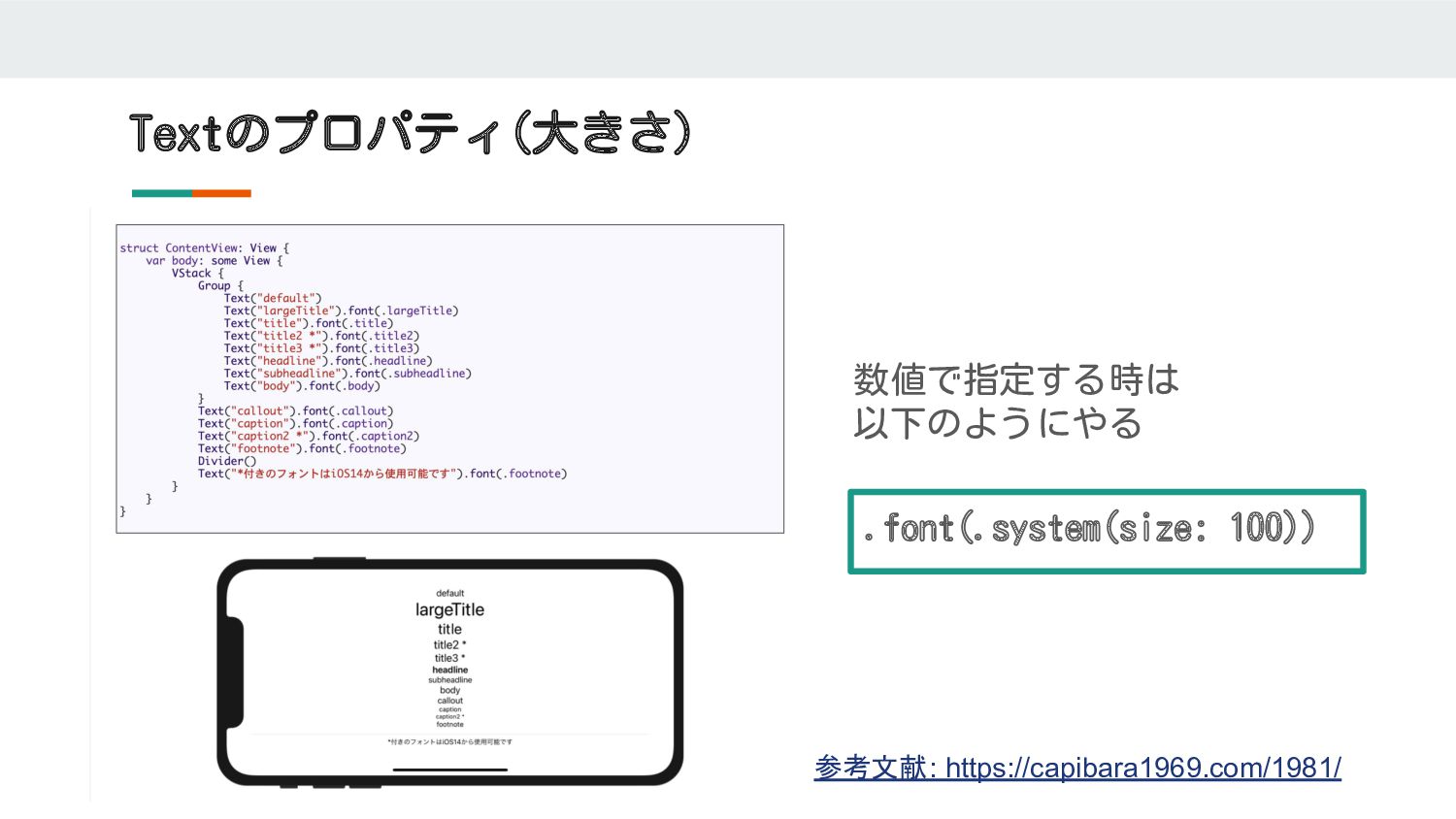
Textのプロパティ(大きさ) .font(.system(size: 100)) 数値で指定する時は 以下のようにやる 参考文献: https://capibara1969.com/1981/
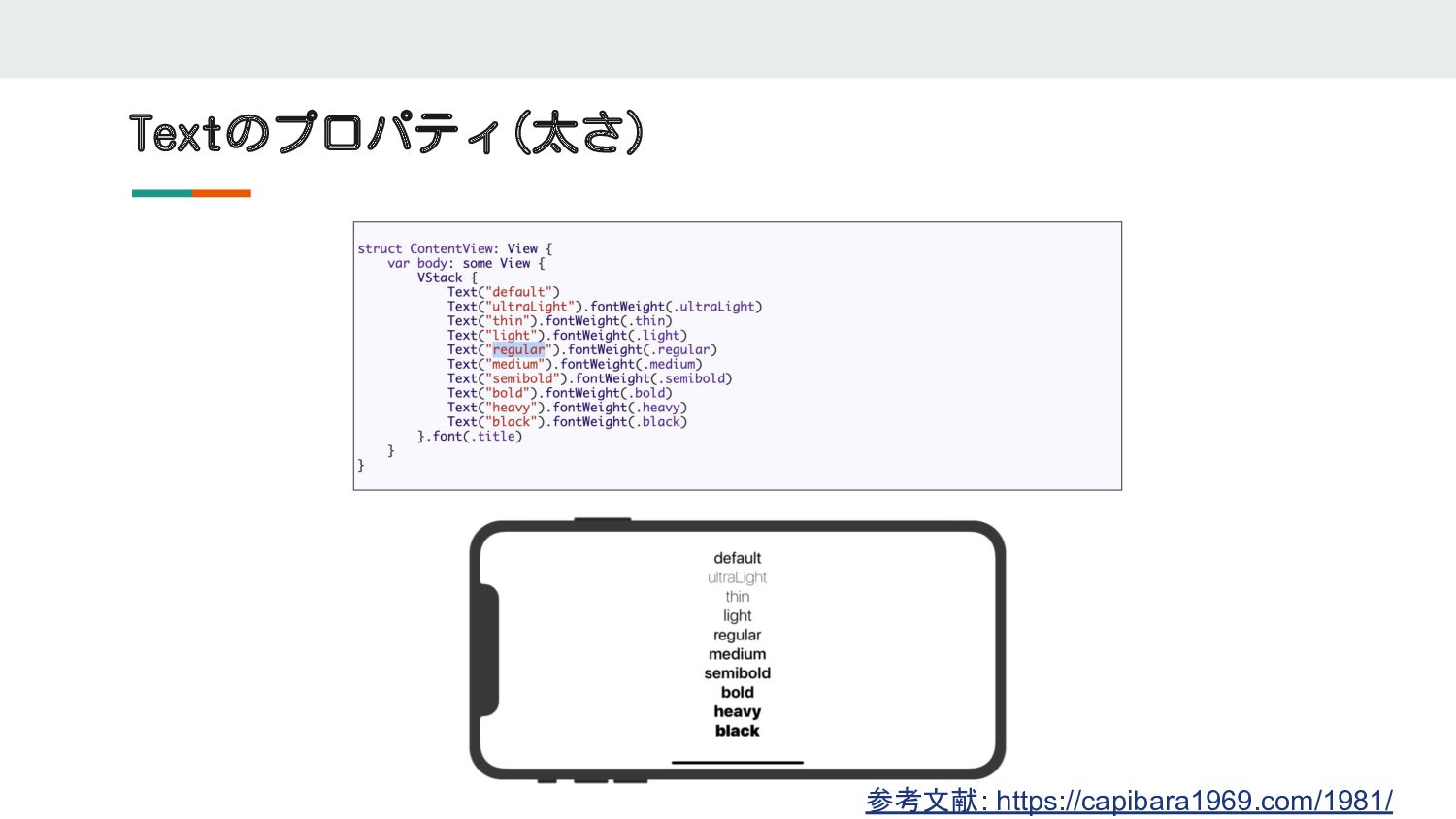
Textのプロパティ(太さ) 参考文献: https://capibara1969.com/1981/
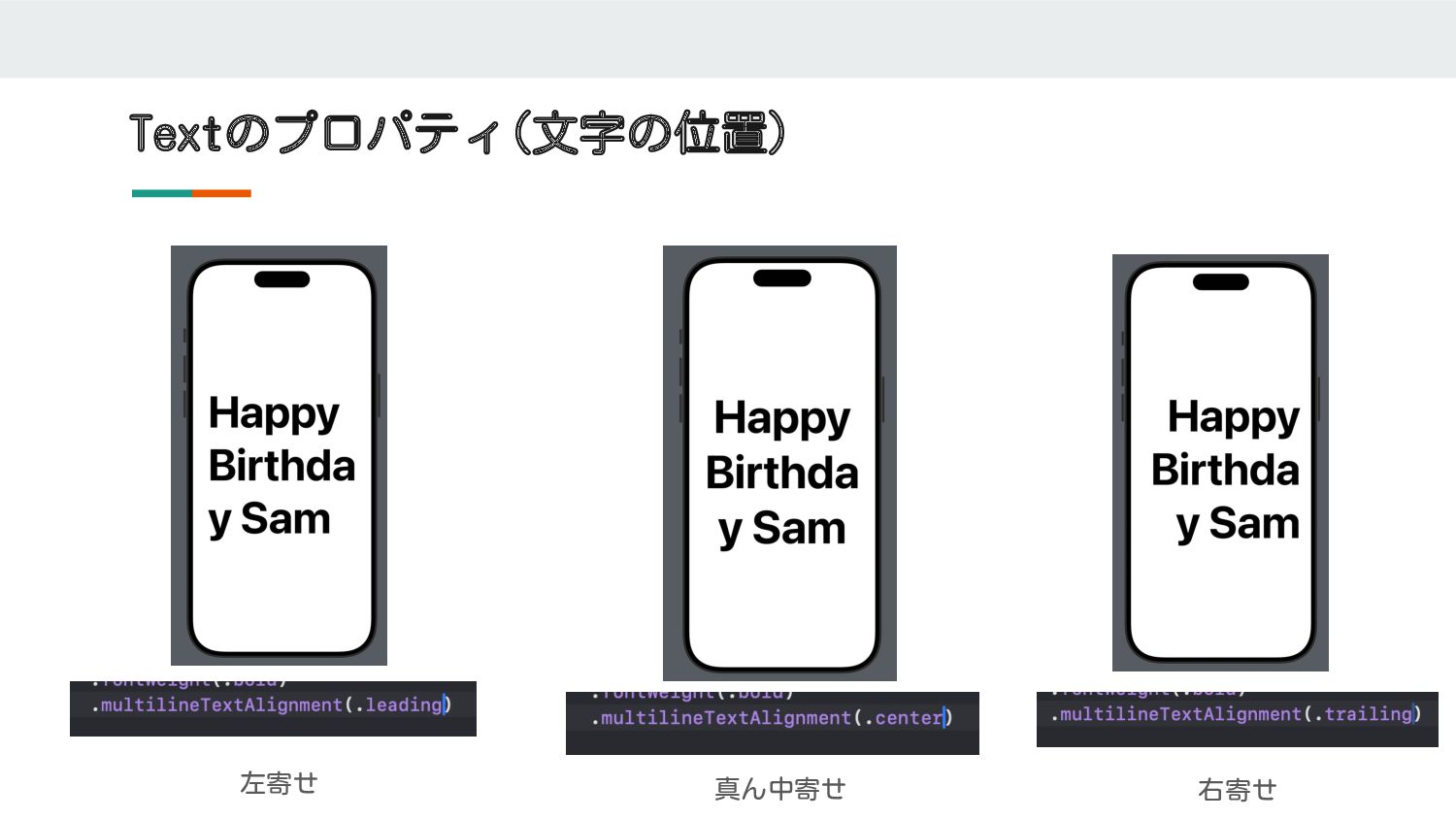
Textのプロパティ(文字の位置) 左寄せ 真ん中寄せ 右寄せ
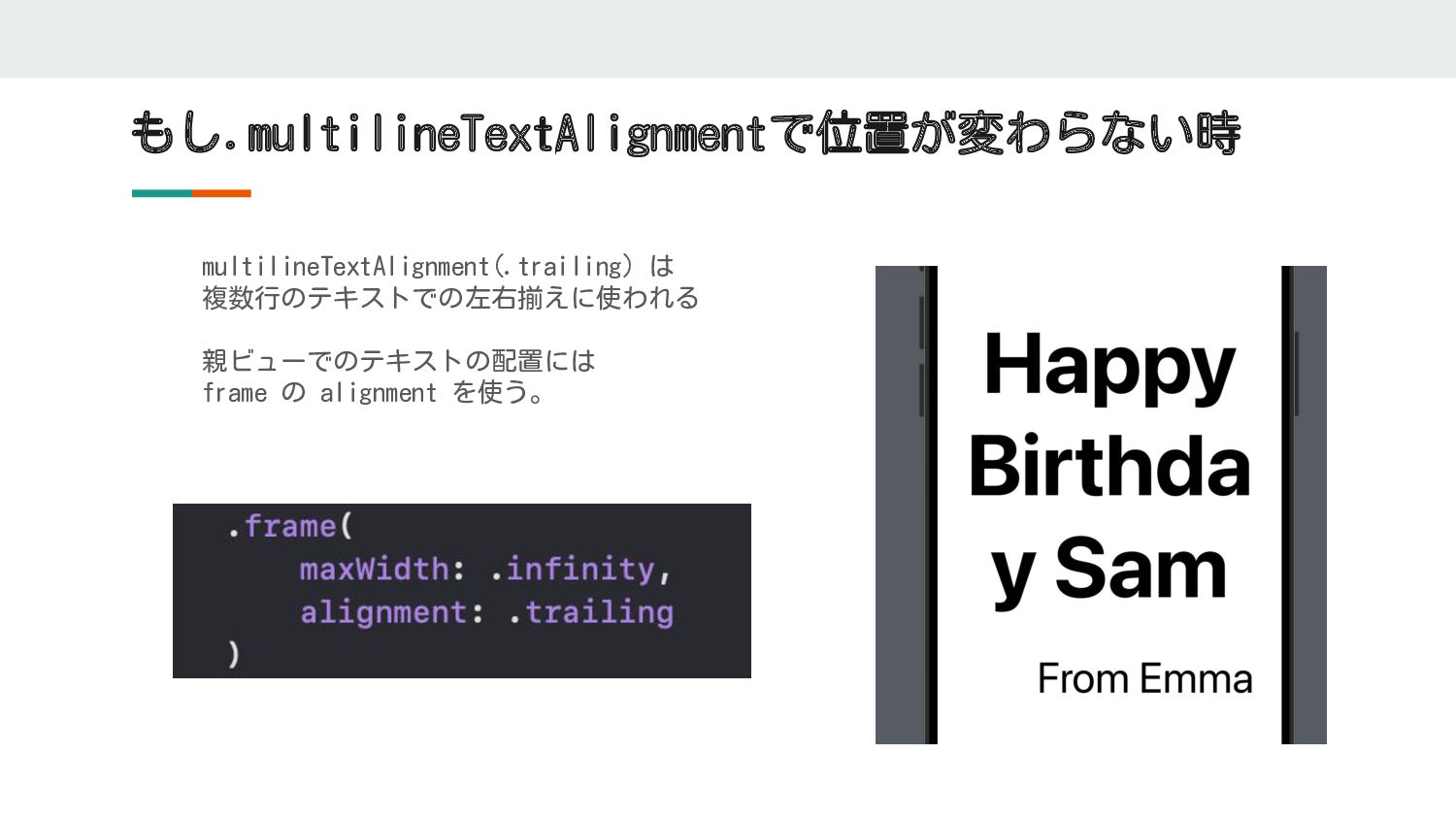
もし.multilineTextAlignmentで位置が変わらない時 multilineTextAlignment(.trailing) は 複数行のテキストでの左右揃えに使われる 親ビューでのテキストの配置には frame の alignment を使う。
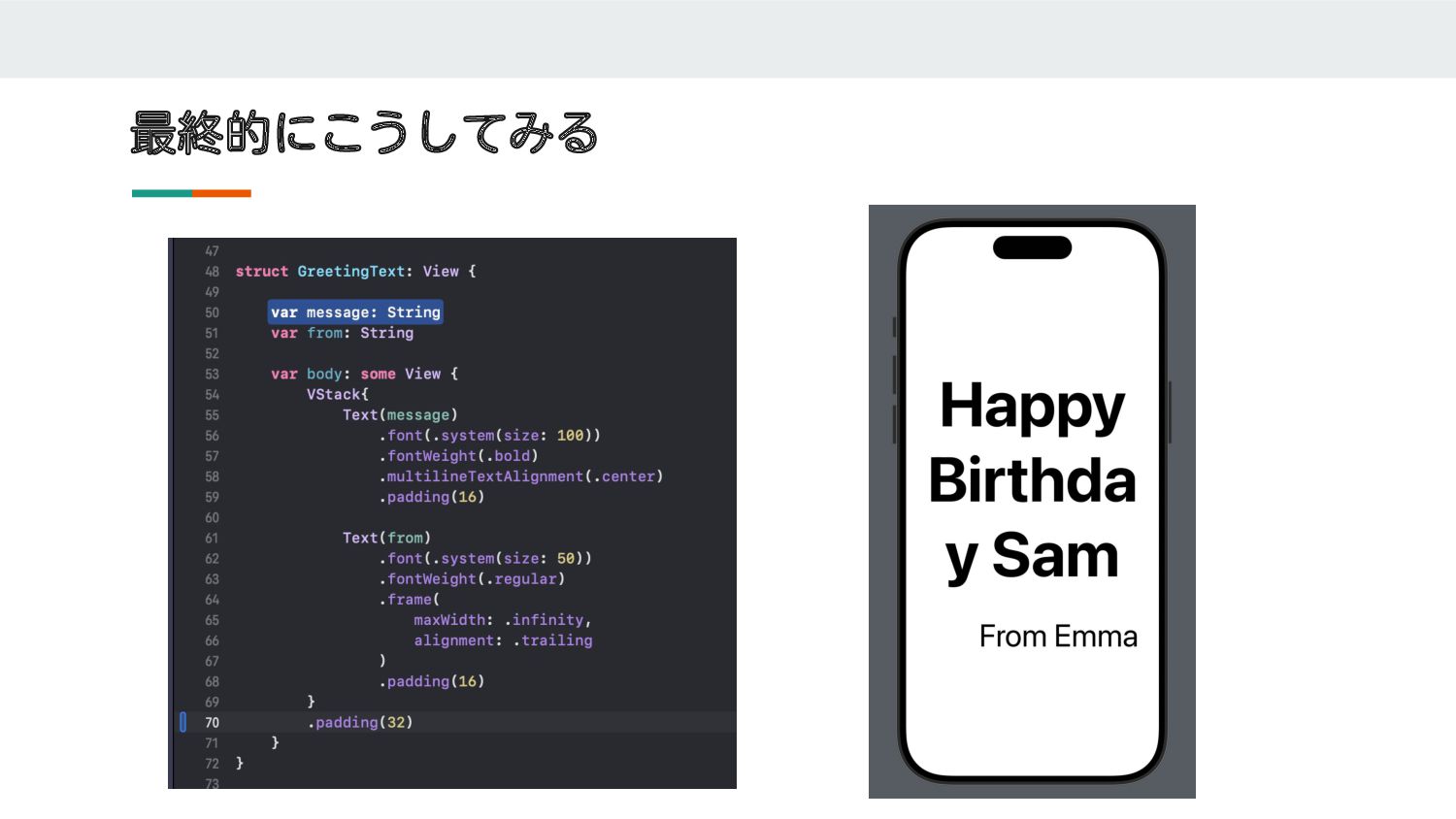
最終的にこうしてみる
画像を追加してみる
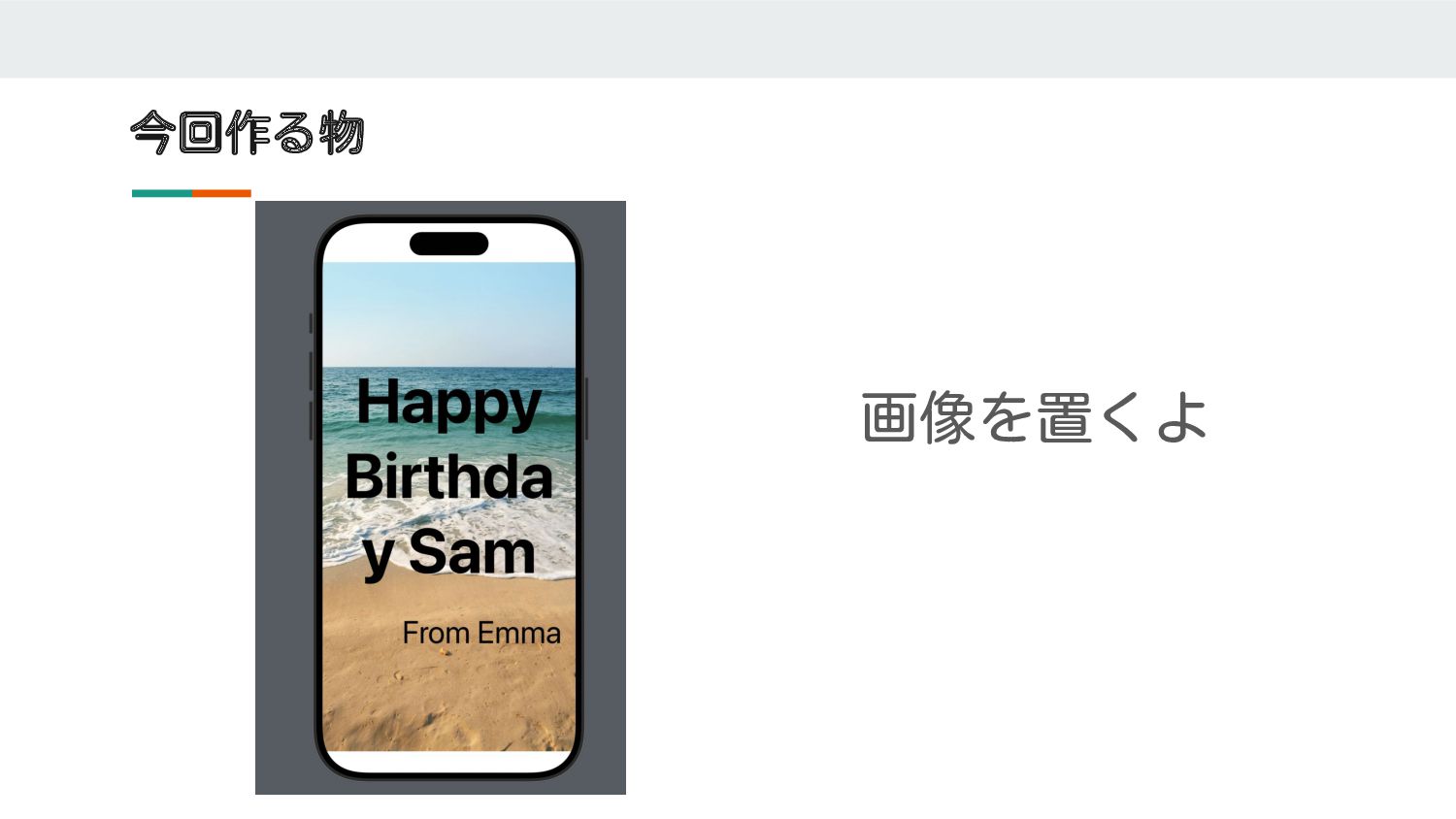
今回作る物 画像を置くよ
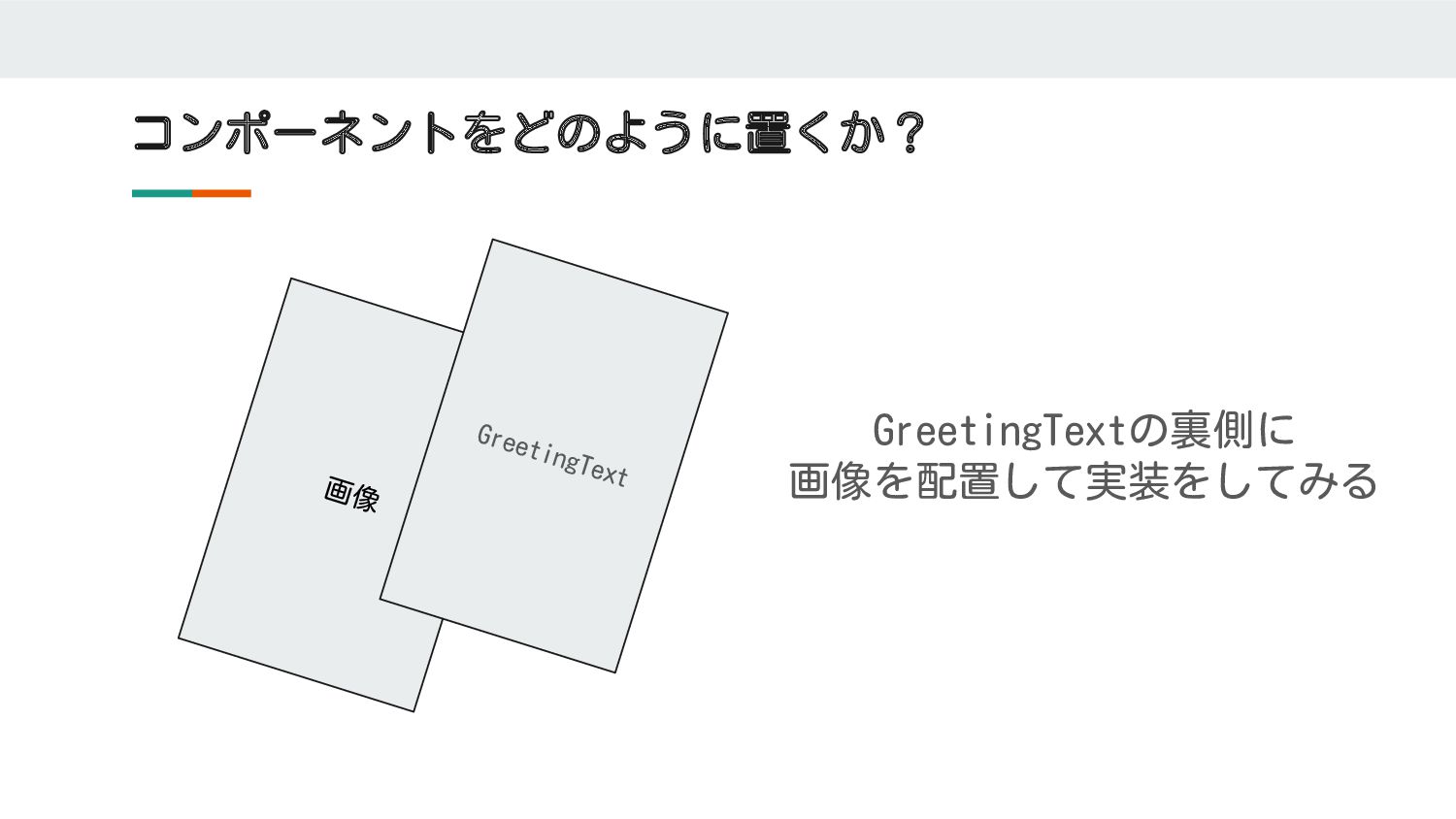
コンポーネントをどのように置くか? 画像 GreetingText GreetingTextの裏側に 画像を配置して実装をしてみる
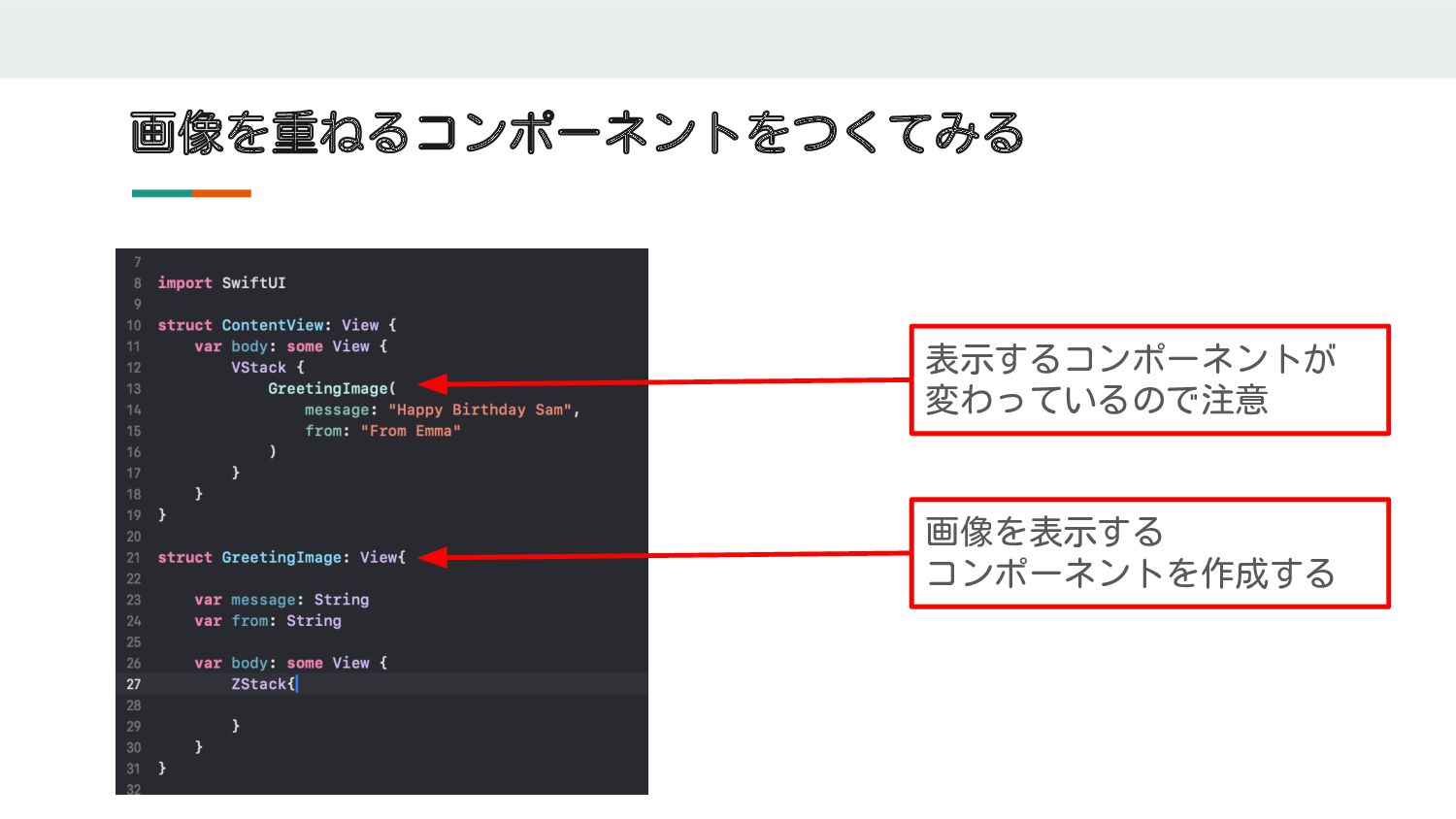
画像を重ねるコンポーネントをつくてみる 表示するコンポーネントが 変わっているので注意 画像を表示する コンポーネントを作成する
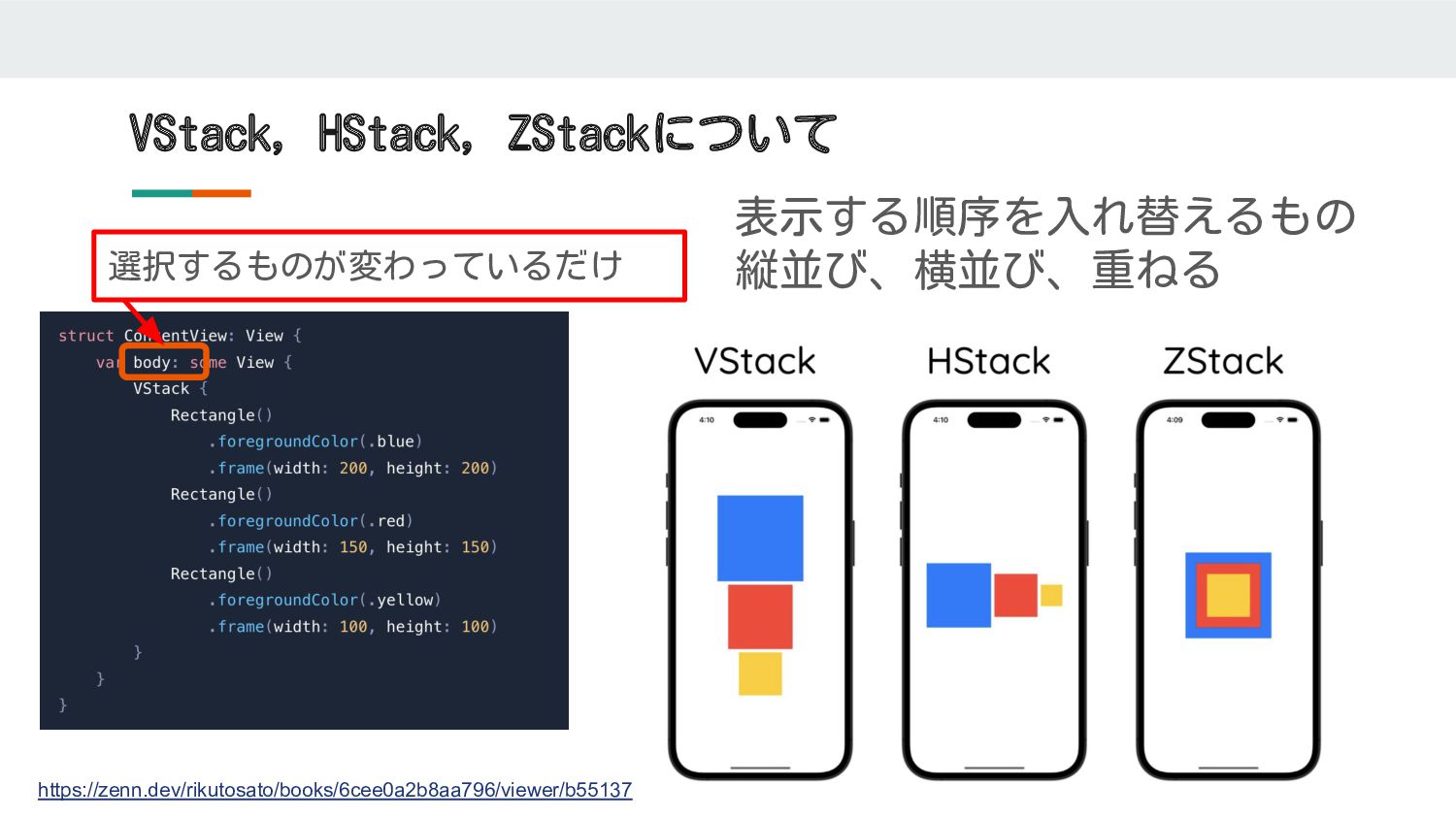
VStack, HStack, ZStackについて 選択するものが変わっているだけ 表示する順序を入れ替えるもの 縦並び、横並び、重ねる https://zenn.dev/rikutosato/books/6cee0a2b8aa796/viewer/b55137
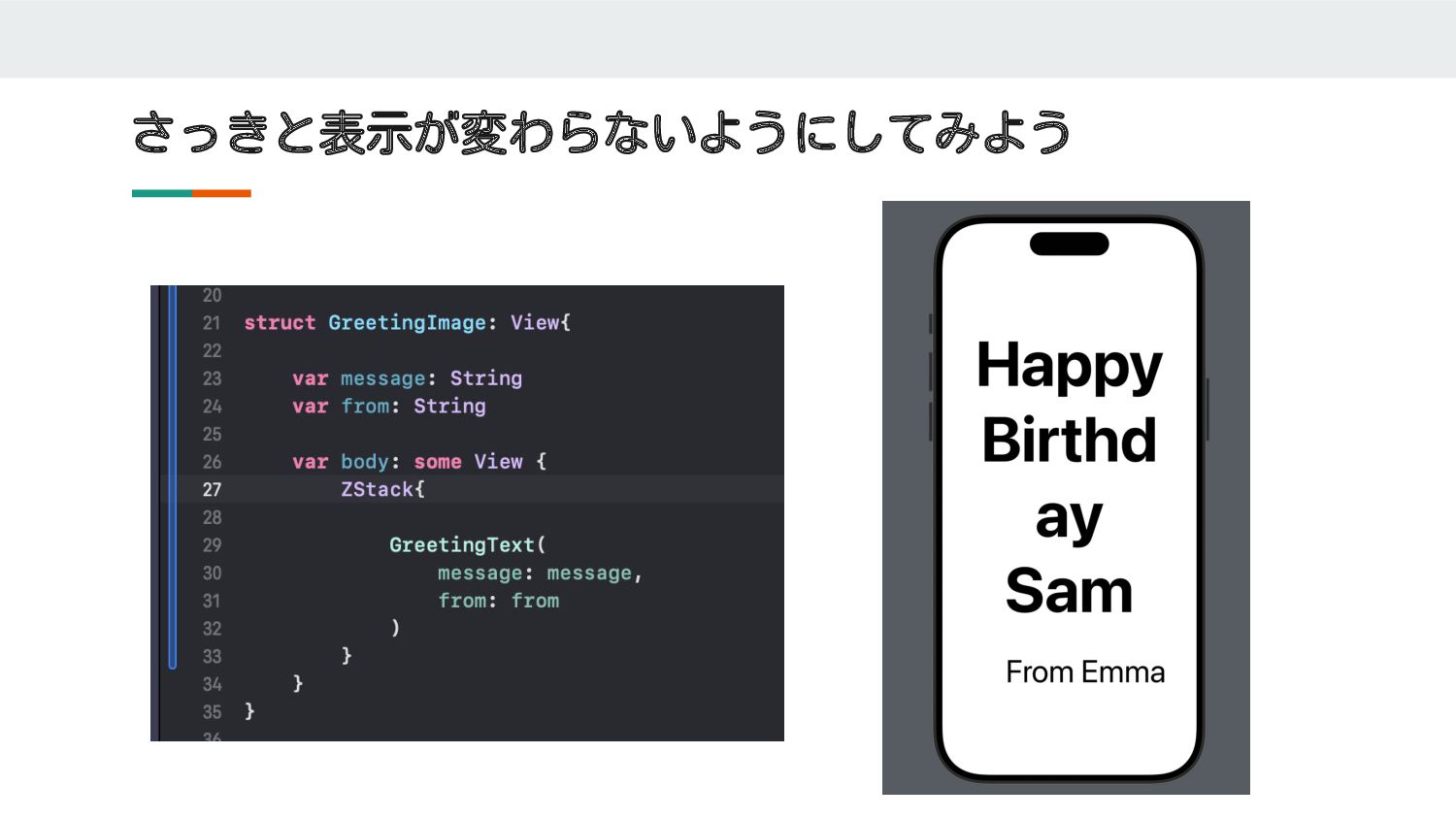
さっきと表示が変わらないようにしてみよう
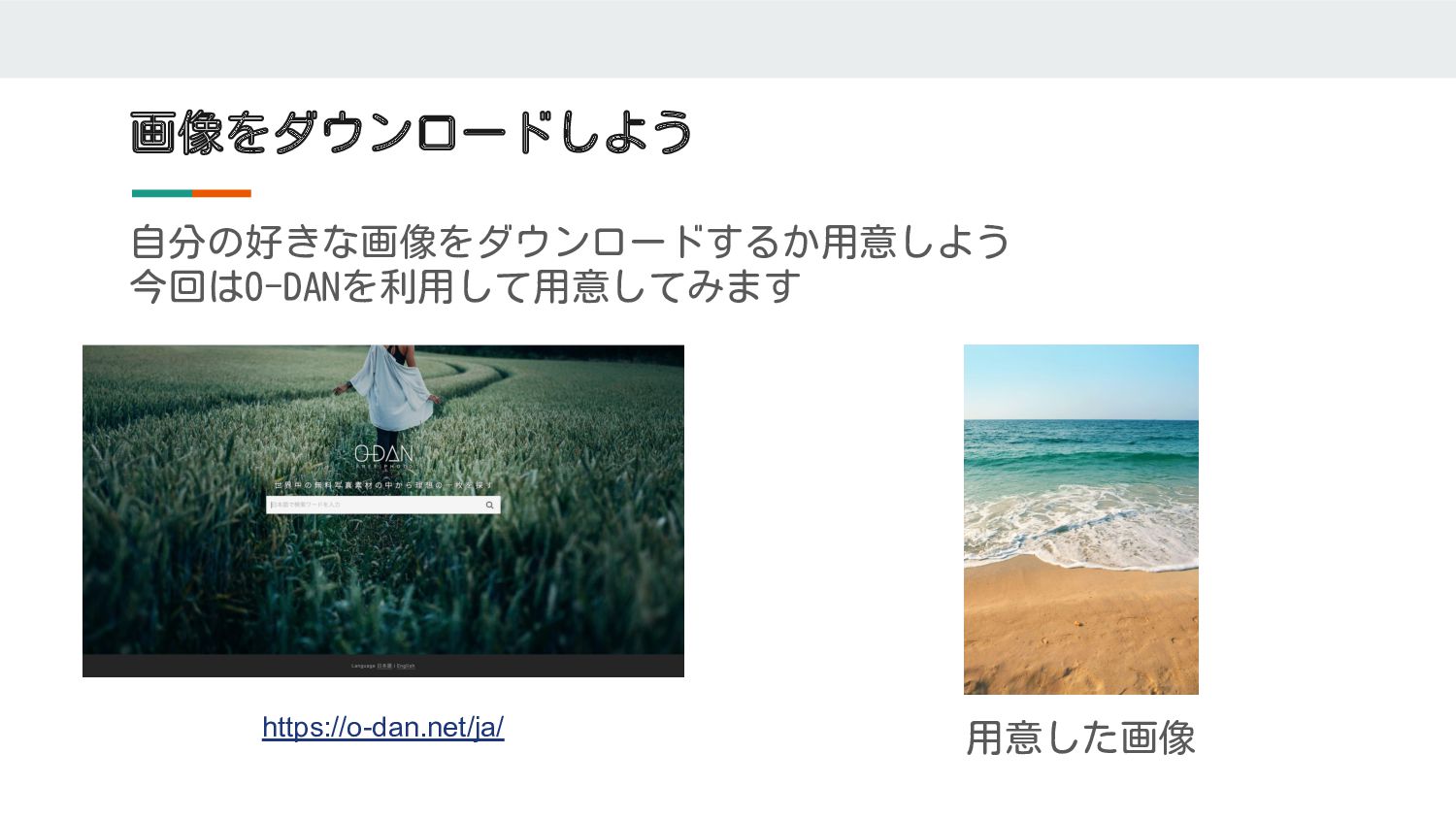
画像をダウンロードしよう 自分の好きな画像をダウンロードするか用意しよう 今回はO-DANを利用して用意してみます https://o-dan.net/ja/ 用意した画像
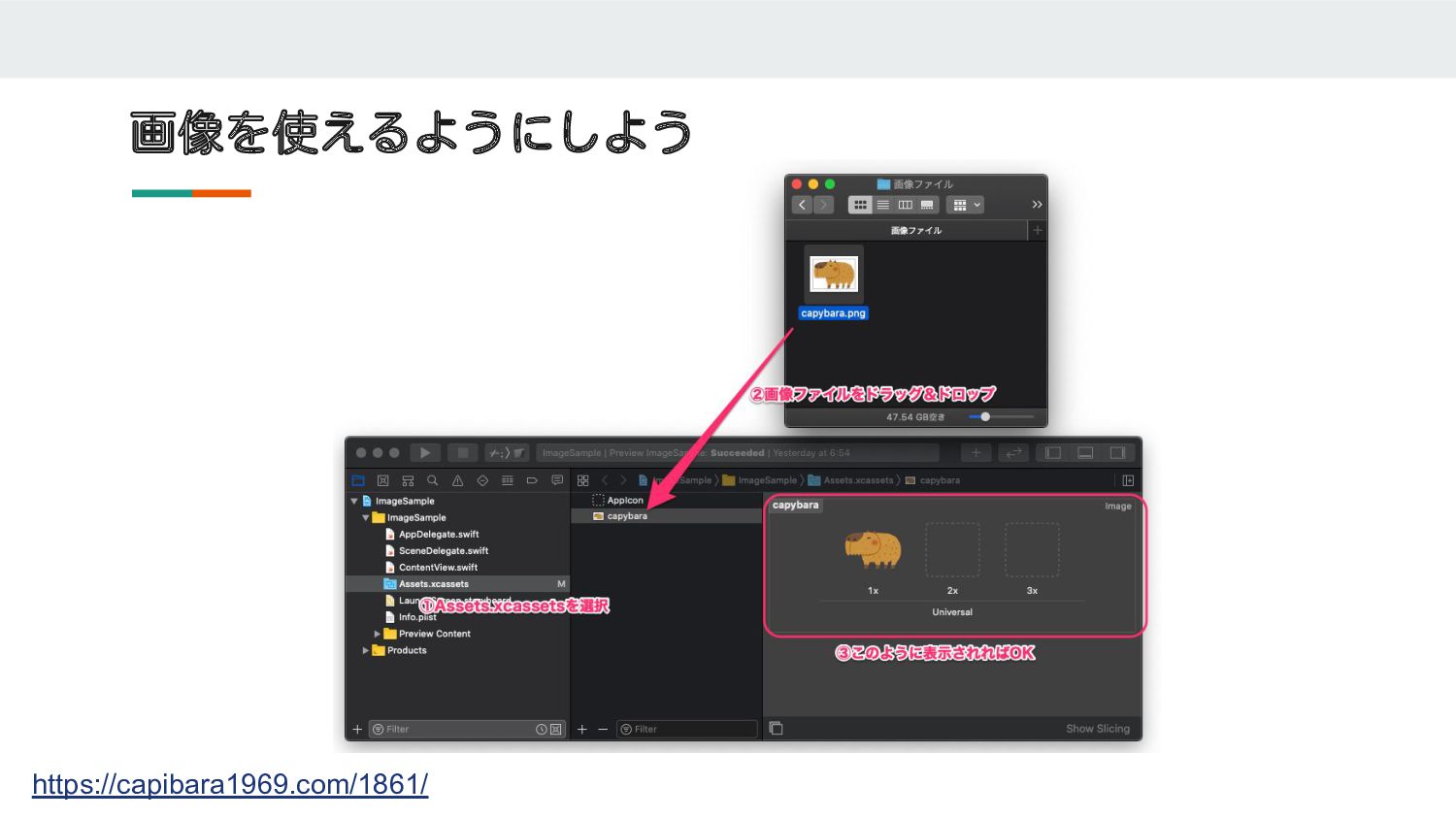
画像を使えるようにしよう https://capibara1969.com/1861/
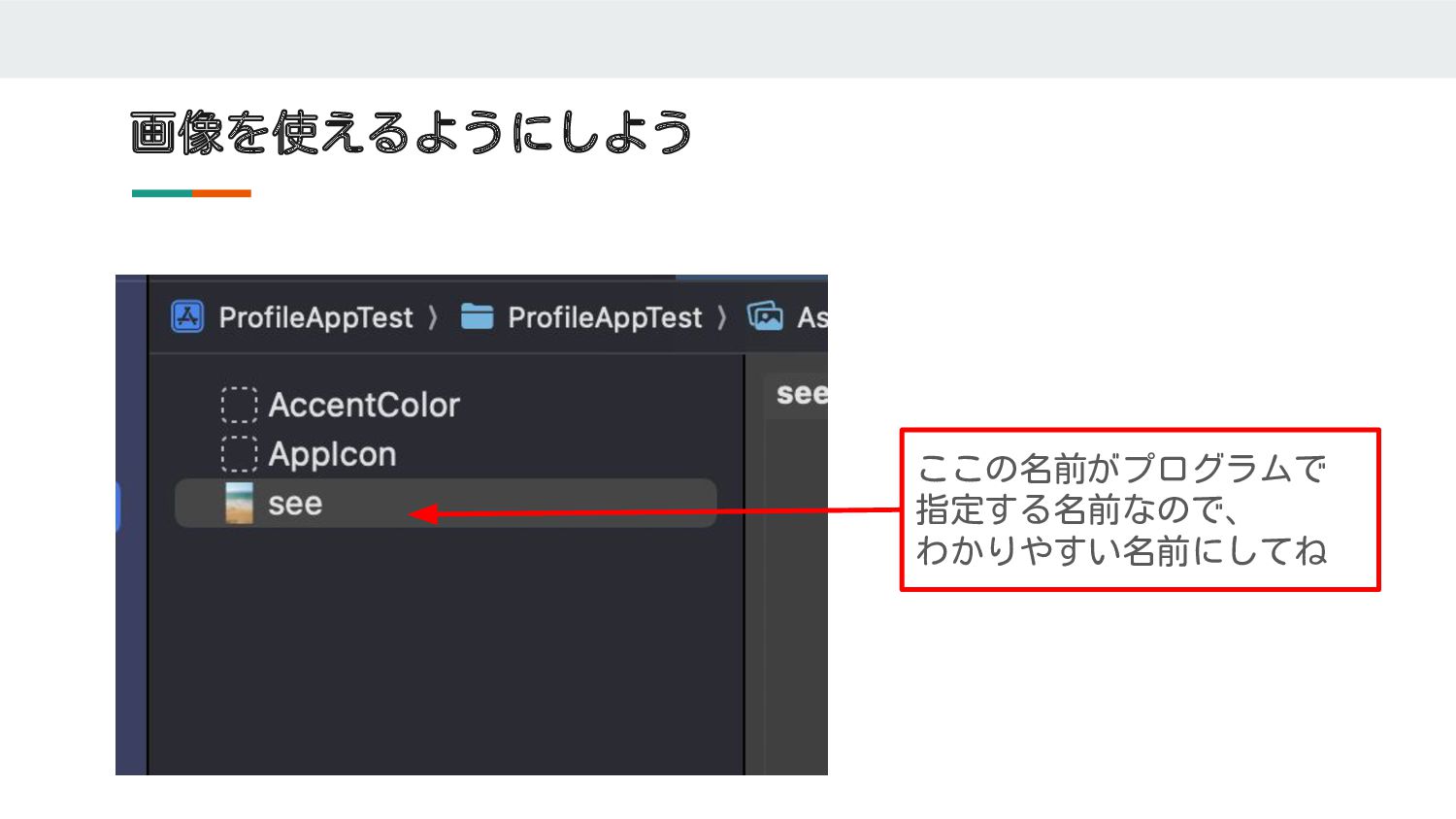
画像を使えるようにしよう ここの名前がプログラムで 指定する名前なので、 わかりやすい名前にしてね
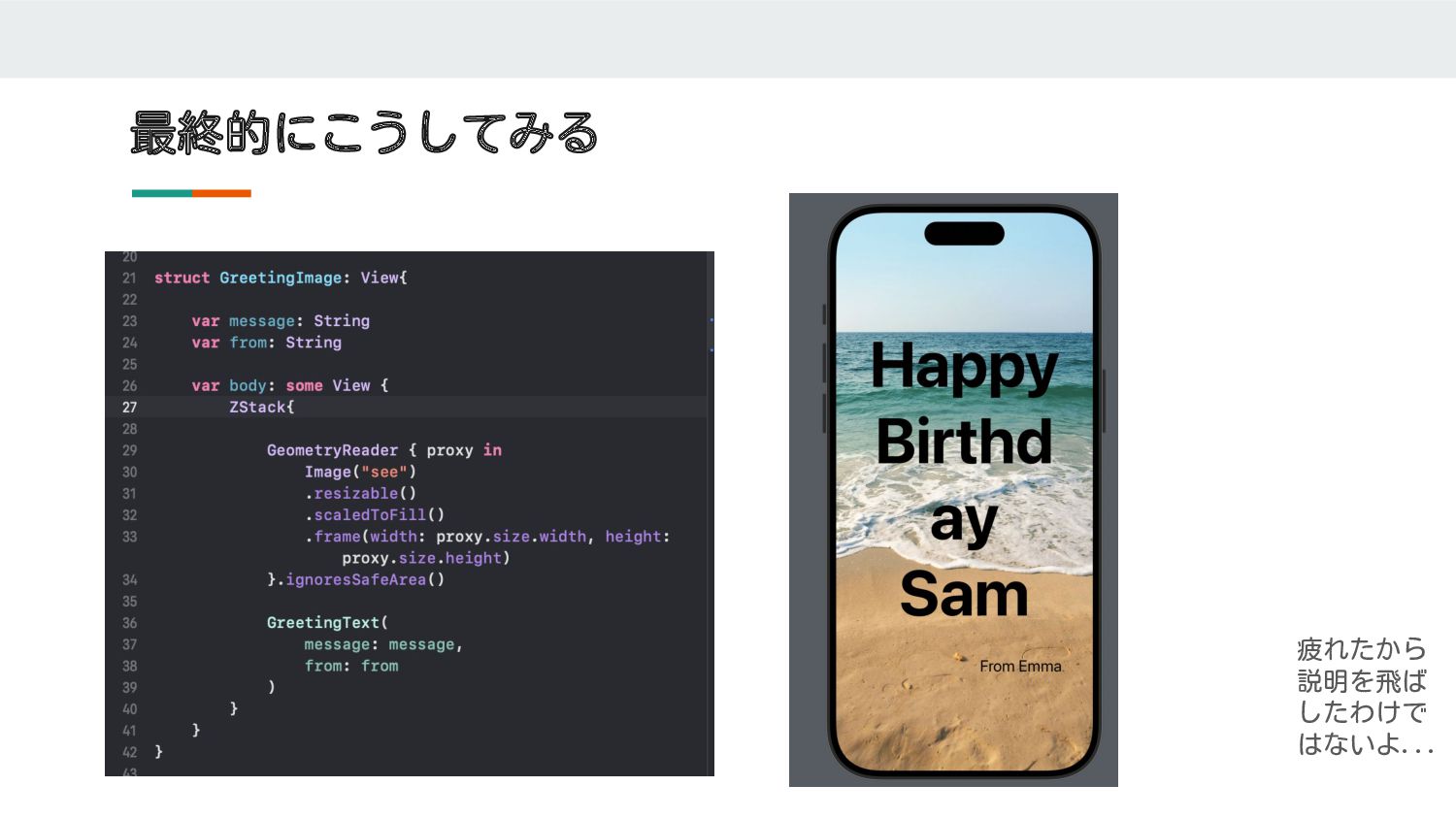
最終的にこうしてみる 疲れたから 説明を飛ば したわけで はないよ...
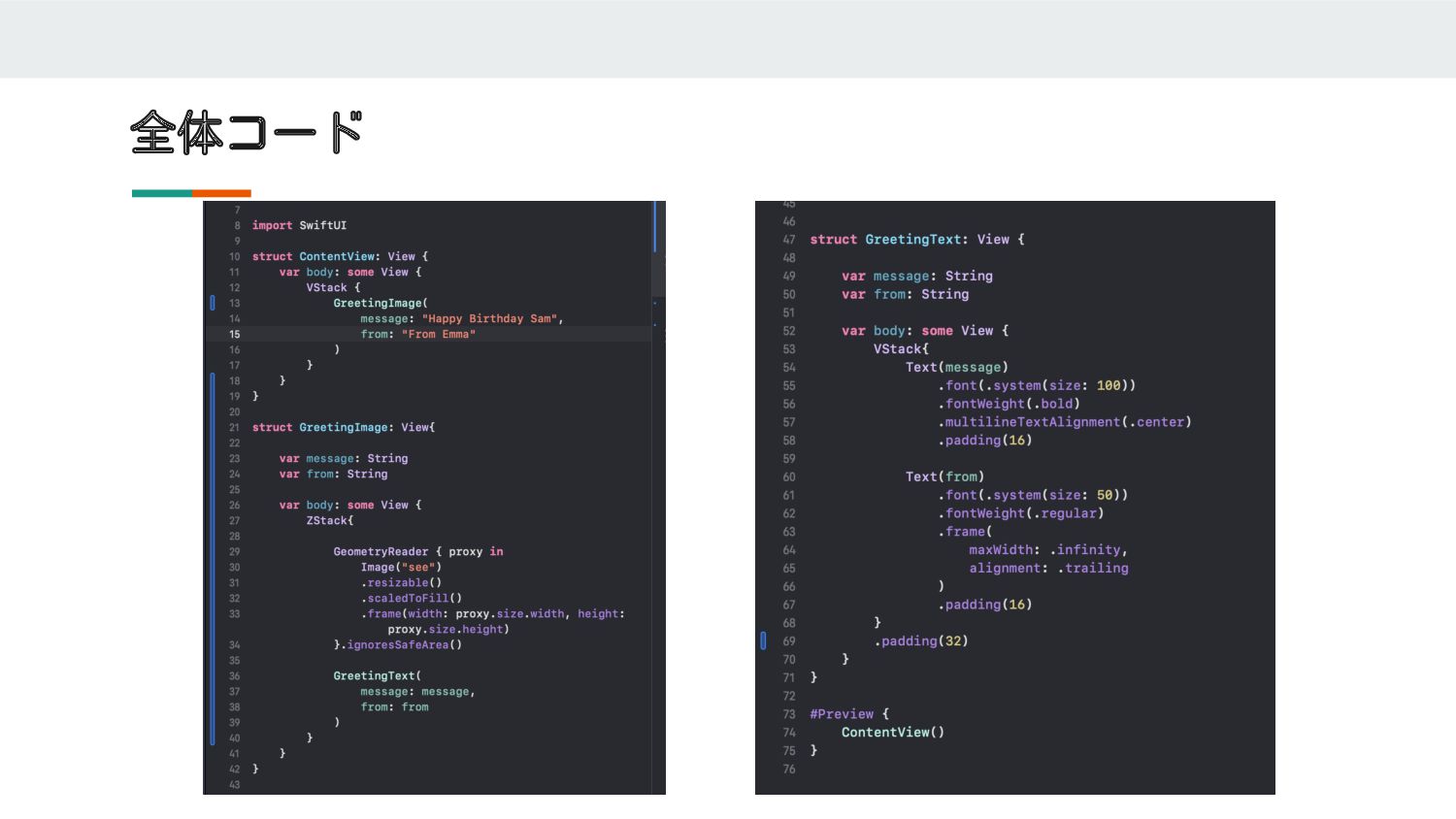
全体コード
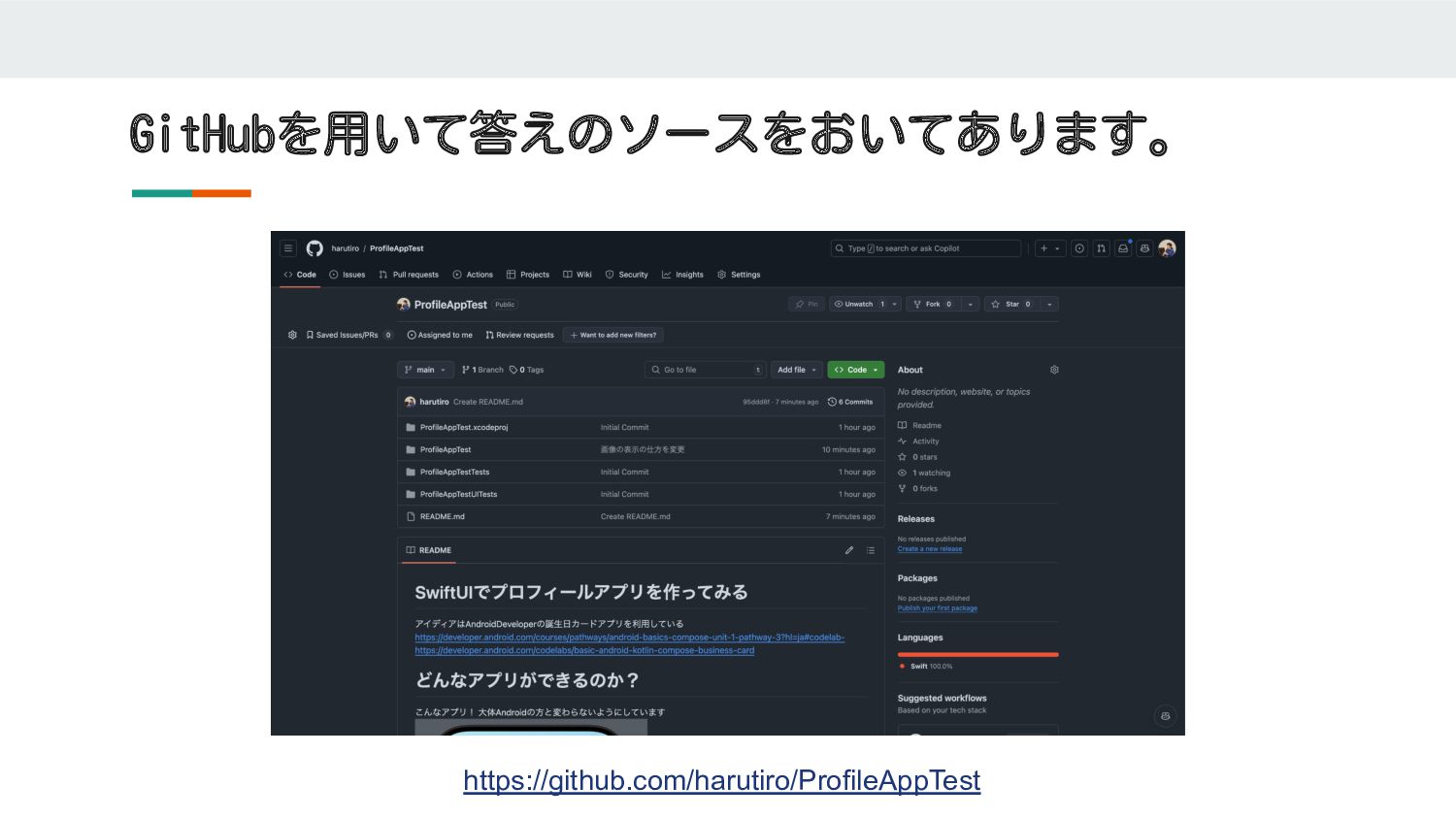
答えについて
GitHubを用いて答えのソースをおいてあります。 https://github.com/harutiro/ProfileAppTest
自分流に変更してみよう
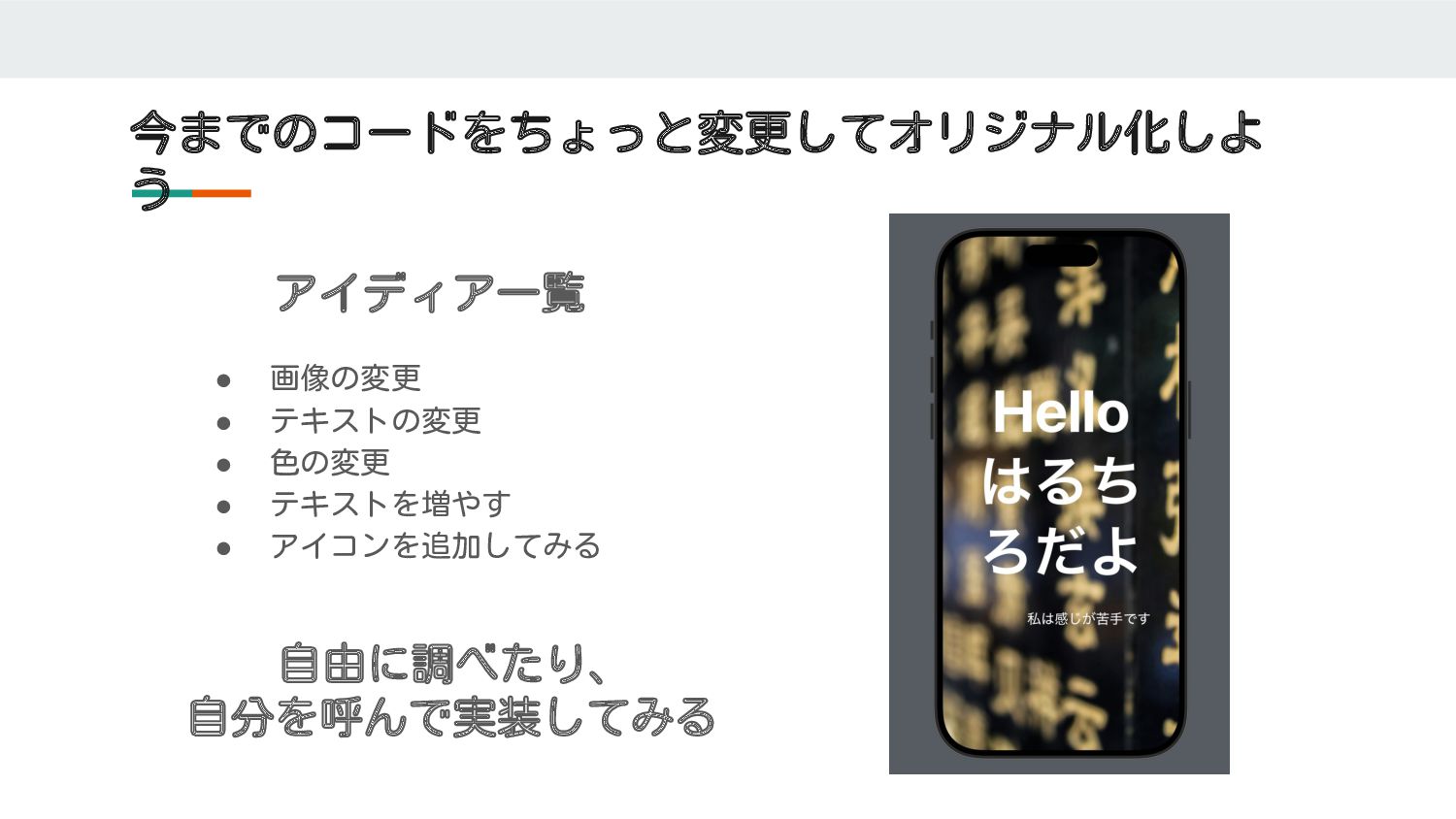
今までのコードをちょっと変更してオリジナル化しよ う • 画像の変更 • テキストの変更 • 色の変更 • テキストを増やす
• アイコンを追加してみる アイディア一覧 自由に調べたり、 自分を呼んで実装してみる

 SiteGround - Reliable hosting with speed, security, and support you can count on.


 harutiro
 brainpadpr
.png) jmdc_presentation
jmdc_presentation
 yamanoku
 tsuchikazu
.png) codatum
codatum
 puhitaku
 ymotongpoo
 kairim0
 colopl
 oracle4engineer
 470715
 nttcom
 inesmontani
 codingconduct
 3n
3n
 szymonslowik
 signer
 skipperchong
 davidcarrasco
 baasie
 aleyda
 badams
 chrislema
 retrage


![文字をおくためのコンポーネントを作る ※コンポーネント=部品という意味 [メッセージ]と[誰からの文章か]を入れたら、簡単に切り替えれるようにする GreetingText( message: "Happy Birthday Sam", from: "From](https://files.speakerdeck.com/presentations/953b2072ec854d9d83b2a9043e972c27/slide_10.jpg)