Upgrade to Pro — share decks privately, control downloads, hide ads and more …

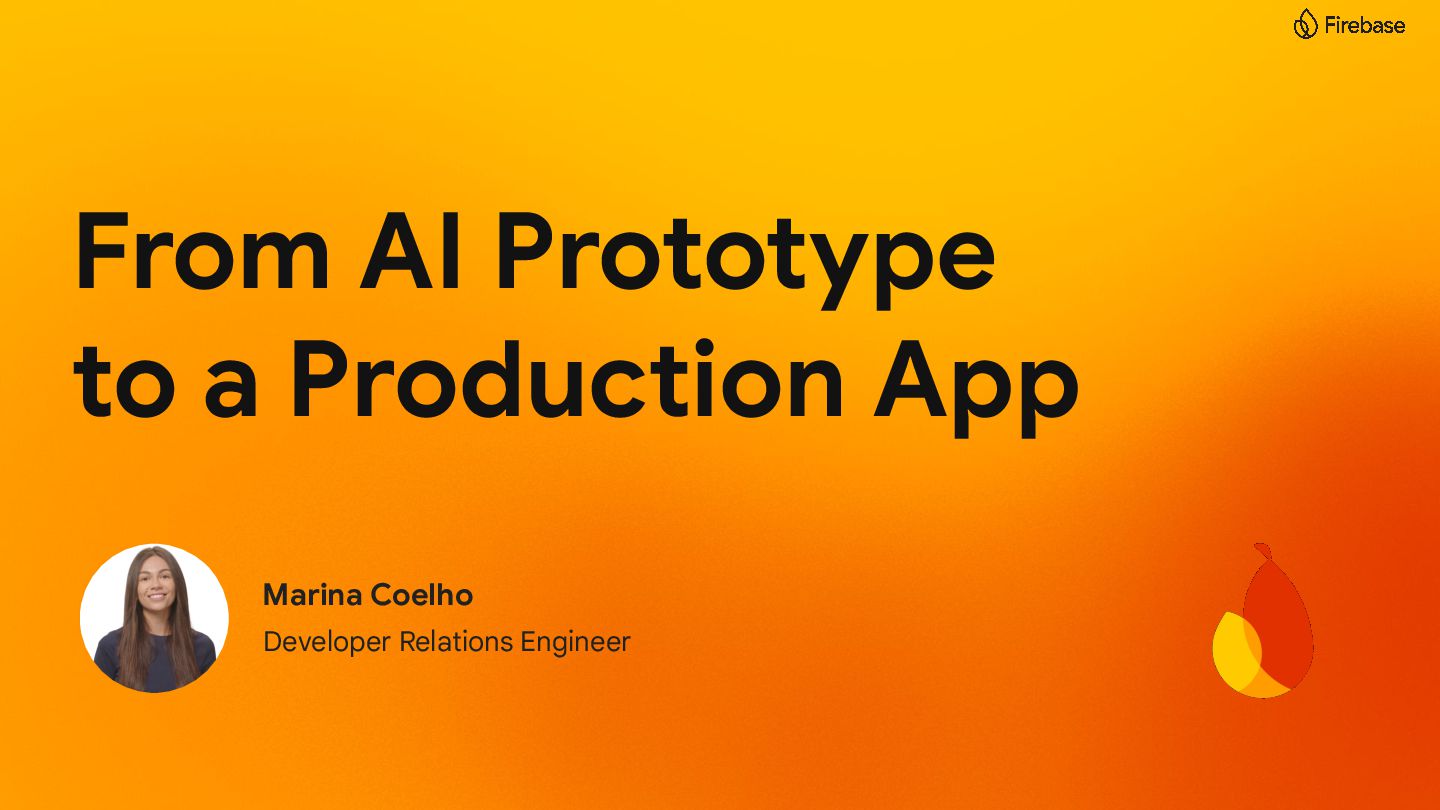
From AI Prototype to a Production App

From AI Prototype to a Production App

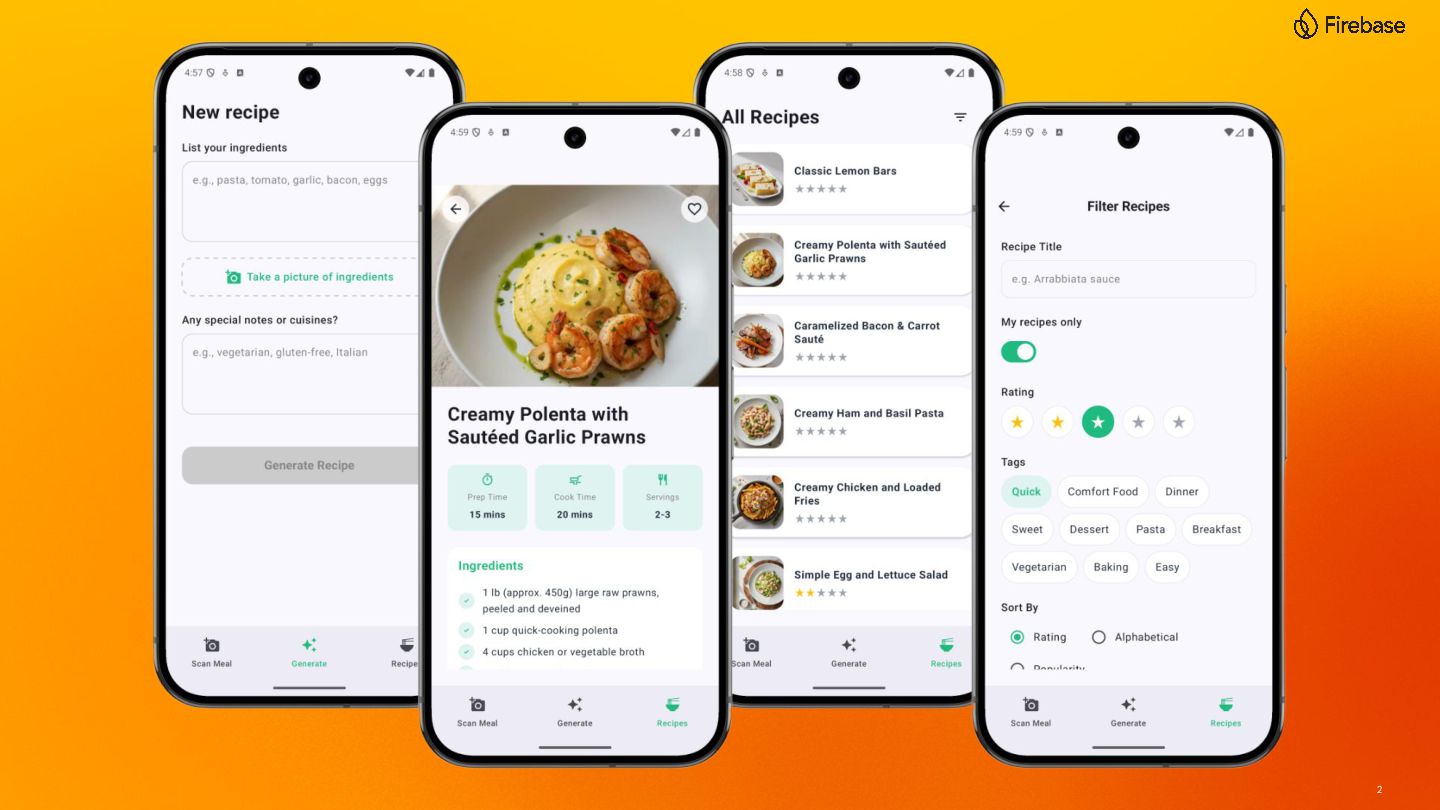
Building an AI feature is just the beginning; scaling it into a production-ready application is where the real challenge begins. Using a meal-planning app, you will see how to bridge the gap between a great idea and a polished product using Google’s Gemini models, Firebase AI Logic, and Remote Config. This session will cover:

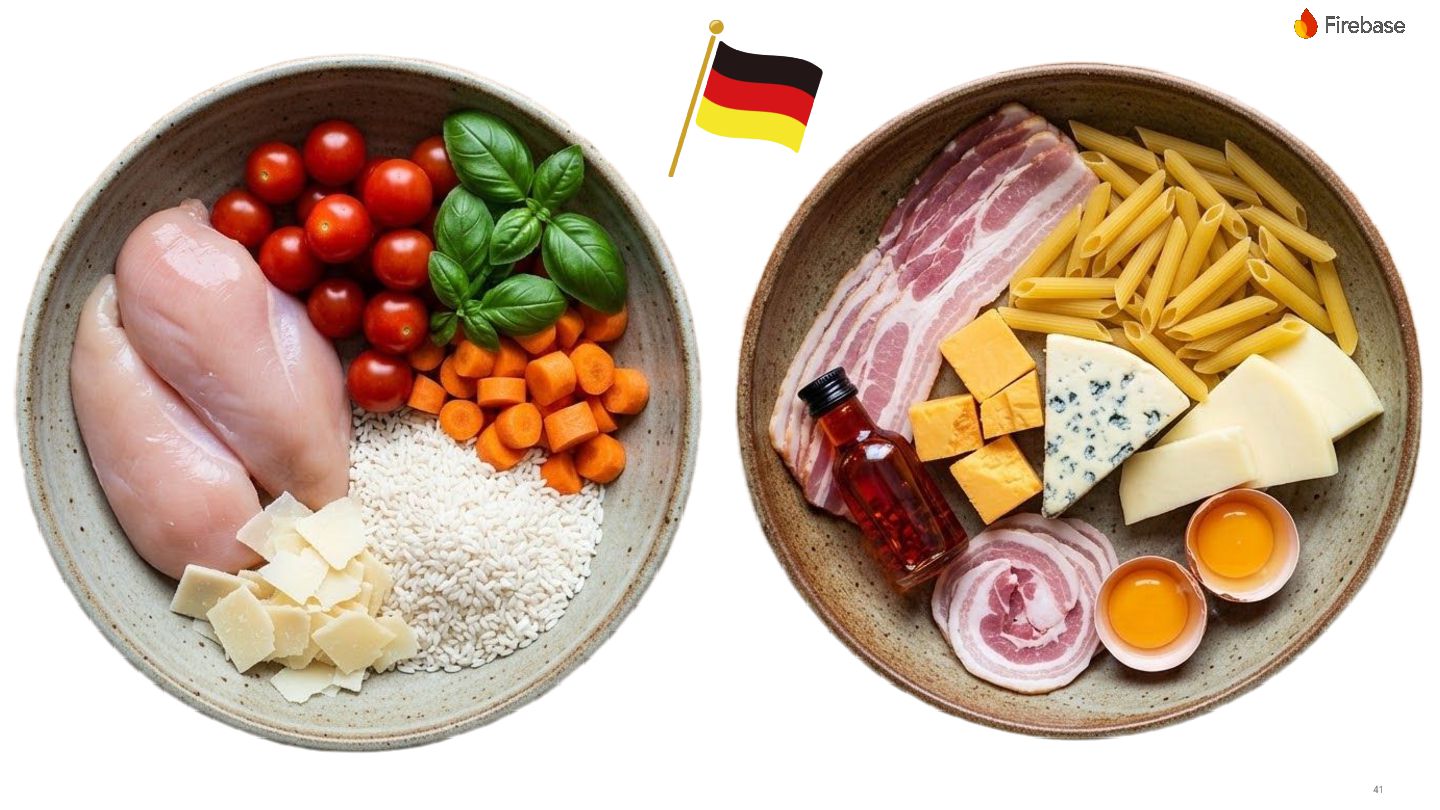
- How to analyze images of a fridge, cupboard or grocery store shelf, identify ingredients and generate meal recommendations.
- How to create mouth-watering visuals with different AI models based on generated recipes.
- How to keep prompts secure in the backend and use Remote Config to deliver new prompt versions without requiring an app update or affecting the current experience.

Whether you are still on the prototyping phase, or trying to figure out how to manage AI lifecycle in a live app, this session will provide you with a roadmap to move from experimental code to a reliable production environment.

Avatar for Marina Coelho

Marina Coelho

February 20, 2026

More Decks by Marina Coelho

Other Decks in Technology

Transcript

  1. 2

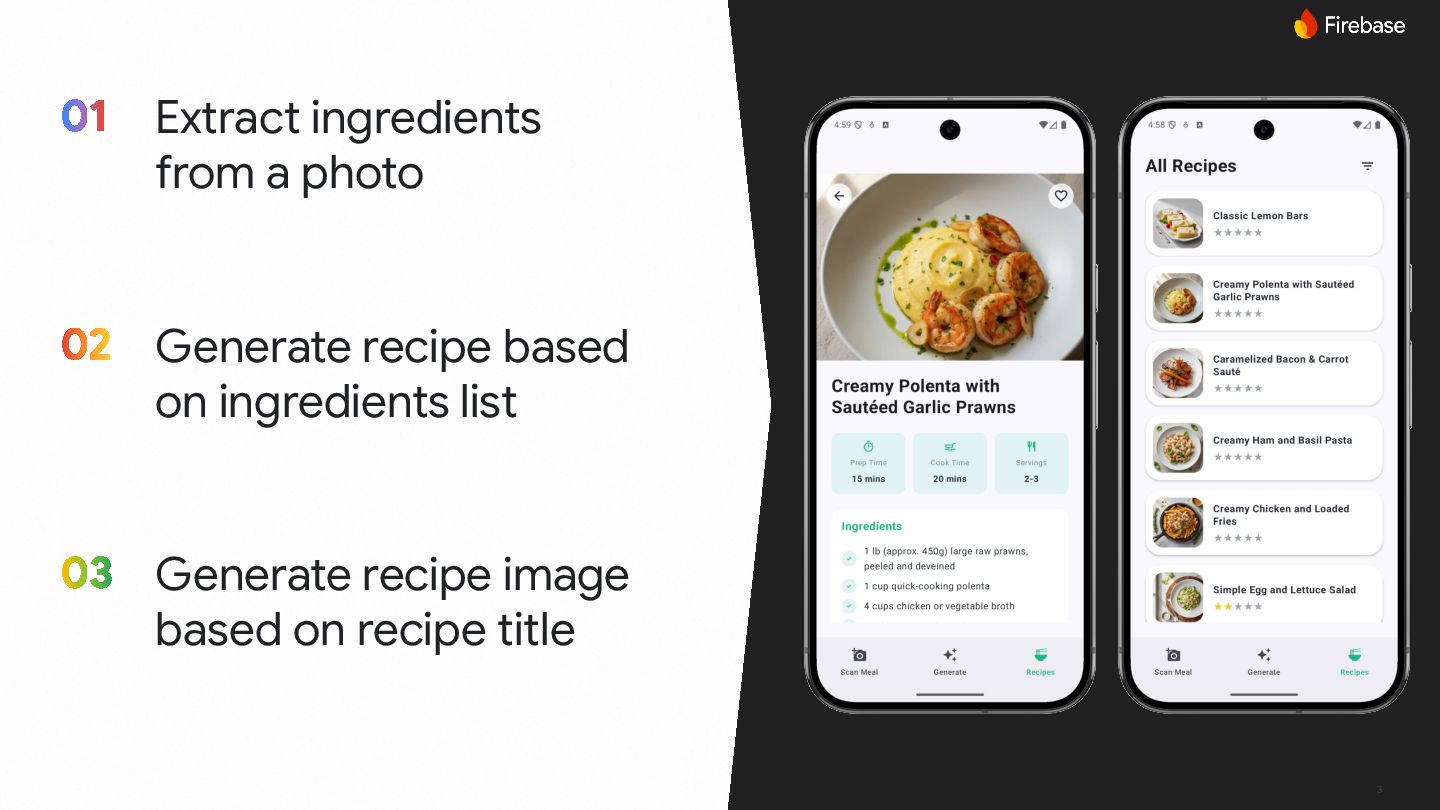
  2. 3 Extract ingredients from a photo Generate recipe based on

    ingredients list Generate recipe image based on recipe title
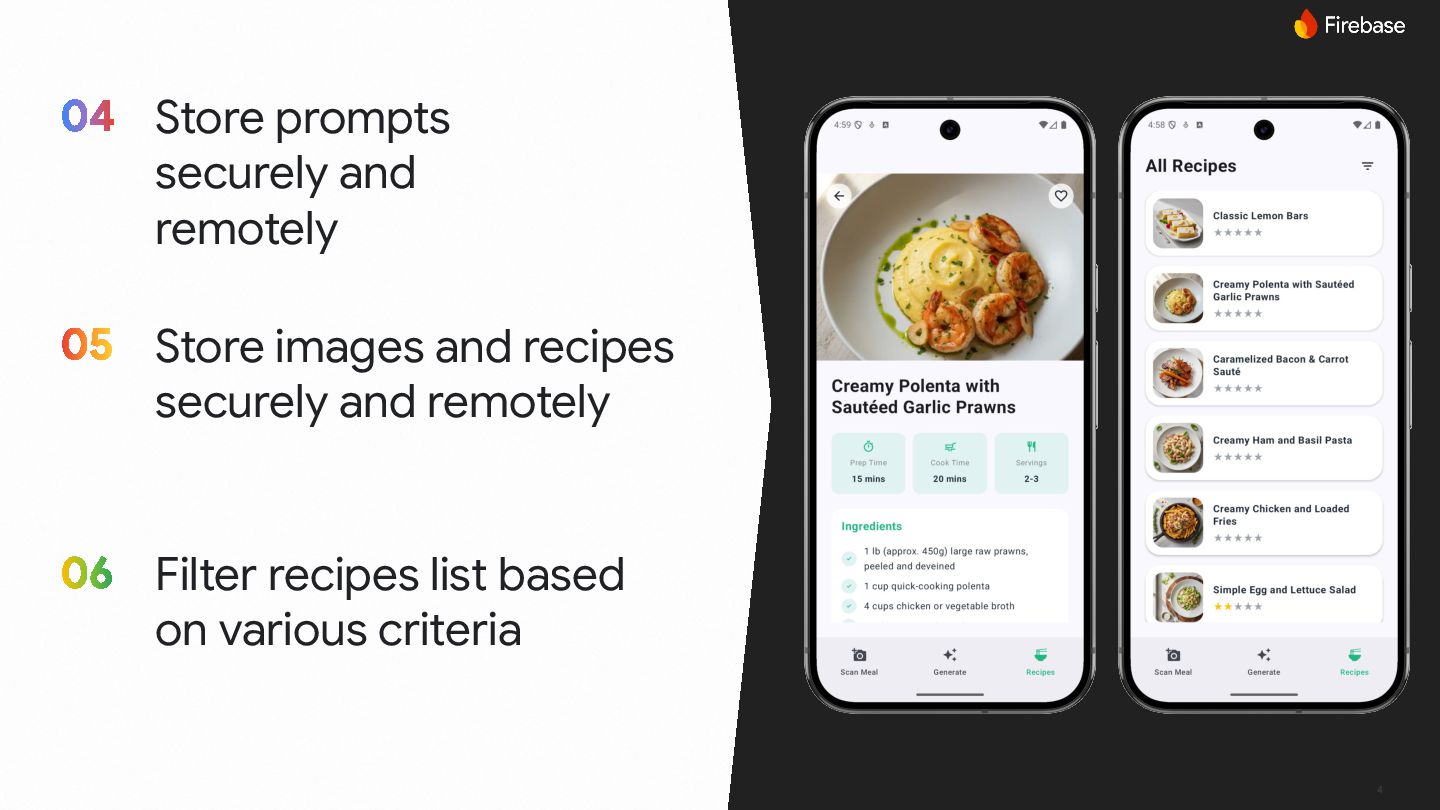
  3. 4 Store prompts securely and remotely Store images and recipes

    securely and remotely Filter recipes list based on various criteria
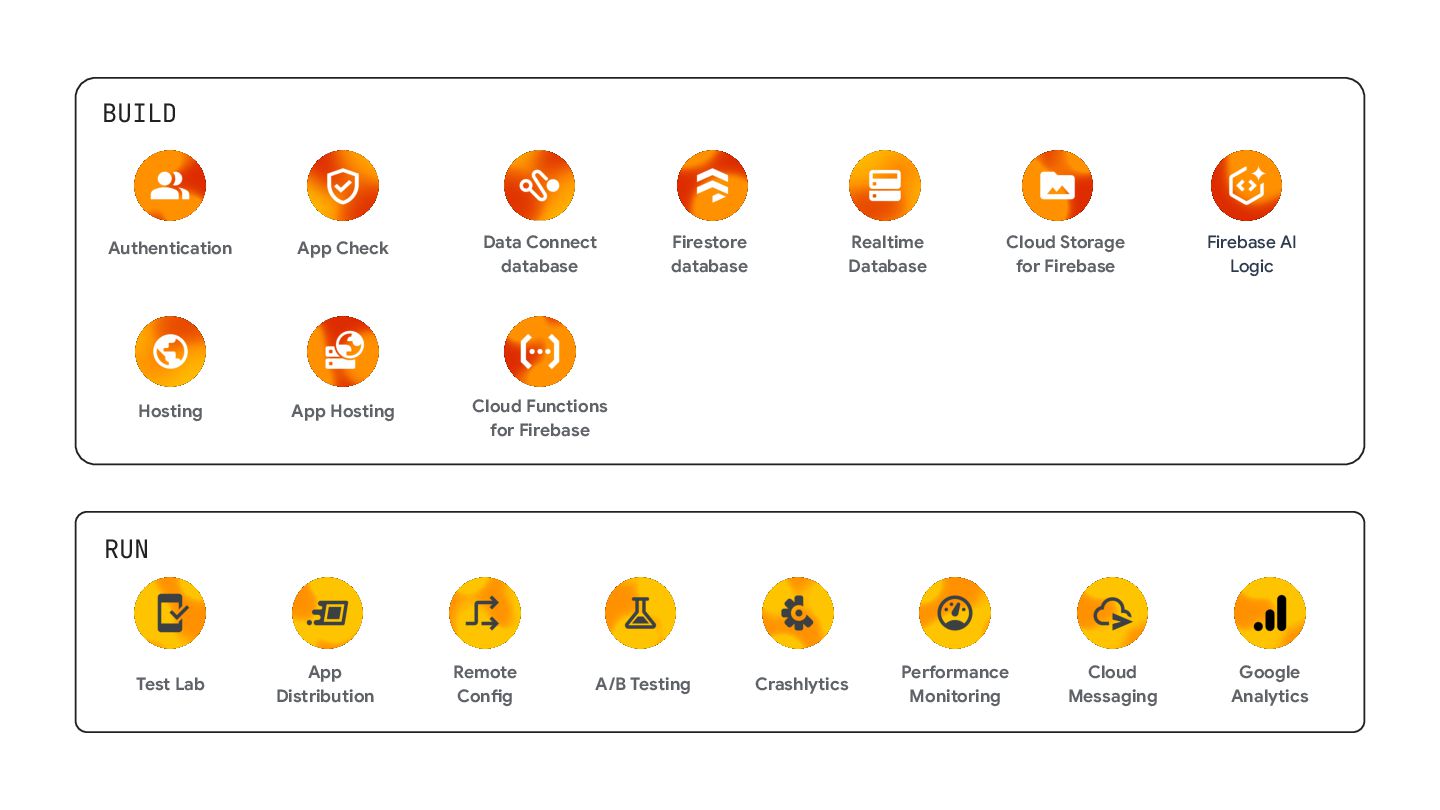
  4. BUILD RUN A/B Testing Crashlytics App Distribution Remote Config Test

    Lab Cloud Messaging Performance Monitoring Google Analytics Cloud Functions for Firebase Cloud Storage for Firebase Data Connect database App Hosting Authentication Realtime Database Firestore database Hosting App Check Firebase AI Logic
  5. 11 Firebase integrates with many Google products to bring the

    best app development experiences to developers
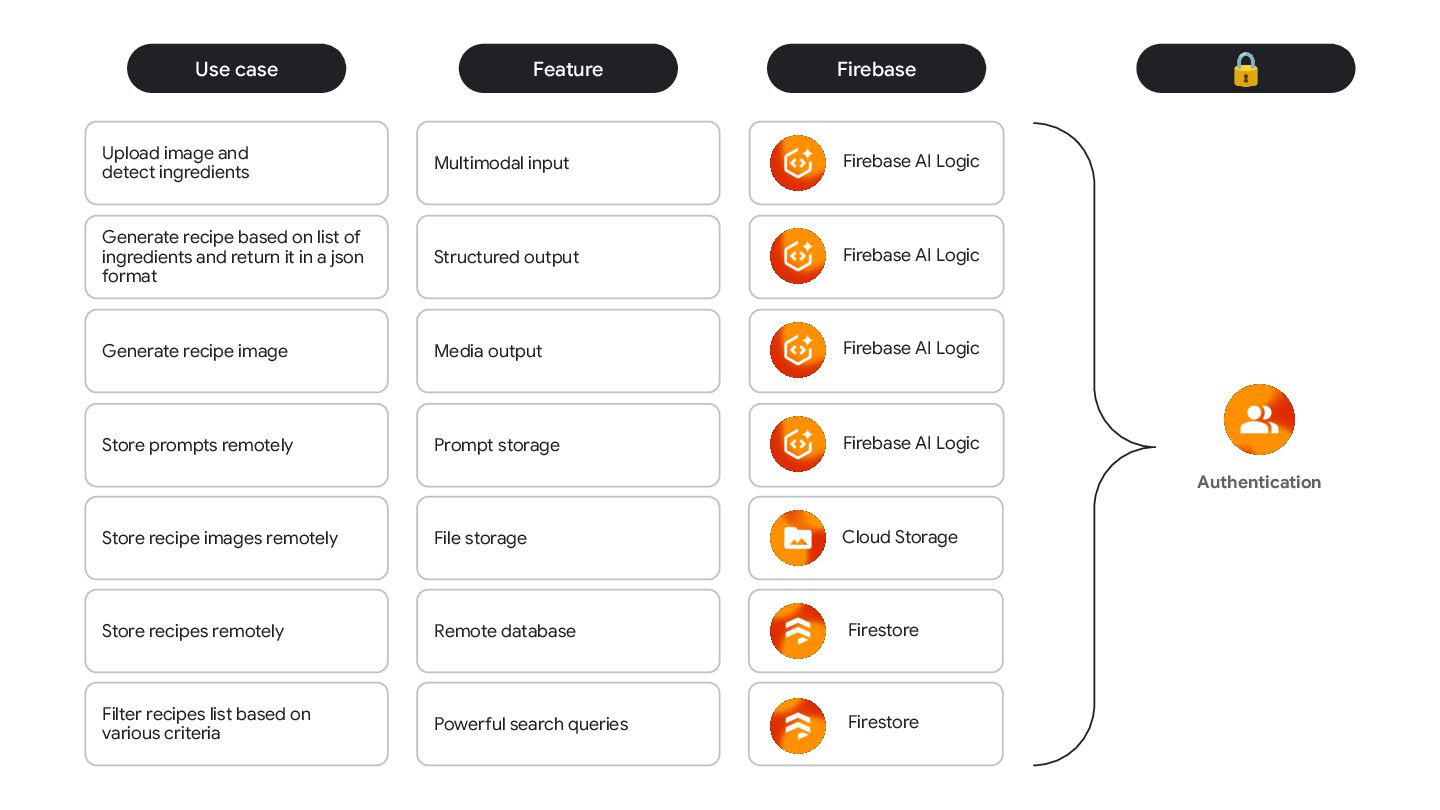
  6. Feature Multimodal input Structured output Media output Prompt storage Use

    case Upload image and detect ingredients Generate recipe based on list of ingredients and return it in a json format Store prompts remotely Generate recipe image Store recipe images remotely File storage Store recipes remotely Remote database Filter recipes list based on various criteria Powerful search queries Firebase Firebase AI Logic Firebase AI Logic Firebase AI Logic Firebase AI Logic Cloud Storage Firestore Firestore 🔒 Authentication
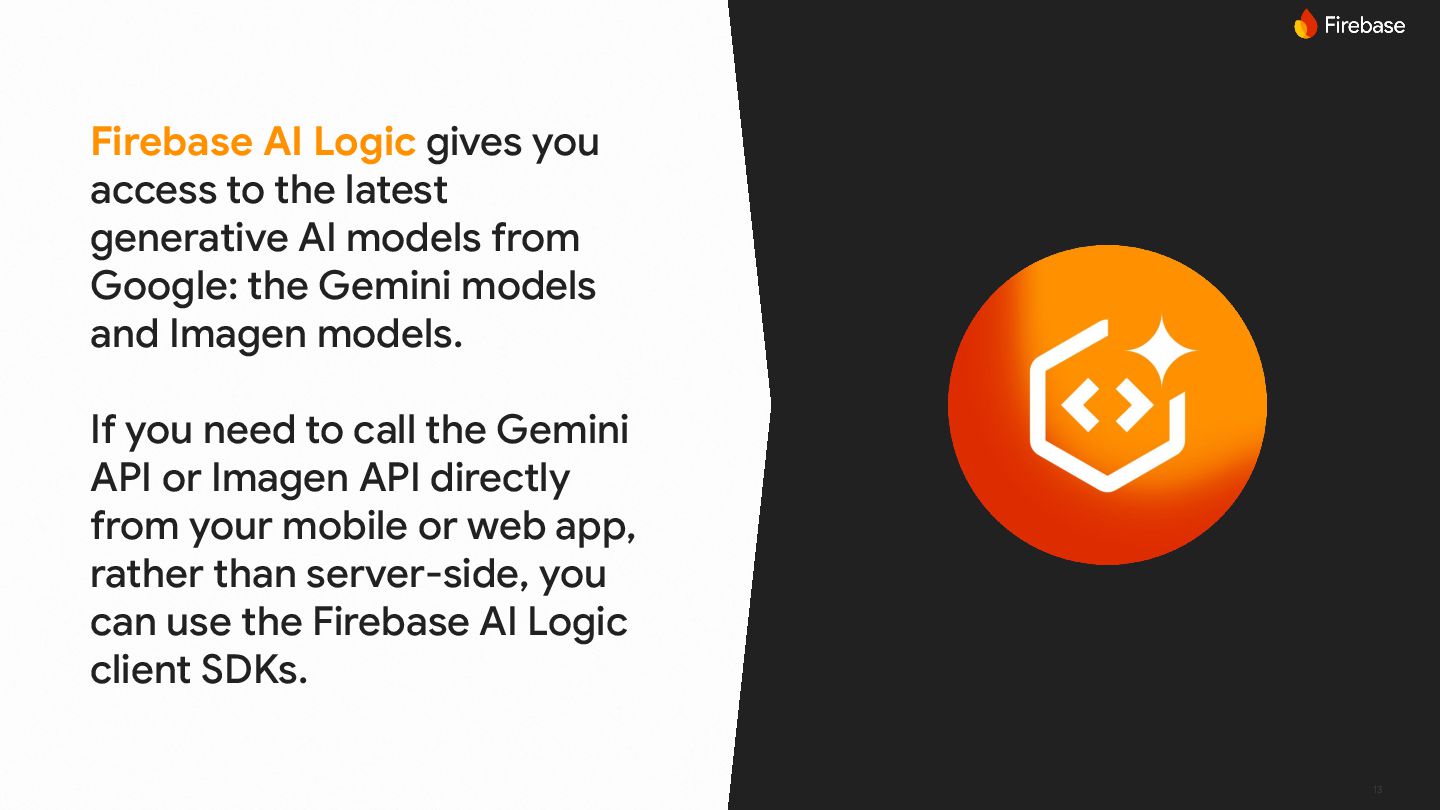
  7. 13 Firebase AI Logic gives you access to the latest

    generative AI models from Google: the Gemini models and Imagen models. If you need to call the Gemini API or Imagen API directly from your mobile or web app, rather than server-side, you can use the Firebase AI Logic client SDKs.
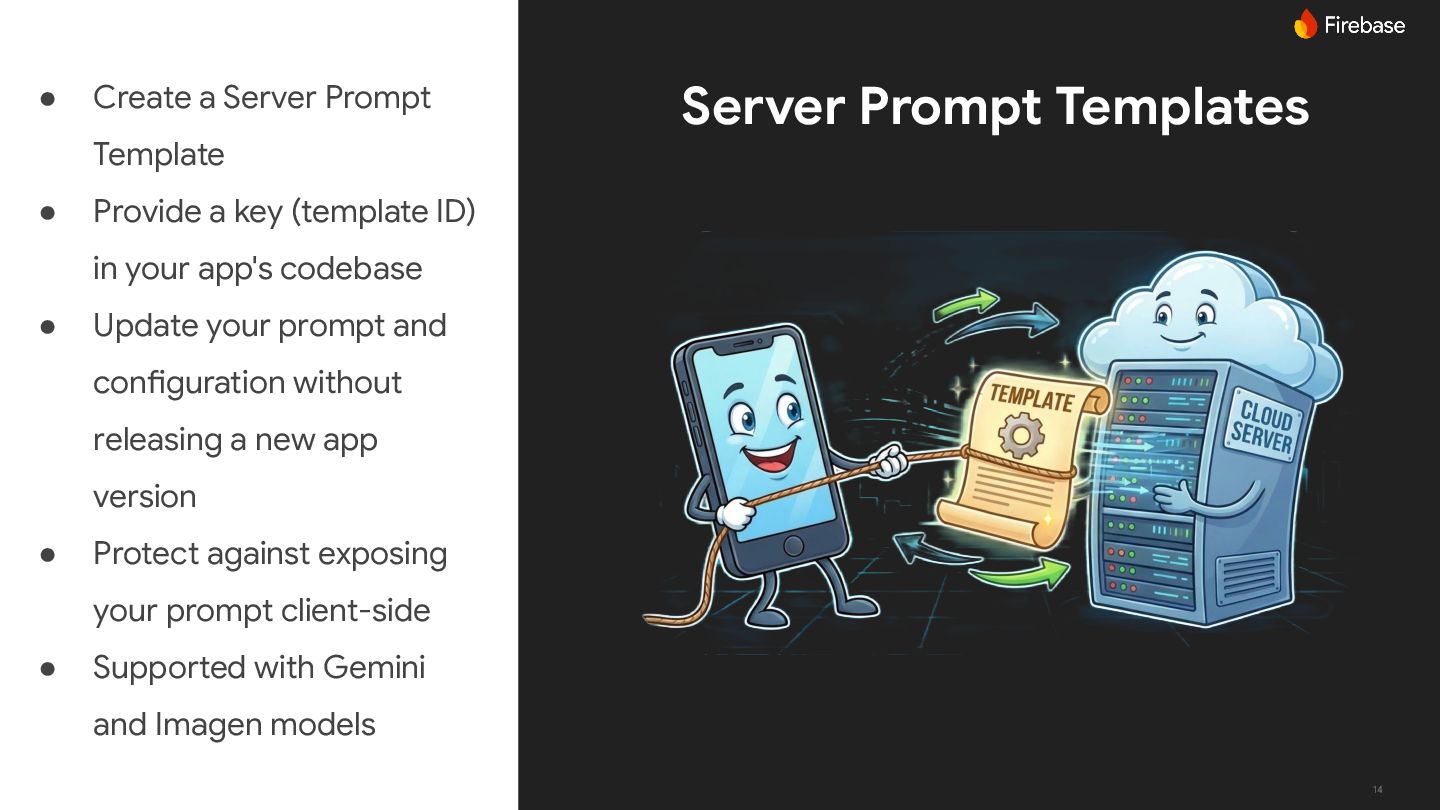
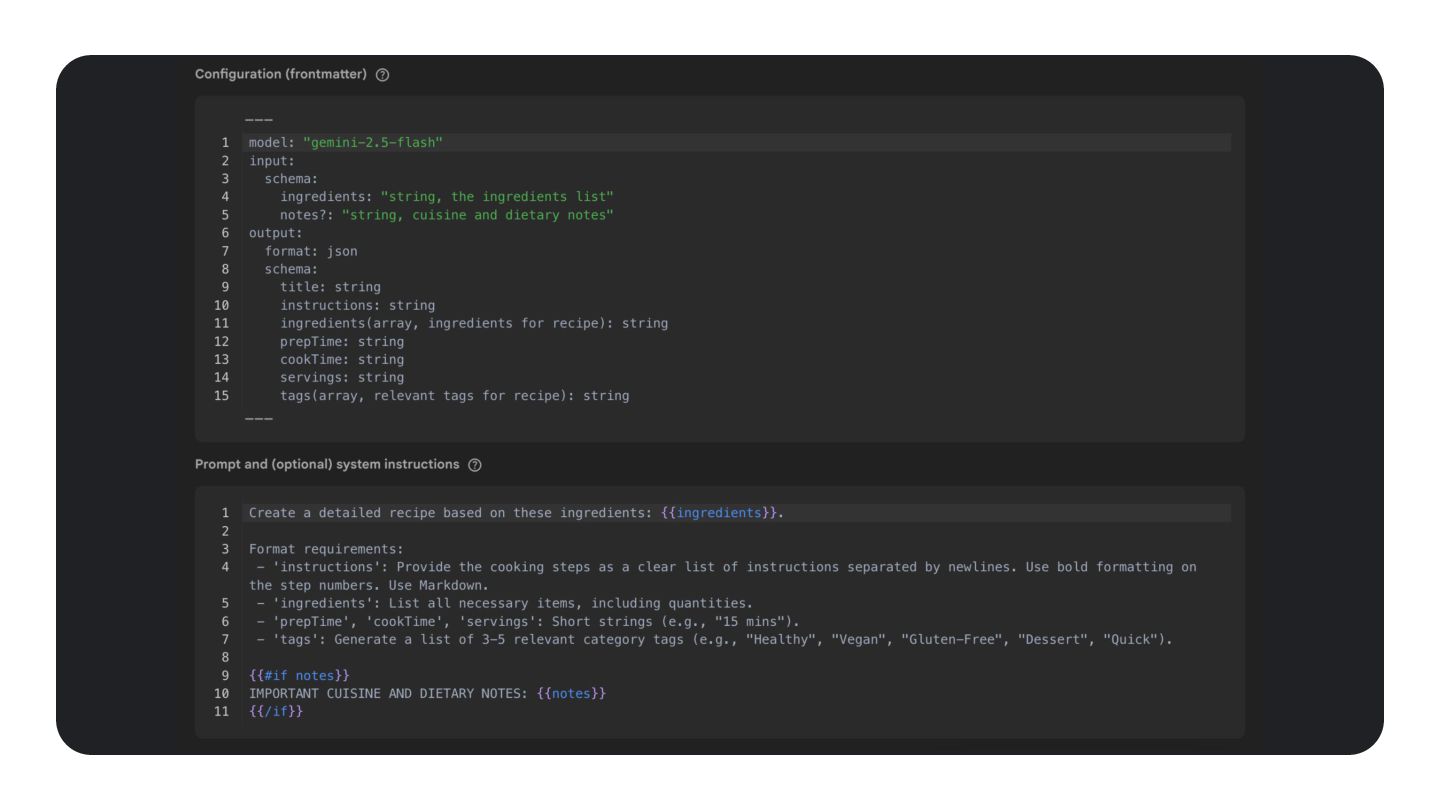
  8. 14 Server Prompt Templates • Create a Server Prompt Template

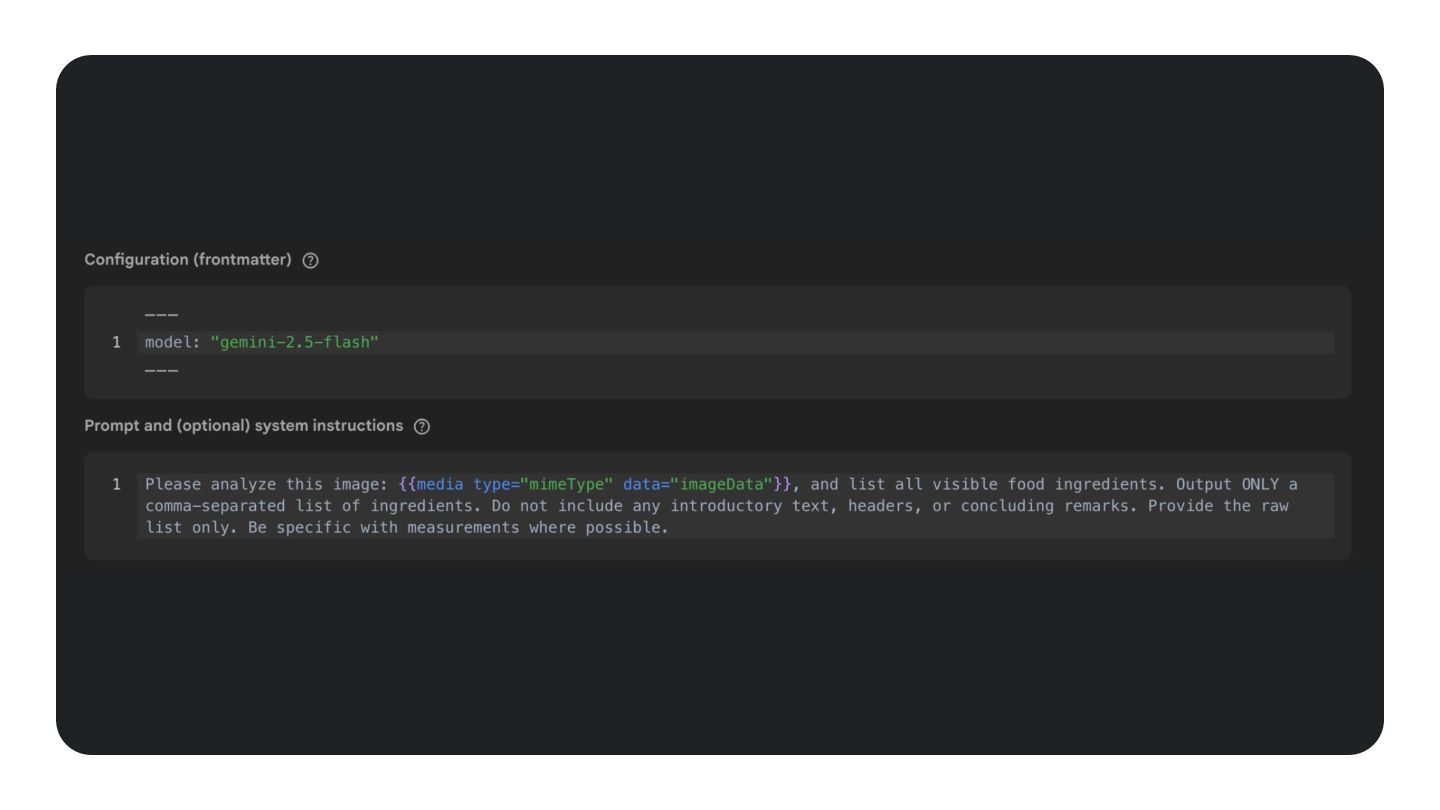
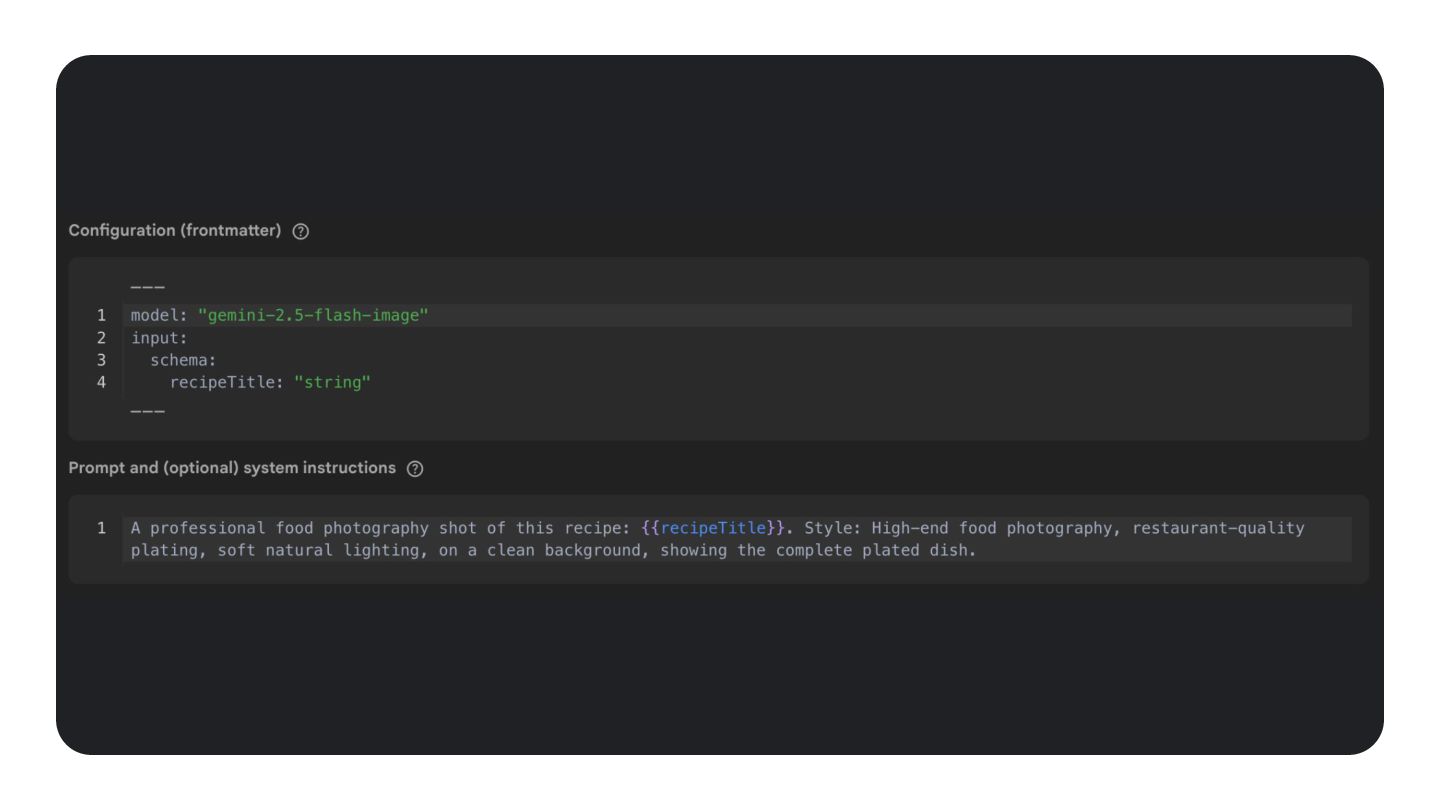
    • Provide a key (template ID) in your app's codebase • Update your prompt and configuration without releasing a new app version • Protect against exposing your prompt client-side • Supported with Gemini and Imagen models
  9. 15 Prompts and model configuration can change, and you may

    need to create new versions of your template at some point. You can use Firebase Remote Config to deliver the latest template ID to app users without requiring an app update or affecting their current experience.
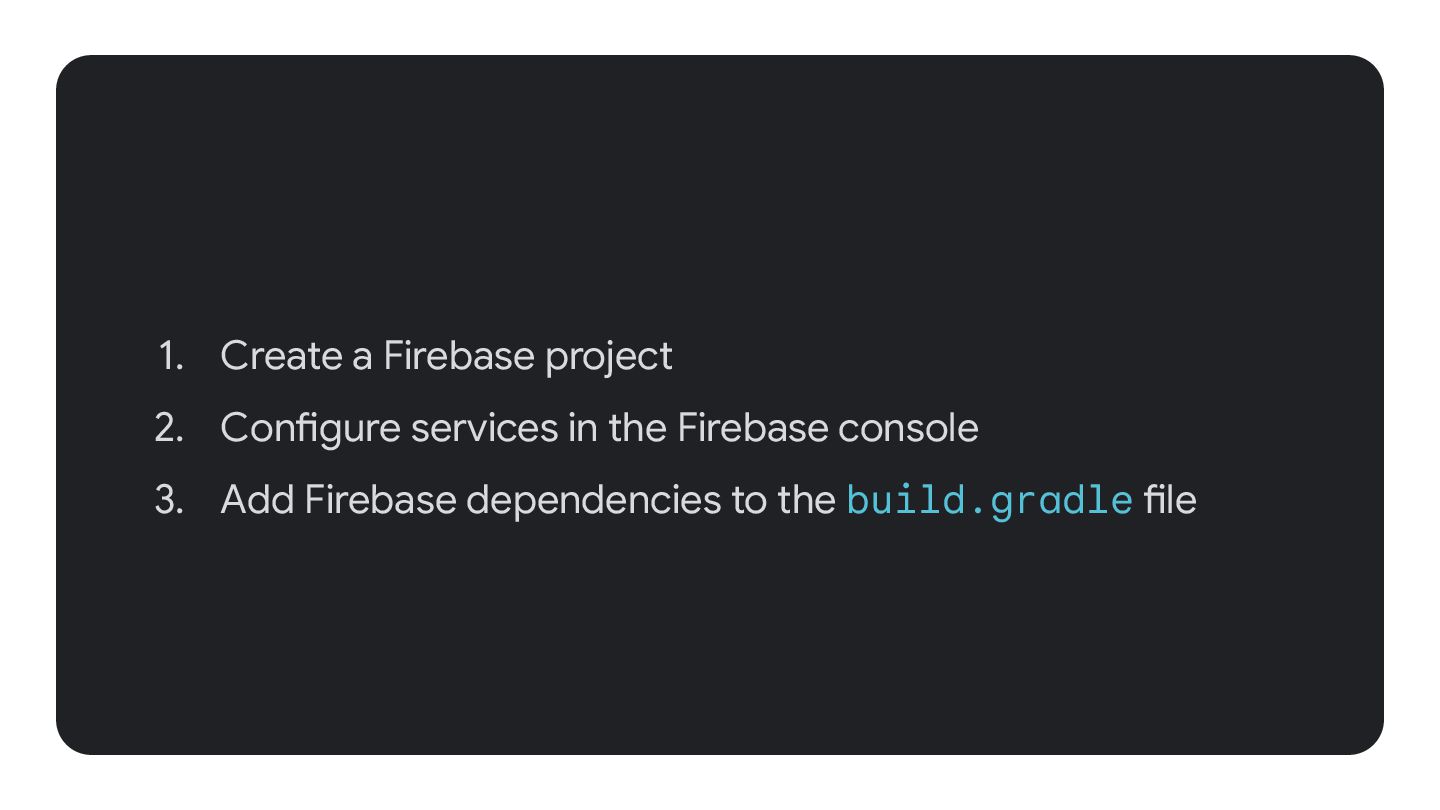
  10. 1. Create a Firebase project 2. Configure services in the

    Firebase console 3. Add Firebase dependencies to the build.gradle file
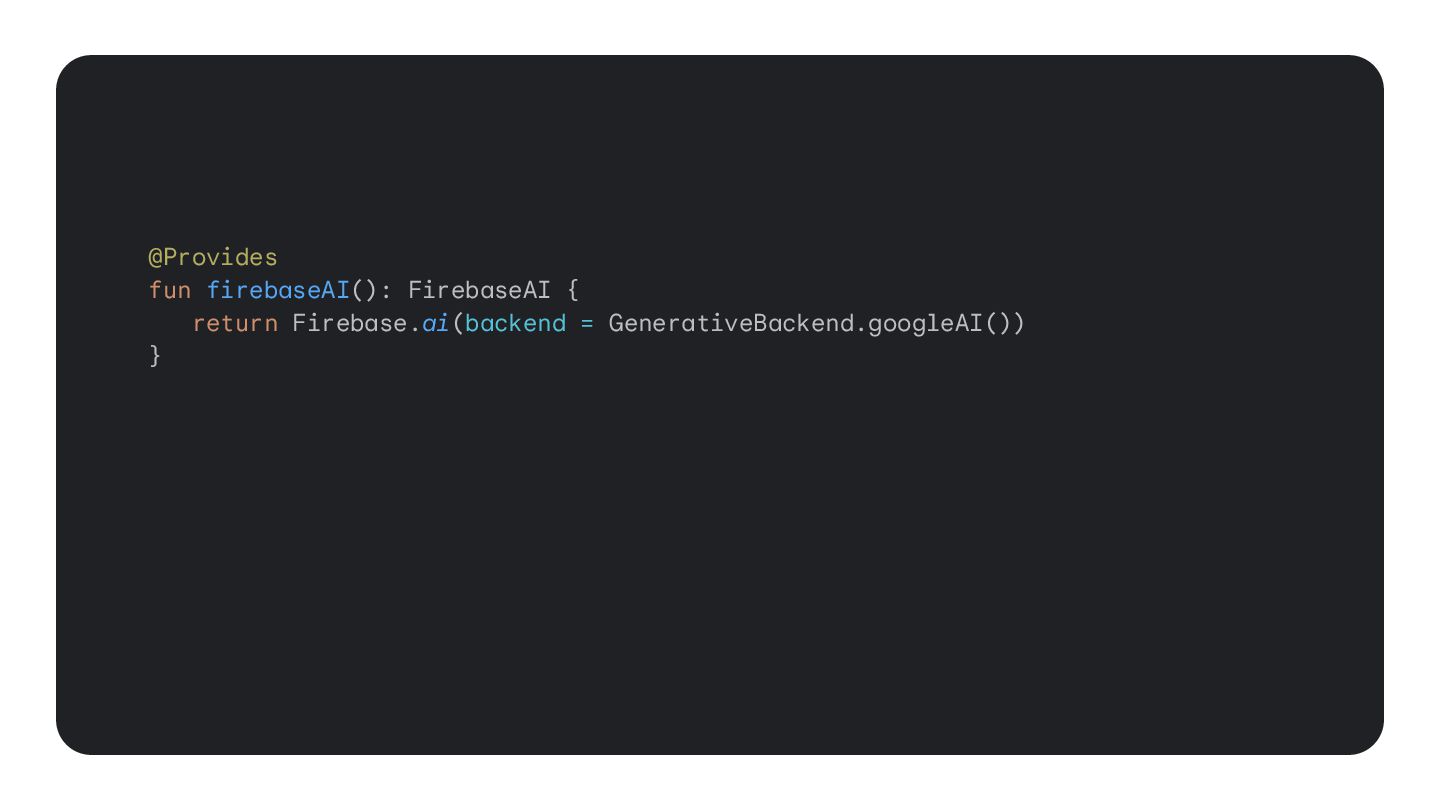
  11. @Provides fun firebaseAI(): FirebaseAI { return Firebase.ai(backend = GenerativeBackend.googleAI()) }

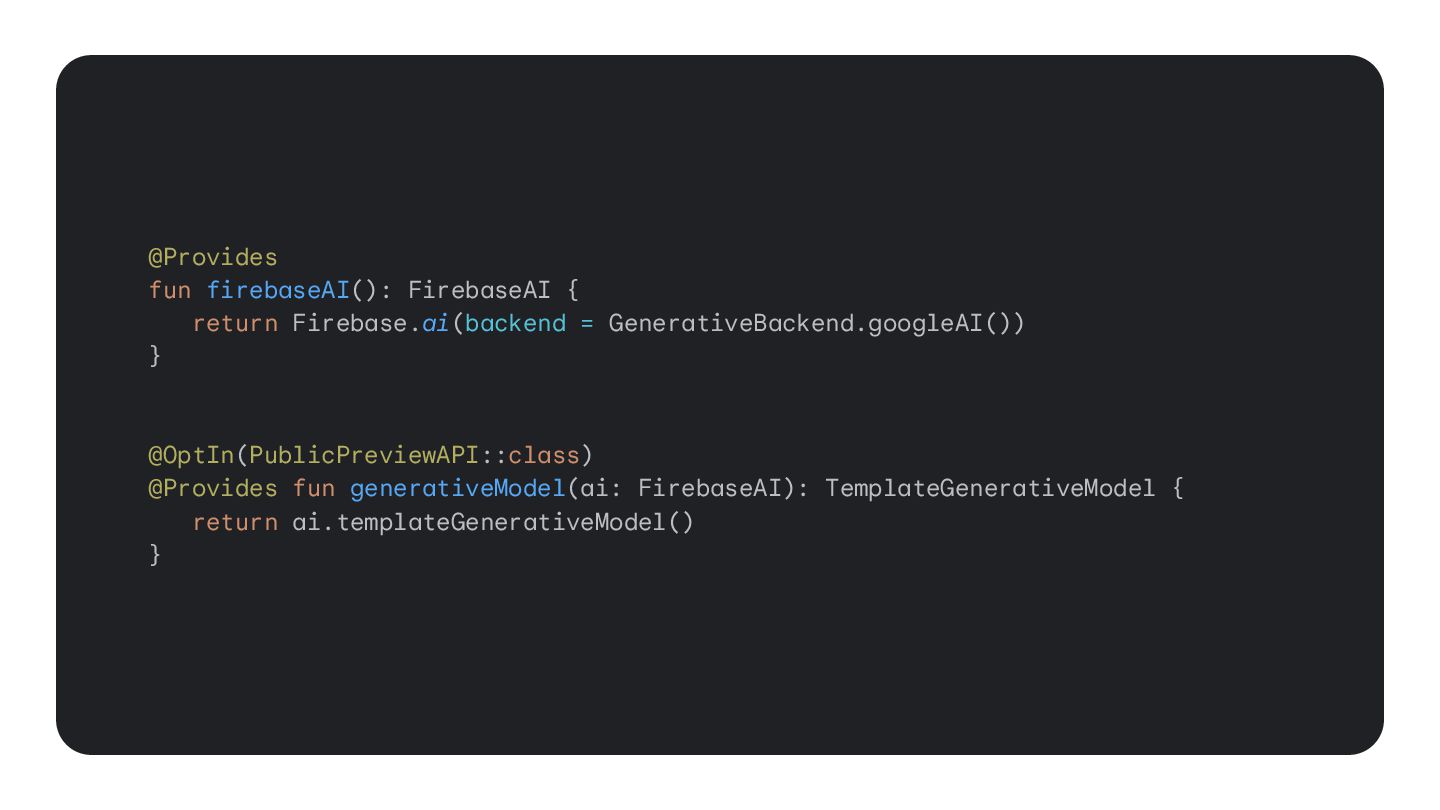
    @OptIn(PublicPreviewAPI::class) @Provides fun generativeModel(ai: FirebaseAI): TemplateGenerativeModel { return ai.templateGenerativeModel() }
  12. @Provides fun firebaseAI(): FirebaseAI { return Firebase.ai(backend = GenerativeBackend.googleAI()) }

    @OptIn(PublicPreviewAPI::class) @Provides fun generativeModel(ai: FirebaseAI): TemplateGenerativeModel { return ai.templateGenerativeModel() }
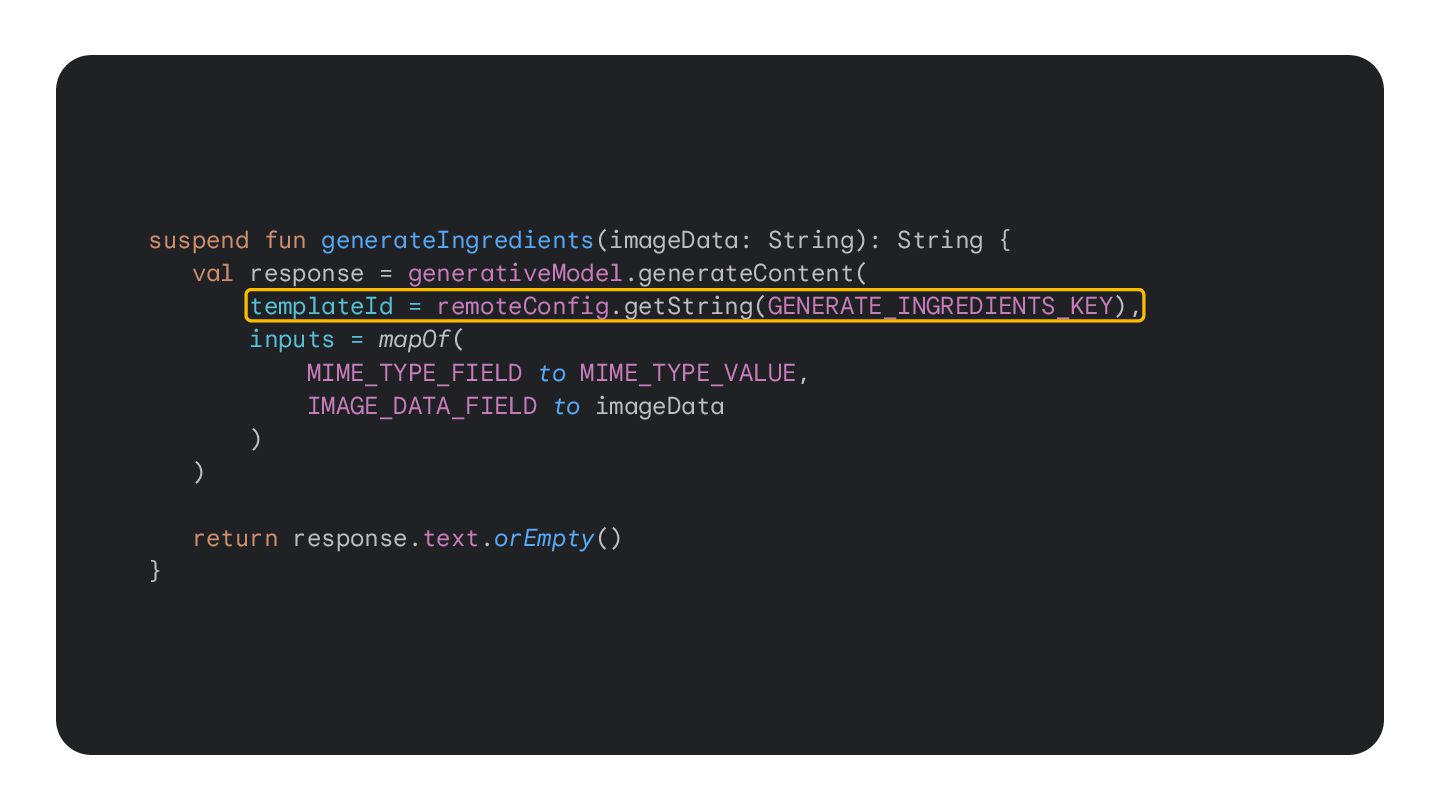
  13. suspend fun generateIngredients(imageData: String): String { val response = generativeModel.generateContent(

    templateId = remoteConfig.getString(GENERATE_INGREDIENTS_KEY), inputs = mapOf( MIME_TYPE_FIELD to MIME_TYPE_VALUE, IMAGE_DATA_FIELD to imageData ) ) return response.text.orEmpty() }
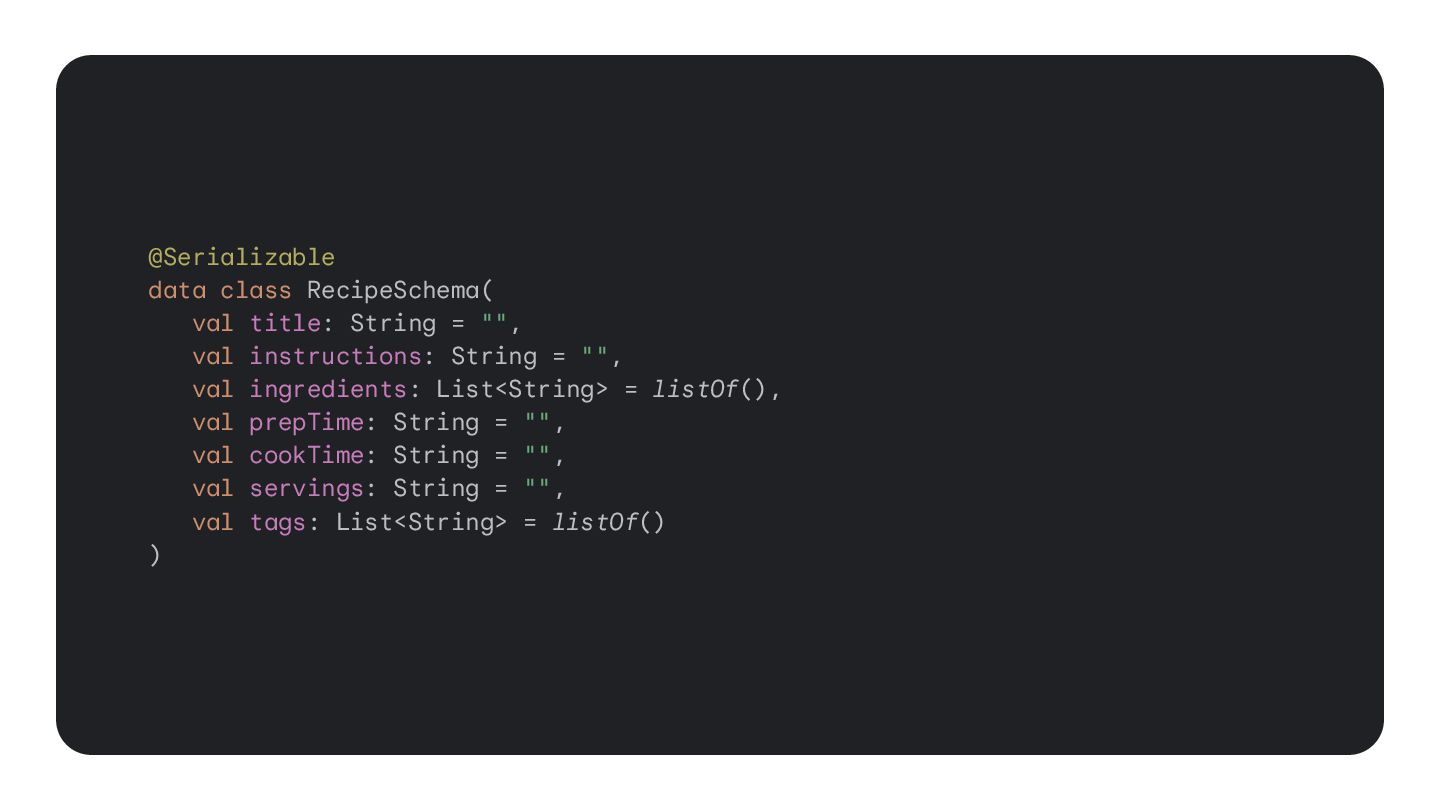
  14. @Serializable data class RecipeSchema( val title: String = "", val

    instructions: String = "", val ingredients: List<String> = listOf(), val prepTime: String = "", val cookTime: String = "", val servings: String = "", val tags: List<String> = listOf() )
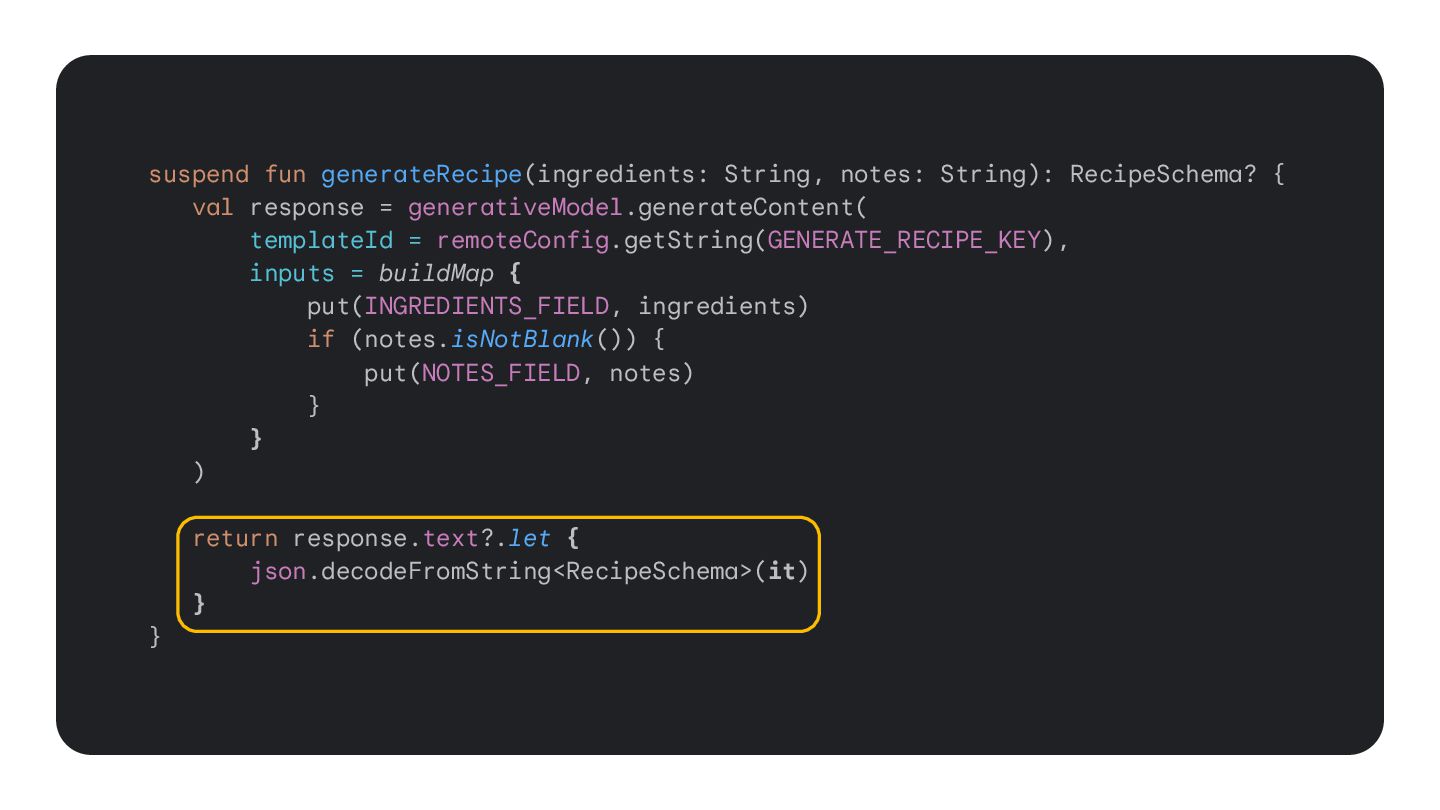
  15. suspend fun generateRecipe(ingredients: String, notes: String): RecipeSchema? { val response

    = generativeModel.generateContent( templateId = remoteConfig.getString(GENERATE_RECIPE_KEY), inputs = buildMap { put(INGREDIENTS_FIELD, ingredients) if (notes.isNotBlank()) { put(NOTES_FIELD, notes) } } ) return response.text?.let { json.decodeFromString<RecipeSchema>(it) } }
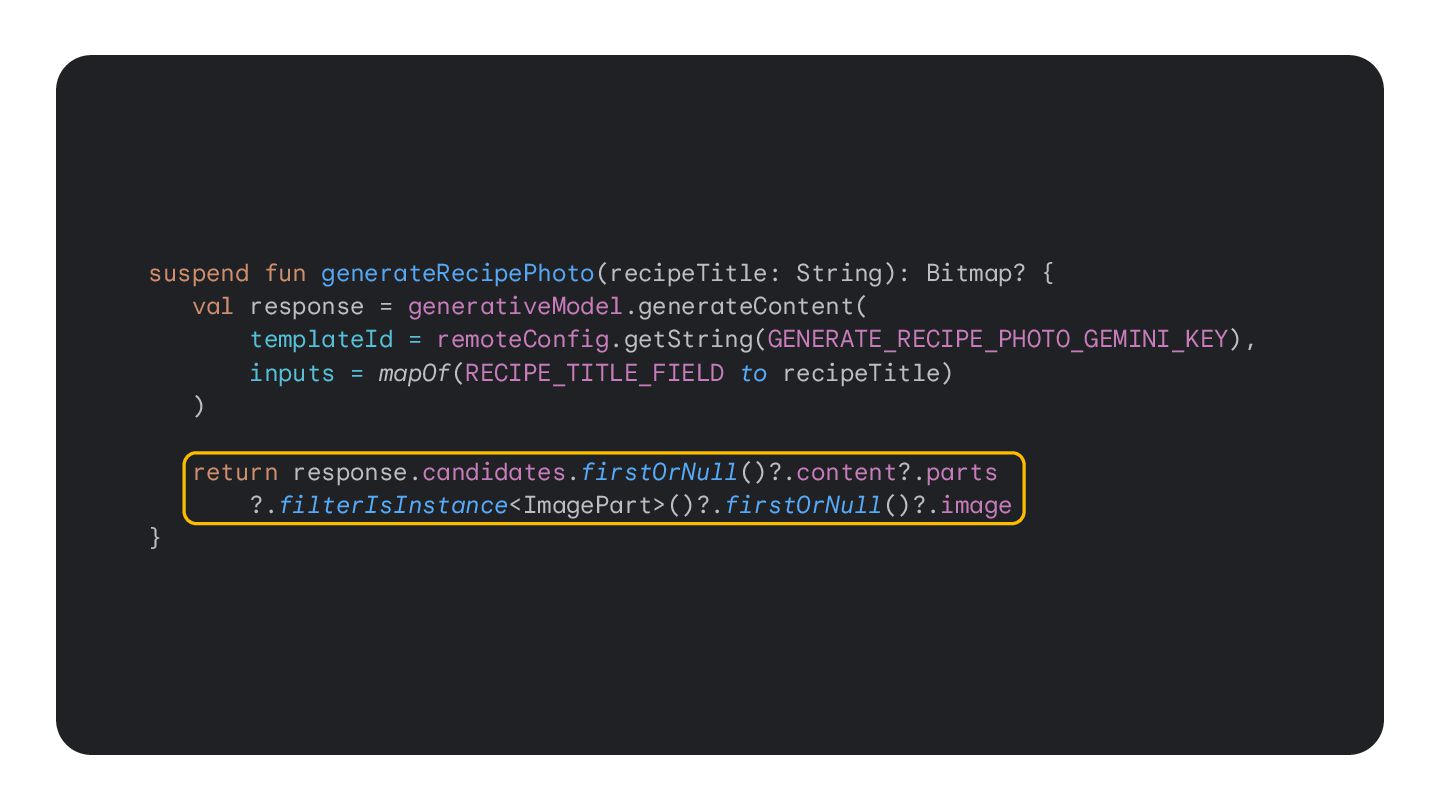
  16. suspend fun generateRecipePhoto(recipeTitle: String): Bitmap? { val response = generativeModel.generateContent(

    templateId = remoteConfig.getString(GENERATE_RECIPE_PHOTO_GEMINI_KEY), inputs = mapOf(RECIPE_TITLE_FIELD to recipeTitle) ) return response.candidates.firstOrNull()?.content?.parts ?.filterIsInstance<ImagePart>()?.firstOrNull()?.image }
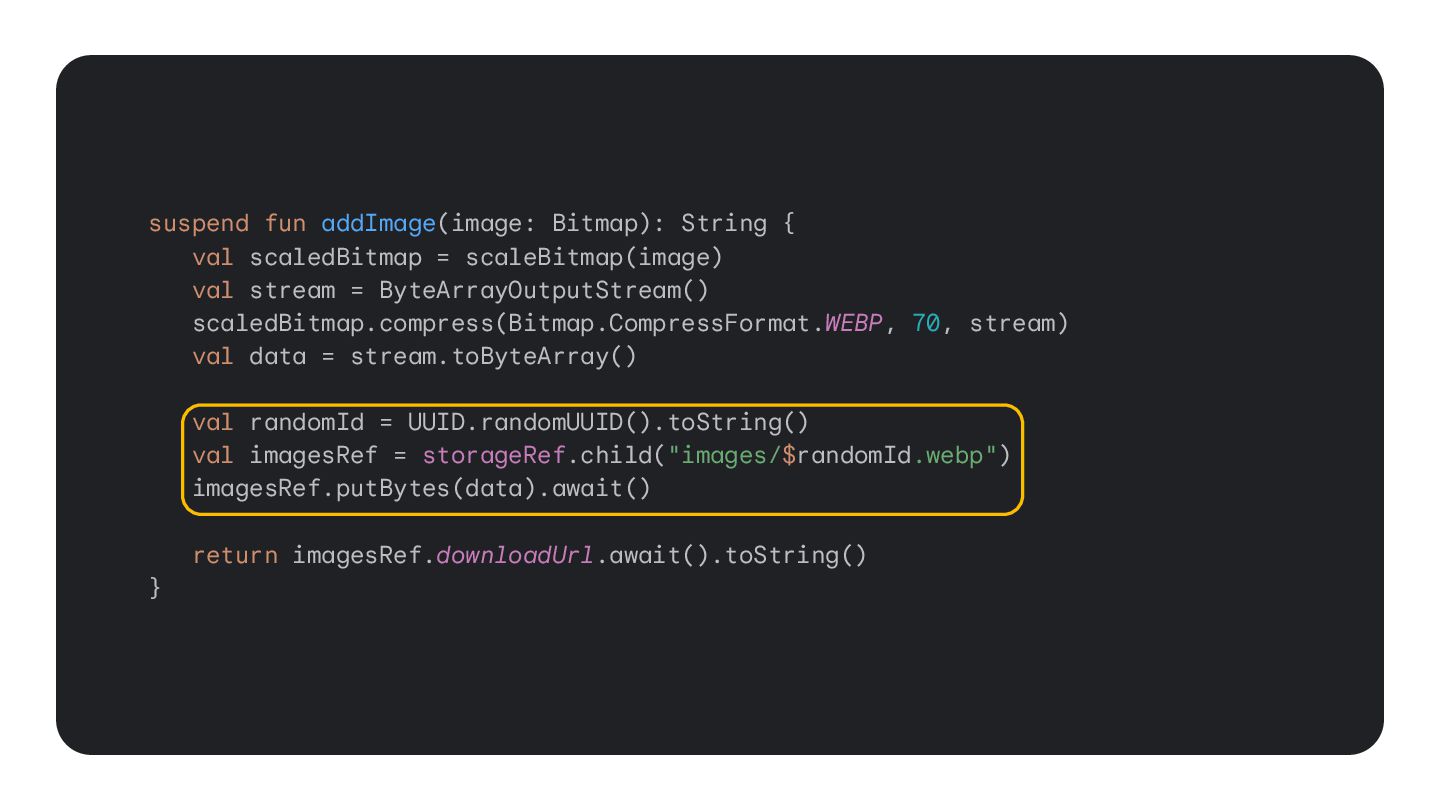
  17. suspend fun addImage(image: Bitmap): String { val scaledBitmap = scaleBitmap(image)

    val stream = ByteArrayOutputStream() scaledBitmap.compress(Bitmap.CompressFormat.WEBP, 70, stream) val data = stream.toByteArray() val randomId = UUID.randomUUID().toString() val imagesRef = storageRef.child("images/$randomId.webp") imagesRef.putBytes(data).await() return imagesRef.downloadUrl.await().toString() }
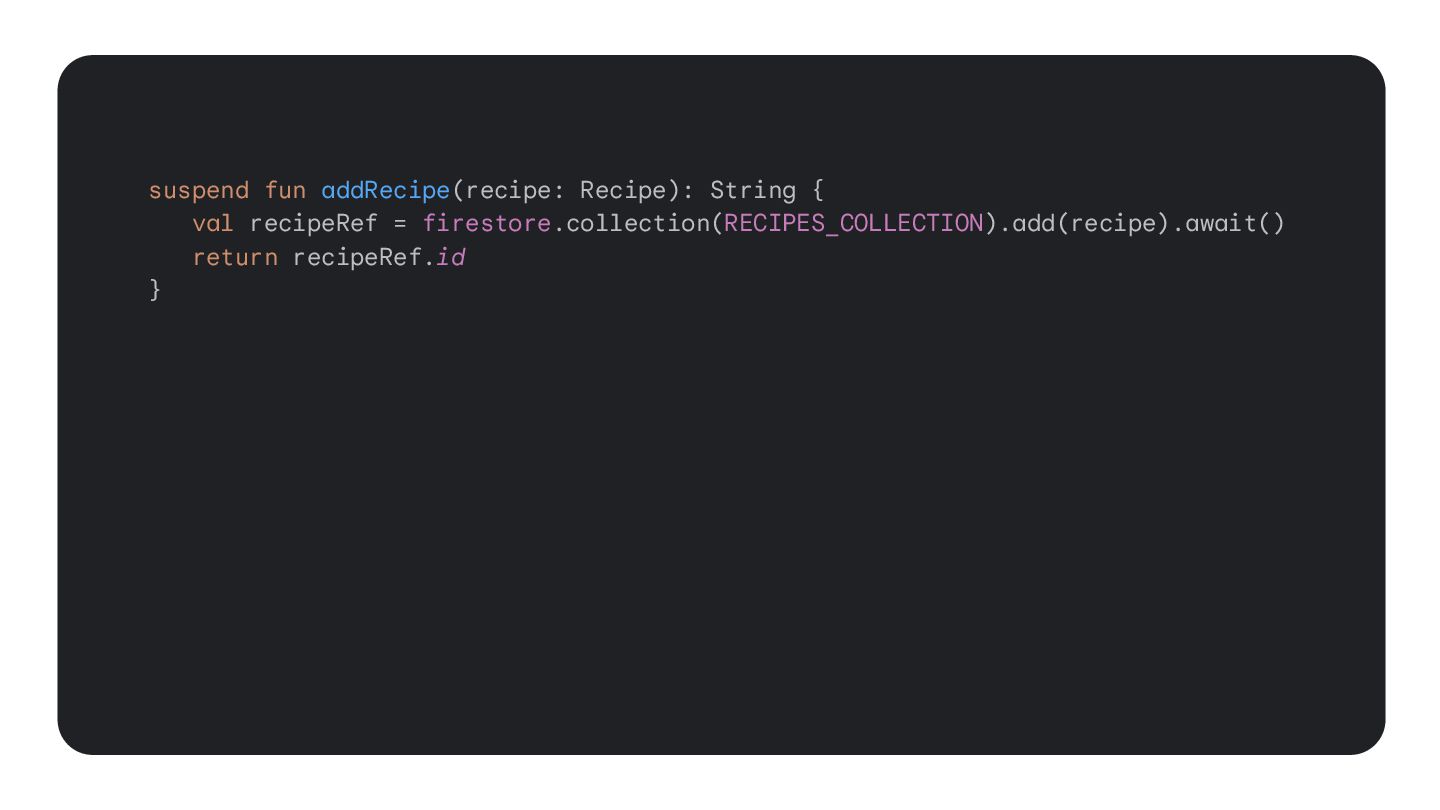
  18. suspend fun addRecipe(recipe: Recipe): String { val recipeRef = firestore.collection(RECIPES_COLLECTION).add(recipe).await()

    return recipeRef.id } suspend fun getRecipe(recipeId: String): Recipe { val recipePath = "${RECIPES_COLLECTION}/${recipeId}" return firestore .pipeline() .documents(recipePath) .execute().await().results.toRecipe() }
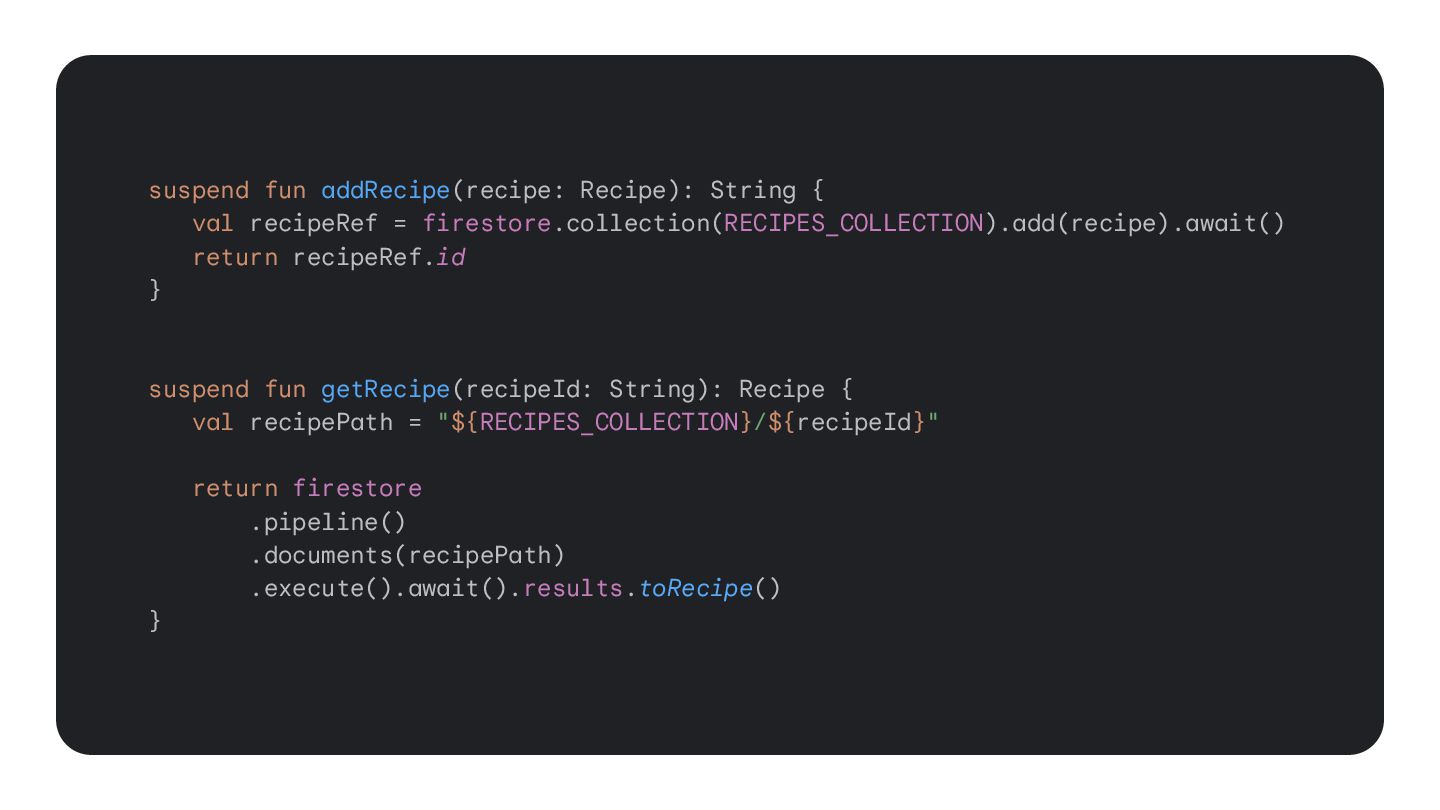
  19. suspend fun addRecipe(recipe: Recipe): String { val recipeRef = firestore.collection(RECIPES_COLLECTION).add(recipe).await()

    return recipeRef.id } suspend fun getRecipe(recipeId: String): Recipe { val recipePath = "${RECIPES_COLLECTION}/${recipeId}" return firestore .pipeline() .documents(recipePath) .execute().await().results.toRecipe() }
  20. 40

  21. 41

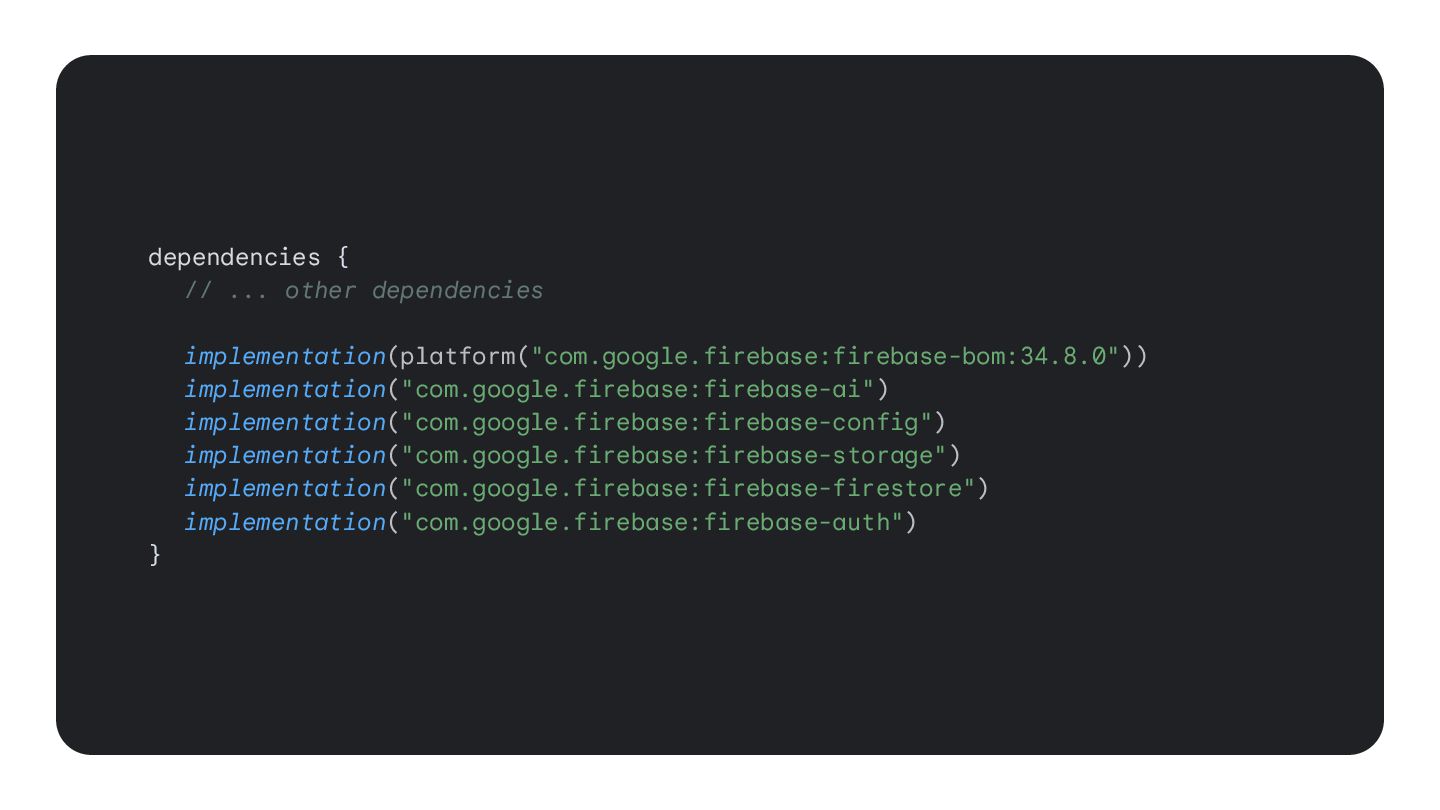
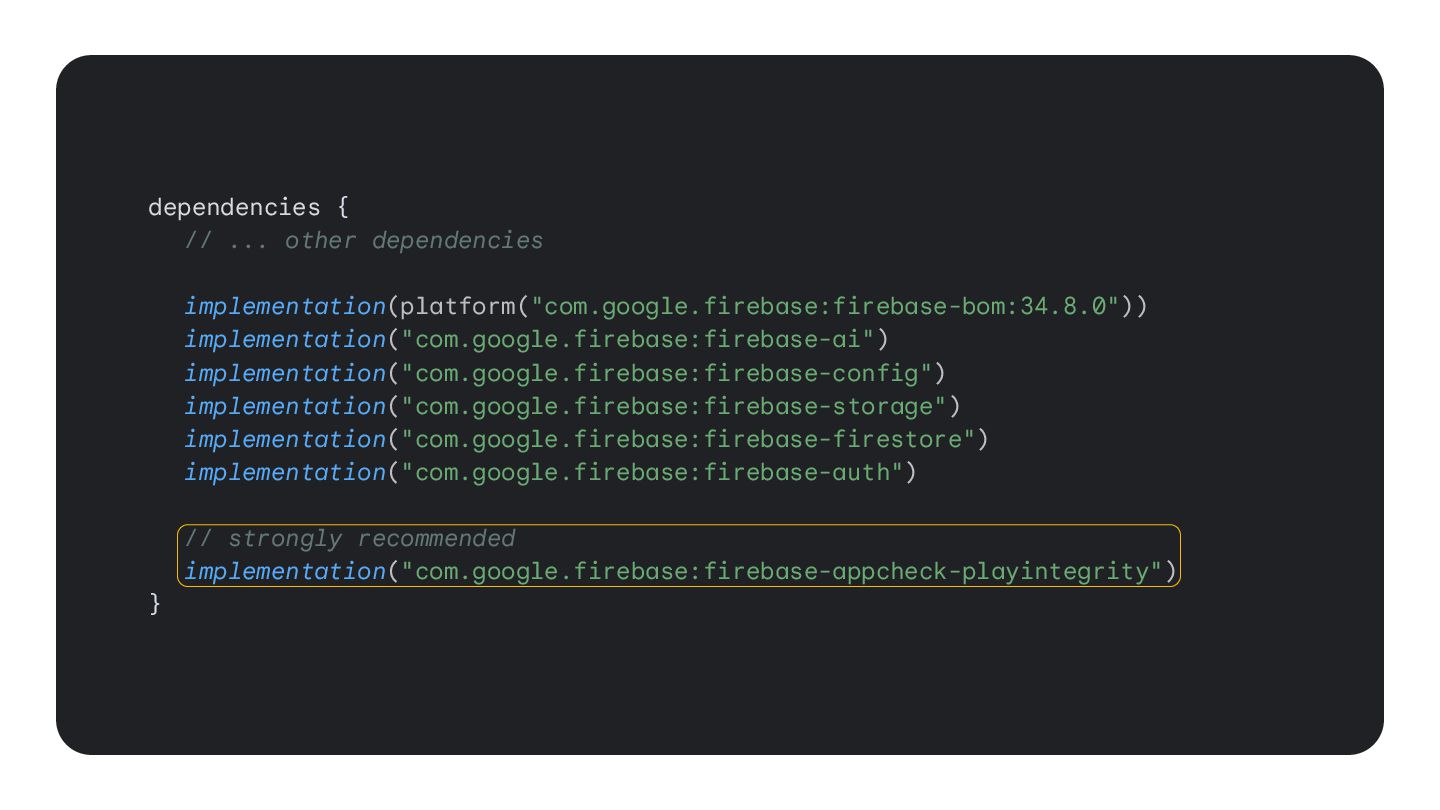
  22. dependencies { // ... other dependencies implementation(platform("com.google.firebase:firebase-bom:34.8.0")) implementation("com.google.firebase:firebase-ai") implementation("com.google.firebase:firebase-config") implementation("com.google.firebase:firebase-storage")

    implementation("com.google.firebase:firebase-firestore") implementation("com.google.firebase:firebase-auth") // strongly recommended implementation("com.google.firebase:firebase-appcheck-playintegrity") }
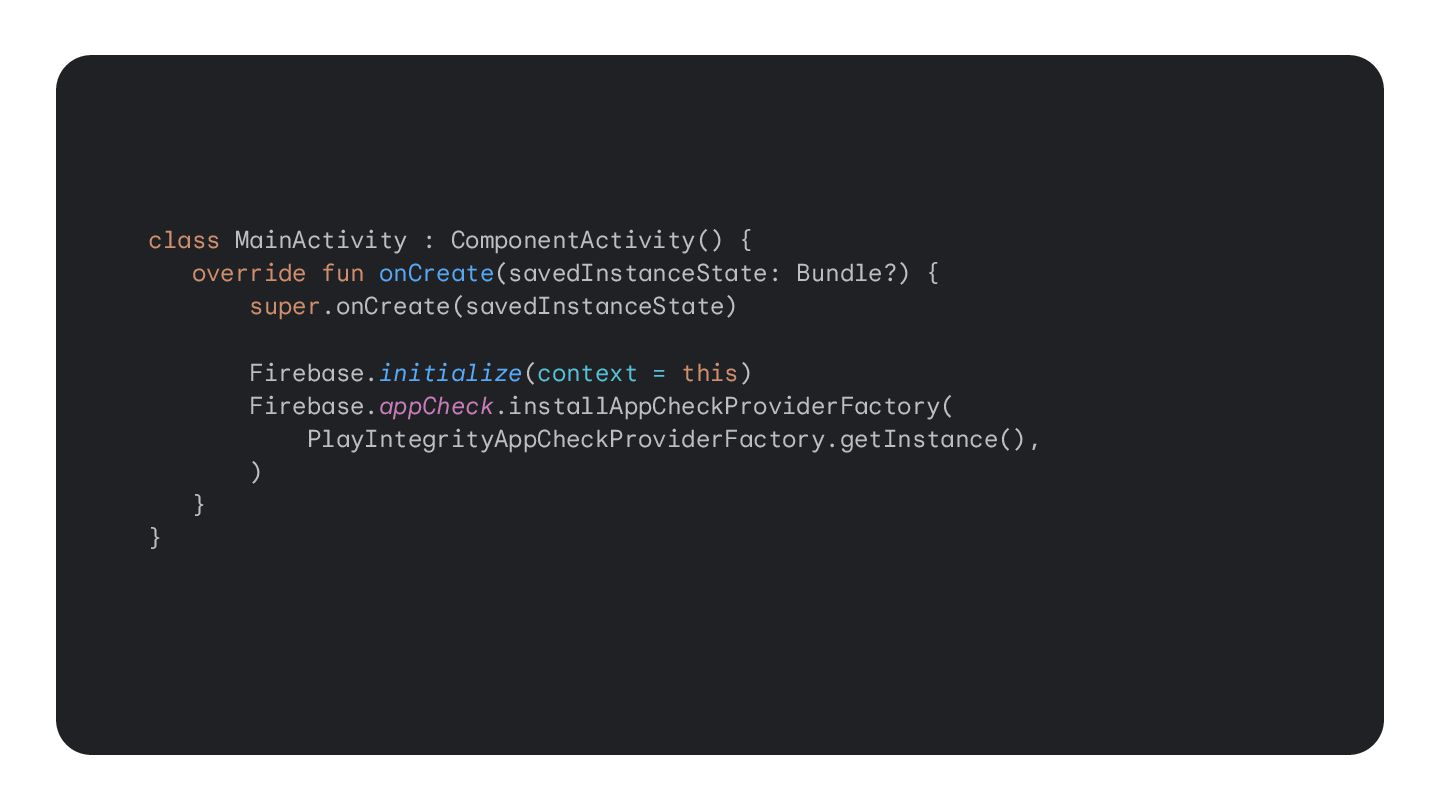
  23. class MainActivity : ComponentActivity() { override fun onCreate(savedInstanceState: Bundle?) {

    super.onCreate(savedInstanceState) Firebase.initialize(context = this) Firebase.appCheck.installAppCheckProviderFactory( PlayIntegrityAppCheckProviderFactory.getInstance(), ) } }
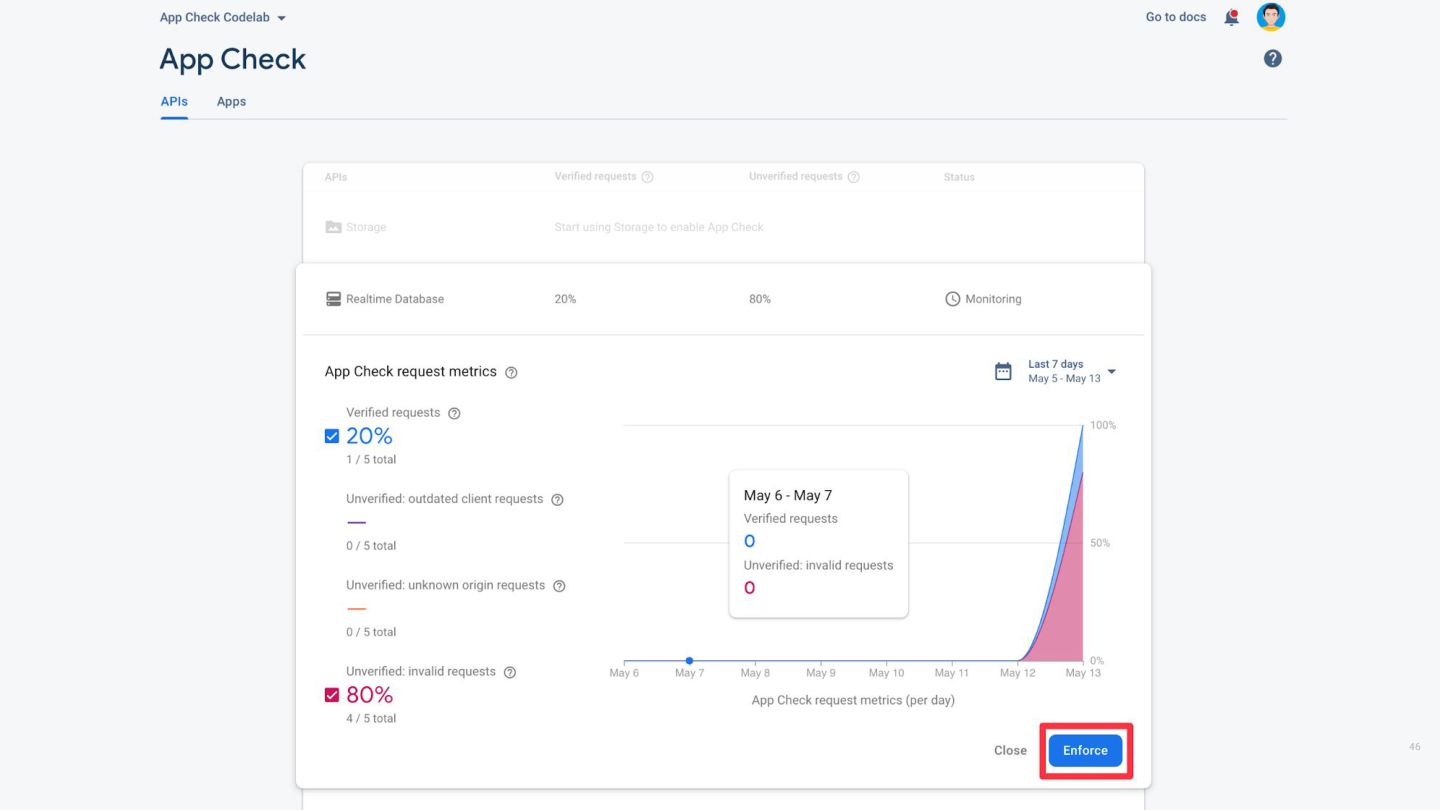
  24. 46

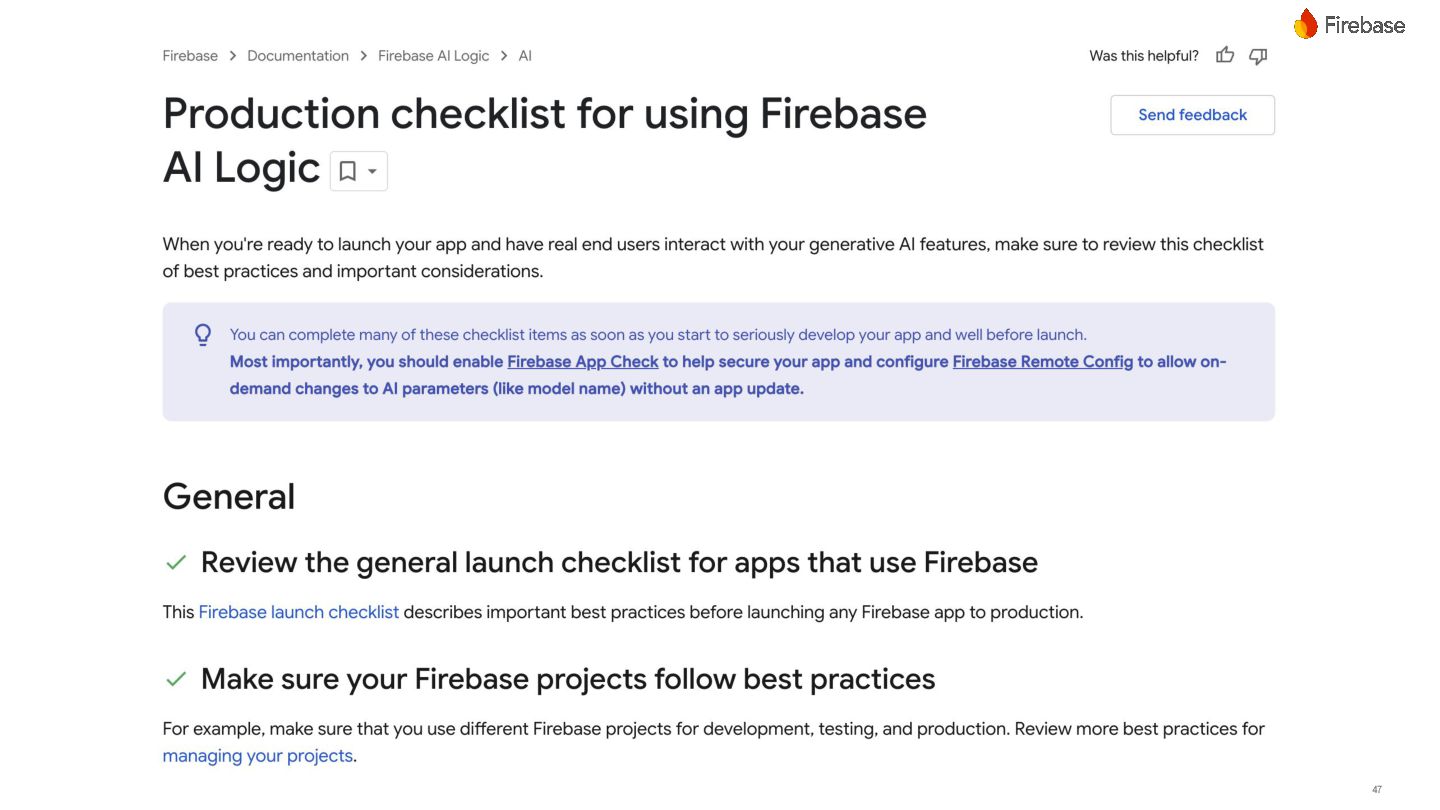
  25. 47

  26. 51 Cloud Storage for Firebase is a powerful, simple, and

    cost-effective object storage service. You can use our client SDKs to store images, audio, video, or other user-generated content.
  27. 52 Firestore is a flexible and scalable NoSQL database for

    mobile, web, and server development. It keeps your data in sync across client apps through realtime listeners and offers offline support for mobile and web so you can build responsive apps that work regardless of network latency or Internet connectivity.
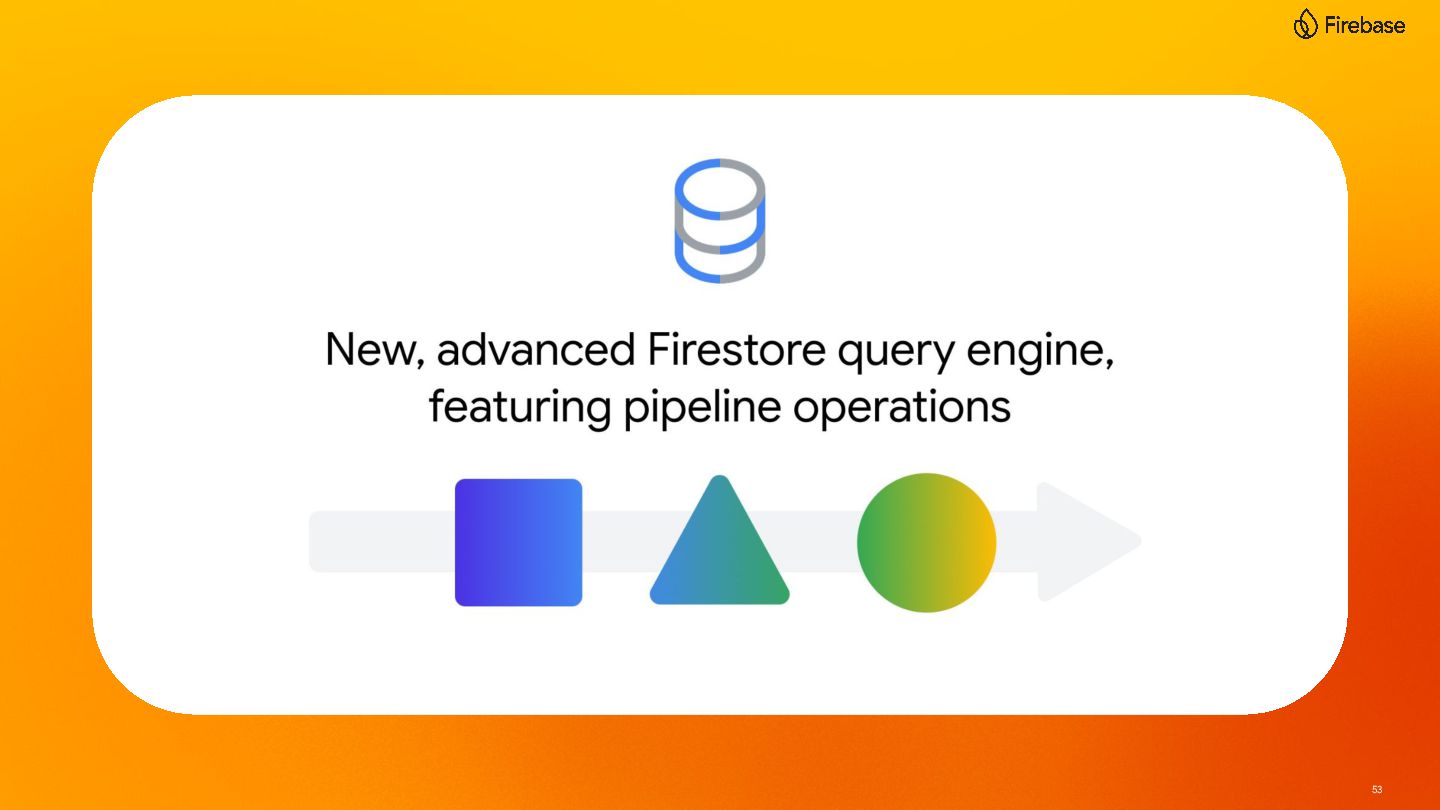
  28. 53

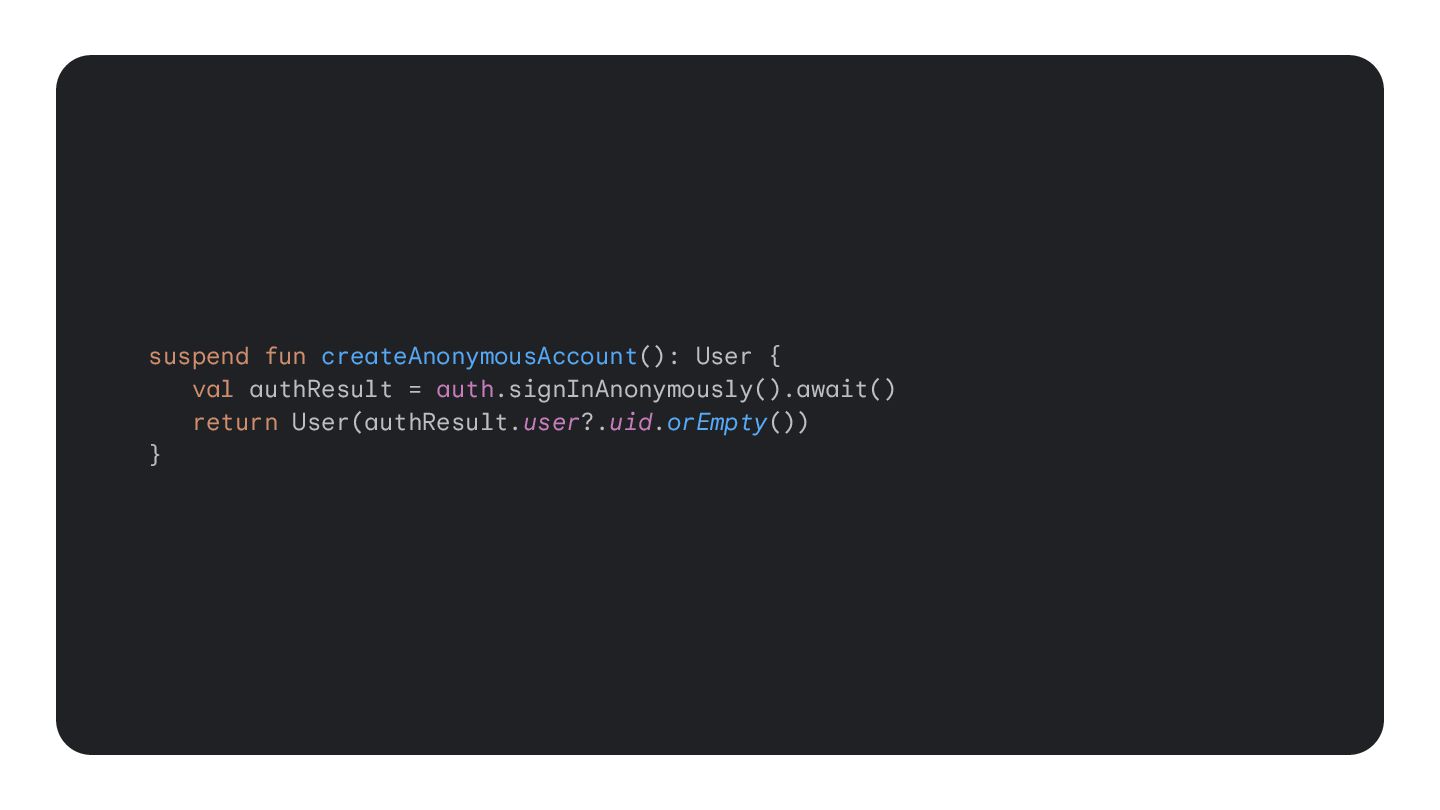
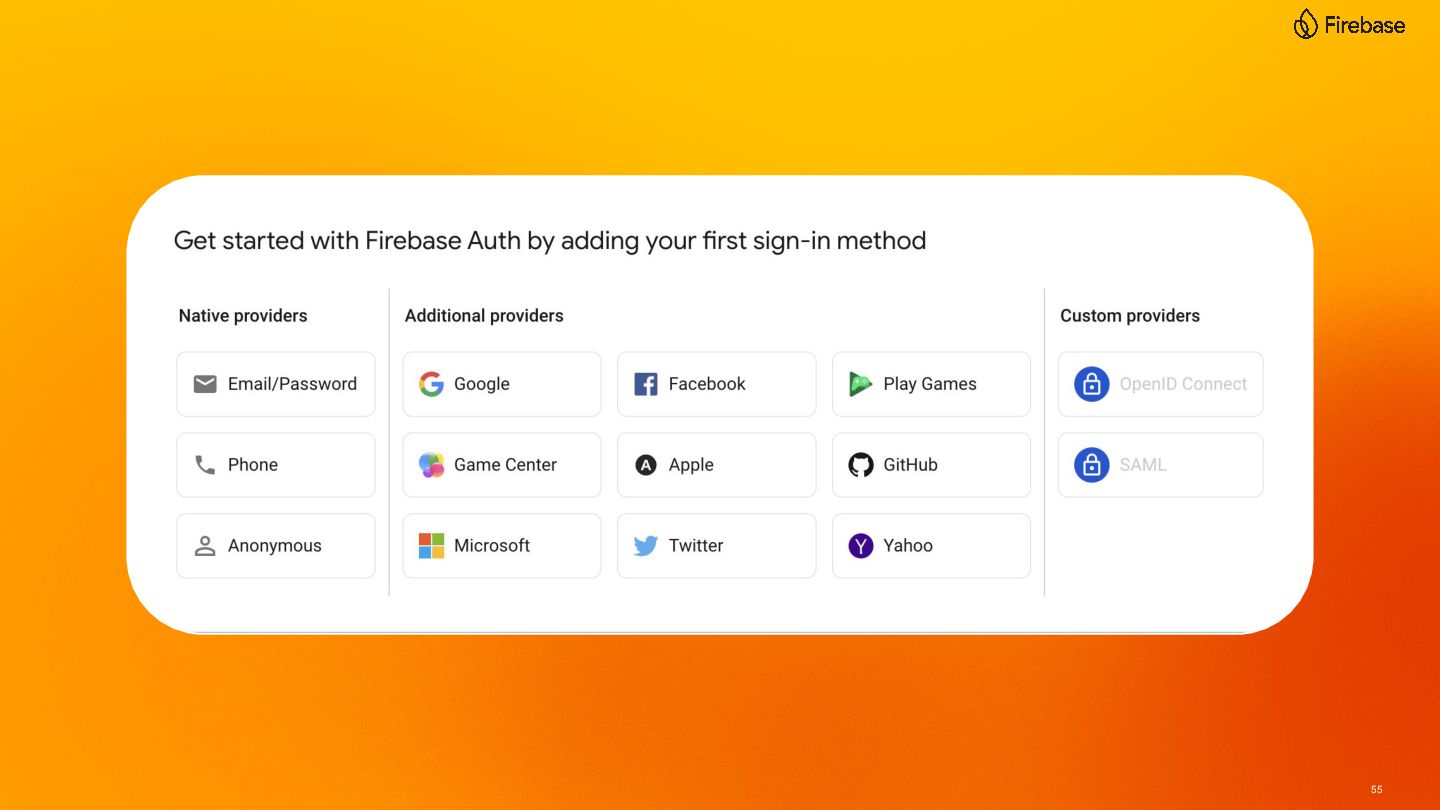
  29. 54 Firebase Authentication provides backend services, easy-to-use SDKs, and ready-made

    UI libraries to authenticate users to your app. It supports authentication using passwords, phone numbers, popular federated identity providers like Google, Facebook and Twitter, and more.
  30. 55

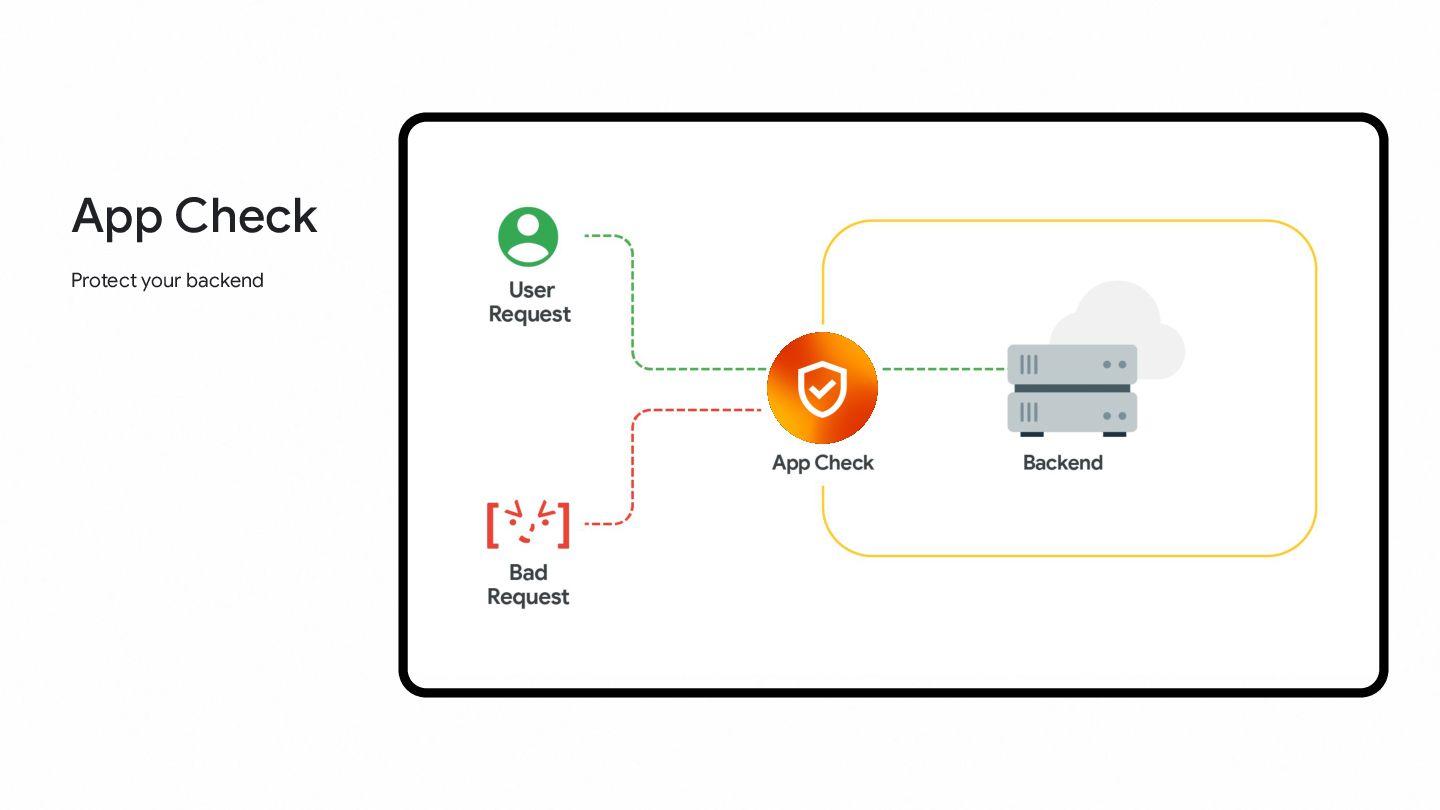
  31. 56 Firebase App Check helps protect your app backends from

    abuse by preventing unauthorized clients from accessing your backend resources. It works with both Google services (including Firebase and Google Cloud services) and your own custom backends to keep your resources safe.