Upgrade to Pro — share decks privately, control downloads, hide ads and more …

Tour of Agent Protocols: MCP, A2A, AG-UI, A2UI ...

Tour of Agent Protocols: MCP, A2A, AG-UI, A2UI with ADK

Avatar for Mete Atamel

Mete Atamel

April 02, 2026
Tweet

More Decks by Mete Atamel

Other Decks in Technology

Transcript

  1. An open protocol that defines a standardized way to provide

    tools (functions) and context to your LLMs modelcontextprotocol.io
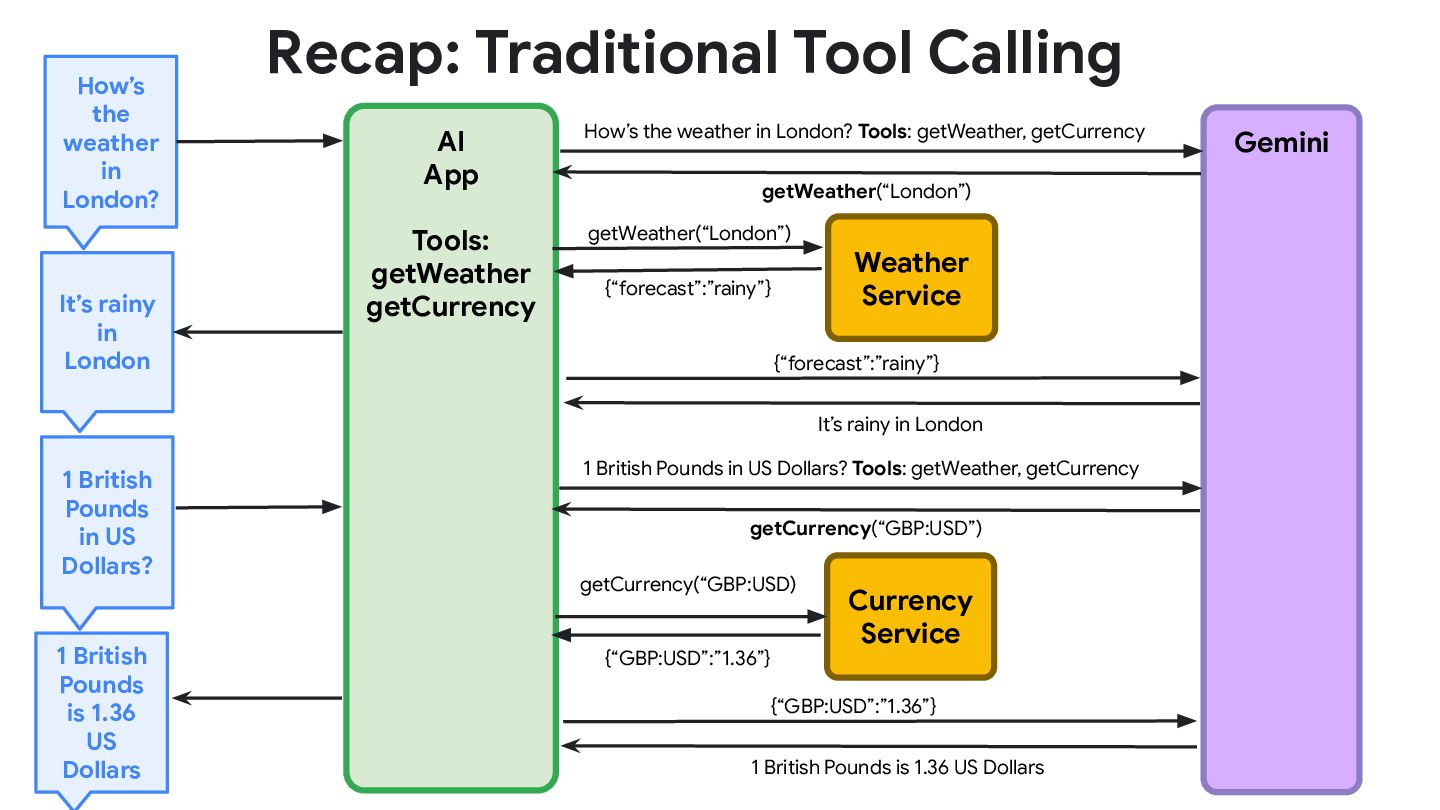
  2. AI App Tools: getWeather getCurrency Gemini How’s the weather in

    London? Recap: Traditional Tool Calling Weather Service {“forecast”:”rainy”} getWeather(“London”) It’s rainy in London Currency Service {“GBP:USD”:”1.36”} getCurrency(“GBP:USD) 1 British Pounds in US Dollars? 1 British Pounds is 1.36 US Dollars How’s the weather in London? Tools: getWeather, getCurrency getWeather(“London”) {“forecast”:”rainy”} It’s rainy in London 1 British Pounds in US Dollars? Tools: getWeather, getCurrency getCurrency(“GBP:USD”) {“GBP:USD”:”1.36”} 1 British Pounds is 1.36 US Dollars
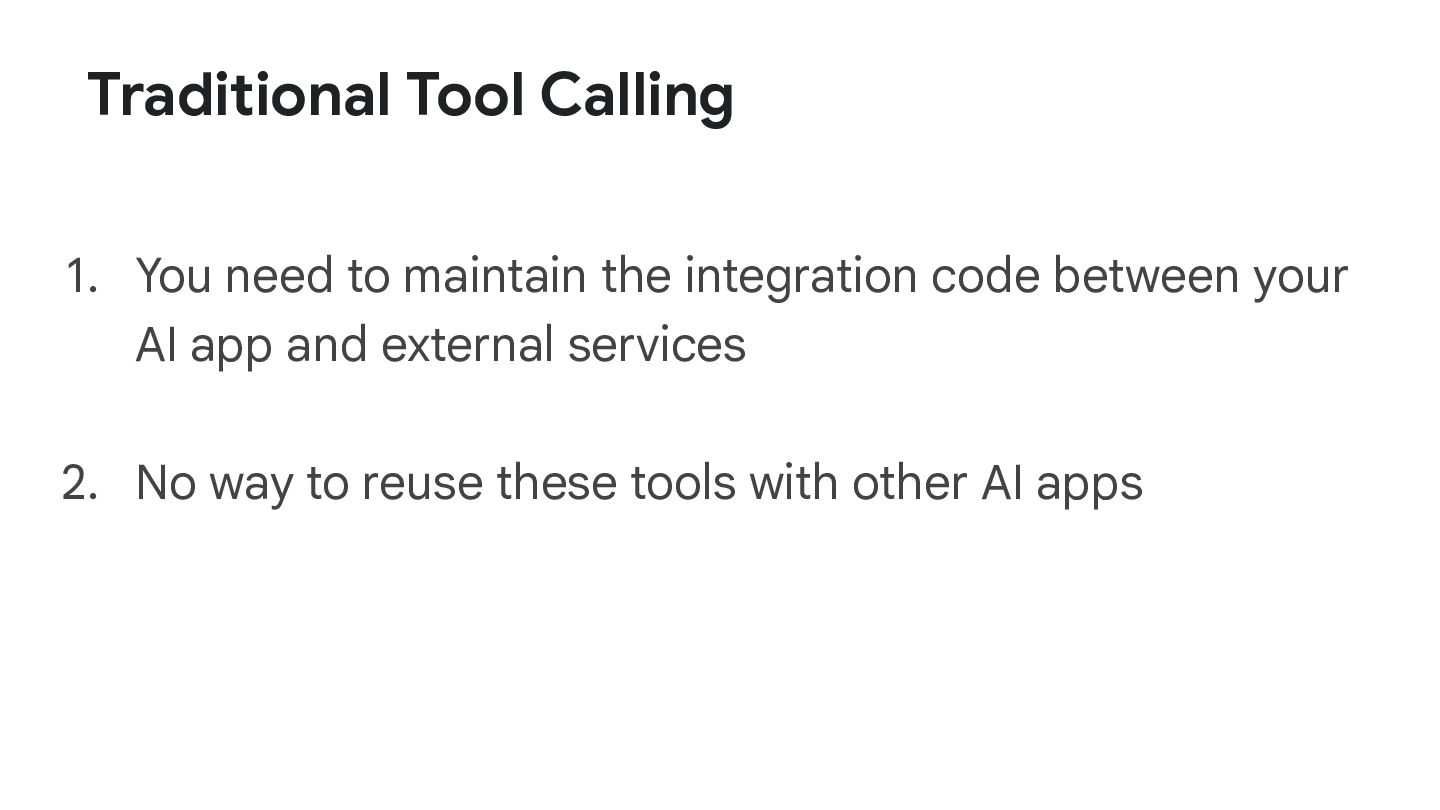
  3. Traditional Tool Calling 1. You need to maintain the integration

    code between your AI app and external services 2. No way to reuse these tools with other AI apps
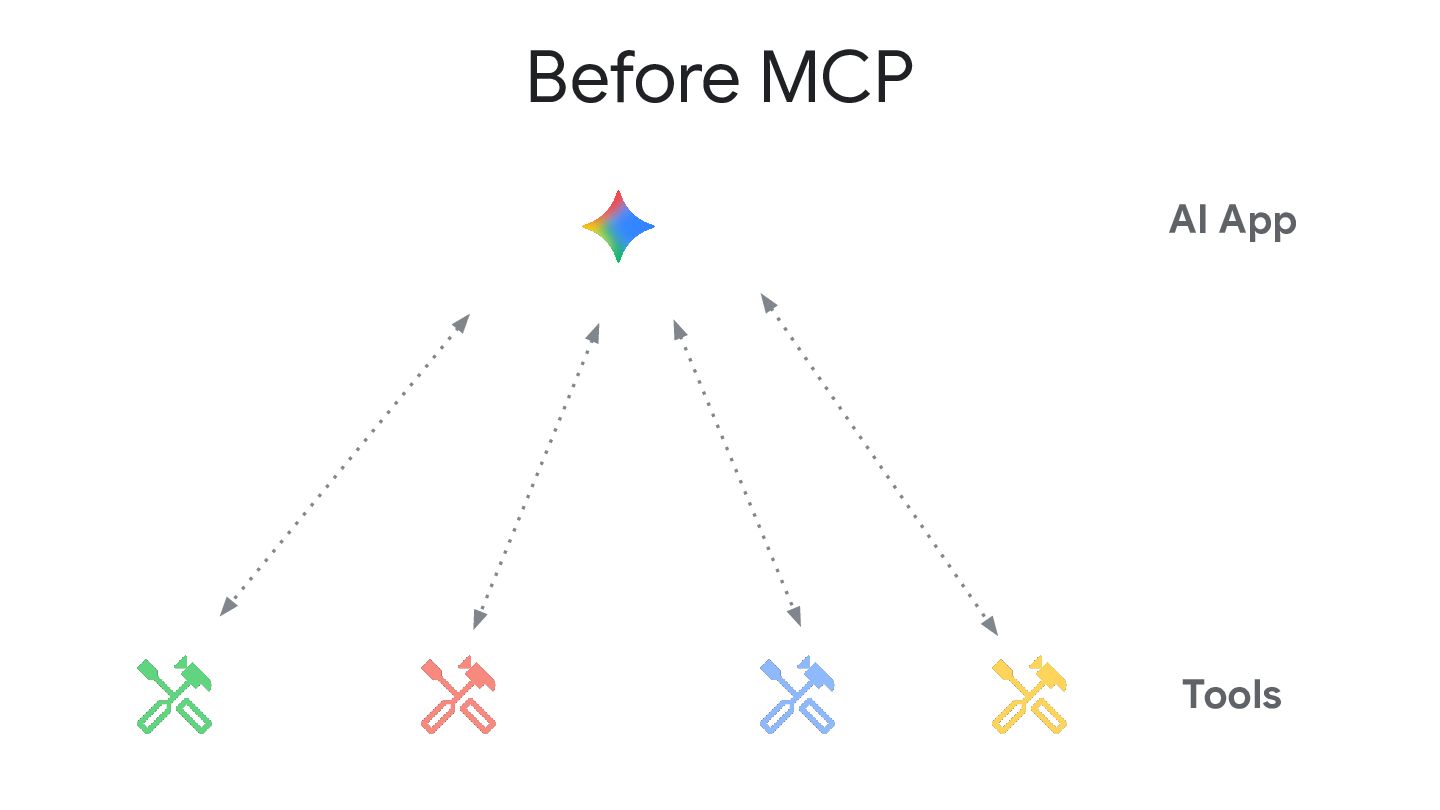
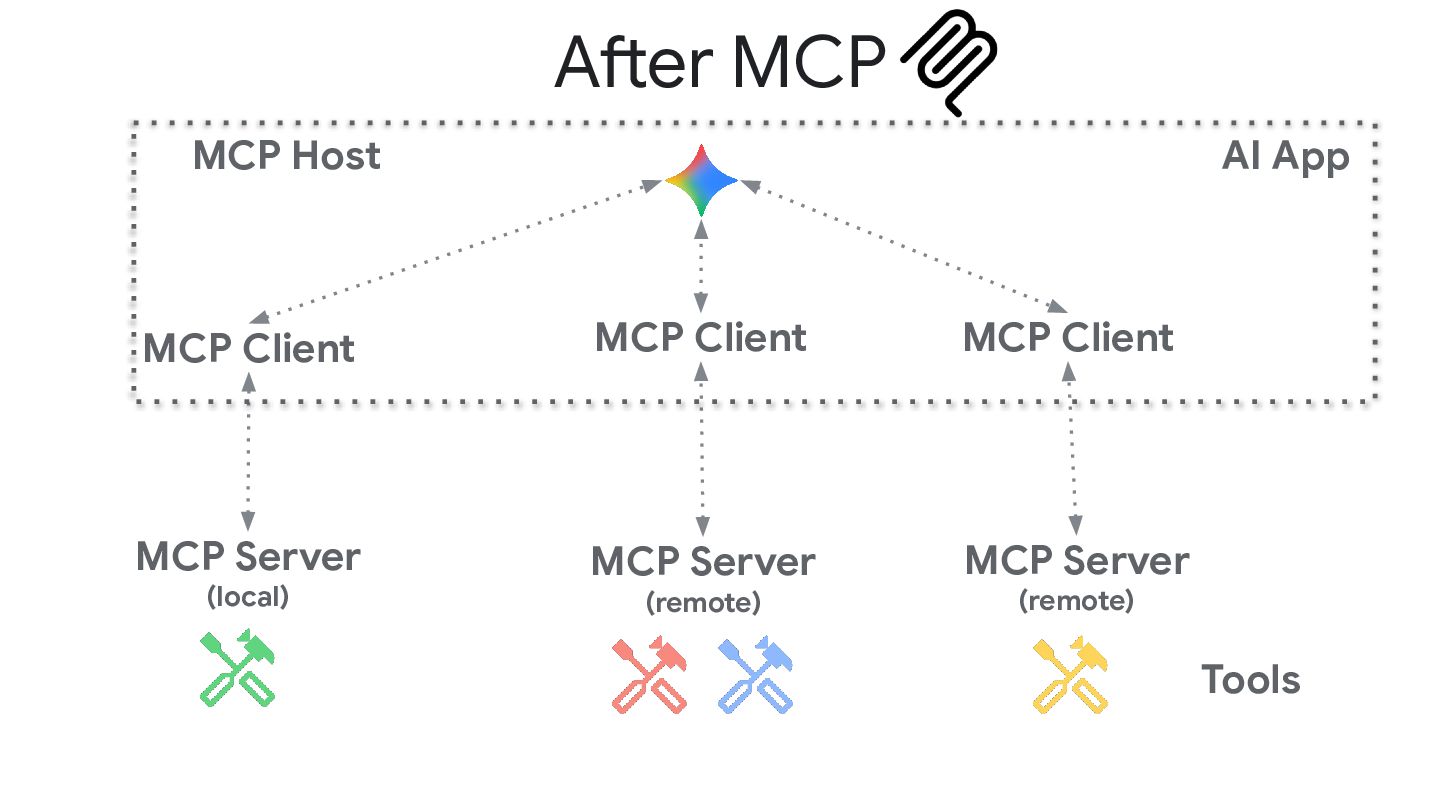
  4. After MCP Tools MCP Server (local) MCP Server (remote) MCP

    Server (remote) AI App MCP Host MCP Client MCP Client MCP Client
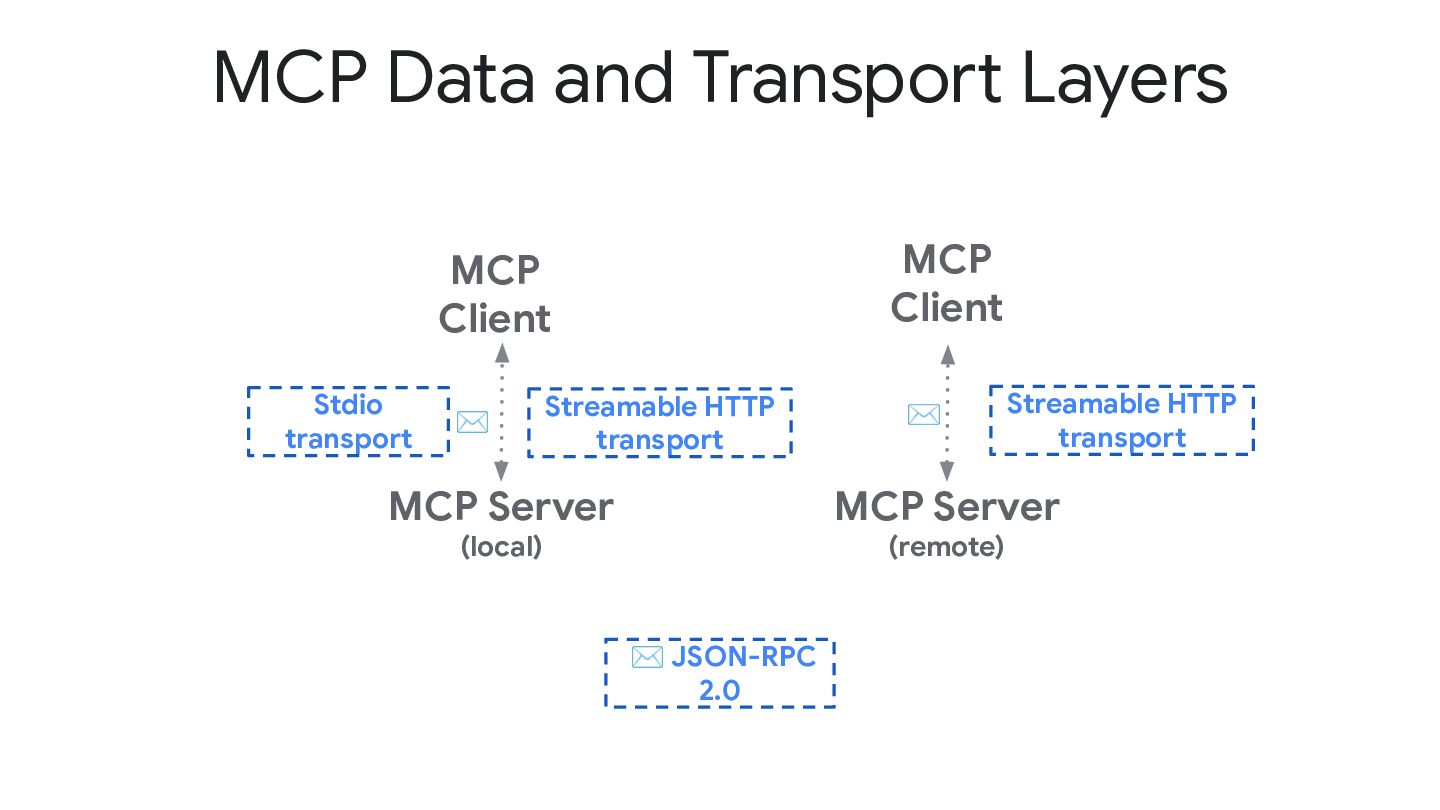
  5. MCP Data and Transport Layers MCP Server (local) MCP Client

    MCP Server (remote) MCP Client Stdio transport Streamable HTTP transport Streamable HTTP transport ✉ JSON-RPC 2.0 ✉ ✉
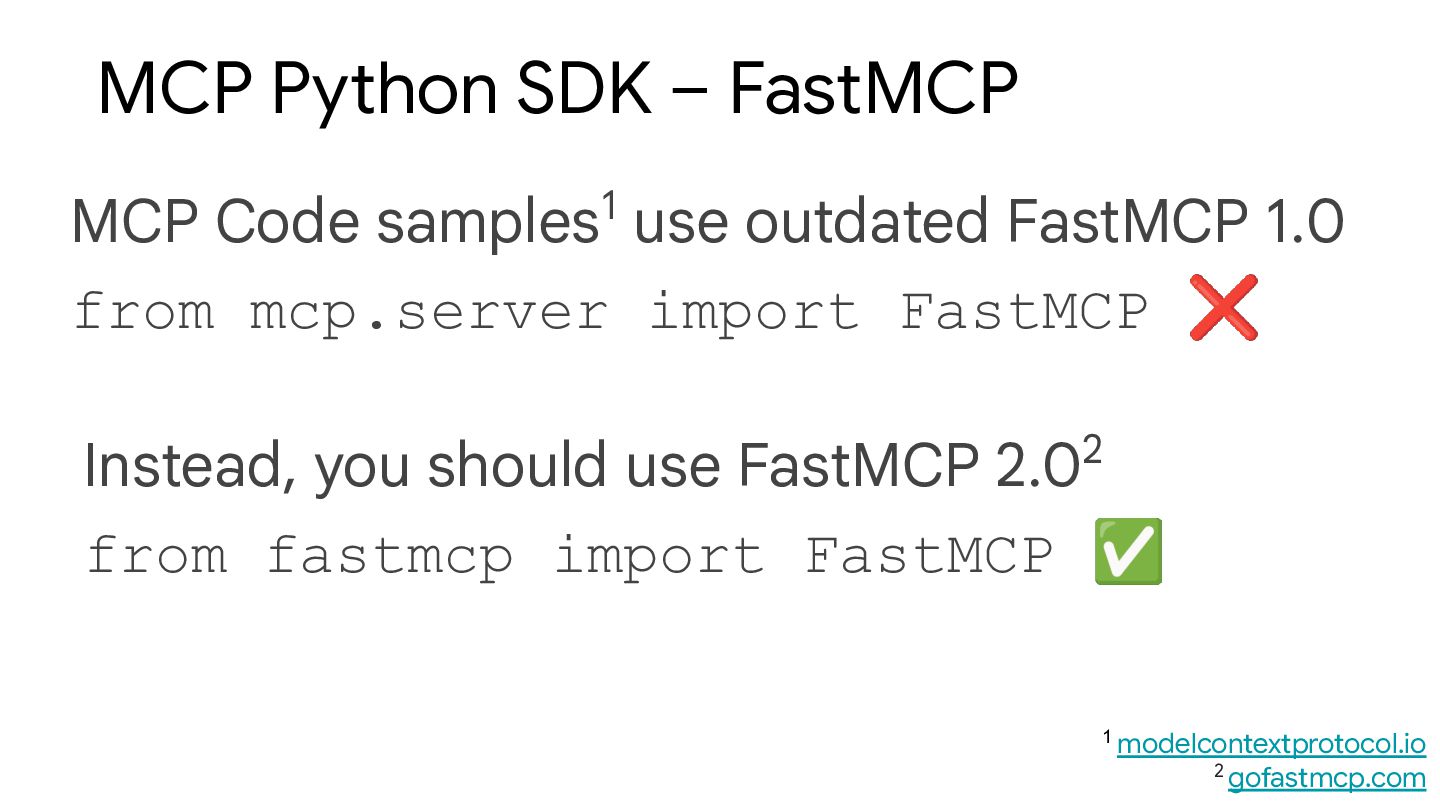
  6. MCP Code samples1 use outdated FastMCP 1.0 from mcp.server import

    FastMCP ❌ MCP Python SDK – FastMCP 1 modelcontextprotocol.io 2 gofastmcp.com Instead, you should use FastMCP 2.02 from fastmcp import FastMCP ✅
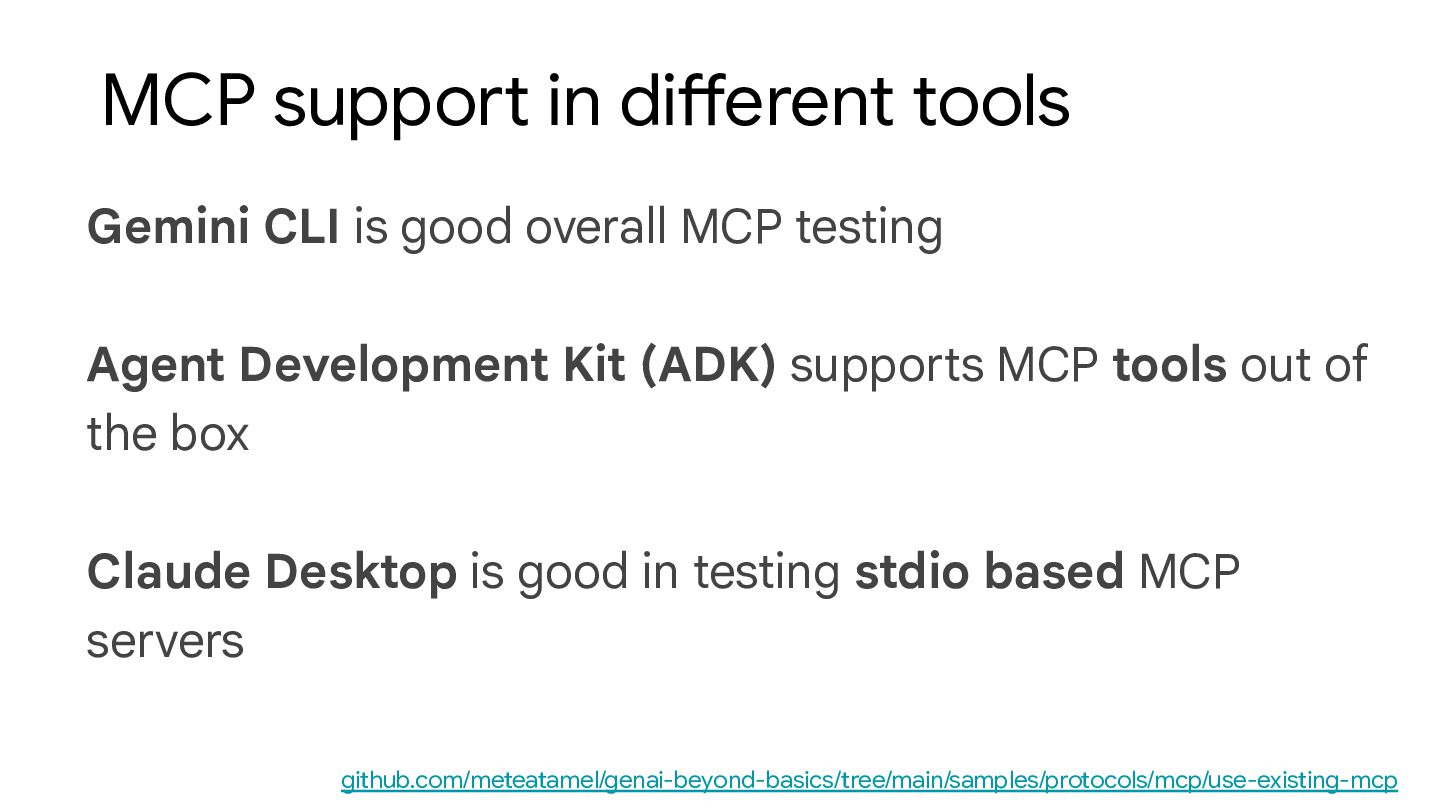
  7. Gemini CLI is good overall MCP testing Agent Development Kit

    (ADK) supports MCP tools out of the box Claude Desktop is good in testing stdio based MCP servers MCP support in different tools github.com/meteatamel/genai-beyond-basics/tree/main/samples/protocols/mcp/use-existing-mcp
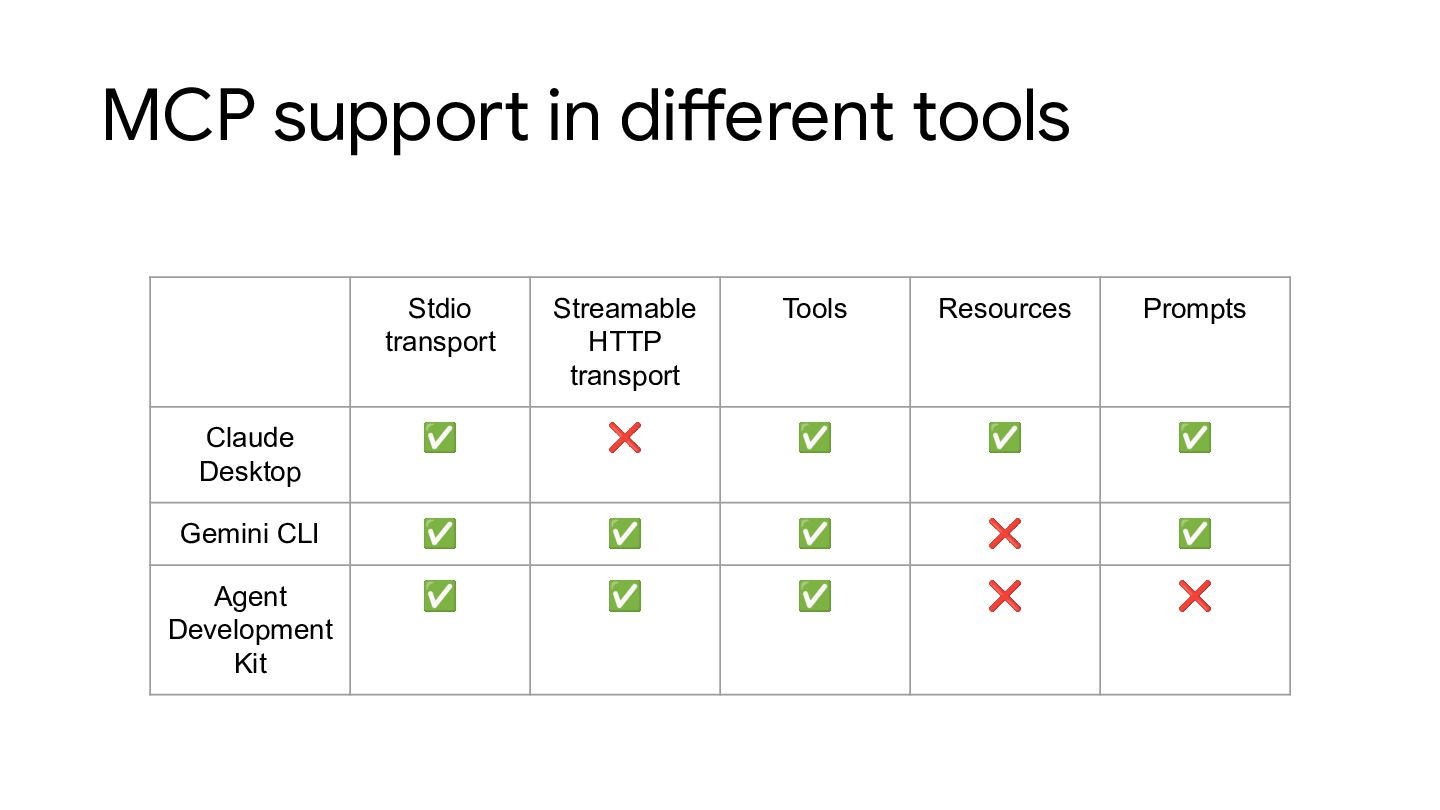
  8. MCP support in different tools Stdio transport Streamable HTTP transport

    Tools Resources Prompts Claude Desktop ✅ ❌ ✅ ✅ ✅ Gemini CLI ✅ ✅ ✅ ❌ ✅ Agent Development Kit ✅ ✅ ✅ ❌ ❌
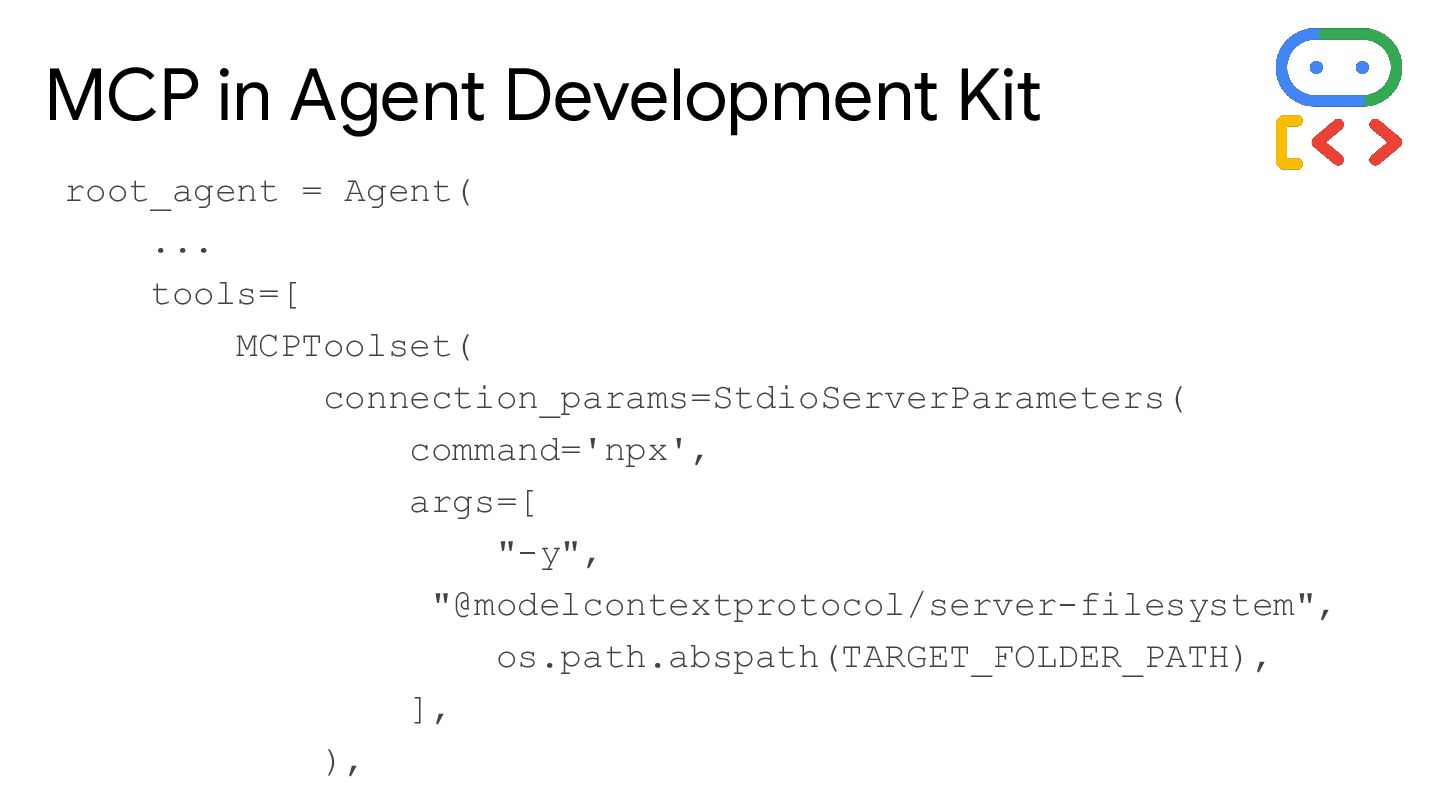
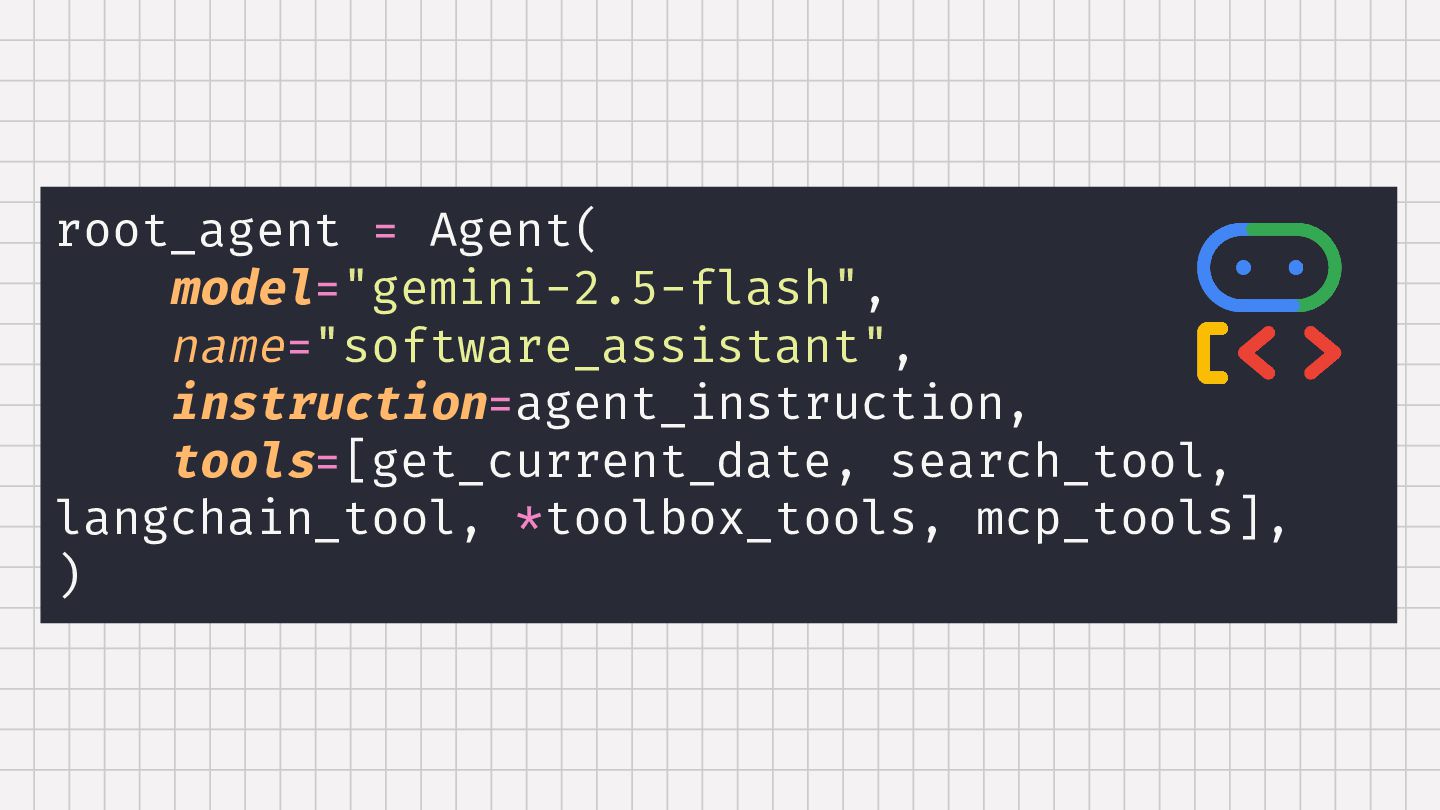
  9. root_agent = Agent( ... tools=[ MCPToolset( connection_params=StdioServerParameters( command='npx', args=[ "-y",

    "@modelcontextprotocol/server-filesystem", os.path.abspath(TARGET_FOLDER_PATH), ], ), MCP in Agent Development Kit
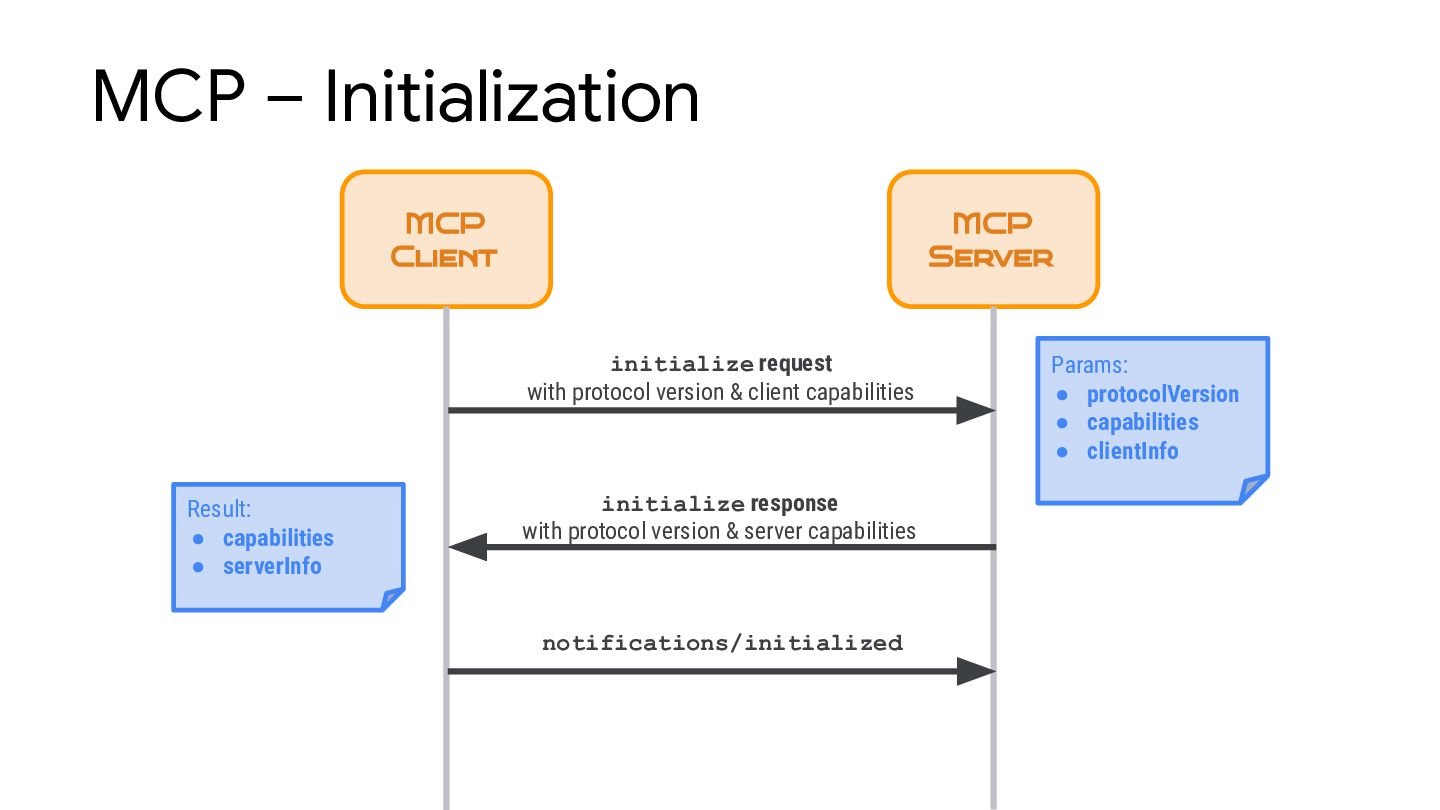
  10. MCP – Initialization MCP Client MCP Server notifications/initialized Params: •

    protocolVersion • capabilities • clientInfo Result: • capabilities • serverInfo initialize request with protocol version & client capabilities initialize response with protocol version & server capabilities
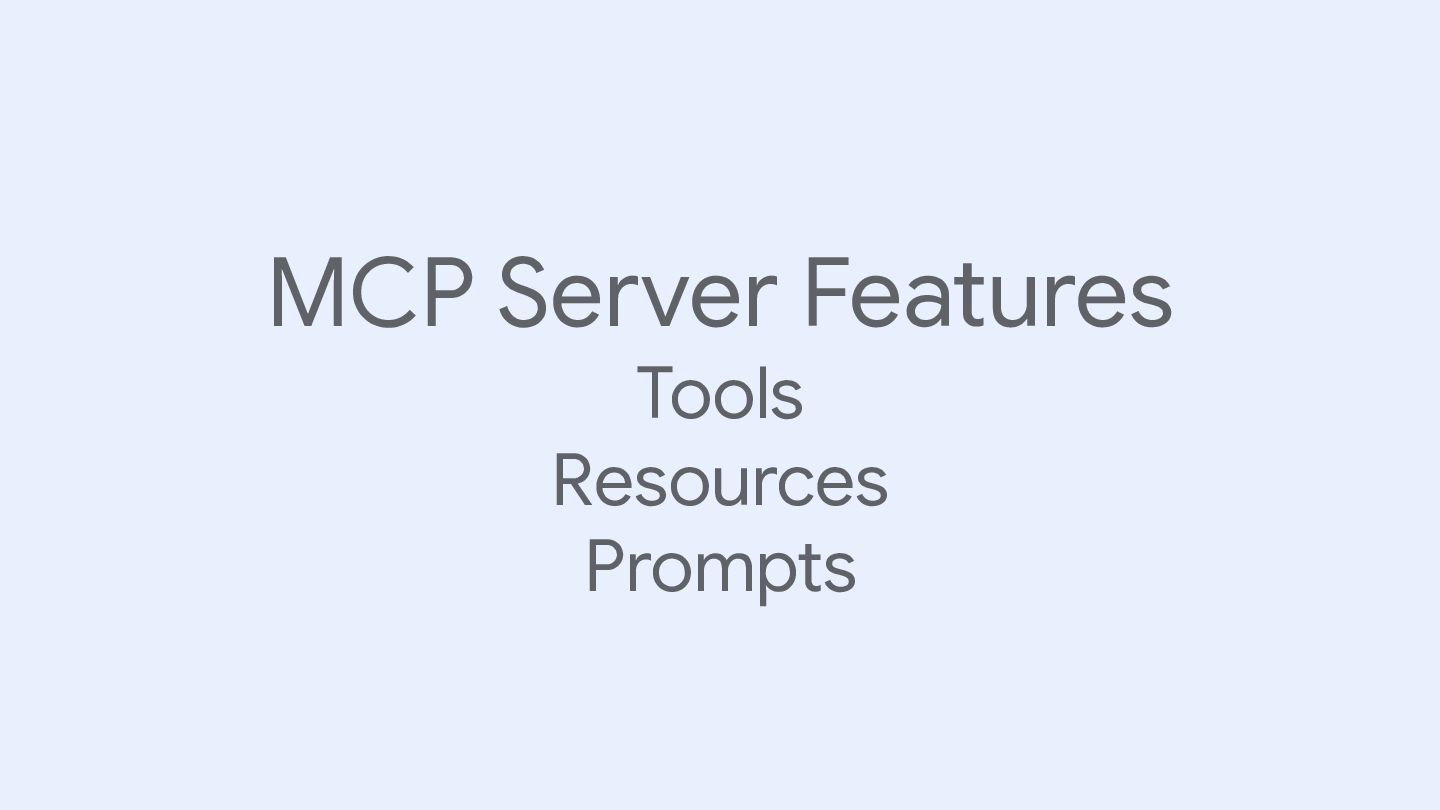
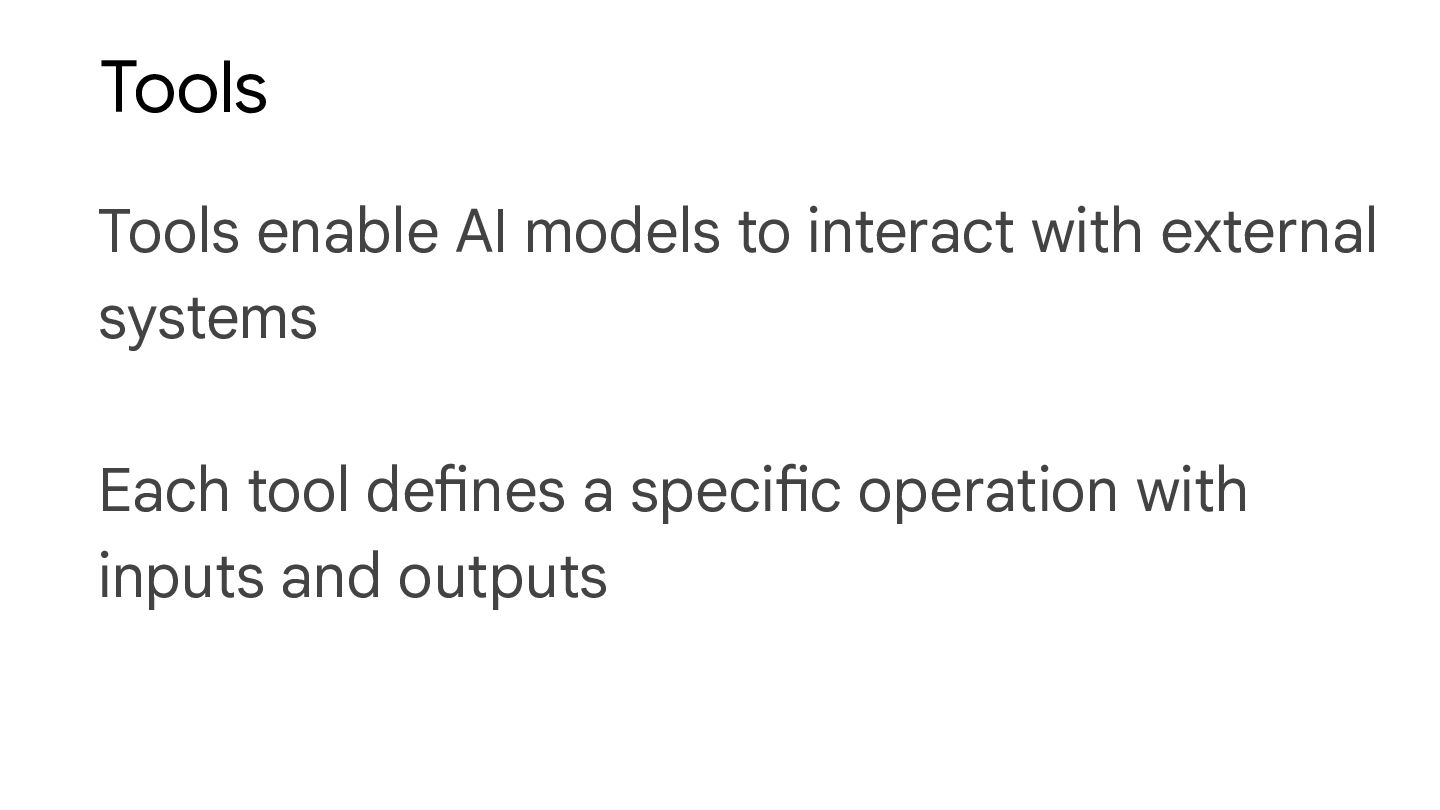
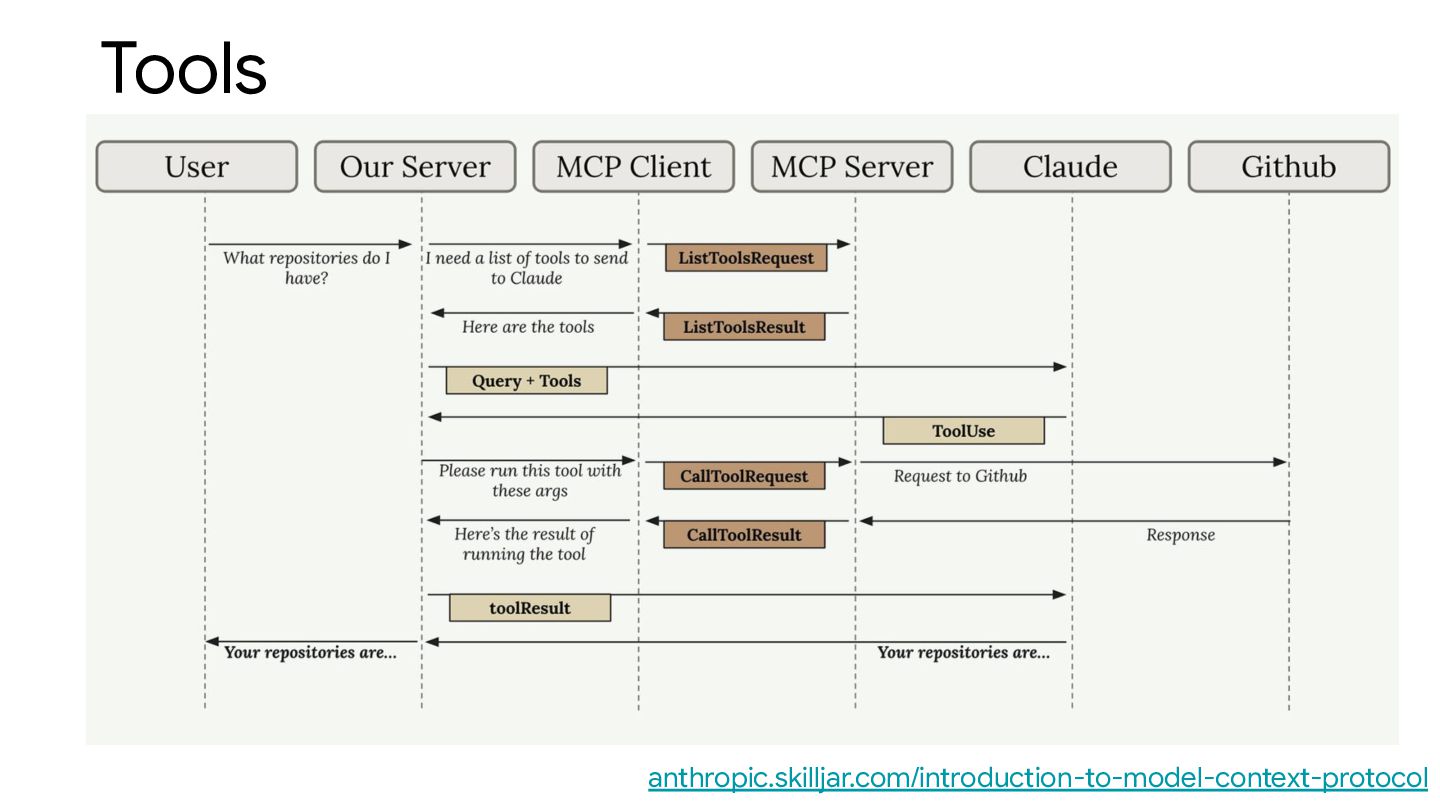
  11. Tools Tools enable AI models to interact with external systems

    Each tool defines a specific operation with inputs and outputs
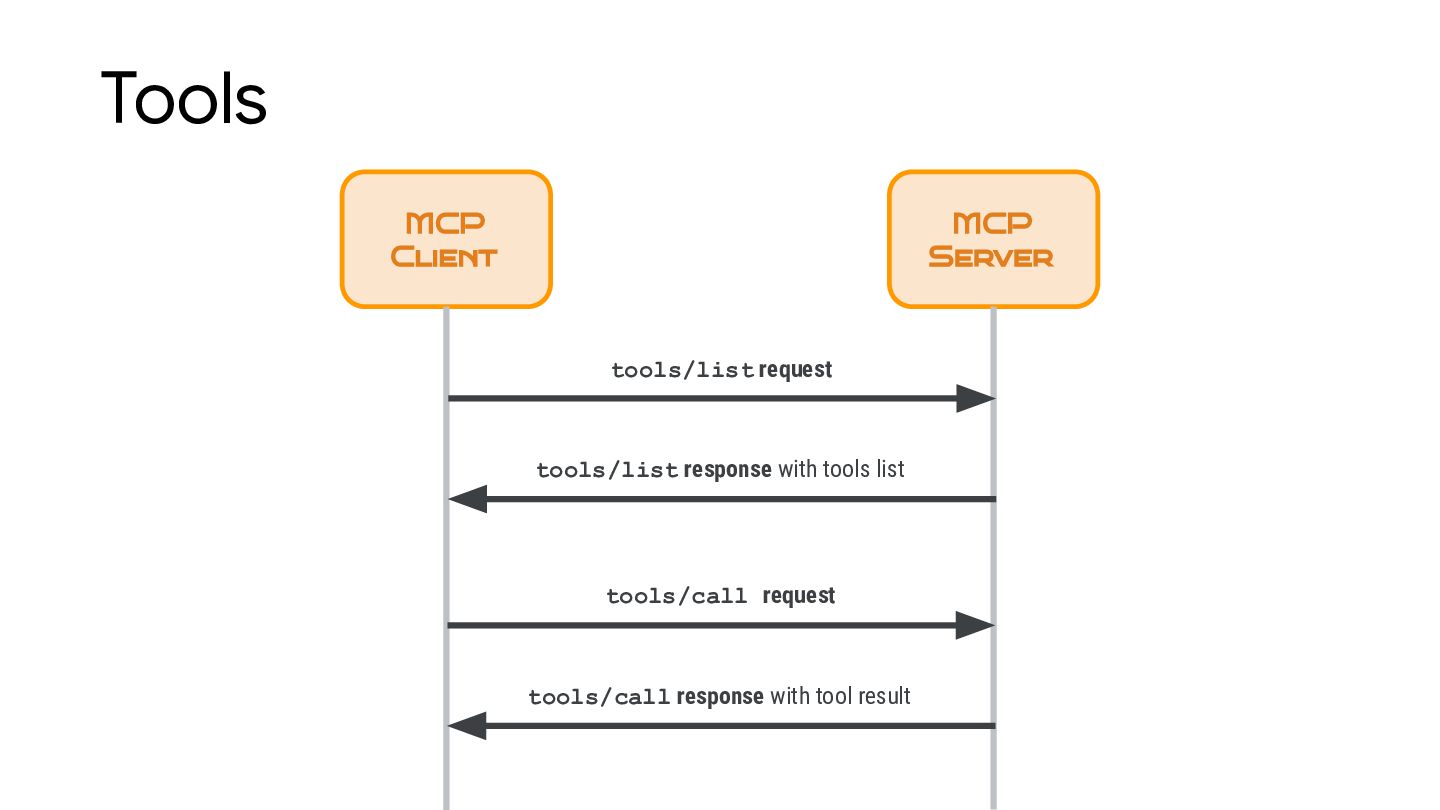
  12. Tools MCP Client MCP Server tools/list request tools/list response with

    tools list tools/call request tools/call response with tool result
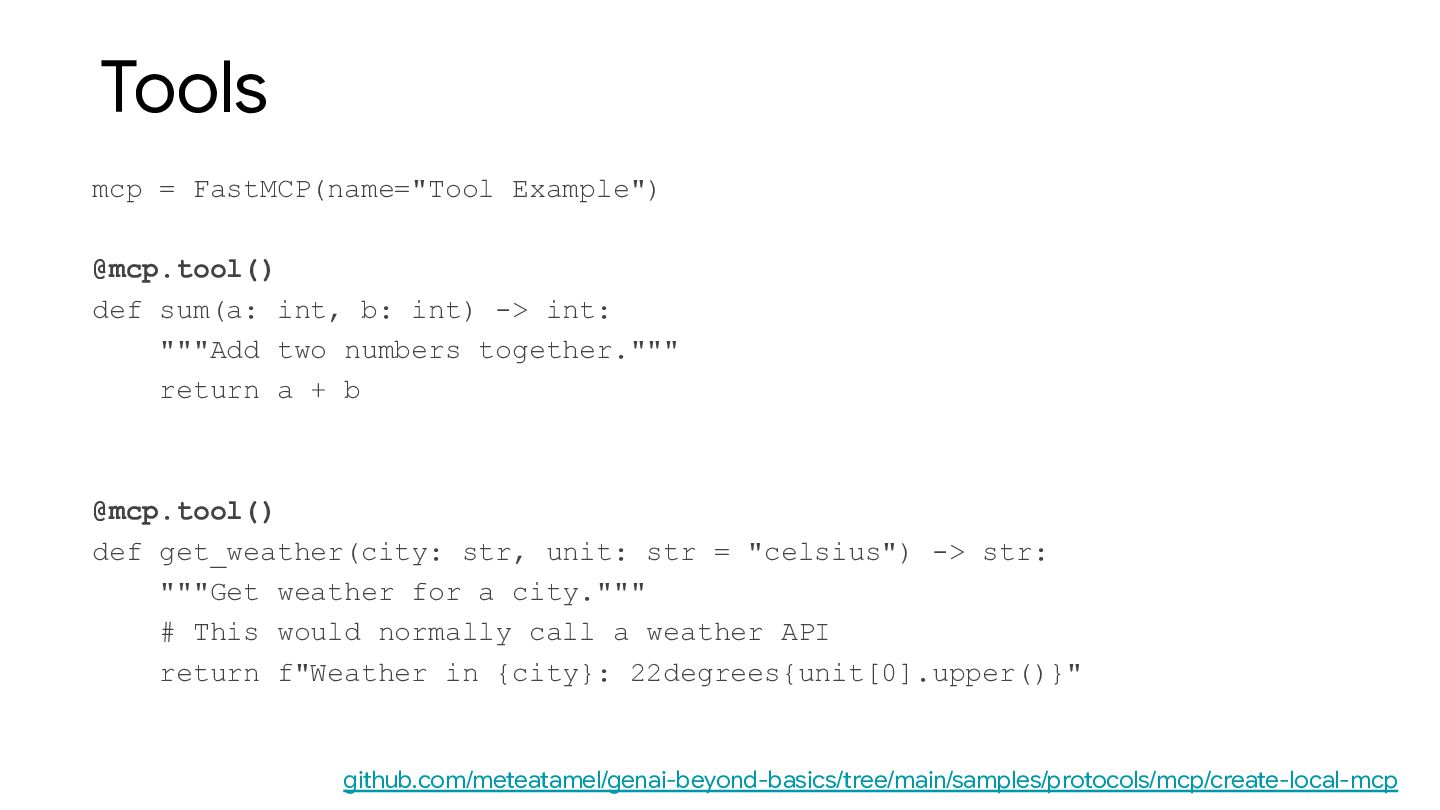
  13. Tools mcp = FastMCP(name="Tool Example") @mcp.tool() def sum(a: int, b:

    int) -> int: """Add two numbers together.""" return a + b @mcp.tool() def get_weather(city: str, unit: str = "celsius") -> str: """Get weather for a city.""" # This would normally call a weather API return f"Weather in {city}: 22degrees{unit[0].upper()}" github.com/meteatamel/genai-beyond-basics/tree/main/samples/protocols/mcp/create-local-mcp
  14. Resources Resources provide read-only access to data that the AI

    application can retrieve and provide as context to models
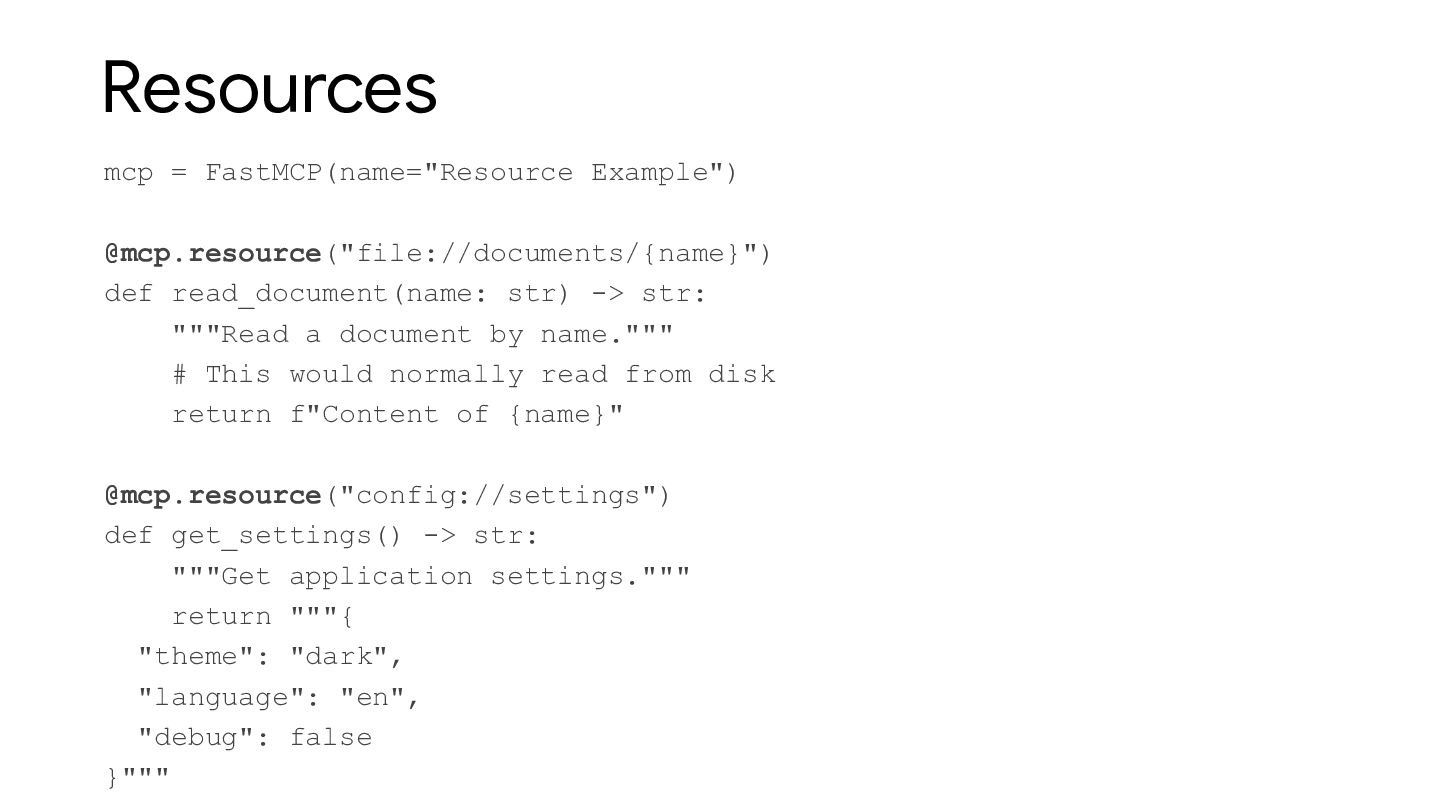
  15. Resources mcp = FastMCP(name="Resource Example") @mcp.resource("file://documents/{name}") def read_document(name: str) ->

    str: """Read a document by name.""" # This would normally read from disk return f"Content of {name}" @mcp.resource("config://settings") def get_settings() -> str: """Get application settings.""" return """{ "theme": "dark", "language": "en", "debug": false }"""
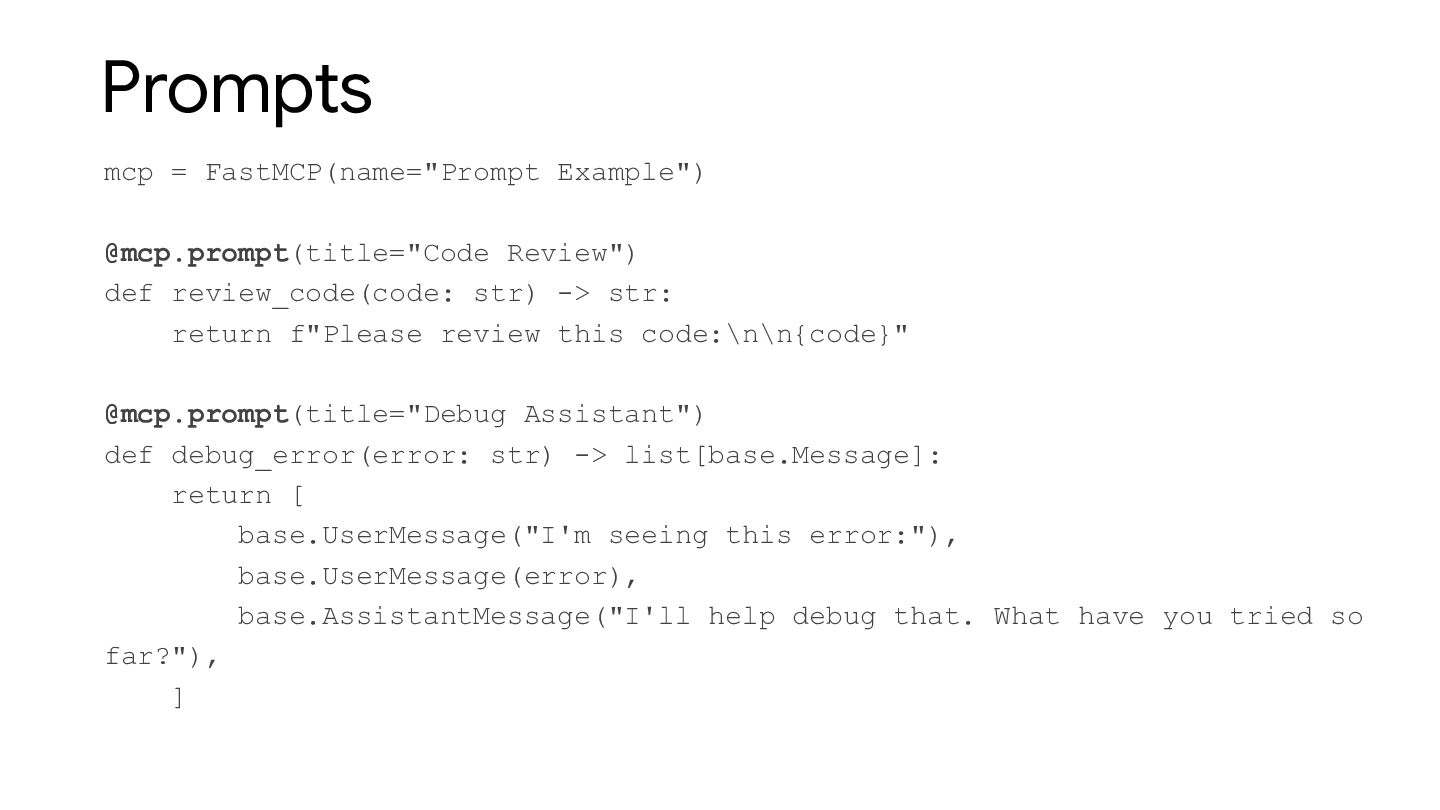
  16. Prompts mcp = FastMCP(name="Prompt Example") @mcp.prompt(title="Code Review") def review_code(code: str)

    -> str: return f"Please review this code:\n\n{code}" @mcp.prompt(title="Debug Assistant") def debug_error(error: str) -> list[base.Message]: return [ base.UserMessage("I'm seeing this error:"), base.UserMessage(error), base.AssistantMessage("I'll help debug that. What have you tried so far?"), ]
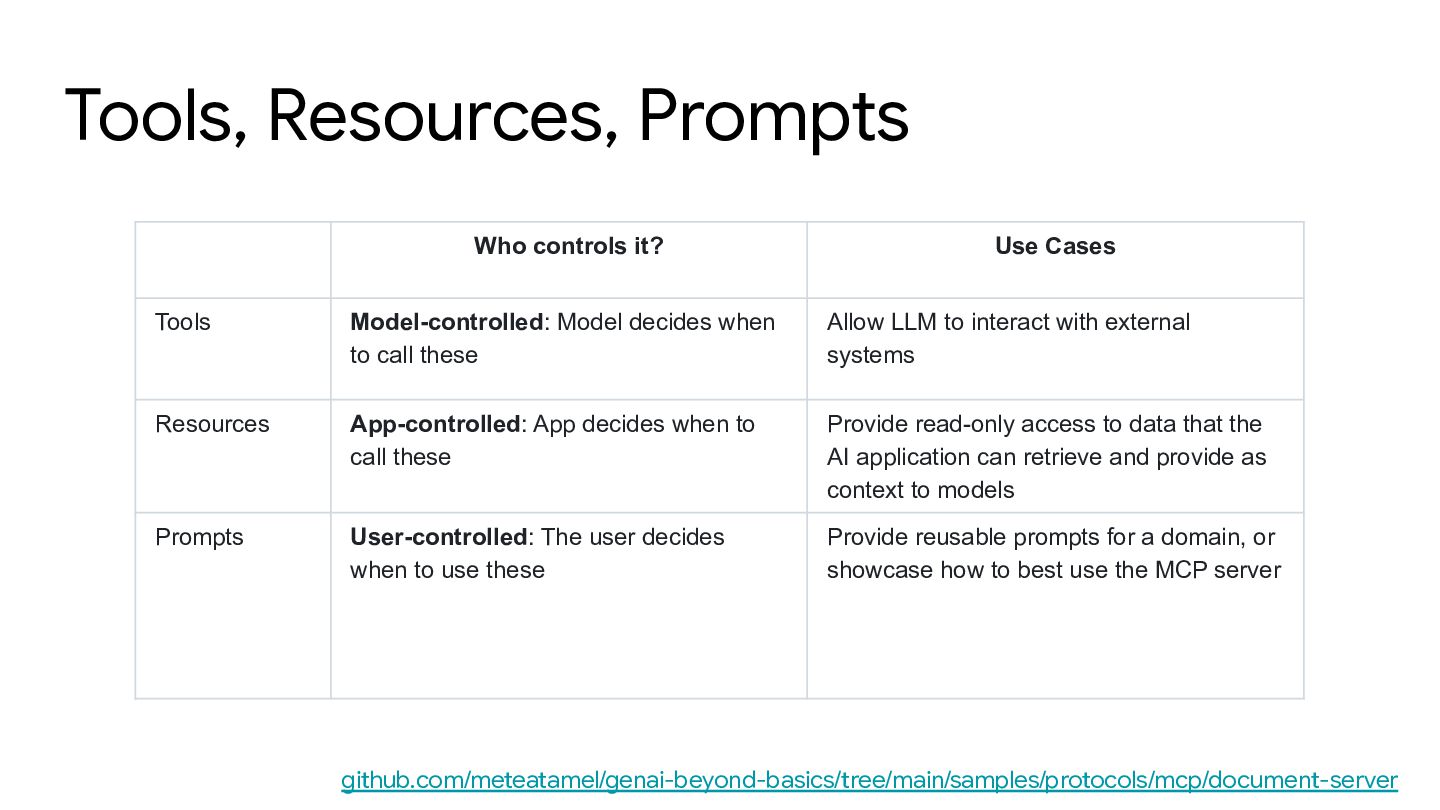
  17. Tools, Resources, Prompts Who controls it? Use Cases Tools Model-controlled:

    Model decides when to call these Allow LLM to interact with external systems Resources App-controlled: App decides when to call these Provide read-only access to data that the AI application can retrieve and provide as context to models Prompts User-controlled: The user decides when to use these Provide reusable prompts for a domain, or showcase how to best use the MCP server github.com/meteatamel/genai-beyond-basics/tree/main/samples/protocols/mcp/document-server
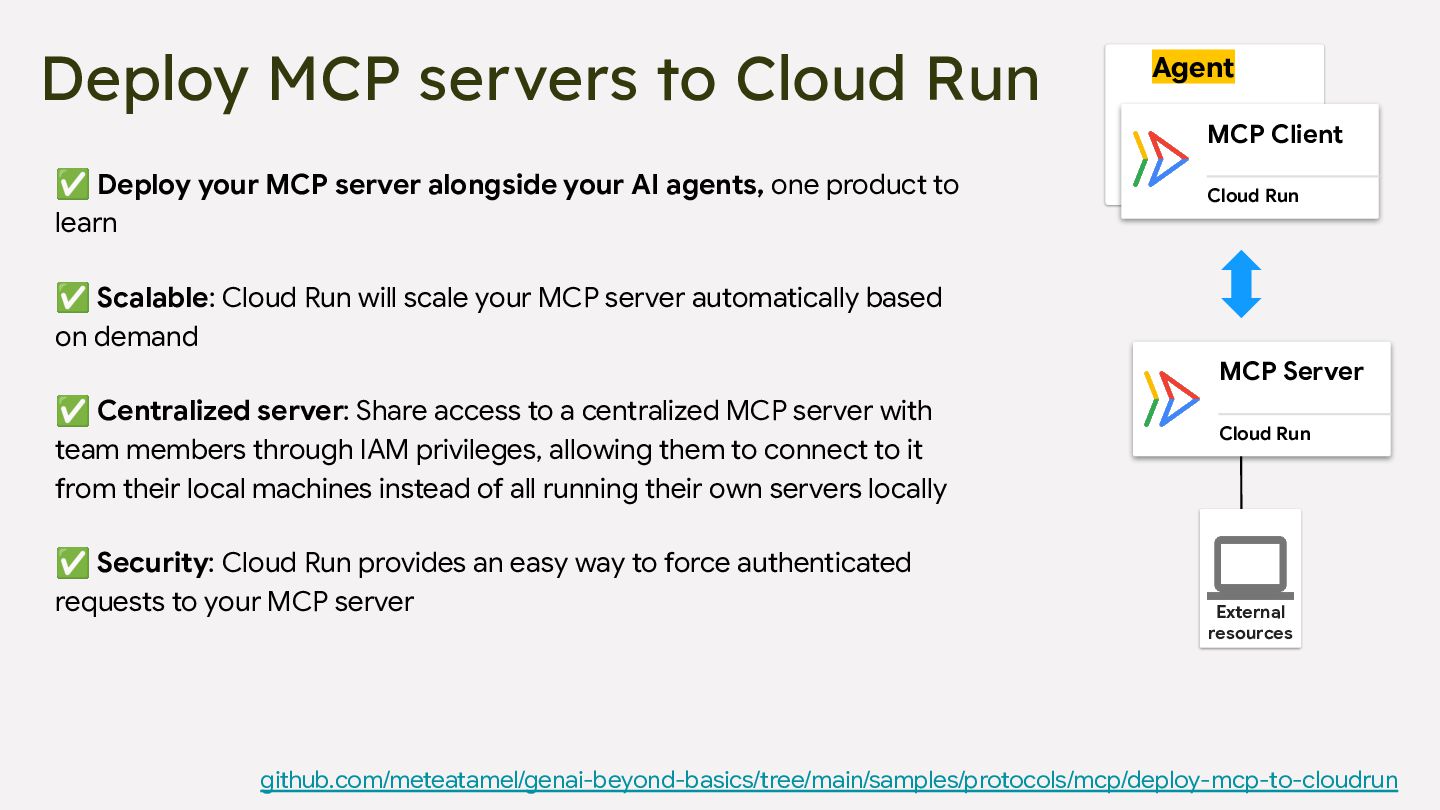
  18. Deploy MCP servers to Cloud Run Agent MCP Client Cloud

    Run MCP Server Cloud Run External resources ✅ Deploy your MCP server alongside your AI agents, one product to learn ✅ Scalable: Cloud Run will scale your MCP server automatically based on demand ✅ Centralized server: Share access to a centralized MCP server with team members through IAM privileges, allowing them to connect to it from their local machines instead of all running their own servers locally ✅ Security: Cloud Run provides an easy way to force authenticated requests to your MCP server github.com/meteatamel/genai-beyond-basics/tree/main/samples/protocols/mcp/deploy-mcp-to-cloudrun
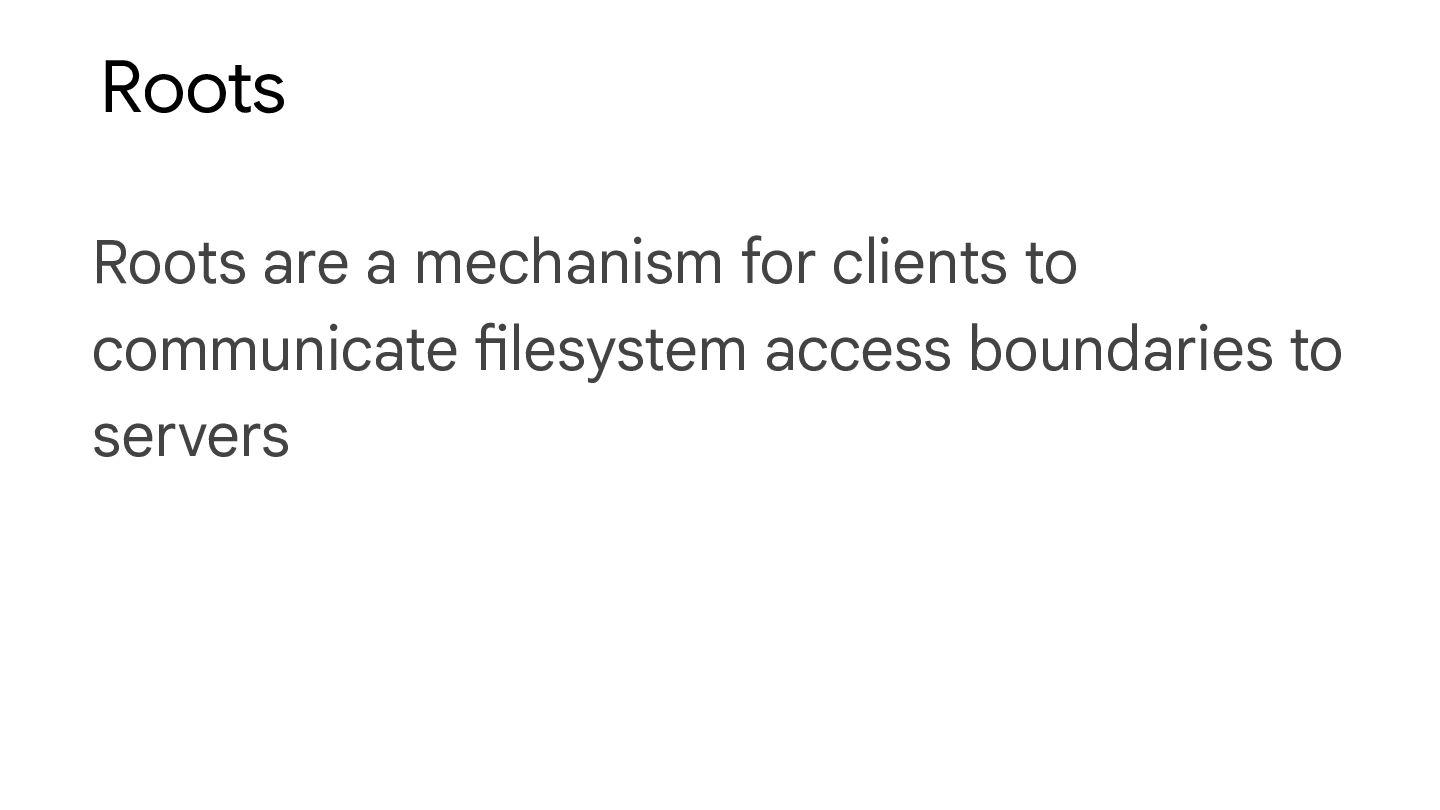
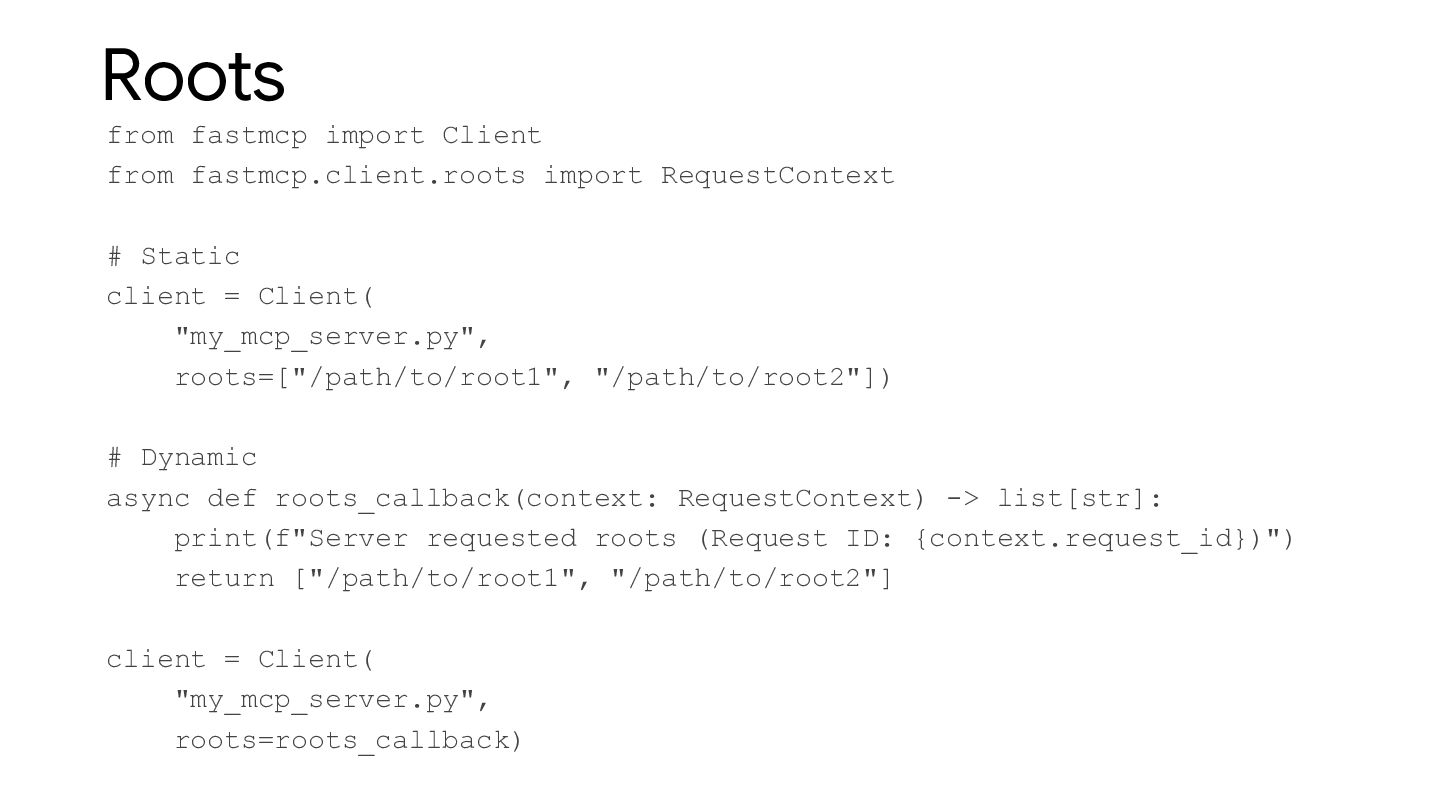
  19. Roots from fastmcp import Client from fastmcp.client.roots import RequestContext #

    Static client = Client( "my_mcp_server.py", roots=["/path/to/root1", "/path/to/root2"]) # Dynamic async def roots_callback(context: RequestContext) -> list[str]: print(f"Server requested roots (Request ID: {context.request_id})") return ["/path/to/root1", "/path/to/root2"] client = Client( "my_mcp_server.py", roots=roots_callback)
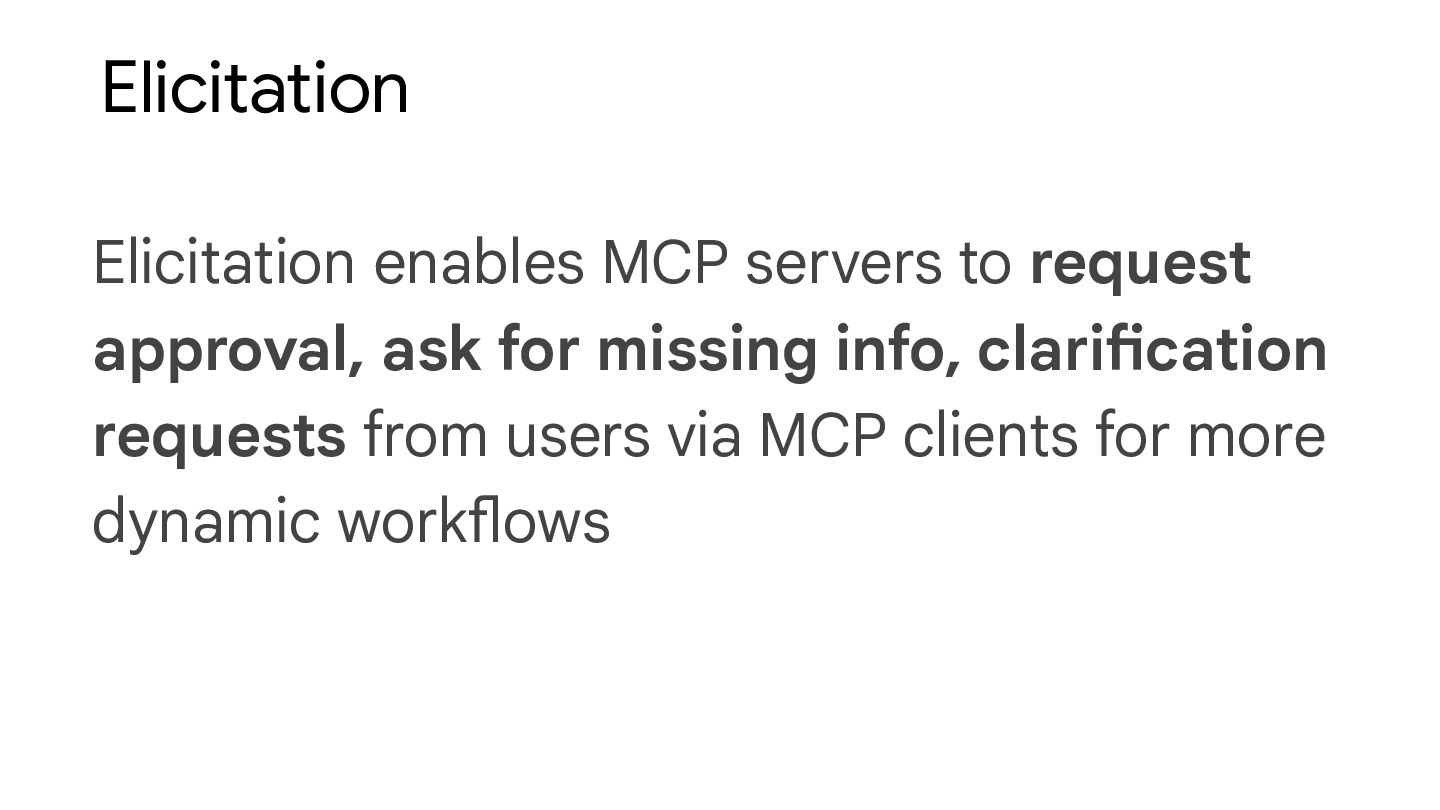
  20. Elicitation Elicitation enables MCP servers to request approval, ask for

    missing info, clarification requests from users via MCP clients for more dynamic workflows
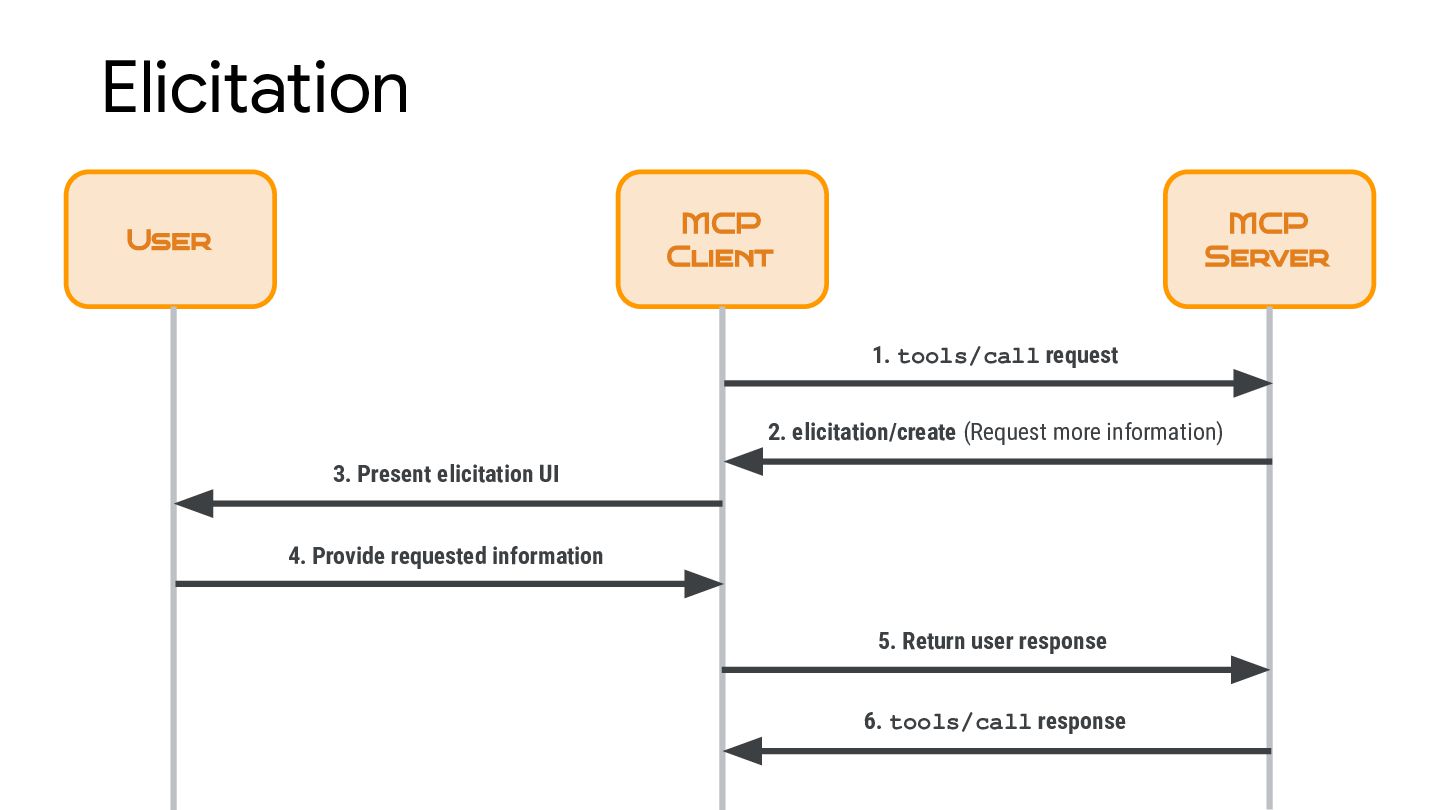
  21. Elicitation MCP Client MCP Server 2. elicitation/create (Request more information)

    User 3. Present elicitation UI 4. Provide requested information 5. Return user response 1. tools/call request 6. tools/call response
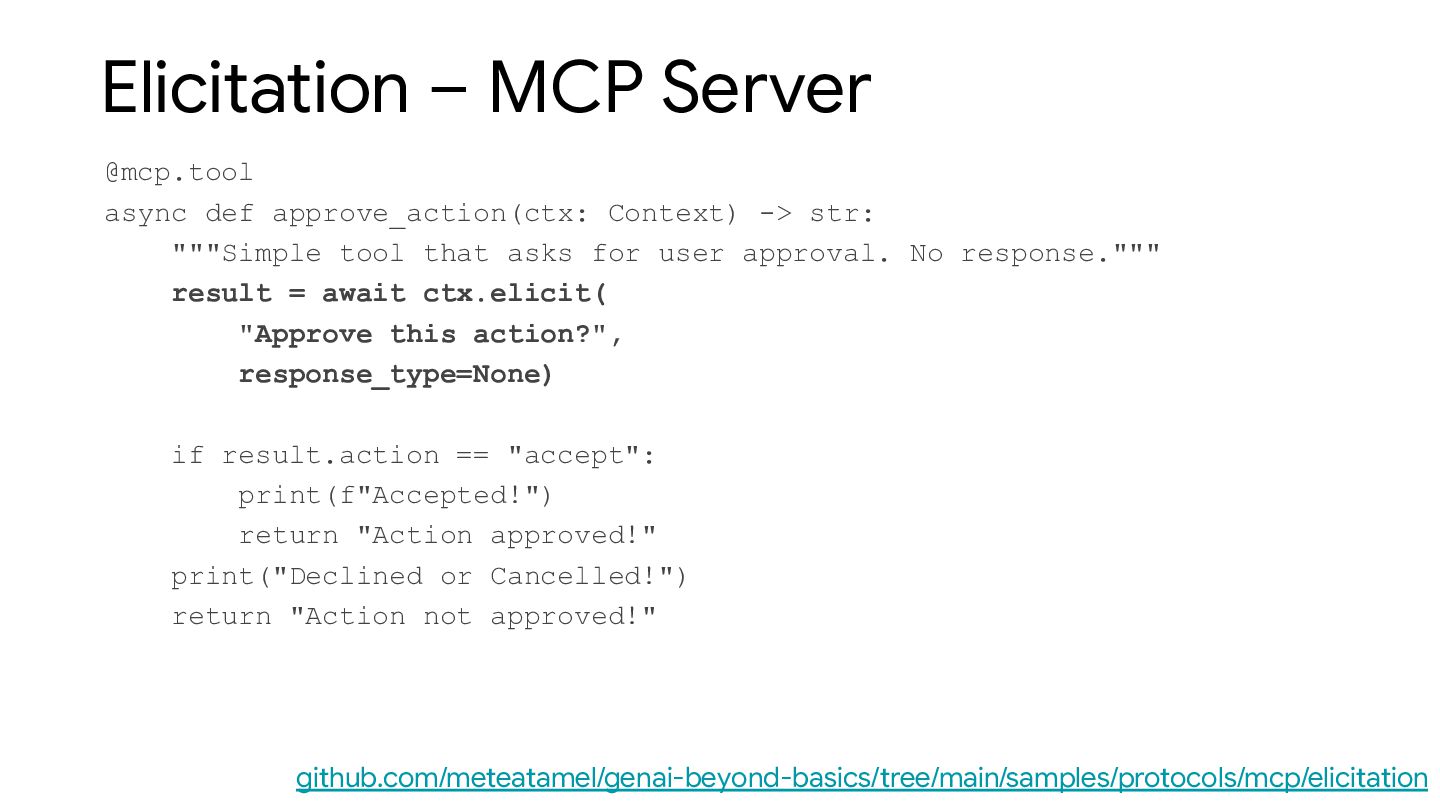
  22. Elicitation – MCP Server @mcp.tool async def approve_action(ctx: Context) ->

    str: """Simple tool that asks for user approval. No response.""" result = await ctx.elicit( "Approve this action?", response_type=None) if result.action == "accept": print(f"Accepted!") return "Action approved!" print("Declined or Cancelled!") return "Action not approved!" github.com/meteatamel/genai-beyond-basics/tree/main/samples/protocols/mcp/elicitation
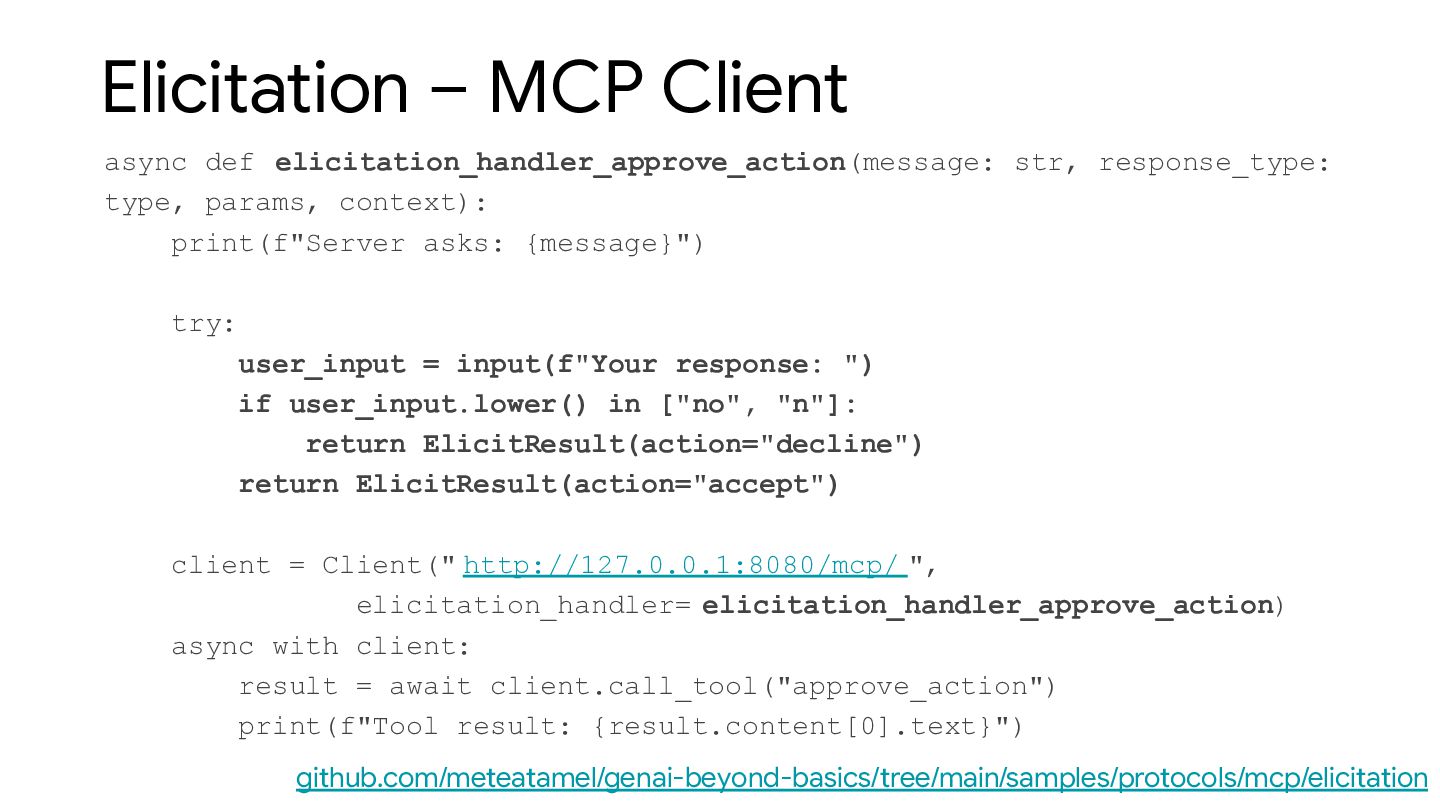
  23. Elicitation – MCP Client async def elicitation_handler_approve_action(message: str, response_type: type,

    params, context): print(f"Server asks: {message}") try: user_input = input(f"Your response: ") if user_input.lower() in ["no", "n"]: return ElicitResult(action="decline") return ElicitResult(action="accept") client = Client(" http://127.0.0.1:8080/mcp/ ", elicitation_handler= elicitation_handler_approve_action) async with client: result = await client.call_tool("approve_action") print(f"Tool result: {result.content[0].text}") github.com/meteatamel/genai-beyond-basics/tree/main/samples/protocols/mcp/elicitation
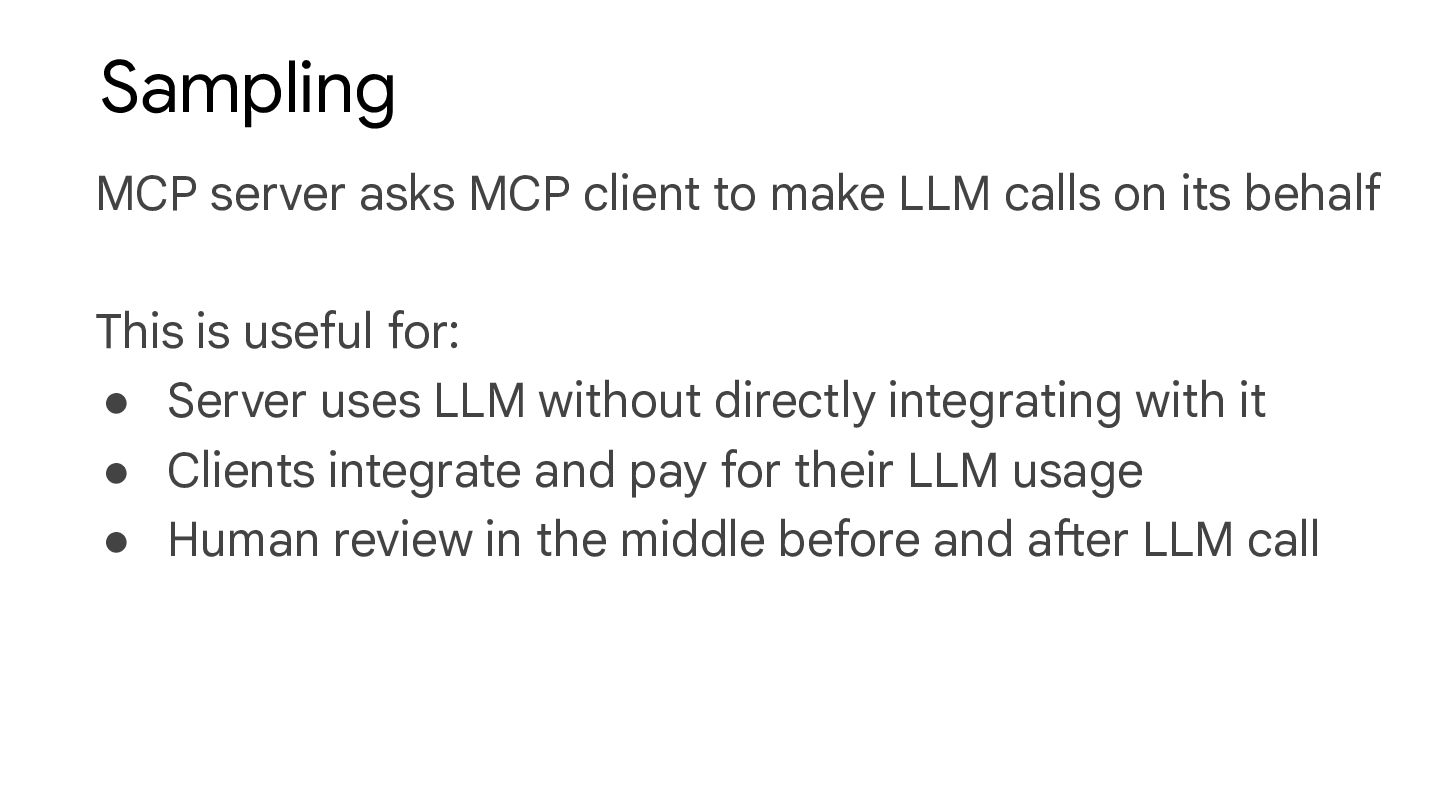
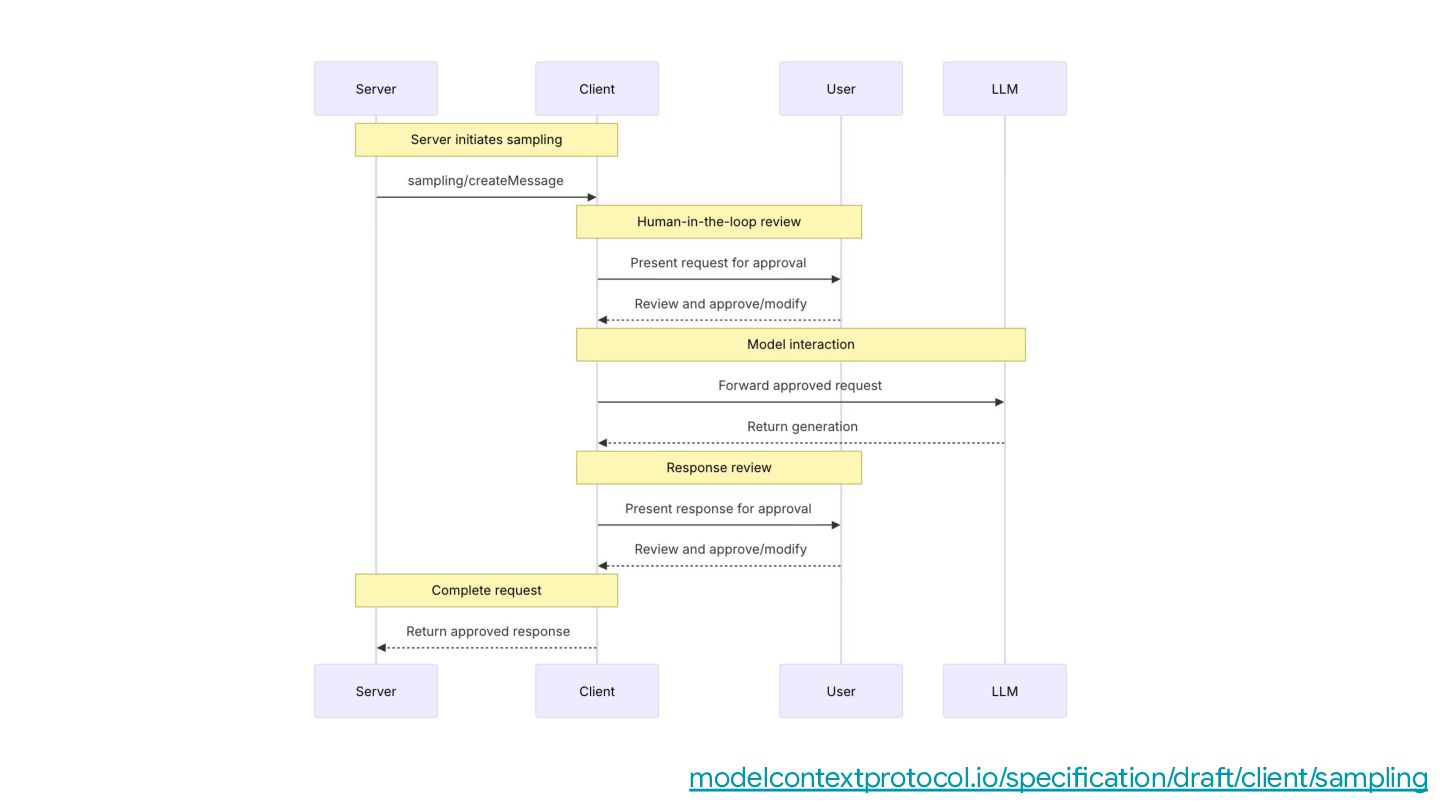
  24. Sampling MCP server asks MCP client to make LLM calls

    on its behalf This is useful for: • Server uses LLM without directly integrating with it • Clients integrate and pay for their LLM usage • Human review in the middle before and after LLM call
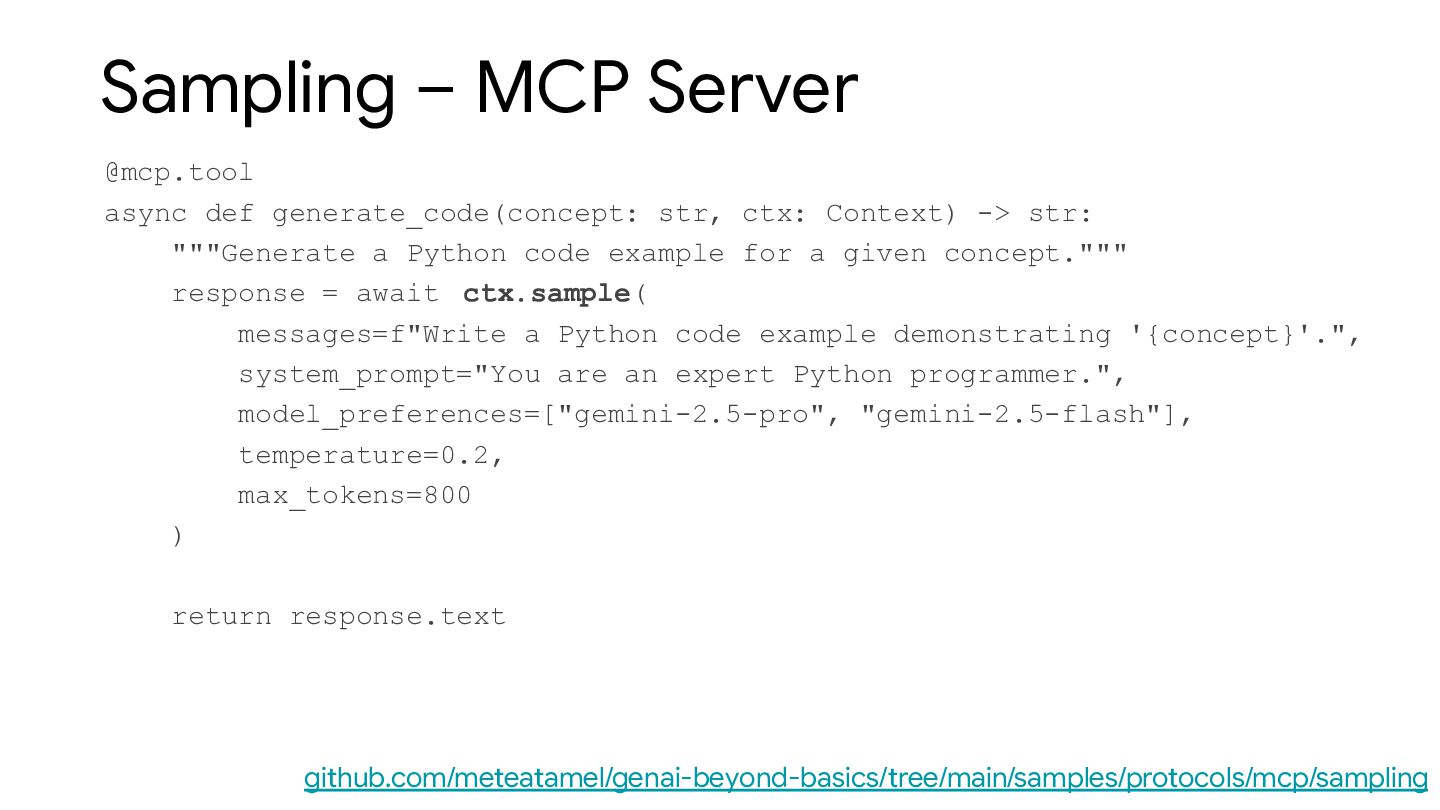
  25. Sampling – MCP Server @mcp.tool async def generate_code(concept: str, ctx:

    Context) -> str: """Generate a Python code example for a given concept.""" response = await ctx.sample( messages=f"Write a Python code example demonstrating '{concept}'.", system_prompt="You are an expert Python programmer.", model_preferences=["gemini-2.5-pro", "gemini-2.5-flash"], temperature=0.2, max_tokens=800 ) return response.text github.com/meteatamel/genai-beyond-basics/tree/main/samples/protocols/mcp/sampling
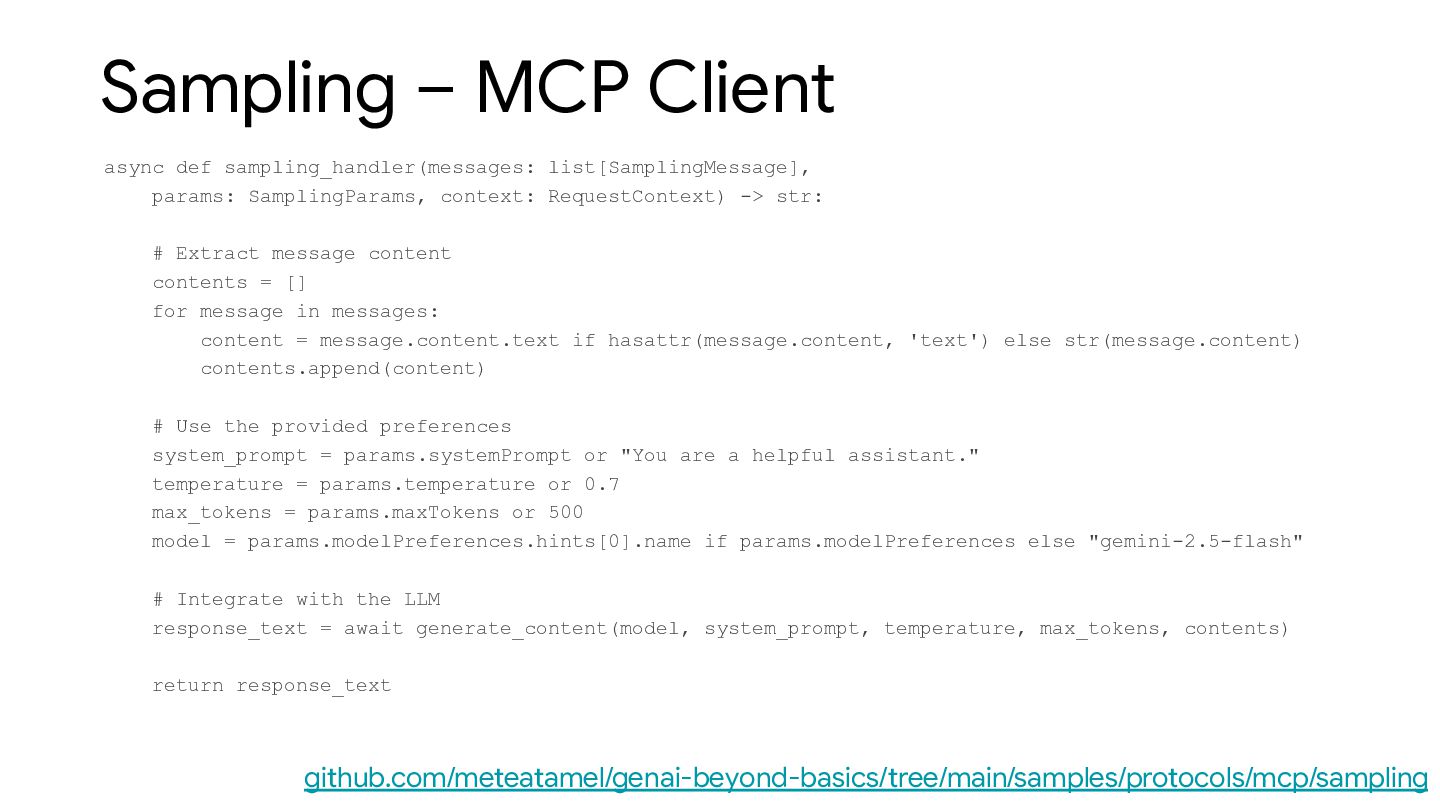
  26. Sampling – MCP Client async def sampling_handler(messages: list[SamplingMessage], params: SamplingParams,

    context: RequestContext) -> str: # Extract message content contents = [] for message in messages: content = message.content.text if hasattr(message.content, 'text') else str(message.content) contents.append(content) # Use the provided preferences system_prompt = params.systemPrompt or "You are a helpful assistant." temperature = params.temperature or 0.7 max_tokens = params.maxTokens or 500 model = params.modelPreferences.hints[0].name if params.modelPreferences else "gemini-2.5-flash" # Integrate with the LLM response_text = await generate_content(model, system_prompt, temperature, max_tokens, contents) return response_text github.com/meteatamel/genai-beyond-basics/tree/main/samples/protocols/mcp/sampling
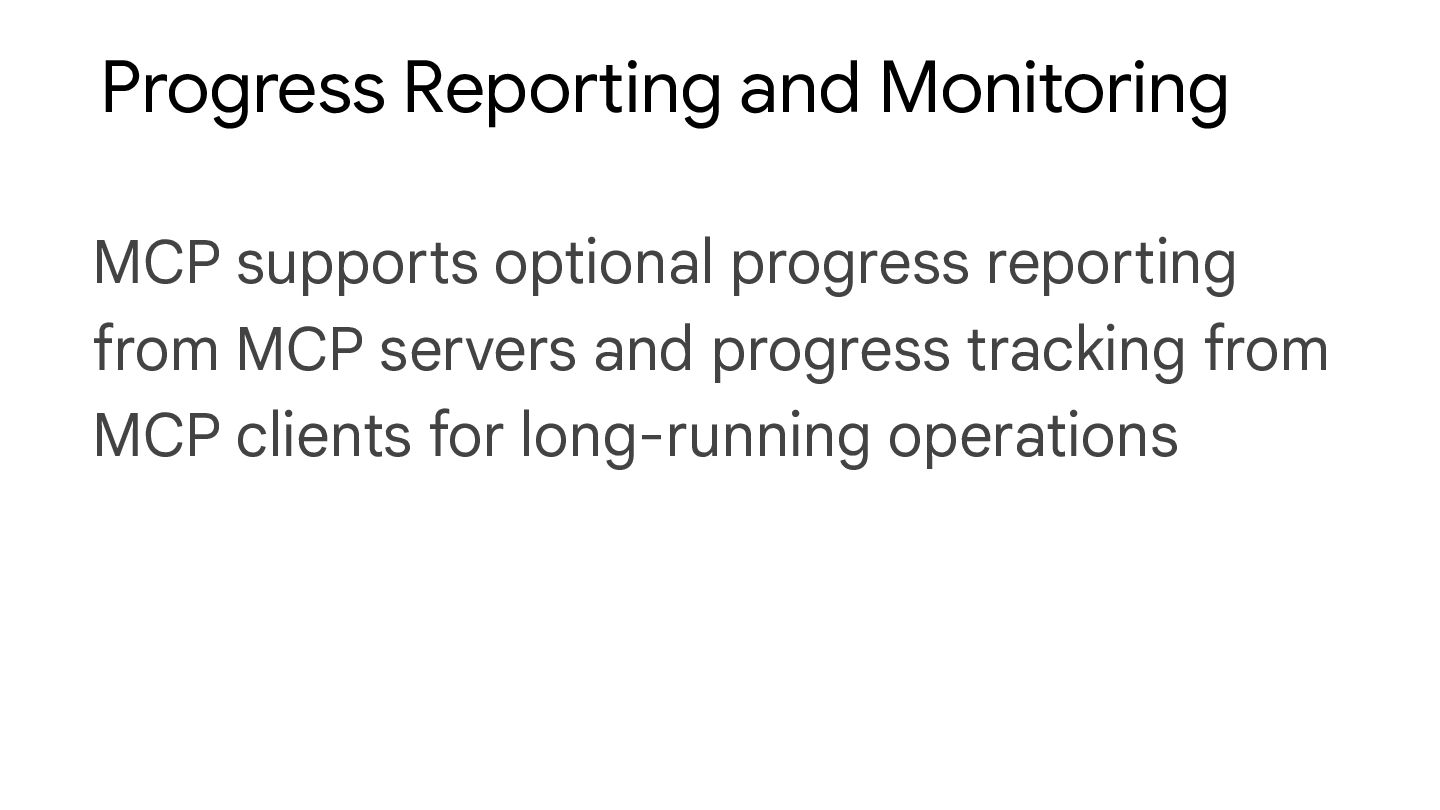
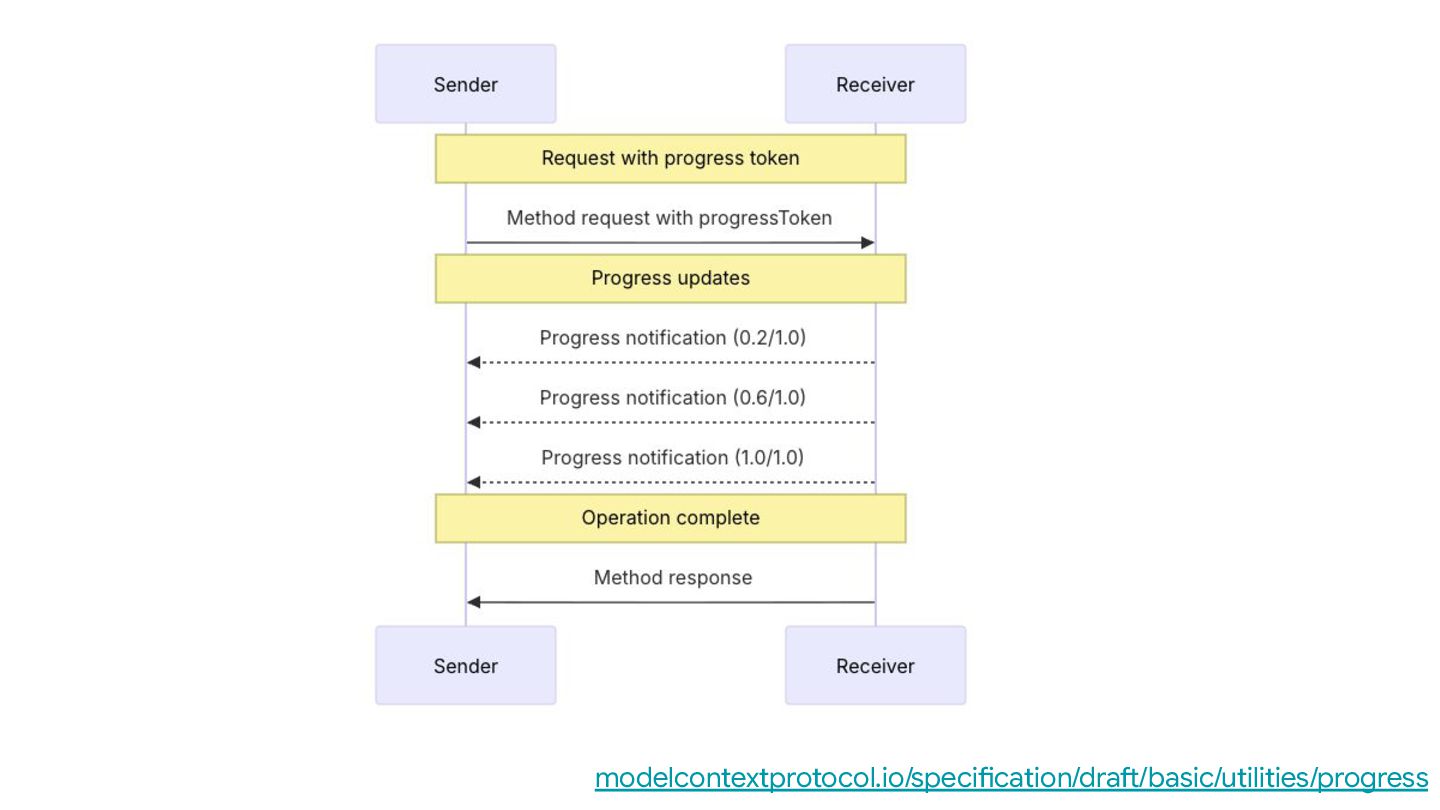
  27. Progress Reporting and Monitoring MCP supports optional progress reporting from

    MCP servers and progress tracking from MCP clients for long-running operations
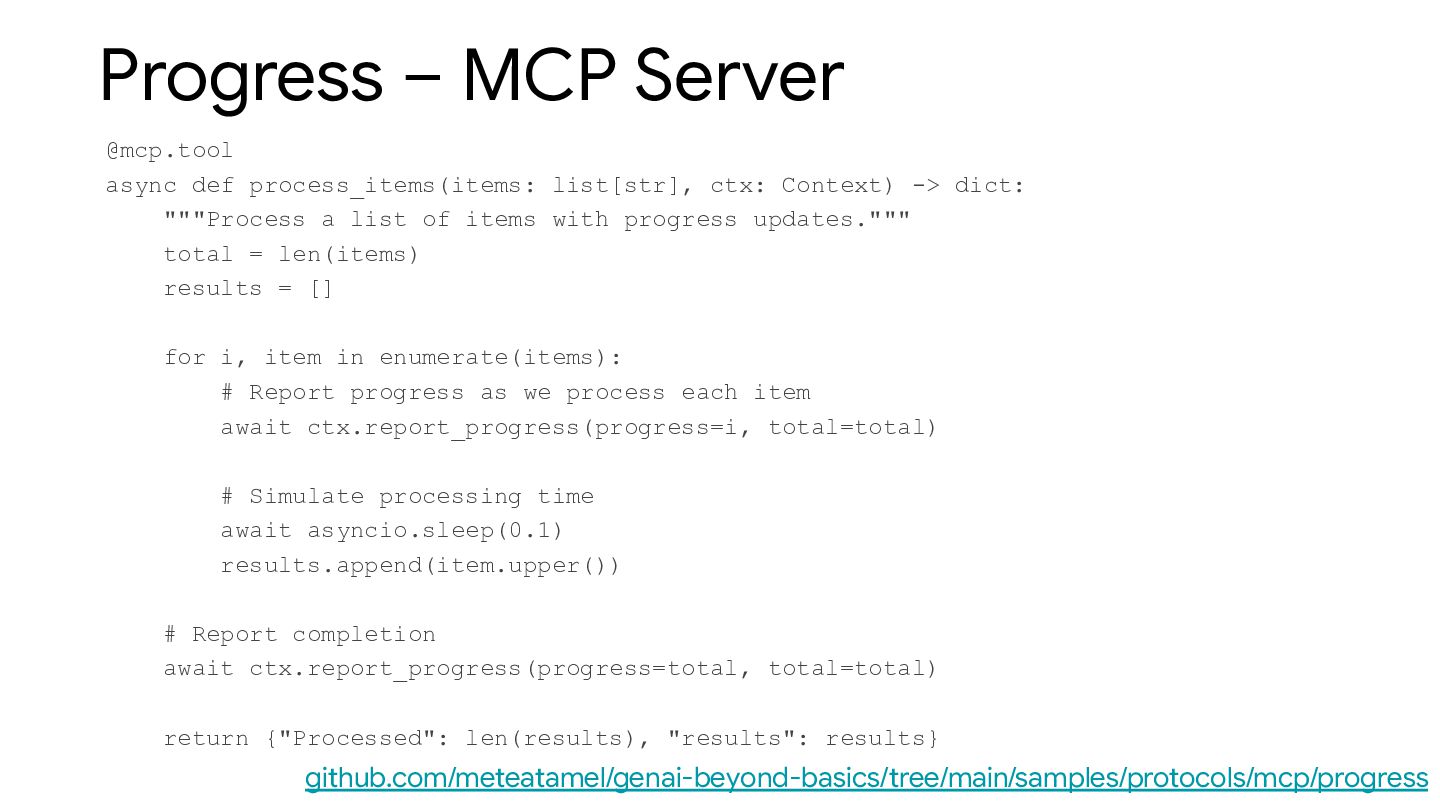
  28. Progress – MCP Server @mcp.tool async def process_items(items: list[str], ctx:

    Context) -> dict: """Process a list of items with progress updates.""" total = len(items) results = [] for i, item in enumerate(items): # Report progress as we process each item await ctx.report_progress(progress=i, total=total) # Simulate processing time await asyncio.sleep(0.1) results.append(item.upper()) # Report completion await ctx.report_progress(progress=total, total=total) return {"Processed": len(results), "results": results} github.com/meteatamel/genai-beyond-basics/tree/main/samples/protocols/mcp/progress
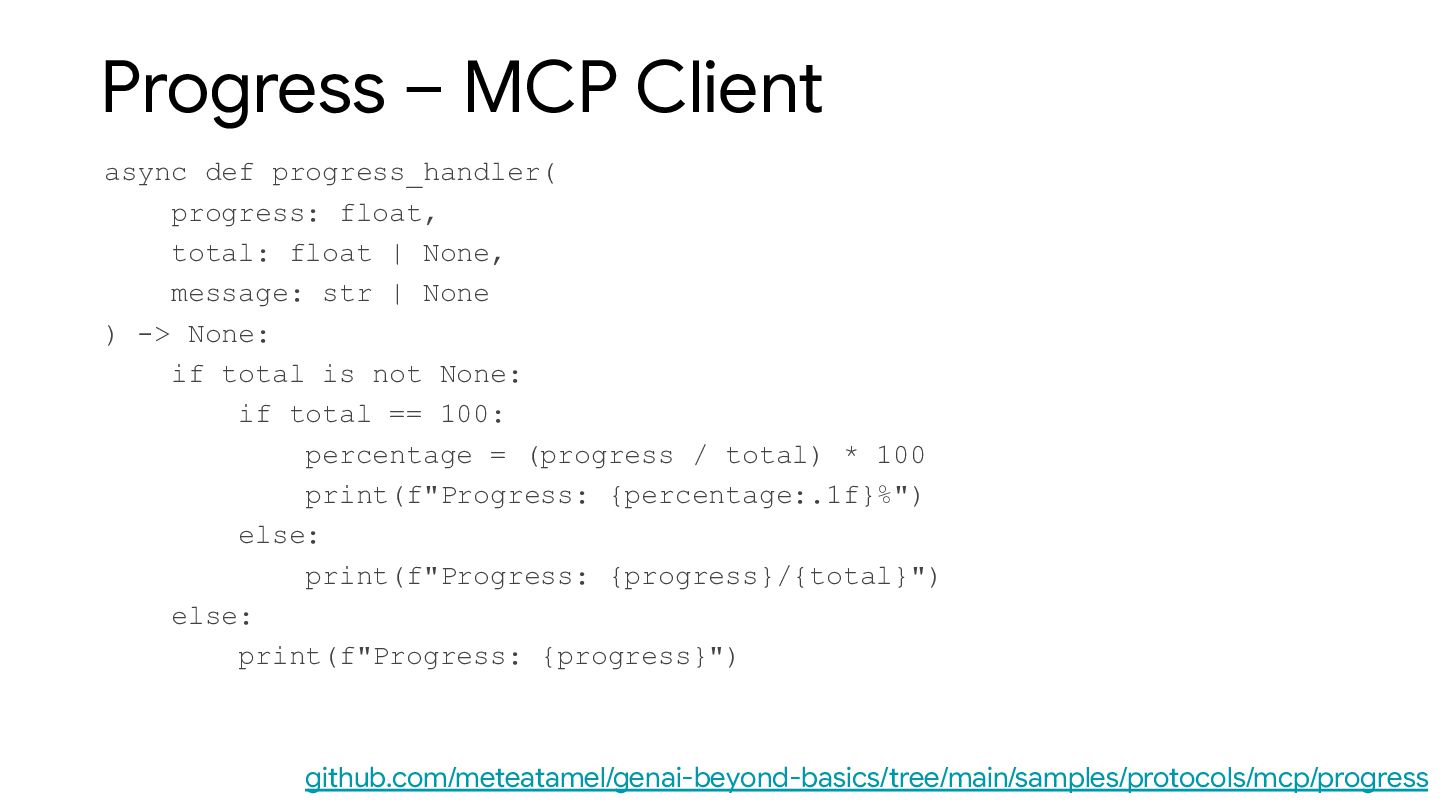
  29. Progress – MCP Client async def progress_handler( progress: float, total:

    float | None, message: str | None ) -> None: if total is not None: if total == 100: percentage = (progress / total) * 100 print(f"Progress: {percentage:.1f}%") else: print(f"Progress: {progress}/{total}") else: print(f"Progress: {progress}") github.com/meteatamel/genai-beyond-basics/tree/main/samples/protocols/mcp/progress
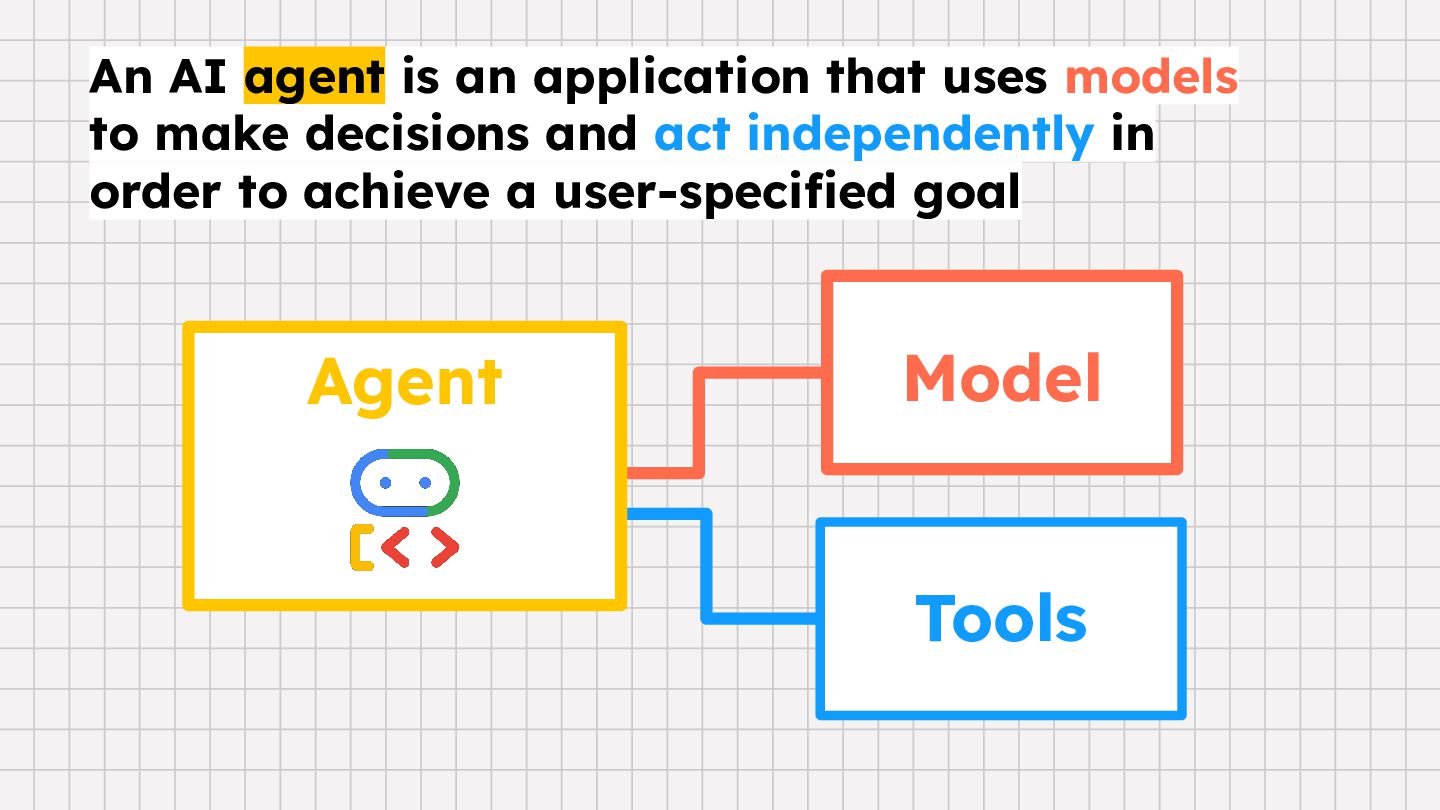
  30. Agent Tools Model An AI agent is an application that

    uses models to make decisions and act independently in order to achieve a user-specified goal
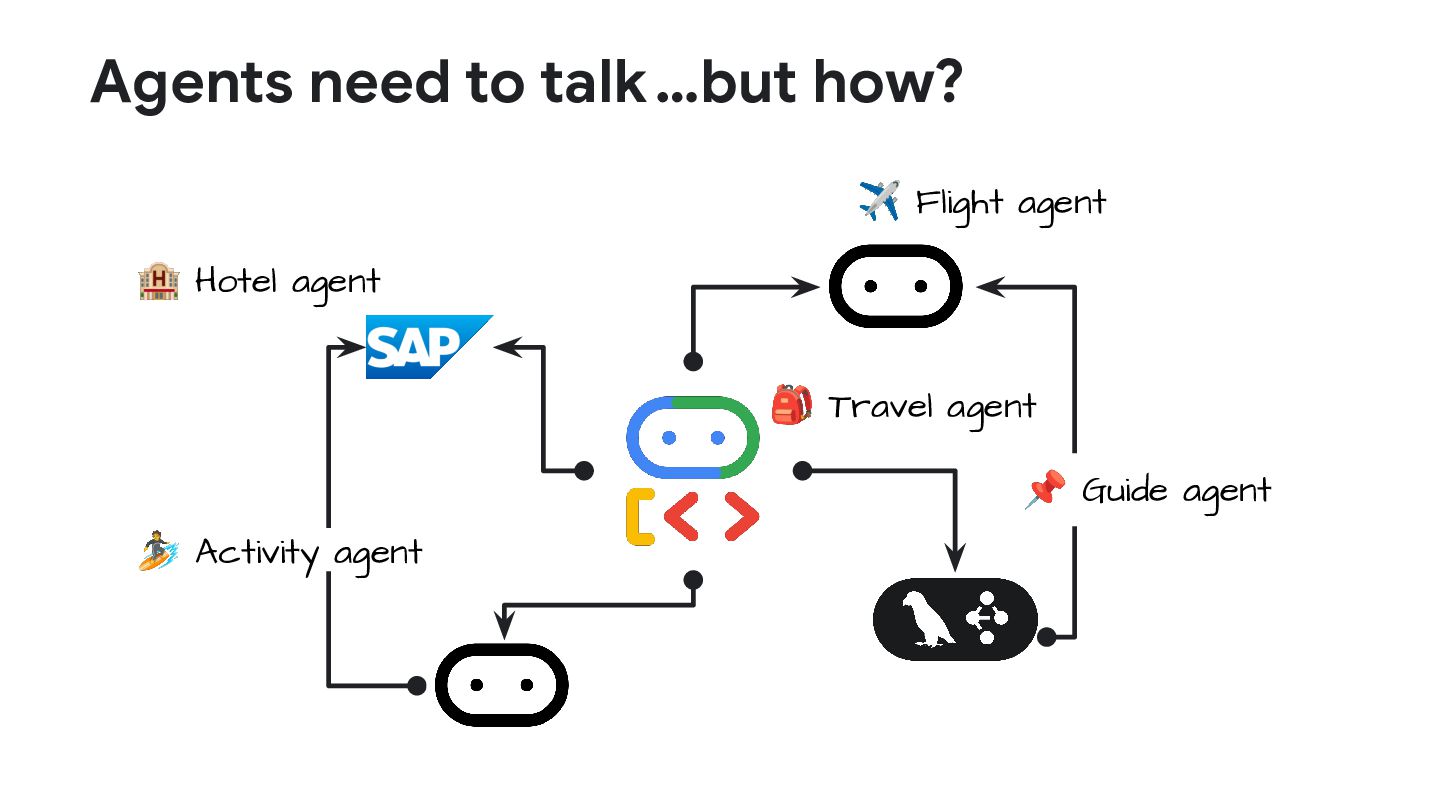
  31. Agents need to talk 🏨 Hotel agent ✈ Flight agent

    🎒 Travel agent 🏄 Activity agent 📌 Guide agent …but how?
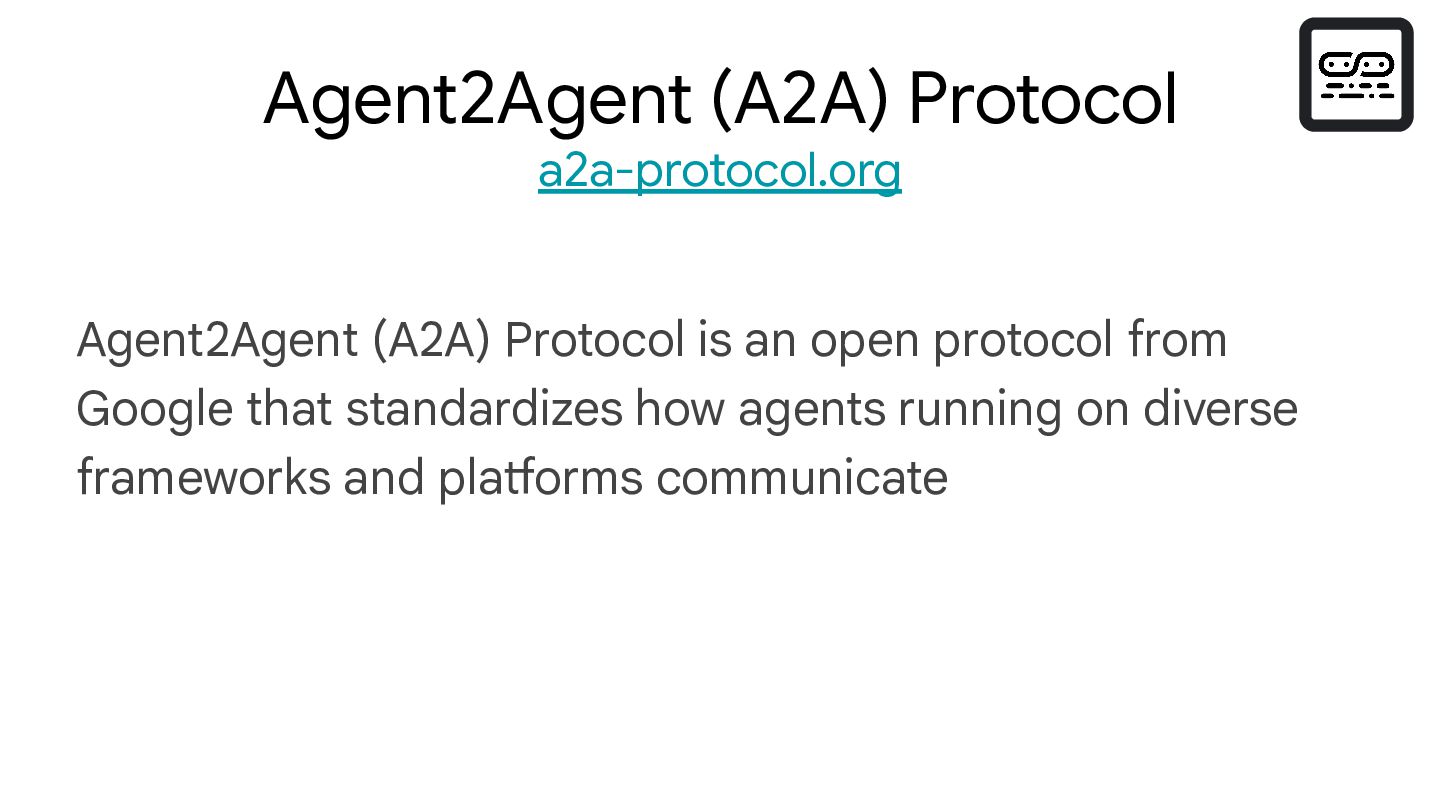
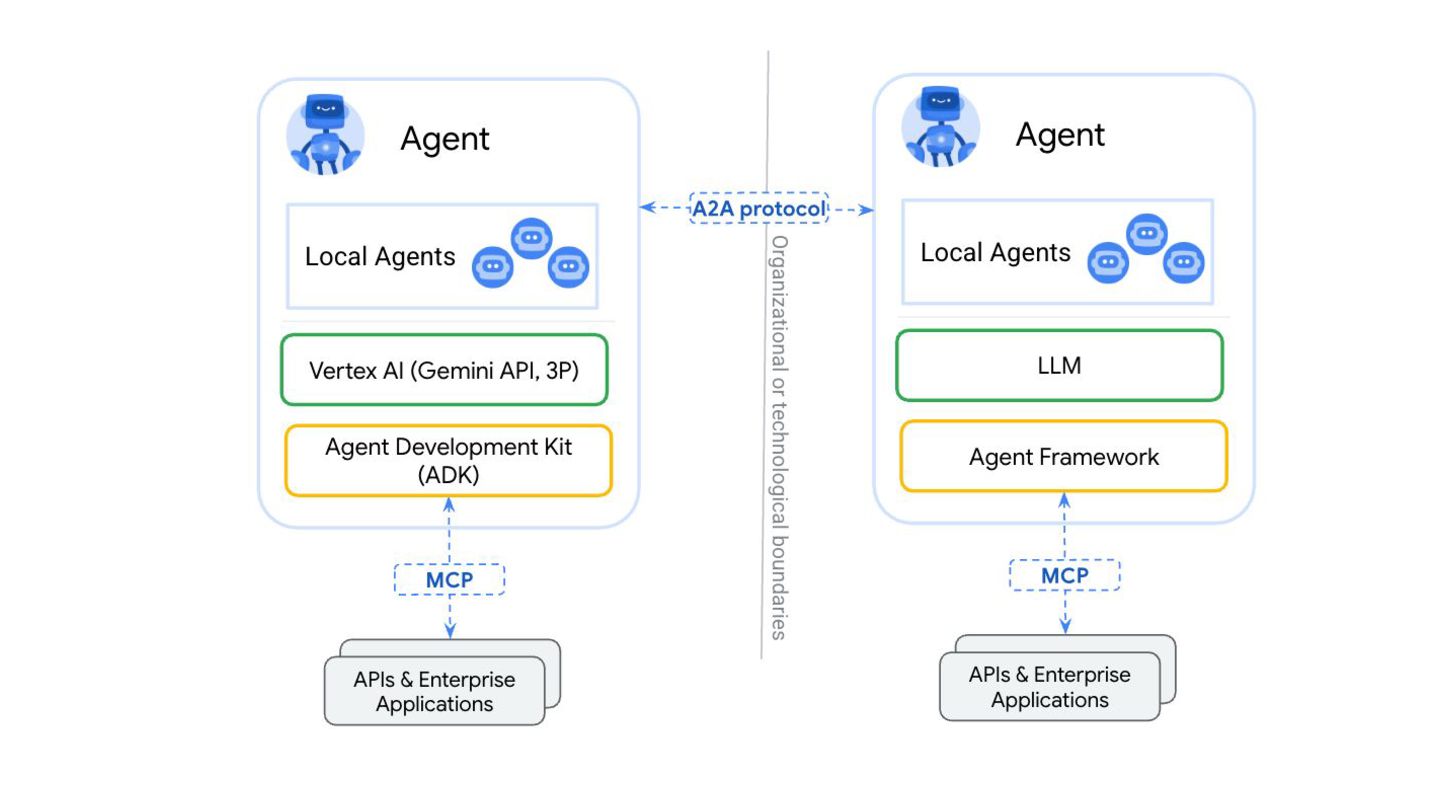
  32. Agent2Agent (A2A) Protocol is an open protocol from Google that

    standardizes how agents running on diverse frameworks and platforms communicate Agent2Agent (A2A) Protocol a2a-protocol.org
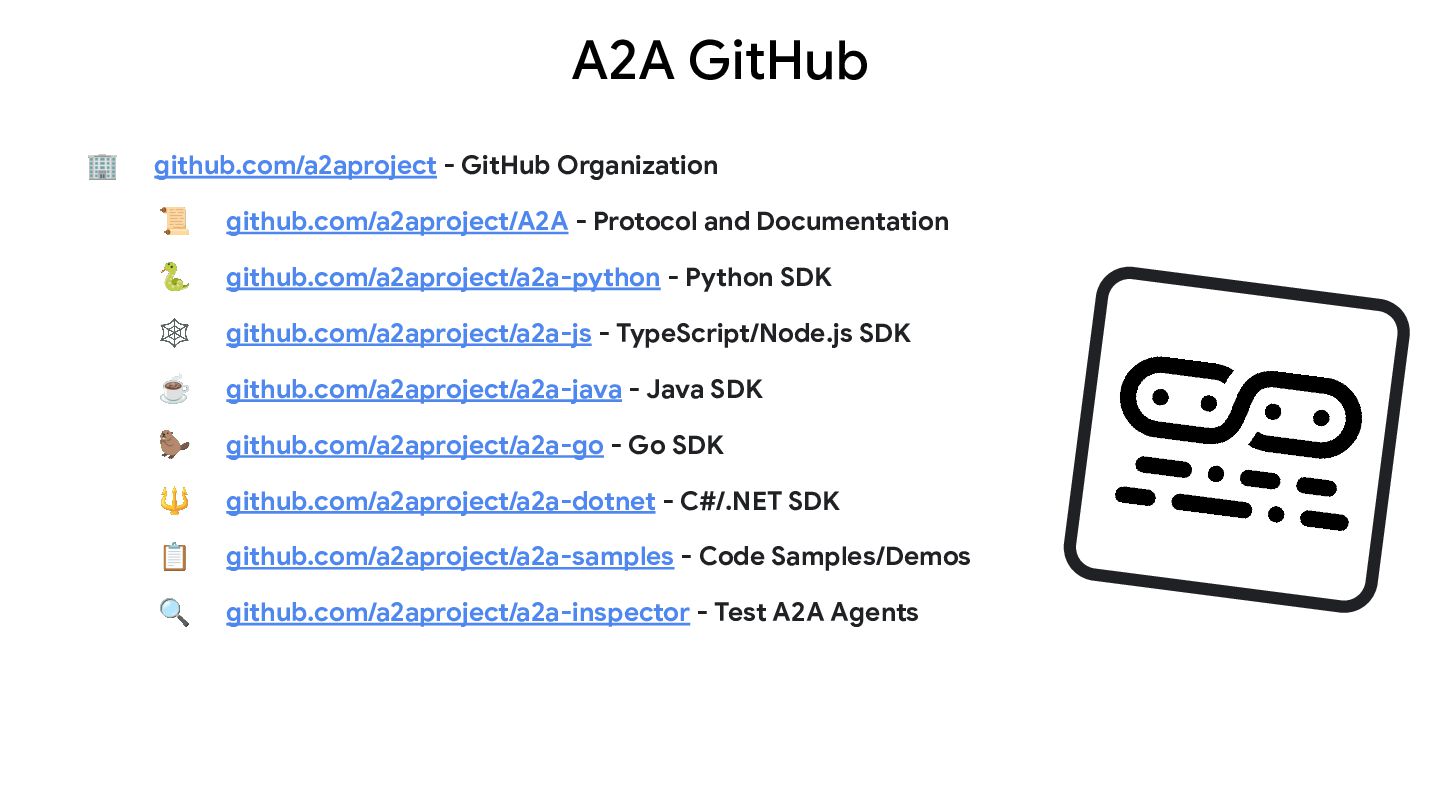
  33. A2A GitHub 🏢 github.com/a2aproject - GitHub Organization 📜 github.com/a2aproject/A2A -

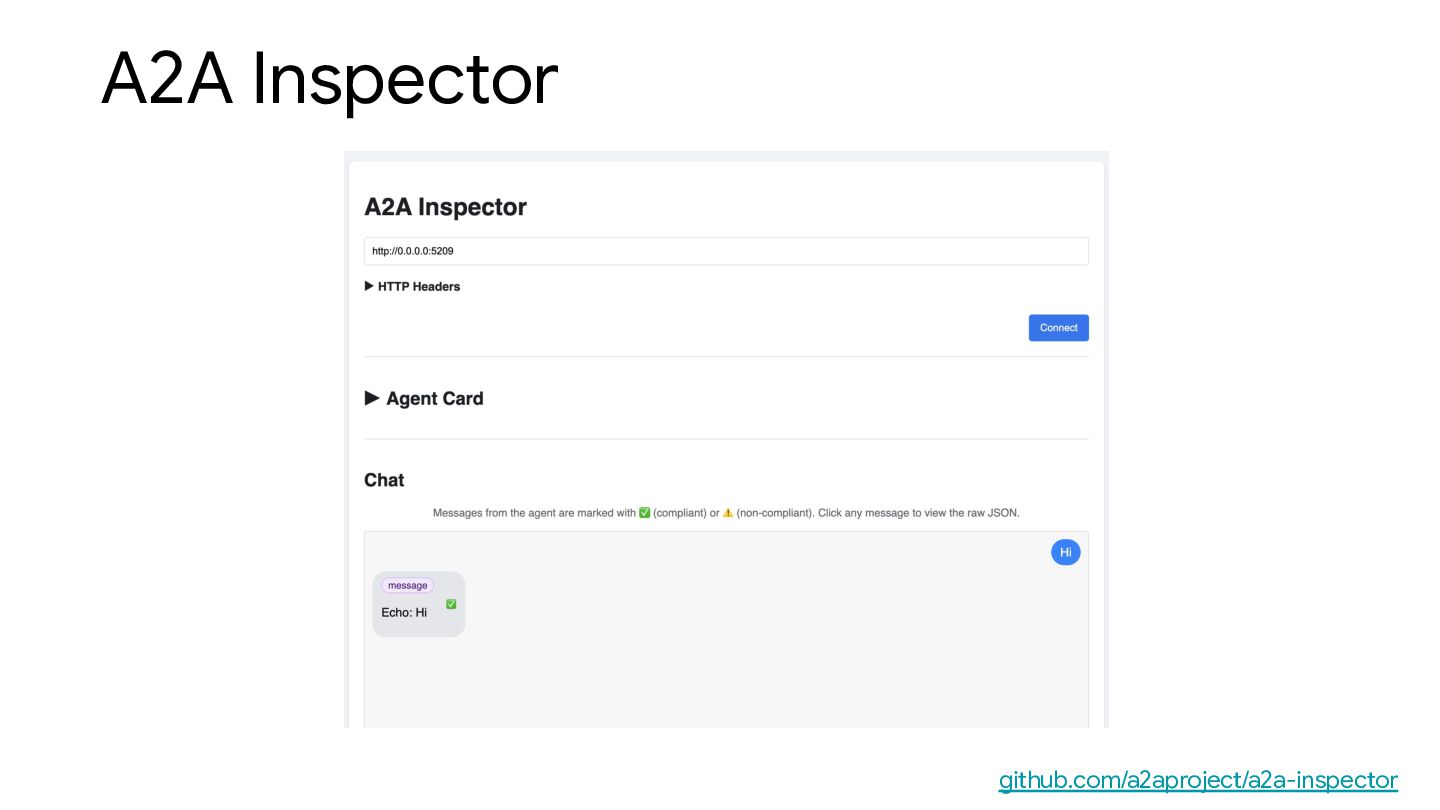
    Protocol and Documentation 🐍 github.com/a2aproject/a2a-python - Python SDK 🕸 github.com/a2aproject/a2a-js - TypeScript/Node.js SDK ☕ github.com/a2aproject/a2a-java - Java SDK 🦫 github.com/a2aproject/a2a-go - Go SDK 🔱 github.com/a2aproject/a2a-dotnet - C#/.NET SDK 📋 github.com/a2aproject/a2a-samples - Code Samples/Demos 🔍 github.com/a2aproject/a2a-inspector - Test A2A Agents
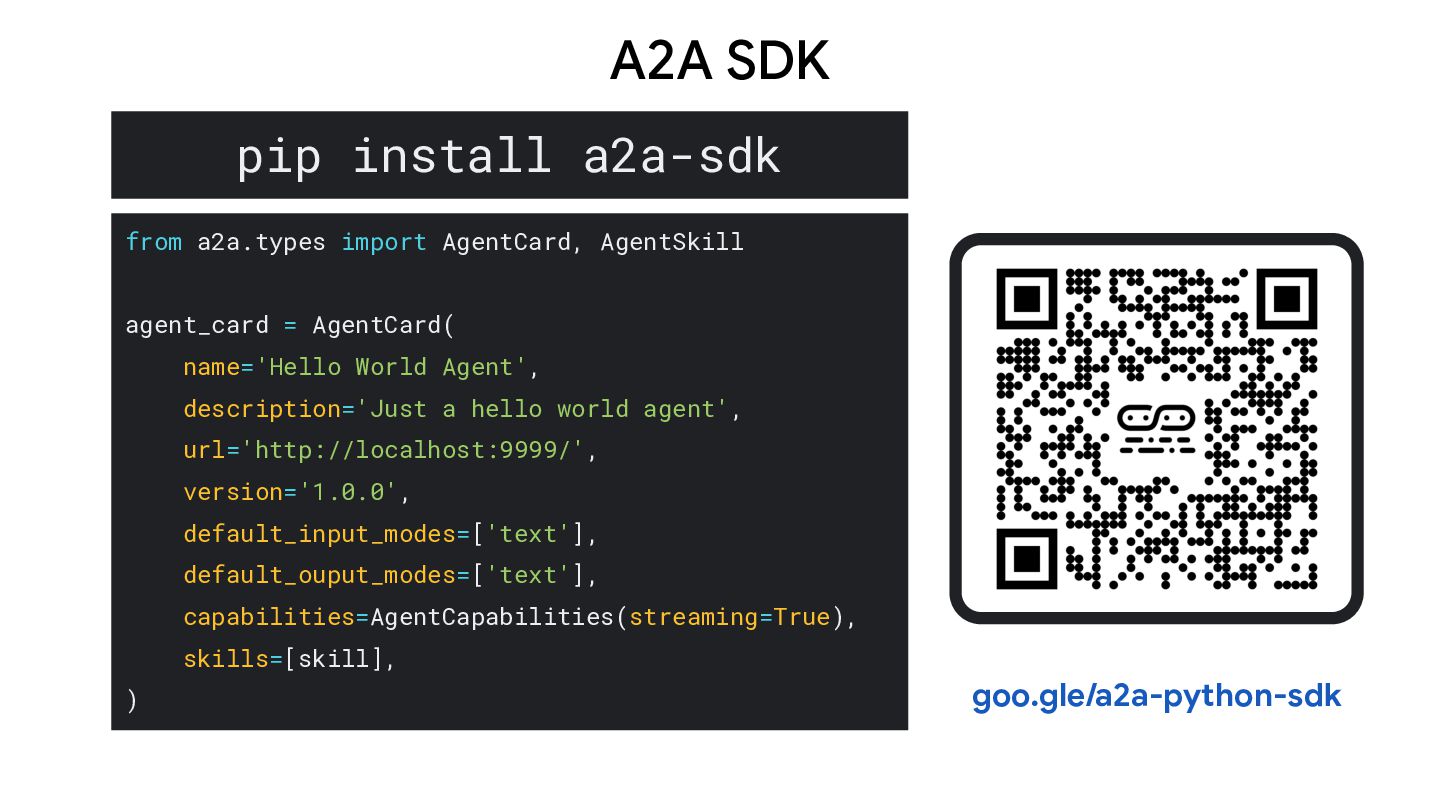
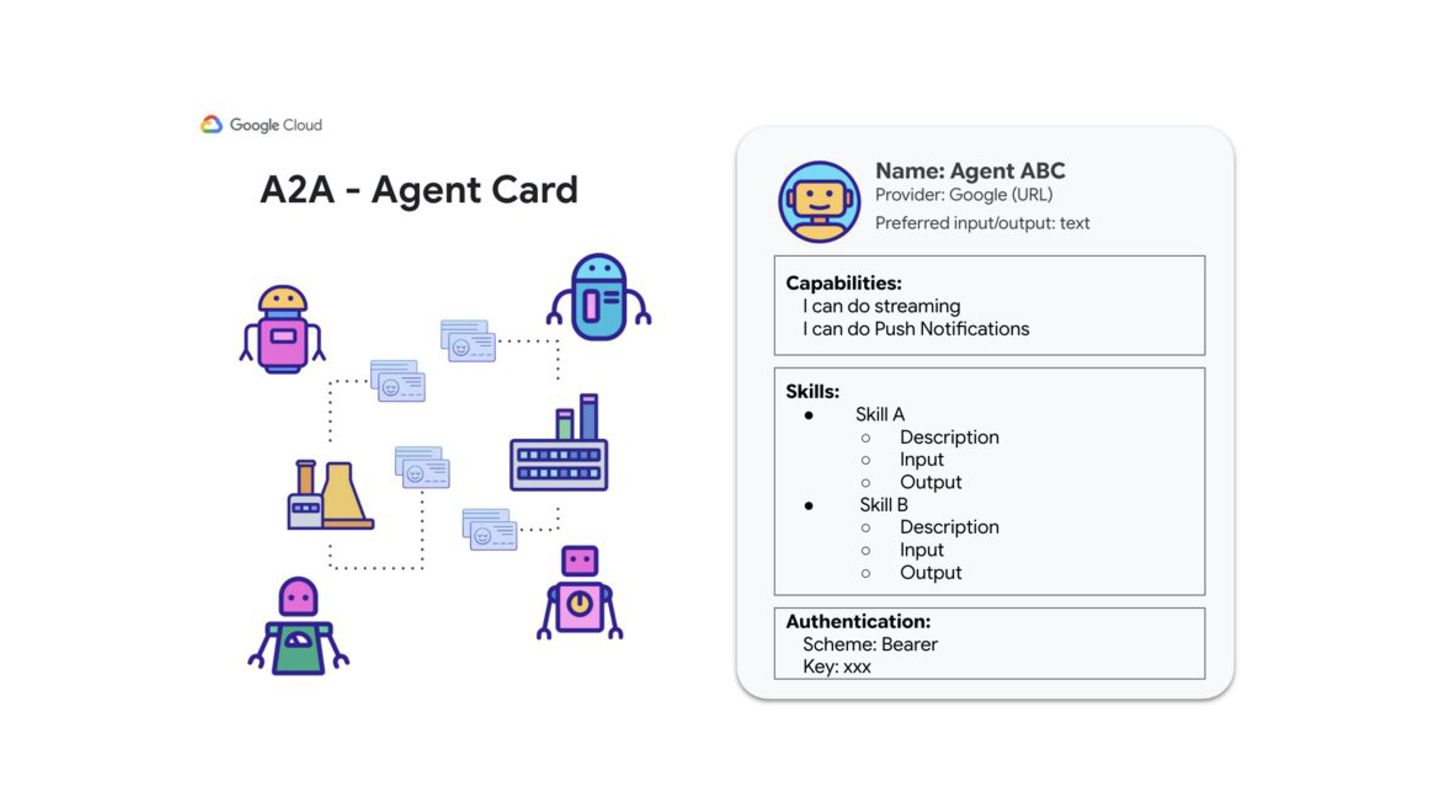
  34. pip install a2a-sdk from a2a.types import AgentCard, AgentSkill agent_card =

    AgentCard( name='Hello World Agent', description='Just a hello world agent', url='http://localhost:9999/', version='1.0.0', default_input_modes=['text'], default_ouput_modes=['text'], capabilities=AgentCapabilities(streaming=True), skills=[skill], ) A2A SDK goo.gle/a2a-python-sdk
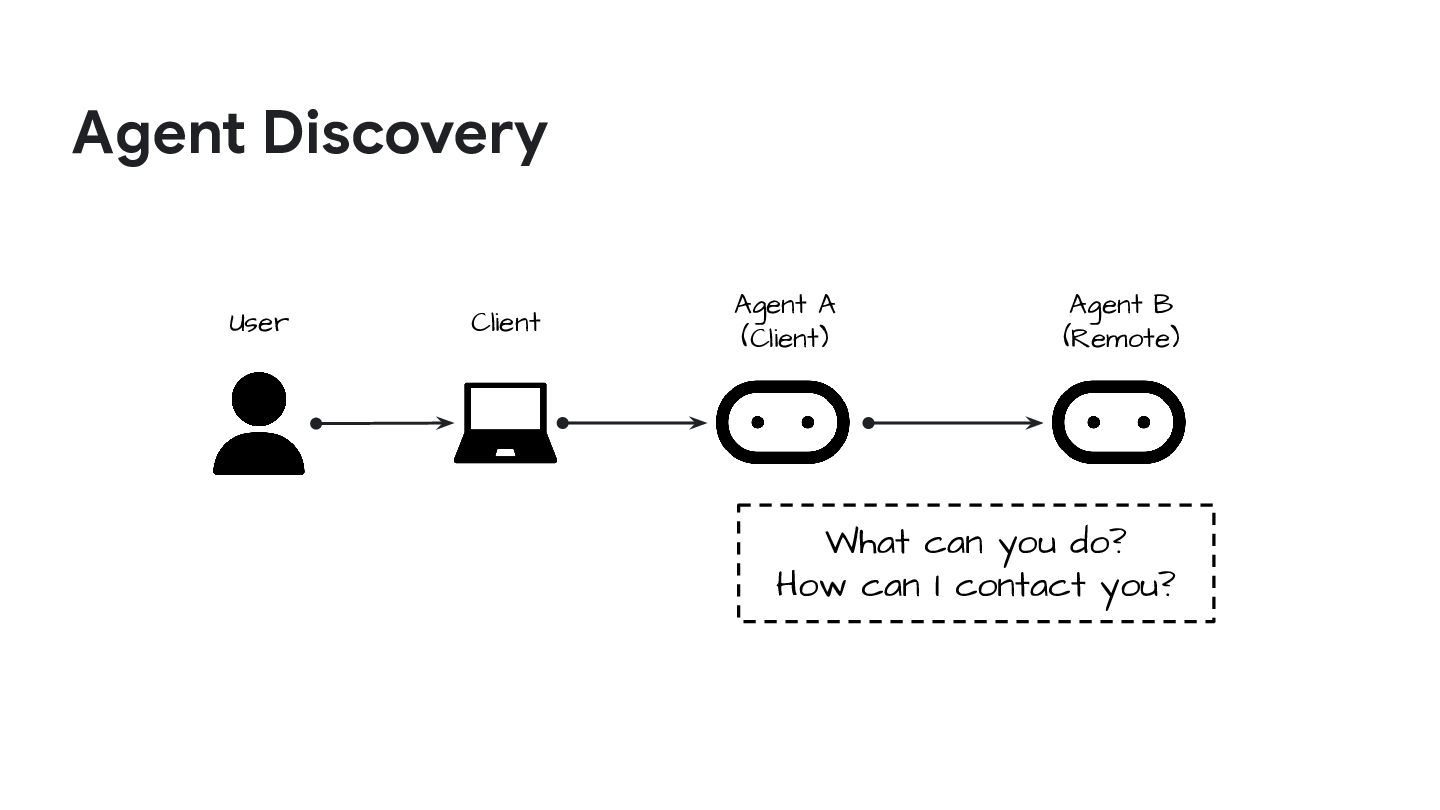
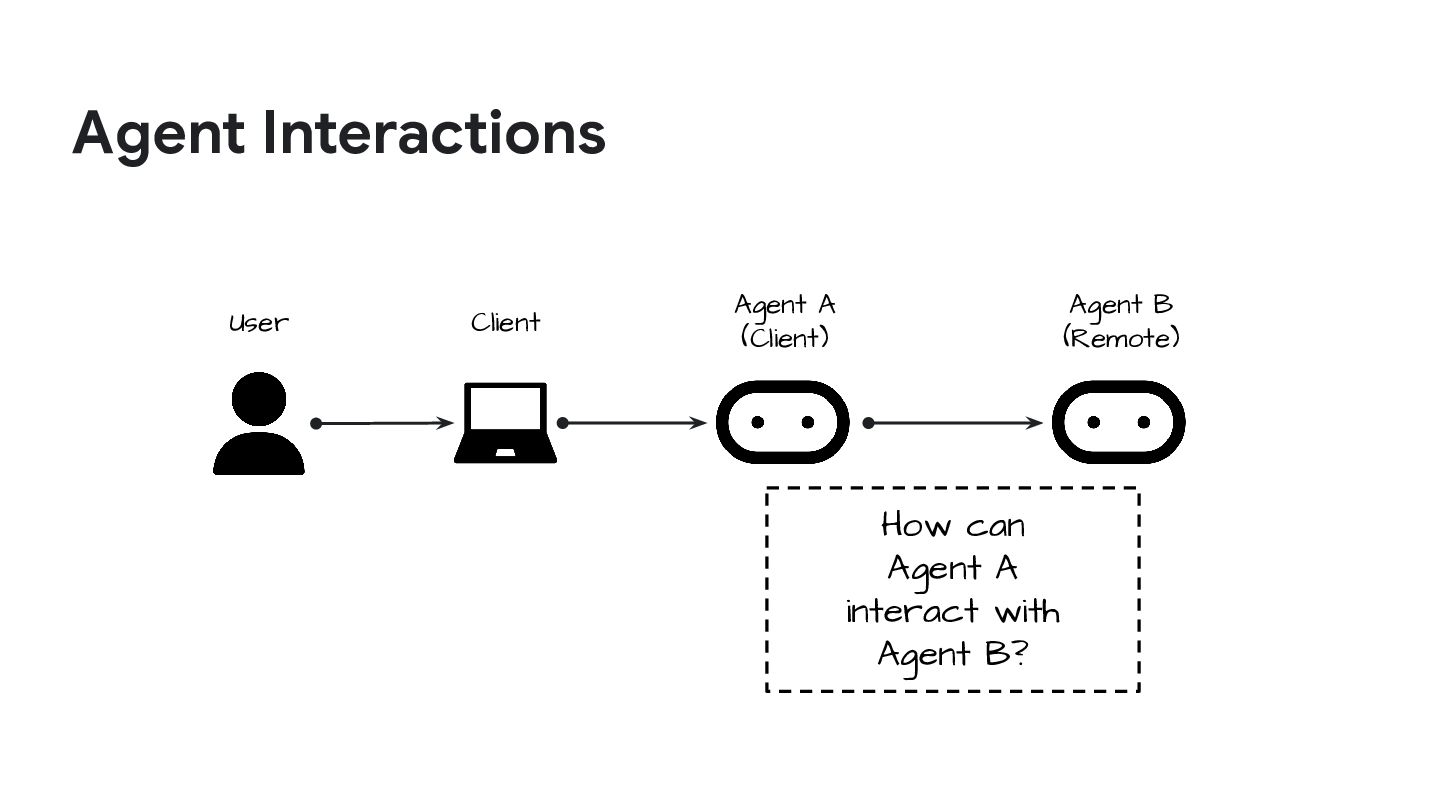
  35. Agent Discovery Client User Agent A (Client) Agent B (Remote)

    What can you do? How can I contact you?
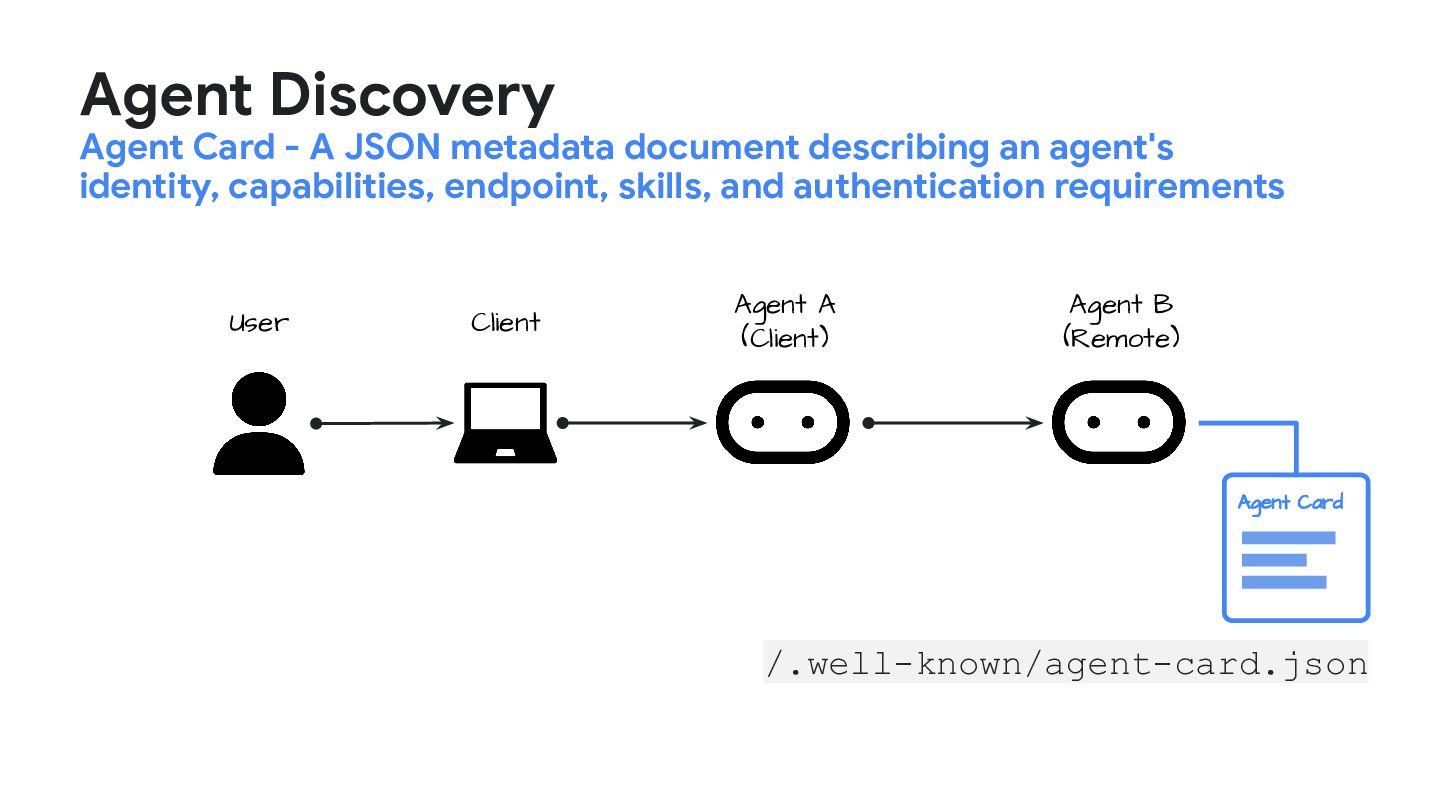
  36. Agent Card Client User Agent A (Client) Agent B (Remote)

    /.well-known/agent-card.json Agent Discovery Agent Card - A JSON metadata document describing an agent's identity, capabilities, endpoint, skills, and authentication requirements
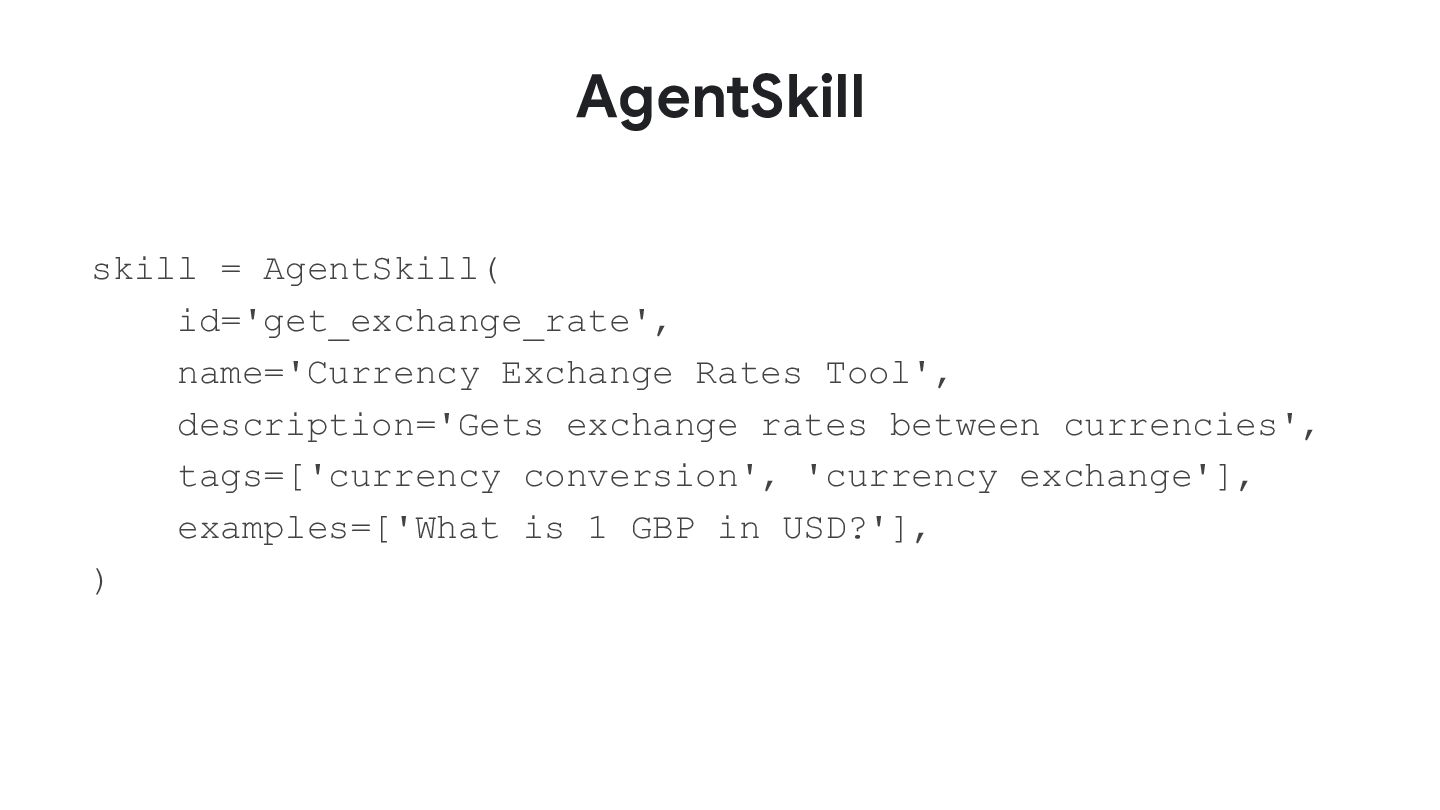
  37. AgentSkill skill = AgentSkill( id='get_exchange_rate', name='Currency Exchange Rates Tool', description='Gets

    exchange rates between currencies', tags=['currency conversion', 'currency exchange'], examples=['What is 1 GBP in USD?'], )
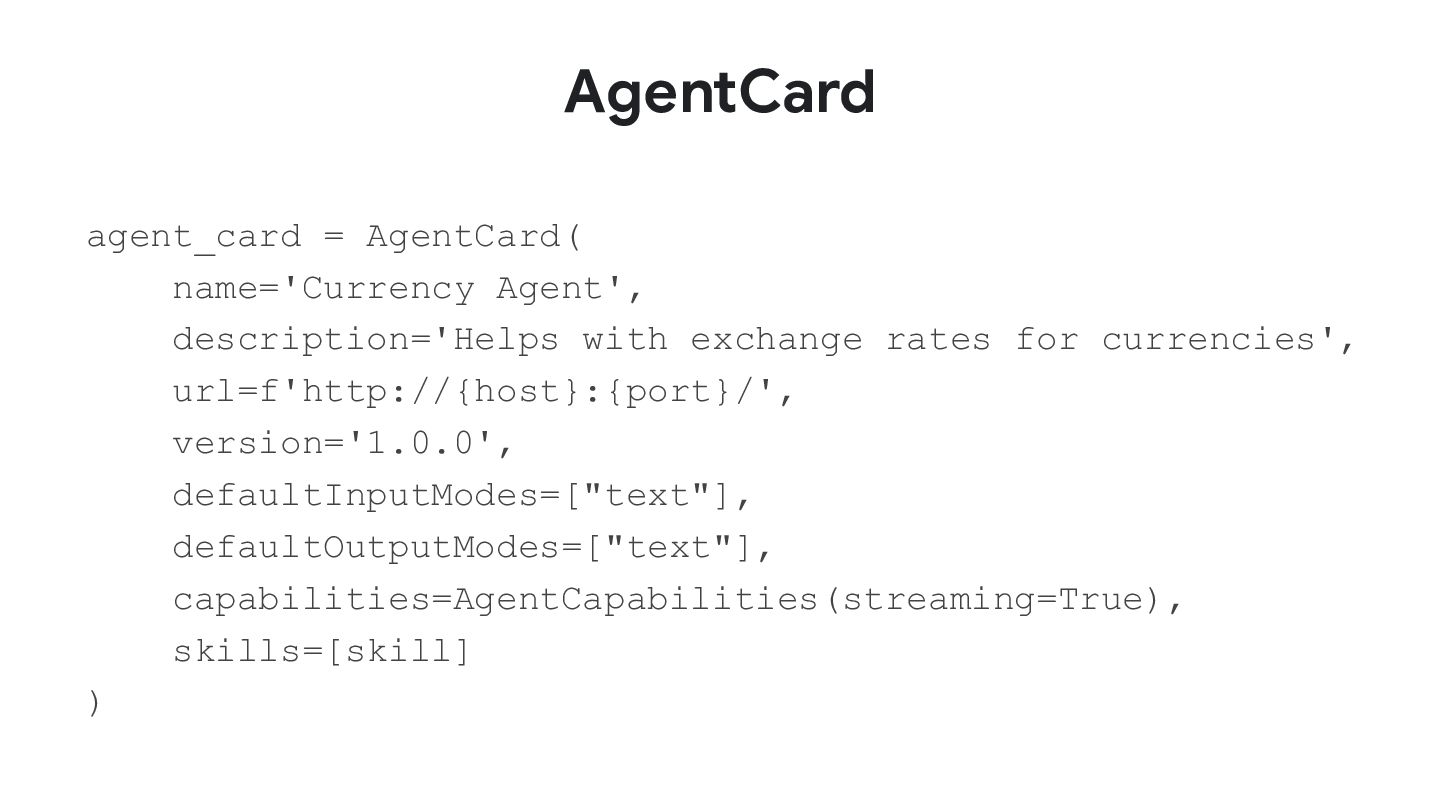
  38. AgentCard agent_card = AgentCard( name='Currency Agent', description='Helps with exchange rates

    for currencies', url=f'http://{host}:{port}/', version='1.0.0', defaultInputModes=["text"], defaultOutputModes=["text"], capabilities=AgentCapabilities(streaming=True), skills=[skill] )
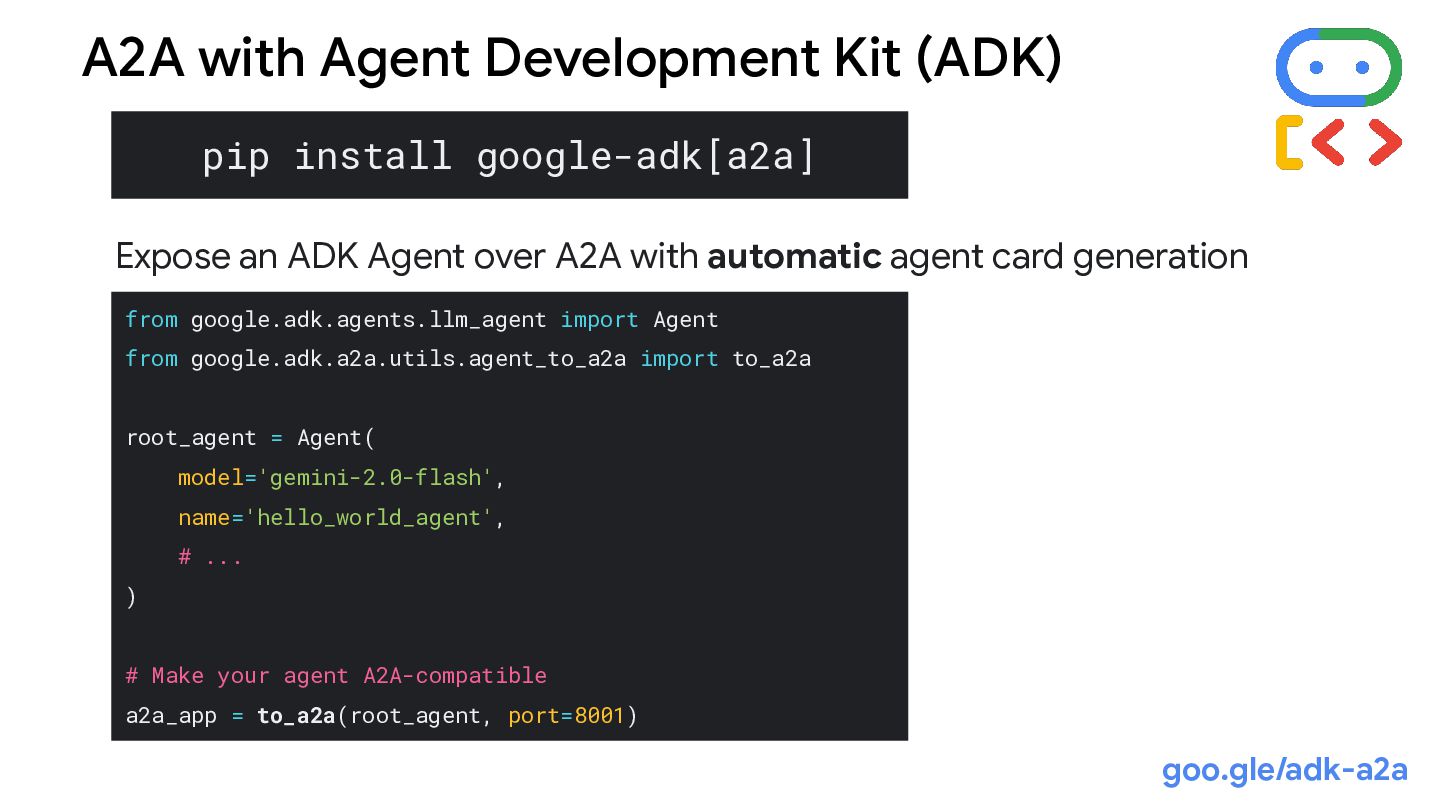
  39. pip install google-adk[a2a] from google.adk.agents.llm_agent import Agent from google.adk.a2a.utils.agent_to_a2a import

    to_a2a root_agent = Agent( model='gemini-2.0-flash', name='hello_world_agent', # ... ) # Make your agent A2A-compatible a2a_app = to_a2a(root_agent, port=8001) A2A with Agent Development Kit (ADK) Expose an ADK Agent over A2A with automatic agent card generation goo.gle/adk-a2a
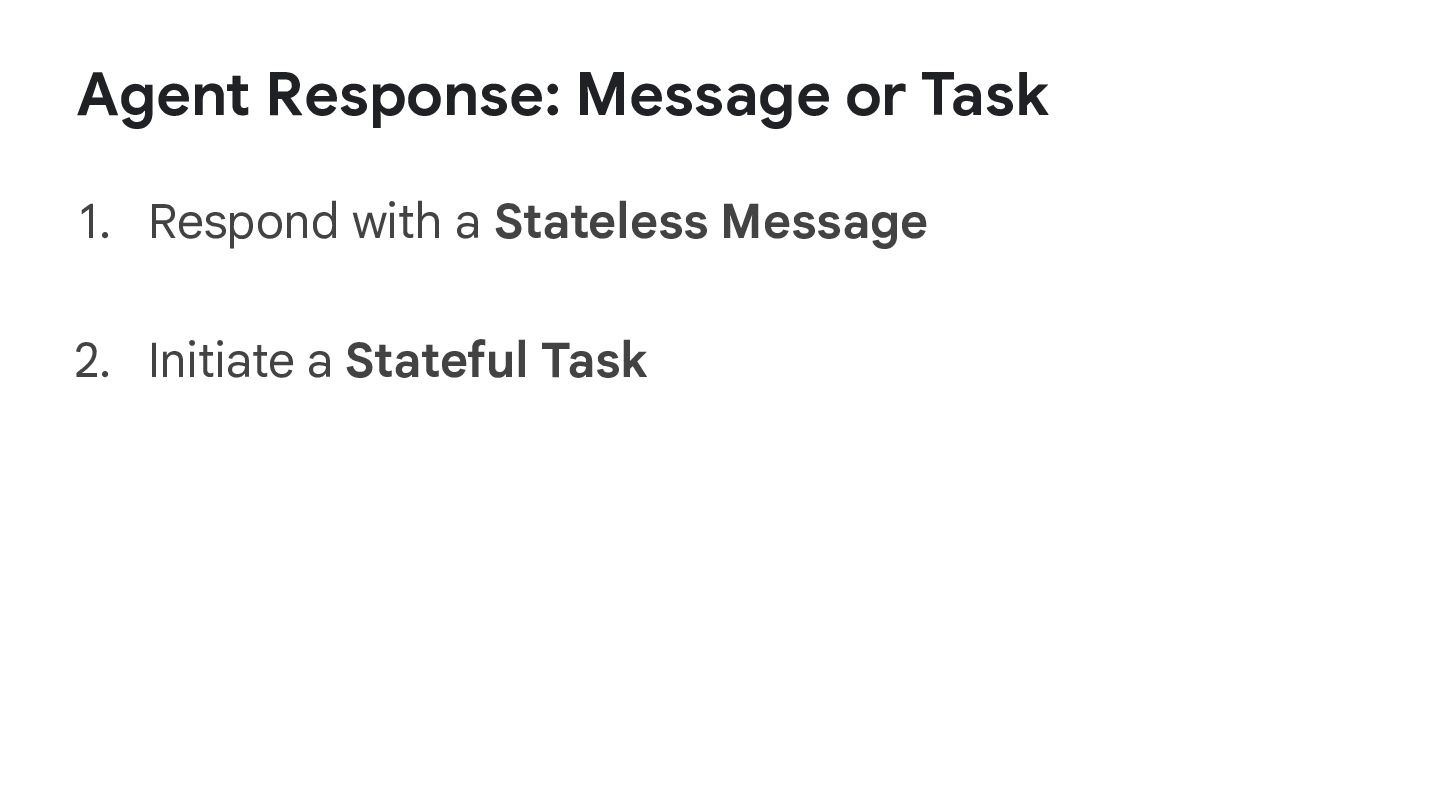
  40. Client User Agent A (Client) Agent B (Remote) HTTP(S) Message

    Role (user, agent) Parts (text, file, or JSON) Message Role (user, agent) Part (text, file, or JSON) HTTP(S) Option 1: Messages for trivial interactions Message - A single turn of communication between a client and an agent, containing content and a role ("user" or "agent")
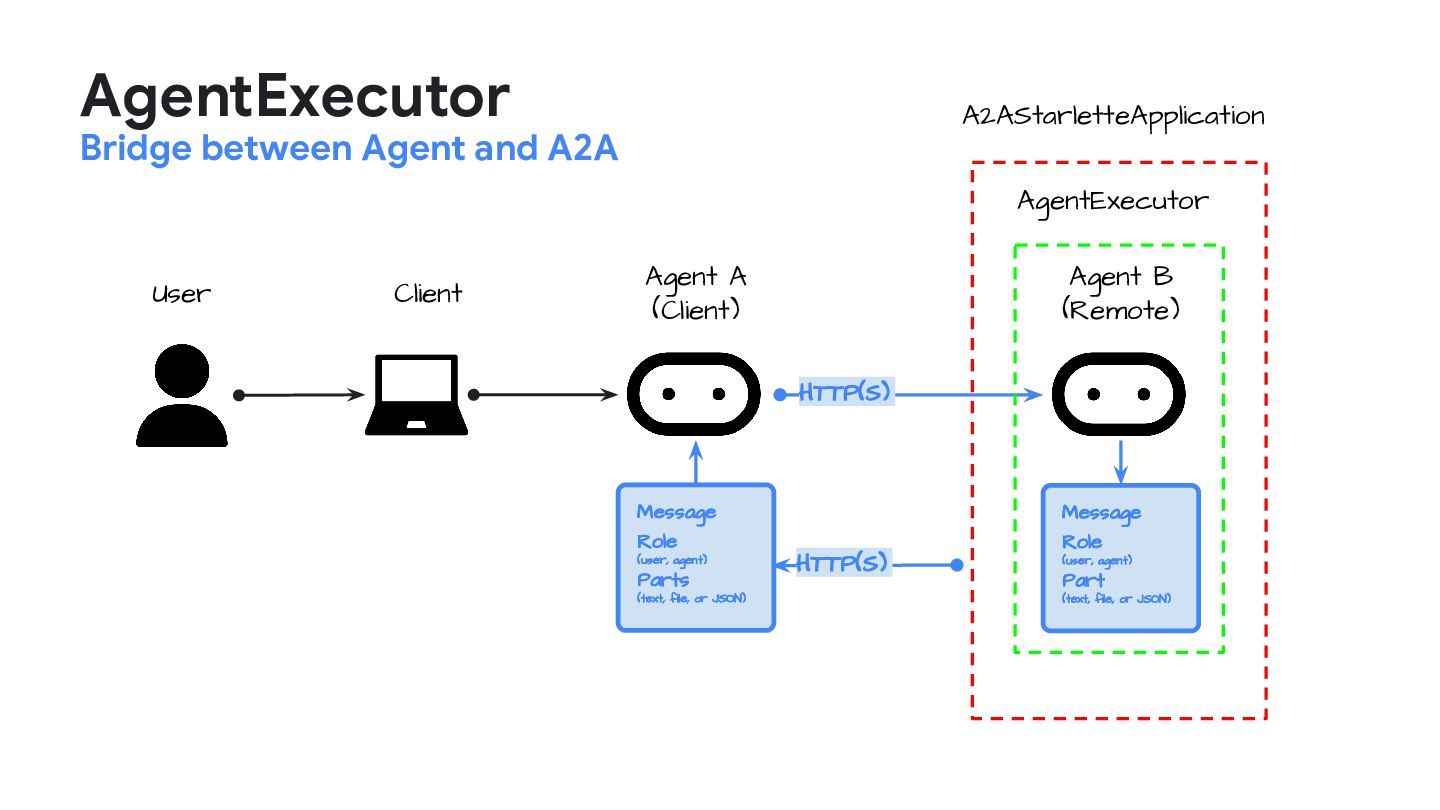
  41. AgentExecutor Bridge between Agent and A2A Client User Agent A

    (Client) Agent B (Remote) HTTP(S) Message Role (user, agent) Parts (text, file, or JSON) Message Role (user, agent) Part (text, file, or JSON) HTTP(S) AgentExecutor A2AStarletteApplication
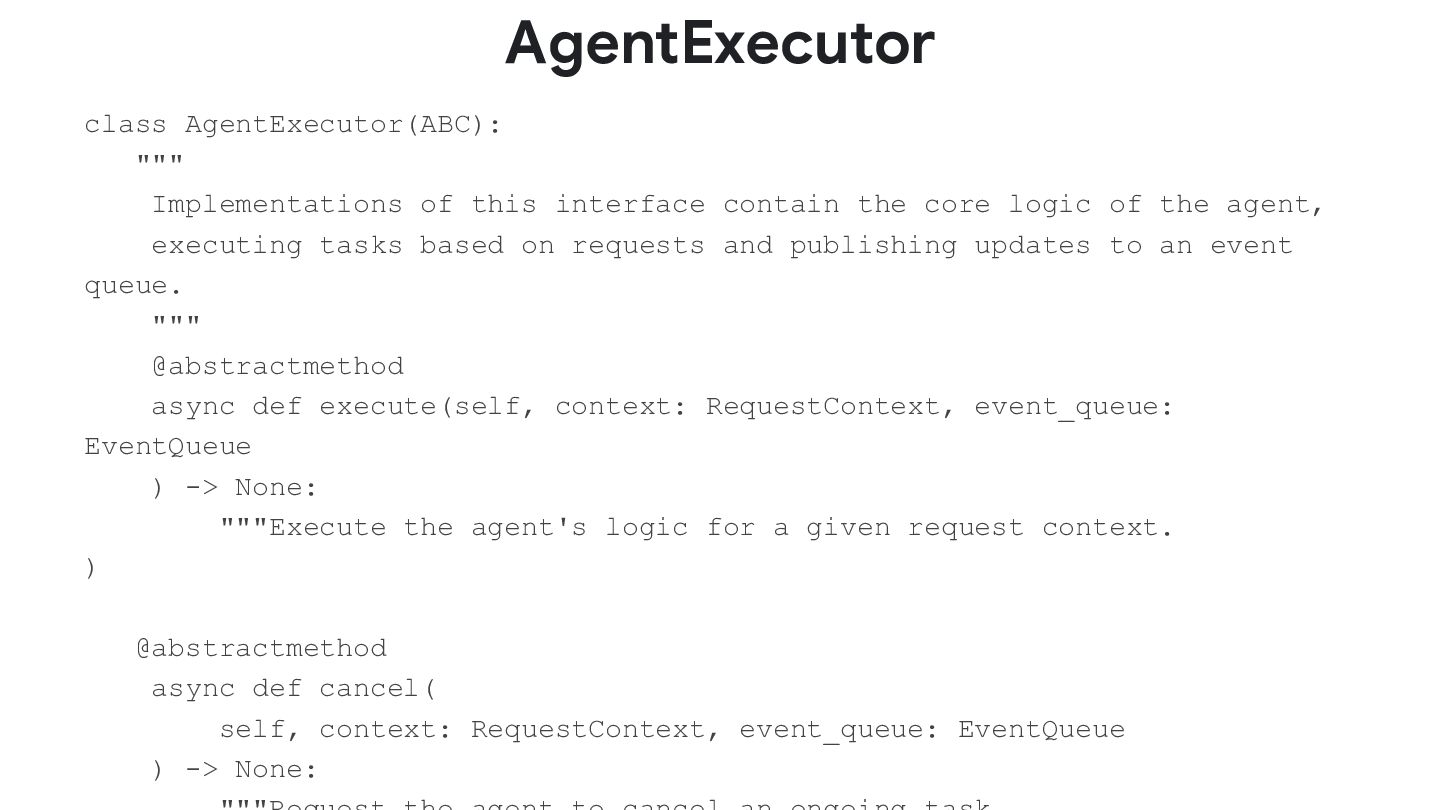
  42. AgentExecutor class AgentExecutor(ABC): """ Implementations of this interface contain the

    core logic of the agent, executing tasks based on requests and publishing updates to an event queue. """ @abstractmethod async def execute(self, context: RequestContext, event_queue: EventQueue ) -> None: """Execute the agent's logic for a given request context. ) @abstractmethod async def cancel( self, context: RequestContext, event_queue: EventQueue ) -> None:
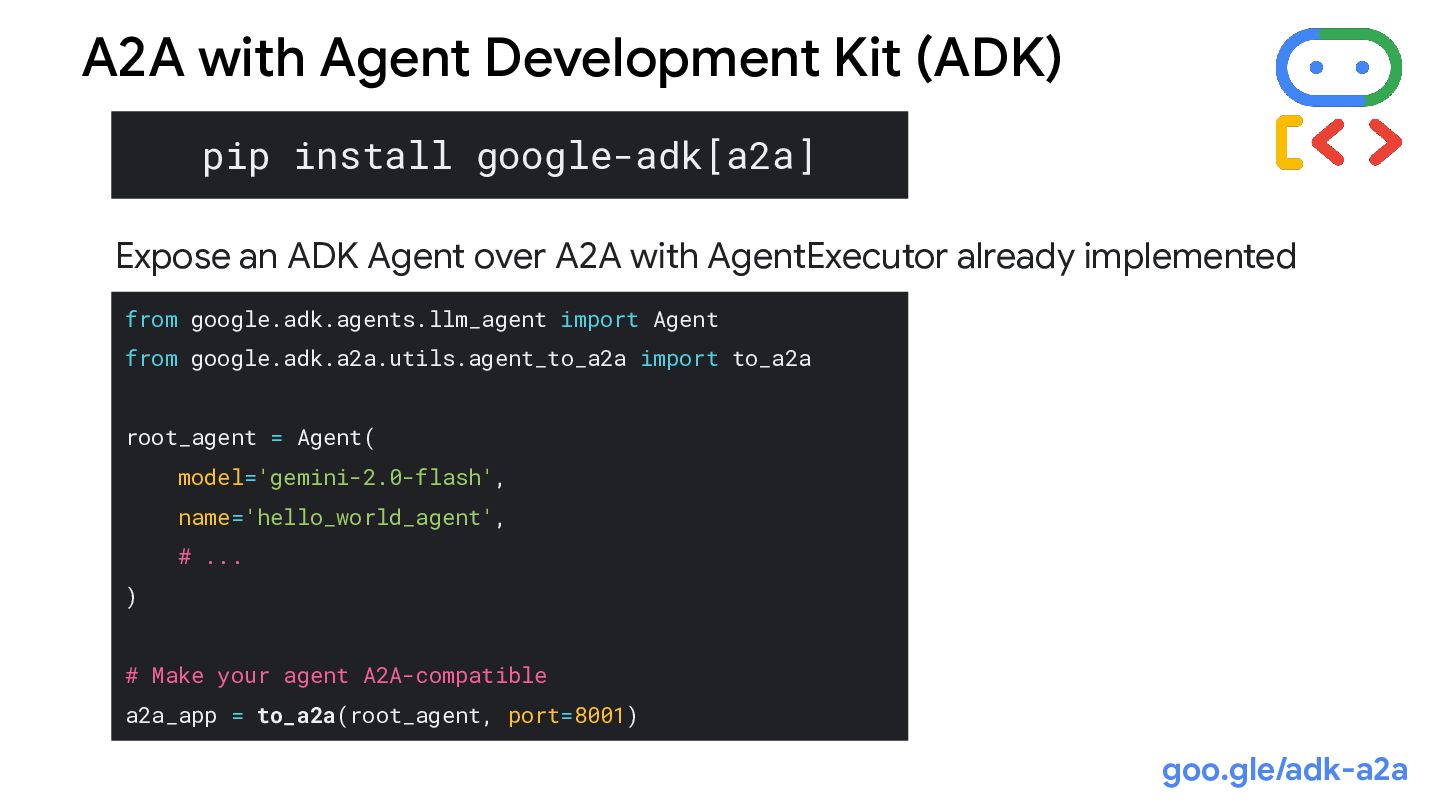
  43. pip install google-adk[a2a] from google.adk.agents.llm_agent import Agent from google.adk.a2a.utils.agent_to_a2a import

    to_a2a root_agent = Agent( model='gemini-2.0-flash', name='hello_world_agent', # ... ) # Make your agent A2A-compatible a2a_app = to_a2a(root_agent, port=8001) A2A with Agent Development Kit (ADK) Expose an ADK Agent over A2A with AgentExecutor already implemented goo.gle/adk-a2a
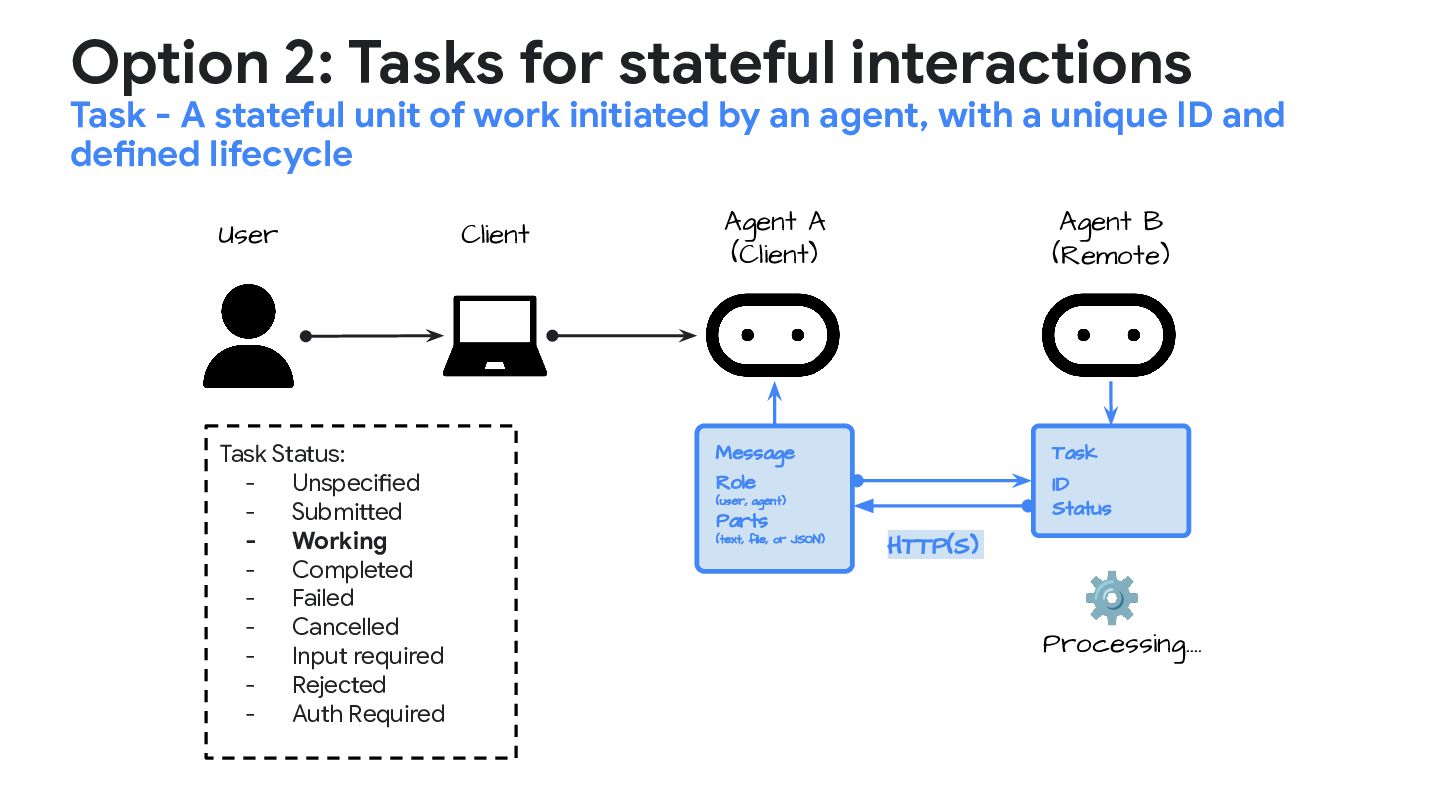
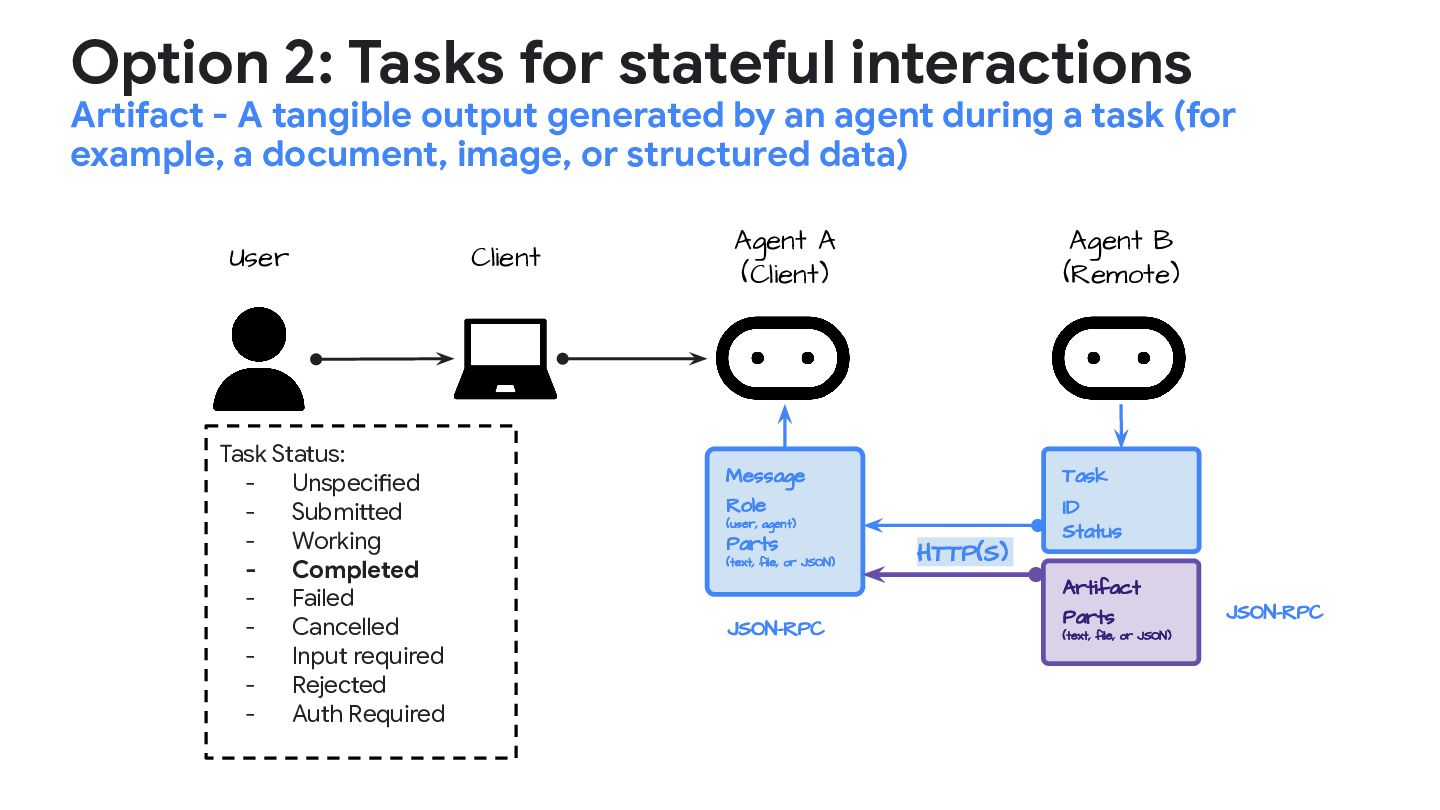
  44. Option 2: Tasks for stateful interactions Task - A stateful

    unit of work initiated by an agent, with a unique ID and defined lifecycle Client User Agent A (Client) Message Role (user, agent) Parts (text, file, or JSON) Task ID Status HTTP(S) Agent B (Remote) ⚙ Processing…. Task Status: - Unspecified - Submitted - Working - Completed - Failed - Cancelled - Input required - Rejected - Auth Required
  45. Client User Agent A (Client) Agent B (Remote) Message Role

    (user, agent) Parts (text, file, or JSON) JSON-RPC Task ID Status HTTP(S) Artifact Parts (text, file, or JSON) JSON-RPC Option 2: Tasks for stateful interactions Artifact - A tangible output generated by an agent during a task (for example, a document, image, or structured data) Task Status: - Unspecified - Submitted - Working - Completed - Failed - Cancelled - Input required - Rejected - Auth Required
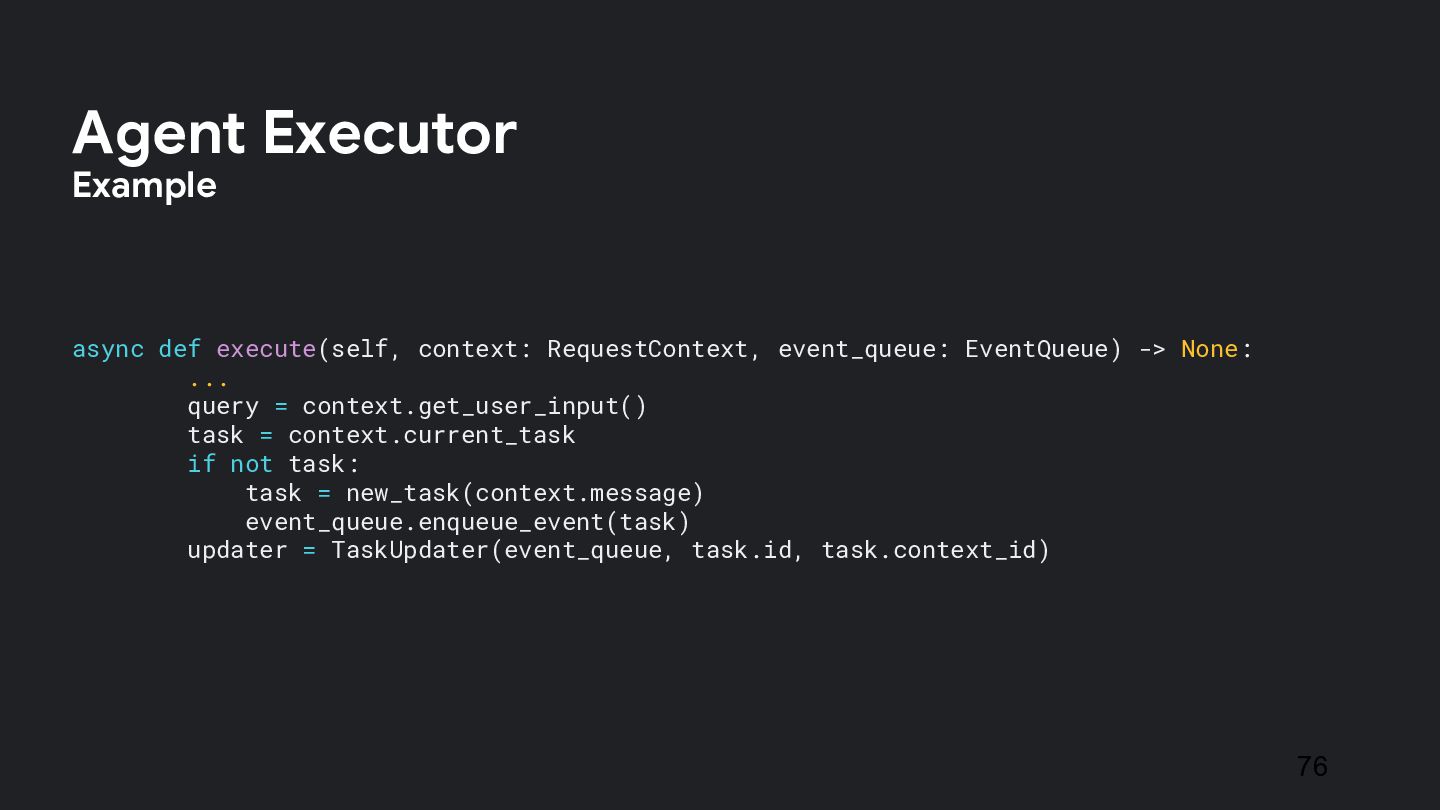
  46. async def execute(self, context: RequestContext, event_queue: EventQueue) -> None: ...

    query = context.get_user_input() task = context.current_task if not task: task = new_task(context.message) event_queue.enqueue_event(task) updater = TaskUpdater(event_queue, task.id, task.context_id) 76 Agent Executor Example
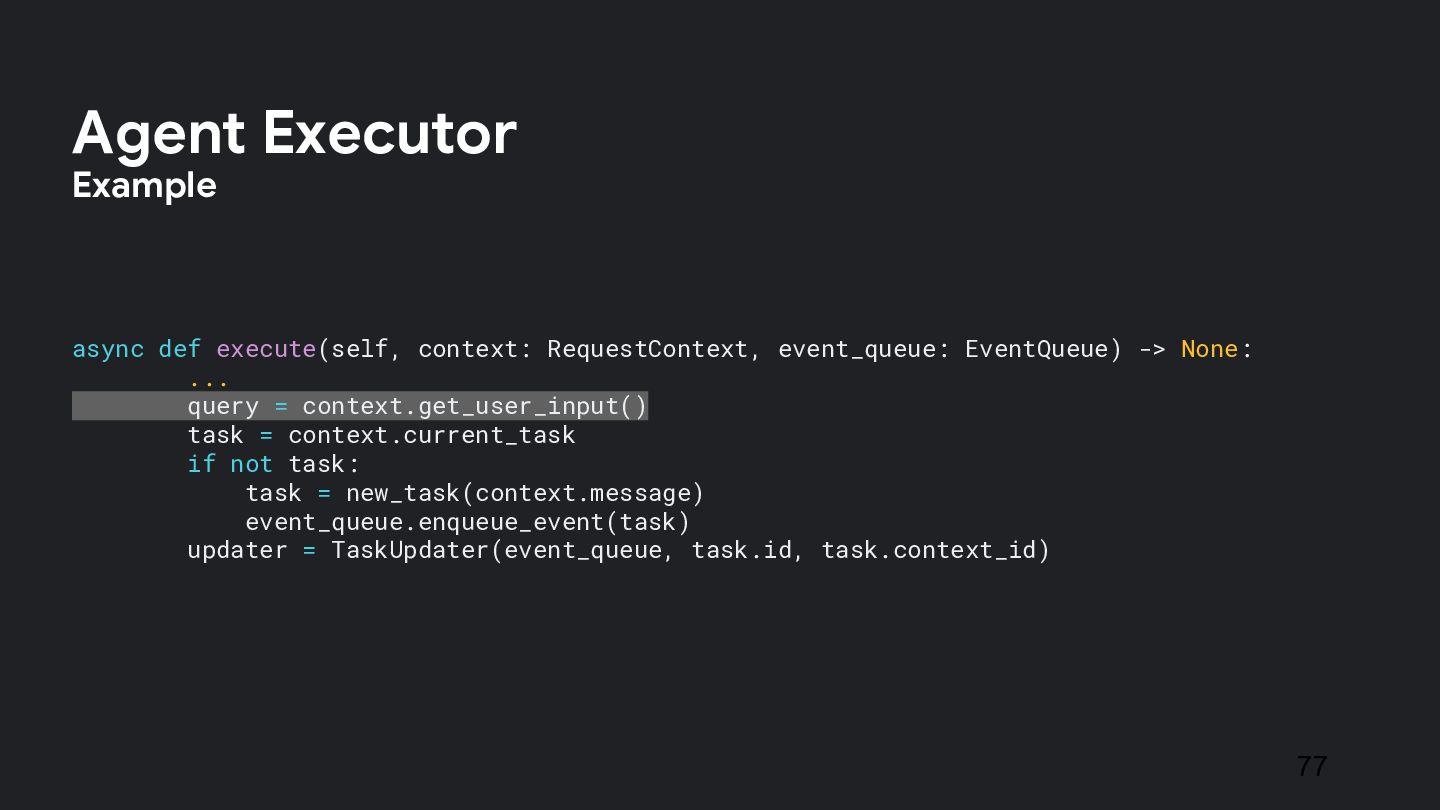
  47. async def execute(self, context: RequestContext, event_queue: EventQueue) -> None: ...

    query = context.get_user_input() task = context.current_task if not task: task = new_task(context.message) event_queue.enqueue_event(task) updater = TaskUpdater(event_queue, task.id, task.context_id) 77 Agent Executor Example
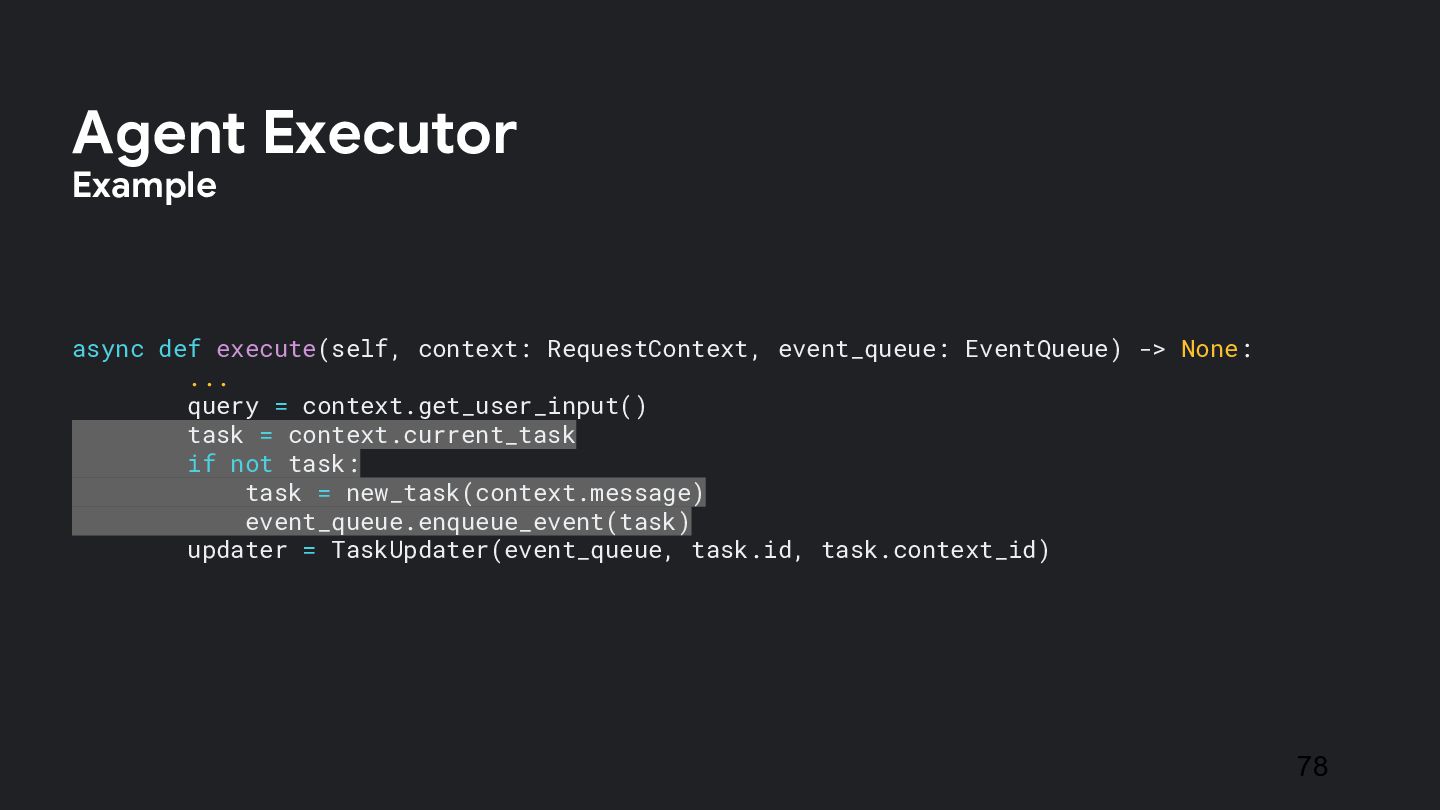
  48. async def execute(self, context: RequestContext, event_queue: EventQueue) -> None: ...

    query = context.get_user_input() task = context.current_task if not task: task = new_task(context.message) event_queue.enqueue_event(task) updater = TaskUpdater(event_queue, task.id, task.context_id) 78 Agent Executor Example
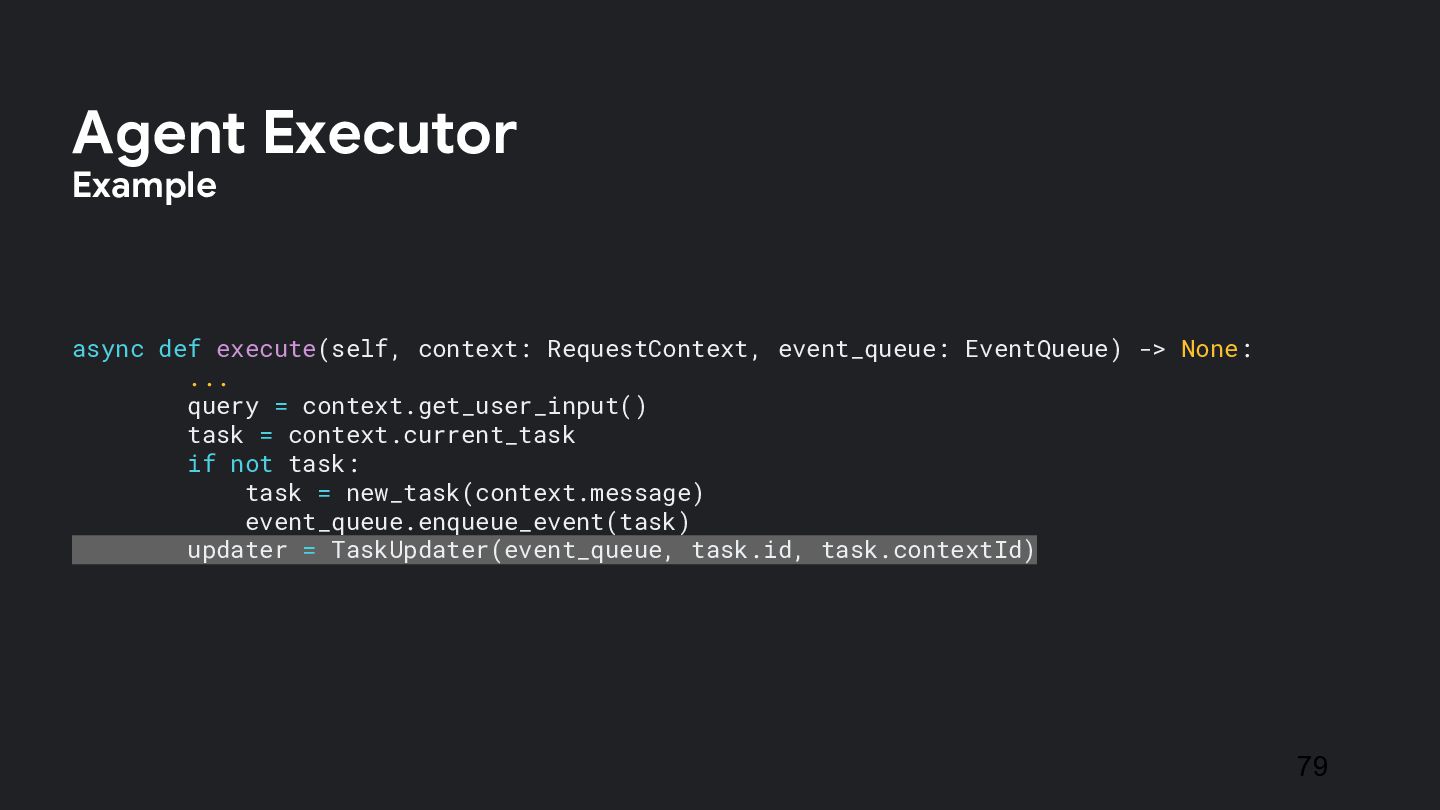
  49. async def execute(self, context: RequestContext, event_queue: EventQueue) -> None: ...

    query = context.get_user_input() task = context.current_task if not task: task = new_task(context.message) event_queue.enqueue_event(task) updater = TaskUpdater(event_queue, task.id, task.contextId) 79 Agent Executor Example
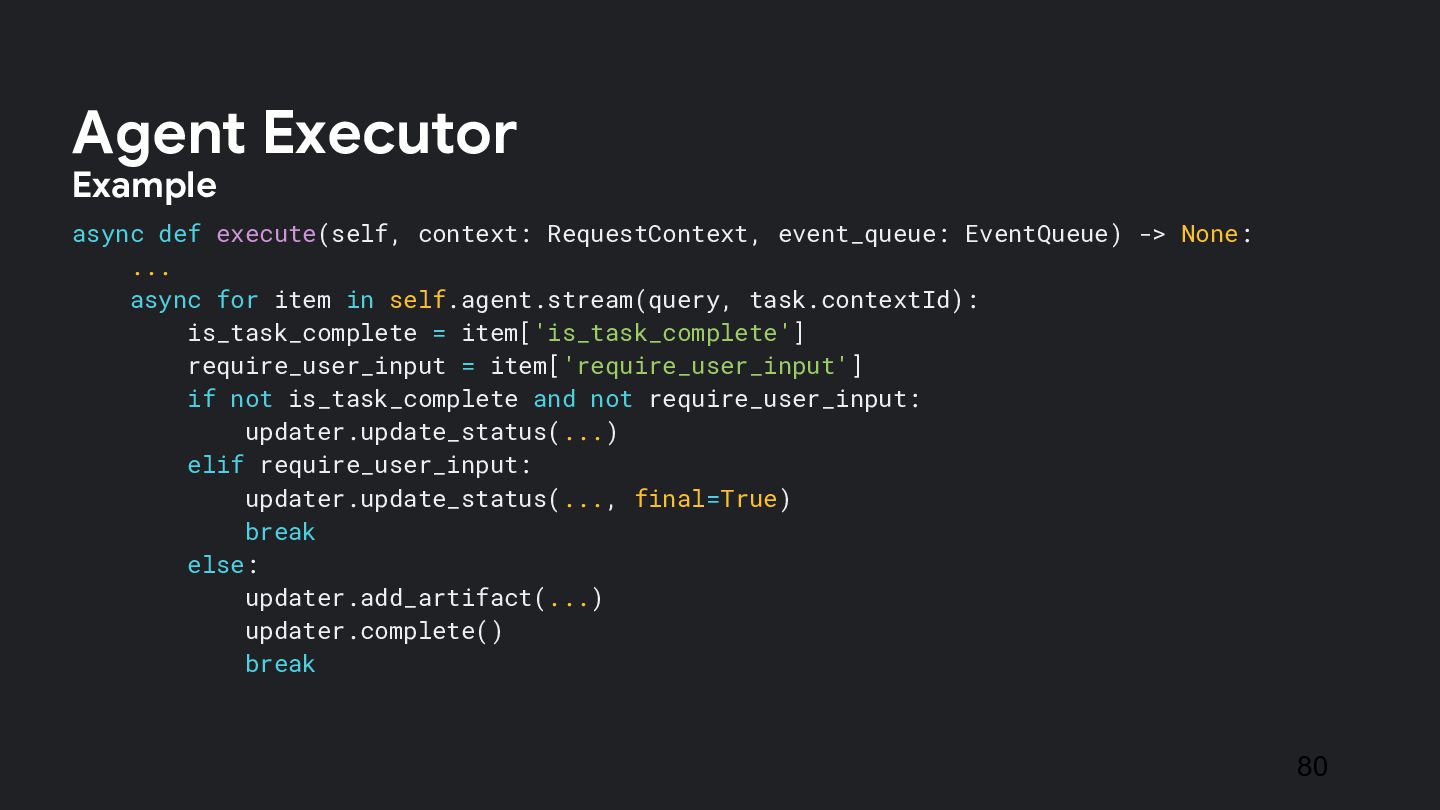
  50. async def execute(self, context: RequestContext, event_queue: EventQueue) -> None: ...

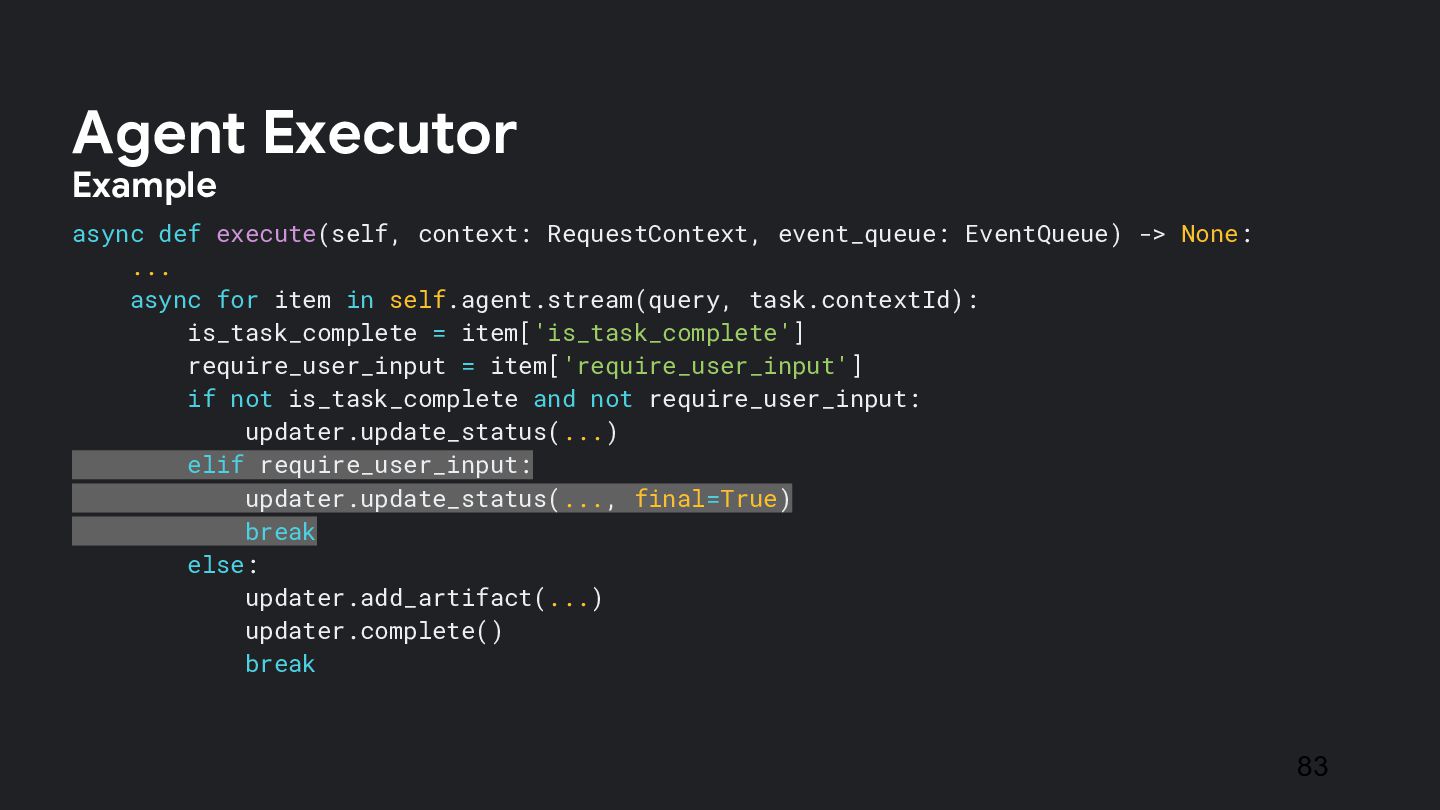
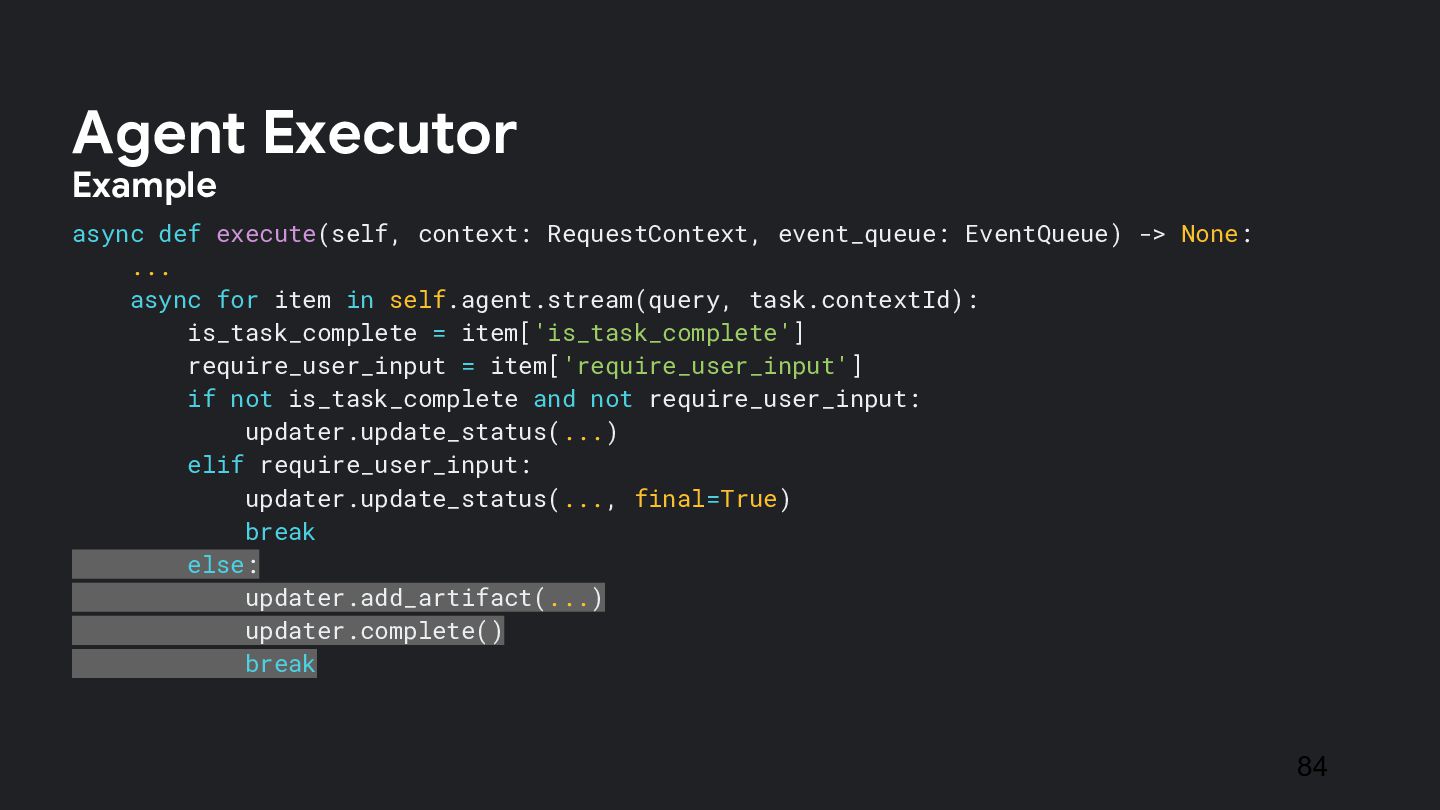
    async for item in self.agent.stream(query, task.contextId): is_task_complete = item['is_task_complete'] require_user_input = item['require_user_input'] if not is_task_complete and not require_user_input: updater.update_status(...) elif require_user_input: updater.update_status(..., final=True) break else: updater.add_artifact(...) updater.complete() break 80 Agent Executor Example
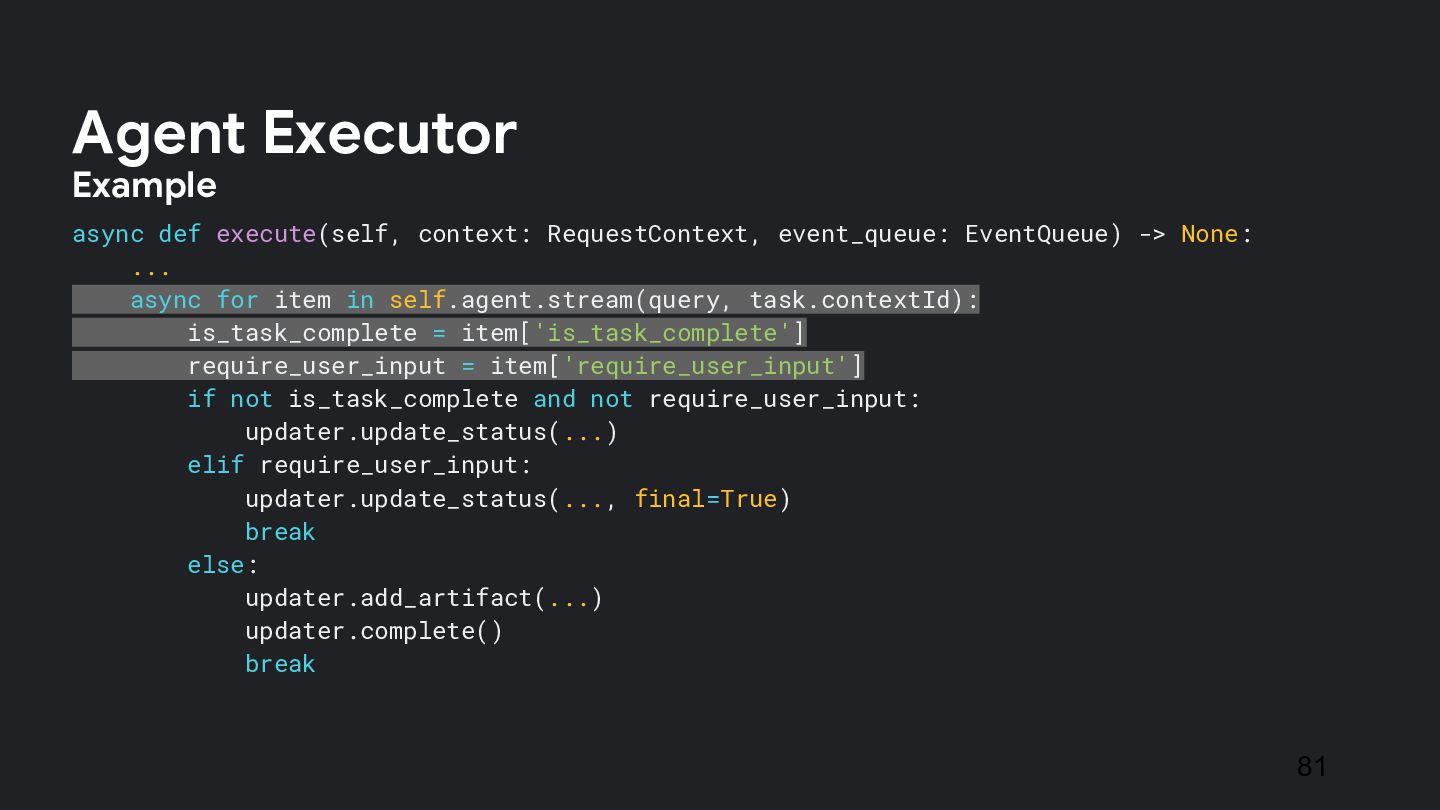
  51. async def execute(self, context: RequestContext, event_queue: EventQueue) -> None: ...

    async for item in self.agent.stream(query, task.contextId): is_task_complete = item['is_task_complete'] require_user_input = item['require_user_input'] if not is_task_complete and not require_user_input: updater.update_status(...) elif require_user_input: updater.update_status(..., final=True) break else: updater.add_artifact(...) updater.complete() break 81 Agent Executor Example
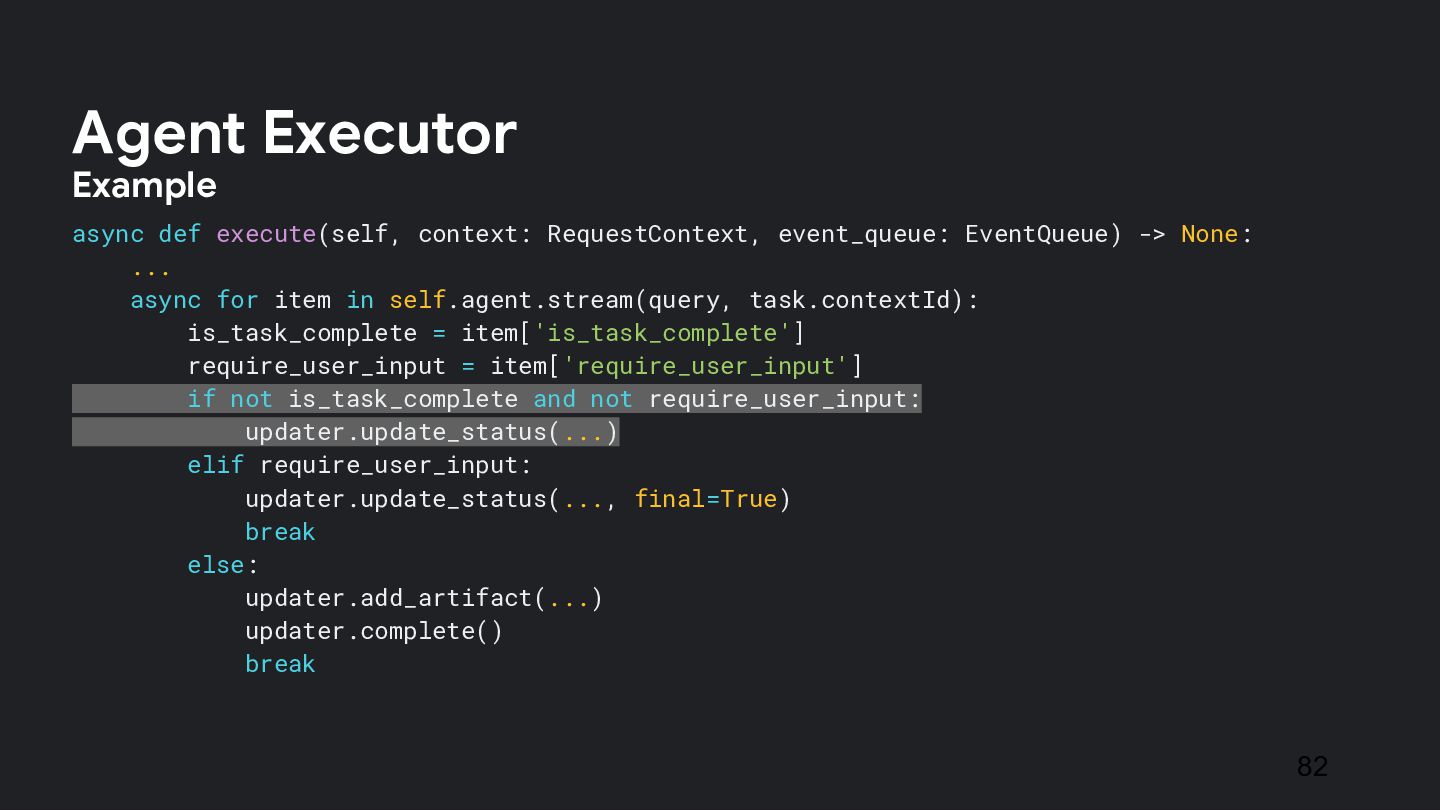
  52. async def execute(self, context: RequestContext, event_queue: EventQueue) -> None: ...

    async for item in self.agent.stream(query, task.contextId): is_task_complete = item['is_task_complete'] require_user_input = item['require_user_input'] if not is_task_complete and not require_user_input: updater.update_status(...) elif require_user_input: updater.update_status(..., final=True) break else: updater.add_artifact(...) updater.complete() break 82 Agent Executor Example
  53. async def execute(self, context: RequestContext, event_queue: EventQueue) -> None: ...

    async for item in self.agent.stream(query, task.contextId): is_task_complete = item['is_task_complete'] require_user_input = item['require_user_input'] if not is_task_complete and not require_user_input: updater.update_status(...) elif require_user_input: updater.update_status(..., final=True) break else: updater.add_artifact(...) updater.complete() break 83 Agent Executor Example
  54. async def execute(self, context: RequestContext, event_queue: EventQueue) -> None: ...

    async for item in self.agent.stream(query, task.contextId): is_task_complete = item['is_task_complete'] require_user_input = item['require_user_input'] if not is_task_complete and not require_user_input: updater.update_status(...) elif require_user_input: updater.update_status(..., final=True) break else: updater.add_artifact(...) updater.complete() break 84 Agent Executor Example
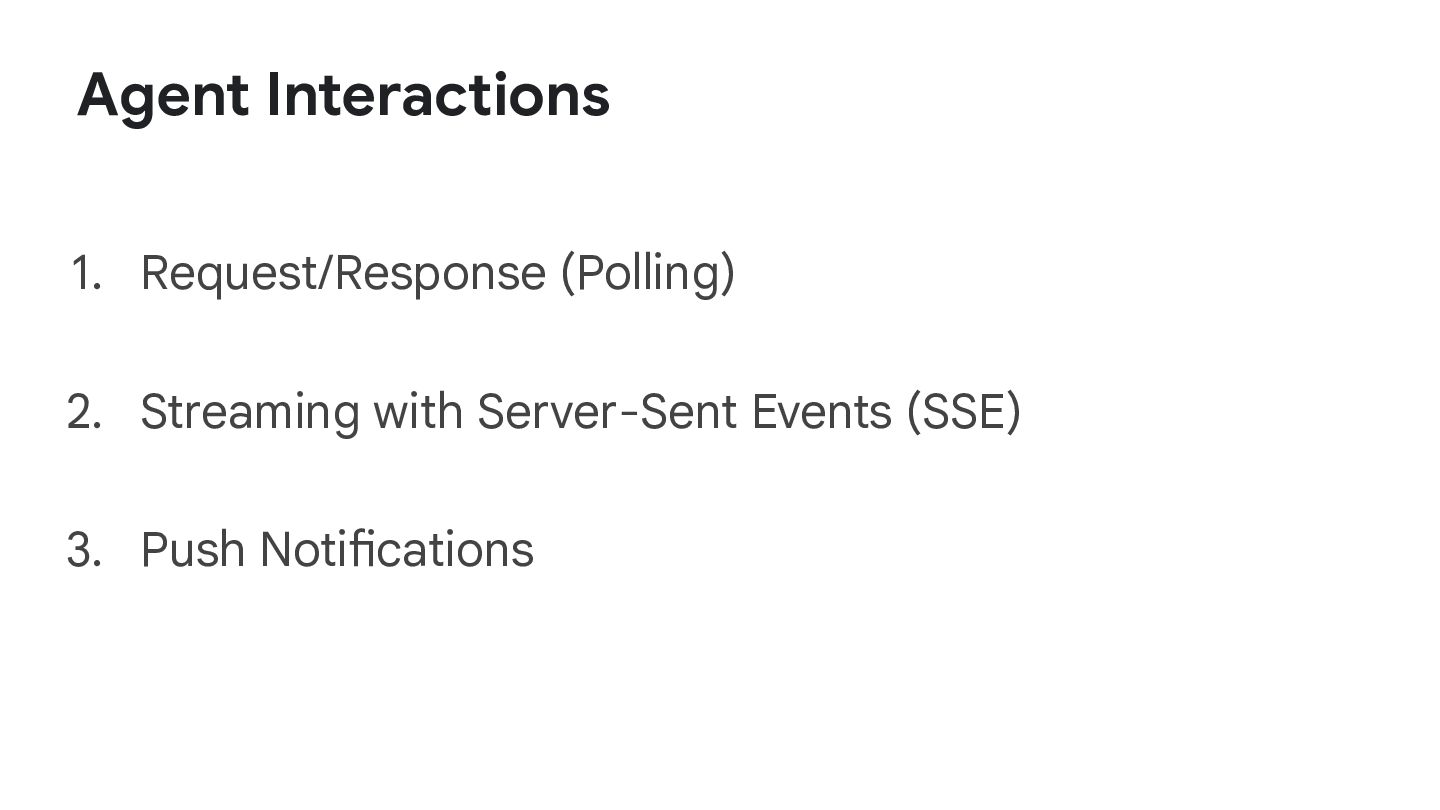
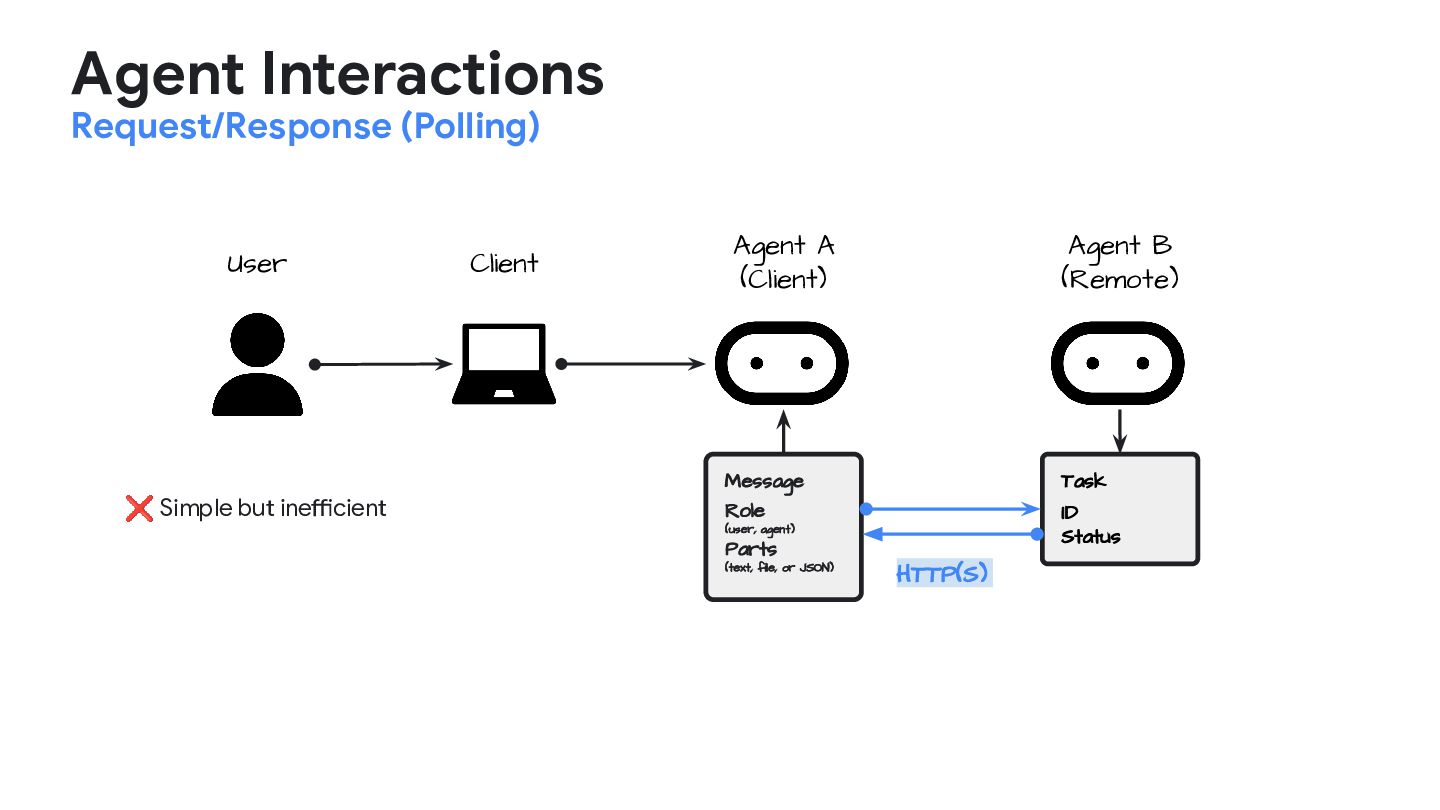
  55. Agent Interactions Request/Response (Polling) Client User Agent A (Client) Agent

    B (Remote) Message Role (user, agent) Parts (text, file, or JSON) Task ID Status HTTP(S) ❌ Simple but inefficient
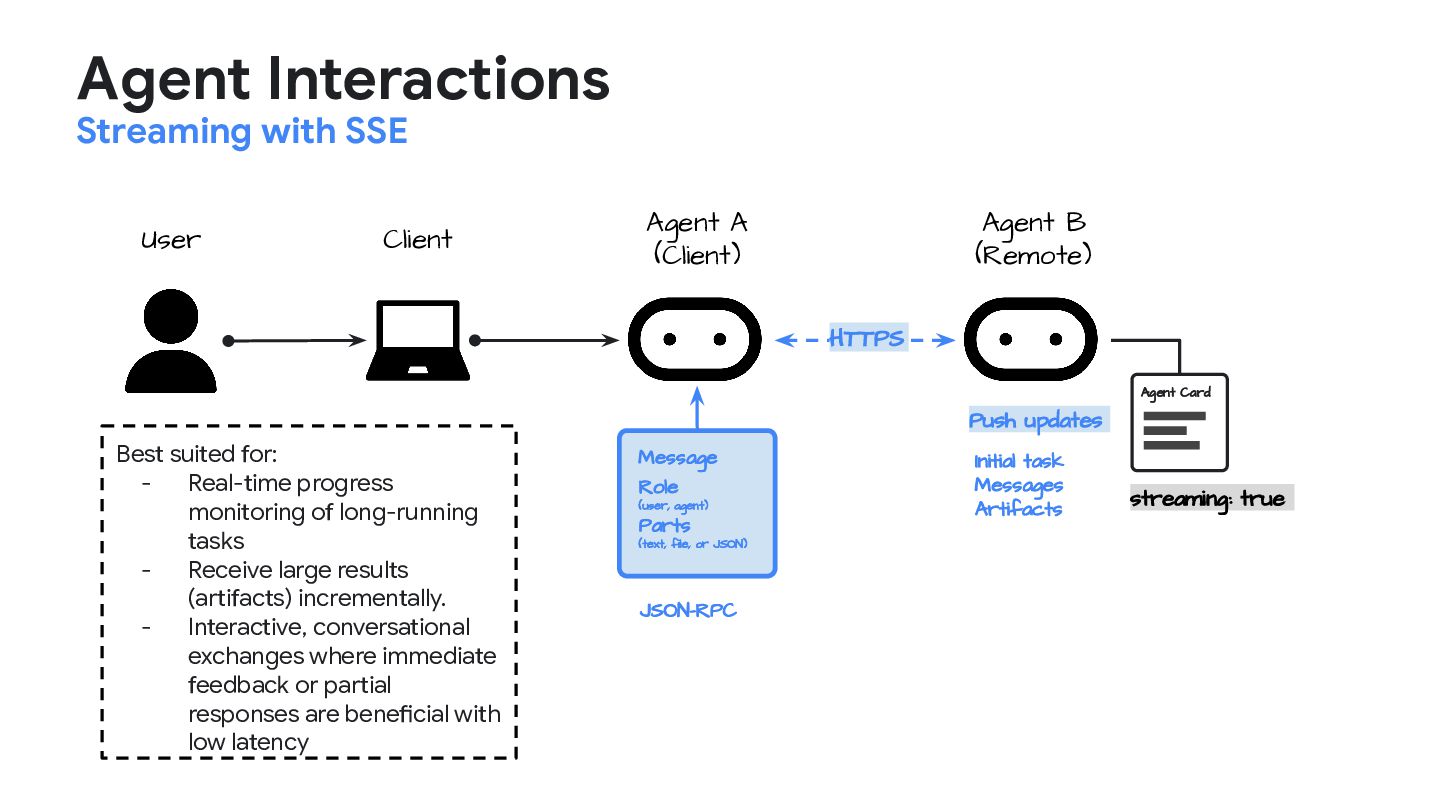
  56. Agent Interactions Streaming with SSE Client User Agent A (Client)

    Agent B (Remote) HTTPS Message Role (user, agent) Parts (text, file, or JSON) JSON-RPC Agent Card streaming: true Push updates Initial task Messages Artifacts Best suited for: - Real-time progress monitoring of long-running tasks - Receive large results (artifacts) incrementally. - Interactive, conversational exchanges where immediate feedback or partial responses are beneficial with low latency
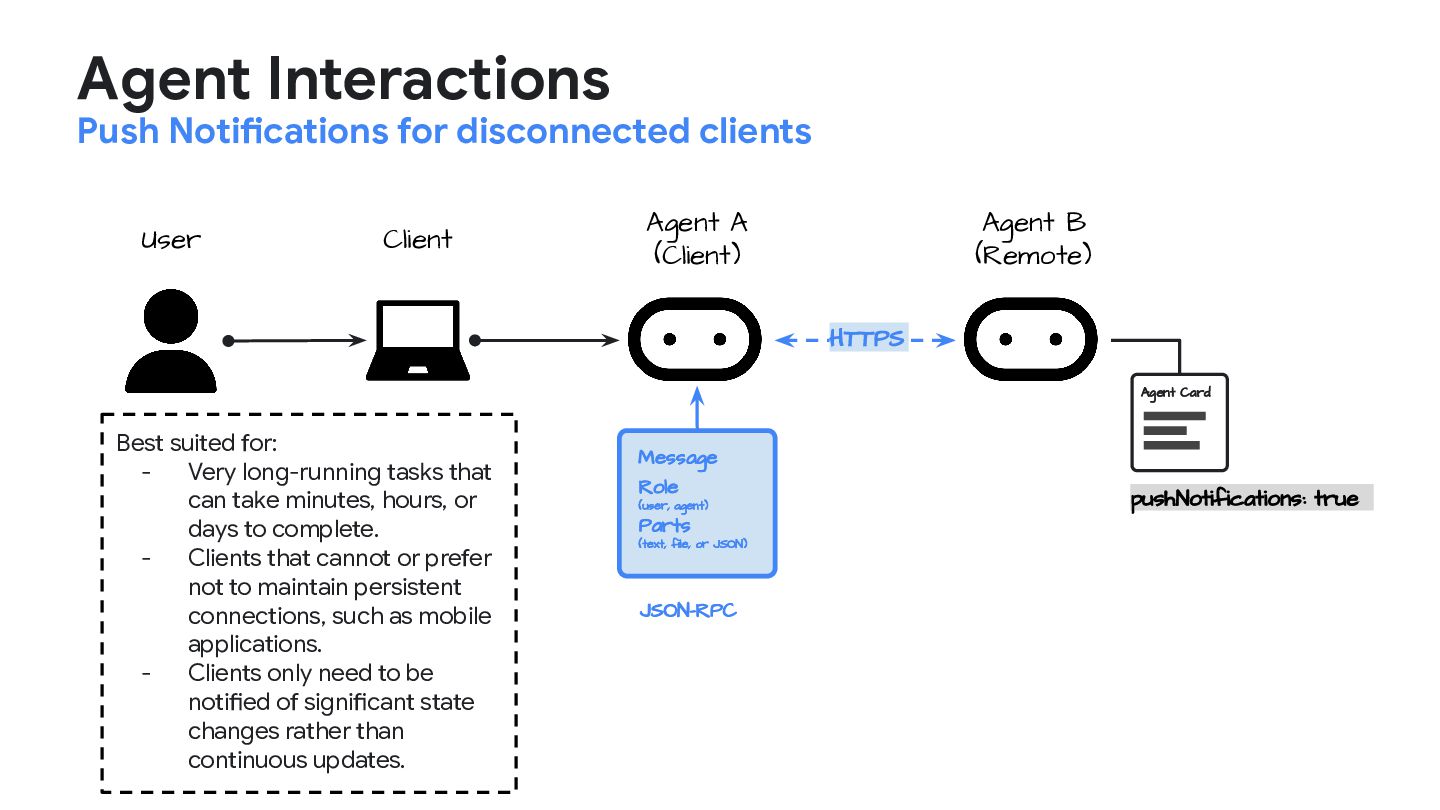
  57. Agent Interactions Push Notifications for disconnected clients Client User Agent

    A (Client) Agent B (Remote) HTTPS Message Role (user, agent) Parts (text, file, or JSON) JSON-RPC Agent Card pushNotifications: true Best suited for: - Very long-running tasks that can take minutes, hours, or days to complete. - Clients that cannot or prefer not to maintain persistent connections, such as mobile applications. - Clients only need to be notified of significant state changes rather than continuous updates.
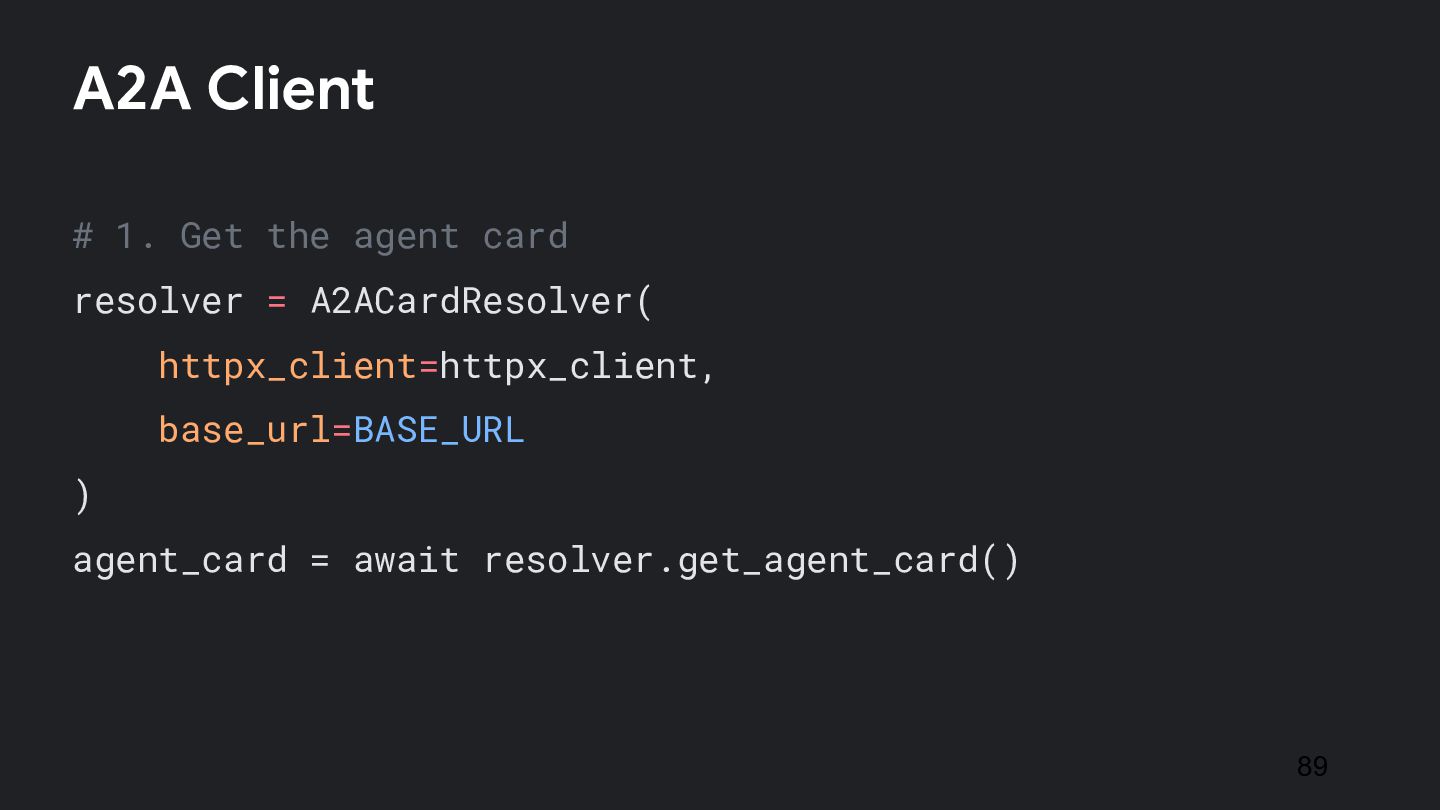
  58. # 1. Get the agent card resolver = A2ACardResolver( httpx_client=httpx_client,

    base_url=BASE_URL ) agent_card = await resolver.get_agent_card() A2A Client 89
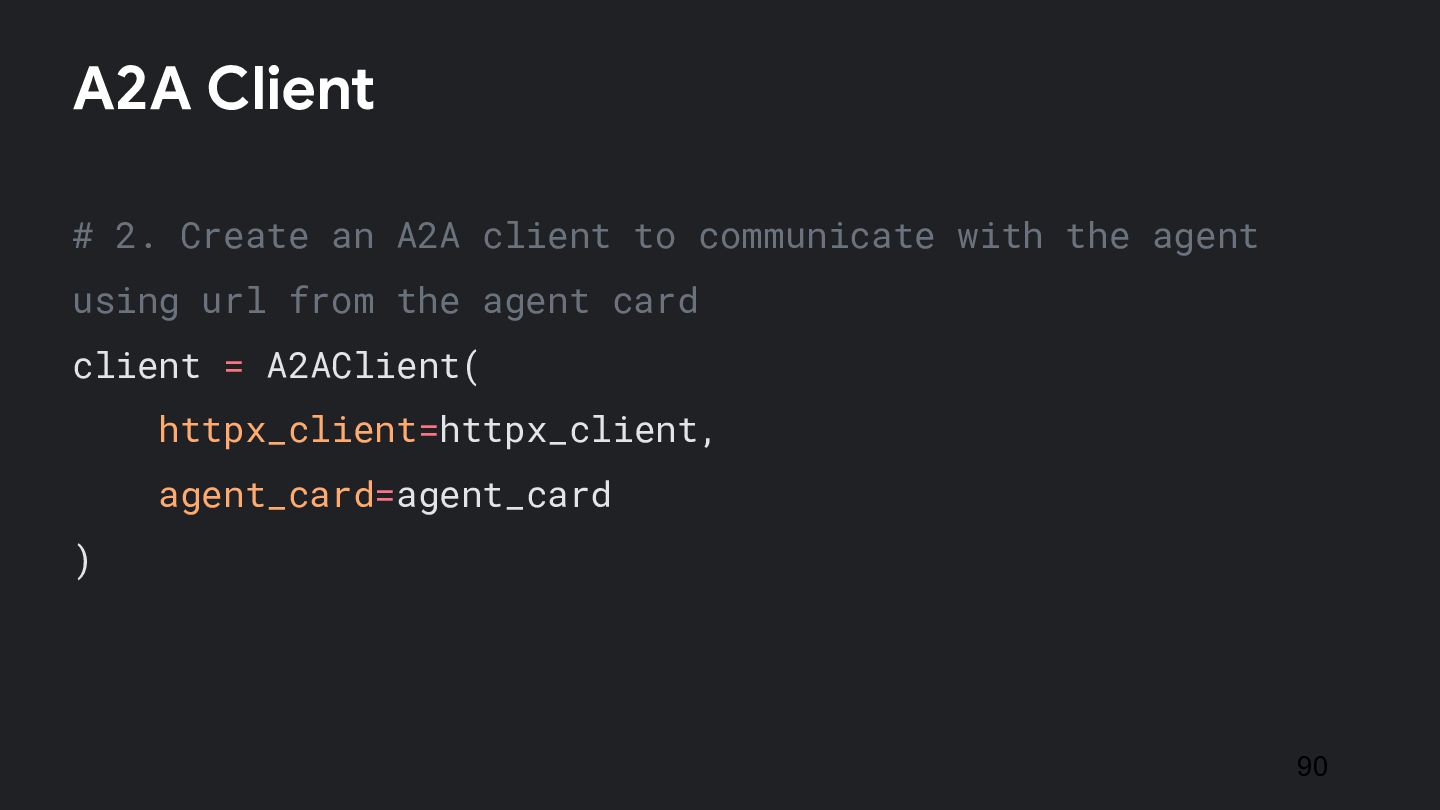
  59. # 2. Create an A2A client to communicate with the

    agent using url from the agent card client = A2AClient( httpx_client=httpx_client, agent_card=agent_card ) 90 A2A Client
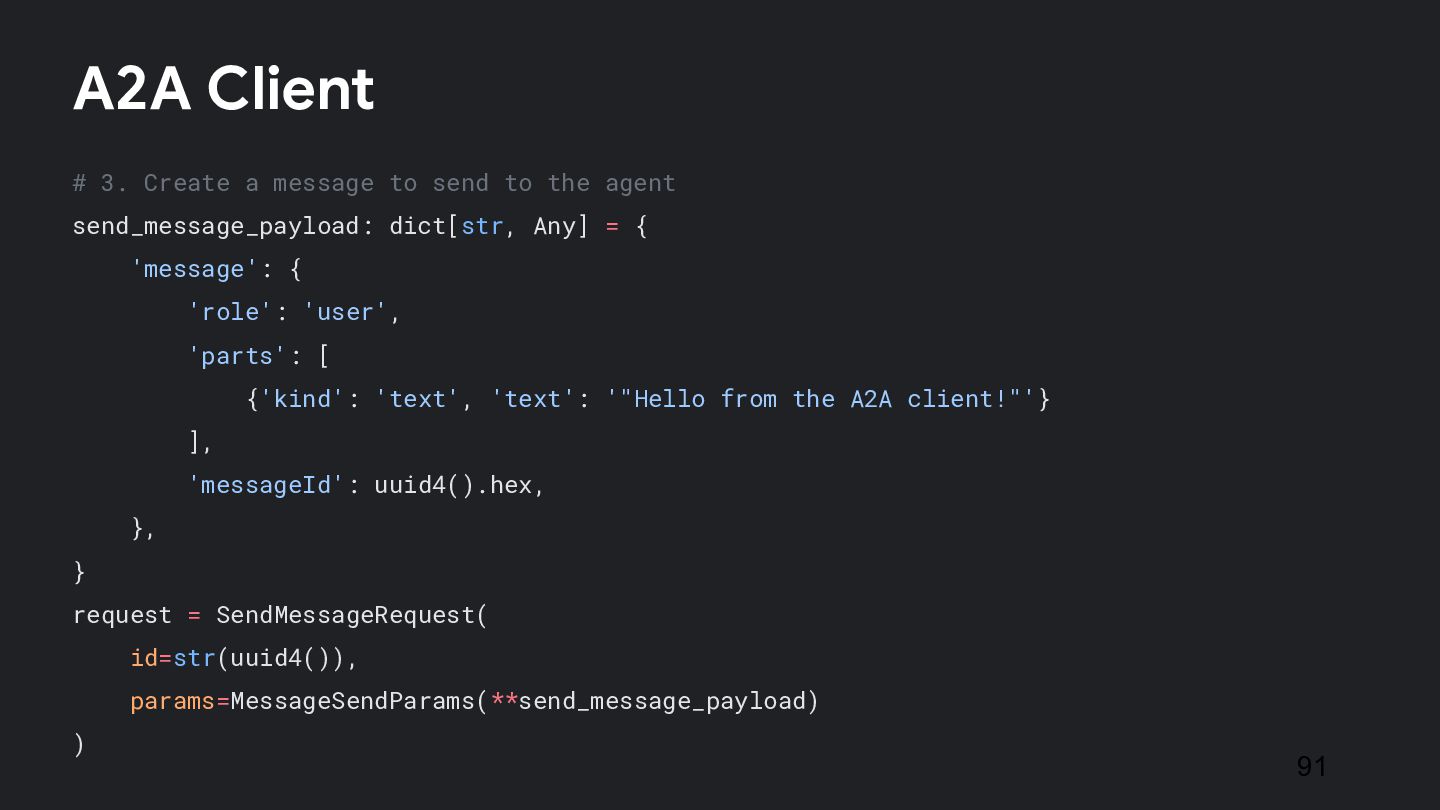
  60. # 3. Create a message to send to the agent

    send_message_payload: dict[str, Any] = { 'message': { 'role': 'user', 'parts': [ {'kind': 'text', 'text': '"Hello from the A2A client!"'} ], 'messageId': uuid4().hex, }, } request = SendMessageRequest( id=str(uuid4()), params=MessageSendParams(**send_message_payload) ) 91 A2A Client
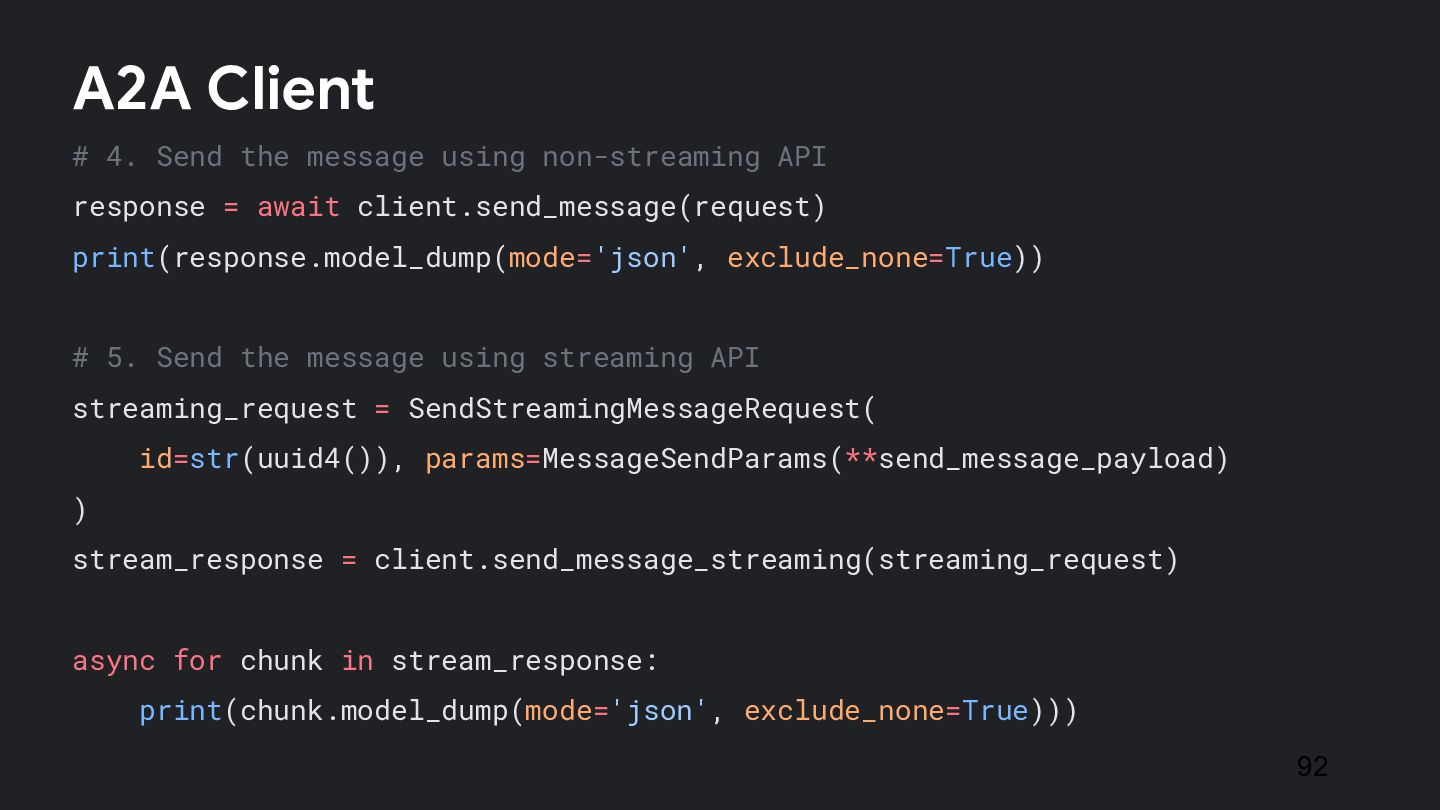
  61. # 4. Send the message using non-streaming API response =

    await client.send_message(request) print(response.model_dump(mode='json', exclude_none=True)) # 5. Send the message using streaming API streaming_request = SendStreamingMessageRequest( id=str(uuid4()), params=MessageSendParams(**send_message_payload) ) stream_response = client.send_message_streaming(streaming_request) async for chunk in stream_response: print(chunk.model_dump(mode='json', exclude_none=True))) 92 A2A Client
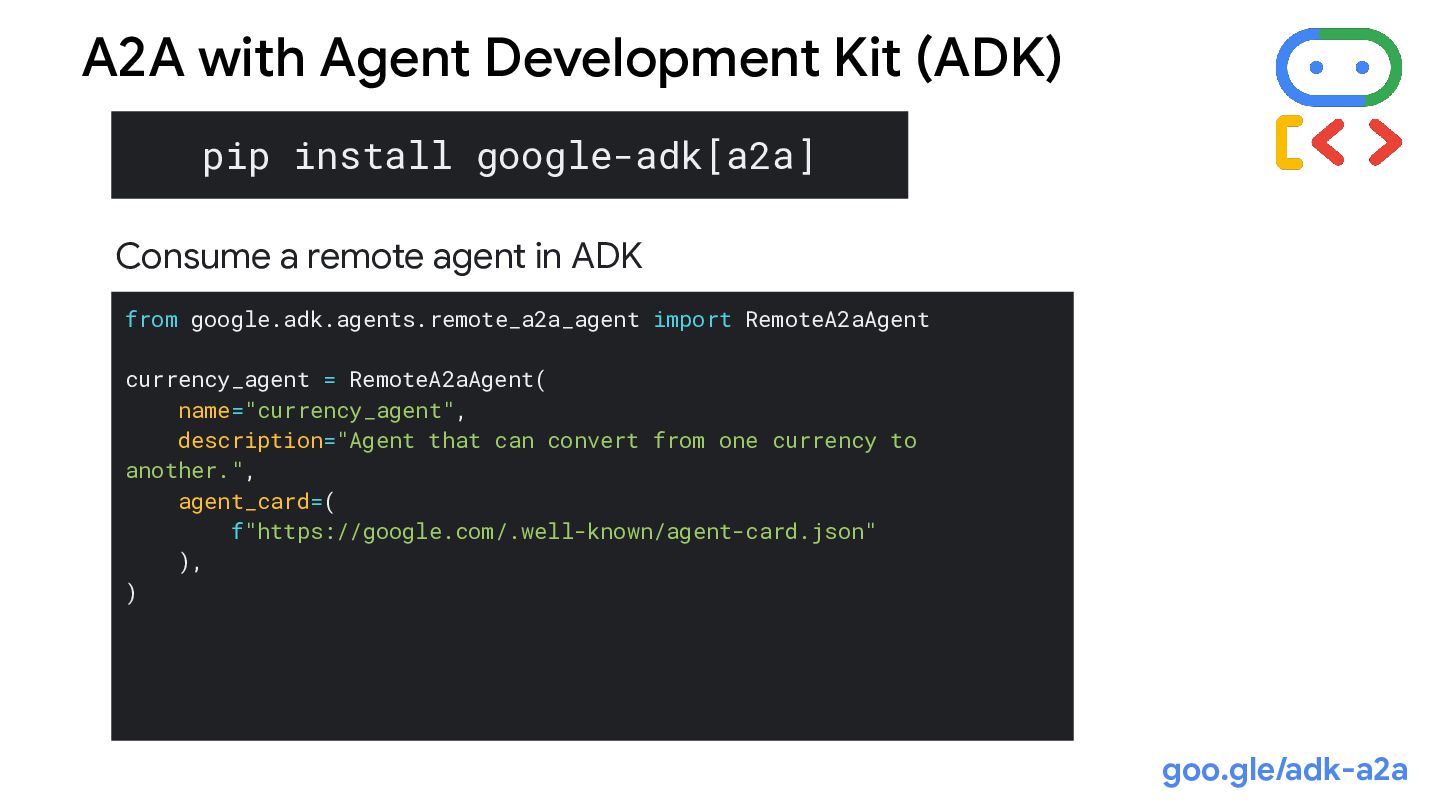
  62. pip install google-adk[a2a] from google.adk.agents.remote_a2a_agent import RemoteA2aAgent currency_agent = RemoteA2aAgent(

    name="currency_agent", description="Agent that can convert from one currency to another.", agent_card=( f"https://google.com/.well-known/agent-card.json" ), ) A2A with Agent Development Kit (ADK) Consume a remote agent in ADK goo.gle/adk-a2a
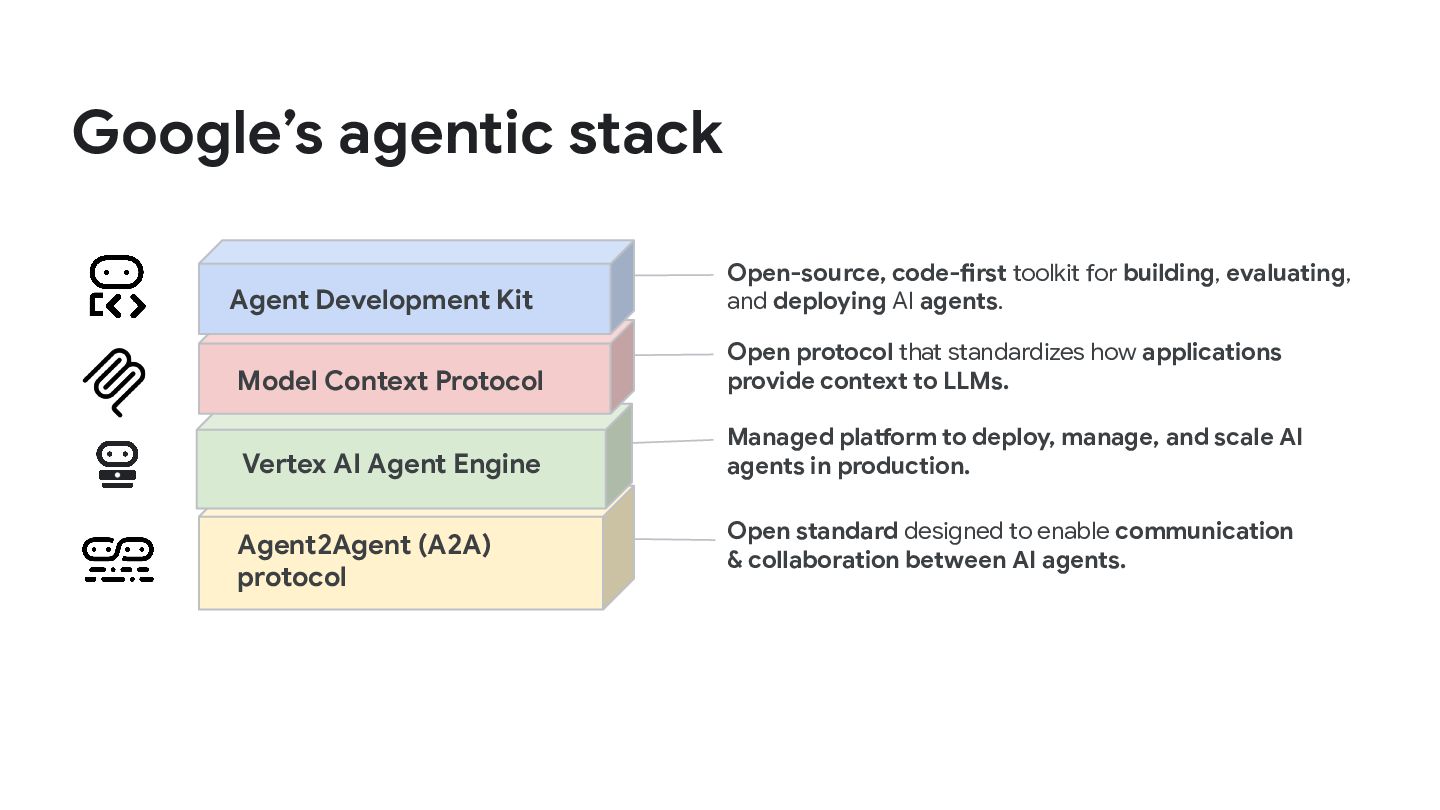
  63. Google’s agentic stack Agent2Agent (A2A) protocol Open standard designed to

    enable communication & collaboration between AI agents. Vertex AI Agent Engine Managed platform to deploy, manage, and scale AI agents in production. Model Context Protocol Open protocol that standardizes how applications provide context to LLMs. Agent Development Kit Open-source, code-first toolkit for building, evaluating, and deploying AI agents.
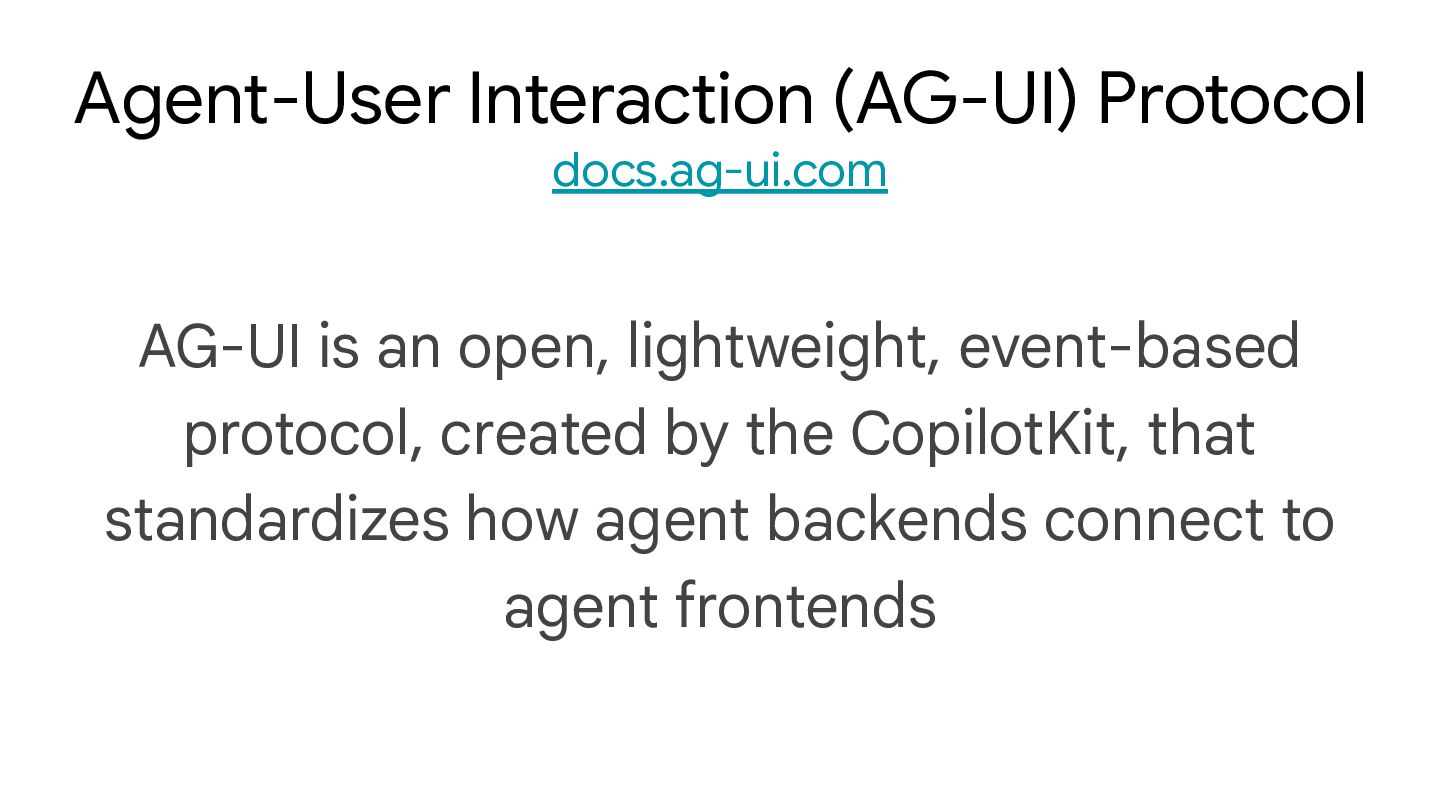
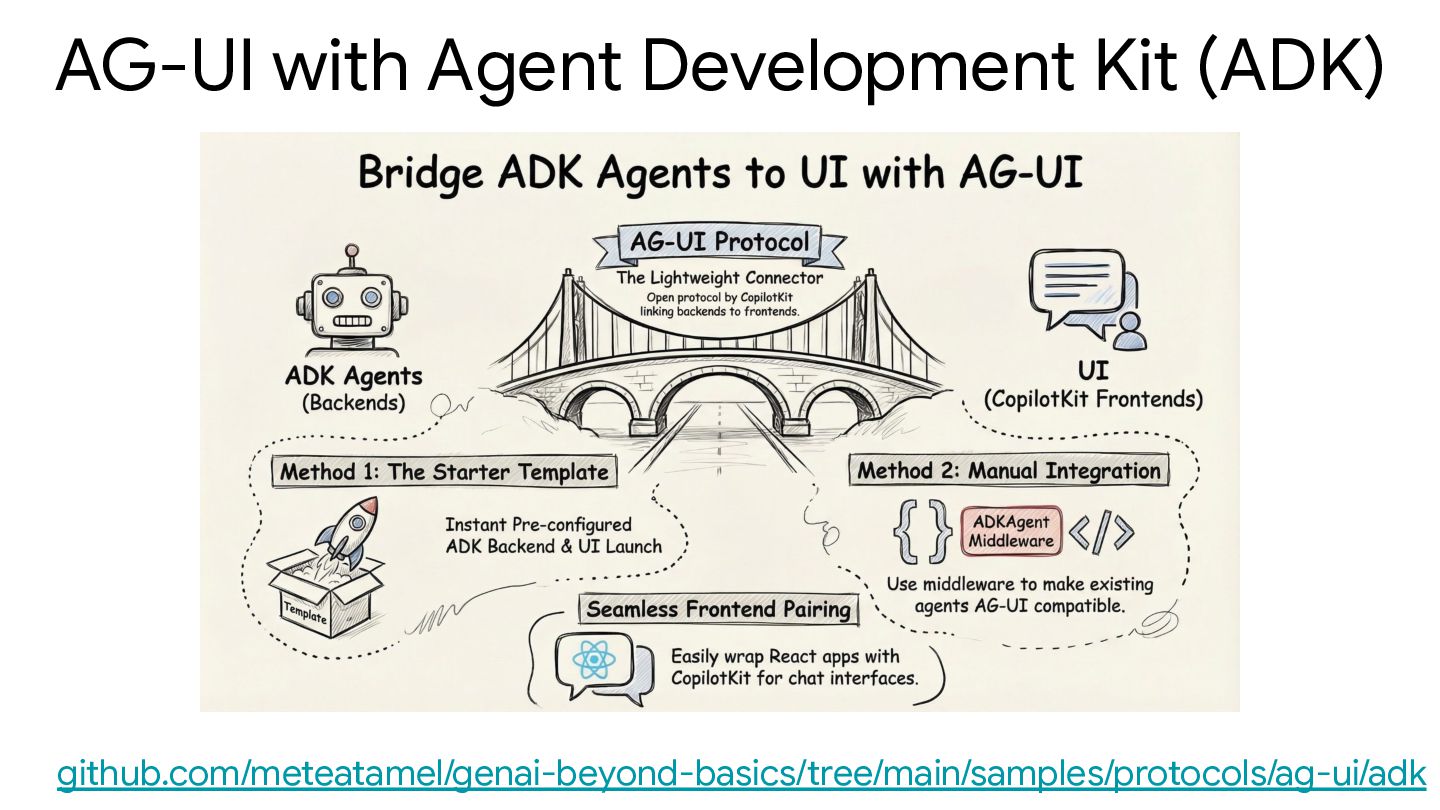
  64. AG-UI is an open, lightweight, event-based protocol, created by the

    CopilotKit, that standardizes how agent backends connect to agent frontends Agent-User Interaction (AG-UI) Protocol docs.ag-ui.com
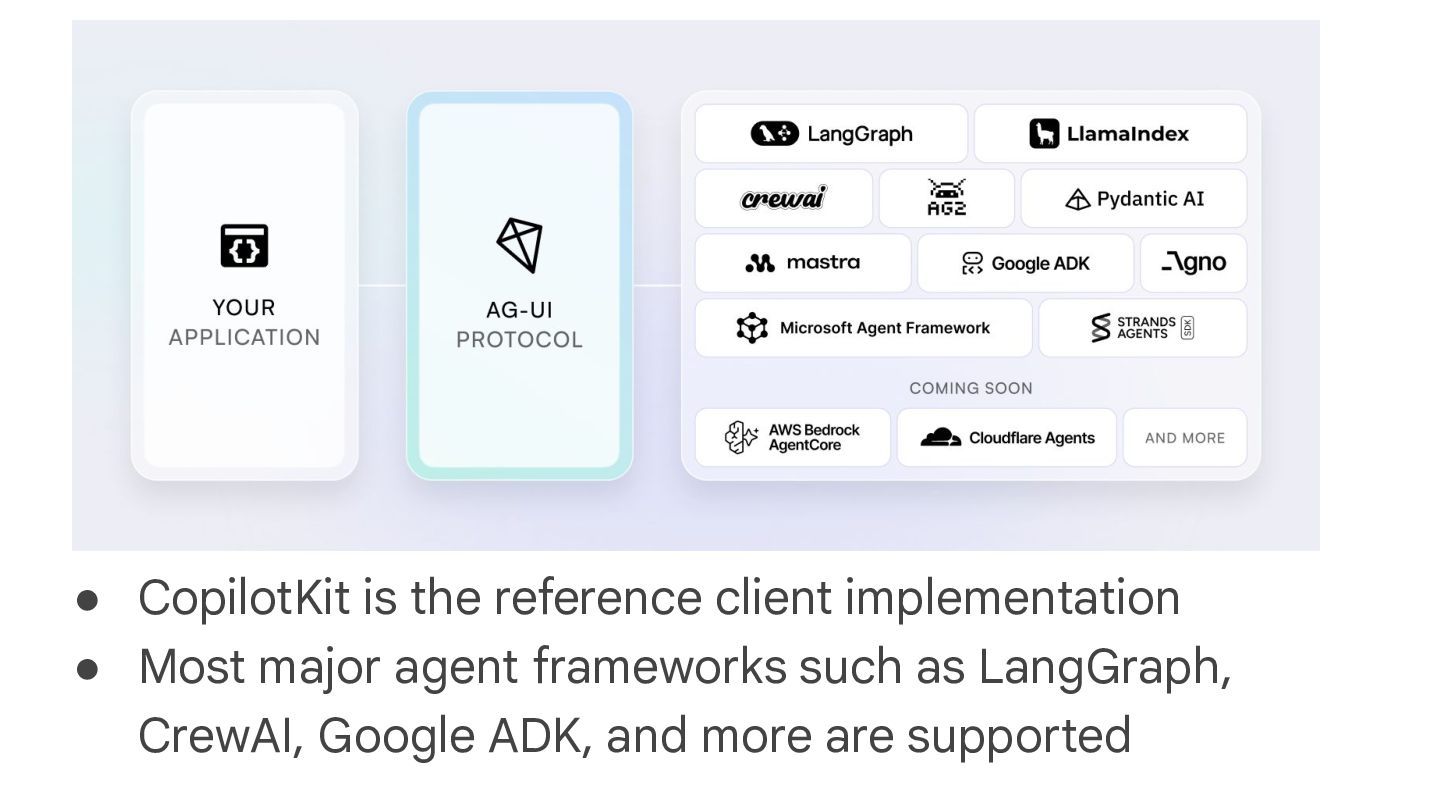
  65. • CopilotKit is the reference client implementation • Most major

    agent frameworks such as LangGraph, CrewAI, Google ADK, and more are supported
  66. • Event-Driven Communication: Agents emit 16 standardized event types during

    execution • Bidirectional Interaction: Agents accept input from users, enabling collaborative workflows with humans • Transport Agnostic: AG-UI doesn’t mandate how events are delivered, supporting various transport mechanisms including Server-Sent Events (SSE), webhooks, WebSockets, and more Main Benefits
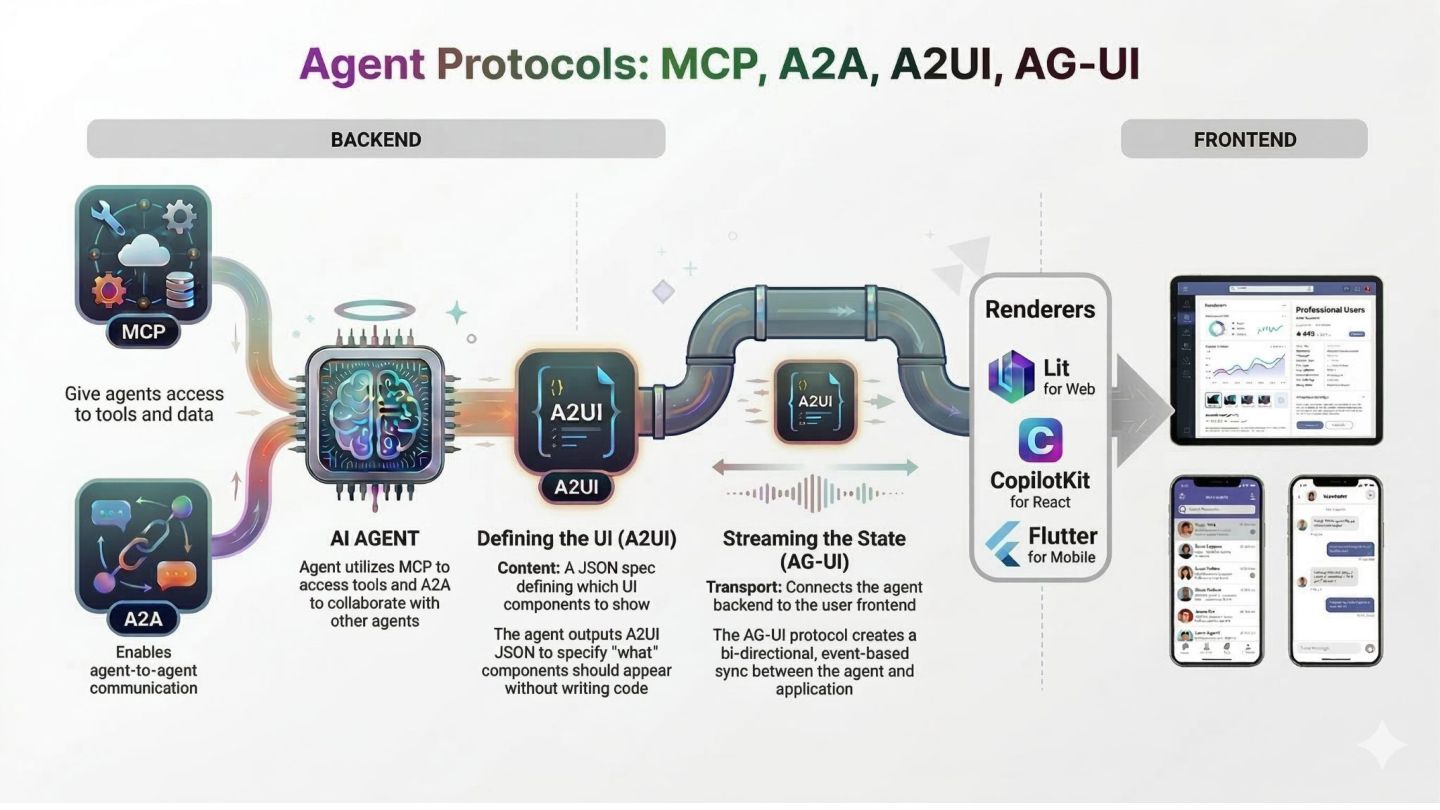
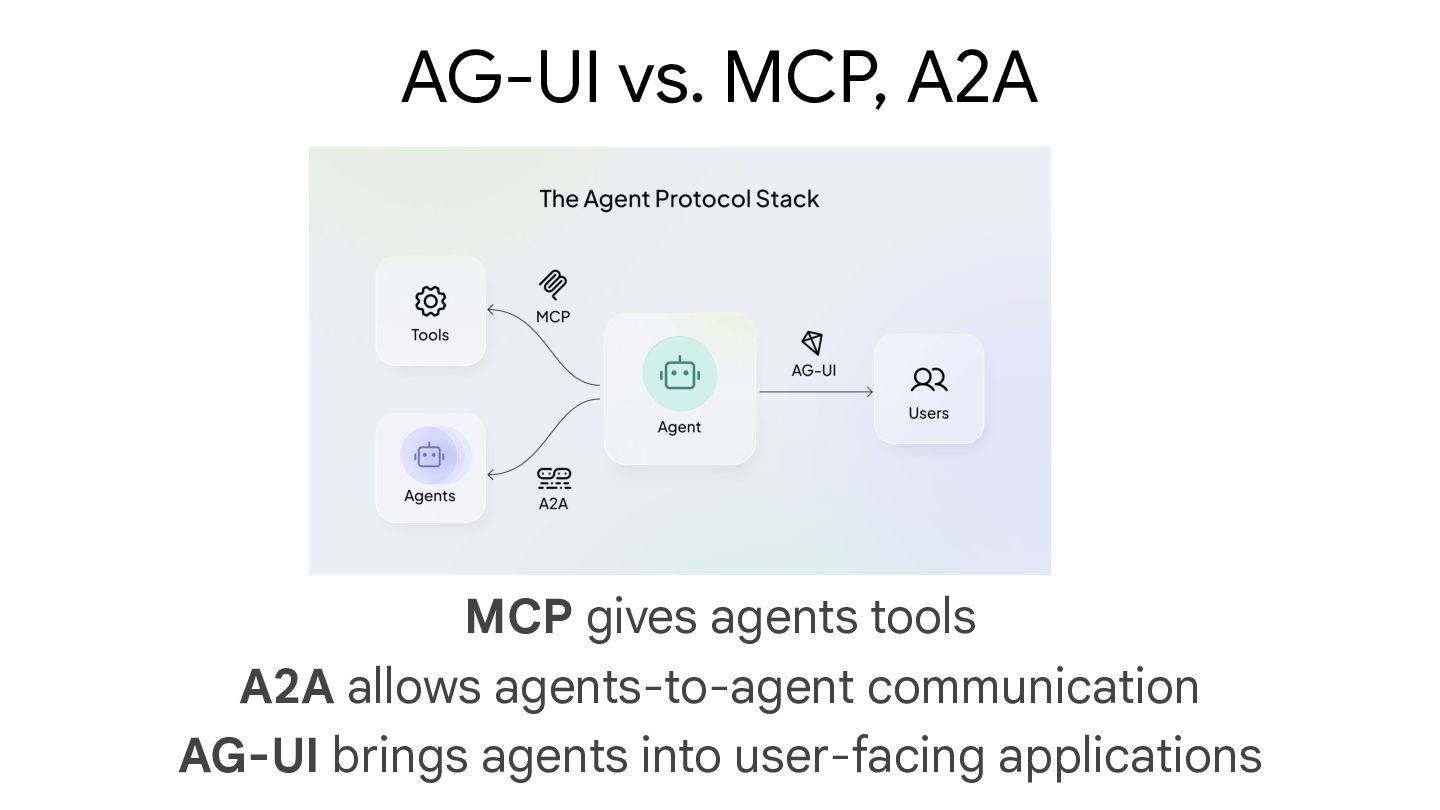
  67. MCP gives agents tools A2A allows agents-to-agent communication AG-UI brings

    agents into user-facing applications AG-UI vs. MCP, A2A
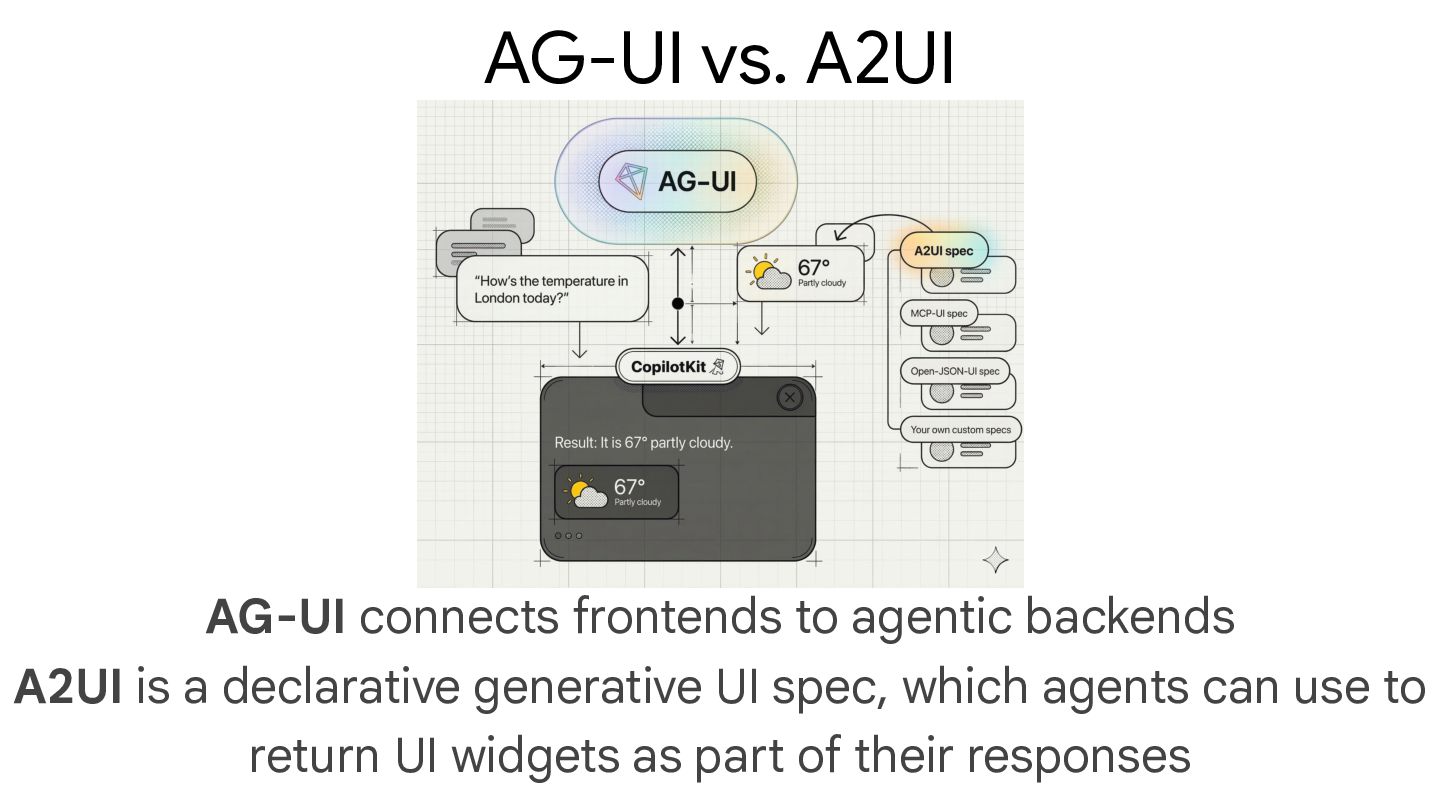
  68. AG-UI connects frontends to agentic backends A2UI is a declarative

    generative UI spec, which agents can use to return UI widgets as part of their responses AG-UI vs. A2UI
  69. A2UI is a generative UI protocol, from Google, that enables

    AI agents to generate rich, interactive user interfaces across web, mobile, desktop Agent to UI Protocol (A2UI) a2ui.org
  70. When a user asks a question to an agent (e.g.

    "What are some good restaurants in New York?"), the agent can not only return the list of restaurants, but also return UI descriptions that can be used by renderers to display the restaurants in a rich interactive format
  71. MCP gives agents tools A2A allows agents-to-agent communication AG-UI brings

    agents into user-facing applications AG-UI vs. MCP, A2A
  72. AG-UI connects frontends to agentic backends A2UI is a declarative

    generative UI spec, which agents can use to return UI widgets as part of their responses AG-UI vs. A2UI
  73. 1. createSurface: Create a new surface and specify its catalog

    2. updateComponents: Add or update UI components in a surface 3. updateDataModel: Update application state 4. deleteSurface: Remove an UI surface Four main message types
  74. 1. { 2. "version": "v0.9", 3. "createSurface": { 4. "surfaceId":

    "main", 5. "catalogId": "https://a2ui.org/specification/v0_9/basic_catalog.json" 6. } 7. } 8. { 9. "version": "v0.9", 10. "updateComponents": { 11. "surfaceId": "main", 12. "components": [...] 13. } 14. } 15. { 16. "version": "v0.9", 17. "updateDataModel": { 18. "surfaceId": "main", 19. "path": "/user", 20. "value": { "name": "Alice" } 21. } 22. } 23.
  75. • Layout: Row, Column, List - arrange other components •

    Display: Text, Image, Icon, Video, Divider - show information • Interactive: Button, TextField, CheckBox, DateTimeInput, Slider - user input • Container: Card, Tabs, Modal - group and organize content Catalog of UI Components a2ui.org/reference/components
  76. • A2UI is transport-agnostic, meaning any mechanism that can deliver

    JSON messages works • Currently, A2A and AG UI are supported with REST API, WebSockets, and SSE as planned or proposed. See Transports on the latest supported transports. Transport options a2ui.org/concepts/transports/#available-transports
  77. • Once the A2UI JSON messages containing UI descriptions are

    generated by the agent, they need to be converted into native UI components by renderers • For web, there's Lit and Angular renderers and Flutter (GenUI SDK) for mobile/desktop/web Renderers a2ui.org/reference/renderers/#maintained-renderers
  78. Message Flow Book a table for 2 tomorrow at 7pm

    1. { 2. "version": "v0.9", 3. "createSurface": { 4. "surfaceId": "booking", 5. "catalogId": "https://a2ui.org/specification/v0_9/basic_catalog.json" 6. } 7. } 1. Agent creates surface
  79. Message Flow 2. Agent defines UI structure 1. { 2.

    "version": "v0.9", 3. "updateComponents": { 4. "surfaceId": "booking", 5. "components": [ 6. { 7. "id": "root", 8. "component": "Column", 9. "children": ["header", "guests-field", "submit-btn"] 10. }, 11. { 12. "id": "header", 13. "component": "Text", 14. "text": "Confirm Reservation", 15. "variant": "h1" 16. }, ...
  80. Message Flow 3. Agent populates data 1. { 2. "version":

    "v0.9", 3. "updateDataModel": { 4. "surfaceId": "booking", 5. "path": "/reservation", 6. "value": { 7. "datetime": "2025-12-16T19:00:00Z", 8. "guests": "2" 9. } 10. } 11. }
  81. Message Flow 4. User edits guests to "3" → Client

    updates /reservation/guests automatically
  82. Message Flow 5. User clicks "Confirm" → Client sends action

    1. { 2. "version": "v0.9", 3. "action": { 4. "name": "confirm", 5. "surfaceId": "booking", 6. "context": { 7. "details": { 8. "datetime": "2025-12-16T19:00:00Z", 9. "guests": "3" 10. } 11. } 12. } 13. }
  83. Message Flow 6. Agent responds → Updates UI or sends

    1. { 2. "version": "v0.9", 3. "deleteSurface": { "surfaceId": "booking" } 4. }
  84. Thank you! Mete Atamel Developer Advocate at Google @meteatamel atamel.dev

    speakerdeck.com/meteatamel github.com/meteatamel/genai-beyond-basics/tree/main/samples/protocols