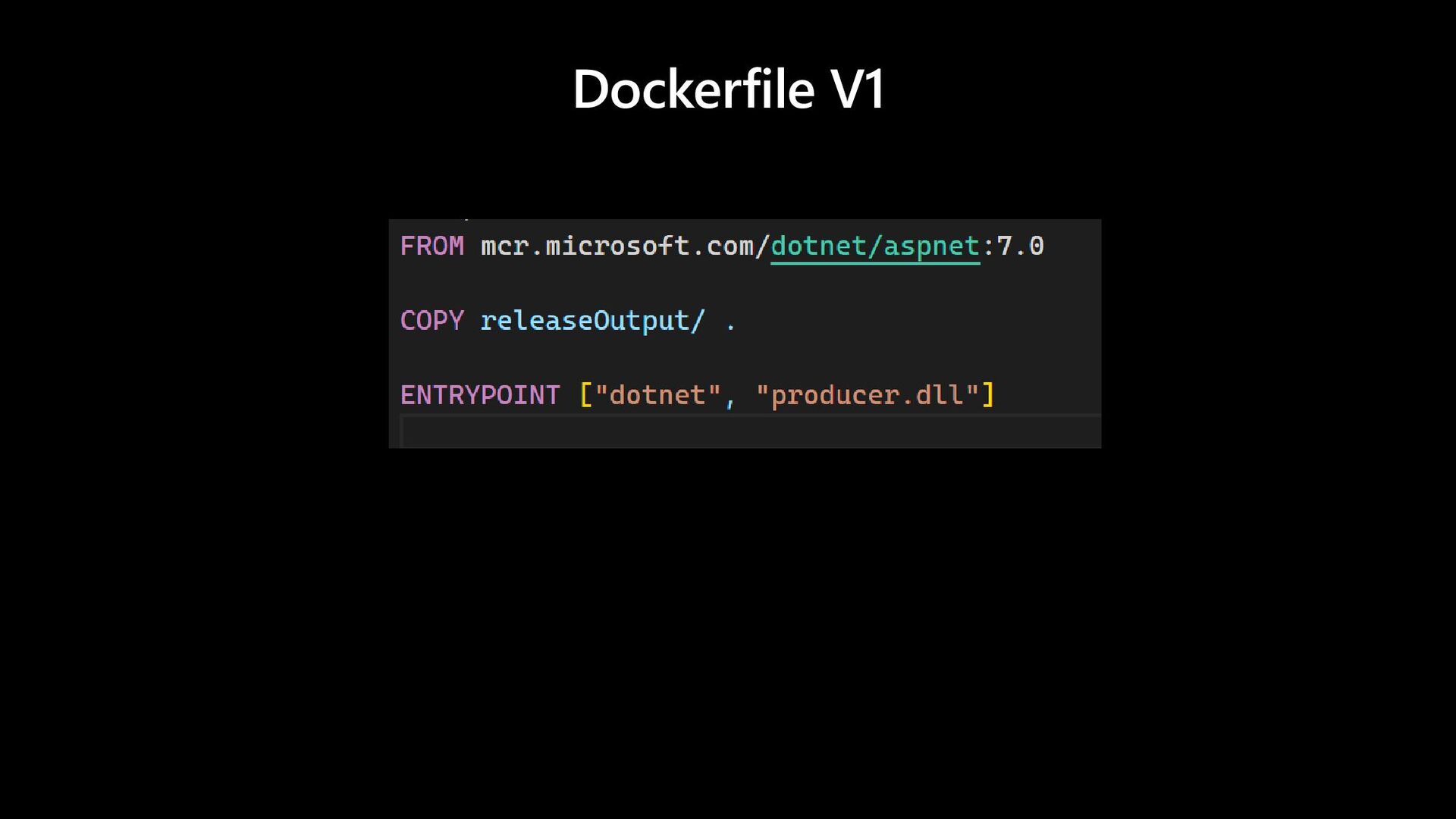
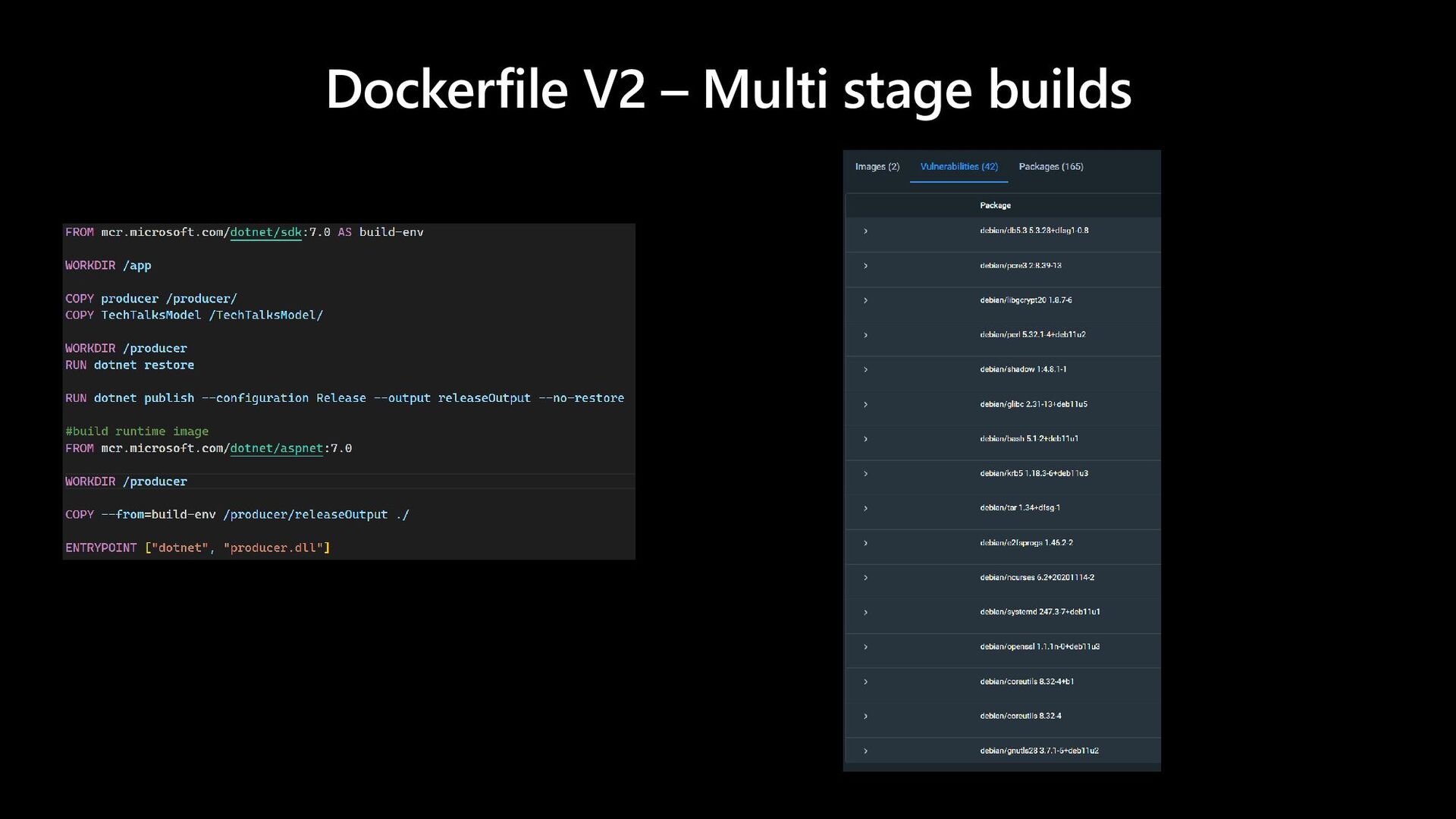
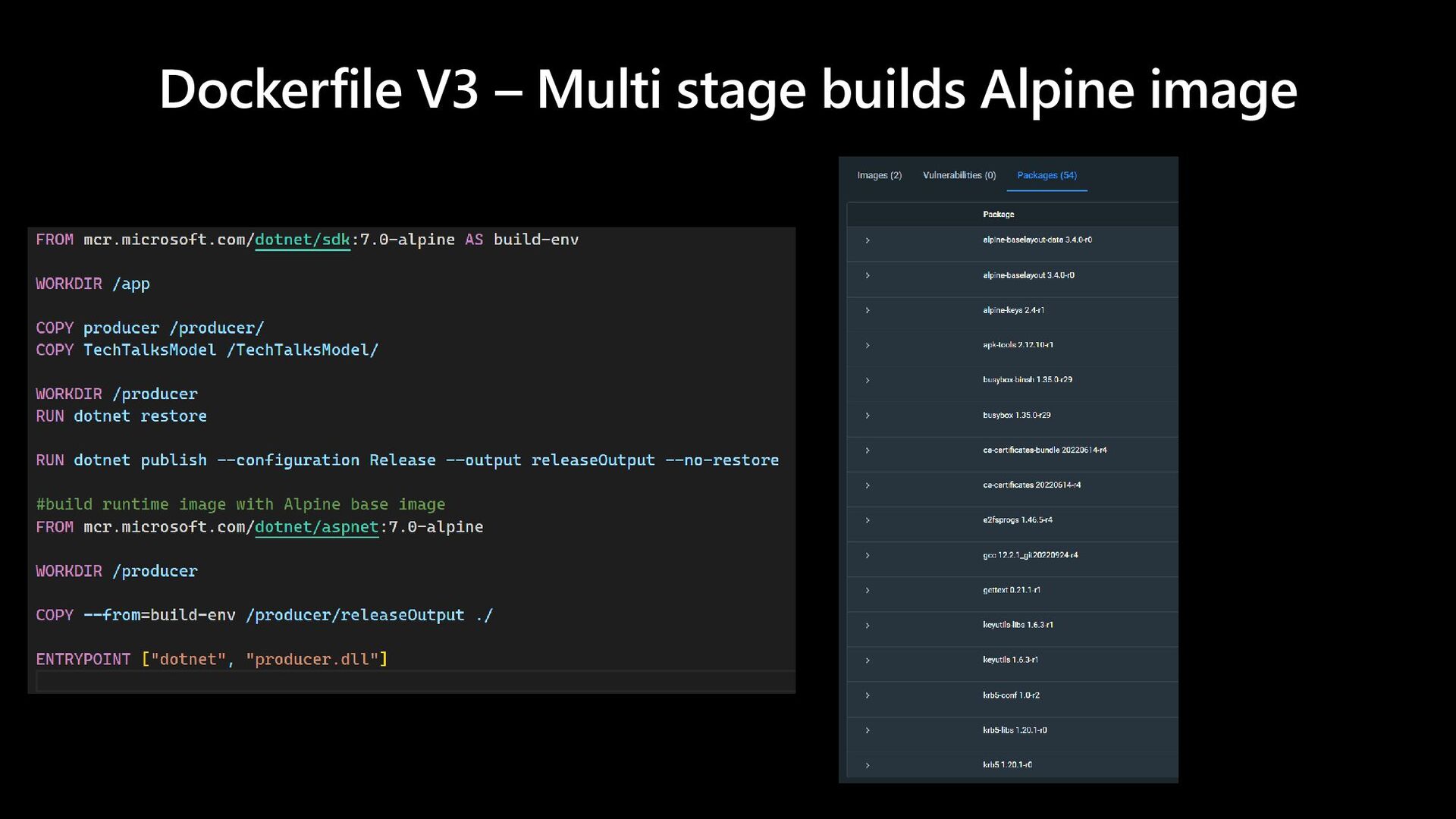
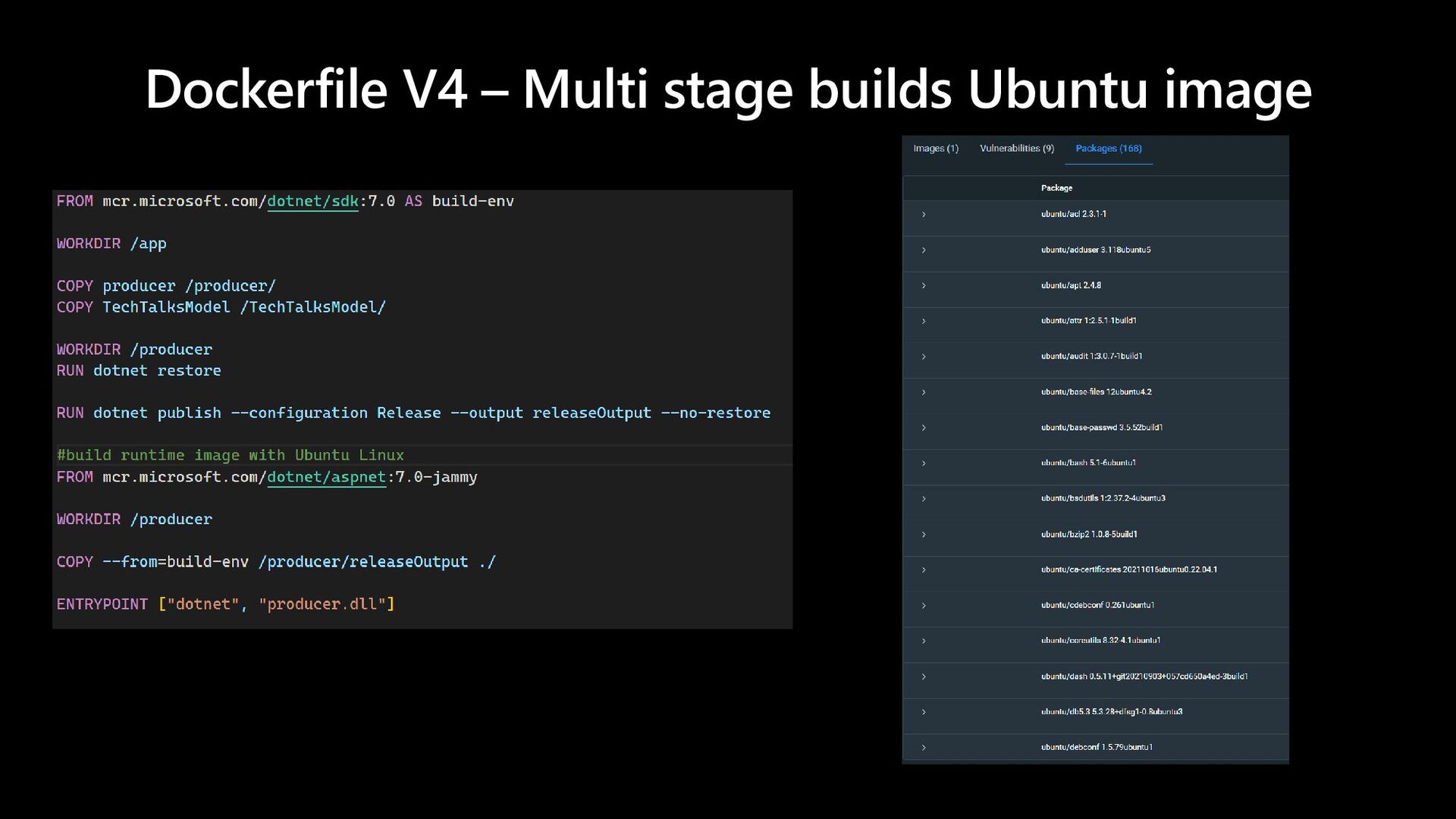
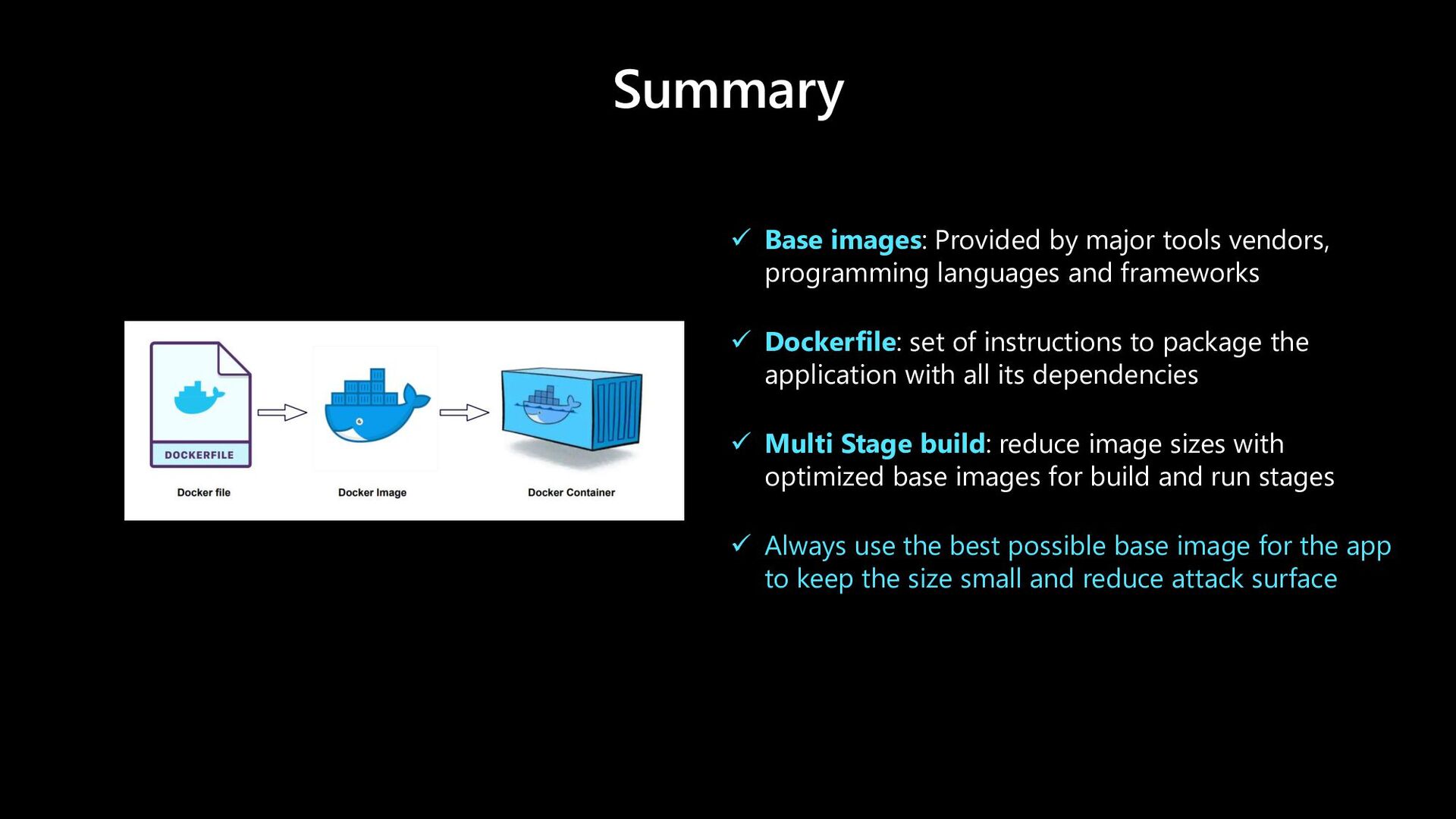
languages and frameworks ✓ Dockerfile: set of instructions to package the application with all its dependencies ✓ Multi Stage build: reduce image sizes with optimized base images for build and run stages ✓ Always use the best possible base image for the app to keep the size small and reduce attack surface


 nileshgule
 ueponx
 prog893
 odashi
 greenmidori
 pfn
pfn
 mohab1
 ishikawa_satoru
 recruitengineers
 gogutan
 carta_engineering
 sansantech
 zakiyama
 morganepeng
 stephenakadiri
 aleyda
 kneath
 akademiya2063
 khoart
 inesmontani
 axbom
axbom
 destraynor
 brettharned