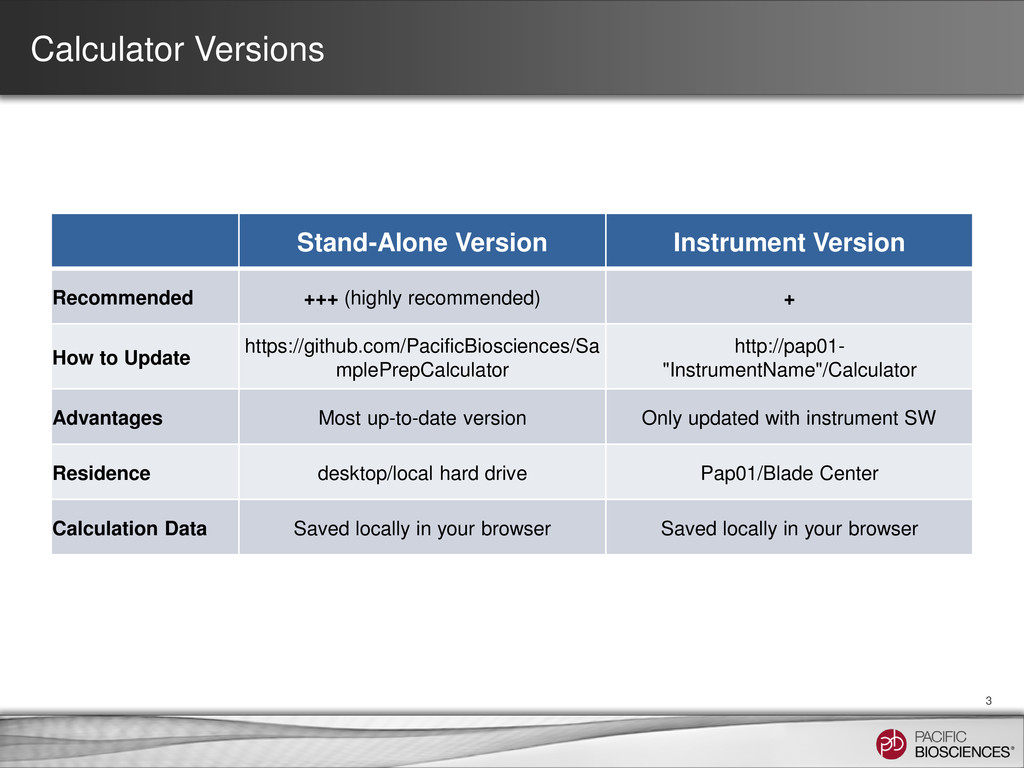
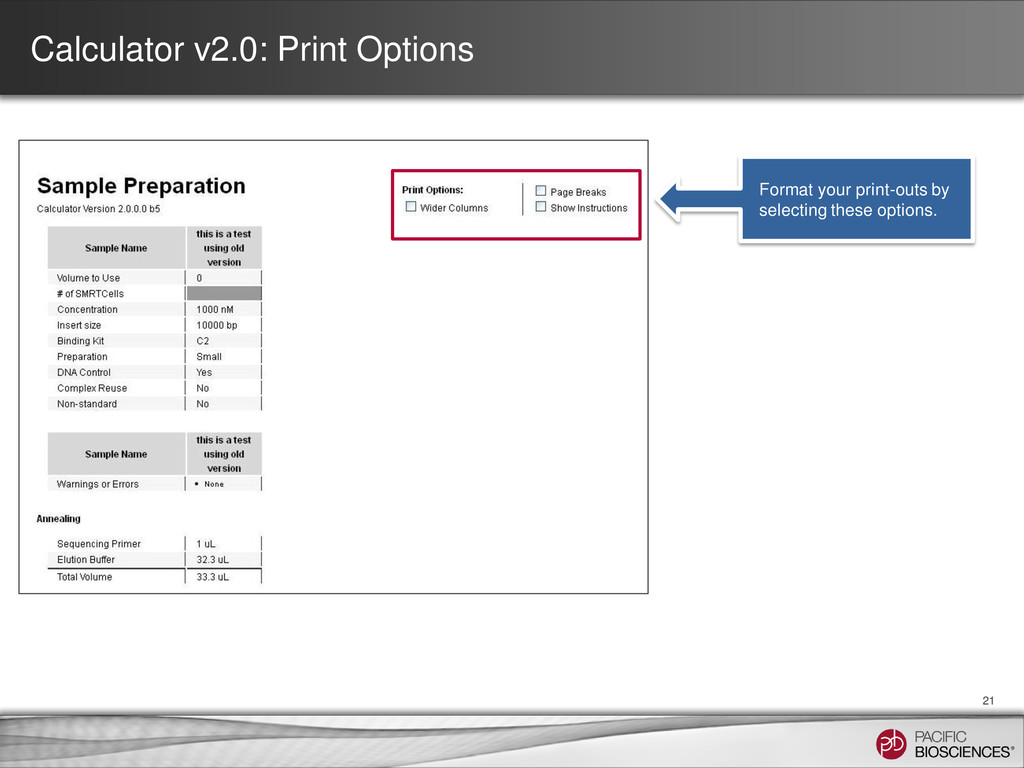
+ How to Update https://github.com/PacificBiosciences/Sa mplePrepCalculator http://pap01- "InstrumentName"/Calculator Advantages Most up-to-date version Only updated with instrument SW Residence desktop/local hard drive Pap01/Blade Center Calculation Data Saved locally in your browser Saved locally in your browser 3
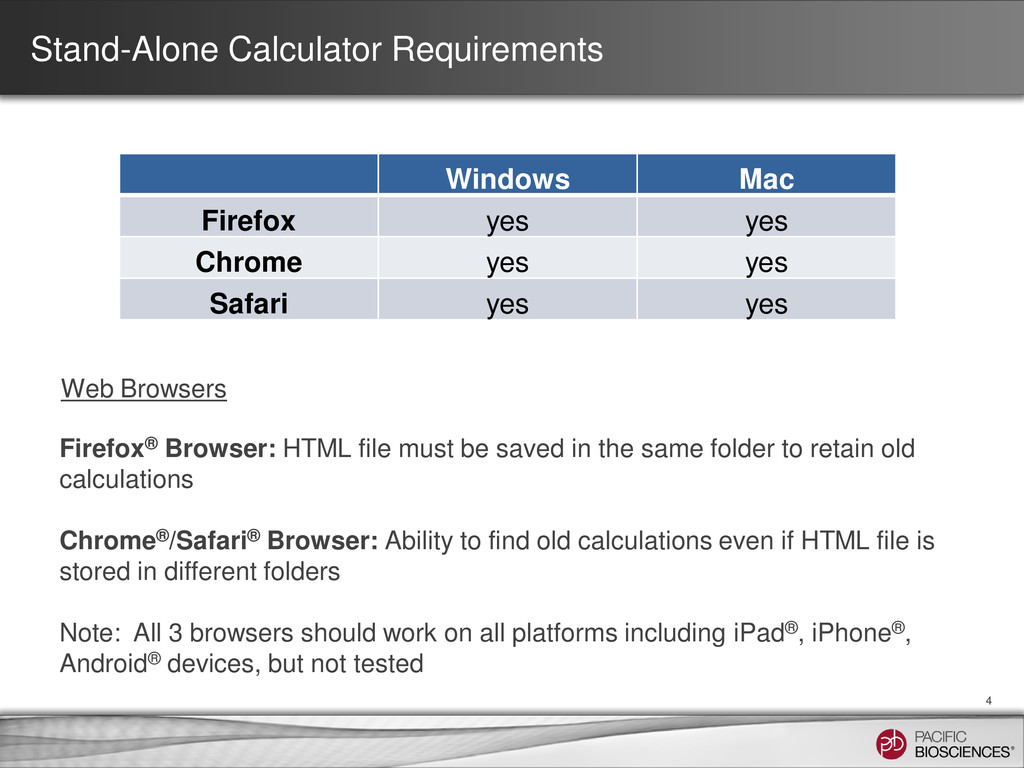
yes Safari yes yes 4 Firefox® Browser: HTML file must be saved in the same folder to retain old calculations Chrome®/Safari® Browser: Ability to find old calculations even if HTML file is stored in different folders Note: All 3 browsers should work on all platforms including iPad®, iPhone®, Android® devices, but not tested Web Browsers
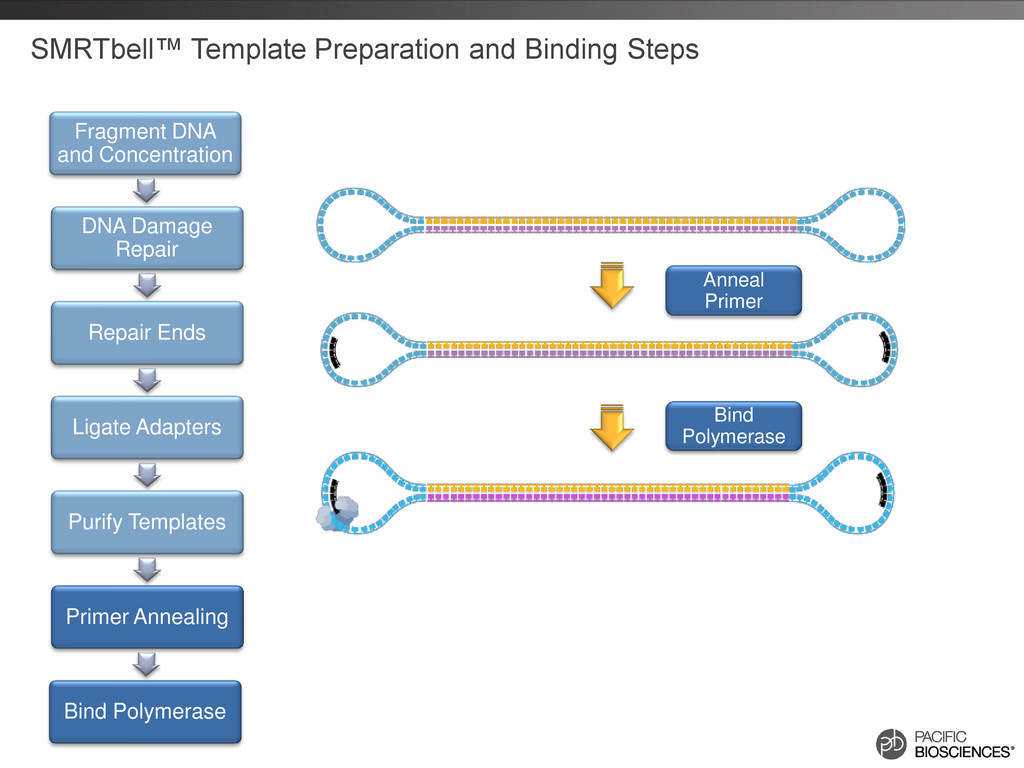
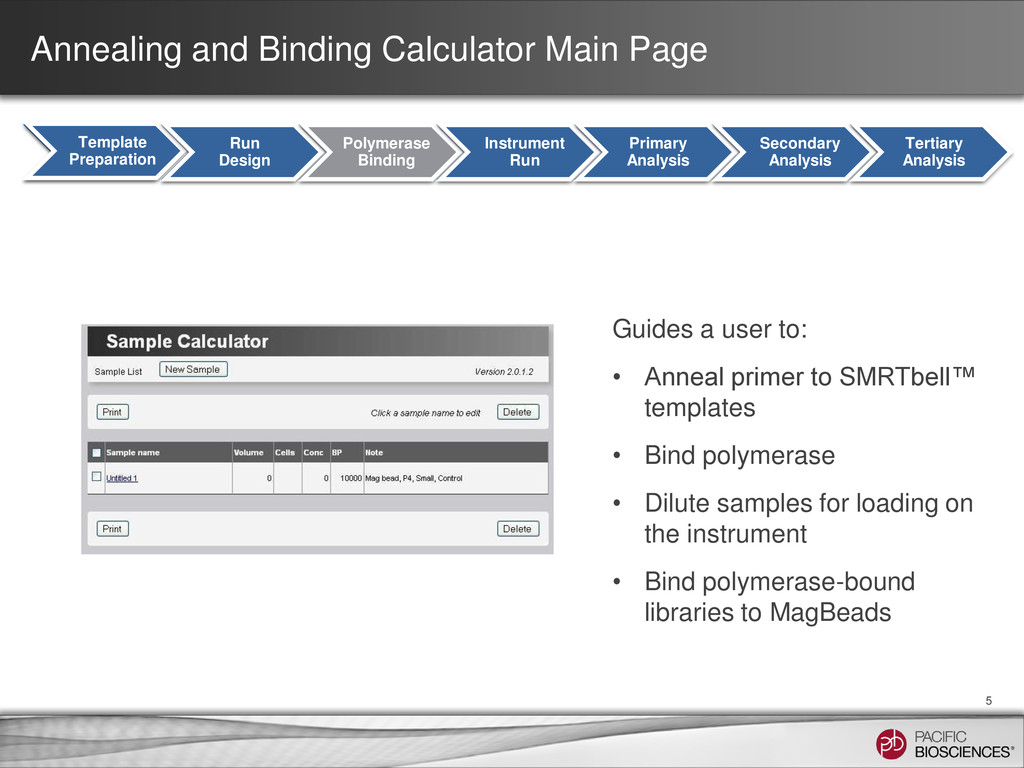
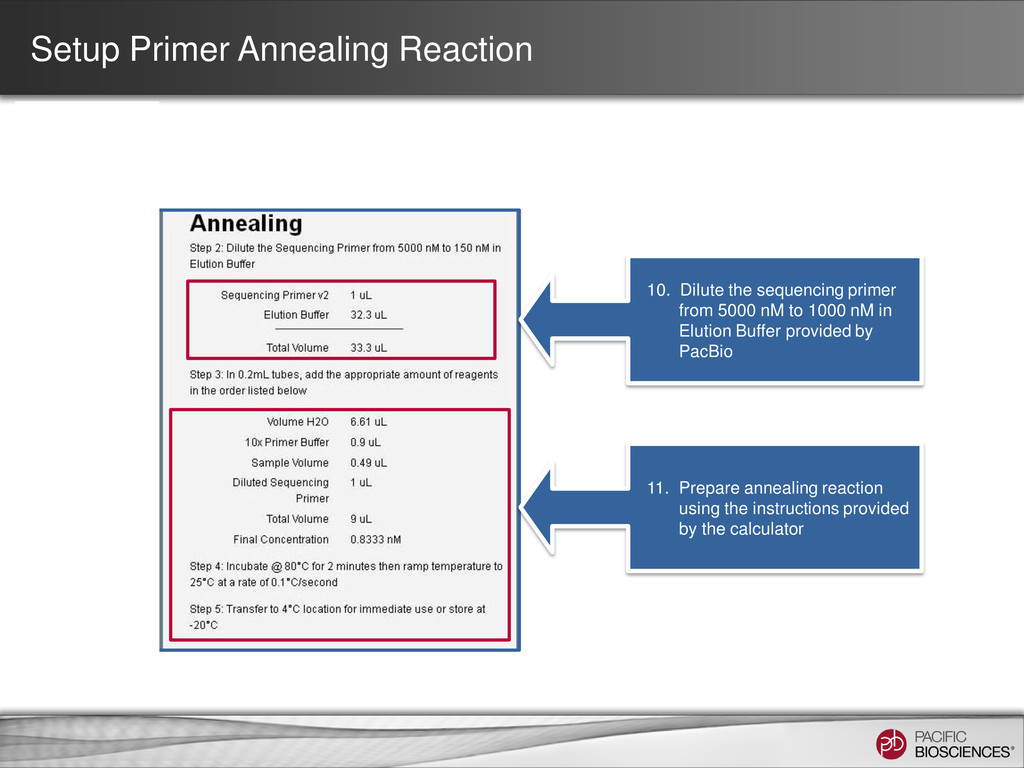
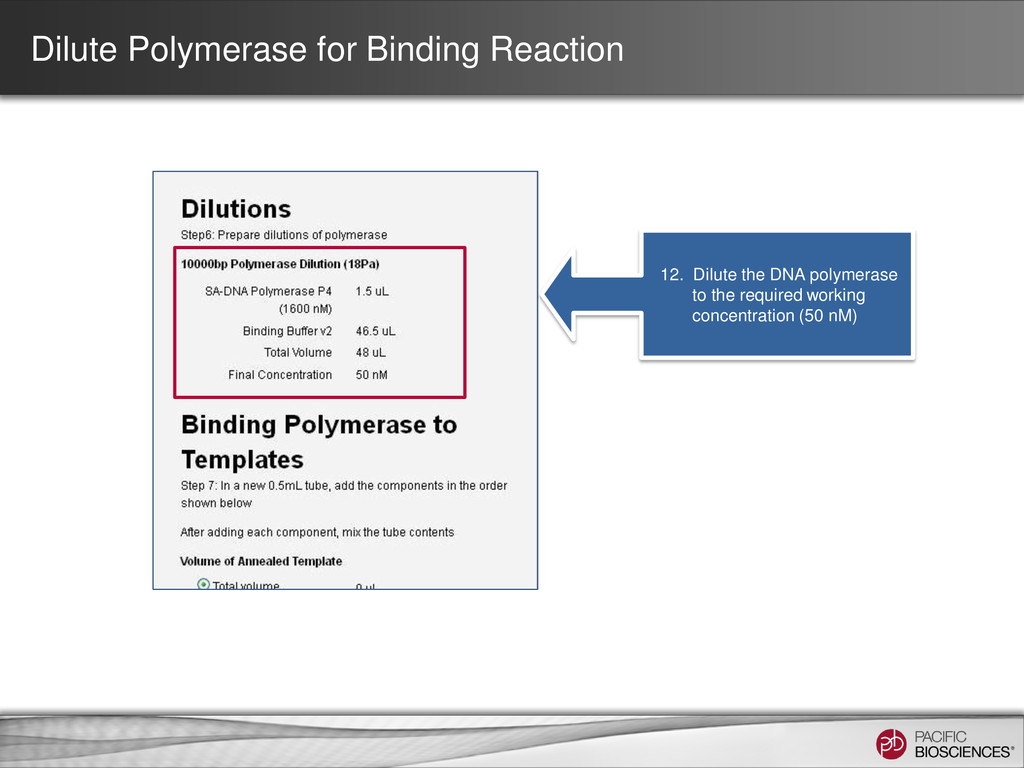
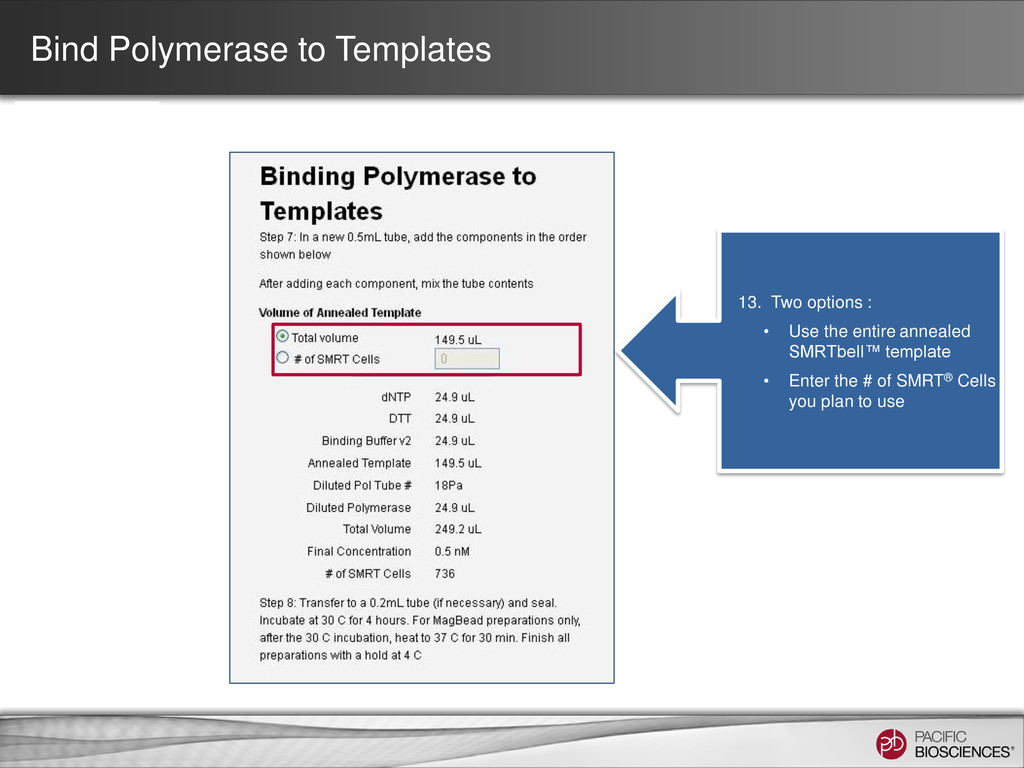
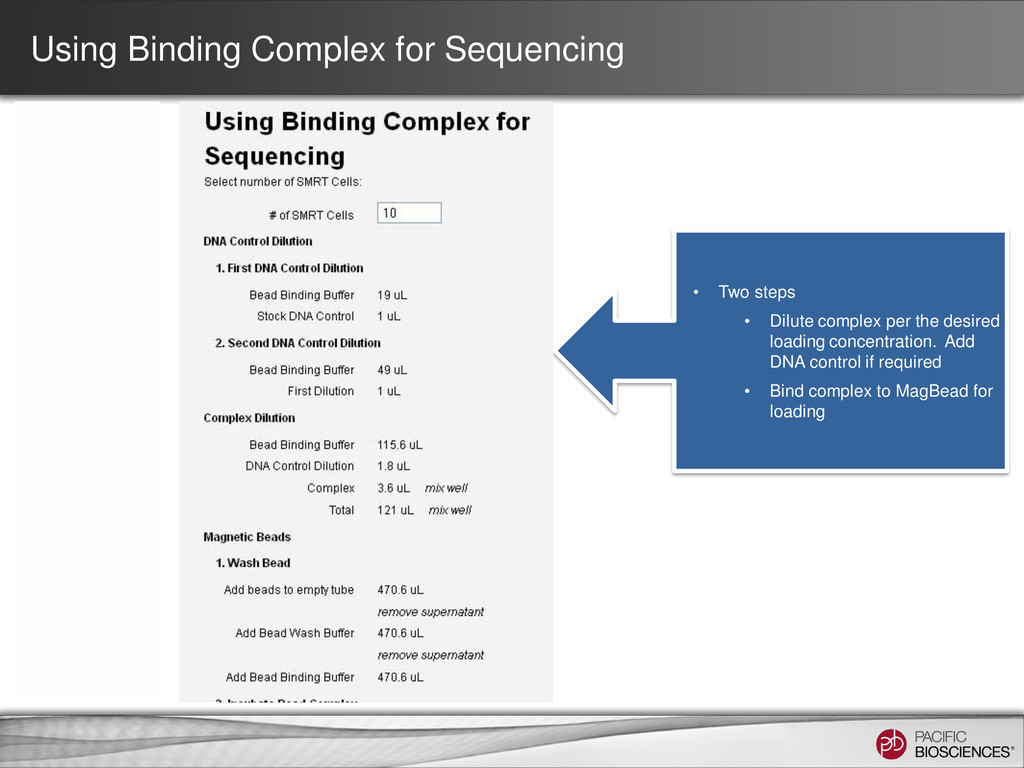
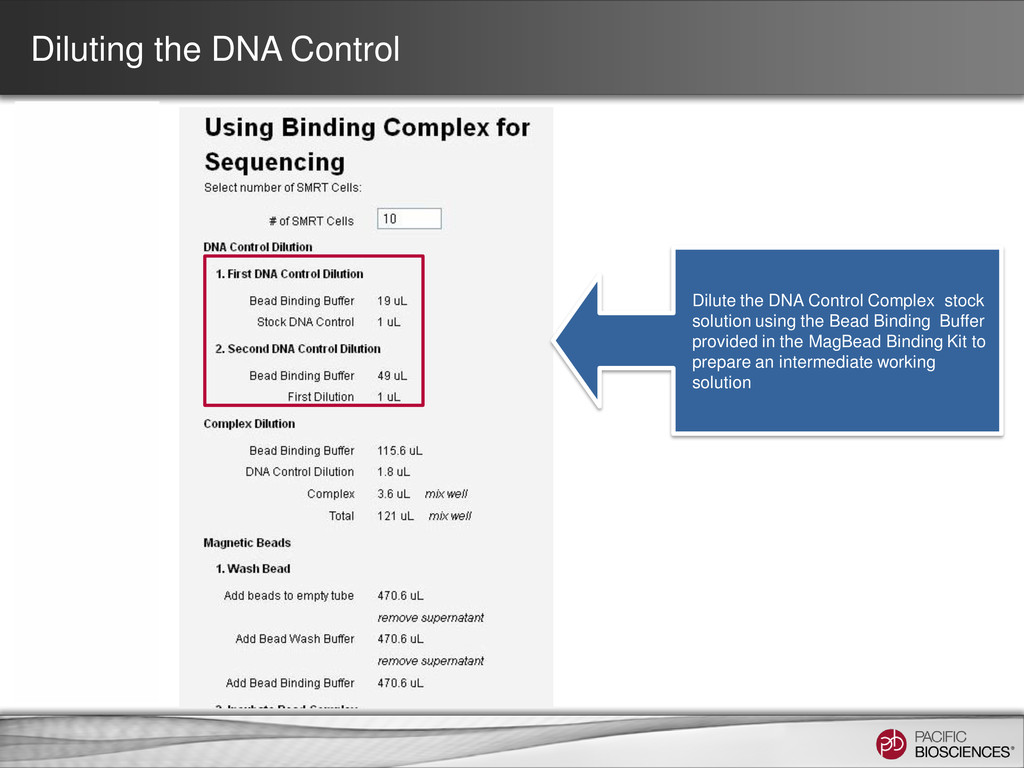
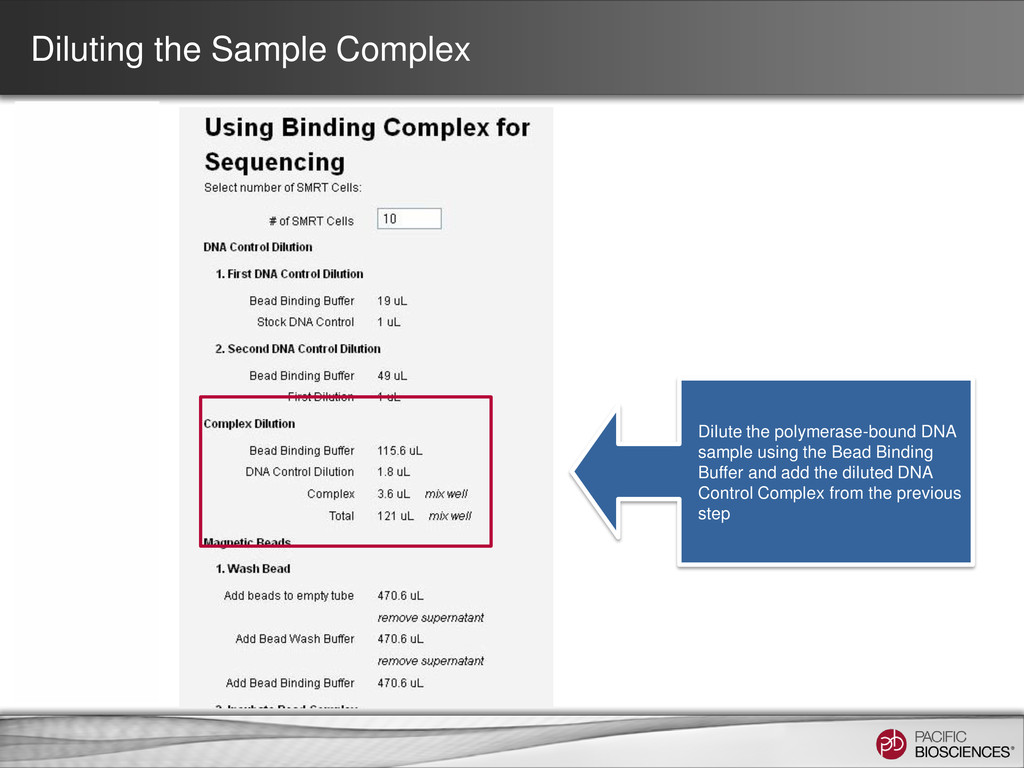
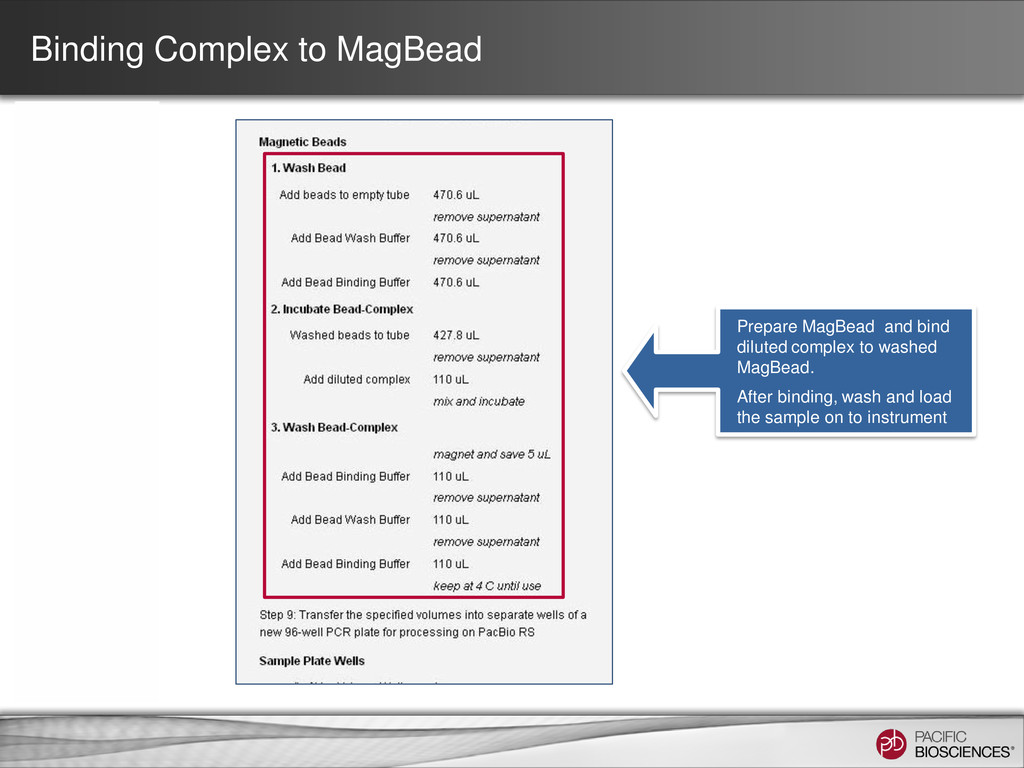
Design Polymerase Binding Instrument Run Primary Analysis Secondary Analysis Tertiary Analysis Template Preparation Run Design Polymerase Binding Instrument Run Primary Analysis Secondary Analysis Tertiary Analysis Guides a user to: • Anneal primer to SMRTbell™ templates • Bind polymerase • Dilute samples for loading on the instrument • Bind polymerase-bound libraries to MagBeads
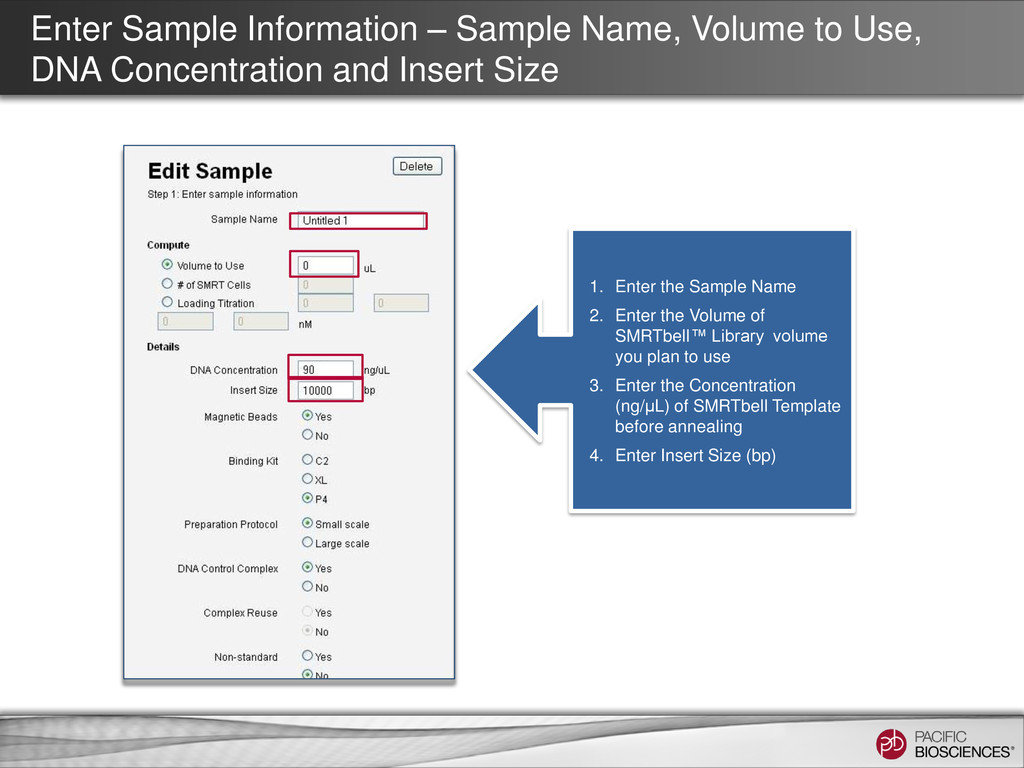
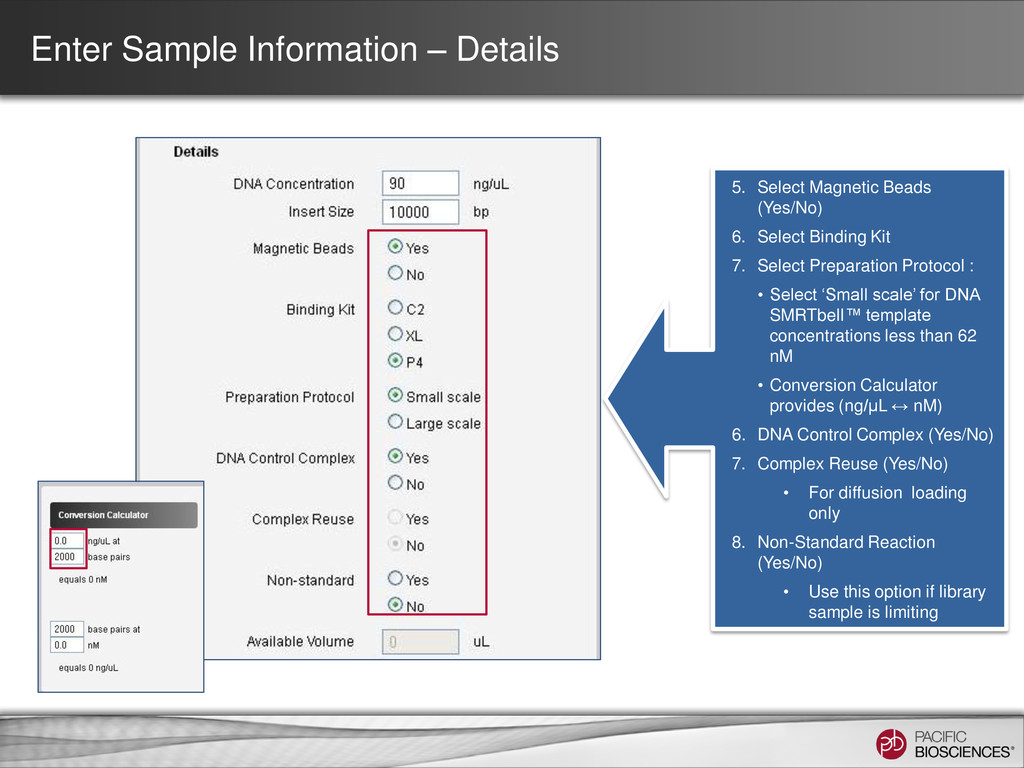
Concentration and Insert Size 1. Enter the Sample Name 2. Enter the Volume of SMRTbell™ Library volume you plan to use 3. Enter the Concentration (ng/μL) of SMRTbell Template before annealing 4. Enter Insert Size (bp)
6. Select Binding Kit 7. Select Preparation Protocol : • Select ‘Small scale’ for DNA SMRTbell™ template concentrations less than 62 nM • Conversion Calculator provides (ng/µL ↔ nM) 6. DNA Control Complex (Yes/No) 7. Complex Reuse (Yes/No) • For diffusion loading only 8. Non-Standard Reaction (Yes/No) • Use this option if library sample is limiting
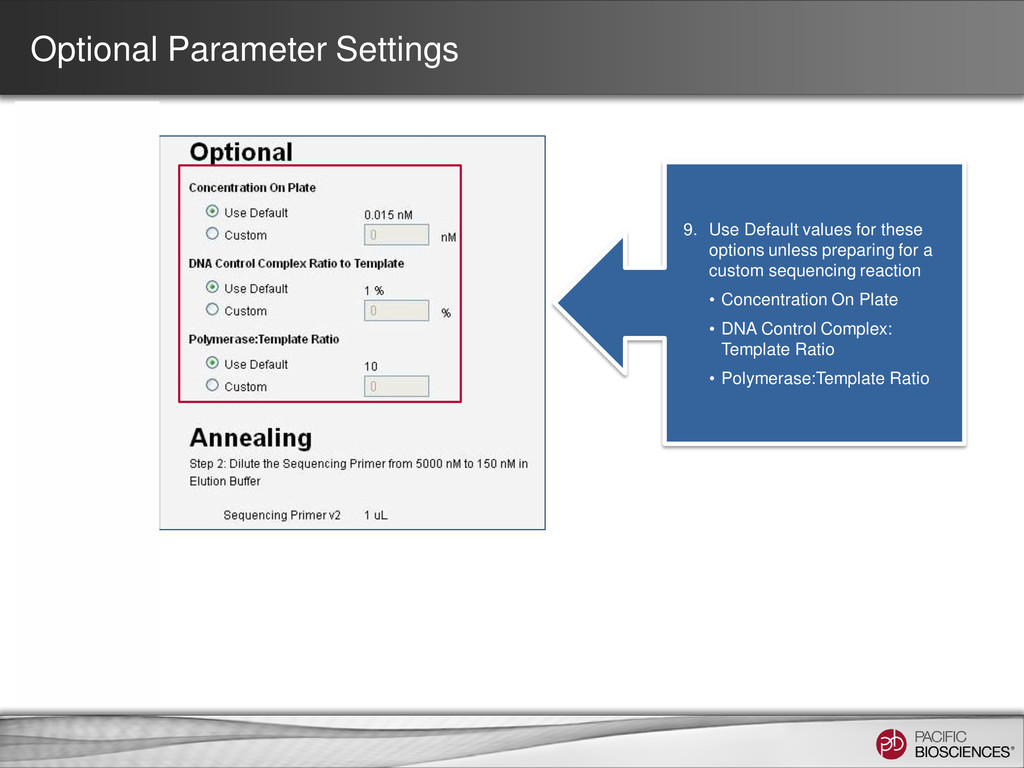
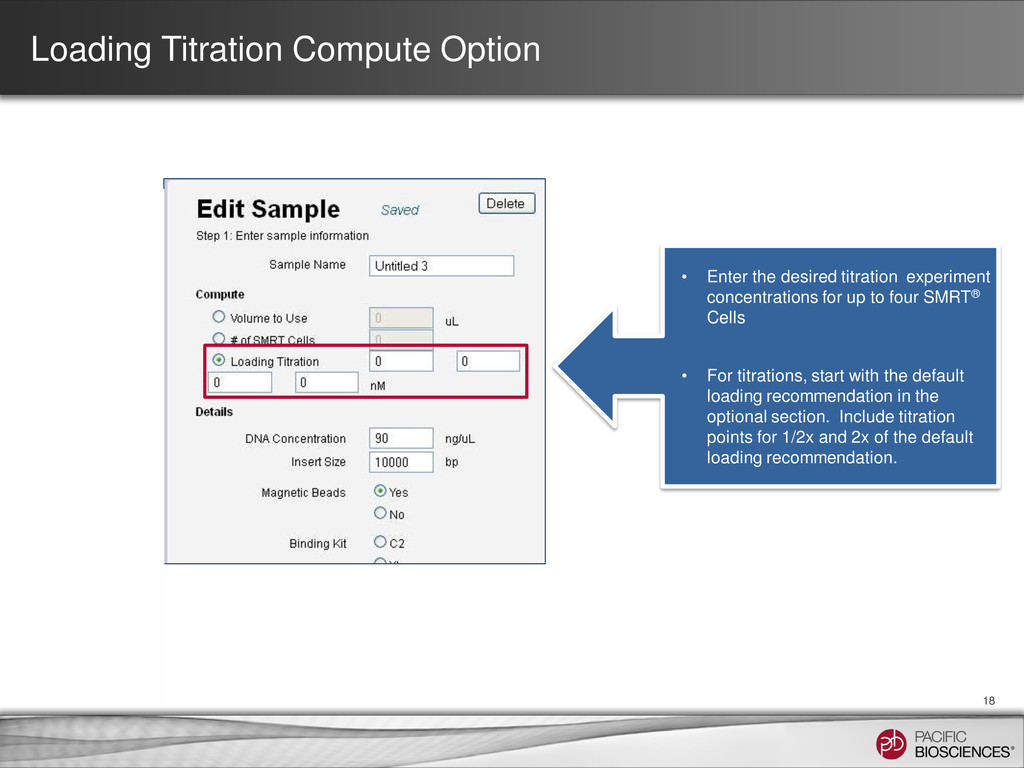
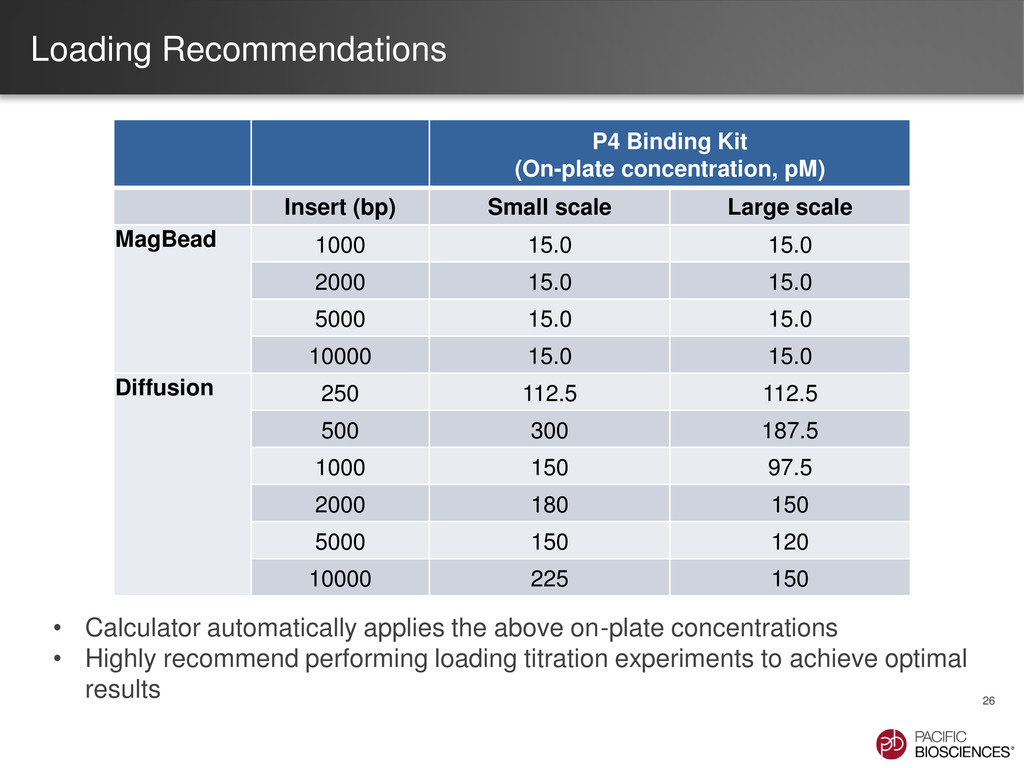
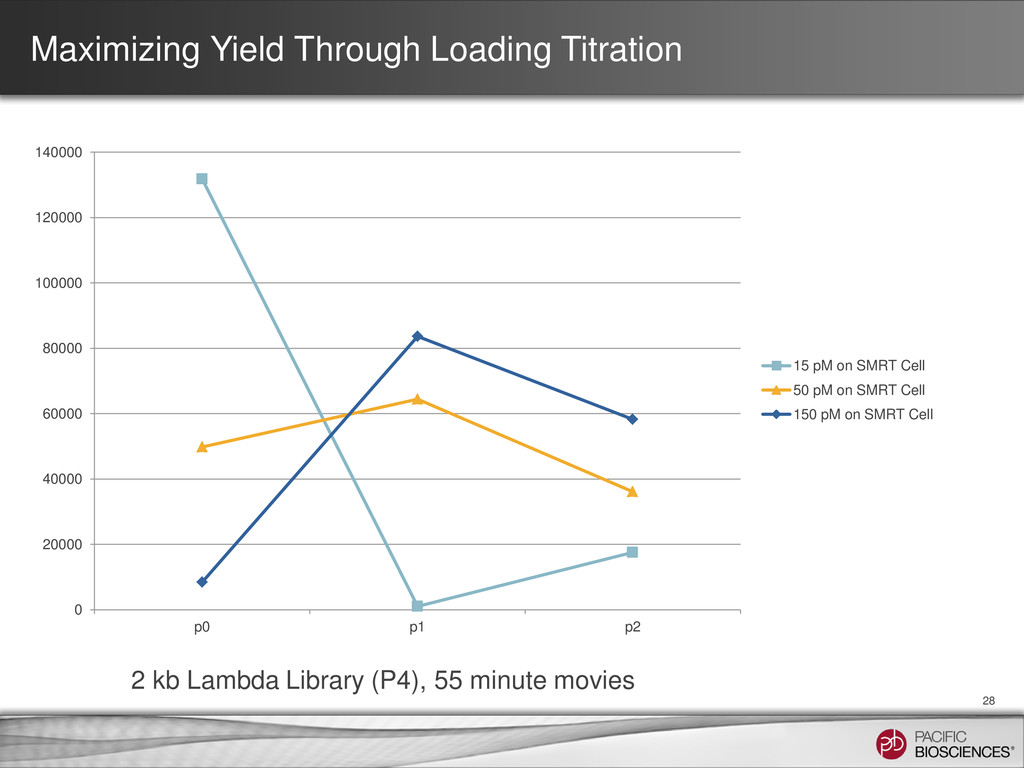
experiment concentrations for up to four SMRT® Cells • For titrations, start with the default loading recommendation in the optional section. Include titration points for 1/2x and 2x of the default loading recommendation.
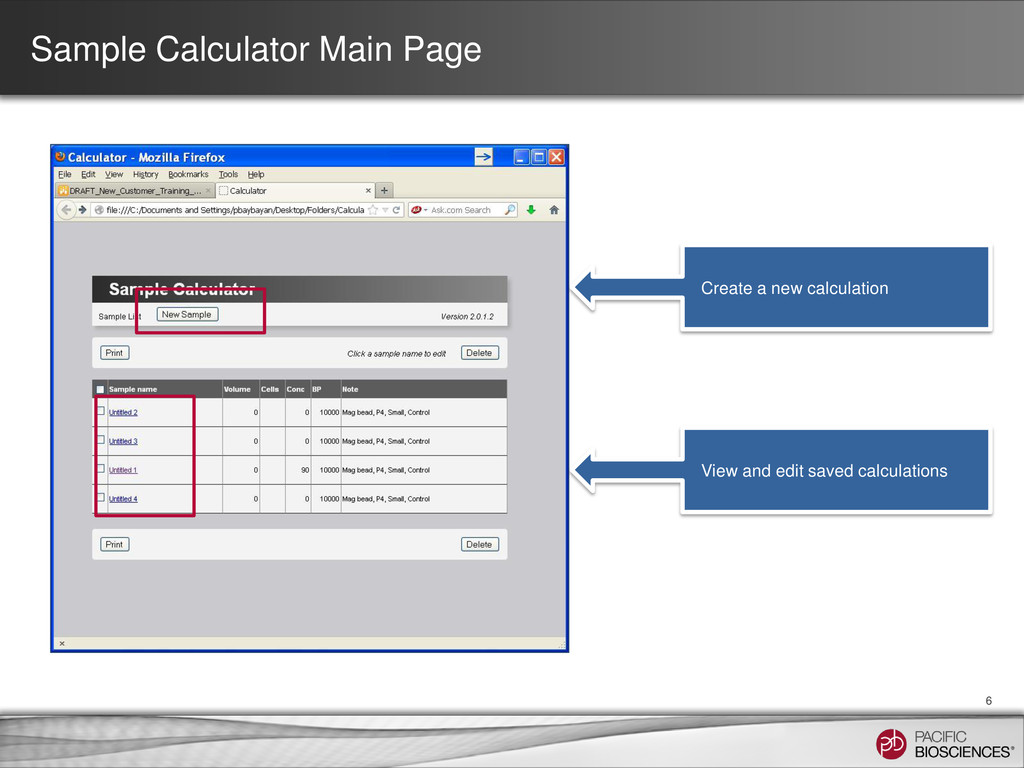
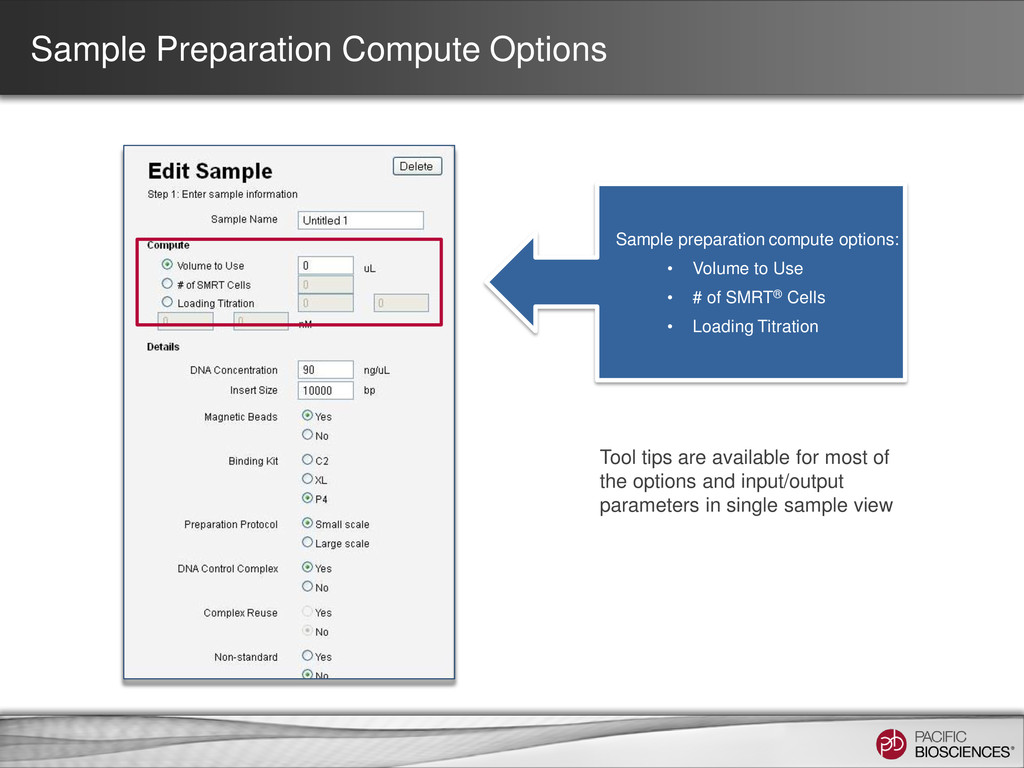
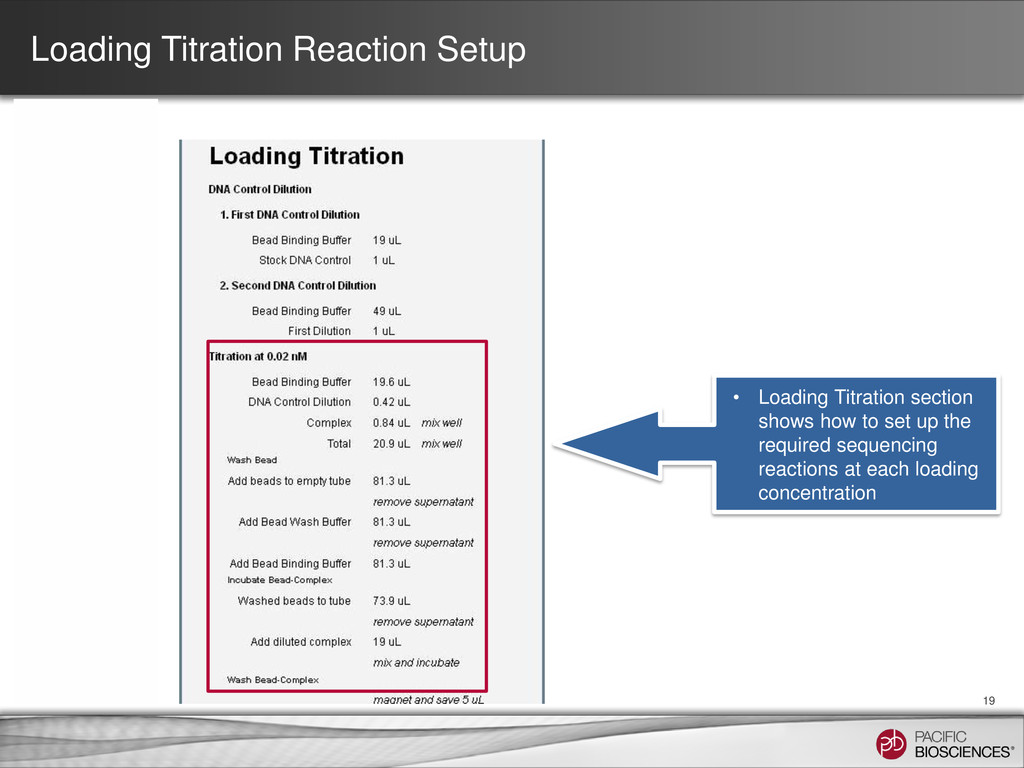
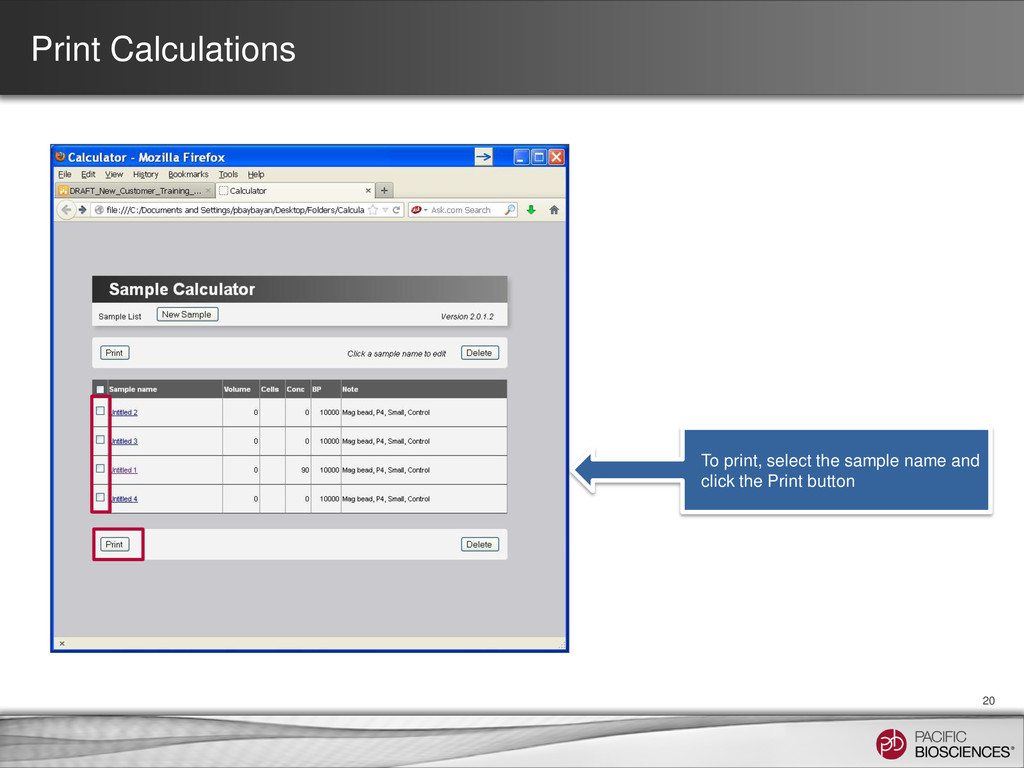
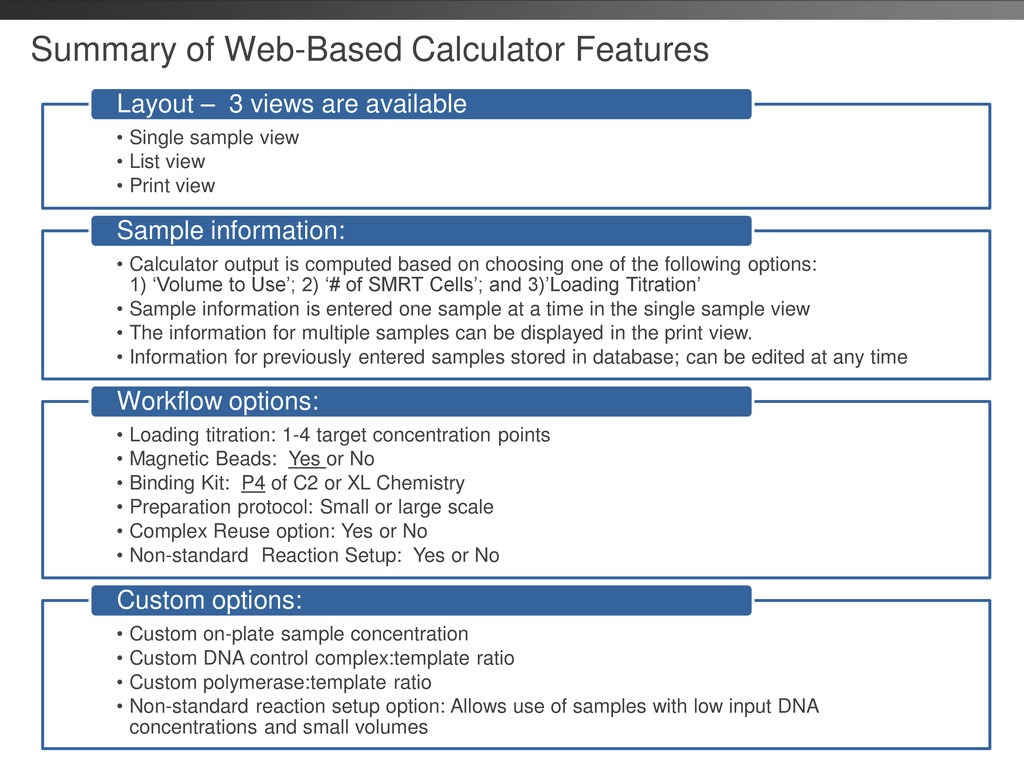
List view • Print view Layout – 3 views are available • Calculator output is computed based on choosing one of the following options: 1) ‘Volume to Use’; 2) ‘# of SMRT Cells’; and 3)’Loading Titration’ • Sample information is entered one sample at a time in the single sample view • The information for multiple samples can be displayed in the print view. • Information for previously entered samples stored in database; can be edited at any time Sample information: • Loading titration: 1-4 target concentration points • Magnetic Beads: Yes or No • Binding Kit: P4 of C2 or XL Chemistry • Preparation protocol: Small or large scale • Complex Reuse option: Yes or No • Non-standard Reaction Setup: Yes or No Workflow options: • Custom on-plate sample concentration • Custom DNA control complex:template ratio • Custom polymerase:template ratio • Non-standard reaction setup option: Allows use of samples with low input DNA concentrations and small volumes Custom options:
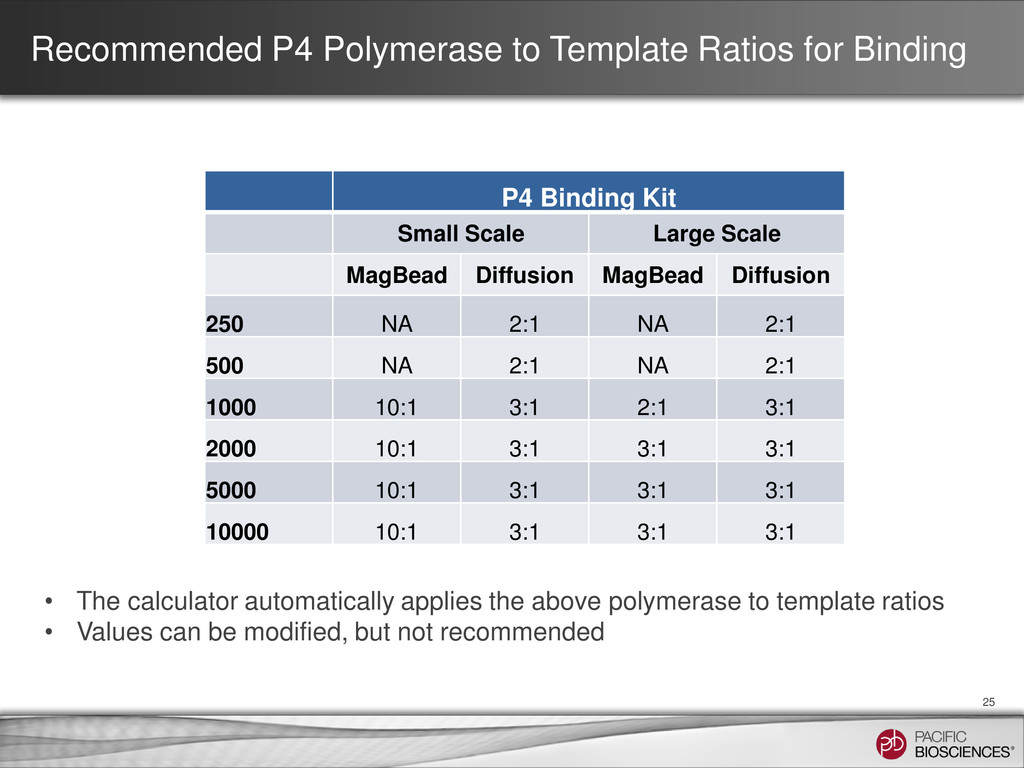
Kit Small Scale Large Scale MagBead Diffusion MagBead Diffusion 250 NA 2:1 NA 2:1 500 NA 2:1 NA 2:1 1000 10:1 3:1 2:1 3:1 2000 10:1 3:1 3:1 3:1 5000 10:1 3:1 3:1 3:1 10000 10:1 3:1 3:1 3:1 25 • The calculator automatically applies the above polymerase to template ratios • Values can be modified, but not recommended
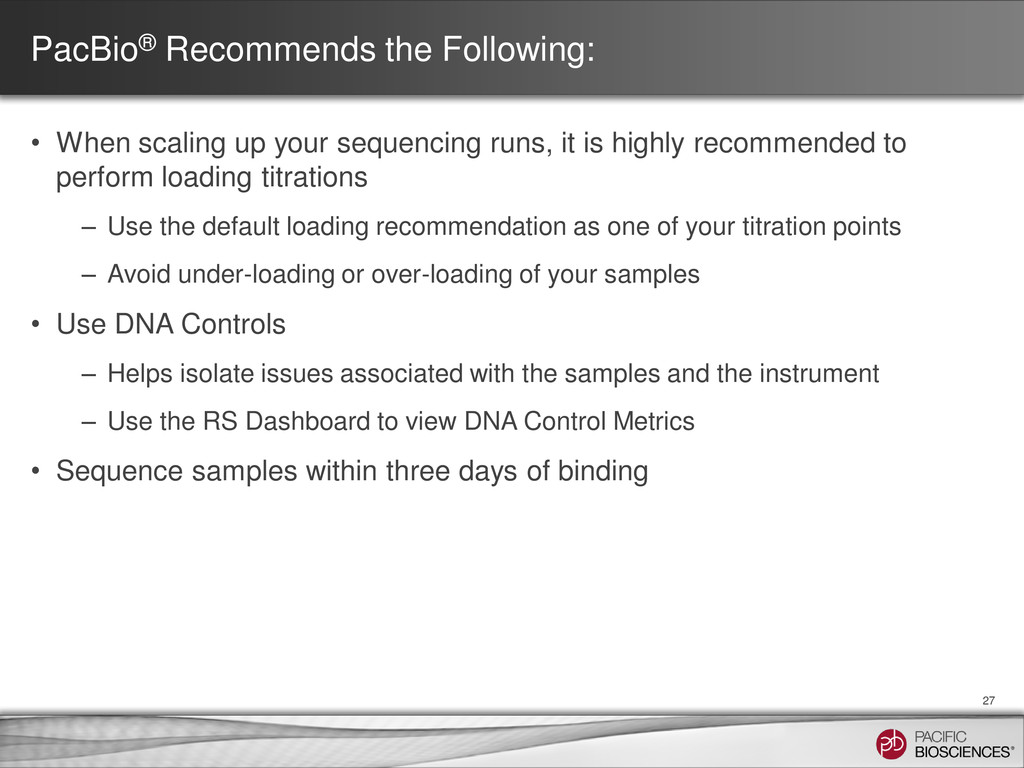
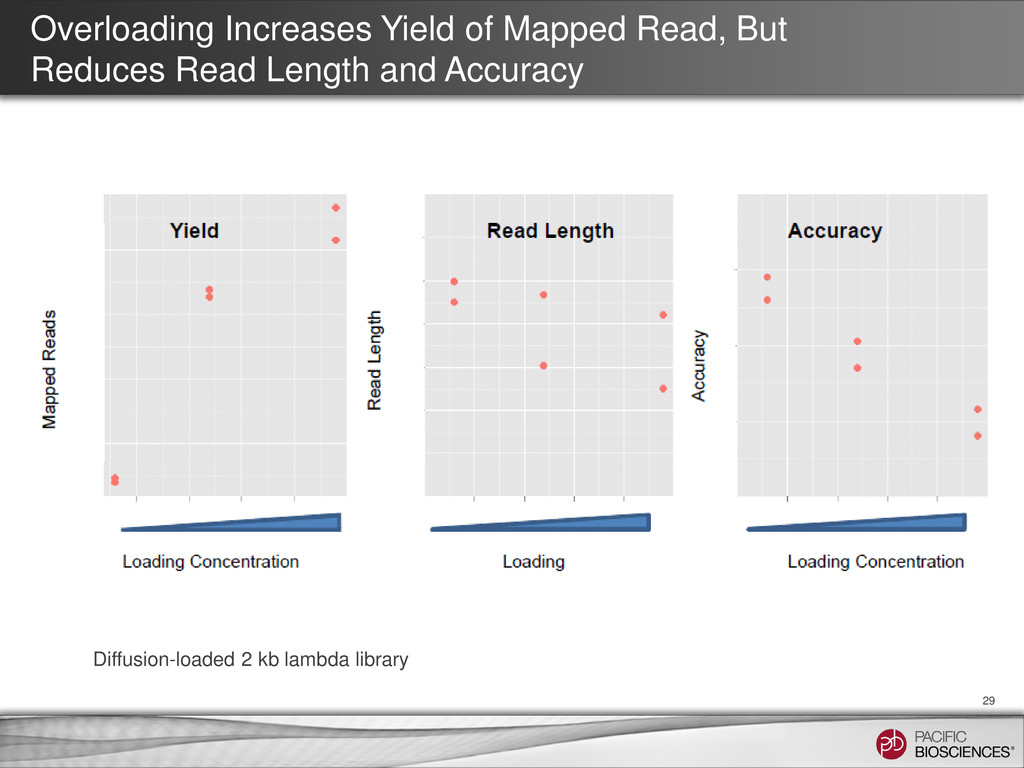
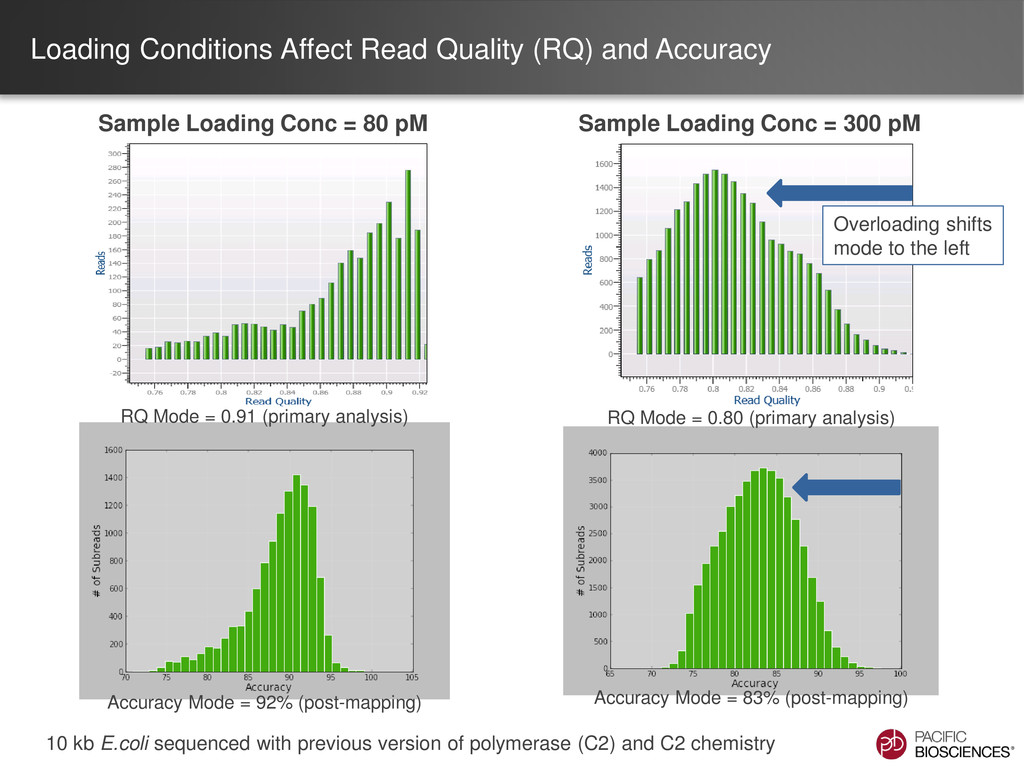
runs, it is highly recommended to perform loading titrations – Use the default loading recommendation as one of your titration points – Avoid under-loading or over-loading of your samples • Use DNA Controls – Helps isolate issues associated with the samples and the instrument – Use the RS Dashboard to view DNA Control Metrics • Sequence samples within three days of binding 27
are trademarks of Pacific Biosciences in the United States and/or other countries. All other trademarks are the sole property of their respective owners.


 pacbio
 tagtag
 institutdelelevage
 trycycle
 tasusu
 michielstock
 estie
estie
 xleitix
 brainpadpr
 voginip
 akasan
.jpeg) arthur1
arthur1
 davidcarrasco
 twada
twada
 jnunemaker
 inesmontani
 raygrieselhuber
 malarkey
 katiecoart
 chrisshort
 aemeredith
 portentint
 62gerente