Lock in $30 Savings on PRO—Offer Ends Soon! ⏳

Database Systems - SQL, NoSQL, NewSQL and Beyond

Database Systems - SQL, NoSQL, NewSQL and Beyond

Making Sense of Modern Databases for Real-World Enterprise Transformation

Avatar for Shiv Iyer

Shiv Iyer PRO

December 07, 2025
Tweet

More Decks by Shiv Iyer

Other Decks in Technology

Transcript

  1. The Database Deep Dive: SQL, NoSQL, NewSQL, and Beyond Making

    Sense of Modern Databases for Real-World Enterprise Transformation Shiv Iyer, Founder & CEO MinervaDB Inc. | ChistaDATA Inc. minervadb.xyz | [email protected] linkedin.com/in/thewebscaledba
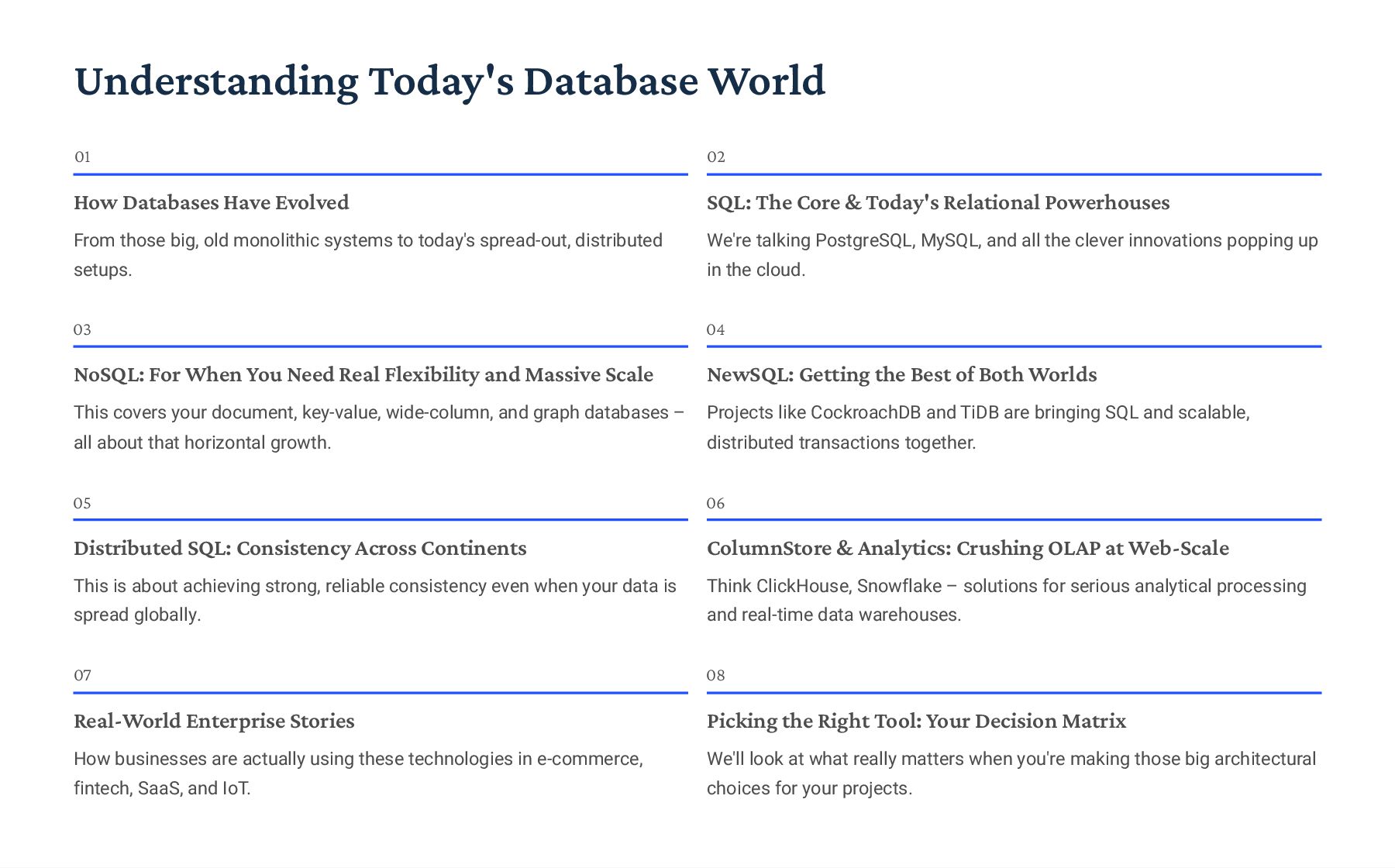
  2. Understanding Today's Database World 01 How Databases Have Evolved From

    those big, old monolithic systems to today's spread-out, distributed setups. 02 SQL: The Core & Today's Relational Powerhouses We're talking PostgreSQL, MySQL, and all the clever innovations popping up in the cloud. 03 NoSQL: For When You Need Real Flexibility and Massive Scale This covers your document, key-value, wide-column, and graph databases 3 all about that horizontal growth. 04 NewSQL: Getting the Best of Both Worlds Projects like CockroachDB and TiDB are bringing SQL and scalable, distributed transactions together. 05 Distributed SQL: Consistency Across Continents This is about achieving strong, reliable consistency even when your data is spread globally. 06 ColumnStore & Analytics: Crushing OLAP at Web-Scale Think ClickHouse, Snowflake 3 solutions for serious analytical processing and real-time data warehouses. 07 Real-World Enterprise Stories How businesses are actually using these technologies in e-commerce, fintech, SaaS, and IoT. 08 Picking the Right Tool: Your Decision Matrix We'll look at what really matters when you're making those big architectural choices for your projects.
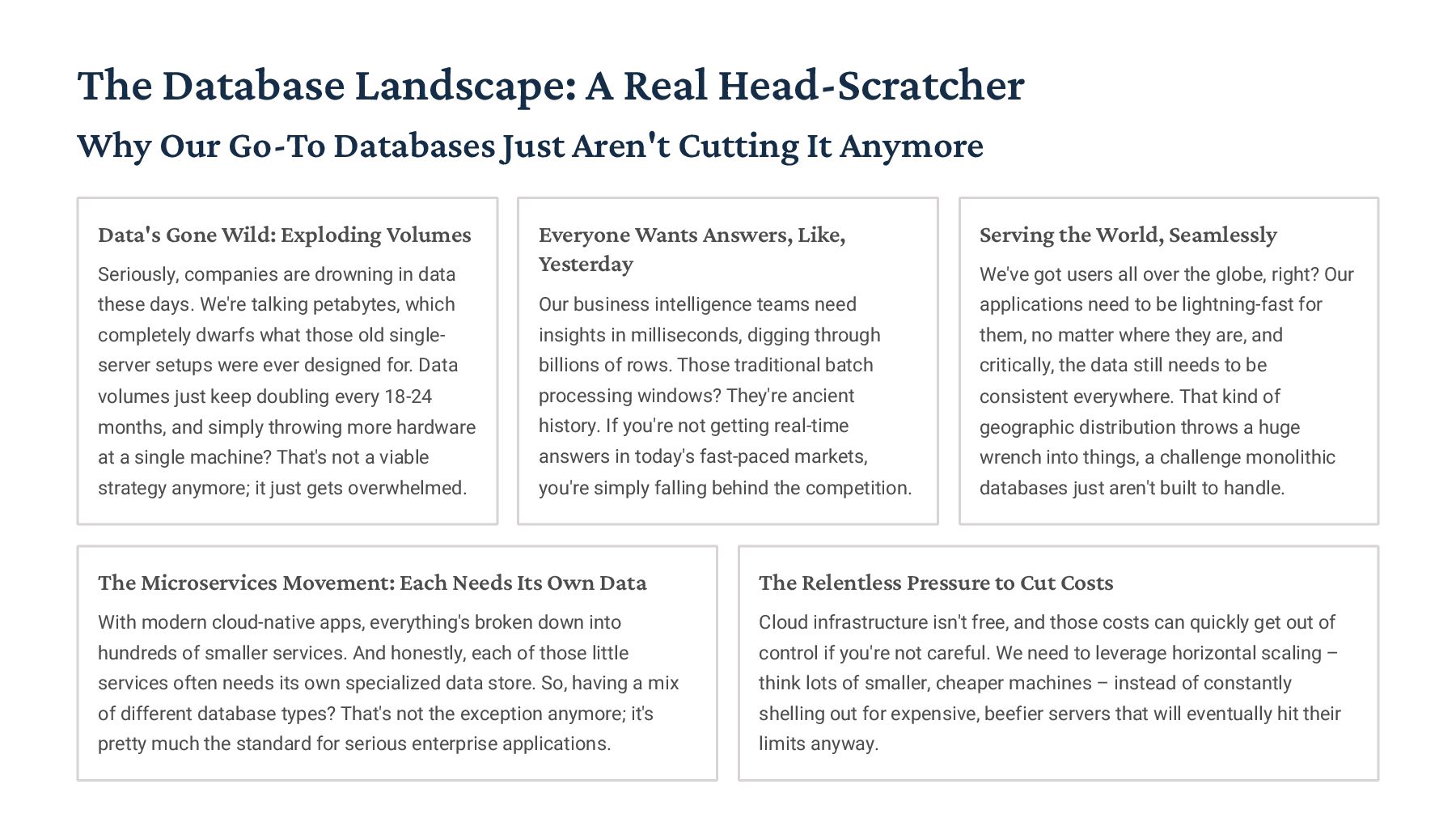
  3. The Database Landscape: A Real Head-Scratcher Why Our Go-To Databases

    Just Aren't Cutting It Anymore Data's Gone Wild: Exploding Volumes Seriously, companies are drowning in data these days. We're talking petabytes, which completely dwarfs what those old single- server setups were ever designed for. Data volumes just keep doubling every 18-24 months, and simply throwing more hardware at a single machine? That's not a viable strategy anymore; it just gets overwhelmed. Everyone Wants Answers, Like, Yesterday Our business intelligence teams need insights in milliseconds, digging through billions of rows. Those traditional batch processing windows? They're ancient history. If you're not getting real-time answers in today's fast-paced markets, you're simply falling behind the competition. Serving the World, Seamlessly We've got users all over the globe, right? Our applications need to be lightning-fast for them, no matter where they are, and critically, the data still needs to be consistent everywhere. That kind of geographic distribution throws a huge wrench into things, a challenge monolithic databases just aren't built to handle. The Microservices Movement: Each Needs Its Own Data With modern cloud-native apps, everything's broken down into hundreds of smaller services. And honestly, each of those little services often needs its own specialized data store. So, having a mix of different database types? That's not the exception anymore; it's pretty much the standard for serious enterprise applications. The Relentless Pressure to Cut Costs Cloud infrastructure isn't free, and those costs can quickly get out of control if you're not careful. We need to leverage horizontal scaling 3 think lots of smaller, cheaper machines 3 instead of constantly shelling out for expensive, beefier servers that will eventually hit their limits anyway.
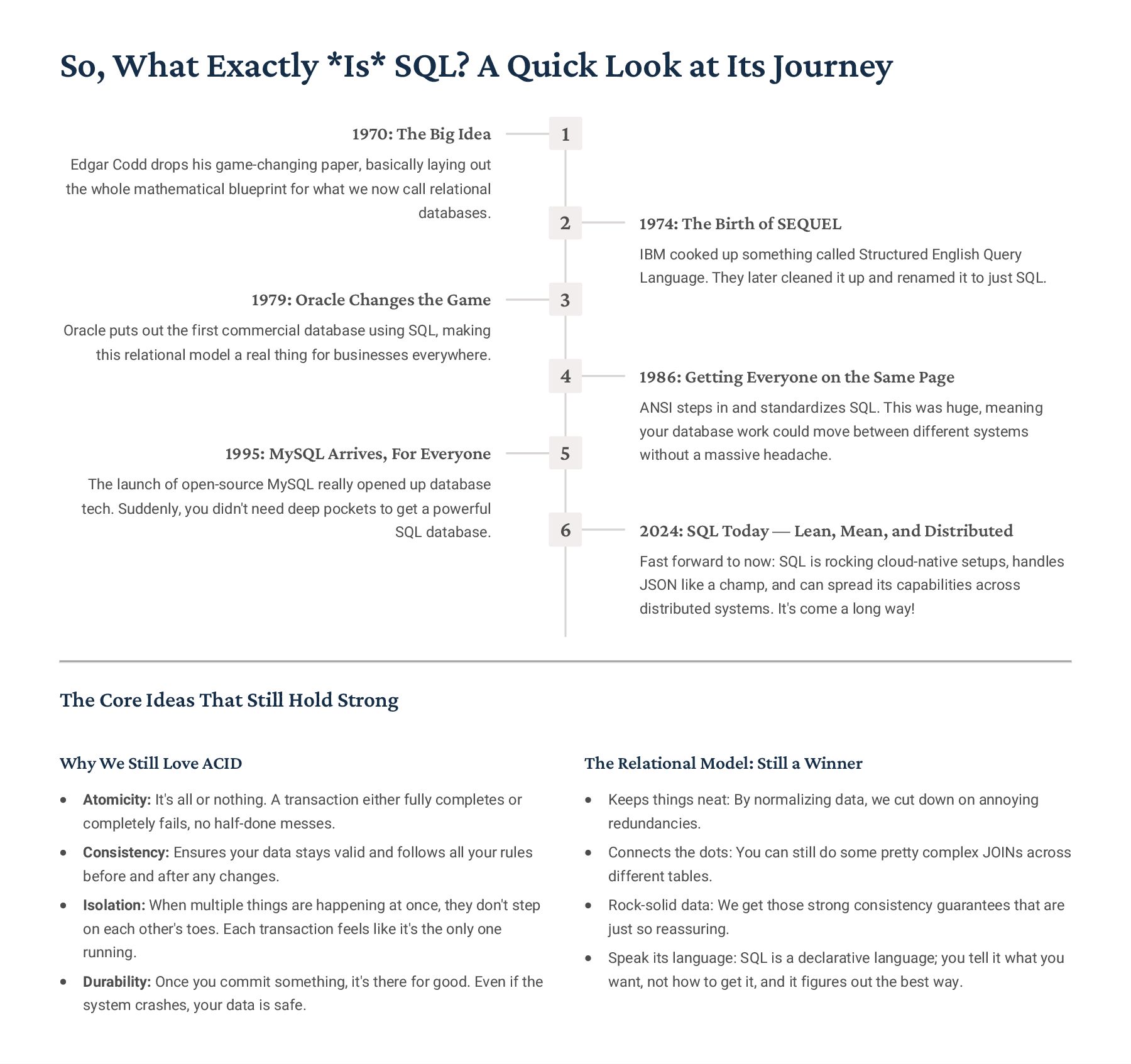
  4. So, What Exactly *Is* SQL? A Quick Look at Its

    Journey 1 1970: The Big Idea Edgar Codd drops his game-changing paper, basically laying out the whole mathematical blueprint for what we now call relational databases. 2 1974: The Birth of SEQUEL IBM cooked up something called Structured English Query Language. They later cleaned it up and renamed it to just SQL. 3 1979: Oracle Changes the Game Oracle puts out the first commercial database using SQL, making this relational model a real thing for businesses everywhere. 4 1986: Getting Everyone on the Same Page ANSI steps in and standardizes SQL. This was huge, meaning your database work could move between different systems without a massive headache. 5 1995: MySQL Arrives, For Everyone The launch of open-source MySQL really opened up database tech. Suddenly, you didn't need deep pockets to get a powerful SQL database. 6 2024: SQL Today 4 Lean, Mean, and Distributed Fast forward to now: SQL is rocking cloud-native setups, handles JSON like a champ, and can spread its capabilities across distributed systems. It's come a long way! The Core Ideas That Still Hold Strong Why We Still Love ACID Atomicity: It's all or nothing. A transaction either fully completes or completely fails, no half-done messes. Consistency: Ensures your data stays valid and follows all your rules before and after any changes. Isolation: When multiple things are happening at once, they don't step on each other's toes. Each transaction feels like it's the only one running. Durability: Once you commit something, it's there for good. Even if the system crashes, your data is safe. The Relational Model: Still a Winner Keeps things neat: By normalizing data, we cut down on annoying redundancies. Connects the dots: You can still do some pretty complex JOINs across different tables. Rock-solid data: We get those strong consistency guarantees that are just so reassuring. Speak its language: SQL is a declarative language; you tell it what you want, not how to get it, and it figures out the best way.
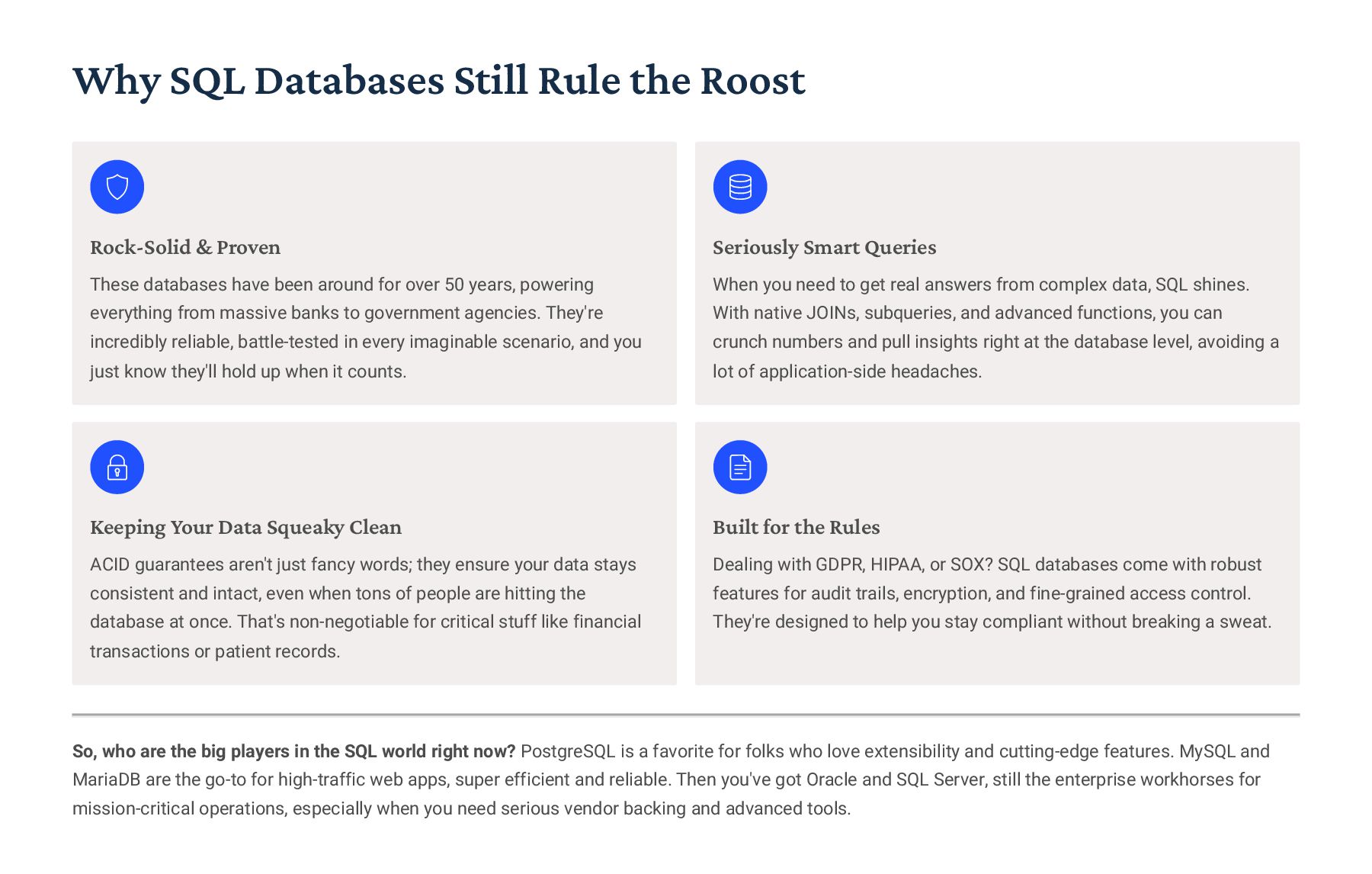
  5. Why SQL Databases Still Rule the Roost Rock-Solid & Proven

    These databases have been around for over 50 years, powering everything from massive banks to government agencies. They're incredibly reliable, battle-tested in every imaginable scenario, and you just know they'll hold up when it counts. Seriously Smart Queries When you need to get real answers from complex data, SQL shines. With native JOINs, subqueries, and advanced functions, you can crunch numbers and pull insights right at the database level, avoiding a lot of application-side headaches. Keeping Your Data Squeaky Clean ACID guarantees aren't just fancy words; they ensure your data stays consistent and intact, even when tons of people are hitting the database at once. That's non-negotiable for critical stuff like financial transactions or patient records. Built for the Rules Dealing with GDPR, HIPAA, or SOX? SQL databases come with robust features for audit trails, encryption, and fine-grained access control. They're designed to help you stay compliant without breaking a sweat. So, who are the big players in the SQL world right now? PostgreSQL is a favorite for folks who love extensibility and cutting-edge features. MySQL and MariaDB are the go-to for high-traffic web apps, super efficient and reliable. Then you've got Oracle and SQL Server, still the enterprise workhorses for mission-critical operations, especially when you need serious vendor backing and advanced tools.
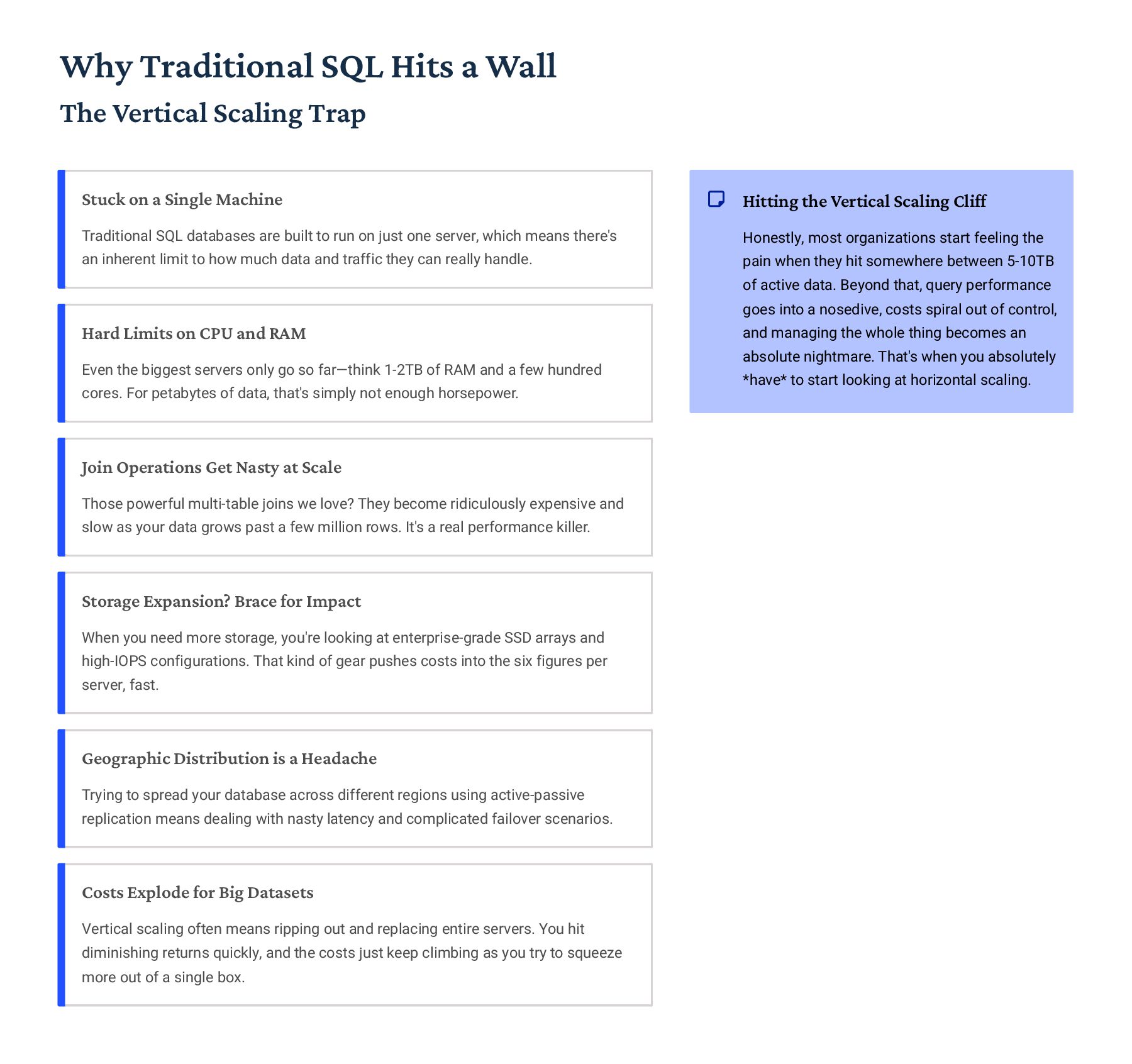
  6. Why Traditional SQL Hits a Wall The Vertical Scaling Trap

    Stuck on a Single Machine Traditional SQL databases are built to run on just one server, which means there's an inherent limit to how much data and traffic they can really handle. Hard Limits on CPU and RAM Even the biggest servers only go so far4think 1-2TB of RAM and a few hundred cores. For petabytes of data, that's simply not enough horsepower. Join Operations Get Nasty at Scale Those powerful multi-table joins we love? They become ridiculously expensive and slow as your data grows past a few million rows. It's a real performance killer. Storage Expansion? Brace for Impact When you need more storage, you're looking at enterprise-grade SSD arrays and high-IOPS configurations. That kind of gear pushes costs into the six figures per server, fast. Geographic Distribution is a Headache Trying to spread your database across different regions using active-passive replication means dealing with nasty latency and complicated failover scenarios. Costs Explode for Big Datasets Vertical scaling often means ripping out and replacing entire servers. You hit diminishing returns quickly, and the costs just keep climbing as you try to squeeze more out of a single box. Hitting the Vertical Scaling Cliff Honestly, most organizations start feeling the pain when they hit somewhere between 5-10TB of active data. Beyond that, query performance goes into a nosedive, costs spiral out of control, and managing the whole thing becomes an absolute nightmare. That's when you absolutely *have* to start looking at horizontal scaling.
  7. PostgreSQL: Our Go-To for Modern SQL It's Open-Source, Enterprise-Ready, and

    Seriously Innovative What It Can Do Right Out of the Box Native JSON/JSONB Support: Need to handle JSON? PostgreSQL has killer native support, complete with indexing. Perfect for flexible schemas without breaking a sweat. Full-Text Search: Built-in full-text search means you often don't even need a separate search engine for many use cases. Super handy. Array and Range Types: It's got first-class support for arrays and range types. Trust me, it makes handling complex data structures so much cleaner. Window Functions: Oh yeah, window functions are a game-changer for analytical queries, letting you avoid those ugly, slow self-joins. Extensible Architecture: The architecture is incredibly extensible. If you need a custom function, you can write it in PLpgSQL, PLv8 (JavaScript!), Python, Perl... you name it. Beyond the Basics: Serious Power Features MVCC Isolation: MVCC (Multi-Version Concurrency Control) is solid, ensuring high-throughput workloads stay smooth even under heavy concurrent use. Foreign Data Wrappers: This is cool: you can query other databases (or even CSV files!) as if they were local tables, all transparently. Logical Replication: If you need fine-grained control over your replication setup, logical replication offers awesome flexibility for complex topologies. Partitioning: Got massive datasets? Native table partitioning helps manage and optimize performance for truly huge tables. Parallel Query: For those big analytical tasks, PostgreSQL can leverage multiple cores to execute queries in parallel, making them fly. For SaaS Applications It's a perfect fit for SaaS. That flexible schema evolution and JSONB support really help when product requirements are always shifting. In Financial Systems With its rock-solid ACID compliance and proven reliability, PostgreSQL easily meets the strict regulatory demands of banking and payment processing. Across Government Agencies The open-source licensing model and robust security certifications make it a no-brainer for public sector procurement requirements.
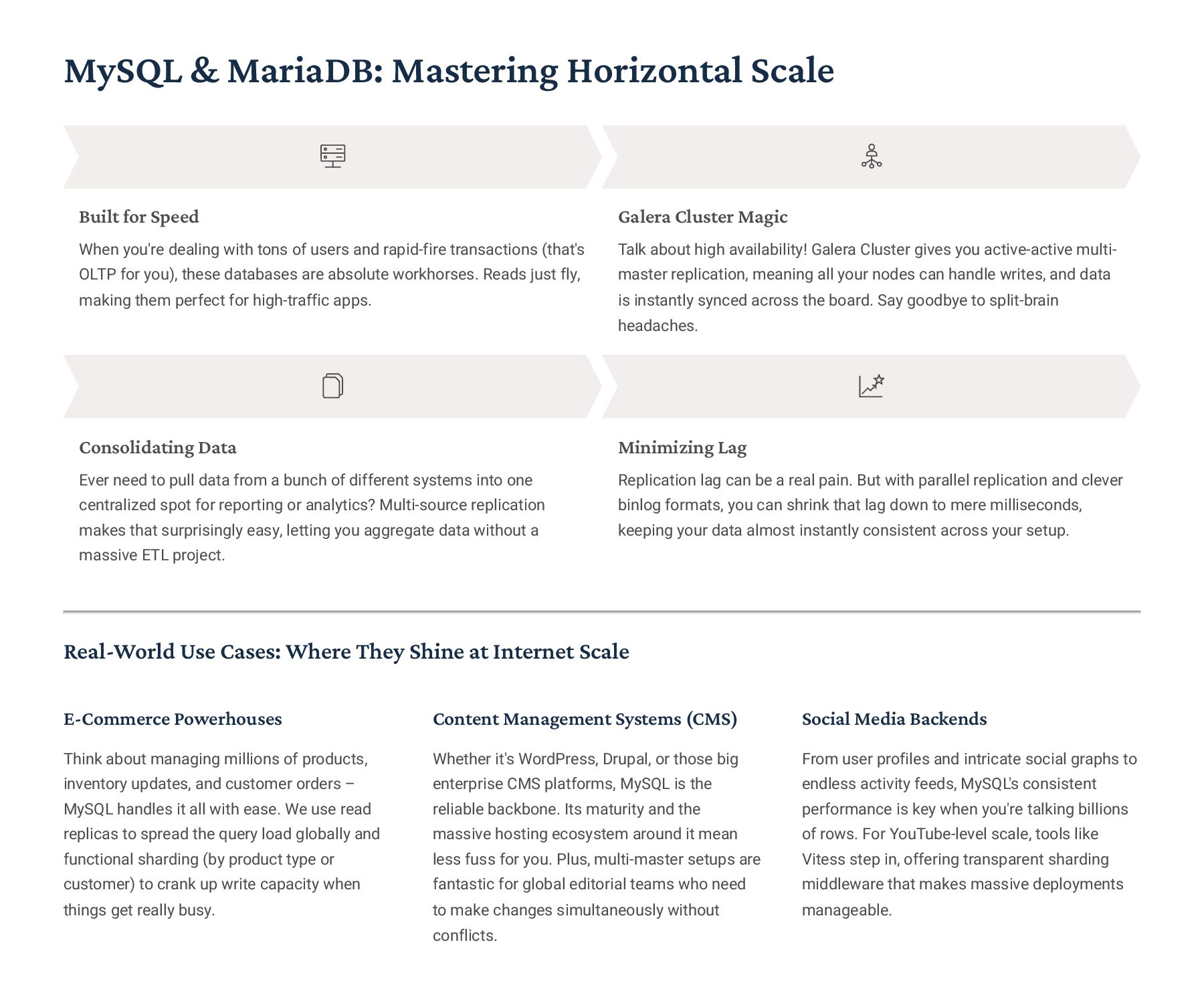
  8. MySQL & MariaDB: Mastering Horizontal Scale Built for Speed When

    you're dealing with tons of users and rapid-fire transactions (that's OLTP for you), these databases are absolute workhorses. Reads just fly, making them perfect for high-traffic apps. Galera Cluster Magic Talk about high availability! Galera Cluster gives you active-active multi- master replication, meaning all your nodes can handle writes, and data is instantly synced across the board. Say goodbye to split-brain headaches. Consolidating Data Ever need to pull data from a bunch of different systems into one centralized spot for reporting or analytics? Multi-source replication makes that surprisingly easy, letting you aggregate data without a massive ETL project. Minimizing Lag Replication lag can be a real pain. But with parallel replication and clever binlog formats, you can shrink that lag down to mere milliseconds, keeping your data almost instantly consistent across your setup. Real-World Use Cases: Where They Shine at Internet Scale E-Commerce Powerhouses Think about managing millions of products, inventory updates, and customer orders 3 MySQL handles it all with ease. We use read replicas to spread the query load globally and functional sharding (by product type or customer) to crank up write capacity when things get really busy. Content Management Systems (CMS) Whether it's WordPress, Drupal, or those big enterprise CMS platforms, MySQL is the reliable backbone. Its maturity and the massive hosting ecosystem around it mean less fuss for you. Plus, multi-master setups are fantastic for global editorial teams who need to make changes simultaneously without conflicts. Social Media Backends From user profiles and intricate social graphs to endless activity feeds, MySQL's consistent performance is key when you're talking billions of rows. For YouTube-level scale, tools like Vitess step in, offering transparent sharding middleware that makes massive deployments manageable.
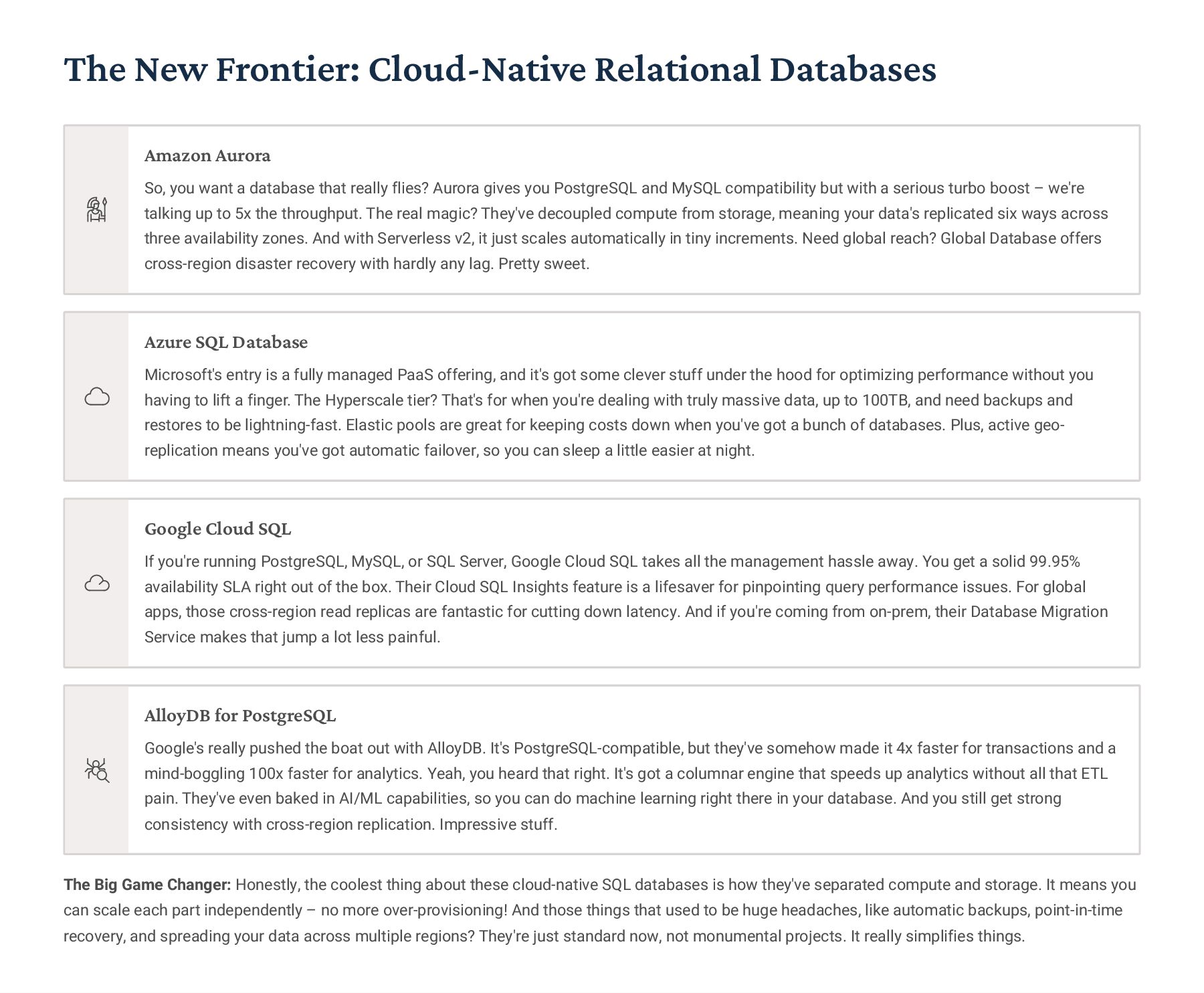
  9. The New Frontier: Cloud-Native Relational Databases Amazon Aurora So, you

    want a database that really flies? Aurora gives you PostgreSQL and MySQL compatibility but with a serious turbo boost 3 we're talking up to 5x the throughput. The real magic? They've decoupled compute from storage, meaning your data's replicated six ways across three availability zones. And with Serverless v2, it just scales automatically in tiny increments. Need global reach? Global Database offers cross-region disaster recovery with hardly any lag. Pretty sweet. Azure SQL Database Microsoft's entry is a fully managed PaaS offering, and it's got some clever stuff under the hood for optimizing performance without you having to lift a finger. The Hyperscale tier? That's for when you're dealing with truly massive data, up to 100TB, and need backups and restores to be lightning-fast. Elastic pools are great for keeping costs down when you've got a bunch of databases. Plus, active geo- replication means you've got automatic failover, so you can sleep a little easier at night. Google Cloud SQL If you're running PostgreSQL, MySQL, or SQL Server, Google Cloud SQL takes all the management hassle away. You get a solid 99.95% availability SLA right out of the box. Their Cloud SQL Insights feature is a lifesaver for pinpointing query performance issues. For global apps, those cross-region read replicas are fantastic for cutting down latency. And if you're coming from on-prem, their Database Migration Service makes that jump a lot less painful. AlloyDB for PostgreSQL Google's really pushed the boat out with AlloyDB. It's PostgreSQL-compatible, but they've somehow made it 4x faster for transactions and a mind-boggling 100x faster for analytics. Yeah, you heard that right. It's got a columnar engine that speeds up analytics without all that ETL pain. They've even baked in AI/ML capabilities, so you can do machine learning right there in your database. And you still get strong consistency with cross-region replication. Impressive stuff. The Big Game Changer: Honestly, the coolest thing about these cloud-native SQL databases is how they've separated compute and storage. It means you can scale each part independently 3 no more over-provisioning! And those things that used to be huge headaches, like automatic backups, point-in-time recovery, and spreading your data across multiple regions? They're just standard now, not monumental projects. It really simplifies things.
  10. SQL's Sweet Spots Where Traditional Relational Databases Still Rule the

    Roost When "Right Now" Matters Most (Strong Consistency) Let's be honest, some things just *have* to be correct, immediately. We're talking financial transactions, critical healthcare records, or keeping tabs on your inventory. You can't have a banking app showing a wrong balance, even for a second, because of some "eventual consistency" quirk. And those regulatory folks4think HIPAA or SOX4they demand rock-solid audit trails, which only ACID-compliant SQL databases reliably deliver. Wrestling with Complex Joins and Analytics If you're building serious business intelligence tools or reporting systems that need to combine data from five, ten, or more tables with tricky GROUP BYs and aggregations, SQL is your best friend. It's built for that kind of declarative query optimization. Trying to simulate those complex joins in application code over a NoSQL store? You're signing up for a maintenance nightmare, trust me. Navigating the Regulatory Minefield GDPR, PCI-DSS, FedRAMP, FIPS 140-24these aren't just acronyms; they're serious requirements. Traditional SQL databases have grown up with these mandates. They come with established certifications, proven audit capabilities, and granular access controls that can make your compliance officer very happy. Building that from scratch on newer tech can be a massive uphill battle. Tried-and-True Transactional Systems (OLTP) For your bread-and-butter transactional applications like order processing, CRM, or ERP systems, where you have a clear, well-defined schema, relational integrity constraints are a godsend. Foreign keys actually *prevent* orphaned records, and check constraints ensure your business rules are enforced right at the database level, not just in your application code where things can slip. When Data Integrity is Non-Negotiable Any system where data corruption or inconsistency could have catastrophic consequences4think medical dosing, air traffic control, or monitoring a nuclear power plant4you absolutely need the bulletproof reliability of a mature SQL database. Decades of battle-testing make SQL the conservative, correct, and frankly, life-saving choice for these mission-critical scenarios.
  11. The NoSQL Revolution: What Changed? So, What Kicked Off This

    Whole NoSQL Thing? 1 2004: Google BigTable Google drops their BigTable paper, showing everyone how to store tons of data across a massive, distributed system. 2 2007: Amazon Dynamo Amazon rolls out Dynamo, their eventually-consistent key-value store. It was all about scaling horizontally, big time. 3 2009: MongoDB Released MongoDB hits the scene, finally giving devs a document database with super flexible schemas that wasn't a pain to use. 4 2010: Cassandra Open-Sourced Facebook open-sources Cassandra. This wide-column beast was already handling billions of messages for them every single day. 5 2015: Redis Labs Growth By 2015, Redis and other in-memory databases really started becoming standard kit for infrastructure. Everyone needed that lightning-fast caching. 6 2024: NoSQL Maturity Fast forward to today, NoSQL isn't just for early adopters. It's mature, production-ready, packed with enterprise features, and you can get it as a managed service in the cloud. It's grown up. What Sparked the Big Data Boom? YouTube: Uploading 500 hours of video every minute? That needed a flexible schema for all that metadata. Facebook: Their social graph, with billions of relationships, totally broke traditional JOIN-based architectures. Twitter: Real-time tweet ingestion needed crazy horizontal write scaling, way beyond what single servers could do. Mobile Apps: Schema-less JSON documents were a perfect fit for those rapid development cycles. The NoSQL Mindset "Look, sometimes you just have to give up a little bit of that strong consistency if you want massive horizontal scalability and super flexible schemas. For 95% of use cases, being 'eventually consistent' is perfectly fine, and it lets you do things you simply can't with strict, immediate consistency."
  12. So, How Do NoSQL Databases Actually Work? It's All About

    BASE vs. ACID, and Scaling Out The BASE Philosophy: Trading Strictness for Speed and Availability Basically Available The system's designed to keep serving requests, even if some parts are a bit wobbly. You can usually read or write data, even if a few servers go down. Soft-state Think of it like this: your data might not be perfectly synchronized across every server at every single second. It's okay for things to be a little 'in flux' while updates are spreading around. Eventually Consistent Give it a moment, and everything will sort itself out. If no new updates come in, all copies of the data will eventually settle on the same, correct version. Built for Scale: How NoSQL Handles Big Data Loads Data Sharding We break up your huge dataset and spread it across tons of different machines. It's like splitting a massive book into smaller chapters and giving each to a different person. Automatic Replication Every piece of data isn't just on one machine; we make several copies and put them on different servers. If one machine kicks the bucket, we've got backups ready to go, typically 3x copies. No Join Operations Instead of doing fancy lookups across multiple tables (which gets slow at scale), we often "denormalize" data. That means we stick related information together so you don't need those complex join queries. Embracing Eventual Consistency Here's the catch: because of how it scales, you might not immediately read your *own* recent write. Handling simultaneous updates can also get tricky, sometimes requiring specific conflict resolution logic in your app. The Core Trade-off: Look, the big picture here is that NoSQL databases intentionally loosen up on strict consistency (that's the "C" in CAP theorem) to give you massive availability and the ability to just keep adding more servers to handle bigger loads. The flip side? Your application code needs to be smart enough to deal with those moments when different users (or even the same user) might temporarily see slightly different data.
  13. Document Databases: Let's Talk MongoDB Its Flexible Schema is a

    Game-Changer for Fast Development How It's Built (Core Architecture) At its heart, MongoDB treats data like BSON (Binary JSON) documents, not your typical tables. The cool thing is, documents in the same collection don't have to look exactly alike. That means you can change your schema on the fly, no need to take anything down. And its query language is really powerful, letting you dig into nested documents, play with arrays, and even do full-text searches. How It Scales Sharding: This is how we spread our data across different servers, using shard keys to decide where everything goes. Replica Sets: Think of these as backups. You typically have three or more nodes keeping copies, and if one goes down, another steps in automatically in under 10 seconds 3 pretty slick. Aggregation Pipeline: This is a super efficient way to do complex analytics, much simpler than wrestling with MapReduce. WiredTiger Storage: Under the hood, WiredTiger helps us handle lots of simultaneous updates and compresses our data, often cutting storage needs by a whopping 70%. { "_id": "prod_12345", "name": "Wireless Headphones", "price": 129.99, "categories": ["Electronics", "Audio"], "specs": { "battery": "30 hours", "bluetooth": "5.0", "colors": ["black", "silver"] }, "reviews": [ { "user": "alice", "rating": 5, "text": "Excellent sound!" } ], "inventory": [ {"warehouse": "US-East", "qty": 45}, {"warehouse": "EU-West", "qty": 22} ] } Just to give you a feel, here's what a product catalog document might look like, complete with nested stuff and arrays. Where MongoDB Really Shines (Production Use Cases) Content Management Perfect for news sites and publishing platforms. You can stash articles with all sorts of metadata without getting bogged down by strict schema rules. User Profiles Social networks and SaaS apps love this for storing all those varied user preferences and settings. It just works, no matter how different each user's profile is. Product Catalogs E-commerce platforms use it to handle product SKUs with wildly different attributes across various categories. Super flexible for ever-changing product lines. IoT Data Imagine sensor readings where the telemetry fields keep changing as device firmware updates. MongoDB handles that evolving data model without a sweat.
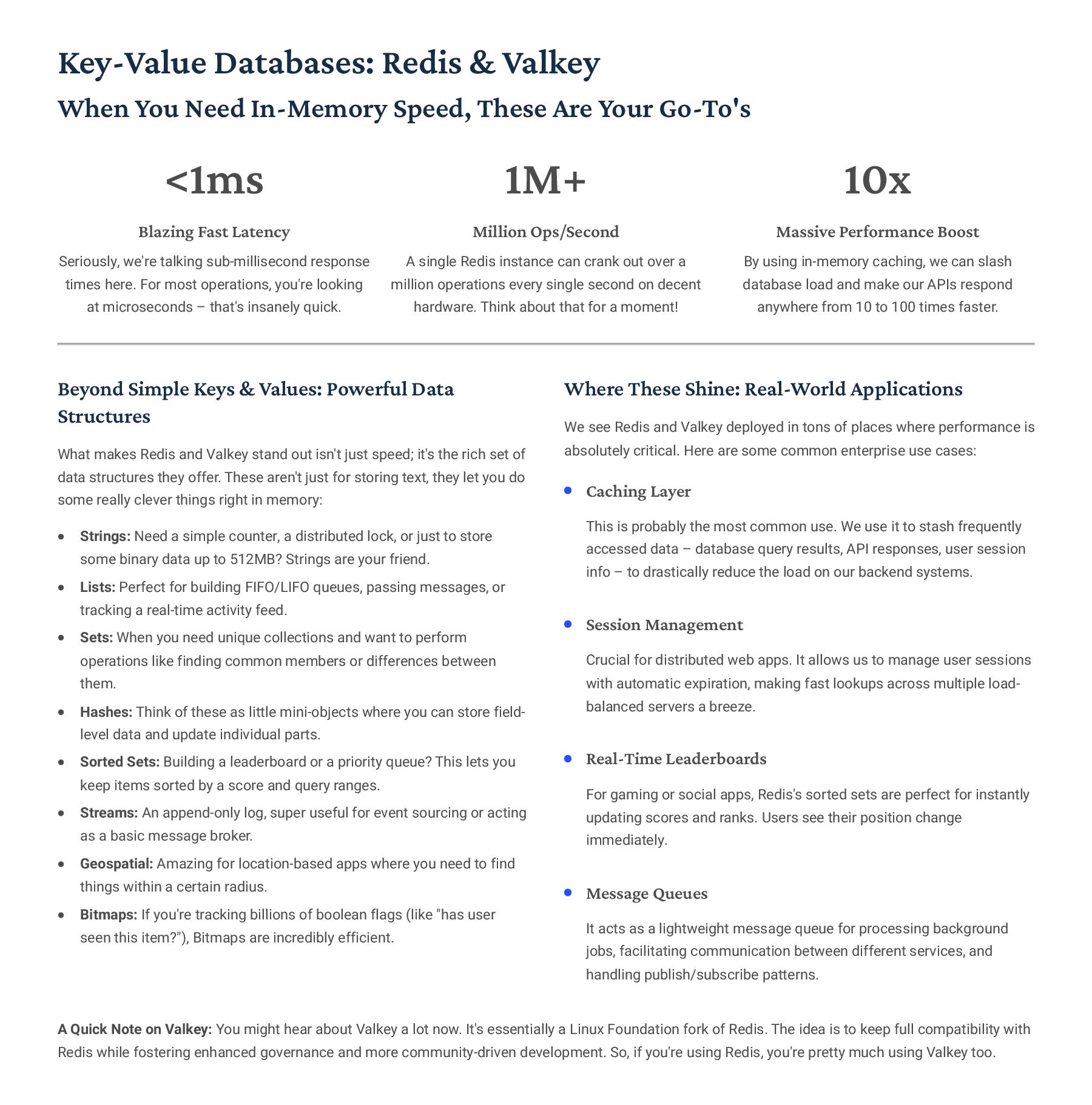
  14. Key-Value Databases: Redis & Valkey When You Need In-Memory Speed,

    These Are Your Go-To's <1ms Blazing Fast Latency Seriously, we're talking sub-millisecond response times here. For most operations, you're looking at microseconds 3 that's insanely quick. 1M+ Million Ops/Second A single Redis instance can crank out over a million operations every single second on decent hardware. Think about that for a moment! 10x Massive Performance Boost By using in-memory caching, we can slash database load and make our APIs respond anywhere from 10 to 100 times faster. Beyond Simple Keys & Values: Powerful Data Structures What makes Redis and Valkey stand out isn't just speed; it's the rich set of data structures they offer. These aren't just for storing text, they let you do some really clever things right in memory: Strings: Need a simple counter, a distributed lock, or just to store some binary data up to 512MB? Strings are your friend. Lists: Perfect for building FIFO/LIFO queues, passing messages, or tracking a real-time activity feed. Sets: When you need unique collections and want to perform operations like finding common members or differences between them. Hashes: Think of these as little mini-objects where you can store field- level data and update individual parts. Sorted Sets: Building a leaderboard or a priority queue? This lets you keep items sorted by a score and query ranges. Streams: An append-only log, super useful for event sourcing or acting as a basic message broker. Geospatial: Amazing for location-based apps where you need to find things within a certain radius. Bitmaps: If you're tracking billions of boolean flags (like "has user seen this item?"), Bitmaps are incredibly efficient. Where These Shine: Real-World Applications We see Redis and Valkey deployed in tons of places where performance is absolutely critical. Here are some common enterprise use cases: Caching Layer This is probably the most common use. We use it to stash frequently accessed data 3 database query results, API responses, user session info 3 to drastically reduce the load on our backend systems. Session Management Crucial for distributed web apps. It allows us to manage user sessions with automatic expiration, making fast lookups across multiple load- balanced servers a breeze. Real-Time Leaderboards For gaming or social apps, Redis's sorted sets are perfect for instantly updating scores and ranks. Users see their position change immediately. Message Queues It acts as a lightweight message queue for processing background jobs, facilitating communication between different services, and handling publish/subscribe patterns. A Quick Note on Valkey: You might hear about Valkey a lot now. It's essentially a Linux Foundation fork of Redis. The idea is to keep full compatibility with Redis while fostering enhanced governance and more community-driven development. So, if you're using Redis, you're pretty much using Valkey too.
  15. Apache Cassandra: Our Go-To for Wide-Column Data Building on a

    Rock-Solid Distributed Foundation Real-World Impact: Who's Using Cassandra at Scale? Netflix Netflix leans on Cassandra big time. It powers their viewing history, personalization suggestions, and A/B testing across all their global data centers. It's an active-active setup, handling millions of writes a second and pretty much always up. Apple You know Apple is serious about privacy, and Cassandra helps them meet those strict regional data storage rules. It manages over 75 petabytes of data for iCloud, showing just how robust its distributed architecture is. Spotify Spotify uses Cassandra to fuel their music recommendation engine. It chews through billions of listening events, letting them analyze user trends over time, which is critical for that personalized experience we all love. So, where does Cassandra really shine? Think time-series data (like IoT sensor readings or app metrics), logging every event (clickstreams, audit trails), and messaging systems (inbox storage, notification queues). If you're pushing serious data and need bulletproof distribution, Cassandra's a strong contender. Multi-Datacenter Replication This means we can set how strict we want our data consistency to be, from super relaxed to iron-clad, and replicate it seamlessly across different data centers or even regions. Super handy for global deployments. Linear Scalability Need more power? Just add more nodes, and your capacity grows right along with it. Plus, it's peer-to-peer, so there's no single choke point that can bring everything down. Petabyte Scale We're talking serious data here. We've seen setups handling hundreds of terabytes, even petabytes, spread across thousands of servers without breaking a sweat. Write-Optimized Design Cassandra's built from the ground up for high- volume writes. It uses a clever approach that minimizes disk thrashing, so you get incredibly fast write performance.
  16. Graph Databases: All About Connections Neo4j: Making Sense of Complex

    Relationships Why Go Graph? Look, with traditional databases, if you're constantly trying to link pieces of data together4think social networks or recommendation engines4you're doing a ton of slow, expensive JOINs. Graph databases flip that on its head. They treat those connections as equally important as the data itself. So, instead of grinding through tables, you're literally just following direct paths. That's why traversing millions of relationships can take milliseconds, not entire seconds. The Basics Nodes: Think of these as your core "things"4users, products, locations, whatever. Relationships: These are the connections *between* your nodes. They're directed (like "Alice purchased a book") and can even have their own details. Properties: Just key-value pairs that add extra info to both your nodes and relationships. Labels: How you categorize your nodes. It's like giving them a type, say, "Person" or "Product." MATCH (user:Person {name: "Alice"}) -[:FRIENDS_WITH*1..3]->(friend) -[:PURCHASED]->(product) WHERE product.category = "Electronics" RETURN friend.name, COUNT(product) AS purchases ORDER BY purchases DESC LIMIT 10 Getting Started with Cypher So, this query finds Alice's friends, up to three degrees out, who've bought electronics, then ranks them by how many electronics they've purchased. Pretty neat for digging into connections, right? Social Networks Graph databases are practically built for social networks. They're perfect for mapping out who's connected to whom, how influence spreads, and finding new connections. Think "friends of friends" recommendations4it's super efficient here. Recommendation Engines If you're building a "you might also like" feature, this is your go-to. By analyzing what people have bought or browsed, you can quickly spot patterns and suggest items that are truly relevant. It's all about finding those shared relationship trails. Knowledge Graphs Need to build a sophisticated knowledge base where everything is interconnected? Graph databases excel here. They help power advanced AI applications, making semantic searches and complex question-answering systems much smarter. Fraud Detection Spotting fraud is often about finding hidden connections. Graph databases are brilliant at uncovering suspicious patterns and linking accounts that might be part of a fraud ring. You can track shared devices, IPs, and payment methods to catch bad actors in the act. For the Enterprise: When it comes to serious production environments, Neo4j's Enterprise Edition has you covered. It includes all the crucial stuff like ACID transactions, solid role-based security, hot backups, and clustering for rock-solid availability. Plus, with causal consistency, it's ready for globally distributed setups, which is a huge deal for modern applications.
  17. NoSQL: The Good, The Tricky, and The Real Talk Getting

    a Handle on Consistency So, What's Great About NoSQL? Scale Out, Not Up Need to handle more users or data? Just add another server to the cluster. You get linear capacity increases, so you're never stuck with a single machine bottlenecking everything. Always On (Almost!) With multi-node replication, if one server decides to take a coffee break, another steps in instantly. We're talking seconds for automatic failover, meaning virtually zero downtime. Fluid Data Models Forget rigid schemas that slow you down. NoSQL lets you evolve your data structure without needing a massive migration. This "schema- on-read" approach means we can ship new features way faster. Performance, Your Way You've got a lot of knobs to turn here. We can really fine-tune the consistency, how data's replicated, and how it's partitioned to hit our specific performance goals and service level agreements. Okay, But What Are We Giving Up? "Eventually" Consistent This is a big one. Sometimes, when data is replicating across servers, a read might give you slightly old info. Our apps need to be smart enough to handle these brief, temporary inconsistencies. Transactions Are Different If you're used to ACID transactions protecting every complex operation, be aware. Most NoSQL databases only guarantee ACID on single records. Anything more involved usually needs us to manage it in the application code. Denormalization Headaches To get that blazing read performance, we often duplicate data across different parts of the database. That's great until you need to update it 3 then managing all that duplicated data can get complicated. More App Logic Things like joins, making sure relationships are valid (referential integrity), or really complex queries? Yeah, the database probably won't do that for you. That logic moves into our application code, which means more work for us developers. So, When Is It Worth It? Look, if your application can live with a little bit of data lag 3 think social media likes, view counts, or analytics dashboards 3 and you absolutely need to scale big, then NoSQL's trade-offs are definitely worth considering. But if even a tiny data integrity bug could cost us serious money or land us in regulatory hot water, then those rock-solid ACID guarantees of traditional databases are still non-negotiable.
  18. NoSQL Use Case Selection Matching Database Type to Workload Characteristics

    Got a Massive Dataset (Terabyte+)? When your data just keeps growing past what a single server can handle, NoSQL's horizontal scaling is your best friend. We're talking about organizations dealing with 10TB or more 3 they'll tell you it's far more cost-effective to just add more standard, cheaper servers than to constantly upgrade one massive, expensive machine. Dealing with Unstructured or Semi- Structured Data? If your data isn't neatly organized into perfect rows and columns 3 think JSON, XML, log files, sensor readings, or pretty much anything users generate 3 then document or key-value stores are a natural fit. You'll avoid all those painful `ALTER TABLE` migrations every time your data's shape changes. Big time-saver! Need Real-Time Analytics at Speed? For data pipelines that are just barraged with millions of events every second, you need a database built for writing fast. Tools like Cassandra and MongoDB are champions here, designed to ingest huge volumes of data with super quick, sub-millisecond write times. High-Velocity Data Ingestion is Your Game? Imagine the constant stream from IoT devices, endless application logs, every click on your website, or mobile app telemetry. NoSQL databases are optimized for these "just append it to the end" type workloads. They skip the complex read-modify-write cycles, which is perfect for data that's primarily being added, not constantly updated in place. Building for Global Geographic Distribution? If you're deploying across multiple regions and need users everywhere to have snappy local read/write access, NoSQL's eventual consistency model really shines. You can fine-tune your replication to keep latency low in specific areas while making sure your app stays up and running globally. A Simple Decision Framework: Go with NoSQL when prioritizing massive scalability and constant availability over needing immediate, strict consistency. But, if you absolutely need complex multi-table joins, rock-solid ACID transactions, or regulatory compliance that demands bulletproof audit trails, then traditional relational databases are still your go-to.
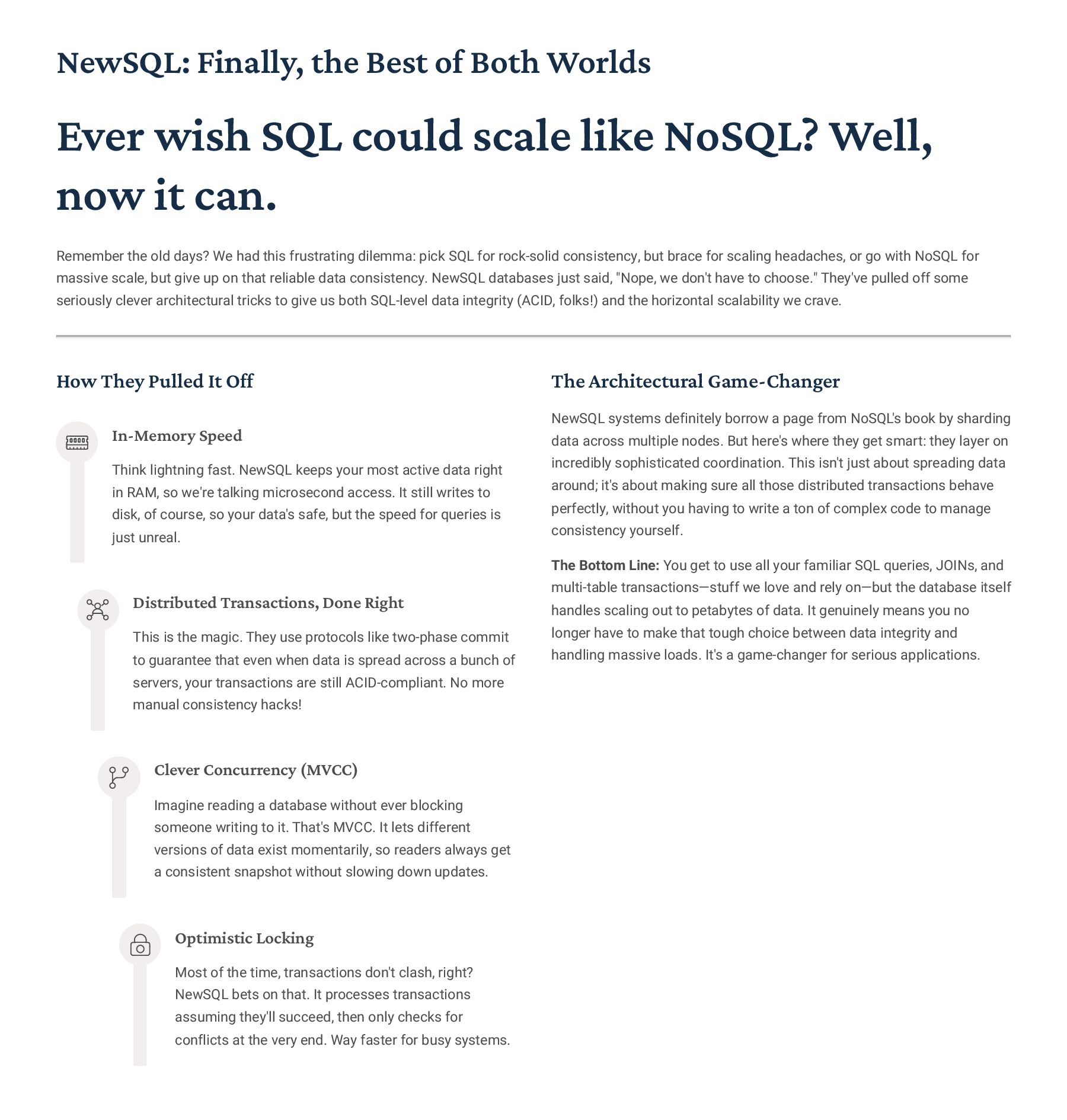
  19. NewSQL: Finally, the Best of Both Worlds Ever wish SQL

    could scale like NoSQL? Well, now it can. Remember the old days? We had this frustrating dilemma: pick SQL for rock-solid consistency, but brace for scaling headaches, or go with NoSQL for massive scale, but give up on that reliable data consistency. NewSQL databases just said, "Nope, we don't have to choose." They've pulled off some seriously clever architectural tricks to give us both SQL-level data integrity (ACID, folks!) and the horizontal scalability we crave. How They Pulled It Off In-Memory Speed Think lightning fast. NewSQL keeps your most active data right in RAM, so we're talking microsecond access. It still writes to disk, of course, so your data's safe, but the speed for queries is just unreal. Distributed Transactions, Done Right This is the magic. They use protocols like two-phase commit to guarantee that even when data is spread across a bunch of servers, your transactions are still ACID-compliant. No more manual consistency hacks! Clever Concurrency (MVCC) Imagine reading a database without ever blocking someone writing to it. That's MVCC. It lets different versions of data exist momentarily, so readers always get a consistent snapshot without slowing down updates. Optimistic Locking Most of the time, transactions don't clash, right? NewSQL bets on that. It processes transactions assuming they'll succeed, then only checks for conflicts at the very end. Way faster for busy systems. The Architectural Game-Changer NewSQL systems definitely borrow a page from NoSQL's book by sharding data across multiple nodes. But here's where they get smart: they layer on incredibly sophisticated coordination. This isn't just about spreading data around; it's about making sure all those distributed transactions behave perfectly, without you having to write a ton of complex code to manage consistency yourself. The Bottom Line: You get to use all your familiar SQL queries, JOINs, and multi-table transactions4stuff we love and rely on4but the database itself handles scaling out to petabytes of data. It genuinely means you no longer have to make that tough choice between data integrity and handling massive loads. It's a game-changer for serious applications.
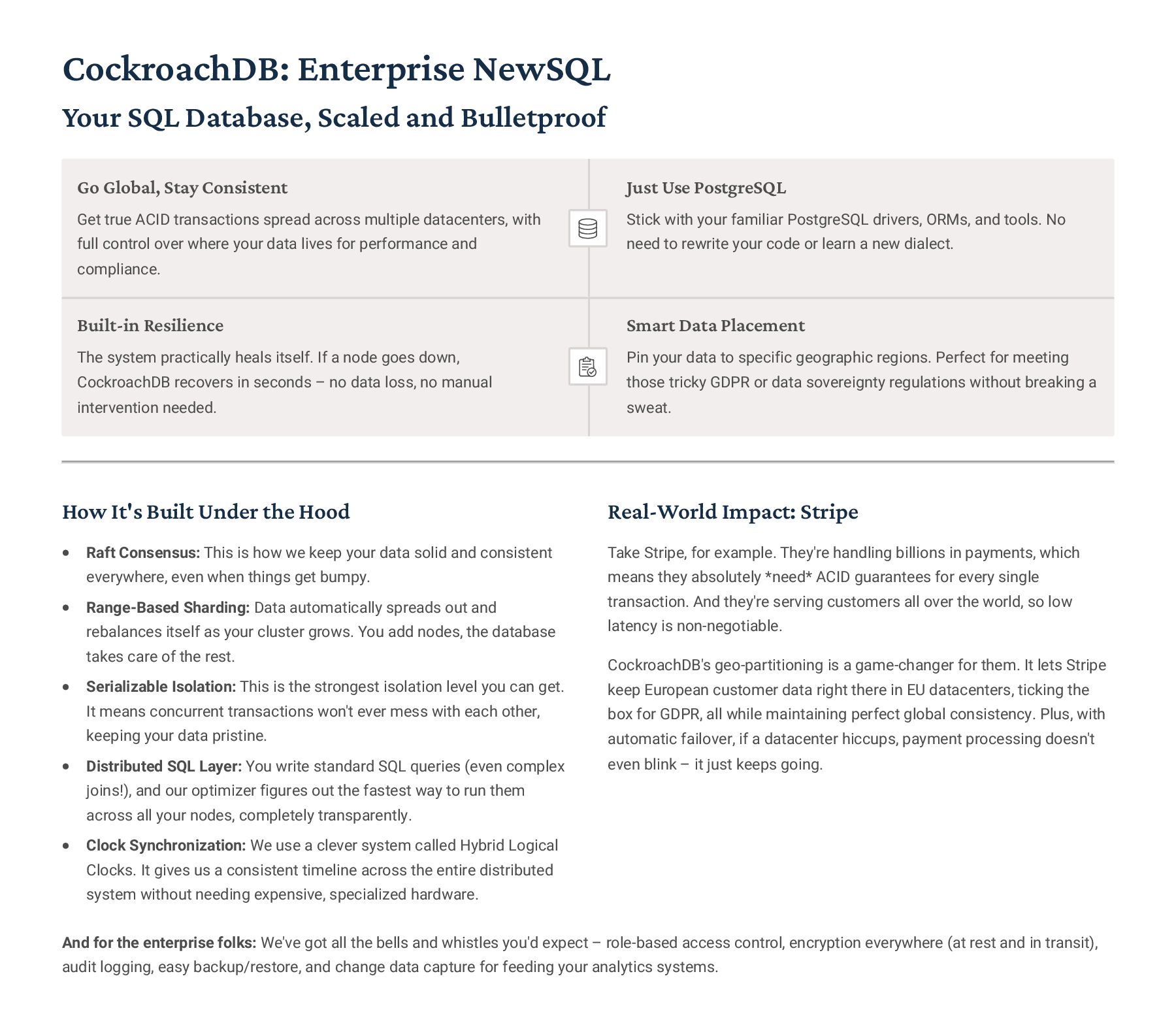
  20. CockroachDB: Enterprise NewSQL Your SQL Database, Scaled and Bulletproof Go

    Global, Stay Consistent Get true ACID transactions spread across multiple datacenters, with full control over where your data lives for performance and compliance. Just Use PostgreSQL Stick with your familiar PostgreSQL drivers, ORMs, and tools. No need to rewrite your code or learn a new dialect. Built-in Resilience The system practically heals itself. If a node goes down, CockroachDB recovers in seconds 3 no data loss, no manual intervention needed. Smart Data Placement Pin your data to specific geographic regions. Perfect for meeting those tricky GDPR or data sovereignty regulations without breaking a sweat. How It's Built Under the Hood Raft Consensus: This is how we keep your data solid and consistent everywhere, even when things get bumpy. Range-Based Sharding: Data automatically spreads out and rebalances itself as your cluster grows. You add nodes, the database takes care of the rest. Serializable Isolation: This is the strongest isolation level you can get. It means concurrent transactions won't ever mess with each other, keeping your data pristine. Distributed SQL Layer: You write standard SQL queries (even complex joins!), and our optimizer figures out the fastest way to run them across all your nodes, completely transparently. Clock Synchronization: We use a clever system called Hybrid Logical Clocks. It gives us a consistent timeline across the entire distributed system without needing expensive, specialized hardware. Real-World Impact: Stripe Take Stripe, for example. They're handling billions in payments, which means they absolutely *need* ACID guarantees for every single transaction. And they're serving customers all over the world, so low latency is non-negotiable. CockroachDB's geo-partitioning is a game-changer for them. It lets Stripe keep European customer data right there in EU datacenters, ticking the box for GDPR, all while maintaining perfect global consistency. Plus, with automatic failover, if a datacenter hiccups, payment processing doesn't even blink 3 it just keeps going. And for the enterprise folks: We've got all the bells and whistles you'd expect 3 role-based access control, encryption everywhere (at rest and in transit), audit logging, easy backup/restore, and change data capture for feeding your analytics systems.
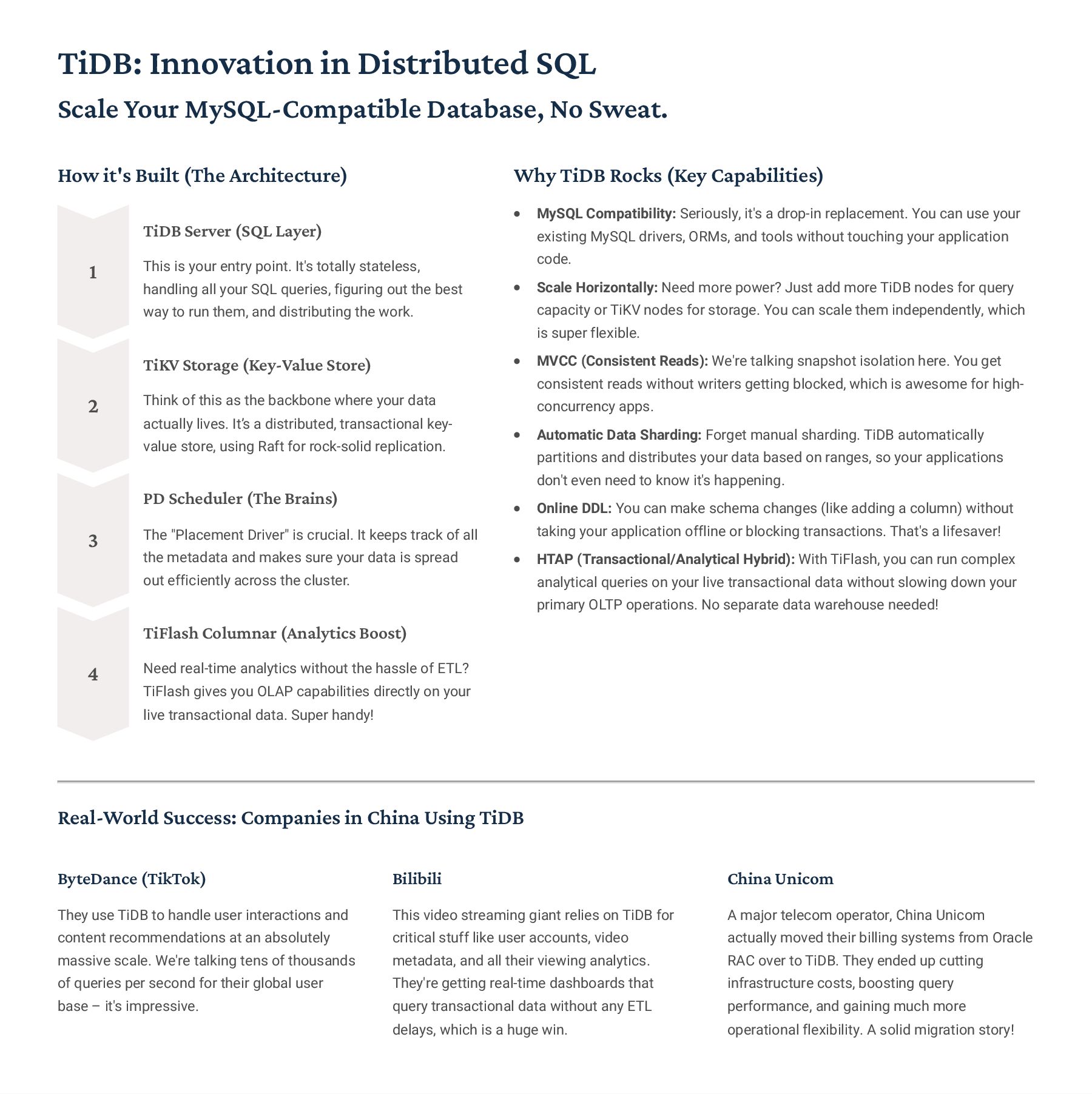
  21. TiDB: Innovation in Distributed SQL Scale Your MySQL-Compatible Database, No

    Sweat. How it's Built (The Architecture) 1 TiDB Server (SQL Layer) This is your entry point. It's totally stateless, handling all your SQL queries, figuring out the best way to run them, and distributing the work. 2 TiKV Storage (Key-Value Store) Think of this as the backbone where your data actually lives. It9s a distributed, transactional key- value store, using Raft for rock-solid replication. 3 PD Scheduler (The Brains) The "Placement Driver" is crucial. It keeps track of all the metadata and makes sure your data is spread out efficiently across the cluster. 4 TiFlash Columnar (Analytics Boost) Need real-time analytics without the hassle of ETL? TiFlash gives you OLAP capabilities directly on your live transactional data. Super handy! Why TiDB Rocks (Key Capabilities) MySQL Compatibility: Seriously, it's a drop-in replacement. You can use your existing MySQL drivers, ORMs, and tools without touching your application code. Scale Horizontally: Need more power? Just add more TiDB nodes for query capacity or TiKV nodes for storage. You can scale them independently, which is super flexible. MVCC (Consistent Reads): We're talking snapshot isolation here. You get consistent reads without writers getting blocked, which is awesome for high- concurrency apps. Automatic Data Sharding: Forget manual sharding. TiDB automatically partitions and distributes your data based on ranges, so your applications don't even need to know it's happening. Online DDL: You can make schema changes (like adding a column) without taking your application offline or blocking transactions. That's a lifesaver! HTAP (Transactional/Analytical Hybrid): With TiFlash, you can run complex analytical queries on your live transactional data without slowing down your primary OLTP operations. No separate data warehouse needed! Real-World Success: Companies in China Using TiDB ByteDance (TikTok) They use TiDB to handle user interactions and content recommendations at an absolutely massive scale. We're talking tens of thousands of queries per second for their global user base 3 it's impressive. Bilibili This video streaming giant relies on TiDB for critical stuff like user accounts, video metadata, and all their viewing analytics. They're getting real-time dashboards that query transactional data without any ETL delays, which is a huge win. China Unicom A major telecom operator, China Unicom actually moved their billing systems from Oracle RAC over to TiDB. They ended up cutting infrastructure costs, boosting query performance, and gaining much more operational flexibility. A solid migration story!
  22. Let's Talk About Spanner: Google's Global SQL Powerhouse Keeping Data

    Consistent, No Matter How Far Apart The TrueTime Magic So, TrueTime. This Google innovation gives you the *actual* current time with an incredibly small window of uncertainty 3 usually under 10 milliseconds. This is what lets Spanner give every transaction a truly unique, global timestamp, ensuring external consistency. Basically, if one transaction (T1) finishes before another (T2) even begins, T1's timestamp *will* be lower. No questions asked. Each datacenter has hardware clocks that combine GPS receivers and atomic clocks. The TrueTime API doesn't just give you one time; it provides an interval [earliest, latest]. Spanner plays it safe: it waits for that uncertainty interval to pass before committing transactions. That way, it's absolutely sure no other transaction could have somehow snuck in with an earlier timestamp. How Google Uses It Google Ads: Handling financial transactions for advertiser billing, where rock-solid consistency is non-negotiable. Google Play: Managing user accounts, all those purchase histories, and distributing content globally. Google Photos: Storing metadata for literally billions of images, with users accessing them from all over the world. Spanner is the backbone for critical Google services that need both robust SQL features and insane global scale. The cool part? Cloud Spanner now offers this same tech to us mere mortals as a fully managed service, boasting a ridiculous 99.999% availability SLA. TrueTime API This is pretty wild 3 Google uses GPS and atomic clocks to give transactions super precise, globally consistent timestamps with almost no uncertainty. Global Distribution Imagine having your data copied across multiple continents, with flexible zone configurations. Spanner makes it happen. External Consistency This is the big one. Spanner guarantees that transactions literally commit in the order they *appear* to globally. That's a huge deal for data integrity. Automatic Sharding Forget manual sharding. Spanner handles data splitting and merging on the fly as your workload shifts. It just works. ANSI SQL Support Yep, it's standard SQL, so you get all the familiar stuff like joins, secondary indexes, and proper schema definitions. No weird proprietary stuff to learn.
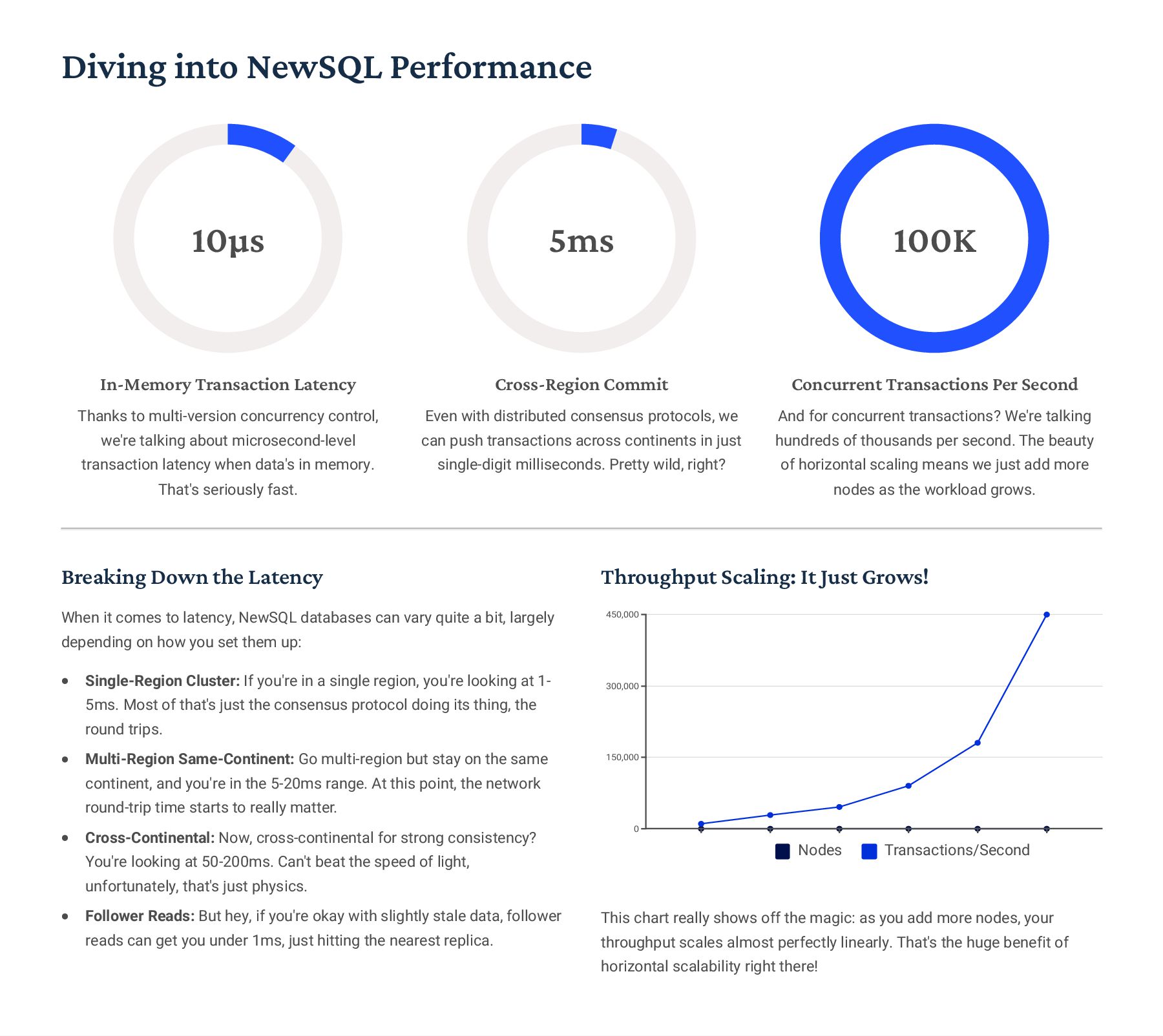
  23. Diving into NewSQL Performance 10¿s In-Memory Transaction Latency Thanks to

    multi-version concurrency control, we're talking about microsecond-level transaction latency when data's in memory. That's seriously fast. 5ms Cross-Region Commit Even with distributed consensus protocols, we can push transactions across continents in just single-digit milliseconds. Pretty wild, right? 100K Concurrent Transactions Per Second And for concurrent transactions? We're talking hundreds of thousands per second. The beauty of horizontal scaling means we just add more nodes as the workload grows. Breaking Down the Latency When it comes to latency, NewSQL databases can vary quite a bit, largely depending on how you set them up: Single-Region Cluster: If you're in a single region, you're looking at 1- 5ms. Most of that's just the consensus protocol doing its thing, the round trips. Multi-Region Same-Continent: Go multi-region but stay on the same continent, and you're in the 5-20ms range. At this point, the network round-trip time starts to really matter. Cross-Continental: Now, cross-continental for strong consistency? You're looking at 50-200ms. Can't beat the speed of light, unfortunately, that's just physics. Follower Reads: But hey, if you're okay with slightly stale data, follower reads can get you under 1ms, just hitting the nearest replica. Throughput Scaling: It Just Grows! 0 150,000 300,000 450,000 Nodes Transactions/Second This chart really shows off the magic: as you add more nodes, your throughput scales almost perfectly linearly. That's the huge benefit of horizontal scalability right there!
  24. NewSQL Use Case Matrix So, When Does NewSQL Really Shine?

    You need proper SQL, but your database is bursting at the seams. Let's face it, many apps eventually outgrow a single PostgreSQL or MySQL server. You need to scale horizontally, but you're not ready to ditch complex SQL queries4think JOINs, subqueries, and aggregations. NewSQL lets you keep all that familiar SQL goodness without rewriting your entire application for NoSQL's often-limited query capabilities. It's about scaling without compromise. Global reach demands rock-solid ACID transactions. For financial systems, e-commerce checkouts, or inventory management4basically, anything where data integrity is non-negotiable4you need strong consistency, especially across distributed infrastructure. NewSQL isn't messing around; it guarantees serializable isolation. That means your data stays consistent and correct, even if it's spread across multiple datacenters and continents. No compromises on correctness. You're wrestling with massive datasets and complex analytics. Imagine running analytical queries that join multiple tables with billions of rows. On a traditional SQL database, those often just time out. NewSQL's query optimizers are smart; they distribute that heavy lifting across your entire cluster, executing those complex queries in parallel. Plus, you can often run both transactional and analytical workloads side-by-side without needing separate, painful ETL pipelines. Regulated industries like finance demand both compliance and scale. If you're in banking, payment processing, or trading platforms, you know the drill: ACID guarantees, meticulous audit trails, and strict regulatory compliance are absolute musts. NewSQL databases combine the best of both worlds4they offer the traditional SQL compliance certifications you need, but with the modern scalability your operations demand. And with features like geo-partitioning, they help you meet data sovereignty requirements for things like GDPR. Real-time accuracy is critical, think inventory or ride-sharing. For systems that live and die by immediate consistency, like ride-sharing apps trying to match drivers with riders, or e-commerce platforms preventing overselling inventory, eventual consistency simply isn't an option. Those delays can wreck user experience or lead to serious business problems. NewSQL's strong consistency means no race conditions, eliminating a whole class of complex application logic you'd otherwise need to build to compensate for eventually consistent systems.
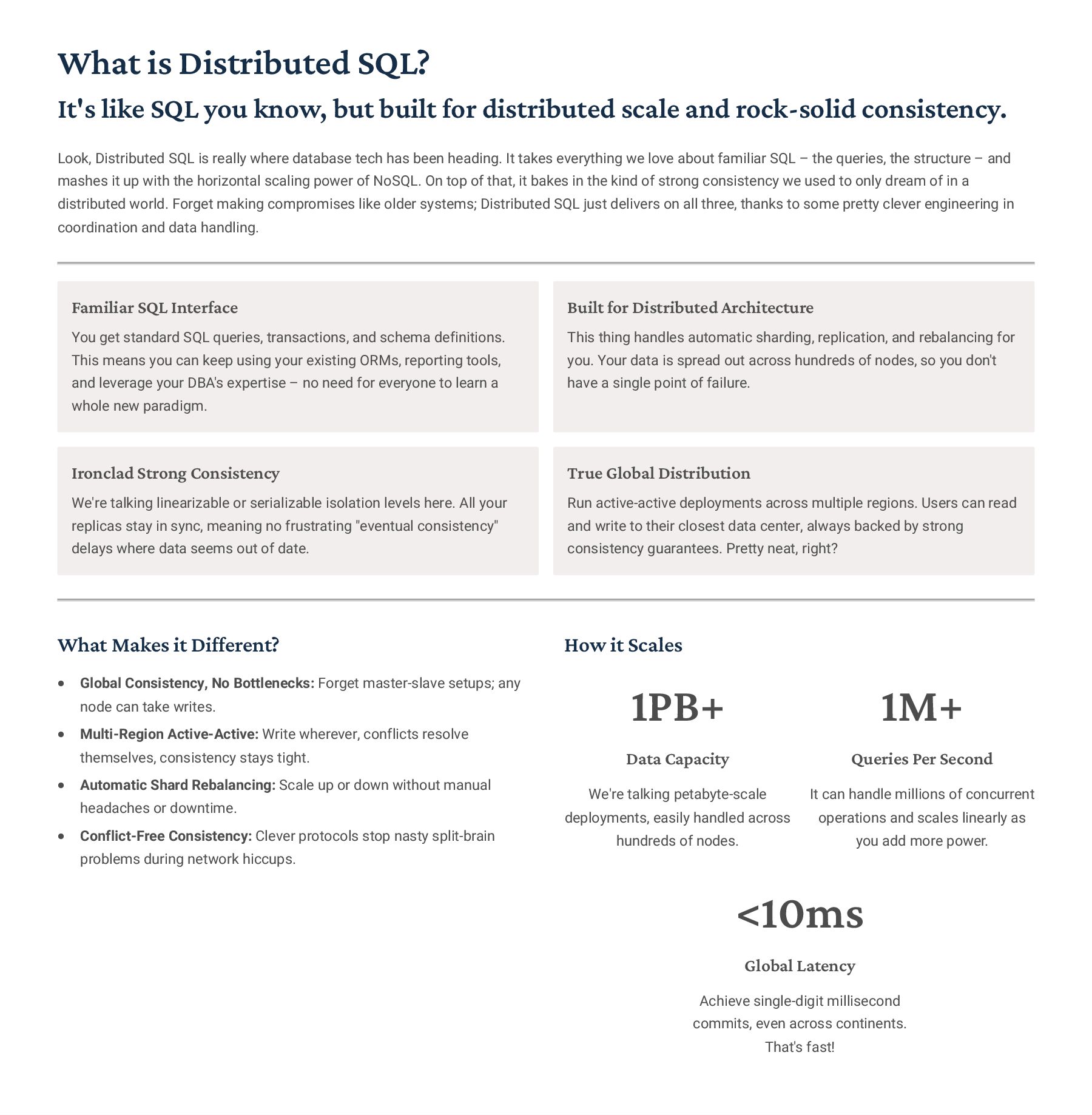
  25. What is Distributed SQL? It's like SQL you know, but

    built for distributed scale and rock-solid consistency. Look, Distributed SQL is really where database tech has been heading. It takes everything we love about familiar SQL 3 the queries, the structure 3 and mashes it up with the horizontal scaling power of NoSQL. On top of that, it bakes in the kind of strong consistency we used to only dream of in a distributed world. Forget making compromises like older systems; Distributed SQL just delivers on all three, thanks to some pretty clever engineering in coordination and data handling. Familiar SQL Interface You get standard SQL queries, transactions, and schema definitions. This means you can keep using your existing ORMs, reporting tools, and leverage your DBA's expertise 3 no need for everyone to learn a whole new paradigm. Built for Distributed Architecture This thing handles automatic sharding, replication, and rebalancing for you. Your data is spread out across hundreds of nodes, so you don't have a single point of failure. Ironclad Strong Consistency We're talking linearizable or serializable isolation levels here. All your replicas stay in sync, meaning no frustrating "eventual consistency" delays where data seems out of date. True Global Distribution Run active-active deployments across multiple regions. Users can read and write to their closest data center, always backed by strong consistency guarantees. Pretty neat, right? What Makes it Different? Global Consistency, No Bottlenecks: Forget master-slave setups; any node can take writes. Multi-Region Active-Active: Write wherever, conflicts resolve themselves, consistency stays tight. Automatic Shard Rebalancing: Scale up or down without manual headaches or downtime. Conflict-Free Consistency: Clever protocols stop nasty split-brain problems during network hiccups. How it Scales 1PB+ Data Capacity We're talking petabyte-scale deployments, easily handled across hundreds of nodes. 1M+ Queries Per Second It can handle millions of concurrent operations and scales linearly as you add more power. <10ms Global Latency Achieve single-digit millisecond commits, even across continents. That's fast!
  26. Let's Talk About Consistency in Distributed Systems The CAP Theorem:

    What It Means for Us The CAP Theorem So, Eric Brewer's CAP theorem, it basically tells us that when we're building distributed systems, we can only ever truly nail down two out of these three things at any one time: Consistency (C) Think of Consistency (C) as everyone seeing the exact same thing at the exact same moment. If you read data, you're guaranteed to get the latest version, or the system tells you it can't guarantee it. Availability (A) Availability (A) means the system is always up and responding to your requests, even if it's just to say 'sorry, can't help right now.' The catch is, there's no promise that the data you get back is the absolute latest. Partition Tolerance (P) Partition Tolerance (P) is super crucial in distributed setups. It means the system keeps chugging along even if parts of your network go down or can't talk to each other 3 a 'network partition' as we call it. Because let's face it, that stuff happens. Now, here's the kicker: network issues and partitions are pretty much a given in any real-world distributed system. So, in practice, we're usually picking between a CP system (Consistency + Partition Tolerance) or an AP one (Availability + Partition Tolerance). Partition Tolerance Consistency Availability CP Distributed SQL AP NoSQL CA CAP (Theoretic al) Where Do Our Databases Fit in the CAP Puzzle? Traditional SQL (CA) Your old-school, single-server databases give you consistency and availability all day long, but they just can't handle network partitions. If the network hiccups, the whole thing goes down. So, these are really only good for setups that aren't distributed at all. NoSQL (AP) Systems like Cassandra and DynamoDB lean hard on availability, often trading off some consistency. During a network split, different parts of the system might give you different data for a bit 3 that's "eventual consistency." These are your go-to when keeping things up and running is more critical than having perfectly fresh data at every second. Distributed SQL (CP) Databases like CockroachDB and Spanner prioritize consistency over everything else. If you hit a network partition that affects a majority of your replicas, new writes might pause until the connection is back. You choose these when getting the right data, every single time, is non- negotiable.
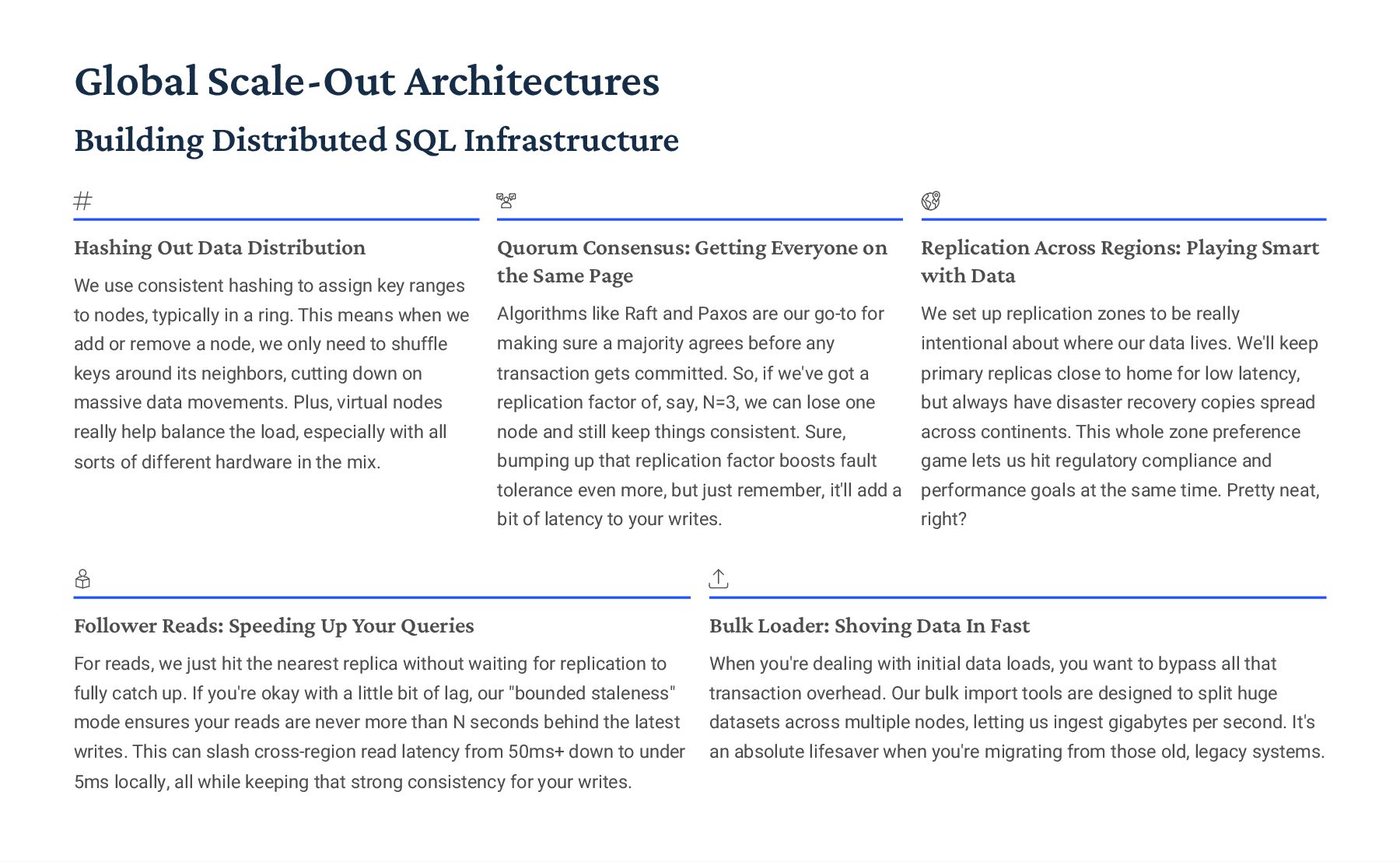
  27. Global Scale-Out Architectures Building Distributed SQL Infrastructure Hashing Out Data

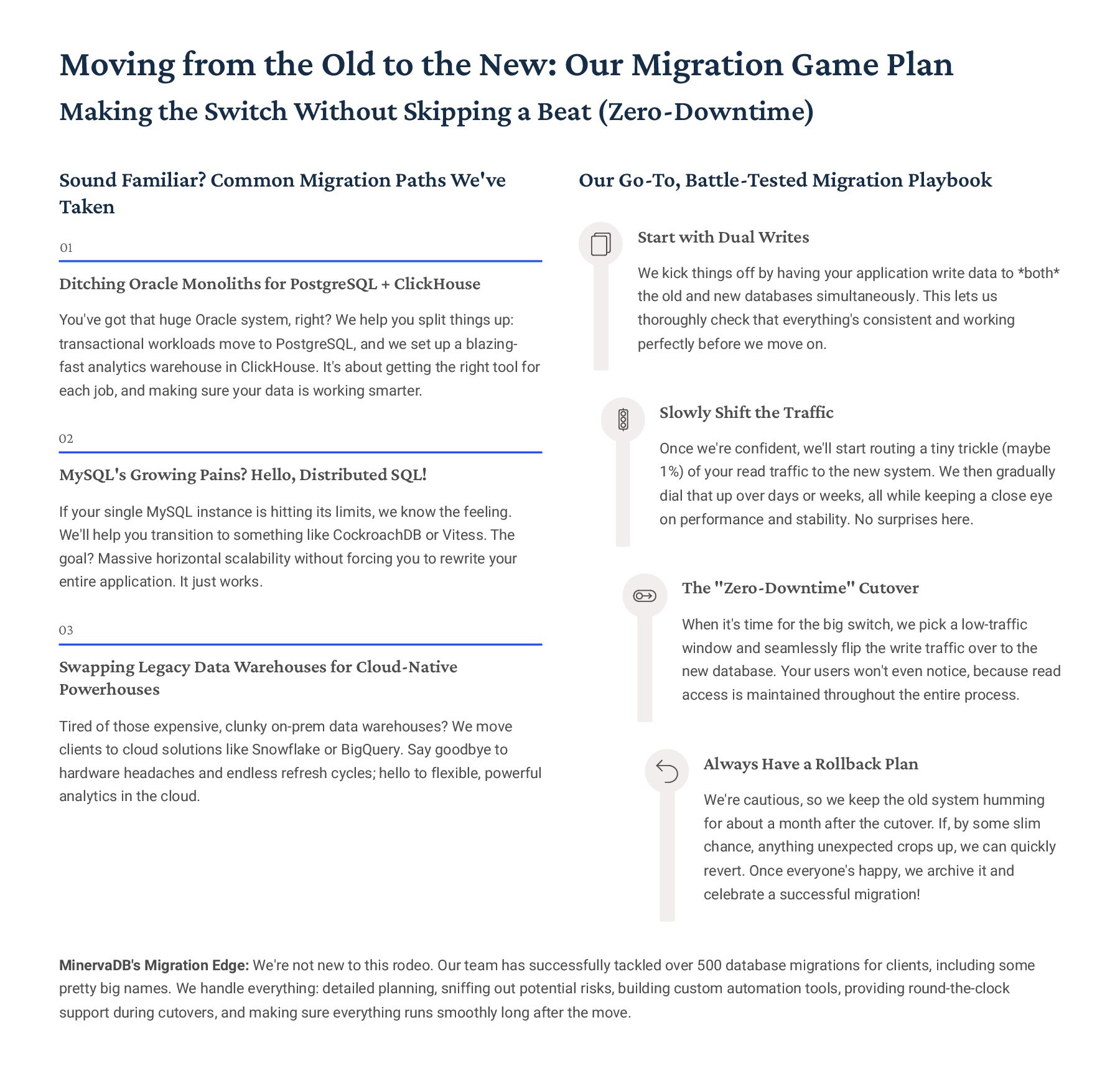
    Distribution We use consistent hashing to assign key ranges to nodes, typically in a ring. This means when we add or remove a node, we only need to shuffle keys around its neighbors, cutting down on massive data movements. Plus, virtual nodes really help balance the load, especially with all sorts of different hardware in the mix. Quorum Consensus: Getting Everyone on the Same Page Algorithms like Raft and Paxos are our go-to for making sure a majority agrees before any transaction gets committed. So, if we've got a replication factor of, say, N=3, we can lose one node and still keep things consistent. Sure, bumping up that replication factor boosts fault tolerance even more, but just remember, it'll add a bit of latency to your writes. Replication Across Regions: Playing Smart with Data We set up replication zones to be really intentional about where our data lives. We'll keep primary replicas close to home for low latency, but always have disaster recovery copies spread across continents. This whole zone preference game lets us hit regulatory compliance and performance goals at the same time. Pretty neat, right? Follower Reads: Speeding Up Your Queries For reads, we just hit the nearest replica without waiting for replication to fully catch up. If you're okay with a little bit of lag, our "bounded staleness" mode ensures your reads are never more than N seconds behind the latest writes. This can slash cross-region read latency from 50ms+ down to under 5ms locally, all while keeping that strong consistency for your writes. Bulk Loader: Shoving Data In Fast When you're dealing with initial data loads, you want to bypass all that transaction overhead. Our bulk import tools are designed to split huge datasets across multiple nodes, letting us ingest gigabytes per second. It's an absolute lifesaver when you're migrating from those old, legacy systems.
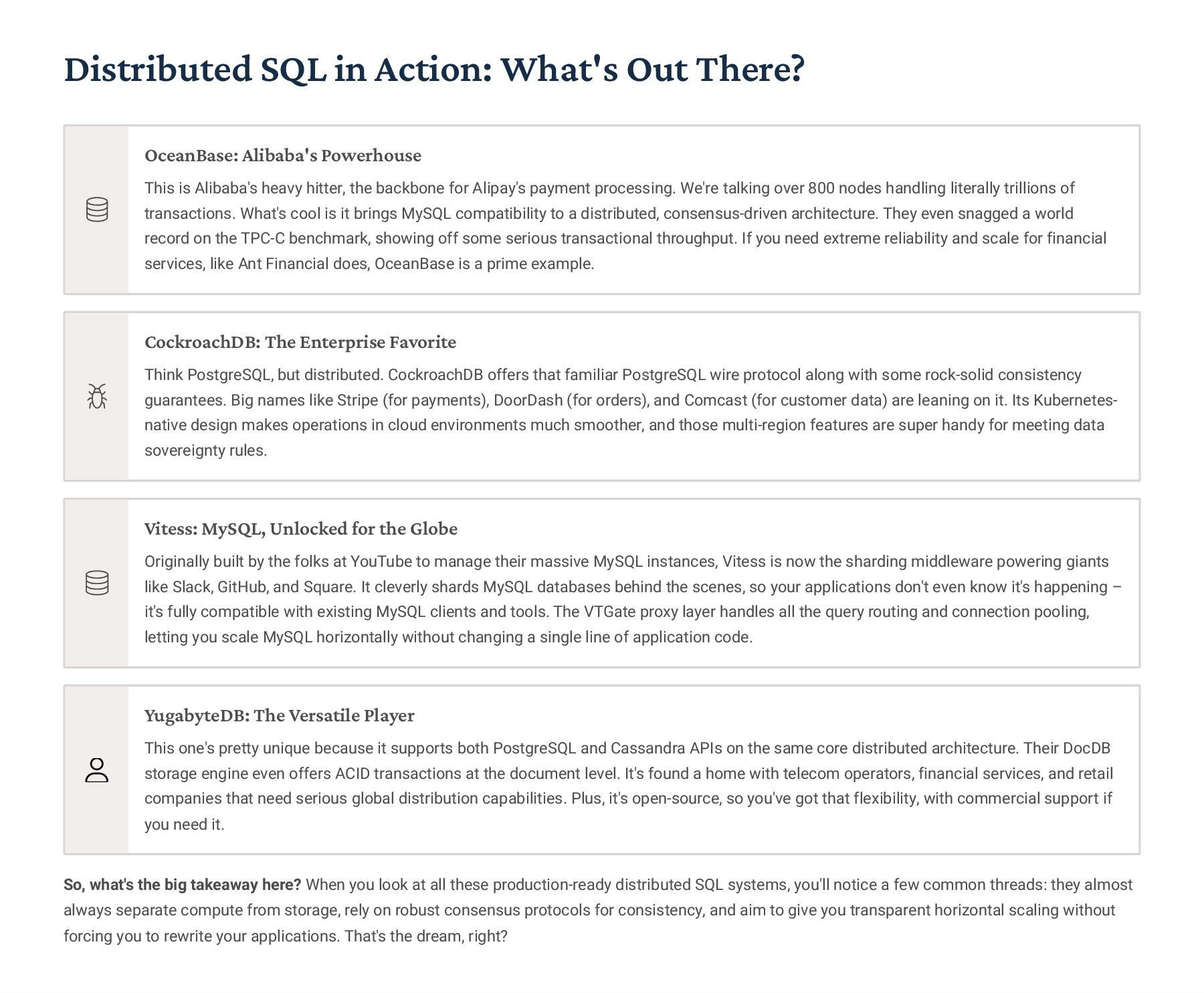
  28. Distributed SQL in Action: What's Out There? OceanBase: Alibaba's Powerhouse

    This is Alibaba's heavy hitter, the backbone for Alipay's payment processing. We're talking over 800 nodes handling literally trillions of transactions. What's cool is it brings MySQL compatibility to a distributed, consensus-driven architecture. They even snagged a world record on the TPC-C benchmark, showing off some serious transactional throughput. If you need extreme reliability and scale for financial services, like Ant Financial does, OceanBase is a prime example. CockroachDB: The Enterprise Favorite Think PostgreSQL, but distributed. CockroachDB offers that familiar PostgreSQL wire protocol along with some rock-solid consistency guarantees. Big names like Stripe (for payments), DoorDash (for orders), and Comcast (for customer data) are leaning on it. Its Kubernetes- native design makes operations in cloud environments much smoother, and those multi-region features are super handy for meeting data sovereignty rules. Vitess: MySQL, Unlocked for the Globe Originally built by the folks at YouTube to manage their massive MySQL instances, Vitess is now the sharding middleware powering giants like Slack, GitHub, and Square. It cleverly shards MySQL databases behind the scenes, so your applications don't even know it's happening 3 it's fully compatible with existing MySQL clients and tools. The VTGate proxy layer handles all the query routing and connection pooling, letting you scale MySQL horizontally without changing a single line of application code. YugabyteDB: The Versatile Player This one's pretty unique because it supports both PostgreSQL and Cassandra APIs on the same core distributed architecture. Their DocDB storage engine even offers ACID transactions at the document level. It's found a home with telecom operators, financial services, and retail companies that need serious global distribution capabilities. Plus, it's open-source, so you've got that flexibility, with commercial support if you need it. So, what's the big takeaway here? When you look at all these production-ready distributed SQL systems, you'll notice a few common threads: they almost always separate compute from storage, rely on robust consensus protocols for consistency, and aim to give you transparent horizontal scaling without forcing you to rewrite your applications. That's the dream, right?
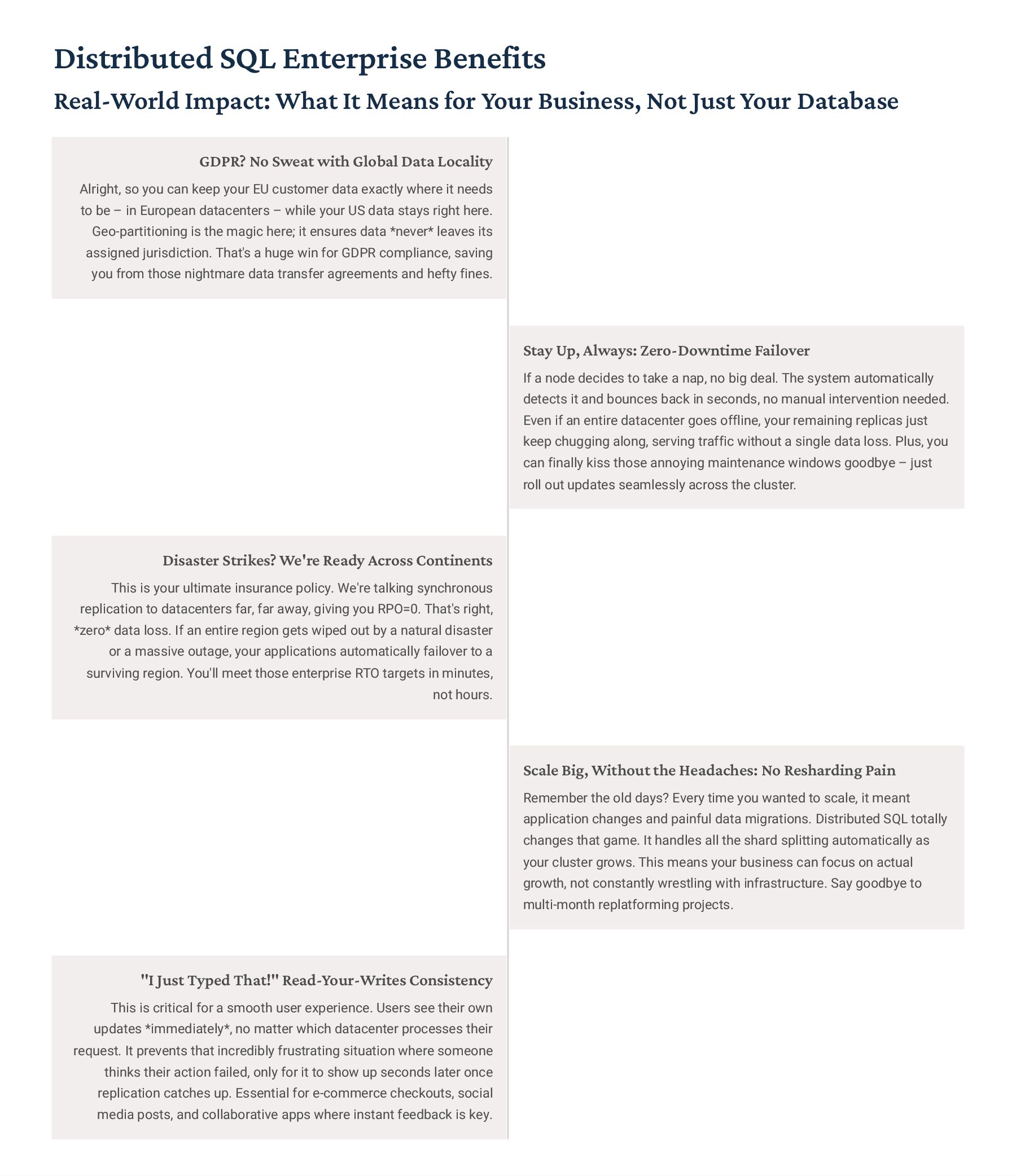
  29. Distributed SQL Enterprise Benefits Real-World Impact: What It Means for

    Your Business, Not Just Your Database GDPR? No Sweat with Global Data Locality Alright, so you can keep your EU customer data exactly where it needs to be 3 in European datacenters 3 while your US data stays right here. Geo-partitioning is the magic here; it ensures data *never* leaves its assigned jurisdiction. That's a huge win for GDPR compliance, saving you from those nightmare data transfer agreements and hefty fines. Stay Up, Always: Zero-Downtime Failover If a node decides to take a nap, no big deal. The system automatically detects it and bounces back in seconds, no manual intervention needed. Even if an entire datacenter goes offline, your remaining replicas just keep chugging along, serving traffic without a single data loss. Plus, you can finally kiss those annoying maintenance windows goodbye 3 just roll out updates seamlessly across the cluster. Disaster Strikes? We're Ready Across Continents This is your ultimate insurance policy. We're talking synchronous replication to datacenters far, far away, giving you RPO=0. That's right, *zero* data loss. If an entire region gets wiped out by a natural disaster or a massive outage, your applications automatically failover to a surviving region. You'll meet those enterprise RTO targets in minutes, not hours. Scale Big, Without the Headaches: No Resharding Pain Remember the old days? Every time you wanted to scale, it meant application changes and painful data migrations. Distributed SQL totally changes that game. It handles all the shard splitting automatically as your cluster grows. This means your business can focus on actual growth, not constantly wrestling with infrastructure. Say goodbye to multi-month replatforming projects. "I Just Typed That!" Read-Your-Writes Consistency This is critical for a smooth user experience. Users see their own updates *immediately*, no matter which datacenter processes their request. It prevents that incredibly frustrating situation where someone thinks their action failed, only for it to show up seconds later once replication catches up. Essential for e-commerce checkouts, social media posts, and collaborative apps where instant feedback is key.
  30. The Analytics Challenge: OLAP vs. OLTP It all comes down

    to Row-Oriented vs. Column- Oriented Storage OLTP: Online Transaction Processing Row-Oriented Storage Data's laid out row by row, which is perfect when you need to grab or change a whole record at once. Fast Writes & Updates Inserting, updating, or deleting? You're usually just hitting a single spot on the disk for that row. Super efficient for transactional tasks. Small Result Sets Queries here are typically very specific. Think: "Show me user 12345's order history." You're after a handful of records, not the whole database. Traditional SQL Databases This is where your PostgreSQL, MySQL, and Oracle databases really shine. They're built from the ground up for these kinds of transactional workloads. OLAP: Online Analytical Processing Column-Oriented Storage Here, data's stored by column. This lets you read just the specific attributes you care about, skipping all the irrelevant stuff. Massive Data Scans For analytics, you're often scanning millions, even billions, of rows. Queries are like: "What's the average order value by region over the last five years?" Aggregations & Analytics This means a lot of SUMs, AVGs, and COUNTs across huge datasets, often grouped by various dimensions. It's all about summarizing vast amounts of info. ColumnStore Databases Specialized systems like ClickHouse, Redshift, and Snowflake are engineered precisely for these intense analytical jobs. 100x Way Faster Analytics Queries Column storage only pulls the data it needs, cutting down I/O by a massive factor 3 easily 10 to 100 times. 10x Better Compression When you have similar values all in one column, they compress incredibly well. This saves a ton of space and speeds things up. 1000x Overall Performance Boost Combine smart compression, vectorized processing, and only reading what's necessary, and you get insane performance gains.
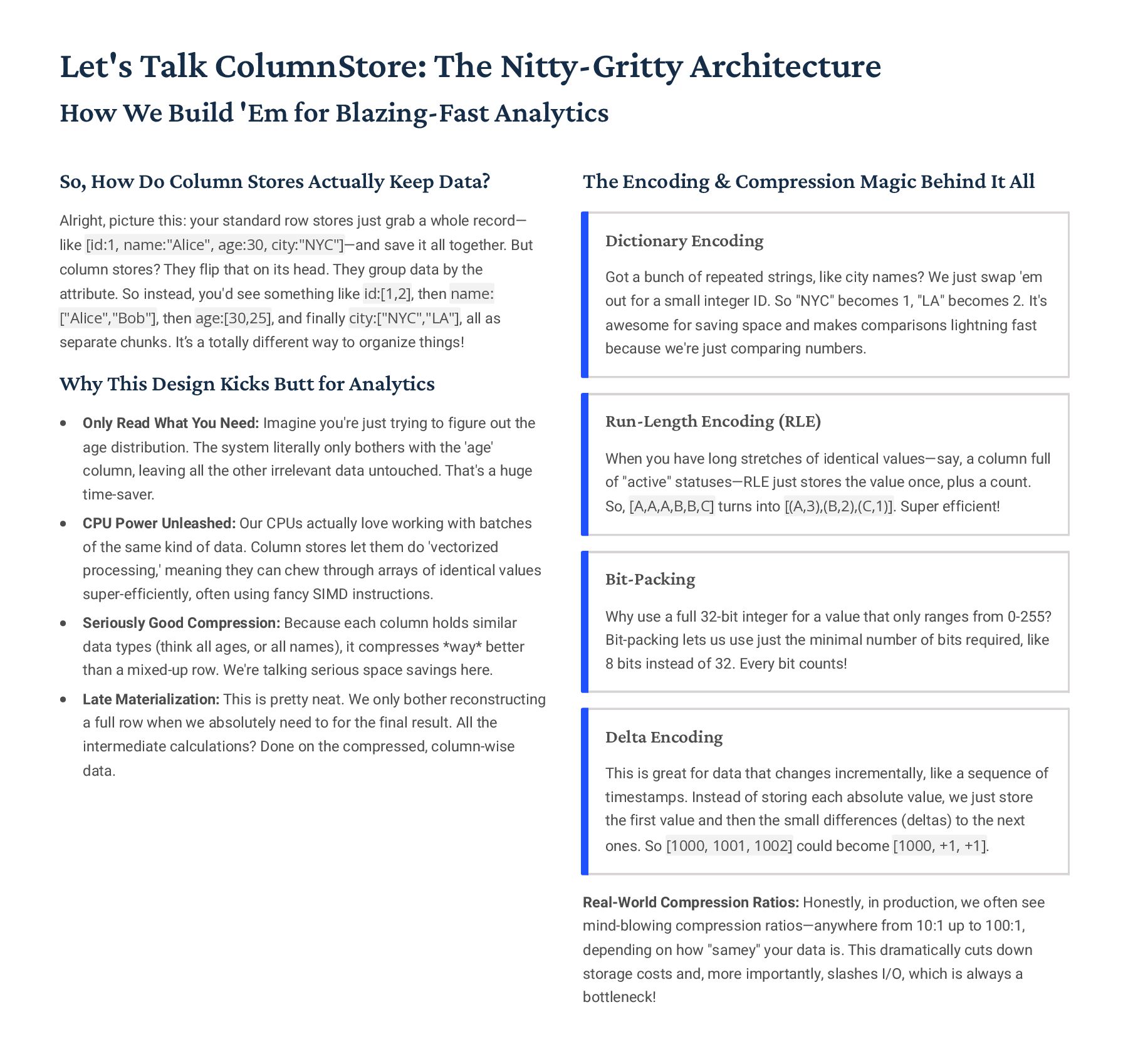
  31. Let's Talk ColumnStore: The Nitty-Gritty Architecture How We Build 'Em

    for Blazing-Fast Analytics So, How Do Column Stores Actually Keep Data? Alright, picture this: your standard row stores just grab a whole record4 like [id:1, name:"Alice", age:30, city:"NYC"]4and save it all together. But column stores? They flip that on its head. They group data by the attribute. So instead, you'd see something like id:[1,2], then name: ["Alice","Bob"], then age:[30,25], and finally city:["NYC","LA"], all as separate chunks. It9s a totally different way to organize things! Why This Design Kicks Butt for Analytics Only Read What You Need: Imagine you're just trying to figure out the age distribution. The system literally only bothers with the 'age' column, leaving all the other irrelevant data untouched. That's a huge time-saver. CPU Power Unleashed: Our CPUs actually love working with batches of the same kind of data. Column stores let them do 'vectorized processing,' meaning they can chew through arrays of identical values super-efficiently, often using fancy SIMD instructions. Seriously Good Compression: Because each column holds similar data types (think all ages, or all names), it compresses *way* better than a mixed-up row. We're talking serious space savings here. Late Materialization: This is pretty neat. We only bother reconstructing a full row when we absolutely need to for the final result. All the intermediate calculations? Done on the compressed, column-wise data. The Encoding & Compression Magic Behind It All Dictionary Encoding Got a bunch of repeated strings, like city names? We just swap 'em out for a small integer ID. So "NYC" becomes 1, "LA" becomes 2. It's awesome for saving space and makes comparisons lightning fast because we're just comparing numbers. Run-Length Encoding (RLE) When you have long stretches of identical values4say, a column full of "active" statuses4RLE just stores the value once, plus a count. So, [A,A,A,B,B,C] turns into [(A,3),(B,2),(C,1)]. Super efficient! Bit-Packing Why use a full 32-bit integer for a value that only ranges from 0-255? Bit-packing lets us use just the minimal number of bits required, like 8 bits instead of 32. Every bit counts! Delta Encoding This is great for data that changes incrementally, like a sequence of timestamps. Instead of storing each absolute value, we just store the first value and then the small differences (deltas) to the next ones. So [1000, 1001, 1002] could become [1000, +1, +1]. Real-World Compression Ratios: Honestly, in production, we often see mind-blowing compression ratios4anywhere from 10:1 up to 100:1, depending on how "samey" your data is. This dramatically cuts down storage costs and, more importantly, slashes I/O, which is always a bottleneck!
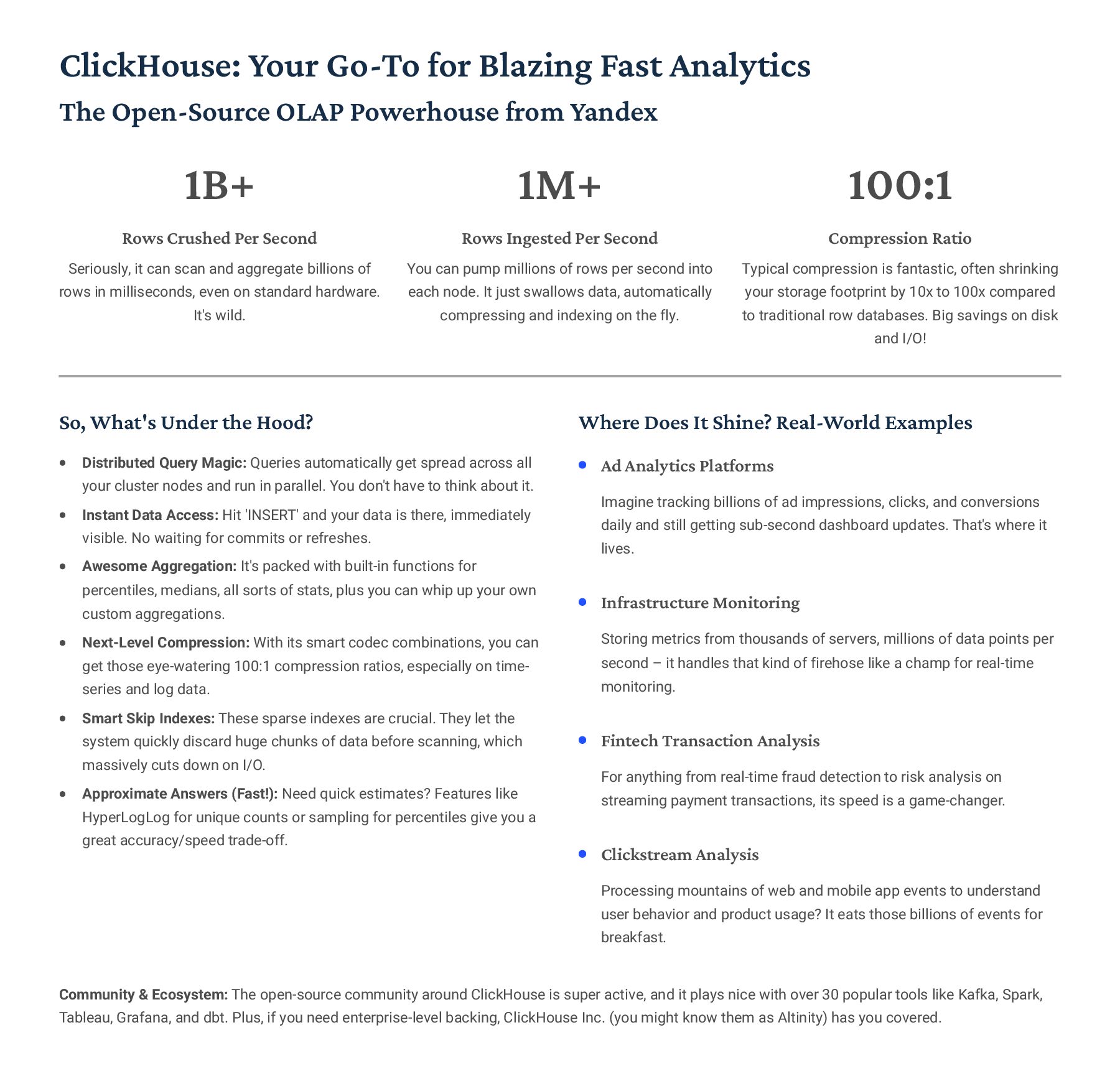
  32. ClickHouse: Your Go-To for Blazing Fast Analytics The Open-Source OLAP

    Powerhouse from Yandex 1B+ Rows Crushed Per Second Seriously, it can scan and aggregate billions of rows in milliseconds, even on standard hardware. It's wild. 1M+ Rows Ingested Per Second You can pump millions of rows per second into each node. It just swallows data, automatically compressing and indexing on the fly. 100:1 Compression Ratio Typical compression is fantastic, often shrinking your storage footprint by 10x to 100x compared to traditional row databases. Big savings on disk and I/O! So, What's Under the Hood? Distributed Query Magic: Queries automatically get spread across all your cluster nodes and run in parallel. You don't have to think about it. Instant Data Access: Hit 'INSERT' and your data is there, immediately visible. No waiting for commits or refreshes. Awesome Aggregation: It's packed with built-in functions for percentiles, medians, all sorts of stats, plus you can whip up your own custom aggregations. Next-Level Compression: With its smart codec combinations, you can get those eye-watering 100:1 compression ratios, especially on time- series and log data. Smart Skip Indexes: These sparse indexes are crucial. They let the system quickly discard huge chunks of data before scanning, which massively cuts down on I/O. Approximate Answers (Fast!): Need quick estimates? Features like HyperLogLog for unique counts or sampling for percentiles give you a great accuracy/speed trade-off. Where Does It Shine? Real-World Examples Ad Analytics Platforms Imagine tracking billions of ad impressions, clicks, and conversions daily and still getting sub-second dashboard updates. That's where it lives. Infrastructure Monitoring Storing metrics from thousands of servers, millions of data points per second 3 it handles that kind of firehose like a champ for real-time monitoring. Fintech Transaction Analysis For anything from real-time fraud detection to risk analysis on streaming payment transactions, its speed is a game-changer. Clickstream Analysis Processing mountains of web and mobile app events to understand user behavior and product usage? It eats those billions of events for breakfast. Community & Ecosystem: The open-source community around ClickHouse is super active, and it plays nice with over 30 popular tools like Kafka, Spark, Tableau, Grafana, and dbt. Plus, if you need enterprise-level backing, ClickHouse Inc. (you might know them as Altinity) has you covered.
  33. Other ColumnStore Leaders Apache Druid Okay, so Druid 3 it's

    pretty neat. Think of it as a real-time analytics beast, mashing up columnar storage with stream processing. We're talking sub-second queries even when you're hitting trillions of events. Big players like Netflix and Airbnb use it for their user- facing dashboards. It9s got that whole lambda architecture thing going on, handling both fresh and historical data tiers. Vertica (HPE) Then there's Vertica. This one's an enterprise-grade column store, super robust with awesome compression and parallel querying. What's really cool is they've baked machine learning right into the SQL interface. You can run it on-prem or in the cloud, even with Kubernetes. It's a big hitter in telecom, financial services, and retail, so you know it's solid for heavy lifting. Apache Parquet Parquet, now that's a cornerstone. It's not a database, but an open columnar file format 3 you'll see it everywhere with Hadoop, Spark, and pretty much any cloud data lake. It's crazy efficient with compression and encoding, plus the metadata helps queries skip irrelevant data. Basically, it's the go-to format for moving data between different analytics tools, and it handles all those tricky nested structures too. Velox (Meta) And Velox 3 Meta open-sourced this one. It's essentially a vectorized database acceleration library, built in C++, that supercharges query engines like Presto and Spark. We're talking 10-100x speedups for analytical queries thanks to SIMD optimizations. Meta uses it internally for petabyte-scale data processing, so it9s definitely battle-tested. DuckDB Finally, DuckDB. This is an embedded OLAP database, often called "SQLite for analytics." It runs right in your process, no separate server needed. It can read Parquet, CSV, JSON directly with zero-copy optimizations, which is fantastic. It's perfect for data science workflows, embedding analytics into apps, or even edge computing scenarios.
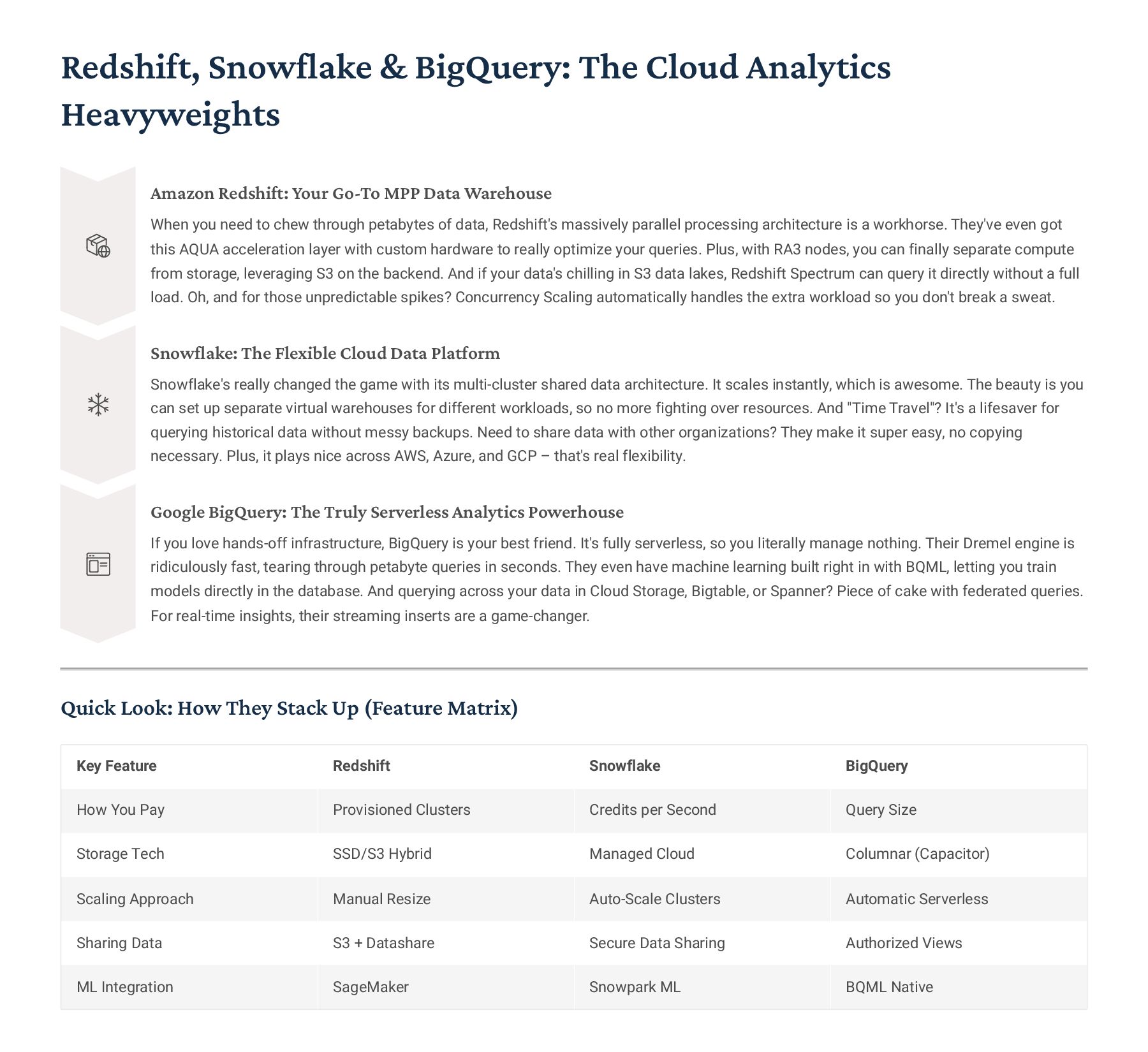
  34. Redshift, Snowflake & BigQuery: The Cloud Analytics Heavyweights Amazon Redshift:

    Your Go-To MPP Data Warehouse When you need to chew through petabytes of data, Redshift's massively parallel processing architecture is a workhorse. They've even got this AQUA acceleration layer with custom hardware to really optimize your queries. Plus, with RA3 nodes, you can finally separate compute from storage, leveraging S3 on the backend. And if your data's chilling in S3 data lakes, Redshift Spectrum can query it directly without a full load. Oh, and for those unpredictable spikes? Concurrency Scaling automatically handles the extra workload so you don't break a sweat. Snowflake: The Flexible Cloud Data Platform Snowflake's really changed the game with its multi-cluster shared data architecture. It scales instantly, which is awesome. The beauty is you can set up separate virtual warehouses for different workloads, so no more fighting over resources. And "Time Travel"? It's a lifesaver for querying historical data without messy backups. Need to share data with other organizations? They make it super easy, no copying necessary. Plus, it plays nice across AWS, Azure, and GCP 3 that's real flexibility. Google BigQuery: The Truly Serverless Analytics Powerhouse If you love hands-off infrastructure, BigQuery is your best friend. It's fully serverless, so you literally manage nothing. Their Dremel engine is ridiculously fast, tearing through petabyte queries in seconds. They even have machine learning built right in with BQML, letting you train models directly in the database. And querying across your data in Cloud Storage, Bigtable, or Spanner? Piece of cake with federated queries. For real-time insights, their streaming inserts are a game-changer. Quick Look: How They Stack Up (Feature Matrix) Key Feature Redshift Snowflake BigQuery How You Pay Provisioned Clusters Credits per Second Query Size Storage Tech SSD/S3 Hybrid Managed Cloud Columnar (Capacitor) Scaling Approach Manual Resize Auto-Scale Clusters Automatic Serverless Sharing Data S3 + Datashare Secure Data Sharing Authorized Views ML Integration SageMaker Snowpark ML BQML Native
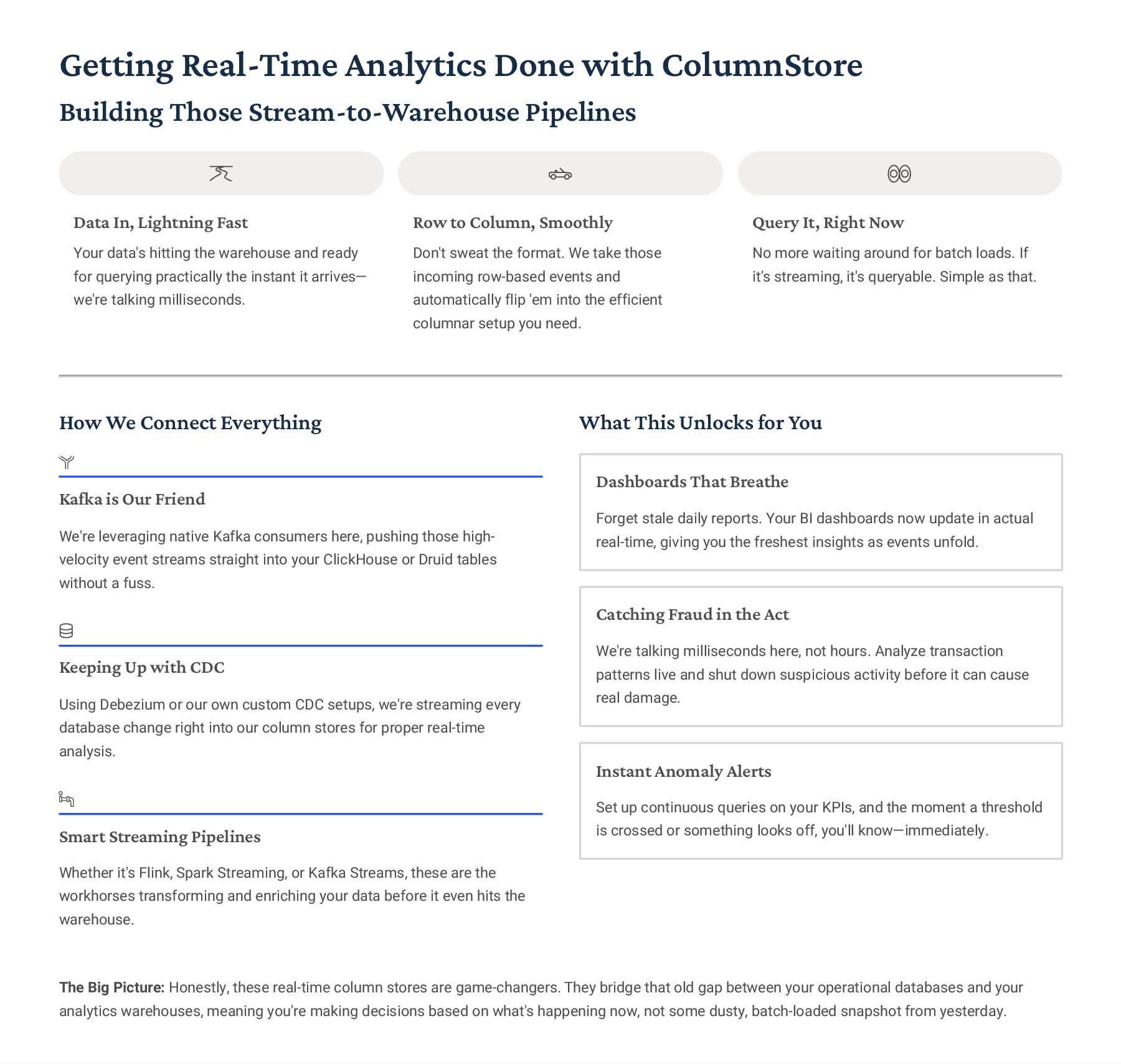
  35. Getting Real-Time Analytics Done with ColumnStore Building Those Stream-to-Warehouse Pipelines

    Data In, Lightning Fast Your data's hitting the warehouse and ready for querying practically the instant it arrives4 we're talking milliseconds. Row to Column, Smoothly Don't sweat the format. We take those incoming row-based events and automatically flip 'em into the efficient columnar setup you need. Query It, Right Now No more waiting around for batch loads. If it's streaming, it's queryable. Simple as that. How We Connect Everything Kafka is Our Friend We're leveraging native Kafka consumers here, pushing those high- velocity event streams straight into your ClickHouse or Druid tables without a fuss. Keeping Up with CDC Using Debezium or our own custom CDC setups, we're streaming every database change right into our column stores for proper real-time analysis. Smart Streaming Pipelines Whether it's Flink, Spark Streaming, or Kafka Streams, these are the workhorses transforming and enriching your data before it even hits the warehouse. What This Unlocks for You Dashboards That Breathe Forget stale daily reports. Your BI dashboards now update in actual real-time, giving you the freshest insights as events unfold. Catching Fraud in the Act We're talking milliseconds here, not hours. Analyze transaction patterns live and shut down suspicious activity before it can cause real damage. Instant Anomaly Alerts Set up continuous queries on your KPIs, and the moment a threshold is crossed or something looks off, you'll know4immediately. The Big Picture: Honestly, these real-time column stores are game-changers. They bridge that old gap between your operational databases and your analytics warehouses, meaning you're making decisions based on what's happening now, not some dusty, batch-loaded snapshot from yesterday.
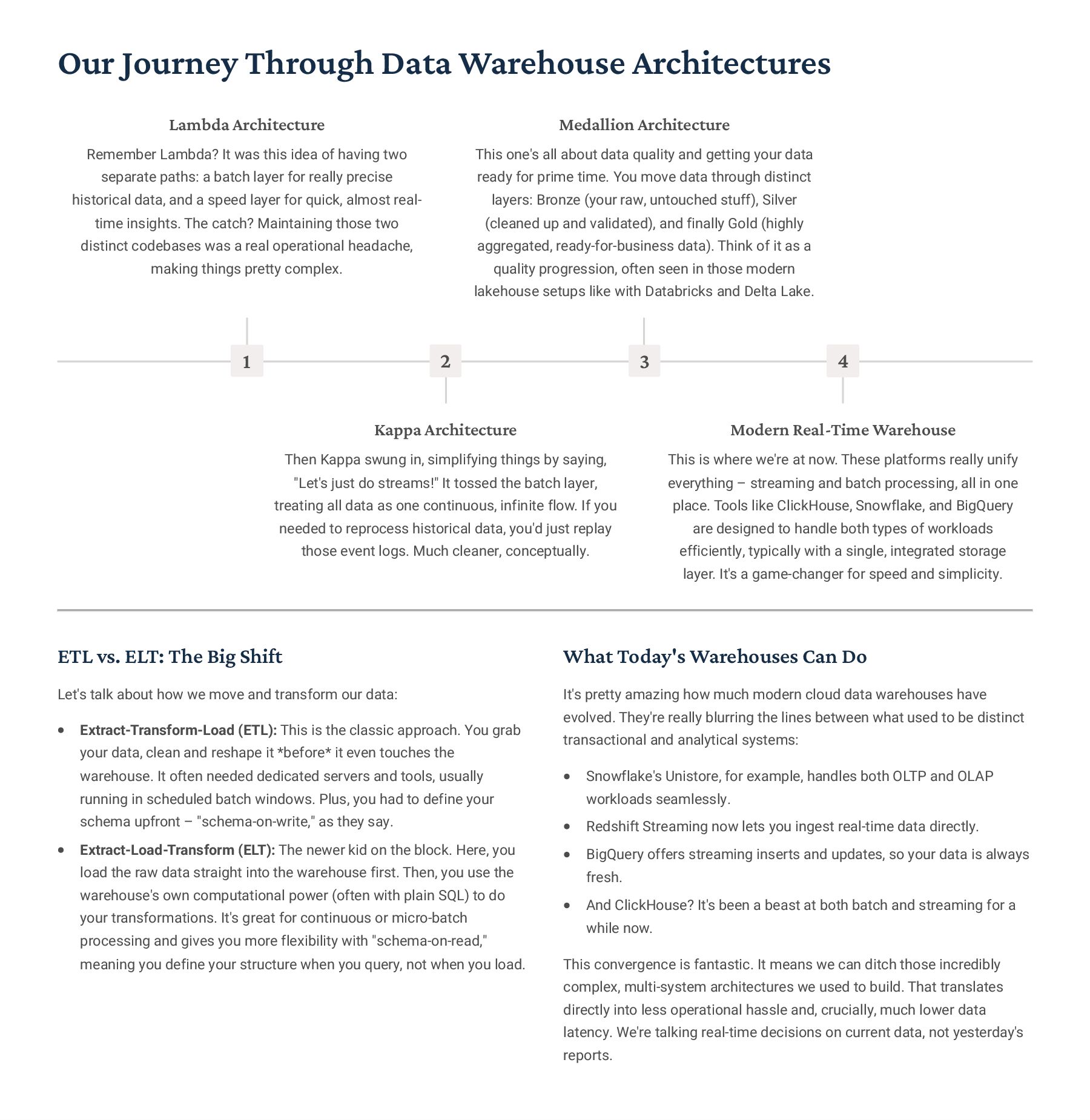
  36. Our Journey Through Data Warehouse Architectures 1 Lambda Architecture Remember

    Lambda? It was this idea of having two separate paths: a batch layer for really precise historical data, and a speed layer for quick, almost real- time insights. The catch? Maintaining those two distinct codebases was a real operational headache, making things pretty complex. 2 Kappa Architecture Then Kappa swung in, simplifying things by saying, "Let's just do streams!" It tossed the batch layer, treating all data as one continuous, infinite flow. If you needed to reprocess historical data, you'd just replay those event logs. Much cleaner, conceptually. 3 Medallion Architecture This one's all about data quality and getting your data ready for prime time. You move data through distinct layers: Bronze (your raw, untouched stuff), Silver (cleaned up and validated), and finally Gold (highly aggregated, ready-for-business data). Think of it as a quality progression, often seen in those modern lakehouse setups like with Databricks and Delta Lake. 4 Modern Real-Time Warehouse This is where we're at now. These platforms really unify everything 3 streaming and batch processing, all in one place. Tools like ClickHouse, Snowflake, and BigQuery are designed to handle both types of workloads efficiently, typically with a single, integrated storage layer. It's a game-changer for speed and simplicity. ETL vs. ELT: The Big Shift Let's talk about how we move and transform our data: Extract-Transform-Load (ETL): This is the classic approach. You grab your data, clean and reshape it *before* it even touches the warehouse. It often needed dedicated servers and tools, usually running in scheduled batch windows. Plus, you had to define your schema upfront 3 "schema-on-write," as they say. Extract-Load-Transform (ELT): The newer kid on the block. Here, you load the raw data straight into the warehouse first. Then, you use the warehouse's own computational power (often with plain SQL) to do your transformations. It's great for continuous or micro-batch processing and gives you more flexibility with "schema-on-read," meaning you define your structure when you query, not when you load. What Today's Warehouses Can Do It's pretty amazing how much modern cloud data warehouses have evolved. They're really blurring the lines between what used to be distinct transactional and analytical systems: Snowflake's Unistore, for example, handles both OLTP and OLAP workloads seamlessly. Redshift Streaming now lets you ingest real-time data directly. BigQuery offers streaming inserts and updates, so your data is always fresh. And ClickHouse? It's been a beast at both batch and streaming for a while now. This convergence is fantastic. It means we can ditch those incredibly complex, multi-system architectures we used to build. That translates directly into less operational hassle and, crucially, much lower data latency. We're talking real-time decisions on current data, not yesterday's reports.
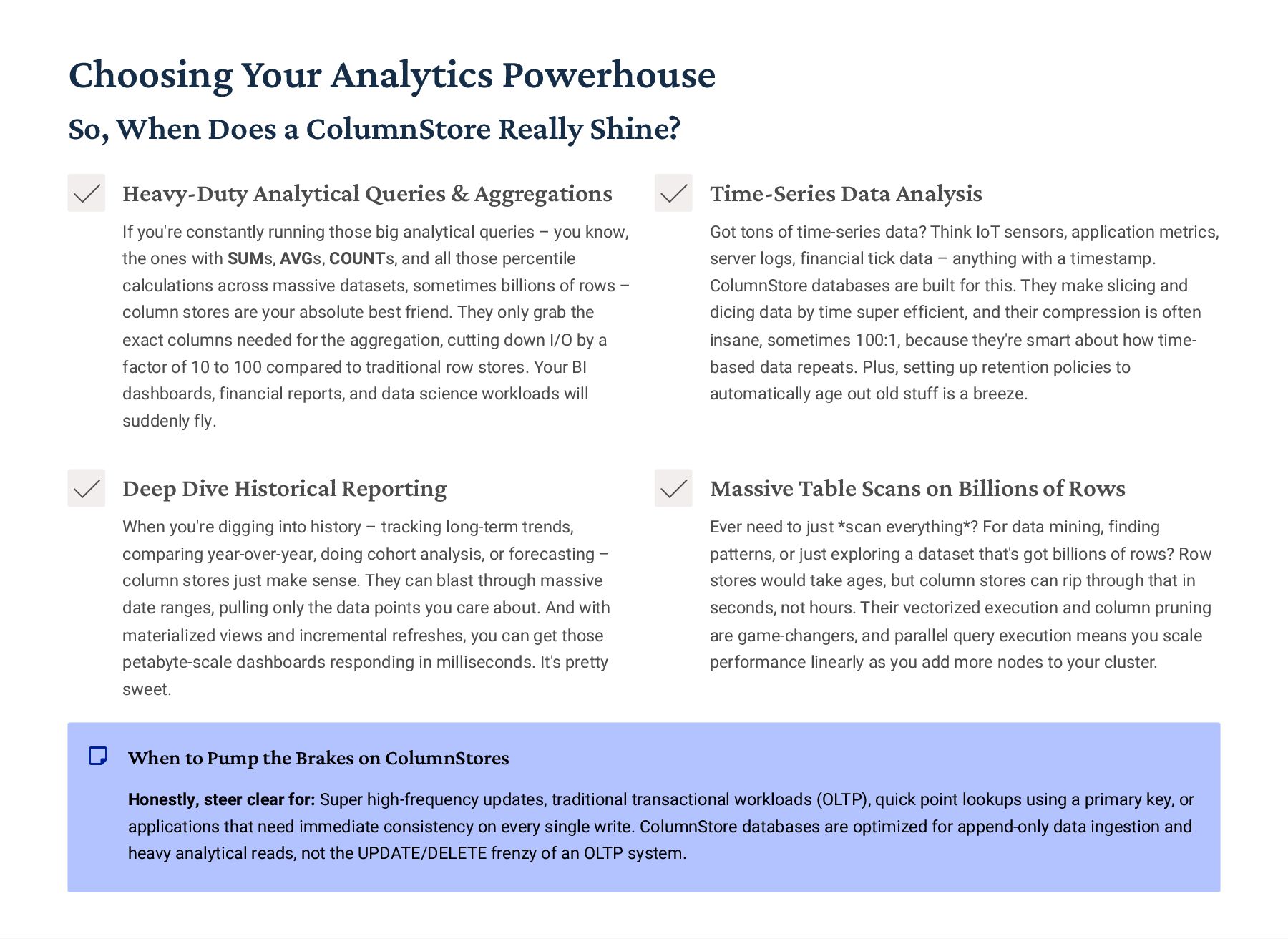
  37. Choosing Your Analytics Powerhouse So, When Does a ColumnStore Really

    Shine? Heavy-Duty Analytical Queries & Aggregations If you're constantly running those big analytical queries 3 you know, the ones with SUMs, AVGs, COUNTs, and all those percentile calculations across massive datasets, sometimes billions of rows 3 column stores are your absolute best friend. They only grab the exact columns needed for the aggregation, cutting down I/O by a factor of 10 to 100 compared to traditional row stores. Your BI dashboards, financial reports, and data science workloads will suddenly fly. Time-Series Data Analysis Got tons of time-series data? Think IoT sensors, application metrics, server logs, financial tick data 3 anything with a timestamp. ColumnStore databases are built for this. They make slicing and dicing data by time super efficient, and their compression is often insane, sometimes 100:1, because they're smart about how time- based data repeats. Plus, setting up retention policies to automatically age out old stuff is a breeze. Deep Dive Historical Reporting When you're digging into history 3 tracking long-term trends, comparing year-over-year, doing cohort analysis, or forecasting 3 column stores just make sense. They can blast through massive date ranges, pulling only the data points you care about. And with materialized views and incremental refreshes, you can get those petabyte-scale dashboards responding in milliseconds. It's pretty sweet. Massive Table Scans on Billions of Rows Ever need to just *scan everything*? For data mining, finding patterns, or just exploring a dataset that's got billions of rows? Row stores would take ages, but column stores can rip through that in seconds, not hours. Their vectorized execution and column pruning are game-changers, and parallel query execution means you scale performance linearly as you add more nodes to your cluster. When to Pump the Brakes on ColumnStores Honestly, steer clear for: Super high-frequency updates, traditional transactional workloads (OLTP), quick point lookups using a primary key, or applications that need immediate consistency on every single write. ColumnStore databases are optimized for append-only data ingestion and heavy analytical reads, not the UPDATE/DELETE frenzy of an OLTP system.
  38. Choosing Your Database: A Quick Rundown Let's Talk Features and

    What They Mean for You Database How It Scales Data Consistency Query Style Typical Cost Ready for Big Business? PostgreSQL Scale up (beefier server) Strict ACID Full-featured SQL Budget-friendly 777 MySQL/MariaDB Scale up, or shard when huge Strict ACID Standard SQL Budget-friendly 777 MongoDB Scale out (add more servers) Eventually consistent Document queries (JSON-like) Mid-range 77 Redis/Valkey Scale out (add more servers) Eventually consistent Simple Key-Value Budget-friendly 77 Cassandra Scale out (add more servers) You can tune it CQL (like SQL) Mid-range 77 Neo4j Scale up, cluster for bigger Strict ACID Cypher (graph query) Can get pricey 77 CockroachDB Scale out (add more servers) Strict ACID Standard SQL Can get pricey 777 TiDB Scale out (add more servers) Strict ACID Standard SQL Mid-range 77 Spanner Scale out (add more servers) Strict ACID Standard SQL Premium price tag 777 ClickHouse Scale out (add more servers) Eventually consistent SQL for analytics Budget-friendly 77 Snowflake Scales automatically Strict ACID SQL for analytics Can get pricey 777 BigQuery Scales automatically Strict ACID SQL for analytics Pay-as-you-go 777 Quick Legend: 777: Solid, production-hardened, enterprise-grade features. No major worries here. 77: Enterprise-capable, but you might hit some limitations or quirks you'll need to manage. Cost: This is roughly the total cost of ownership (TCO) as you really start to scale things up.
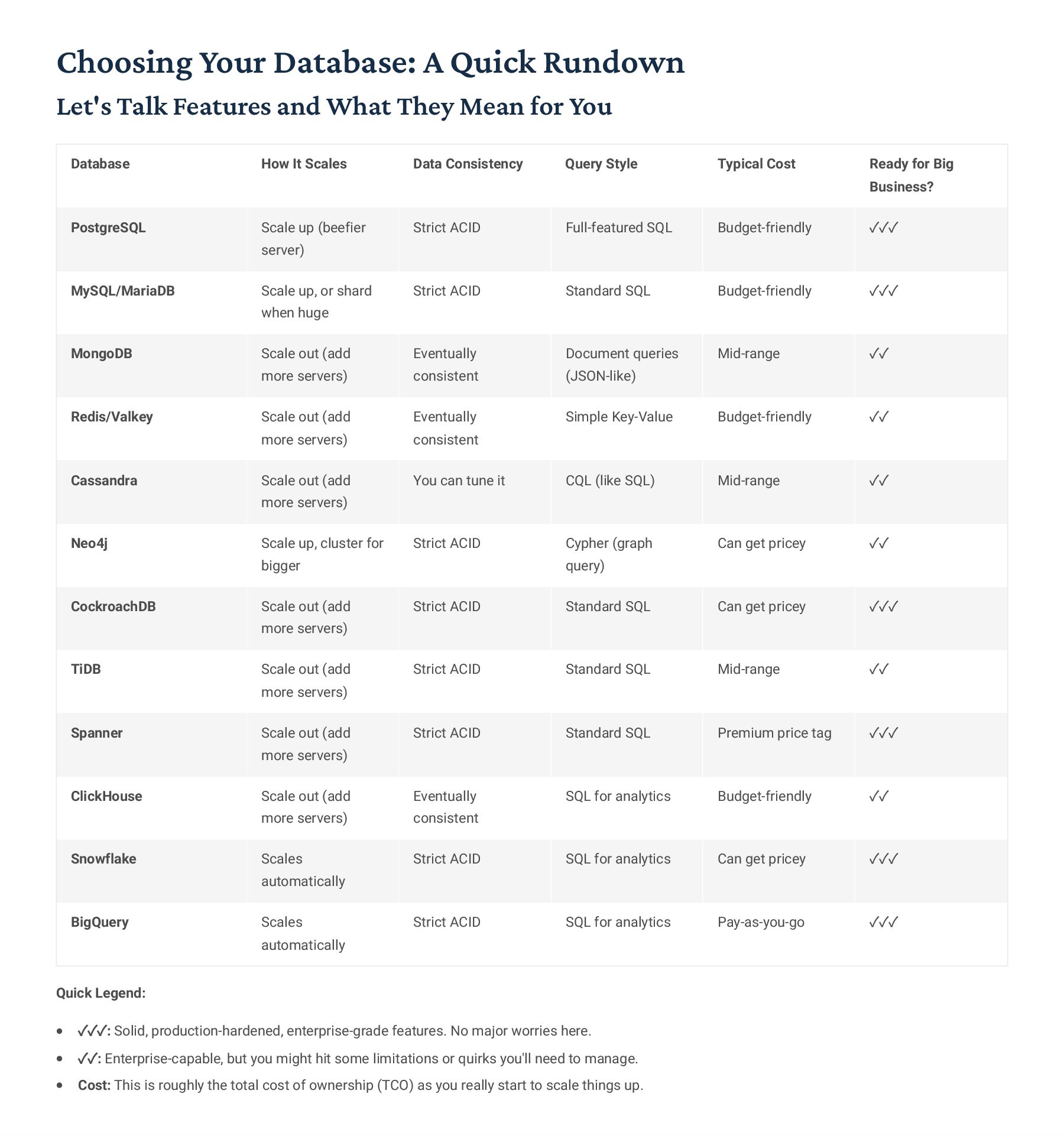
  39. Picking the Right Database: Let's Talk Scalability Crucial Questions for

    Your Tech Stack 01 How Big is Your Data, Really, and How Fast's it Growing? Alright, first things first: what's your current data footprint? If you're under 10GB, a good old SQL database will probably do the trick. Between 10GB and 1TB? You'll need to start thinking about a scaling strategy. If you're hitting 1TB to 10TB, horizontal scaling is pretty much a must. And if you're north of 10TB, we're talking full-on distributed architecture. Also, is your data doubling every six months or just creeping along at 20% a year? That makes a huge difference in what you choose. 02 One Data Center, or Spanning the Globe? If you're just operating out of a single data center, life's simpler. You can keep things consistent without too much fuss. But once you start looking at multiple regions, latency and consistency become tricky trade-offs. Distributed SQL offers global consistency, but you'll feel that cross-region commit delay. Eventual consistency NoSQL databases cut down on latency but can make your application logic a bit more complex. Pick your poison! 03 How "Consistent" Does Your Data Need to Be? This is huge. For financial transactions, you absolutely need immediate, bulletproof consistency (ACID, all the way). For social media 'likes', a few seconds delay is totally fine (eventual consistency). Inventory systems? You probably need "read-your-writes" guarantees. It9s critical to figure out which parts of your app need iron-clad consistency and where you can loosen up a bit to gain performance. 04 What's Your App Doing More Of: Reading or Writing? Got a lot more reads than writes (like 90:10)? Then caching and read replicas are your best friends. If you're smashing data into the database constantly (write-heavy), you need super optimized ingestion. Most workloads are a mix, so careful capacity planning is key. Analytics systems are super read-heavy, while your typical operational system tries to balance both. 05 What's Your Budget Looking Like? Let's be real, money talks. Open-source options can save you on licensing, but you'll need the internal expertise to run them. Managed cloud services lighten the operational load but push up those monthly bills. Enterprise commercial databases offer top-tier support, but you pay a premium. Remember, Total Cost of Ownership isn't just licenses; it's hardware, operational staff, and even the opportunity cost of not getting it right. Over 10TB You're looking at Distributed SQL or NoSQL solutions 100GB to 10TB Consider SQL or maybe NewSQL options Under 100GB Stick with traditional SQL databases Data Size? Is your dataset and its growth small and manageable?
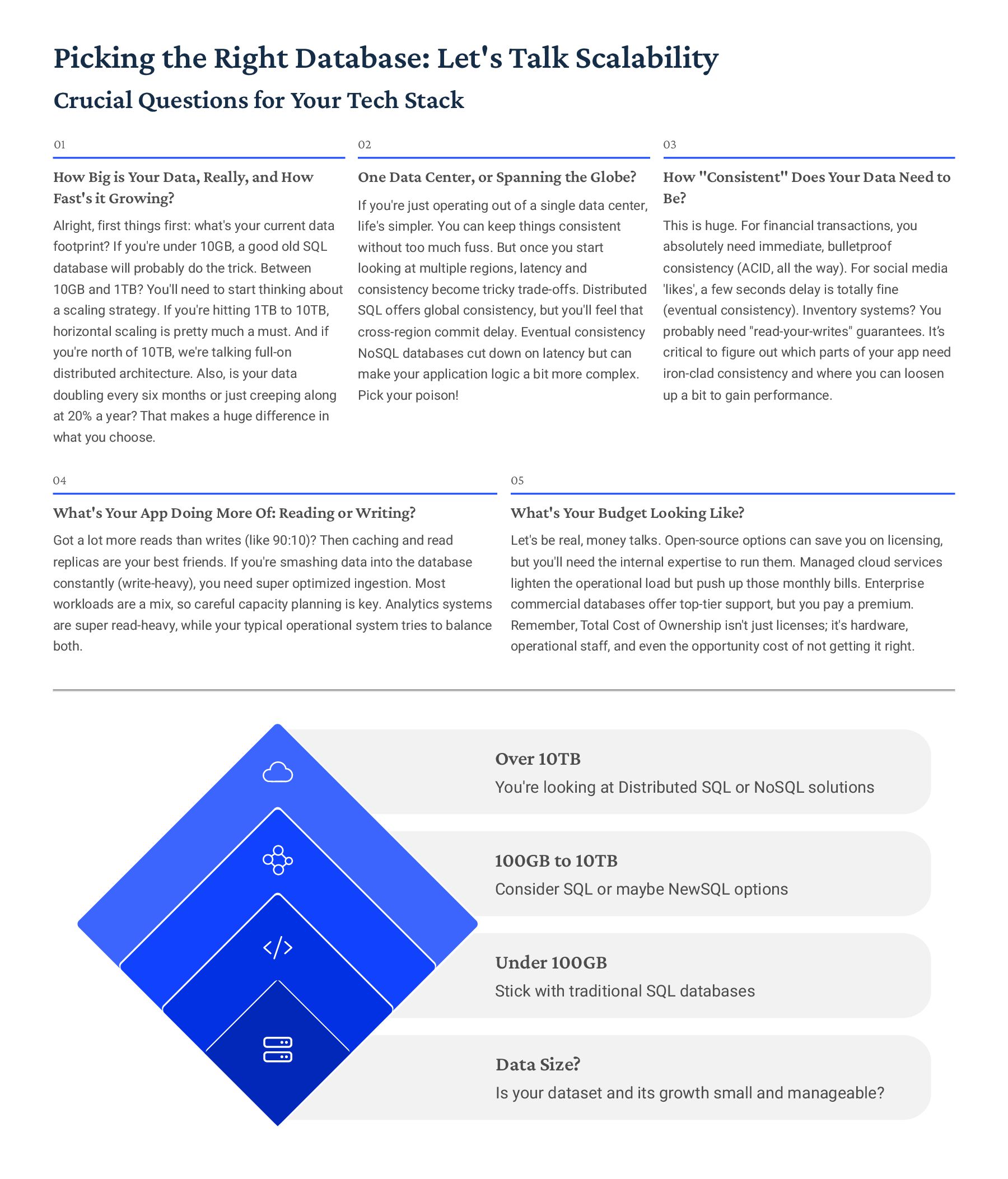
  40. Talking Turkey: Total Cost of Ownership for Different Database Flavors

    What Really Drains the Wallet When You Scale SQL Vertical NoSQL Horizontal NewSQL Distributed ColumnStore $0.00 $6,000.00 $12,000.00 $18,000.00 Just a heads-up: this chart shows an example TCO for a 10TB active dataset with a pretty standard query load. Keep in mind, your actual costs could be wildly different depending on how you're using it. What's in the Bill (Cost Components) Compute: That's your CPU and memory, basically what crunches all your queries. Don't skimp here if you need speed. Storage: Good old disk space for keeping all your precious data safe. Network: Moving data around costs money, especially if you're jumping across regions or cloud providers. Licensing: Some databases come with a hefty price tag, or you might pay for enterprise-level support even for open-source options. Operations: You'll need DBAs, monitoring tools, maybe some training for your team. This isn't free, folks. Replication: Making extra copies for high availability? That means more hardware and more complexity. And the "Oops, I Forgot About That" Costs: Think about the pain of downtime during failures, the marathon migration projects when you inevitably outgrow that single-server setup, or the frantic scramble to optimize performance when things grind to a halt. These can hit harder than you think. The Economics of Getting Bigger (Scaling) SQL Vertical Scaling: You can only throw so much power at a single machine. Costs tend to shoot through the roof as you try to jam more RAM and CPUs into one box. Going from 128GB to 256GB might double the cost, but 512GB could be four times more expensive than 256GB 3 you hit diminishing returns fast. NoSQL Linear Scaling: This is where you just add more commodity servers, and your costs grow pretty much linearly. Need 10 times the capacity? Just add 10 times the servers. It's predictable, which is nice. ColumnStore Compression Magic: These guys are data-compression wizards, often getting 10:1 or even 100:1 compression ratios. That means your 10TB of raw data might only take up 100GB-1TB of actual storage, slashing your cloud storage bills by 90% or more. Huge savings there!
  41. Let's Talk About Operational Complexity Where Do Databases Fall on

    the Complexity Scale? Plain Old SQL (Pretty Simple) These have been around forever. We've got mature tools, tons of DBAs who know their stuff, and we pretty much understand what can go wrong. NoSQL (Gets a Bit Tricky) You'll be wrestling with eventual consistency (that's a fun one!), figuring out denormalization, and constantly balancing those shards. It's not rocket science, but it's a different beast. ColumnStore (Also a Bit Tricky) Here, you're managing data pipelines, tuning compression until your eyes cross, and keeping those materialized views humming. It's specialized work. NewSQL (Hold On Tight - It's Complex!) We're talking distributed transaction debugging, understanding consensus protocols (Paxos, Raft, anyone?), and managing global setups. This is where things can get seriously complicated. Real-World Headaches for Each Type SQL Databases: You're usually dealing with the usual suspects: making sure backups and restores actually work, watching out for replication lag, optimizing those tricky indexes, and getting queries to run fast. The good news is, there's a ton of info out there, and everyone's done it before. NoSQL Databases: This is where you really need to wrap your head around what "eventual consistency" actually means for your data, troubleshooting when replications go sideways, planning out your shards so things don't blow up, and dialing in those consistency levels. It's a whole different ballgame compared to SQL. NewSQL Databases: Imagine the joys of distributed transaction deadlocks, trying to shave milliseconds off cross-region latency, configuring those consensus groups just right, and coordinating schema changes across a bunch of nodes. It's like combining the complexity of SQL with all the fun of distributed systems. ColumnStore Databases: Here, the focus shifts to keeping your data ingestion pipelines rock-solid, picking the right compression codec (it makes a huge difference!), figuring out when and how to refresh your materialized views, and keeping an eye on query memory. You really need to understand how analytical workloads behave. Getting Help: Who's Got Your Back? Vendor Support (The Pricey but Safe Bet) This is your premium option: 24/7 support with guaranteed response times from the vendor. You get dedicated teams and emergency escalations. It costs a pretty penny, but when things hit the fan, you know someone's there. Community Support (Free, But You Get What You Pay For) Dive into forums, Slack channels, Stack Overflow 3 there's a huge community out there. It's free, which is great, but don't expect guarantees. The quality of help you'll get really depends on how popular and mature the database is. Managed Services (The "Set It and Forget It" Approach) Let the cloud providers handle the heavy lifting. They'll take care of all the operations, monitoring, patching, and scaling. You'll pay more per unit, but you completely offload the operational burden, which is perfect if your team isn't packed with DBA gurus.
  42. Let's Talk: Open Source vs. Commercial Databases Why Open Source

    Rocks No License Fees (Big Win!) Forget those annoying per-core or per-server license fees that just grow as you do. With open source, you don't pay a dime for the software itself. See What's Under the Hood The source code is right there. If something breaks, you can dig in, fix it, or even build your own custom version. No black boxes! A Huge Community to Lean On You're joining a massive, active community. That means tons of shared knowledge, open-source tools, extensions, and plenty of help when you need it. Deploy It Anywhere, No Strings Attached Run it on your own hardware, in any cloud, wherever you want. There's no vendor trying to lock you into their ecosystem or contracts. The Perks of Going Commercial Serious, Dedicated Support When things go sideways, you get 24/7 support with guaranteed response times, backed by an SLA. Peace of mind, basically. Experts On Call Need help with setup, migrations, or squeezing out more performance? Commercial vendors offer professional services with experts who know their stuff inside and out. Uptime Guarantees These databases often come with contractual uptime commitments. If they don't meet them, you might even get money back 3 a real safety net. "Enterprise-Grade" Goodies You often get extra features tailored for big businesses, like enhanced security, advanced monitoring, and slick management tools, right out of the box. MinervaDB's Hybrid Approach: Getting the Best of Both At MinervaDB, we believe you shouldn't have to choose. We combine popular open-source databases (think PostgreSQL, MySQL, MongoDB, ClickHouse, Redis) with top-notch, commercial-grade support. This means our clients get: Smart Savings You dodge those hefty enterprise licensing fees, putting more money back in your pocket. You're paying for real expertise, not just software. True Freedom You keep the power to switch providers or even bring support in-house down the line. No more feeling trapped by long-term, restrictive contracts. Guidance from the Pros You tap into our team of specialists who live and breathe multiple database technologies, with experience across thousands of deployments. They've seen it all! So, When Does Commercial Really Make Sense? It's usually for businesses in heavily regulated industries that need strict compliance, mission-critical systems where guaranteed uptime is non-negotiable, or organizations that simply prefer a single vendor relationship for everything.
  43. Building with Multiple Databases: The Polyglot Approach Matching the Right

    Database to the Right Job PostgreSQL Solid for your core operational transactions and keeping things super consistent. Redis Blazingly fast caching for quick reads and snappy user sessions. MongoDB Perfect for flexible product catalogs where schemas can change on the fly. ClickHouse Crushes high-volume analytics and helps you aggregate events with ease. Why Go with Multiple Databases? Let's be real, modern apps are complex. No single database is a silver bullet for everything. By picking the best database for each specific task, you're going to get better performance and save money. Here9s a quick rundown: For Your Core Business Logic: PostgreSQL is your rock-solid choice for critical transactions, making sure everything is perfectly consistent. For Speed: Redis is incredibly fast, giving you microsecond access to your most frequently used data. For Flexible Data: MongoDB shines when you've got user-generated content or product catalogs where the structure isn't rigid. For Deep Dives: Need to chew through billions of events for analytics? ClickHouse is built for exactly that kind of business intelligence. For Finding Stuff Fast: Elasticsearch is king for full-text search, letting your users find what they need in documents quickly. Hitting Roadblocks & How to Fix Them It can get complicated: Running multiple databases means you need different skills, monitoring tools, and backup plans for each. The good news? Managed services or an expert DBA team (like MinervaDB) can handle this heavy lifting for you. Keeping Data in Sync: Making sure data stays consistent across all your databases can be tricky. This is where event-driven architectures come in handy. Think of Change Data Capture (CDC) tools as couriers, streaming updates from your main database to all the other systems that need to know. Querying Across the Board: Sometimes you need to pull data from several databases at once. Tools like Presto or Trino let you run SQL queries that span across all your different data sources, giving you a unified view. Our Favorite Pattern: We often recommend using event streaming platforms, like Kafka or Pulsar, as the central nervous system for your architecture. Databases publish any changes as "events," and other systems just subscribe to the streams they care about. This strategy makes your systems much more independent and lets you build cool, real-time data products.
  44. Your Database World: Making Sense of it All MinervaDB's Toolkit:

    Our Comprehensive Services PostgreSQL Performance Optimization We'll help you get the most out of your PostgreSQL setup: fine- tuning queries, optimizing indexes, managing connection pooling, mastering vacuum strategies, designing robust replication, and setting up truly high availability. MySQL/MariaDB Scaling Solutions When you need MySQL or MariaDB to handle serious scale, we're your go-to. We configure Galera Clusters, set up multi-source replication, fine-tune ProxySQL, implement Vitess sharding, and dive deep into performance schemas to keep things humming. MongoDB Cluster Management Managing your MongoDB environment can be tricky. We'll assist with smart sharding strategies, reliable replica set configurations, optimizing those complex aggregation pipelines, designing efficient indexes, and getting change streams up and running smoothly. ClickHouse Analytics Optimization To make your ClickHouse analytics truly fly, we focus on distributed table design, smart codec selection for compression, setting up materialized views, fine-tuning skip indexes, and profiling and optimizing queries for blazing-fast insights. Redis/Valkey Caching Strategies For lightning-fast caching with Redis or Valkey, we've got you covered. We'll help with smart eviction policies, setting up Redis Clusters, ensuring rock-solid Sentinel high availability, designing efficient pub/sub architectures, and implementing effective cache invalidation. Cloud Database Services Navigating the cloud database landscape? We optimize Amazon RDS/Aurora, configure Azure SQL, tune Google Cloud SQL, and design solid architectures for data warehouses like Redshift, Snowflake, and BigQuery, ensuring you're leveraging the cloud efficiently. Your Always-On Safety Net: 24/7 Remote DBA Support At MinervaDB, we provide constant vigilance for your databases. That means continuous monitoring, proactive maintenance to prevent issues, rapid emergency response when things go sideways, and expert consultation across virtually every major database technology out there. Our service model delivers enterprise-grade support for open-source databases 3 think top-tier expertise, but without the eye-watering commercial licensing costs.
  45. Building Our E-Commerce Platform: A Multi-Database Approach Picking the Right

    Database for Each Job Redis Cache Our go-to for super fast reads and caching hot data. User Service PostgreSQL handles all our user profiles and critical transactions, keeping things solid. Product Catalog MongoDB lets us tweak product schemas on the fly, which is great for new stuff. Inventory Service NewSQL keeps our stock levels perfectly consistent, no overselling here. Analytics ClickHouse is our powerhouse for real-time order insights and reporting. Why We Chose Each Database (and What It Does) User Service: PostgreSQL When it comes to customer accounts, authentication, and payment methods, you need rock-solid relational integrity and ACID compliance. PostgreSQL makes sure all our user data is tightly consistent, with foreign keys linking everything from users to their addresses and payment tokens. It's non-negotiable for trust and accuracy. Product Catalog: MongoDB Our products are all over the map 3 electronics have specs like battery and screen size, while clothing needs sizes and colors. MongoDB is perfect here because of its flexible schema. We can add new attributes without the headache of costly `ALTER TABLE` migrations, letting us iterate on new product types super fast. Inventory: NewSQL Stock levels need immediate consistency, plain and simple. We can't afford to oversell! NewSQL gives us distributed SQL with ACID transactions across all our warehouses. This means global inventory visibility and no race conditions, even when we have tons of concurrent sales happening. Analytics: ClickHouse For digging into order history, understanding user behavior, and optimizing conversion funnels in real-time, ClickHouse is a game- changer. It's a column store that crunches billions of events, compressing them 100:1, and still lets us pull up dashboard queries in sub-second speeds. Seriously fast insights. Caching: Redis This is our speed demon. We throw session data, search results, and product recommendations into Redis, caching it all in-memory. It drastically cuts down on database load4we're talking an 80% reduction4while serving up web and mobile app responses in microseconds. It's critical for a snappy user experience. How Data Flows Through Our System We've set up Change Data Capture (CDC) to stream updates from our operational databases straight to our analytics systems. So, when a user finishes a purchase in PostgreSQL, that event immediately flows into ClickHouse for analytics, and simultaneously triggers a Redis cache invalidation. It's all about real-time responsiveness. Here's how we keep everything in sync: Debezium captures every change from PostgreSQL. Kafka then streams these events to all the right subscribers. ClickHouse grabs these events for our analytics dashboards. Redis knows to invalidate any stale cached data. And MongoDB updates any denormalized views as needed. The big win? Each database is doing exactly what it's best at. PostgreSQL handles the critical transactions with its iron-clad ACID guarantees. MongoDB lets us quickly evolve our product catalog. ClickHouse dives into our petabyte-scale history for deep analysis. Best of all, each piece can scale independently, giving us incredible flexibility and performance.
  46. Building a Fintech Platform: Secure and Scalable Tackling Global Regulations

    and Massive Scale Head-On What We Needed to Build (Key Requirements) Rock-Solid Transactions (ACID) When you're dealing with money, there's absolutely no room for error. Every single financial transaction has to be perfectly atomic, consistent, isolated, and durable. "Almost complete" just isn't an option here. Serving a Global Audience Our users are all over the world, so we need super-fast access no matter where they are. Plus, we've got to play by local rules, which means data often has to stay within specific regions. Catching Fraud in Real-Time We're talking milliseconds. We needed to spot dodgy transaction patterns and shut them down cold before any payments even had a chance to go through. Bulletproof Audit Trails For regulatory compliance and settling any disputes, we need an absolutely unchangeable record of every transaction. It's non-negotiable. Our Chosen Tech Stack 1 Core Transactions: CockroachDB For our main transaction database, we went with CockroachDB. It's a distributed SQL system, so it gives us those critical ACID guarantees across different regions. And the geo-partitioning feature? That's how we keep EU data firmly in Europe, ticking off those GDPR boxes. 2 Fraud Detection: ClickHouse To really nail real-time fraud detection, ClickHouse was the clear winner. Its real-time streaming analytics can flag suspicious activity almost instantly, crunching through billions of historical transactions in less than a second. 3 Analytics Warehouse: Snowflake When it comes to digging into historical transaction data, generating regulatory reports, and powering our BI dashboards, Snowflake handles it all. It lets us query petabytes of data with ease. How MinervaDB Made It Happen Our team really put this platform together from the ground up. We designed the entire architecture, got those tricky geo-partitioning strategies just right, and fine-tuned CockroachDB to ensure lightning-fast commits. We also built out the real-time fraud detection pipelines in ClickHouse. And of course, we backed it all up with 24/7 monitoring, guaranteeing a 15-minute response time for anything critical. The result? A platform that flawlessly handles billions of dollars in transactions every single month, consistently delivering 99.99% uptime. On the compliance front, we're proud to say we achieved SOC 2 Type II certification, PCI-DSS Level 1 compliance, built in robust GDPR data residency controls, and implemented a complete, cryptographically verified audit trail. We basically built a fortress, ready for anything.
  47. SaaS Application: From Startup to Enterprise Scale Your Database's Growth

    Journey Just Starting Out: Single PostgreSQL When you're first kicking things off, a single PostgreSQL instance is usually all you need. Don't overthink it; focus on getting that product- market fit right. We've seen this handle up to about 10,000 users just fine with some good old vertical scaling. Hitting Your Stride: Replicas + Caching Once you start seeing real traction, your primary database will get hammered. That's when you bring in read replicas to spread out the query load. Throw in Redis for session data and those hot-ticket items, and you'll typically cut your main database's work by 60-80%. Big win! Serious Growth: Sharded PostgreSQL Okay, so you're really growing now. It's time to start sharding your data, often by customer ID. Each shard takes on a chunk of your customers, extending PostgreSQL's life well past 100,000 users. Yeah, it means your app needs to know about the sharding, but it's a solid way to scale on familiar tech. Enterprise Mode: Distributed SQL You've made it! Now you're thinking about serious enterprise scale. This is where you graduate to a distributed SQL solution like CockroachDB or TiDB. These bad boys handle the horizontal scaling for you automatically, and multi-region deployments mean you can meet those tough enterprise SLAs without breaking a sweat. Smart Spending at Every Phase MVP: $50-200/month for a managed PostgreSQL instance 3 super affordable. Growth: $500-2K/month with those added replicas and caching layers. Scale: Expect to spend $5K-15K/month once you're running sharded infrastructure. Enterprise: Getting into distributed SQL will run you $15K-50K/month, but it's worth it for the scale. The trick here is to invest in your database infrastructure as your revenue grows. Don't jump the gun with massive investments too early; you need those resources focused on building an awesome product first! How We Migrate (Smoothly!) Nobody likes downtime, right? We make sure every one of these transitions happens without a hitch, literally zero downtime: First, we get that new infrastructure spun up and ready, running right alongside the old. 1. Then, we start writing data to *both* systems. Keeps everything in sync. 2. Next, we slowly, carefully, shift your read traffic over to the shiny new system. 3. We double-check, triple-check 3 validate that data consistency like our lives depend on it. 4. Finally, during a quiet period, we flip the switch for write traffic. Poof! You're on the new system. 5. And just in case, we keep a rollback plan warm for about a month. Always good to have a parachute. 6.
  48. IoT & Time-Series: Massive Ingestion Handling Billions of Events Every

    Day The Data Mountain We're Climbing 10B+ Events Per Day Think about it: smart home gadgets, industrial sensors, vehicle telemetry... they're constantly spewing out data. We're talking billions of events, every single day. 1PB+ Data Volume And all that historical data? It piles up fast. We're holding onto petabytes for our ML models and to spot trends. <100ms Ingestion Latency The big one: getting data from a sensor reading into our system and queryable for real-time alerts, all in under 100 milliseconds. No easy feat. Our Non-Negotiable Requirements First off, we need to ingest data like crazy without dropping a single piece. Then, the ability to run time-series queries 3 things like hourly averages, daily trends 3 quickly. And of course, real-time alerts when something goes sideways, like a sensor hitting a critical threshold. Being able to dig into historical data for forecasts and deeper analysis is crucial. Finally, we've got to store all this efficiently, with serious compression. How We Built It: The Tech Stack Ingestion: Kafka For ingestion, Kafka is our workhorse. It's a distributed streaming platform that acts as a buffer for all that sensor data, ensuring delivery and giving us replay capabilities if we need 'em. Storage: ClickHouse When it comes to storage, ClickHouse is a game-changer. It's a column store that's just ridiculously good for time-series data, offering 100:1 compression and letting us scan billions of rows in seconds. Analytics: Materialized Views To keep our dashboards snappy, we use materialized views. These are pre-aggregated hourly and daily summaries, meaning dashboards get instant answers without having to chew through all the raw data every time. Alerting: Real-Time Queries Our alerting system relies on continuous queries constantly monitoring those incoming data streams. If something looks off or hits a threshold, an alert fires instantly. The Bottom Line: This system hums along, processing 100,000 sensor readings per second with an end-to-end latency under 100ms. We're running historical queries across petabytes of data, and they're completing in under 5 seconds. All this, and we're keeping total infrastructure costs under $10K a month, thanks to smart use of open-source tech and MinervaDB backing our operations.
  49. Moving from the Old to the New: Our Migration Game

    Plan Making the Switch Without Skipping a Beat (Zero-Downtime) Sound Familiar? Common Migration Paths We've Taken 01 Ditching Oracle Monoliths for PostgreSQL + ClickHouse You've got that huge Oracle system, right? We help you split things up: transactional workloads move to PostgreSQL, and we set up a blazing- fast analytics warehouse in ClickHouse. It's about getting the right tool for each job, and making sure your data is working smarter. 02 MySQL's Growing Pains? Hello, Distributed SQL! If your single MySQL instance is hitting its limits, we know the feeling. We'll help you transition to something like CockroachDB or Vitess. The goal? Massive horizontal scalability without forcing you to rewrite your entire application. It just works. 03 Swapping Legacy Data Warehouses for Cloud-Native Powerhouses Tired of those expensive, clunky on-prem data warehouses? We move clients to cloud solutions like Snowflake or BigQuery. Say goodbye to hardware headaches and endless refresh cycles; hello to flexible, powerful analytics in the cloud. Our Go-To, Battle-Tested Migration Playbook Start with Dual Writes We kick things off by having your application write data to *both* the old and new databases simultaneously. This lets us thoroughly check that everything's consistent and working perfectly before we move on. Slowly Shift the Traffic Once we're confident, we'll start routing a tiny trickle (maybe 1%) of your read traffic to the new system. We then gradually dial that up over days or weeks, all while keeping a close eye on performance and stability. No surprises here. The "Zero-Downtime" Cutover When it's time for the big switch, we pick a low-traffic window and seamlessly flip the write traffic over to the new database. Your users won't even notice, because read access is maintained throughout the entire process. Always Have a Rollback Plan We're cautious, so we keep the old system humming for about a month after the cutover. If, by some slim chance, anything unexpected crops up, we can quickly revert. Once everyone's happy, we archive it and celebrate a successful migration! MinervaDB's Migration Edge: We're not new to this rodeo. Our team has successfully tackled over 500 database migrations for clients, including some pretty big names. We handle everything: detailed planning, sniffing out potential risks, building custom automation tools, providing round-the-clock support during cutovers, and making sure everything runs smoothly long after the move.
  50. Alright, let's recap and talk about what's next. No Single

    Database Solves Everything Look, one database won't cut it for modern apps. You've gotta use the right tool for the job 3 pick a database that truly fits your workload, instead of trying to cram everything into one system. Polyglot Architecture is the Standard Now Honestly, almost every successful company out there is doing 'polyglot' these days. They're using SQL for transactions, NoSQL when they need massive scale, NewSQL for global consistency, and ColumnStores for heavy-duty analytics. It's all about optimizing each piece. Your Tech Choices Directly Impact Your Business The database choices you make aren't just technical; they directly hit your bottom line. We're talking performance, costs, how much you can grow, and even your competitive edge. Make the wrong call, and you're saddled with technical debt that can drag on for years. Operational Excellence Needs Real Expertise Running all these different database technologies? It's tough, and it takes seriously specialized skills. Partnering with experts like us means you get the most bang for your buck and cut down on those headaches and risks. How MinervaDB Helps You 24/7 Managed Database Services: That means constant monitoring, staying ahead with proactive maintenance, and jumping on emergencies with rock-solid SLAs. Multi-Technology Expertise: We've got deep knowledge in everything from PostgreSQL and MySQL to MongoDB, ClickHouse, Redis, and all the major cloud databases. Performance Optimization Specialists: Our team specializes in making things fly: From fine-tuning your queries and designing killer architectures to planning capacity and executing flawless migrations. Serious Enterprise SLA Support: We're talking contractual commitments, financial penalties if we ever miss an SLA, and a lightning-fast 15-minute response time for anything critical. Get in Touch with MinervaDB Our Website: minervadb.xyz Drop Us an Email: [email protected] [email protected] [email protected] Give Us a Call: (844) 588-7287 (USA) (415) 212-6625 (USA) (778) 770-5251 (Canada) Connect on LinkedIn: linkedin.com/in/thewebscaledba Ready to Chat? Book Your Consultation! Let MinervaDB help you get your database infrastructure humming 3 for better performance, scalability, and cost-efficiency. Schedule a free 30-minute consultation; let's talk about your challenges and how we can help.