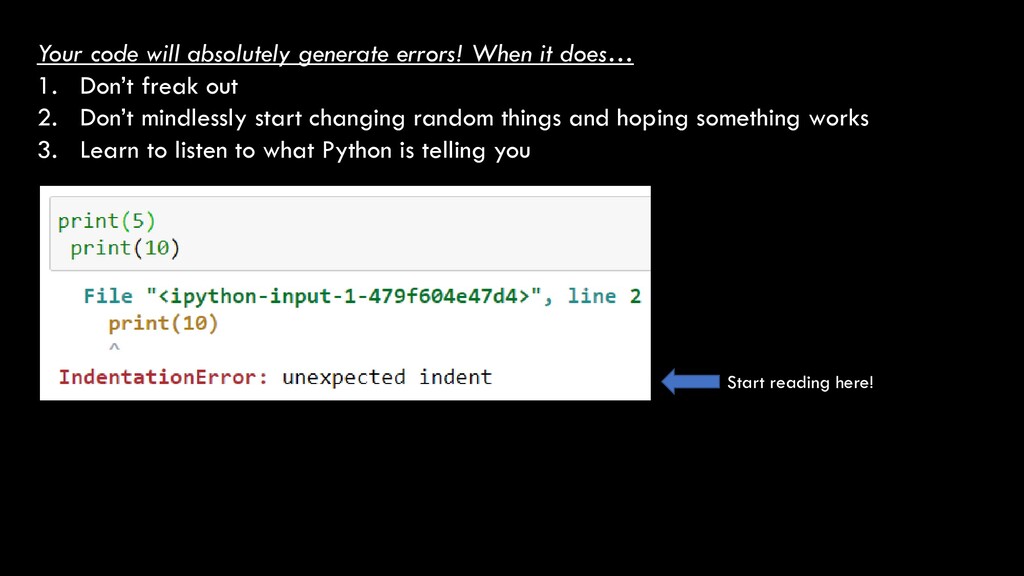
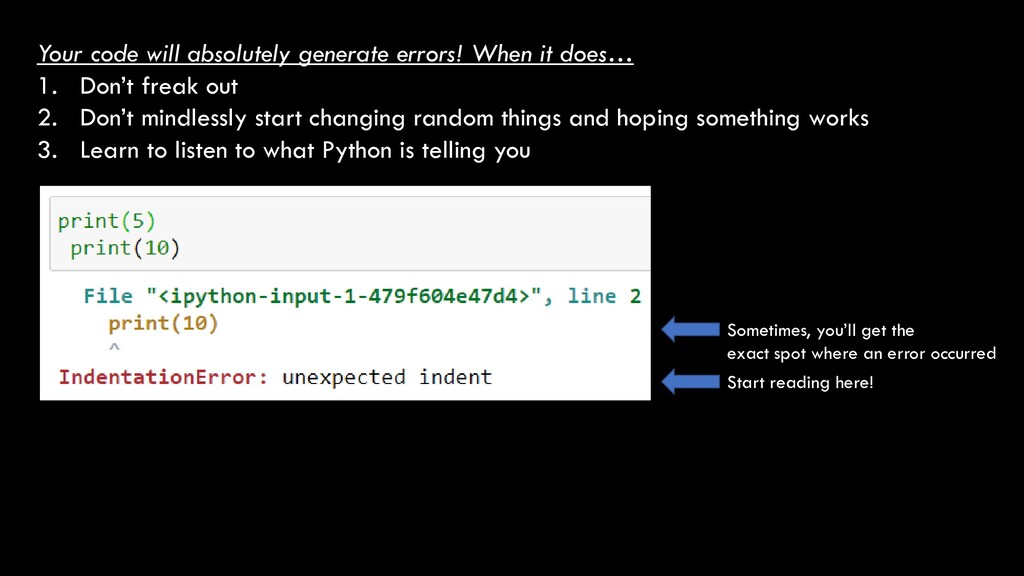
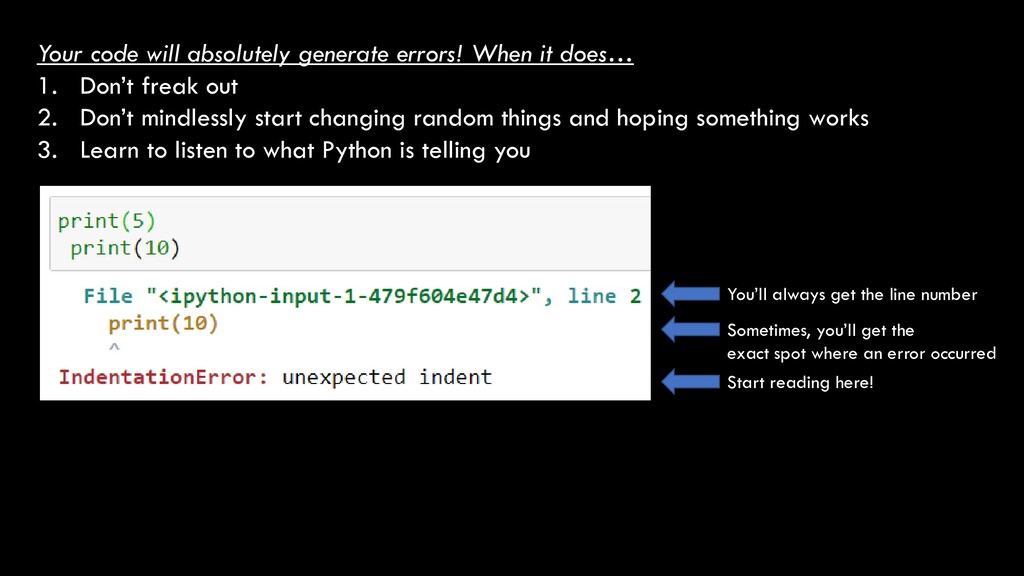
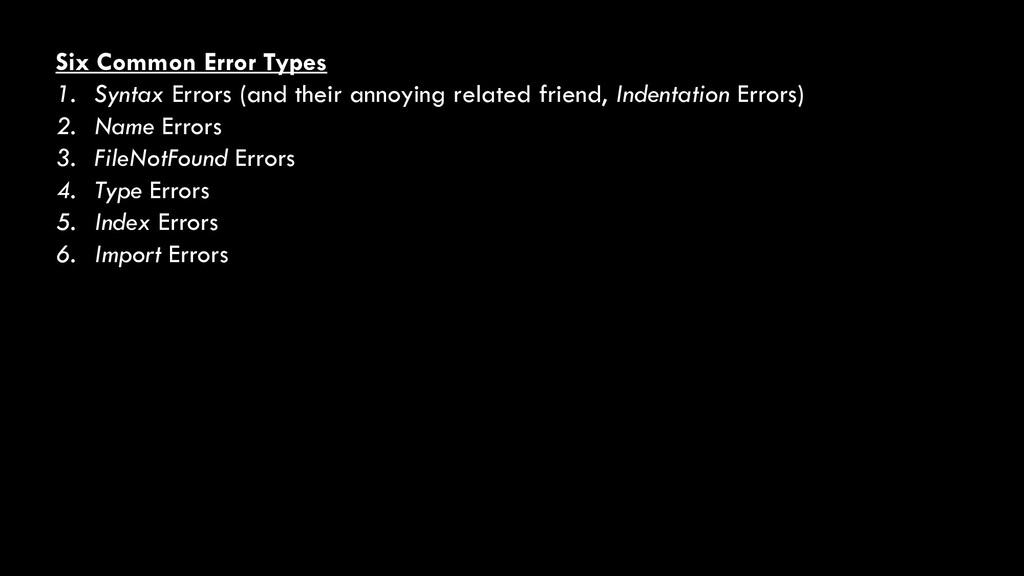
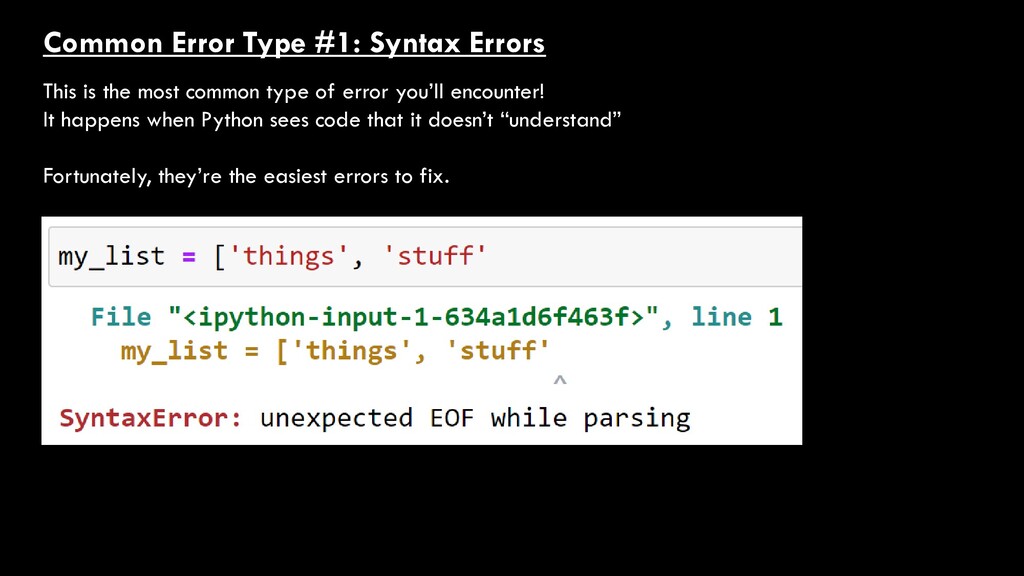
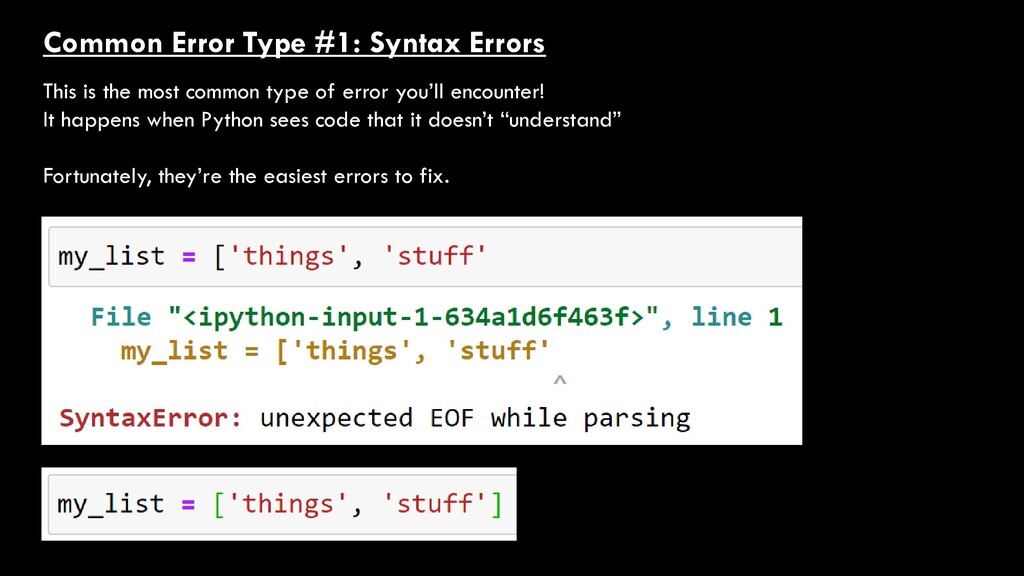
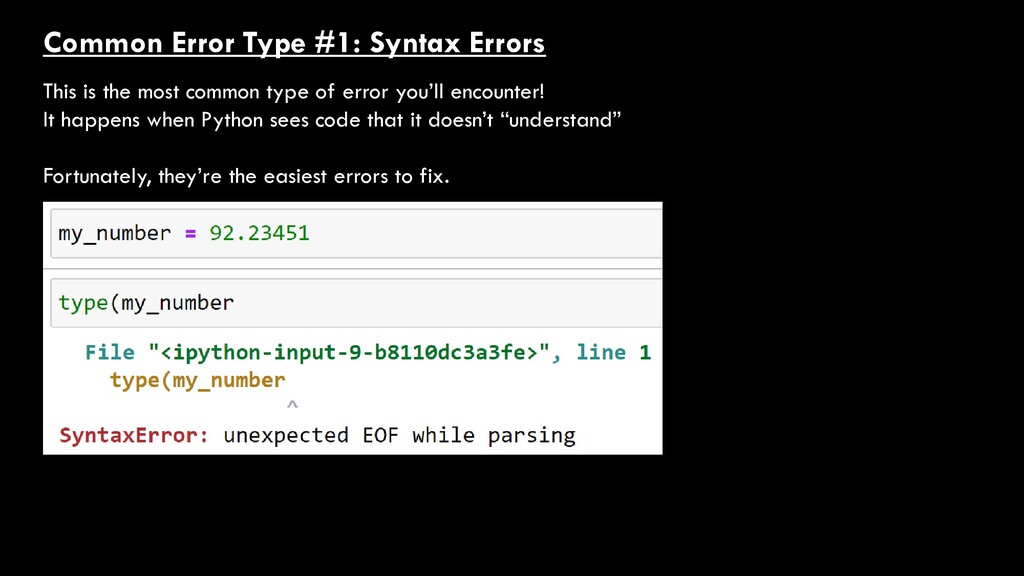
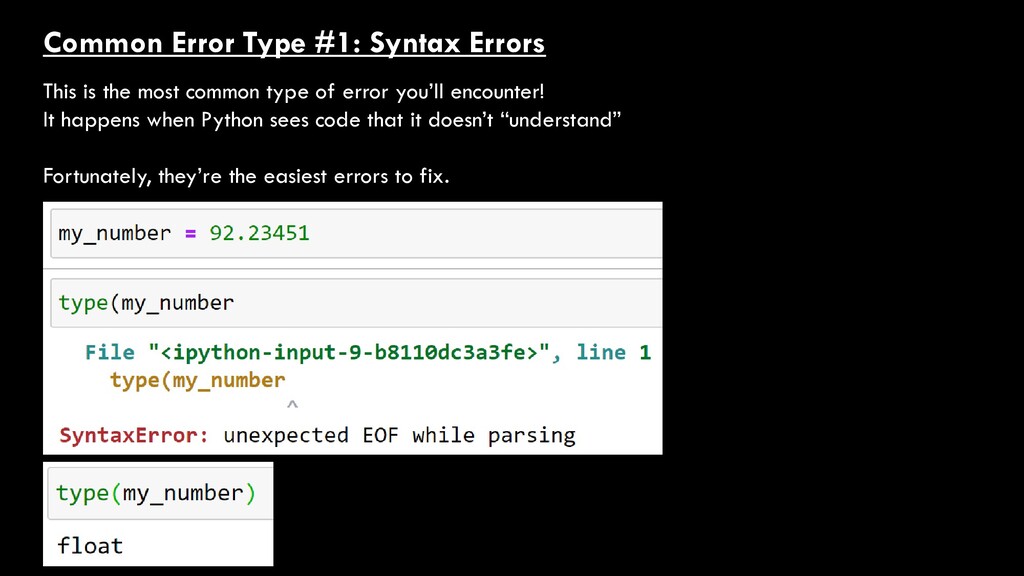
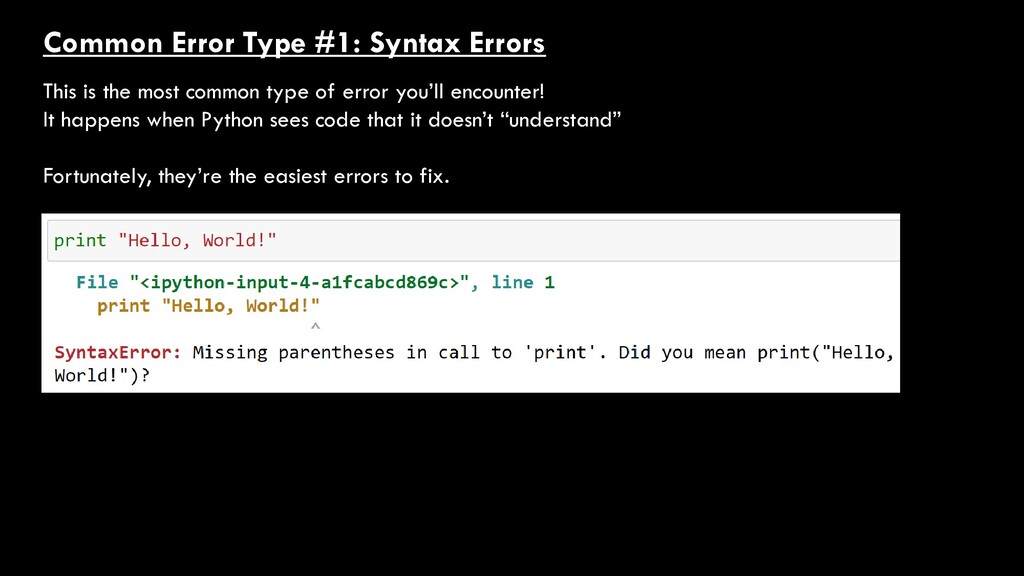
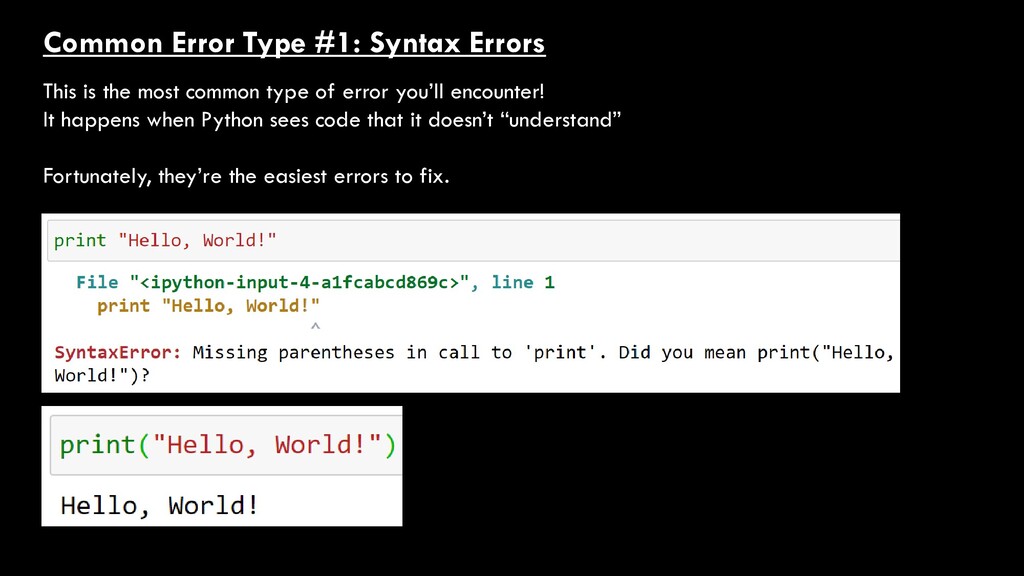
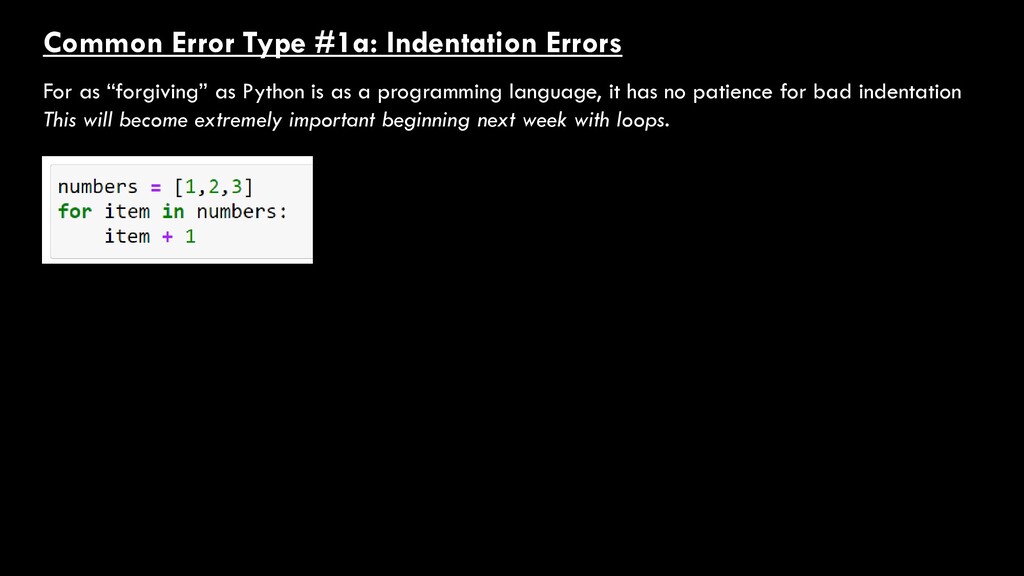
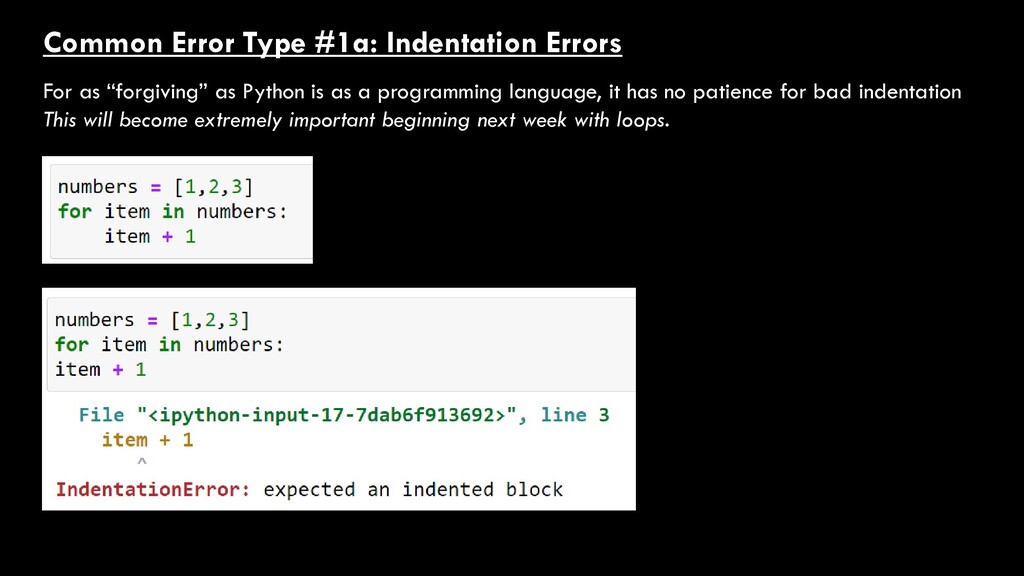
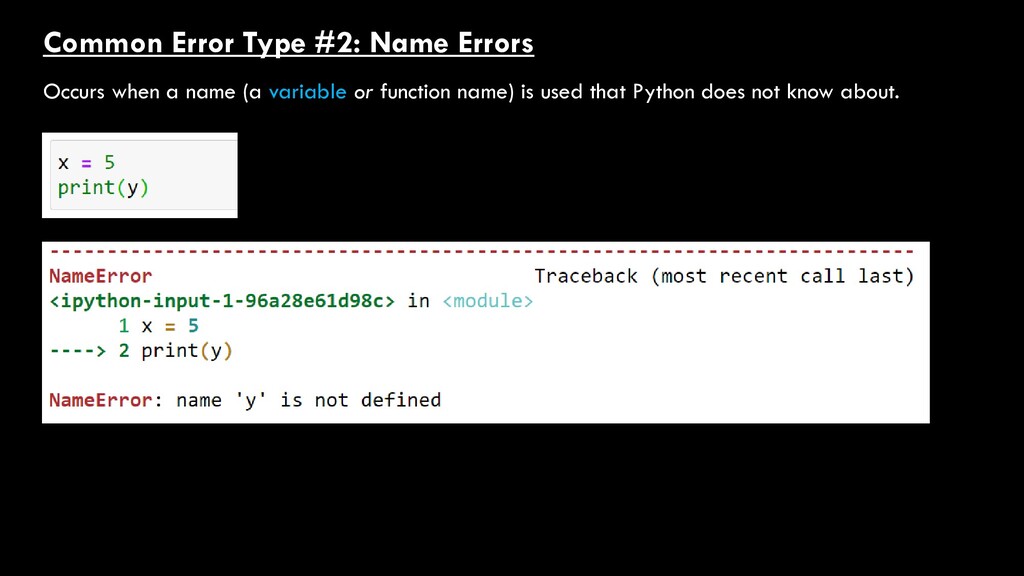
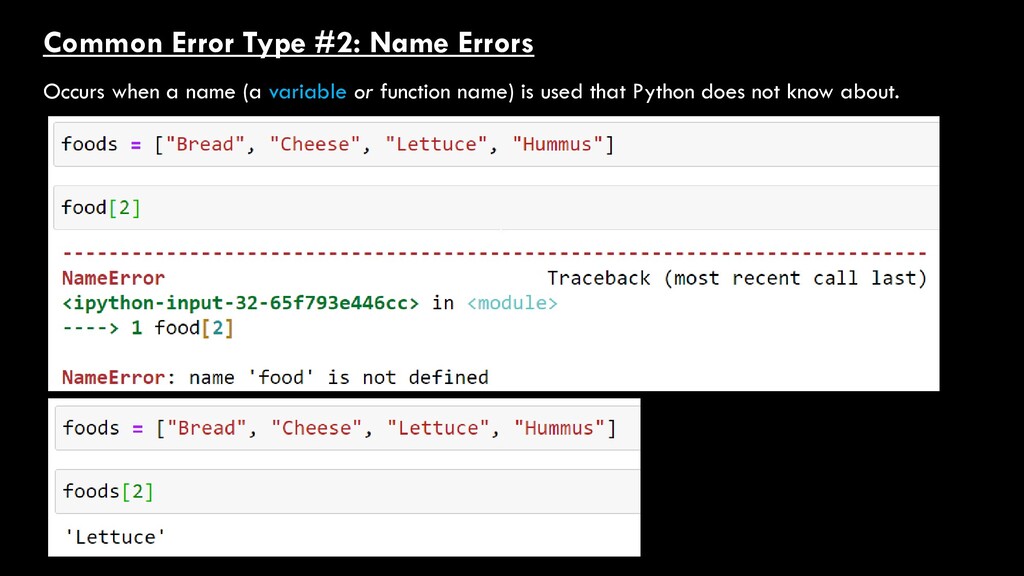
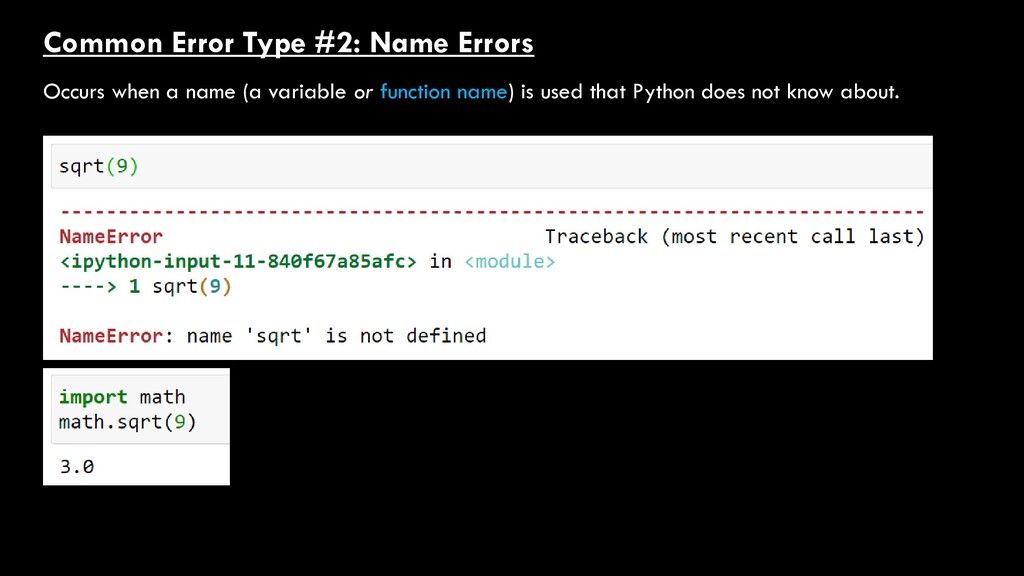
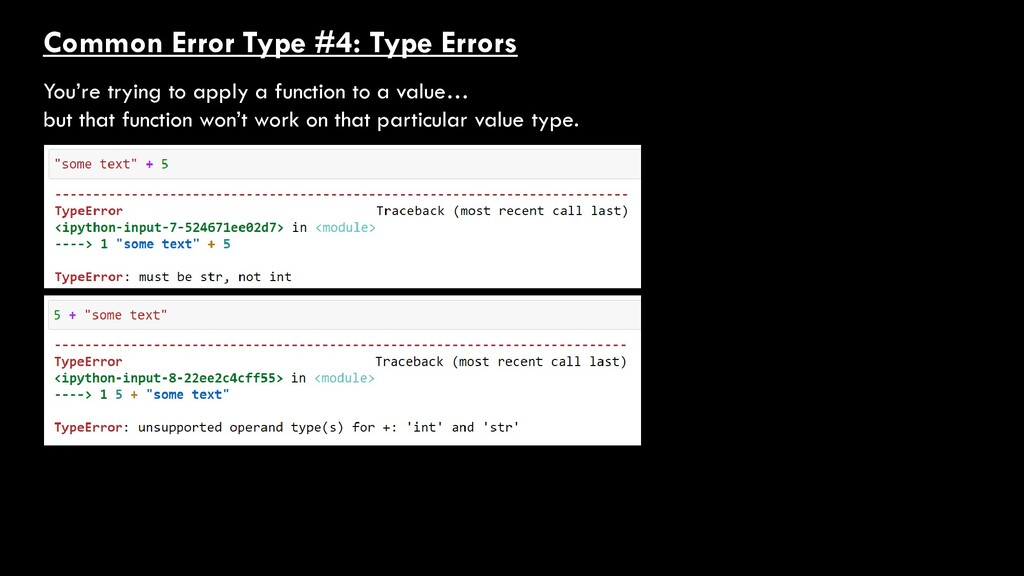
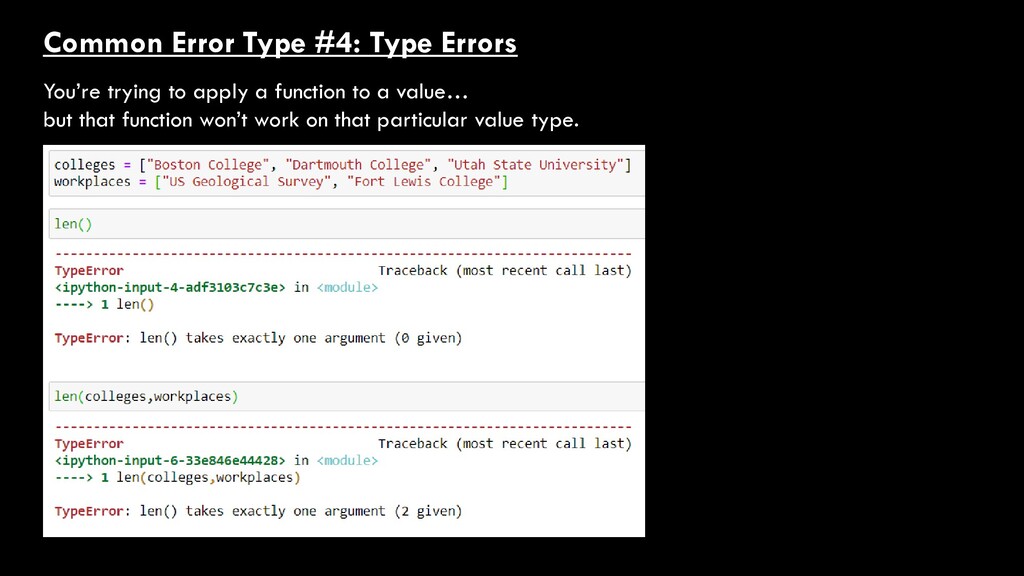
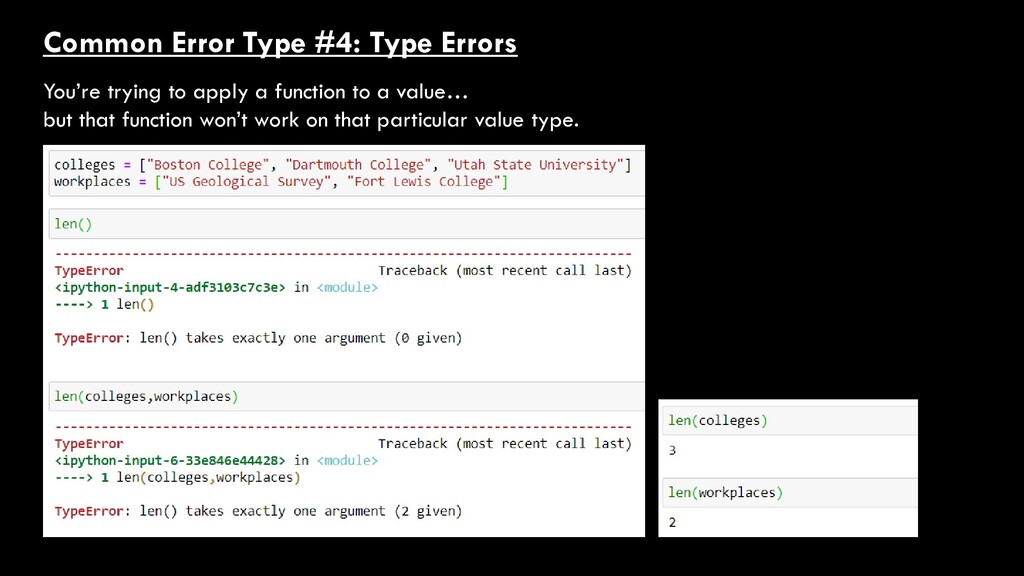
Don’t freak out 2. Don’t mindlessly start changing random things and hoping something works 3. Learn to listen to what Python is telling you Start reading here!
Don’t freak out 2. Don’t mindlessly start changing random things and hoping something works 3. Learn to listen to what Python is telling you Start reading here! Sometimes, you’ll get the exact spot where an error occurred
Don’t freak out 2. Don’t mindlessly start changing random things and hoping something works 3. Learn to listen to what Python is telling you Start reading here! Sometimes, you’ll get the exact spot where an error occurred You’ll always get the line number
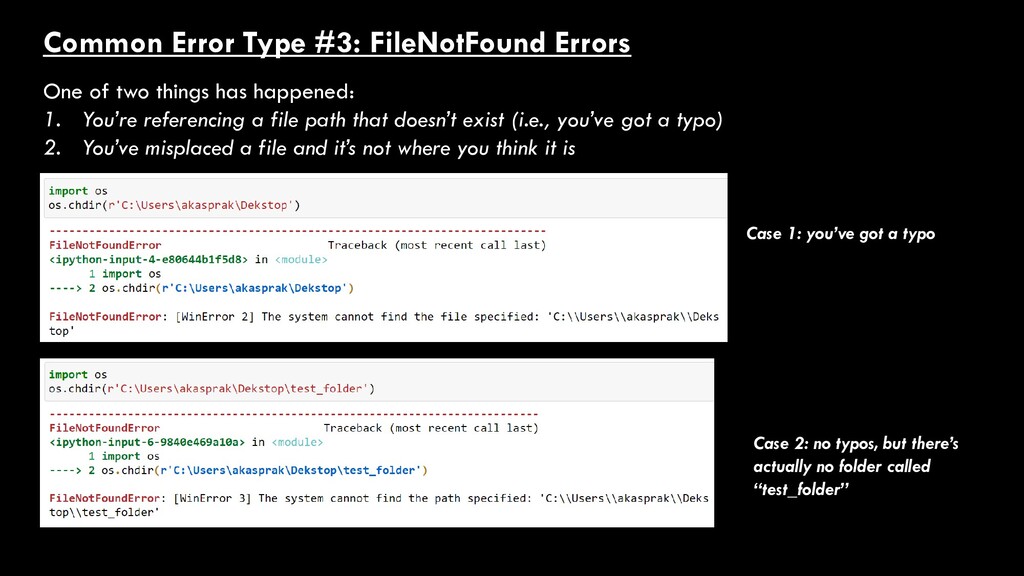
has happened: 1. You’re referencing a file path that doesn’t exist (i.e., you’ve got a typo) 2. You’ve misplaced a file and it’s not where you think it is Case 1: you’ve got a typo Case 2: no typos, but there’s actually no folder called “test_folder”
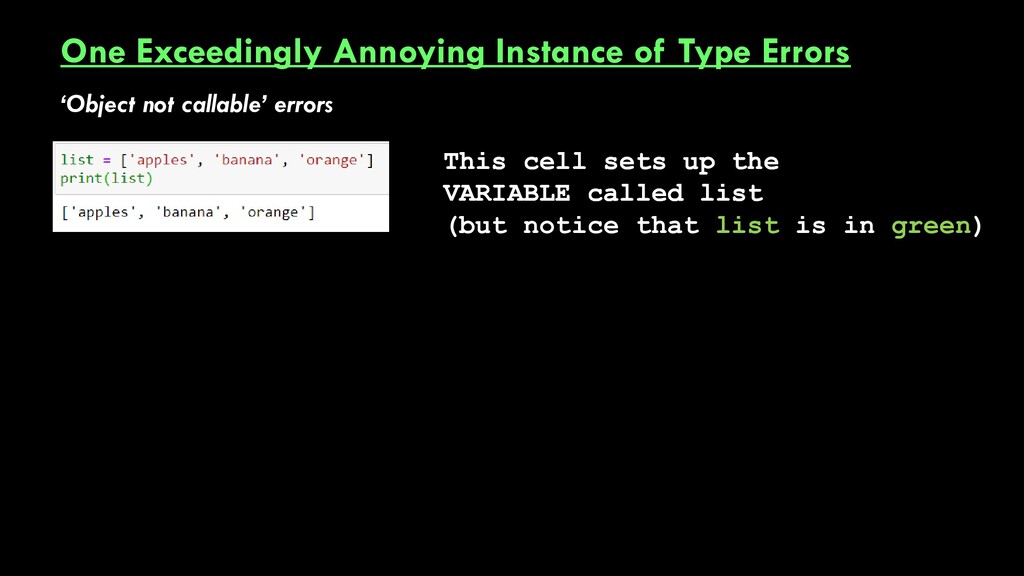
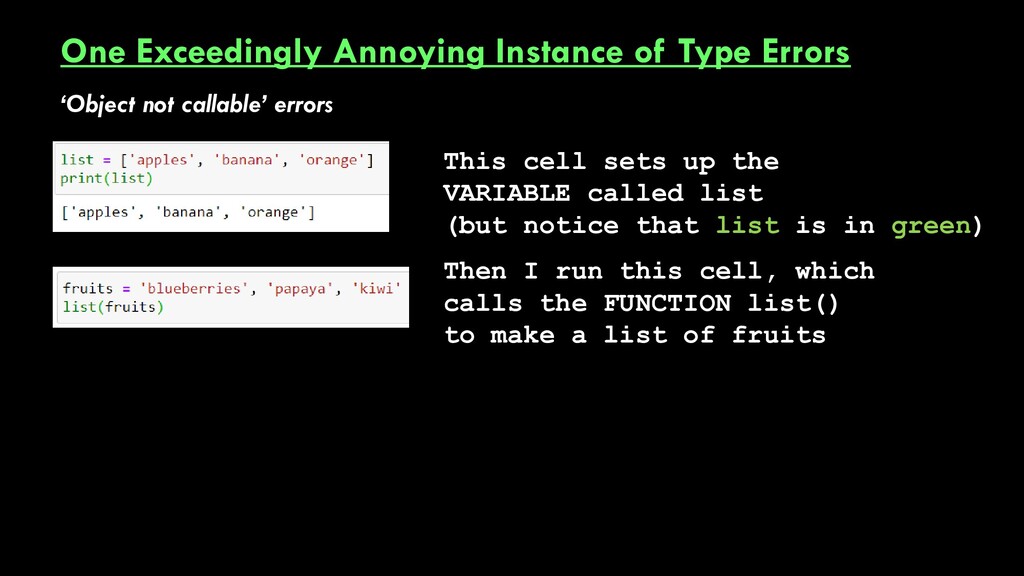
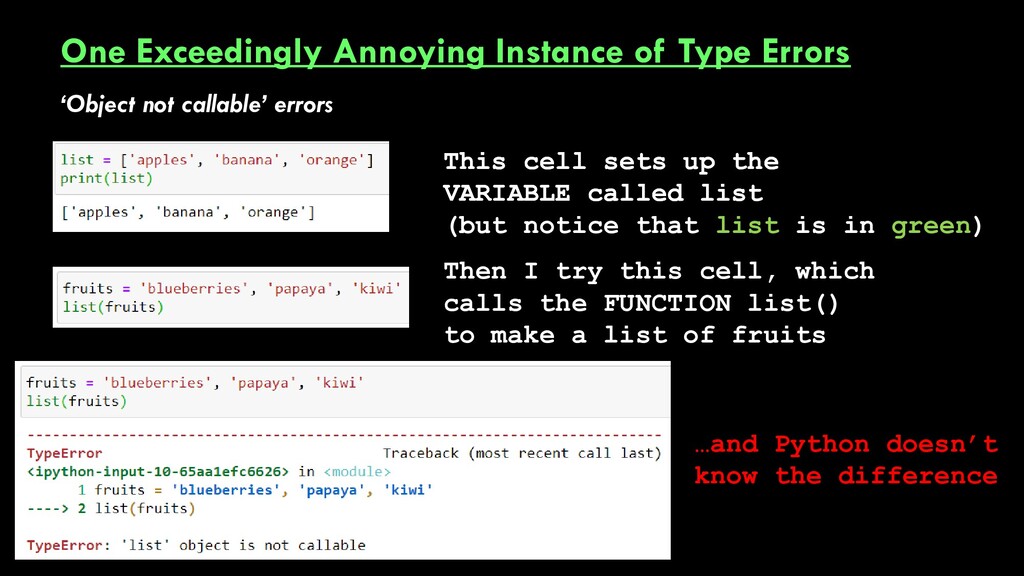
errors Then I run this cell, which calls the FUNCTION list() to make a list of fruits This cell sets up the VARIABLE called list (but notice that list is in green)
errors This cell sets up the VARIABLE called list …and Python doesn’t know the difference Then I try this cell, which calls the FUNCTION list() to make a list of fruits This cell sets up the VARIABLE called list (but notice that list is in green)
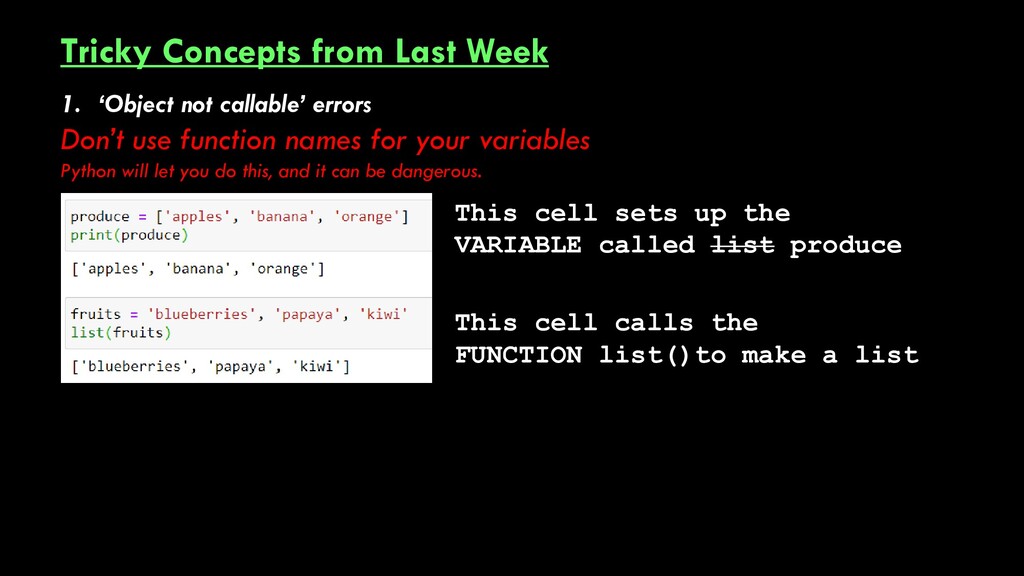
Don’t use function names for your variables Python will let you do this, and it can be dangerous. This cell sets up the VARIABLE called list produce This cell calls the FUNCTION list()to make a list
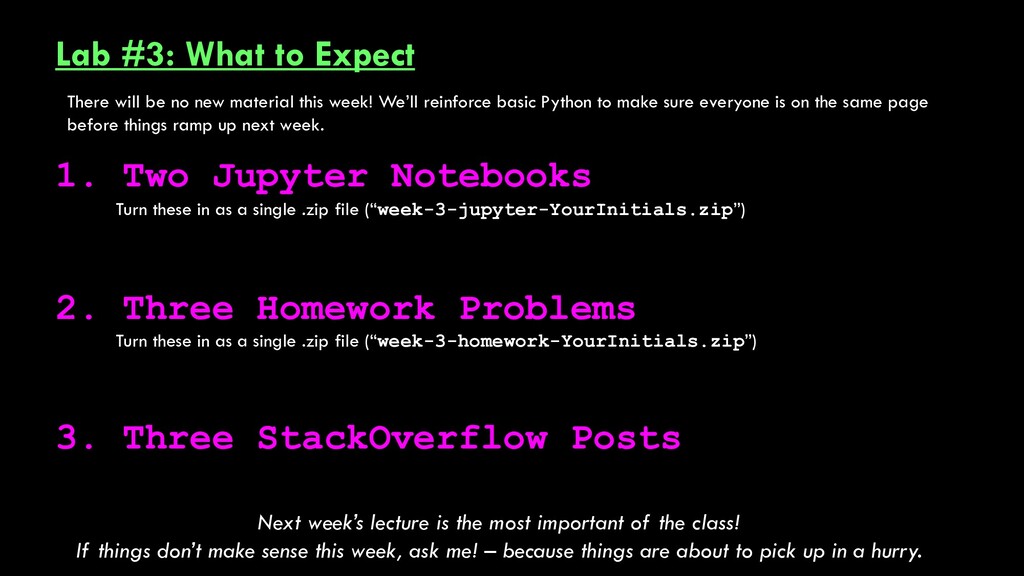
Three Homework Problems 3. Three StackOverflow Posts Turn these in as a single .zip file (“week-3-jupyter-YourInitials.zip”) Turn these in as a single .zip file (“week-3-homework-YourInitials.zip”) Next week’s lecture is the most important of the class! If things don’t make sense this week, ask me! – because things are about to pick up in a hurry. There will be no new material this week! We’ll reinforce basic Python to make sure everyone is on the same page before things ramp up next week.


 alankasprak
 bvr7352
 terasawat
 yasslab
 signer
 masakiokuda
 pawan_pharm
 ichiroc
 dragon2
 mariooc
 frievea
 aokiplayer
 ivargrimstad
 palkan
 letsgokoyo
 frankvandijk
 axbom
axbom
 mclloyd
 portentint
 reverentgeek
 notwaldorf
 ammeep
 colly
colly
 yeseniaperezcruz