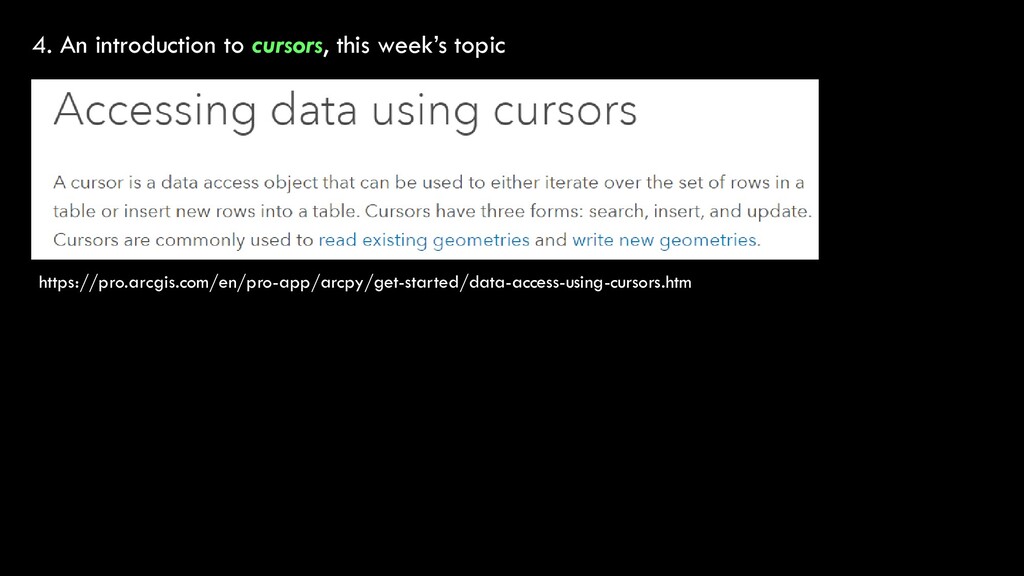
about spatial references GEOG 315: GIS Programming and Web Mapping Lecture 8 – Reading and Writing Data 3. A review of the CSV homework from Week 6 4. An introduction to cursors, this week’s topic
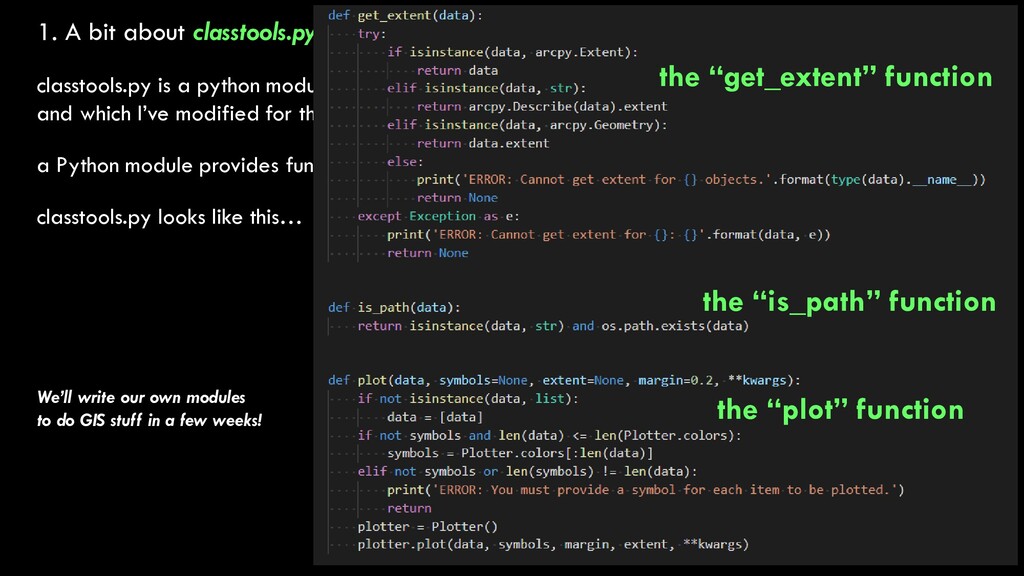
that was written by Chris Garrard at Utah State, and which I’ve modified for this class a Python module provides functions that do certain things; arcpy is a module, so are csv, math, random classtools.py looks like this…
that was written by Chris Garrard at Utah State, and which I’ve modified for this class a Python module provides functions that do certain things; arcpy is a module, so are csv, math, random classtools.py looks like this… the “get_extent” function the “plot” function the “is_path” function We’ll write our own modules to do GIS stuff in a few weeks!
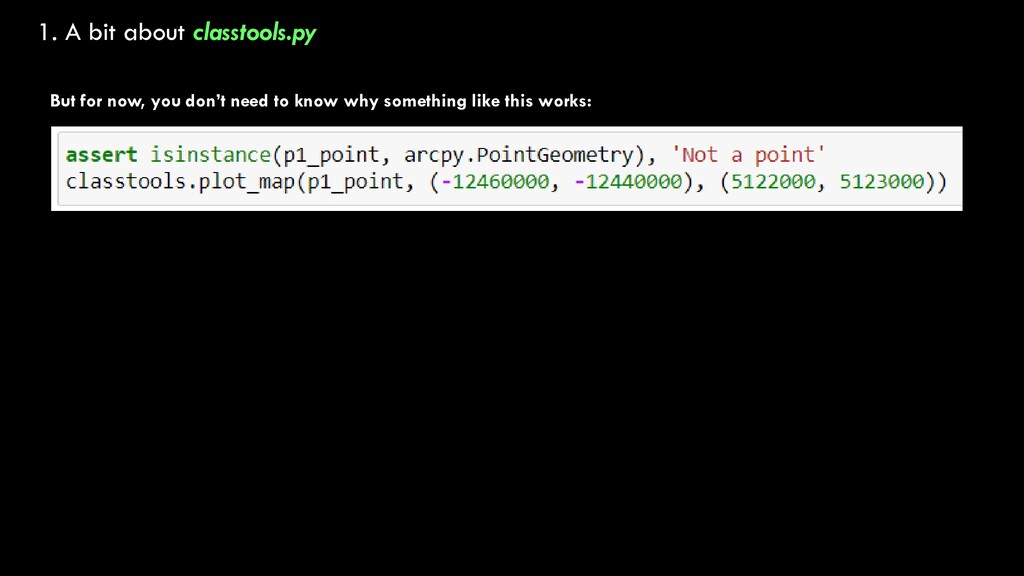
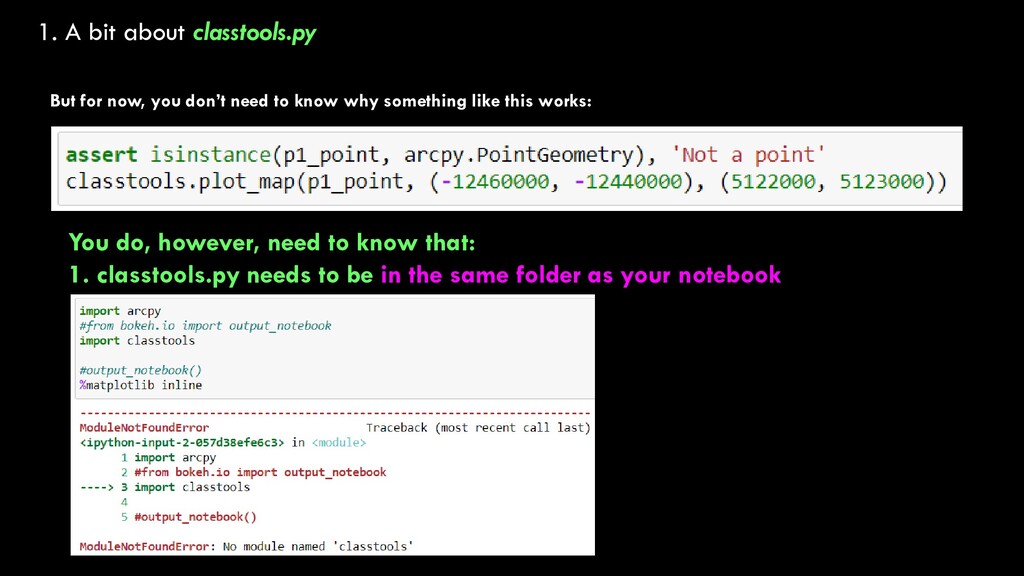
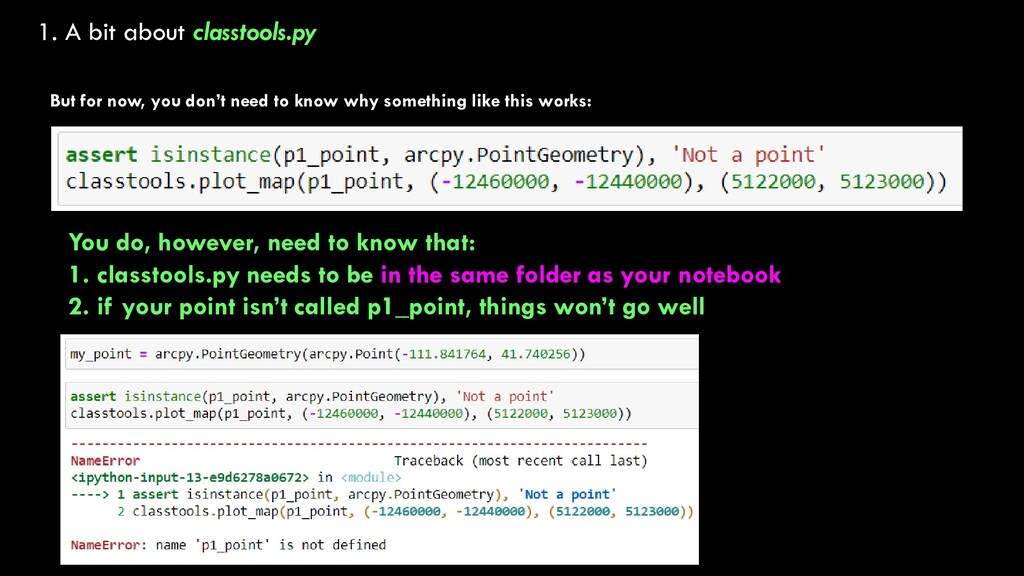
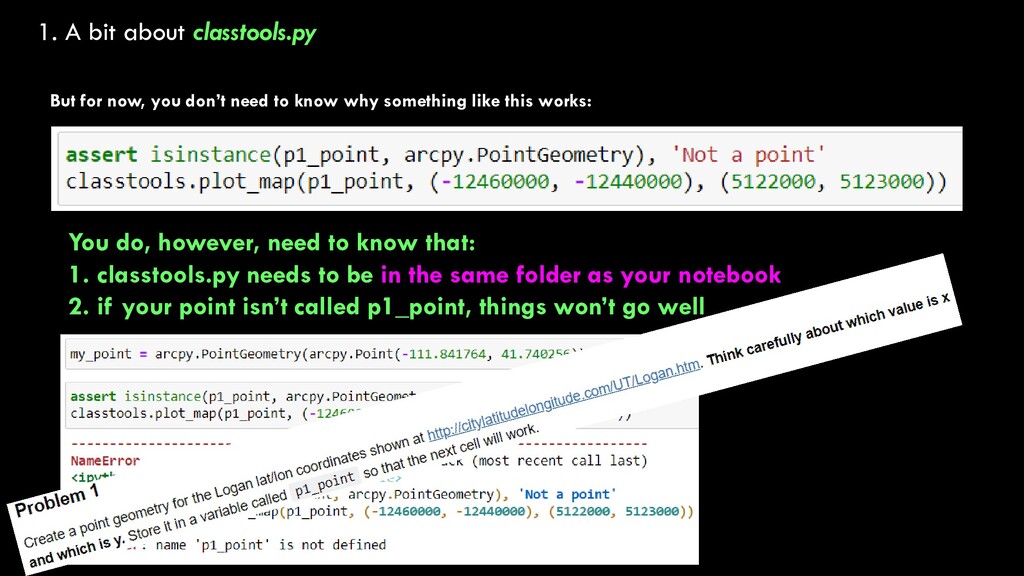
need to know why something like this works: You do, however, need to know that: 1. classtools.py needs to be in the same folder as your notebook 2. if your point isn’t called p1_point, things won’t go well
need to know why something like this works: You do, however, need to know that: 1. classtools.py needs to be in the same folder as your notebook 2. if your point isn’t called p1_point, things won’t go well
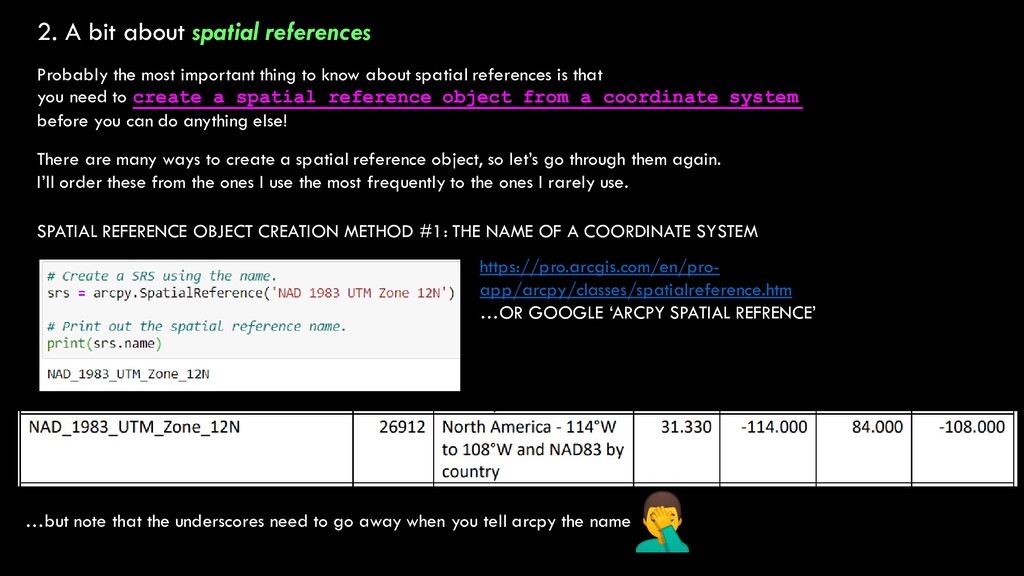
thing to know about spatial references is that you need to create a spatial reference object from a coordinate system before you can do anything else! There are many ways to create a spatial reference object, so let’s go through them again. I’ll order these from the ones I use the most frequently to the ones I rarely use. SPATIAL REFERENCE OBJECT CREATION METHOD #1: THE NAME OF A COORDINATE SYSTEM https://pro.arcgis.com/en/pro- app/arcpy/classes/spatialreference.htm …OR GOOGLE ‘ARCPY SPATIAL REFRENCE’ …but note that the underscores need to go away when you tell arcpy the name
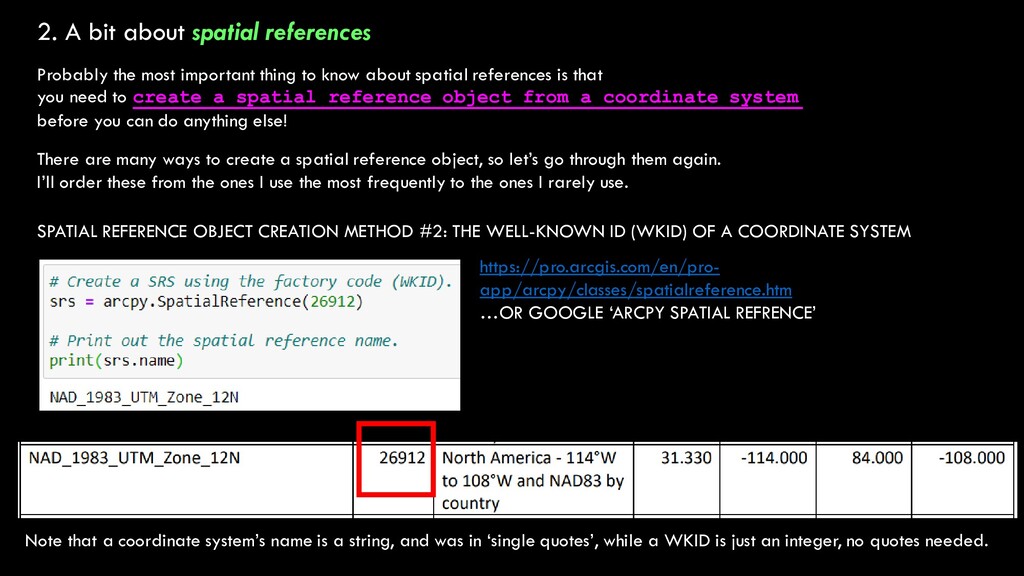
thing to know about spatial references is that you need to create a spatial reference object from a coordinate system before you can do anything else! There are many ways to create a spatial reference object, so let’s go through them again. I’ll order these from the ones I use the most frequently to the ones I rarely use. SPATIAL REFERENCE OBJECT CREATION METHOD #2: THE WELL-KNOWN ID (WKID) OF A COORDINATE SYSTEM https://pro.arcgis.com/en/pro- app/arcpy/classes/spatialreference.htm …OR GOOGLE ‘ARCPY SPATIAL REFRENCE’ Note that a coordinate system’s name is a string, and was in ‘single quotes’, while a WKID is just an integer, no quotes needed.
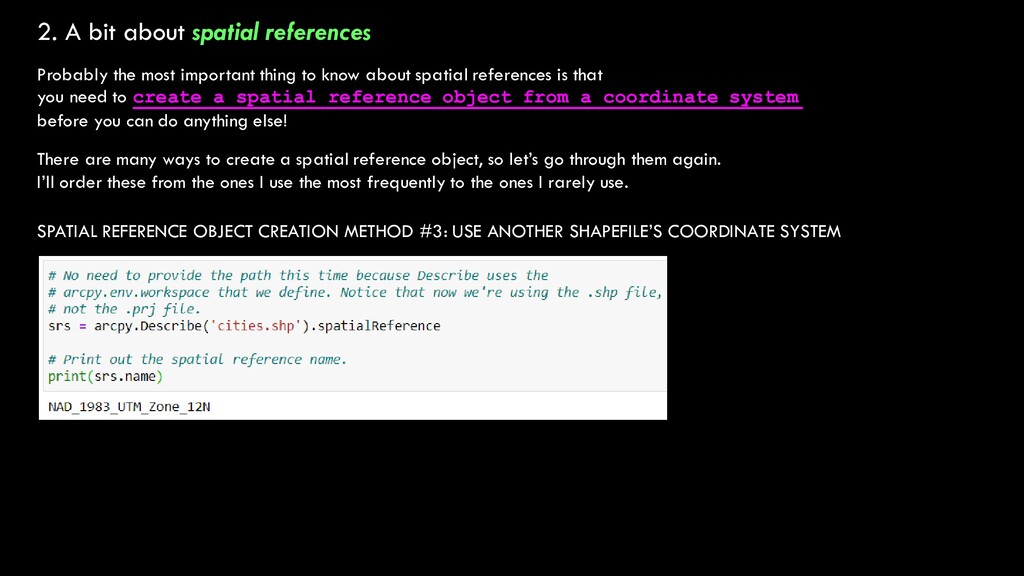
thing to know about spatial references is that you need to create a spatial reference object from a coordinate system before you can do anything else! There are many ways to create a spatial reference object, so let’s go through them again. I’ll order these from the ones I use the most frequently to the ones I rarely use. SPATIAL REFERENCE OBJECT CREATION METHOD #3: USE ANOTHER SHAPEFILE’S COORDINATE SYSTEM
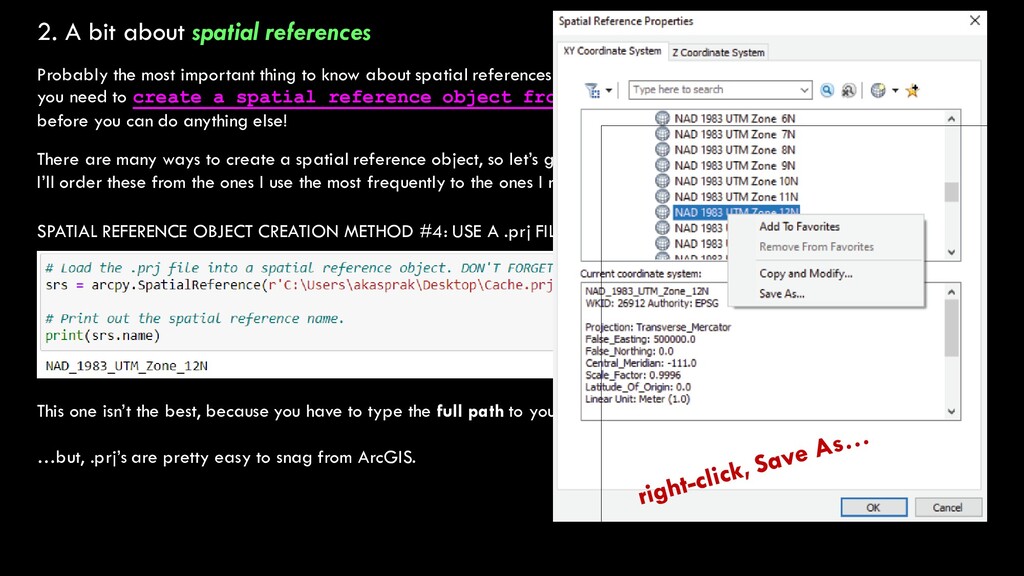
thing to know about spatial references is that you need to create a spatial reference object from a coordinate system before you can do anything else! There are many ways to create a spatial reference object, so let’s go through them again. I’ll order these from the ones I use the most frequently to the ones I rarely use. SPATIAL REFERENCE OBJECT CREATION METHOD #4: USE A .prj FILE This one isn’t the best, because you have to type the full path to your .prj file (it doesn’t honor your arcpy.env.workspace) …but, .prj’s are pretty easy to snag from ArcGIS.
thing to know about spatial references is that you need to create a spatial reference object from a coordinate system before you can do anything else! There are many ways to create a spatial reference object, so let’s go through them again. I’ll order these from the ones I use the most frequently to the ones I rarely use. SPATIAL REFERENCE OBJECT CREATION METHOD #4: USE A .prj FILE This one isn’t the best, because you have to type the full path to your .prj file (it doesn’t honor your arcpy.env.workspace) …but, .prj’s are pretty easy to snag from ArcGIS.
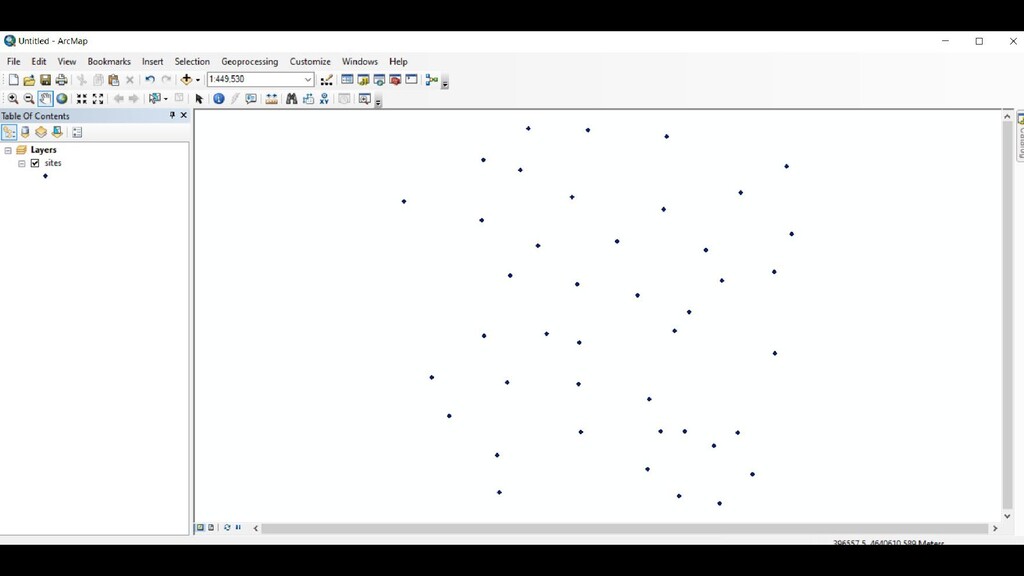
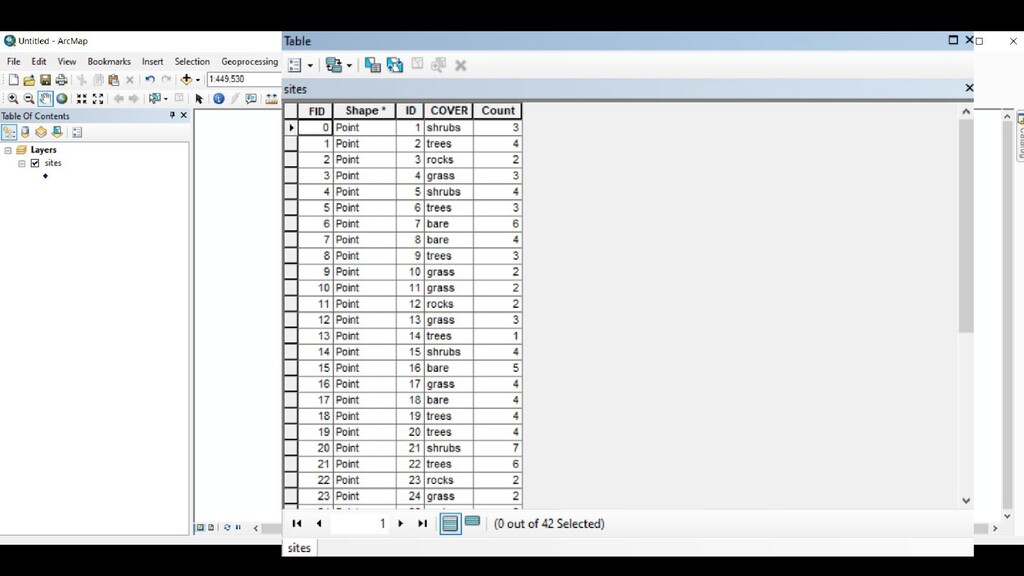
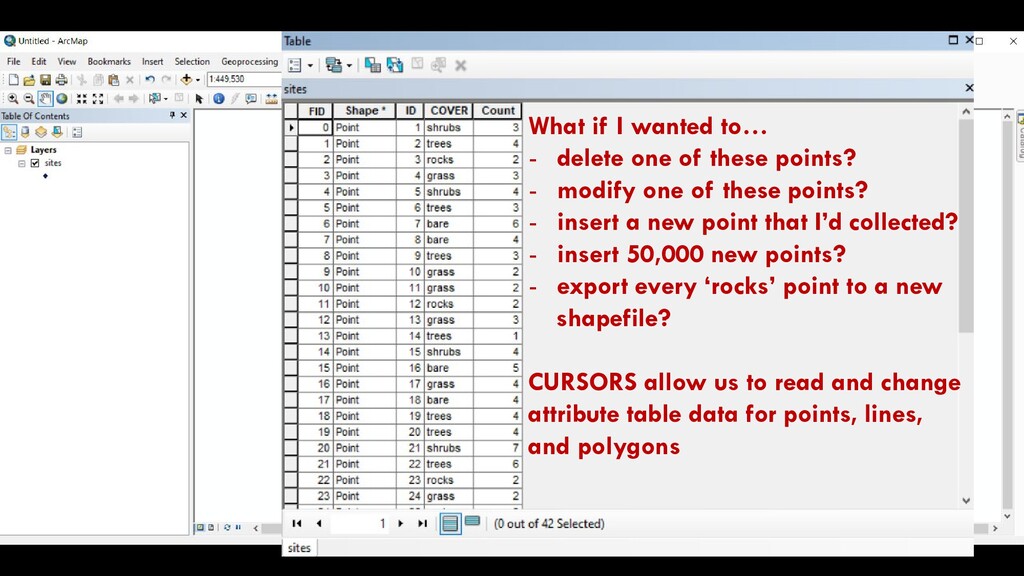
points? - modify one of these points? - insert a new point that I’d collected? - insert 50,000 new points? - export every ‘rocks’ point to a new shapefile? CURSORS allow us to read and change attribute table data for points, lines, and polygons
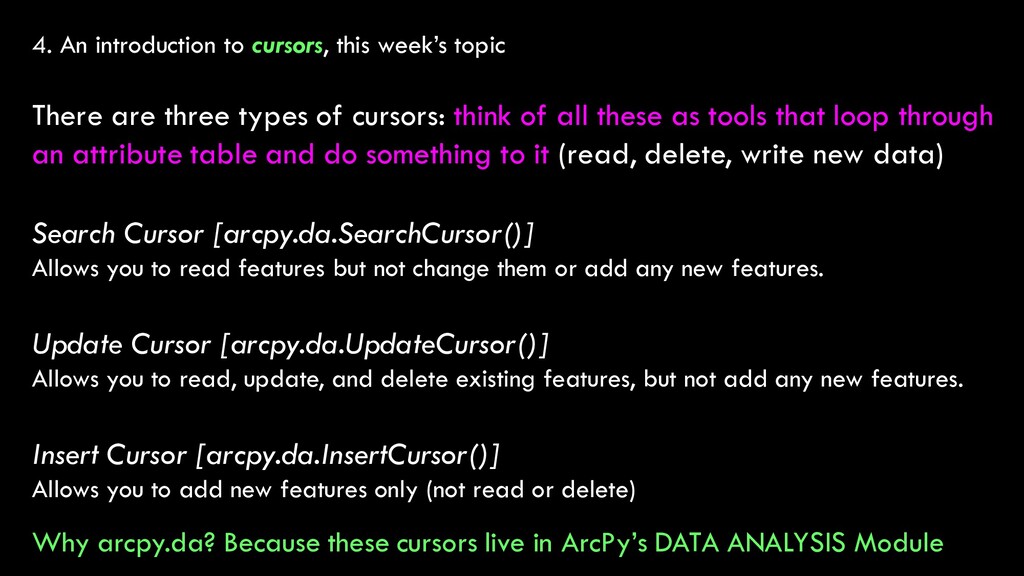
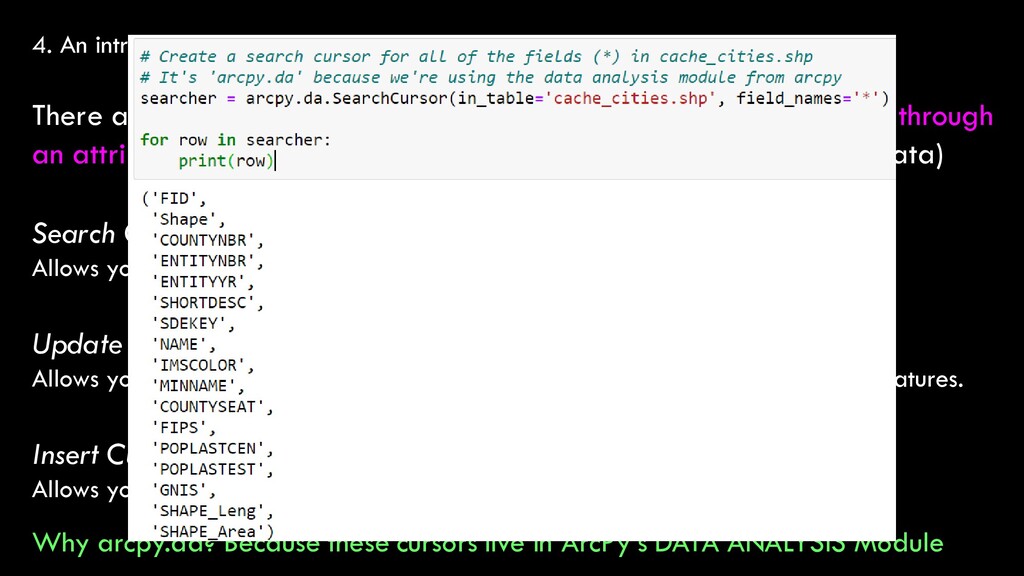
three types of cursors: think of all these as tools that loop through an attribute table and do something to it (read, delete, write new data) Search Cursor [arcpy.da.SearchCursor()] Allows you to read features but not change them or add any new features. Update Cursor [arcpy.da.UpdateCursor()] Allows you to read, update, and delete existing features, but not add any new features. Insert Cursor [arcpy.da.InsertCursor()] Allows you to add new features only (not read or delete) Why arcpy.da? Because these cursors live in ArcPy’s DATA ANALYSIS Module
three types of cursors: think of all these as tools that loop through an attribute table and do something to it (read, delete, write new data) Search Cursor [arcpy.da.SearchCursor()] Allows you to read features but not change them or add any new features. Update Cursor [arcpy.da.UpdateCursor()] Allows you to read, update, and delete existing features, but not add any new features. Insert Cursor [arcpy.da.InsertCursor()] Allows you to add new features only (not read or delete) Why arcpy.da? Because these cursors live in ArcPy’s DATA ANALYSIS Module
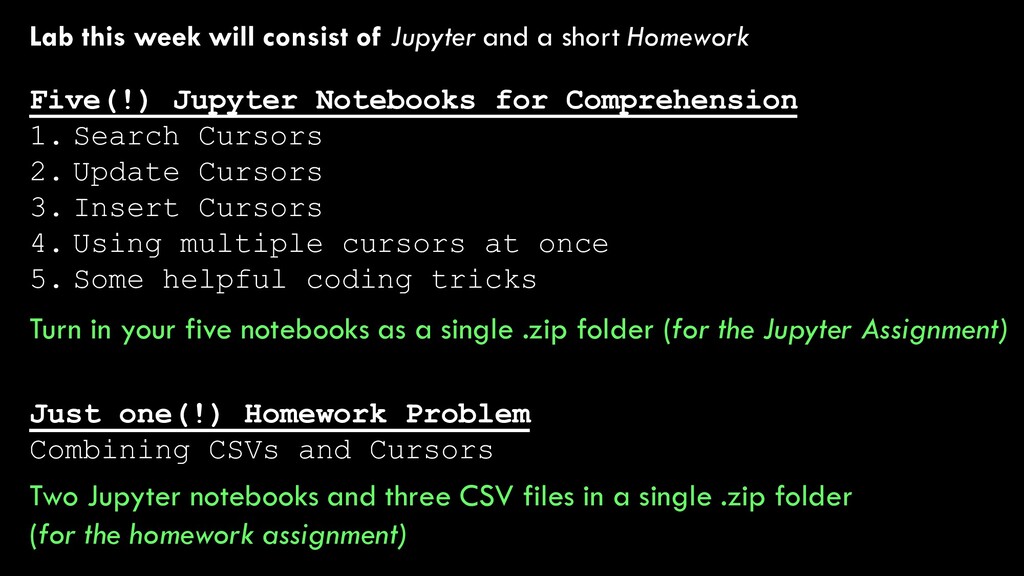
Homework Just one(!) Homework Problem Combining CSVs and Cursors Five(!) Jupyter Notebooks for Comprehension 1. Search Cursors 2. Update Cursors 3. Insert Cursors 4. Using multiple cursors at once 5. Some helpful coding tricks Two Jupyter notebooks and three CSV files in a single .zip folder (for the homework assignment) Turn in your five notebooks as a single .zip folder (for the Jupyter Assignment)


 alankasprak
 eller86
 jdbedics
 kekekenta
 bunnchinn3
 ishii_mit
 pawan_pharm
 masakiokuda
 cbtlibrary
 sciencetokyo
 uranoken
 katarinadahlin
 thoeni
 notwaldorf
 sabderemane
 bethany
 portentint
 raygrieselhuber
 watany
 aleyda
 joshbly
 3n
3n