Upgrade to Pro — share decks privately, control downloads, hide ads and more …

マルチパートアップロードをする時にS3はどのような挙動をしているのか?

Sponsored · Your Podcast. Everywhere. Effortlessly. Share. Educate. Inspire. Entertain. You do you. We'll handle the rest.

 マルチパートアップロードをする時にS3はどのような挙動をしているのか?

2026/3/25 Storage-JAWS #8

Avatar for amarelo_n24

amarelo_n24

March 25, 2026
Tweet

More Decks by amarelo_n24

Other Decks in Education

Transcript

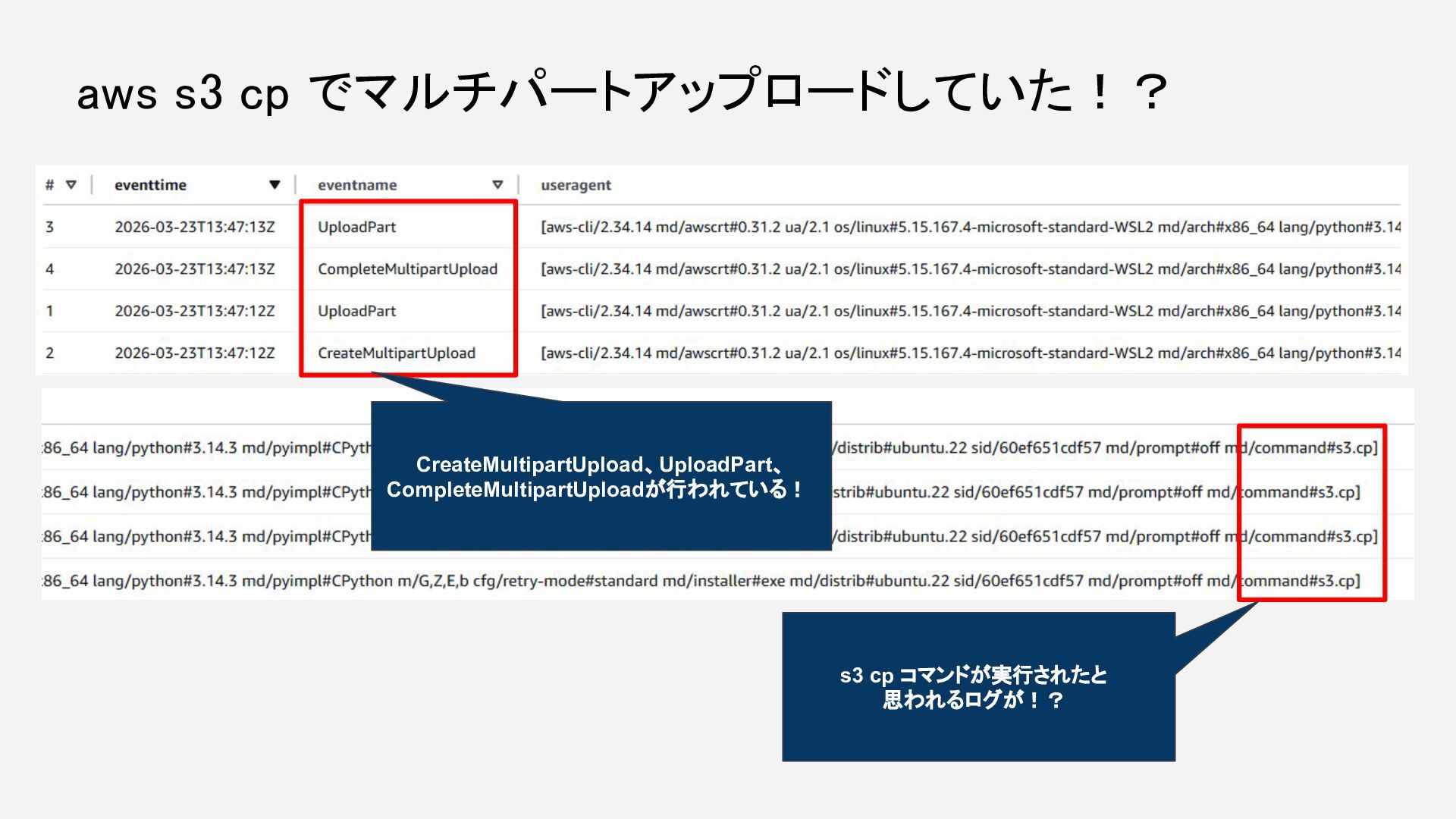
  1. AWS CLIにはS3関連のコマンドが6種類あるけど、なぜか気になり、Kiroに聞きました。 ※私は回答内容を信じましたが、精査は不十分です。過信しないようご注意ください。 s3 高レベル よく使う操作を抽象化したもの s3api 低レベル Amazon S3

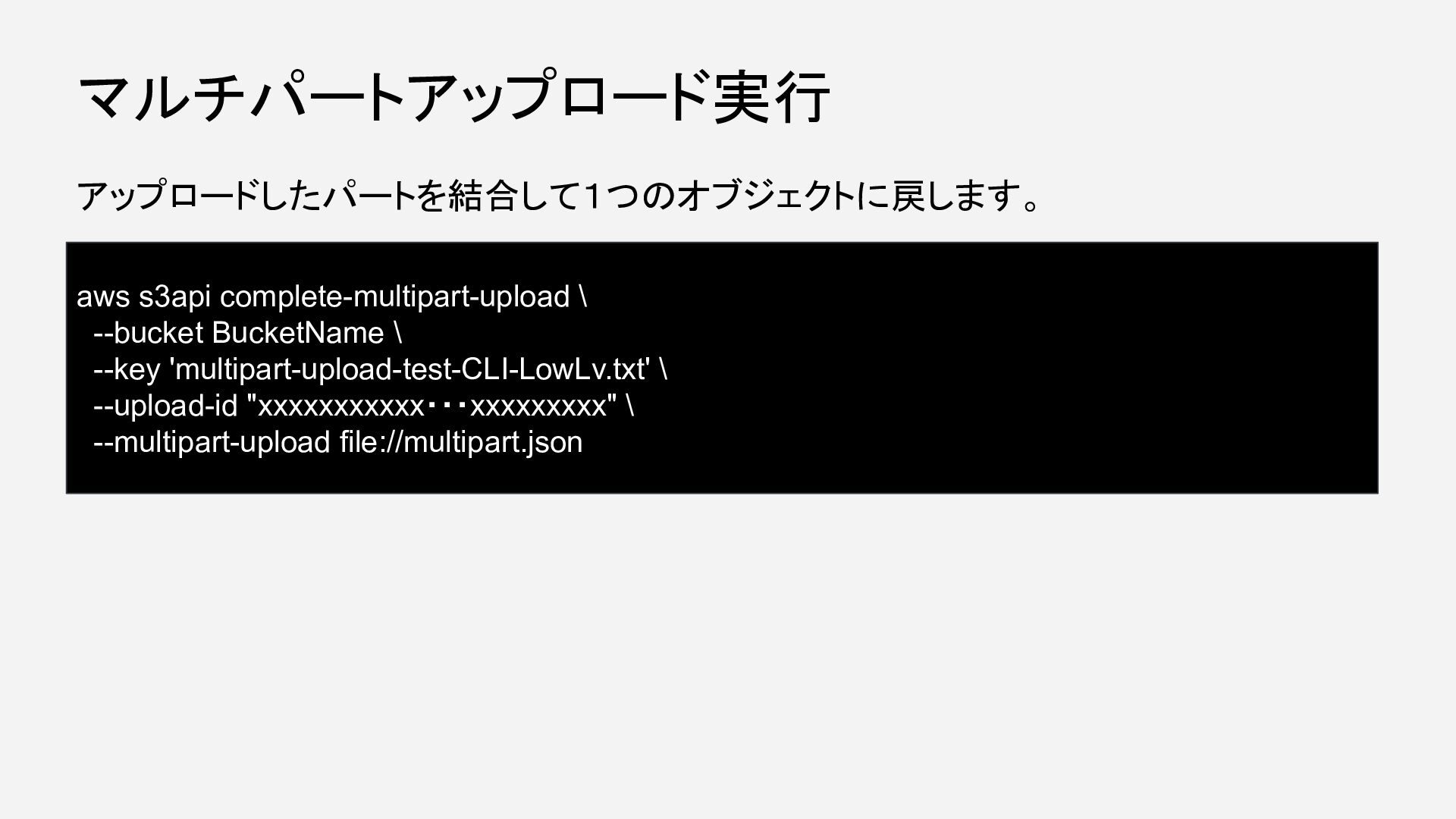
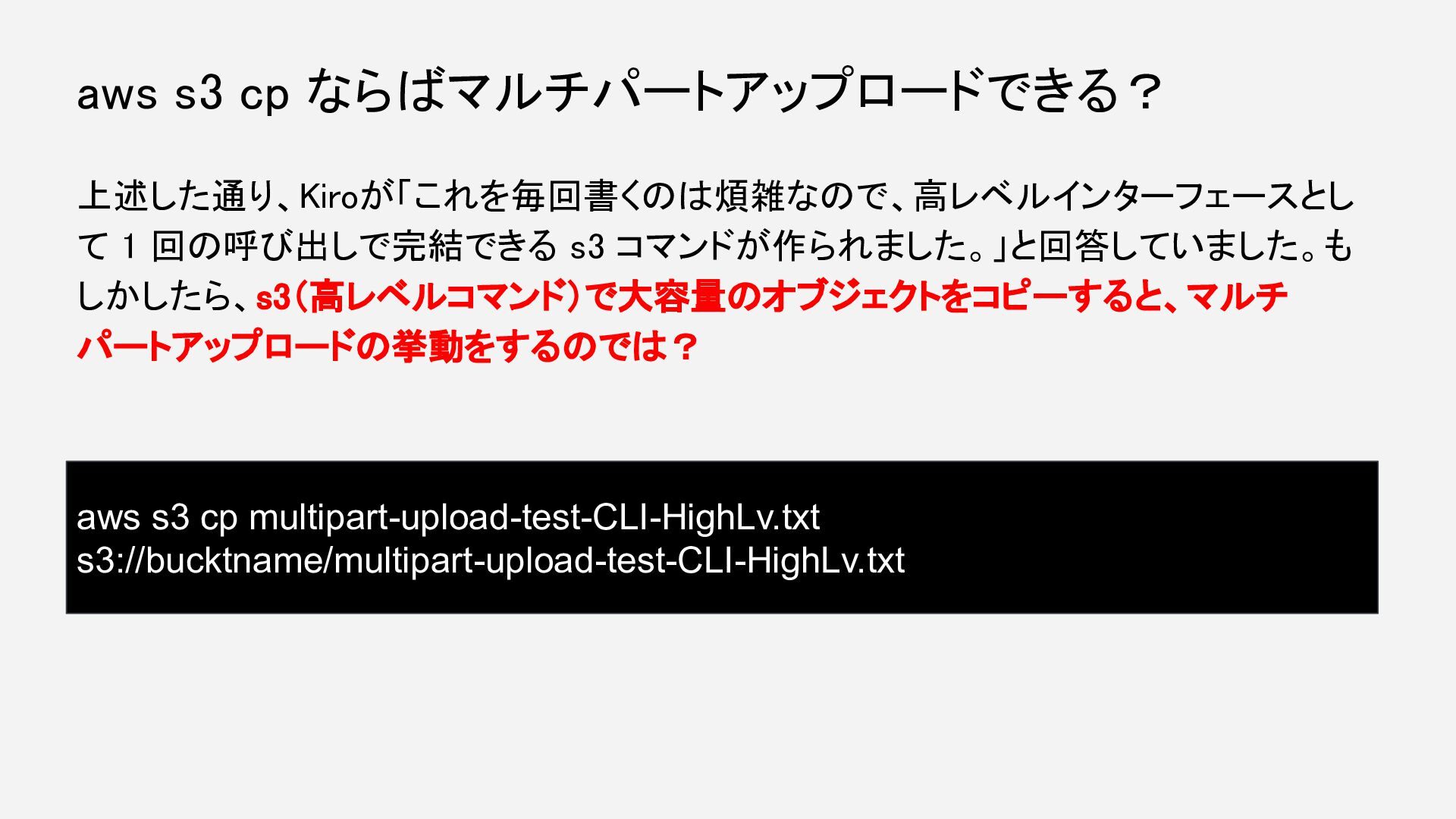
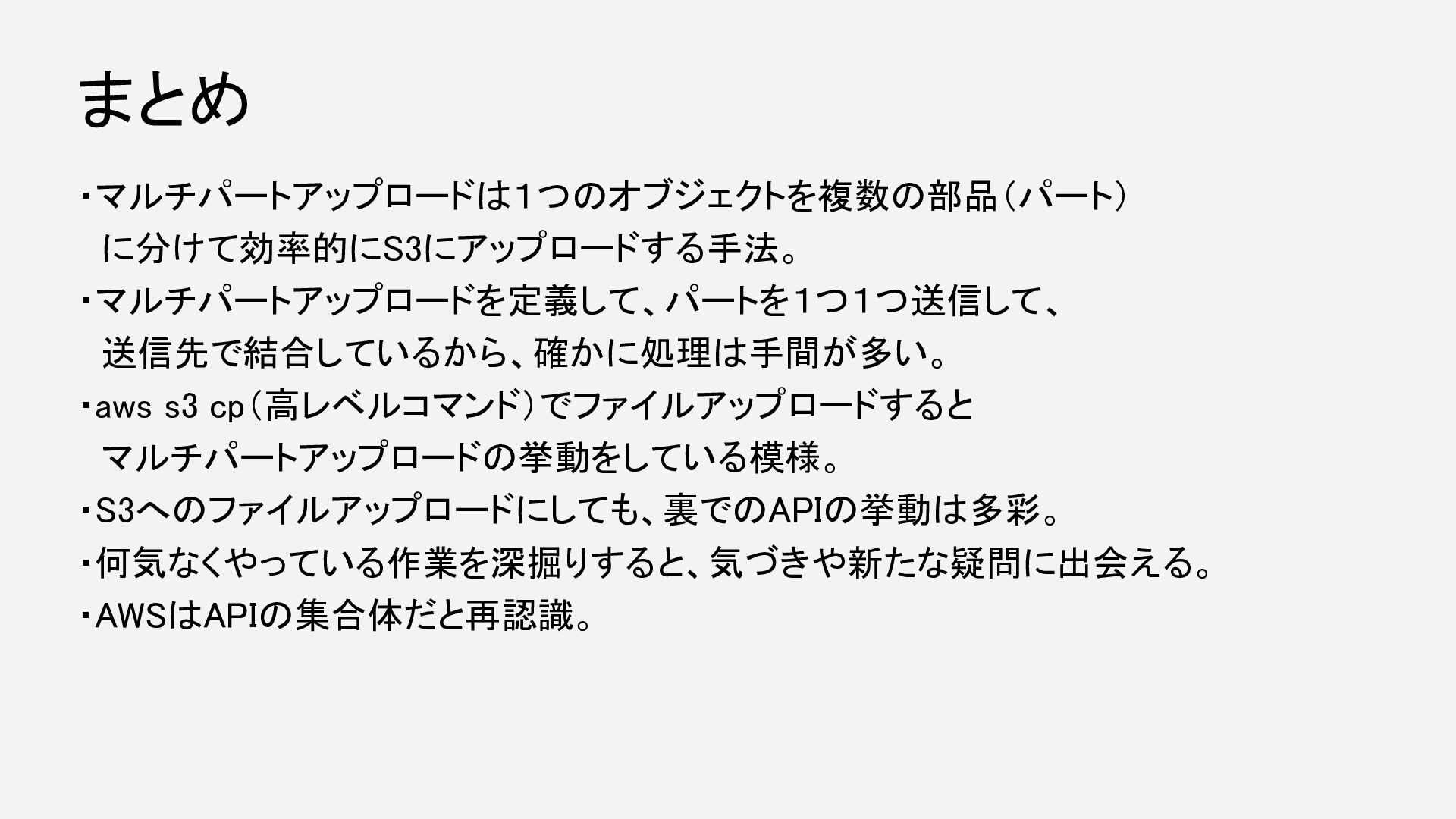
    REST API と 1:1 対応 s3control 低レベル S3 Control API と 1:1 対応(Access Grants、Storage Lens 等) S3 の操作には「マルチパートアップロード」のような複数ステップが必要な処理があります。 低レベル API では: アップロードを開始する操作 パートをアップロードする操作 アップロードを完了する操作 という 3 ステップが必要です。これを毎回書くのは煩雑なので、高レベルインターフェースとして 1 回の呼び出しで完結できる s3 コマンドが作られました。 つまり「よくある操作を簡単にする」という UX 上の理由で s3 が生まれ、細かい制御が必要なユーザー向けに s3api が残された、と いう構造です。 なぜ今、マルチパートアップロードを?
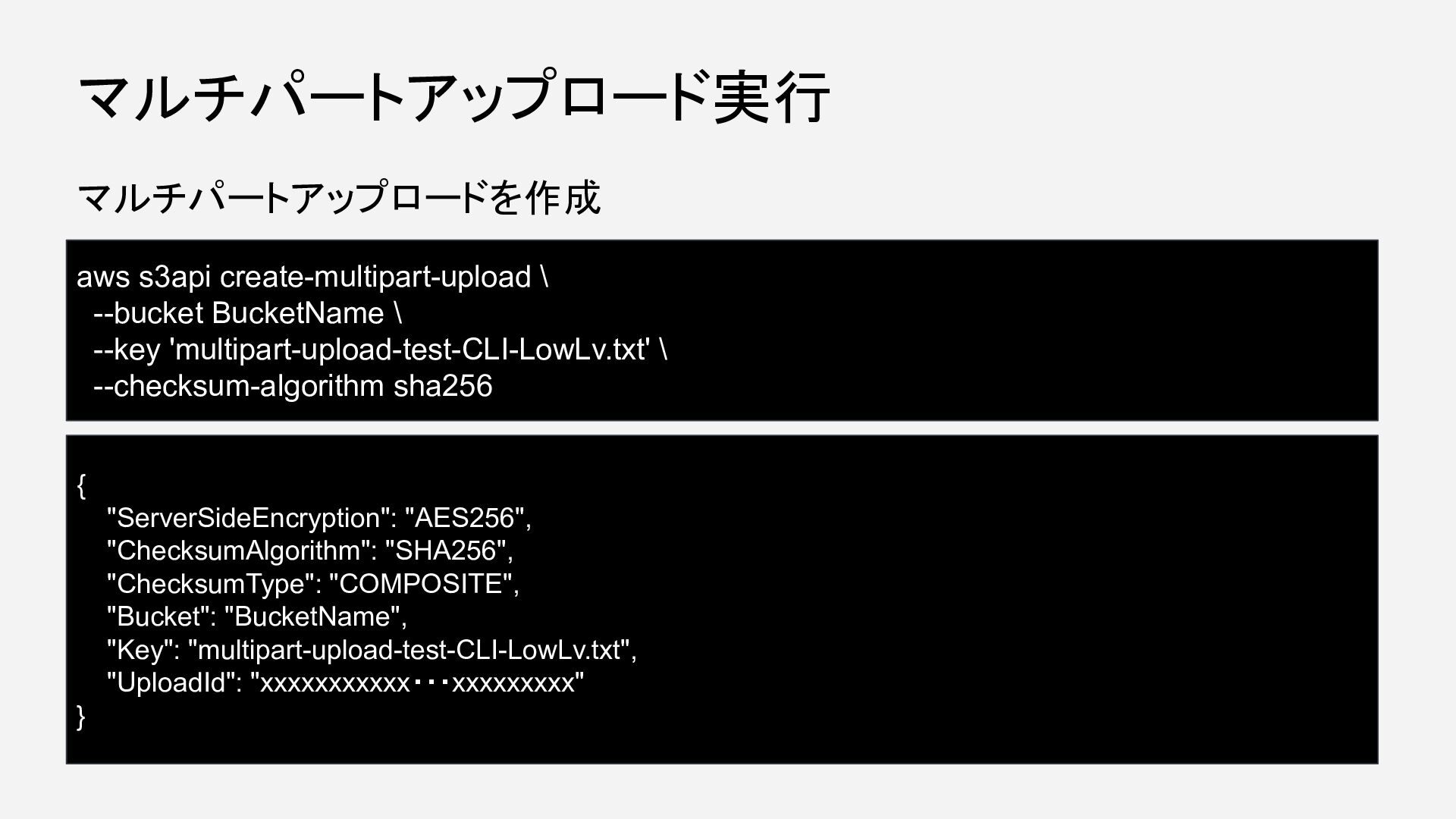
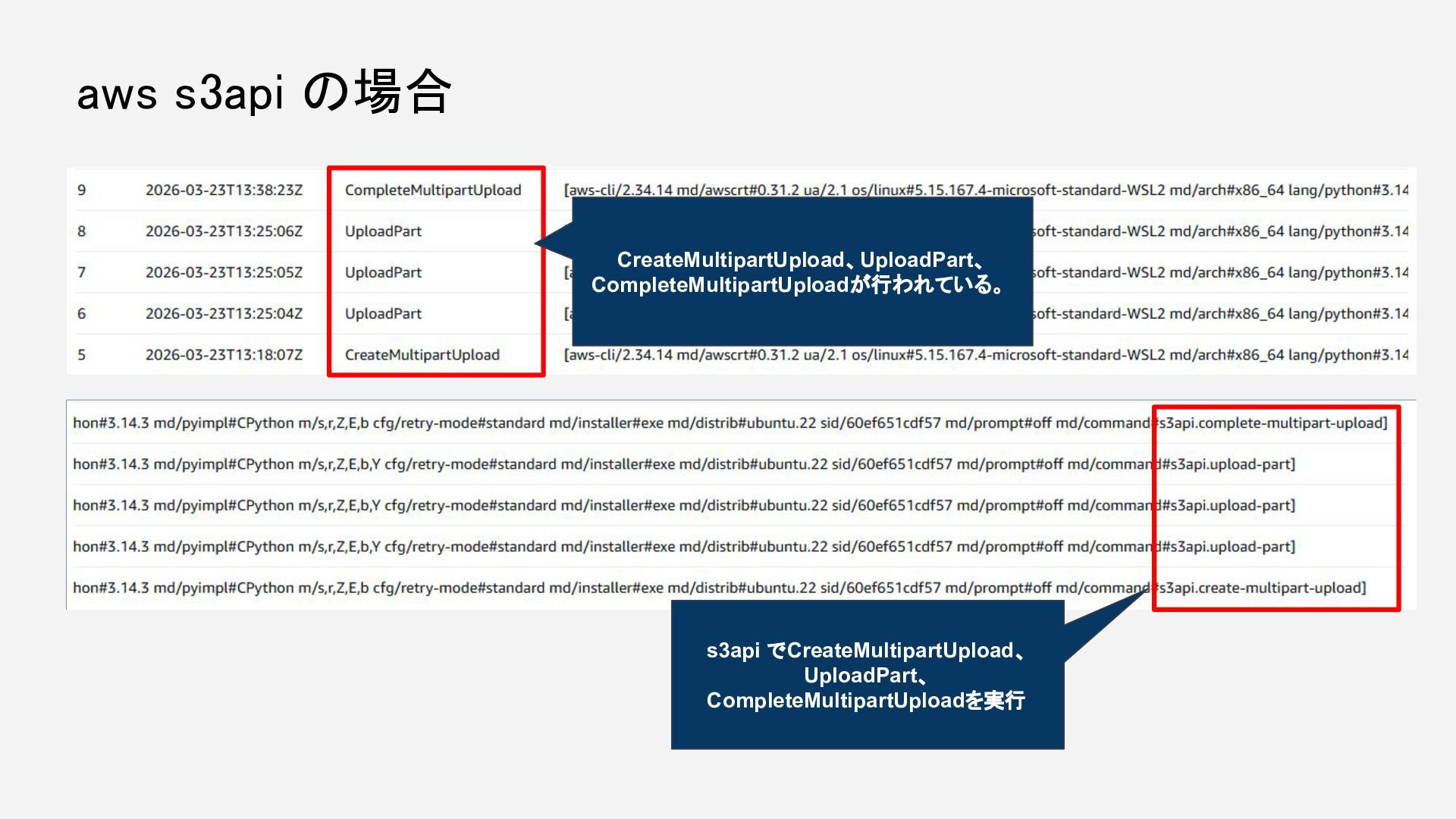
  2. マルチパートアップロードを作成 マルチパートアップロード実行 aws s3api create-multipart-upload \ --bucket BucketName \ --key

    'multipart-upload-test-CLI-LowLv.txt' \ --checksum-algorithm sha256 { "ServerSideEncryption": "AES256", "ChecksumAlgorithm": "SHA256", "ChecksumType": "COMPOSITE", "Bucket": "BucketName", "Key": "multipart-upload-test-CLI-LowLv.txt", "UploadId": "xxxxxxxxxxx・・・xxxxxxxxx" }
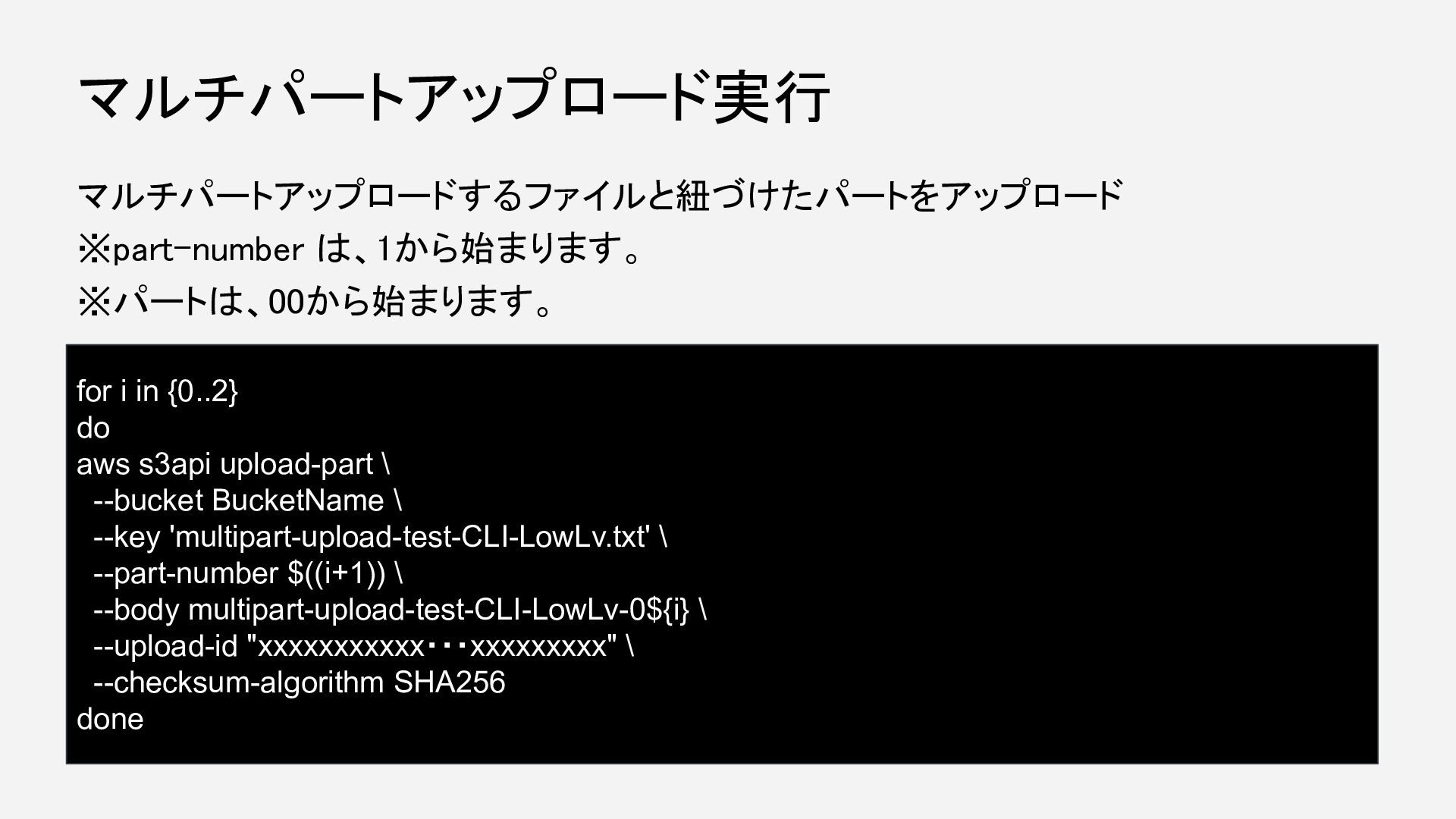
  3. マルチパートアップロードするファイルと紐づけたパートをアップロード ※part-number は、1から始まります。 ※パートは、00から始まります。 マルチパートアップロード実行 for i in {0..2} do

    aws s3api upload-part \ --bucket BucketName \ --key 'multipart-upload-test-CLI-LowLv.txt' \ --part-number $((i+1)) \ --body multipart-upload-test-CLI-LowLv-0${i} \ --upload-id "xxxxxxxxxxx・・・xxxxxxxxx" \ --checksum-algorithm SHA256 done
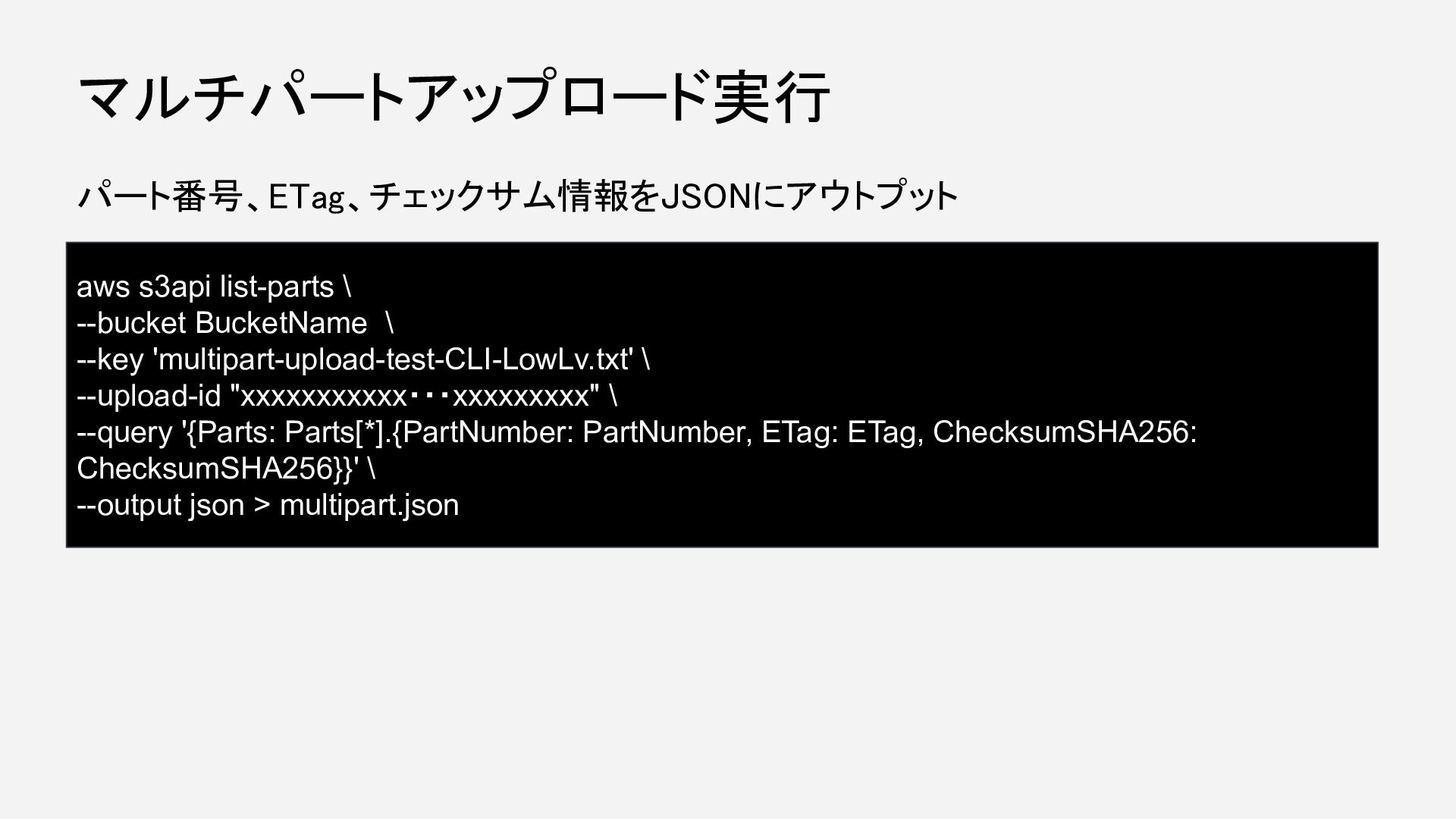
  4. パート番号、ETag、チェックサム情報をJSONにアウトプット マルチパートアップロード実行 aws s3api list-parts \ --bucket BucketName \ --key

    'multipart-upload-test-CLI-LowLv.txt' \ --upload-id "xxxxxxxxxxx・・・xxxxxxxxx" \ --query '{Parts: Parts[*].{PartNumber: PartNumber, ETag: ETag, ChecksumSHA256: ChecksumSHA256}}' \ --output json > multipart.json
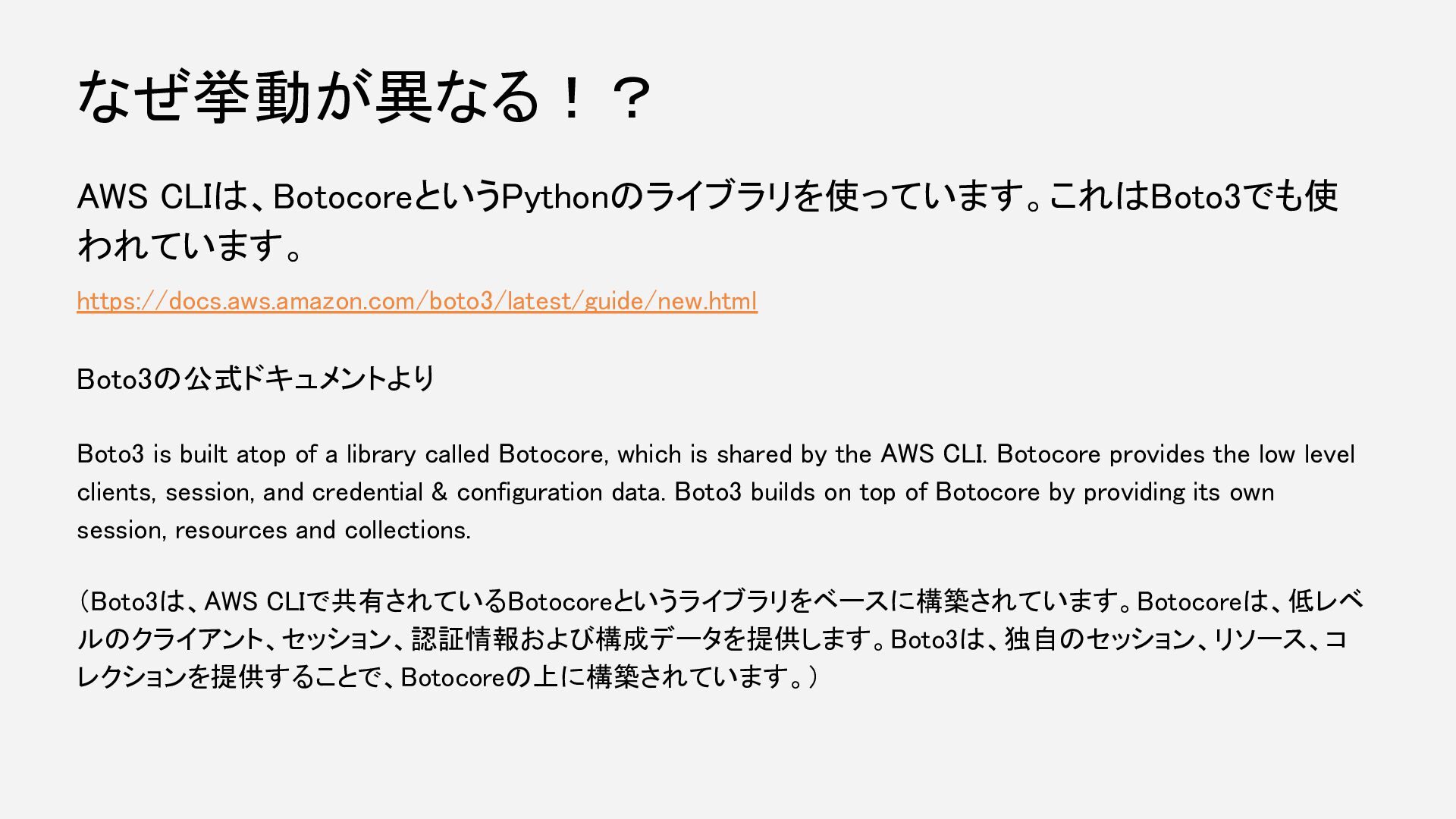
  5. AWS CLIは、BotocoreというPythonのライブラリを使っています。これはBoto3でも使 われています。 https://docs.aws.amazon.com/boto3/latest/guide/new.html Boto3の公式ドキュメントより Boto3 is built atop of

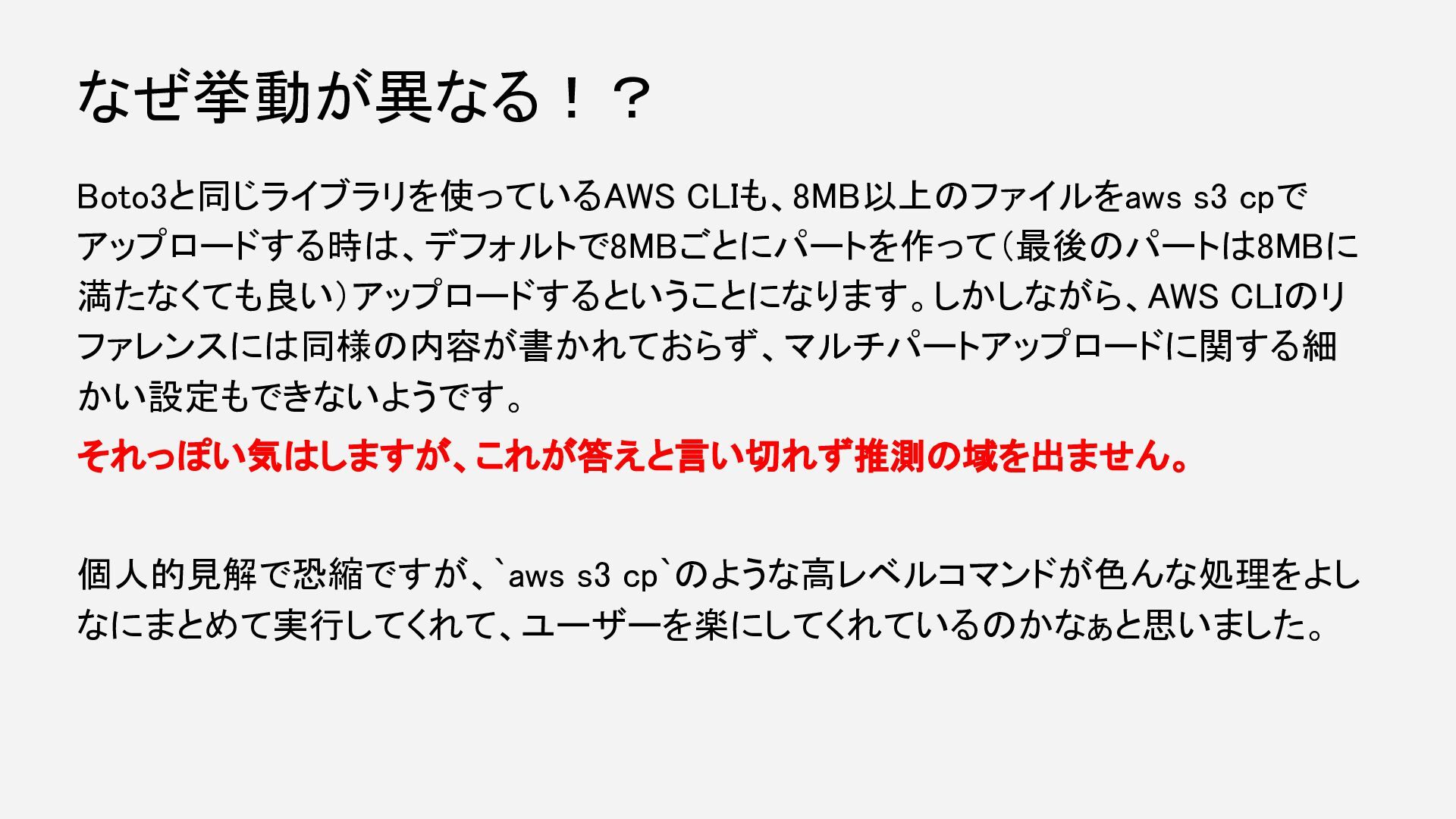
    a library called Botocore, which is shared by the AWS CLI. Botocore provides the low level clients, session, and credential & configuration data. Boto3 builds on top of Botocore by providing its own session, resources and collections. (Boto3は、AWS CLIで共有されているBotocoreというライブラリをベースに構築されています。Botocoreは、低レベ ルのクライアント、セッション、認証情報および構成データを提供します。Boto3は、独自のセッション、リソース、コ レクションを提供することで、Botocoreの上に構築されています。) なぜ挙動が異なる!?
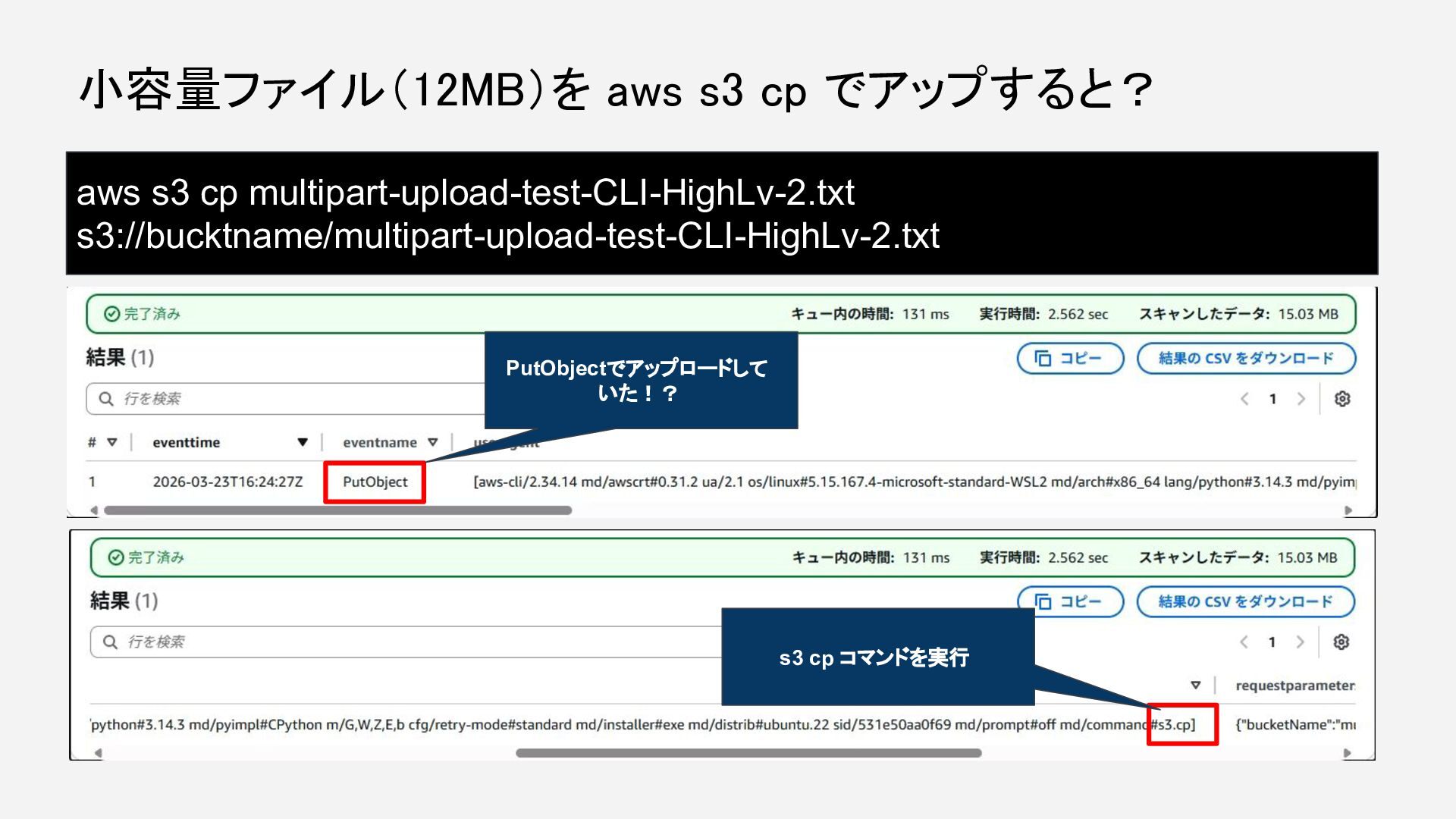
  6. [S3 customization reference]のページに、以下のデフォルト設定の記述が? なぜ挙動が異なる!? DEFAULTS = {'io_chunksize': 262144, 'max_bandwidth': None,

    'max_concurrency': 10, 'max_io_queue': 100, 'max_io_queue_size': 100, 'max_request_concurrency': 10, 'multipart_chunksize': 8388608, 'multipart_threshold': 8388608, 'num_download_attempts': 5, 'preferred_transfer_client': 'auto', 'use_threads': True} 8388608バイト、つまり約 8MB デフォルトで 8MBごとにファイルをパート 分けしている?