Move from theory to implementation with a practical deep dive into leveraging embeddings to automate workflows and uncover insights traditional tools miss.
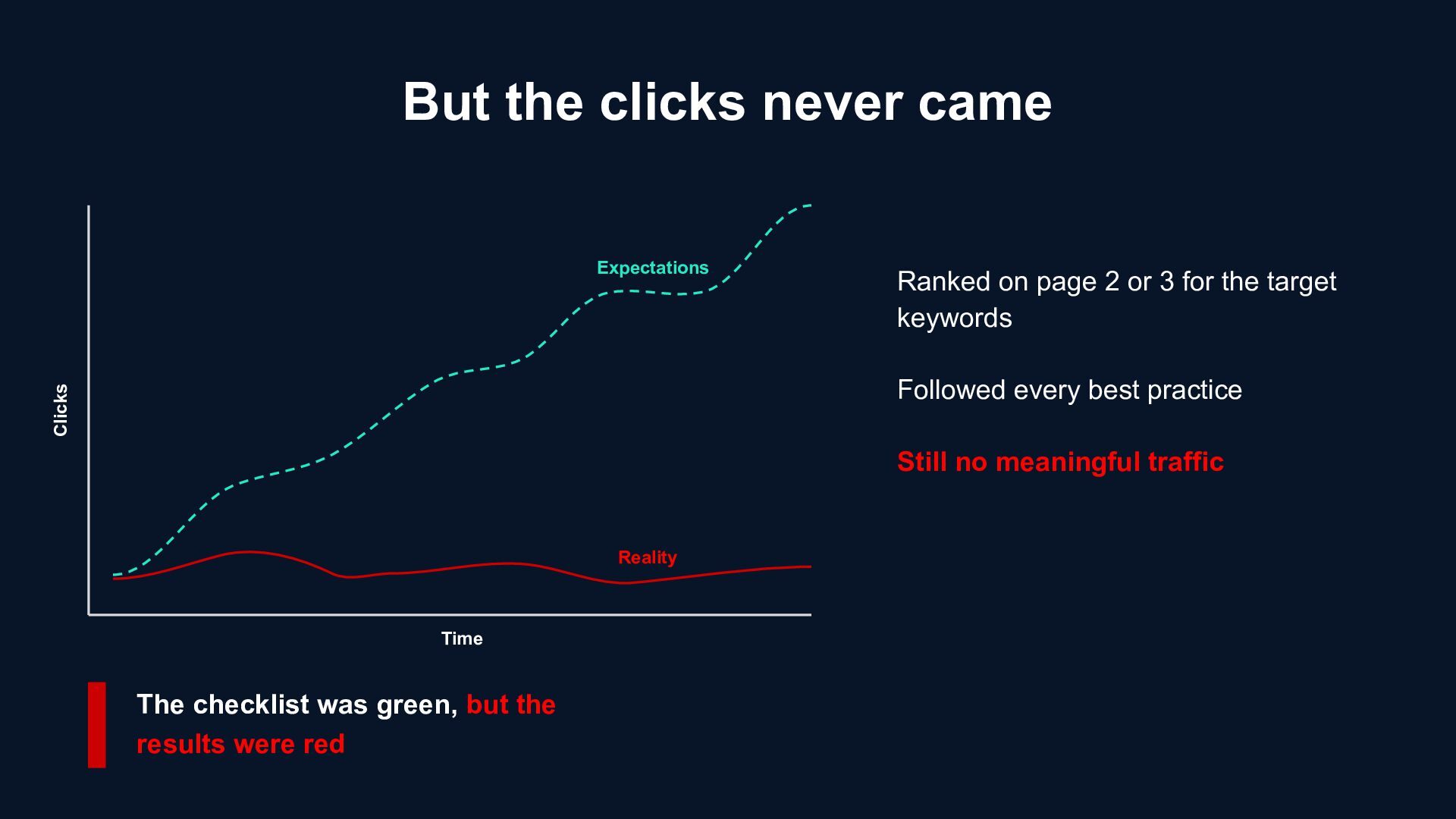
3 for the target keywords Followed every best practice Still no meaningful traffic Expectations Reality The checklist was green, but the results were red Time Clicks
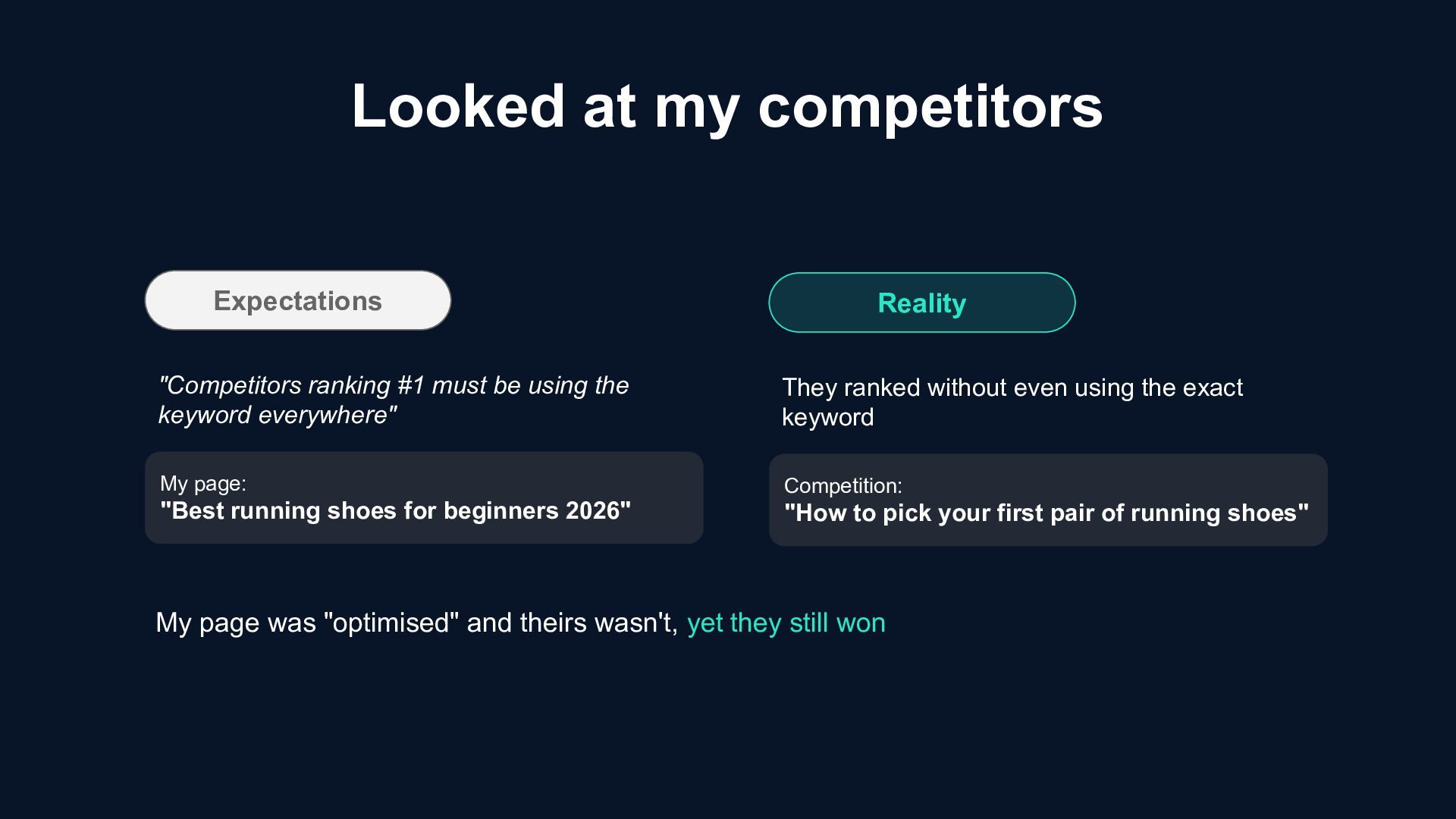
using the keyword everywhere" My page: "Best running shoes for beginners 2026" Reality They ranked without even using the exact keyword Competition: "How to pick your first pair of running shoes" My page was "optimised" and theirs wasn't, yet they still won
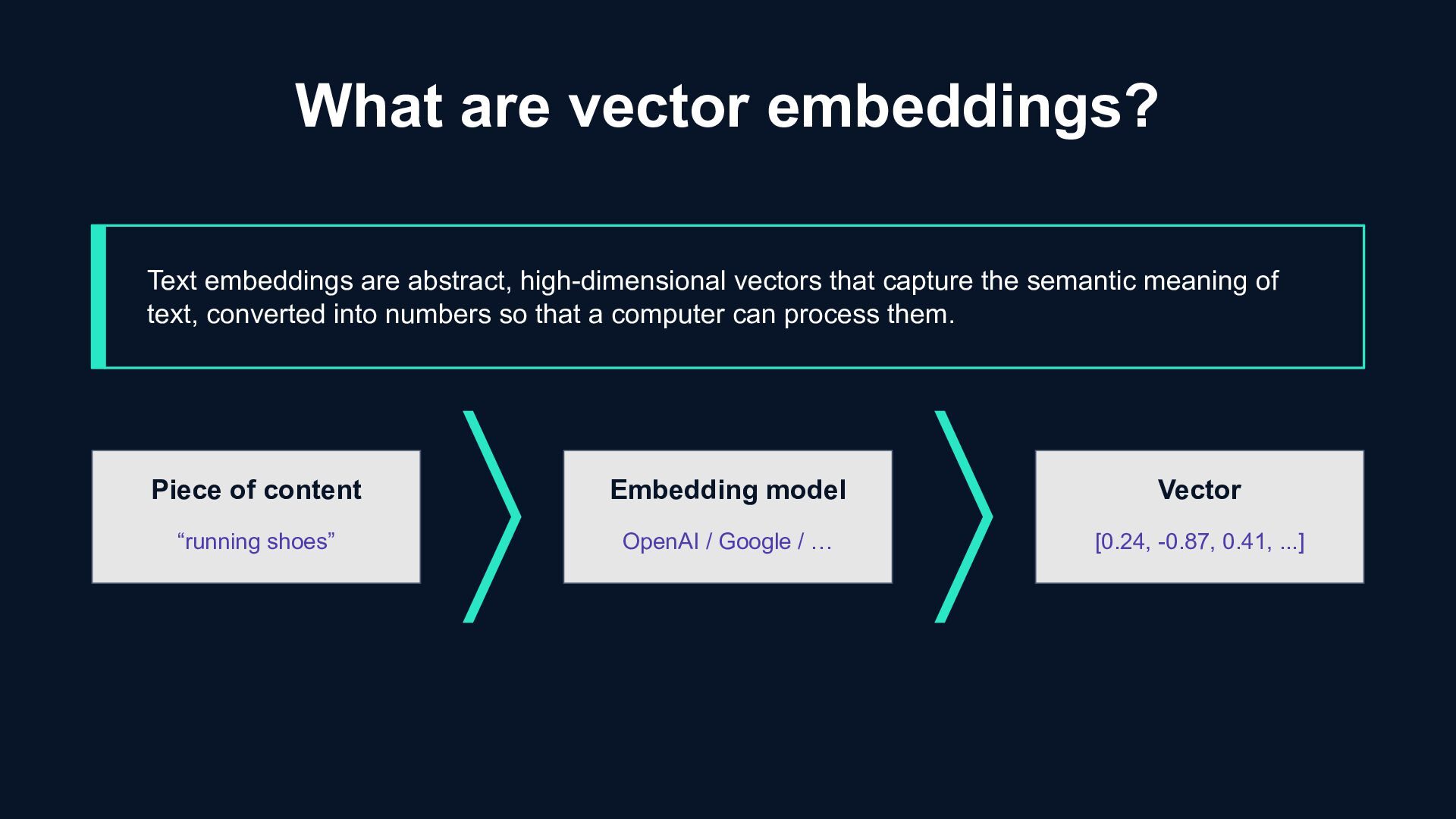
/ … Vector [0.24, -0.87, 0.41, ...] What are vector embeddings? Text embeddings are abstract, high-dimensional vectors that capture the semantic meaning of text, converted into numbers so that a computer can process them.
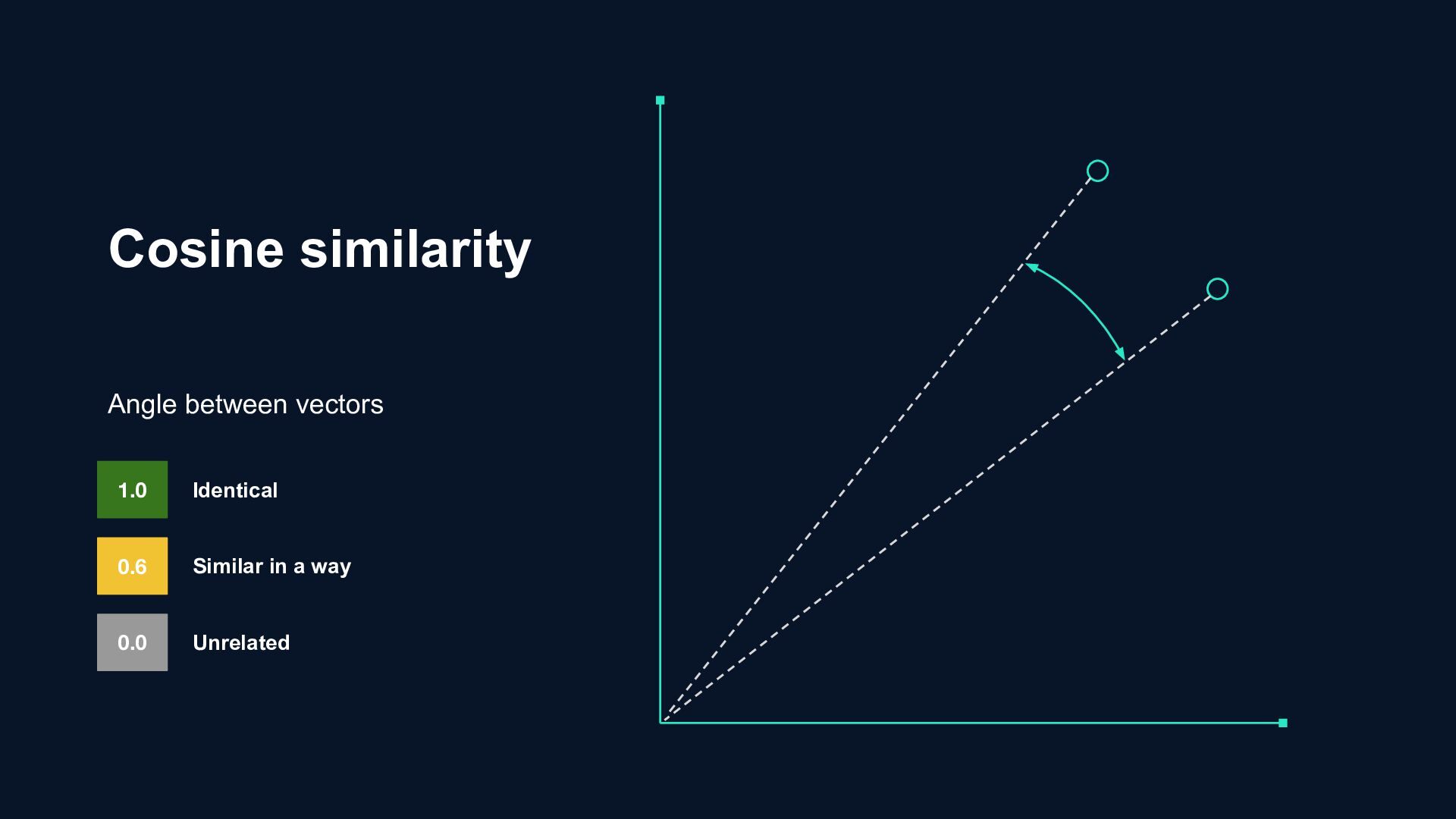
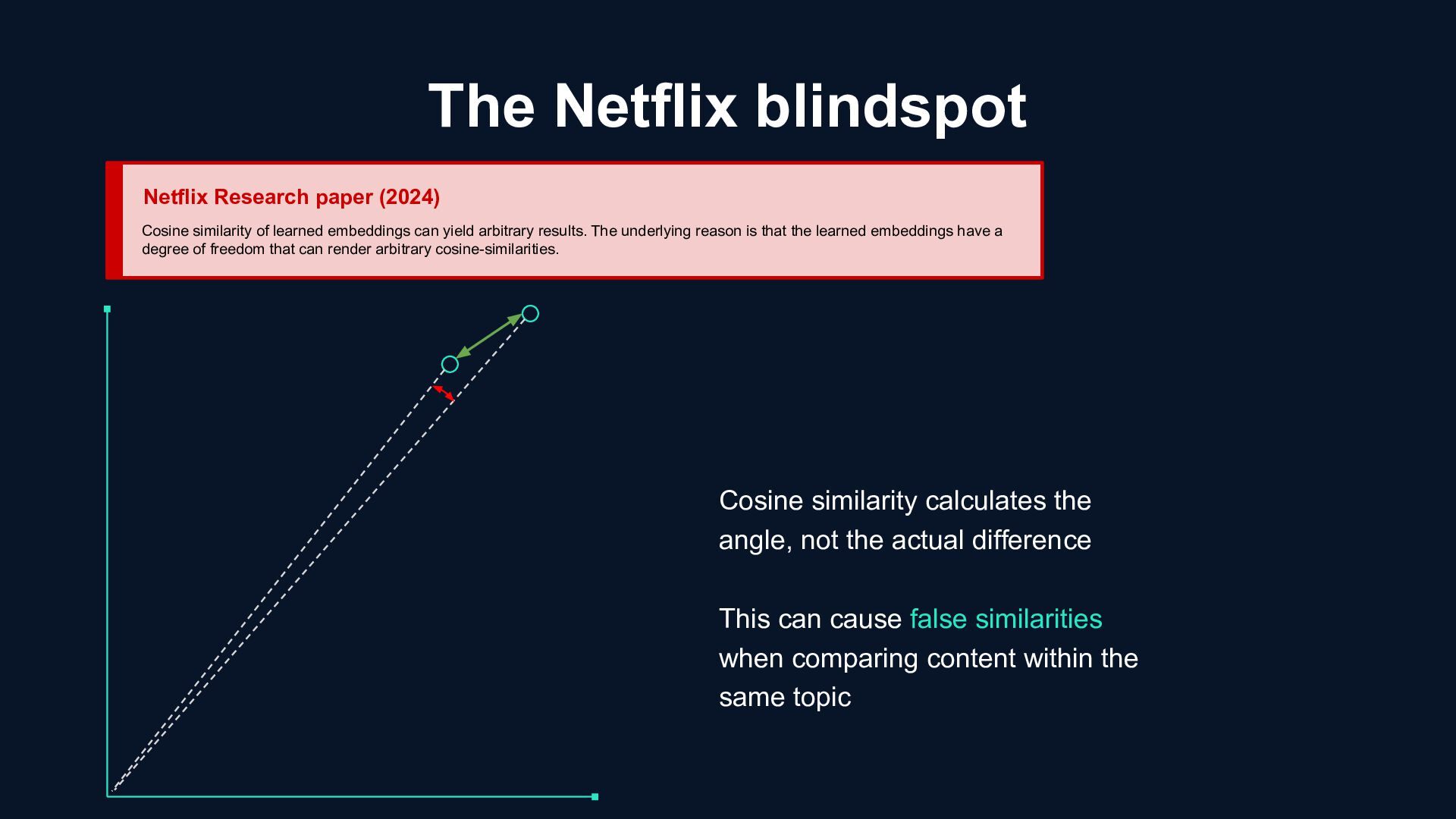
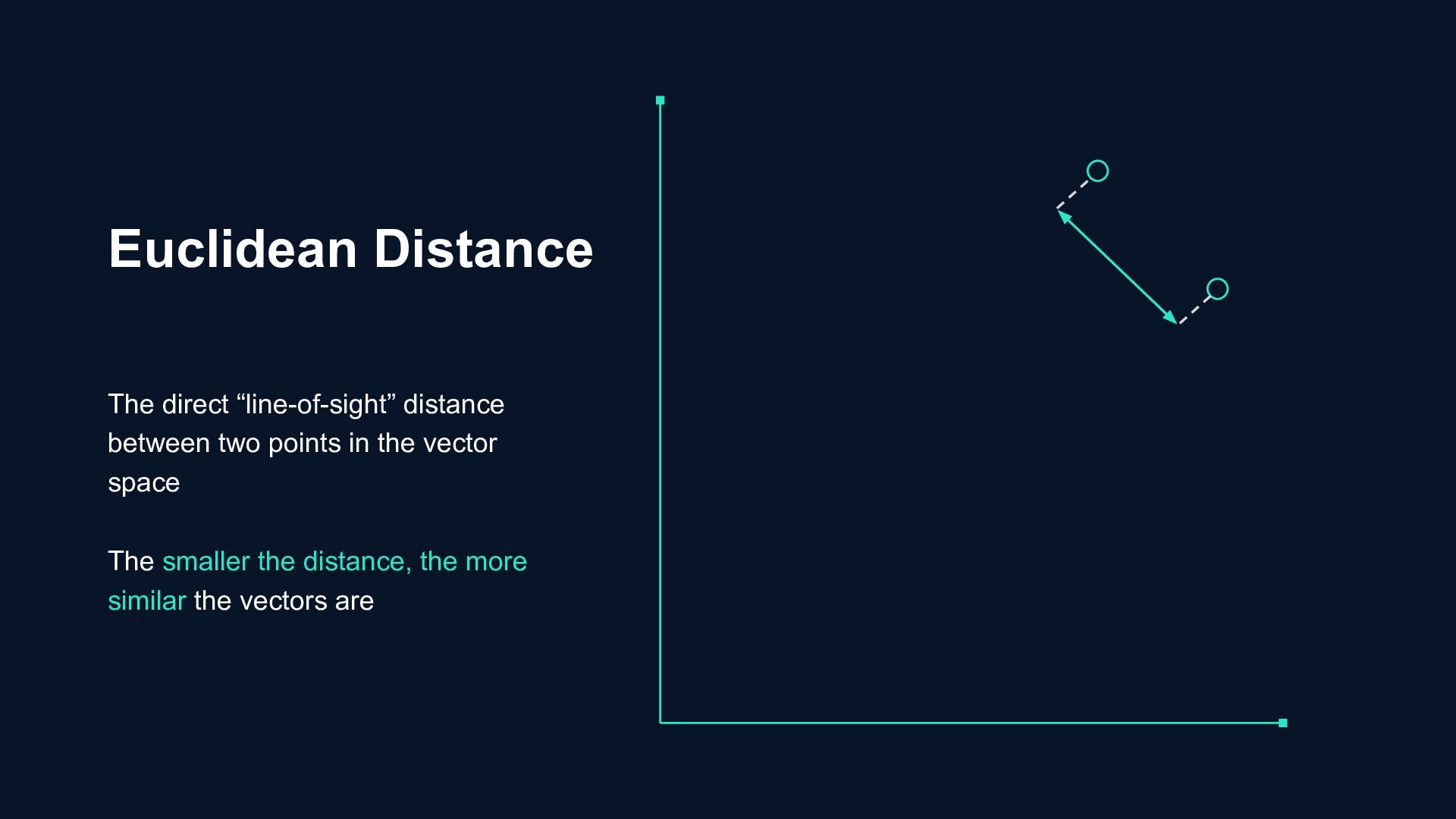
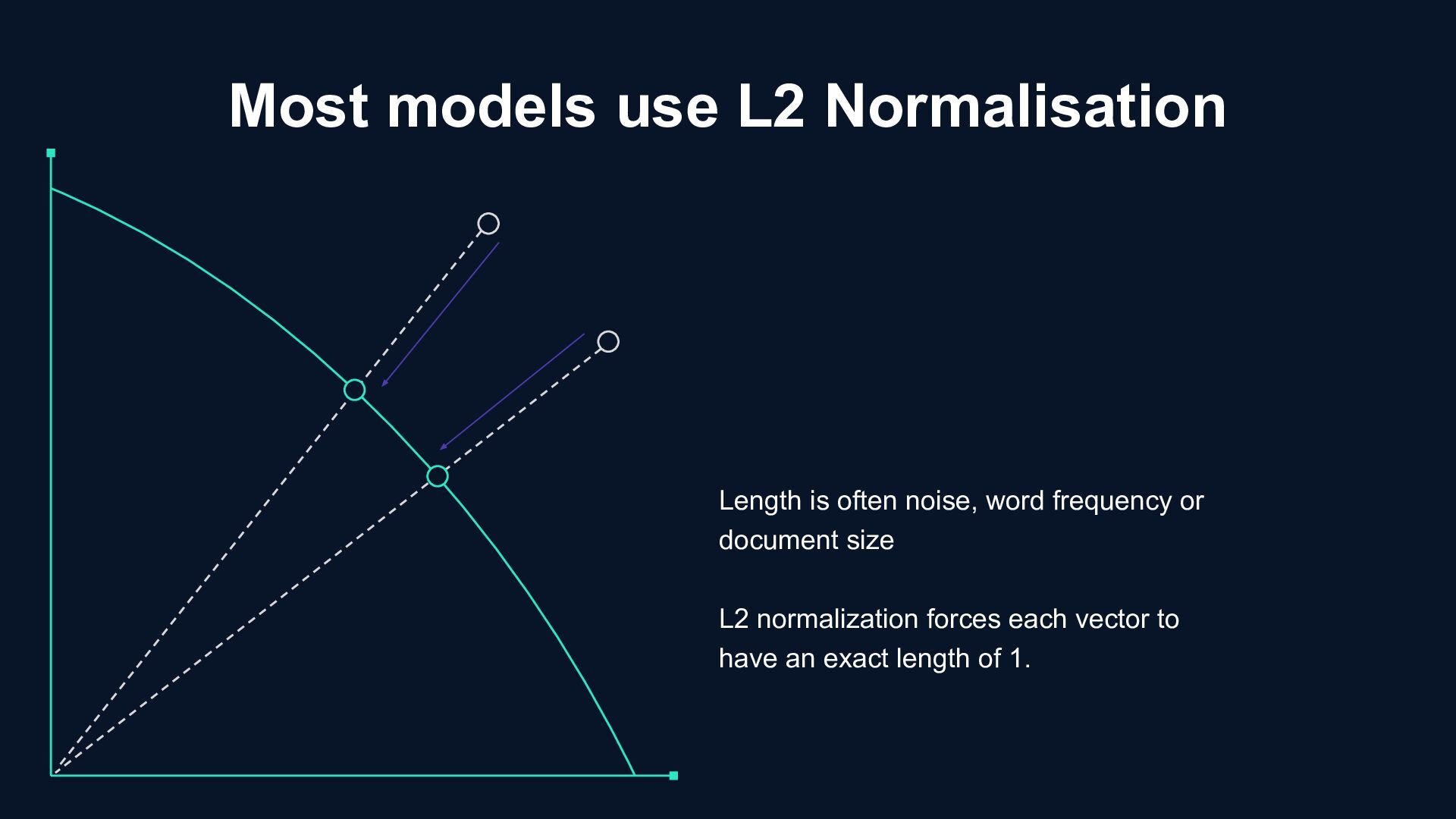
learned embeddings can yield arbitrary results. The underlying reason is that the learned embeddings have a degree of freedom that can render arbitrary cosine-similarities. Cosine similarity calculates the angle, not the actual difference This can cause false similarities when comparing content within the same topic
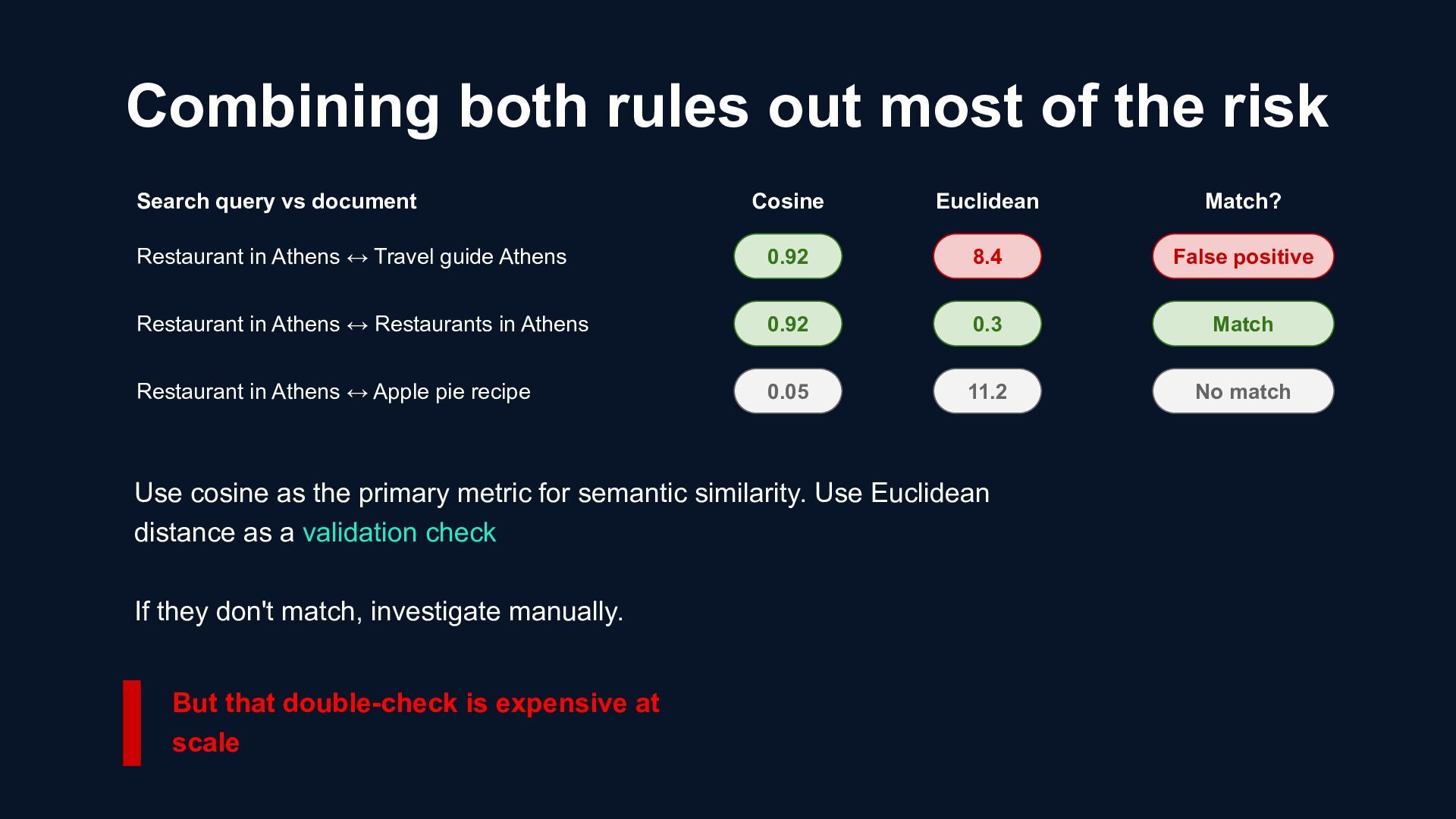
vs document Cosine Euclidean 0.92 0.92 0.05 8.4 0.3 11.2 Match? False positive Match No match Restaurant in Athens ↔ Travel guide Athens Restaurant in Athens ↔ Restaurants in Athens Restaurant in Athens ↔ Apple pie recipe Use cosine as the primary metric for semantic similarity. Use Euclidean distance as a validation check If they don't match, investigate manually. But that double-check is expensive at scale
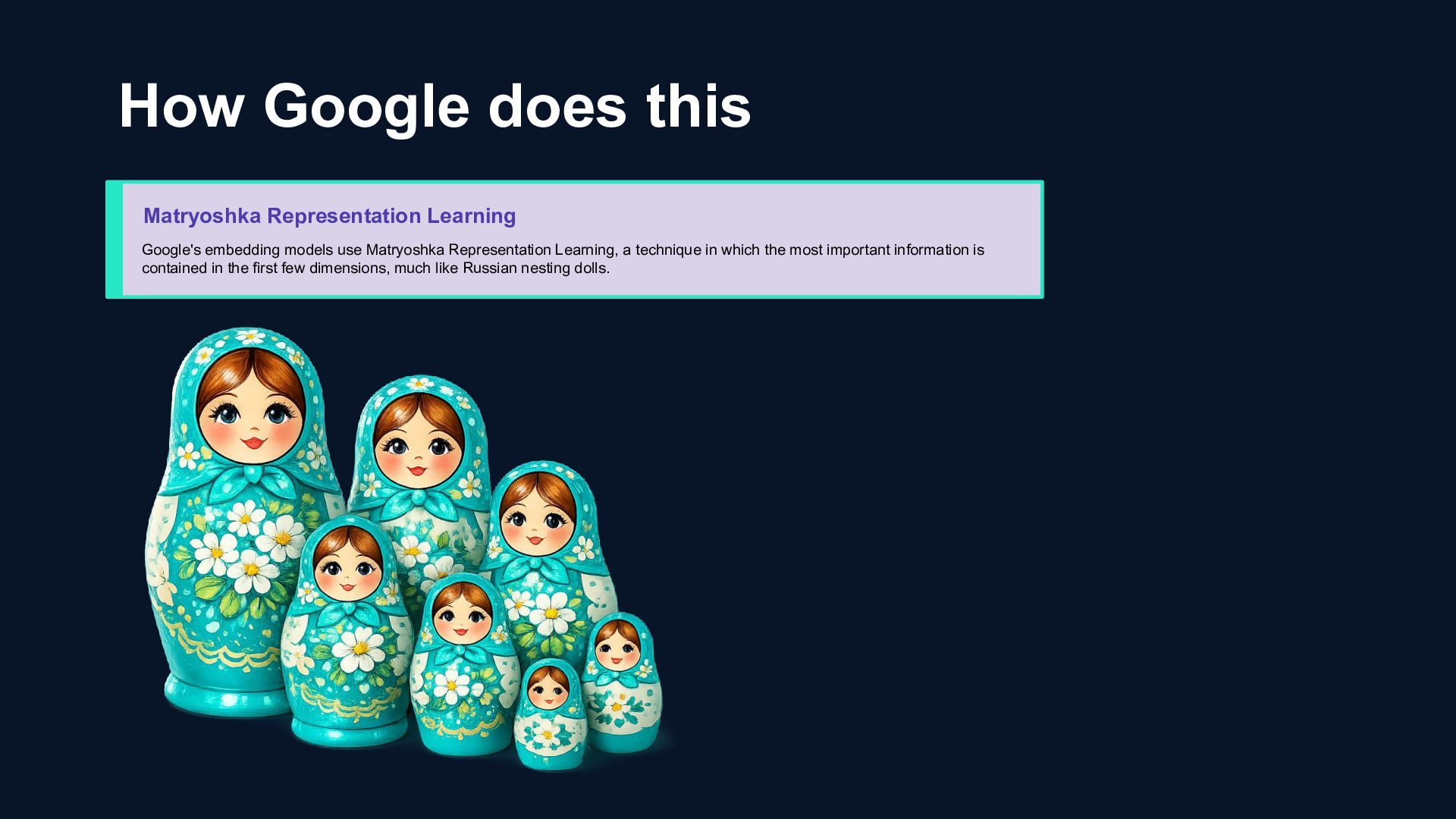
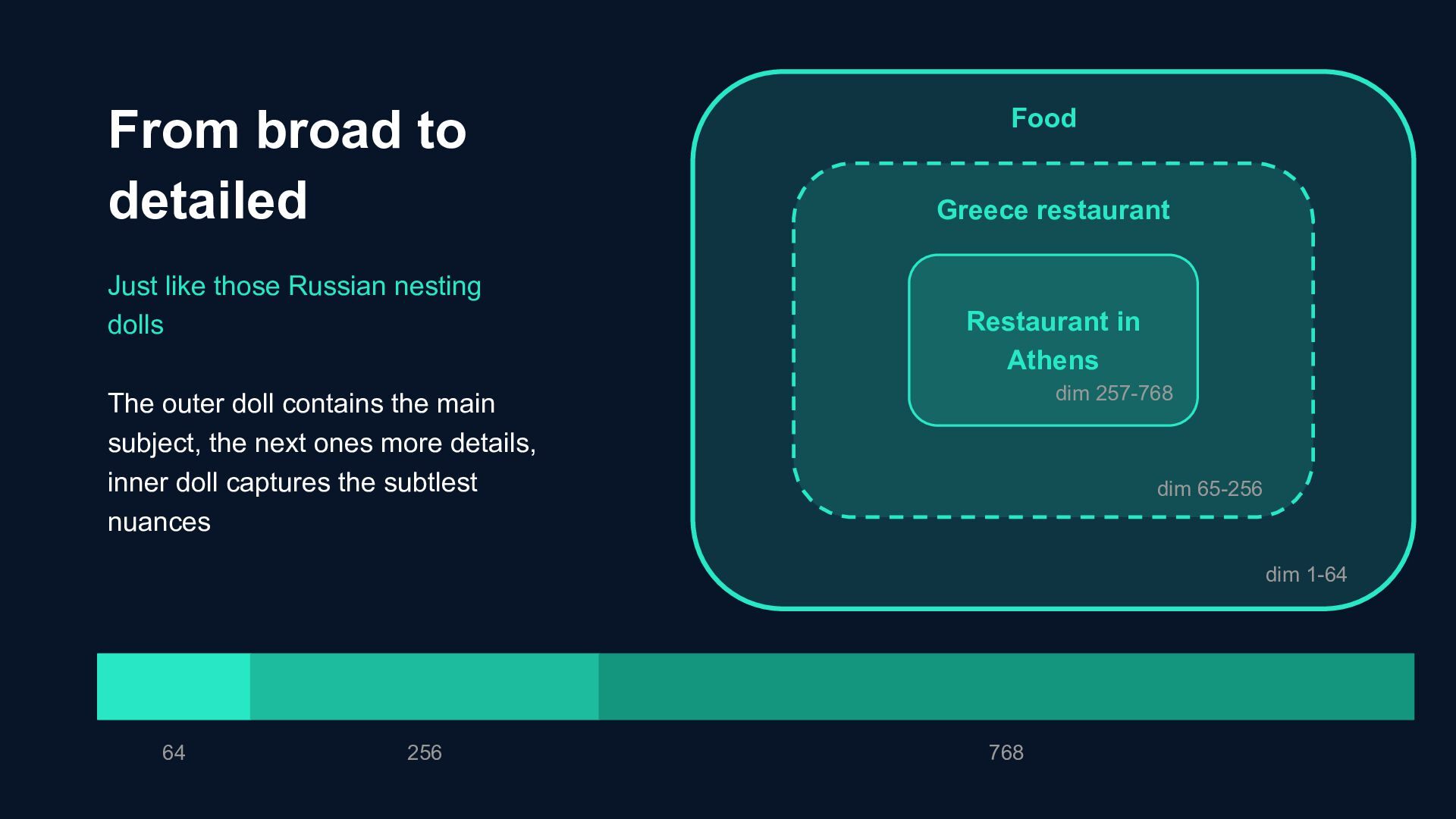
use Matryoshka Representation Learning, a technique in which the most important information is contained in the first few dimensions, much like Russian nesting dolls.
the main subject, the next ones more details, inner doll captures the subtlest nuances From broad to detailed 64 256 768 Food Greece restaurant Restaurant in Athens dim 257-768 dim 65-256 dim 1-64
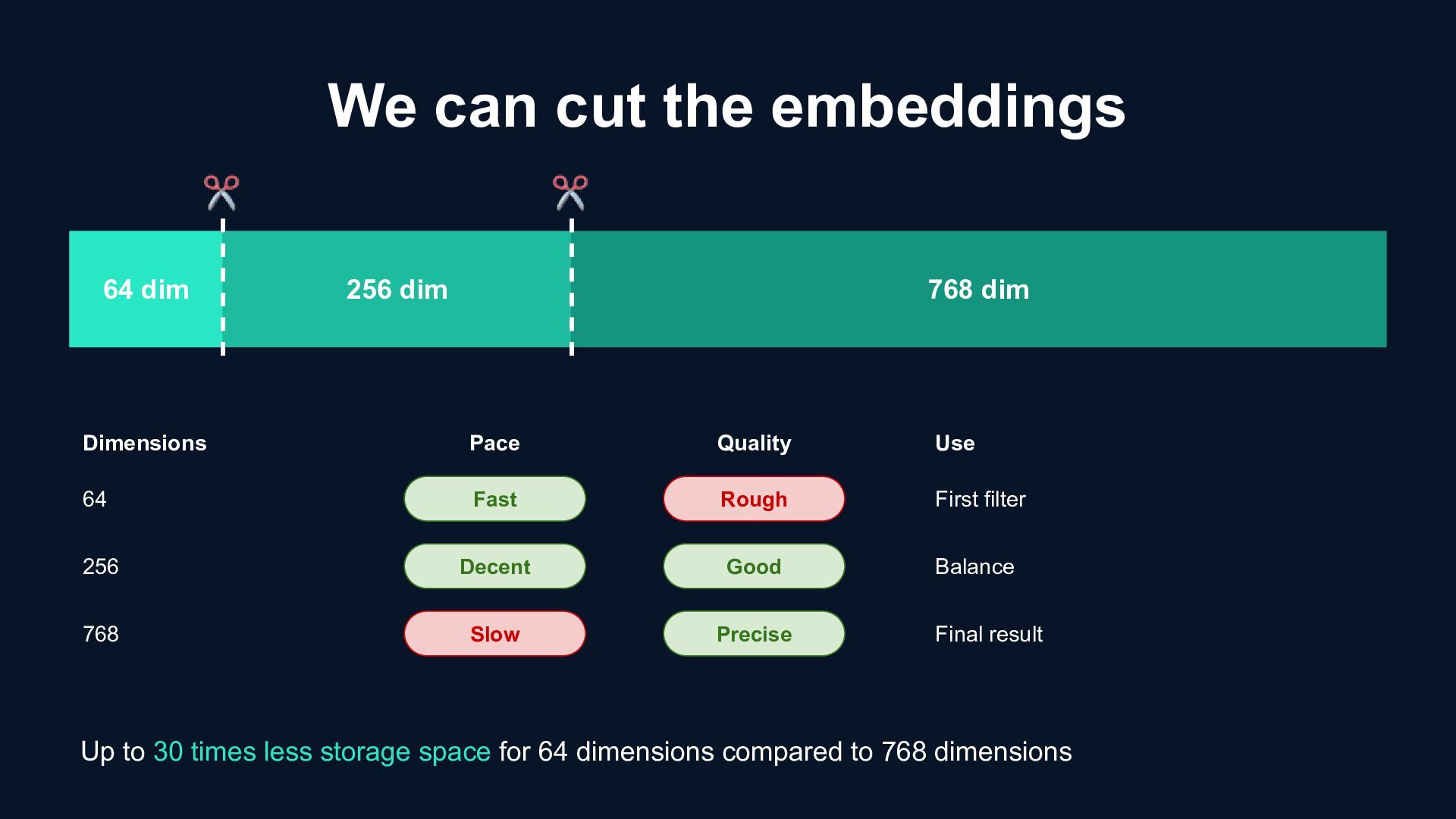
dim Pace Fast Decent Slow Quality Rough Good Precise Dimensions 64 256 768 Use First filter Balance Final result Up to 30 times less storage space for 64 dimensions compared to 768 dimensions
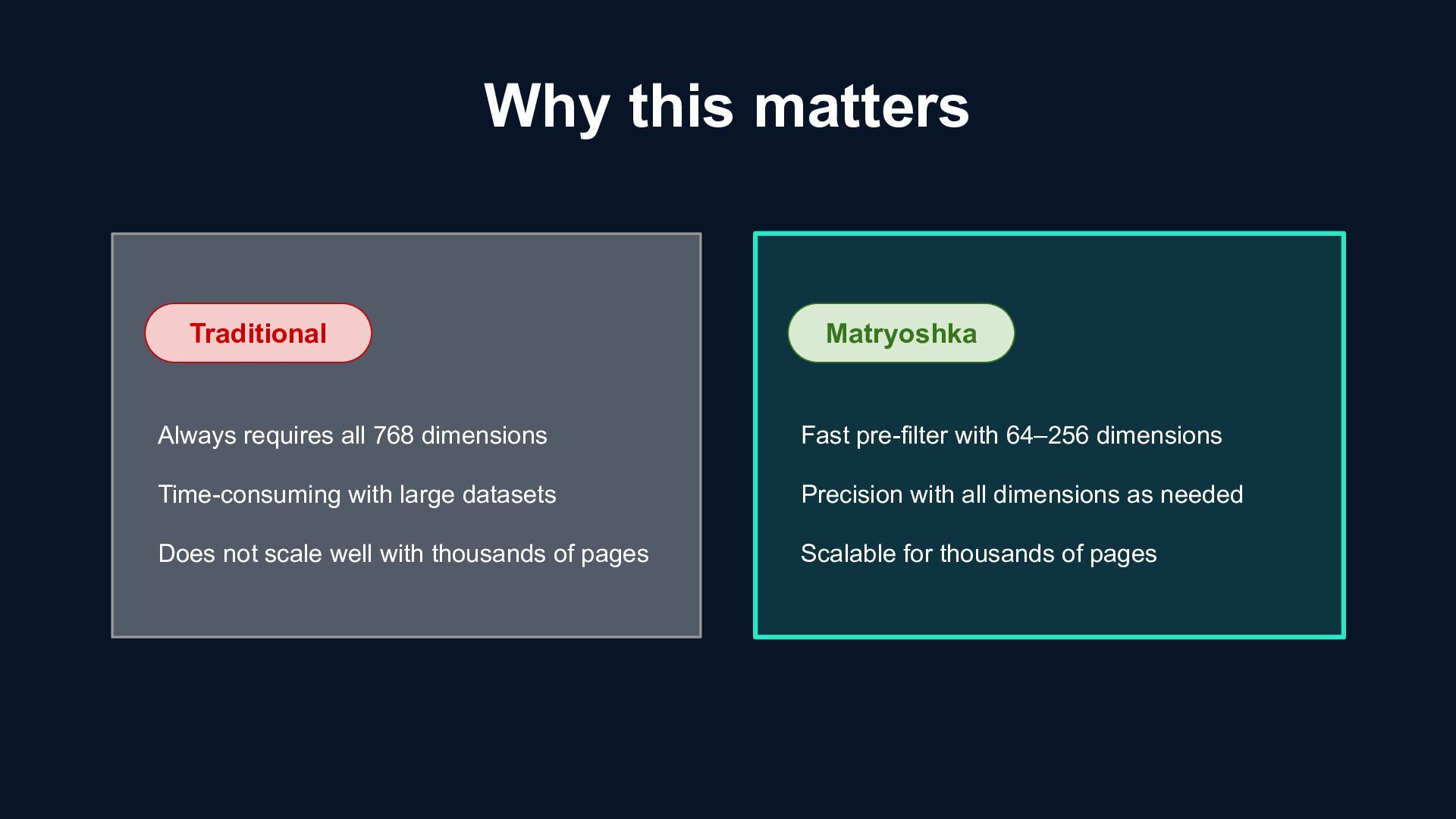
with large datasets Does not scale well with thousands of pages Matryoshka Fast pre-filter with 64–256 dimensions Precision with all dimensions as needed Scalable for thousands of pages
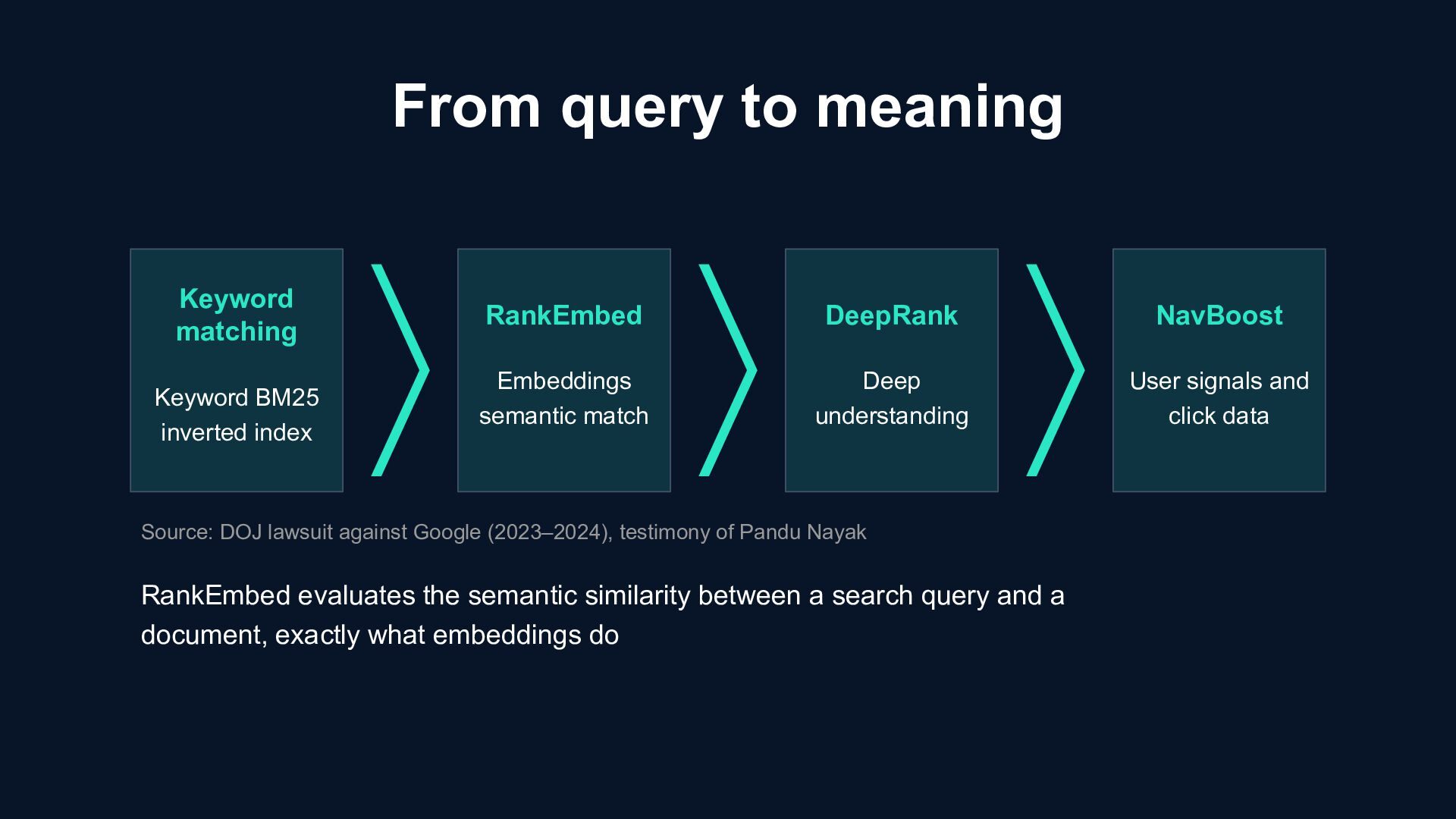
RankEmbed Embeddings semantic match DeepRank Deep understanding NavBoost User signals and click data Source: DOJ lawsuit against Google (2023–2024), testimony of Pandu Nayak RankEmbed evaluates the semantic similarity between a search query and a document, exactly what embeddings do
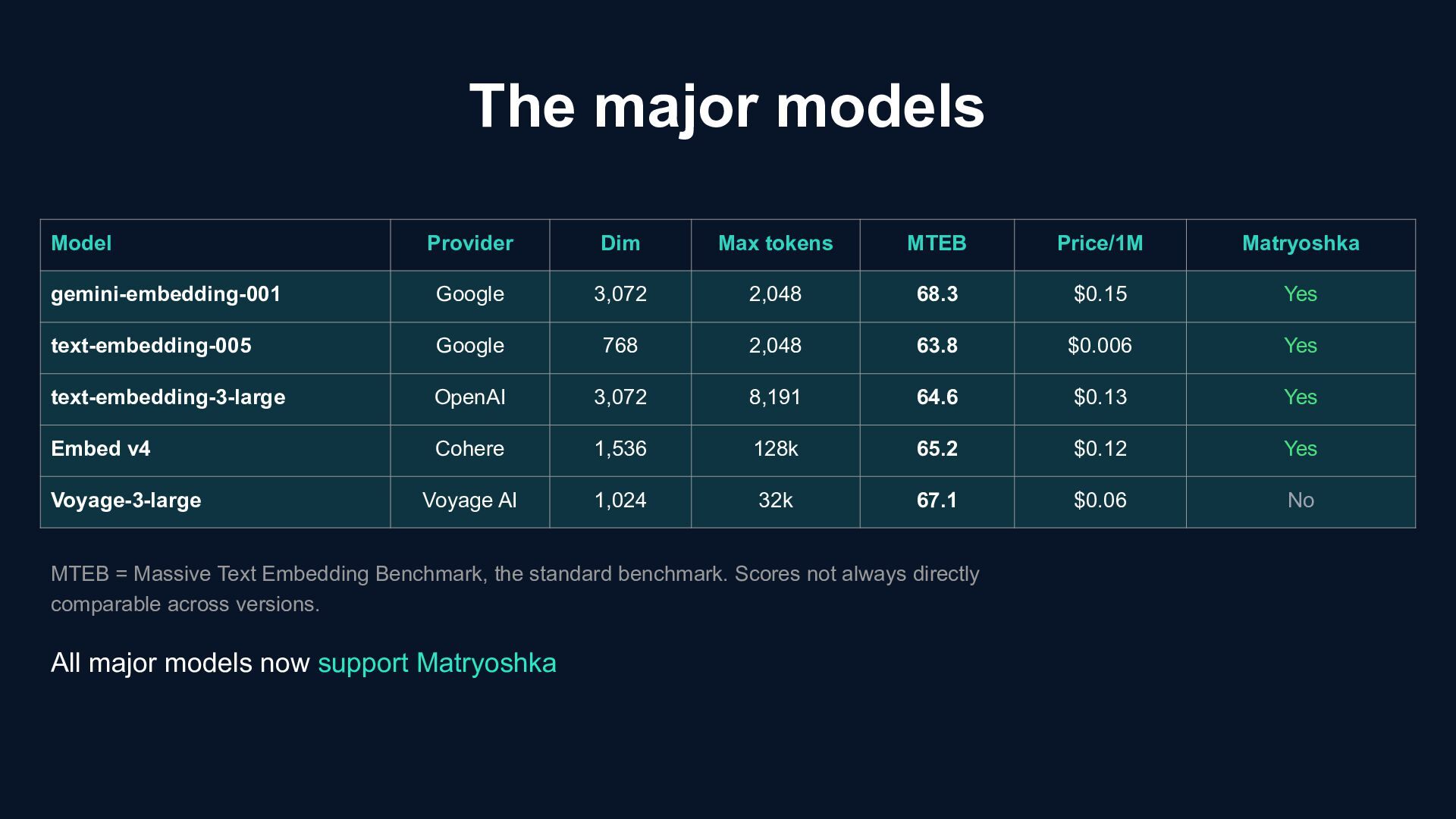
Matryoshka gemini-embedding-001 Google 3,072 2,048 68.3 $0.15 Yes text-embedding-005 Google 768 2,048 63.8 $0.006 Yes text-embedding-3-large OpenAI 3,072 8,191 64.6 $0.13 Yes Embed v4 Cohere 1,536 128k 65.2 $0.12 Yes Voyage-3-large Voyage AI 1,024 32k 67.1 $0.06 No MTEB = Massive Text Embedding Benchmark, the standard benchmark. Scores not always directly comparable across versions. All major models now support Matryoshka
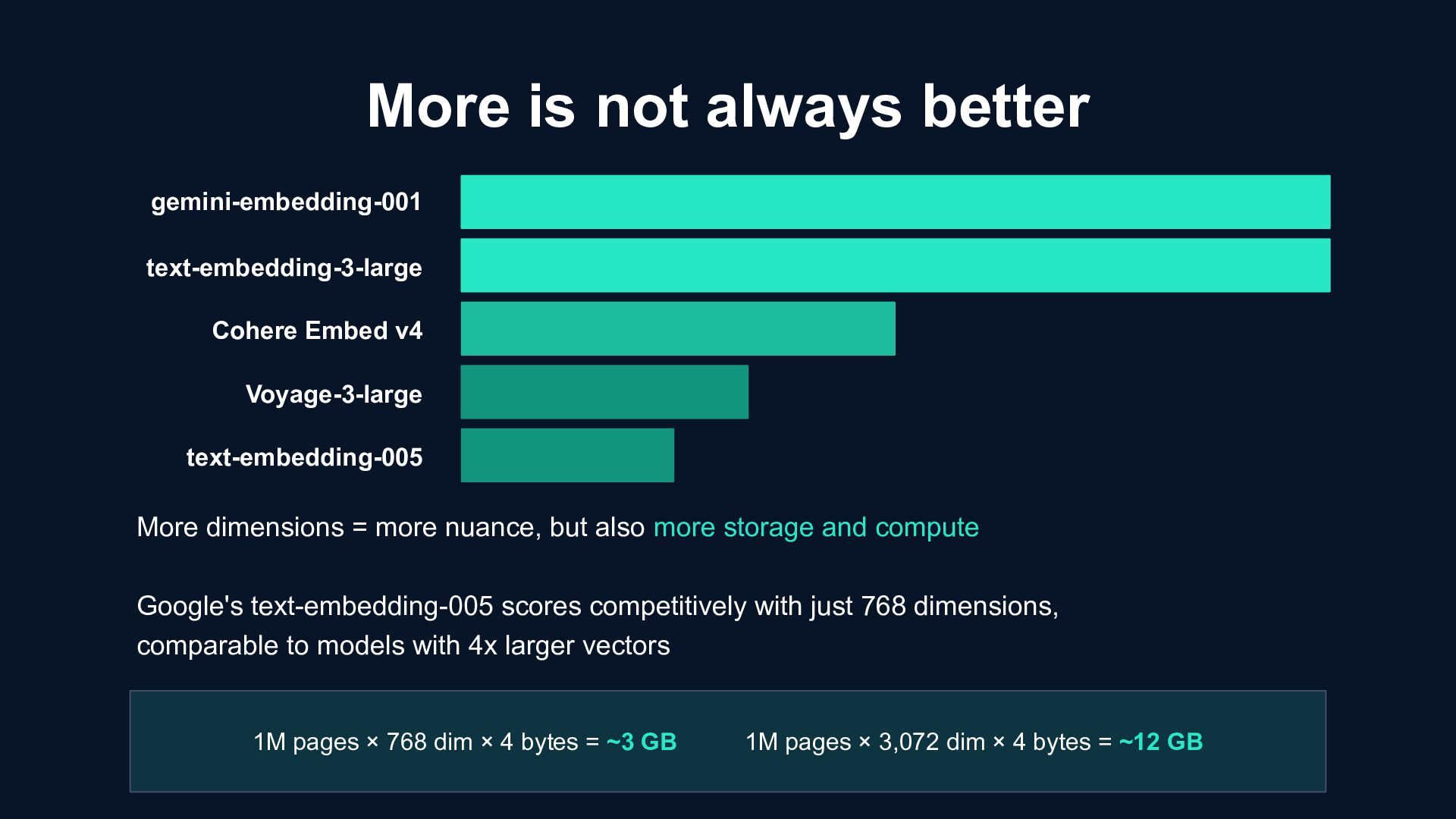
Embed v4 More dimensions = more nuance, but also more storage and compute Google's text-embedding-005 scores competitively with just 768 dimensions, comparable to models with 4x larger vectors 1M pages × 768 dim × 4 bytes = ~3 GB 1M pages × 3,072 dim × 4 bytes = ~12 GB
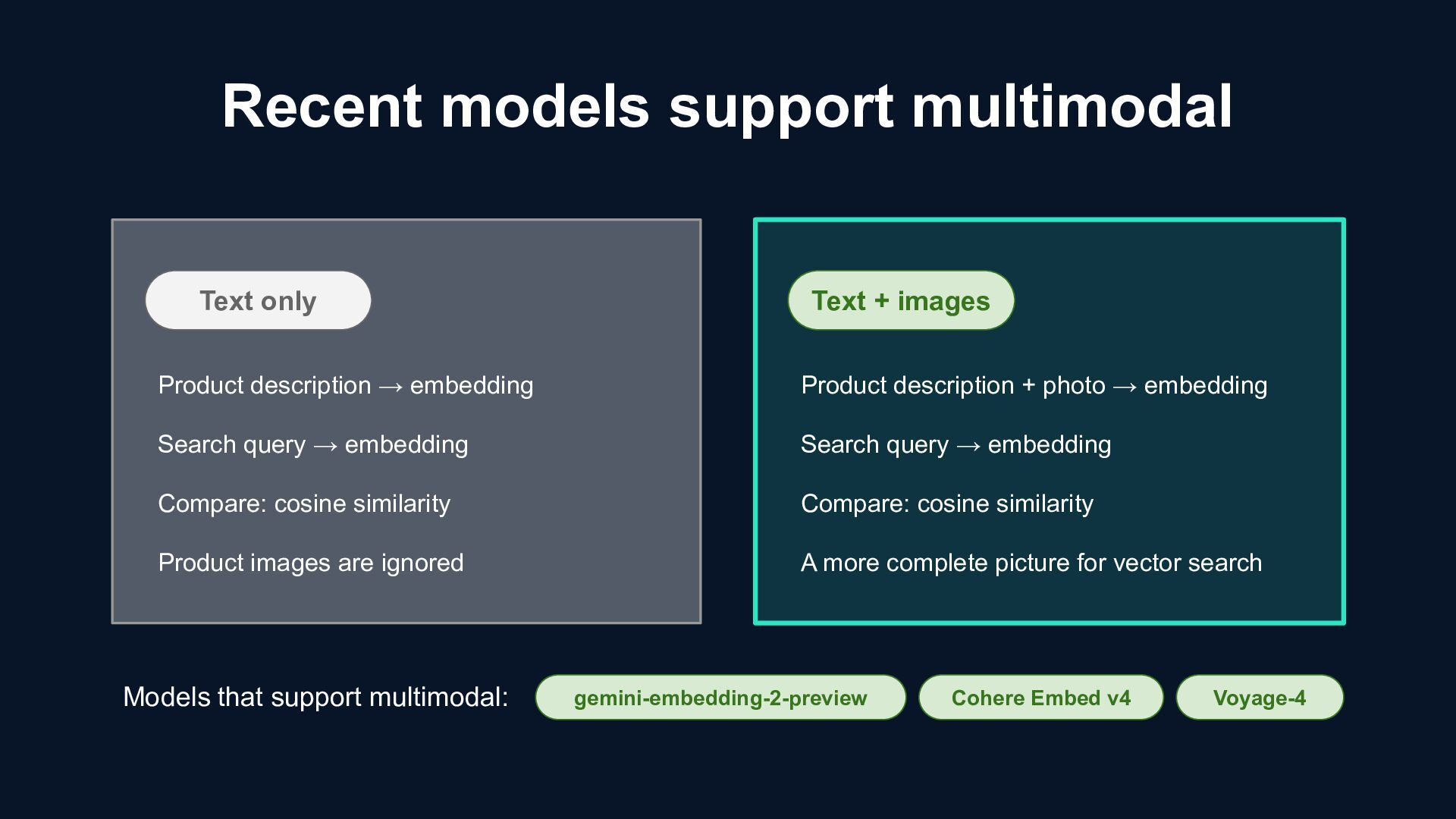
Quality gemini-embedding-001 Gemini-embedding-2- preview 3,072 / 1,024 dimensions Top MTEB scores Text + images Single vector space Start cheap, scale up when needed, Matryoshka makes it flexible
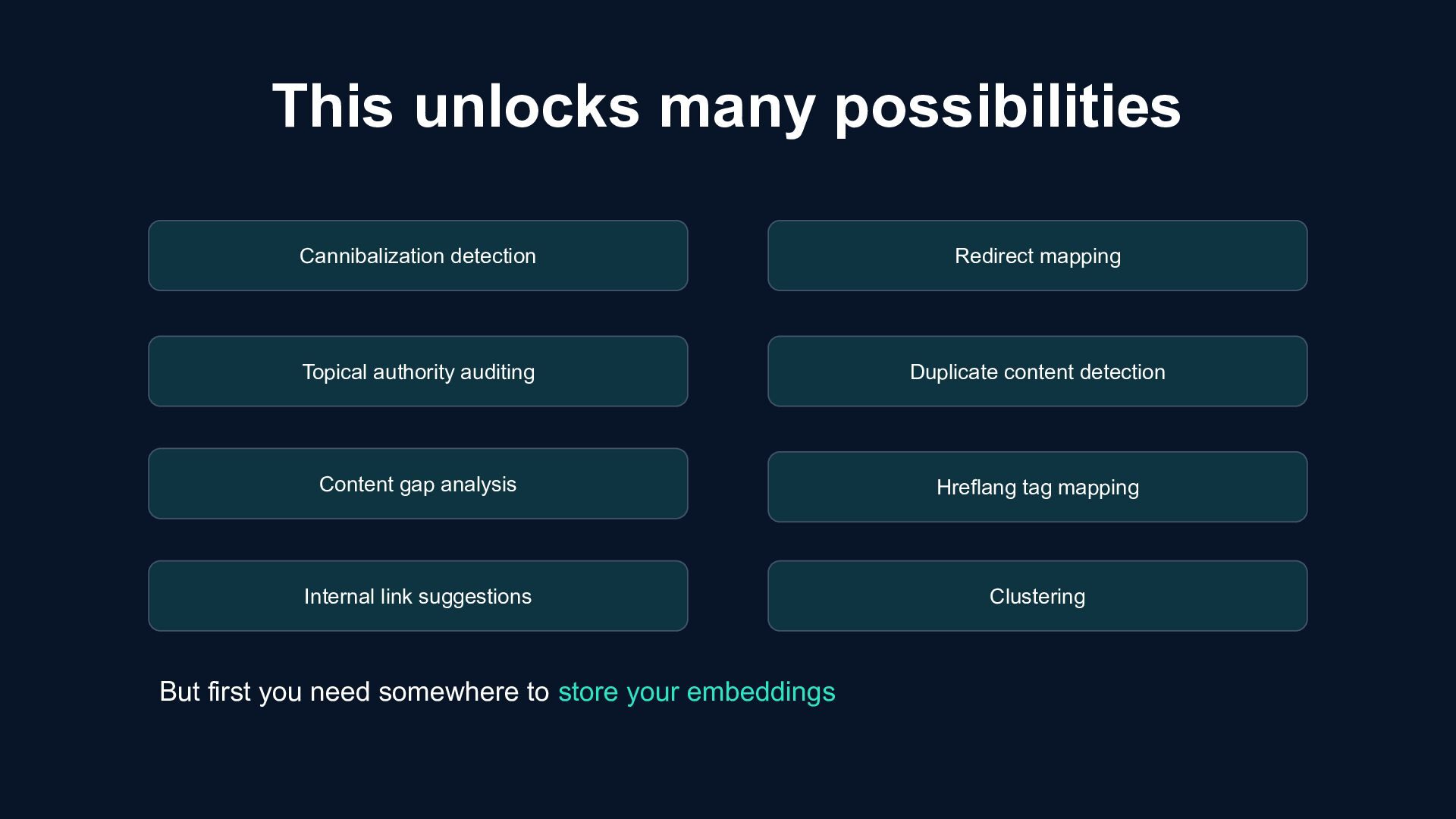
store your embeddings Cannibalization detection Topical authority auditing Content gap analysis Internal link suggestions Clustering Redirect mapping Duplicate content detection Hreflang tag mapping
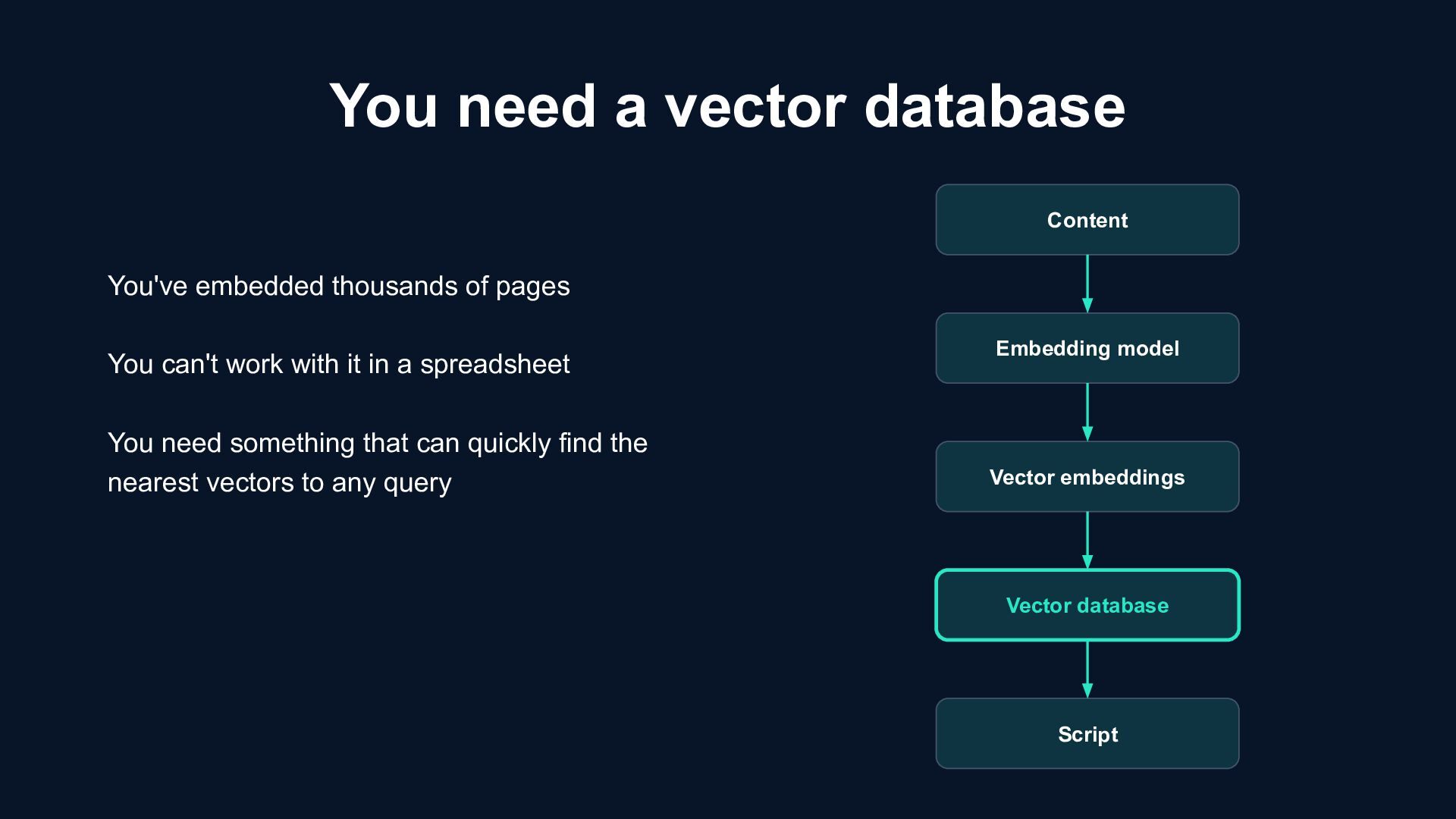
Vector database Script You've embedded thousands of pages You can't work with it in a spreadsheet You need something that can quickly find the nearest vectors to any query
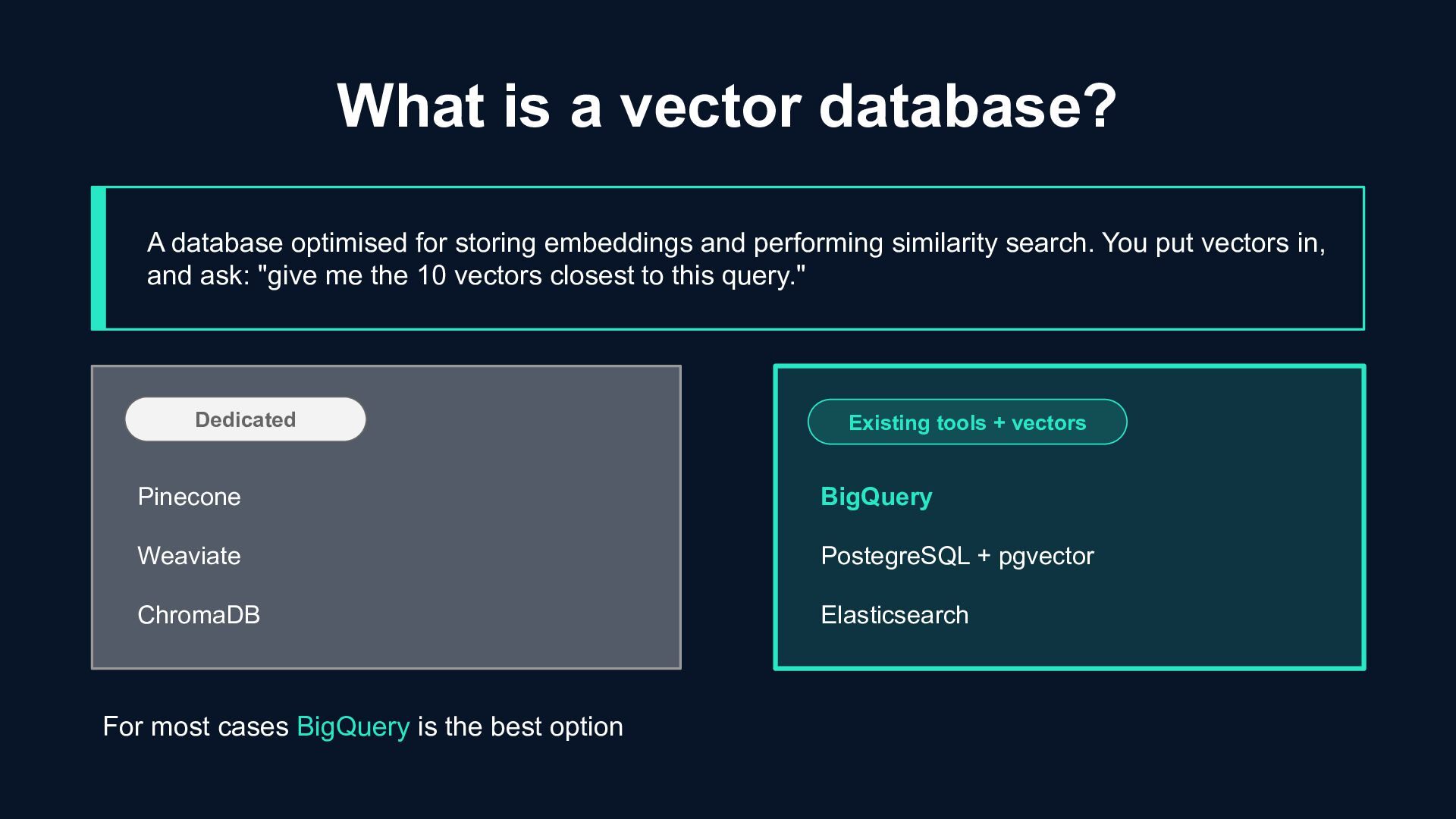
embeddings and performing similarity search. You put vectors in, and ask: "give me the 10 vectors closest to this query." Pinecone Weaviate ChromaDB Dedicated For most cases BigQuery is the best option BigQuery PostegreSQL + pgvector Elasticsearch Existing tools + vectors
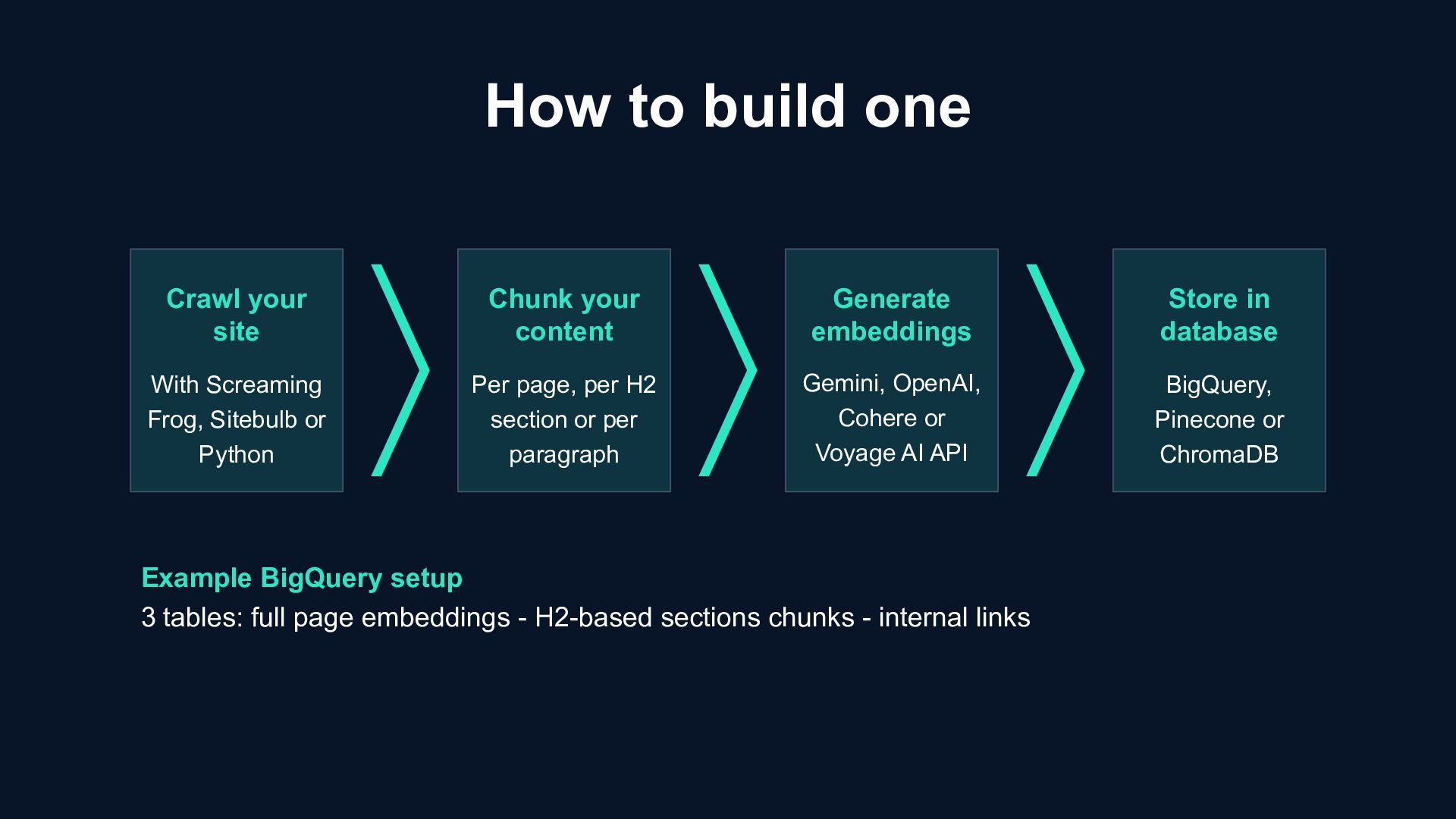
Sitebulb or Python Chunk your content Per page, per H2 section or per paragraph Generate embeddings Gemini, OpenAI, Cohere or Voyage AI API Store in database BigQuery, Pinecone or ChromaDB Example BigQuery setup 3 tables: full page embeddings - H2-based sections chunks - internal links
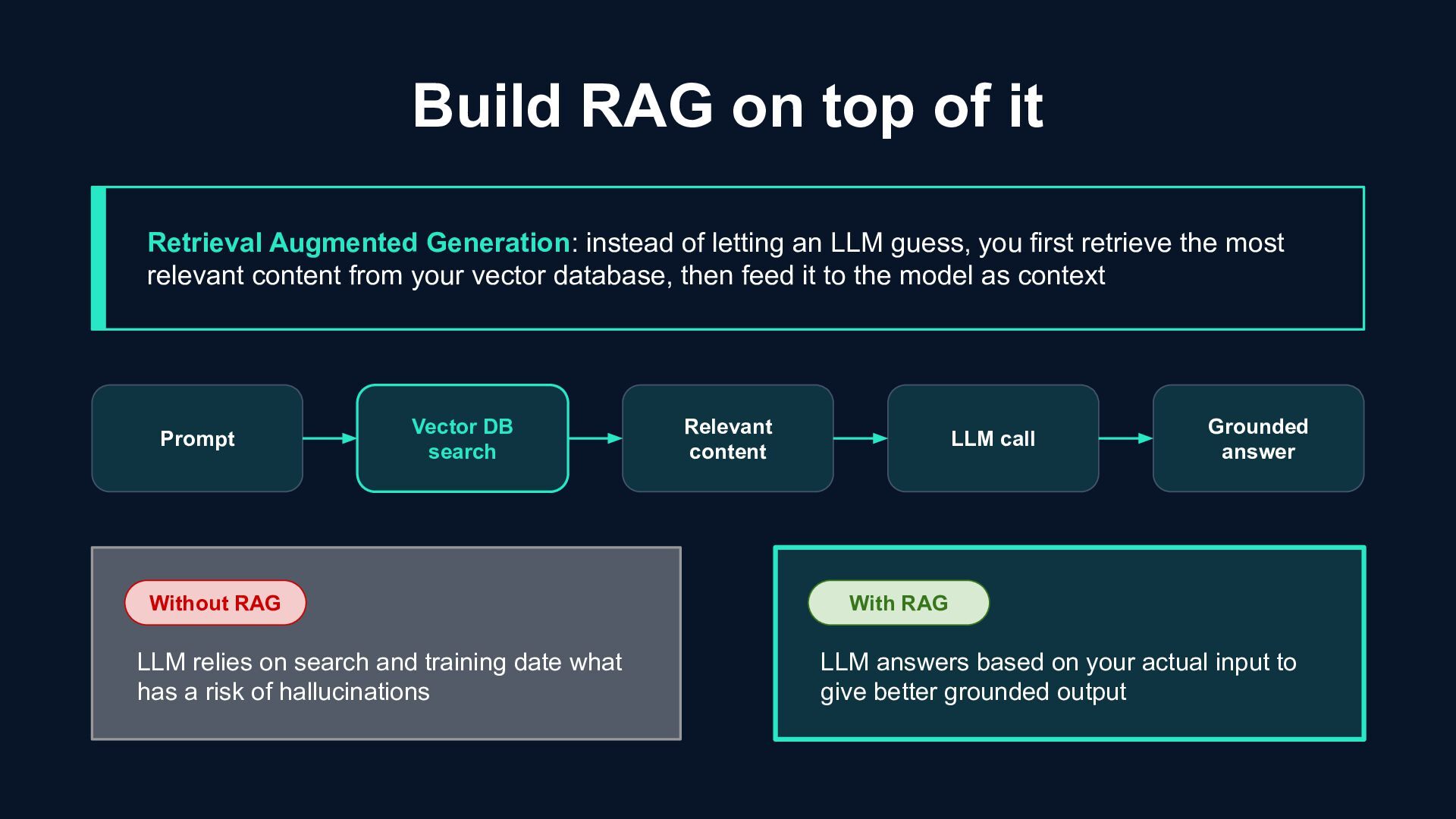
first retrieve the most relevant content from your vector database, then feed it to the model as context Build RAG on top of it Prompt Relevant content Vector DB search LLM call Grounded answer With RAG Without RAG LLM relies on search and training date what has a risk of hallucinations LLM answers based on your actual input to give better grounded output
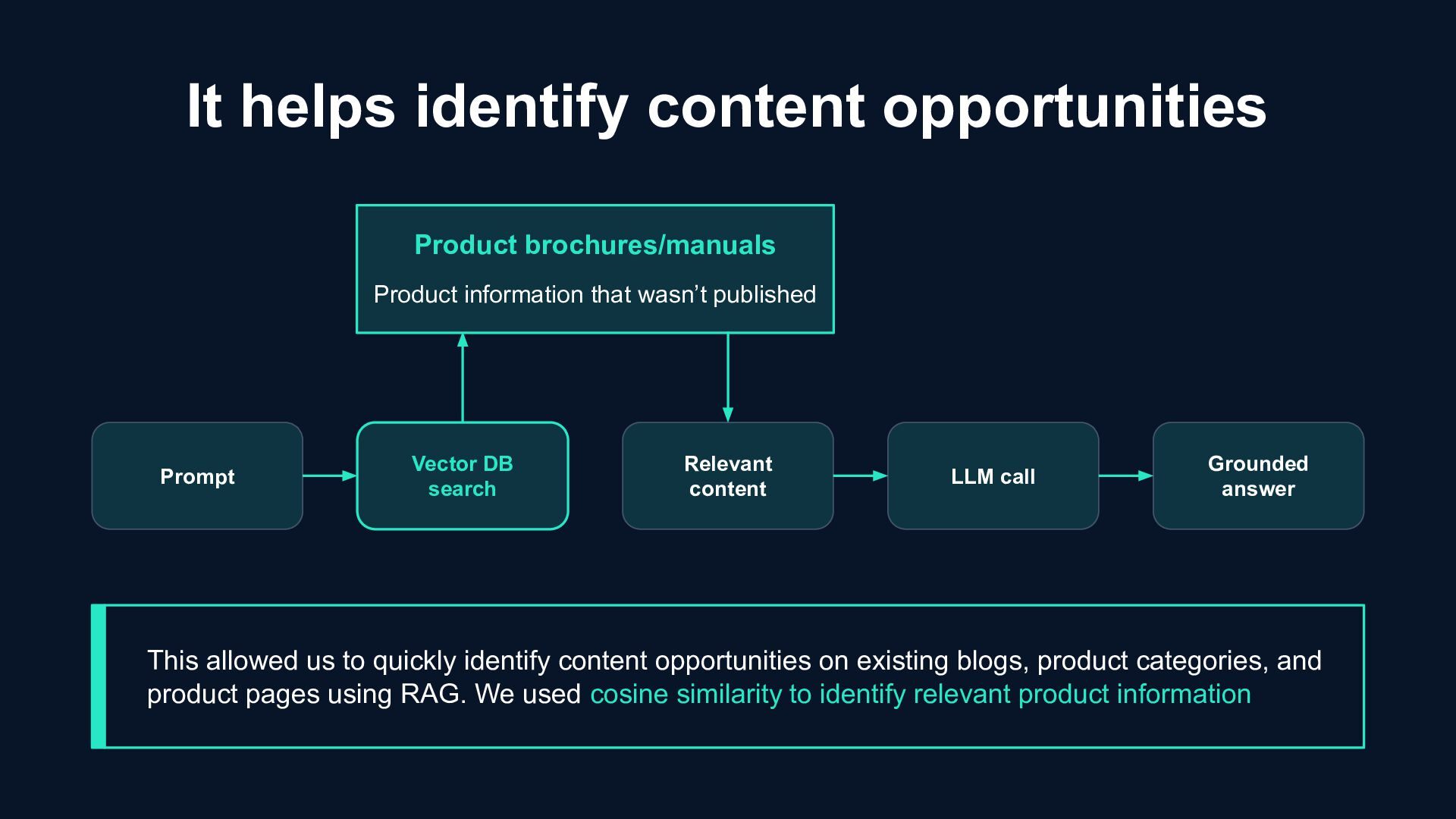
It helps identify content opportunities Product brochures/manuals Product information that wasn’t published This allowed us to quickly identify content opportunities on existing blogs, product categories, and product pages using RAG. We used cosine similarity to identify relevant product information
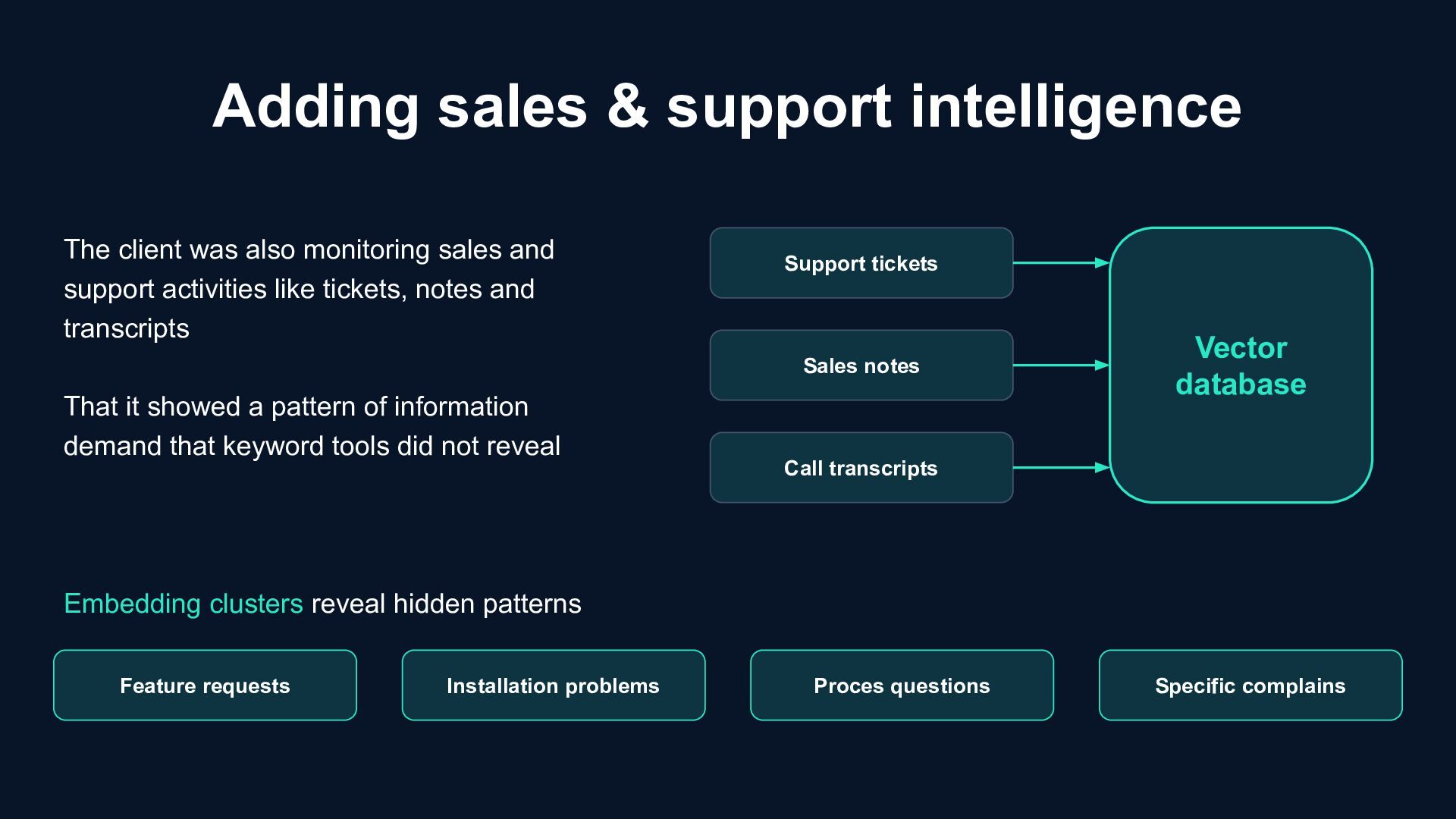
transcripts Vector database Feature requests Installation problems Proces questions Specific complains Embedding clusters reveal hidden patterns The client was also monitoring sales and support activities like tickets, notes and transcripts That it showed a pattern of information demand that keyword tools did not reveal
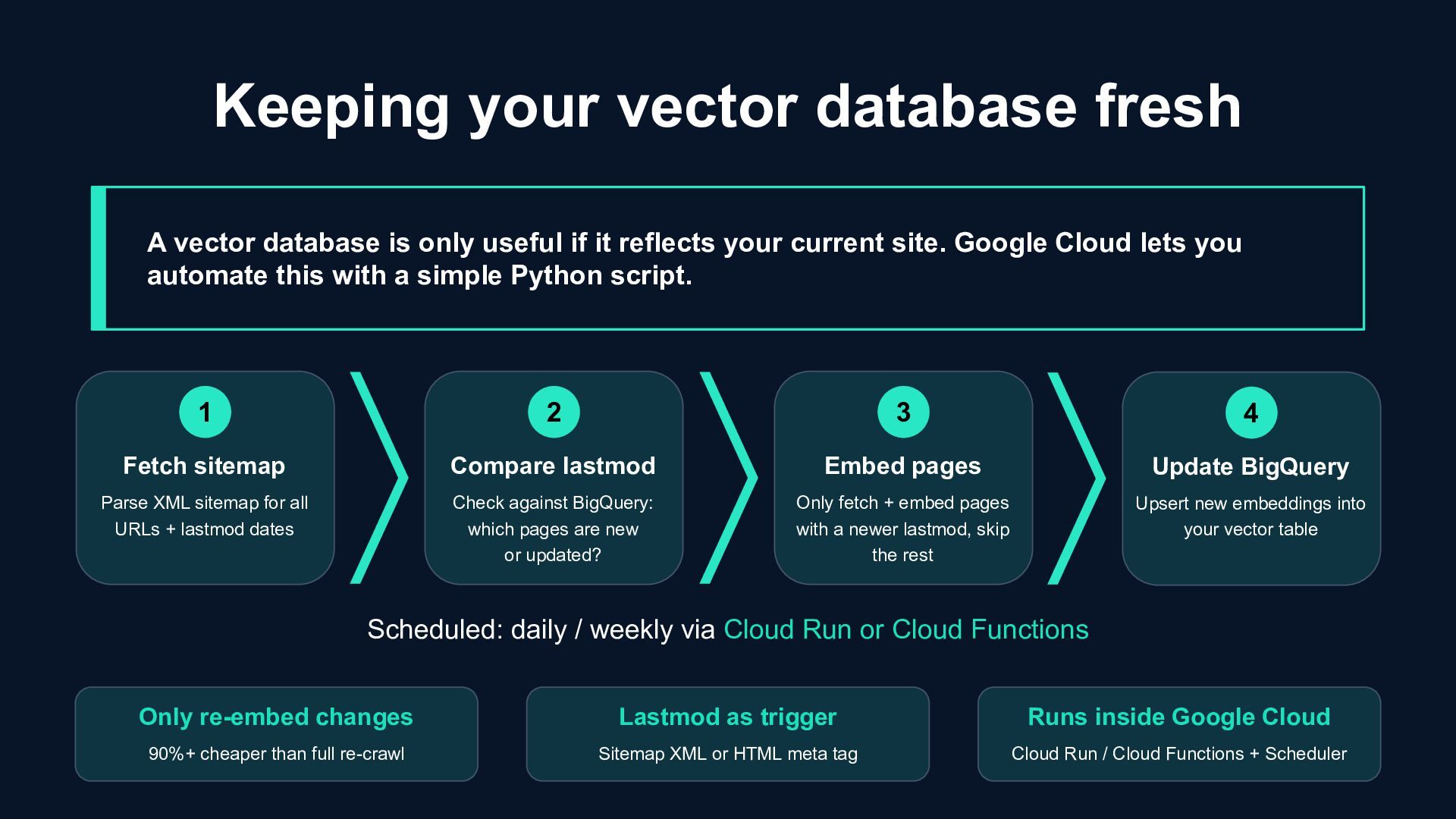
useful if it reflects your current site. Google Cloud lets you automate this with a simple Python script. 1 Fetch sitemap Parse XML sitemap for all URLs + lastmod dates 2 Compare lastmod Check against BigQuery: which pages are new or updated? 3 Embed pages Only fetch + embed pages with a newer lastmod, skip the rest 4 Update BigQuery Upsert new embeddings into your vector table Scheduled: daily / weekly via Cloud Run or Cloud Functions Only re-embed changes 90%+ cheaper than full re-crawl Lastmod as trigger Sitemap XML or HTML meta tag Runs inside Google Cloud Cloud Run / Cloud Functions + Scheduler
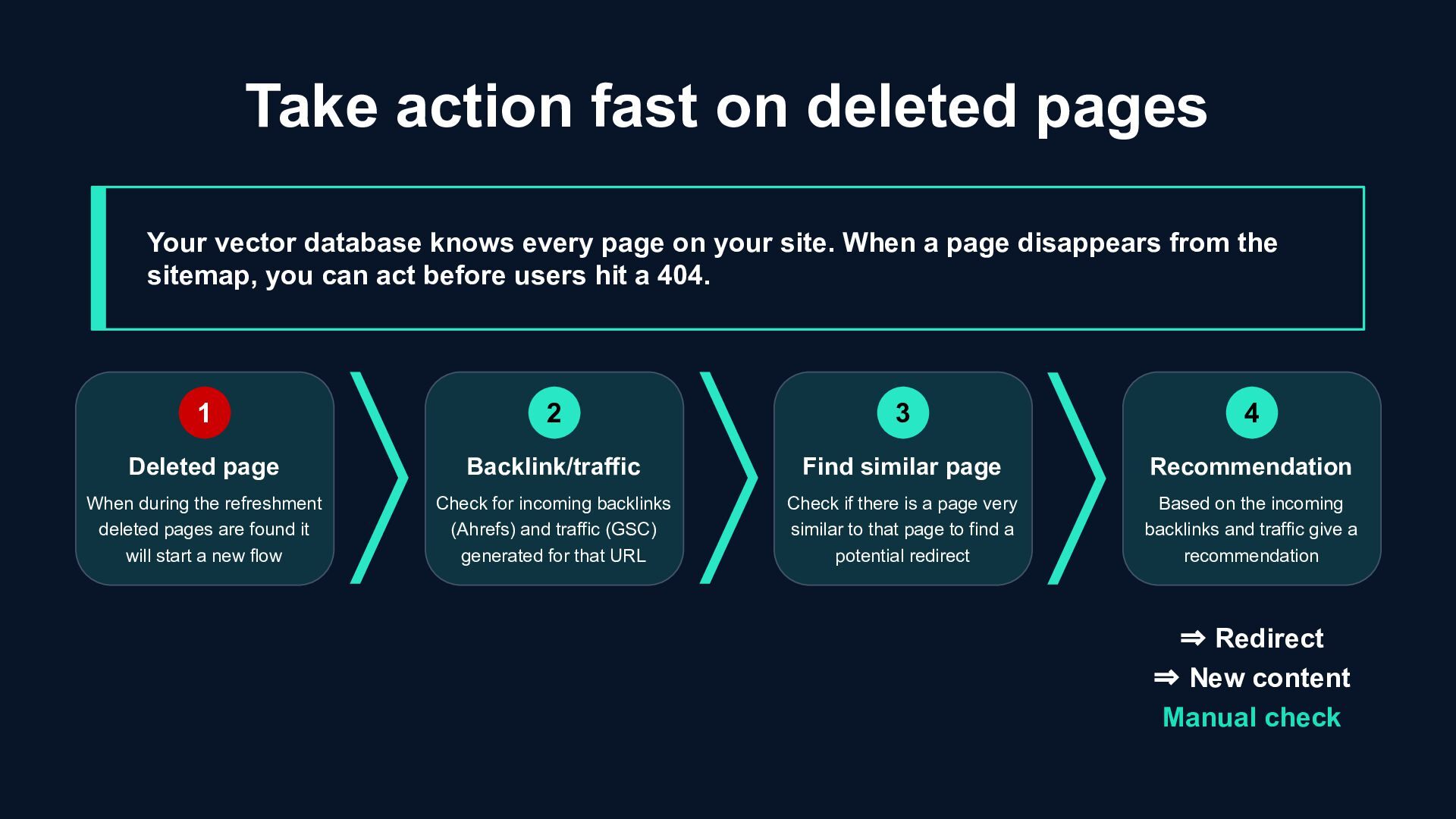
every page on your site. When a page disappears from the sitemap, you can act before users hit a 404. 1 Deleted page When during the refreshment deleted pages are found it will start a new flow 2 Backlink/traffic Check for incoming backlinks (Ahrefs) and traffic (GSC) generated for that URL 3 Find similar page Check if there is a page very similar to that page to find a potential redirect 4 Recommendation Based on the incoming backlinks and traffic give a recommendation ⇒ Redirect ⇒ New content Manual check
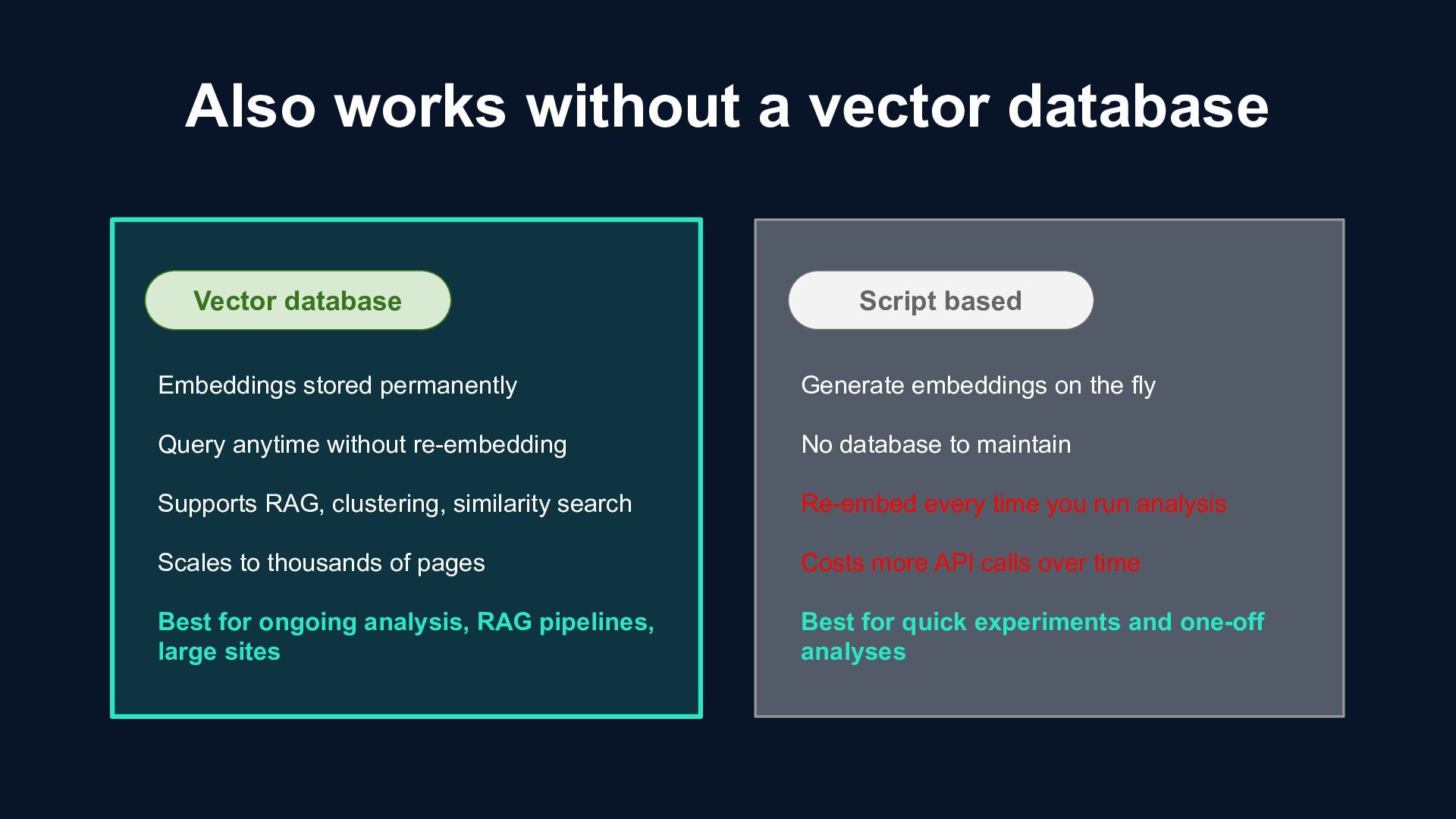
RAG, clustering, similarity search Scales to thousands of pages Best for ongoing analysis, RAG pipelines, large sites Script based Generate embeddings on the fly No database to maintain Re-embed every time you run analysis Costs more API calls over time Best for quick experiments and one-off analyses Also works without a vector database
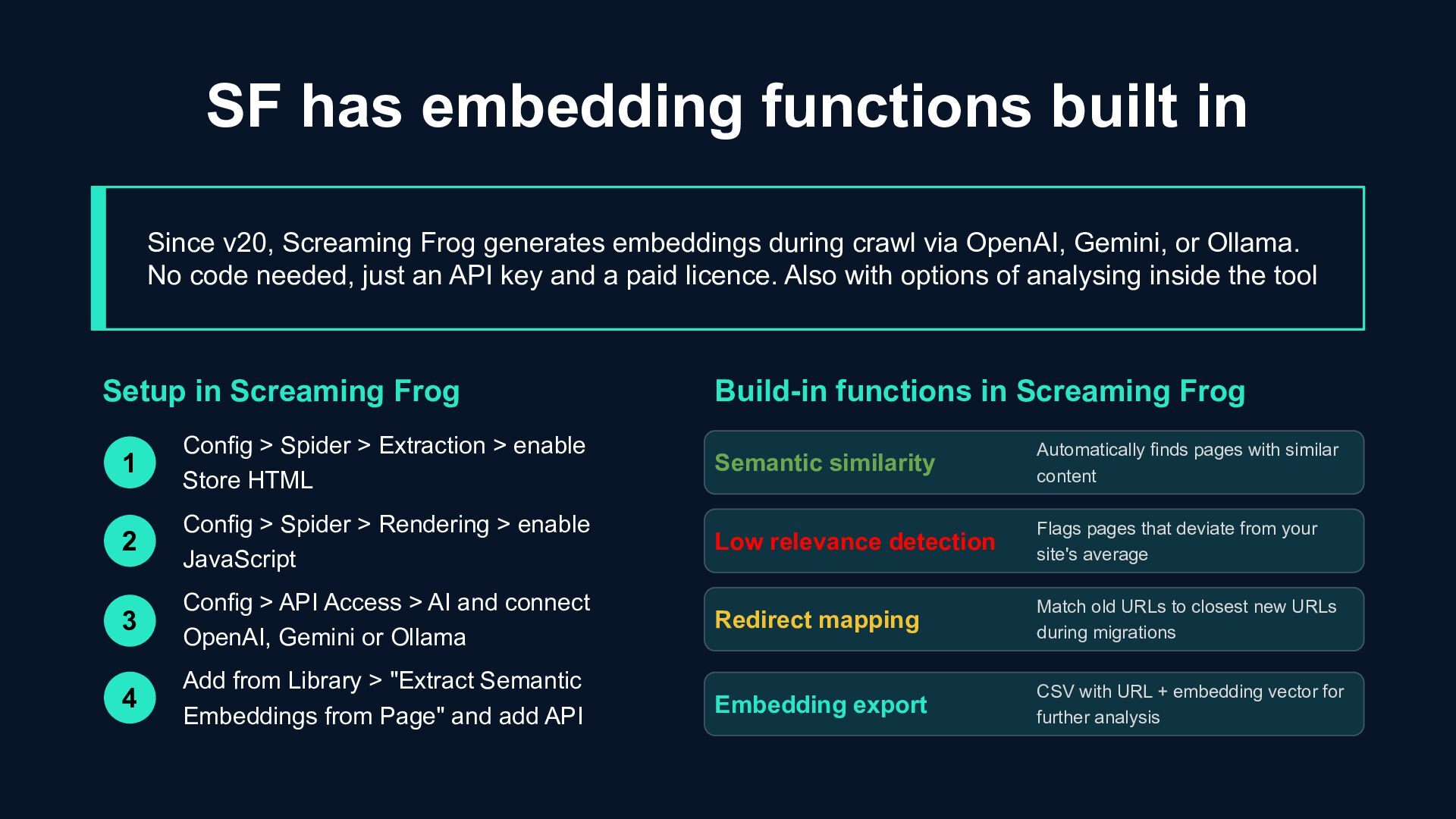
generates embeddings during crawl via OpenAI, Gemini, or Ollama. No code needed, just an API key and a paid licence. Also with options of analysing inside the tool 1 Config > Spider > Extraction > enable Store HTML Config > Spider > Rendering > enable JavaScript Config > API Access > AI and connect OpenAI, Gemini or Ollama Add from Library > "Extract Semantic Embeddings from Page" and add API Setup in Screaming Frog Build-in functions in Screaming Frog Automatically finds pages with similar content Semantic similarity Low relevance detection Redirect mapping Embedding export Flags pages that deviate from your site's average Match old URLs to closest new URLs during migrations CSV with URL + embedding vector for further analysis 2 3 4
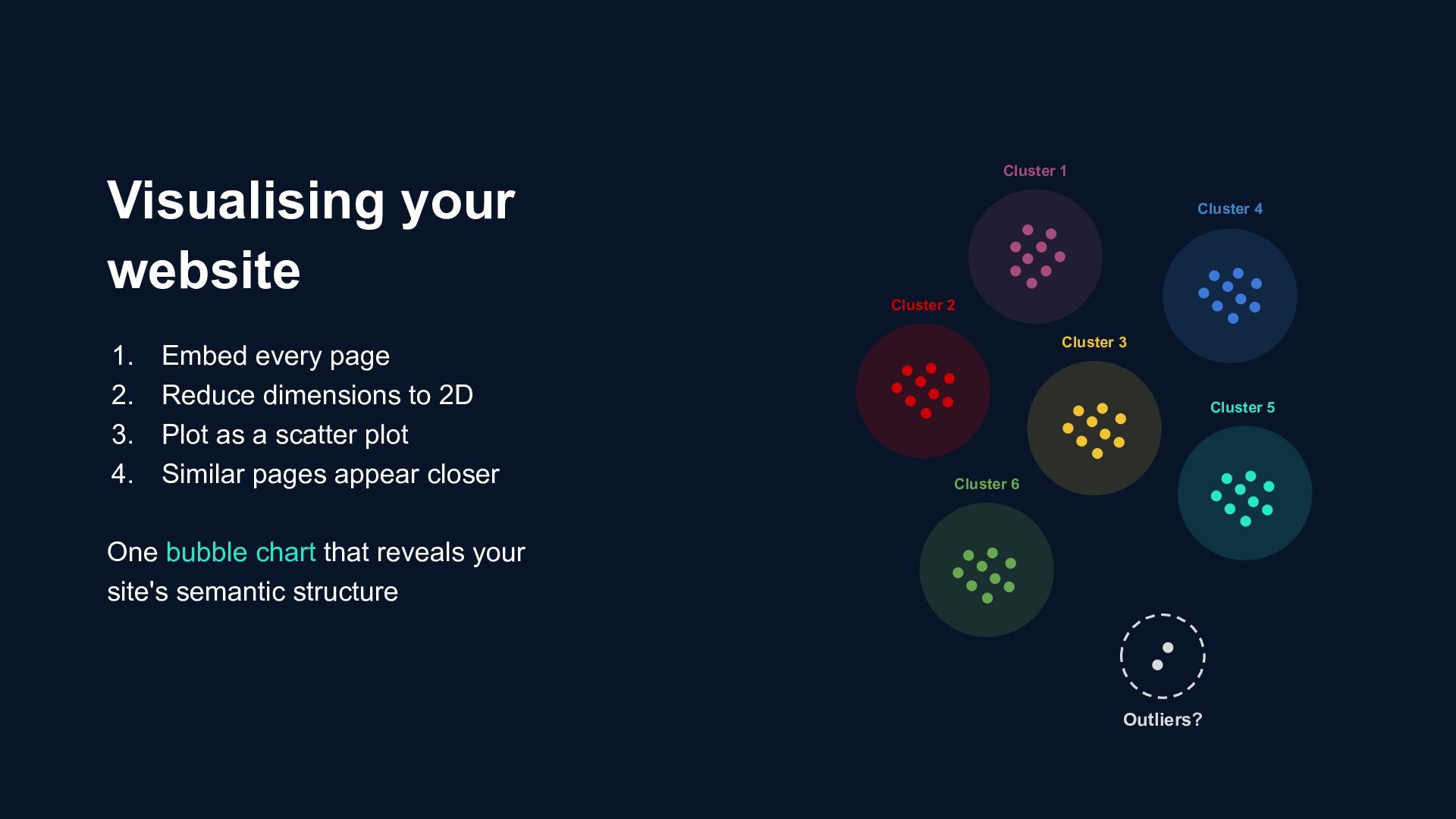
Plot as a scatter plot 4. Similar pages appear closer One bubble chart that reveals your site's semantic structure Visualising your website Cluster 1 Cluster 4 Cluster 2 Cluster 3 Cluster 5 Cluster 6 Outliers?
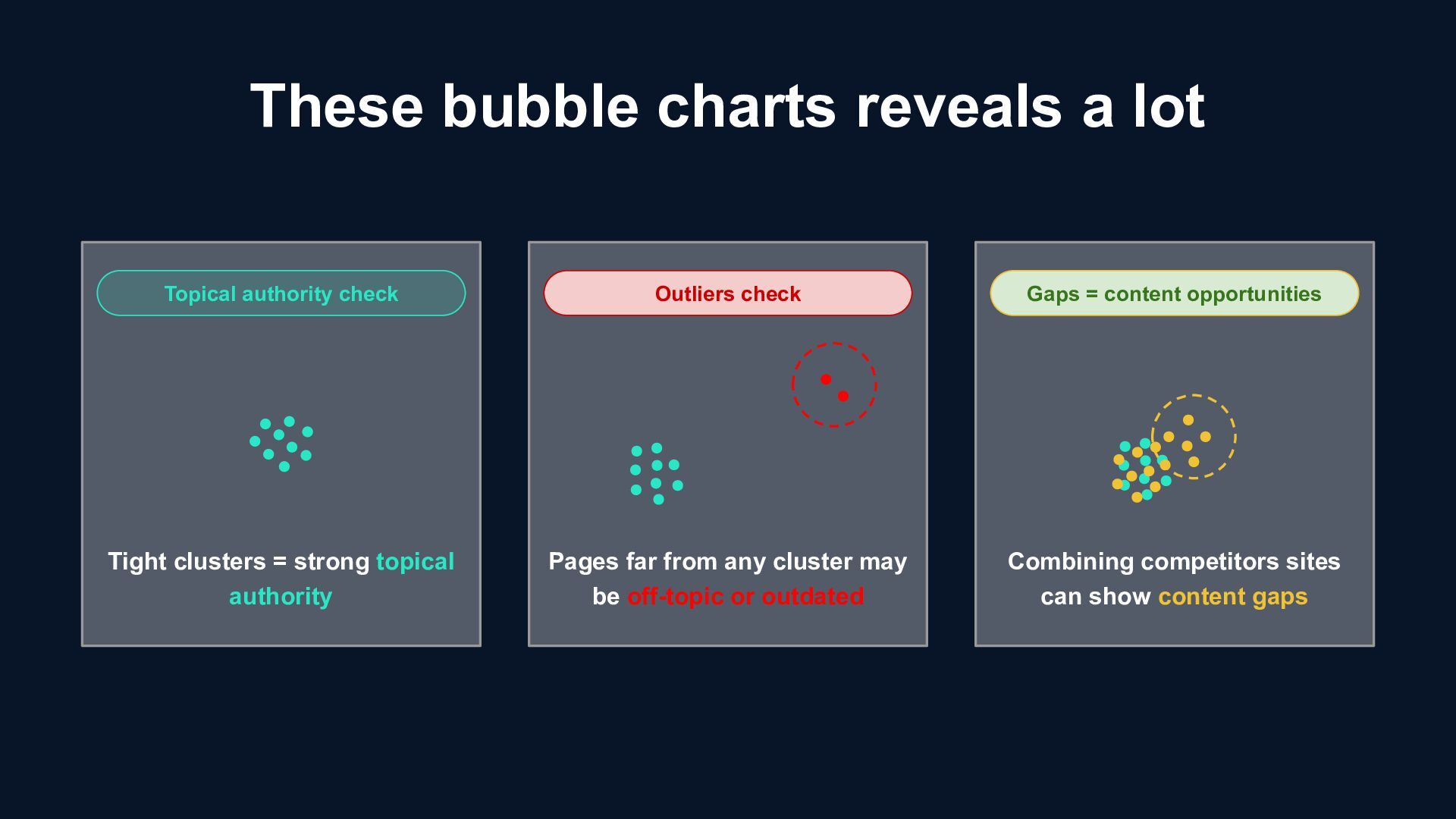
Tight clusters = strong topical authority Pages far from any cluster may be off-topic or outdated Combining competitors sites can show content gaps Outliers check Topical authority check
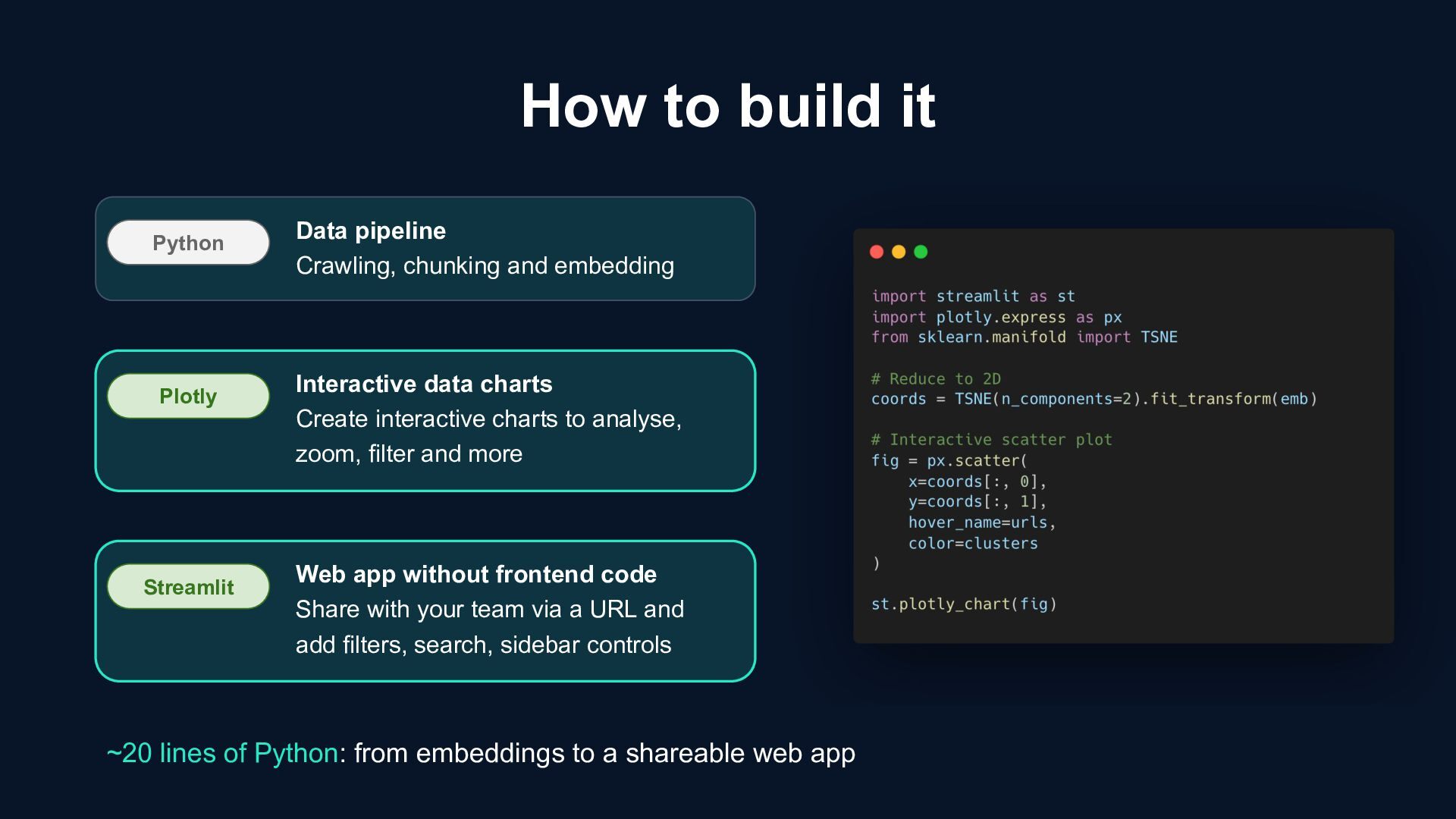
embedding Plotly Interactive data charts Create interactive charts to analyse, zoom, filter and more Streamlit Web app without frontend code Share with your team via a URL and add filters, search, sidebar controls ~20 lines of Python: from embeddings to a shareable web app
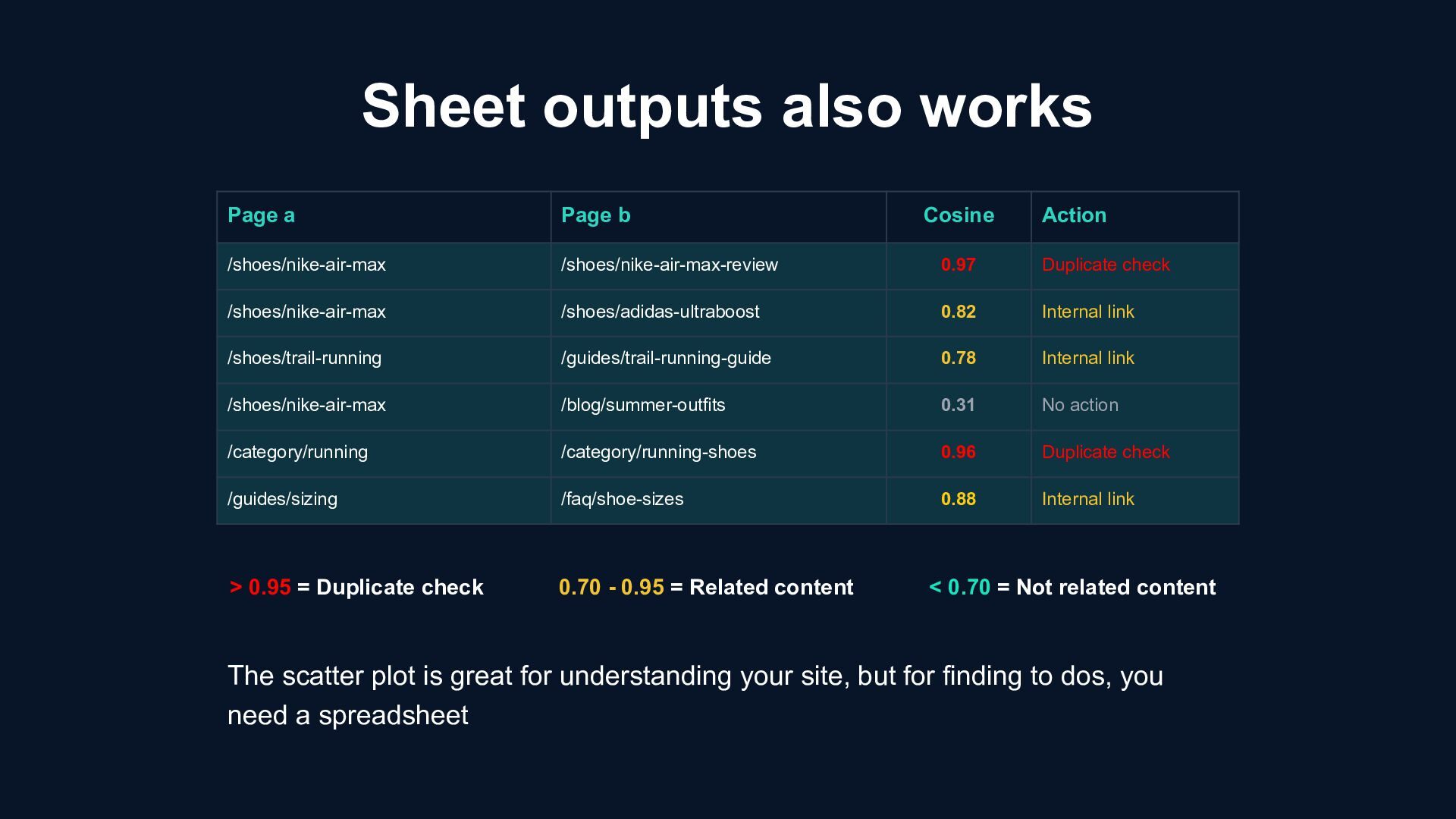
/shoes/nike-air-max /shoes/nike-air-max-review 0.97 Duplicate check /shoes/nike-air-max /shoes/adidas-ultraboost 0.82 Internal link /shoes/trail-running /guides/trail-running-guide 0.78 Internal link /shoes/nike-air-max /blog/summer-outfits 0.31 No action /category/running /category/running-shoes 0.96 Duplicate check /guides/sizing /faq/shoe-sizes 0.88 Internal link > 0.95 = Duplicate check 0.70 - 0.95 = Related content < 0.70 = Not related content The scatter plot is great for understanding your site, but for finding to dos, you need a spreadsheet
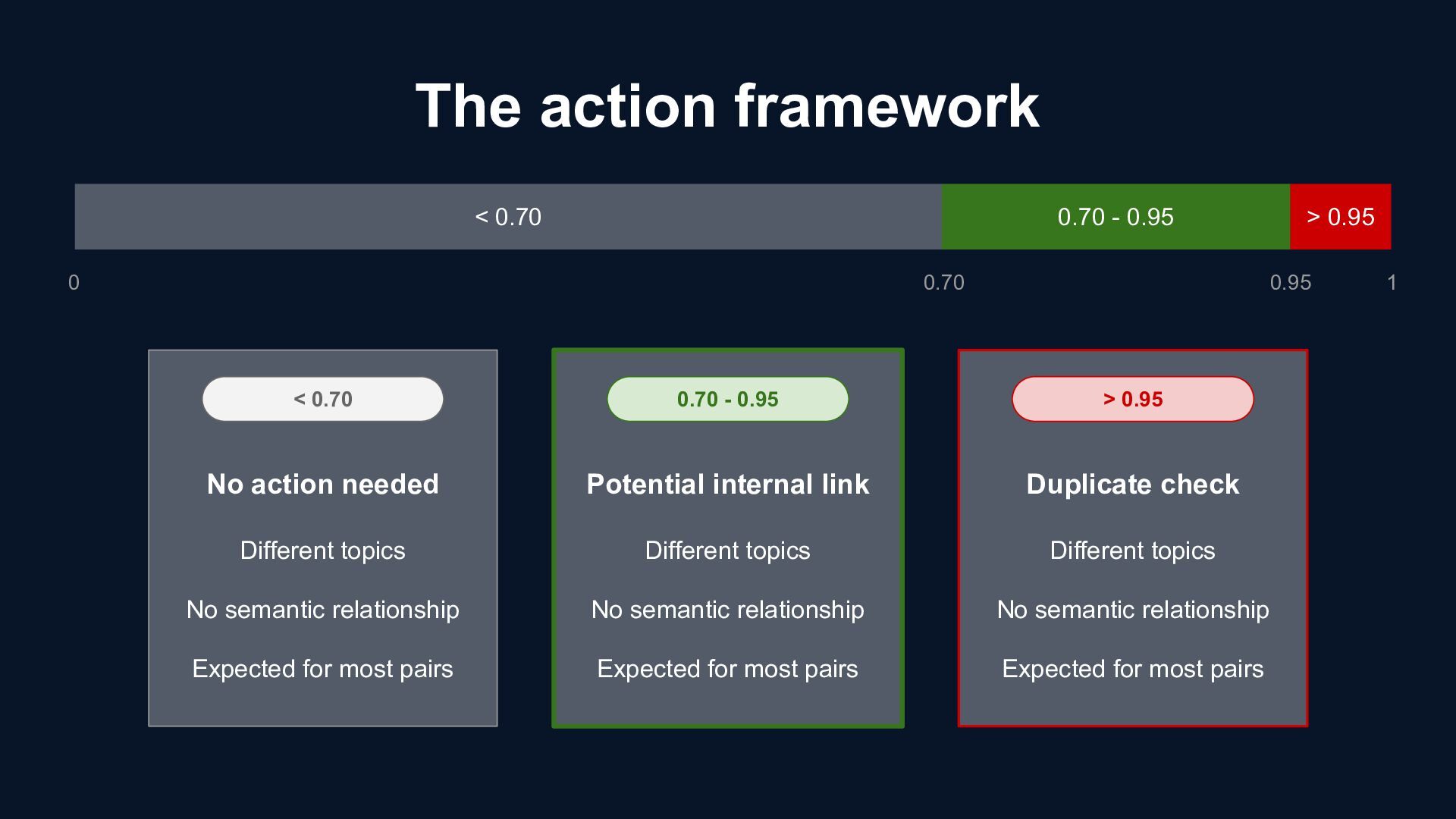
most pairs No action needed < 0.70 > 0.95 0.70 - 0.95 Different topics No semantic relationship Expected for most pairs Different topics No semantic relationship Expected for most pairs Potential internal link Duplicate check < 0.70 0.70 - 0.95 > 0.95 0 1 0.95 0.70
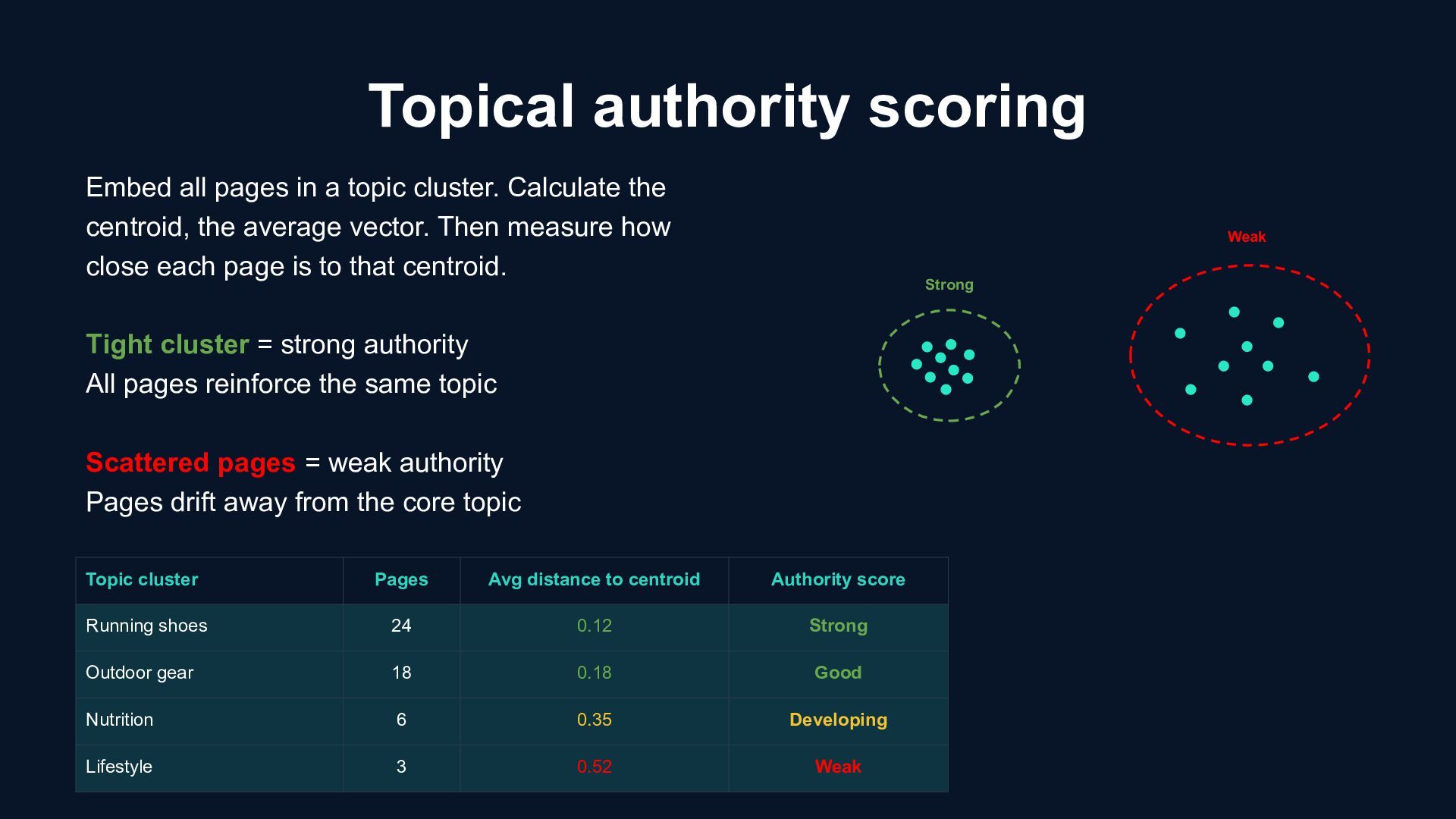
topic cluster. Calculate the centroid, the average vector. Then measure how close each page is to that centroid. Tight cluster = strong authority All pages reinforce the same topic Scattered pages = weak authority Pages drift away from the core topic Topic cluster Pages Avg distance to centroid Authority score Running shoes 24 0.12 Strong Outdoor gear 18 0.18 Good Nutrition 6 0.35 Developing Lifestyle 3 0.52 Weak
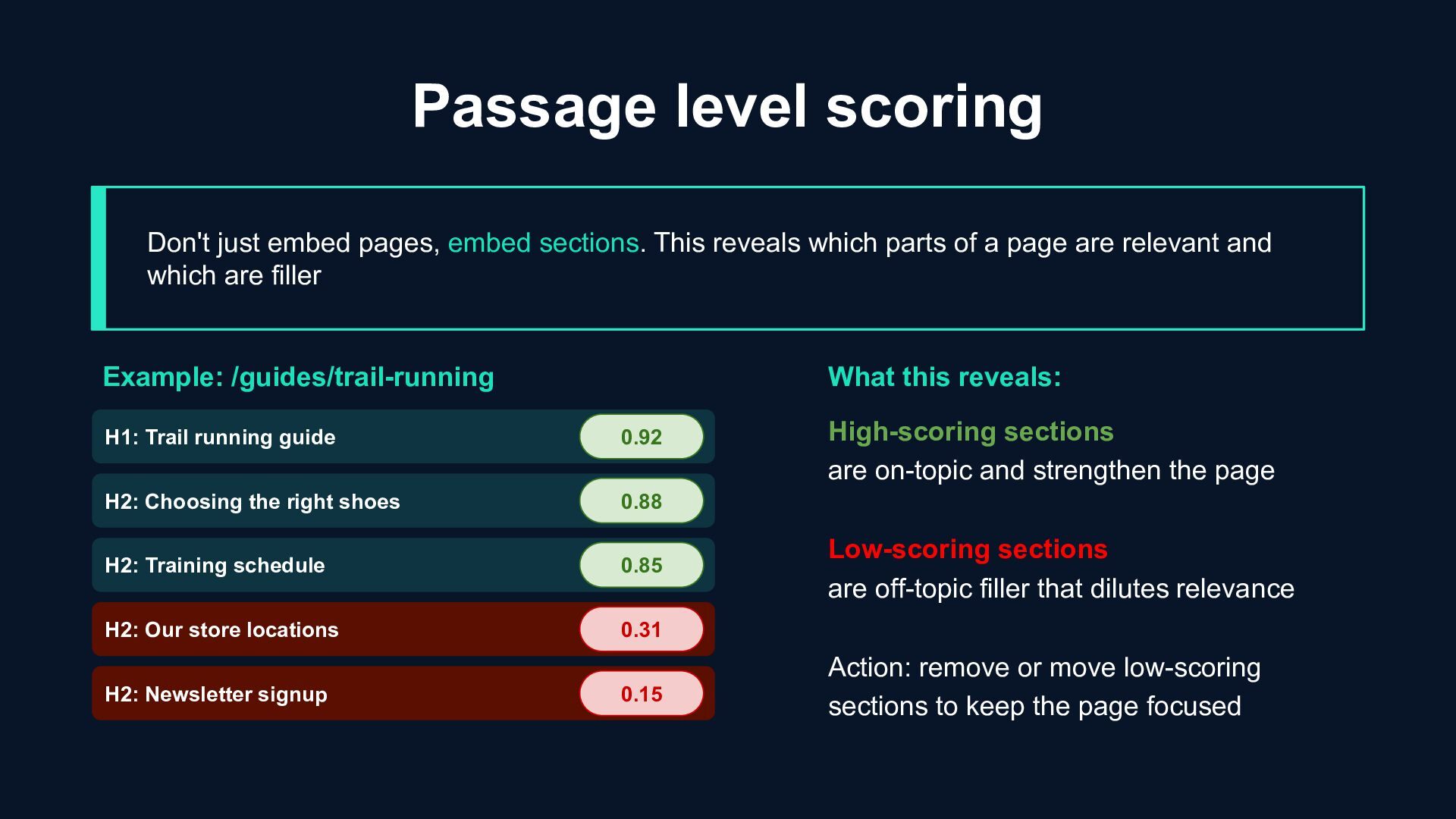
reveals which parts of a page are relevant and which are filler H1: Trail running guide Example: /guides/trail-running H2: Choosing the right shoes H2: Training schedule H2: Our store locations H2: Newsletter signup 0.92 0.88 0.85 0.31 0.15 What this reveals: High-scoring sections are on-topic and strengthen the page Low-scoring sections are off-topic filler that dilutes relevance Action: remove or move low-scoring sections to keep the page focused
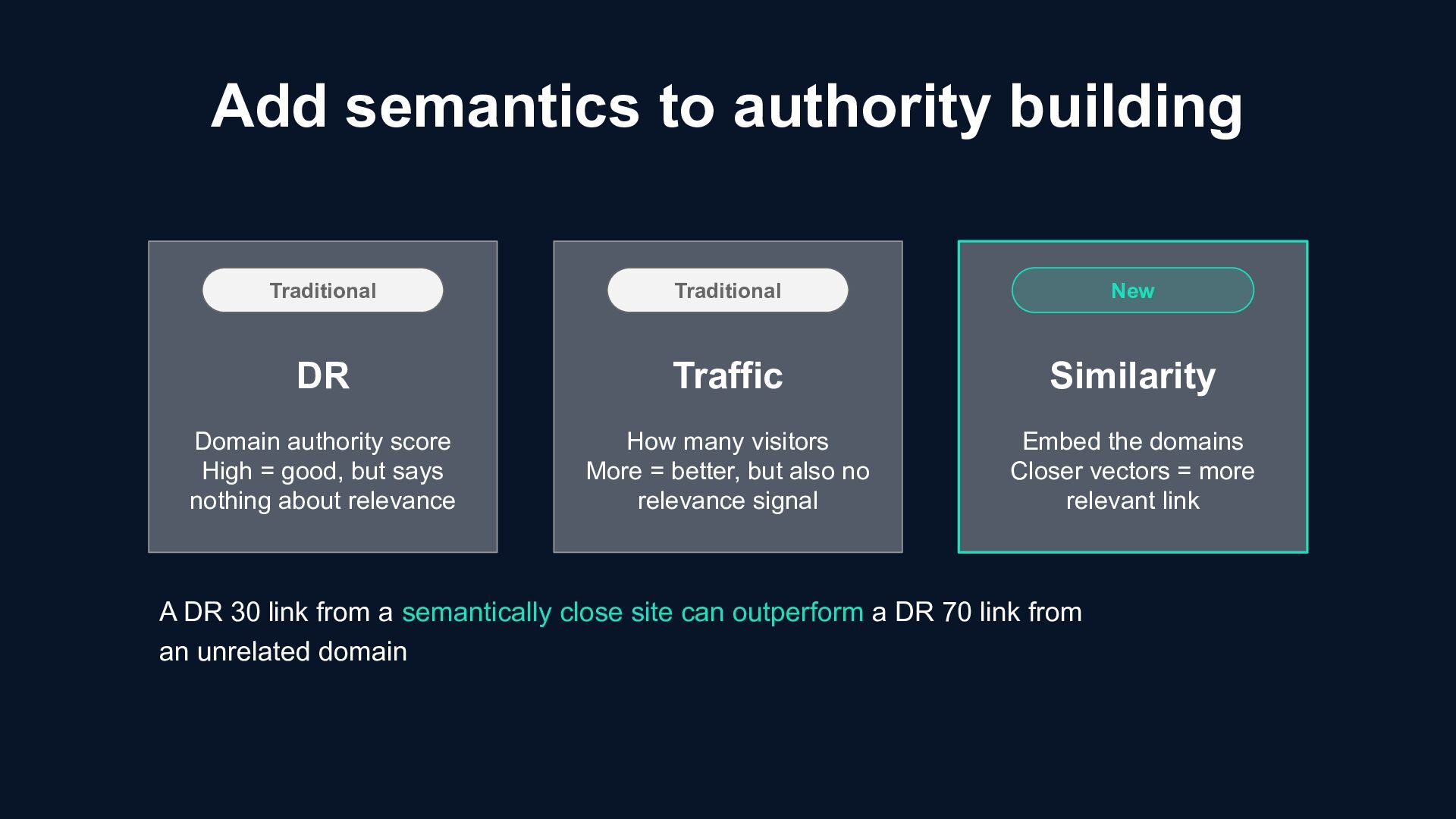
good, but says nothing about relevance DR Traditional New Traditional How many visitors More = better, but also no relevance signal Embed the domains Closer vectors = more relevant link Traffic Similarity A DR 30 link from a semantically close site can outperform a DR 70 link from an unrelated domain
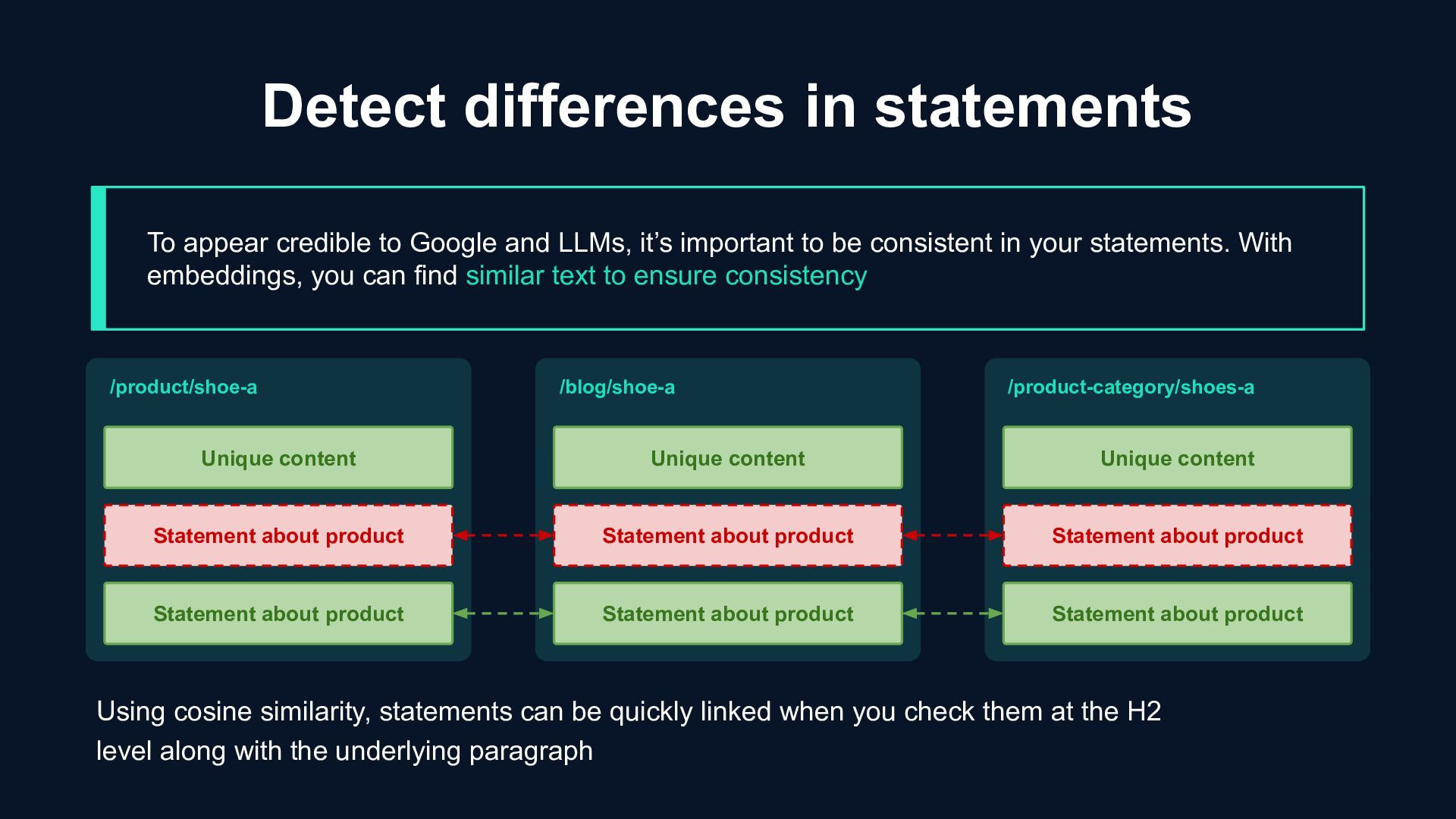
LLMs, it’s important to be consistent in your statements. With embeddings, you can find similar text to ensure consistency /product/shoe-a /blog/shoe-a /product-category/shoes-a Unique content Statement about product Statement about product Unique content Statement about product Statement about product Unique content Statement about product Statement about product Using cosine similarity, statements can be quickly linked when you check them at the H2 level along with the underlying paragraph
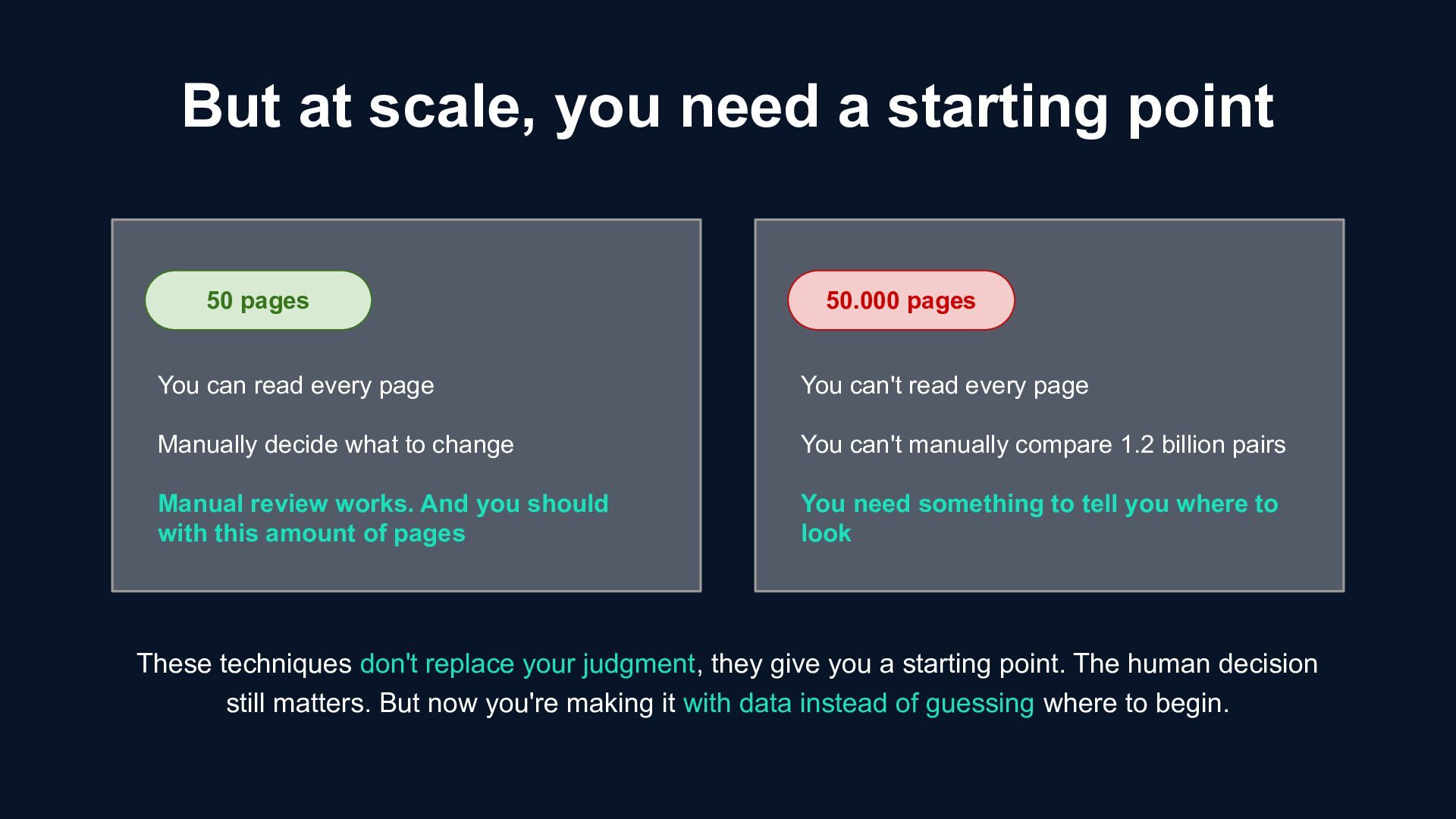
to change Manual review works. And you should with this amount of pages 50.000 pages You can't read every page You can't manually compare 1.2 billion pairs You need something to tell you where to look But at scale, you need a starting point These techniques don't replace your judgment, they give you a starting point. The human decision still matters. But now you're making it with data instead of guessing where to begin.
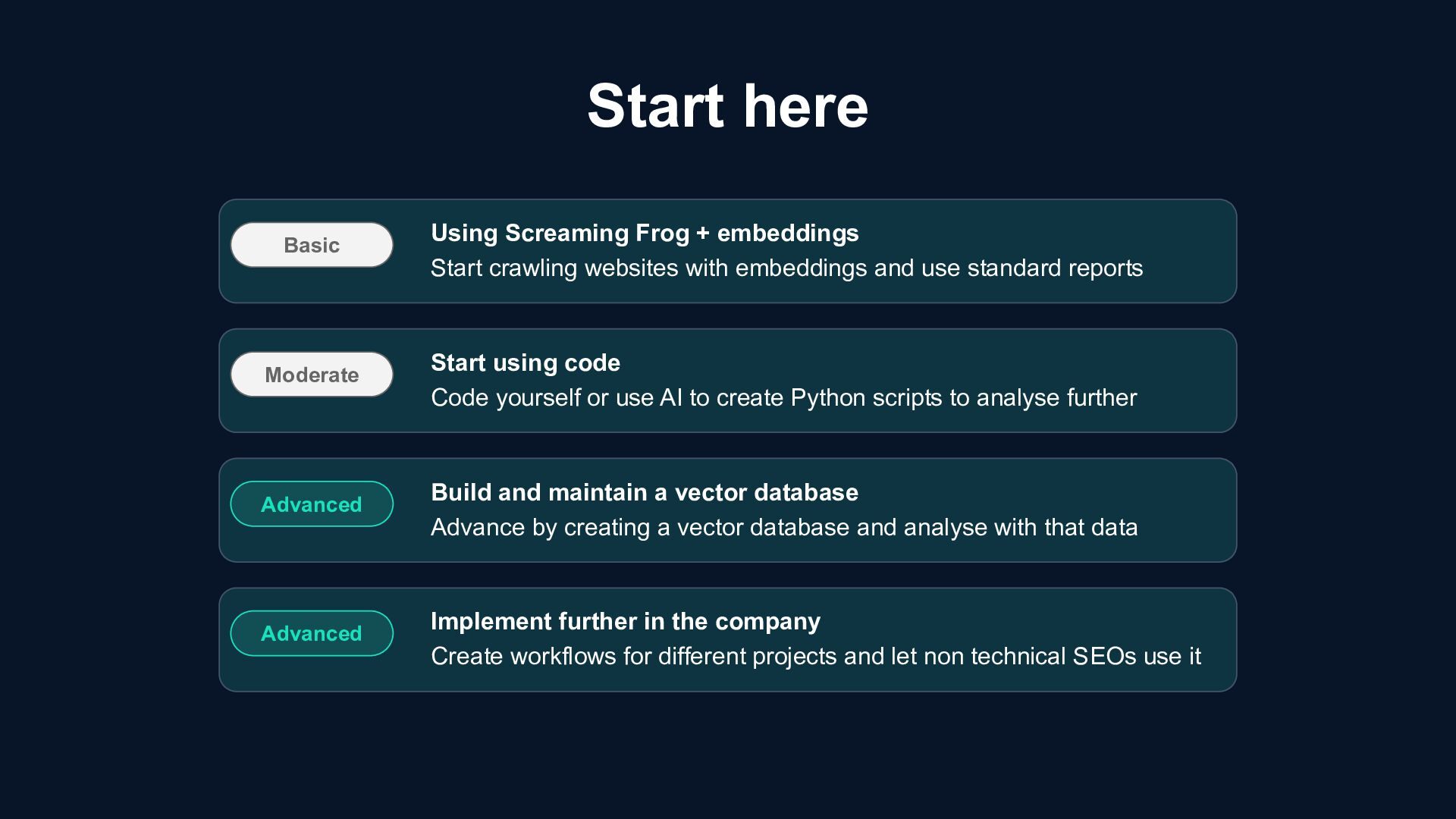
websites with embeddings and use standard reports Moderate Start using code Code yourself or use AI to create Python scripts to analyse further Advanced Build and maintain a vector database Advance by creating a vector database and analyse with that data Advanced Implement further in the company Create workflows for different projects and let non technical SEOs use it
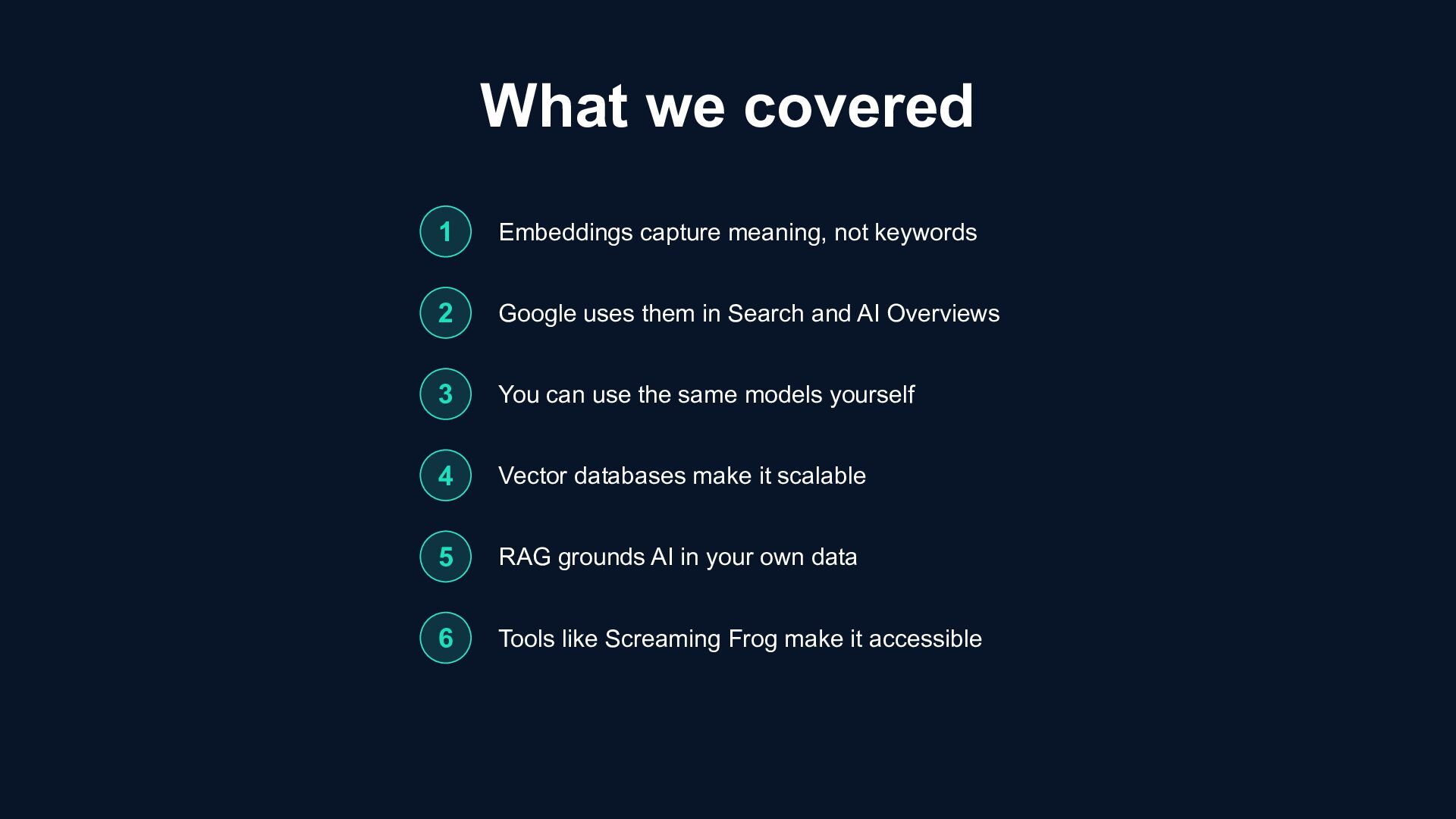
Google uses them in Search and AI Overviews 3 You can use the same models yourself 4 Vector databases make it scalable 5 RAG grounds AI in your own data 6 Tools like Screaming Frog make it accessible


 athenseo
 lisapaasche
 chrisleverseo
 frankvandijk
 owainlw
 speedyindexteam
 pmeyers7
 portentint
 thomaspeham
 sophiebrannon
 ktkn1129
.JPG) amandafloq
amandafloq
 bermonpainter
 ryanjones
 davetheseo
 gurzu
gurzu
 keathley
 skipperchong
 varn
varn
 moore
moore
 jonoalderson
 jakevdp
 mongodb
 bkeepers