the recording and slide deck with all registrants shortly -- keep an eye on your inbox! • Please add your questions in the Q&A box, we will answer them after the presentation during the live Q&A session at the end • To get in touch, write to us at [email protected] • Join the conversation on Twitter with #CTFwebinar Before we dive in...
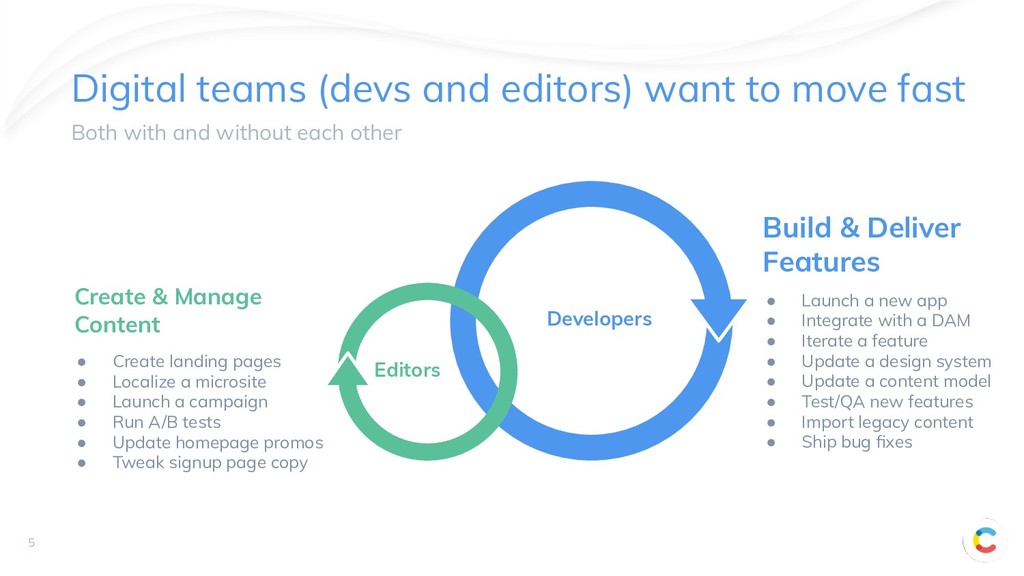
with and without each other 5 Build & Deliver Features Create & Manage Content • Create landing pages • Localize a microsite • Launch a campaign • Run A/B tests • Update homepage promos • Tweak signup page copy • Launch a new app • Integrate with a DAM • Iterate a feature • Update a design system • Update a content model • Test/QA new features • Import legacy content • Ship bug fixes Developers Editors
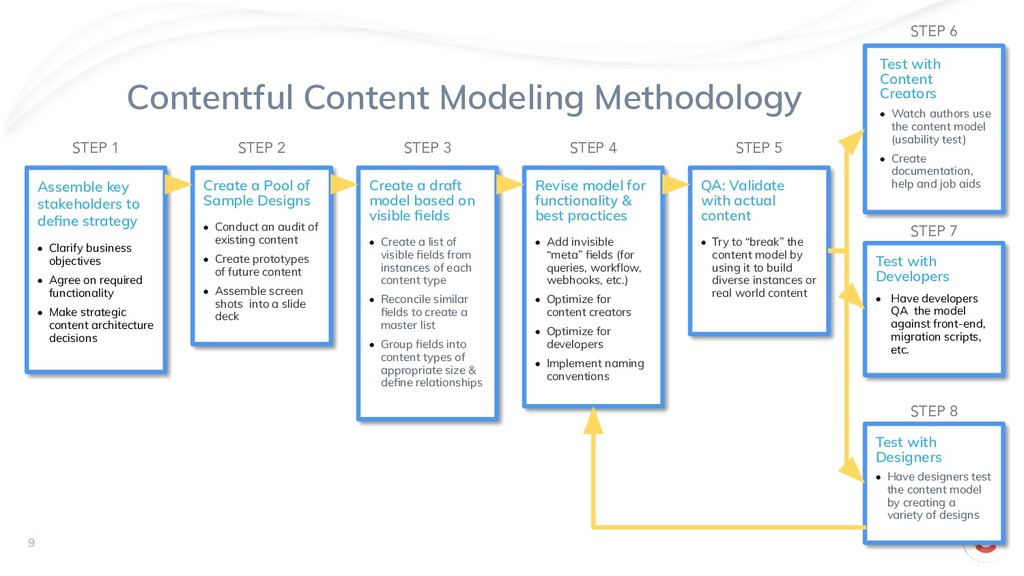
Designs • Conduct an audit of existing content • Create prototypes of future content • Assemble screen shots into a slide deck Create a draft model based on visible fields • Create a list of visible fields from instances of each content type • Reconcile similar fields to create a master list • Group fields into content types of appropriate size & define relationships Revise model for functionality & best practices • Add invisible “meta” fields (for queries, workflow, webhooks, etc.) • Optimize for content creators • Optimize for developers • Implement naming conventions QA: Validate with actual content • Try to “break” the content model by using it to build diverse instances or real world content Test with Content Creators • Watch authors use the content model (usability test) • Create documentation, help and job aids Test with Developers • Have developers QA the model against front-end, migration scripts, etc. Test with Designers • Have designers test the content model by creating a variety of designs Assemble key stakeholders to define strategy • Clarify business objectives • Agree on required functionality • Make strategic content architecture decisions STEP 1 STEP 2 STEP 3 STEP 4 STEP 5 STEP 6 STEP 7 STEP 8 9


 contentful
 tsuchikazu
 jozono
 philipz
 thkt
thkt
 yamanoku
 keeg
keeg
 mananyuki
 mkdev10
 cogakira
 htan
htan
 vivion
 riyaamemiya
 mfonobong
 colly
colly
 rocio
rocio
 coloredviolet
.png) helenjbeal
helenjbeal
 trishagee
 jct
jct
 pwiseman
 rkendrick25
 sabderemane
 keavy
keavy
 jonyablonski


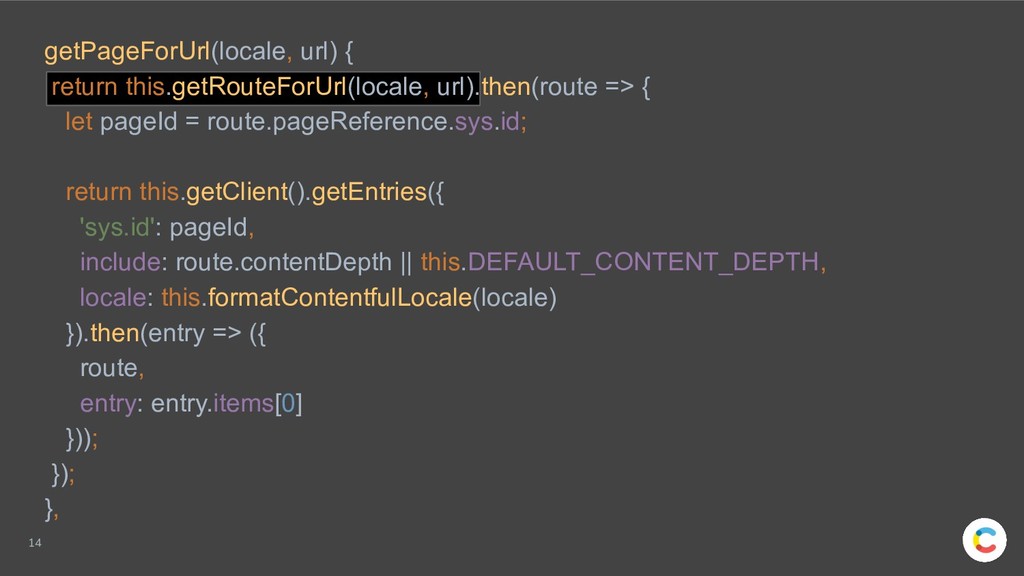
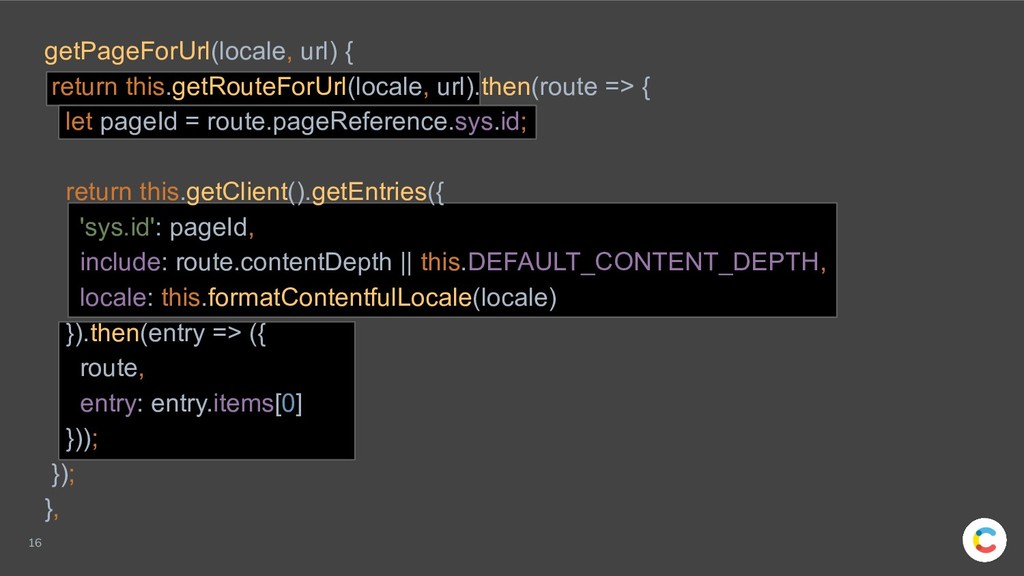
![15 contentful.createClient https://contentful.github.io/contentful.js/contentful/7.10.0/contentful.html#.createClient getRouteForUrl(locale, url) { if (!this.cache.routes[url]) { this.cache.routes[url]](https://files.speakerdeck.com/presentations/a3bf44164ec94d508e8da1f83d697476/slide_14.jpg)