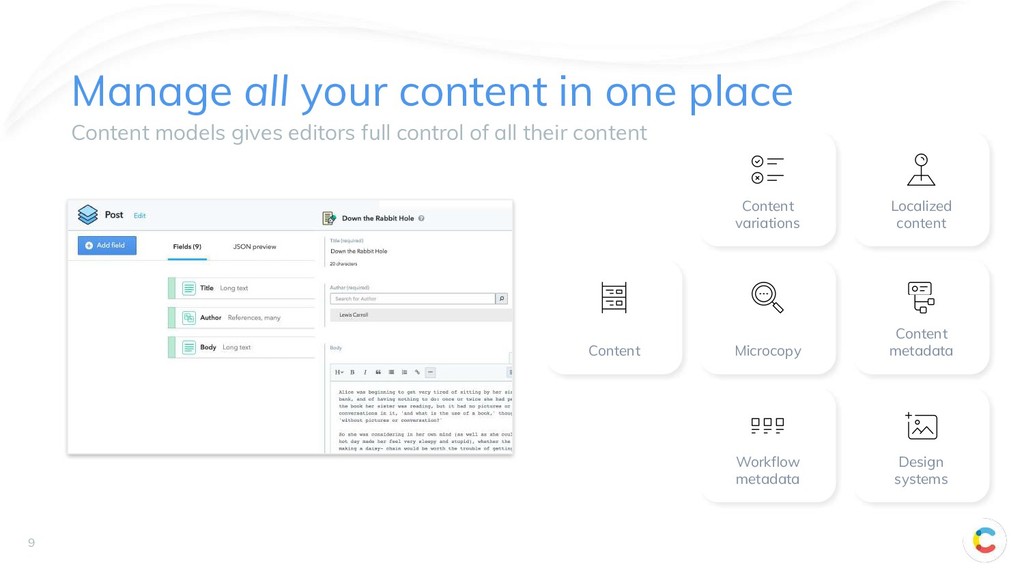
• Rich text • Localization • Content aggregation • Experimentation & Personalization • Building the Colorful Lifestyle content model • Working with content as code
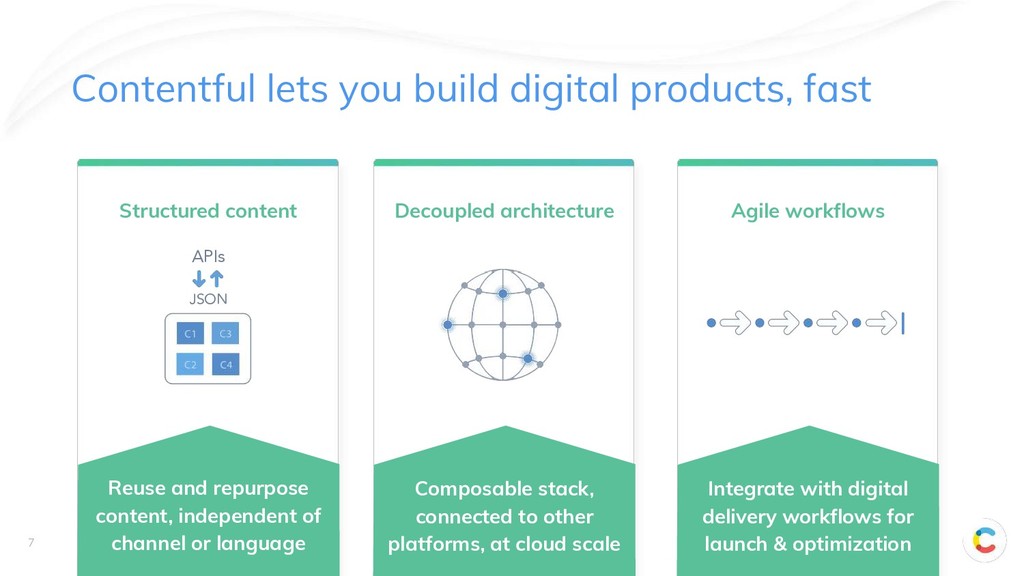
Structured content Reuse and repurpose content, independent of channel or language Composable stack, connected to other platforms, at cloud scale Integrate with digital delivery workflows for launch & optimization Decoupled architecture Agile workflows
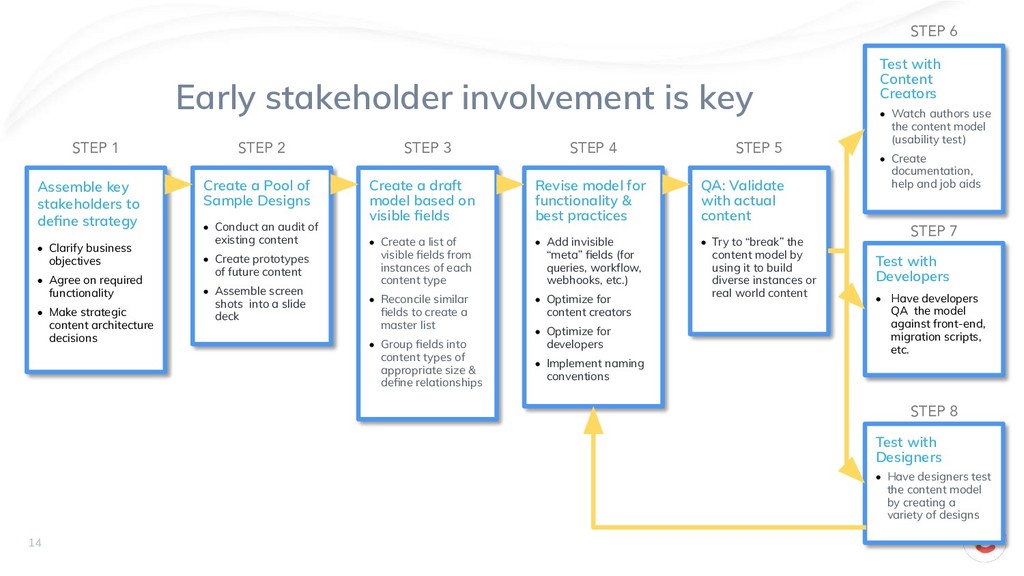
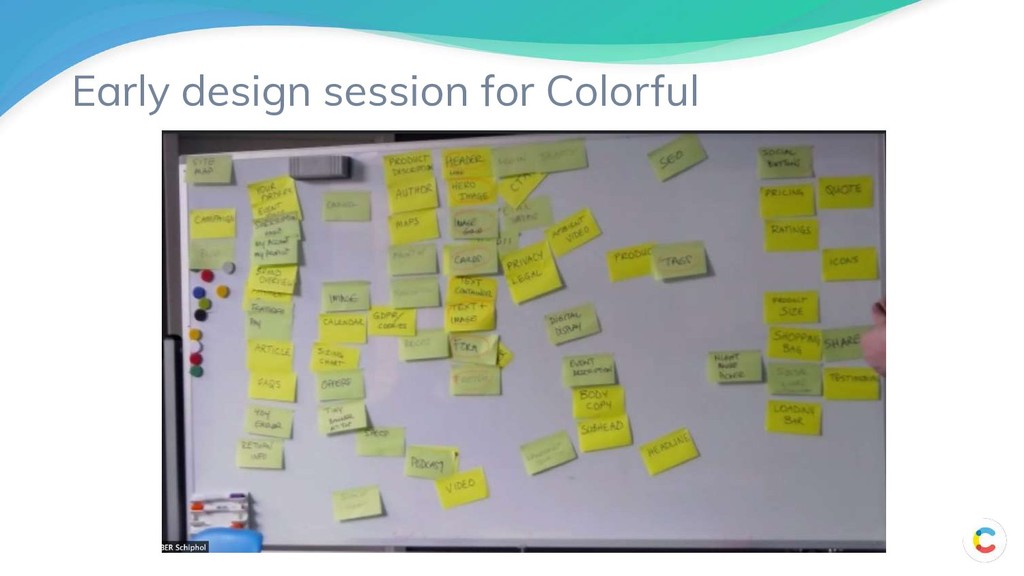
Designs • Conduct an audit of existing content • Create prototypes of future content • Assemble screen shots into a slide deck Create a draft model based on visible fields • Create a list of visible fields from instances of each content type • Reconcile similar fields to create a master list • Group fields into content types of appropriate size & define relationships Revise model for functionality & best practices • Add invisible “meta” fields (for queries, workflow, webhooks, etc.) • Optimize for content creators • Optimize for developers • Implement naming conventions QA: Validate with actual content • Try to “break” the content model by using it to build diverse instances or real world content Test with Content Creators • Watch authors use the content model (usability test) • Create documentation, help and job aids Test with Developers • Have developers QA the model against front-end, migration scripts, etc. Test with Designers • Have designers test the content model by creating a variety of designs Assemble key stakeholders to define strategy • Clarify business objectives • Agree on required functionality • Make strategic content architecture decisions STEP 1 STEP 2 STEP 3 STEP 4 STEP 5 STEP 6 STEP 7 STEP 8 14
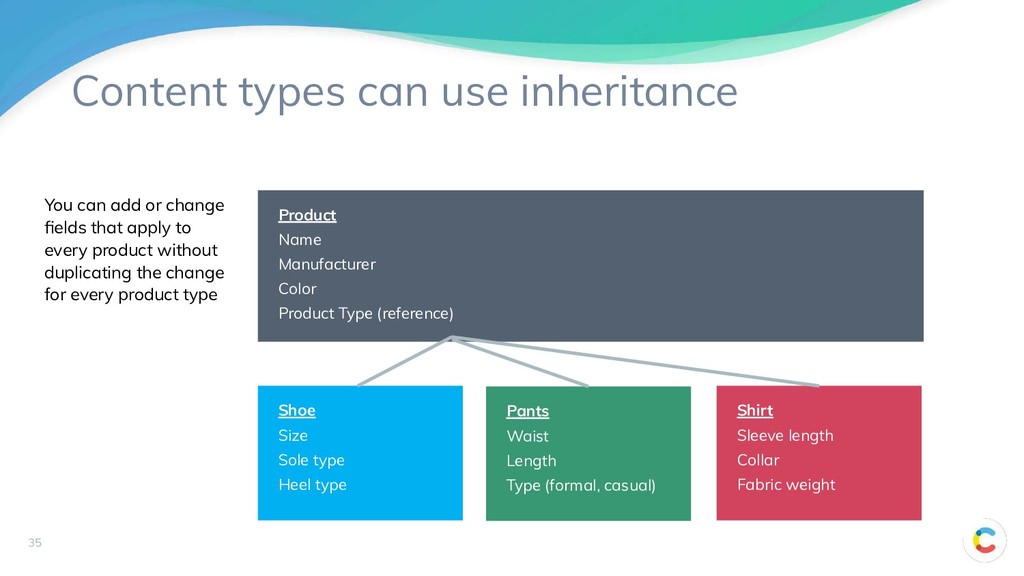
Product Type (reference) Shoe Size Sole type Heel type Pants Waist Length Type (formal, casual) Shirt Sleeve length Collar Fabric weight You can add or change fields that apply to every product without duplicating the change for every product type
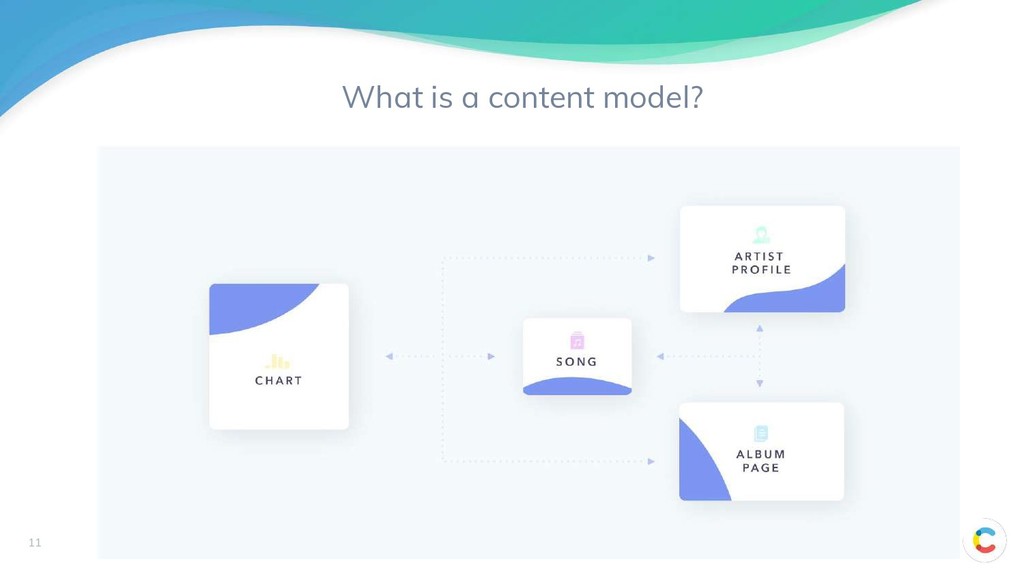
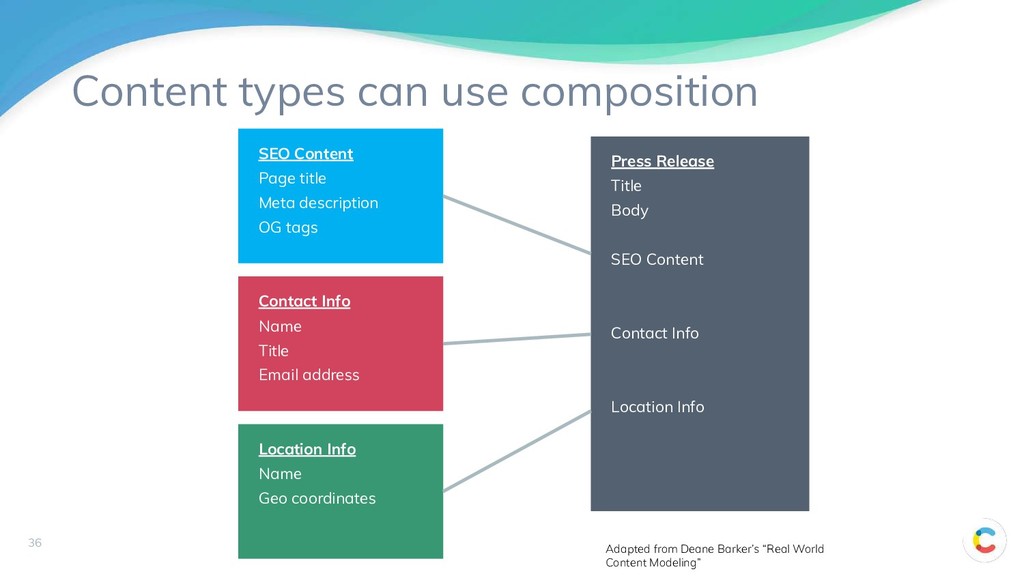
SEO Content Contact Info Location Info SEO Content Page title Meta description OG tags Location Info Name Geo coordinates Contact Info Name Title Email address Adapted from Deane Barker’s “Real World Content Modeling”
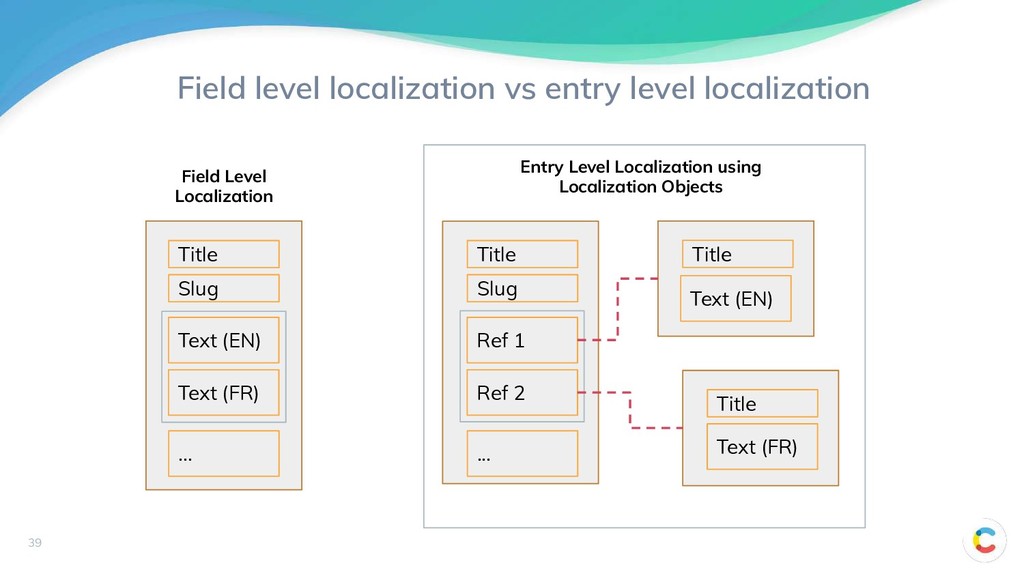
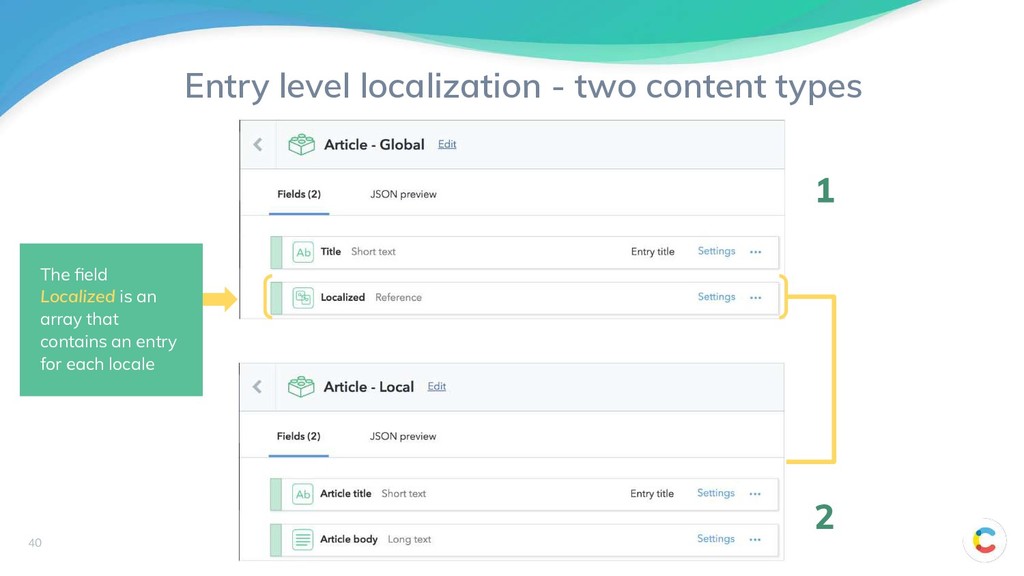
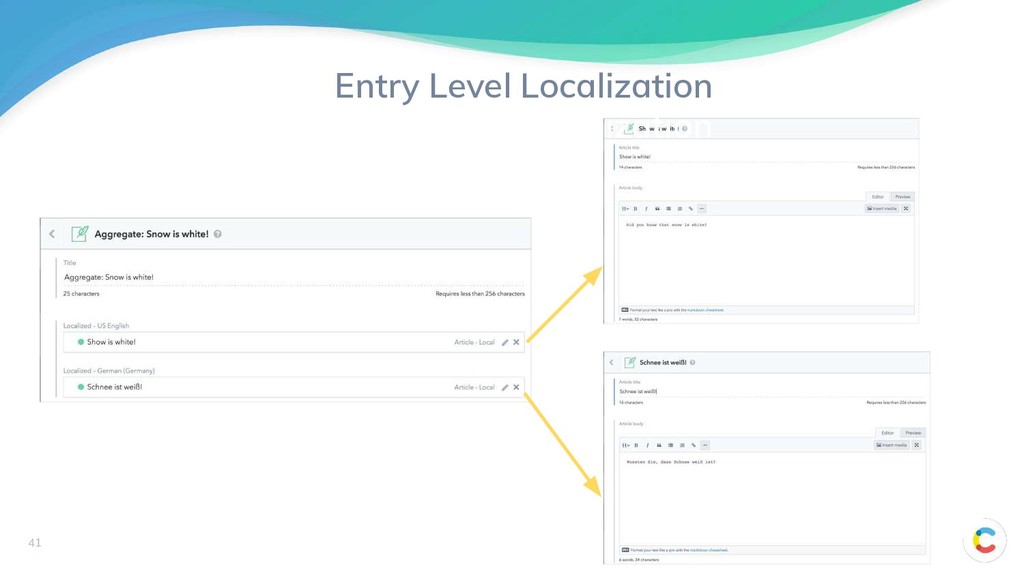
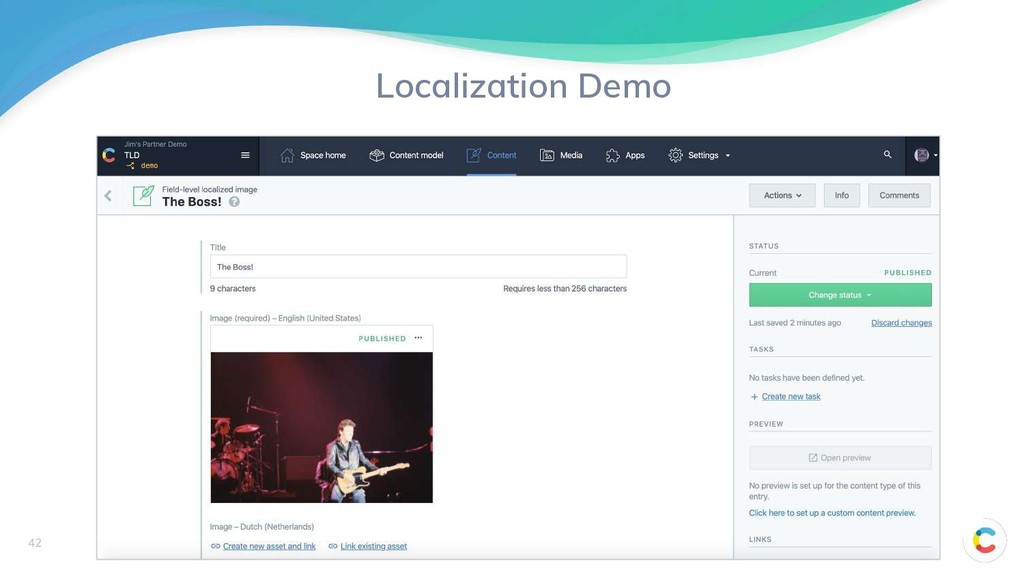
Field Level Localization Entry Level Localization using Localization Objects Title Slug Text (EN) Text (FR) ... Title Slug Ref 1 Ref 2 ... Title Text (EN) 39
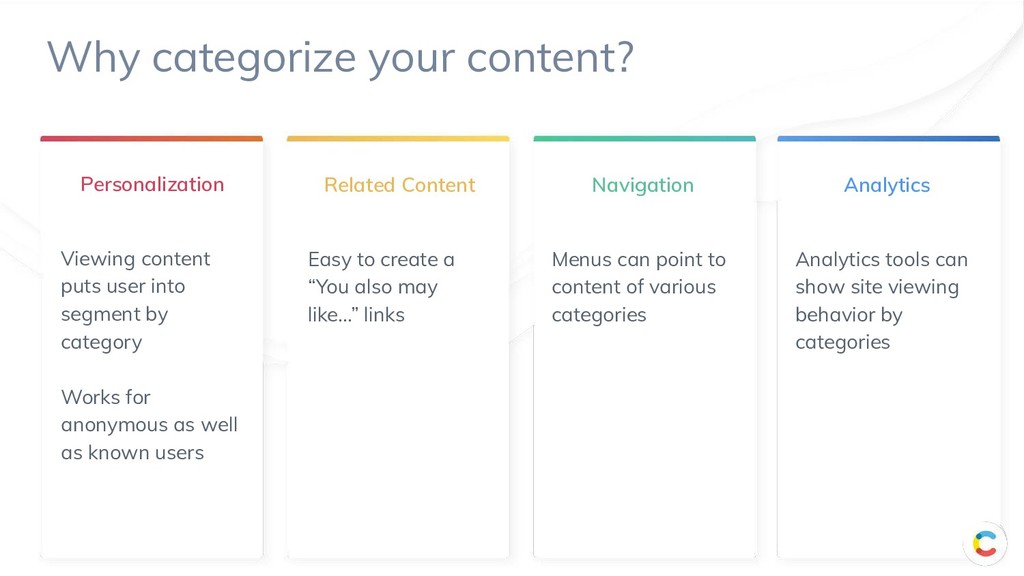
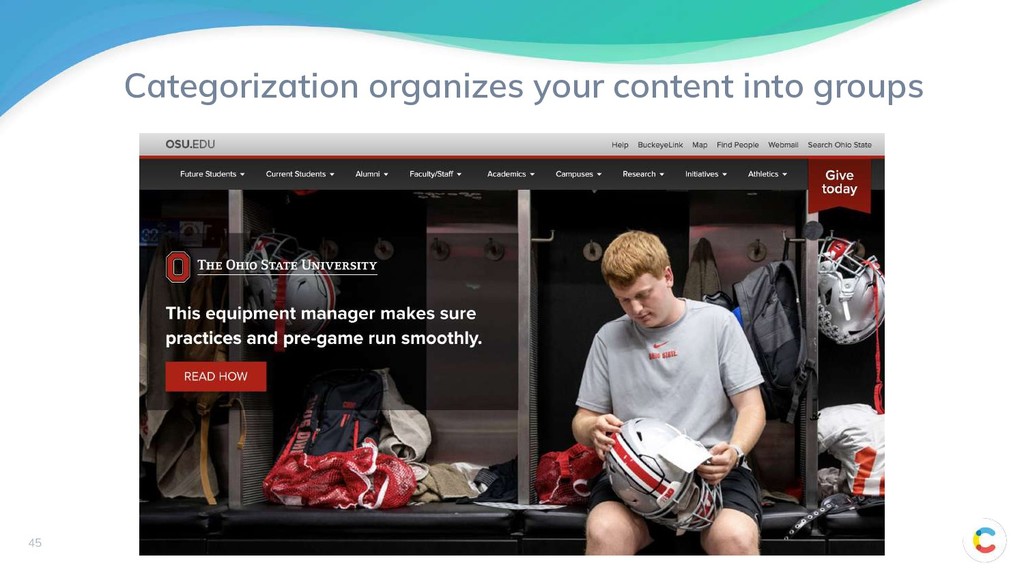
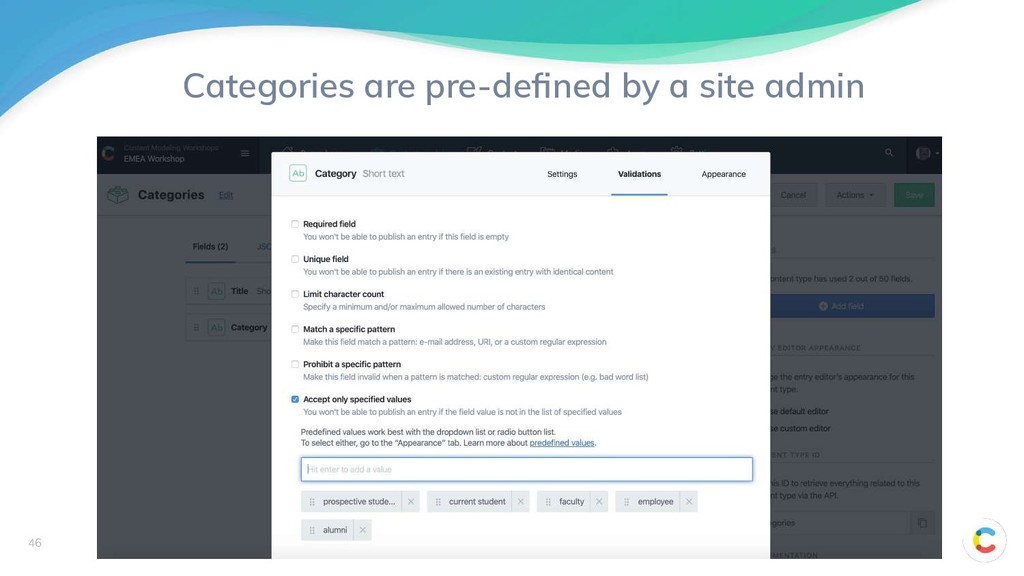
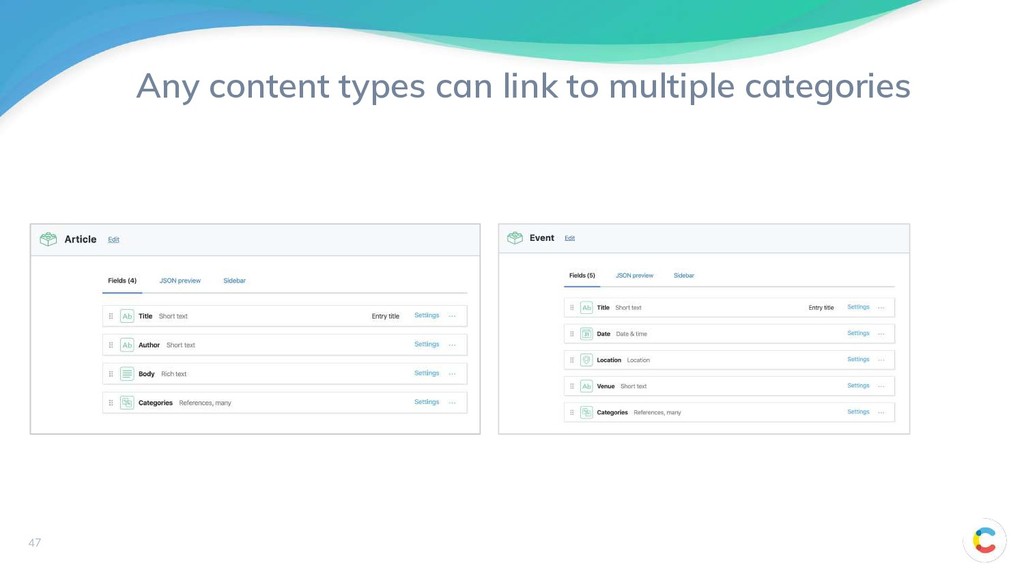
anonymous as well as known users Personalization Related Content Easy to create a “You also may like…” links Navigation Menus can point to content of various categories Analytics Analytics tools can show site viewing behavior by categories Why categorize your content?
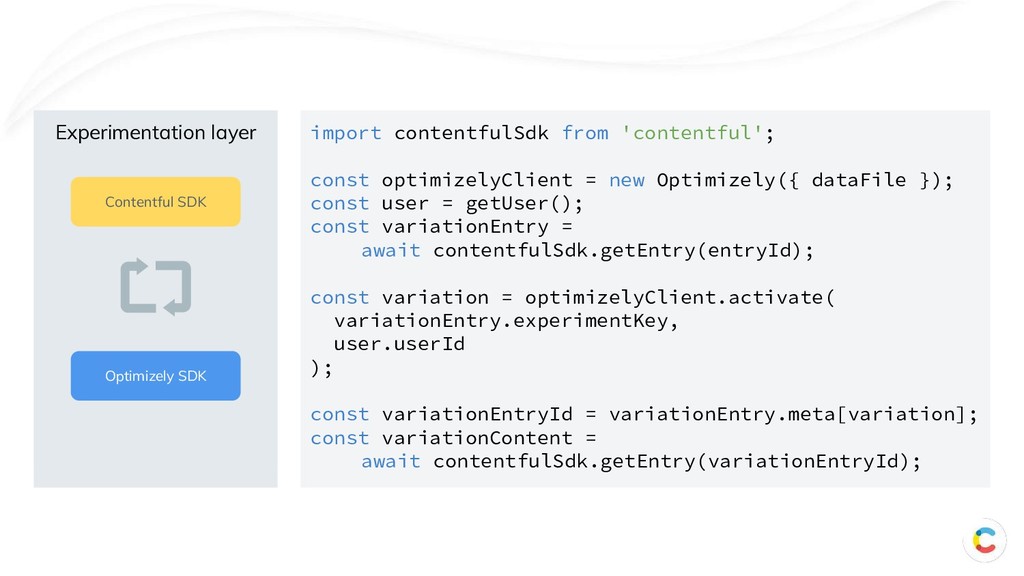
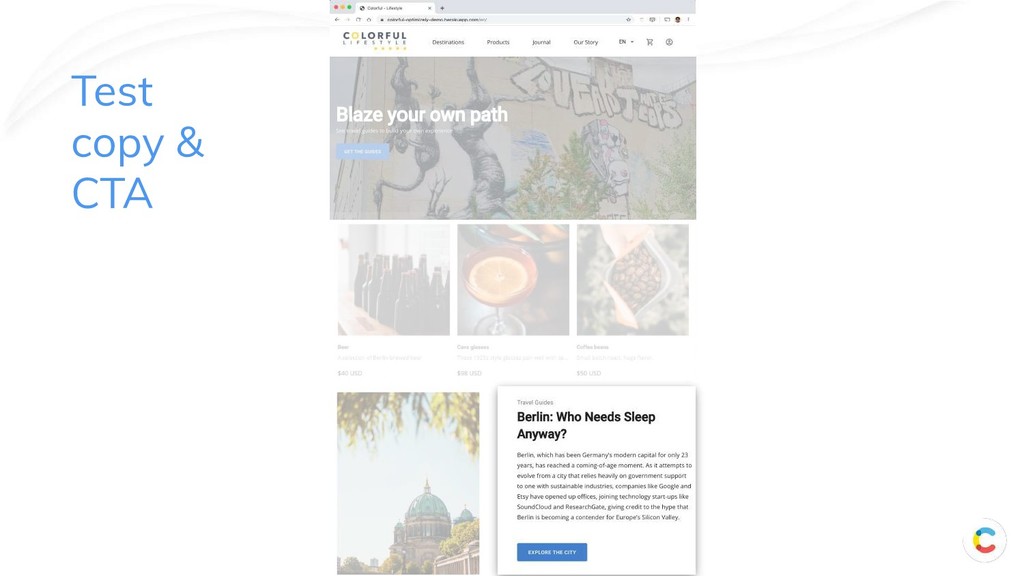
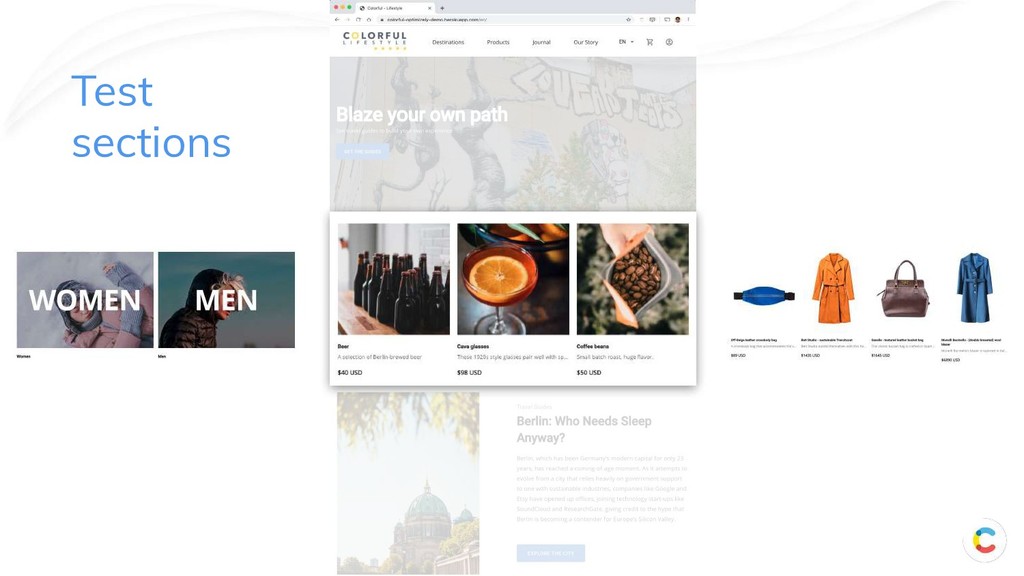
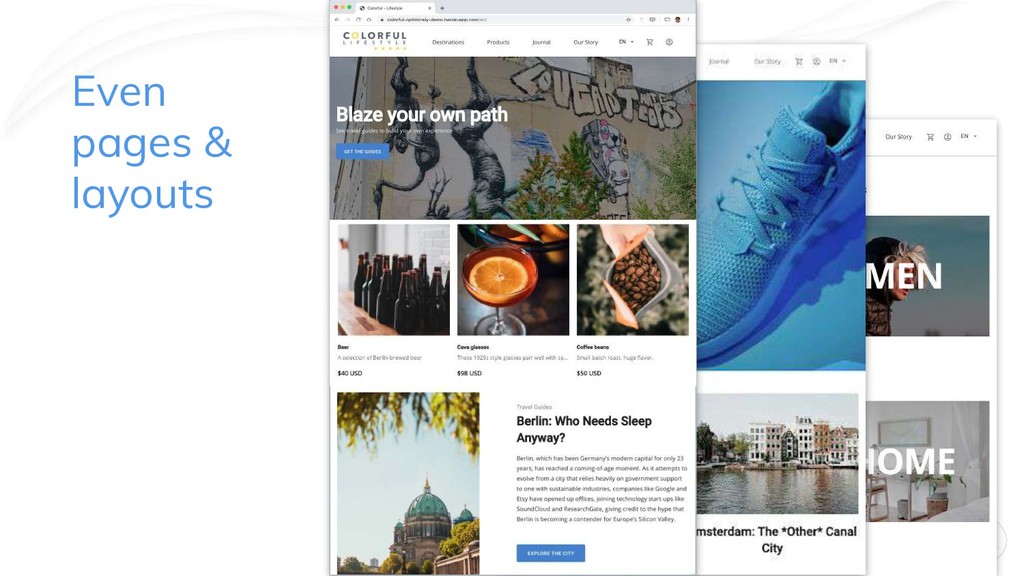
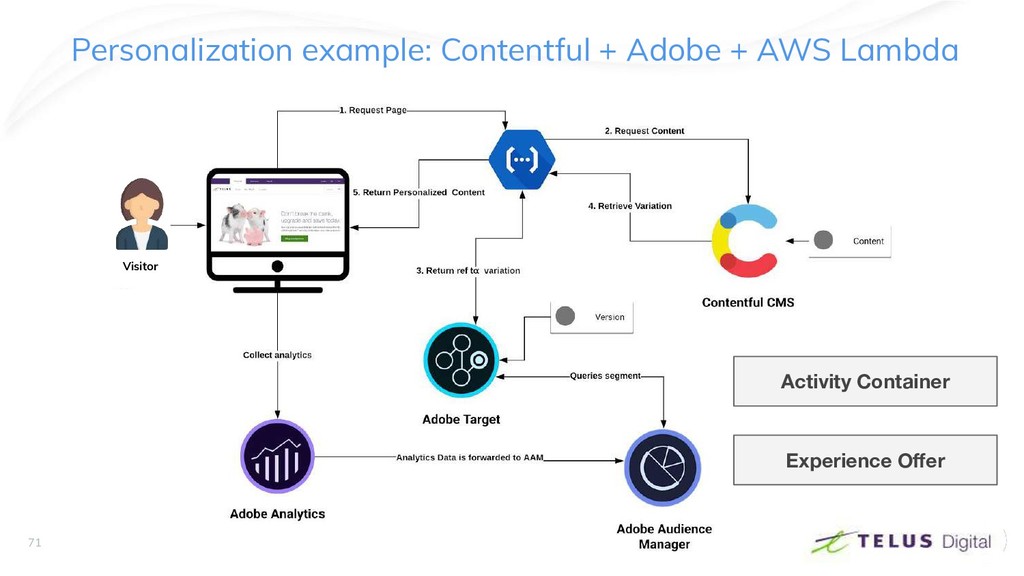
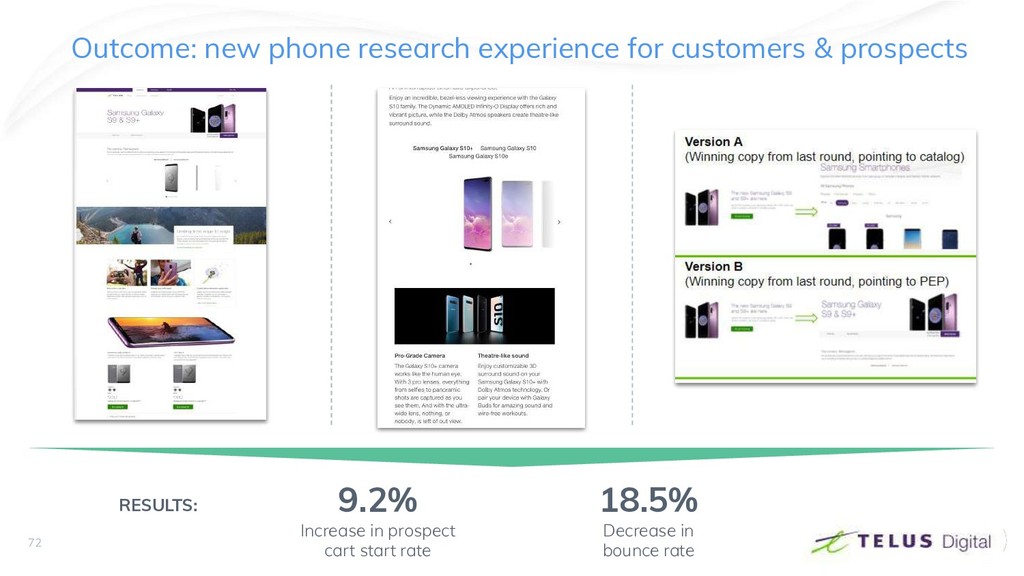
to any platform. Structured content Control in a structured and API-first environment. Integrated No need to ship new code to run an experiment. High performance Render times under < 200ms
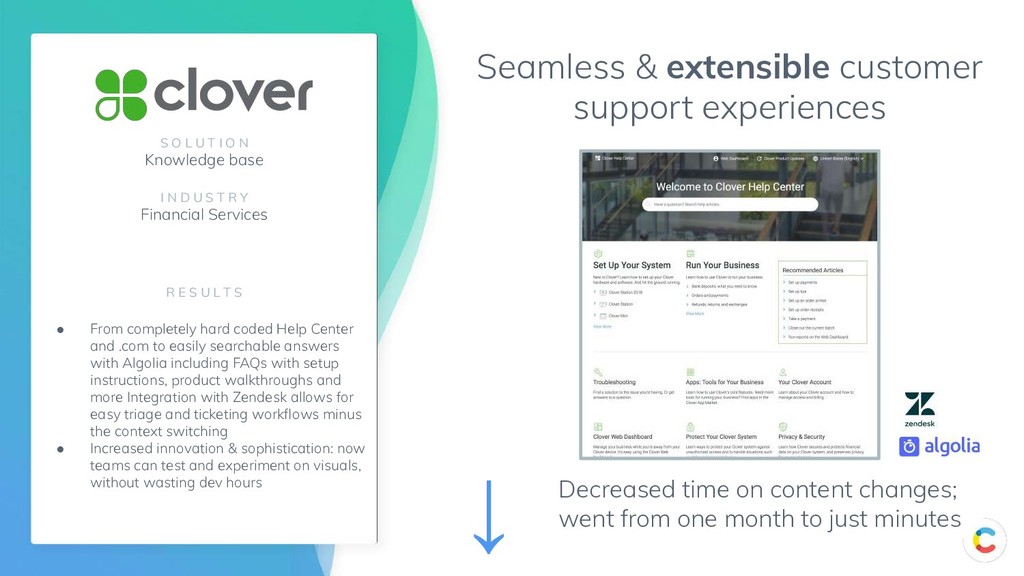
changes; went from one month to just minutes S O L U T I O N Knowledge base I N D U S T R Y Financial Services R E S U L T S • From completely hard coded Help Center and .com to easily searchable answers with Algolia including FAQs with setup instructions, product walkthroughs and more Integration with Zendesk allows for easy triage and ticketing workflows minus the context switching • Increased innovation & sophistication: now teams can test and experiment on visuals, without wasting dev hours ↓
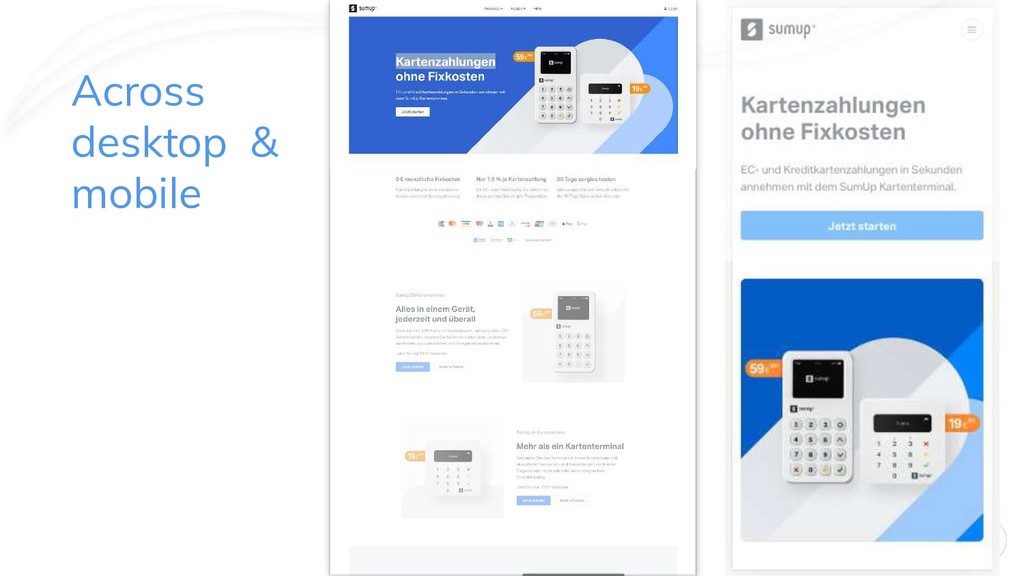
of content creation/changes • Great SEO • Fast load time: DomContentLoaded event < 500ms • Seamless integration with a DAM (Cloudinary or Bynder) • Designed for A/B testing • Designed for personalization • Designed to incorporate a PIM in a future release Bottom footer row (legal content) is authored/controlled by parent company
Which are topics, which are assemblies • How deep is your content model • Where are you using content type inheritance? • Where are you using content type composition? • What tradeoffs did you make in the design? • How do you plan on testing your model? • Which objectives did you address? • Which objectives did you push out?
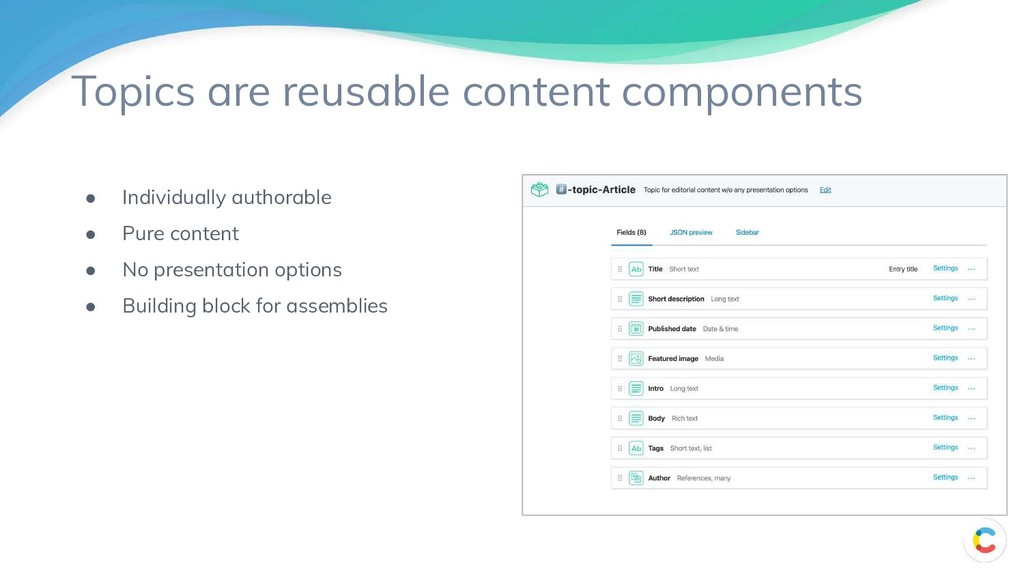
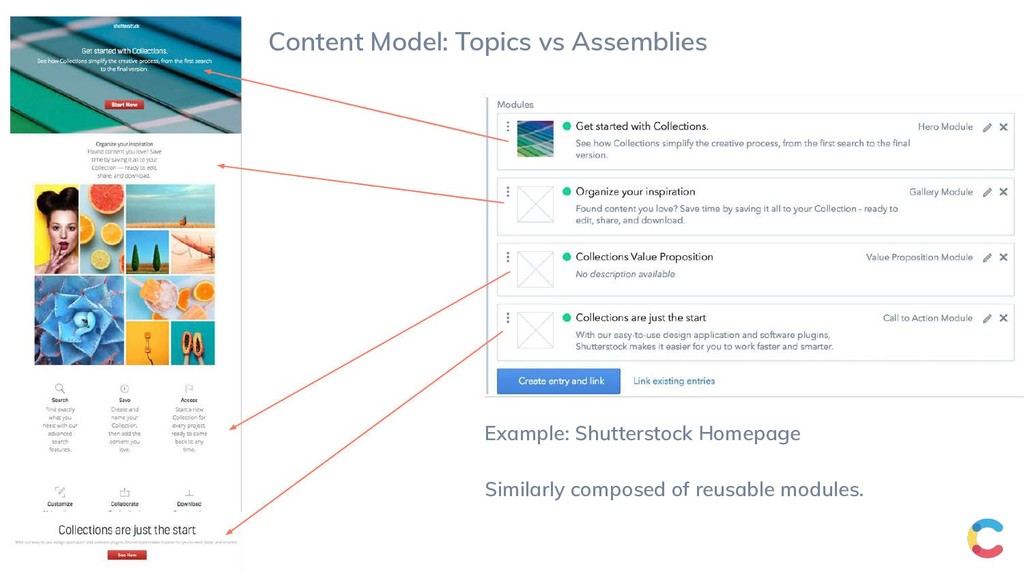
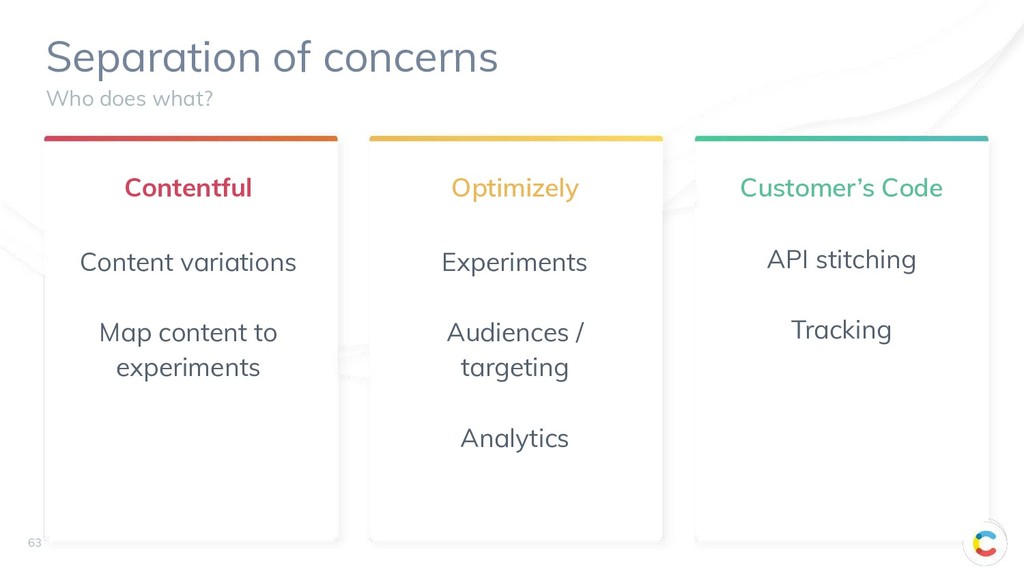
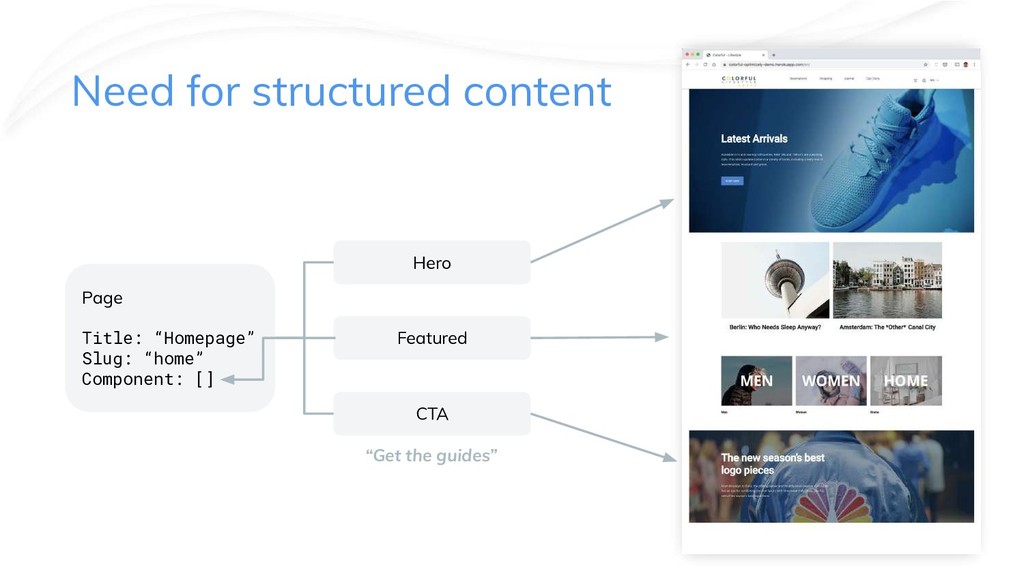
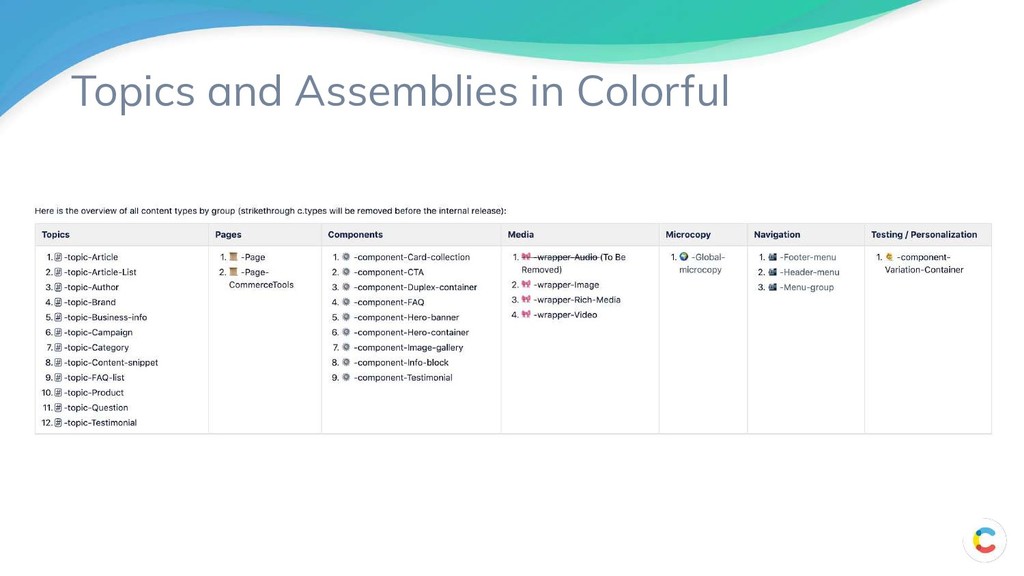
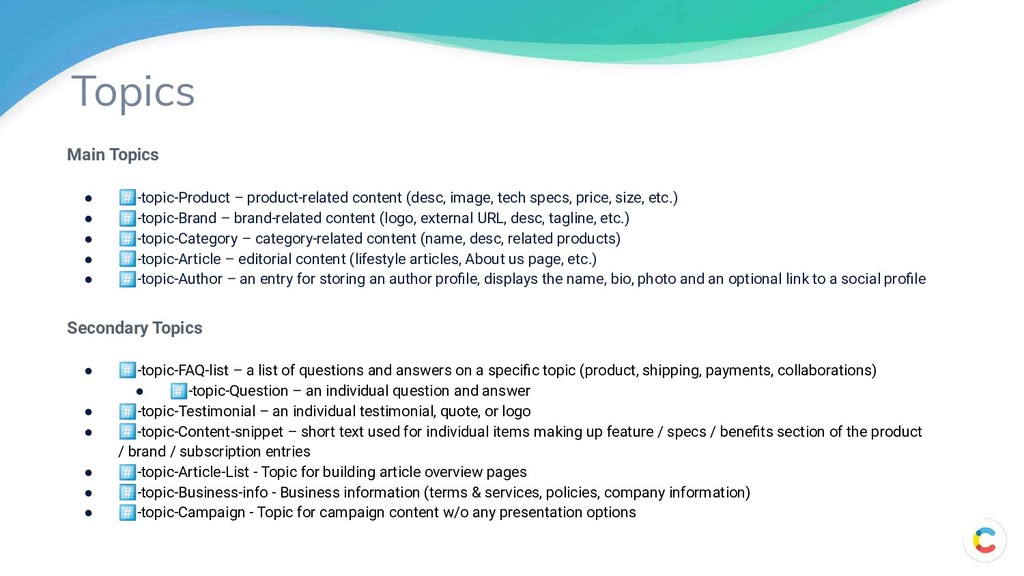
removed of any presentation options (product/brand description, article body) Pages entries determine what content and visual elements make up a page (think of it as a holding container for the page) Components entries power specific visual elements (hero image, CTA, gallery, etc.) and include presentation options Media (wrapper) entries are used for embedding external content (social media), standalone videos and images Microcopy entries for storing microcopy resource sets Navigation entries to handle the definition of navigational structure. Testing/Personalization entries for supporting optimization/personalization.
tech specs, price, size, etc.) • -topic-Brand – brand-related content (logo, external URL, desc, tagline, etc.) • -topic-Category – category-related content (name, desc, related products) • -topic-Article – editorial content (lifestyle articles, About us page, etc.) • -topic-Author – an entry for storing an author profile, displays the name, bio, photo and an optional link to a social profile Secondary Topics • -topic-FAQ-list – a list of questions and answers on a specific topic (product, shipping, payments, collaborations) • -topic-Question – an individual question and answer • -topic-Testimonial – an individual testimonial, quote, or logo • -topic-Content-snippet – short text used for individual items making up feature / specs / benefits section of the product / brand / subscription entries • -topic-Article-List - Topic for building article overview pages • -topic-Business-info - Business information (terms & services, policies, company information) • -topic-Campaign - Topic for campaign content w/o any presentation options
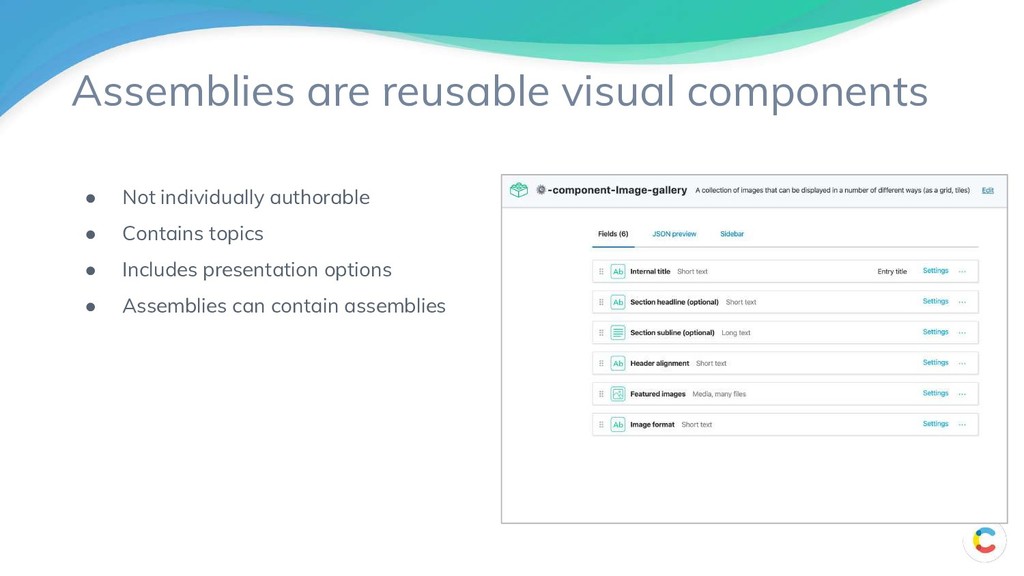
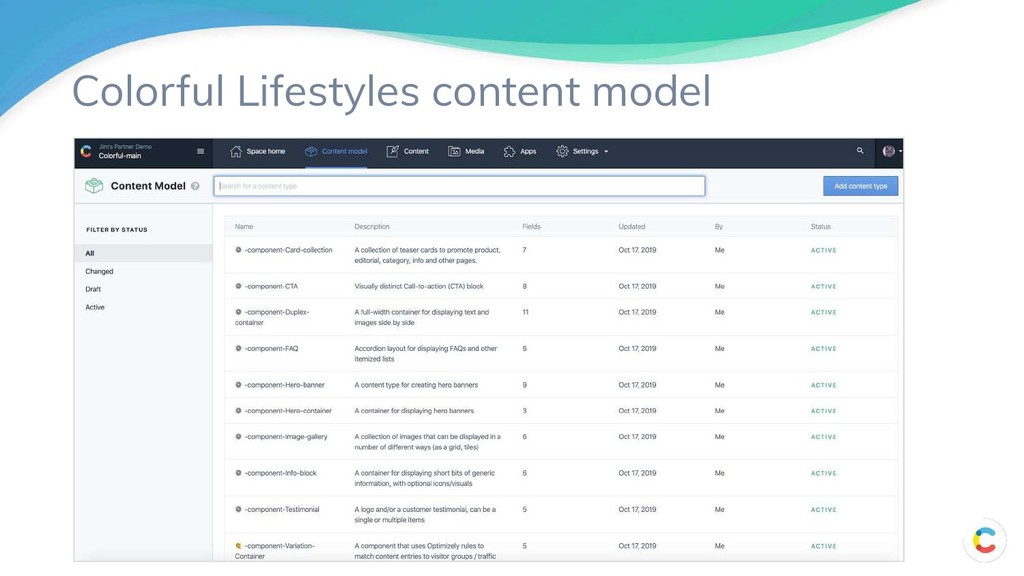
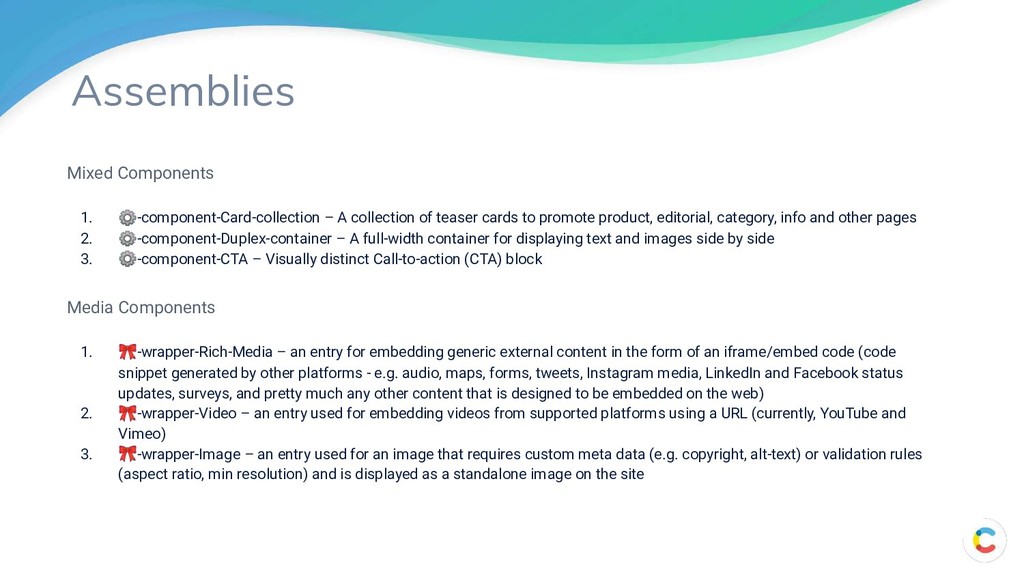
be used for publishing pages & curating visual components 2. -page-CommerceTools - A page template that allows editors to customize product pages powered by the CommerceTools integration Visual Components 1. ⚙-component-Hero-container – a container entry for displaying hero banners. Turns individual hero images into an automated slider when multiple hero components are referenced a. ⚙-component-Hero-banner – a hero image typically used at the top of the page, supports overlaid text and CTA buttons 2. ⚙-component-Image-gallery – a collection of images that can be displayed in a number of different ways (as a grid, tiles) Text Components 1. ⚙-component-Info-block – A container for displaying short bits of generic information, with optional icons/visuals 2. ⚙-component-FAQ – Accordion layout for displaying FAQs and other itemized lists 3. ⚙-component-Testimonial – A logo and/or a customer testimonial, can be a single or multiple items
cards to promote product, editorial, category, info and other pages 2. ⚙-component-Duplex-container – A full-width container for displaying text and images side by side 3. ⚙-component-CTA – Visually distinct Call-to-action (CTA) block Media Components 1. -wrapper-Rich-Media – an entry for embedding generic external content in the form of an iframe/embed code (code snippet generated by other platforms - e.g. audio, maps, forms, tweets, Instagram media, LinkedIn and Facebook status updates, surveys, and pretty much any other content that is designed to be embedded on the web) 2. -wrapper-Video – an entry used for embedding videos from supported platforms using a URL (currently, YouTube and Vimeo) 3. -wrapper-Image – an entry used for an image that requires custom meta data (e.g. copyright, alt-text) or validation rules (aspect ratio, min resolution) and is displayed as a standalone image on the site
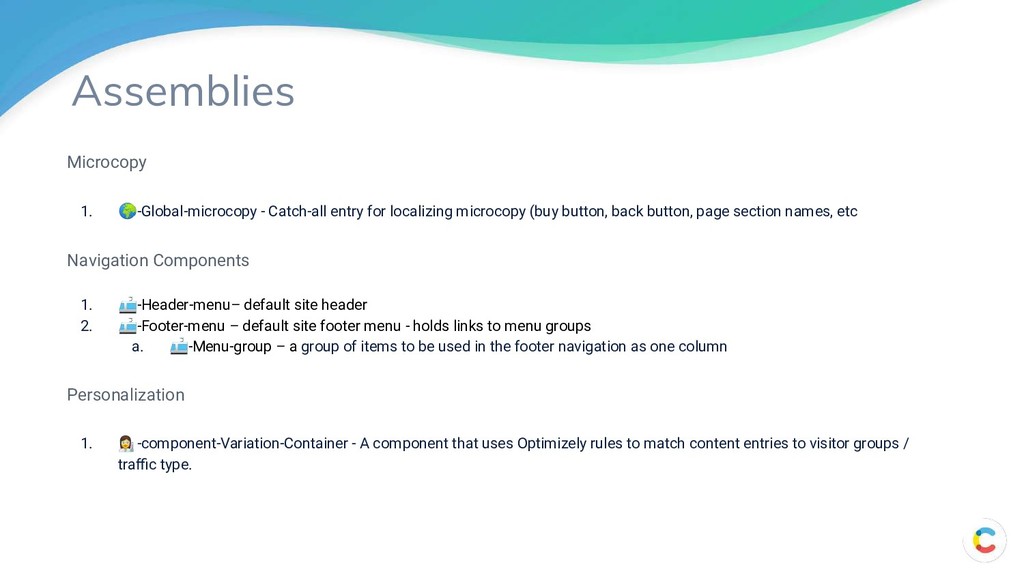
(buy button, back button, page section names, etc Navigation Components 1. -Header-menu– default site header 2. -Footer-menu – default site footer menu - holds links to menu groups a. -Menu-group – a group of items to be used in the footer navigation as one column Personalization 1. -component-Variation-Container - A component that uses Optimizely rules to match content entries to visitor groups / traffic type.
overview pages like Article list should be generated automatically to save editors from having to do tons of boring, manual work.” - Artas Currently this type of page will query all articles and show these in the page. The Article List topic itself will allow you to name the article set (which gets shown on the page). In the future, it might provide for an option to filter by specific types of articles (e.g. using tags/categories). Not enough time to implement this yet. Article List Page -Page where -topic-Article-list is selected as the page content 89
the front end yet. As soon as it is, it will likely work a bit like the Category Page and show cards for products for the brand selected. Brand Page -Page where -topic-Brand is selected as the page content 90
an article page, but is more simple (e.g. doesn’t visualize things like author information, tags, etc.) Also, notable is that these pages won’t be included in pages such as Article List pages that will only query for Articles. Business Info Page -Page where -topic-Business-info is selected as the page content 91
overview pages like Article list should be generated automatically to save editors from having to do tons of boring, manual work.” - Artas Page content will show cards of products matching the selected category. Category Page -Page where -topic-Category is selected as the page content 92
landing page which will only visibly render elements for the Top section and Extra section items. It gives a URL to directly take a user to a Landing Page. Also, allows a nice way to find content related to a particular campaign in the Content View/Saved Views. It IS possible to see details from the campaign topic when this page is referenced from other elements (e.g. from a card collection). It will take things like the Title and Image depending where the page is referenced. Campaign Page -Page where -topic-Campaign is selected as the page content 93
in Contentful (product pages for Commercetools integration are different). This simulates the case where Contentful is used more like a PIM. Product Page -Page where -topic-Product is selected as the page content 94
where you can see JSON output 2. Create the environments you need for CI/CD. Optionally use scripts to clone the master environment. 3. Create a script to programmatically build the full content model 4. Create migration scripts to move content into and out of the content model 5. After testing, propagate your changes into the Prod environment 5 Steps
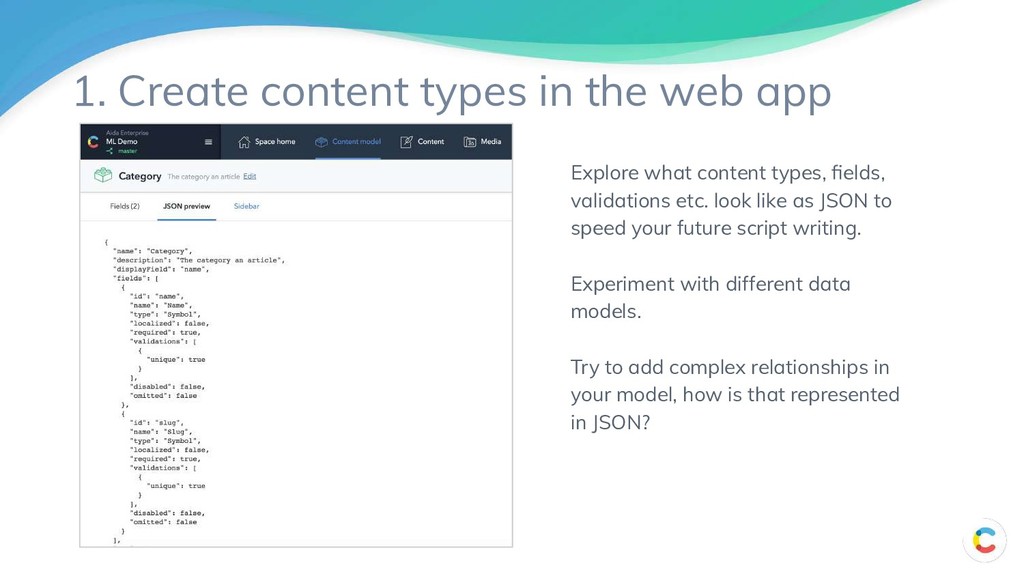
JSON to speed your future script writing. Experiment with different data models. Try to add complex relationships in your model, how is that represented in JSON? 1. Create content types in the web app
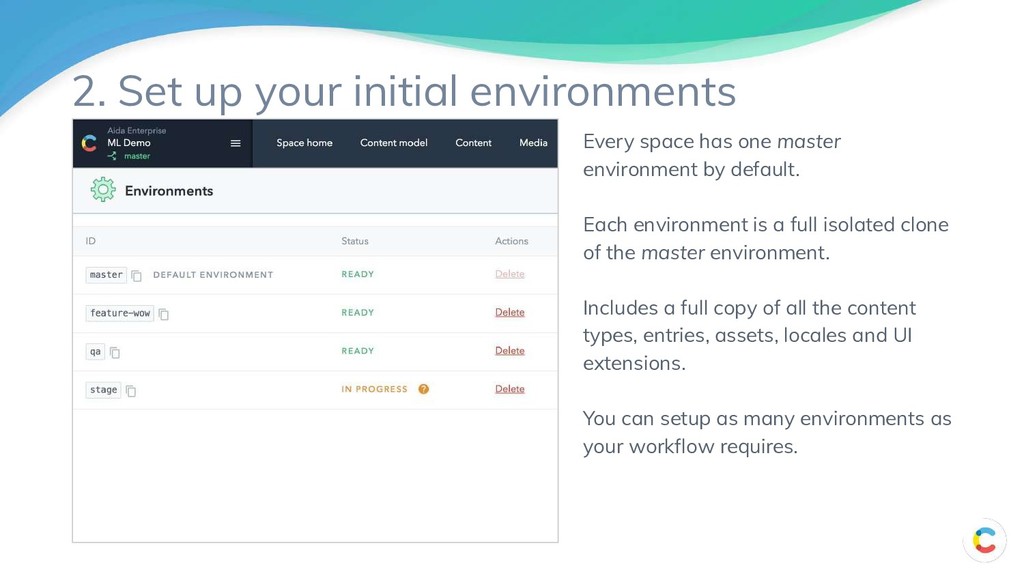
is a full isolated clone of the master environment. Includes a full copy of all the content types, entries, assets, locales and UI extensions. You can setup as many environments as your workflow requires. 2. Set up your initial environments
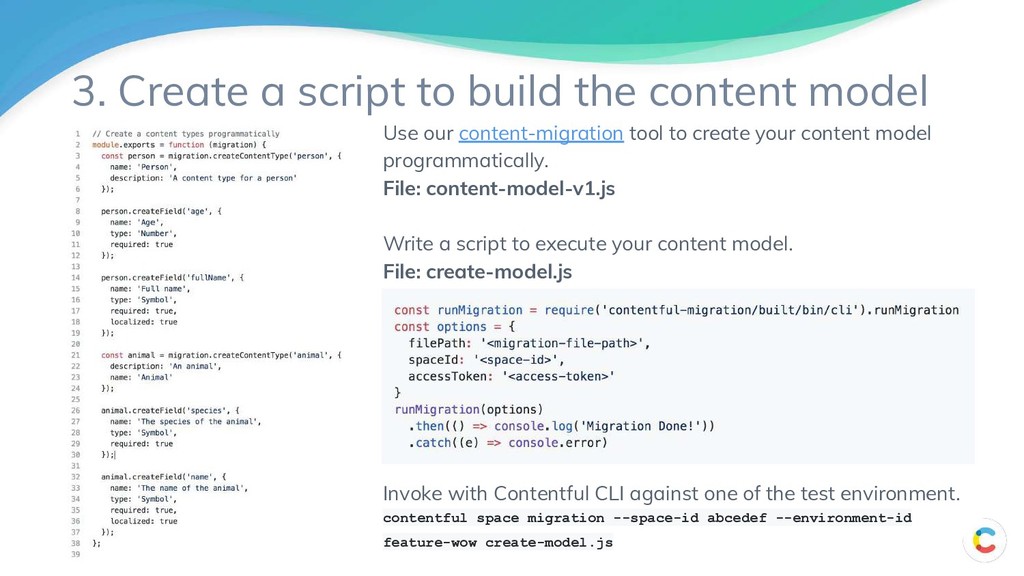
File: content-model-v1.js Write a script to execute your content model. File: create-model.js Invoke with Contentful CLI against one of the test environment. contentful space migration --space-id abcedef --environment-id feature-wow create-model.js 3. Create a script to build the content model
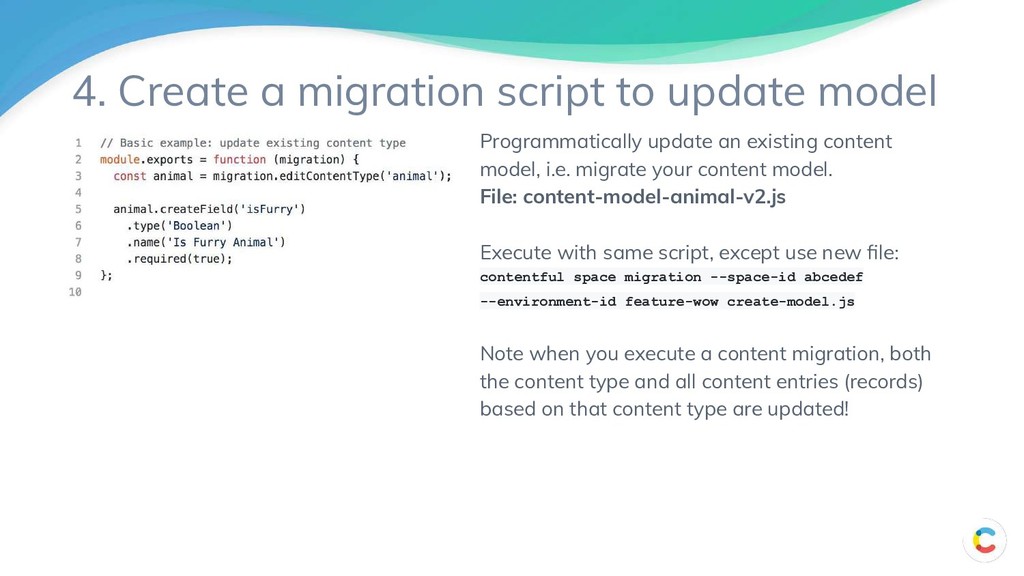
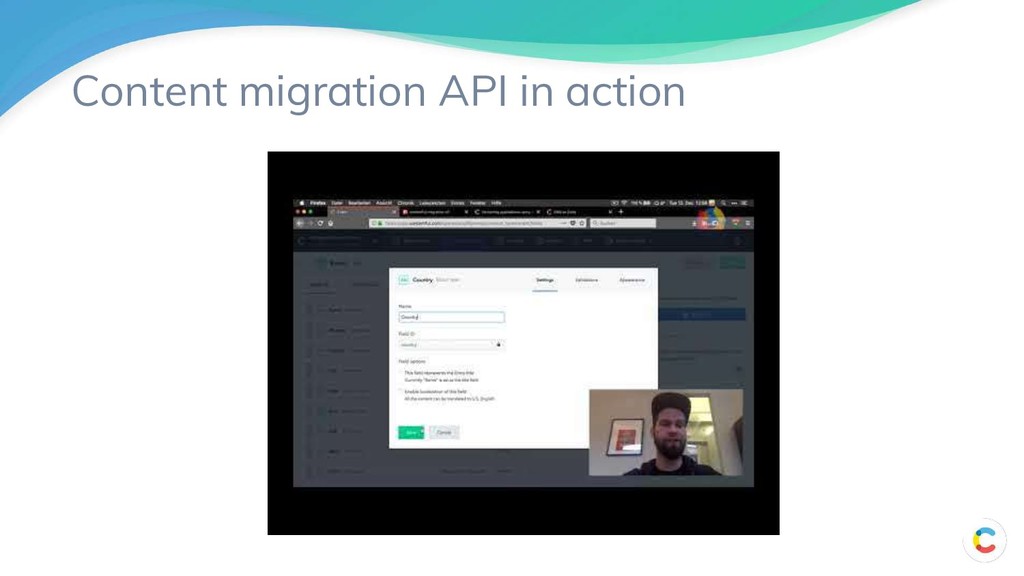
an existing content model, i.e. migrate your content model. File: content-model-animal-v2.js Execute with same script, except use new file: contentful space migration --space-id abcedef --environment-id feature-wow create-model.js Note when you execute a content migration, both the content type and all content entries (records) based on that content type are updated!
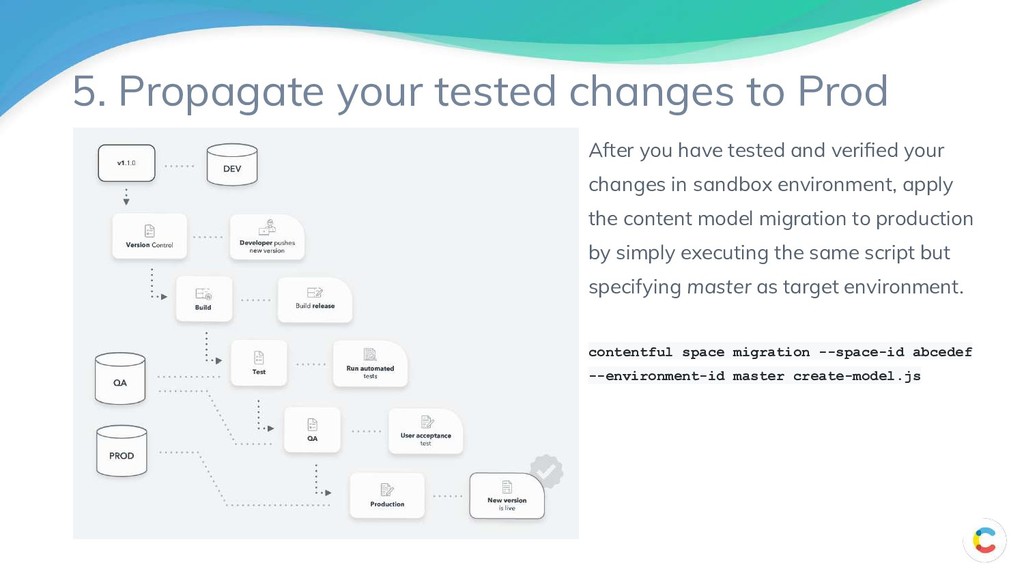
tested and verified your changes in sandbox environment, apply the content model migration to production by simply executing the same script but specifying master as target environment. contentful space migration --space-id abcedef --environment-id master create-model.js
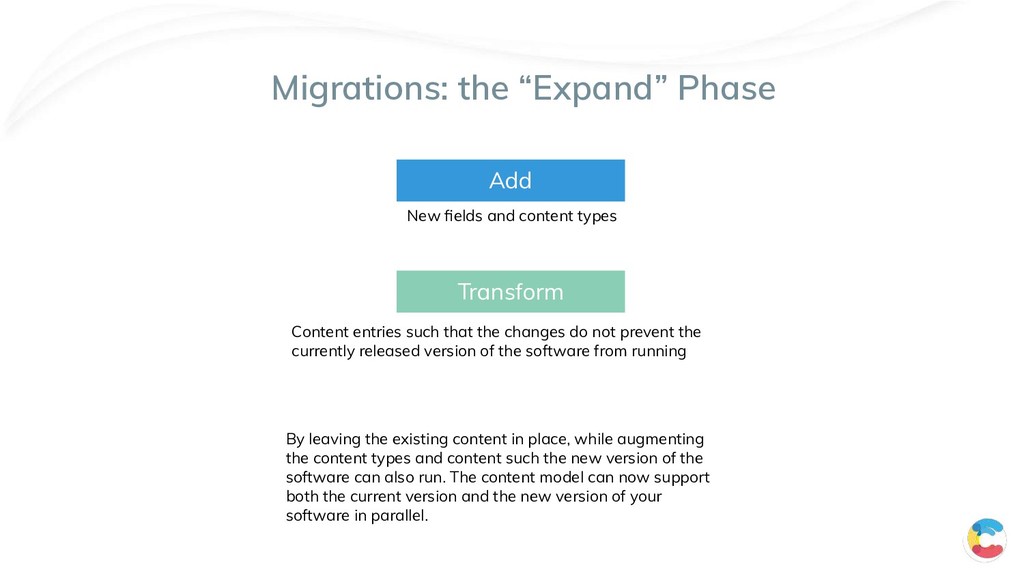
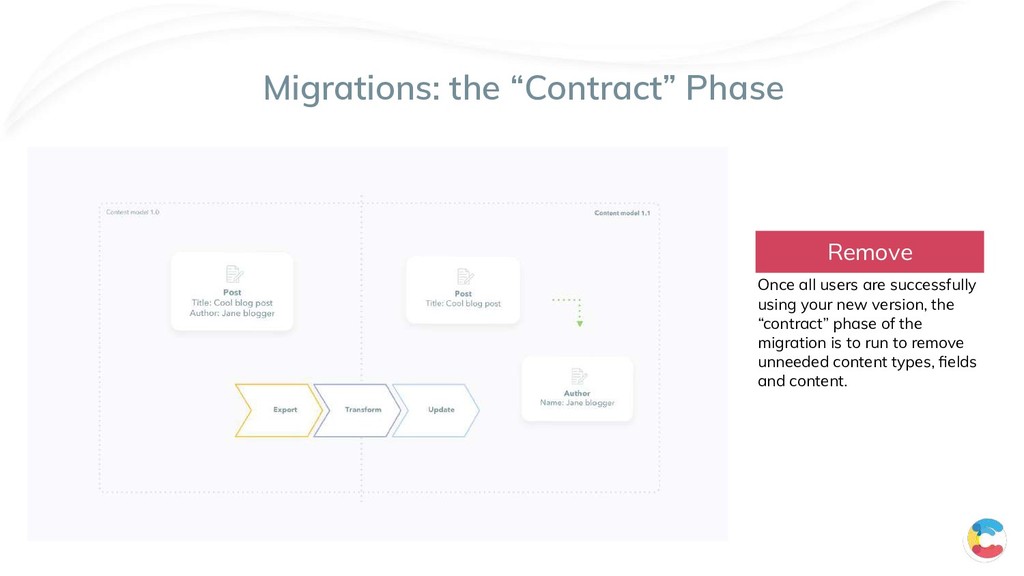
do not prevent the currently released version of the software from running New fields and content types By leaving the existing content in place, while augmenting the content types and content such the new version of the software can also run. The content model can now support both the current version and the new version of your software in parallel. Add Transform
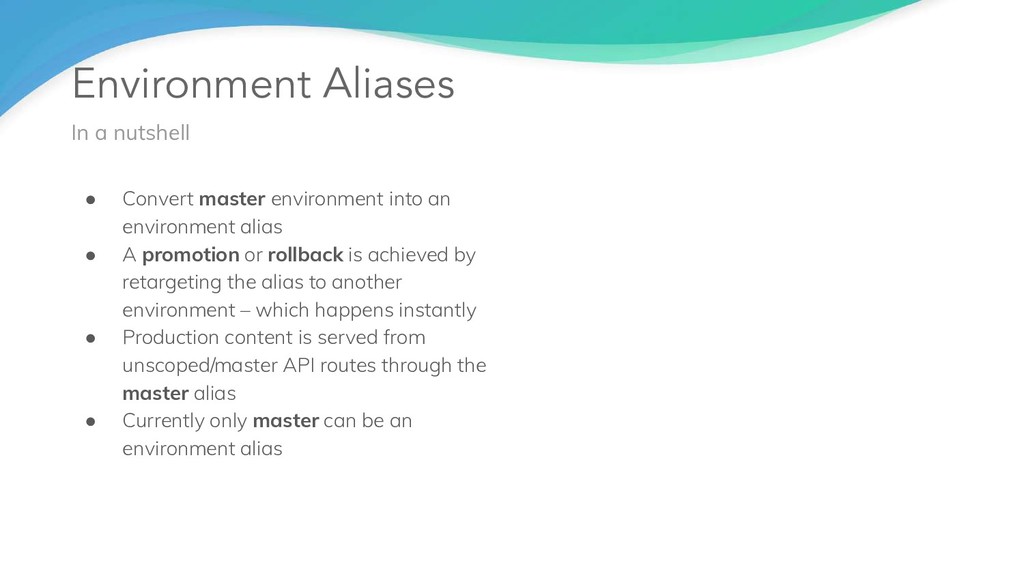
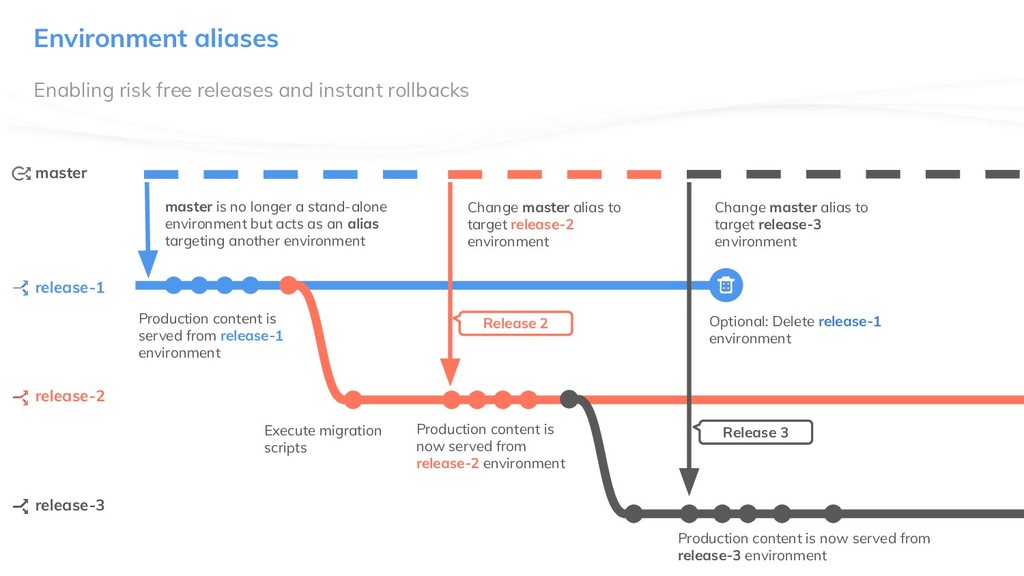
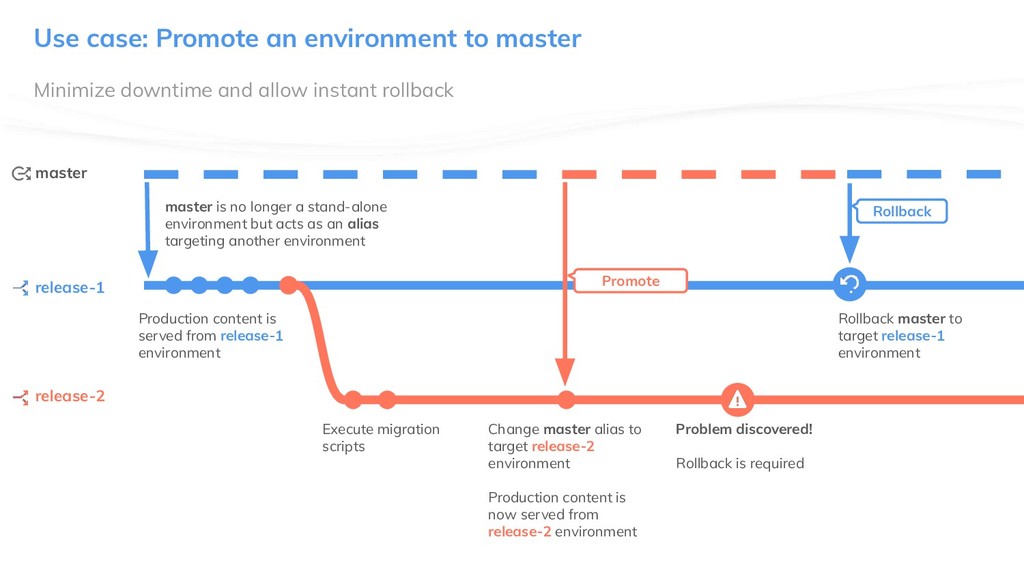
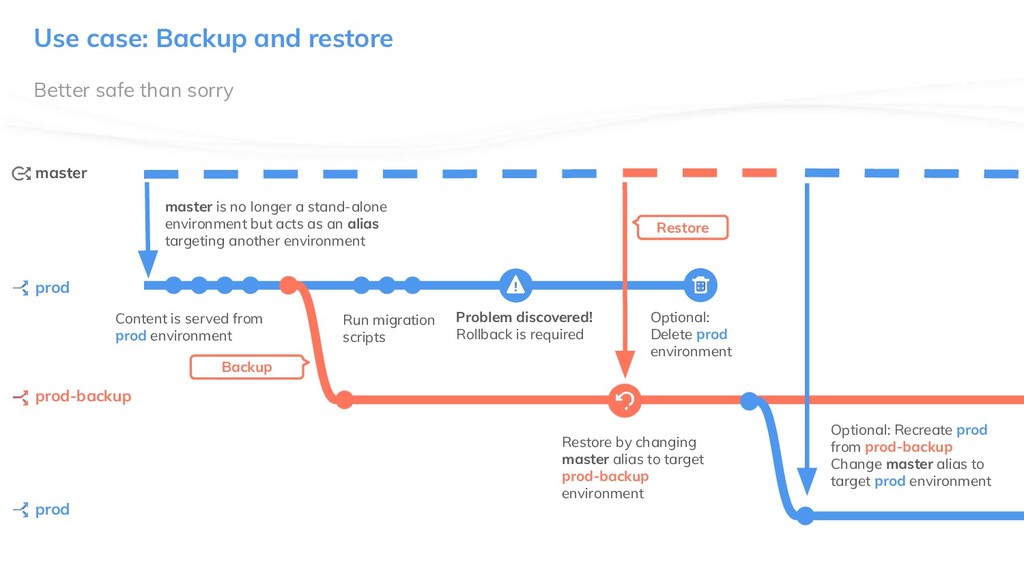
promotion or rollback is achieved by retargeting the alias to another environment – which happens instantly • Production content is served from unscoped/master API routes through the master alias • Currently only master can be an environment alias Environment Aliases In a nutshell
longer a stand-alone environment but acts as an alias targeting another environment Production content is served from release-1 environment Execute migration scripts Production content is now served from release-2 environment Release 2 release-1 release-2 Environment aliases Change master alias to target release-2 environment master Release 3 release-3 Optional: Delete release-1 environment Production content is now served from release-3 environment Change master alias to target release-3 environment
a stand-alone environment but acts as an alias targeting another environment Production content is served from release-1 environment Execute migration scripts Change master alias to target release-2 environment Production content is now served from release-2 environment Promote Problem discovered! Rollback is required Rollback Rollback master to target release-1 environment release-1 release-2 Use case: Promote an environment to master master
environment but acts as an alias targeting another environment Content is served from prod environment Run migration scripts Restore by changing master alias to target prod-backup environment Backup Problem discovered! Rollback is required Restore prod prod-backup Use case: Backup and restore master Optional: Delete prod environment prod Optional: Recreate prod from prod-backup Change master alias to target prod environment
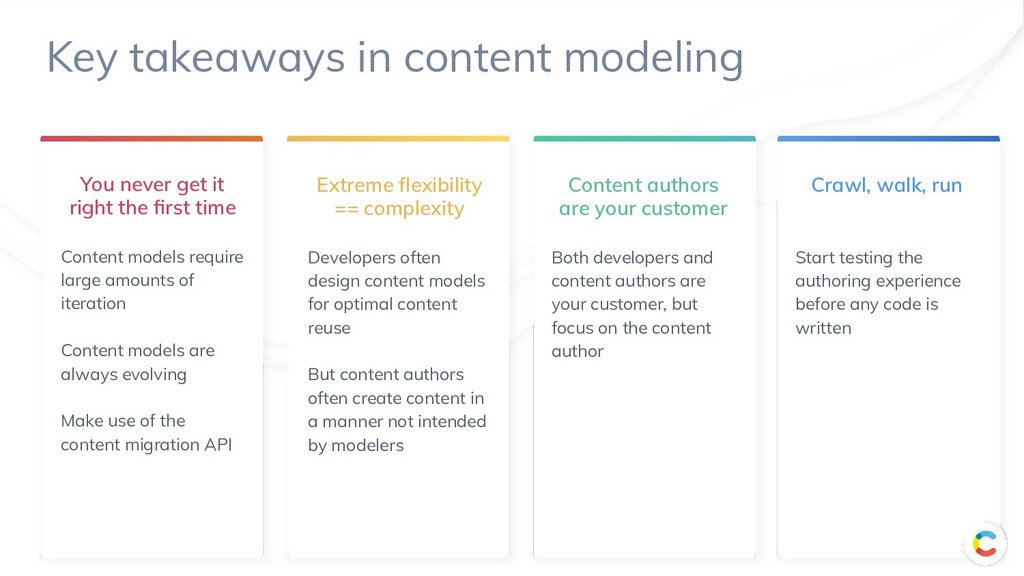
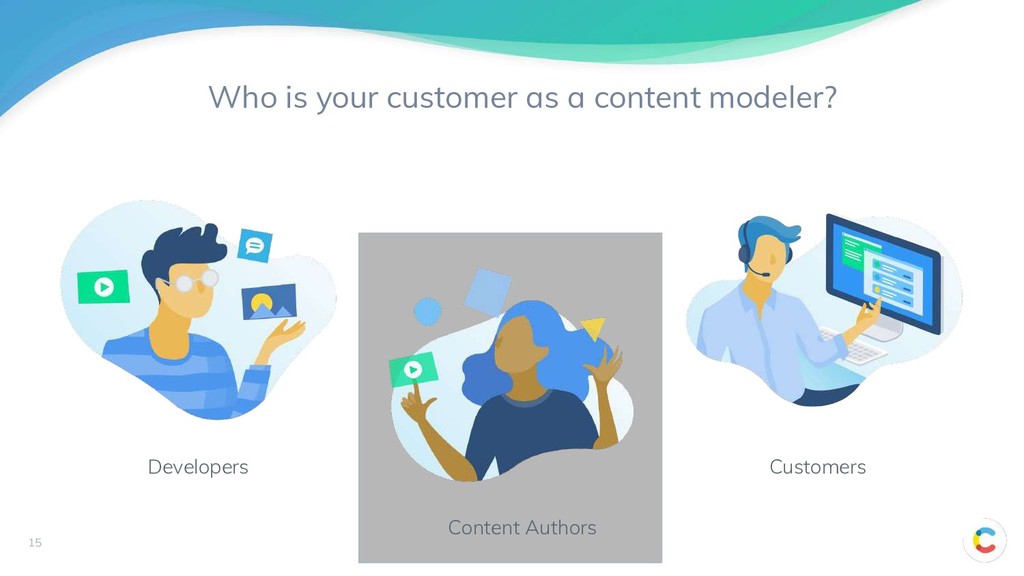
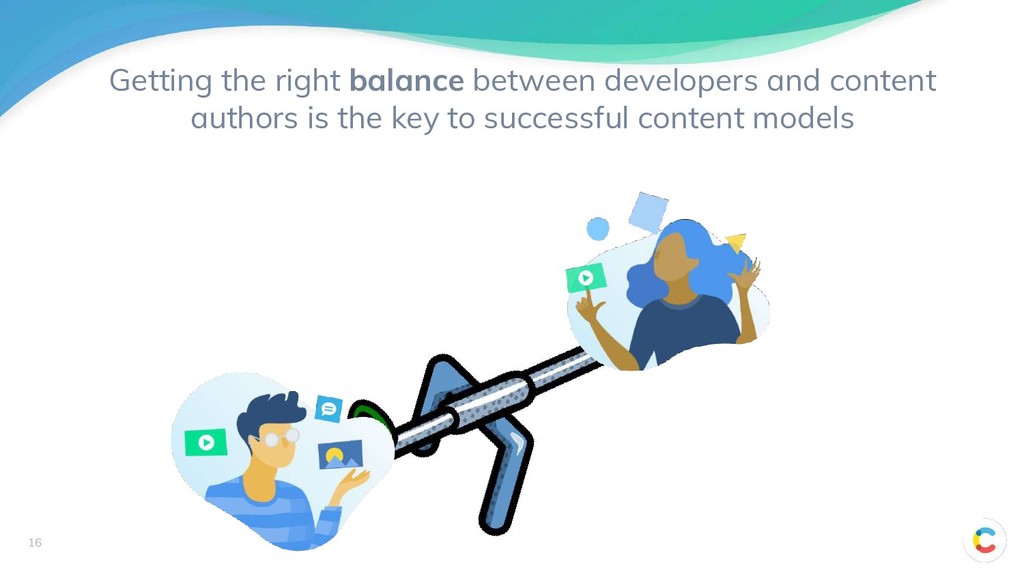
require large amounts of iteration Content models are always evolving Make use of the content migration API Extreme flexibility == complexity Developers often design content models for optimal content reuse But content authors often create content in a manner not intended by modelers Content authors are your customer Both developers and content authors are your customer, but focus on the content author Crawl, walk, run Start testing the authoring experience before any code is written Key takeaways in content modeling
Documentation • Developer Portal • Join our Meetups & Webinars (Gatsby,..) Keep track of new things • Changelog • What’s New Enjoy building with Contentful!

 SiteGround - Reliable hosting with speed, security, and support you can count on.


 contentful
 mkdev10
 codmoninc
 livesense
 470715
 vivion
 nttcom
 masakane55
 sansantech
 yama3133
 camiha
 y_sera15
 holman
 aleyda
 malarkey
 katiecoart
 trallard
 nonsquared
 marktimemedia
 tamaranovitovic
 kevinliebholz
 stephaniewalter
 charlesmeaden


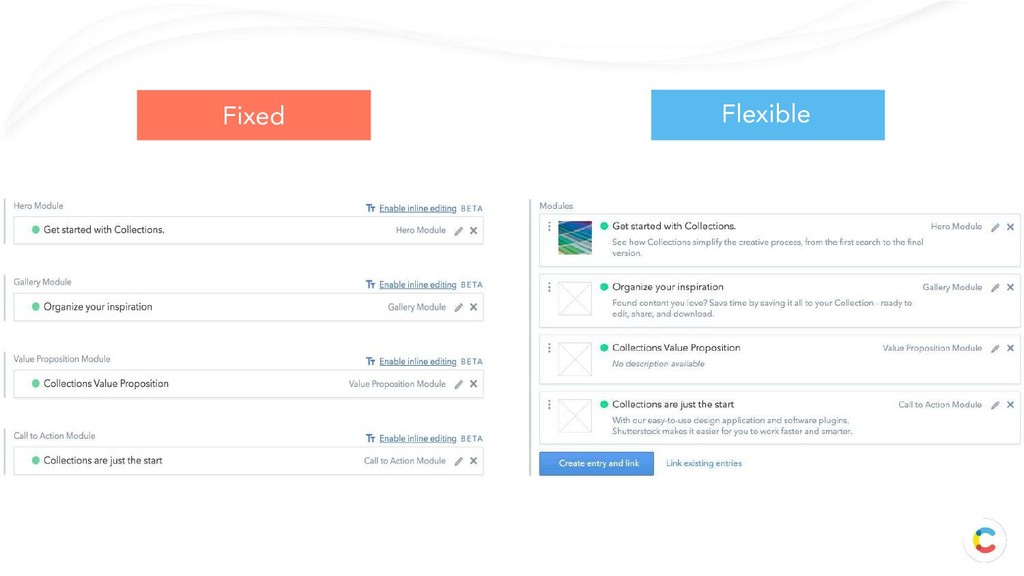






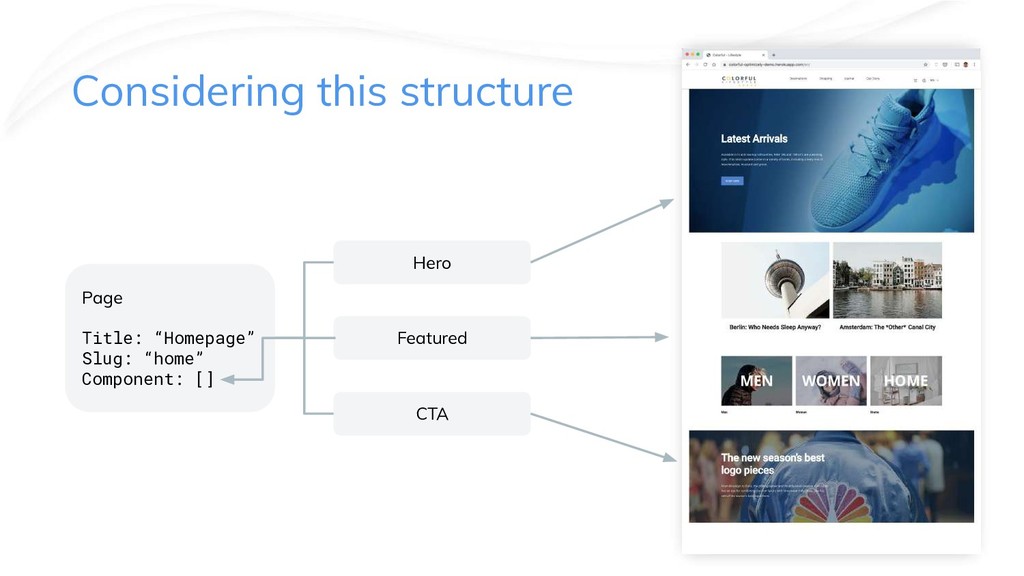
![Hero Featured CTA Page Title: “Homepage” Slug: “home” Component: []](https://files.speakerdeck.com/presentations/336c2fc2b2d84d80a0902571dd0b0718/slide_60.jpg)



![Notes: URL: https://[DOMAIN]/en/article/[SLUG] Article Page -Page where -topic-Article is selected](https://files.speakerdeck.com/presentations/336c2fc2b2d84d80a0902571dd0b0718/slide_87.jpg)
![Notes: URL: https://[DOMAIN]/en/articles/[SLUG] Background: “We learnt the hard way that](https://files.speakerdeck.com/presentations/336c2fc2b2d84d80a0902571dd0b0718/slide_88.jpg)
![Notes: URL: https://[DOMAIN]/en/brand/[SLUG] This page has not been implemented on](https://files.speakerdeck.com/presentations/336c2fc2b2d84d80a0902571dd0b0718/slide_89.jpg)
![Notes: URL: https://[DOMAIN]/en/info/[SLUG] This page type is quite similar to](https://files.speakerdeck.com/presentations/336c2fc2b2d84d80a0902571dd0b0718/slide_90.jpg)
![Notes: URL: https://[DOMAIN]/en/category/[SLUG] Background: “We learnt the hard way that](https://files.speakerdeck.com/presentations/336c2fc2b2d84d80a0902571dd0b0718/slide_91.jpg)
![Notes: URL: https://[DOMAIN]/en/campaigns/[SLUG] This page is a pure flexible assembly](https://files.speakerdeck.com/presentations/336c2fc2b2d84d80a0902571dd0b0718/slide_92.jpg)
![Notes: URL: https://[DOMAIN]/en/product/[SLUG] In this example all product details live](https://files.speakerdeck.com/presentations/336c2fc2b2d84d80a0902571dd0b0718/slide_93.jpg)