Share
Embed
Transcript
91 slides
-
HANDS ON WITH DRUID REAL²TIME EXPLORATORY ANALYTICS ON LARGE DATASETS
FANGJIN YANG · XAVIER LÉAUTÉ wifi XLDB2013 · StanfordXLDB links bit.ly/druid-xldb-2013 Monday, September 9, 13 -
DEMO SEE SOME NEAT THINGS MOTIVATION WHY DRUID? ARCHITECTURE SETUP
AND USE A DRUID CLUSTER BUILDING APPLICATIONS WITH DRUID OVERVIEW Monday, September 9, 13 -
DEMO IN CASE THE INTERNET DIDN’T WORK PRETEND YOU SAW
SOMETHING COOL Monday, September 9, 13 -
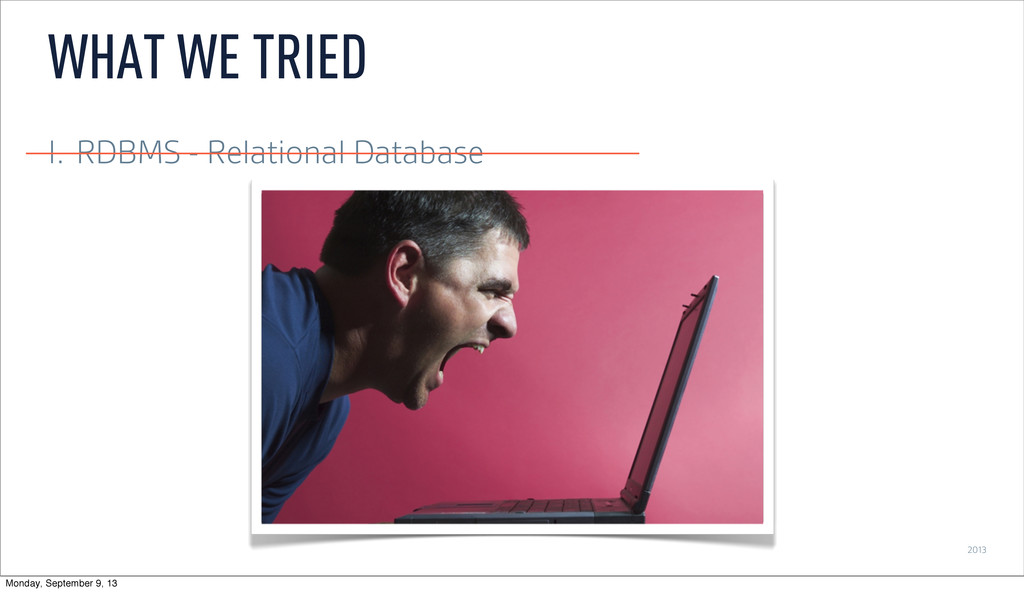
2013 I. RDBMS - Relational Database WHAT WE TRIED Monday,
September 9, 13 -
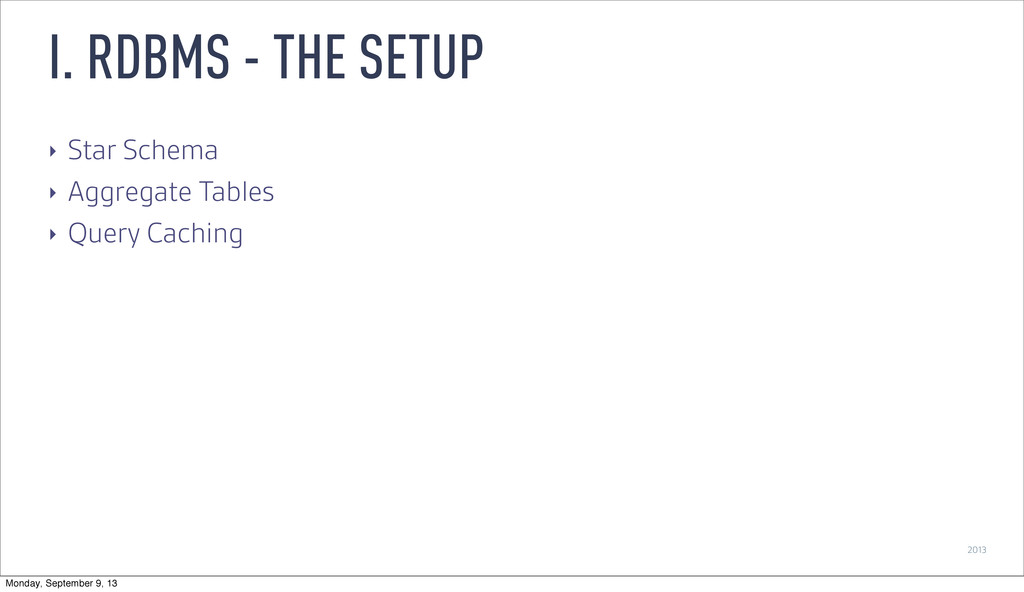
2013 ‣ Star Schema ‣ Aggregate Tables ‣ Query Caching
I. RDBMS - THE SETUP Monday, September 9, 13 -
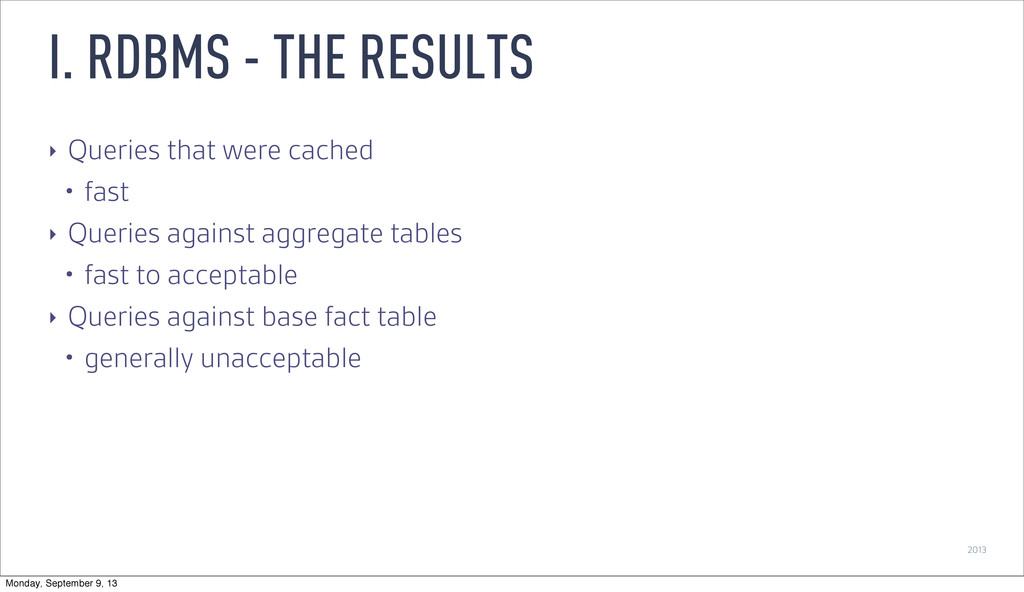
2013 ‣ Queries that were cached • fast ‣ Queries
against aggregate tables • fast to acceptable ‣ Queries against base fact table • generally unacceptable I. RDBMS - THE RESULTS Monday, September 9, 13 -
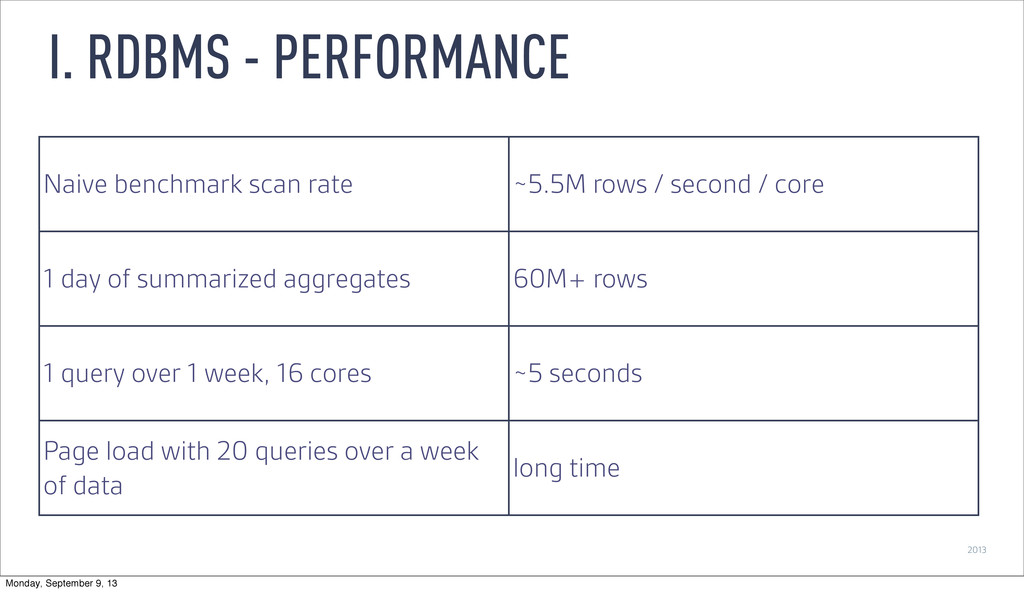
2013 I. RDBMS - PERFORMANCE Naive benchmark scan rate ~5.5M
rows / second / core 1 day of summarized aggregates 60M+ rows 1 query over 1 week, 16 cores ~5 seconds Page load with 20 queries over a week of data long time Monday, September 9, 13 -
2013 I. RDBMS - Relational Database WHAT WE TRIED Monday,
September 9, 13 -
2013 I. RDMBS - Relational Database II.NoSQL - Key/Value Store
WHAT WE TRIED Monday, September 9, 13 -
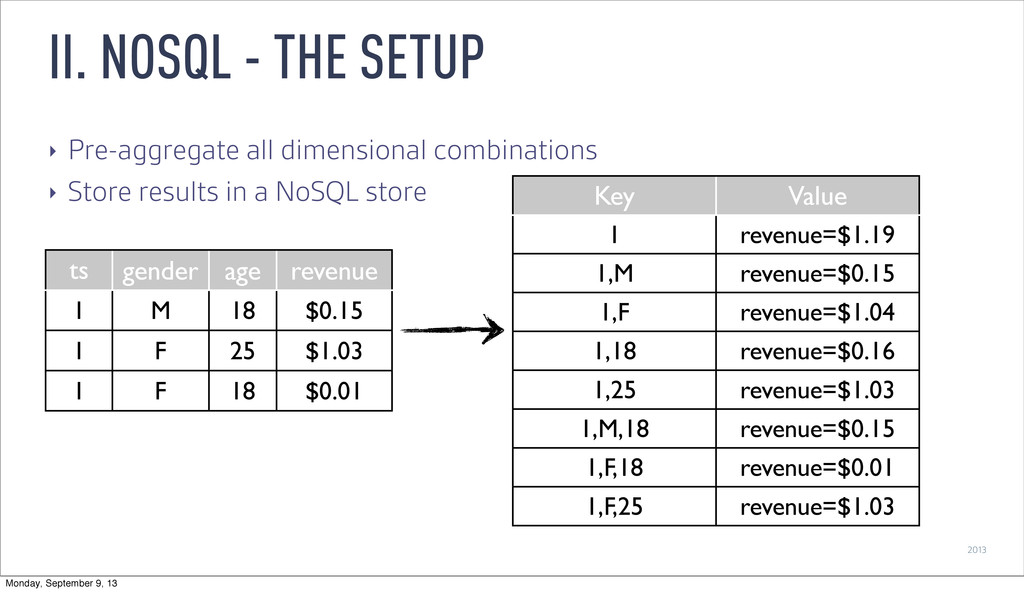
2013 ‣ Pre-aggregate all dimensional combinations ‣ Store results in
a NoSQL store II. NOSQL - THE SETUP ts gender age revenue 1 M 18 $0.15 1 F 25 $1.03 1 F 18 $0.01 Key Value 1 revenue=$1.19 1,M revenue=$0.15 1,F revenue=$1.04 1,18 revenue=$0.16 1,25 revenue=$1.03 1,M,18 revenue=$0.15 1,F,18 revenue=$0.01 1,F,25 revenue=$1.03 Monday, September 9, 13 -
2013 ‣ Queries were fast • range scan on primary
key ‣ Inflexible • not aggregated, not available ‣ Not continuously updated • aggregate first, then display ‣ Processing scales exponentially II. NOSQL - THE RESULTS Monday, September 9, 13 -
2013 ‣ Dimensional combinations => exponential increase ‣ Tried limiting
dimensional depth • still expands exponentially ‣ Example: ~500k records • 11 dimensions, 5-deep • 4.5 hours on a 15-node Hadoop cluster • 14 dimensions, 5-deep • 9 hours on a 25-node Hadoop cluster II. NOSQL - PERFORMANCE Monday, September 9, 13 -
2013 I. RDMBS - Relational Database II.NoSQL - Key/Value Store
WHAT WE TRIED Monday, September 9, 13 -
2013 I. RDMBS - Relational Database II.NoSQL - Key/Value Store
III. ??? WHAT WE TRIED Monday, September 9, 13 -
2013 ‣ Problem with RDBMS: scans are slow ‣ Problem
with NoSQL: computationally intractable WHAT WE LEARNED Monday, September 9, 13 -
2013 ‣ Problem with RDBMS: scans are slow ‣ Problem
with NoSQL: computationally intractable ‣ Tackling the RDBMS issue seems easier WHAT WE LEARNED Monday, September 9, 13 -
2013 KEY FEATURES FAST AGGREGATIONS ARBITRARY SLICE-N-DICE DATA HIGHLY AVAILABLE
“REAL-TIME” DRUID Monday, September 9, 13 -
“ ” “REAL-TIME” IS THE NEW “CLOUD” THE NEW ADJECTIVE
THAT EVERYONE WANTS BUT NO ONE KNOWS WHAT IT MEANS Monday, September 9, 13 -
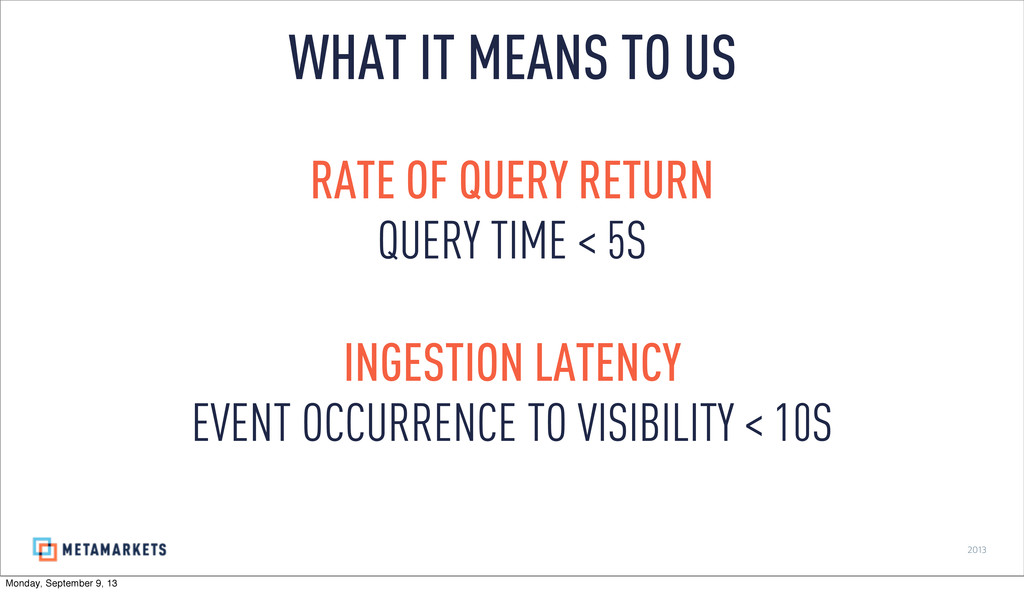
2013 WHAT IT MEANS TO US RATE OF QUERY RETURN
QUERY TIME < 5S INGESTION LATENCY EVENT OCCURRENCE TO VISIBILITY < 10S Monday, September 9, 13 -
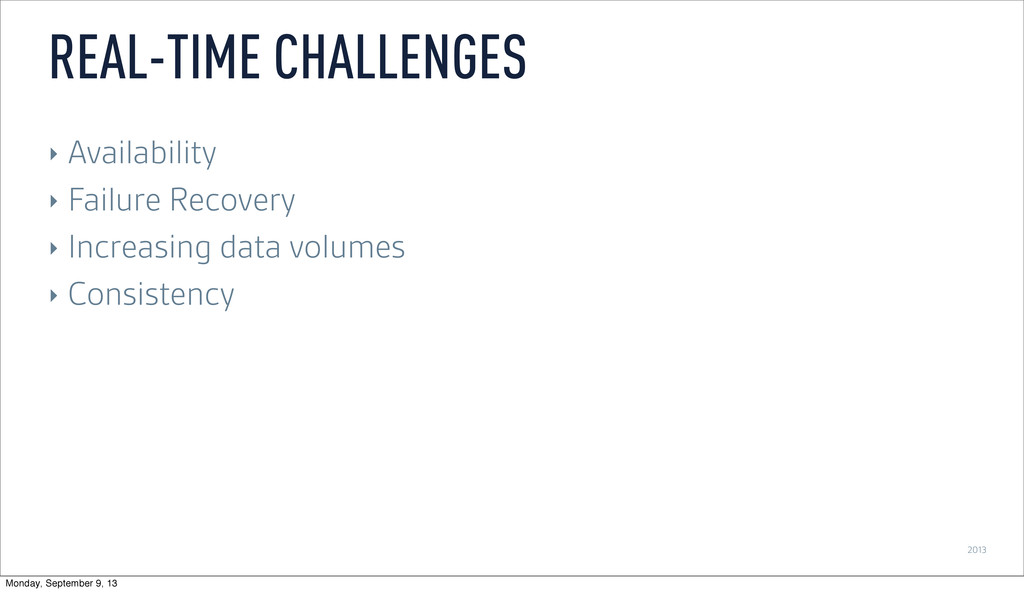
2013 REAL-TIME CHALLENGES ‣ Availability ‣ Failure Recovery ‣ Increasing
data volumes ‣ Consistency Monday, September 9, 13 -
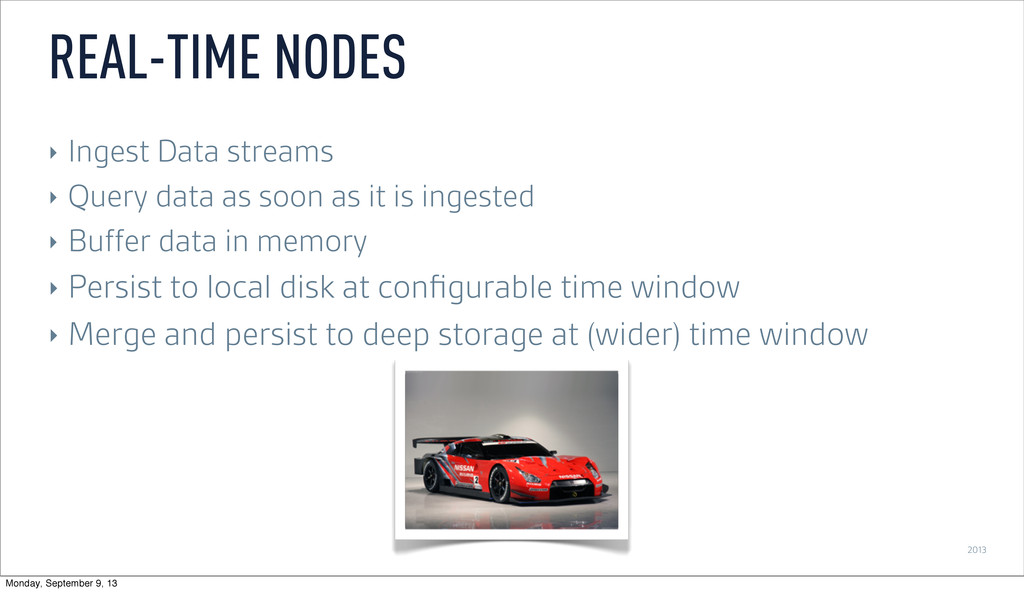
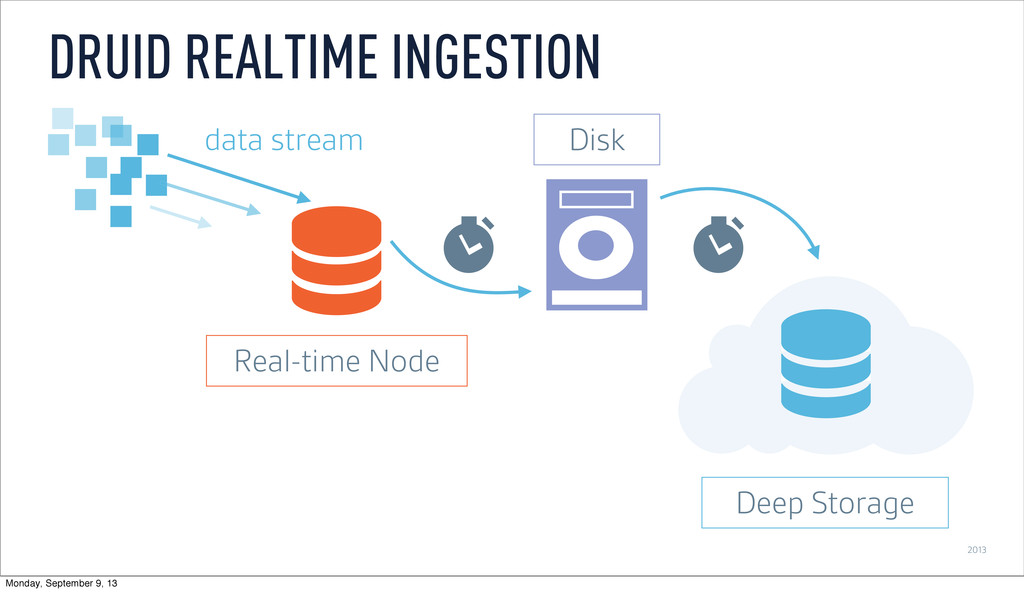
2013 ‣ Ingest Data streams ‣ Query data as soon
as it is ingested ‣ Buffer data in memory ‣ Persist to local disk at configurable time window ‣ Merge and persist to deep storage at (wider) time window REAL-TIME NODES Monday, September 9, 13 -
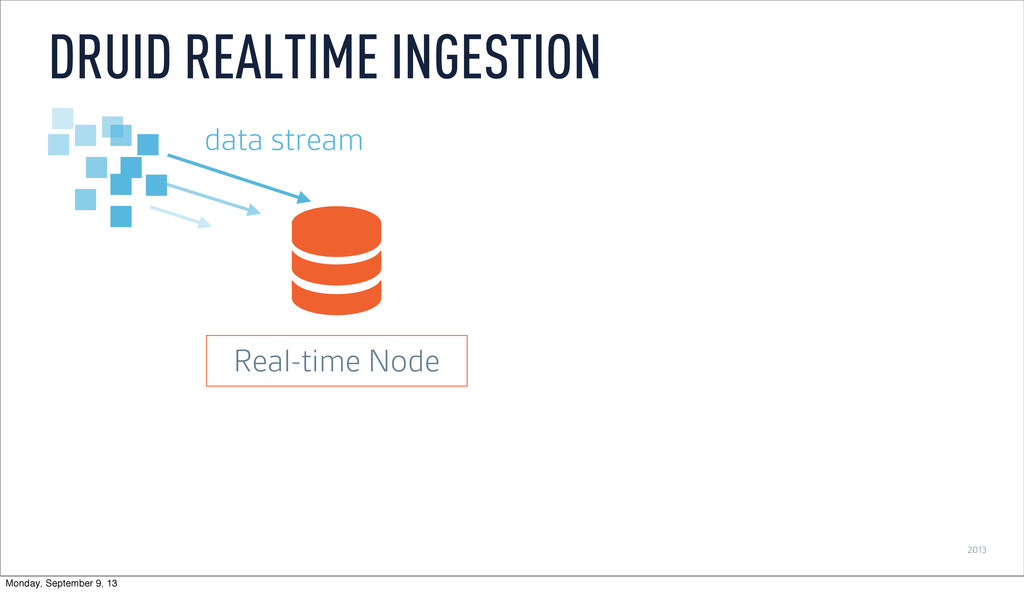
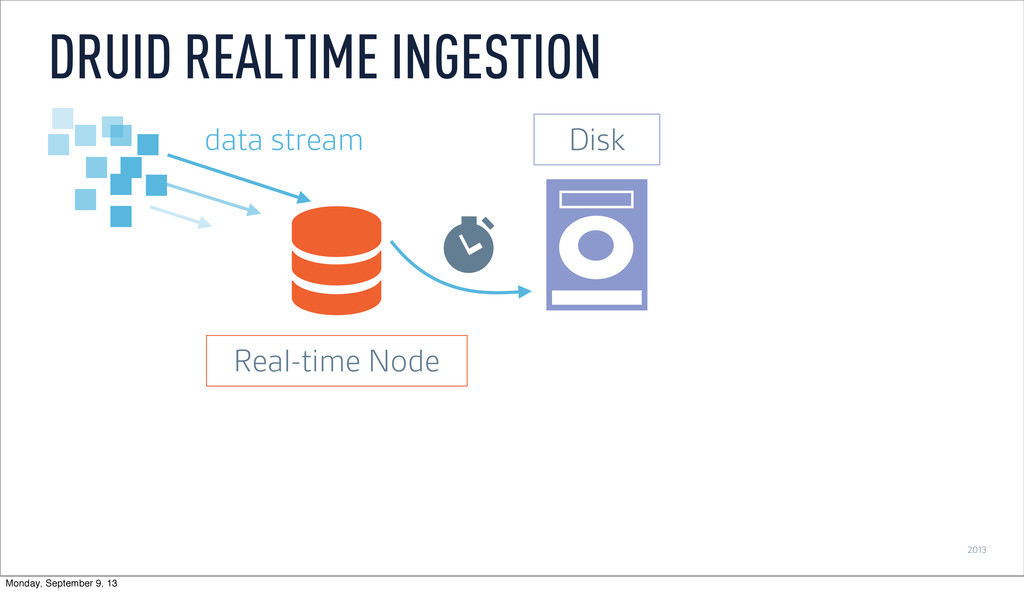
2013 DRUID REALTIME INGESTION Real-time Node data stream Disk Deep
Storage Monday, September 9, 13 -
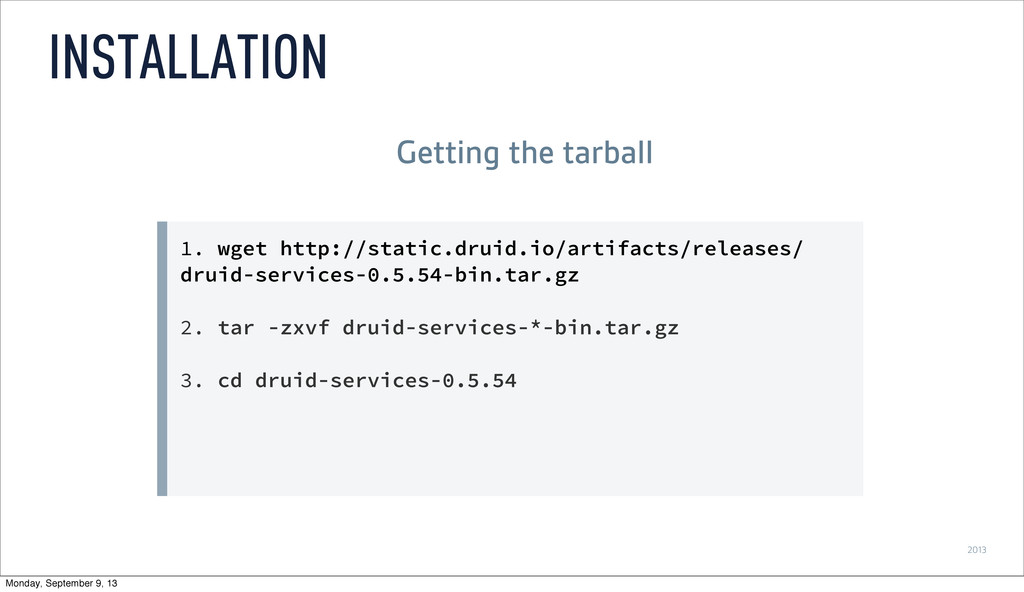
2013 1. wget http://static.druid.io/artifacts/releases/ druid-services-0.5.54-bin.tar.gz 2. tar -zxvf druid-services-*-bin.tar.gz 3.
cd druid-services-0.5.54 INSTALLATION Getting the tarball Monday, September 9, 13 -
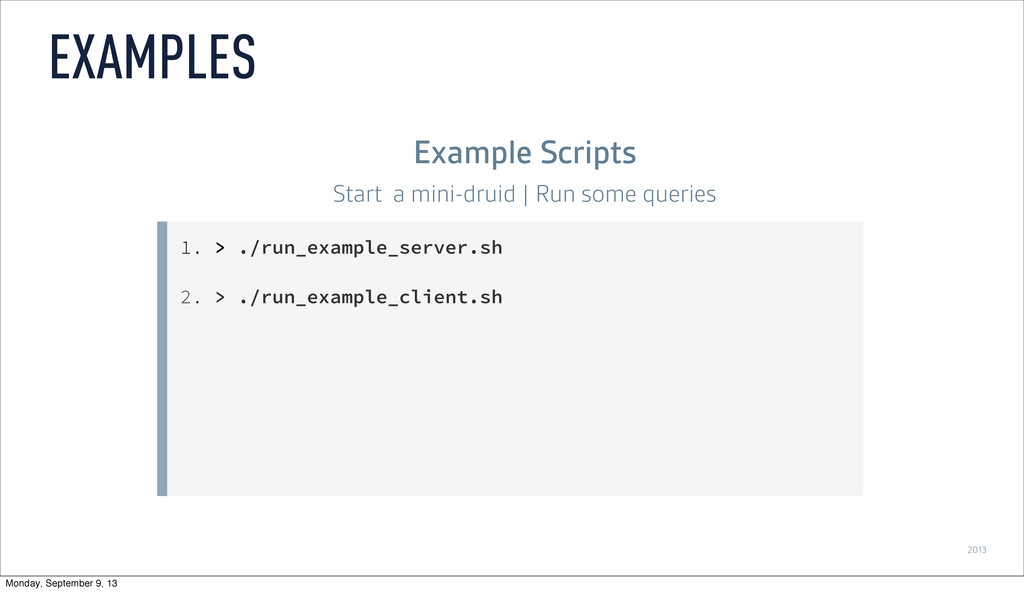
2013 1. > ./run_example_server.sh 2. > ./run_example_client.sh EXAMPLES Example Scripts
Start a mini-druid | Run some queries Monday, September 9, 13 -
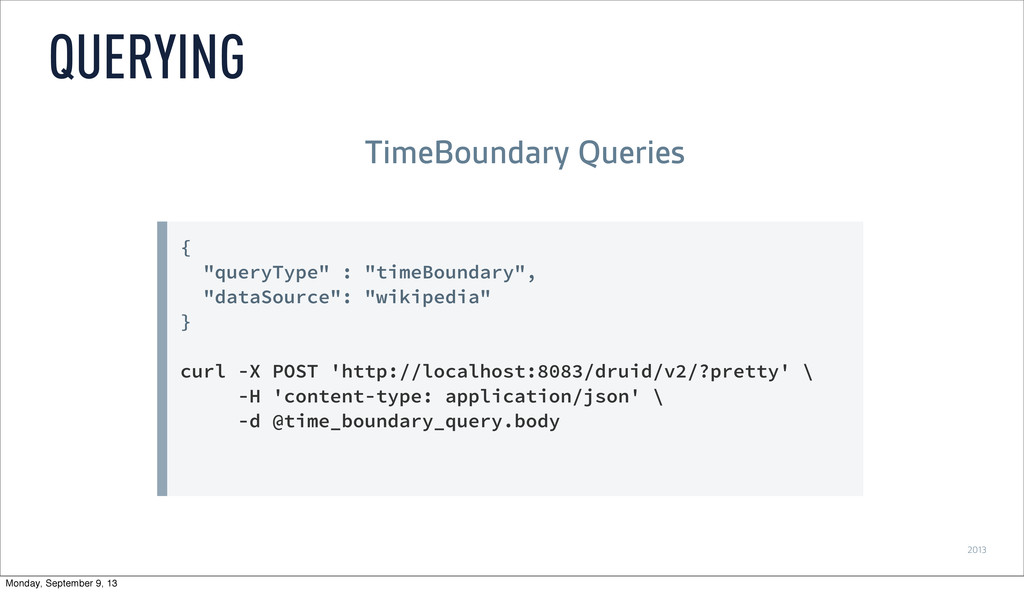
2013 { "queryType" : "timeBoundary", "dataSource": "wikipedia" } curl -X
POST 'http://localhost:8083/druid/v2/?pretty' \ -H 'content-type: application/json' \ -d @time_boundary_query.body QUERYING TimeBoundary Queries Monday, September 9, 13 -
2013 { "queryType": "timeseries", "dataSource": "wikipedia", "intervals": ["2010-01-01/2020-01-01"], "granularity": "minute",
"aggregations": [{"type": "longSum", "fieldName": "count", "name": "edit_count"}, {"type": "doubleSum", "fieldName": "added", "name": "chars_added"}] } curl -X POST 'http://localhost:8083/druid/v2/?pretty' -H 'content- type: application/json' -d @timeseries_query.body QUERYING Timeseries Queries Monday, September 9, 13 -
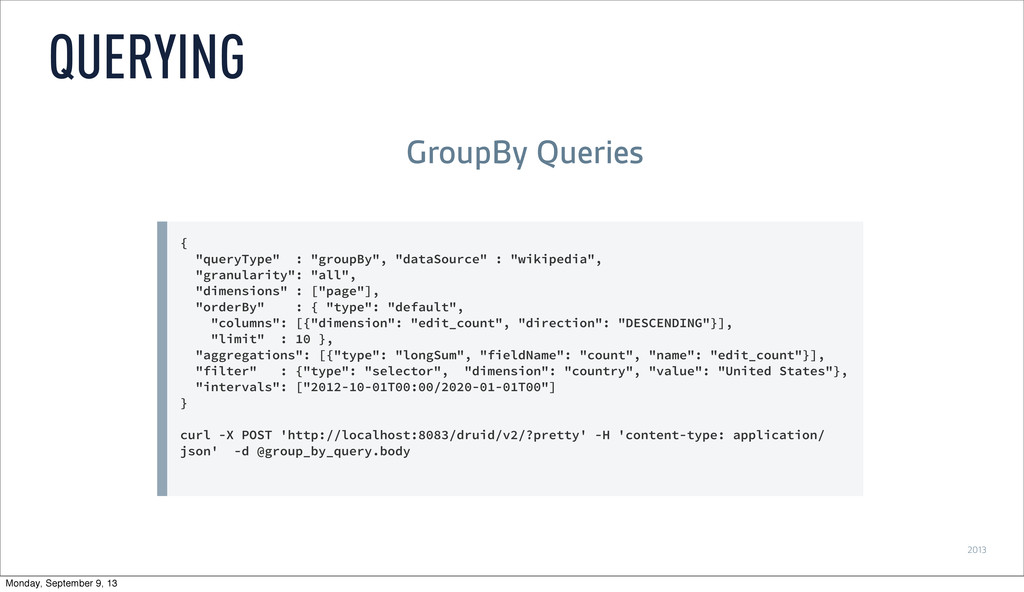
2013 { "queryType" : "groupBy", "dataSource" : "wikipedia", "granularity": "all",
"dimensions" : ["page"], "orderBy" : { "type": "default", "columns": [{"dimension": "edit_count", "direction": "DESCENDING"}], "limit" : 10 }, "aggregations": [{"type": "longSum", "fieldName": "count", "name": "edit_count"}], "filter" : {"type": "selector", "dimension": "country", "value": "United States"}, "intervals": ["2012-10-01T00:00/2020-01-01T00"] } curl -X POST 'http://localhost:8083/druid/v2/?pretty' -H 'content-type: application/ json' -d @group_by_query.body QUERYING GroupBy Queries Monday, September 9, 13 -
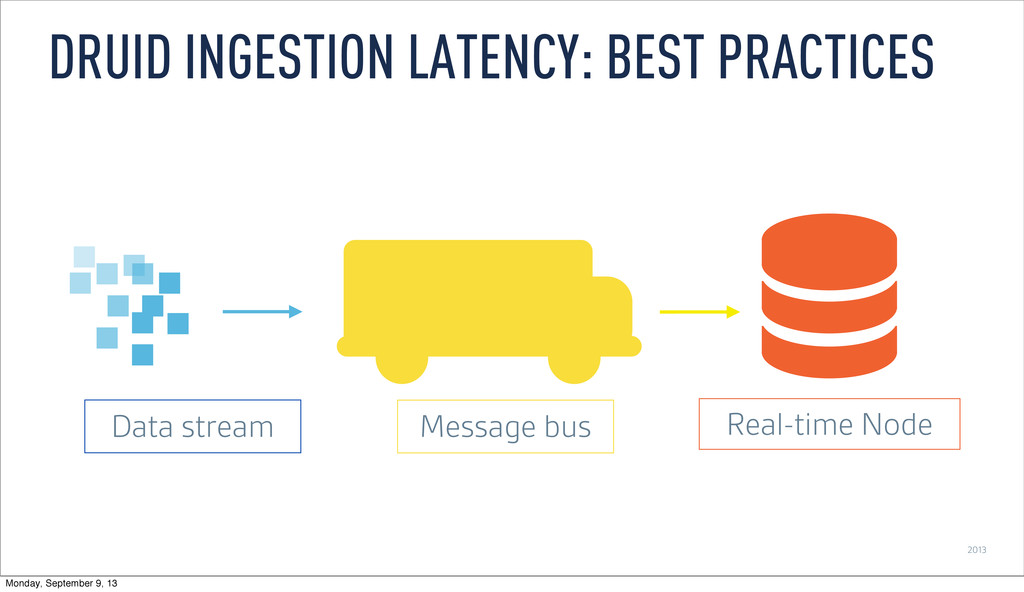
2013 DRUID INGESTION LATENCY: BEST PRACTICES Real-time Node Message bus
Data stream Monday, September 9, 13 -
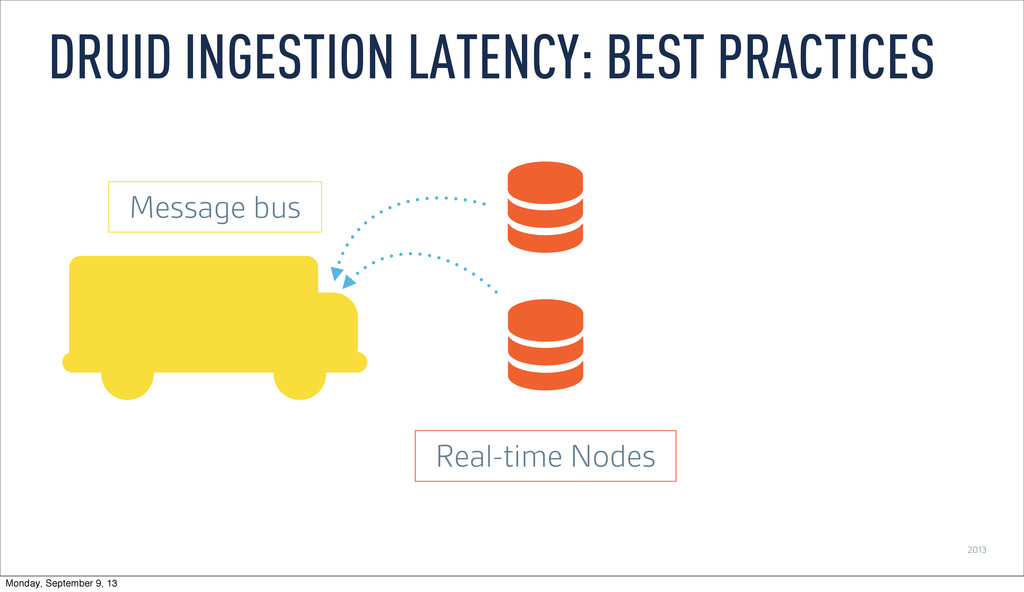
2013 DRUID INGESTION LATENCY: BEST PRACTICES Real-time Nodes Message bus
Monday, September 9, 13 -
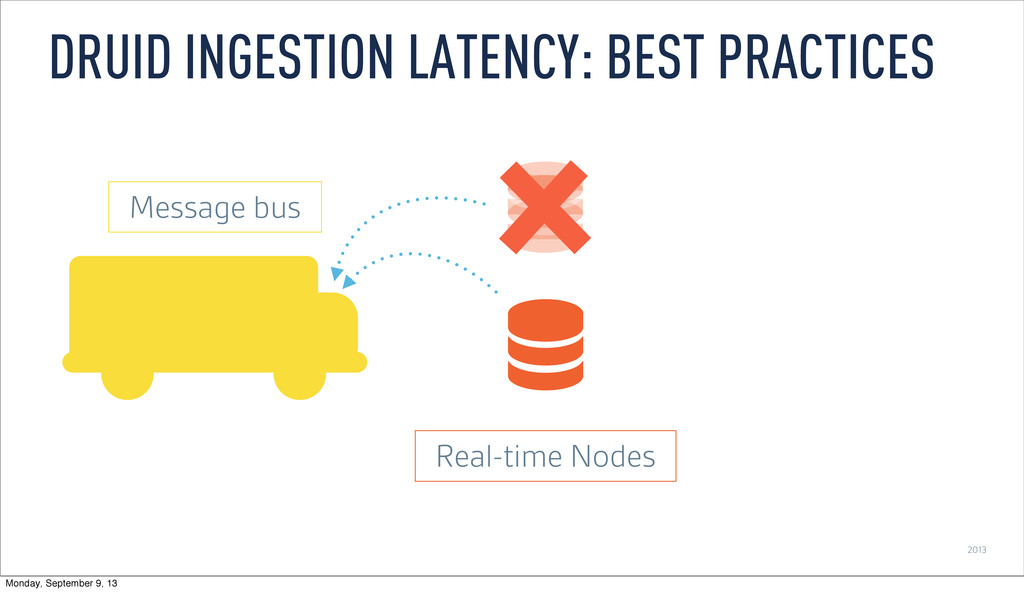
2013 DRUID INGESTION LATENCY: BEST PRACTICES Real-time Nodes Message bus
Monday, September 9, 13 -
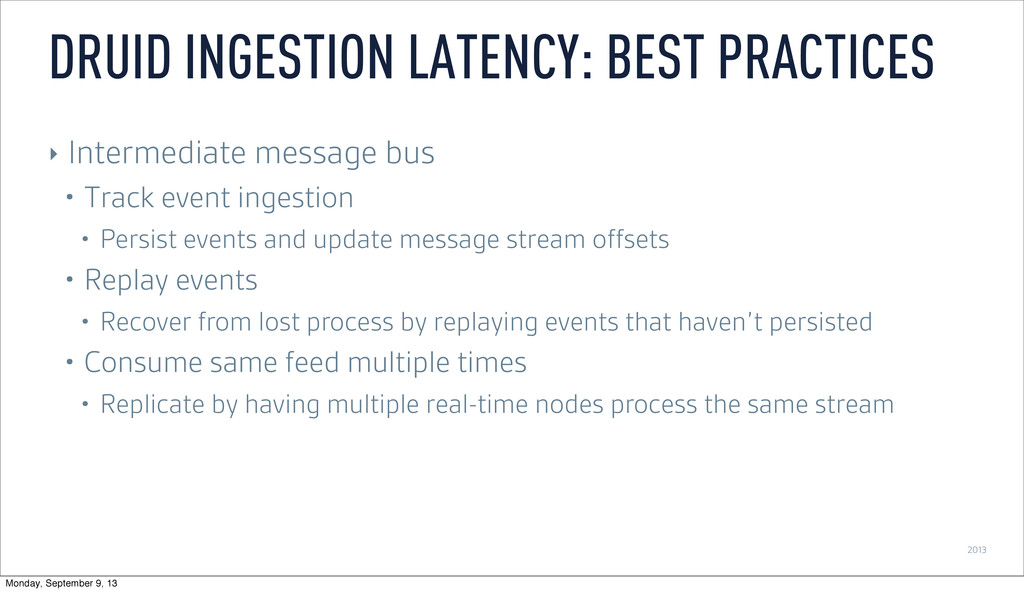
2013 ‣ Intermediate message bus • Track event ingestion •
Persist events and update message stream offsets • Replay events • Recover from lost process by replaying events that haven’t persisted • Consume same feed multiple times • Replicate by having multiple real-time nodes process the same stream DRUID INGESTION LATENCY: BEST PRACTICES Monday, September 9, 13 -
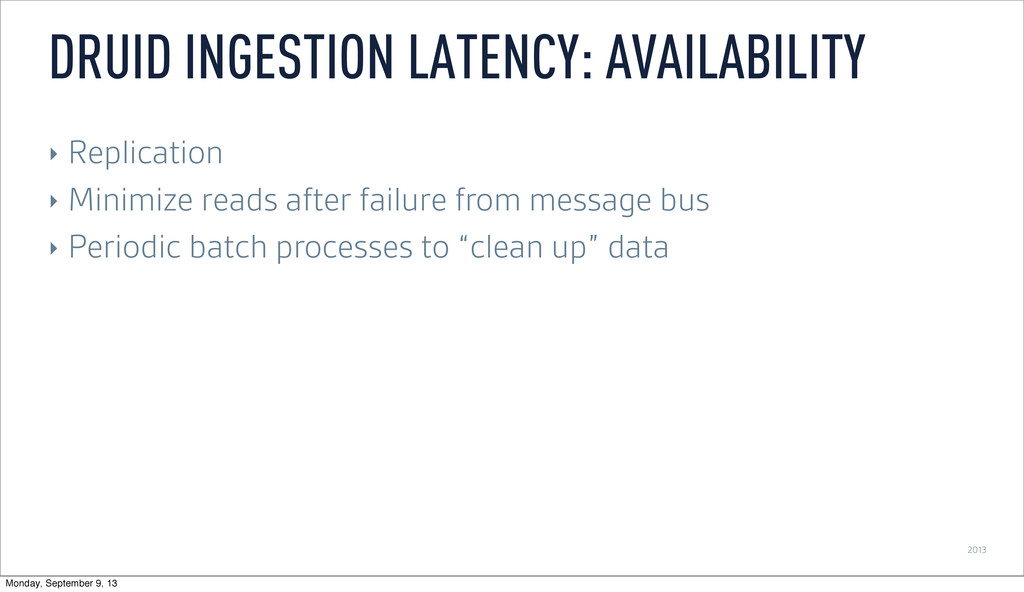
2013 ‣ Replication ‣ Minimize reads after failure from message
bus ‣ Periodic batch processes to “clean up” data DRUID INGESTION LATENCY: AVAILABILITY Monday, September 9, 13 -
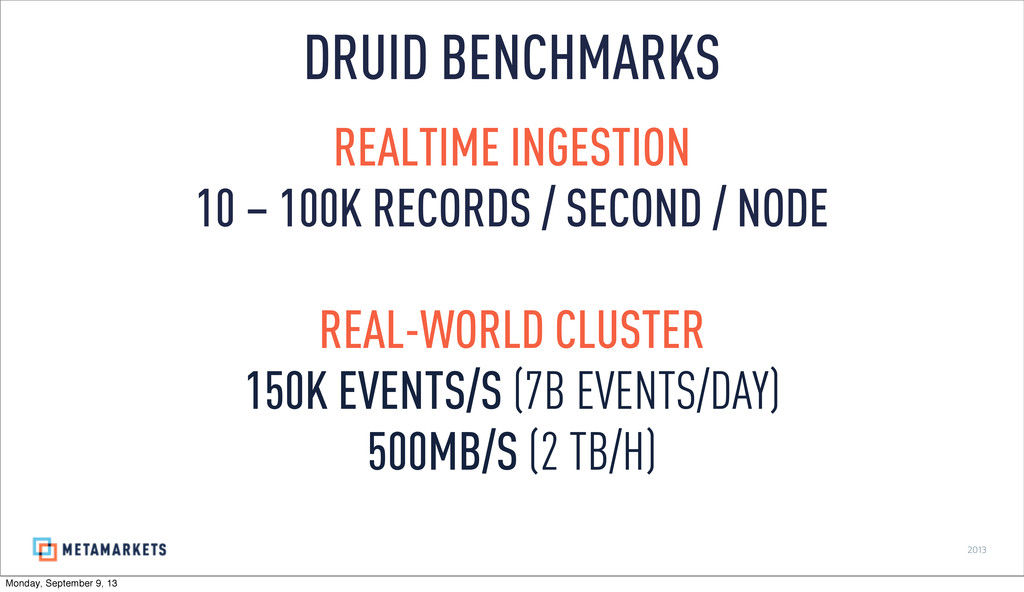
2013 REALTIME INGESTION 10 – 100K RECORDS / SECOND /
NODE REAL-WORLD CLUSTER 150K EVENTS/S (7B EVENTS/DAY) 500MB/S (2 TB/H) DRUID BENCHMARKS Monday, September 9, 13 -
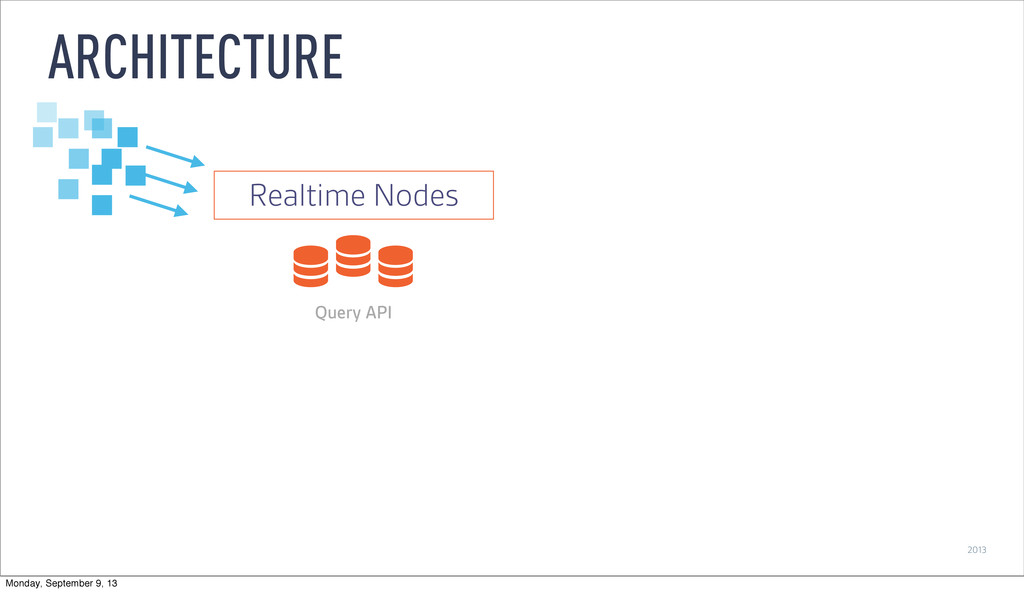
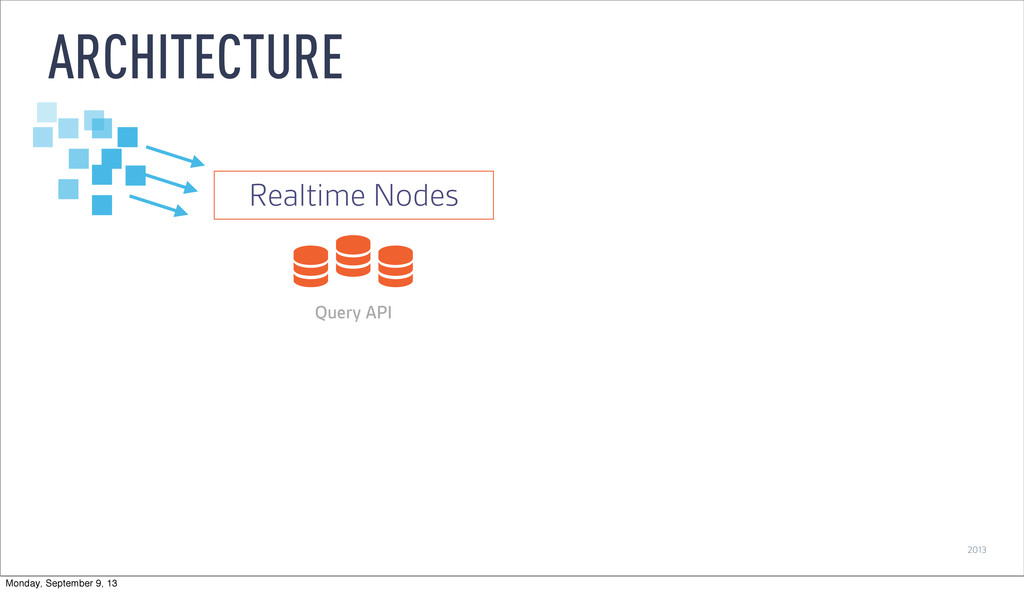
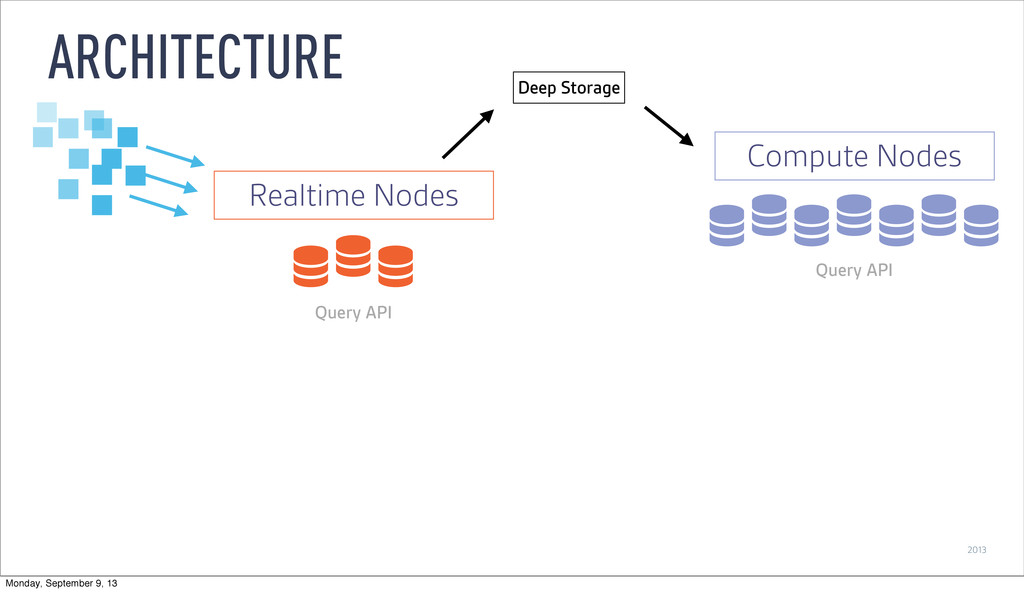
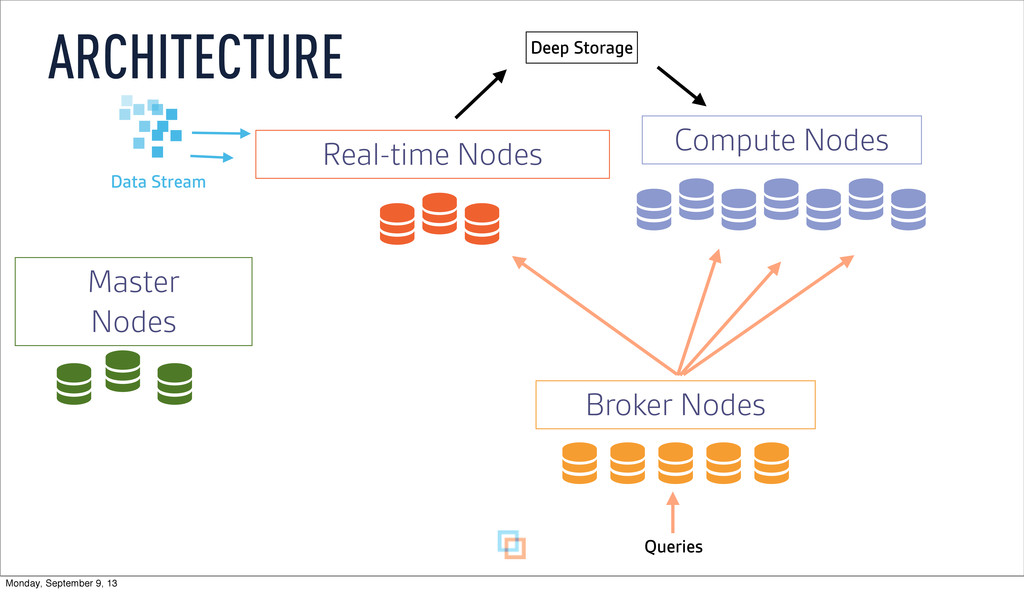
2013 ARCHITECTURE Realtime Nodes Query API Query API Compute Nodes
Deep Storage Monday, September 9, 13 -
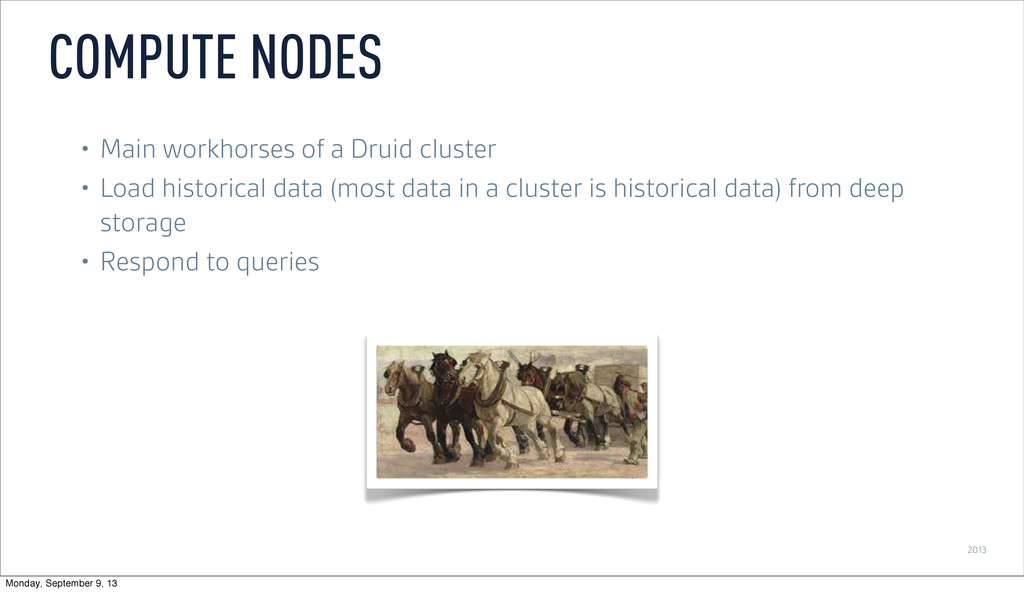
2013 • Main workhorses of a Druid cluster • Load
historical data (most data in a cluster is historical data) from deep storage • Respond to queries COMPUTE NODES Monday, September 9, 13 -
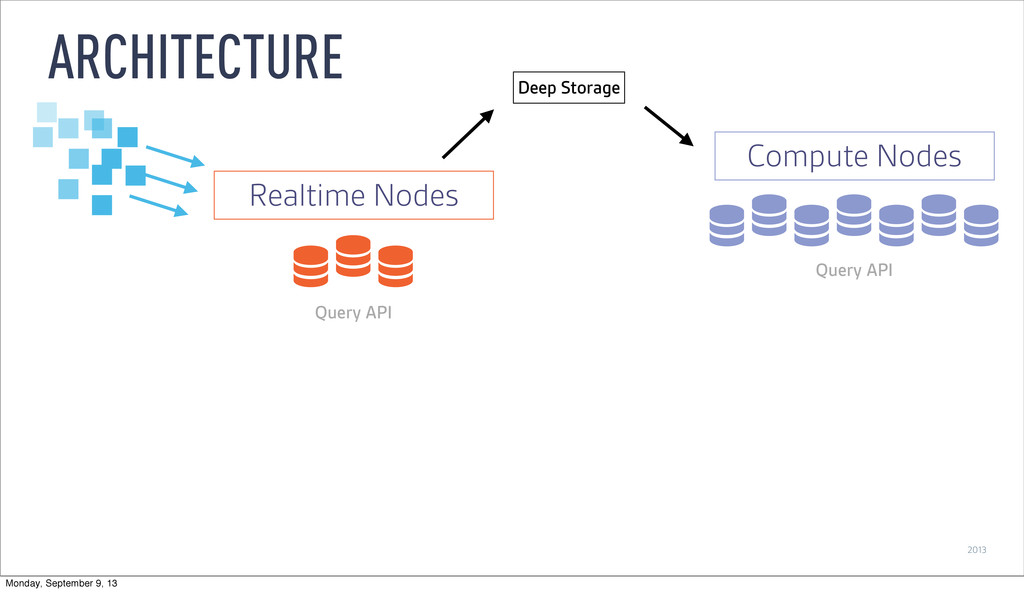
2013 ARCHITECTURE Query API Compute Nodes Realtime Nodes Query API
Deep Storage Monday, September 9, 13 -
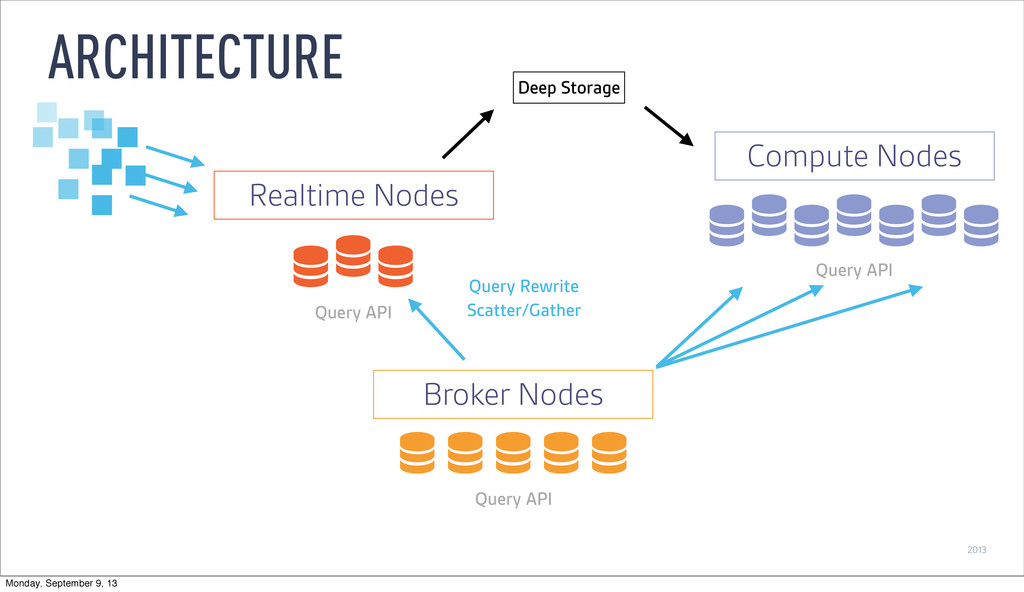
2013 ARCHITECTURE Query API Compute Nodes Realtime Nodes Query API
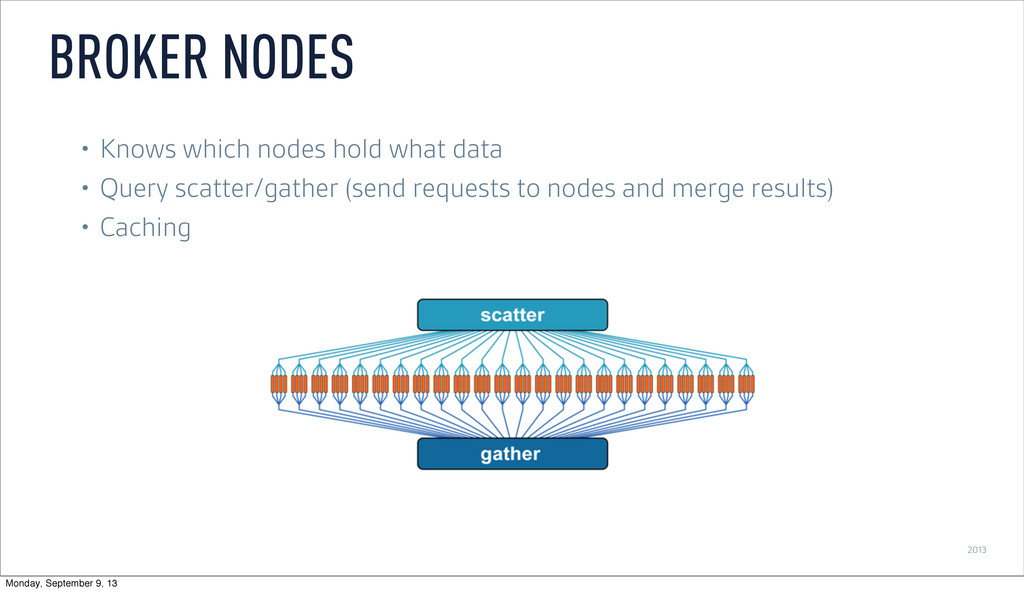
Broker Nodes Query API Query Rewrite Scatter/Gather Deep Storage Monday, September 9, 13 -
2013 • Knows which nodes hold what data • Query
scatter/gather (send requests to nodes and merge results) • Caching BROKER NODES Monday, September 9, 13 -
Compute Nodes Broker Nodes Real-time Nodes Data Stream Master Nodes
Queries Deep Storage ARCHITECTURE Monday, September 9, 13 -
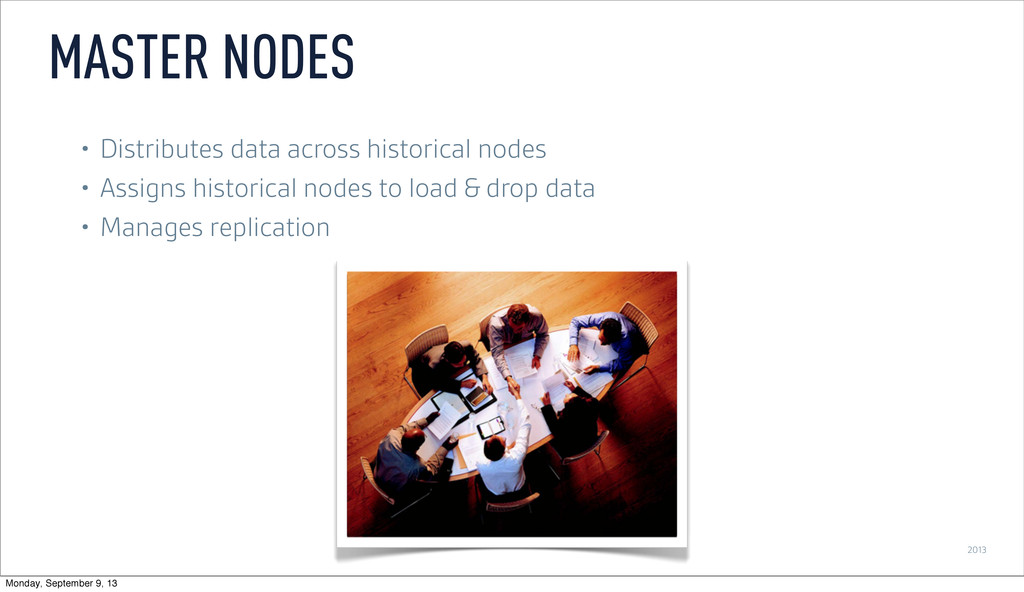
2013 • Distributes data across historical nodes • Assigns historical
nodes to load & drop data • Manages replication MASTER NODES Monday, September 9, 13 -
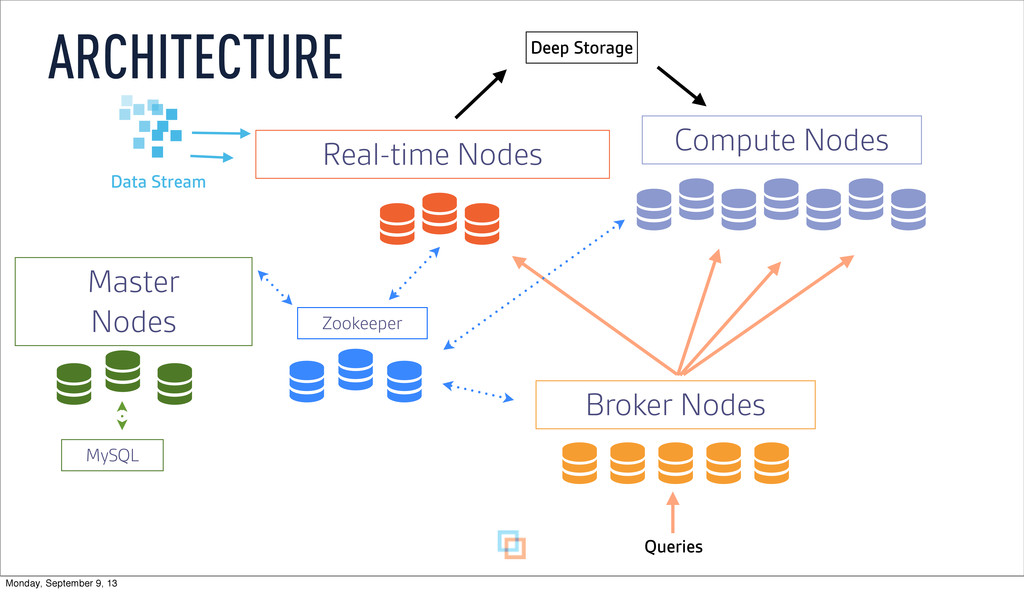
Compute Nodes Broker Nodes Real-time Nodes Zookeeper Queries MySQL Data
Stream Master Nodes ARCHITECTURE Deep Storage Monday, September 9, 13 -
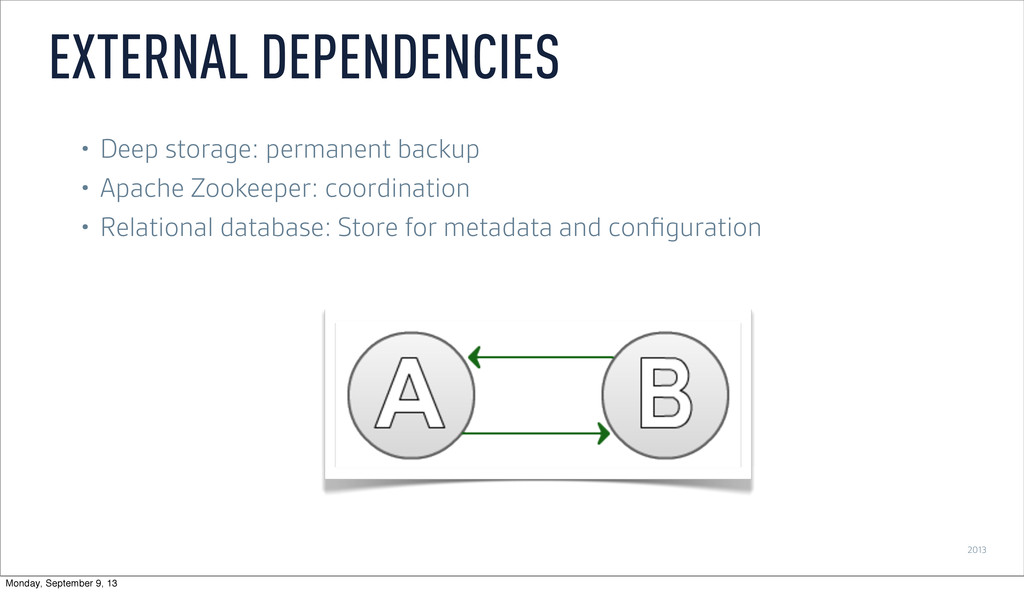
2013 • Deep storage: permanent backup • Apache Zookeeper: coordination
• Relational database: Store for metadata and configuration EXTERNAL DEPENDENCIES Monday, September 9, 13 -
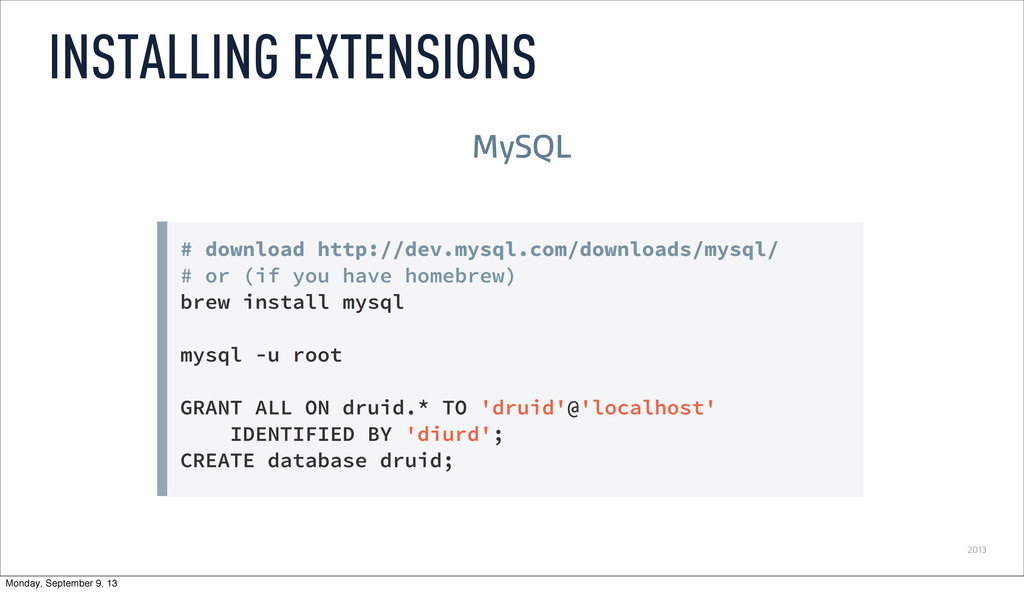
2013 # download http://dev.mysql.com/downloads/mysql/ # or (if you have homebrew)
brew install mysql mysql -u root GRANT ALL ON druid.* TO 'druid'@'localhost' IDENTIFIED BY 'diurd'; CREATE database druid; INSTALLING EXTENSIONS MySQL Monday, September 9, 13 -
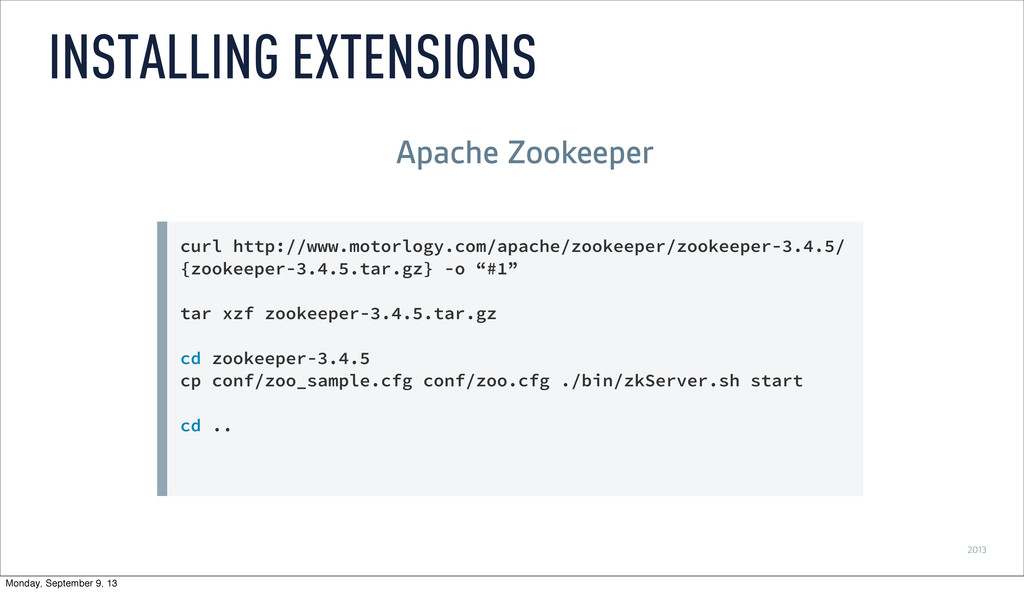
2013 curl http://www.motorlogy.com/apache/zookeeper/zookeeper-3.4.5/ {zookeeper-3.4.5.tar.gz} -o “#1” tar xzf zookeeper-3.4.5.tar.gz cd
zookeeper-3.4.5 cp conf/zoo_sample.cfg conf/zoo.cfg ./bin/zkServer.sh start cd .. INSTALLING EXTENSIONS Apache Zookeeper Monday, September 9, 13 -
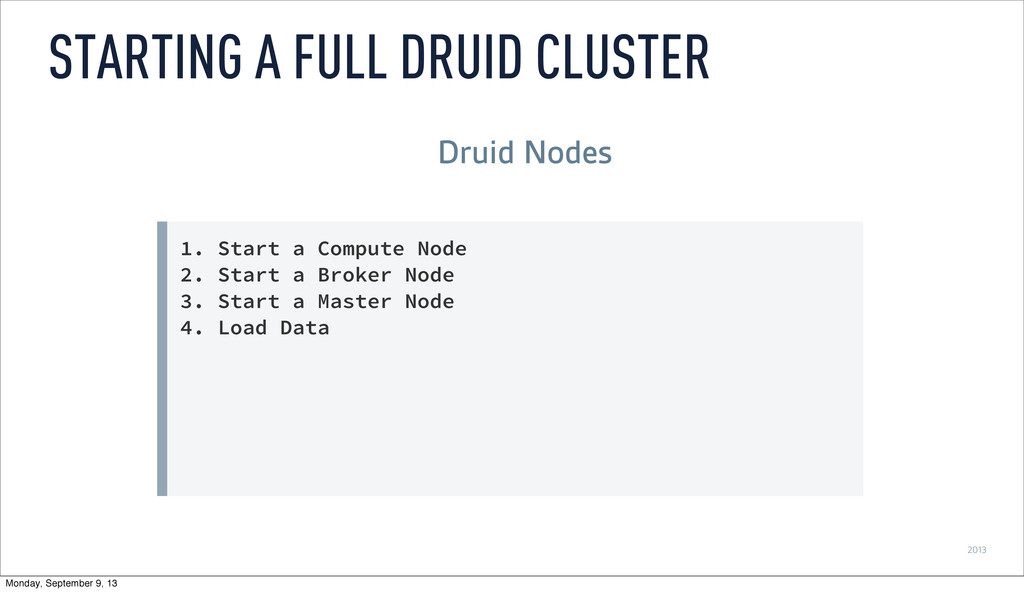
2013 1. Start a Compute Node 2. Start a Broker
Node 3. Start a Master Node 4. Load Data STARTING A FULL DRUID CLUSTER Druid Nodes Monday, September 9, 13 -
2013 ‣ Whirr • Deploy different node types in an
AWS environment • Minimal configuration • bit.ly/boot-druid-cluster ‣ Loading Data? • Real-time data ingestion • Hadoop-based batch ingestion ONE CLICK CLUSTER SETUP Monday, September 9, 13 -
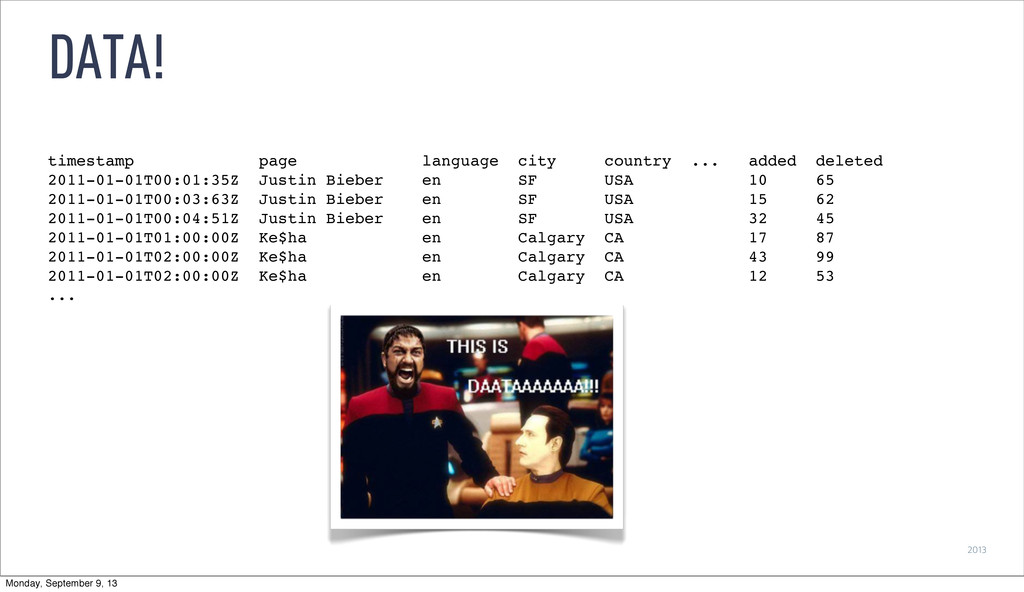
2013 DATA! timestamp page language city country ... added deleted
2011-01-01T00:01:35Z Justin Bieber en SF USA 10 65 2011-01-01T00:03:63Z Justin Bieber en SF USA 15 62 2011-01-01T00:04:51Z Justin Bieber en SF USA 32 45 2011-01-01T01:00:00Z Ke$ha en Calgary CA 17 87 2011-01-01T02:00:00Z Ke$ha en Calgary CA 43 99 2011-01-01T02:00:00Z Ke$ha en Calgary CA 12 53 ... Monday, September 9, 13 -
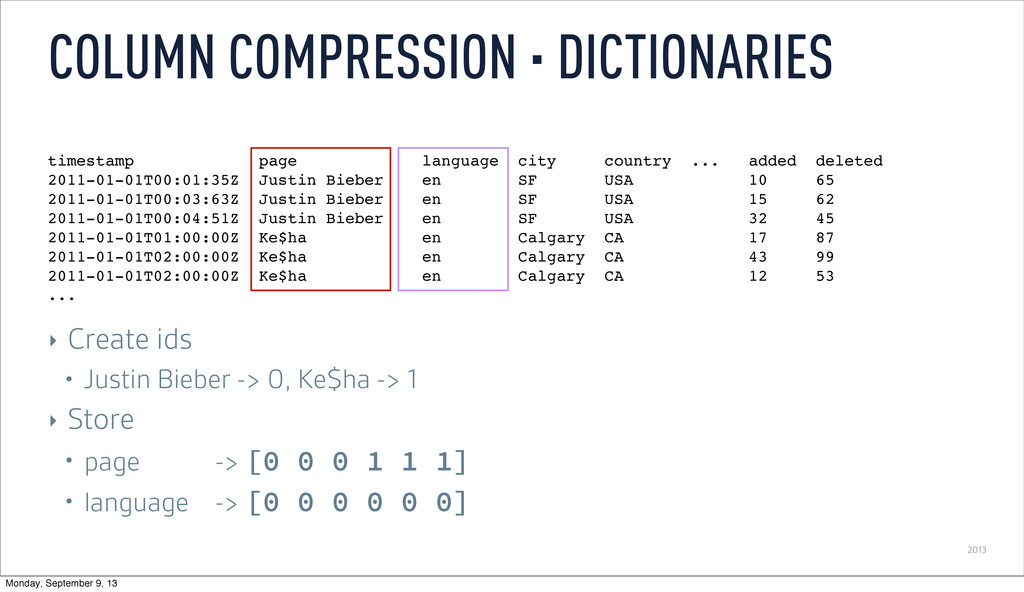
2013 COLUMN COMPRESSION · DICTIONARIES ‣ Create ids • Justin
Bieber -> 0, Ke$ha -> 1 ‣ Store • page -> [0 0 0 1 1 1] • language -> [0 0 0 0 0 0] timestamp page language city country ... added deleted 2011-01-01T00:01:35Z Justin Bieber en SF USA 10 65 2011-01-01T00:03:63Z Justin Bieber en SF USA 15 62 2011-01-01T00:04:51Z Justin Bieber en SF USA 32 45 2011-01-01T01:00:00Z Ke$ha en Calgary CA 17 87 2011-01-01T02:00:00Z Ke$ha en Calgary CA 43 99 2011-01-01T02:00:00Z Ke$ha en Calgary CA 12 53 ... Monday, September 9, 13 -
2013 BITMAP INDICES ‣ Justin Bieber -> [0, 1, 2]
-> [111000] ‣ Ke$ha -> [3, 4, 5] -> [000111] timestamp page language city country ... added deleted 2011-01-01T00:01:35Z Justin Bieber en SF USA 10 65 2011-01-01T00:03:63Z Justin Bieber en SF USA 15 62 2011-01-01T00:04:51Z Justin Bieber en SF USA 32 45 2011-01-01T01:00:00Z Ke$ha en Calgary CA 17 87 2011-01-01T02:00:00Z Ke$ha en Calgary CA 43 99 2011-01-01T02:00:00Z Ke$ha en Calgary CA 12 53 ... Monday, September 9, 13 -
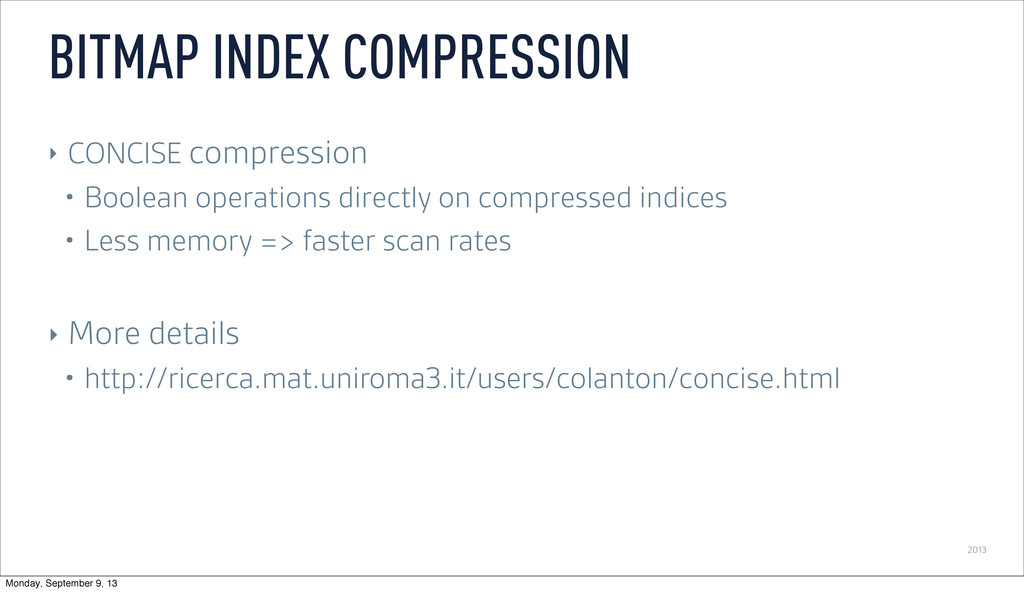
2013 BITMAP INDEX COMPRESSION ‣ CONCISE compression • Boolean operations
directly on compressed indices • Less memory => faster scan rates ‣ More details • http://ricerca.mat.uniroma3.it/users/colanton/concise.html Monday, September 9, 13 -
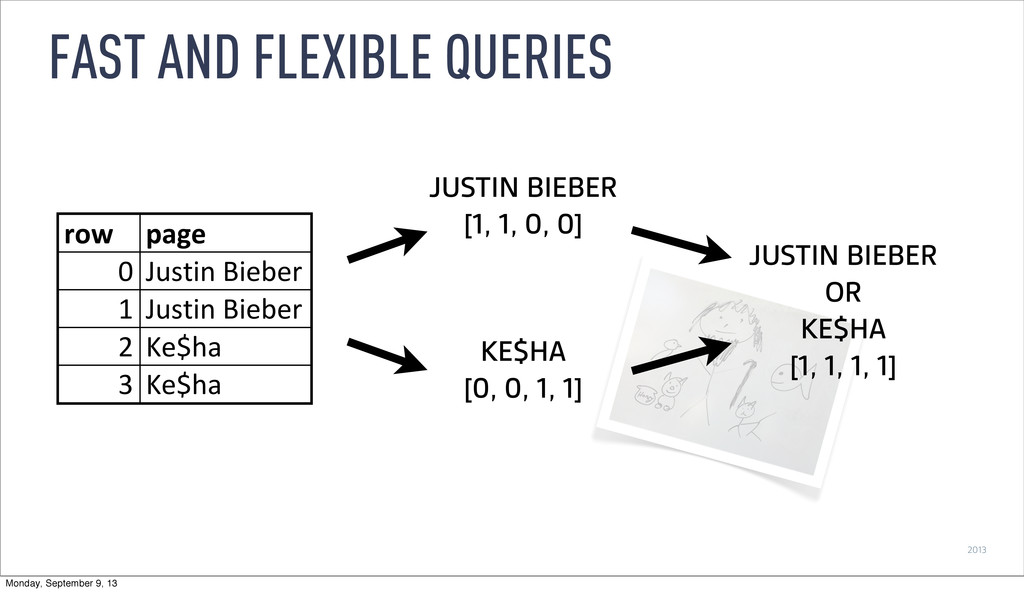
2013 FAST AND FLEXIBLE QUERIES JUSTIN BIEBER [1, 1, 0,
0] KE$HA [0, 0, 1, 1] JUSTIN BIEBER OR KE$HA [1, 1, 1, 1] row page 0 Justin(Bieber 1 Justin(Bieber 2 Ke$ha 3 Ke$ha Monday, September 9, 13 -
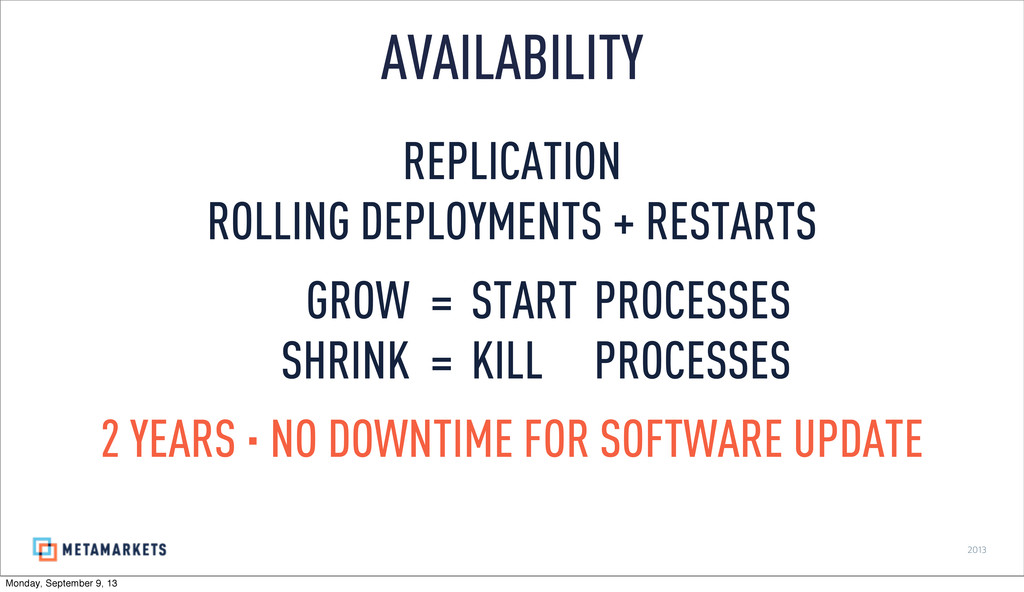
2013 REPLICATION ROLLING DEPLOYMENTS + RESTARTS GROW = START PROCESSES
SHRINK = KILL PROCESSES 2 YEARS · NO DOWNTIME FOR SOFTWARE UPDATE AVAILABILITY Monday, September 9, 13 -
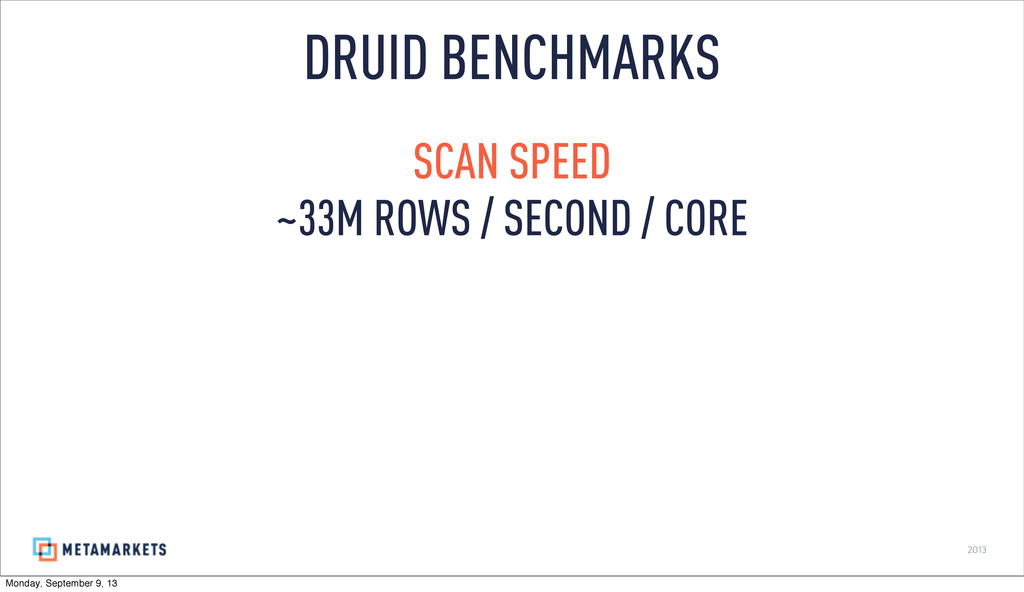
2013 SCAN SPEED ~33M ROWS / SECOND / CORE DRUID
BENCHMARKS Monday, September 9, 13 -
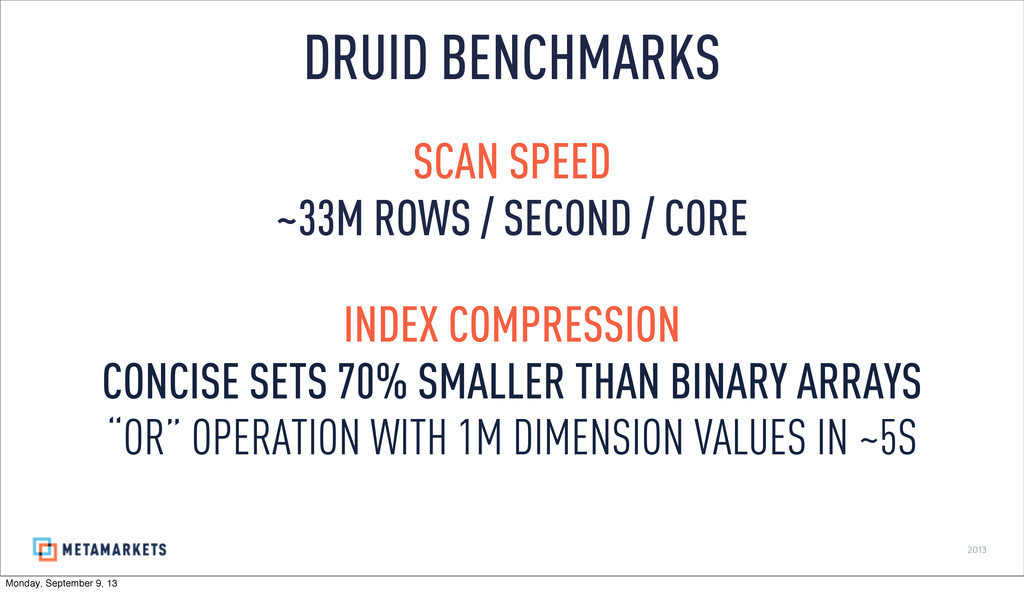
2013 SCAN SPEED ~33M ROWS / SECOND / CORE INDEX
COMPRESSION CONCISE SETS 70% SMALLER THAN BINARY ARRAYS “OR” OPERATION WITH 1M DIMENSION VALUES IN ~5S DRUID BENCHMARKS Monday, September 9, 13 -
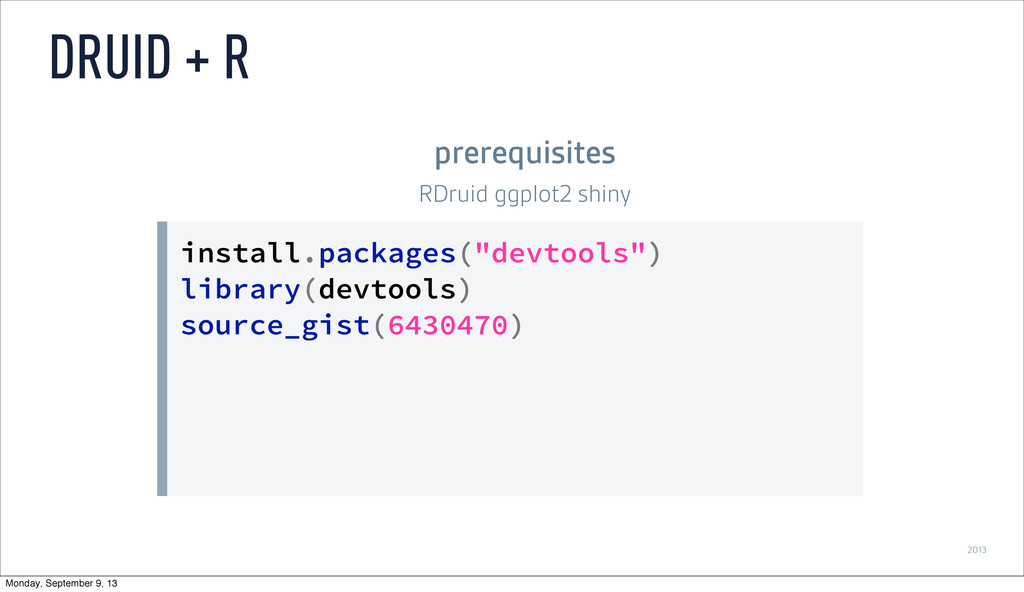
2013 install.packages("devtools") library(devtools) source_gist(6430470) DRUID + R prerequisites RDruid ggplot2
shiny Monday, September 9, 13 -
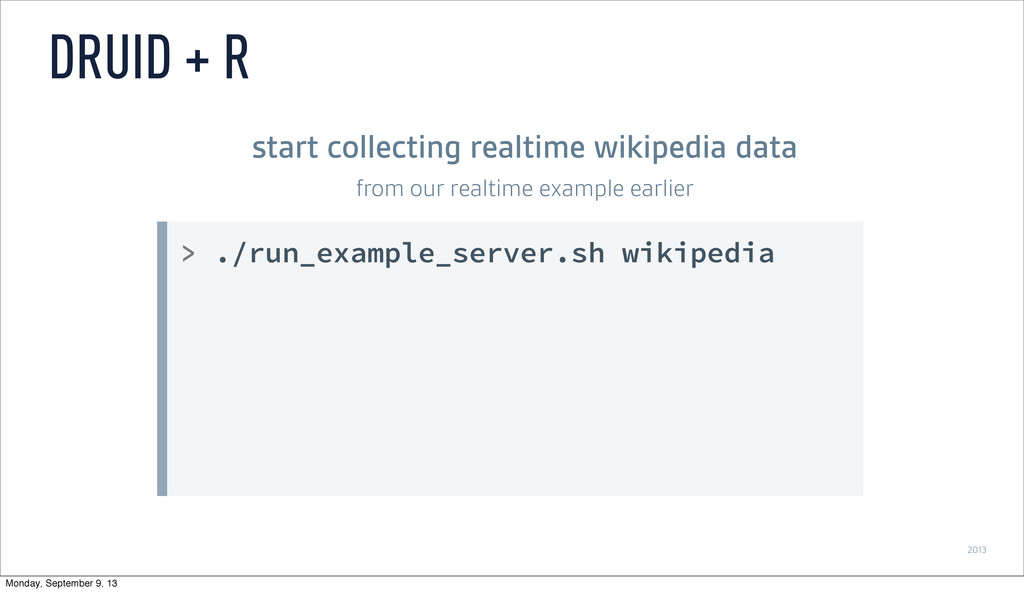
2013 > ./run_example_server.sh wikipedia DRUID + R start collecting realtime
wikipedia data from our realtime example earlier Monday, September 9, 13 -
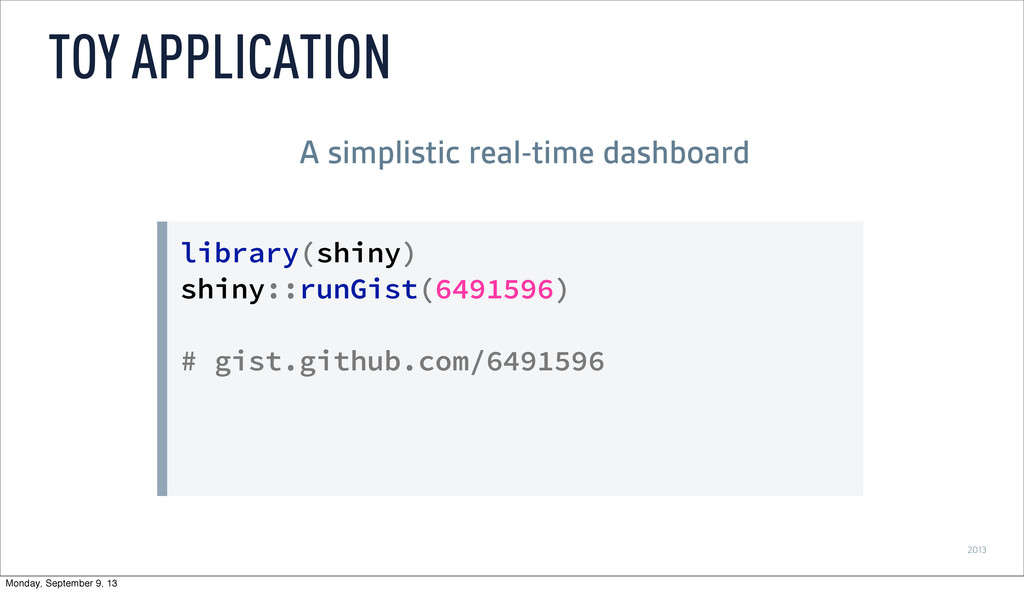
2013 library(shiny) shiny::runGist(6491596) # gist.github.com/6491596 TOY APPLICATION A simplistic real-time
dashboard Monday, September 9, 13 -
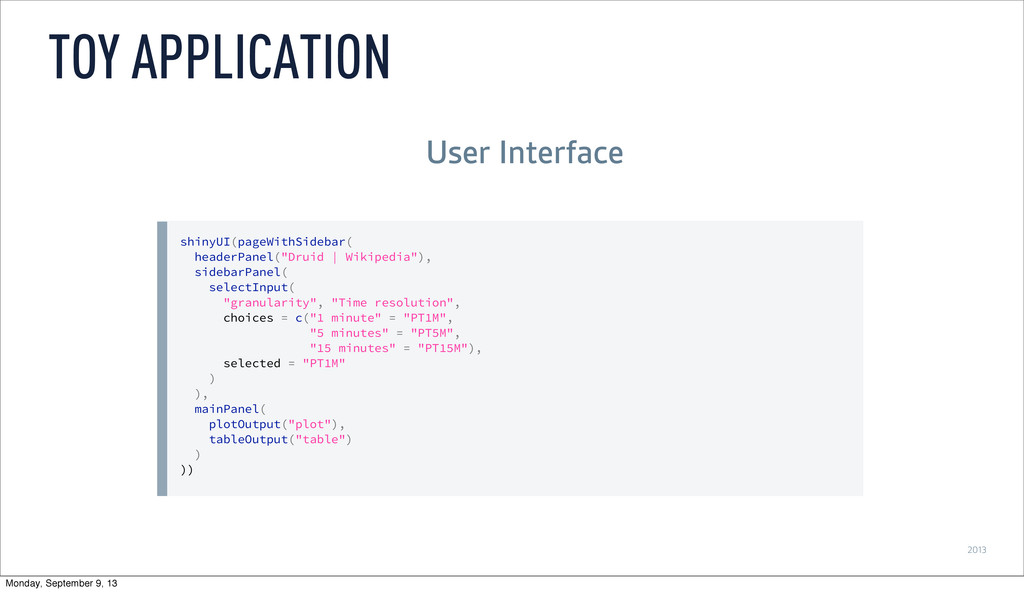
2013 shinyUI(pageWithSidebar( headerPanel("Druid | Wikipedia"), sidebarPanel( selectInput( "granularity", "Time resolution",
choices = c("1 minute" = "PT1M", "5 minutes" = "PT5M", "15 minutes" = "PT15M"), selected = "PT1M" ) ), mainPanel( plotOutput("plot"), tableOutput("table") ) )) TOY APPLICATION User Interface Monday, September 9, 13 -
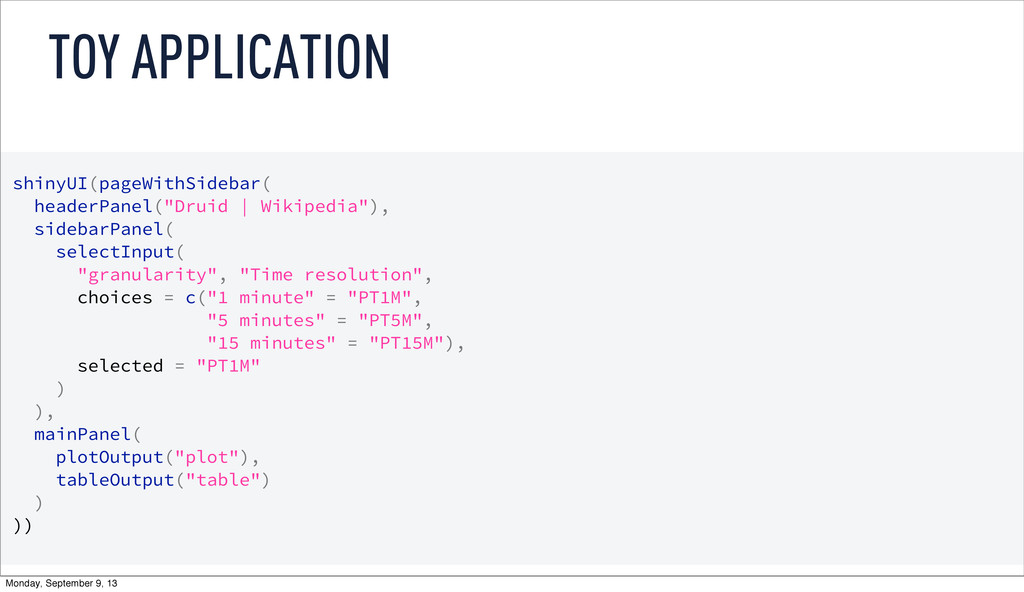
2013 shinyUI(pageWithSidebar( headerPanel("Druid | Wikipedia"), sidebarPanel( selectInput( "granularity", "Time resolution",
choices = c("1 minute" = "PT1M", "5 minutes" = "PT5M", "15 minutes" = "PT15M"), selected = "PT1M" ) ), mainPanel( plotOutput("plot"), tableOutput("table") ) )) TOY APPLICATION User Interface Monday, September 9, 13 -
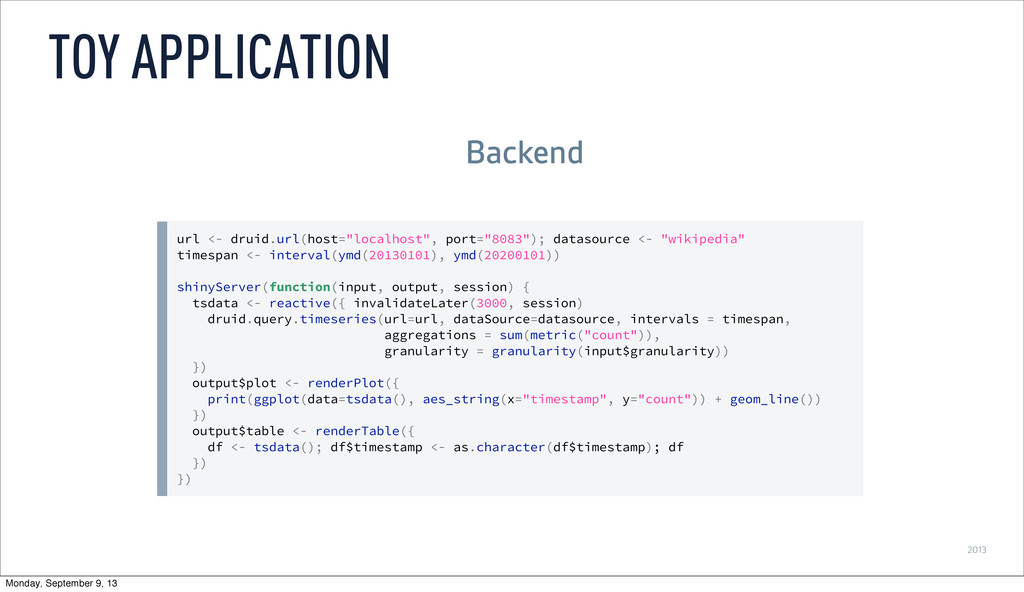
2013 url <- druid.url(host="localhost", port="8083"); datasource <- "wikipedia" timespan <-
interval(ymd(20130101), ymd(20200101)) shinyServer(function(input, output, session) { tsdata <- reactive({ invalidateLater(3000, session) druid.query.timeseries(url=url, dataSource=datasource, intervals = timespan, aggregations = sum(metric("count")), granularity = granularity(input$granularity)) }) output$plot <- renderPlot({ print(ggplot(data=tsdata(), aes_string(x="timestamp", y="count")) + geom_line()) }) output$table <- renderTable({ df <- tsdata(); df$timestamp <- as.character(df$timestamp); df }) }) TOY APPLICATION Backend Monday, September 9, 13 -
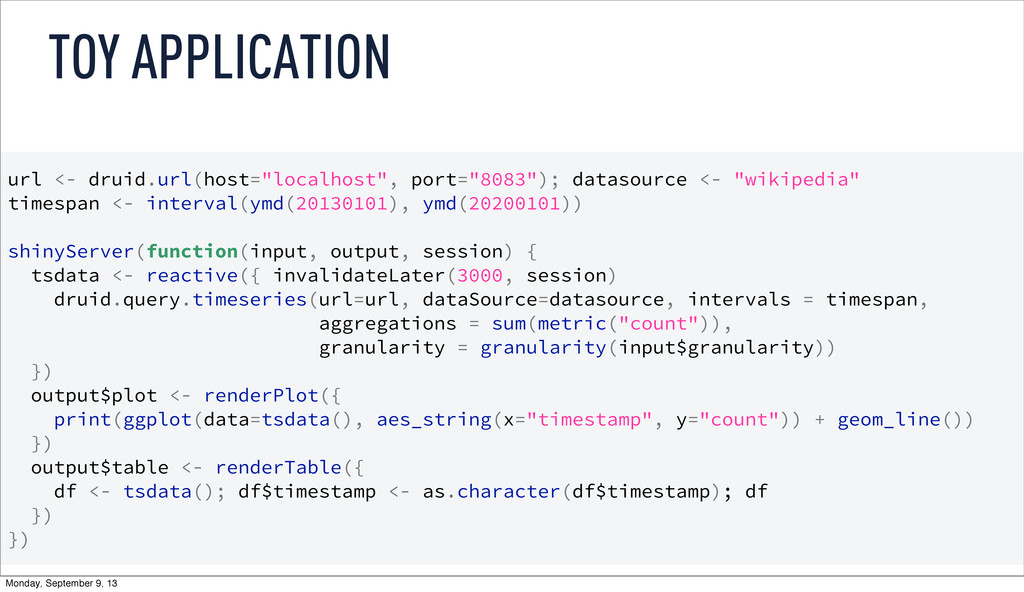
2013 url <- druid.url(host="localhost", port="8083"); datasource <- "wikipedia" timespan <-
interval(ymd(20130101), ymd(20200101)) shinyServer(function(input, output, session) { tsdata <- reactive({ invalidateLater(3000, session) druid.query.timeseries(url=url, dataSource=datasource, intervals = timespan, aggregations = sum(metric("count")), granularity = granularity(input$granularity)) }) output$plot <- renderPlot({ print(ggplot(data=tsdata(), aes_string(x="timestamp", y="count")) + geom_line()) }) output$table <- renderTable({ df <- tsdata(); df$timestamp <- as.character(df$timestamp); df }) }) TOY APPLICATION Backend Monday, September 9, 13 -
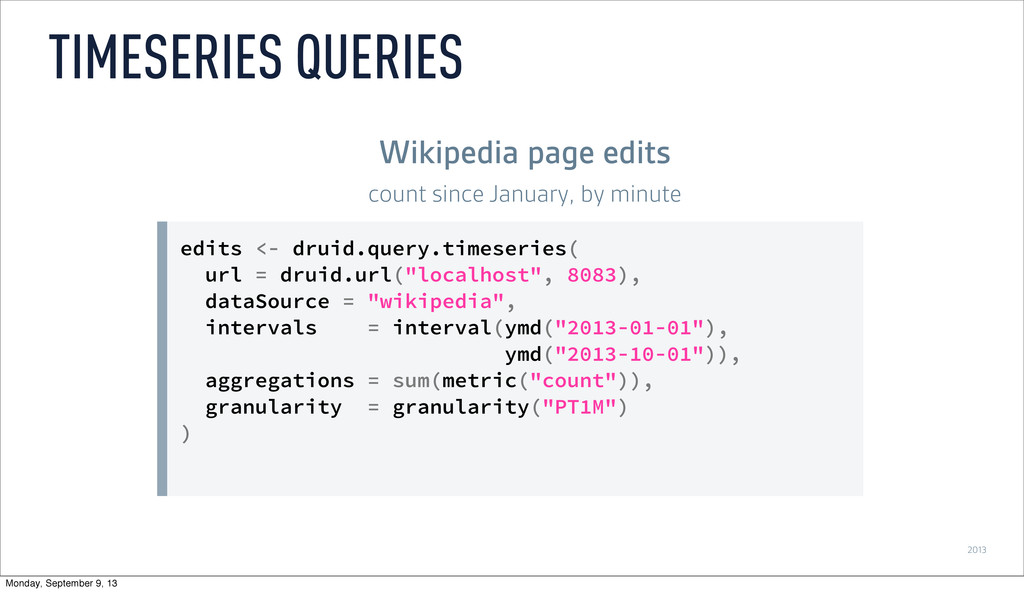
2013 edits <- druid.query.timeseries( url = druid.url("localhost", 8083), dataSource =
"wikipedia", intervals = interval(ymd("2013-01-01"), ymd("2013-10-01")), aggregations = sum(metric("count")), granularity = granularity("PT1M") ) TIMESERIES QUERIES Wikipedia page edits count since January, by minute Monday, September 9, 13 -
2013 enfr <- druid.query.timeseries( [...] granularity = granularity("PT1M"), filter =
dimension("namespace") == "article" & ( dimension("language") == "en" | dimension("language") == "fr" ) ) FILTERS what if I’m only interested in articles in English or French Monday, September 9, 13 -
2013 enfr <- druid.query.groupBy( [...] filter = dimension("namespace") == "article"
& ( dimension("language") == "en" | dimension("language") == "fr" ), dimensions = list("language") ) qplot(data = enfr, x = timestamp, y = count, geom = "line", color = language) GROUP BY break it out by language Monday, September 9, 13 -
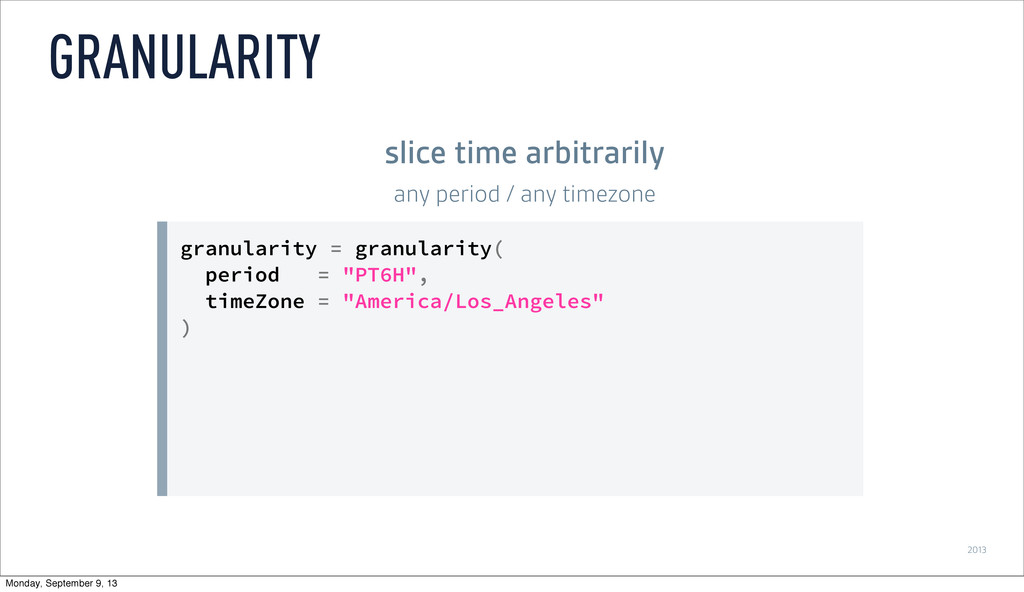
2013 granularity = granularity( period = "PT6H", timeZone = "America/Los_Angeles"
) GRANULARITY slice time arbitrarily any period / any timezone Monday, September 9, 13 -
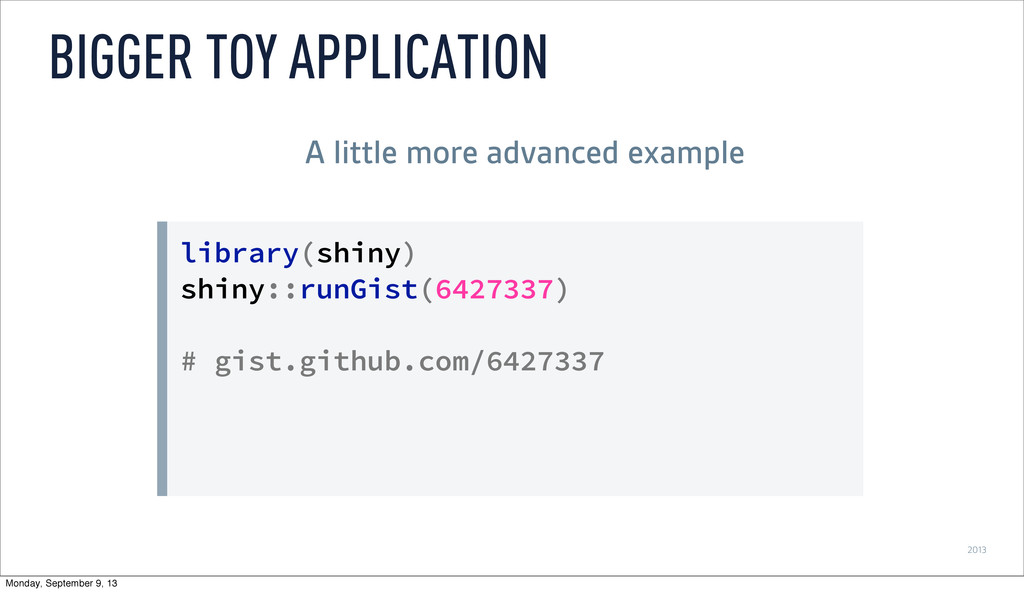
2013 library(shiny) shiny::runGist(6427337) # gist.github.com/6427337 BIGGER TOY APPLICATION A little
more advanced example Monday, September 9, 13 -
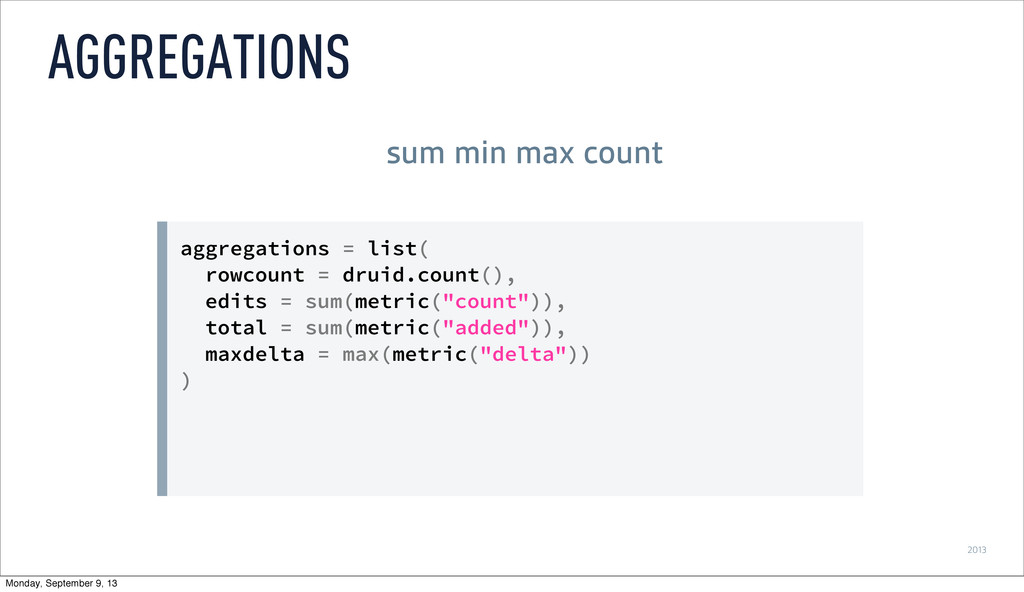
2013 aggregations = list( rowcount = druid.count(), edits = sum(metric("count")),
total = sum(metric("added")), maxdelta = max(metric("delta")) ) AGGREGATIONS sum min max count Monday, September 9, 13 -
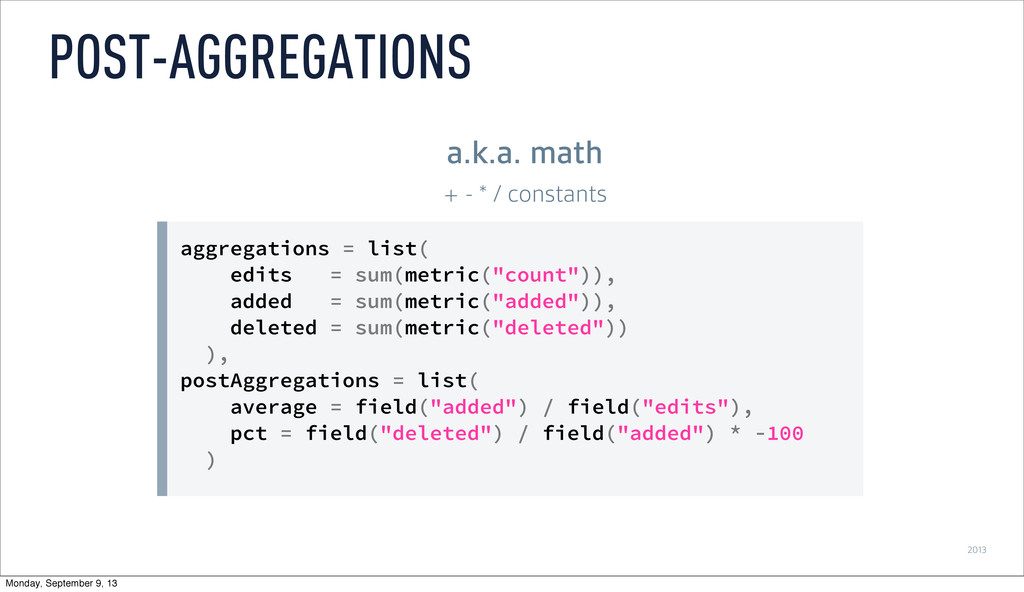
2013 aggregations = list( edits = sum(metric("count")), added = sum(metric("added")),
deleted = sum(metric("deleted")) ), postAggregations = list( average = field("added") / field("edits"), pct = field("deleted") / field("added") * -100 ) POST-AGGREGATIONS a.k.a. math + - * / constants Monday, September 9, 13 -
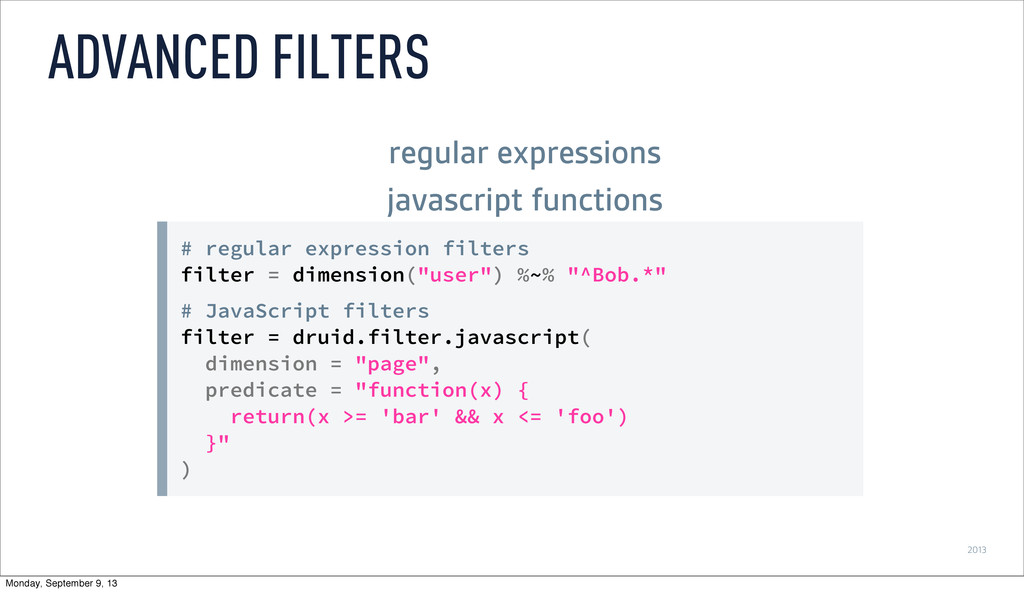
2013 # regular expression filters filter = dimension("user") %~% "^Bob.*"
# JavaScript filters filter = druid.filter.javascript( dimension = "page", predicate = "function(x) { return(x >= 'bar' && x <= 'foo') }" ) ADVANCED FILTERS regular expressions javascript functions Monday, September 9, 13 -
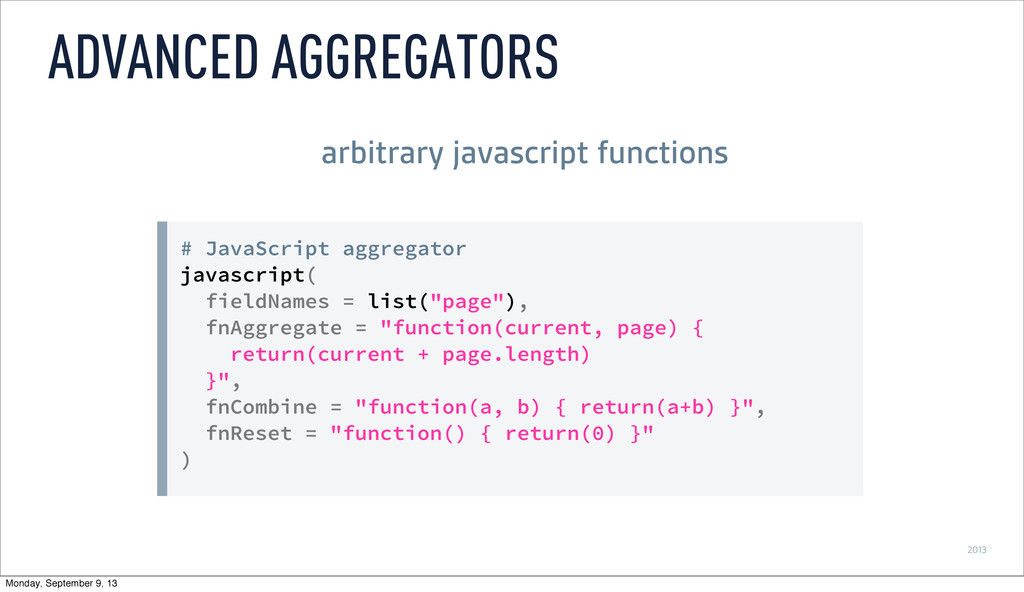
2013 # JavaScript aggregator javascript( fieldNames = list("page"), fnAggregate =
"function(current, page) { return(current + page.length) }", fnCombine = "function(a, b) { return(a+b) }", fnReset = "function() { return(0) }" ) ADVANCED AGGREGATORS arbitrary javascript functions Monday, September 9, 13