Mental Health Consulting Firm for Proactive Wor...

Share
Embed
Mental Health Consulting Firm for Proactive Workplace Wellness
The Up-Ward Shift is a mental health consulting firm in Georgia that helps organizations support employees before stress becomes a crisis. We combine leadership development with mental health awareness, so leaders can spot burnout, absenteeism, and low morale early. Our semi-monthly leadership check-ins and anonymous employee feedback show leaders what is really happening on their teams. We do not replace Employee Assistance Programs. We add a proactive layer that strengthens workplace culture. Led by Dr. RJ Willis, who holds a doctoral degree in Organizational Leadership, we serve businesses, nonprofits, churches, government agencies, and healthcare teams. Call 404-717-2441 to schedule a consultation.

The Up-Ward Shift LLC
October 23, 2026
Transcript
30 slides
-
The HOTH 111 2nd Ave NE, Suite 1500, St. Petersburg,
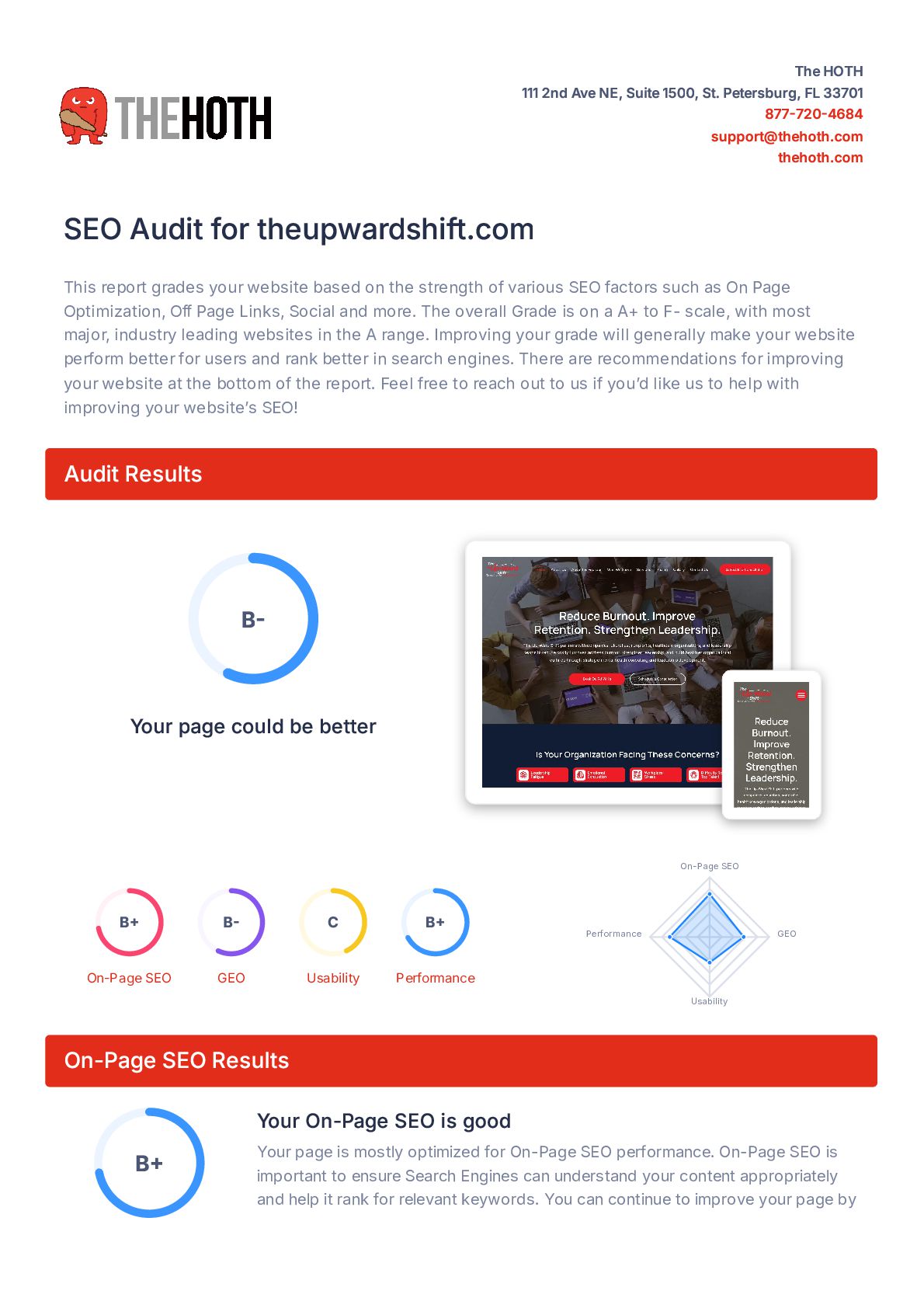
FL 33701 877 720 4684 [email protected] thehoth.com SEO Audit for theupwardshift.com This report grades your website based on the strength of various SEO factors such as On Page Optimization, Off Page Links, Social and more. The overall Grade is on a A+ to F- scale, with most major, industry leading websites in the A range. Improving your grade will generally make your website perform better for users and rank better in search engines. There are recommendations for improving your website at the bottom of the report. Feel free to reach out to us if youʼd like us to help with improving your websiteʼs SEO! Audit Results B Your page could be better On-Page SEO B B C B On-Page SEO GEO Usability Performance Performance GEO Usability On-Page SEO Results Your On-Page SEO is good B Your page is mostly optimized for On-Page SEO performance. On-Page SEO is important to ensure Search Engines can understand your content appropriately and help it rank for relevant keywords. You can continue to improve your page by -
ensuring HTML Tag Content is completed correctly and text content
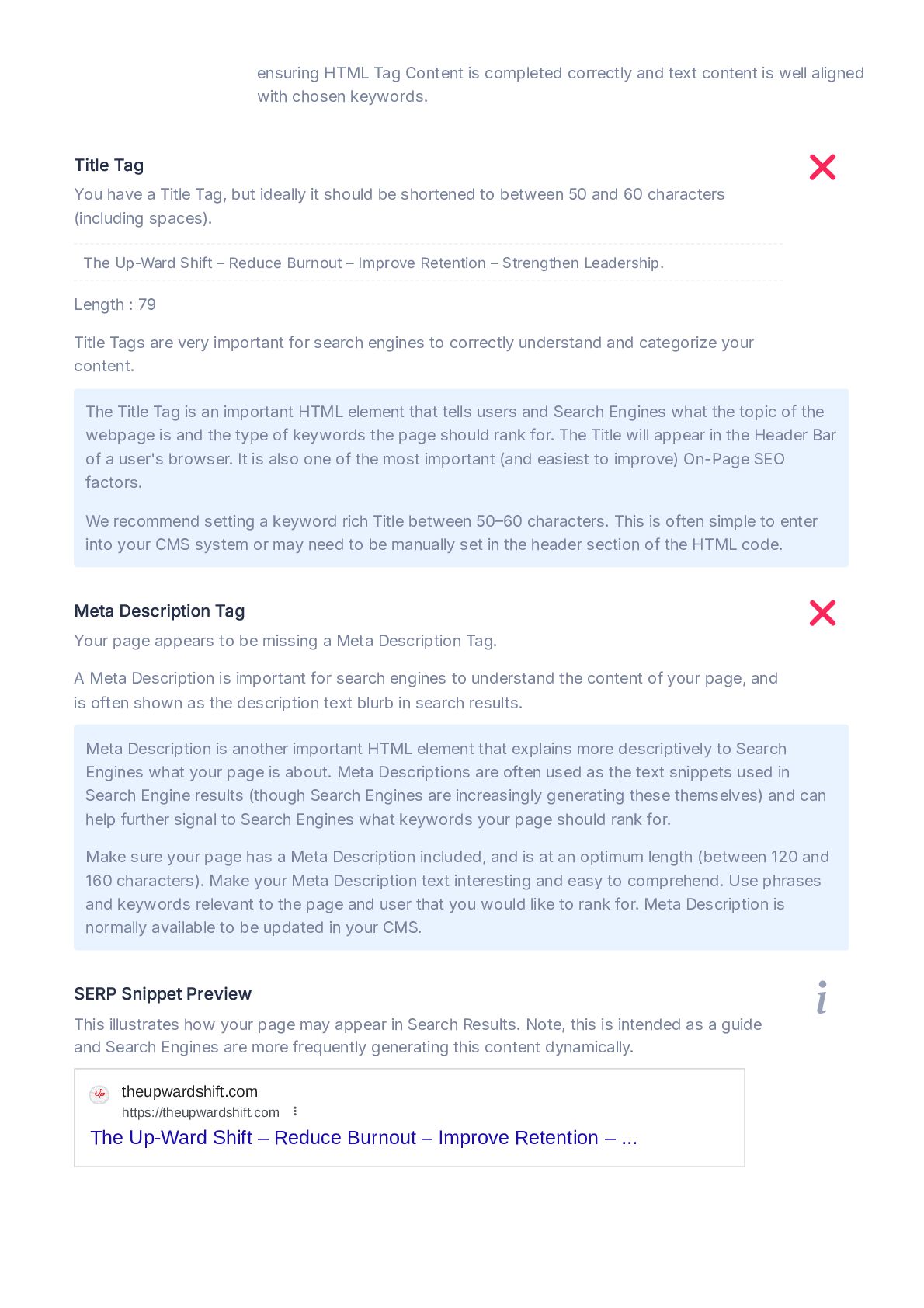
is well aligned with chosen keywords. Title Tag You have a Title Tag, but ideally it should be shortened to between 50 and 60 characters (including spaces). The Up-Ward Shift – Reduce Burnout – Improve Retention – Strengthen Leadership. Length : 79 Title Tags are very important for search engines to correctly understand and categorize your content. The Title Tag is an important HTML element that tells users and Search Engines what the topic of the webpage is and the type of keywords the page should rank for. The Title will appear in the Header Bar of a user's browser. It is also one of the most important (and easiest to improve) On-Page SEO factors. We recommend setting a keyword rich Title between 50 60 characters. This is often simple to enter into your CMS system or may need to be manually set in the header section of the HTML code. Meta Description Tag Your page appears to be missing a Meta Description Tag. A Meta Description is important for search engines to understand the content of your page, and is often shown as the description text blurb in search results. Meta Description is another important HTML element that explains more descriptively to Search Engines what your page is about. Meta Descriptions are often used as the text snippets used in Search Engine results (though Search Engines are increasingly generating these themselves) and can help further signal to Search Engines what keywords your page should rank for. Make sure your page has a Meta Description included, and is at an optimum length (between 120 and 160 characters). Make your Meta Description text interesting and easy to comprehend. Use phrases and keywords relevant to the page and user that you would like to rank for. Meta Description is normally available to be updated in your CMS. SERP Snippet Preview This illustrates how your page may appear in Search Results. Note, this is intended as a guide and Search Engines are more frequently generating this content dynamically. theupwardshift.com https://theupwardshift.com The Up-Ward Shift – Reduce Burnout – Improve Retention – ... -
The SERP Snippet illustrates how your page may be shown
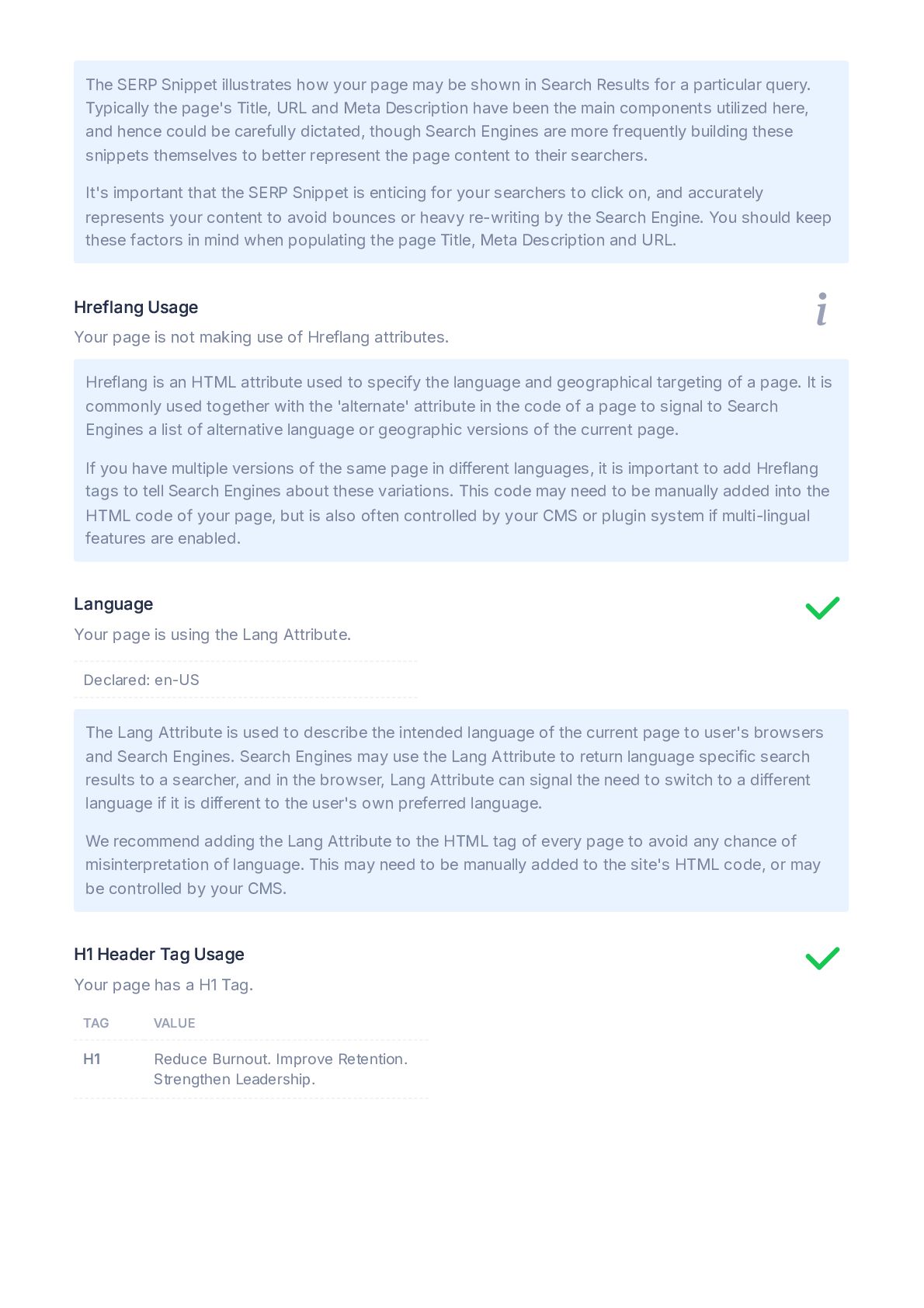
in Search Results for a particular query. Typically the page's Title, URL and Meta Description have been the main components utilized here, and hence could be carefully dictated, though Search Engines are more frequently building these snippets themselves to better represent the page content to their searchers. It's important that the SERP Snippet is enticing for your searchers to click on, and accurately represents your content to avoid bounces or heavy re-writing by the Search Engine. You should keep these factors in mind when populating the page Title, Meta Description and URL. Hreflang Usage Your page is not making use of Hreflang attributes. Hreflang is an HTML attribute used to specify the language and geographical targeting of a page. It is commonly used together with the 'alternate' attribute in the code of a page to signal to Search Engines a list of alternative language or geographic versions of the current page. If you have multiple versions of the same page in different languages, it is important to add Hreflang tags to tell Search Engines about these variations. This code may need to be manually added into the HTML code of your page, but is also often controlled by your CMS or plugin system if multi-lingual features are enabled. Language Your page is using the Lang Attribute. Declared: en-US The Lang Attribute is used to describe the intended language of the current page to user's browsers and Search Engines. Search Engines may use the Lang Attribute to return language specific search results to a searcher, and in the browser, Lang Attribute can signal the need to switch to a different language if it is different to the user's own preferred language. We recommend adding the Lang Attribute to the HTML tag of every page to avoid any chance of misinterpretation of language. This may need to be manually added to the site's HTML code, or may be controlled by your CMS. H1 Header Tag Usage Your page has a H1 Tag. TAG VALUE H1 Reduce Burnout. Improve Retention. Strengthen Leadership. -
The H1 Header Tag is one of the most important
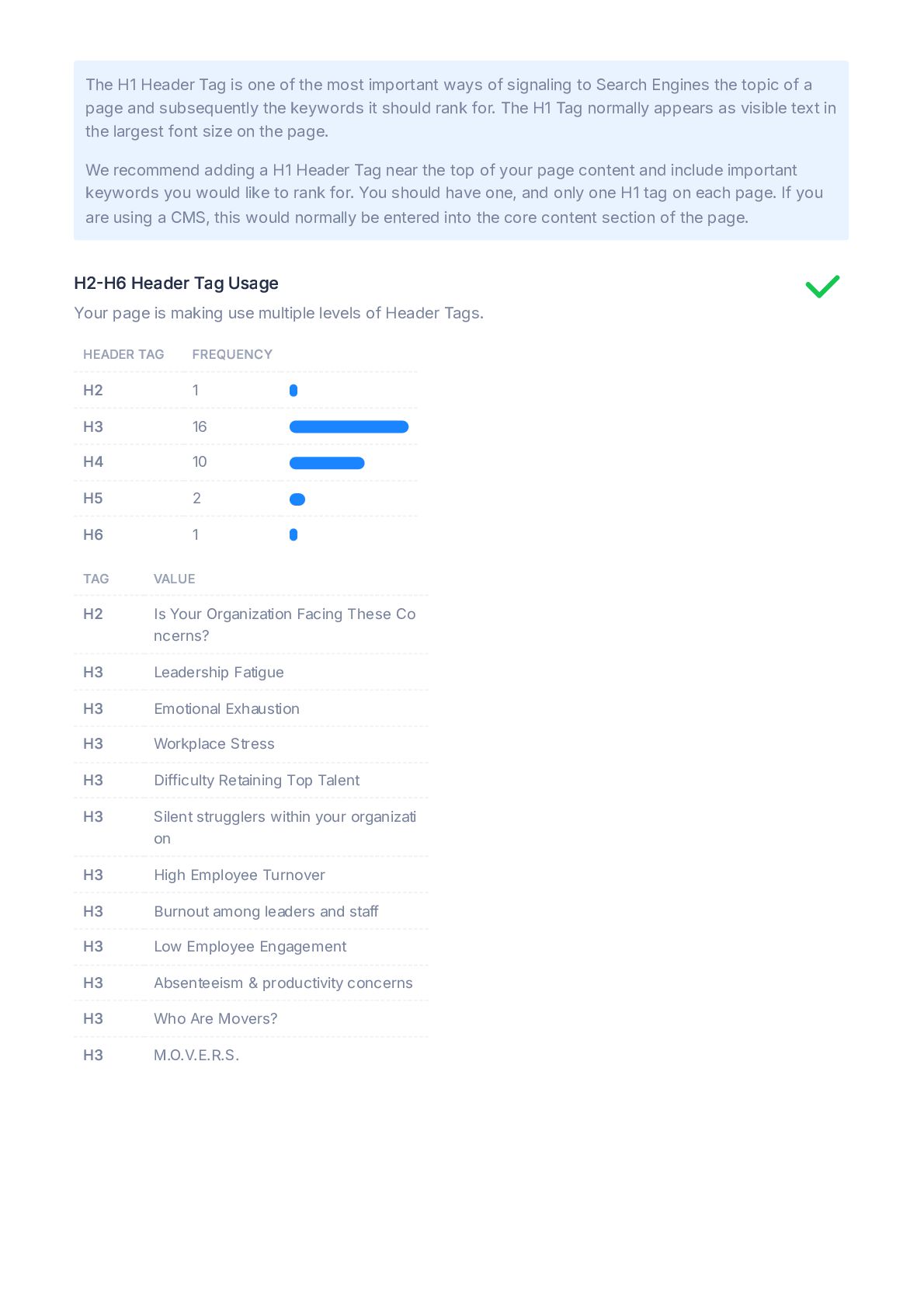
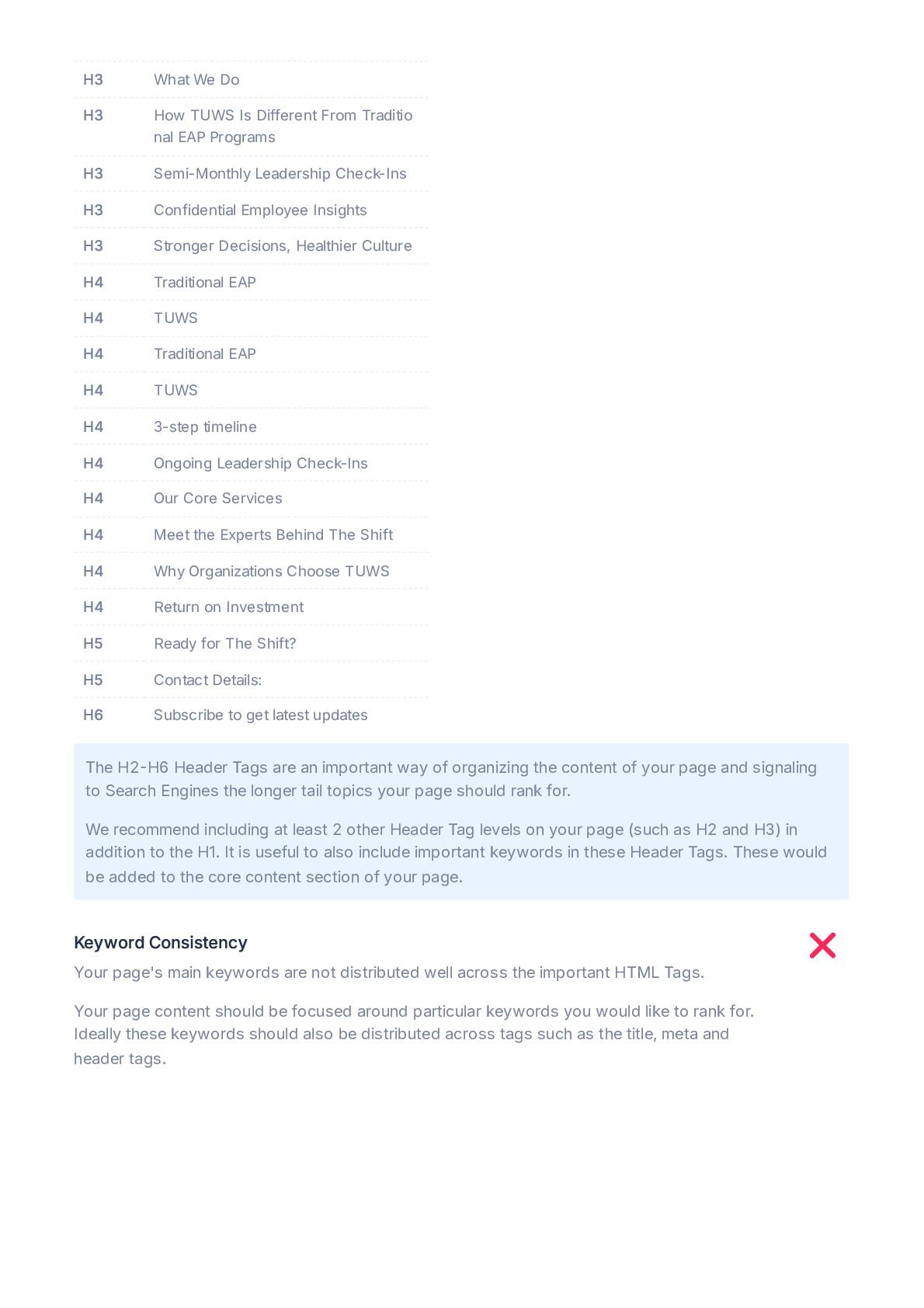
ways of signaling to Search Engines the topic of a page and subsequently the keywords it should rank for. The H1 Tag normally appears as visible text in the largest font size on the page. We recommend adding a H1 Header Tag near the top of your page content and include important keywords you would like to rank for. You should have one, and only one H1 tag on each page. If you are using a CMS, this would normally be entered into the core content section of the page. H2 H6 Header Tag Usage Your page is making use multiple levels of Header Tags. HEADER TAG FREQUENCY H2 1 H3 16 H4 10 H5 2 H6 1 TAG VALUE H2 Is Your Organization Facing These Co H3 Leadership Fatigue H3 Emotional Exhaustion H3 Workplace Stress H3 Difficulty Retaining Top Talent H3 Silent strugglers within your organizati H3 High Employee Turnover H3 Burnout among leaders and staff H3 Low Employee Engagement H3 Absenteeism & productivity concerns H3 Who Are Movers? H3 M.O.V.E.R.S. ncerns? on -
H3 What We Do H3 How TUWS Is Different From
Traditio H3 Semi-Monthly Leadership Check-Ins H3 Confidential Employee Insights H3 Stronger Decisions, Healthier Culture H4 Traditional EAP H4 TUWS H4 Traditional EAP H4 TUWS H4 3-step timeline H4 Ongoing Leadership Check-Ins H4 Our Core Services H4 Meet the Experts Behind The Shift H4 Why Organizations Choose TUWS H4 Return on Investment H5 Ready for The Shift? H5 Contact Details: H6 Subscribe to get latest updates nal EAP Programs The H2 H6 Header Tags are an important way of organizing the content of your page and signaling to Search Engines the longer tail topics your page should rank for. We recommend including at least 2 other Header Tag levels on your page (such as H2 and H3) in addition to the H1. It is useful to also include important keywords in these Header Tags. These would be added to the core content section of your page. Keyword Consistency Your page's main keywords are not distributed well across the important HTML Tags. Your page content should be focused around particular keywords you would like to rank for. Ideally these keywords should also be distributed across tags such as the title, meta and header tags. -
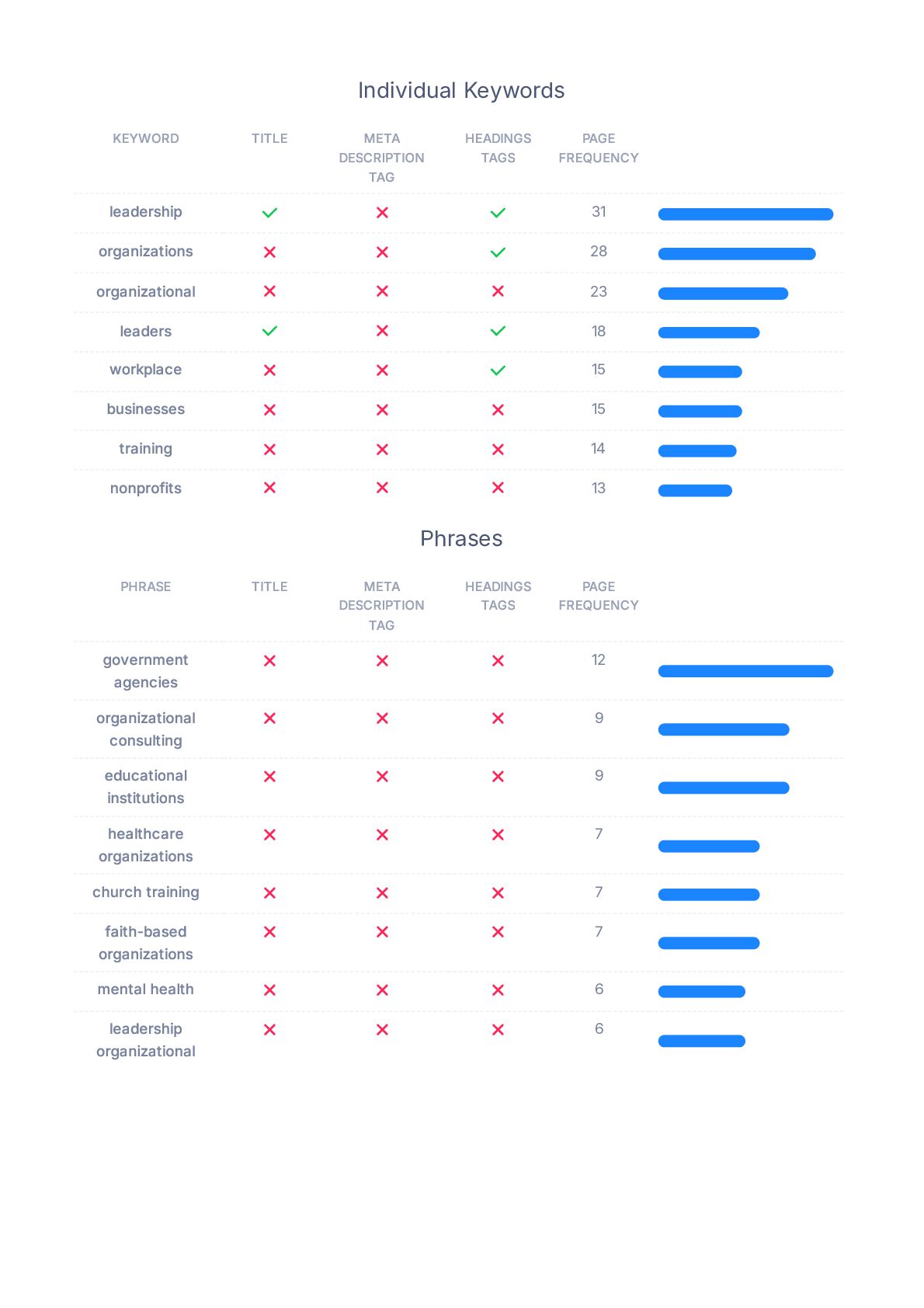
Individual Keywords KEYWORD TITLE META DESCRIPTION TAG HEADINGS TAGS PAGE
FREQUENCY leadership 31 organizations 28 organizational 23 leaders 18 workplace 15 businesses 15 training 14 nonprofits 13 Phrases PHRASE TITLE META DESCRIPTION TAG HEADINGS TAGS PAGE FREQUENCY government agencies 12 organizational consulting 9 educational institutions 9 healthcare organizations 7 church training 7 faith-based organizations 7 mental health 6 leadership organizational 6 -
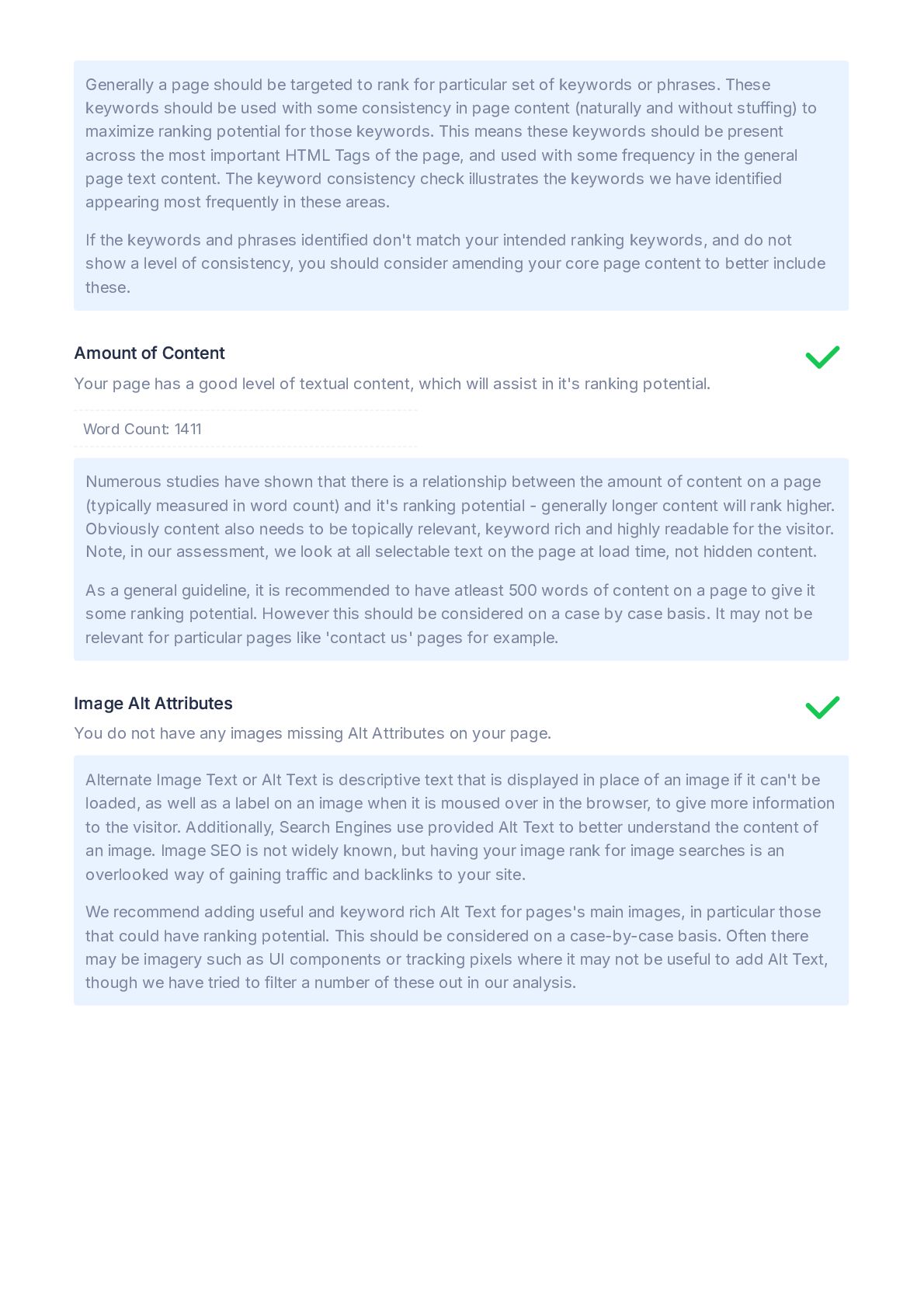
Generally a page should be targeted to rank for particular
set of keywords or phrases. These keywords should be used with some consistency in page content (naturally and without stuffing) to maximize ranking potential for those keywords. This means these keywords should be present across the most important HTML Tags of the page, and used with some frequency in the general page text content. The keyword consistency check illustrates the keywords we have identified appearing most frequently in these areas. If the keywords and phrases identified don't match your intended ranking keywords, and do not show a level of consistency, you should consider amending your core page content to better include these. Amount of Content Your page has a good level of textual content, which will assist in it's ranking potential. Word Count: 1411 Numerous studies have shown that there is a relationship between the amount of content on a page (typically measured in word count) and it's ranking potential - generally longer content will rank higher. Obviously content also needs to be topically relevant, keyword rich and highly readable for the visitor. Note, in our assessment, we look at all selectable text on the page at load time, not hidden content. As a general guideline, it is recommended to have atleast 500 words of content on a page to give it some ranking potential. However this should be considered on a case by case basis. It may not be relevant for particular pages like 'contact us' pages for example. Image Alt Attributes You do not have any images missing Alt Attributes on your page. Alternate Image Text or Alt Text is descriptive text that is displayed in place of an image if it can't be loaded, as well as a label on an image when it is moused over in the browser, to give more information to the visitor. Additionally, Search Engines use provided Alt Text to better understand the content of an image. Image SEO is not widely known, but having your image rank for image searches is an overlooked way of gaining traffic and backlinks to your site. We recommend adding useful and keyword rich Alt Text for pages's main images, in particular those that could have ranking potential. This should be considered on a case-by-case basis. Often there may be imagery such as UI components or tracking pixels where it may not be useful to add Alt Text, though we have tried to filter a number of these out in our analysis. -
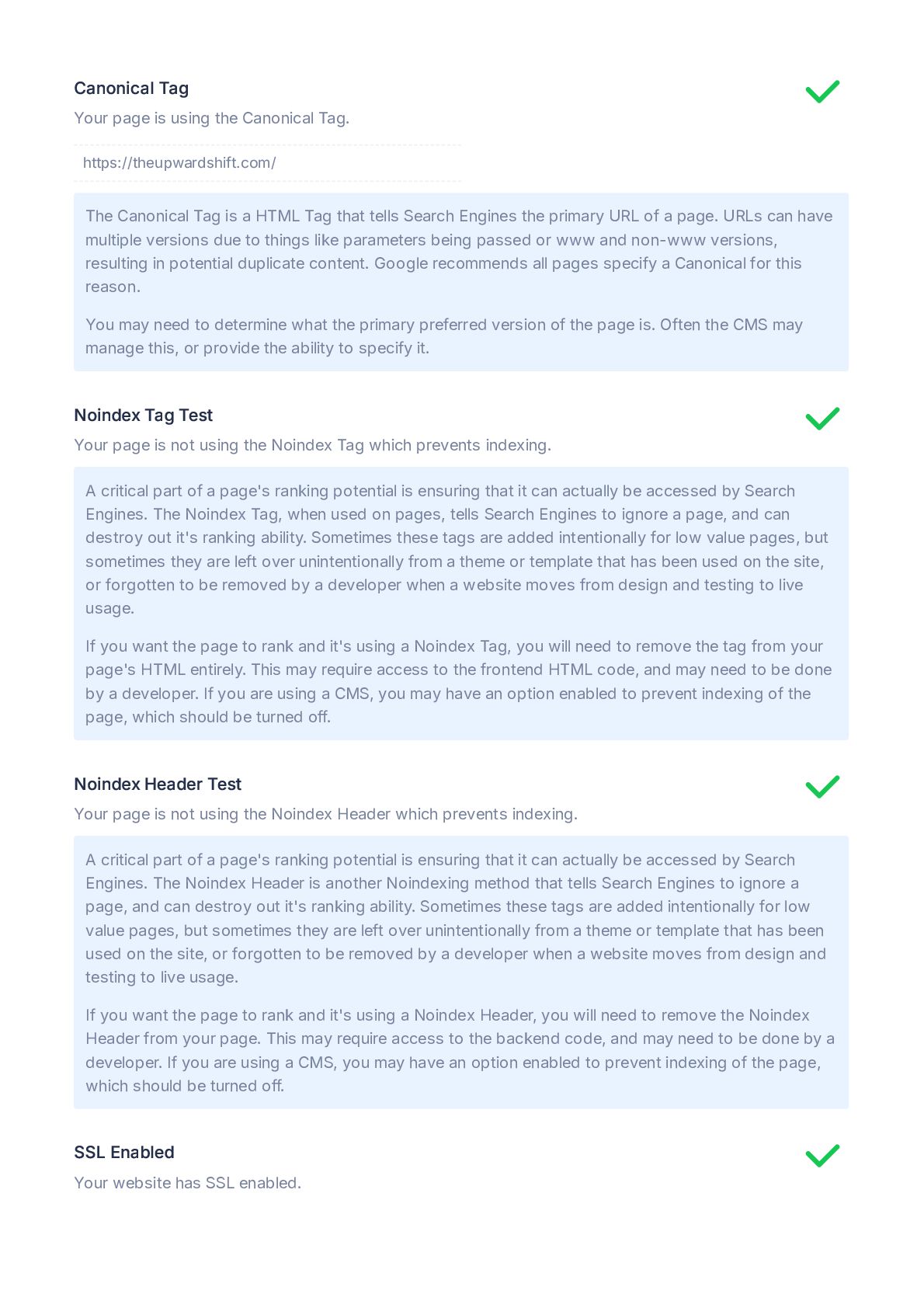
Canonical Tag Your page is using the Canonical Tag.
https://theupwardshift.com/ The Canonical Tag is a HTML Tag that tells Search Engines the primary URL of a page. URLs can have multiple versions due to things like parameters being passed or www and non-www versions, resulting in potential duplicate content. Google recommends all pages specify a Canonical for this reason. You may need to determine what the primary preferred version of the page is. Often the CMS may manage this, or provide the ability to specify it. Noindex Tag Test Your page is not using the Noindex Tag which prevents indexing. A critical part of a page's ranking potential is ensuring that it can actually be accessed by Search Engines. The Noindex Tag, when used on pages, tells Search Engines to ignore a page, and can destroy out it's ranking ability. Sometimes these tags are added intentionally for low value pages, but sometimes they are left over unintentionally from a theme or template that has been used on the site, or forgotten to be removed by a developer when a website moves from design and testing to live usage. If you want the page to rank and it's using a Noindex Tag, you will need to remove the tag from your page's HTML entirely. This may require access to the frontend HTML code, and may need to be done by a developer. If you are using a CMS, you may have an option enabled to prevent indexing of the page, which should be turned off. Noindex Header Test Your page is not using the Noindex Header which prevents indexing. A critical part of a page's ranking potential is ensuring that it can actually be accessed by Search Engines. The Noindex Header is another Noindexing method that tells Search Engines to ignore a page, and can destroy out it's ranking ability. Sometimes these tags are added intentionally for low value pages, but sometimes they are left over unintentionally from a theme or template that has been used on the site, or forgotten to be removed by a developer when a website moves from design and testing to live usage. If you want the page to rank and it's using a Noindex Header, you will need to remove the Noindex Header from your page. This may require access to the backend code, and may need to be done by a developer. If you are using a CMS, you may have an option enabled to prevent indexing of the page, which should be turned off. SSL Enabled Your website has SSL enabled. -
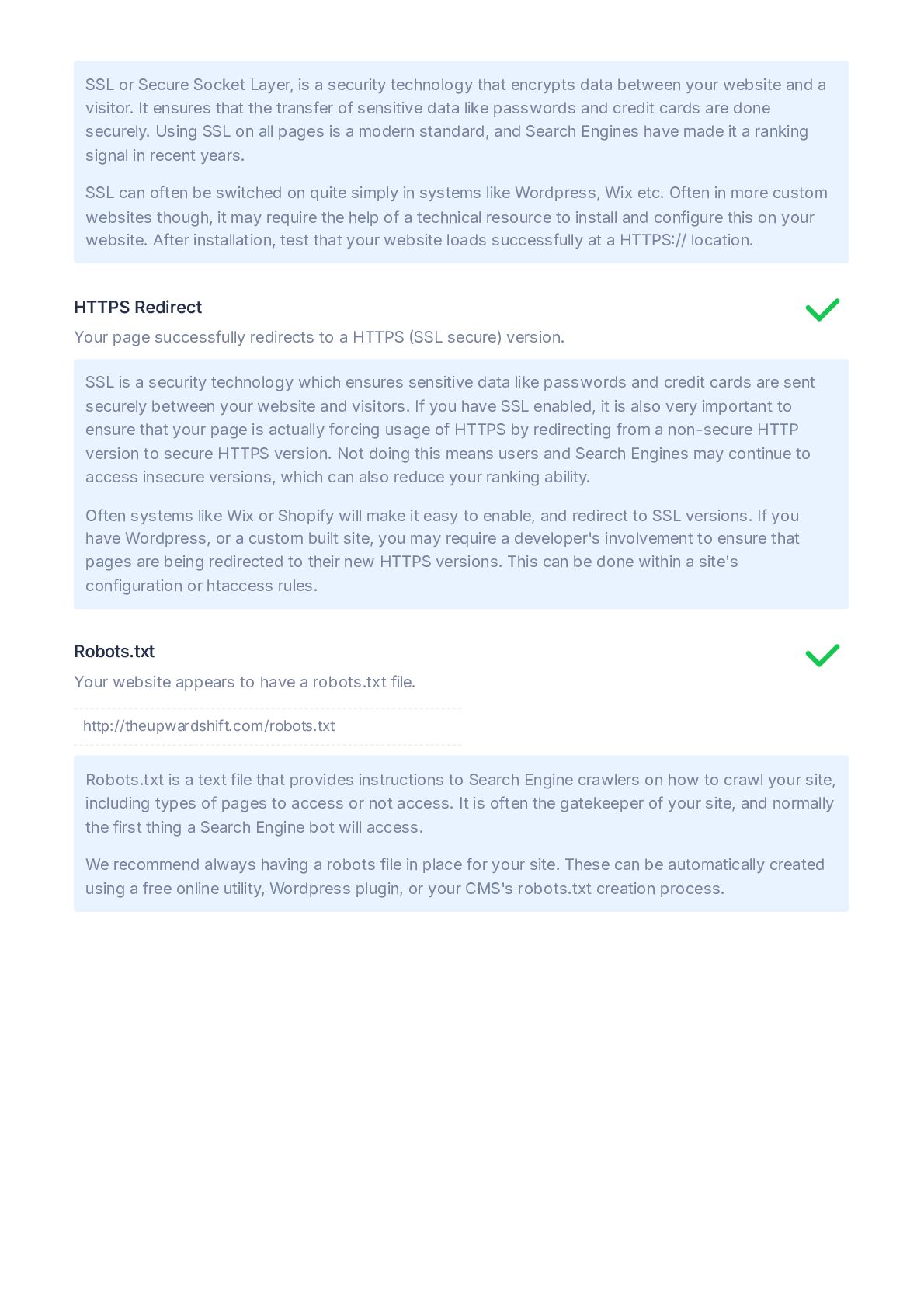
SSL or Secure Socket Layer, is a security technology that
encrypts data between your website and a visitor. It ensures that the transfer of sensitive data like passwords and credit cards are done securely. Using SSL on all pages is a modern standard, and Search Engines have made it a ranking signal in recent years. SSL can often be switched on quite simply in systems like Wordpress, Wix etc. Often in more custom websites though, it may require the help of a technical resource to install and configure this on your website. After installation, test that your website loads successfully at a HTTPS // location. HTTPS Redirect Your page successfully redirects to a HTTPS SSL secure) version. SSL is a security technology which ensures sensitive data like passwords and credit cards are sent securely between your website and visitors. If you have SSL enabled, it is also very important to ensure that your page is actually forcing usage of HTTPS by redirecting from a non-secure HTTP version to secure HTTPS version. Not doing this means users and Search Engines may continue to access insecure versions, which can also reduce your ranking ability. Often systems like Wix or Shopify will make it easy to enable, and redirect to SSL versions. If you have Wordpress, or a custom built site, you may require a developer's involvement to ensure that pages are being redirected to their new HTTPS versions. This can be done within a site's configuration or htaccess rules. Robots.txt Your website appears to have a robots.txt file. http://theupwardshift.com/robots.txt Robots.txt is a text file that provides instructions to Search Engine crawlers on how to crawl your site, including types of pages to access or not access. It is often the gatekeeper of your site, and normally the first thing a Search Engine bot will access. We recommend always having a robots file in place for your site. These can be automatically created using a free online utility, Wordpress plugin, or your CMS's robots.txt creation process. -
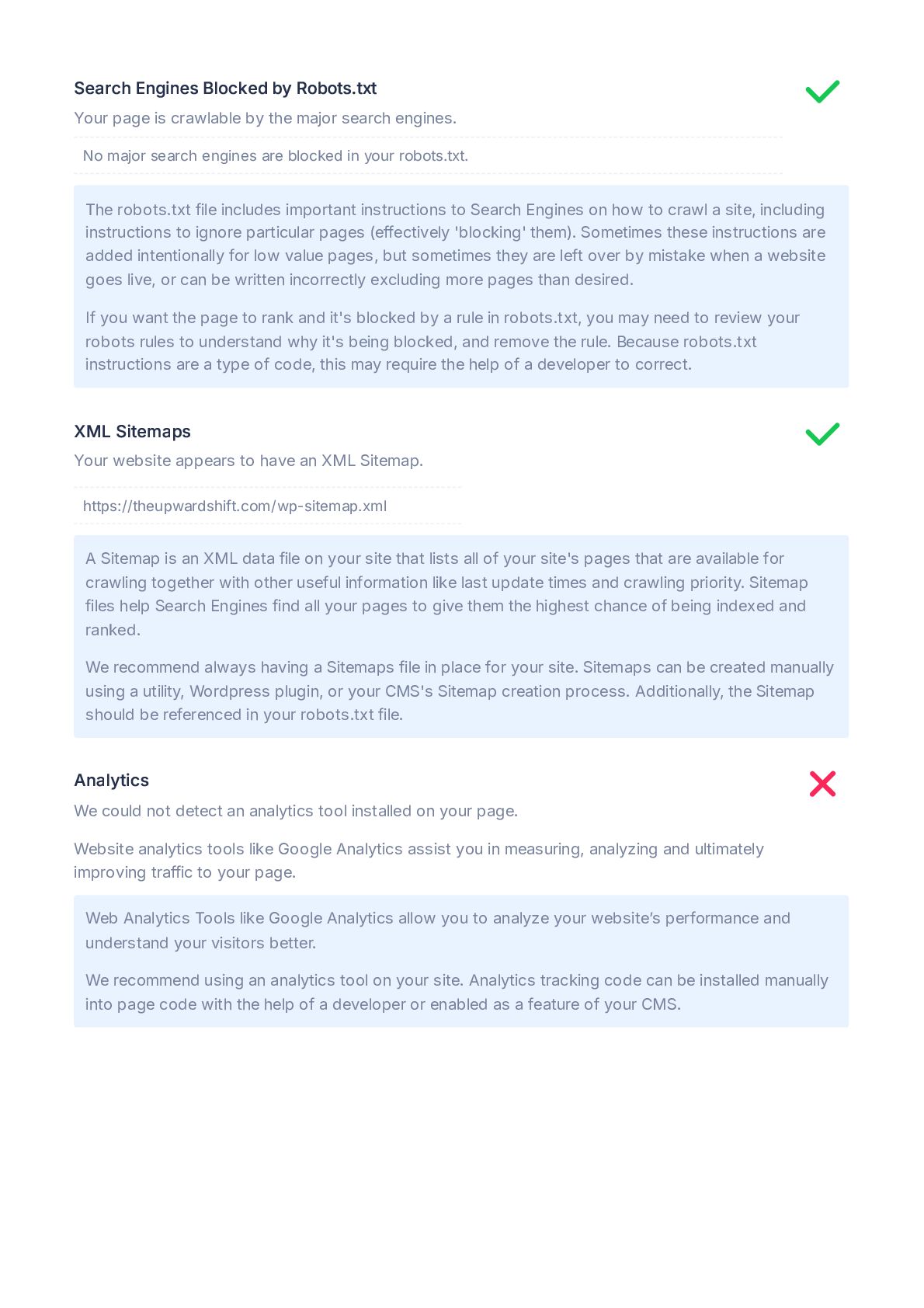
Search Engines Blocked by Robots.txt Your page is crawlable by
the major search engines. No major search engines are blocked in your robots.txt. The robots.txt file includes important instructions to Search Engines on how to crawl a site, including instructions to ignore particular pages (effectively 'blocking' them). Sometimes these instructions are added intentionally for low value pages, but sometimes they are left over by mistake when a website goes live, or can be written incorrectly excluding more pages than desired. If you want the page to rank and it's blocked by a rule in robots.txt, you may need to review your robots rules to understand why it's being blocked, and remove the rule. Because robots.txt instructions are a type of code, this may require the help of a developer to correct. XML Sitemaps Your website appears to have an XML Sitemap. https://theupwardshift.com/wp-sitemap.xml A Sitemap is an XML data file on your site that lists all of your site's pages that are available for crawling together with other useful information like last update times and crawling priority. Sitemap files help Search Engines find all your pages to give them the highest chance of being indexed and ranked. We recommend always having a Sitemaps file in place for your site. Sitemaps can be created manually using a utility, Wordpress plugin, or your CMS's Sitemap creation process. Additionally, the Sitemap should be referenced in your robots.txt file. Analytics We could not detect an analytics tool installed on your page. Website analytics tools like Google Analytics assist you in measuring, analyzing and ultimately improving traffic to your page. Web Analytics Tools like Google Analytics allow you to analyze your websiteʼs performance and understand your visitors better. We recommend using an analytics tool on your site. Analytics tracking code can be installed manually into page code with the help of a developer or enabled as a feature of your CMS. -
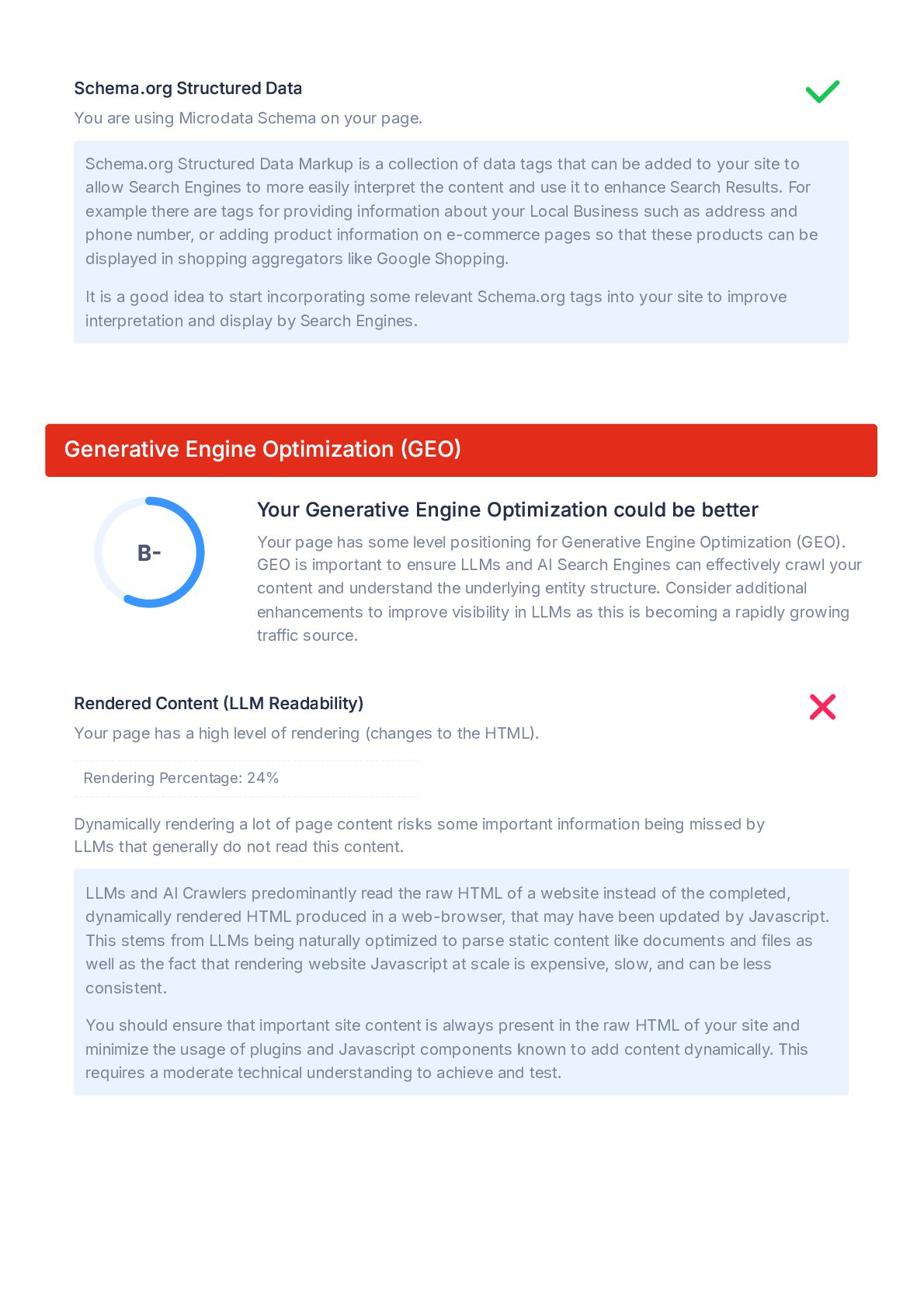
Schema.org Structured Data You are using Microdata Schema on your
page. Schema.org Structured Data Markup is a collection of data tags that can be added to your site to allow Search Engines to more easily interpret the content and use it to enhance Search Results. For example there are tags for providing information about your Local Business such as address and phone number, or adding product information on e-commerce pages so that these products can be displayed in shopping aggregators like Google Shopping. It is a good idea to start incorporating some relevant Schema.org tags into your site to improve interpretation and display by Search Engines. Generative Engine Optimization GEO Your Generative Engine Optimization could be better B Your page has some level positioning for Generative Engine Optimization GEO . GEO is important to ensure LLMs and AI Search Engines can effectively crawl your content and understand the underlying entity structure. Consider additional enhancements to improve visibility in LLMs as this is becoming a rapidly growing traffic source. Rendered Content LLM Readability) Your page has a high level of rendering (changes to the HTML . Rendering Percentage: 24% Dynamically rendering a lot of page content risks some important information being missed by LLMs that generally do not read this content. LLMs and AI Crawlers predominantly read the raw HTML of a website instead of the completed, dynamically rendered HTML produced in a web-browser, that may have been updated by Javascript. This stems from LLMs being naturally optimized to parse static content like documents and files as well as the fact that rendering website Javascript at scale is expensive, slow, and can be less consistent. You should ensure that important site content is always present in the raw HTML of your site and minimize the usage of plugins and Javascript components known to add content dynamically. This requires a moderate technical understanding to achieve and test. -
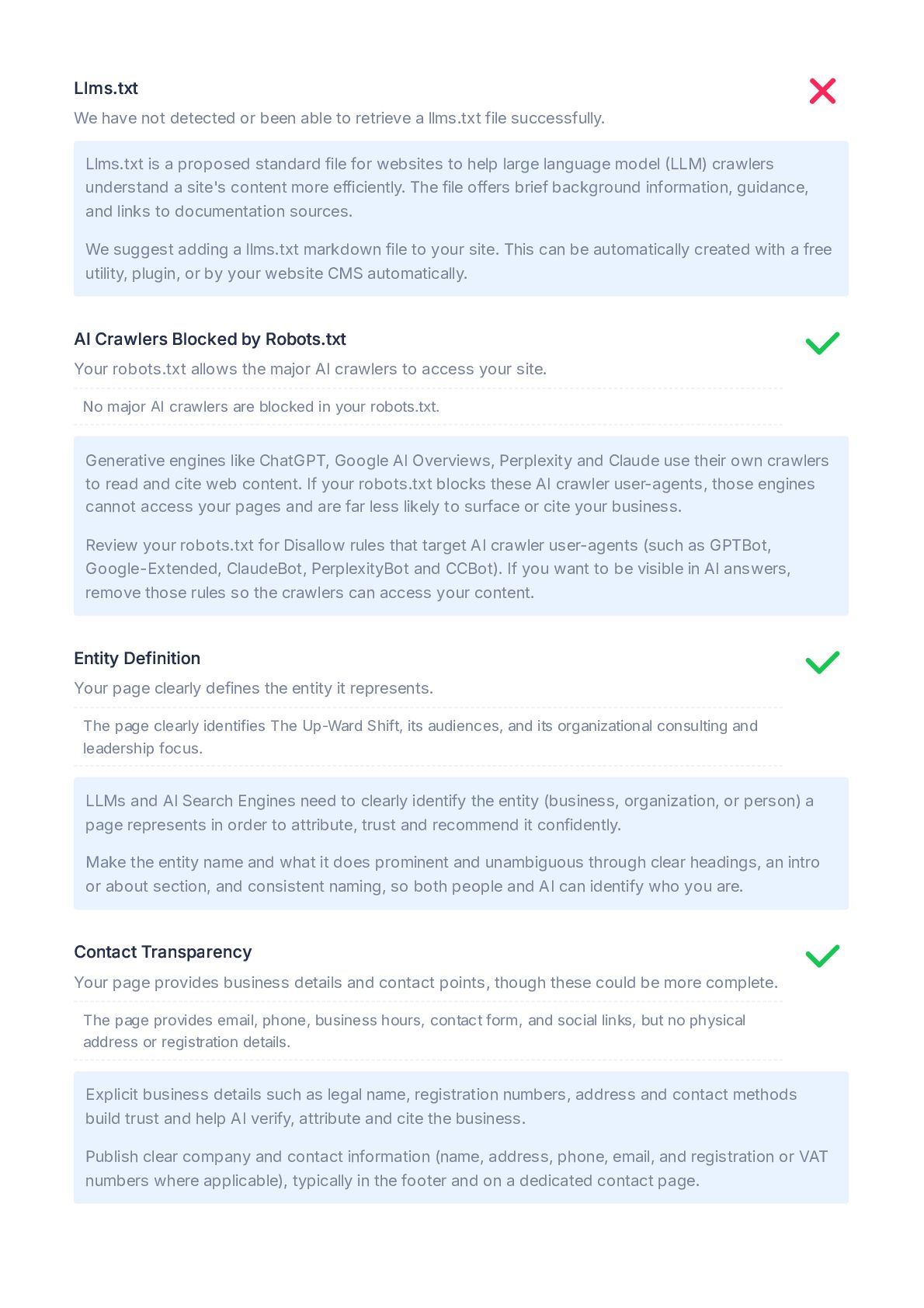
Llms.txt We have not detected or been able to retrieve
a llms.txt file successfully. Llms.txt is a proposed standard file for websites to help large language model LLM) crawlers understand a site's content more efficiently. The file offers brief background information, guidance, and links to documentation sources. We suggest adding a llms.txt markdown file to your site. This can be automatically created with a free utility, plugin, or by your website CMS automatically. AI Crawlers Blocked by Robots.txt Your robots.txt allows the major AI crawlers to access your site. No major AI crawlers are blocked in your robots.txt. Generative engines like ChatGPT, Google AI Overviews, Perplexity and Claude use their own crawlers to read and cite web content. If your robots.txt blocks these AI crawler user-agents, those engines cannot access your pages and are far less likely to surface or cite your business. Review your robots.txt for Disallow rules that target AI crawler user-agents (such as GPTBot, Google-Extended, ClaudeBot, PerplexityBot and CCBot). If you want to be visible in AI answers, remove those rules so the crawlers can access your content. Entity Definition Your page clearly defines the entity it represents. The page clearly identifies The Up-Ward Shift, its audiences, and its organizational consulting and leadership focus. LLMs and AI Search Engines need to clearly identify the entity (business, organization, or person) a page represents in order to attribute, trust and recommend it confidently. Make the entity name and what it does prominent and unambiguous through clear headings, an intro or about section, and consistent naming, so both people and AI can identify who you are. Contact Transparency Your page provides business details and contact points, though these could be more complete. The page provides email, phone, business hours, contact form, and social links, but no physical address or registration details. Explicit business details such as legal name, registration numbers, address and contact methods build trust and help AI verify, attribute and cite the business. Publish clear company and contact information (name, address, phone, email, and registration or VAT numbers where applicable), typically in the footer and on a dedicated contact page. -
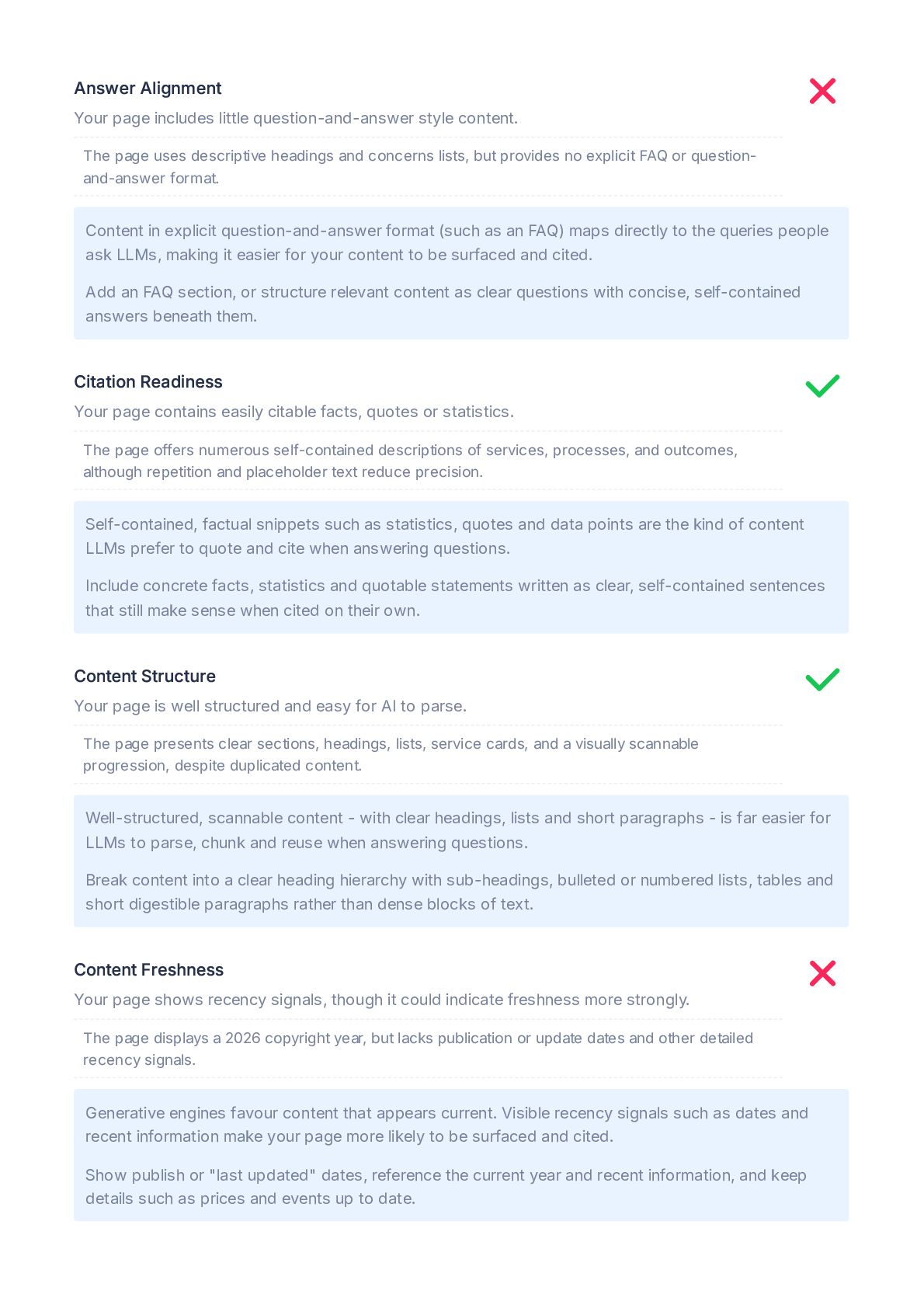
Answer Alignment Your page includes little question-and-answer style content.
The page uses descriptive headings and concerns lists, but provides no explicit FAQ or questionand-answer format. Content in explicit question-and-answer format (such as an FAQ) maps directly to the queries people ask LLMs, making it easier for your content to be surfaced and cited. Add an FAQ section, or structure relevant content as clear questions with concise, self-contained answers beneath them. Citation Readiness Your page contains easily citable facts, quotes or statistics. The page offers numerous self-contained descriptions of services, processes, and outcomes, although repetition and placeholder text reduce precision. Self-contained, factual snippets such as statistics, quotes and data points are the kind of content LLMs prefer to quote and cite when answering questions. Include concrete facts, statistics and quotable statements written as clear, self-contained sentences that still make sense when cited on their own. Content Structure Your page is well structured and easy for AI to parse. The page presents clear sections, headings, lists, service cards, and a visually scannable progression, despite duplicated content. Well-structured, scannable content - with clear headings, lists and short paragraphs - is far easier for LLMs to parse, chunk and reuse when answering questions. Break content into a clear heading hierarchy with sub-headings, bulleted or numbered lists, tables and short digestible paragraphs rather than dense blocks of text. Content Freshness Your page shows recency signals, though it could indicate freshness more strongly. The page displays a 2026 copyright year, but lacks publication or update dates and other detailed recency signals. Generative engines favour content that appears current. Visible recency signals such as dates and recent information make your page more likely to be surfaced and cited. Show publish or "last updated" dates, reference the current year and recent information, and keep details such as prices and events up to date. -
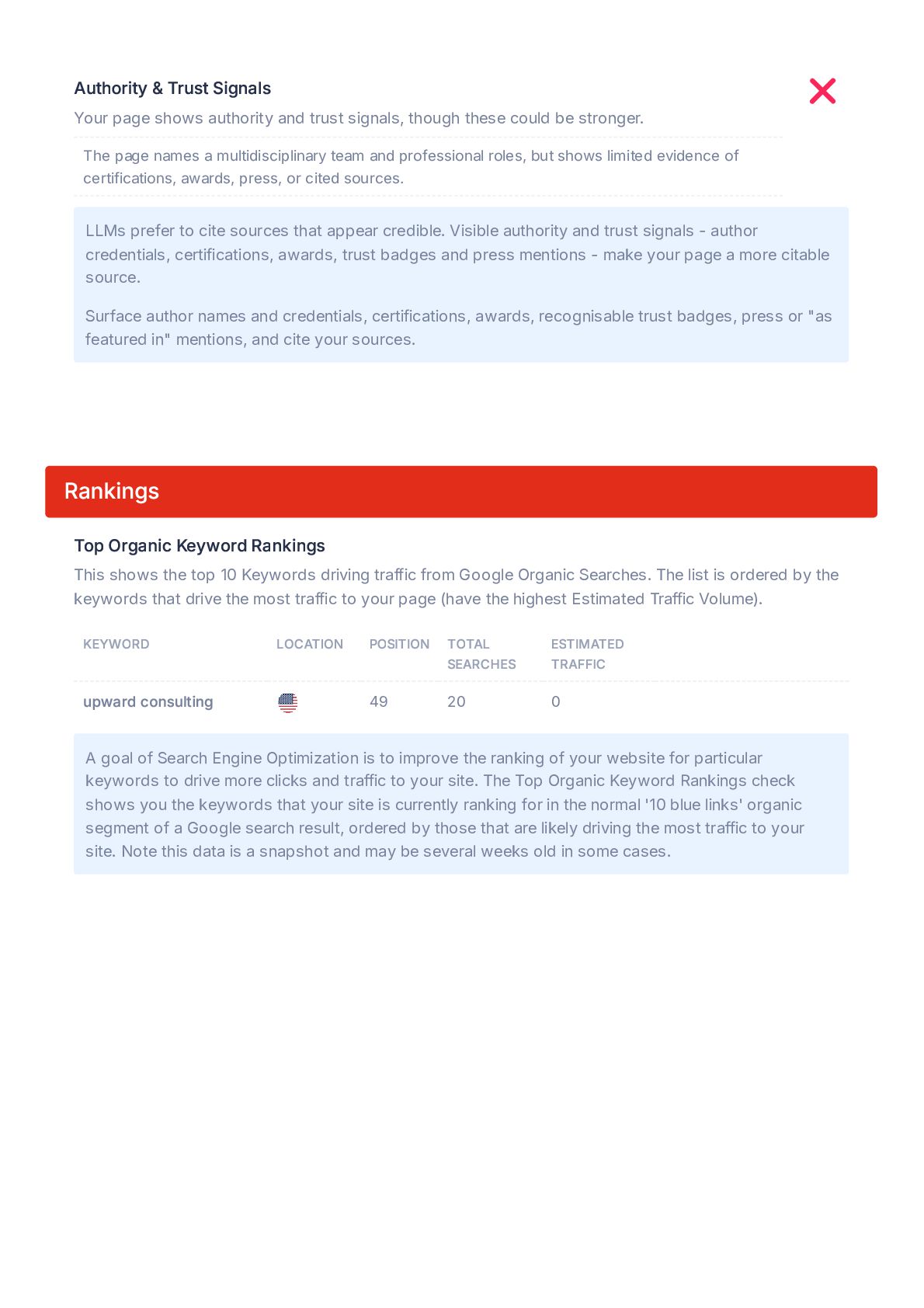
Authority & Trust Signals Your page shows authority and trust
signals, though these could be stronger. The page names a multidisciplinary team and professional roles, but shows limited evidence of certifications, awards, press, or cited sources. LLMs prefer to cite sources that appear credible. Visible authority and trust signals - author credentials, certifications, awards, trust badges and press mentions - make your page a more citable source. Surface author names and credentials, certifications, awards, recognisable trust badges, press or "as featured in" mentions, and cite your sources. Rankings Top Organic Keyword Rankings This shows the top 10 Keywords driving traffic from Google Organic Searches. The list is ordered by the keywords that drive the most traffic to your page (have the highest Estimated Traffic Volume). KEYWORD upward consulting LOCATION POSITION TOTAL SEARCHES ESTIMATED TRAFFIC 49 0 20 A goal of Search Engine Optimization is to improve the ranking of your website for particular keywords to drive more clicks and traffic to your site. The Top Organic Keyword Rankings check shows you the keywords that your site is currently ranking for in the normal '10 blue links' organic segment of a Google search result, ordered by those that are likely driving the most traffic to your site. Note this data is a snapshot and may be several weeks old in some cases. -
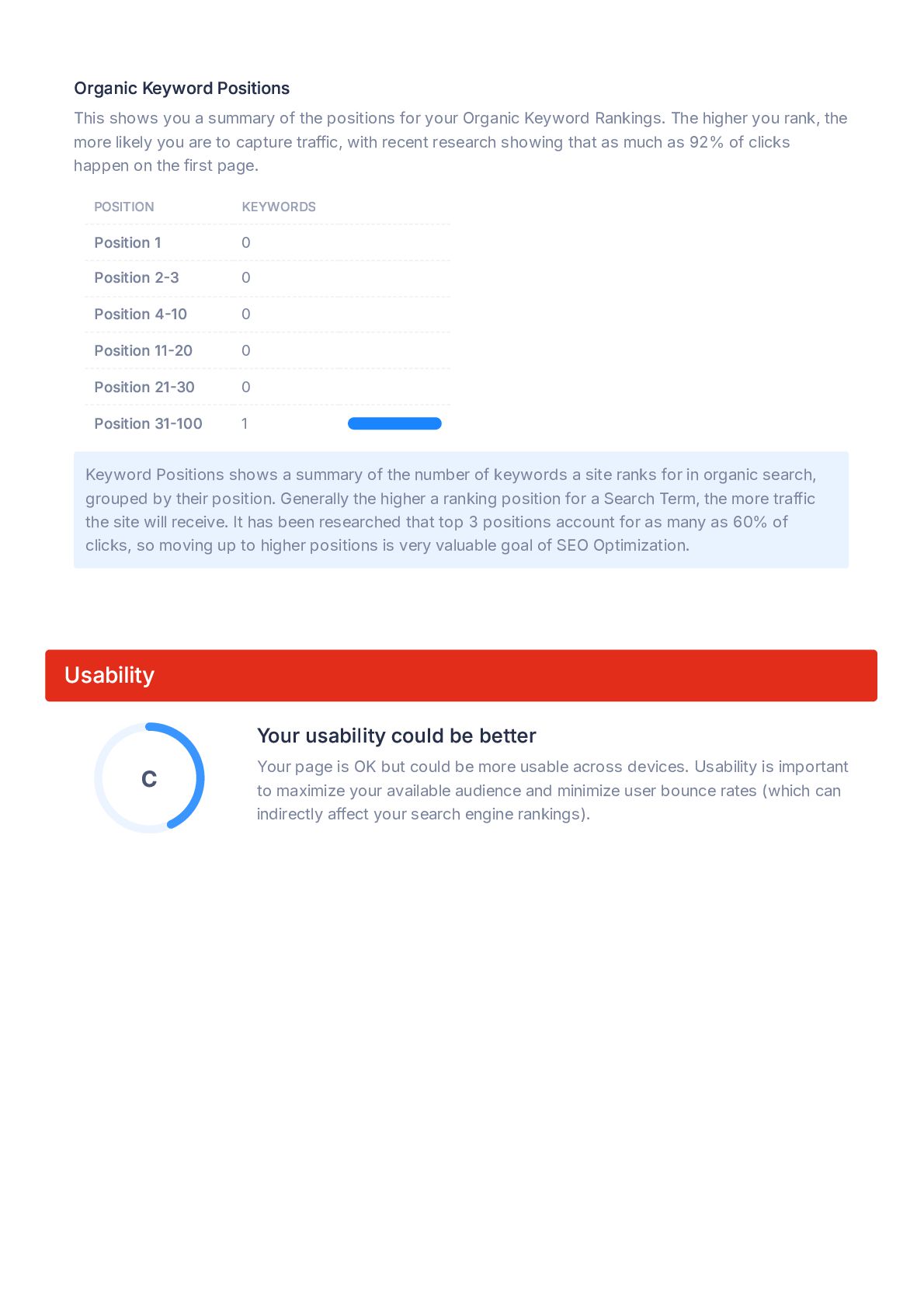
Organic Keyword Positions This shows you a summary of the
positions for your Organic Keyword Rankings. The higher you rank, the more likely you are to capture traffic, with recent research showing that as much as 92% of clicks happen on the first page. POSITION KEYWORDS Position 1 0 Position 2 3 0 Position 4 10 0 Position 11 20 0 Position 21 30 0 Position 31 100 1 Keyword Positions shows a summary of the number of keywords a site ranks for in organic search, grouped by their position. Generally the higher a ranking position for a Search Term, the more traffic the site will receive. It has been researched that top 3 positions account for as many as 60% of clicks, so moving up to higher positions is very valuable goal of SEO Optimization. Usability Your usability could be better C Your page is OK but could be more usable across devices. Usability is important to maximize your available audience and minimize user bounce rates (which can indirectly affect your search engine rankings). -
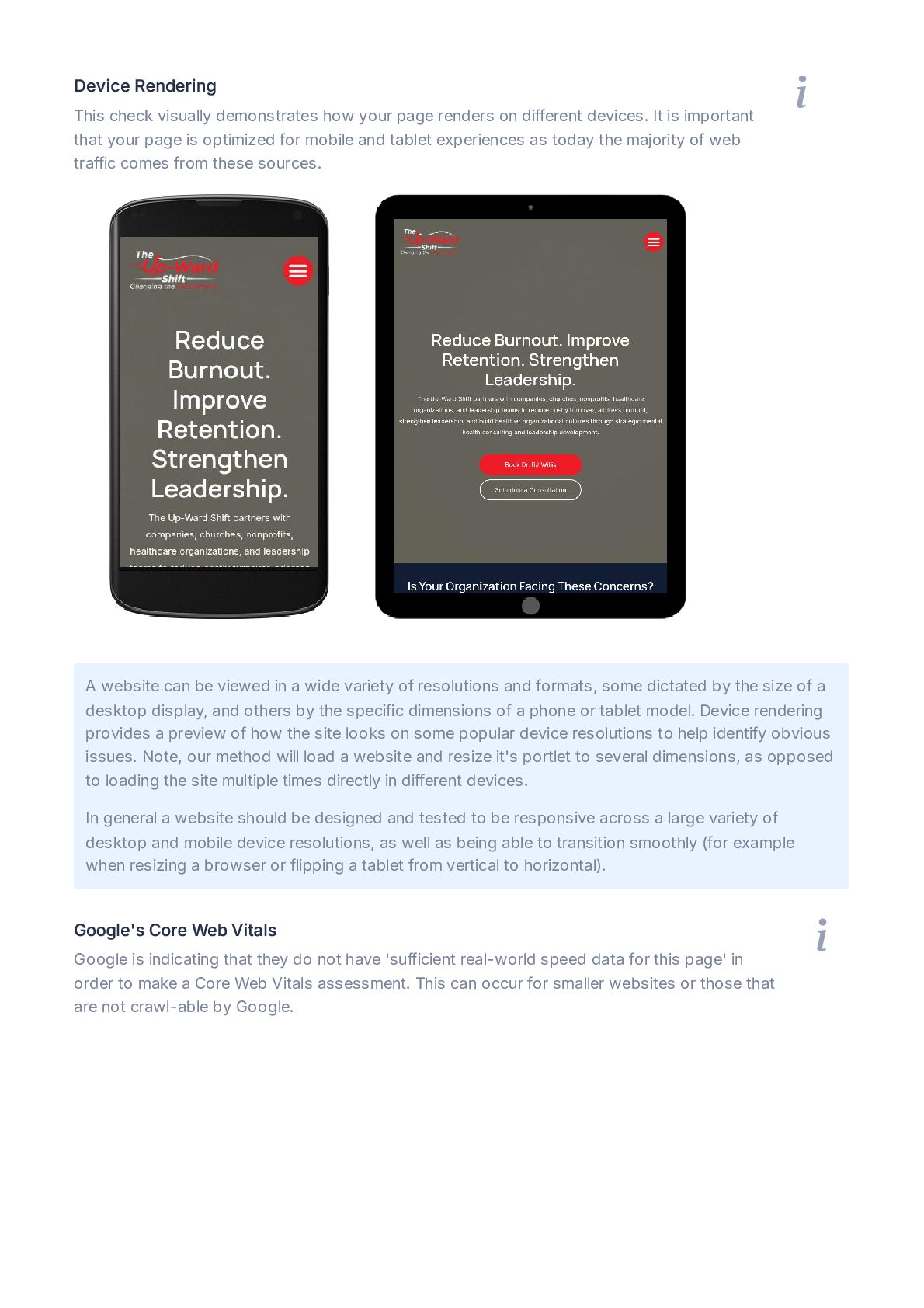
Device Rendering This check visually demonstrates how your page renders
on different devices. It is important that your page is optimized for mobile and tablet experiences as today the majority of web traffic comes from these sources. A website can be viewed in a wide variety of resolutions and formats, some dictated by the size of a desktop display, and others by the specific dimensions of a phone or tablet model. Device rendering provides a preview of how the site looks on some popular device resolutions to help identify obvious issues. Note, our method will load a website and resize it's portlet to several dimensions, as opposed to loading the site multiple times directly in different devices. In general a website should be designed and tested to be responsive across a large variety of desktop and mobile device resolutions, as well as being able to transition smoothly (for example when resizing a browser or flipping a tablet from vertical to horizontal). Google's Core Web Vitals Google is indicating that they do not have 'sufficient real-world speed data for this page' in order to make a Core Web Vitals assessment. This can occur for smaller websites or those that are not crawl-able by Google. -
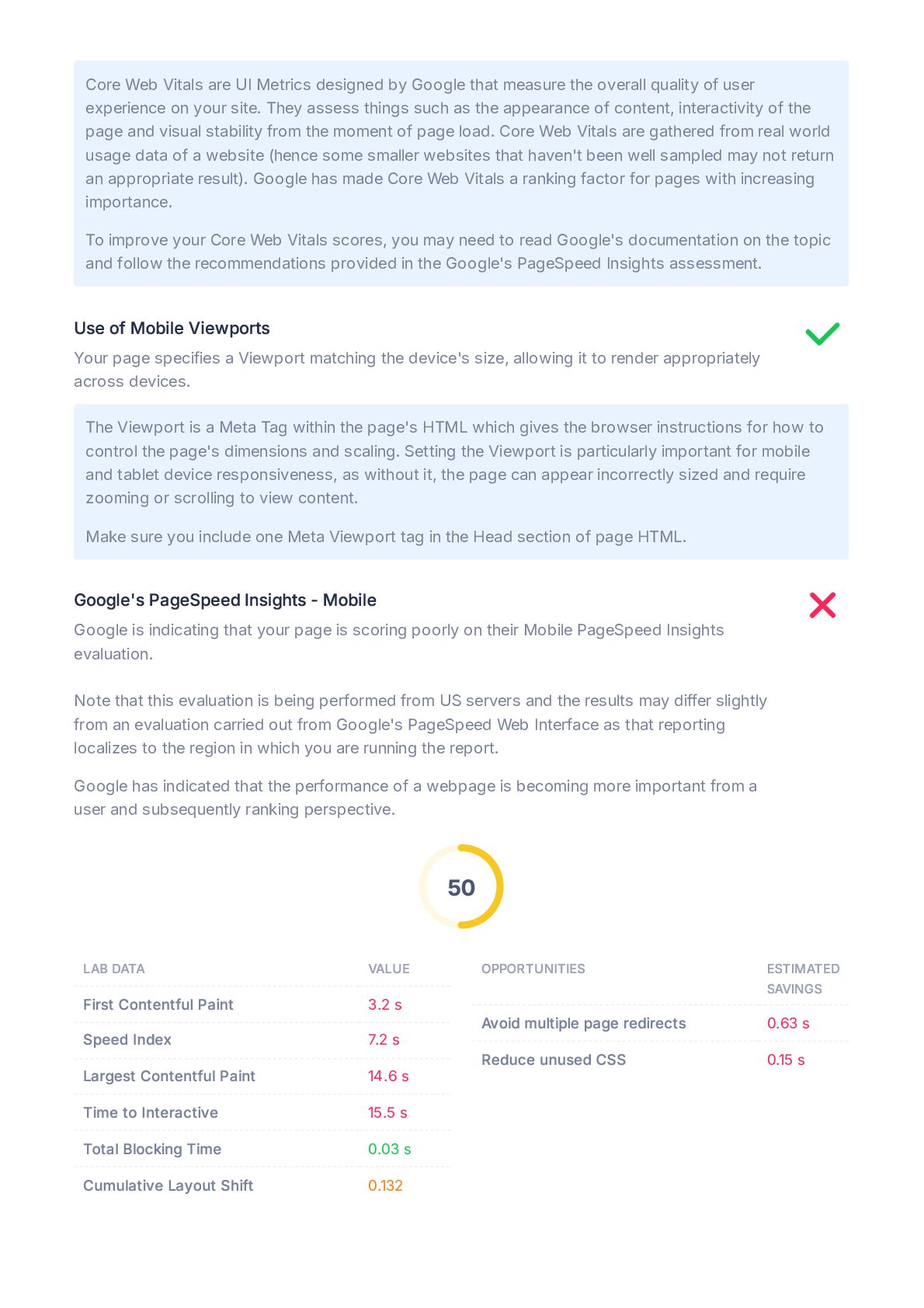
Core Web Vitals are UI Metrics designed by Google that
measure the overall quality of user experience on your site. They assess things such as the appearance of content, interactivity of the page and visual stability from the moment of page load. Core Web Vitals are gathered from real world usage data of a website (hence some smaller websites that haven't been well sampled may not return an appropriate result). Google has made Core Web Vitals a ranking factor for pages with increasing importance. To improve your Core Web Vitals scores, you may need to read Google's documentation on the topic and follow the recommendations provided in the Google's PageSpeed Insights assessment. Use of Mobile Viewports Your page specifies a Viewport matching the device's size, allowing it to render appropriately across devices. The Viewport is a Meta Tag within the page's HTML which gives the browser instructions for how to control the page's dimensions and scaling. Setting the Viewport is particularly important for mobile and tablet device responsiveness, as without it, the page can appear incorrectly sized and require zooming or scrolling to view content. Make sure you include one Meta Viewport tag in the Head section of page HTML. Google's PageSpeed Insights - Mobile Google is indicating that your page is scoring poorly on their Mobile PageSpeed Insights evaluation. Note that this evaluation is being performed from US servers and the results may differ slightly from an evaluation carried out from Google's PageSpeed Web Interface as that reporting localizes to the region in which you are running the report. Google has indicated that the performance of a webpage is becoming more important from a user and subsequently ranking perspective. 50 LAB DATA VALUE First Contentful Paint 3.2 s Speed Index 7.2 s Largest Contentful Paint 14.6 s Time to Interactive 15.5 s Total Blocking Time 0.03 s Cumulative Layout Shift 0.132 OPPORTUNITIES ESTIMATED SAVINGS Avoid multiple page redirects 0.63 s Reduce unused CSS 0.15 s -
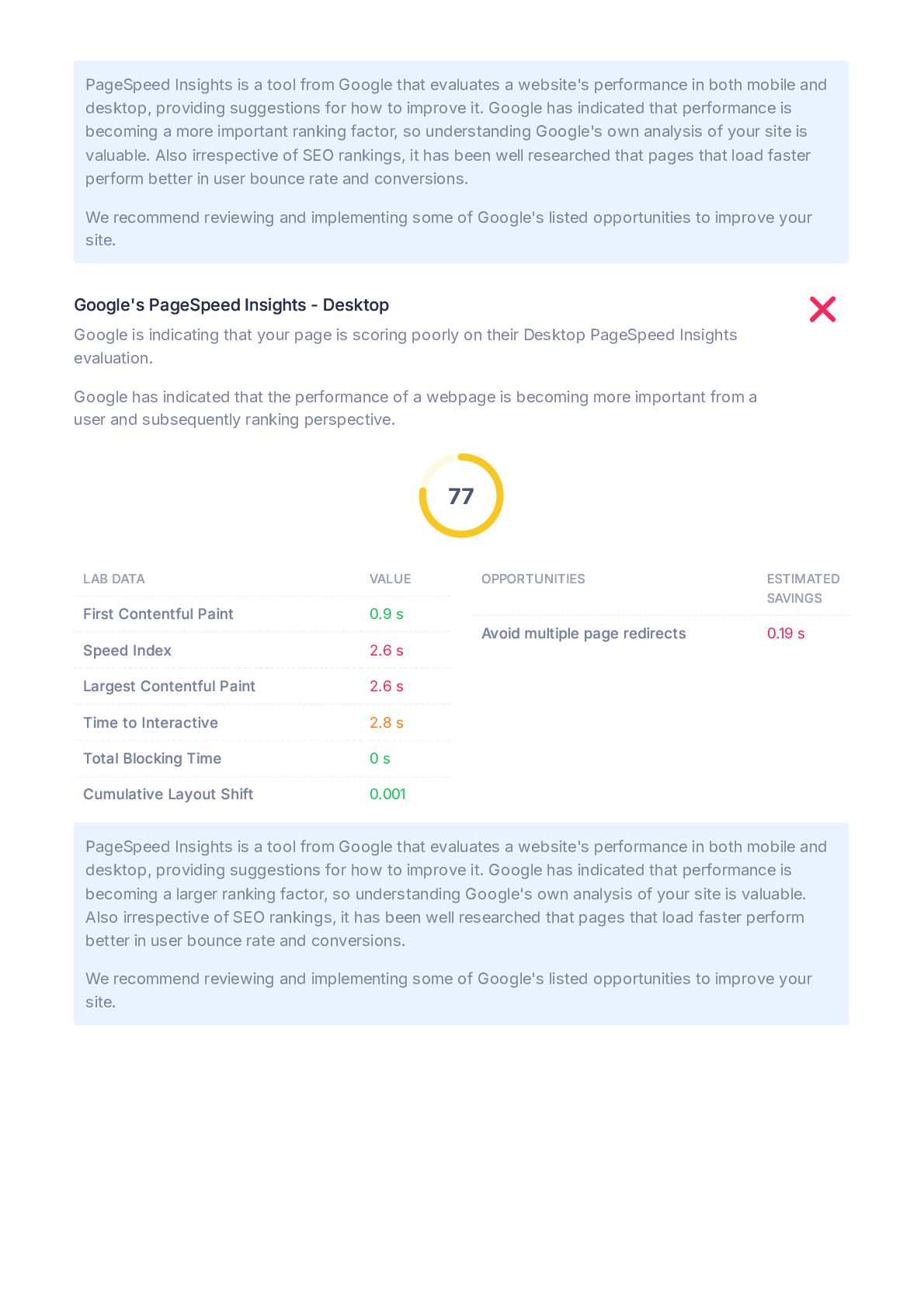
PageSpeed Insights is a tool from Google that evaluates a
website's performance in both mobile and desktop, providing suggestions for how to improve it. Google has indicated that performance is becoming a more important ranking factor, so understanding Google's own analysis of your site is valuable. Also irrespective of SEO rankings, it has been well researched that pages that load faster perform better in user bounce rate and conversions. We recommend reviewing and implementing some of Google's listed opportunities to improve your site. Google's PageSpeed Insights - Desktop Google is indicating that your page is scoring poorly on their Desktop PageSpeed Insights evaluation. Google has indicated that the performance of a webpage is becoming more important from a user and subsequently ranking perspective. 77 LAB DATA VALUE First Contentful Paint 0.9 s Speed Index 2.6 s Largest Contentful Paint 2.6 s Time to Interactive 2.8 s Total Blocking Time 0s Cumulative Layout Shift 0.001 OPPORTUNITIES ESTIMATED SAVINGS Avoid multiple page redirects 0.19 s PageSpeed Insights is a tool from Google that evaluates a website's performance in both mobile and desktop, providing suggestions for how to improve it. Google has indicated that performance is becoming a larger ranking factor, so understanding Google's own analysis of your site is valuable. Also irrespective of SEO rankings, it has been well researched that pages that load faster perform better in user bounce rate and conversions. We recommend reviewing and implementing some of Google's listed opportunities to improve your site. -
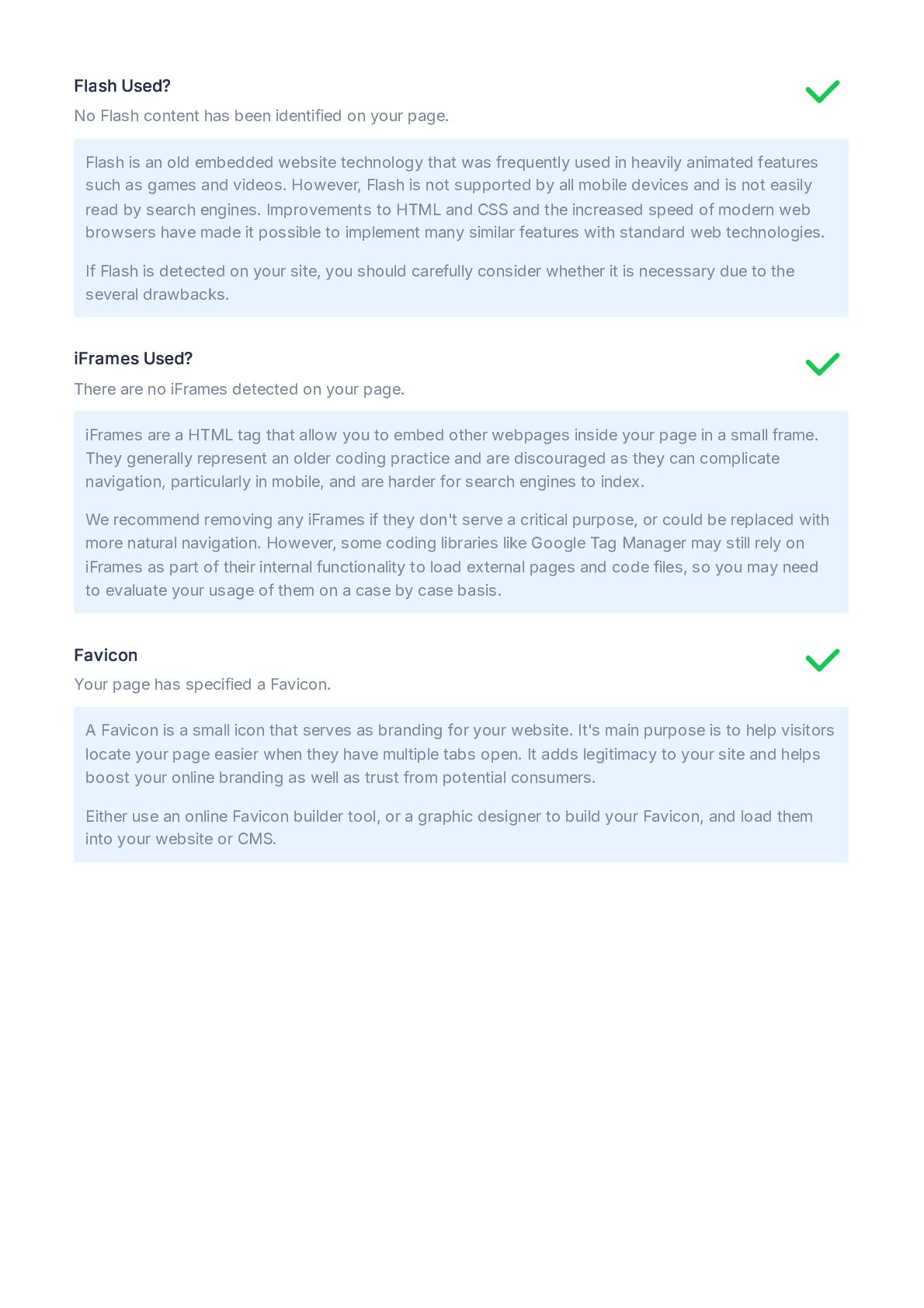
Flash Used? No Flash content has been identified on your
page. Flash is an old embedded website technology that was frequently used in heavily animated features such as games and videos. However, Flash is not supported by all mobile devices and is not easily read by search engines. Improvements to HTML and CSS and the increased speed of modern web browsers have made it possible to implement many similar features with standard web technologies. If Flash is detected on your site, you should carefully consider whether it is necessary due to the several drawbacks. iFrames Used? There are no iFrames detected on your page. iFrames are a HTML tag that allow you to embed other webpages inside your page in a small frame. They generally represent an older coding practice and are discouraged as they can complicate navigation, particularly in mobile, and are harder for search engines to index. We recommend removing any iFrames if they don't serve a critical purpose, or could be replaced with more natural navigation. However, some coding libraries like Google Tag Manager may still rely on iFrames as part of their internal functionality to load external pages and code files, so you may need to evaluate your usage of them on a case by case basis. Favicon Your page has specified a Favicon. A Favicon is a small icon that serves as branding for your website. It's main purpose is to help visitors locate your page easier when they have multiple tabs open. It adds legitimacy to your site and helps boost your online branding as well as trust from potential consumers. Either use an online Favicon builder tool, or a graphic designer to build your Favicon, and load them into your website or CMS. -
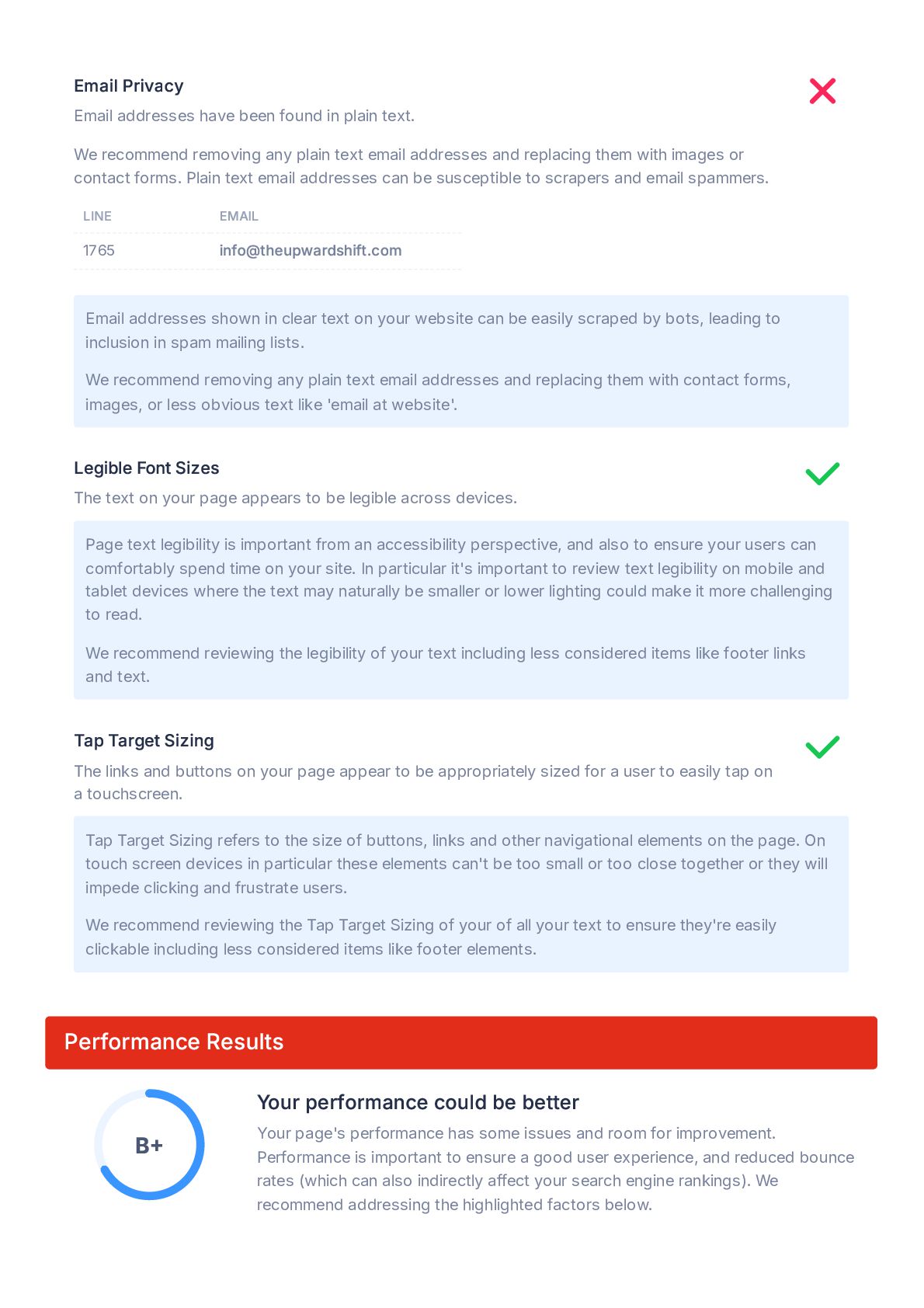
Email Privacy Email addresses have been found in plain text.
We recommend removing any plain text email addresses and replacing them with images or contact forms. Plain text email addresses can be susceptible to scrapers and email spammers. LINE EMAIL 1765 info theupwardshift com @ . Email addresses shown in clear text on your website can be easily scraped by bots, leading to inclusion in spam mailing lists. We recommend removing any plain text email addresses and replacing them with contact forms, images, or less obvious text like 'email at website'. Legible Font Sizes The text on your page appears to be legible across devices. Page text legibility is important from an accessibility perspective, and also to ensure your users can comfortably spend time on your site. In particular it's important to review text legibility on mobile and tablet devices where the text may naturally be smaller or lower lighting could make it more challenging to read. We recommend reviewing the legibility of your text including less considered items like footer links and text. Tap Target Sizing The links and buttons on your page appear to be appropriately sized for a user to easily tap on a touchscreen. Tap Target Sizing refers to the size of buttons, links and other navigational elements on the page. On touch screen devices in particular these elements can't be too small or too close together or they will impede clicking and frustrate users. We recommend reviewing the Tap Target Sizing of your of all your text to ensure they're easily clickable including less considered items like footer elements. Performance Results Your performance could be better B Your page's performance has some issues and room for improvement. Performance is important to ensure a good user experience, and reduced bounce rates (which can also indirectly affect your search engine rankings). We recommend addressing the highlighted factors below. -
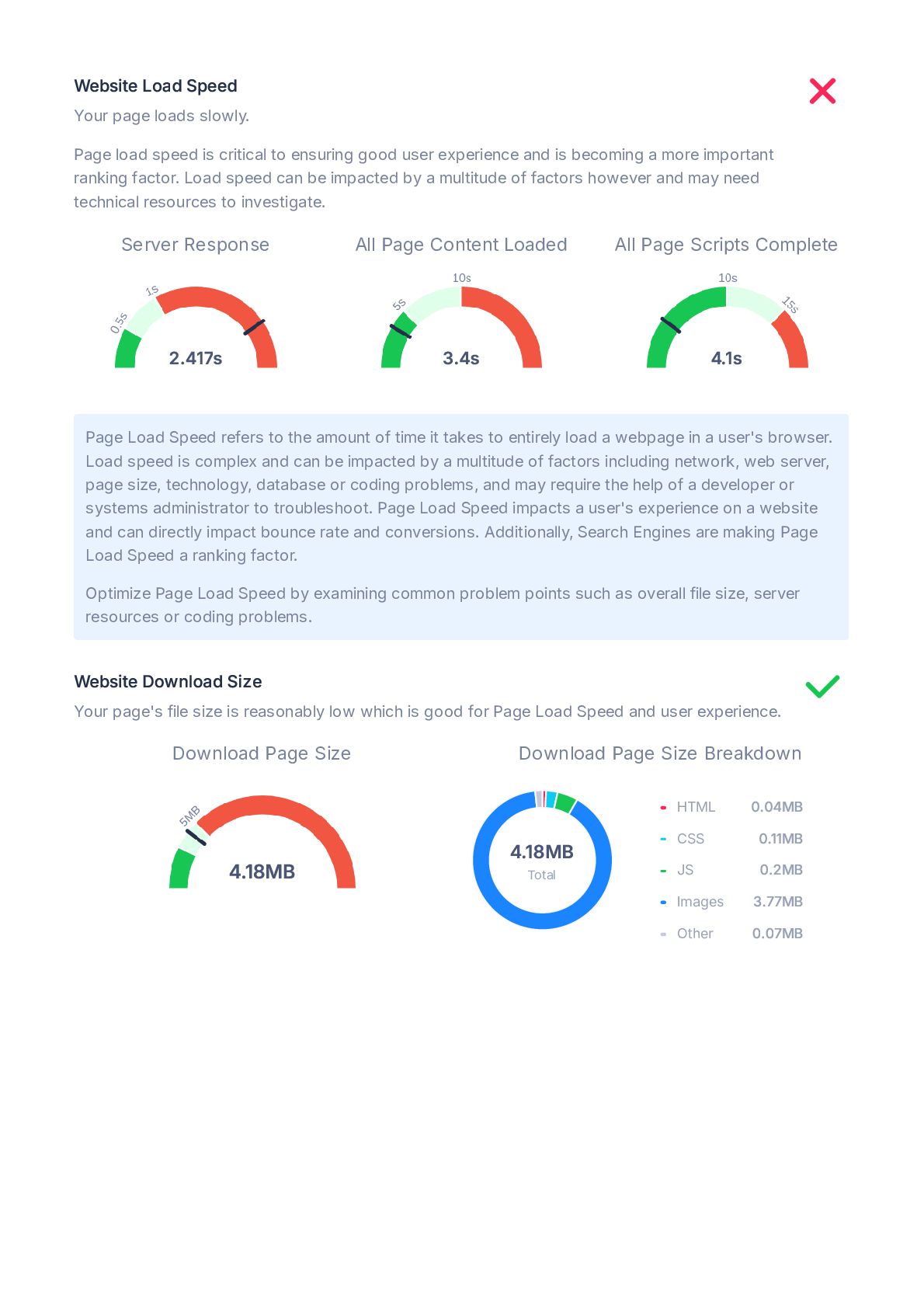
Website Load Speed Your page loads slowly. Page
load speed is critical to ensuring good user experience and is becoming a more important ranking factor. Load speed can be impacted by a multitude of factors however and may need technical resources to investigate. Server Response All Page Content Loaded All Page Scripts Complete 2.417s 3.4s 4.1s Page Load Speed refers to the amount of time it takes to entirely load a webpage in a user's browser. Load speed is complex and can be impacted by a multitude of factors including network, web server, page size, technology, database or coding problems, and may require the help of a developer or systems administrator to troubleshoot. Page Load Speed impacts a user's experience on a website and can directly impact bounce rate and conversions. Additionally, Search Engines are making Page Load Speed a ranking factor. Optimize Page Load Speed by examining common problem points such as overall file size, server resources or coding problems. Website Download Size Your page's file size is reasonably low which is good for Page Load Speed and user experience. Download Page Size 4.18MB Download Page Size Breakdown 4.18MB Total HTML 0.04MB CSS 0.11MB JS 0.2MB Images 3.77MB Other 0.07MB -
Download Page Size refers to the total amount of file
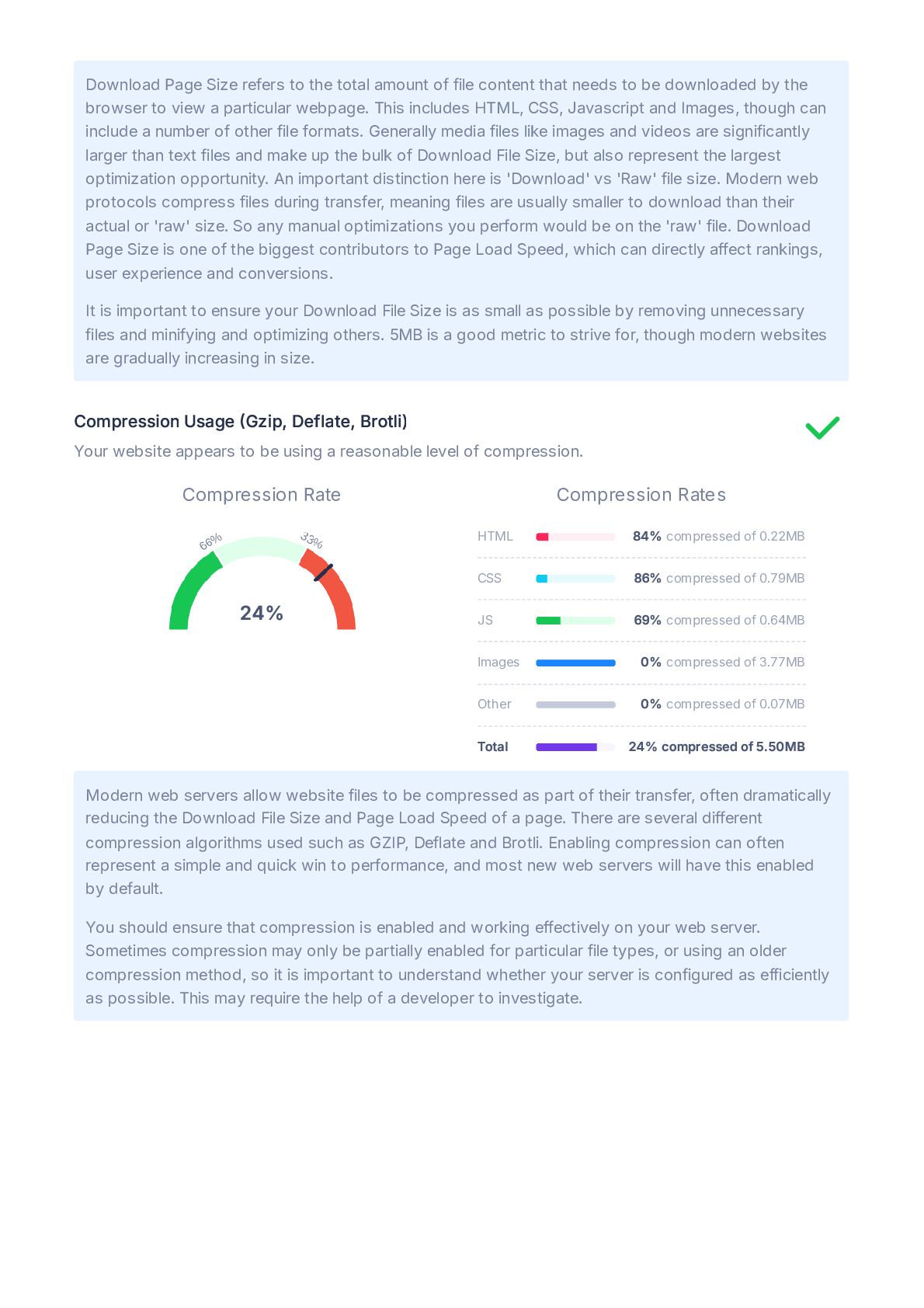
content that needs to be downloaded by the browser to view a particular webpage. This includes HTML, CSS, Javascript and Images, though can include a number of other file formats. Generally media files like images and videos are significantly larger than text files and make up the bulk of Download File Size, but also represent the largest optimization opportunity. An important distinction here is 'Download' vs 'Raw' file size. Modern web protocols compress files during transfer, meaning files are usually smaller to download than their actual or 'raw' size. So any manual optimizations you perform would be on the 'raw' file. Download Page Size is one of the biggest contributors to Page Load Speed, which can directly affect rankings, user experience and conversions. It is important to ensure your Download File Size is as small as possible by removing unnecessary files and minifying and optimizing others. 5MB is a good metric to strive for, though modern websites are gradually increasing in size. Compression Usage Gzip, Deflate, Brotli) Your website appears to be using a reasonable level of compression. Compression Rate 24% Compression Rates HTML 84% compressed of 0.22MB CSS 86% compressed of 0.79MB JS 69% compressed of 0.64MB Images 0% compressed of 3.77MB Other 0% compressed of 0.07MB Total 24% compressed of 5.50MB Modern web servers allow website files to be compressed as part of their transfer, often dramatically reducing the Download File Size and Page Load Speed of a page. There are several different compression algorithms used such as GZIP, Deflate and Brotli. Enabling compression can often represent a simple and quick win to performance, and most new web servers will have this enabled by default. You should ensure that compression is enabled and working effectively on your web server. Sometimes compression may only be partially enabled for particular file types, or using an older compression method, so it is important to understand whether your server is configured as efficiently as possible. This may require the help of a developer to investigate. -
Resources Breakdown This check displays the total number of files
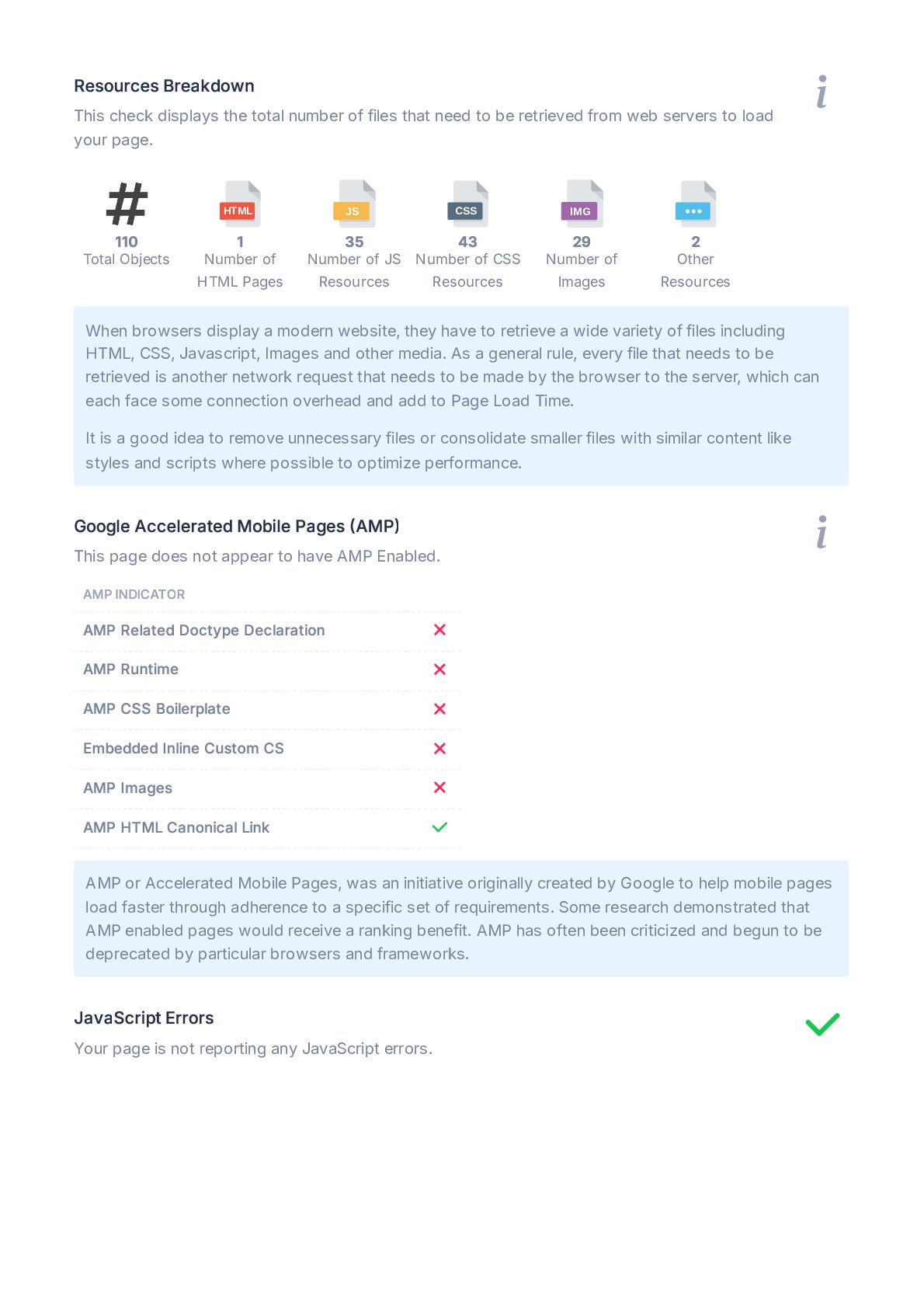
that need to be retrieved from web servers to load your page. JS HTML 110 Total Objects 1 35 CSS 43 IMG 29 2 Number of Number of JS Number of CSS Number of Other HTML Pages Resources Resources Images Resources When browsers display a modern website, they have to retrieve a wide variety of files including HTML, CSS, Javascript, Images and other media. As a general rule, every file that needs to be retrieved is another network request that needs to be made by the browser to the server, which can each face some connection overhead and add to Page Load Time. It is a good idea to remove unnecessary files or consolidate smaller files with similar content like styles and scripts where possible to optimize performance. Google Accelerated Mobile Pages AMP This page does not appear to have AMP Enabled. AMP INDICATOR AMP Related Doctype Declaration AMP Runtime AMP CSS Boilerplate Embedded Inline Custom CS AMP Images AMP HTML Canonical Link AMP or Accelerated Mobile Pages, was an initiative originally created by Google to help mobile pages load faster through adherence to a specific set of requirements. Some research demonstrated that AMP enabled pages would receive a ranking benefit. AMP has often been criticized and begun to be deprecated by particular browsers and frameworks. JavaScript Errors Your page is not reporting any JavaScript errors. -
JavaScript is embedded code on a webpage that can perform
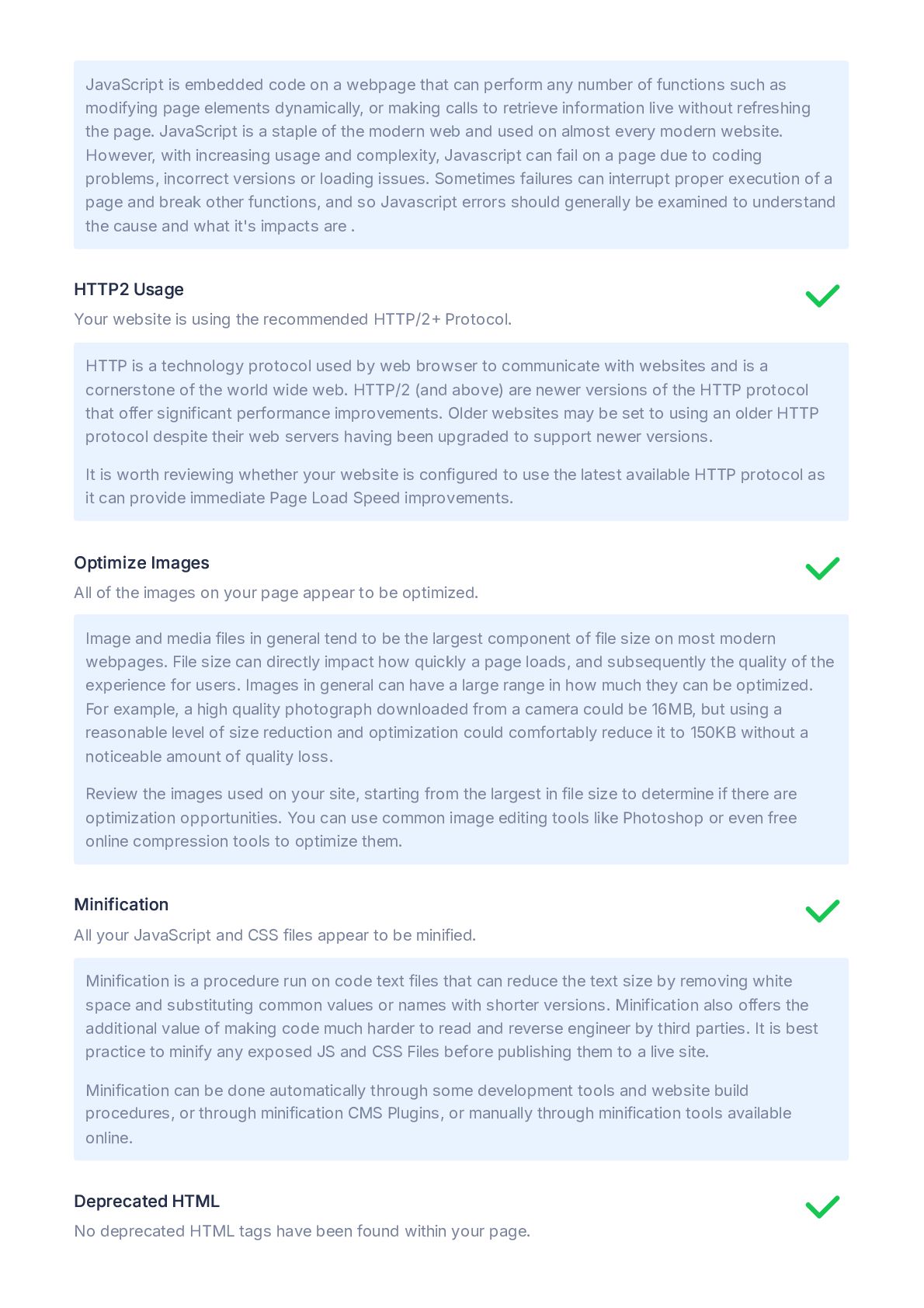
any number of functions such as modifying page elements dynamically, or making calls to retrieve information live without refreshing the page. JavaScript is a staple of the modern web and used on almost every modern website. However, with increasing usage and complexity, Javascript can fail on a page due to coding problems, incorrect versions or loading issues. Sometimes failures can interrupt proper execution of a page and break other functions, and so Javascript errors should generally be examined to understand the cause and what it's impacts are . HTTP2 Usage Your website is using the recommended HTTP/2 Protocol. HTTP is a technology protocol used by web browser to communicate with websites and is a cornerstone of the world wide web. HTTP/2 (and above) are newer versions of the HTTP protocol that offer significant performance improvements. Older websites may be set to using an older HTTP protocol despite their web servers having been upgraded to support newer versions. It is worth reviewing whether your website is configured to use the latest available HTTP protocol as it can provide immediate Page Load Speed improvements. Optimize Images All of the images on your page appear to be optimized. Image and media files in general tend to be the largest component of file size on most modern webpages. File size can directly impact how quickly a page loads, and subsequently the quality of the experience for users. Images in general can have a large range in how much they can be optimized. For example, a high quality photograph downloaded from a camera could be 16MB, but using a reasonable level of size reduction and optimization could comfortably reduce it to 150KB without a noticeable amount of quality loss. Review the images used on your site, starting from the largest in file size to determine if there are optimization opportunities. You can use common image editing tools like Photoshop or even free online compression tools to optimize them. Minification All your JavaScript and CSS files appear to be minified. Minification is a procedure run on code text files that can reduce the text size by removing white space and substituting common values or names with shorter versions. Minification also offers the additional value of making code much harder to read and reverse engineer by third parties. It is best practice to minify any exposed JS and CSS Files before publishing them to a live site. Minification can be done automatically through some development tools and website build procedures, or through minification CMS Plugins, or manually through minification tools available online. Deprecated HTML No deprecated HTML tags have been found within your page. -
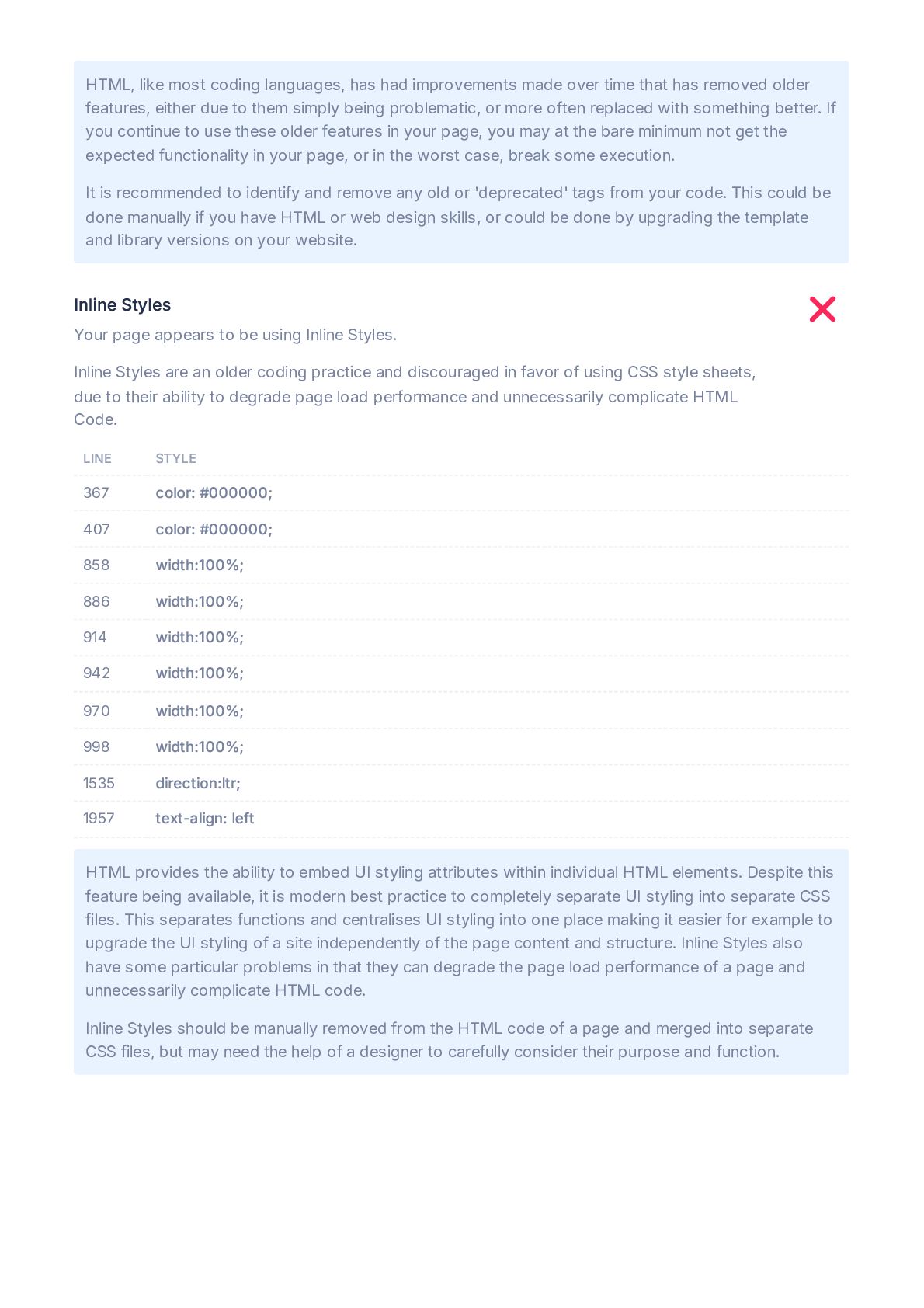
HTML, like most coding languages, has had improvements made over
time that has removed older features, either due to them simply being problematic, or more often replaced with something better. If you continue to use these older features in your page, you may at the bare minimum not get the expected functionality in your page, or in the worst case, break some execution. It is recommended to identify and remove any old or 'deprecated' tags from your code. This could be done manually if you have HTML or web design skills, or could be done by upgrading the template and library versions on your website. Inline Styles Your page appears to be using Inline Styles. Inline Styles are an older coding practice and discouraged in favor of using CSS style sheets, due to their ability to degrade page load performance and unnecessarily complicate HTML Code. LINE STYLE 367 color: #000000; 407 color: #000000; 858 width:100%; 886 width:100%; 914 width:100%; 942 width:100%; 970 width:100%; 998 width:100%; 1535 direction:ltr; 1957 text -align: left HTML provides the ability to embed UI styling attributes within individual HTML elements. Despite this feature being available, it is modern best practice to completely separate UI styling into separate CSS files. This separates functions and centralises UI styling into one place making it easier for example to upgrade the UI styling of a site independently of the page content and structure. Inline Styles also have some particular problems in that they can degrade the page load performance of a page and unnecessarily complicate HTML code. Inline Styles should be manually removed from the HTML code of a page and merged into separate CSS files, but may need the help of a designer to carefully consider their purpose and function. -
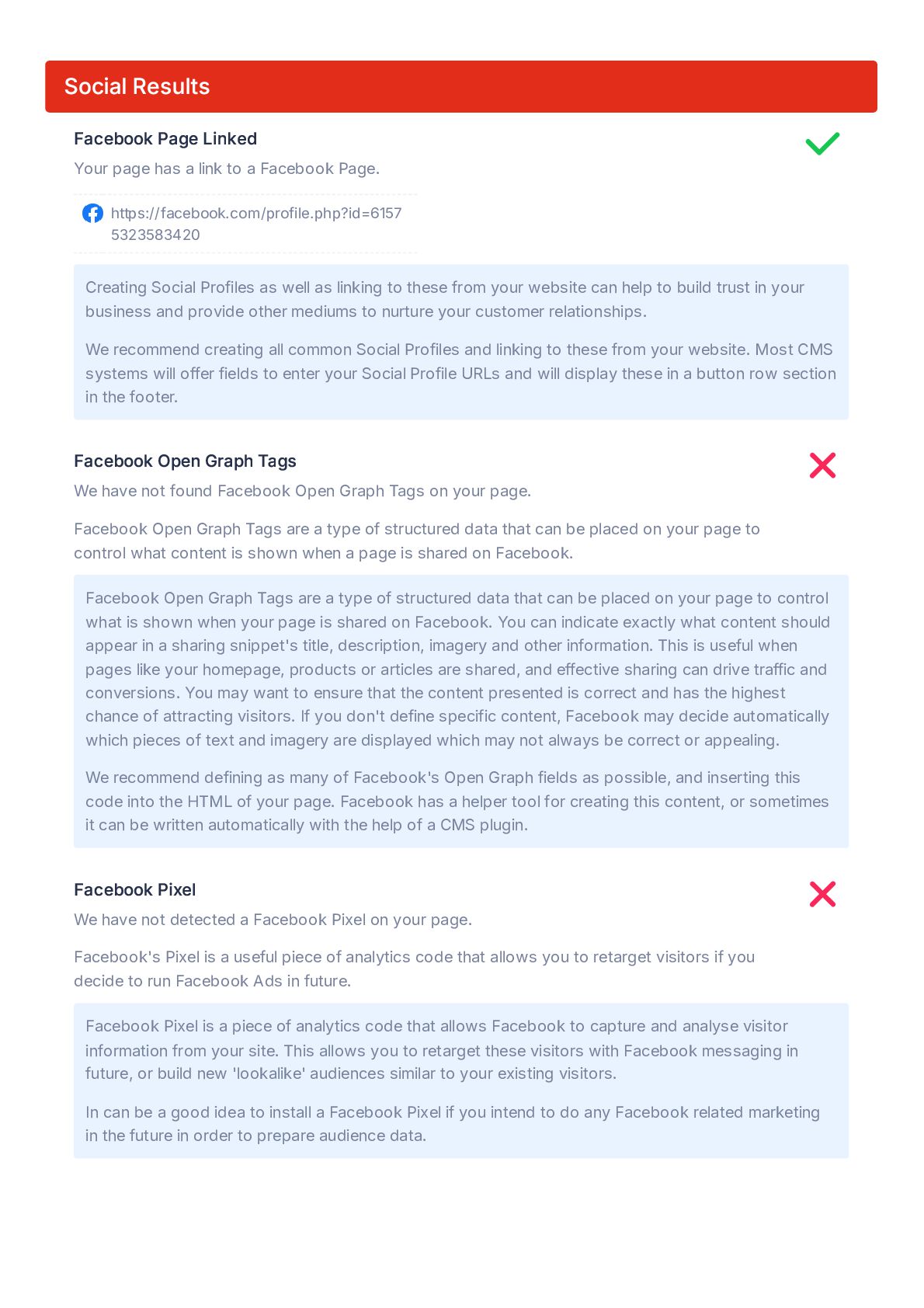
Social Results Facebook Page Linked Your page has a link
to a Facebook Page. https://facebook.com/profile.php?id=6157 5323583420 Creating Social Profiles as well as linking to these from your website can help to build trust in your business and provide other mediums to nurture your customer relationships. We recommend creating all common Social Profiles and linking to these from your website. Most CMS systems will offer fields to enter your Social Profile URLs and will display these in a button row section in the footer. Facebook Open Graph Tags We have not found Facebook Open Graph Tags on your page. Facebook Open Graph Tags are a type of structured data that can be placed on your page to control what content is shown when a page is shared on Facebook. Facebook Open Graph Tags are a type of structured data that can be placed on your page to control what is shown when your page is shared on Facebook. You can indicate exactly what content should appear in a sharing snippet's title, description, imagery and other information. This is useful when pages like your homepage, products or articles are shared, and effective sharing can drive traffic and conversions. You may want to ensure that the content presented is correct and has the highest chance of attracting visitors. If you don't define specific content, Facebook may decide automatically which pieces of text and imagery are displayed which may not always be correct or appealing. We recommend defining as many of Facebook's Open Graph fields as possible, and inserting this code into the HTML of your page. Facebook has a helper tool for creating this content, or sometimes it can be written automatically with the help of a CMS plugin. Facebook Pixel We have not detected a Facebook Pixel on your page. Facebook's Pixel is a useful piece of analytics code that allows you to retarget visitors if you decide to run Facebook Ads in future. Facebook Pixel is a piece of analytics code that allows Facebook to capture and analyse visitor information from your site. This allows you to retarget these visitors with Facebook messaging in future, or build new 'lookalike' audiences similar to your existing visitors. In can be a good idea to install a Facebook Pixel if you intend to do any Facebook related marketing in the future in order to prepare audience data. -
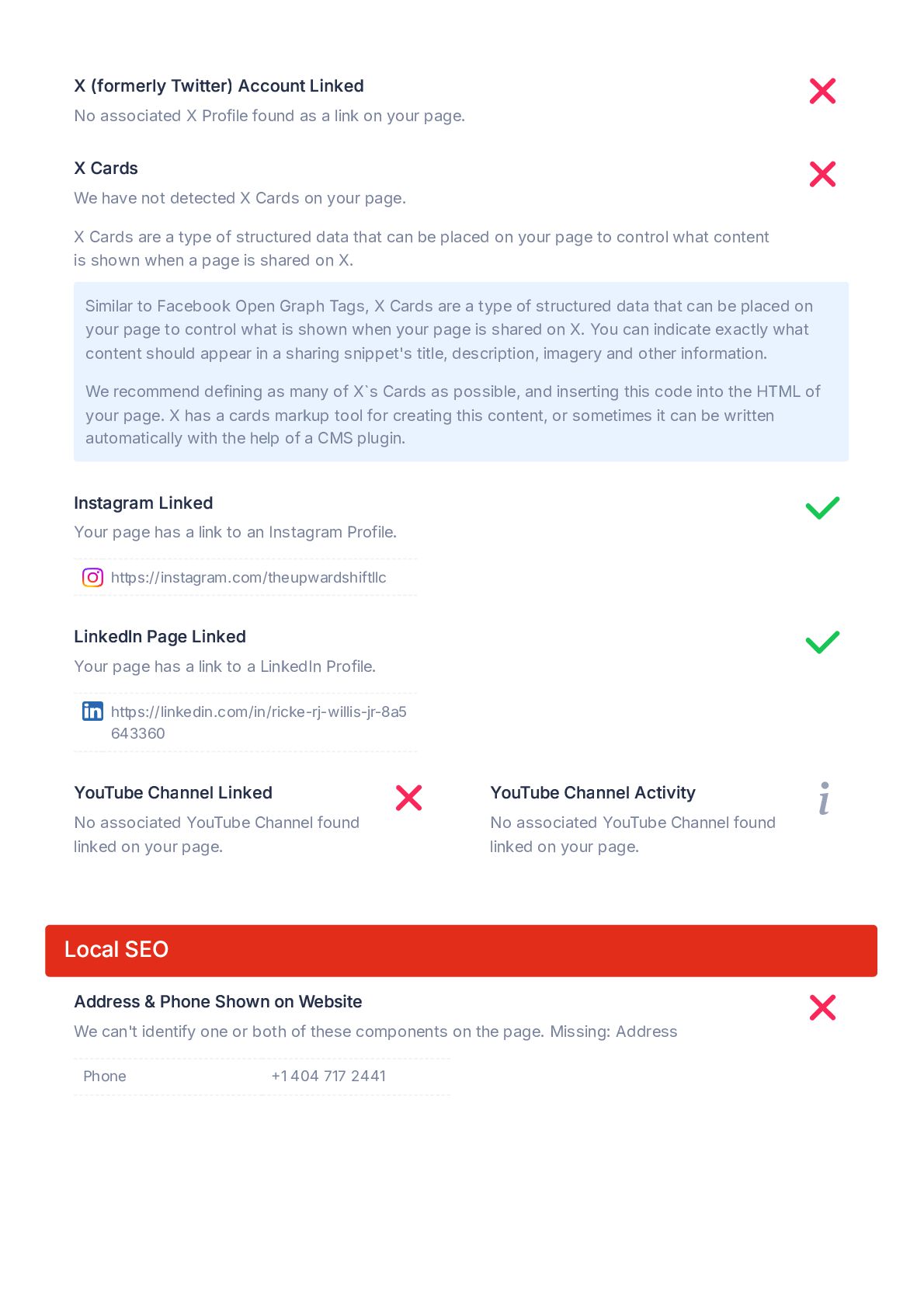
X (formerly Twitter) Account Linked No
associated X Profile found as a link on your page. X Cards We have not detected X Cards on your page. X Cards are a type of structured data that can be placed on your page to control what content is shown when a page is shared on X. Similar to Facebook Open Graph Tags, X Cards are a type of structured data that can be placed on your page to control what is shown when your page is shared on X. You can indicate exactly what content should appear in a sharing snippet's title, description, imagery and other information. We recommend defining as many of X`s Cards as possible, and inserting this code into the HTML of your page. X has a cards markup tool for creating this content, or sometimes it can be written automatically with the help of a CMS plugin. Instagram Linked Your page has a link to an Instagram Profile. https://instagram.com/theupwardshiftllc LinkedIn Page Linked Your page has a link to a LinkedIn Profile. https://linkedin.com/in/ricke-rj-willis-jr-8a5 643360 YouTube Channel Linked No associated YouTube Channel found linked on your page. YouTube Channel Activity No associated YouTube Channel found linked on your page. Local SEO Address & Phone Shown on Website We can't identify one or both of these components on the page. Missing: Address Phone 1 404 717 2441 -
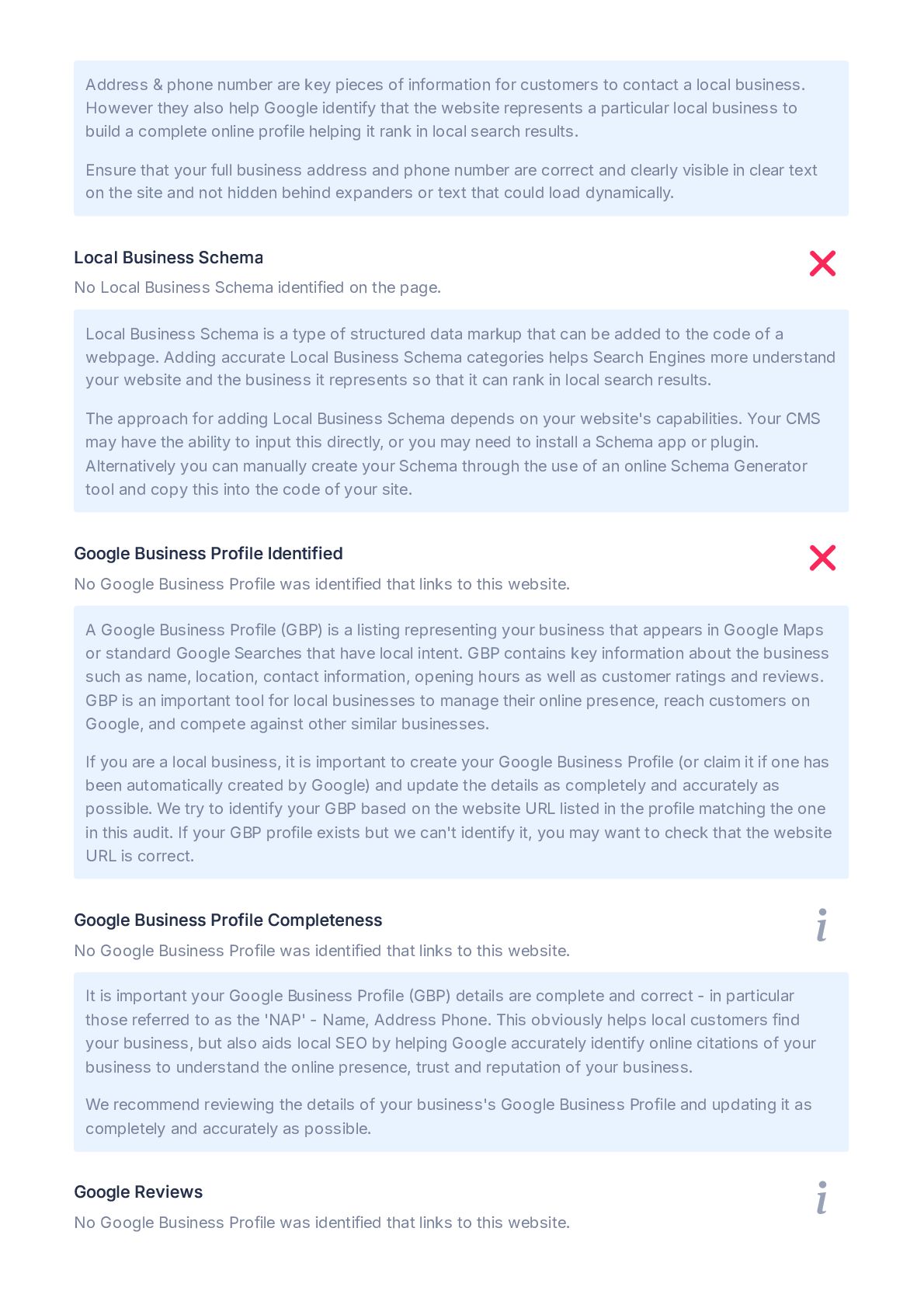
Address & phone number are key pieces of information for
customers to contact a local business. However they also help Google identify that the website represents a particular local business to build a complete online profile helping it rank in local search results. Ensure that your full business address and phone number are correct and clearly visible in clear text on the site and not hidden behind expanders or text that could load dynamically. Local Business Schema No Local Business Schema identified on the page. Local Business Schema is a type of structured data markup that can be added to the code of a webpage. Adding accurate Local Business Schema categories helps Search Engines more understand your website and the business it represents so that it can rank in local search results. The approach for adding Local Business Schema depends on your website's capabilities. Your CMS may have the ability to input this directly, or you may need to install a Schema app or plugin. Alternatively you can manually create your Schema through the use of an online Schema Generator tool and copy this into the code of your site. Google Business Profile Identified No Google Business Profile was identified that links to this website. A Google Business Profile GBP) is a listing representing your business that appears in Google Maps or standard Google Searches that have local intent. GBP contains key information about the business such as name, location, contact information, opening hours as well as customer ratings and reviews. GBP is an important tool for local businesses to manage their online presence, reach customers on Google, and compete against other similar businesses. If you are a local business, it is important to create your Google Business Profile (or claim it if one has been automatically created by Google) and update the details as completely and accurately as possible. We try to identify your GBP based on the website URL listed in the profile matching the one in this audit. If your GBP profile exists but we can't identify it, you may want to check that the website URL is correct. Google Business Profile Completeness No Google Business Profile was identified that links to this website. It is important your Google Business Profile GBP) details are complete and correct - in particular those referred to as the 'NAP' - Name, Address Phone. This obviously helps local customers find your business, but also aids local SEO by helping Google accurately identify online citations of your business to understand the online presence, trust and reputation of your business. We recommend reviewing the details of your business's Google Business Profile and updating it as completely and accurately as possible. Google Reviews No Google Business Profile was identified that links to this website. -
Google reviews and ratings are critical for a business -
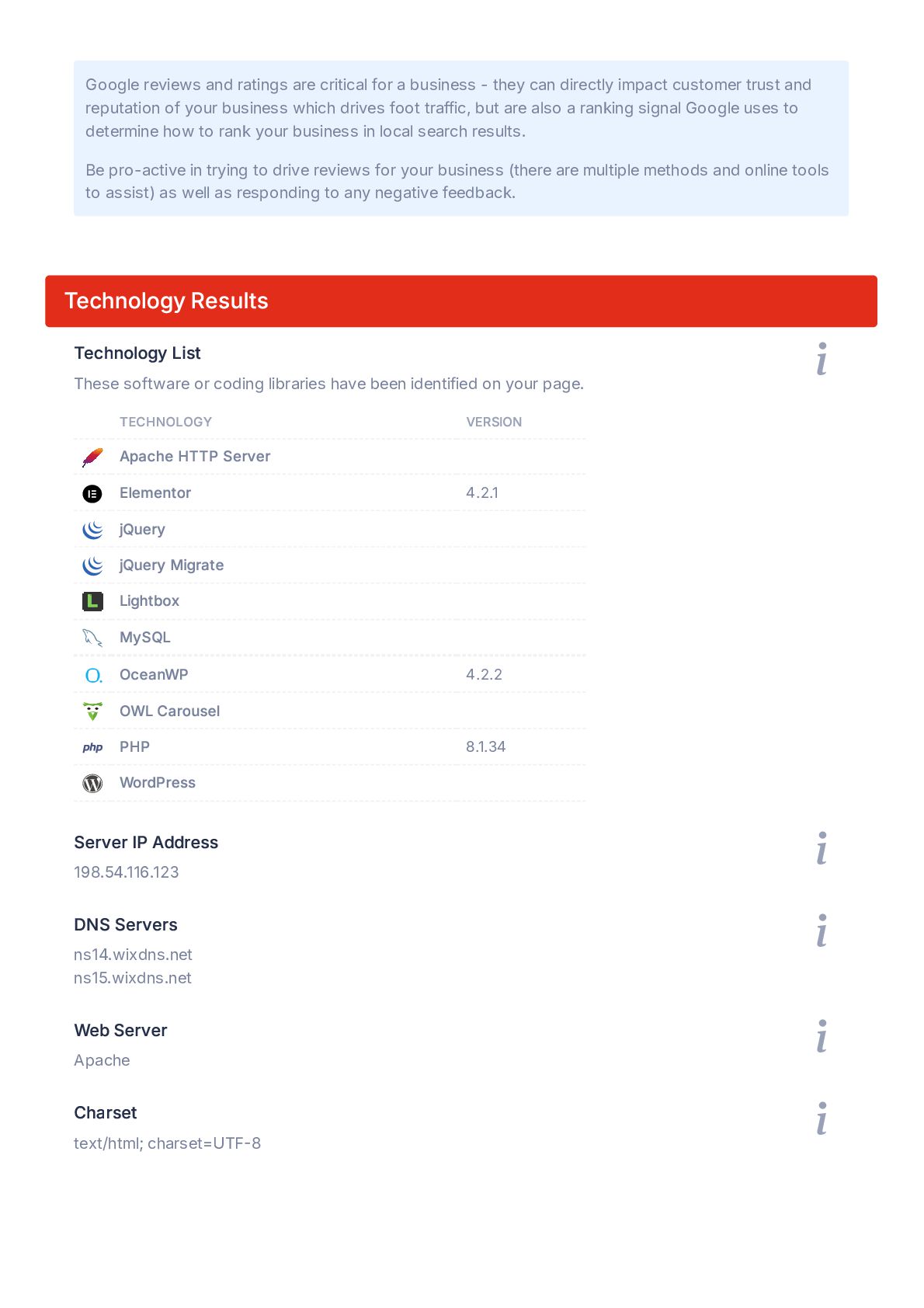
they can directly impact customer trust and reputation of your business which drives foot traffic, but are also a ranking signal Google uses to determine how to rank your business in local search results. Be pro-active in trying to drive reviews for your business (there are multiple methods and online tools to assist) as well as responding to any negative feedback. Technology Results Technology List These software or coding libraries have been identified on your page. TECHNOLOGY VERSION Apache HTTP Server Elementor 4.2.1 jQuery jQuery Migrate Lightbox MySQL OceanWP 4.2.2 OWL Carousel PHP 8.1.34 WordPress Server IP Address 198.54.116.123 DNS Servers ns14.wixdns.net ns15.wixdns.net Web Server Apache Charset text/html; charset=UTF 8 -
DMARC Record This site does not appear to have a
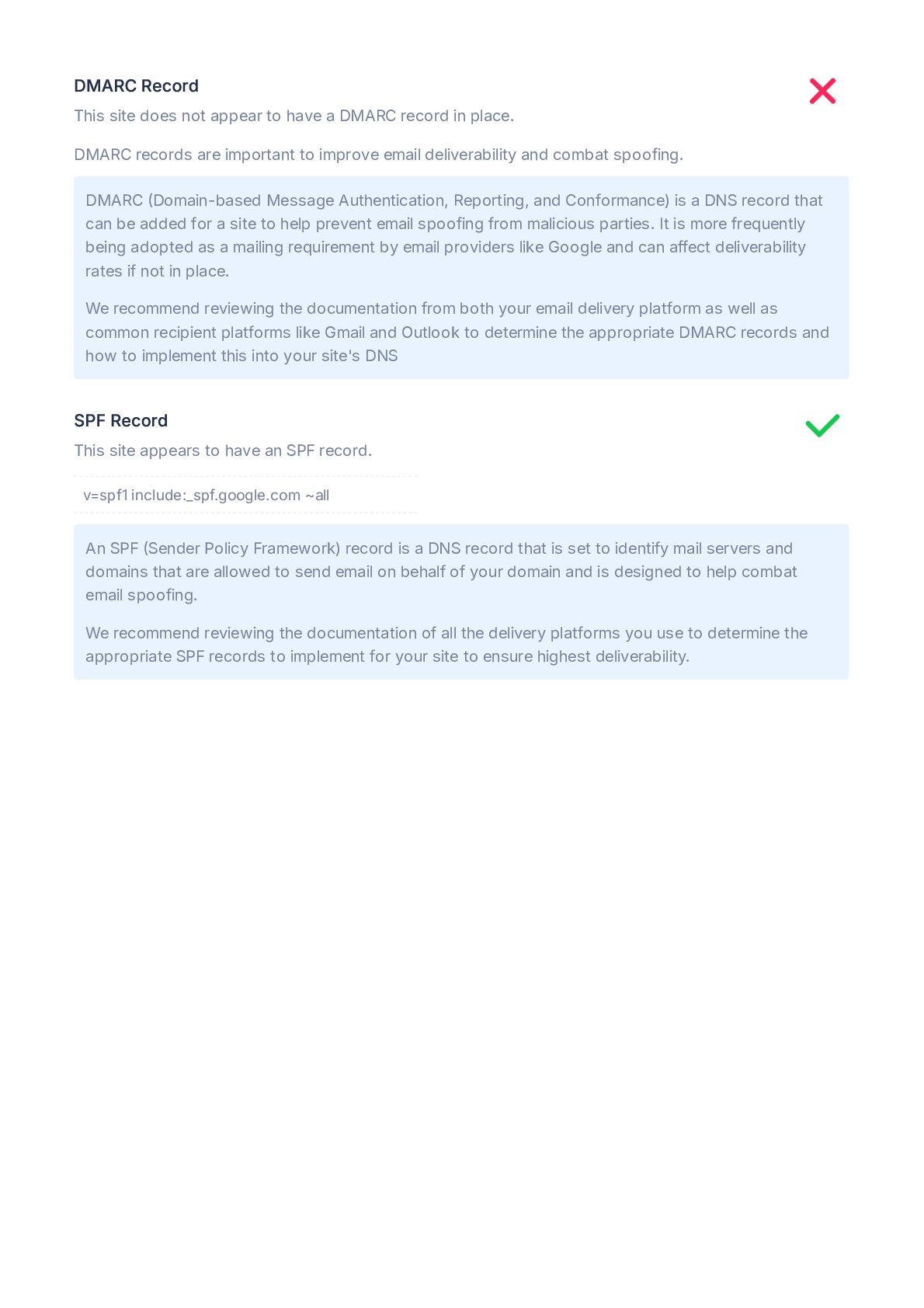
DMARC record in place. DMARC records are important to improve email deliverability and combat spoofing. DMARC Domain-based Message Authentication, Reporting, and Conformance) is a DNS record that can be added for a site to help prevent email spoofing from malicious parties. It is more frequently being adopted as a mailing requirement by email providers like Google and can affect deliverability rates if not in place. We recommend reviewing the documentation from both your email delivery platform as well as common recipient platforms like Gmail and Outlook to determine the appropriate DMARC records and how to implement this into your site's DNS SPF Record This site appears to have an SPF record. v=spf1 include:_spf.google.com ~all An SPF Sender Policy Framework) record is a DNS record that is set to identify mail servers and domains that are allowed to send email on behalf of your domain and is designed to help combat email spoofing. We recommend reviewing the documentation of all the delivery platforms you use to determine the appropriate SPF records to implement for your site to ensure highest deliverability.
 77web
 superpenguin
 kuranuki
 rechiba3
 chibanba1982
 chibah
 smartcamp
 mirygoaround
 malna
 masakiokuda
 jmdc
 shunkisugaya
 tmiket
 aleyda
 honnibal
 scottboms
 portentint
 addyosmani
 ryanjones
 soysaucechin
 akosma
 marktimemedia
 ipullrank
 jct