Upgrade to Pro — share decks privately, control downloads, hide ads and more …

Kubernetes for PHP Developers: From Docker Comp...

Kubernetes for PHP Developers: From Docker Compose to Production

You've mastered Docker Compose for local development, but production is a different beast. Kubernetes promises scalability, self-healing, and zero-downtime deployments—but the learning curve feels vertical. This talk bridges that gap, translating Docker Compose concepts into Kubernetes patterns specifically for PHP developers.

Attendees will understand the practical path from Docker Compose to Kubernetes for PHP applications, have realistic expectations about complexity and cost, and know enough to make informed decisions about whether Kubernetes is right for their projects.

Avatar for Eric Mann

Eric Mann

May 19, 2026

More Decks by Eric Mann

Other Decks in Technology

Transcript

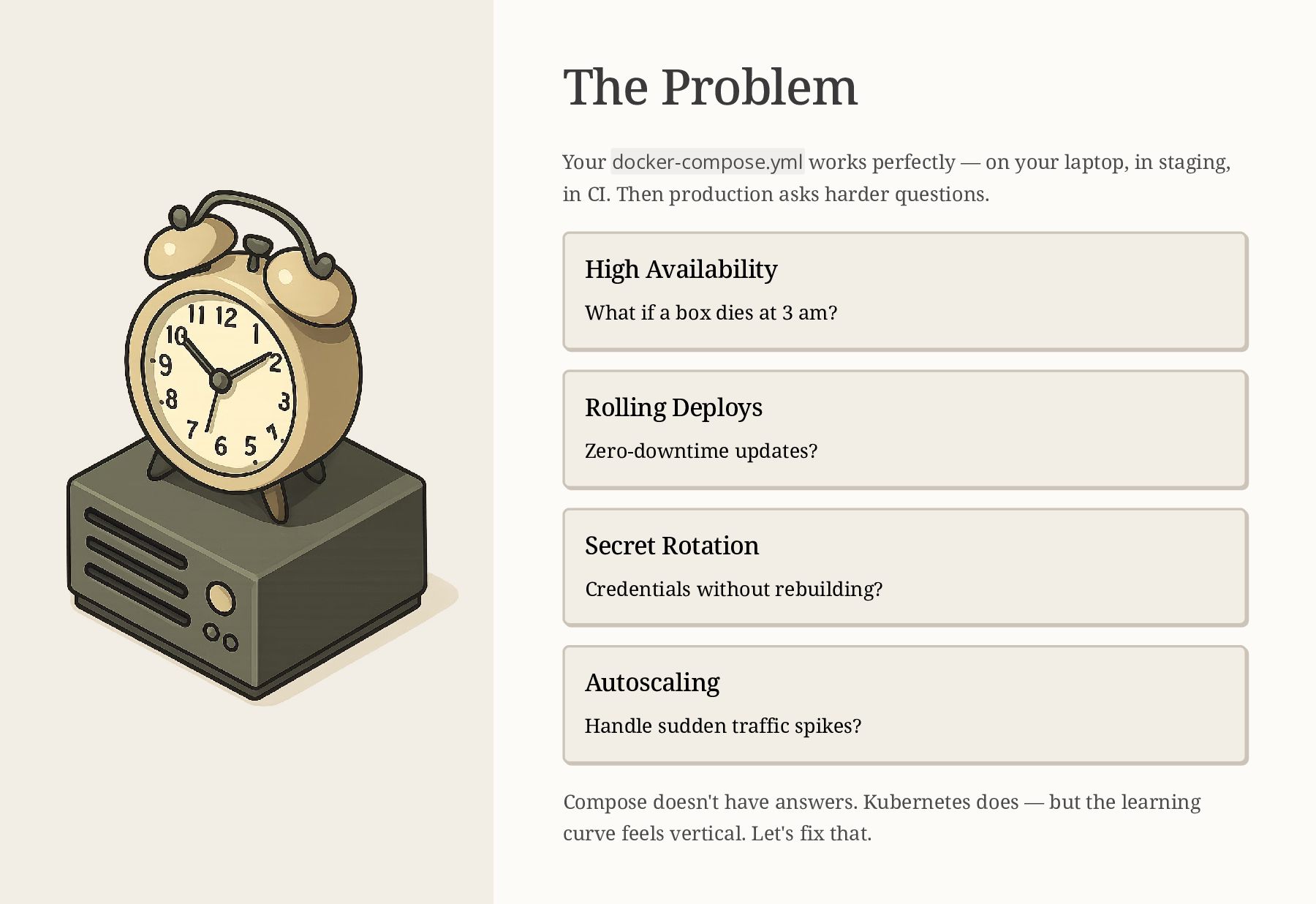
  1. The Problem Your docker-compose.yml works perfectly — on your laptop,

    in staging, in CI. Then production asks harder questions. High Availability What if a box dies at 3 am? Rolling Deploys Zero-downtime updates? Secret Rotation Credentials without rebuilding? Autoscaling Handle sudden traffic spikes? Compose doesn't have answers. Kubernetes does — but the learning curve feels vertical. Let's fix that.
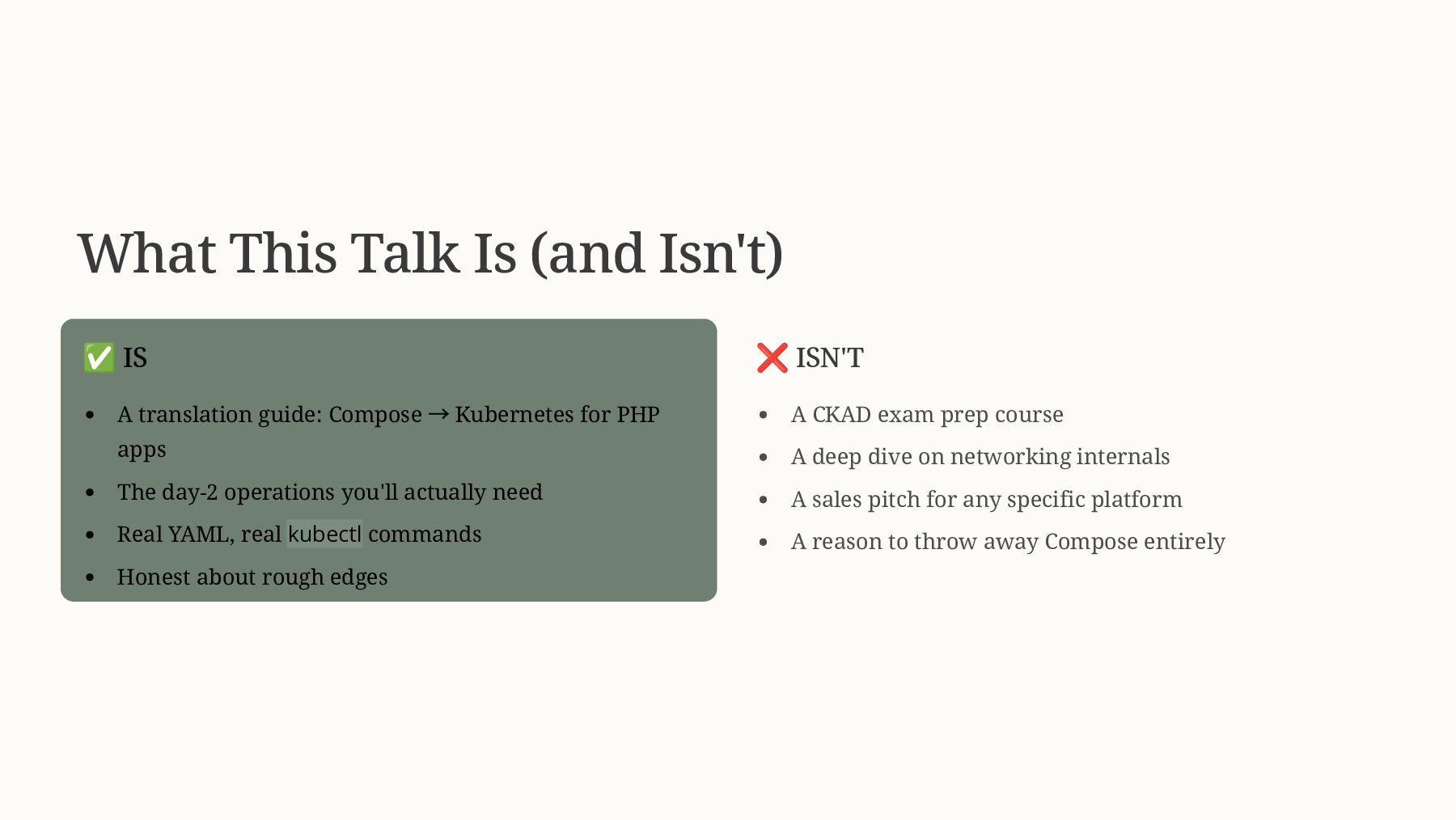
  2. What This Talk Is (and Isn't) ✅ IS A translation

    guide: Compose → Kubernetes for PHP apps The day-2 operations you'll actually need Real YAML, real kubectl commands Honest about rough edges ❌ ISN'T A CKAD exam prep course A deep dive on networking internals A sales pitch for any specific platform A reason to throw away Compose entirely
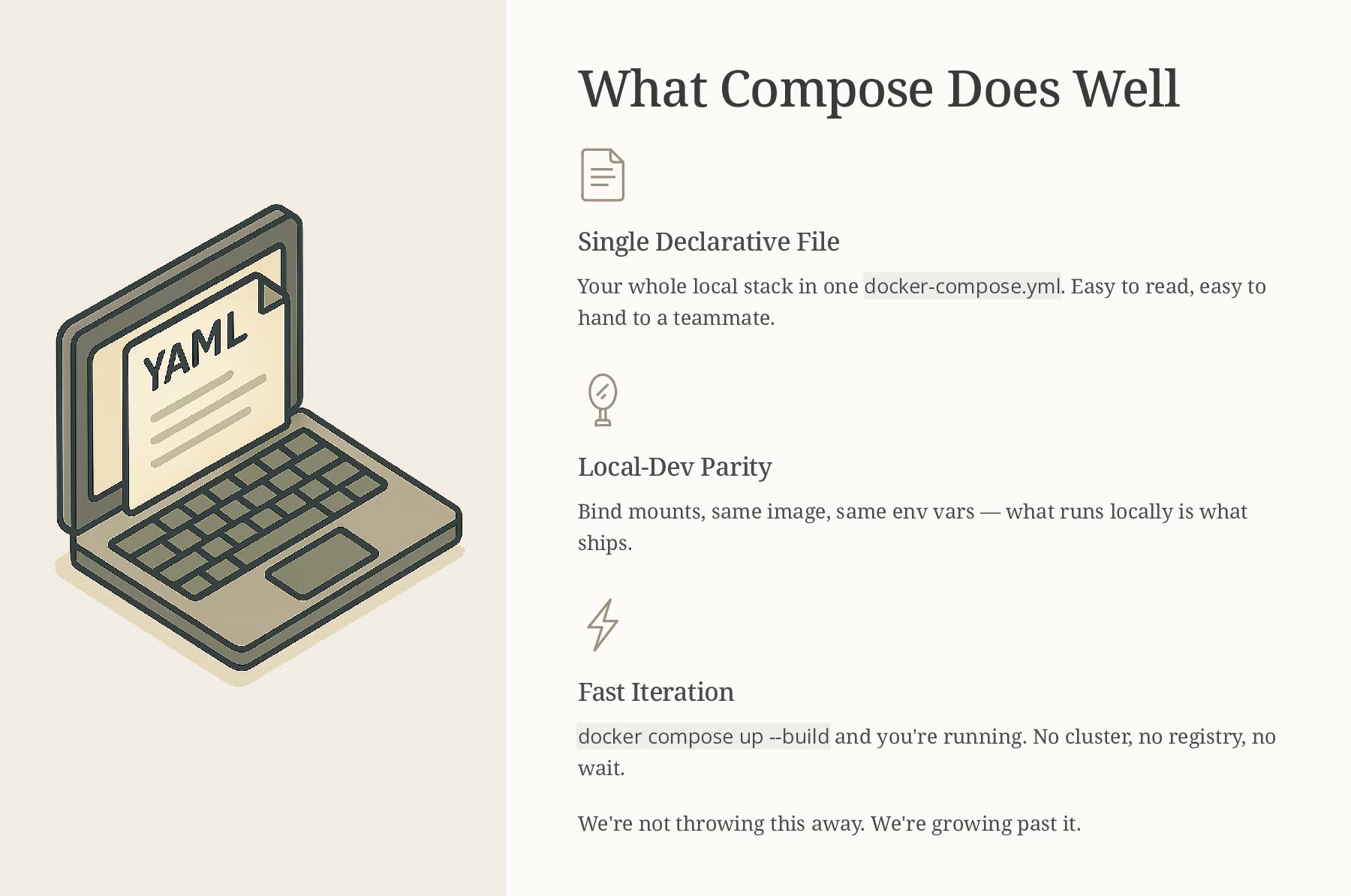
  3. What Compose Does Well Single Declarative File Your whole local

    stack in one docker-compose.yml. Easy to read, easy to hand to a teammate. Local-Dev Parity Bind mounts, same image, same env vars — what runs locally is what ships. Fast Iteration docker compose up --build and you're running. No cluster, no registry, no wait. We're not throwing this away. We're growing past it.
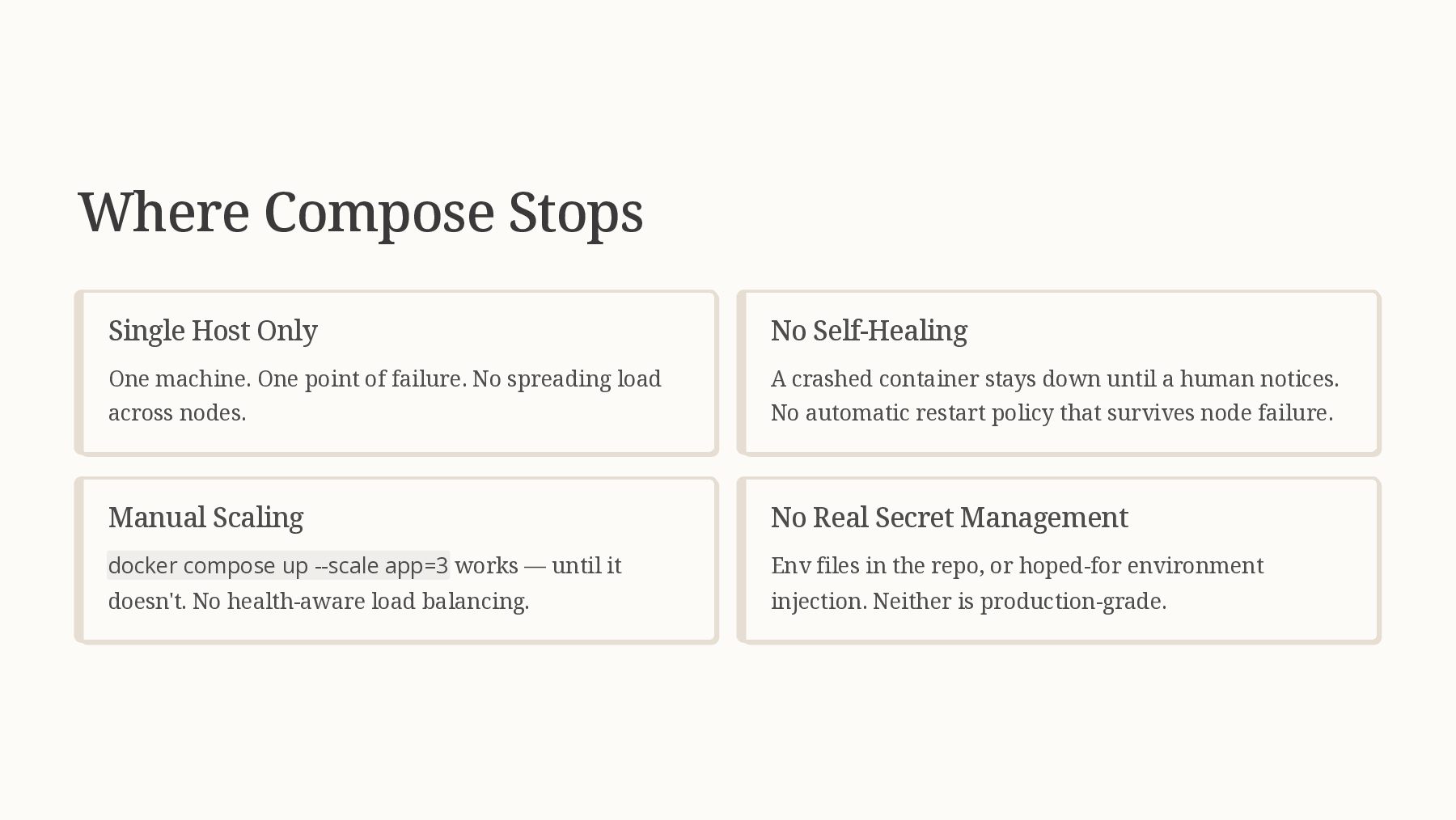
  4. Where Compose Stops Single Host Only One machine. One point

    of failure. No spreading load across nodes. No Self-Healing A crashed container stays down until a human notices. No automatic restart policy that survives node failure. Manual Scaling docker compose up --scale app=3 works — until it doesn't. No health-aware load balancing. No Real Secret Management Env files in the repo, or hoped-for environment injection. Neither is production-grade.
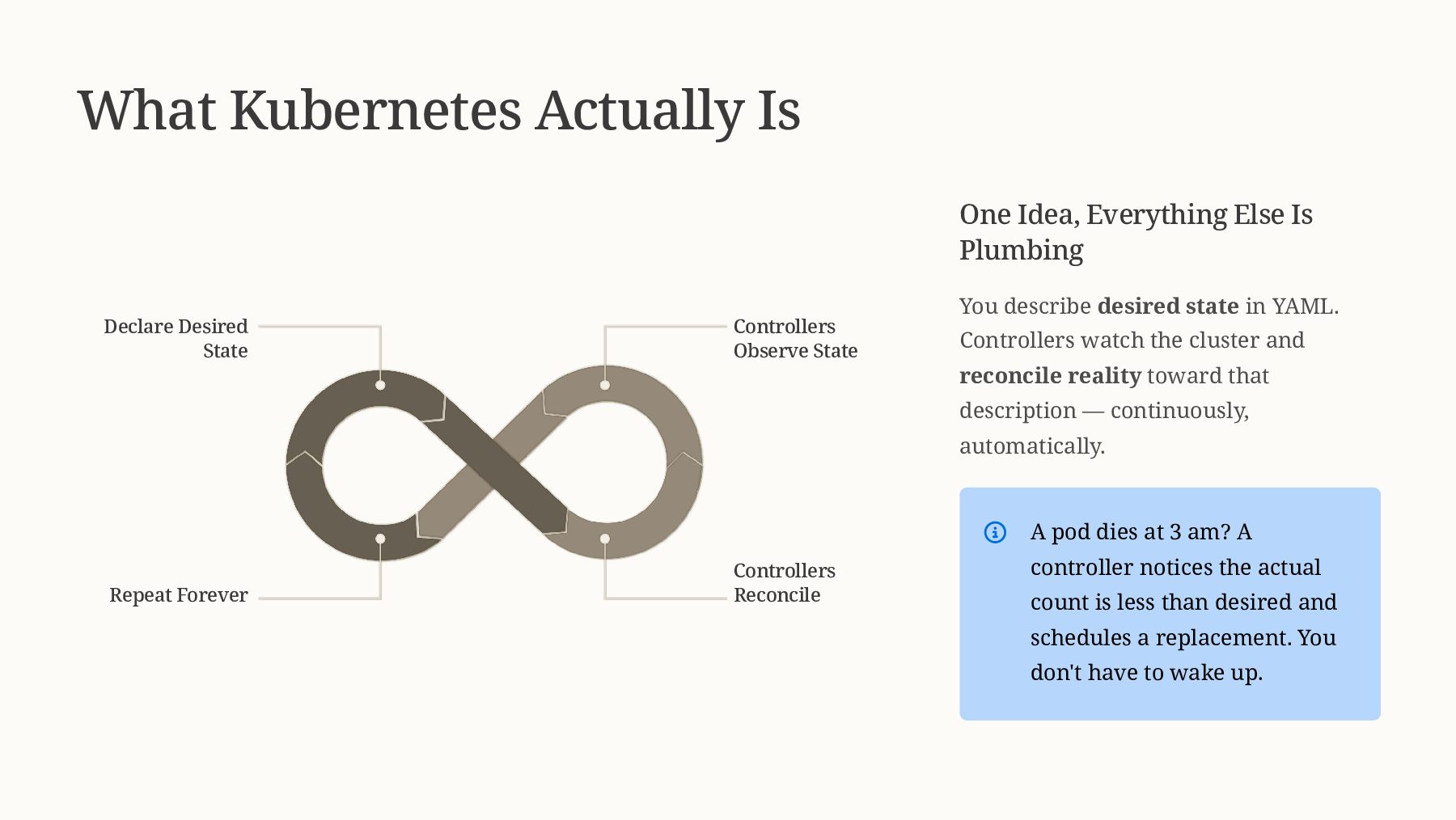
  5. What Kubernetes Actually Is Declare Desired State Controllers Observe State

    Controllers Reconcile Repeat Forever One Idea, Everything Else Is Plumbing You describe desired state in YAML. Controllers watch the cluster and reconcile reality toward that description — continuously, automatically. A pod dies at 3 am? A controller notices the actual count is less than desired and schedules a replacement. You don't have to wake up.
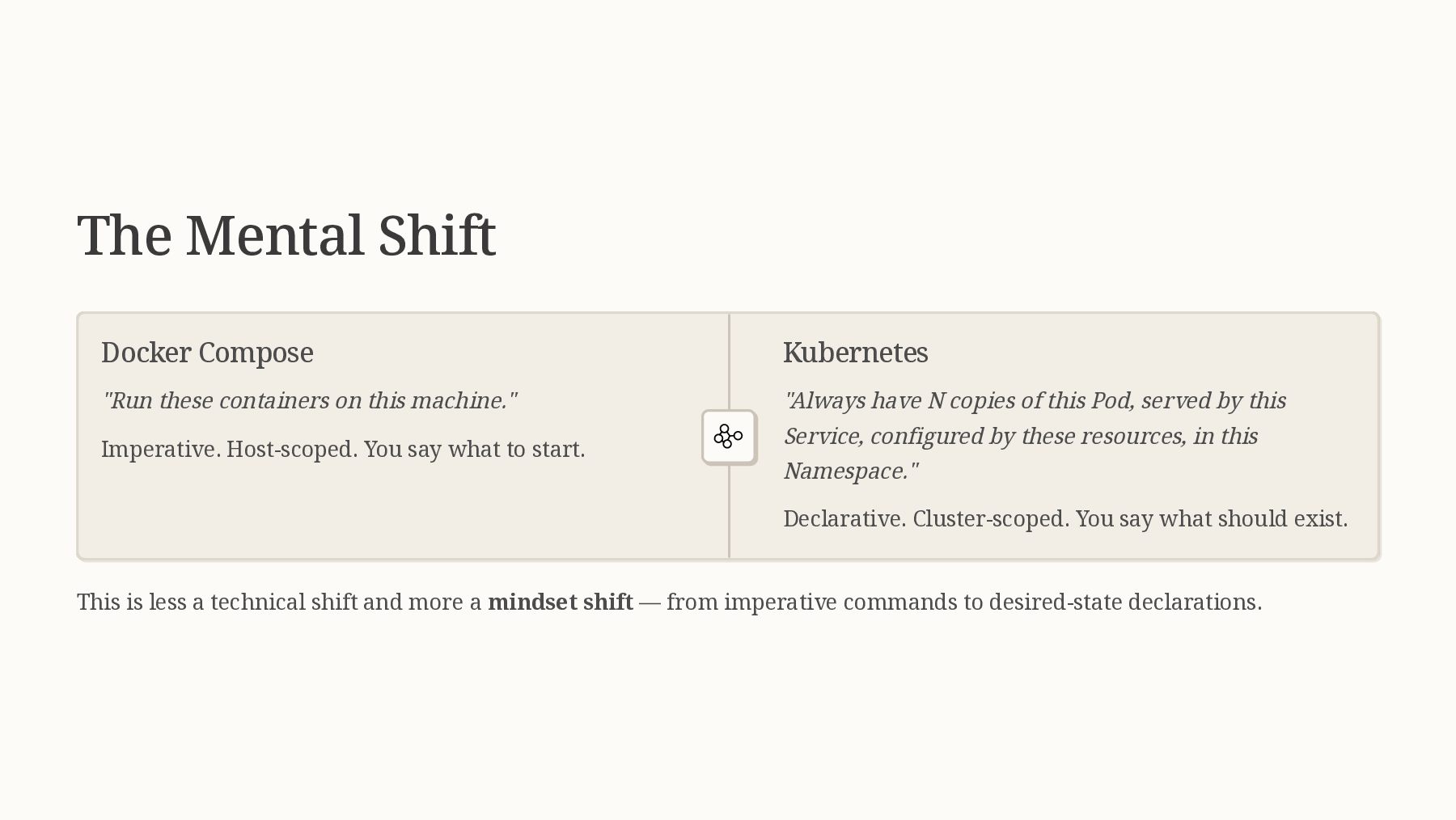
  6. The Mental Shift Docker Compose "Run these containers on this

    machine." Imperative. Host-scoped. You say what to start. Kubernetes "Always have N copies of this Pod, served by this Service, configured by these resources, in this Namespace." Declarative. Cluster-scoped. You say what should exist. This is less a technical shift and more a mindset shift — from imperative commands to desired-state declarations.
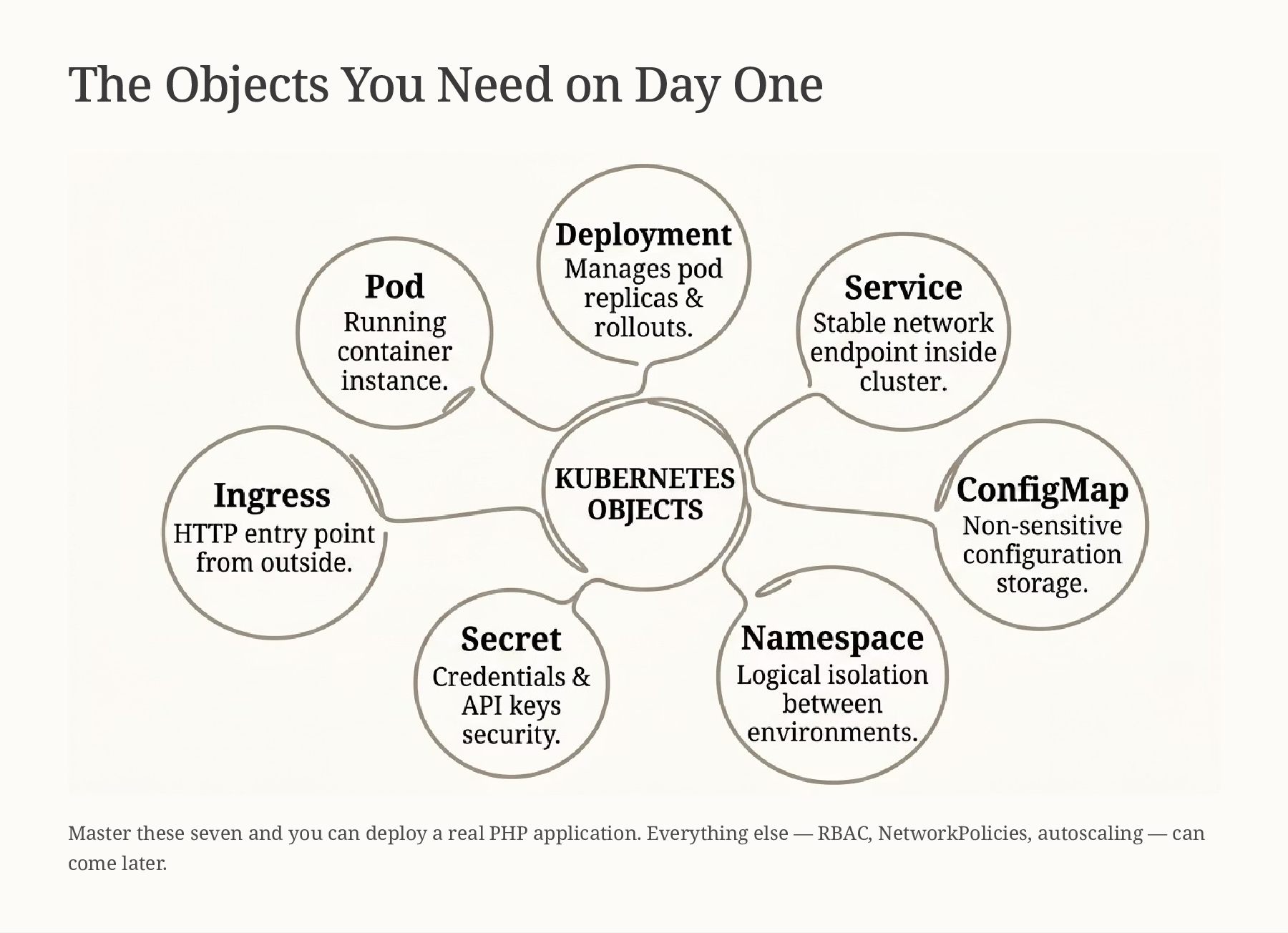
  7. The Objects You Need on Day One Master these seven

    and you can deploy a real PHP application. Everything else — RBAC, NetworkPolicies, autoscaling — can come later.
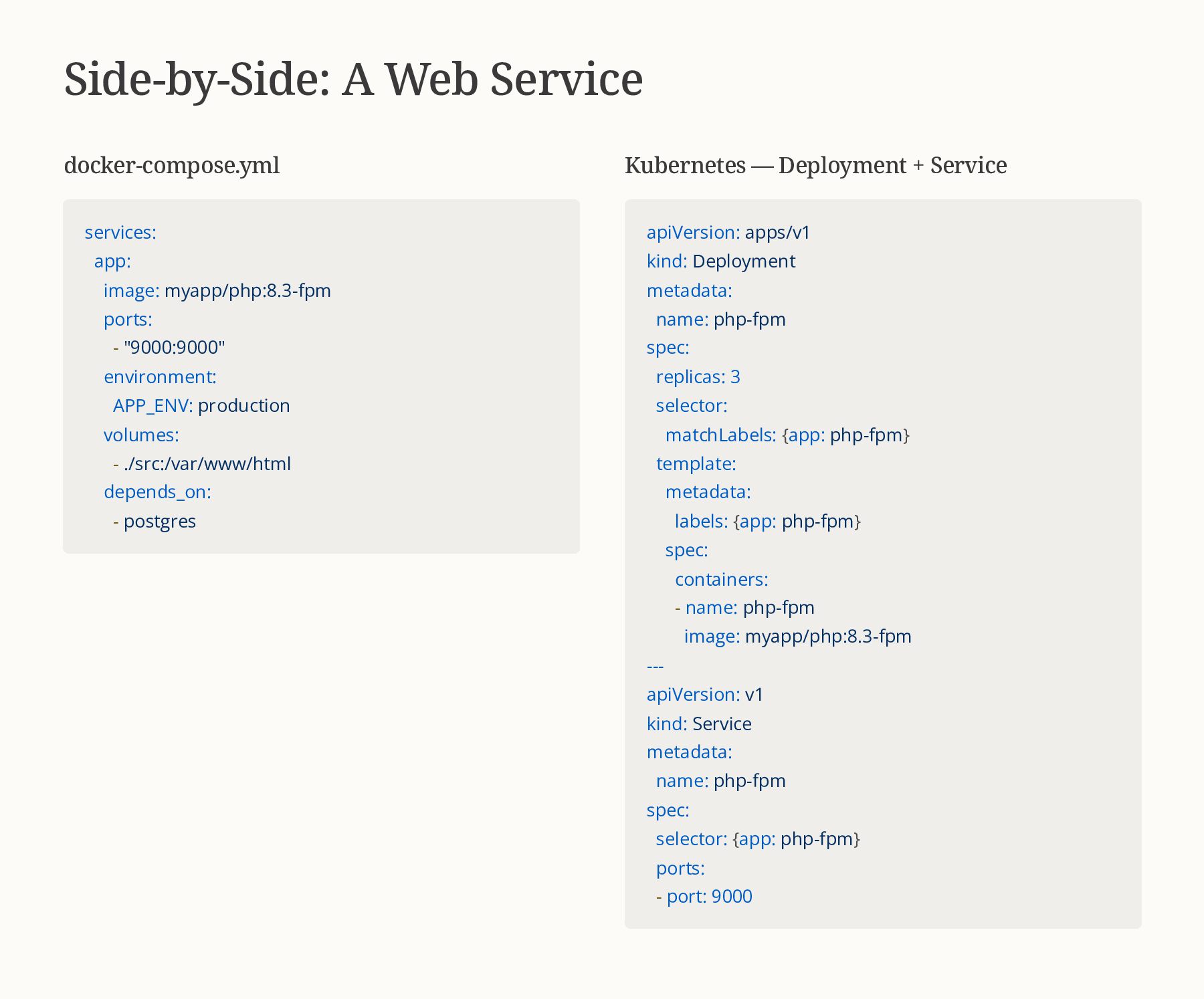
  8. Side-by-Side: A Web Service docker-compose.yml services: app: image: myapp/php:8.3-fpm ports:

    - "9000:9000" environment: APP_ENV: production volumes: - ./src:/var/www/html depends_on: - postgres Kubernetes — Deployment + Service apiVersion: apps/v1 kind: Deployment metadata: name: php-fpm spec: replicas: 3 selector: matchLabels: {app: php-fpm} template: metadata: labels: {app: php-fpm} spec: containers: - name: php-fpm image: myapp/php:8.3-fpm --- apiVersion: v1 kind: Service metadata: name: php-fpm spec: selector: {app: php-fpm} ports: - port: 9000
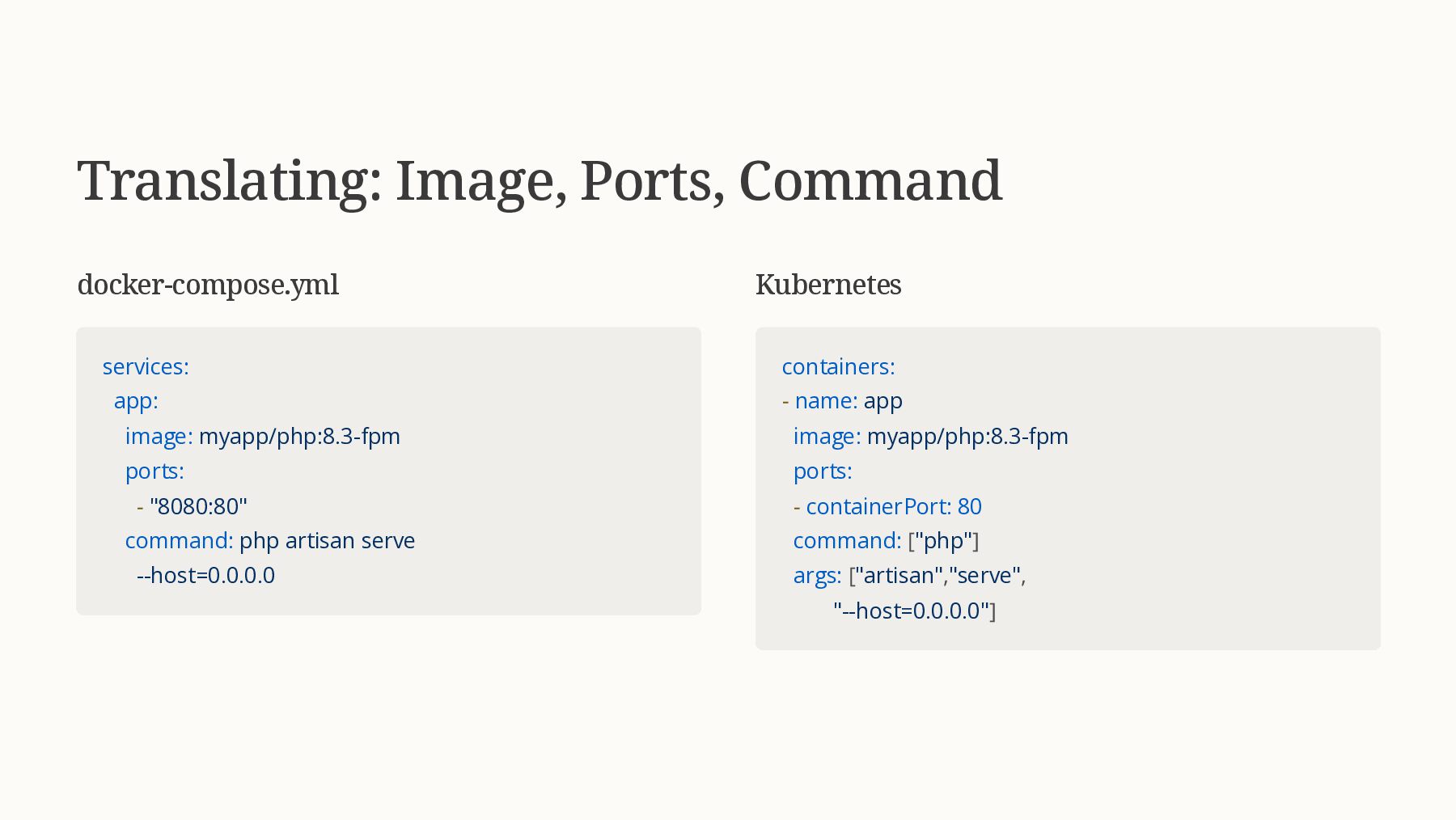
  9. Translating: Image, Ports, Command docker-compose.yml services: app: image: myapp/php:8.3-fpm ports:

    - "8080:80" command: php artisan serve --host=0.0.0.0 Kubernetes containers: - name: app image: myapp/php:8.3-fpm ports: - containerPort: 80 command: ["php"] args: ["artisan","serve", "--host=0.0.0.0"]
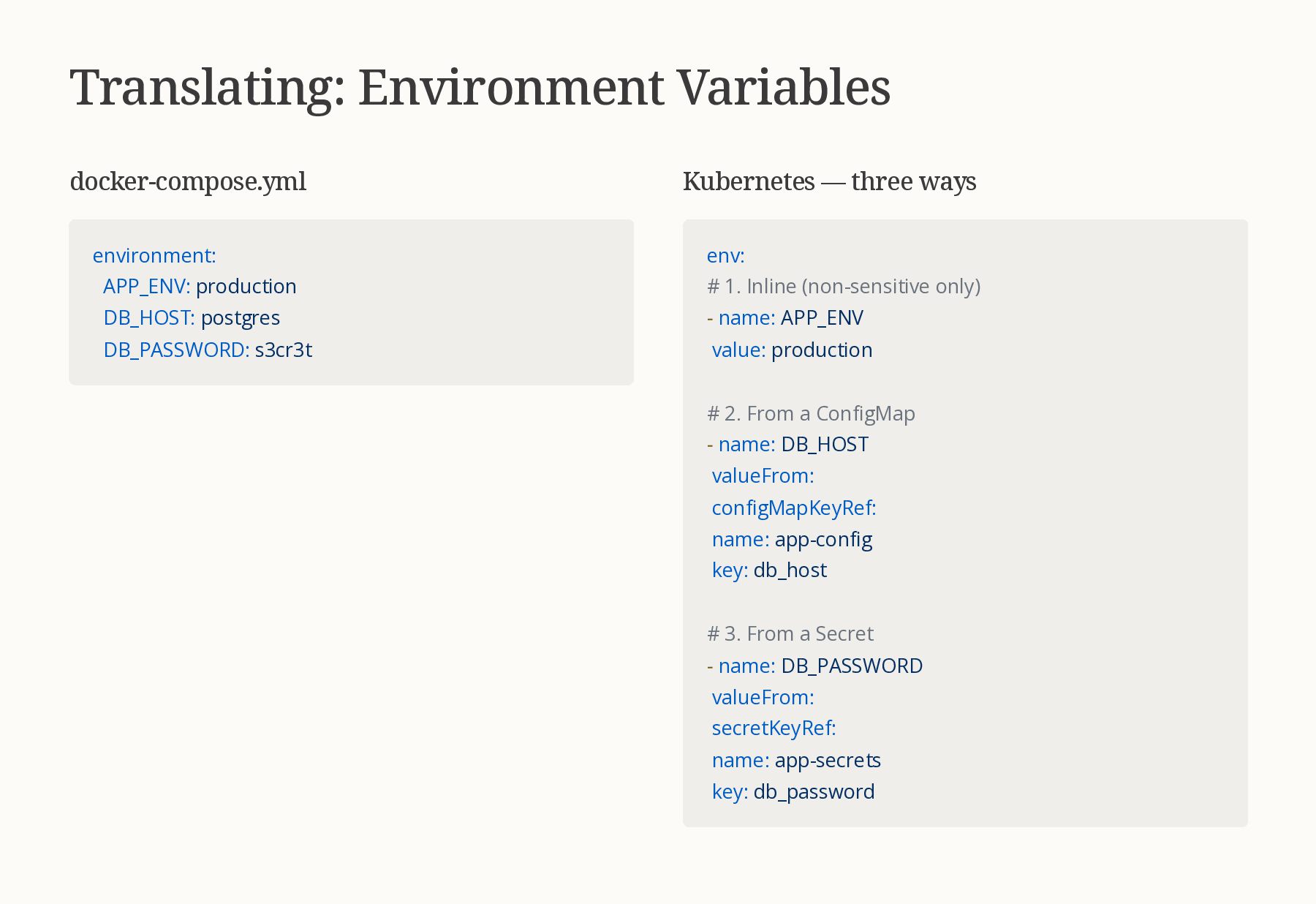
  10. Translating: Environment Variables docker-compose.yml environment: APP_ENV: production DB_HOST: postgres DB_PASSWORD:

    s3cr3t Kubernetes — three ways env: # 1. Inline (non-sensitive only) - name: APP_ENV value: production # 2. From a ConfigMap - name: DB_HOST valueFrom: configMapKeyRef: name: app-config key: db_host # 3. From a Secret - name: DB_PASSWORD valueFrom: secretKeyRef: name: app-secrets key: db_password
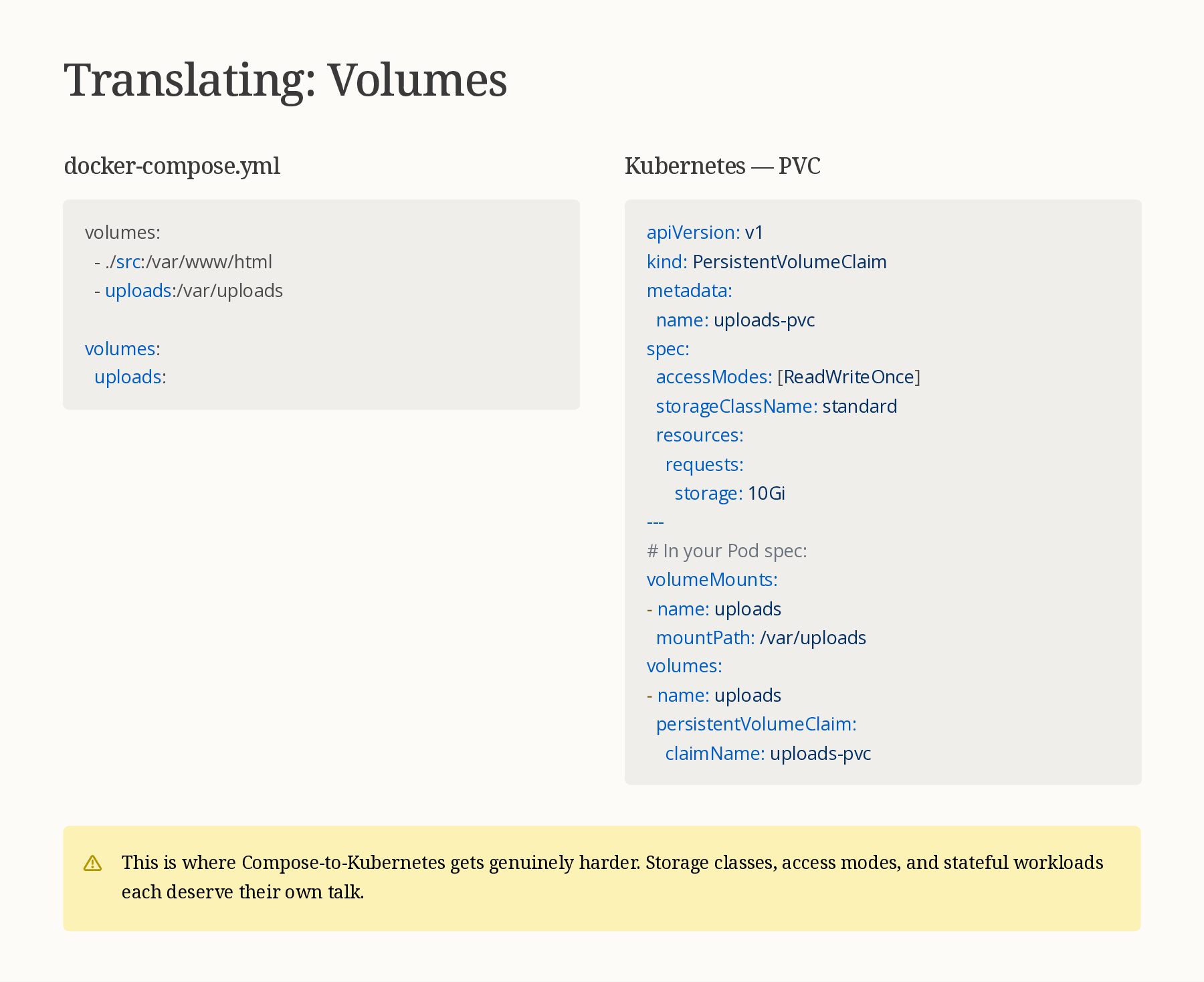
  11. Translating: Volumes docker-compose.yml volumes: - ./src:/var/www/html - uploads:/var/uploads volumes: uploads:

    Kubernetes — PVC apiVersion: v1 kind: PersistentVolumeClaim metadata: name: uploads-pvc spec: accessModes: [ReadWriteOnce] storageClassName: standard resources: requests: storage: 10Gi --- # In your Pod spec: volumeMounts: - name: uploads mountPath: /var/uploads volumes: - name: uploads persistentVolumeClaim: claimName: uploads-pvc This is where Compose-to-Kubernetes gets genuinely harder. Storage classes, access modes, and stateful workloads each deserve their own talk.
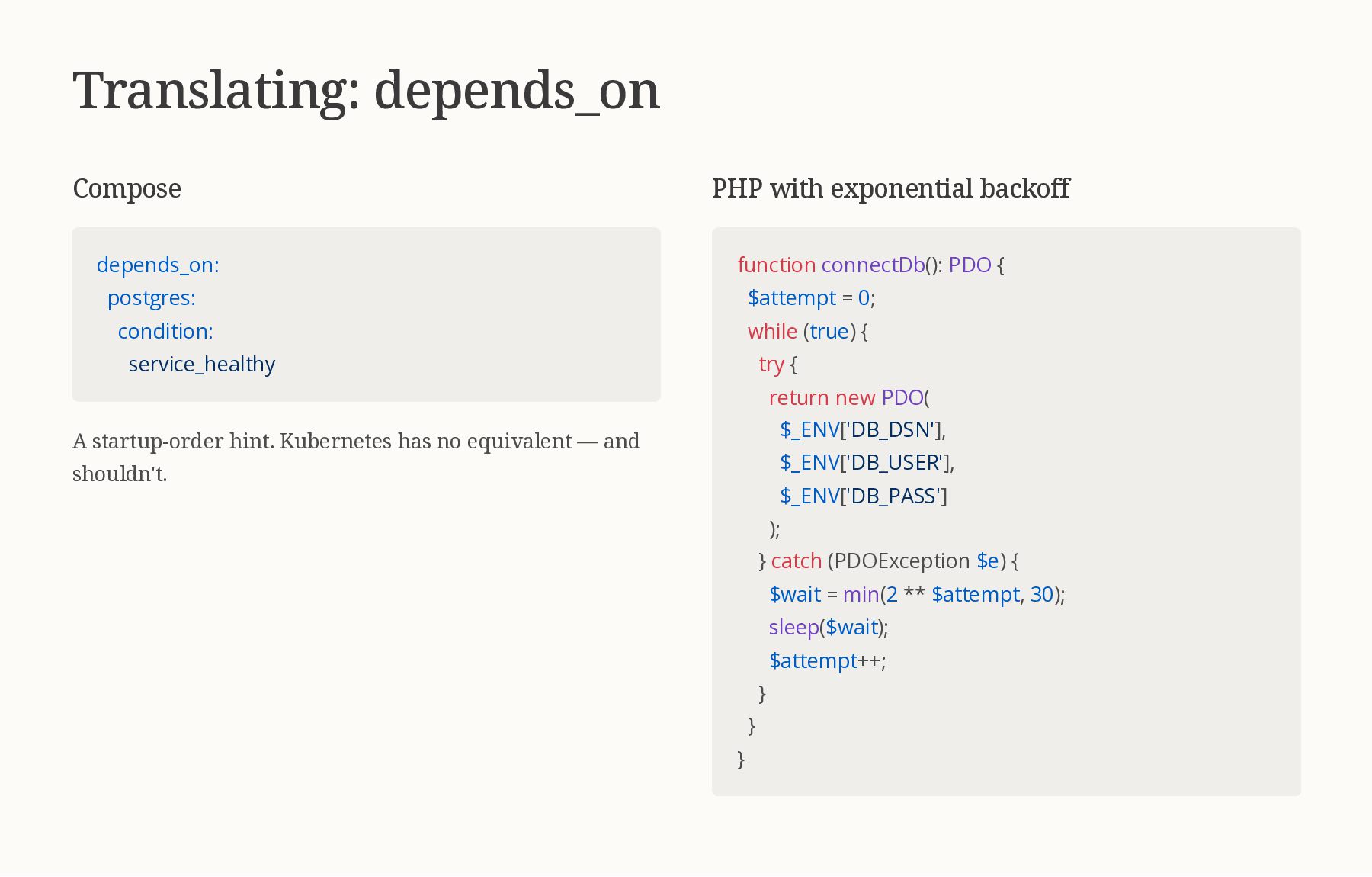
  12. Translating: depends_on Compose depends_on: postgres: condition: service_healthy A startup-order hint.

    Kubernetes has no equivalent — and shouldn't. PHP with exponential backoff function connectDb(): PDO { $attempt = 0; while (true) { try { return new PDO( $_ENV['DB_DSN'], $_ENV['DB_USER'], $_ENV['DB_PASS'] ); } catch (PDOException $e) { $wait = min(2 ** $attempt, 30); sleep($wait); $attempt++; } } }
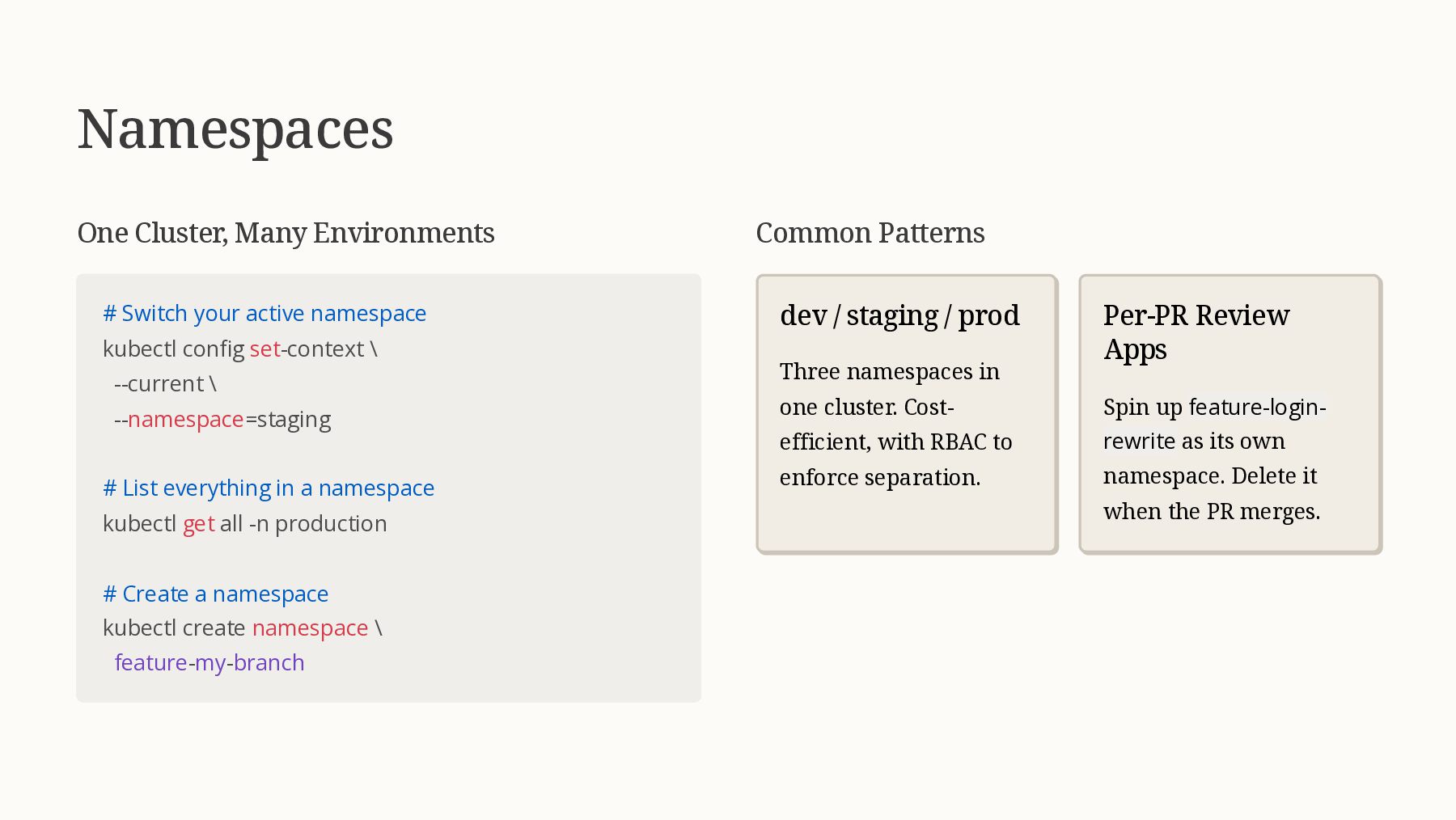
  13. Namespaces One Cluster, Many Environments # Switch your active namespace

    kubectl config set-context \ --current \ --namespace=staging # List everything in a namespace kubectl get all -n production # Create a namespace kubectl create namespace \ feature-my-branch Common Patterns dev / staging / prod Three namespaces in one cluster. Cost- efficient, with RBAC to enforce separation. Per-PR Review Apps Spin up feature-login- rewrite as its own namespace. Delete it when the PR merges.
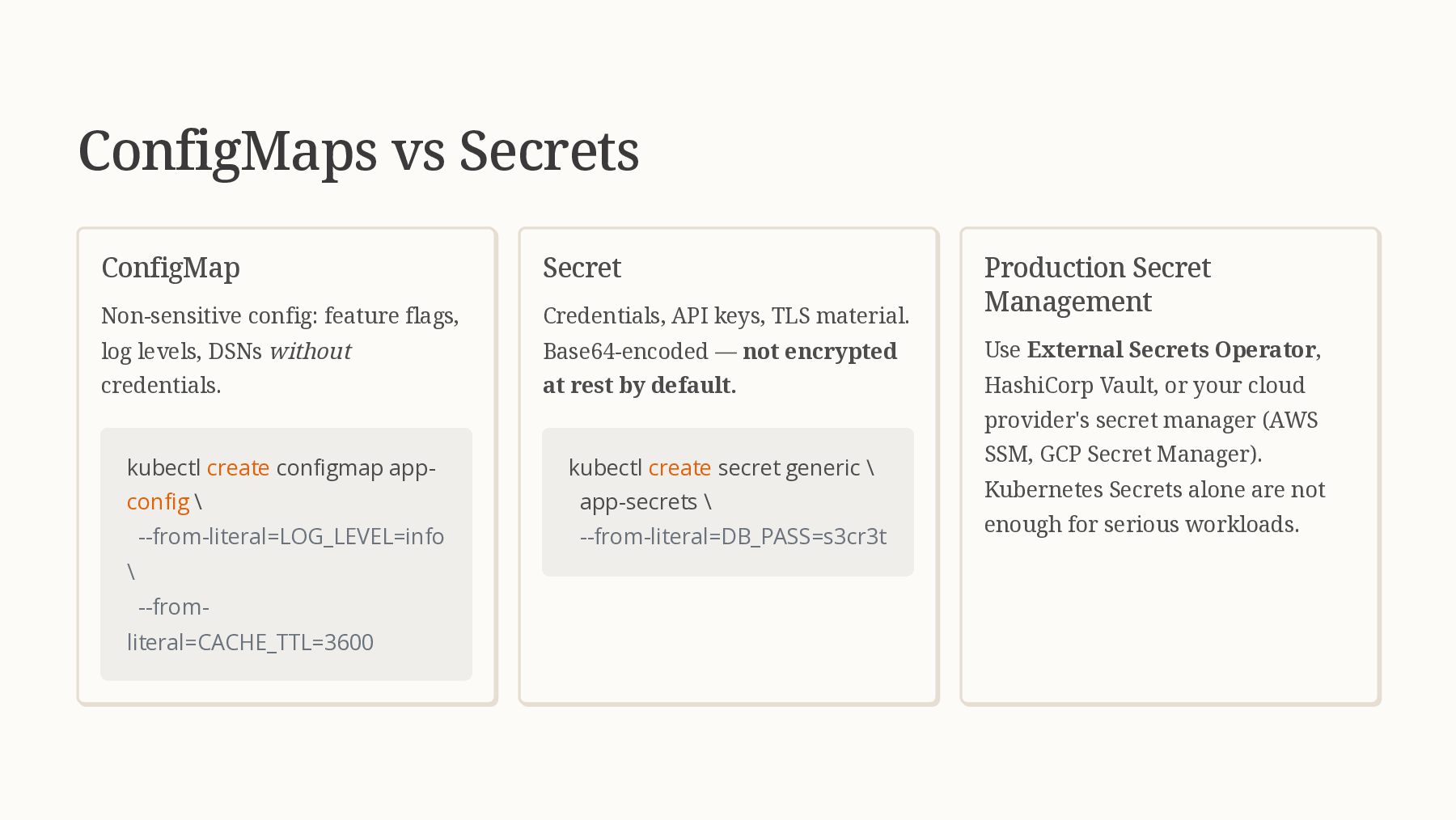
  14. ConfigMaps vs Secrets ConfigMap Non-sensitive config: feature flags, log levels,

    DSNs without credentials. kubectl create configmap app- config \ --from-literal=LOG_LEVEL=info \ --from- literal=CACHE_TTL=3600 Secret Credentials, API keys, TLS material. Base64-encoded — not encrypted at rest by default. kubectl create secret generic \ app-secrets \ --from-literal=DB_PASS=s3cr3t Production Secret Management Use External Secrets Operator, HashiCorp Vault, or your cloud provider's secret manager (AWS SSM, GCP Secret Manager). Kubernetes Secrets alone are not enough for serious workloads.
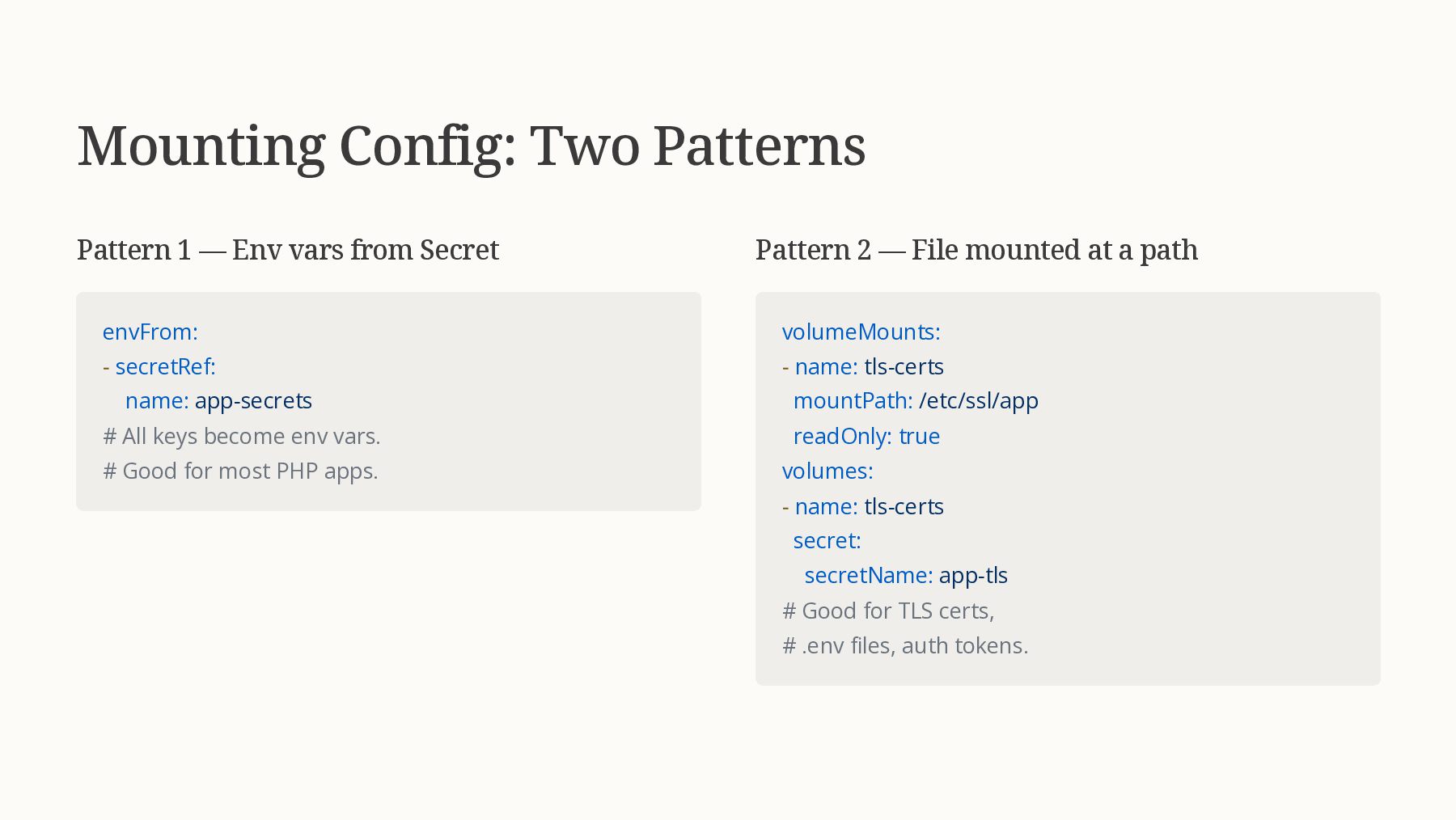
  15. Mounting Config: Two Patterns Pattern 1 — Env vars from

    Secret envFrom: - secretRef: name: app-secrets # All keys become env vars. # Good for most PHP apps. Pattern 2 — File mounted at a path volumeMounts: - name: tls-certs mountPath: /etc/ssl/app readOnly: true volumes: - name: tls-certs secret: secretName: app-tls # Good for TLS certs, # .env files, auth tokens.
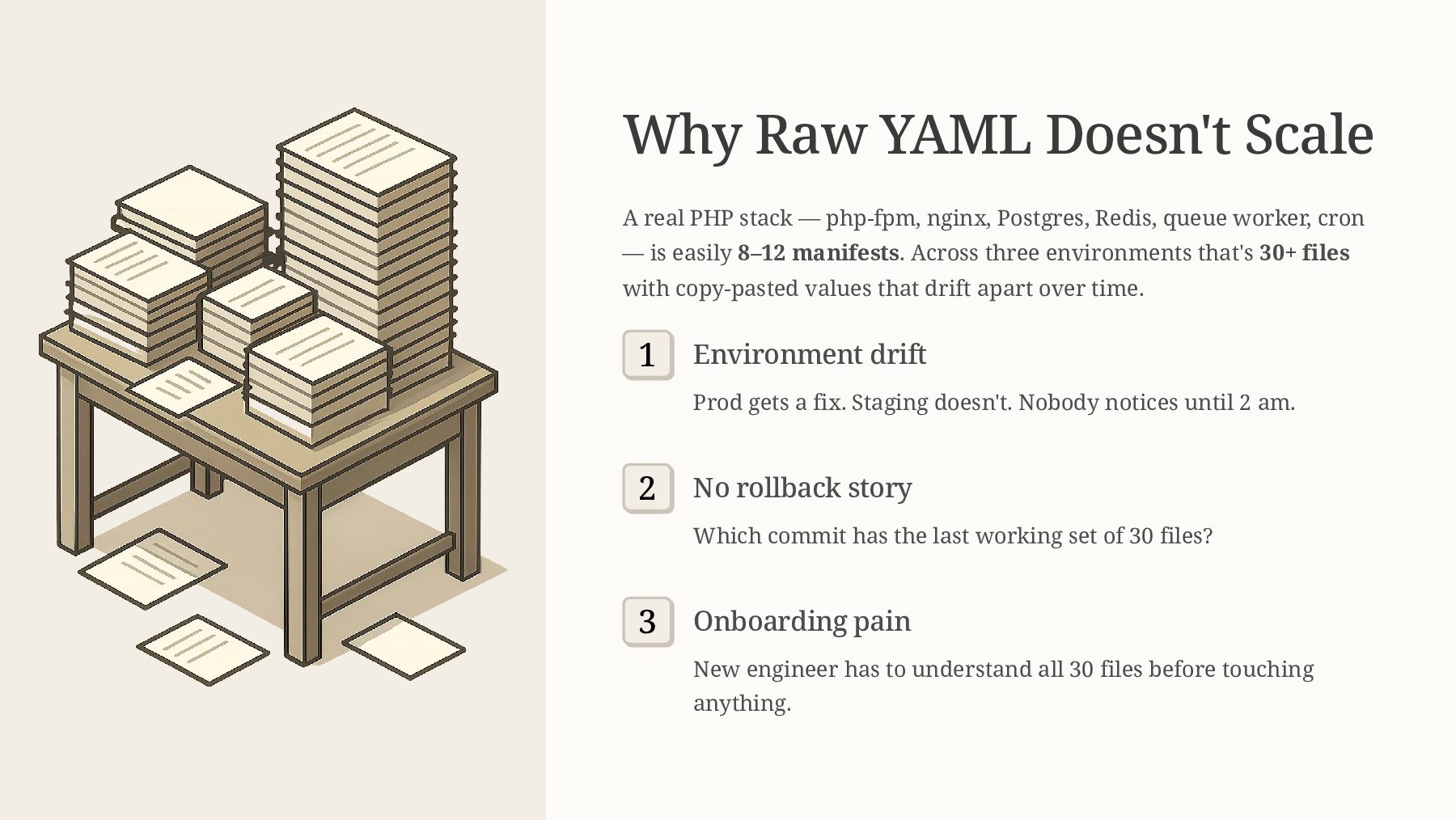
  16. Why Raw YAML Doesn't Scale A real PHP stack —

    php-fpm, nginx, Postgres, Redis, queue worker, cron — is easily 8–12 manifests. Across three environments that's 30+ files with copy-pasted values that drift apart over time. 1 Environment drift Prod gets a fix. Staging doesn't. Nobody notices until 2 am. 2 No rollback story Which commit has the last working set of 30 files? 3 Onboarding pain New engineer has to understand all 30 files before touching anything.
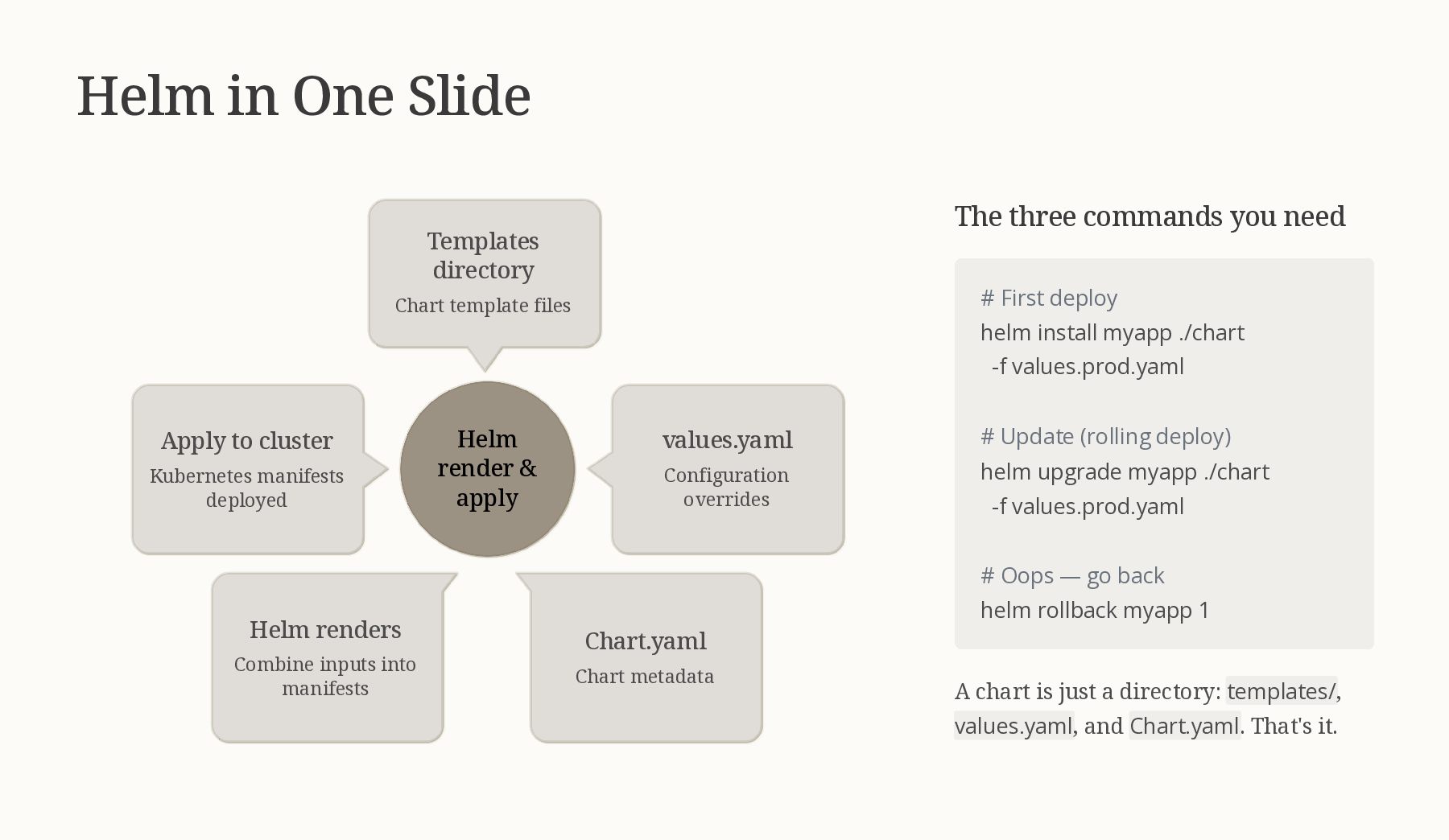
  17. Helm in One Slide Helm render & apply Chart.yaml Chart

    metadata Apply to cluster Kubernetes manifests deployed Helm renders Combine inputs into manifests values.yaml Configuration overrides Templates directory Chart template files The three commands you need # First deploy helm install myapp ./chart -f values.prod.yaml # Update (rolling deploy) helm upgrade myapp ./chart -f values.prod.yaml # Oops — go back helm rollback myapp 1 A chart is just a directory: templates/, values.yaml, and Chart.yaml. That's it.
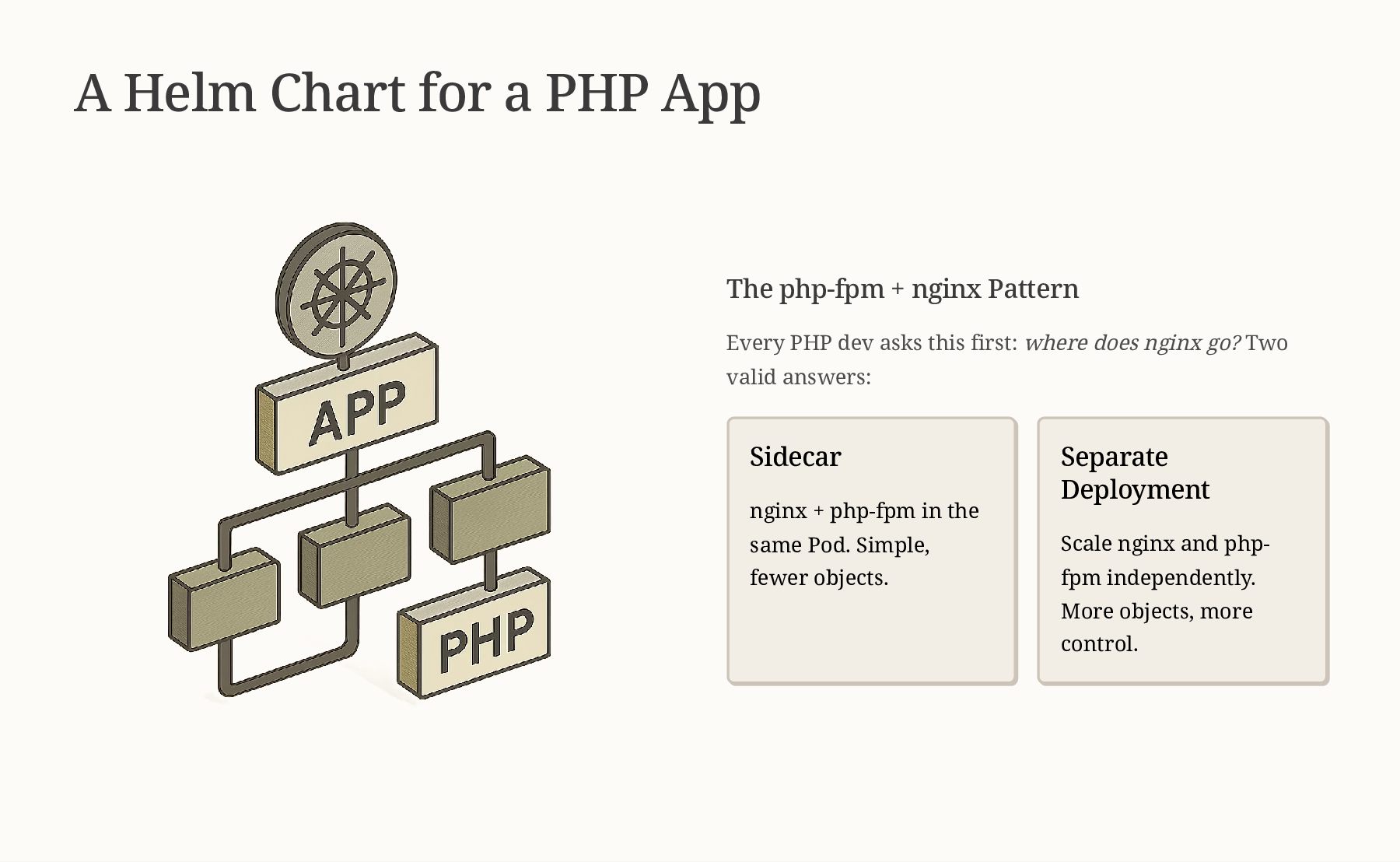
  18. A Helm Chart for a PHP App The php-fpm +

    nginx Pattern Every PHP dev asks this first: where does nginx go? Two valid answers: Sidecar nginx + php-fpm in the same Pod. Simple, fewer objects. Separate Deployment Scale nginx and php- fpm independently. More objects, more control.
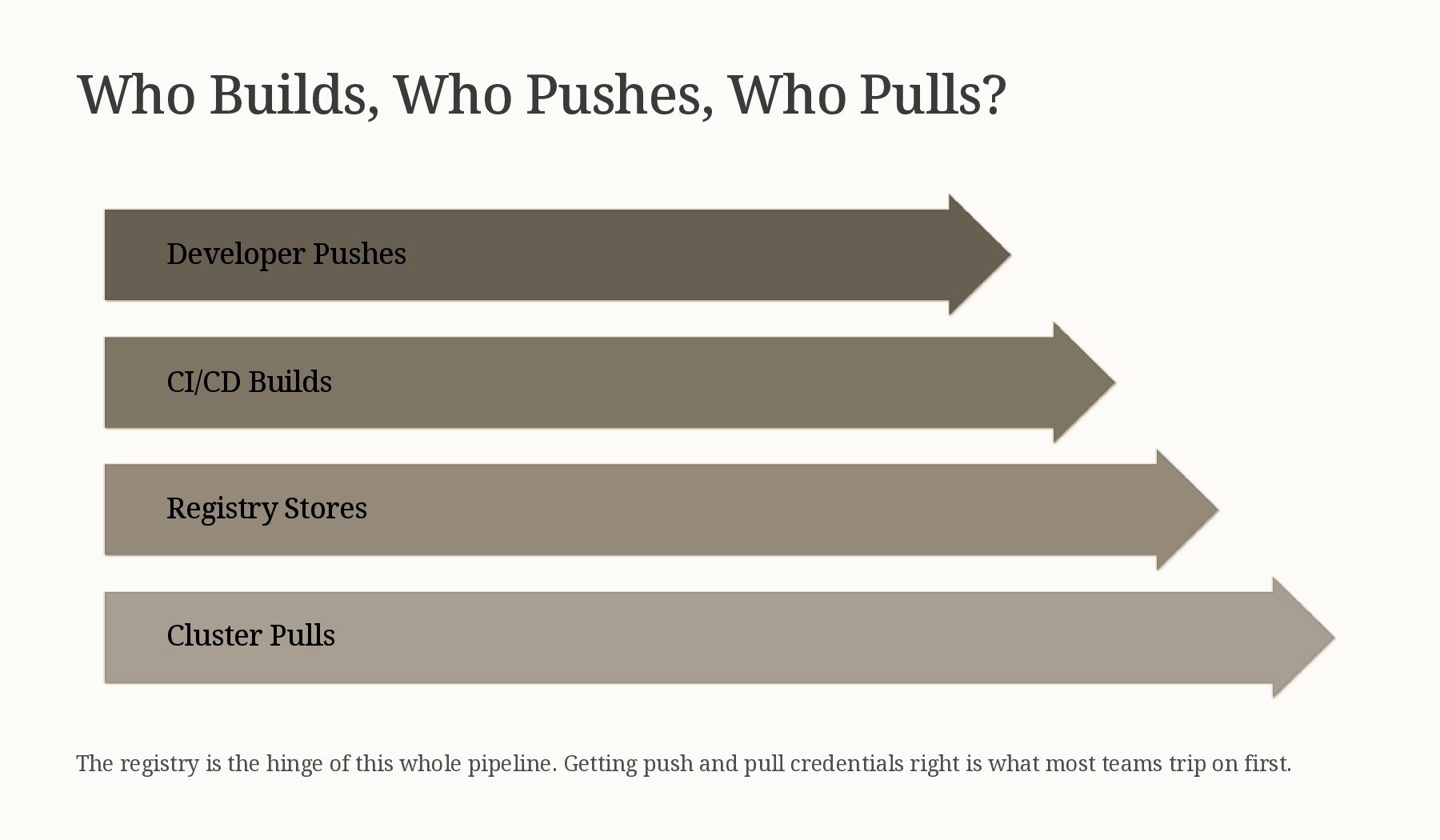
  19. Who Builds, Who Pushes, Who Pulls? Cluster Pulls Registry Stores

    CI/CD Builds Developer Pushes The registry is the hinge of this whole pipeline. Getting push and pull credentials right is what most teams trip on first.
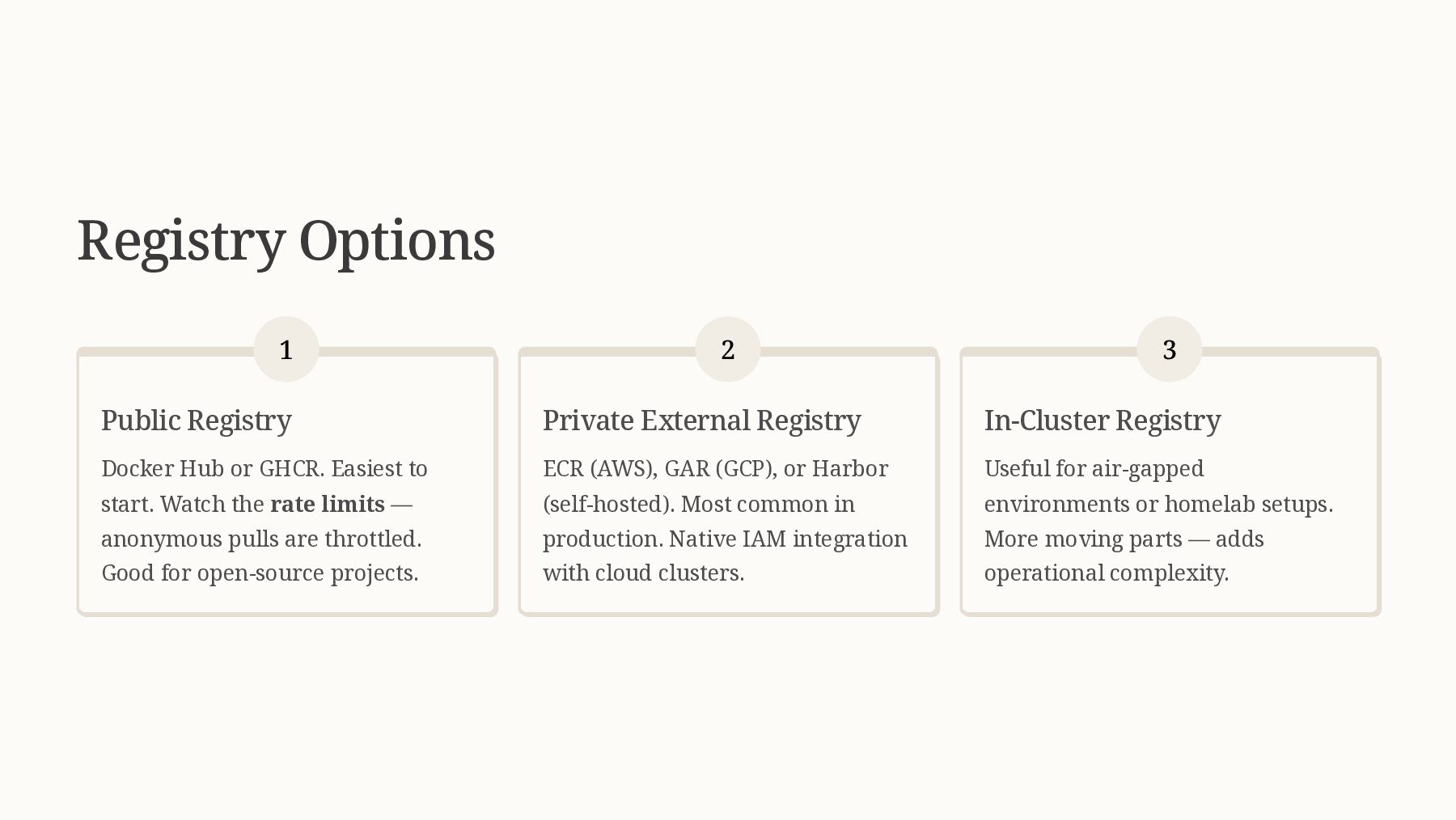
  20. Registry Options 1 Public Registry Docker Hub or GHCR. Easiest

    to start. Watch the rate limits — anonymous pulls are throttled. Good for open-source projects. 2 Private External Registry ECR (AWS), GAR (GCP), or Harbor (self-hosted). Most common in production. Native IAM integration with cloud clusters. 3 In-Cluster Registry Useful for air-gapped environments or homelab setups. More moving parts — adds operational complexity.
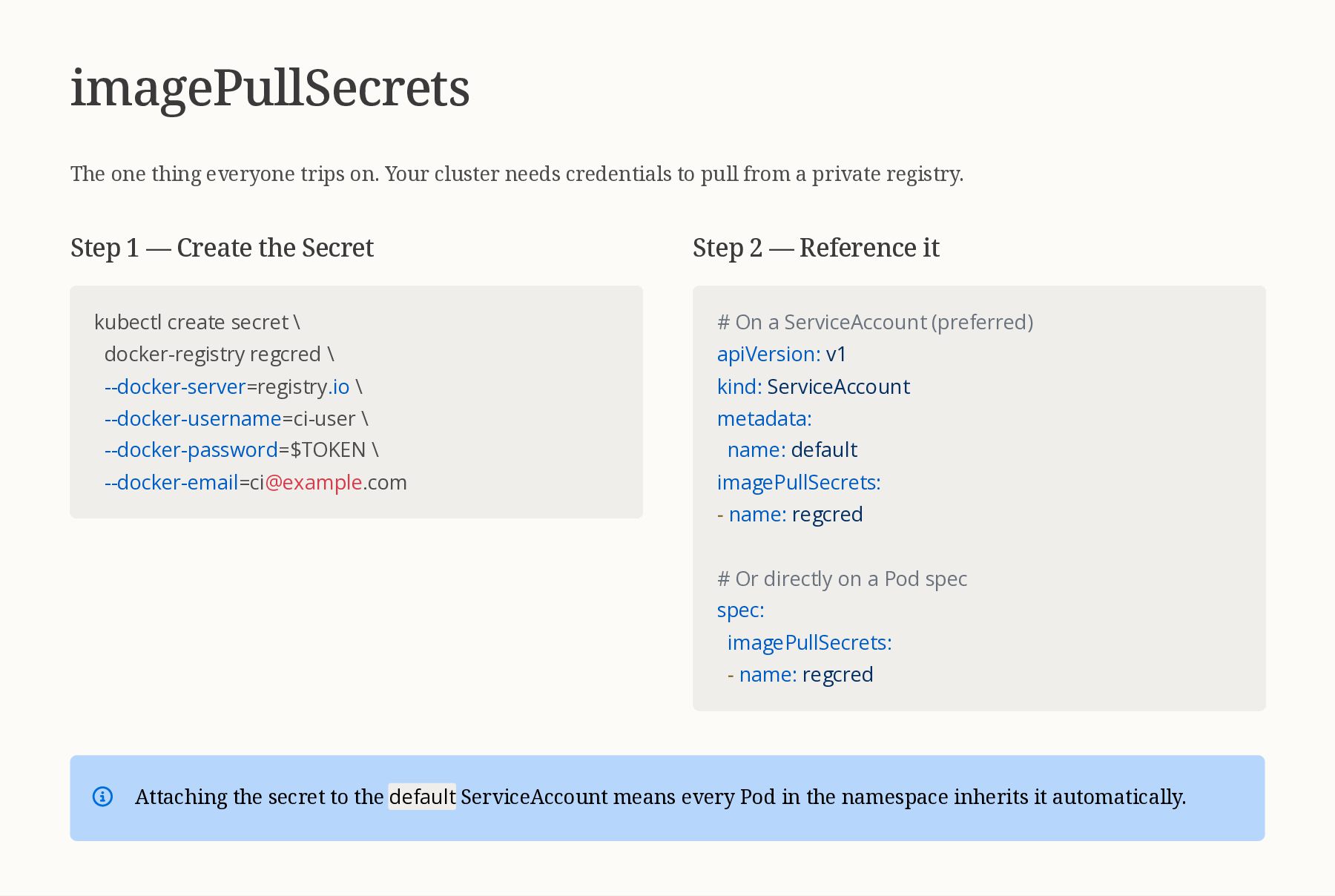
  21. imagePullSecrets The one thing everyone trips on. Your cluster needs

    credentials to pull from a private registry. Step 1 — Create the Secret kubectl create secret \ docker-registry regcred \ --docker-server=registry.io \ --docker-username=ci-user \ --docker-password=$TOKEN \ [email protected] Step 2 — Reference it # On a ServiceAccount (preferred) apiVersion: v1 kind: ServiceAccount metadata: name: default imagePullSecrets: - name: regcred # Or directly on a Pod spec spec: imagePullSecrets: - name: regcred Attaching the secret to the default ServiceAccount means every Pod in the namespace inherits it automatically.
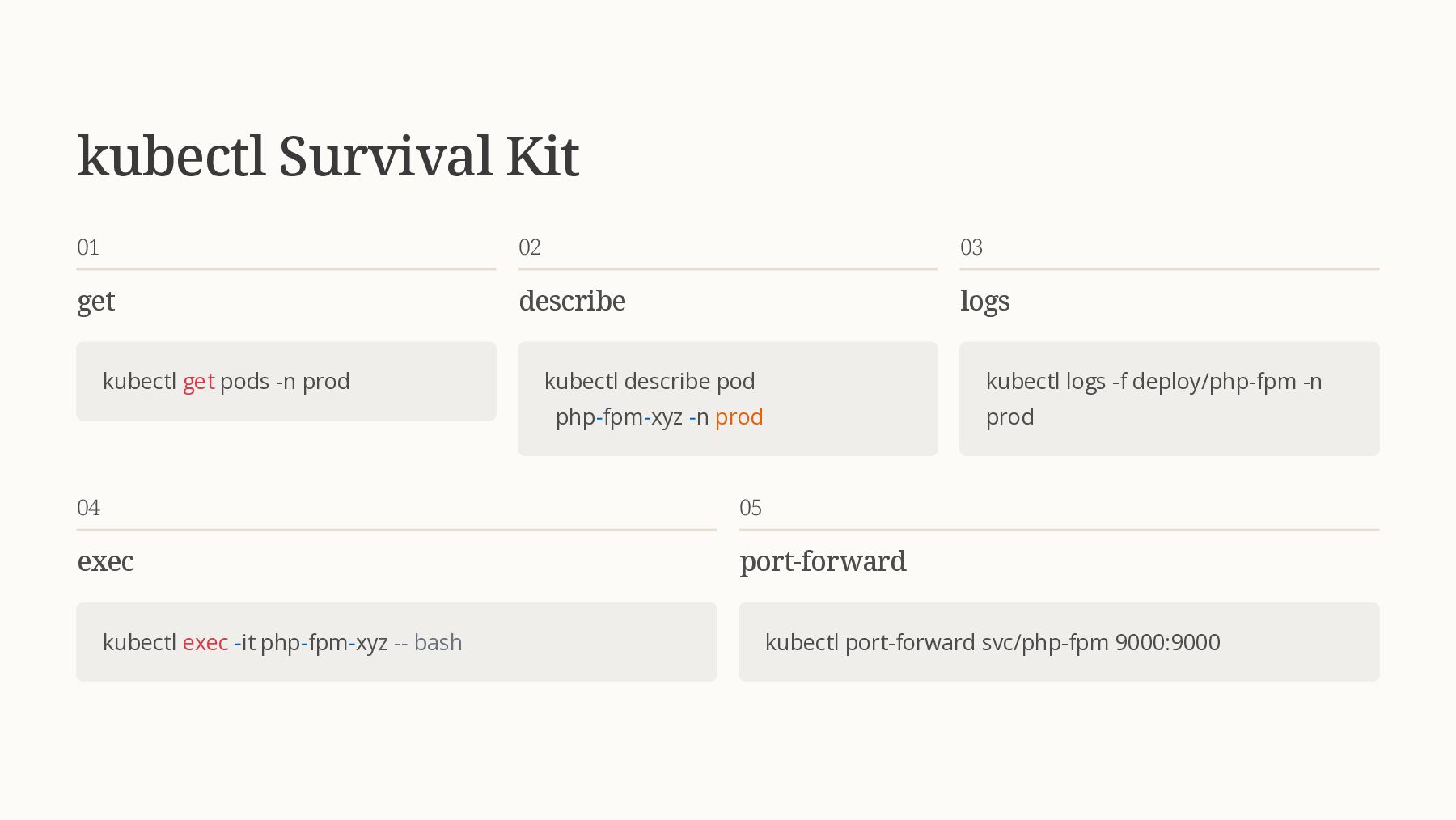
  22. kubectl Survival Kit 01 get kubectl get pods -n prod

    02 describe kubectl describe pod php-fpm-xyz -n prod 03 logs kubectl logs -f deploy/php-fpm -n prod 04 exec kubectl exec -it php-fpm-xyz -- bash 05 port-forward kubectl port-forward svc/php-fpm 9000:9000
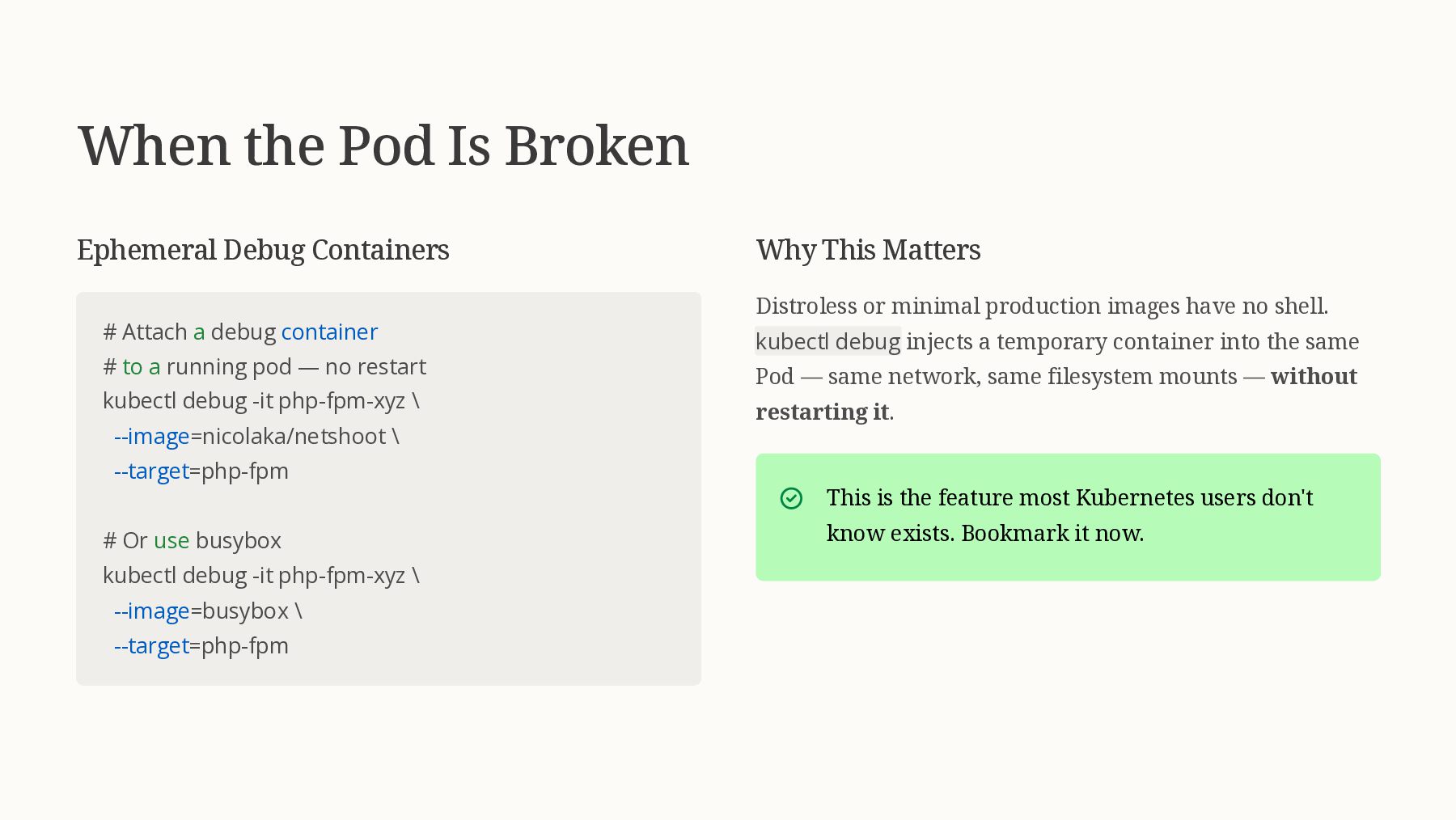
  23. When the Pod Is Broken Ephemeral Debug Containers # Attach

    a debug container # to a running pod — no restart kubectl debug -it php-fpm-xyz \ --image=nicolaka/netshoot \ --target=php-fpm # Or use busybox kubectl debug -it php-fpm-xyz \ --image=busybox \ --target=php-fpm Why This Matters Distroless or minimal production images have no shell. kubectl debug injects a temporary container into the same Pod — same network, same filesystem mounts — without restarting it. This is the feature most Kubernetes users don't know exists. Bookmark it now.
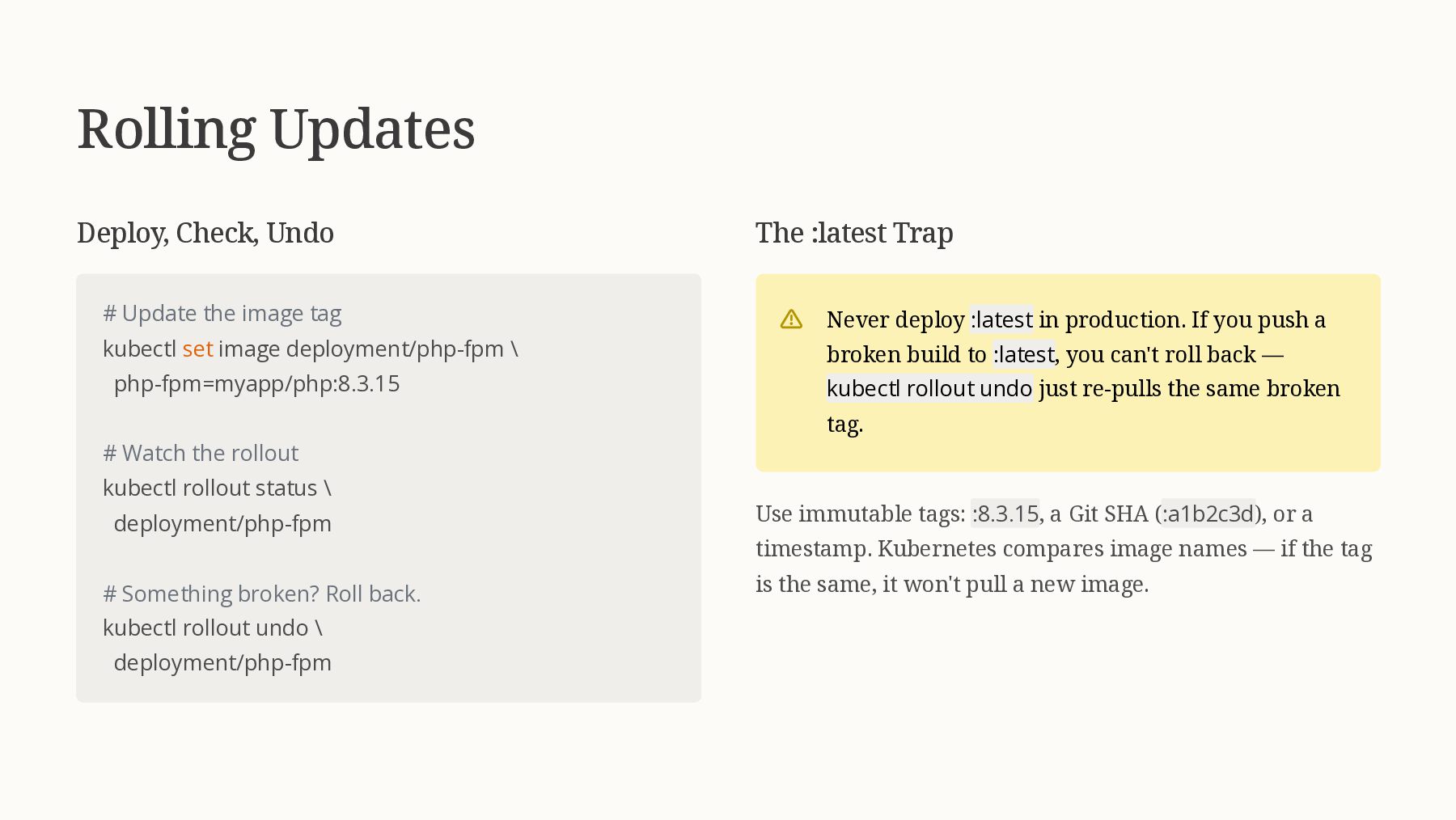
  24. Rolling Updates Deploy, Check, Undo # Update the image tag

    kubectl set image deployment/php-fpm \ php-fpm=myapp/php:8.3.15 # Watch the rollout kubectl rollout status \ deployment/php-fpm # Something broken? Roll back. kubectl rollout undo \ deployment/php-fpm The :latest Trap Never deploy :latest in production. If you push a broken build to :latest, you can't roll back — kubectl rollout undo just re-pulls the same broken tag. Use immutable tags: :8.3.15, a Git SHA (:a1b2c3d), or a timestamp. Kubernetes compares image names — if the tag is the same, it won't pull a new image.
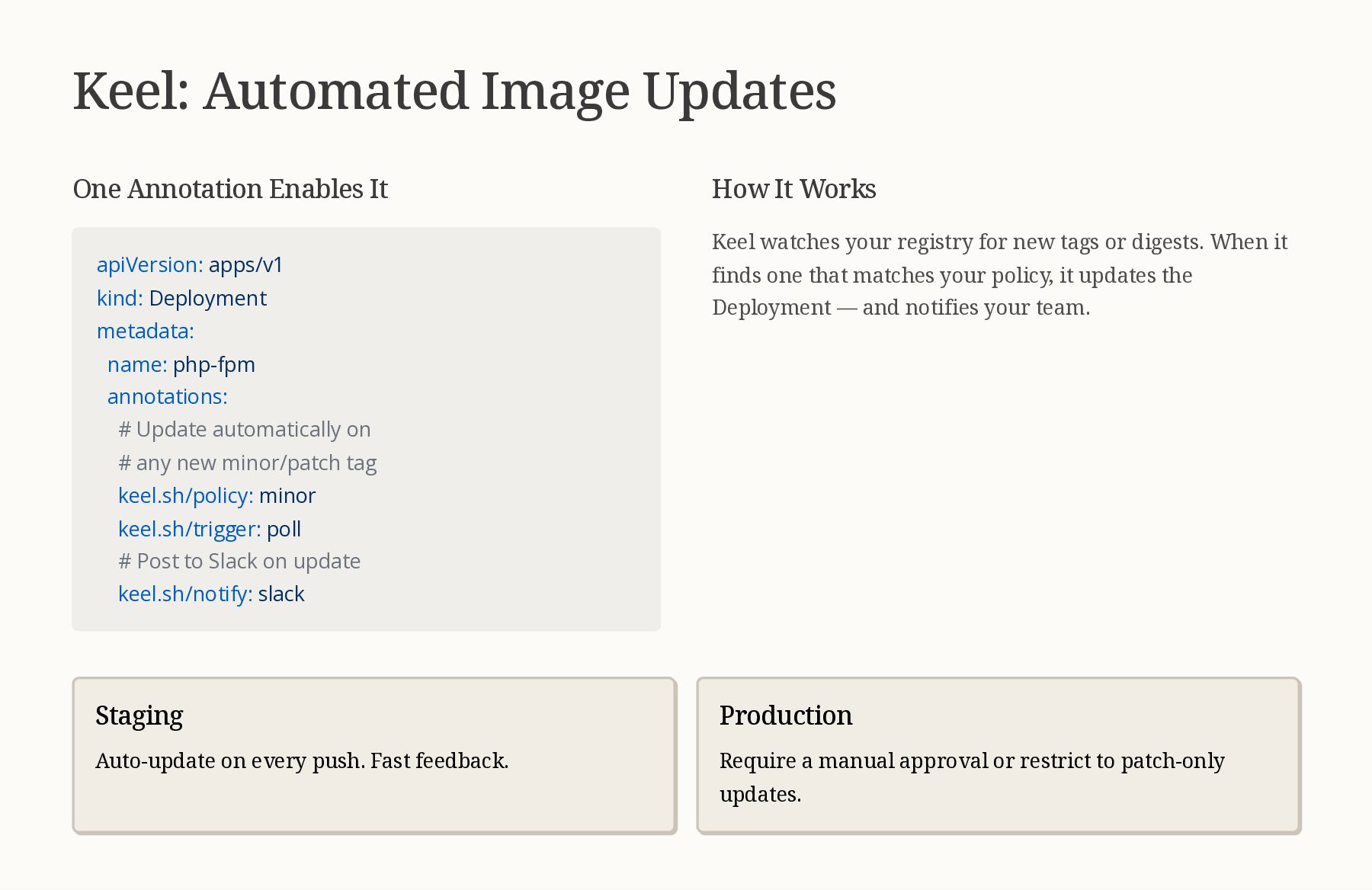
  25. Keel: Automated Image Updates One Annotation Enables It apiVersion: apps/v1

    kind: Deployment metadata: name: php-fpm annotations: # Update automatically on # any new minor/patch tag keel.sh/policy: minor keel.sh/trigger: poll # Post to Slack on update keel.sh/notify: slack How It Works Keel watches your registry for new tags or digests. When it finds one that matches your policy, it updates the Deployment — and notifies your team. Staging Auto-update on every push. Fast feedback. Production Require a manual approval or restrict to patch-only updates.
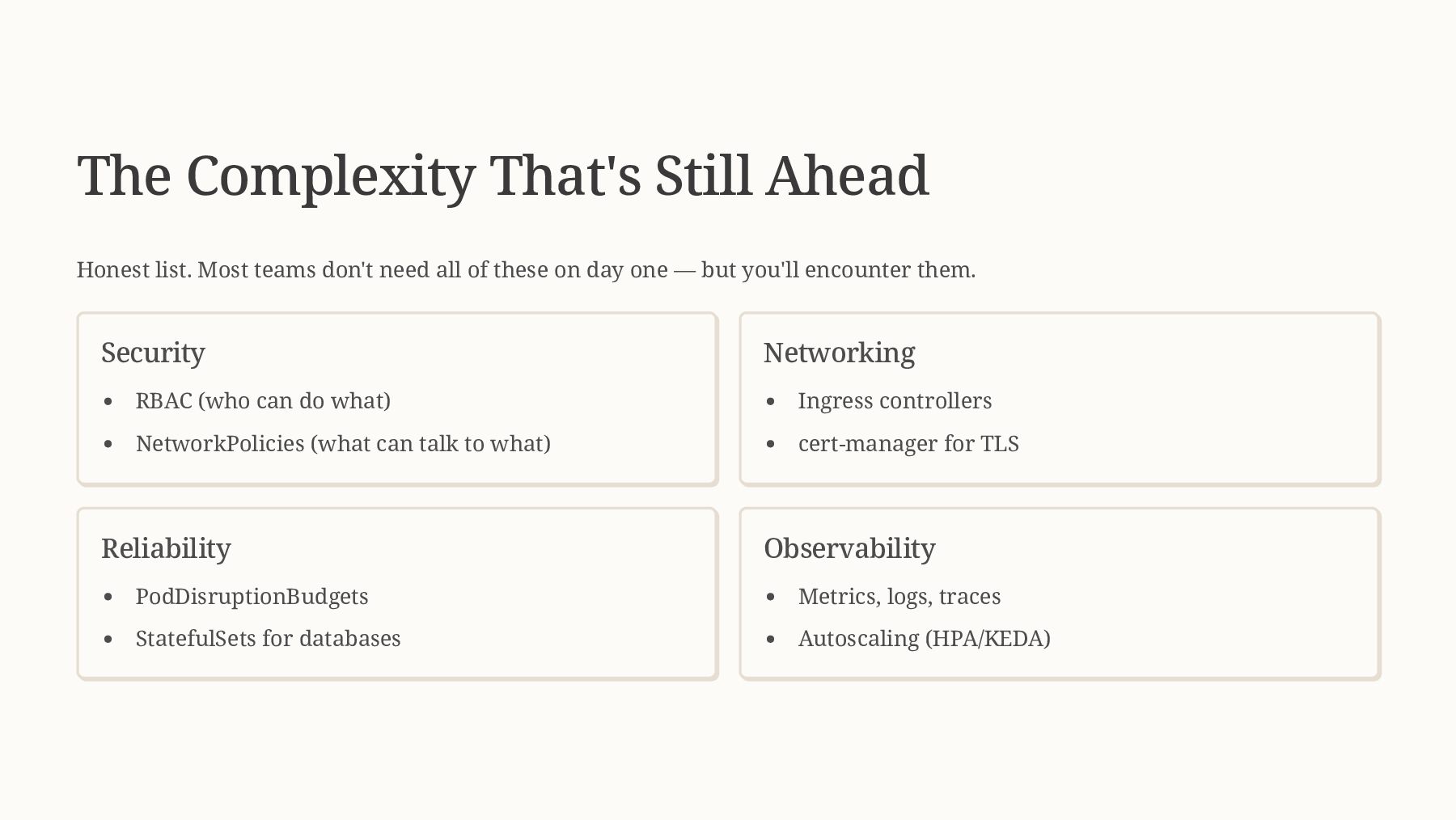
  26. The Complexity That's Still Ahead Honest list. Most teams don't

    need all of these on day one — but you'll encounter them. Security RBAC (who can do what) NetworkPolicies (what can talk to what) Networking Ingress controllers cert-manager for TLS Reliability PodDisruptionBudgets StatefulSets for databases Observability Metrics, logs, traces Autoscaling (HPA/KEDA)
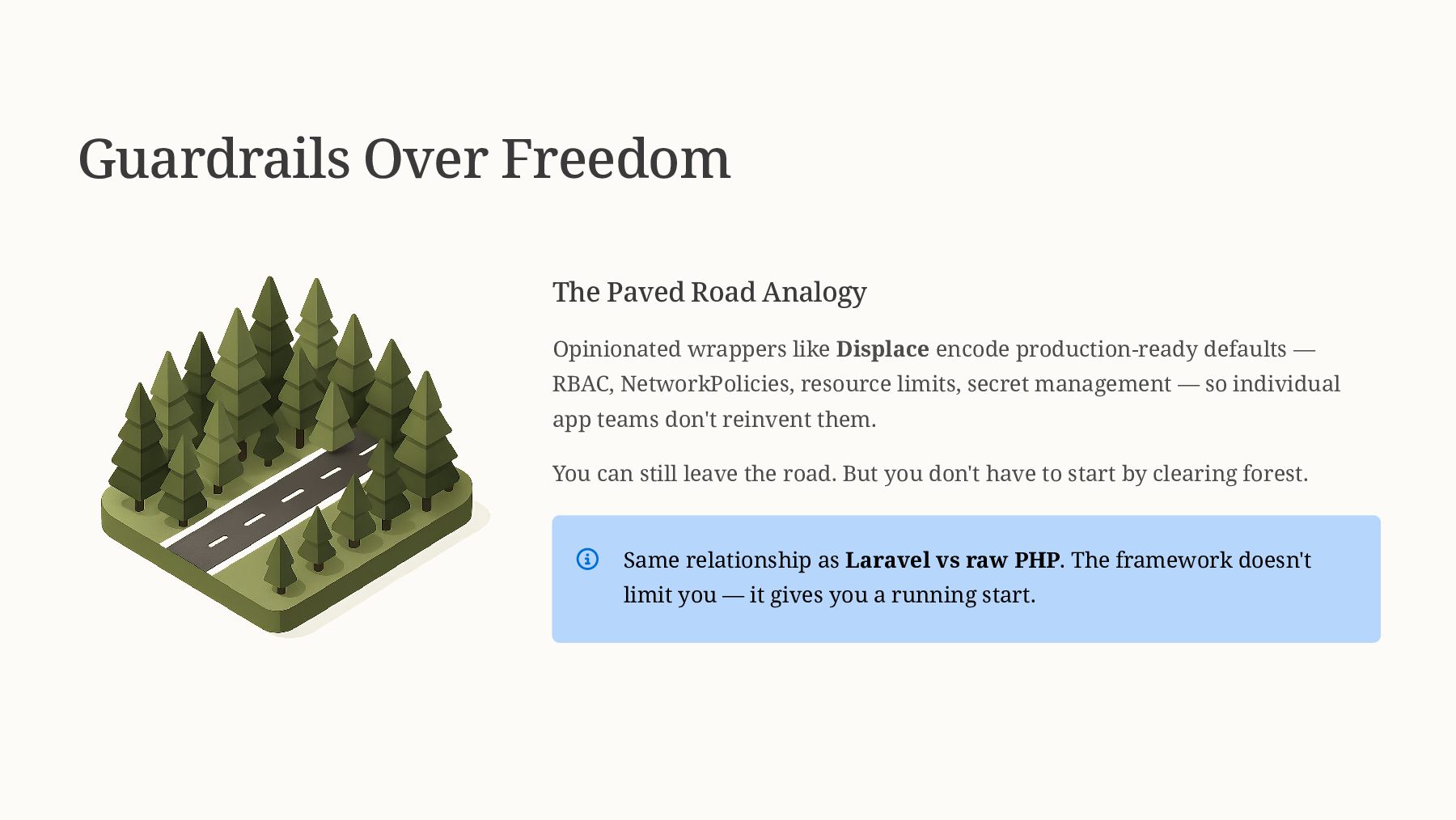
  27. Guardrails Over Freedom The Paved Road Analogy Opinionated wrappers like

    Displace encode production-ready defaults — RBAC, NetworkPolicies, resource limits, secret management — so individual app teams don't reinvent them. You can still leave the road. But you don't have to start by clearing forest. Same relationship as Laravel vs raw PHP. The framework doesn't limit you — it gives you a running start.
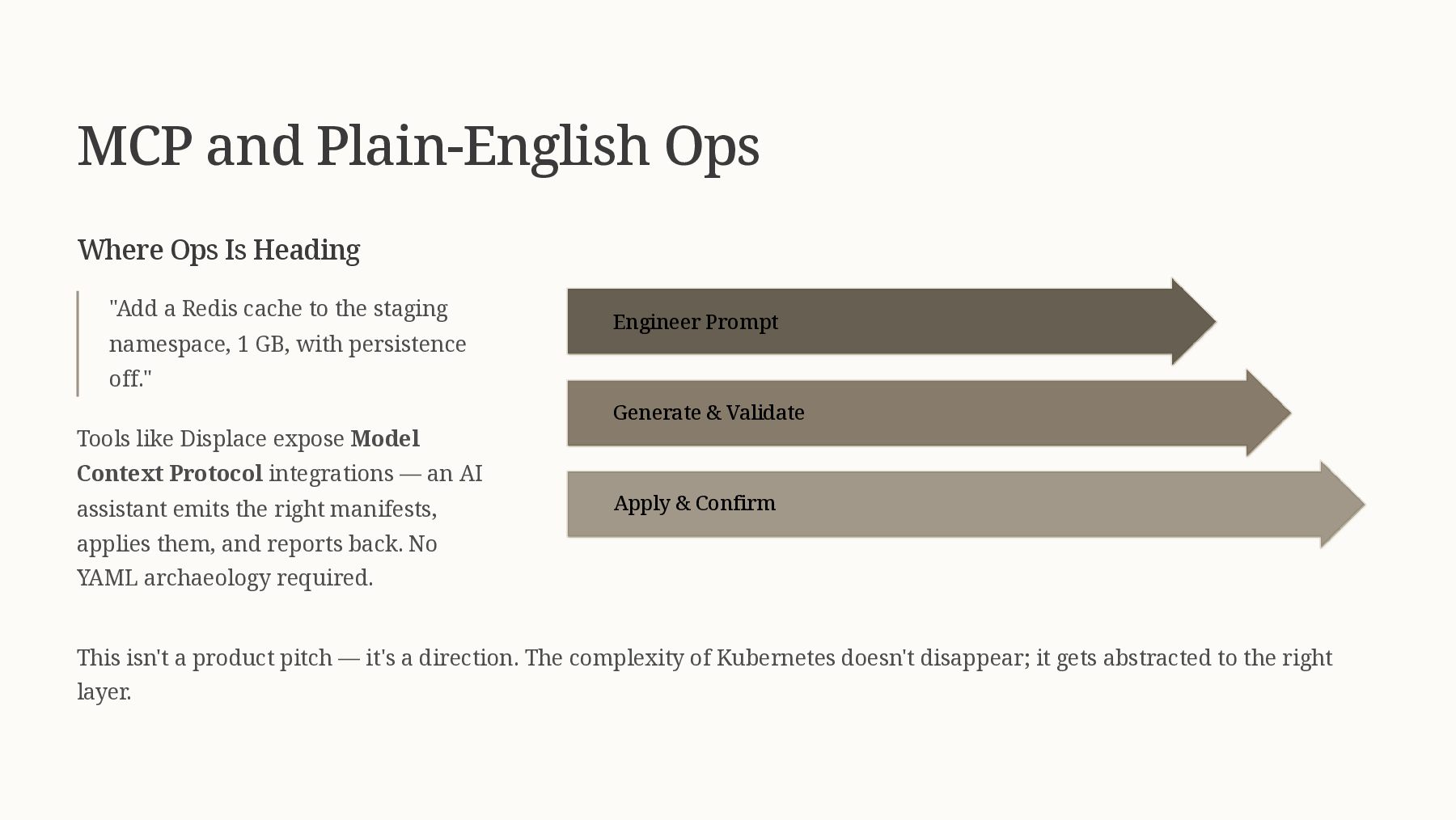
  28. MCP and Plain-English Ops Where Ops Is Heading "Add a

    Redis cache to the staging namespace, 1 GB, with persistence off." Tools like Displace expose Model Context Protocol integrations — an AI assistant emits the right manifests, applies them, and reports back. No YAML archaeology required. Apply & Confirm Generate & Validate Engineer Prompt This isn't a product pitch — it's a direction. The complexity of Kubernetes doesn't disappear; it gets abstracted to the right layer.
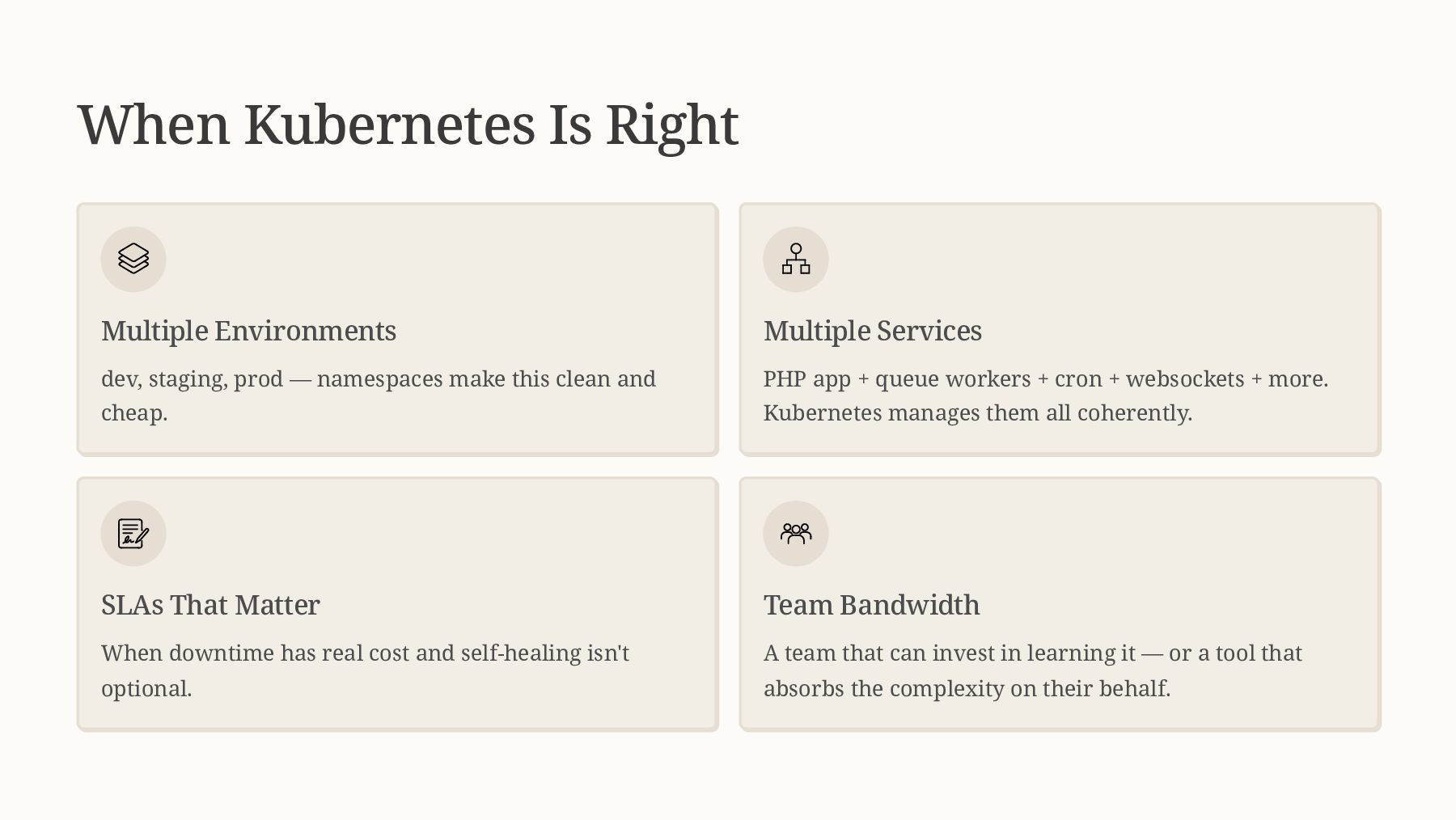
  29. When Kubernetes Is Right Multiple Environments dev, staging, prod —

    namespaces make this clean and cheap. Multiple Services PHP app + queue workers + cron + websockets + more. Kubernetes manages them all coherently. SLAs That Matter When downtime has real cost and self-healing isn't optional. Team Bandwidth A team that can invest in learning it — or a tool that absorbs the complexity on their behalf.
  30. When It's Overkill Admitting this is professionalism, not weakness. Single

    LAMP app on one VPS A Kubernetes cluster has more moving parts than your app. Don't add complexity you don't need. Solo developer, no ops bandwidth You'll spend more time on Kubernetes than on your product. No immediate scale problem PaaS options — Fly.io, Render, Laravel Forge — are excellent and fast. Start there, migrate when the problem is real.
  31. Resources Docs & Tutorials kubernetes.io/docs/concepts/ — the official conceptual docs

    are genuinely good helm.sh/docs — Helm docs and chart best practices keel.sh — automated image update policies learnk8s.io — architecture diagrams that actually make sense kube-by-example.com — hands-on tutorials for common patterns Tools & References nicolaka/netshoot — the debug container image to keep on hand Bitnami Helm Charts — reference for how a production chart is structured (PostgreSQL, Redis, etc.) External Secrets Operator — production secret management Displace — opinionated Kubernetes wrapper for app teams
  32. About Me ~20 years in software. PHP 8.3 & 8.4

    Release Manager. Monthly security columnist at PHP Architect. O'Reilly author. Founder of Displace Technologies, building infrastructure for open source and critical projects. I help developers cross the Compose-to-K8s chasm.