Share
Embed
Ignite the Tour Johannesburg 2019 8 lessons learned using k8s with Azure Kubernetes Service

Pascal Naber
January 29, 2019
Transcript
60 slides
-
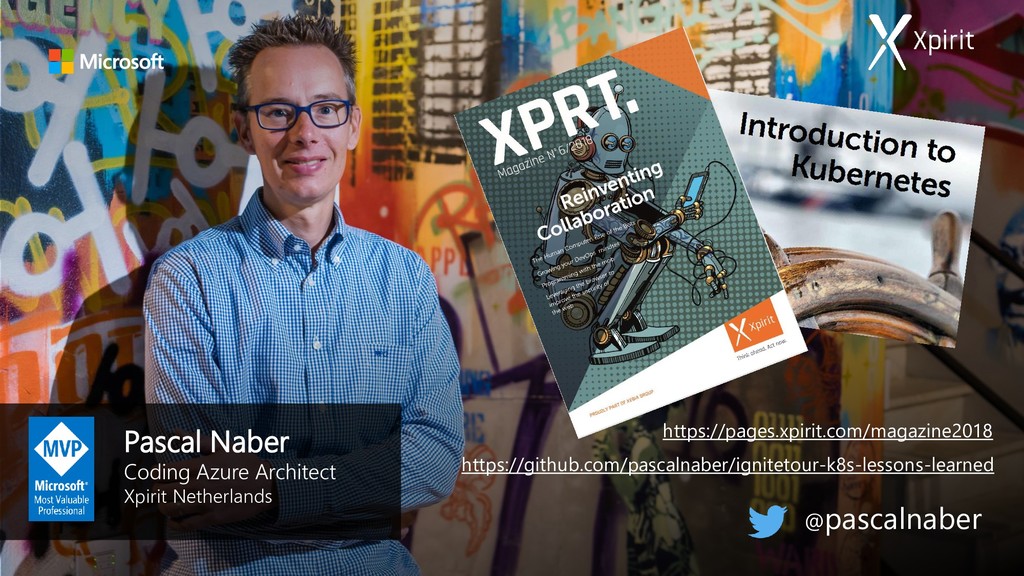
Think ahead. Act now. Pascal Naber @pascalnaber 8 lessons learned
using K8S with Azure Kubernetes Service -
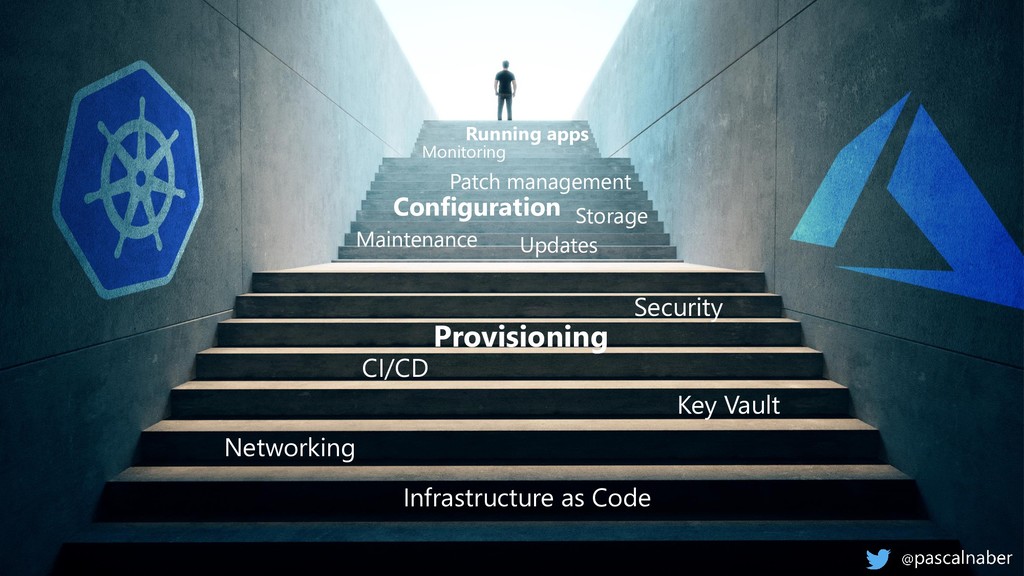
Provisioning Infrastructure as Code Networking Maintenance Monitoring Updates CI/CD Patch
management Security Configuration Running apps Key Vault Storage -
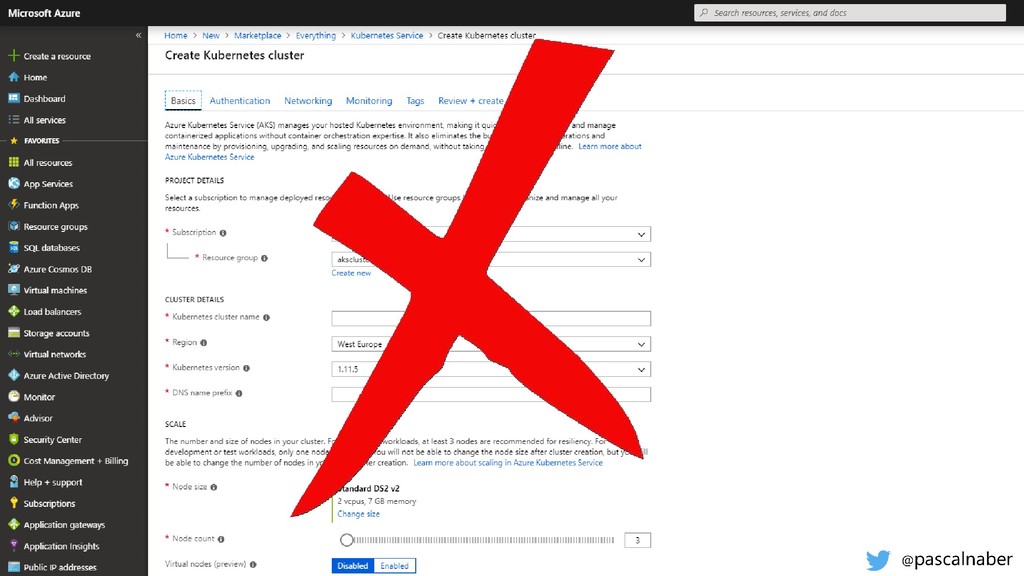
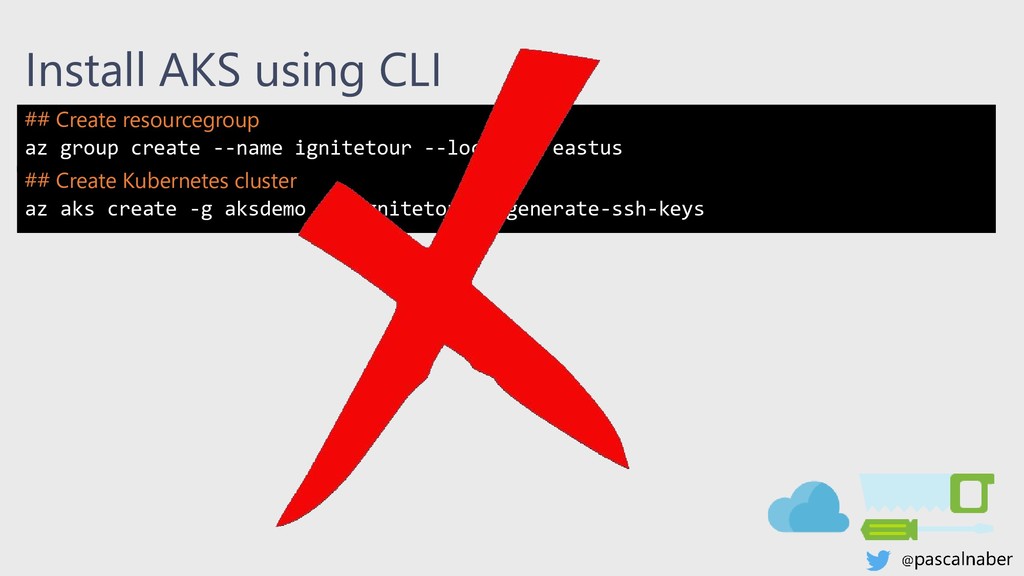
Install AKS using CLI ## Create resourcegroup az group create
--name ignitetour --location eastus ## Create Kubernetes cluster az aks create -g aksdemo -n ignitetour --generate-ssh-keys -
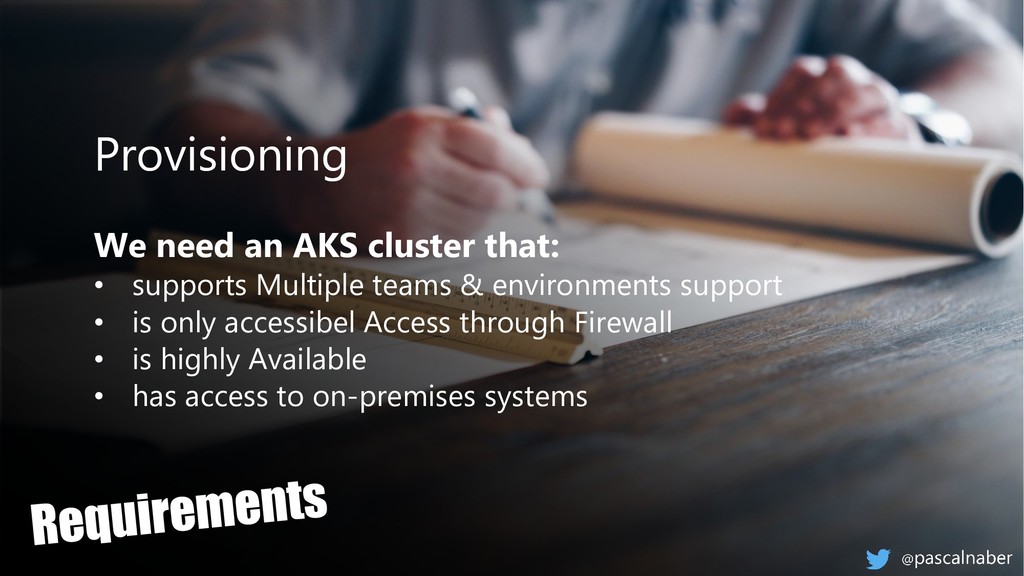
Provisioning We need an AKS cluster that: • supports Multiple
teams & environments support • is only accessibel Access through Firewall • is highly Available • has access to on-premises systems -
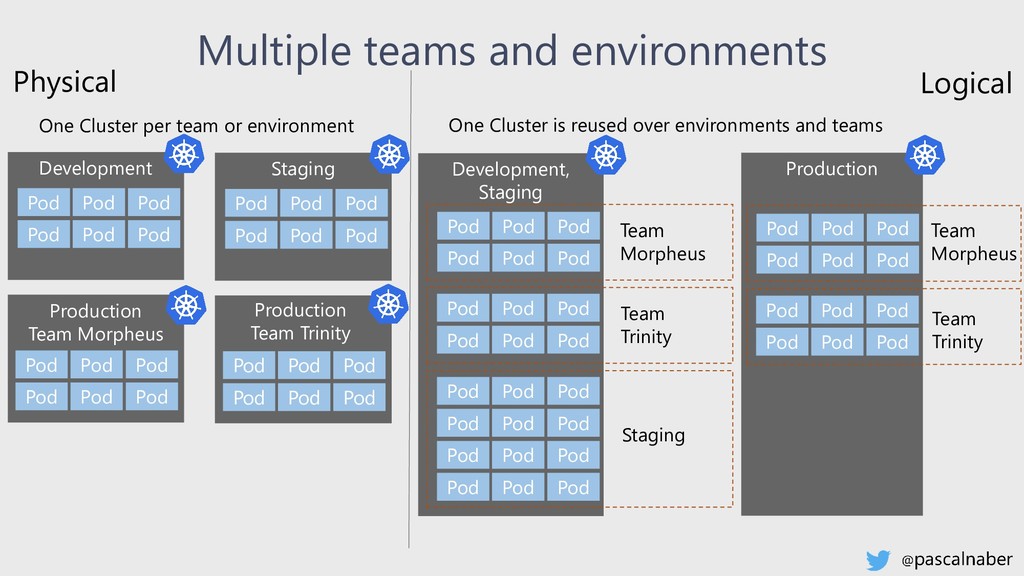
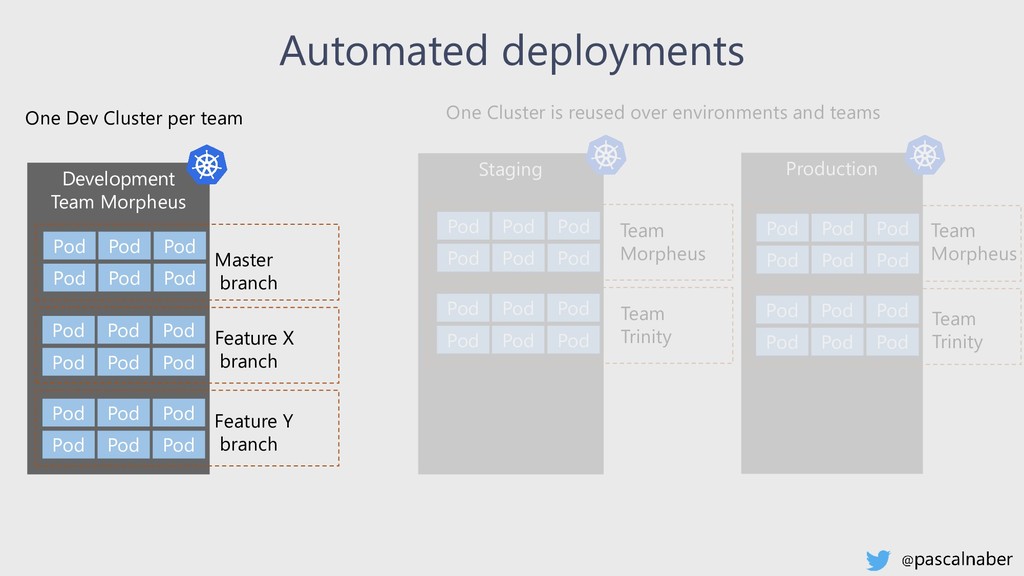
Multiple teams and environments One Cluster per team or environment
Physical Development Staging Production Team Morpheus Pod Pod Pod Pod Pod Pod Pod Pod Pod Pod Pod Pod Pod Pod Pod Pod Pod Pod Pod Pod Pod Pod Pod Pod Production Team Trinity Development, Staging Production Pod Pod Pod Pod Pod Pod Pod Pod Pod Pod Pod Pod Team Morpheus Team Trinity Pod Pod Pod Pod Pod Pod Pod Pod Pod Pod Pod Pod Staging Pod Pod Pod Pod Pod Pod Pod Pod Pod Pod Pod Pod Team Morpheus Team Trinity One Cluster is reused over environments and teams Logical -
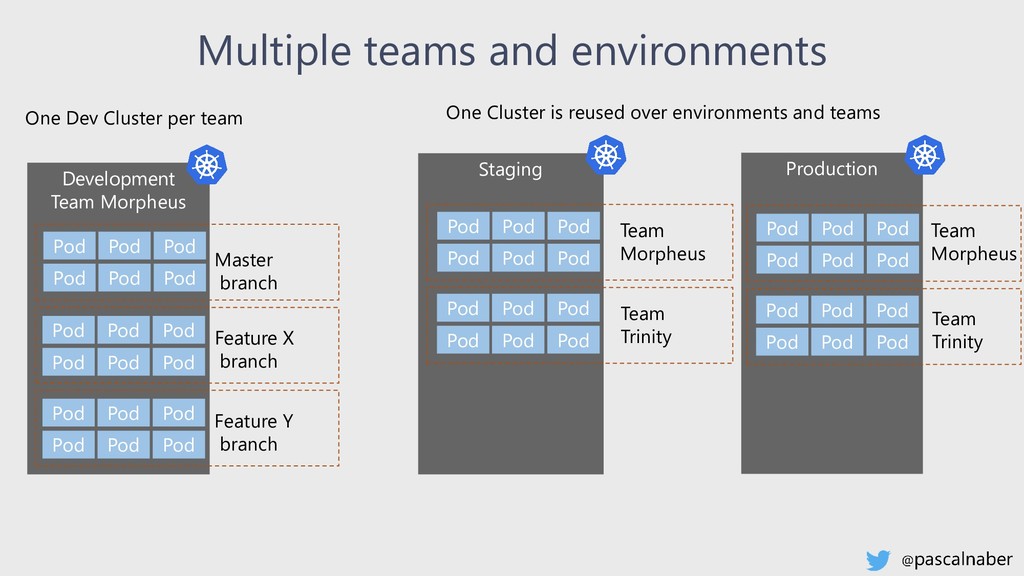
One Dev Cluster per team Development Team Morpheus Pod Pod
Pod Pod Pod Pod Master branch Feature X branch Pod Pod Pod Pod Pod Pod Feature Y branch Pod Pod Pod Pod Pod Pod Staging Production Pod Pod Pod Pod Pod Pod Pod Pod Pod Pod Pod Pod Pod Pod Pod Pod Pod Pod Pod Pod Pod Pod Pod Pod One Cluster is reused over environments and teams Multiple teams and environments Team Morpheus Team Trinity Team Morpheus Team Trinity -
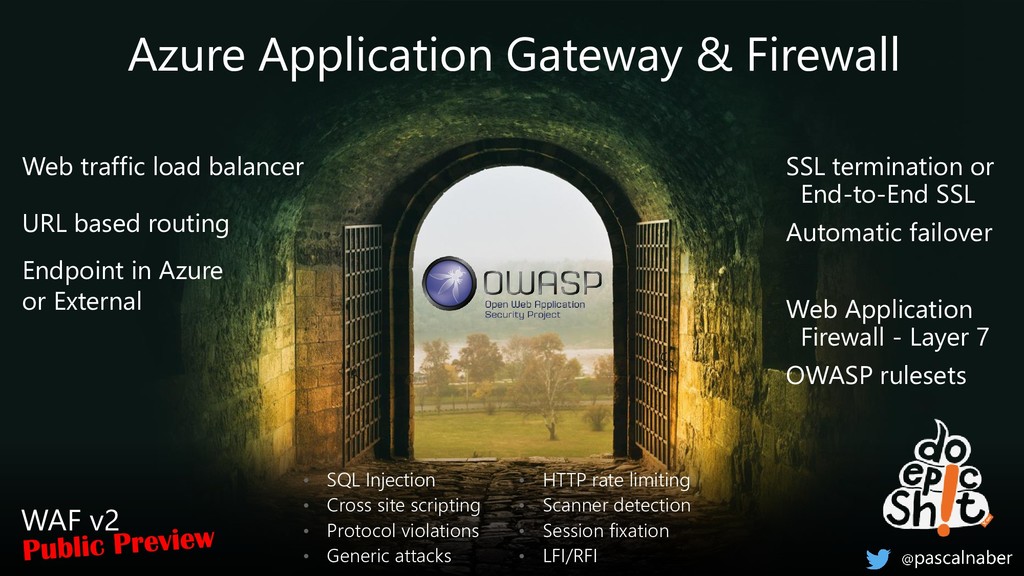
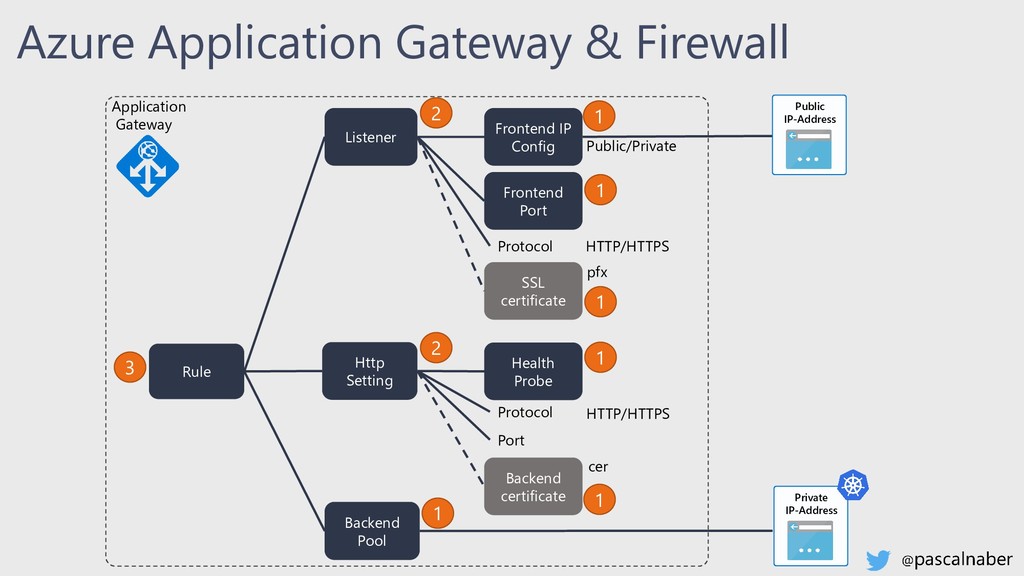
Azure Application Gateway & Firewall Web traffic load balancer URL
based routing Endpoint in Azure or External • HTTP rate limiting • Scanner detection • Session fixation • LFI/RFI WAF v2 SSL termination or End-to-End SSL Automatic failover Web Application Firewall - Layer 7 OWASP rulesets • SQL Injection • Cross site scripting • Protocol violations • Generic attacks -
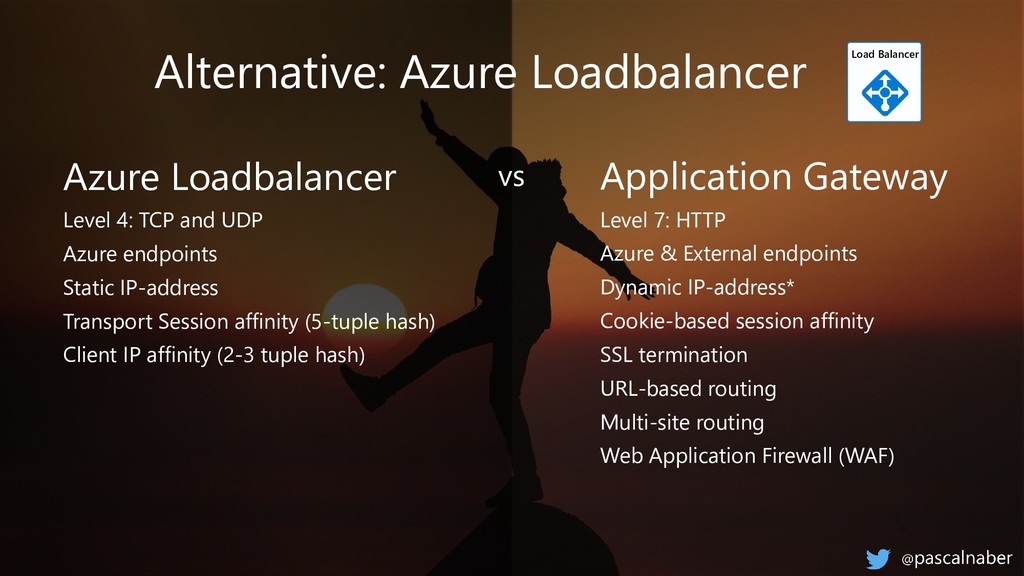
Think ahead. Act now. Alternative: Azure Loadbalancer Azure Loadbalancer Level
4: TCP and UDP Azure endpoints Static IP-address Transport Session affinity (5-tuple hash) Client IP affinity (2-3 tuple hash) Application Gateway Level 7: HTTP Azure & External endpoints Dynamic IP-address* Cookie-based session affinity SSL termination URL-based routing Multi-site routing Web Application Firewall (WAF) vs Load Balancer -
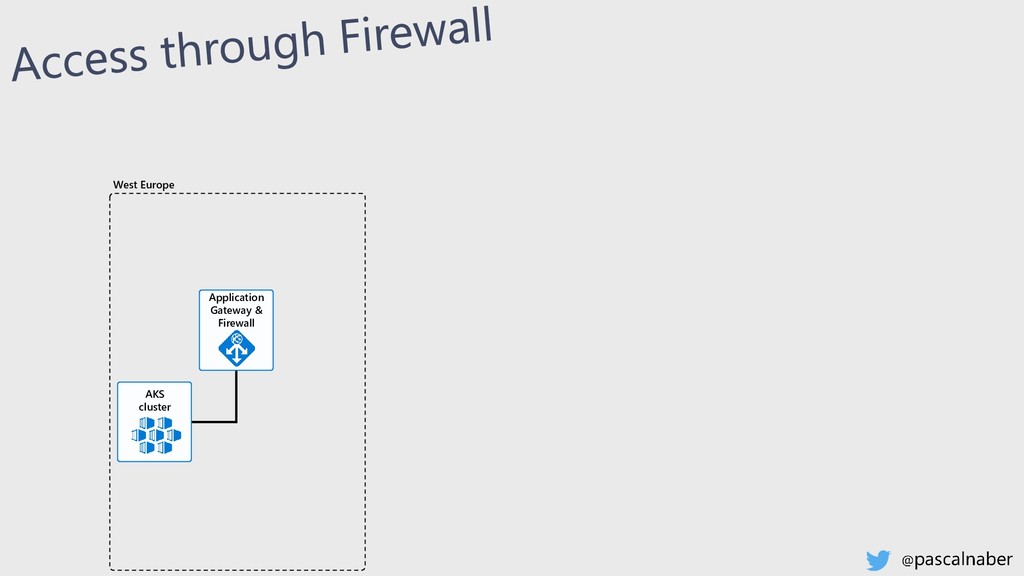
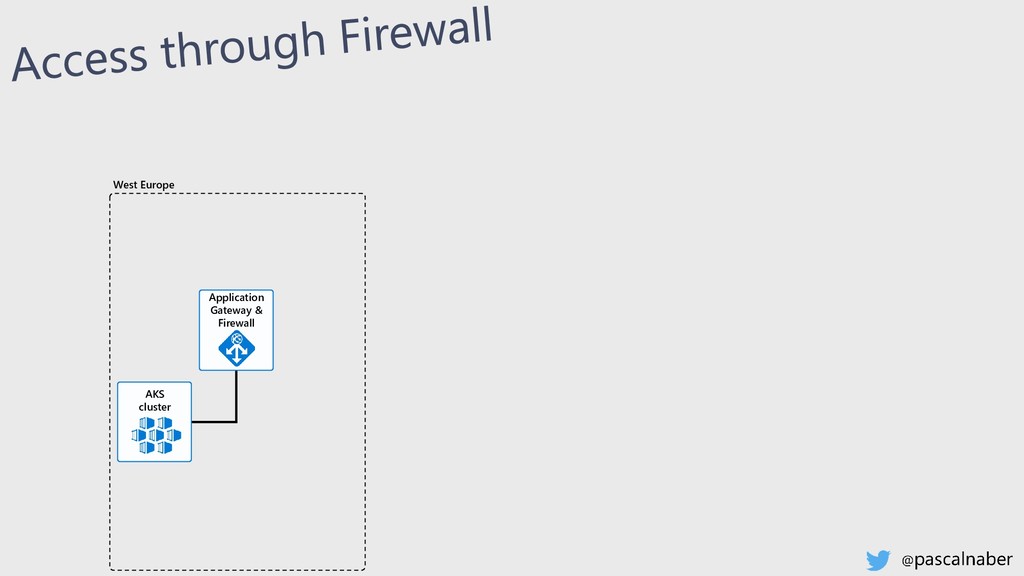
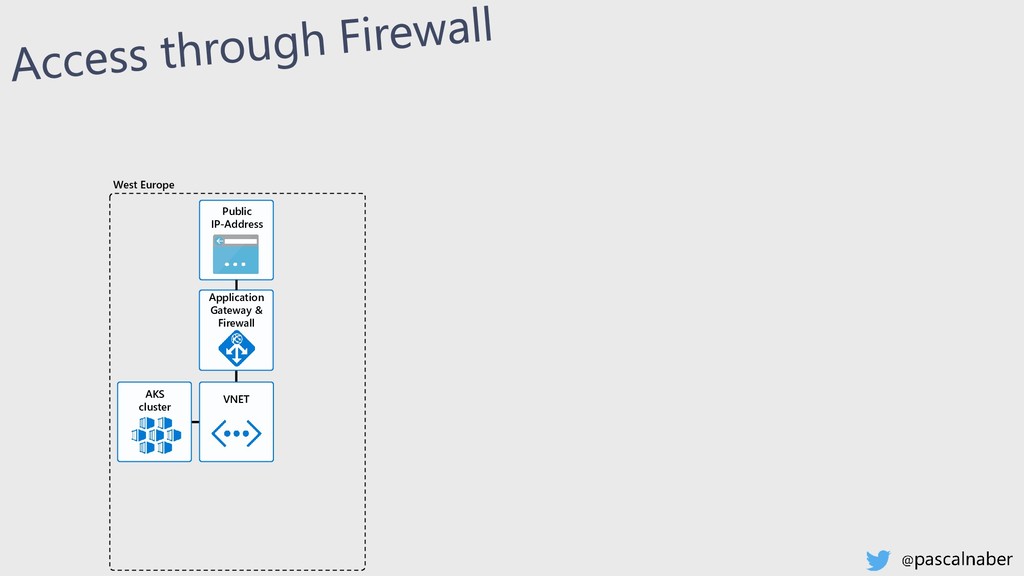
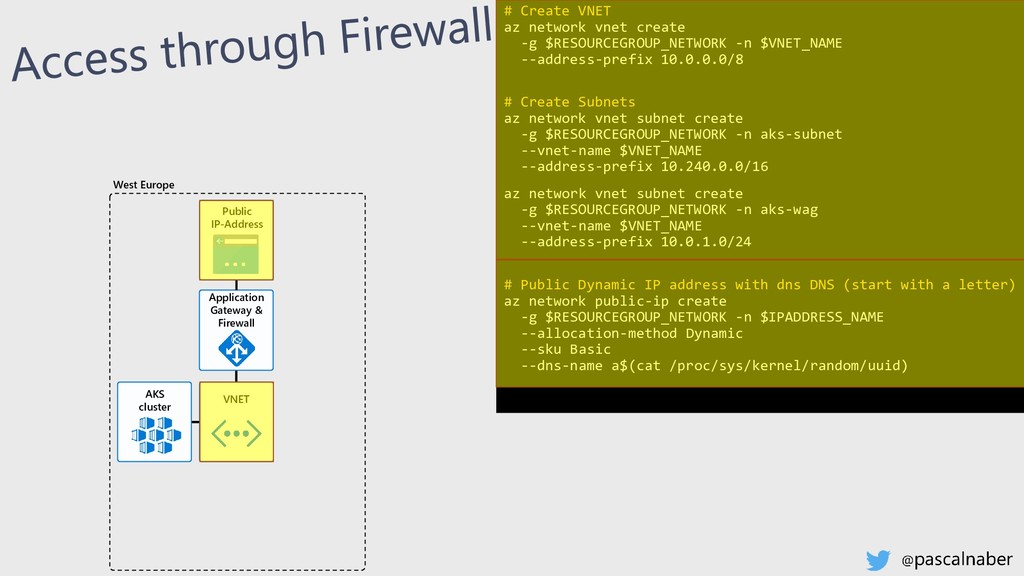
West Europe VNET AKS cluster Application Gateway & Firewall Public
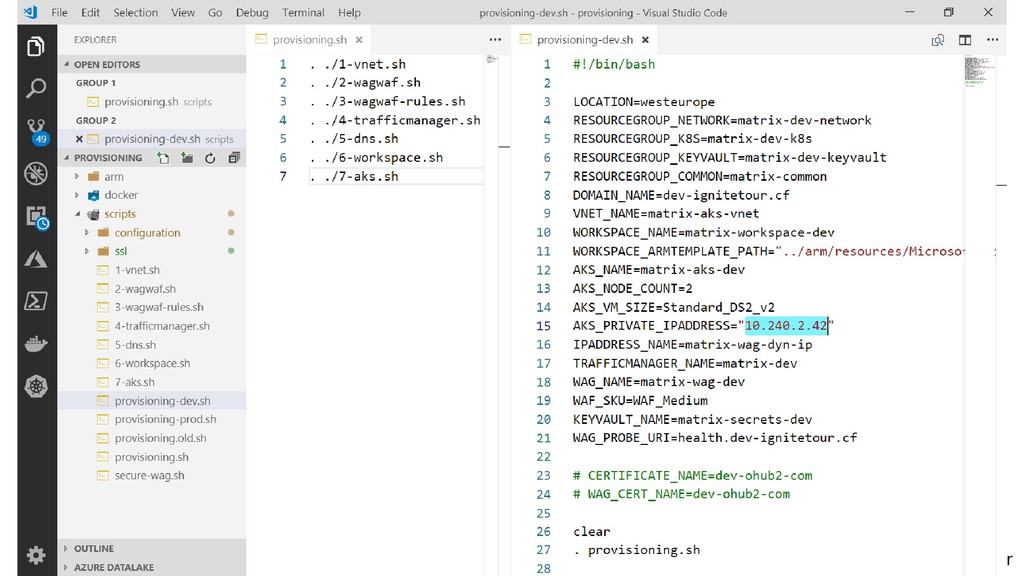
IP-Address # Create VNET az network vnet create -g $RESOURCEGROUP_NETWORK -n $VNET_NAME --address-prefix 10.0.0.0/8 # Create Subnets az network vnet subnet create -g $RESOURCEGROUP_NETWORK -n aks-subnet --vnet-name $VNET_NAME --address-prefix 10.240.0.0/16 az network vnet subnet create -g $RESOURCEGROUP_NETWORK -n aks-wag --vnet-name $VNET_NAME --address-prefix 10.0.1.0/24 # Public Dynamic IP address with dns DNS (start with a letter) az network public-ip create -g $RESOURCEGROUP_NETWORK -n $IPADDRESS_NAME --allocation-method Dynamic --sku Basic --dns-name a$(cat /proc/sys/kernel/random/uuid) -
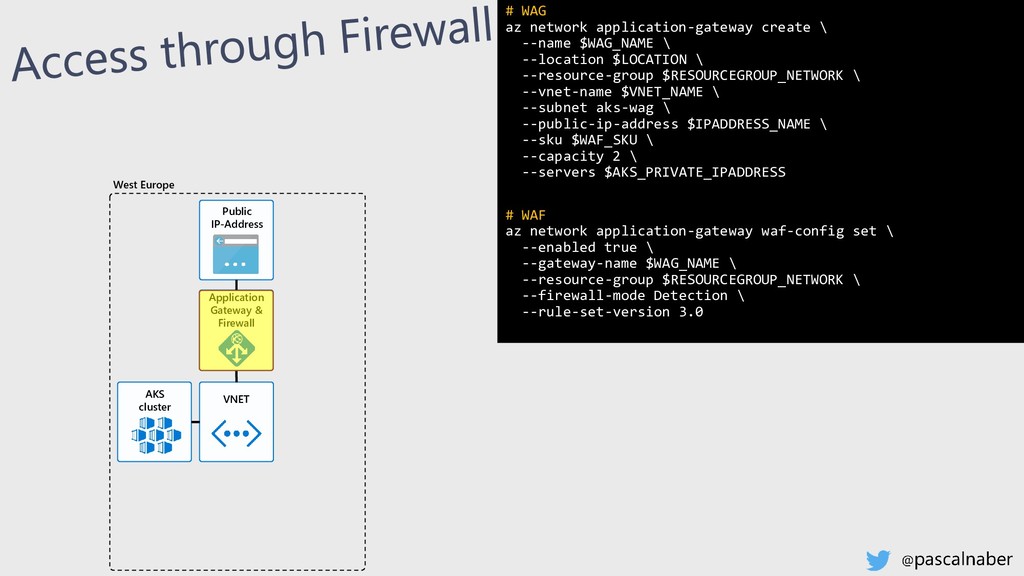
# WAG az network application-gateway create \ --name $WAG_NAME \
--location $LOCATION \ --resource-group $RESOURCEGROUP_NETWORK \ --vnet-name $VNET_NAME \ --subnet aks-wag \ --public-ip-address $IPADDRESS_NAME \ --sku $WAF_SKU \ --capacity 2 \ --servers $AKS_PRIVATE_IPADDRESS # WAF az network application-gateway waf-config set \ --enabled true \ --gateway-name $WAG_NAME \ --resource-group $RESOURCEGROUP_NETWORK \ --firewall-mode Detection \ --rule-set-version 3.0 West Europe VNET AKS cluster Application Gateway & Firewall Public IP-Address -
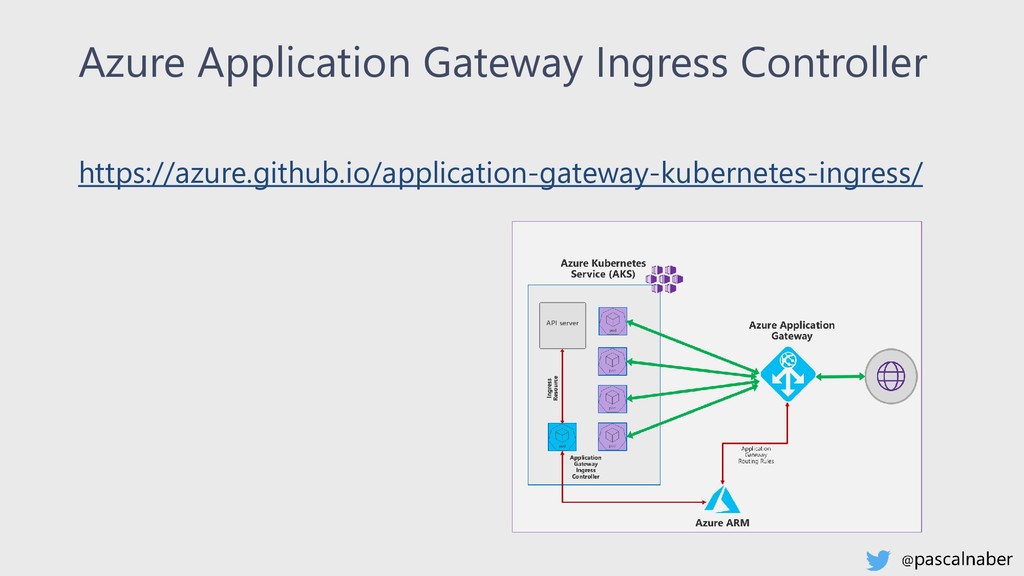
Azure Application Gateway & Firewall Rule Listener Http Setting Backend
Pool Frontend IP Config Frontend Port Health Probe Protocol Protocol Port Public/Private Application Gateway 1 1 2 1 2 1 3 SSL certificate pfx 1 Backend certificate cer 1 HTTP/HTTPS HTTP/HTTPS Public IP-Address Private IP-Address -
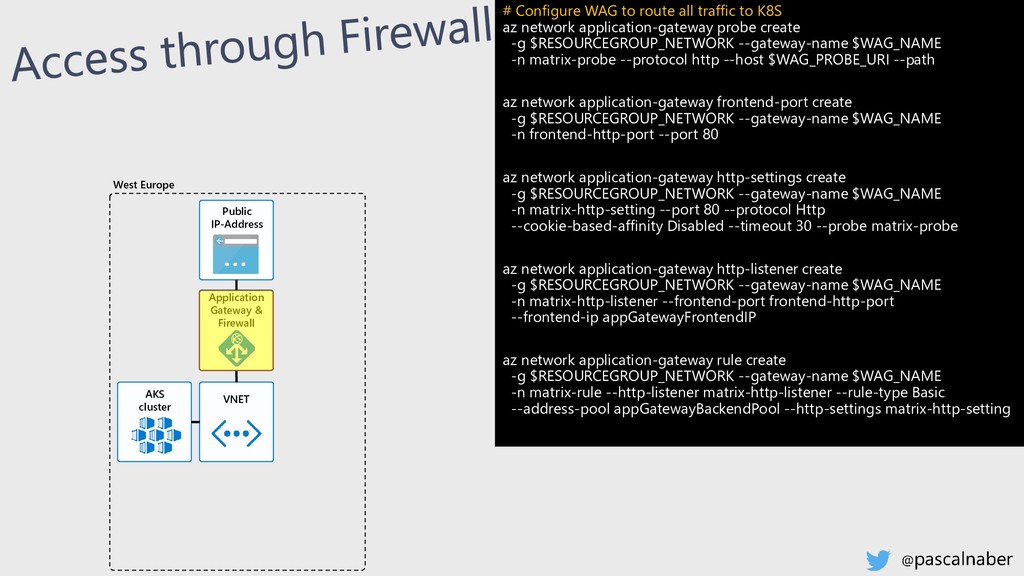
# Configure WAG to route all traffic to K8S az
network application-gateway probe create -g $RESOURCEGROUP_NETWORK --gateway-name $WAG_NAME -n matrix-probe --protocol http --host $WAG_PROBE_URI --path az network application-gateway frontend-port create -g $RESOURCEGROUP_NETWORK --gateway-name $WAG_NAME -n frontend-http-port --port 80 az network application-gateway http-settings create -g $RESOURCEGROUP_NETWORK --gateway-name $WAG_NAME -n matrix-http-setting --port 80 --protocol Http --cookie-based-affinity Disabled --timeout 30 --probe matrix-probe az network application-gateway http-listener create -g $RESOURCEGROUP_NETWORK --gateway-name $WAG_NAME -n matrix-http-listener --frontend-port frontend-http-port --frontend-ip appGatewayFrontendIP az network application-gateway rule create -g $RESOURCEGROUP_NETWORK --gateway-name $WAG_NAME -n matrix-rule --http-listener matrix-http-listener --rule-type Basic --address-pool appGatewayBackendPool --http-settings matrix-http-setting West Europe VNET AKS cluster Application Gateway & Firewall Public IP-Address -
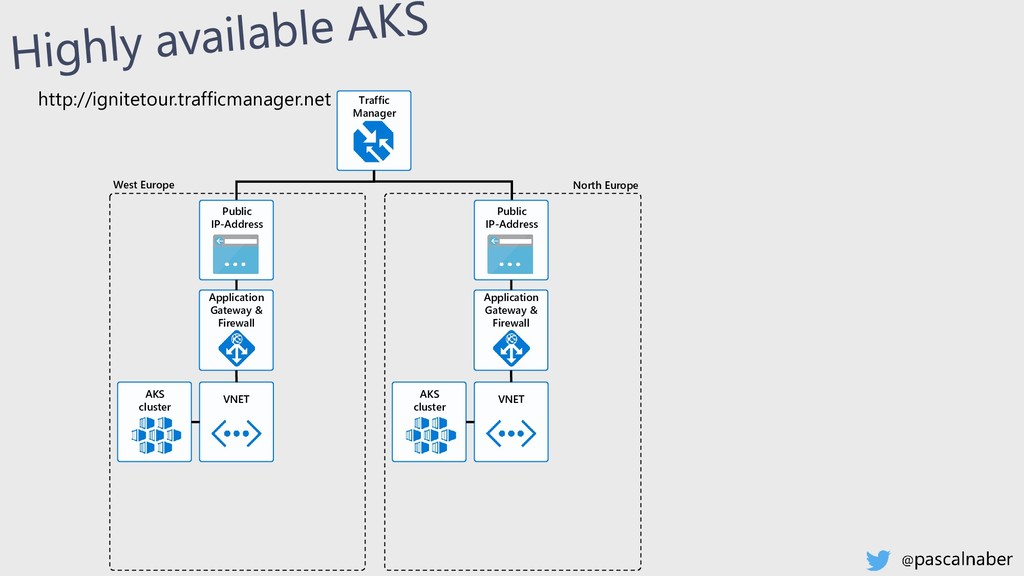
West Europe VNET Traffic Manager AKS cluster Application Gateway &
Firewall Public IP-Address North Europe VNET AKS cluster Application Gateway & Firewall Public IP-Address http://ignitetour.trafficmanager.net -
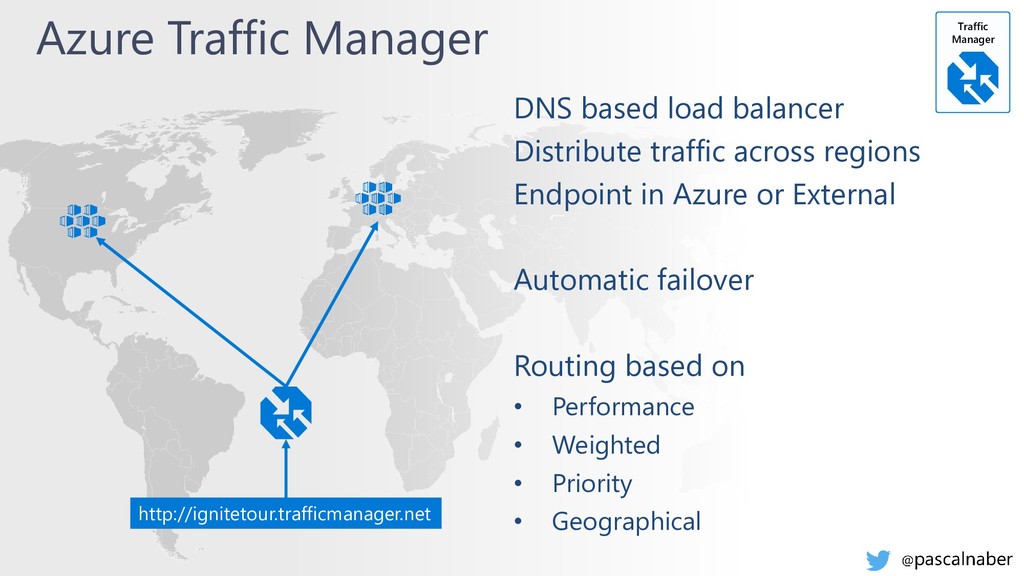
Azure Traffic Manager Traffic Manager http://ignitetour.trafficmanager.net DNS based load balancer
Distribute traffic across regions Endpoint in Azure or External Automatic failover Routing based on • Performance • Weighted • Priority • Geographical -
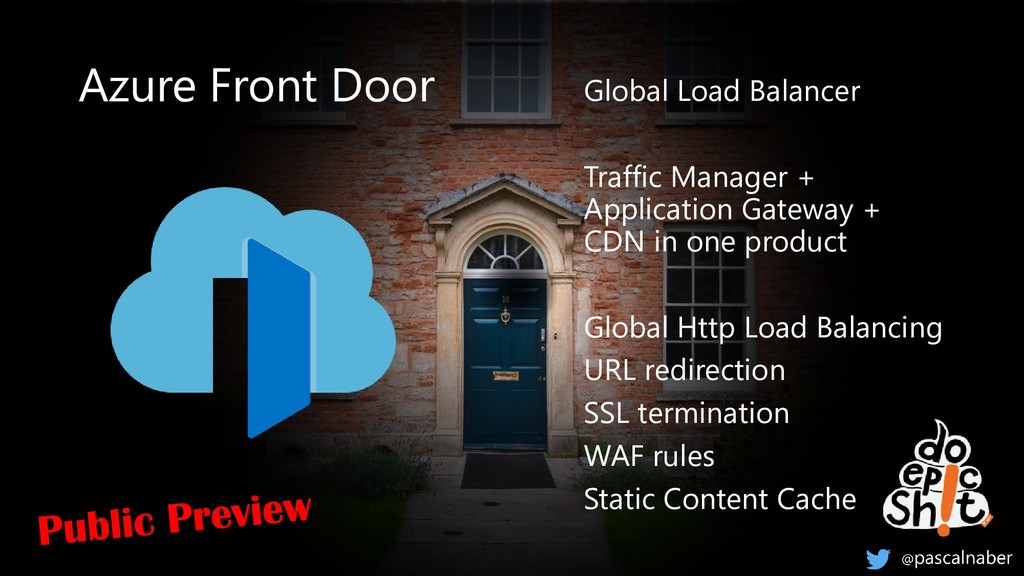
Think ahead. Act now. Azure Front Door Global Load Balancer
Traffic Manager + Application Gateway + CDN in one product Global Http Load Balancing URL redirection SSL termination WAF rules Static Content Cache -
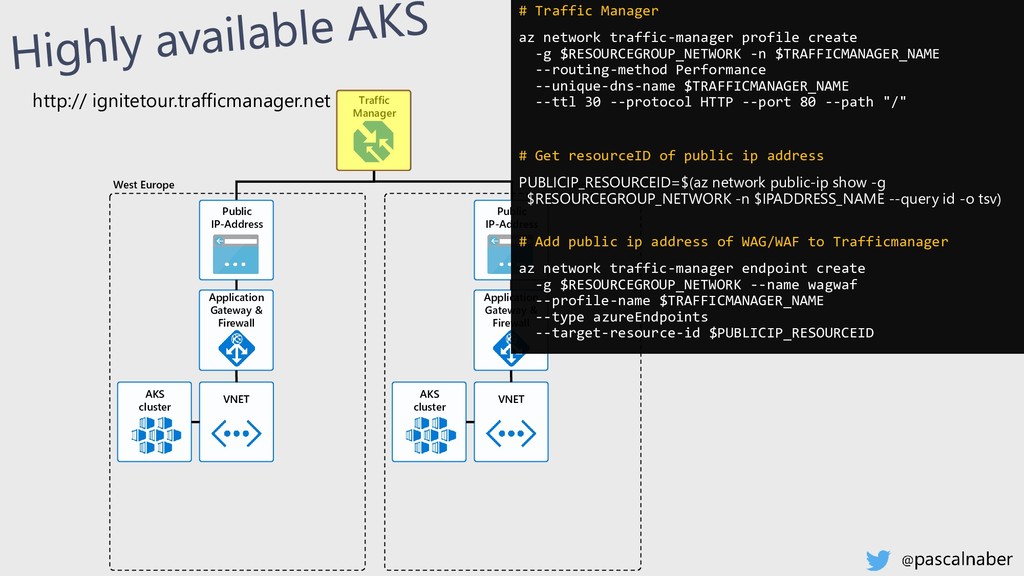
West Europe VNET Traffic Manager AKS cluster Application Gateway &
Firewall Public IP-Address North Europe VNET AKS cluster Application Gateway & Firewall Public IP-Address # Traffic Manager az network traffic-manager profile create -g $RESOURCEGROUP_NETWORK -n $TRAFFICMANAGER_NAME --routing-method Performance --unique-dns-name $TRAFFICMANAGER_NAME --ttl 30 --protocol HTTP --port 80 --path "/" # Get resourceID of public ip address PUBLICIP_RESOURCEID=$(az network public-ip show -g $RESOURCEGROUP_NETWORK -n $IPADDRESS_NAME --query id -o tsv) # Add public ip address of WAG/WAF to Trafficmanager az network traffic-manager endpoint create -g $RESOURCEGROUP_NETWORK --name wagwaf --profile-name $TRAFFICMANAGER_NAME --type azureEndpoints --target-resource-id $PUBLICIP_RESOURCEID http:// ignitetour.trafficmanager.net -
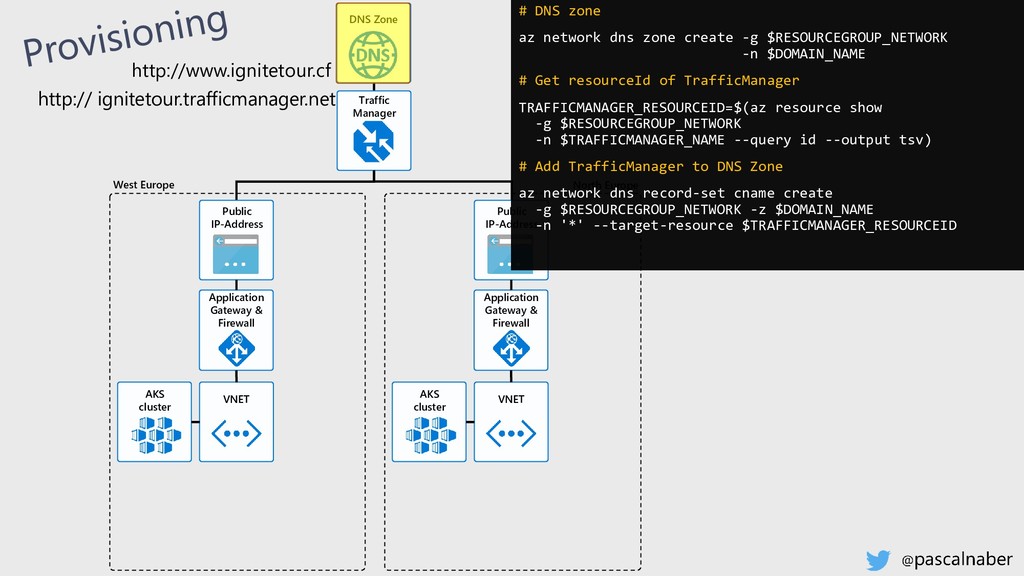
DNS Zone West Europe VNET Traffic Manager AKS cluster Application
Gateway & Firewall Public IP-Address North Europe VNET AKS cluster Application Gateway & Firewall Public IP-Address # DNS zone az network dns zone create -g $RESOURCEGROUP_NETWORK -n $DOMAIN_NAME # Get resourceId of TrafficManager TRAFFICMANAGER_RESOURCEID=$(az resource show -g $RESOURCEGROUP_NETWORK -n $TRAFFICMANAGER_NAME --query id --output tsv) # Add TrafficManager to DNS Zone az network dns record-set cname create -g $RESOURCEGROUP_NETWORK -z $DOMAIN_NAME -n '*' --target-resource $TRAFFICMANAGER_RESOURCEID http:// ignitetour.trafficmanager.net http://www.ignitetour.cf -
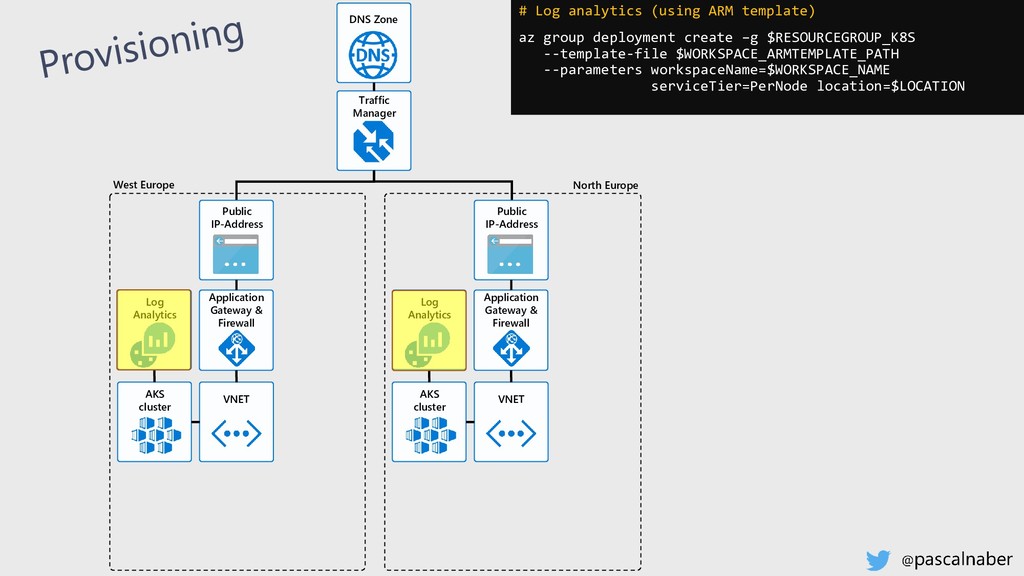
Traffic Manager VNET AKS cluster Application Gateway & Firewall DNS
Zone Log Analytics VNET AKS cluster Application Gateway & Firewall Log Analytics West Europe Public IP-Address North Europe Public IP-Address # Log analytics (using ARM template) az group deployment create –g $RESOURCEGROUP_K8S --template-file $WORKSPACE_ARMTEMPLATE_PATH --parameters workspaceName=$WORKSPACE_NAME serviceTier=PerNode location=$LOCATION -
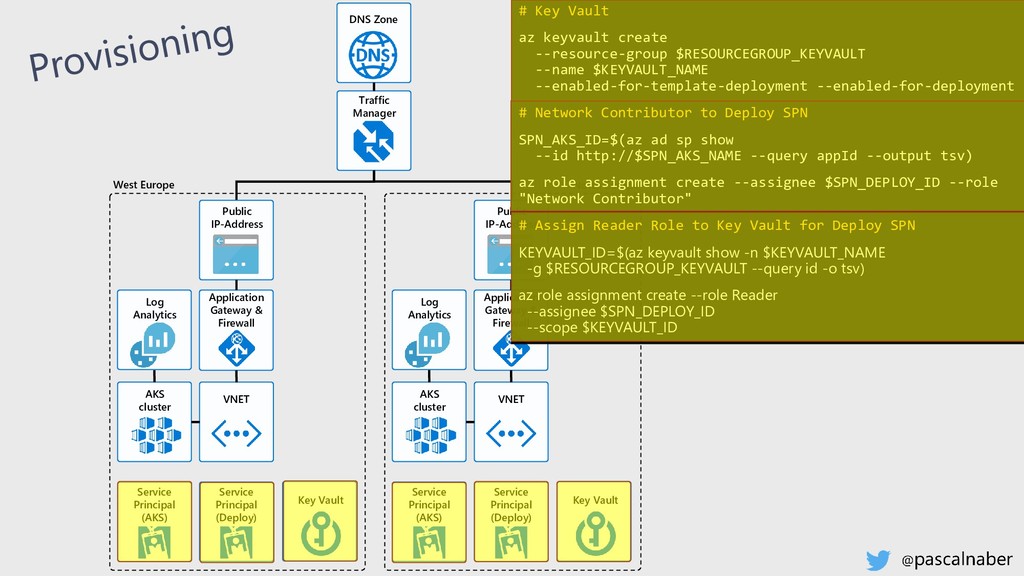
Traffic Manager VNET AKS cluster Application Gateway & Firewall Service
Principal (AKS) DNS Zone Log Analytics VNET AKS cluster Application Gateway & Firewall Service Principal (AKS) Log Analytics Service Principal (Deploy) Key Vault Service Principal (Deploy) Key Vault West Europe Public IP-Address North Europe Public IP-Address # Key Vault az keyvault create --resource-group $RESOURCEGROUP_KEYVAULT --name $KEYVAULT_NAME --enabled-for-template-deployment --enabled-for-deployment # Network Contributor to Deploy SPN SPN_AKS_ID=$(az ad sp show --id http://$SPN_AKS_NAME --query appId --output tsv) az role assignment create --assignee $SPN_DEPLOY_ID --role "Network Contributor" # Assign Reader Role to Key Vault for Deploy SPN KEYVAULT_ID=$(az keyvault show -n $KEYVAULT_NAME -g $RESOURCEGROUP_KEYVAULT --query id -o tsv) az role assignment create --role Reader --assignee $SPN_DEPLOY_ID --scope $KEYVAULT_ID -
Azure Key Vault Secure storage of • Secrets • Keys
• Certificates Access using Azure AD Key Vault -
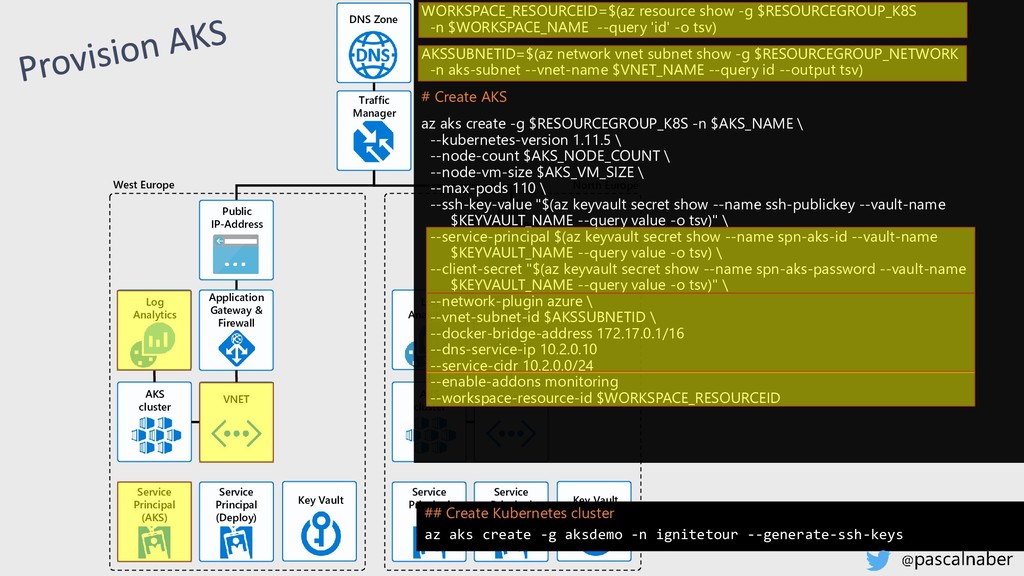
Traffic Manager West Europe VNET North Europe AKS cluster Application
Gateway & Firewall Public IP-Address Service Principal (AKS) DNS Zone Log Analytics VNET AKS cluster Application Gateway & Firewall Public IP-Address Service Principal (AKS) Log Analytics + Network Contributor WORKSPACE_RESOURCEID=$(az resource show -g $RESOURCEGROUP_K8S -n $WORKSPACE_NAME --query 'id' -o tsv) AKSSUBNETID=$(az network vnet subnet show -g $RESOURCEGROUP_NETWORK -n aks-subnet --vnet-name $VNET_NAME --query id --output tsv) # Create AKS az aks create -g $RESOURCEGROUP_K8S -n $AKS_NAME \ --kubernetes-version 1.11.5 \ --node-count $AKS_NODE_COUNT \ --node-vm-size $AKS_VM_SIZE \ --max-pods 110 \ --ssh-key-value "$(az keyvault secret show --name ssh-publickey --vault-name $KEYVAULT_NAME --query value -o tsv)" \ --service-principal $(az keyvault secret show --name spn-aks-id --vault-name $KEYVAULT_NAME --query value -o tsv) \ --client-secret "$(az keyvault secret show --name spn-aks-password --vault-name $KEYVAULT_NAME --query value -o tsv)" \ --network-plugin azure \ --vnet-subnet-id $AKSSUBNETID \ --docker-bridge-address 172.17.0.1/16 --dns-service-ip 10.2.0.10 --service-cidr 10.2.0.0/24 --enable-addons monitoring --workspace-resource-id $WORKSPACE_RESOURCEID Service Principal (Deploy) Key Vault Service Principal (Deploy) Key Vault ## Create Kubernetes cluster az aks create -g aksdemo -n ignitetour --generate-ssh-keys -
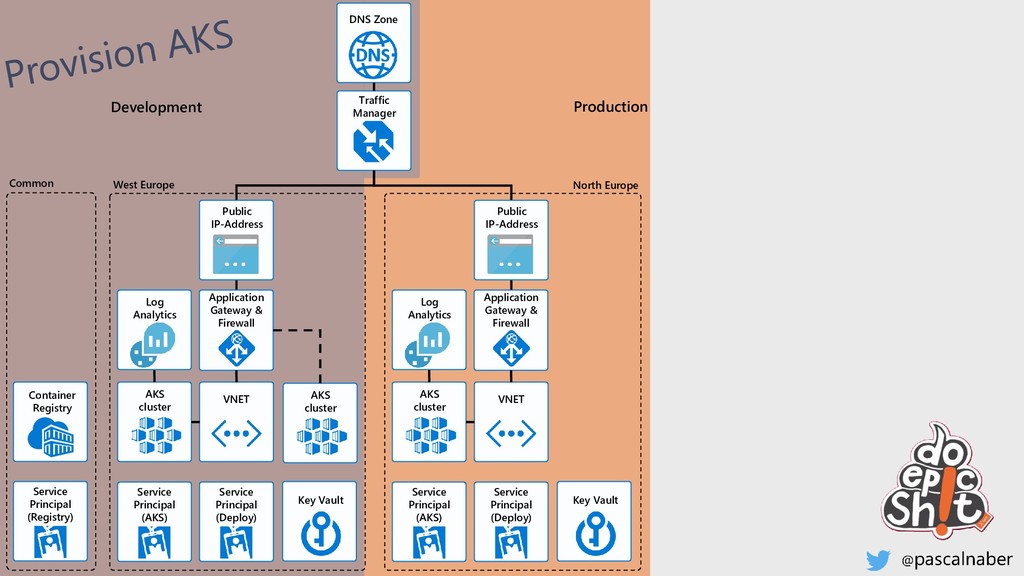
Traffic Manager West Europe VNET North Europe AKS cluster Application
Gateway & Firewall Public IP-Address Service Principal (AKS) Service Principal (Deploy) Key Vault DNS Zone Log Analytics VNET AKS cluster Application Gateway & Firewall Public IP-Address Service Principal (AKS) Service Principal (Deploy) Key Vault Log Analytics Service Principal (Registry) Container Registry Common AKS cluster Production Development -
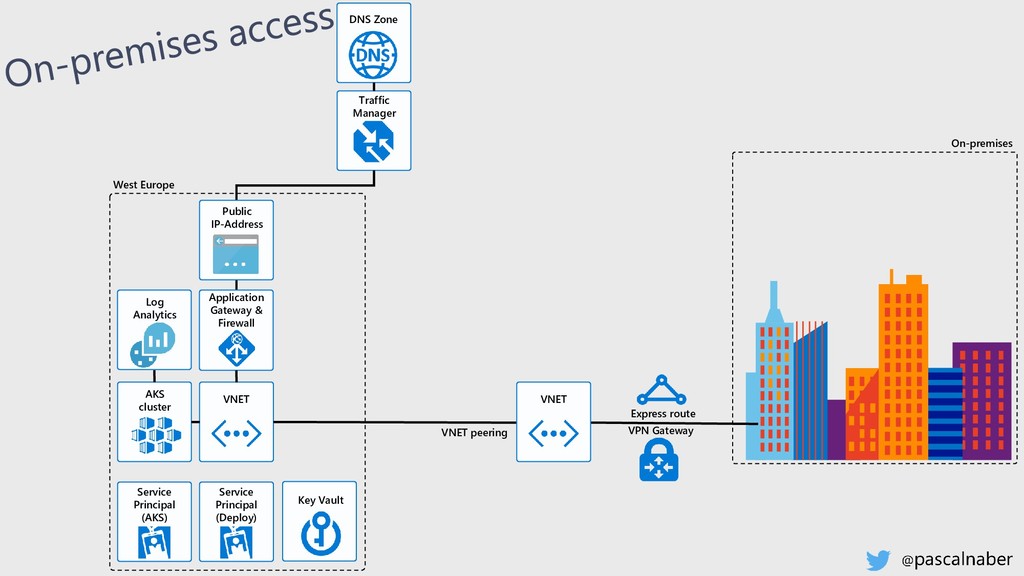
Traffic Manager West Europe VNET AKS cluster Application Gateway &
Firewall Public IP-Address Service Principal (AKS) Service Principal (Deploy) Key Vault DNS Zone Log Analytics On-premises Express route VPN Gateway VNET peering VNET -
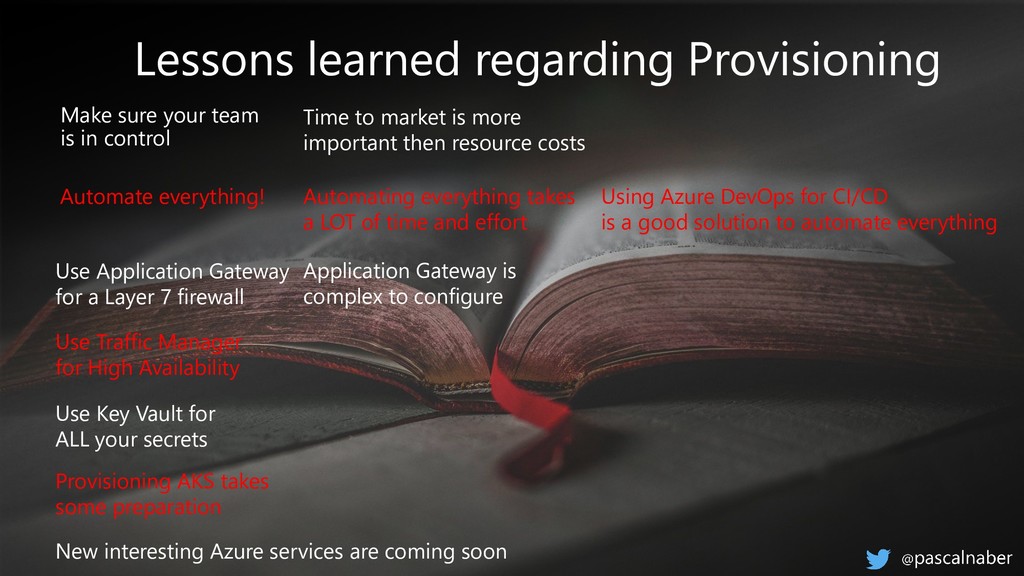
Think ahead. Act now. Lessons learned regarding Provisioning Make sure
your team is in control Time to market is more important then resource costs Use Application Gateway for a Layer 7 firewall Application Gateway is complex to configure Use Traffic Manager for High Availability Use Key Vault for ALL your secrets Provisioning AKS takes some preparation New interesting Azure services are coming soon Automate everything! Automating everything takes a LOT of time and effort Using Azure DevOps for CI/CD is a good solution to automate everything -
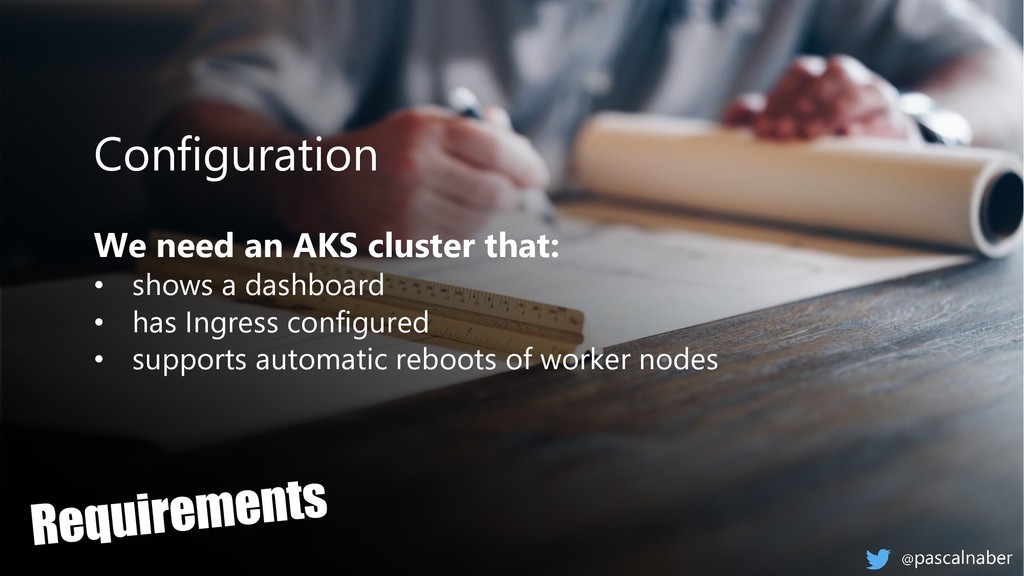
Think ahead. Act now. Configuration We need an AKS cluster
that: • shows a dashboard • has Ingress configured • supports automatic reboots of worker nodes -
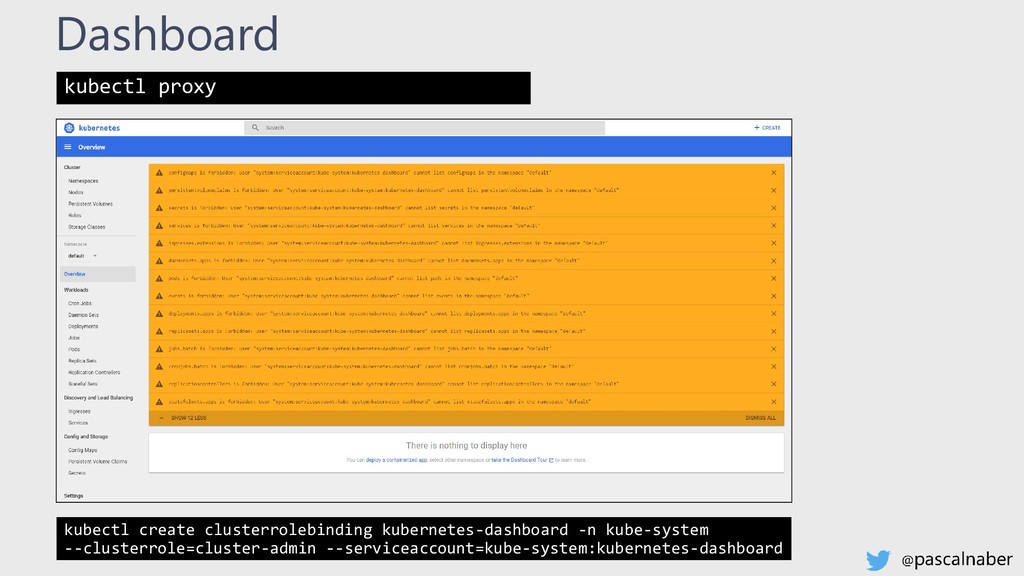
kubectl proxy Dashboard kubectl create clusterrolebinding kubernetes-dashboard -n kube-system --clusterrole=cluster-admin
--serviceaccount=kube-system:kubernetes-dashboard -
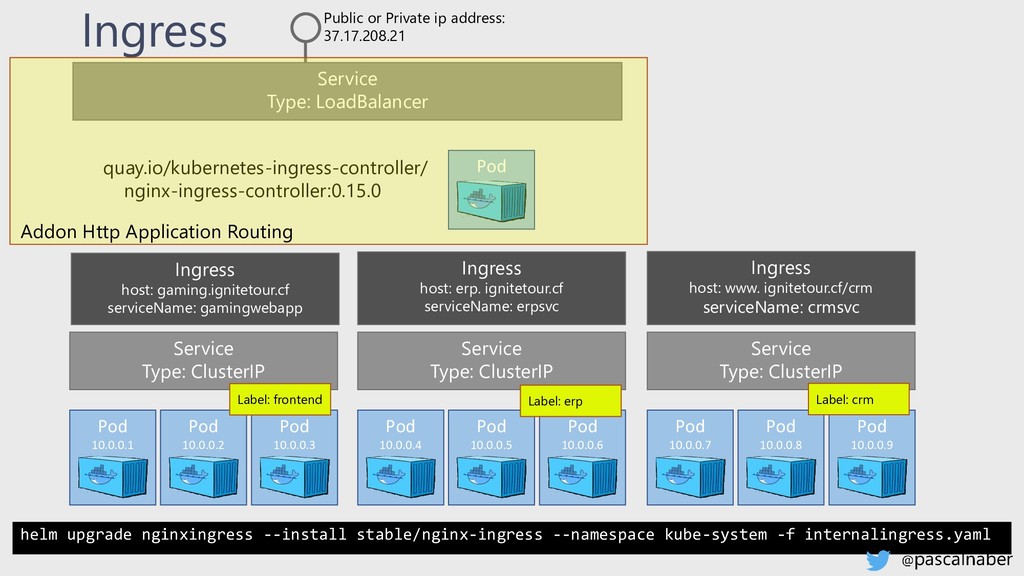
Ingress Pod 10.0.0.1 Pod 10.0.0.2 Pod 10.0.0.3 Service Type: ClusterIP
Pod 10.0.0.4 Pod 10.0.0.5 Pod 10.0.0.6 Service Type: ClusterIP Pod 10.0.0.7 Pod 10.0.0.8 Pod 10.0.0.9 Service Type: ClusterIP Service Type: LoadBalancer Public or Private ip address: 37.17.208.21 Pod quay.io/kubernetes-ingress-controller/ nginx-ingress-controller:0.15.0 Ingress host: gaming.ignitetour.cf serviceName: gamingwebapp Ingress host: erp. ignitetour.cf serviceName: erpsvc Ingress host: www. ignitetour.cf/crm serviceName: crmsvc Label: erp Label: frontend Label: crm helm upgrade nginxingress --install stable/nginx-ingress --namespace kube-system -f internalingress.yaml Addon Http Application Routing -
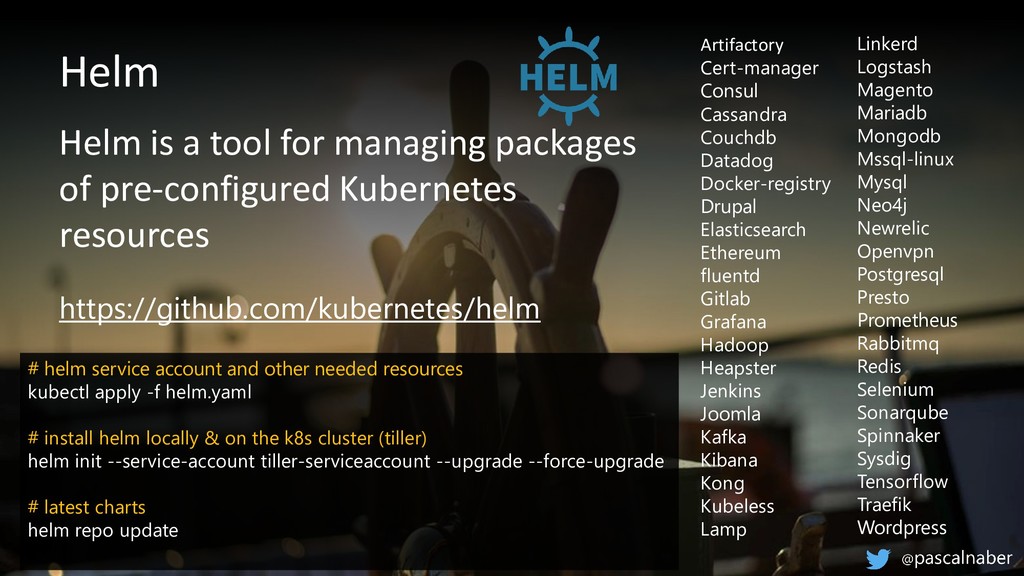
Helm Helm is a tool for managing packages of pre-configured
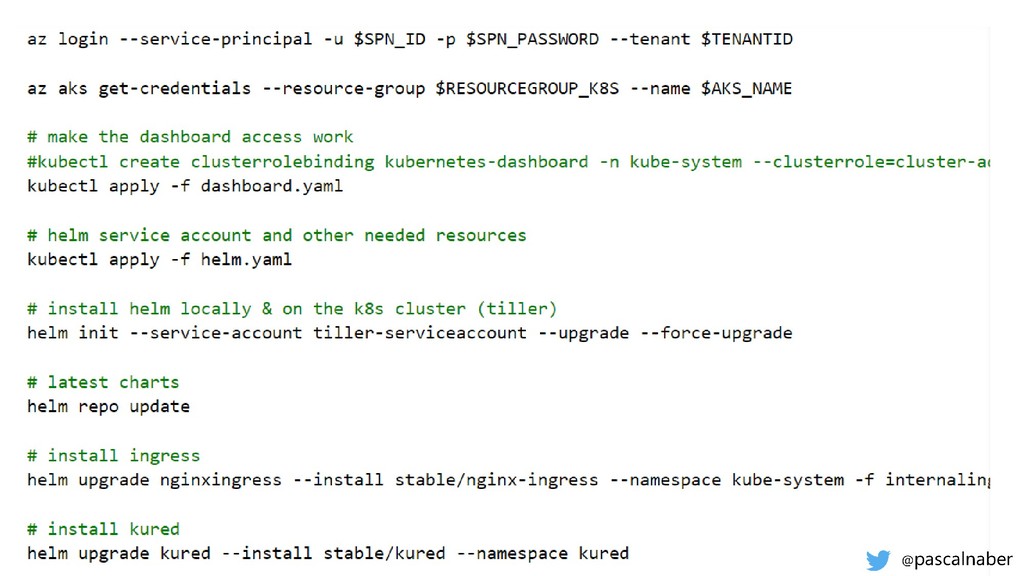
Kubernetes resources Linkerd Logstash Magento Mariadb Mongodb Mssql-linux Mysql Neo4j Newrelic Openvpn Postgresql Presto Prometheus Rabbitmq Redis Selenium Sonarqube Spinnaker Sysdig Tensorflow Traefik Wordpress Artifactory Cert-manager Consul Cassandra Couchdb Datadog Docker-registry Drupal Elasticsearch Ethereum fluentd Gitlab Grafana Hadoop Heapster Jenkins Joomla Kafka Kibana Kong Kubeless Lamp # helm service account and other needed resources kubectl apply -f helm.yaml # install helm locally & on the k8s cluster (tiller) helm init --service-account tiller-serviceaccount --upgrade --force-upgrade # latest charts helm repo update https://github.com/kubernetes/helm -
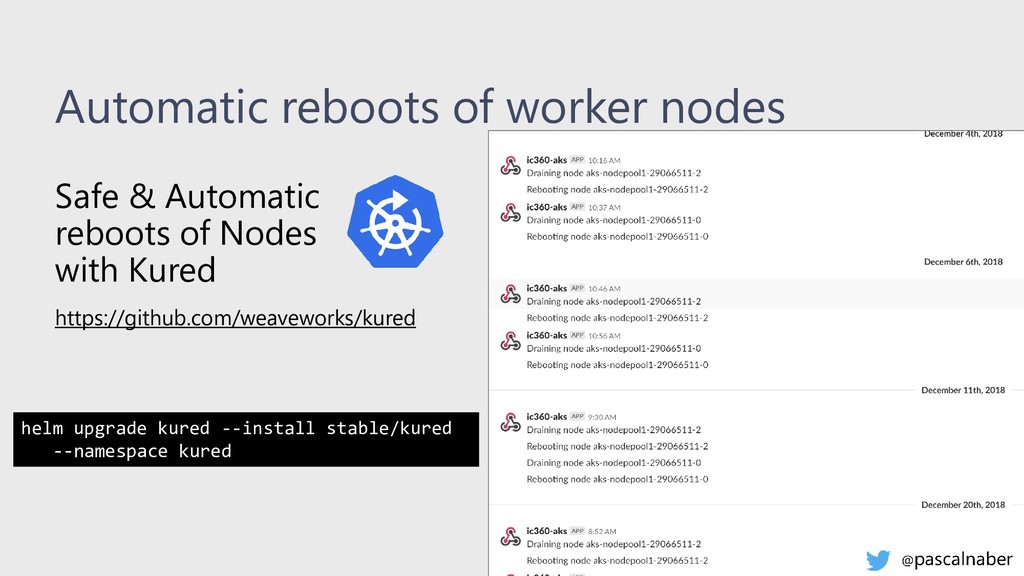
Automatic reboots of worker nodes Safe & Automatic reboots of
Nodes with Kured https://github.com/weaveworks/kured helm upgrade kured --install stable/kured --namespace kured -
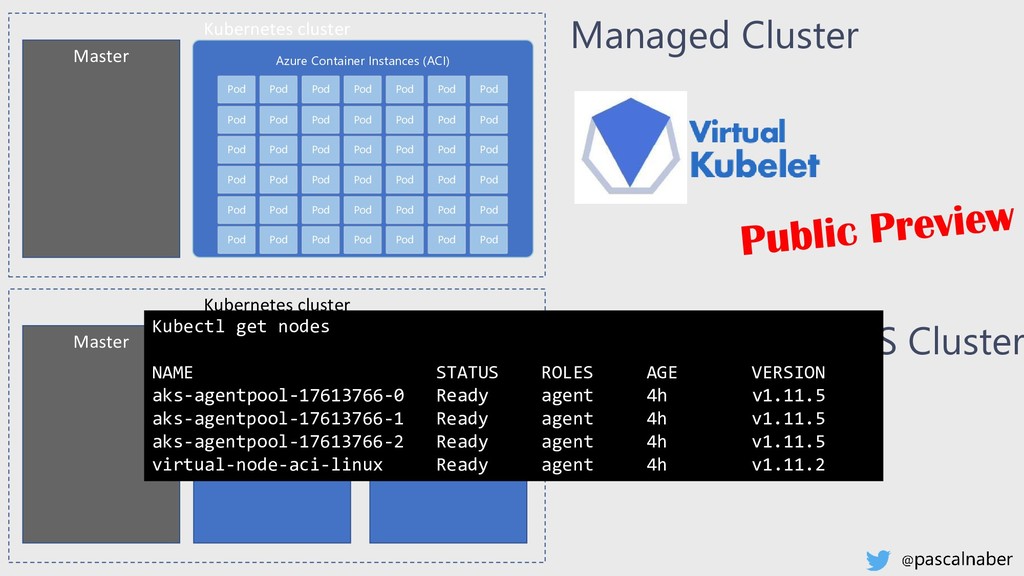
Kubernetes cluster Master Azure Container Instances (ACI) Pod Pod Pod
Pod Pod Pod Pod Pod Pod Pod Pod Pod Pod Pod Pod Pod Pod Pod Pod Pod Pod Pod Pod Pod Pod Pod Pod Pod Pod Pod Pod Pod Pod Pod Pod Pod Pod Pod Pod Pod Pod Pod Partly Managed IaaS Cluster Managed Cluster Kubernetes cluster Worker Node Worker Node Master Pod Pod Pod Pod Pod Pod Pod Pod Pod Pod Pod Pod Pod Pod Pod Pod Pod Pod Kubectl get nodes NAME STATUS ROLES AGE VERSION aks-agentpool-17613766-0 Ready agent 4h v1.11.5 aks-agentpool-17613766-1 Ready agent 4h v1.11.5 aks-agentpool-17613766-2 Ready agent 4h v1.11.5 virtual-node-aci-linux Ready agent 4h v1.11.2 -
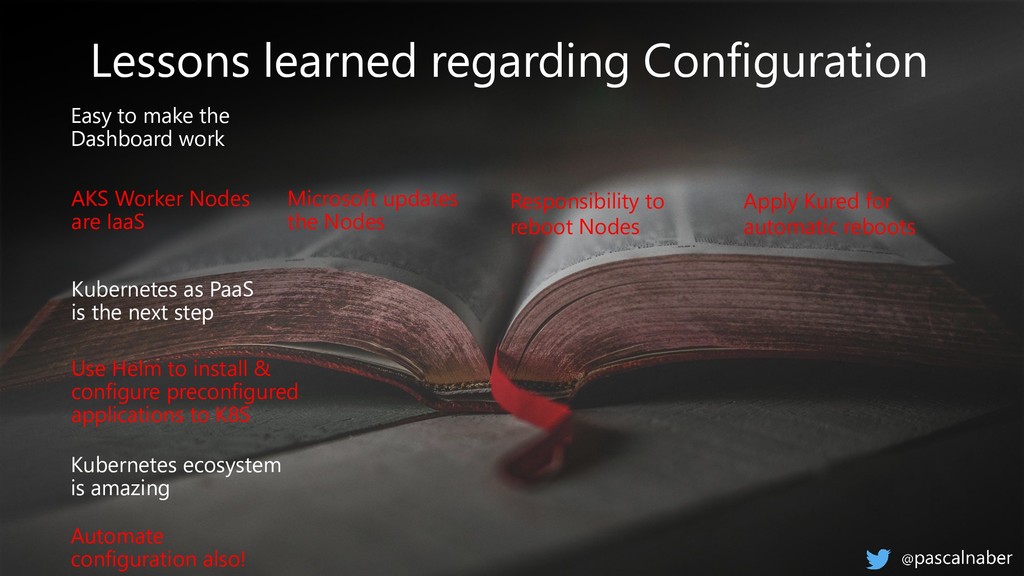
Think ahead. Act now. Microsoft updates the Nodes Responsibility to
reboot Nodes Apply Kured for automatic reboots AKS Worker Nodes are IaaS Use Helm to install & configure preconfigured applications to K8S Automate configuration also! Lessons learned regarding Configuration Easy to make the Dashboard work Kubernetes as PaaS is the next step Kubernetes ecosystem is amazing -
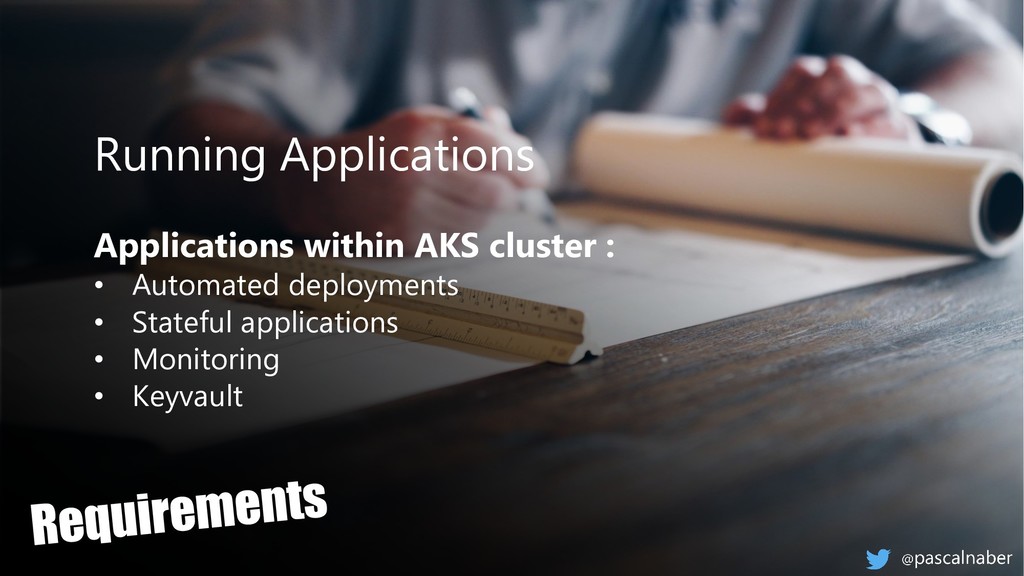
Think ahead. Act now. Running Applications Applications within AKS cluster
: • Automated deployments • Stateful applications • Monitoring • Keyvault -
One Dev Cluster per team Development Team Morpheus Pod Pod
Pod Pod Pod Pod Master branch Feature X branch Pod Pod Pod Pod Pod Pod Feature Y branch Pod Pod Pod Pod Pod Pod Staging Production Pod Pod Pod Pod Pod Pod Pod Pod Pod Pod Pod Pod Pod Pod Pod Pod Pod Pod Pod Pod Pod Pod Pod Pod One Cluster is reused over environments and teams Automated deployments Team Morpheus Team Trinity Team Morpheus Team Trinity -
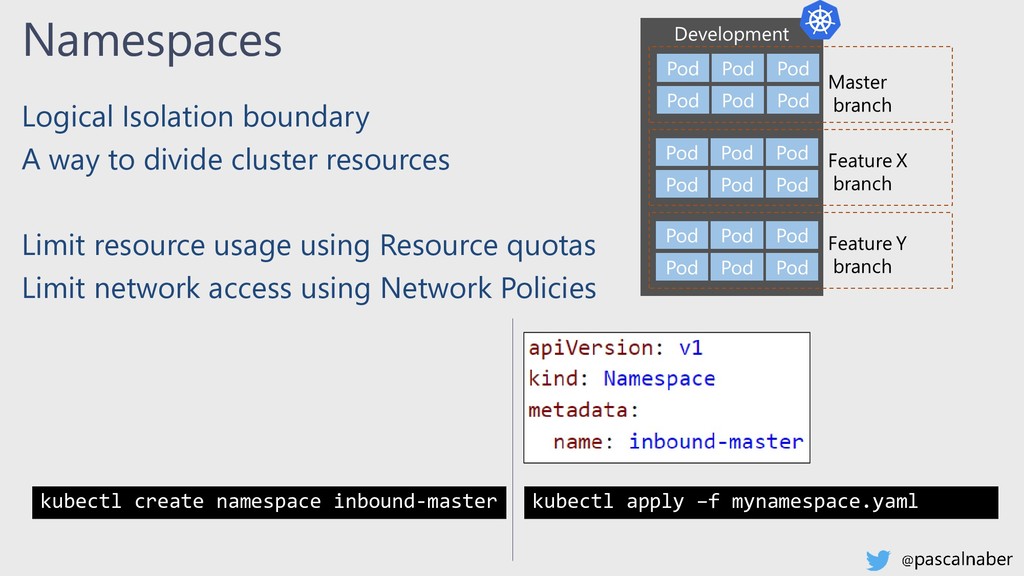
Namespaces Logical Isolation boundary A way to divide cluster resources
Limit resource usage using Resource quotas Limit network access using Network Policies kubectl create namespace inbound-master kubectl apply –f mynamespace.yaml -
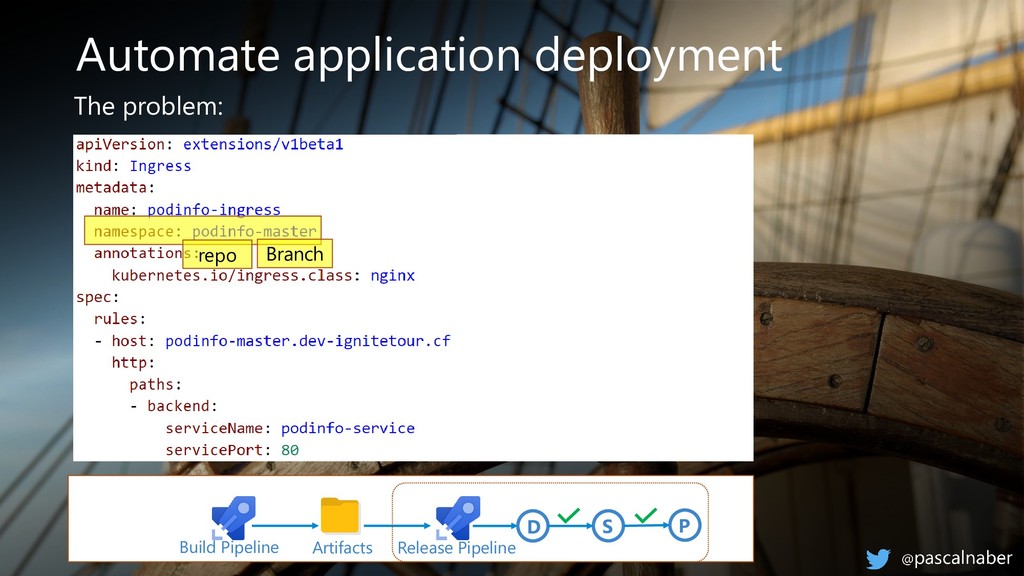
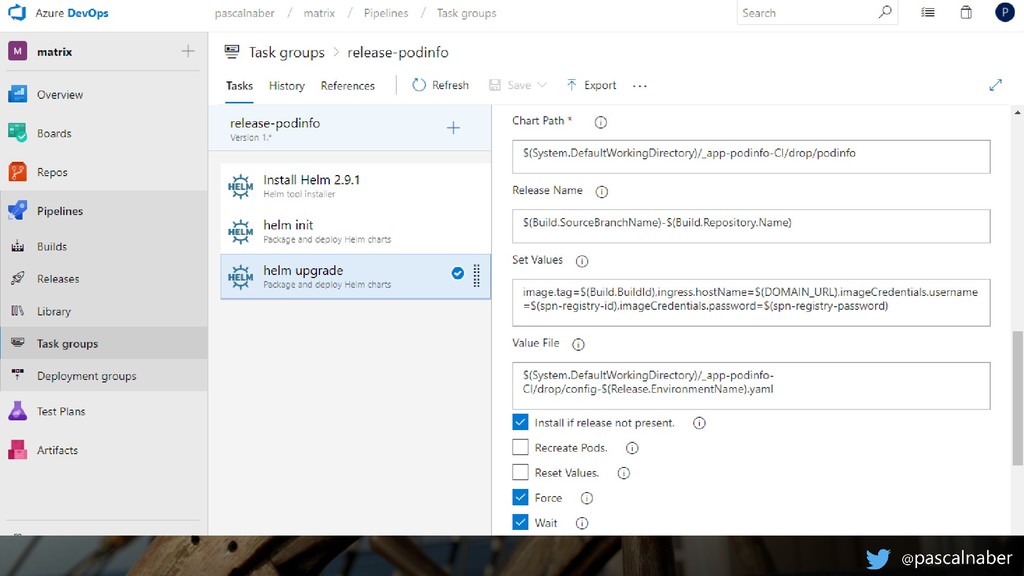
Automate application deployment The problem: Build Pipeline Artifacts D S
P Release Pipeline Branch repo -
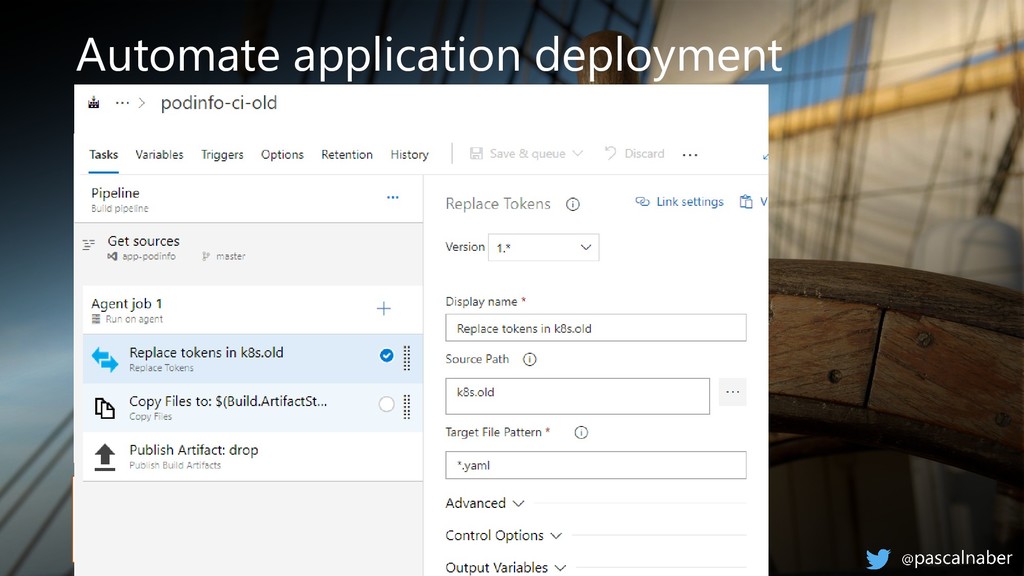
Think ahead. Act now. Automate application deployment The problem: Build
Pipeline Artifacts D S P Release Pipeline -
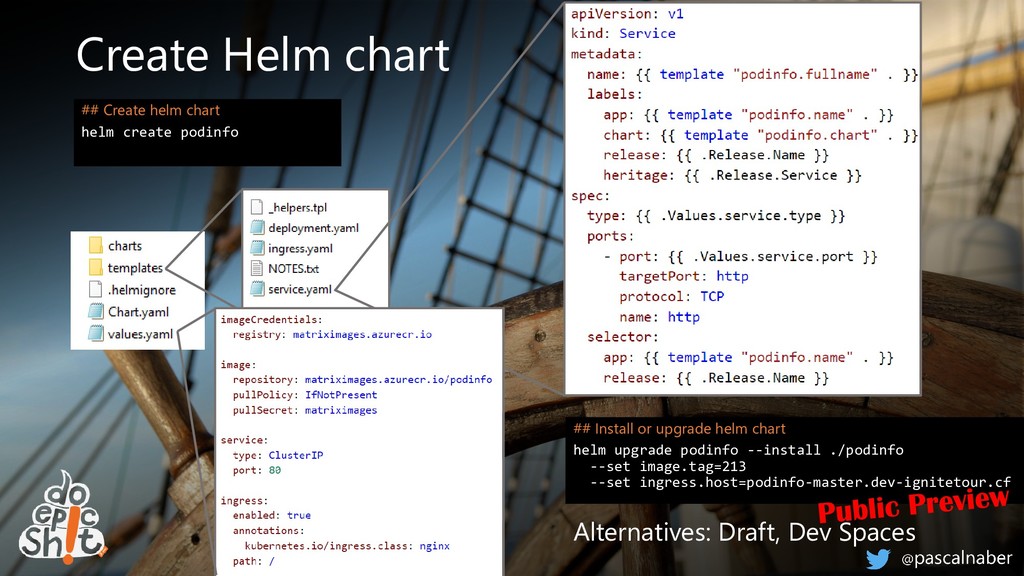
Think ahead. Act now. Create Helm chart ## Create helm
chart helm create podinfo Alternatives: Draft, Dev Spaces ## Install or upgrade helm chart helm upgrade podinfo --install ./podinfo --set image.tag=213 --set ingress.host=podinfo-master.dev-ignitetour.cf -
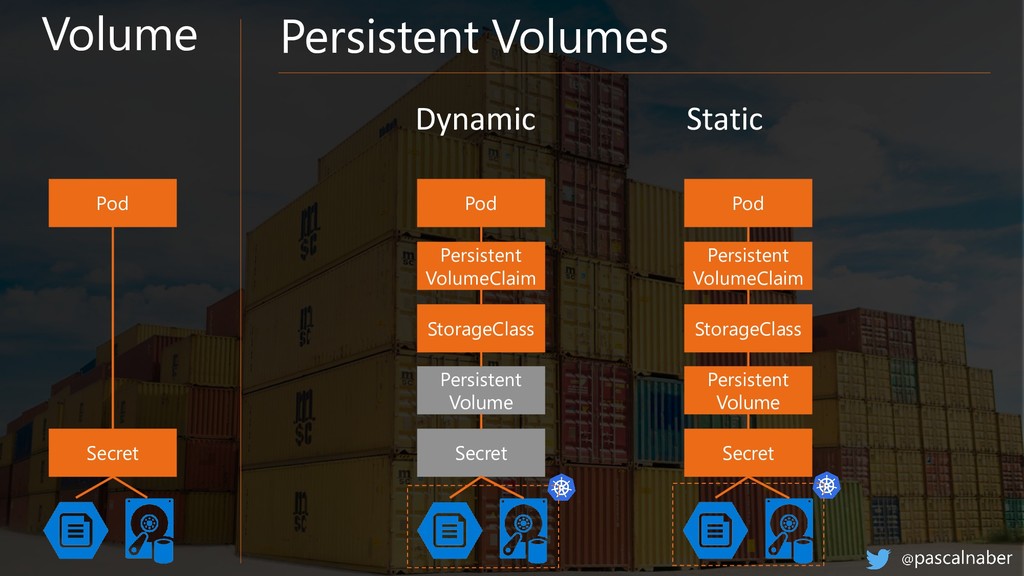
Think ahead. Act now. Storage / Volumes Pod Secret Volume
Persistent Volumes Pod Persistent VolumeClaim StorageClass Persistent Volume Secret Pod Persistent VolumeClaim StorageClass Persistent Volume Secret Dynamic Static -
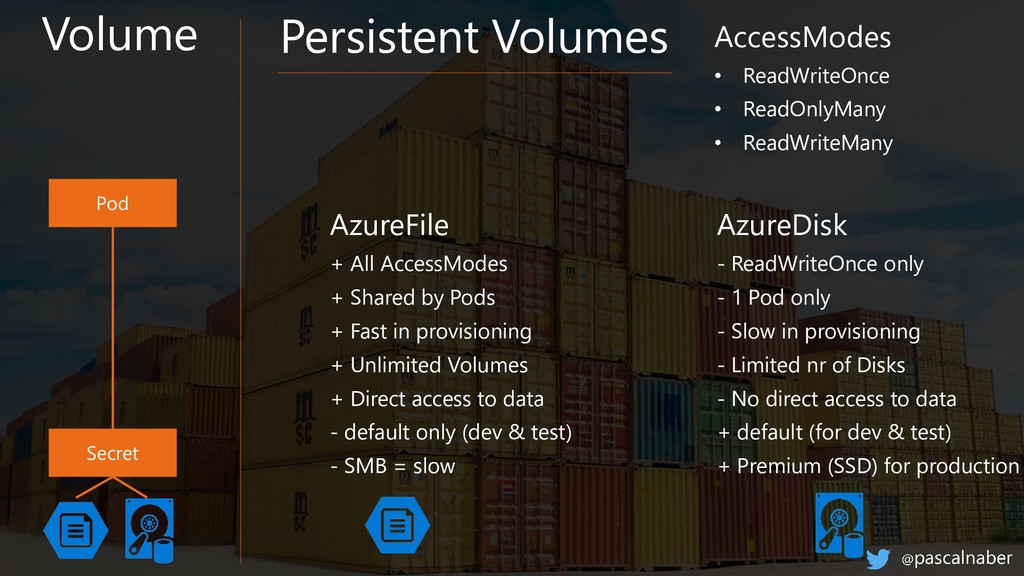
Think ahead. Act now. Storage / Volumes Pod Secret Volume
AzureDisk - ReadWriteOnce only - 1 Pod only - Slow in provisioning - Limited nr of Disks - No direct access to data + default (for dev & test) + Premium (SSD) for production AzureFile + All AccessModes + Shared by Pods + Fast in provisioning + Unlimited Volumes + Direct access to data - default only (dev & test) - SMB = slow Persistent Volumes AccessModes • ReadWriteOnce • ReadOnlyMany • ReadWriteMany -
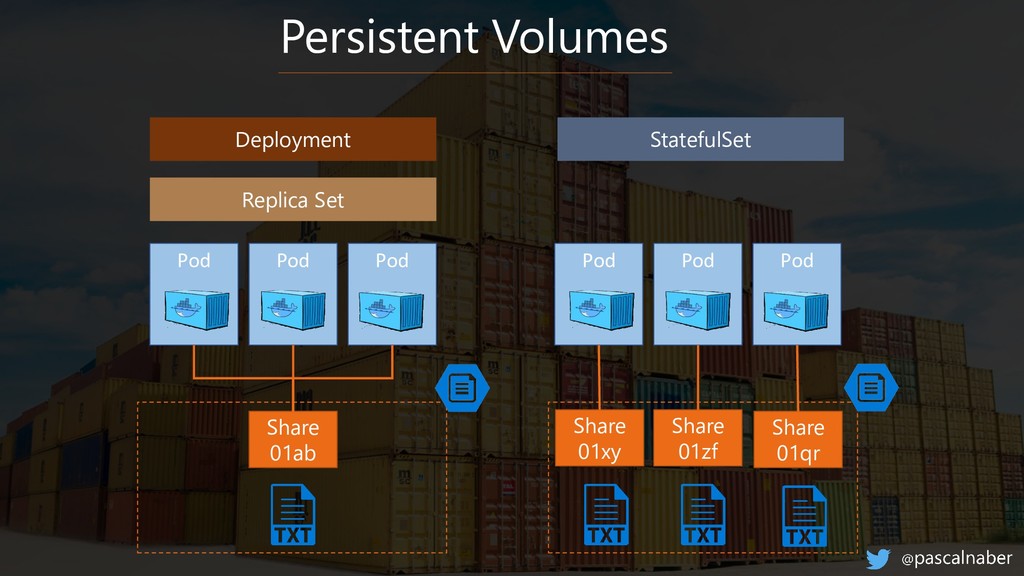
Think ahead. Act now. Persistent Volumes Share 01ab Replica Set
Deployment Pod Pod Pod Pod StatefulSet Pod Pod Share 01zf Share 01qr Share 01xy -
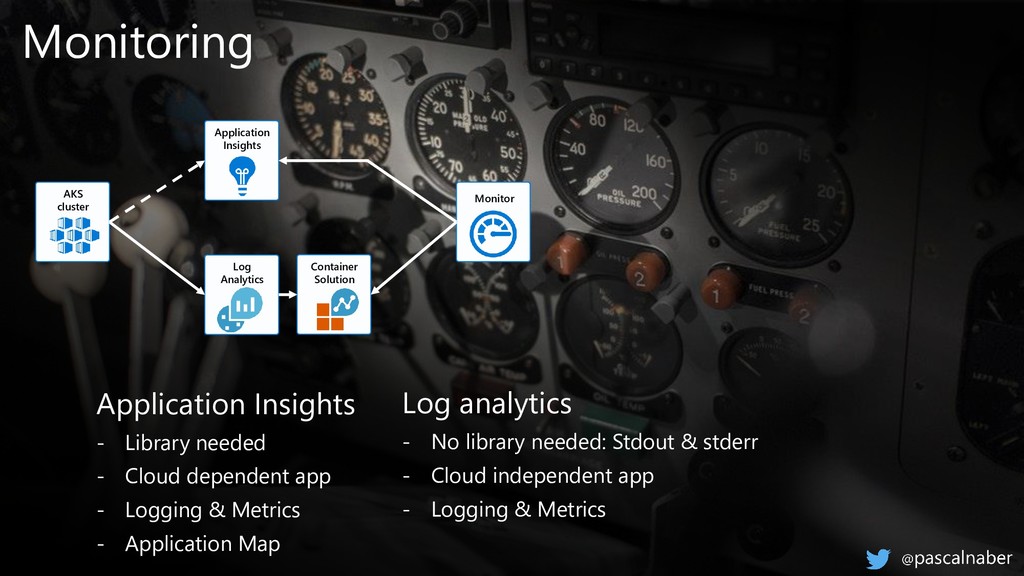
Think ahead. Act now. Monitoring Monitoring Log analytics - No
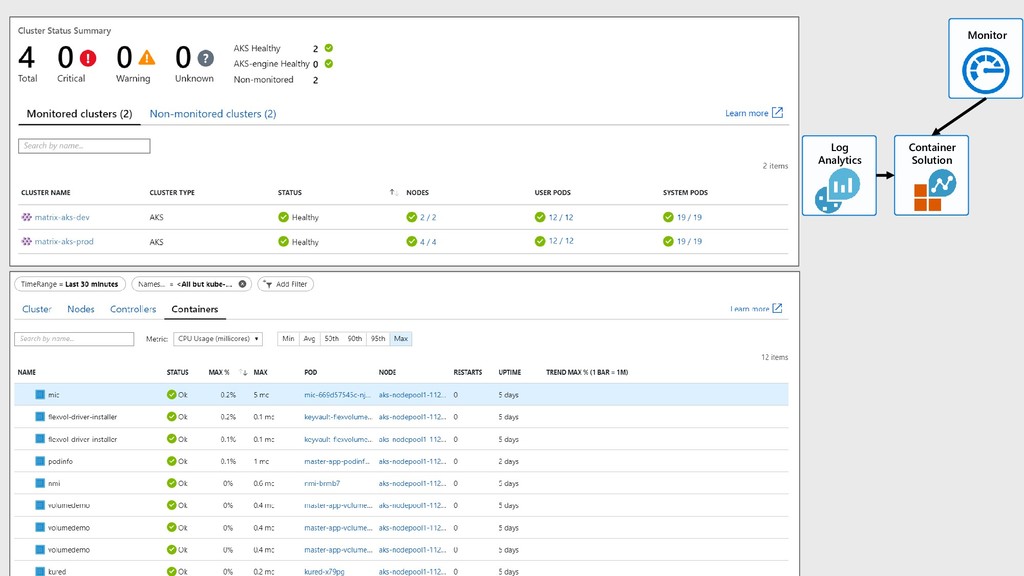
library needed: Stdout & stderr - Cloud independent app - Logging & Metrics Application Insights Log Analytics Monitor Container Solution AKS cluster Application Insights - Library needed - Cloud dependent app - Logging & Metrics - Application Map -
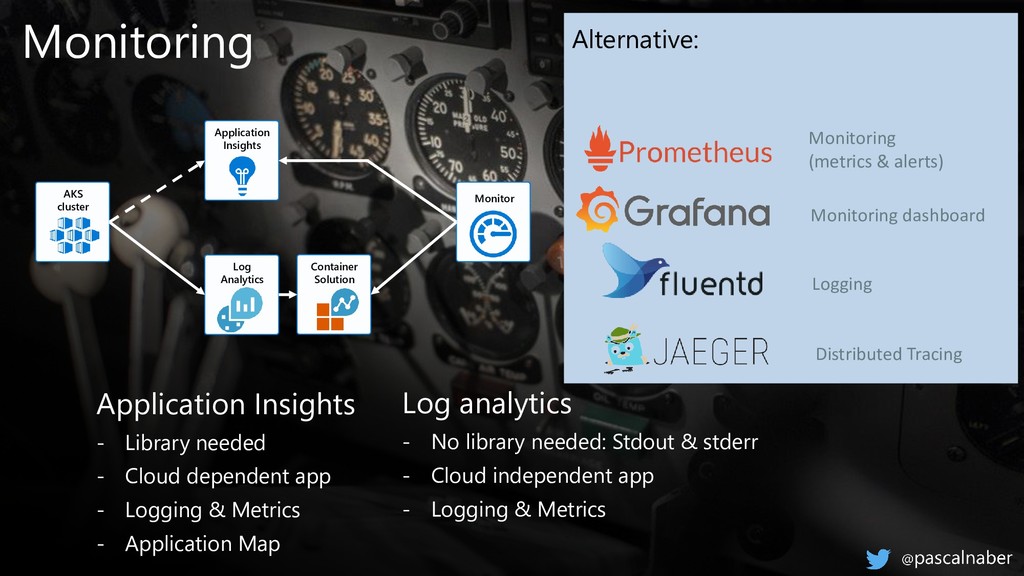
Think ahead. Act now. Monitoring Monitoring Log analytics - No
library needed: Stdout & stderr - Cloud independent app - Logging & Metrics Application Insights Log Analytics Monitor Container Solution AKS cluster Application Insights - Library needed - Cloud dependent app - Logging & Metrics - Application Map Alternative: Distributed Tracing Logging Monitoring (metrics & alerts) Monitoring dashboard -
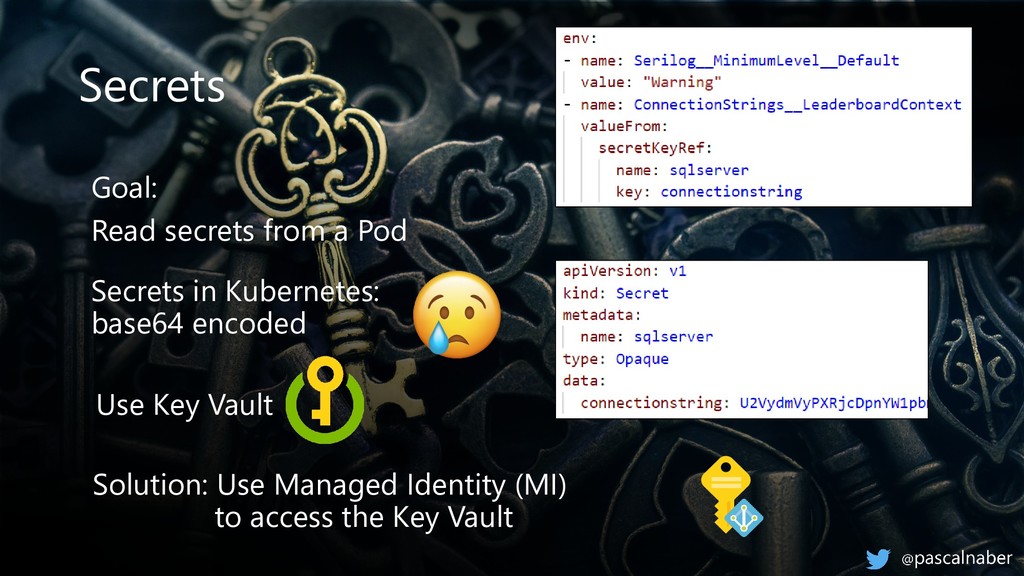
Secrets Goal: Read secrets from a Pod Use Key Vault
Solution: Use Managed Identity (MI) to access the Key Vault Secrets in Kubernetes: base64 encoded -
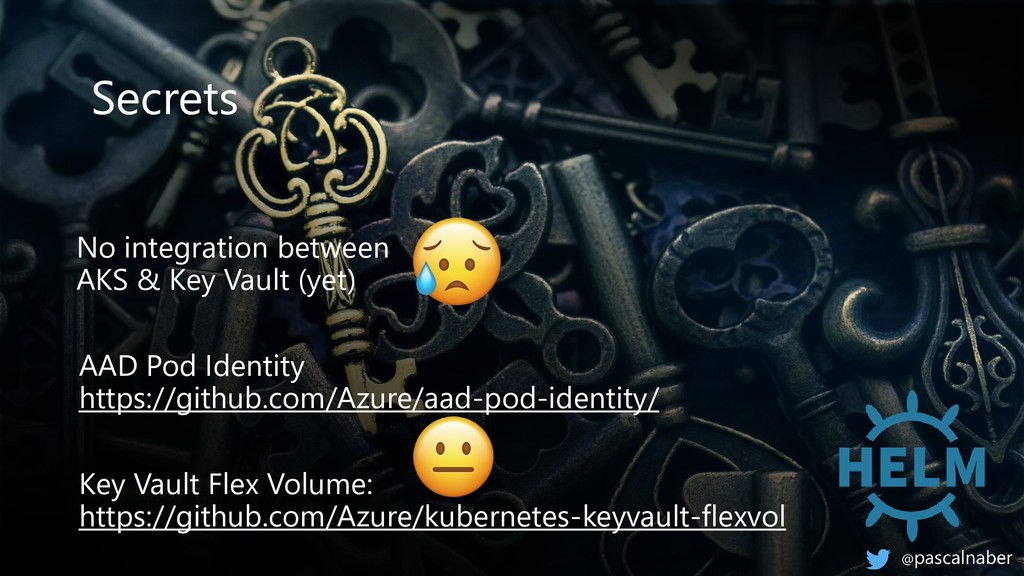
Think ahead. Act now. No integration between AKS & Key
Vault (yet) AAD Pod Identity https://github.com/Azure/aad-pod-identity/ Key Vault Flex Volume: https://github.com/Azure/kubernetes-keyvault-flexvol Secrets -
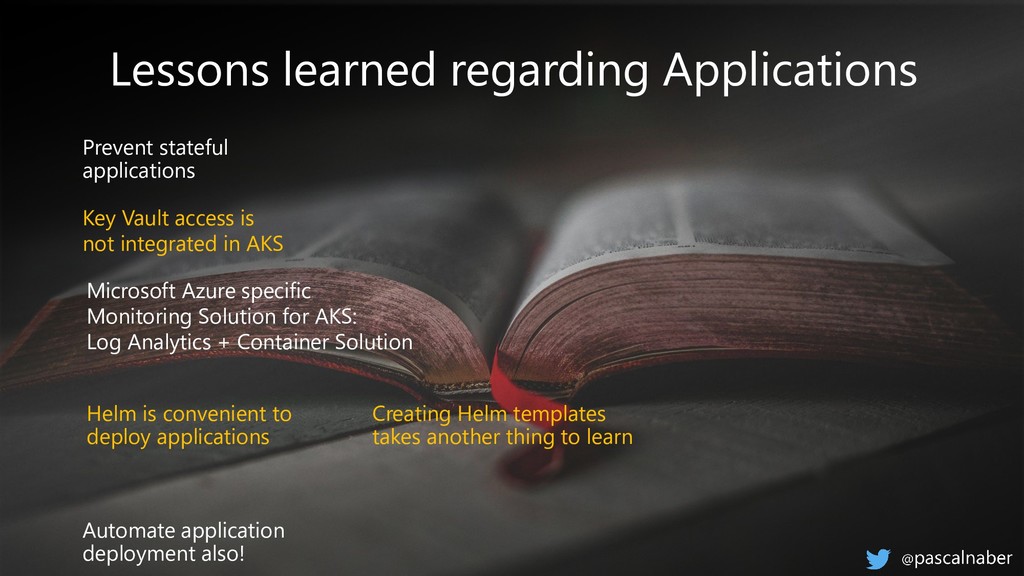
Think ahead. Act now. Lessons learned regarding Applications Creating Helm
templates takes another thing to learn Key Vault access is not integrated in AKS Microsoft Azure specific Monitoring Solution for AKS: Log Analytics + Container Solution Prevent stateful applications Helm is convenient to deploy applications Automate application deployment also! -
Wrap up There is a lot involved with running Kubernetes
in the cloud Which requires knowledge for various Azure services
 pascalnaber
 biwashi
 hellosct1
 tammyeverts
 kasada
 endonanana
 koji_kawamura
 timakin
 ota1022
 ivry_presentationmaterials
 bitkey
 junjikoide
 imuta
 sabderemane
 jonoalderson
 michielstock
 jonrohan
 deanohume
 portentint
 inesmontani
 techseoconnect
 mfonobong
 chriscoyier
 lauravandoore
 cassininazir