Upgrade to Pro — share decks privately, control downloads, hide ads and more …

Adding Right-to-Left support to your web
applic...

Sponsored · SiteGround - Reliable hosting with speed, security, and support you can count on.
Avatar for MAEDA Go MAEDA Go
August 09, 2026

Adding Right-to-Left support to your web
application with CSS logical properties — Lessons from Redmine

This presentation was given at COSCUP 2026 in Taipei, Taiwan, in August 2026.

Supporting right-to-left (RTL) languages such as Arabic and Hebrew remains an often overlooked challenge in web application internationalization. Unlike English and Chinese, which are written left to right (LTR), RTL languages require layouts and visual alignment throughout the user interface to be mirrored.

Redmine, a 20-year-old open source project management application, has supported RTL languages since 2010. Its RTL support was originally implemented using a separate RTL-specific stylesheet that overrode the main LTR styles, which was a common approach at the time. As the user interface evolved, maintaining two parallel stylesheets became increasingly difficult, and the RTL layout gradually became broken in many places.

This talk explains how I rebuilt Redmine's RTL support using CSS logical properties. By replacing physical properties such as `margin-left` and `padding-right` with logical properties, a single stylesheet can automatically adapt to both LTR and RTL layouts. I discuss the migration process, practical implementation techniques, and lessons learned while modernizing an existing codebase.

The presentation shows how existing LTR-only web applications can gain RTL support with a relatively small set of CSS changes. Through practical examples from Redmine, it introduces concrete techniques for implementing maintainable RTL support using CSS logical properties. Although the examples come from Redmine, the approach is applicable to many web applications looking to add maintainable RTL support.

Avatar for MAEDA Go

MAEDA Go

August 09, 2026

More Decks by MAEDA Go

Other Decks in Technology

Transcript

  1. Adding Right-to-Left support to your web application with CSS logical

    properties 使 CSS Logical Properties 讓你的 Web App 援 RTL 版 — Lessons from Redmine 2026-08-09 面 支 用 MAEDA Go (前田剛)
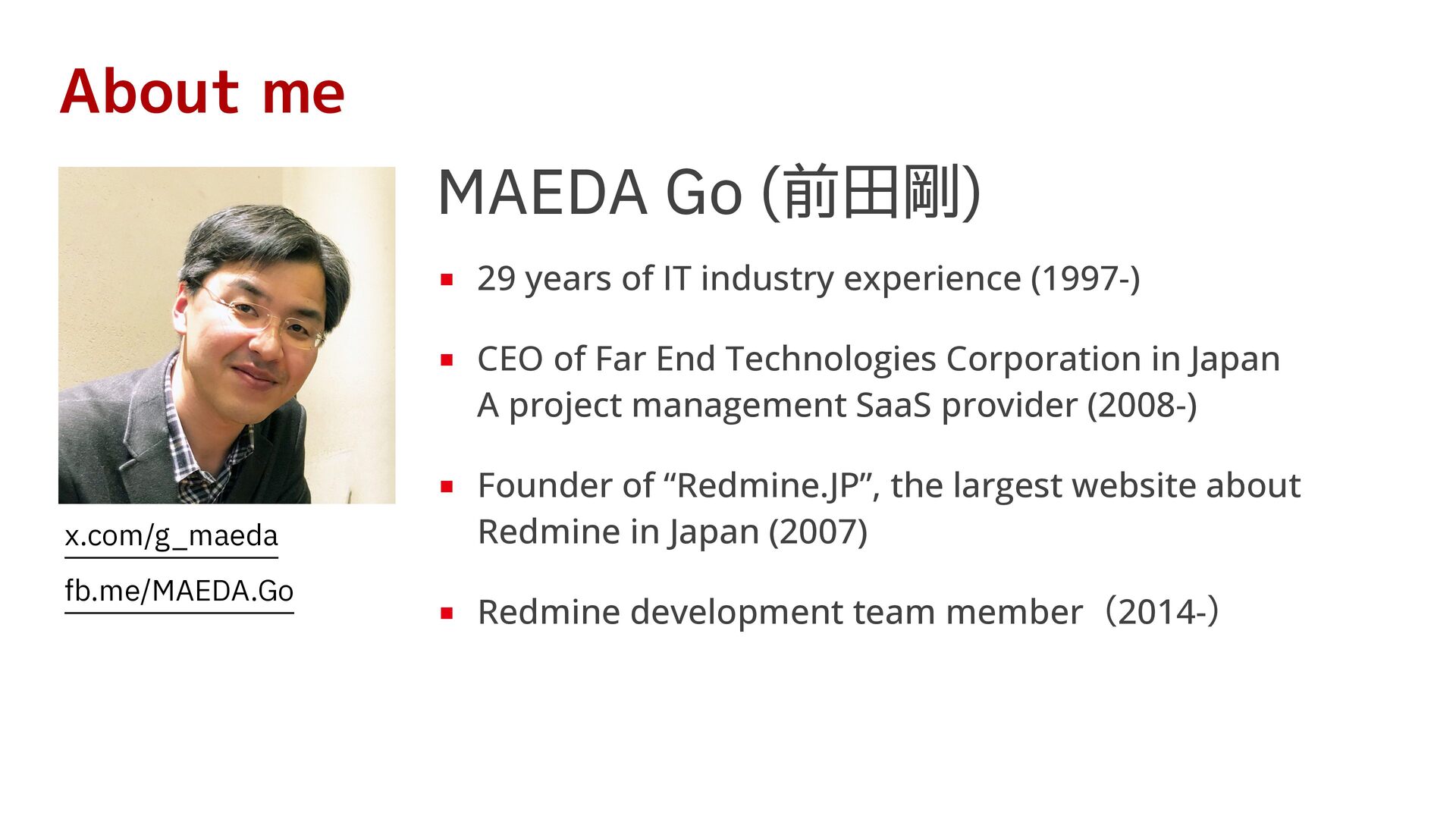
  2. About me MAEDA Go (前 剛) ▪ 29 years of

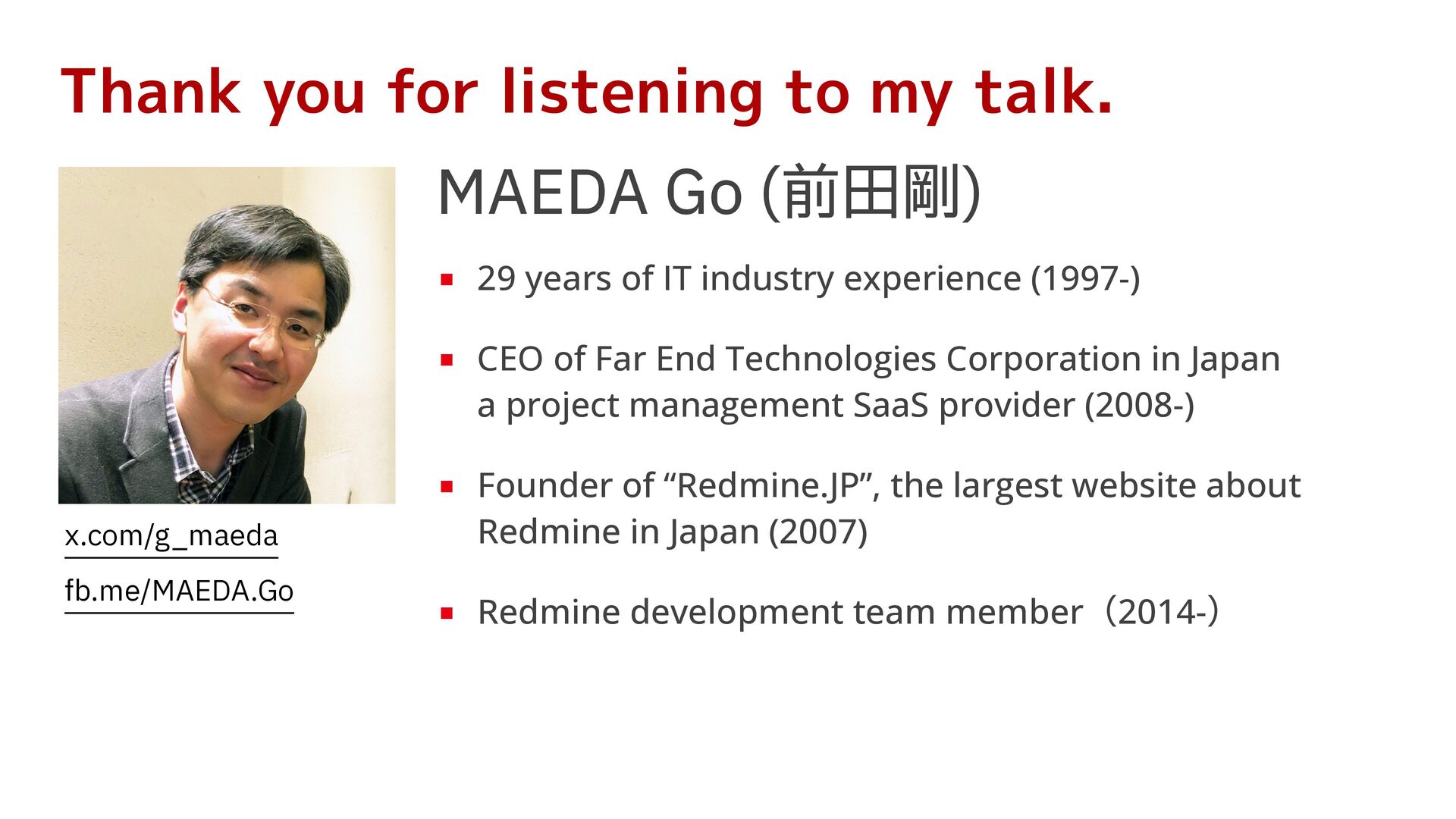
    IT industry experience (1997-) ▪ CEO of Far End Technologies Corporation in Japan A project management SaaS provider (2008-) ▪ Founder of “Redmine.JP”, the largest website about Redmine in Japan (2007) x.com/g_maeda fb.me/MAEDA.Go 田 ▪ Redmine development team member(2014-)
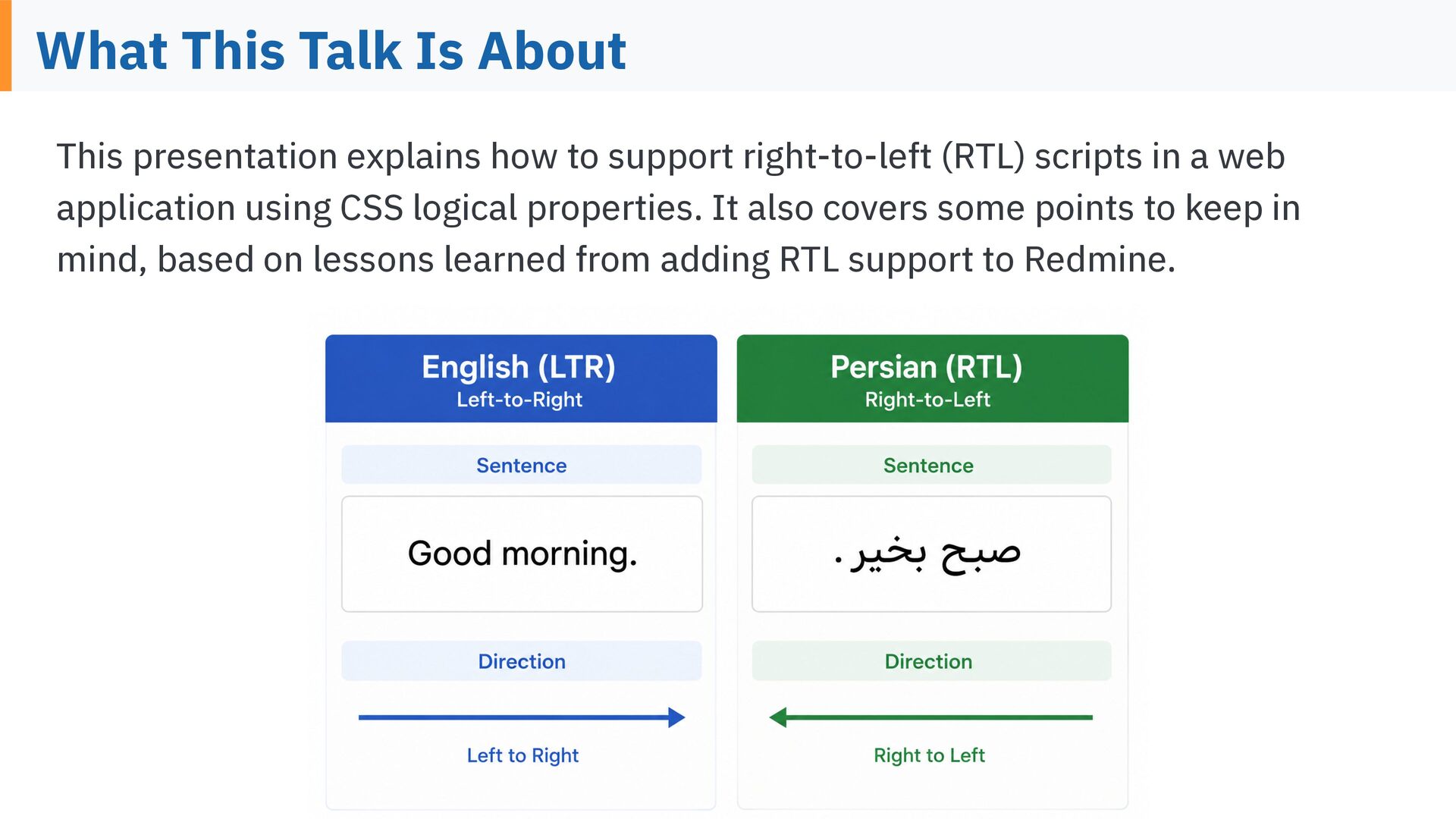
  3. What This Talk Is About This presentation explains how to

    support right-to-left (RTL) scripts in a web application using CSS logical properties. It also covers some points to keep in mind, based on lessons learned from adding RTL support to Redmine.
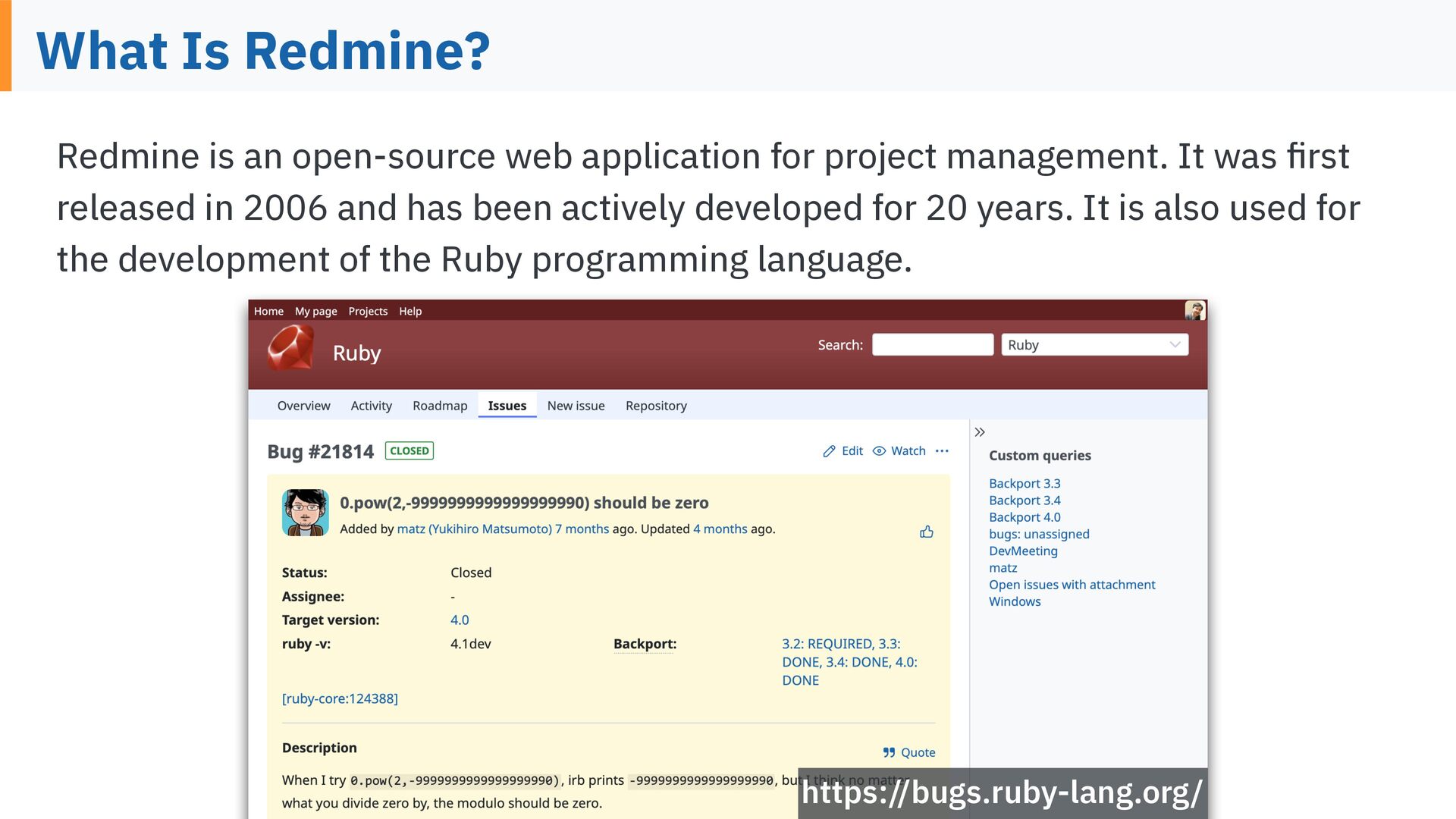
  4. What Is Redmine? Redmine is an open-source web application for

    project management. It was rst released in 2006 and has been actively developed for 20 years. It is also used for the development of the Ruby programming language. fi https://bugs.ruby-lang.org/
  5. Redmine Is Highly Customizable fi fi fl fl fl fi

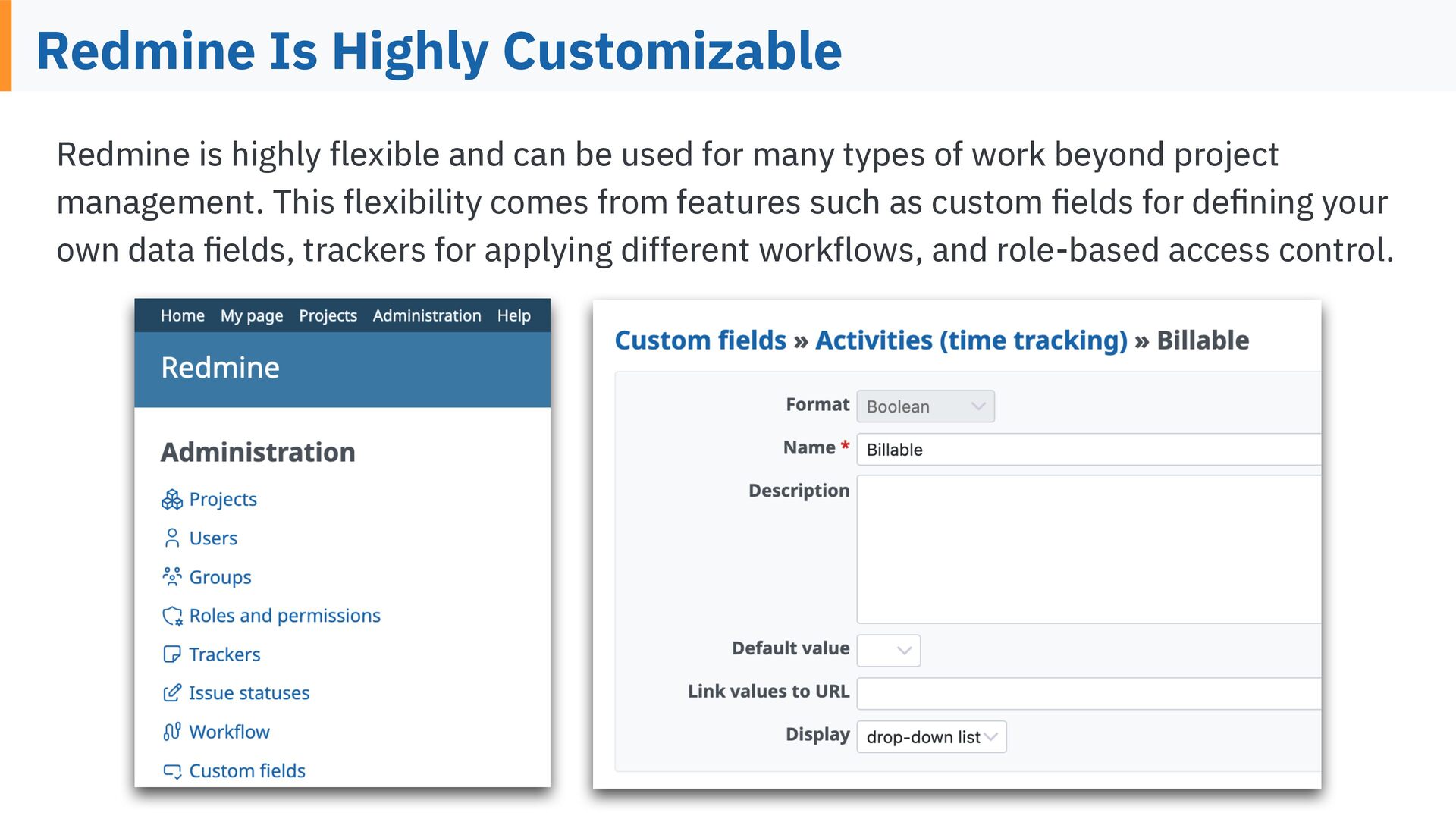
    Redmine is highly exible and can be used for many types of work beyond project management. This exibility comes from features such as custom elds for de ning your own data elds, trackers for applying different work ows, and role-based access control.
  6. Redmine Supports More Than 50 Languages Redmine supports more than

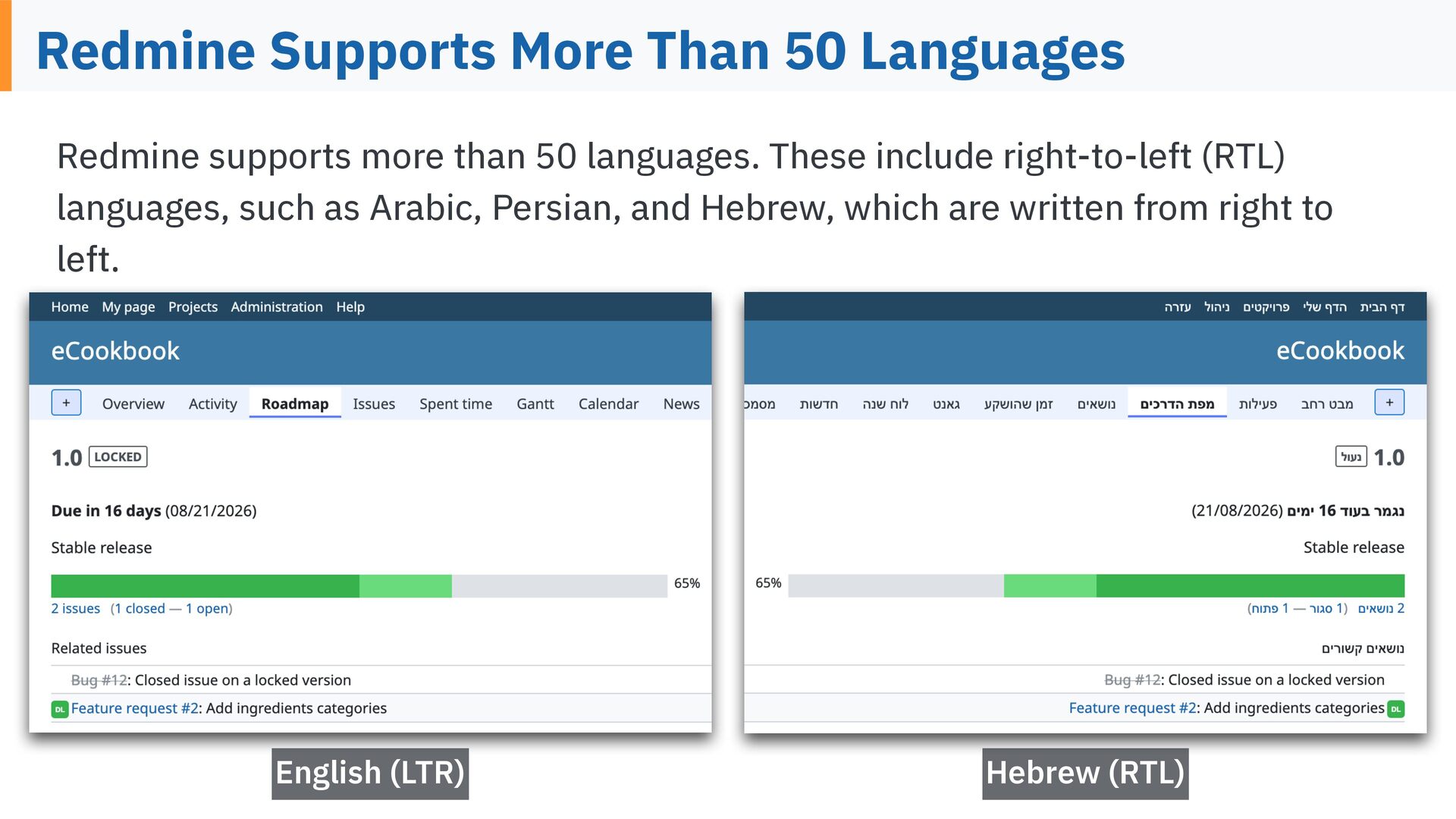
    50 languages. These include right-to-left (RTL) languages, such as Arabic, Persian, and Hebrew, which are written from right to left. English (LTR) Hebrew (RTL)
  7. What Is RTL (Right-to-Left) ? RTL (Right-to-Left) is a writing

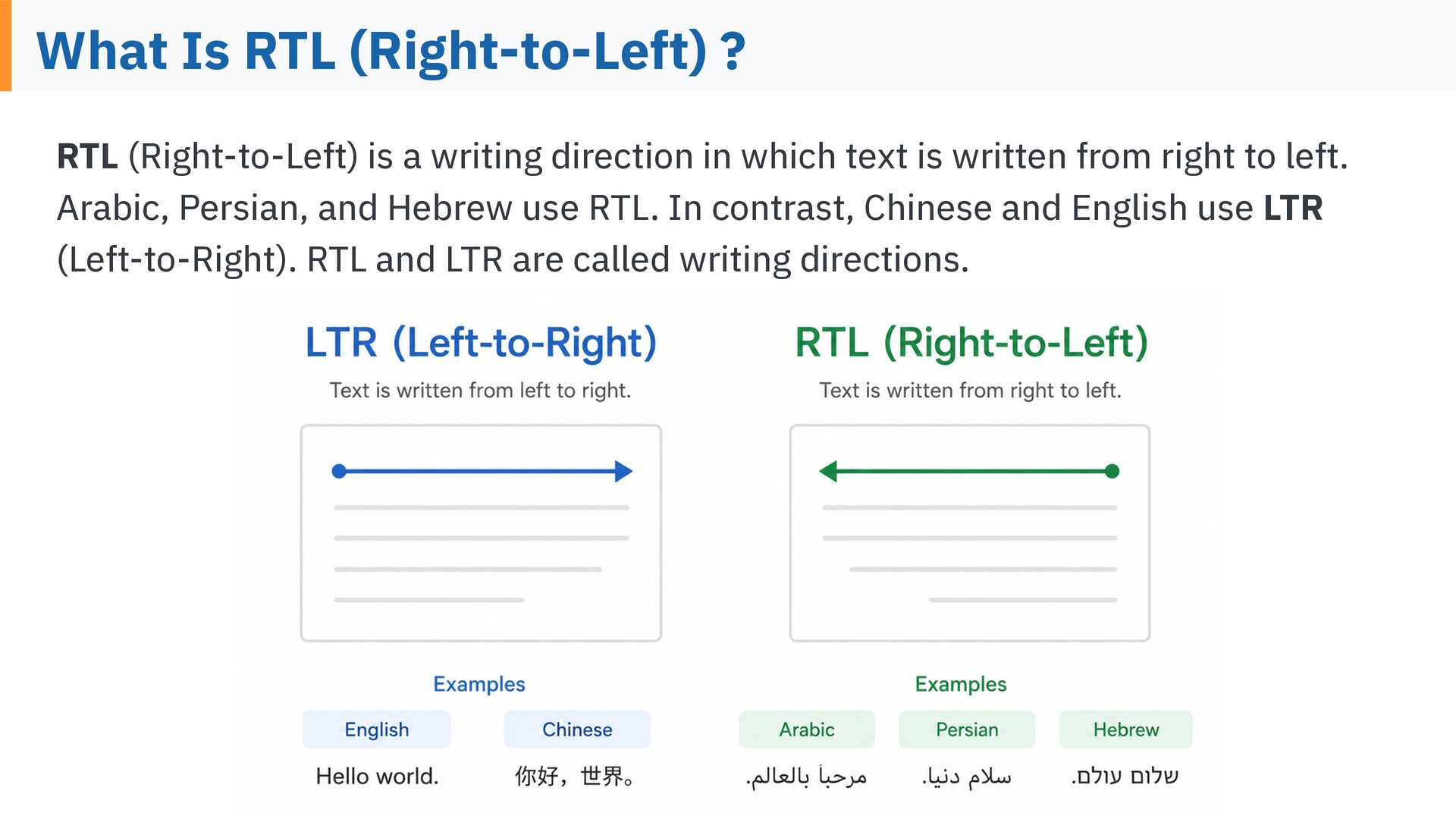
    direction in which text is written from right to left. Arabic, Persian, and Hebrew use RTL. In contrast, Chinese and English use LTR (Left-to-Right). RTL and LTR are called writing directions.
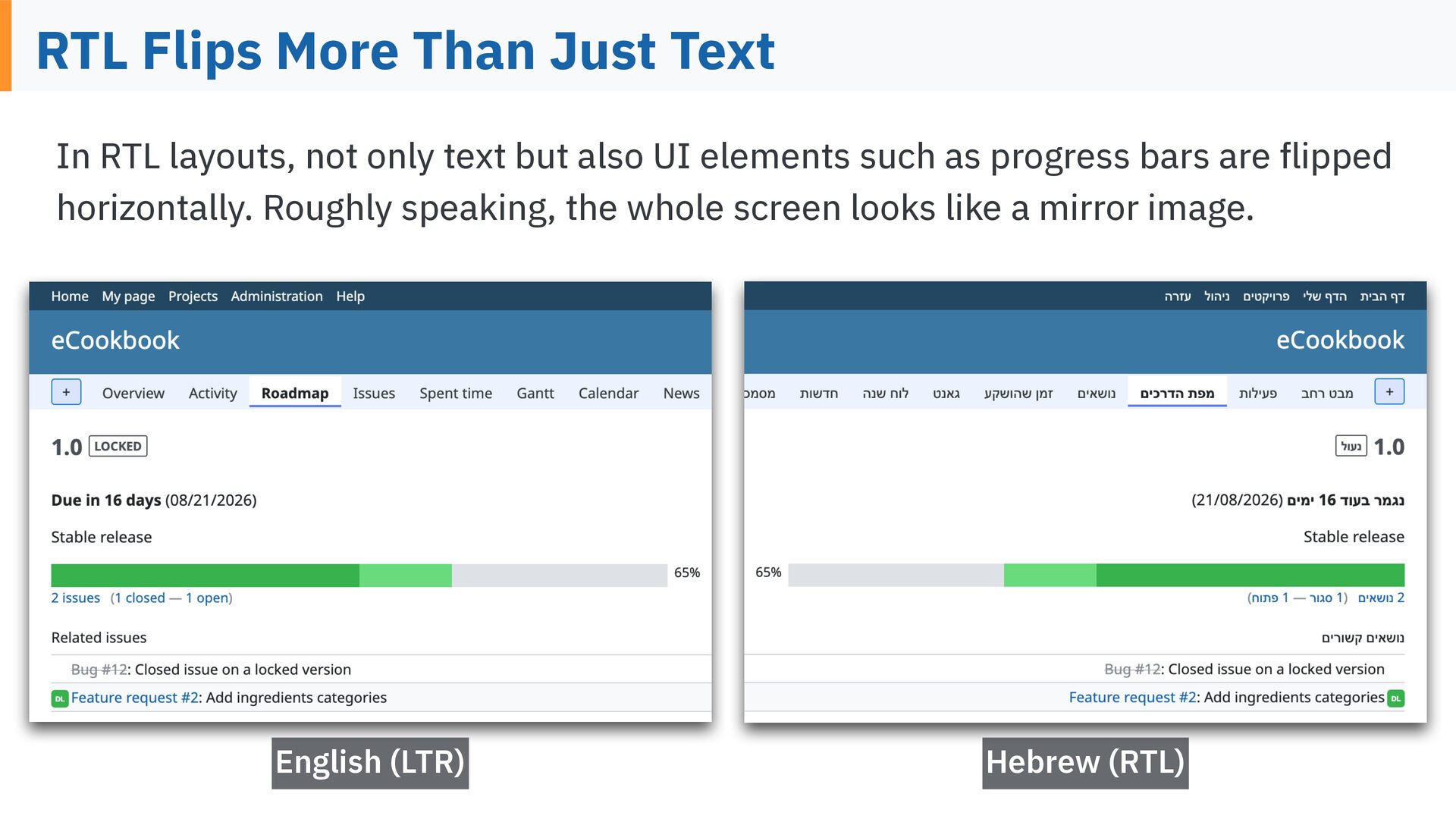
  8. RTL Flips More Than Just Text In RTL layouts, not

    only text but also UI elements such as progress bars are ipped horizontally. Roughly speaking, the whole screen looks like a mirror image. Hebrew (RTL) fl English (LTR)
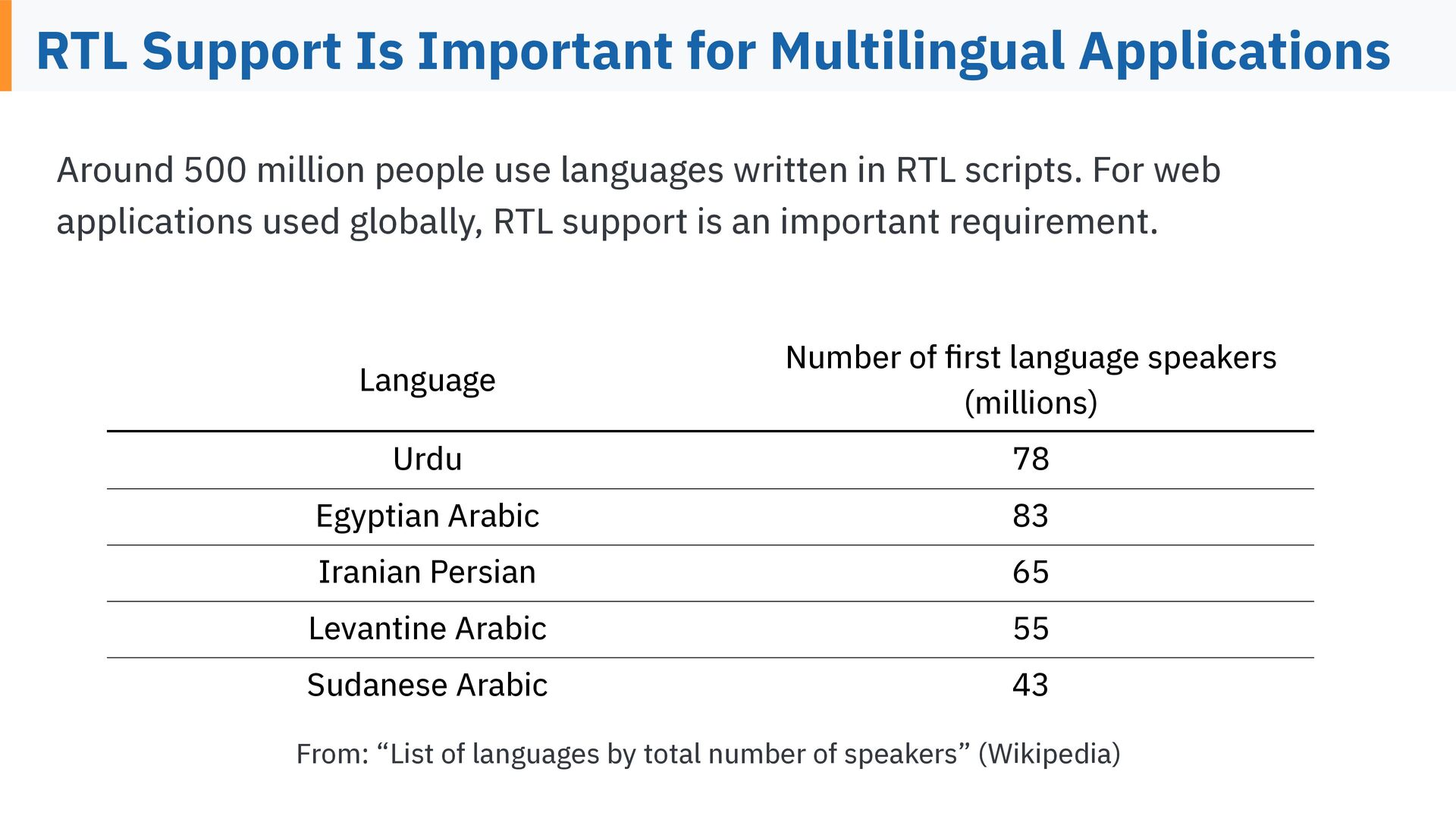
  9. RTL Support Is Important for Multilingual Applications Around 500 million

    people use languages written in RTL scripts. For web applications used globally, RTL support is an important requirement. Language Number of rst language speakers (millions) Urdu 78 Egyptian Arabic 83 Iranian Persian 65 Levantine Arabic 55 Sudanese Arabic 43 fi From: “List of languages by total number of speakers” (Wikipedia)
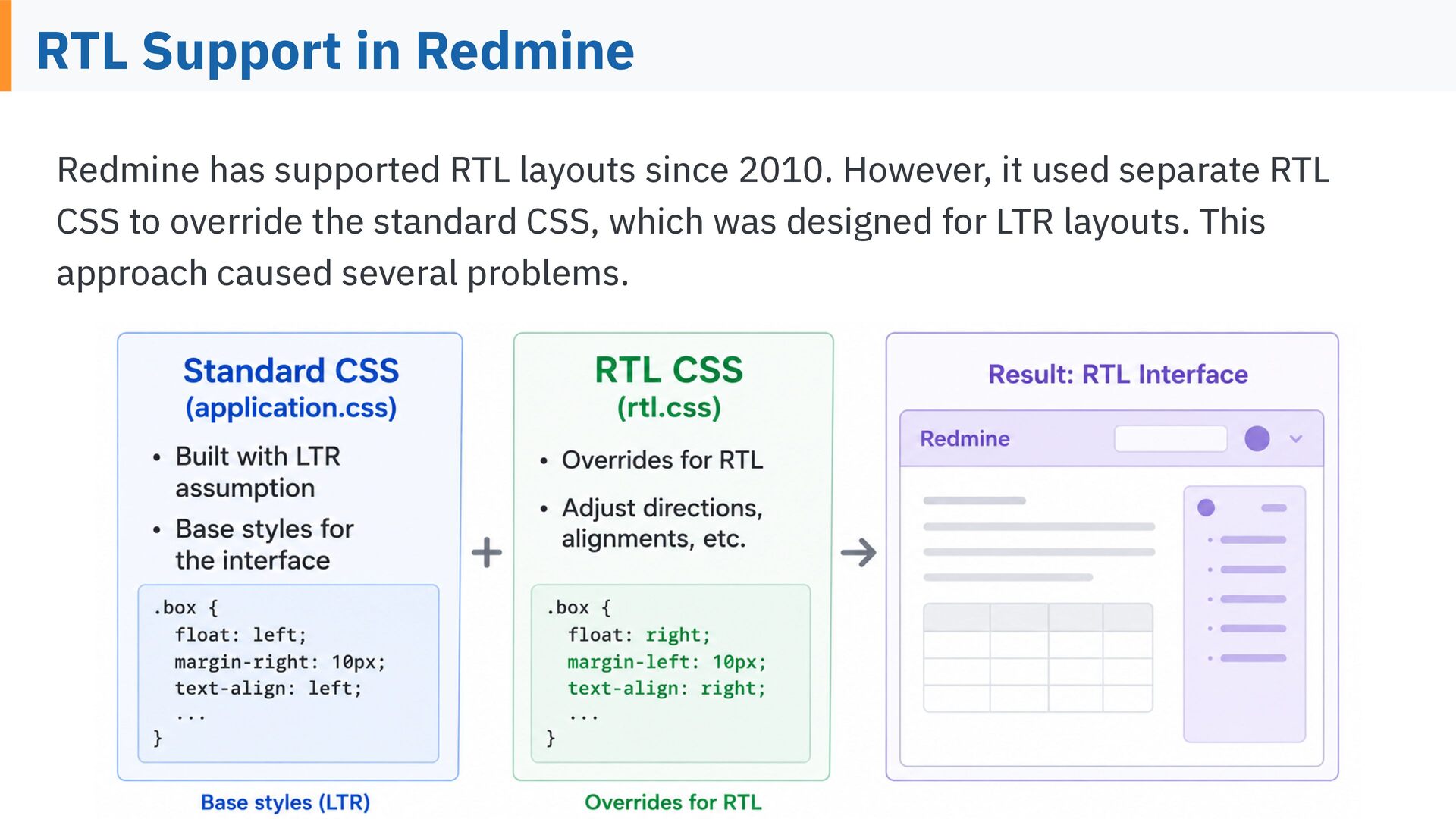
  10. RTL Support in Redmine Redmine has supported RTL layouts since

    2010. However, it used separate RTL CSS to override the standard CSS, which was designed for LTR layouts. This approach caused several problems.
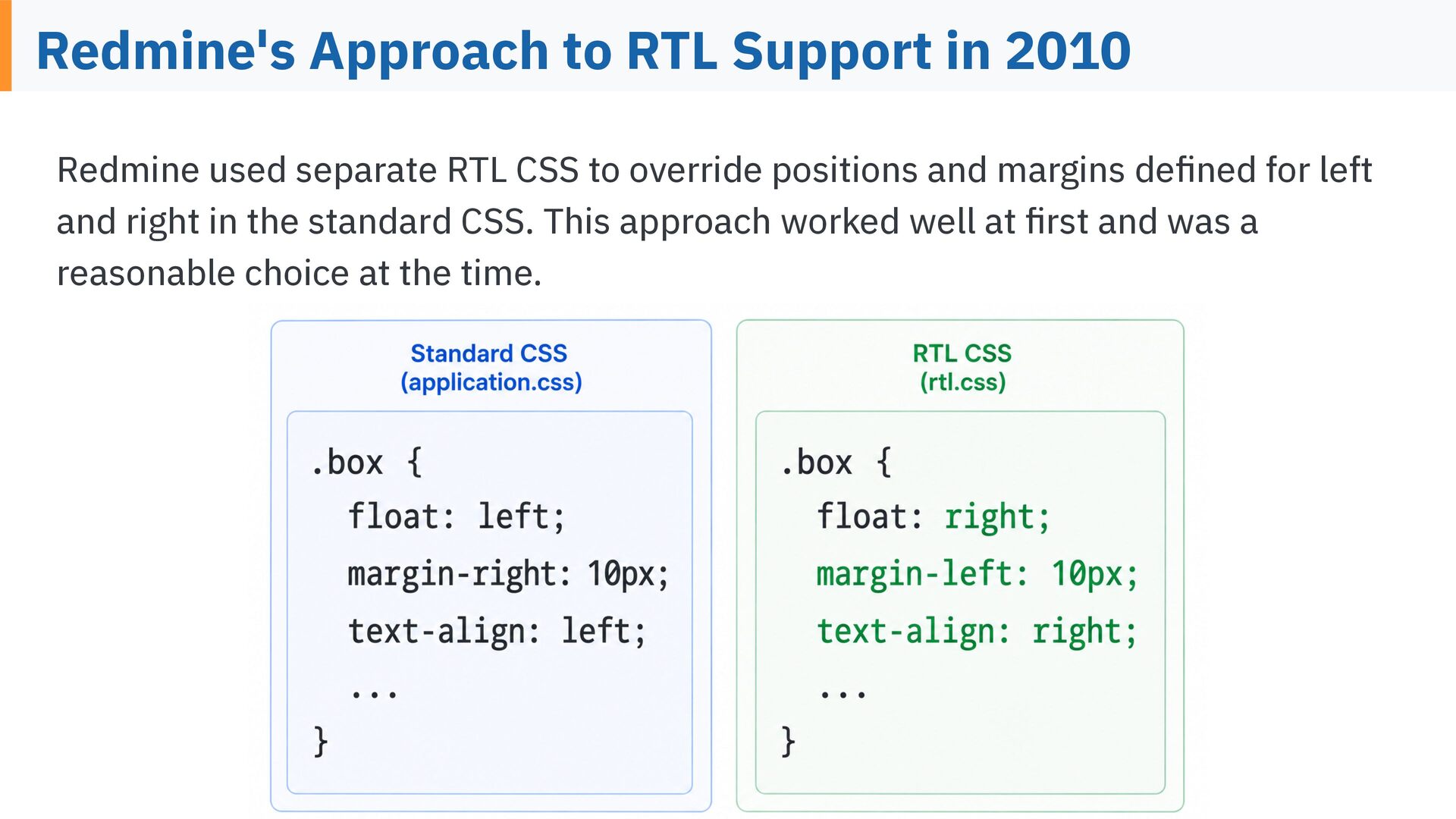
  11. Redmine's Approach to RTL Support in 2010 Redmine used separate

    RTL CSS to override positions and margins de ned for left and right in the standard CSS. This approach worked well at rst and was a fi fi reasonable choice at the time.
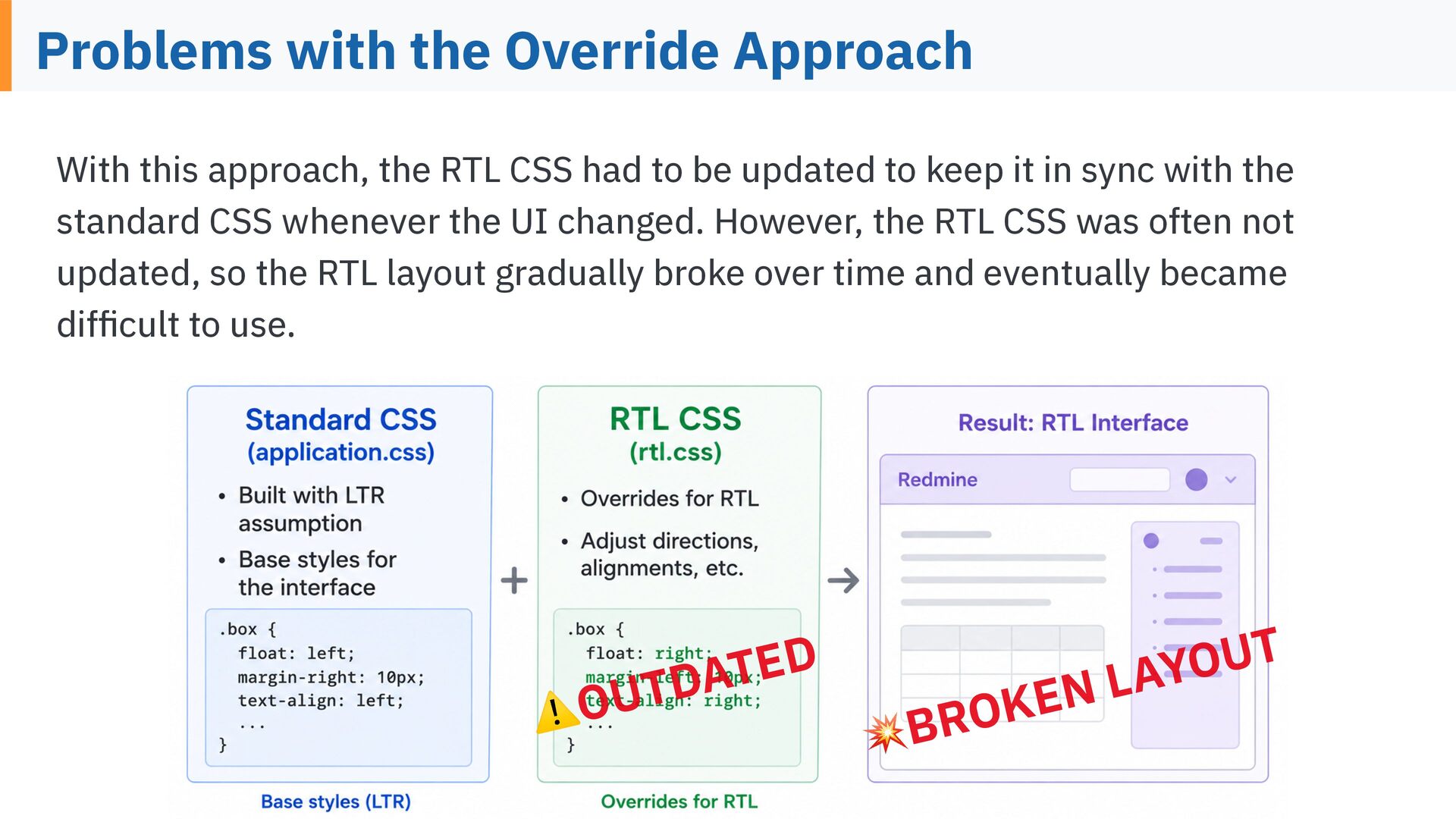
  12. Problems with the Override Approach With this approach, the RTL

    CSS had to be updated to keep it in sync with the standard CSS whenever the UI changed. However, the RTL CSS was often not updated, so the RTL layout gradually broke over time and eventually became dif cult to use. D E T A D T OU fi ⚠ L N E K O R 💥B T U O Y A
  13. Solving the Problem I started working on this problem in

    late 2025. In Redmine 7.0, released in June 2026, the RTL layout problems were xed. The approach I will explain from here can also be applied to adding RTL support to fi your own web applications.
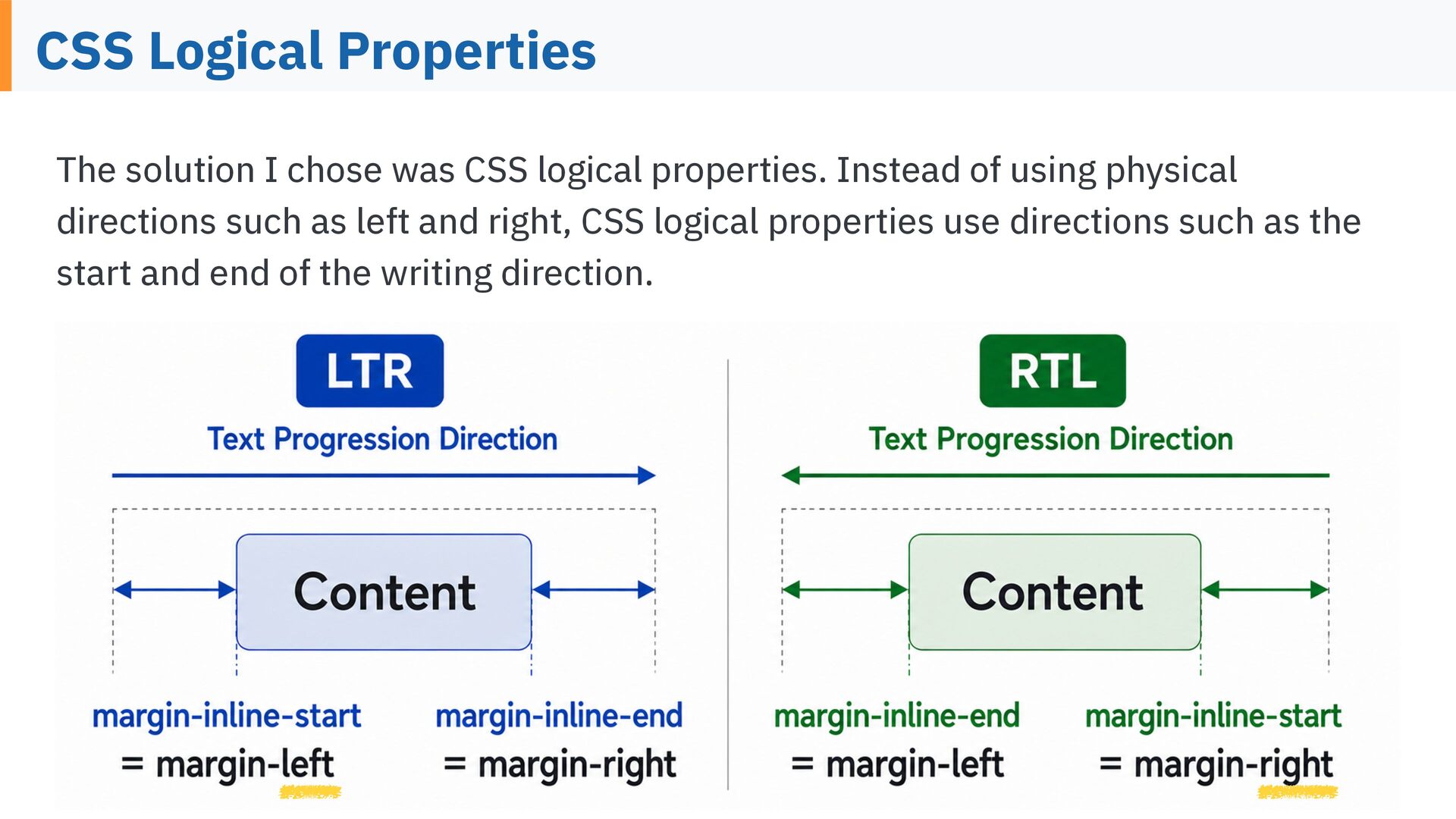
  14. CSS Logical Properties The solution I chose was CSS logical

    properties. Instead of using physical directions such as left and right, CSS logical properties use directions such as the start and end of the writing direction.
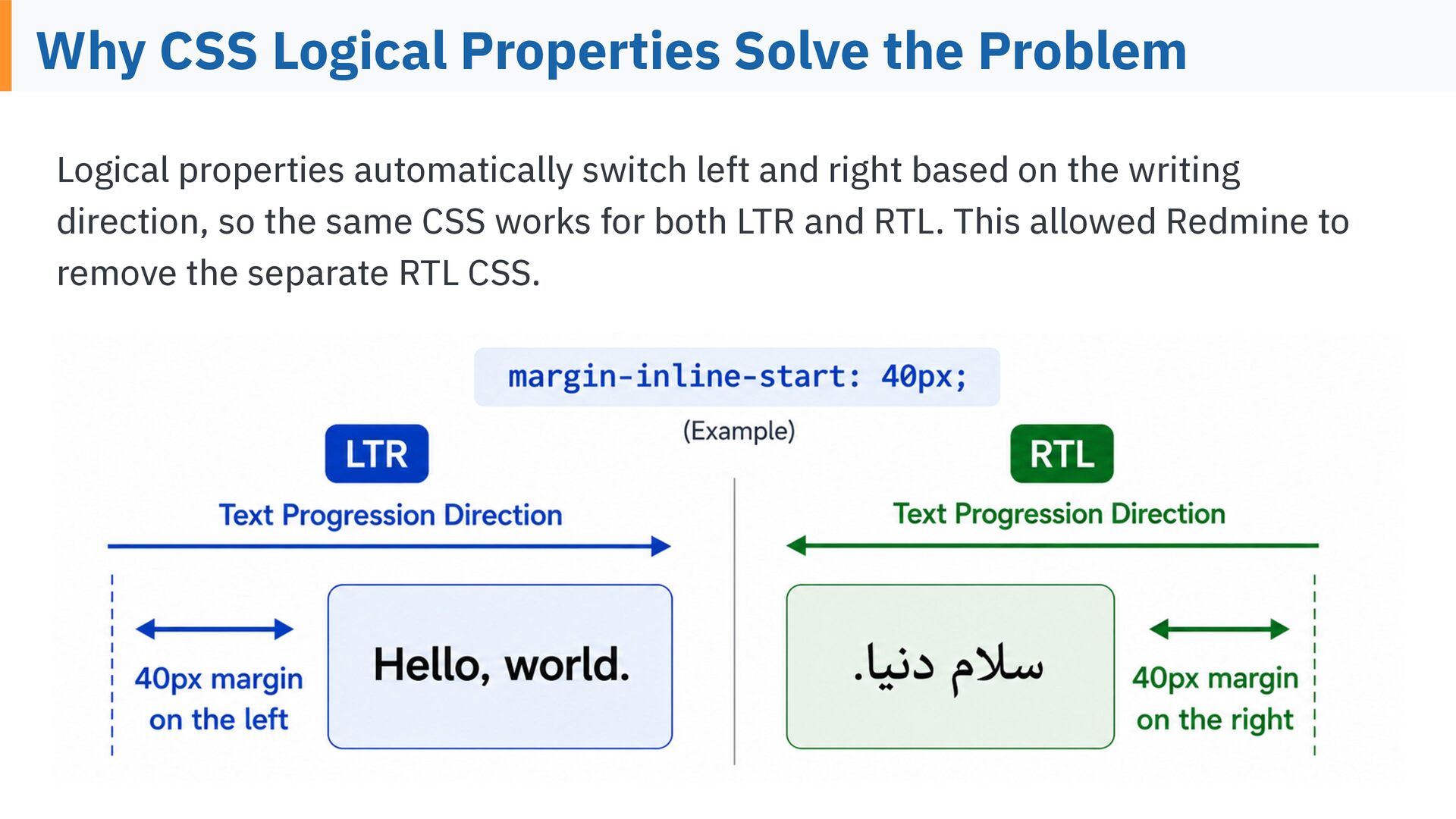
  15. Why CSS Logical Properties Solve the Problem Logical properties automatically

    switch left and right based on the writing direction, so the same CSS works for both LTR and RTL. This allowed Redmine to remove the separate RTL CSS.
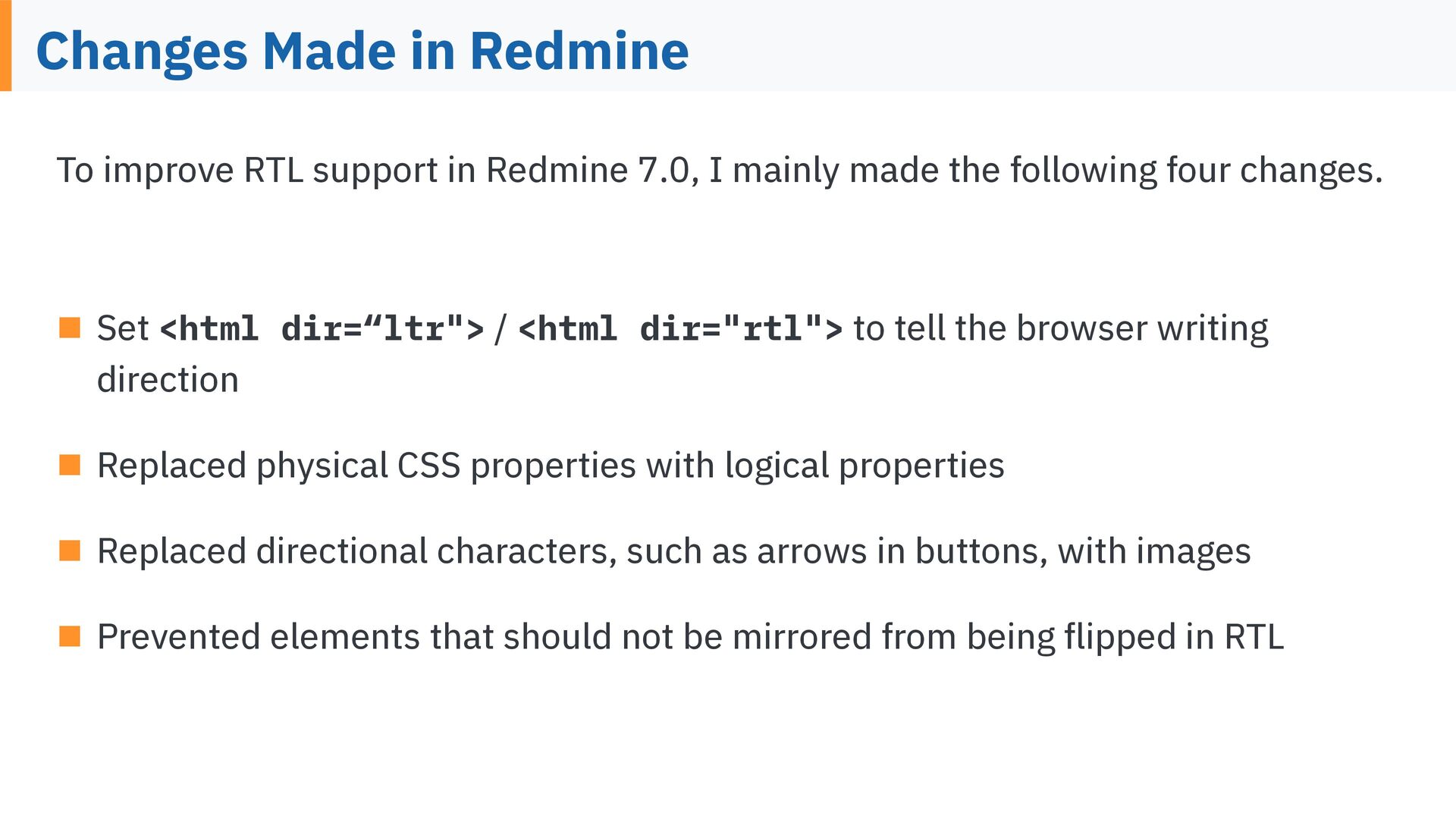
  16. Changes Made in Redmine To improve RTL support in Redmine

    7.0, I mainly made the following four changes. ▪ Set <html dir=“ltr"> / <html dir="rtl"> to tell the browser writing direction ▪ Replaced physical CSS properties with logical properties ▪ Replaced directional characters, such as arrows in buttons, with images fl ▪ Prevented elements that should not be mirrored from being ipped in RTL
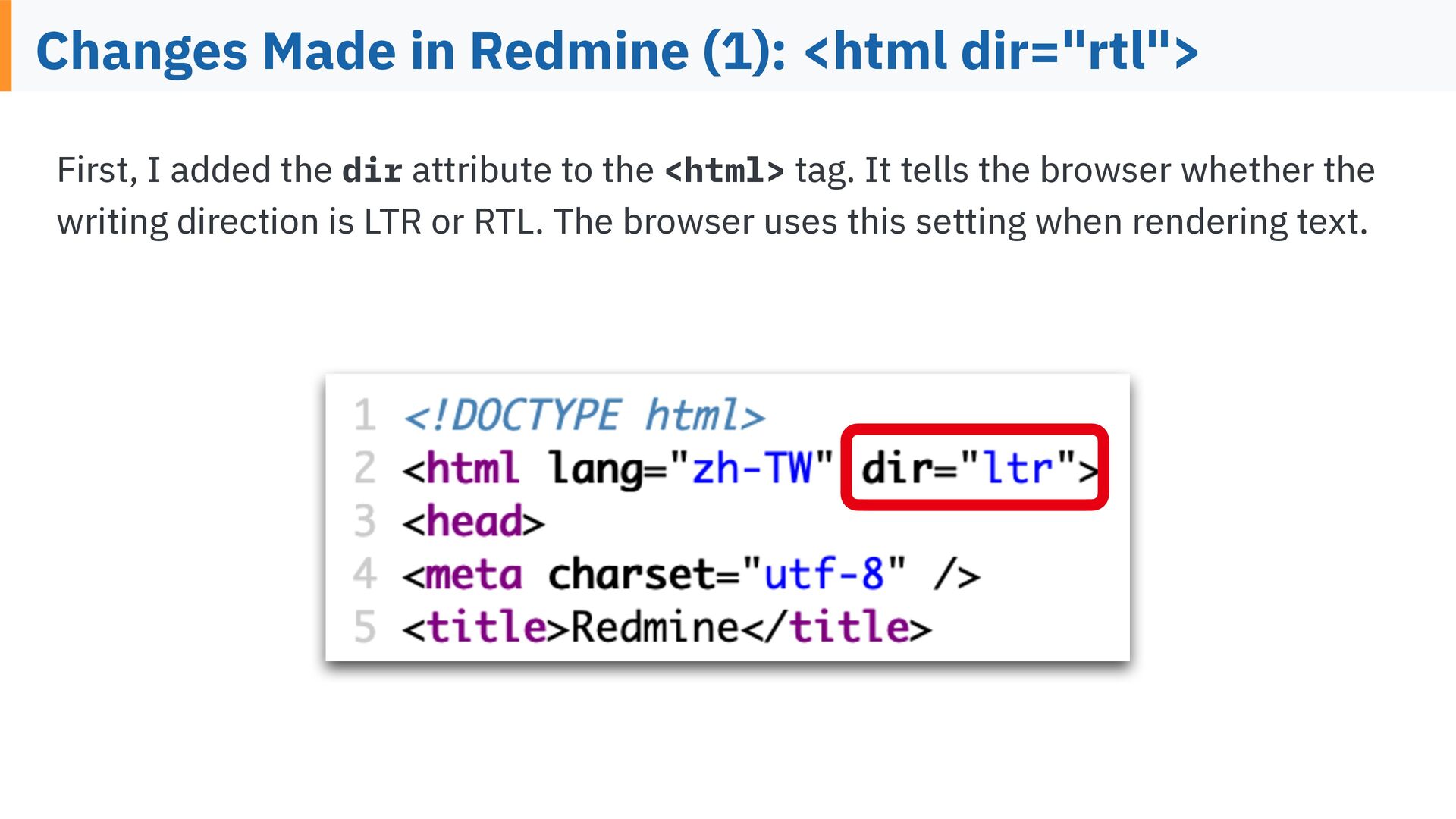
  17. Changes Made in Redmine (1): <html dir="rtl"> First, I added

    the dir attribute to the <html> tag. It tells the browser whether the writing direction is LTR or RTL. The browser uses this setting when rendering text.
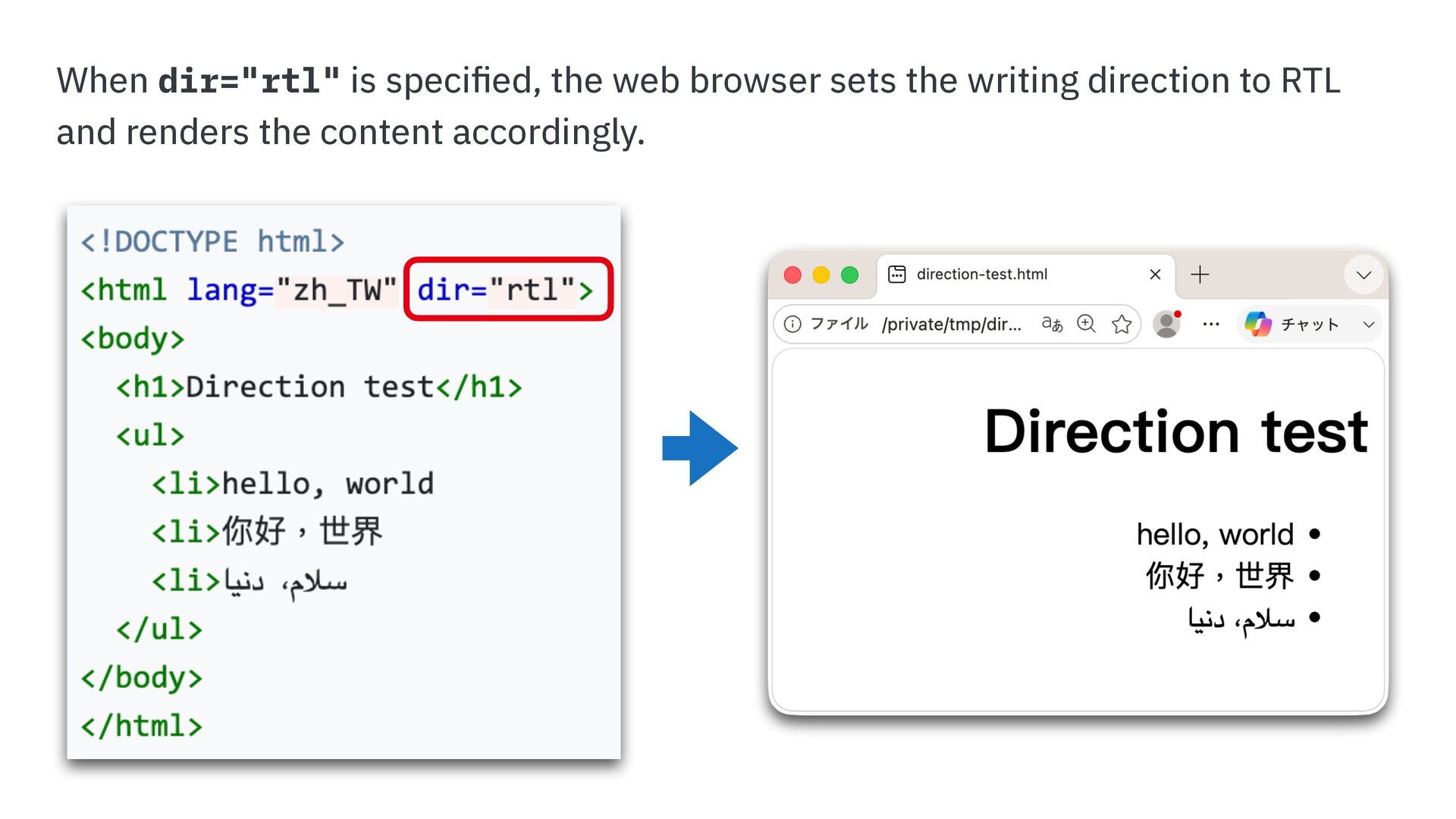
  18. When dir="rtl" is speci ed, the web browser sets the

    writing direction to RTL fi and renders the content accordingly.
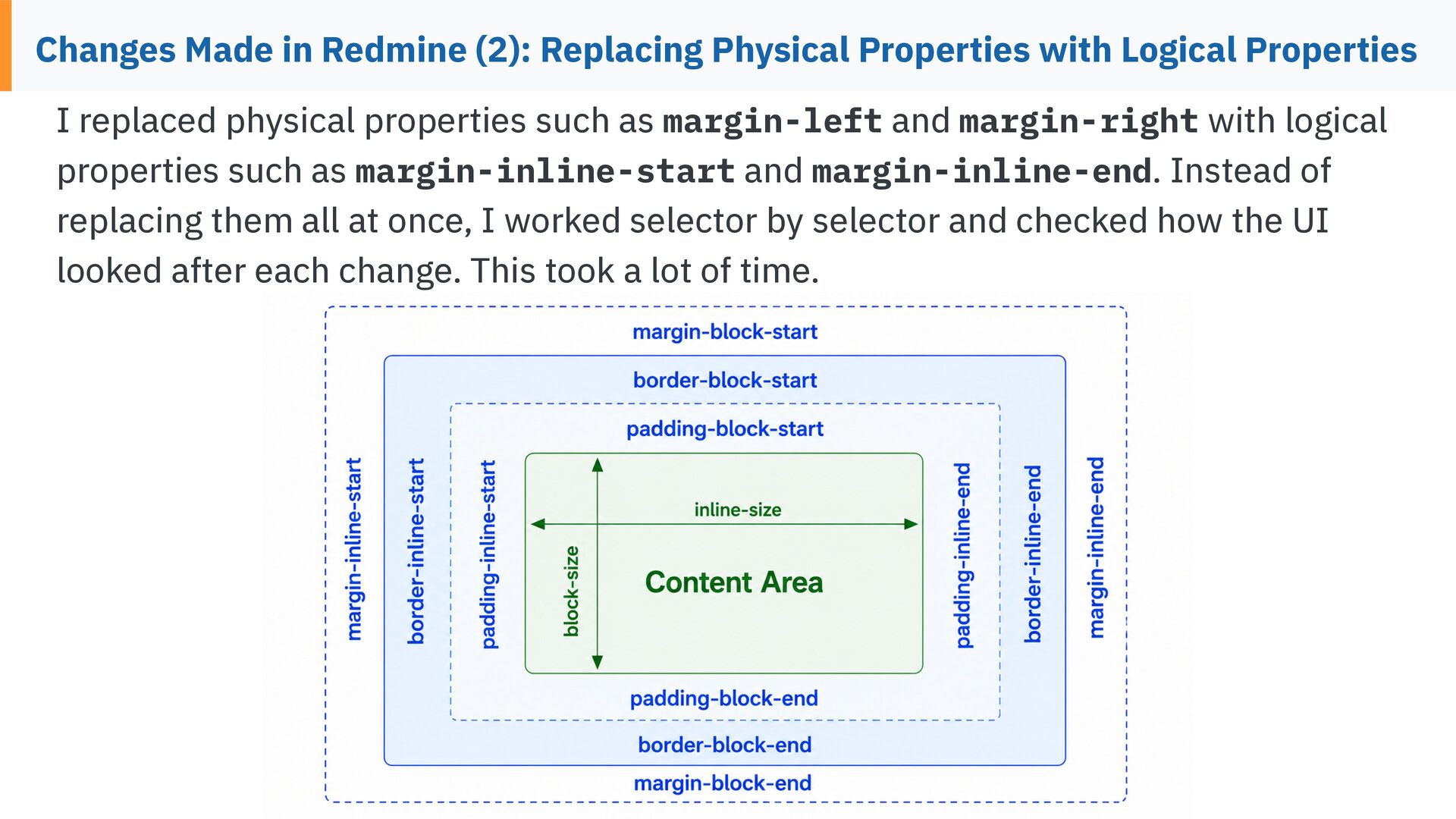
  19. Changes Made in Redmine (2): Replacing Physical Properties with Logical

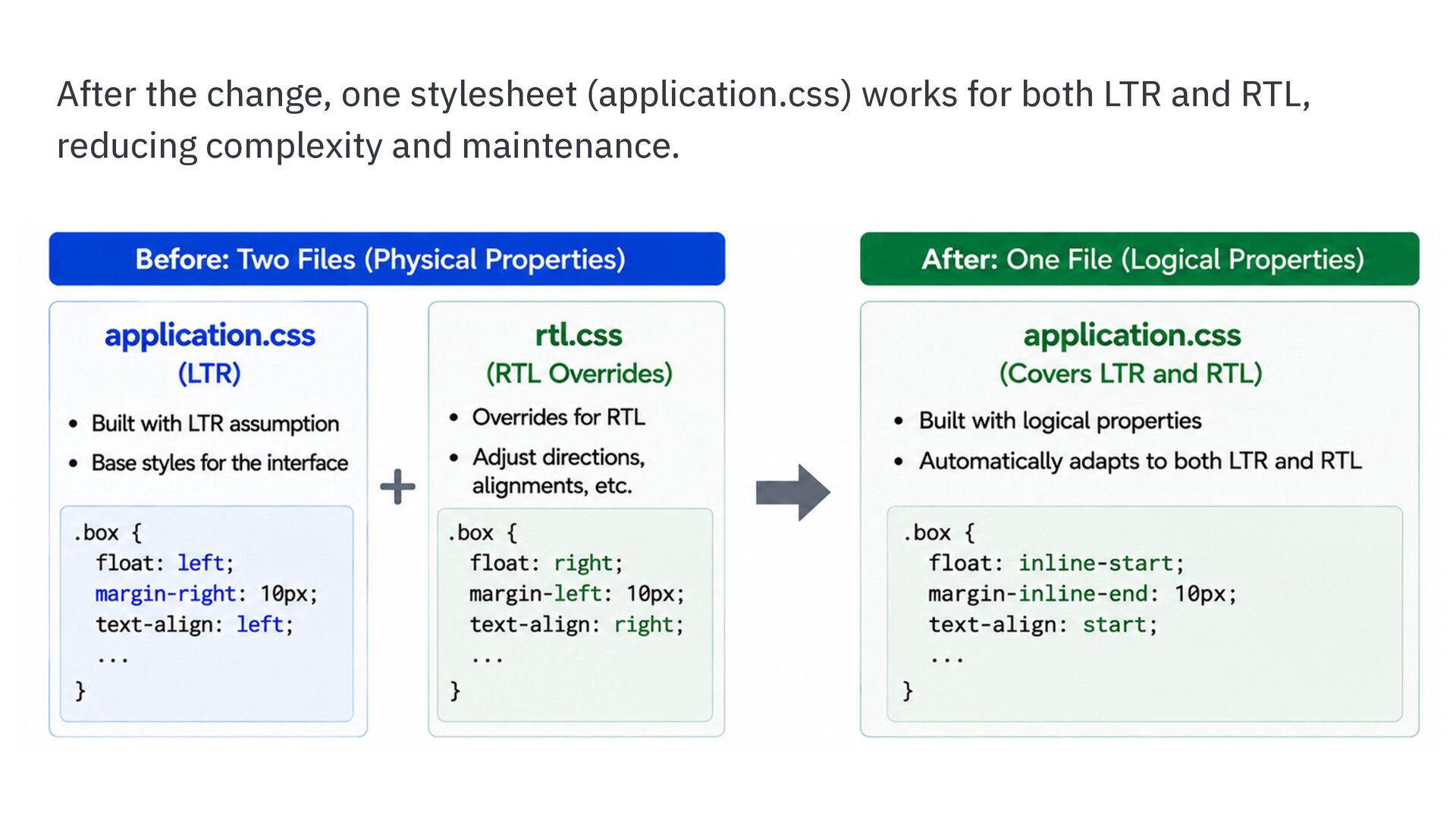
    Properties I replaced physical properties such as margin-left and margin-right with logical properties such as margin-inline-start and margin-inline-end. Instead of replacing them all at once, I worked selector by selector and checked how the UI looked after each change. This took a lot of time.
  20. After the change, one stylesheet (application.css) works for both LTR

    and RTL, reducing complexity and maintenance.
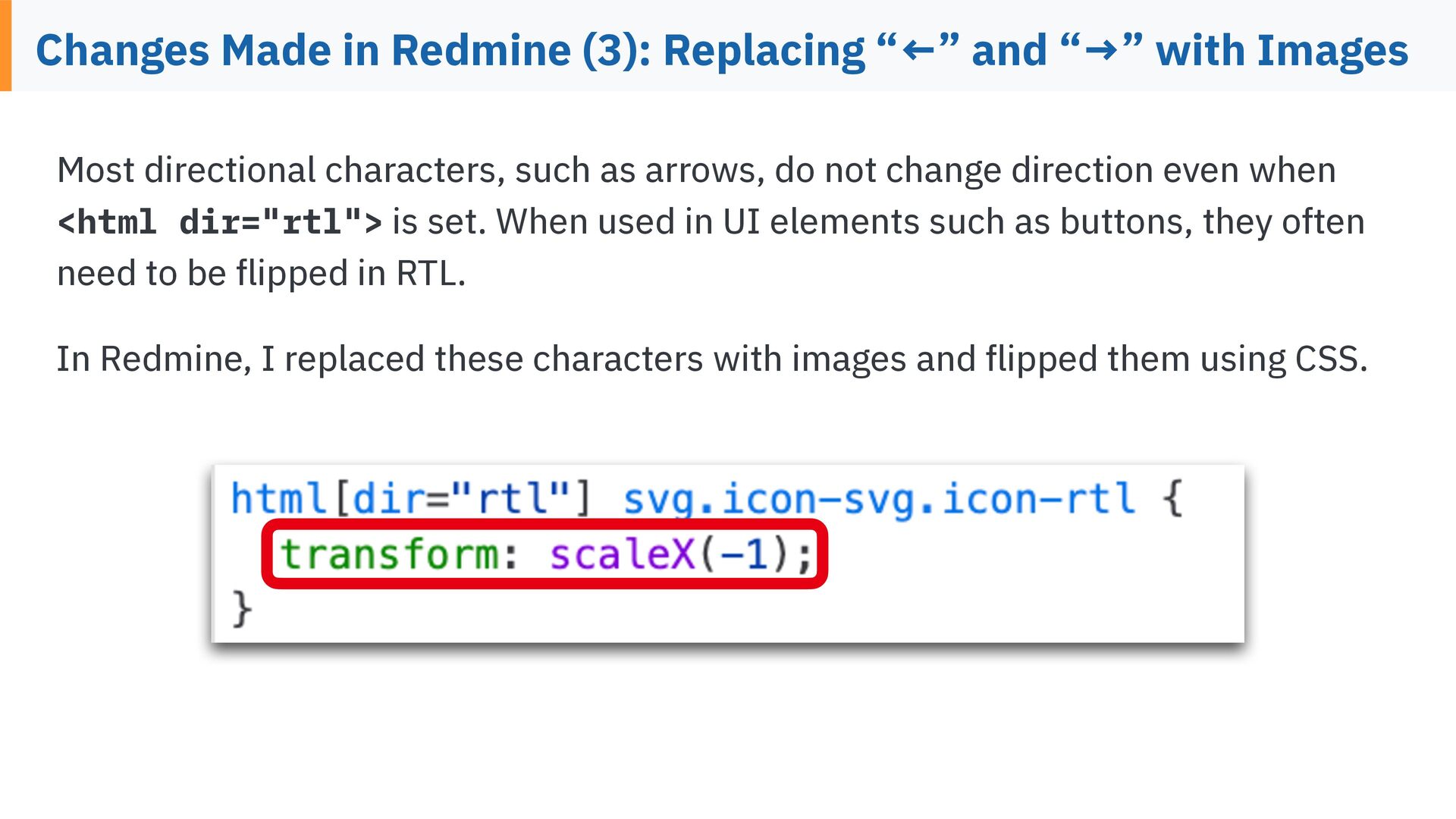
  21. Changes Made in Redmine (3): Replacing “←” and “→” with

    Images Most directional characters, such as arrows, do not change direction even when <html dir="rtl"> is set. When used in UI elements such as buttons, they often need to be ipped in RTL. fl fl In Redmine, I replaced these characters with images and ipped them using CSS.
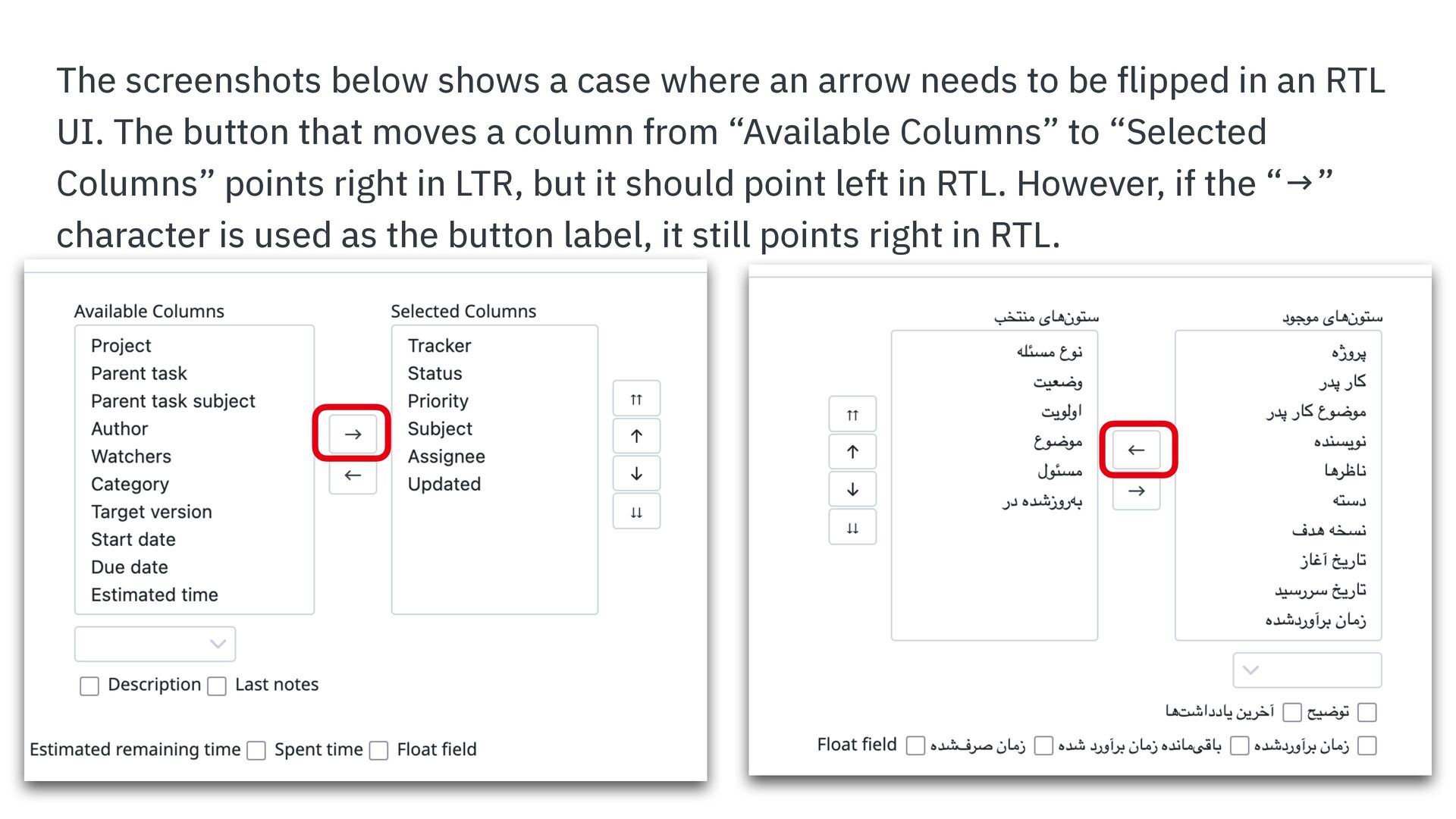
  22. The screenshots below shows a case where an arrow needs

    to be ipped in an RTL UI. The button that moves a column from “Available Columns” to “Selected Columns” points right in LTR, but it should point left in RTL. However, if the “→” fl character is used as the button label, it still points right in RTL.
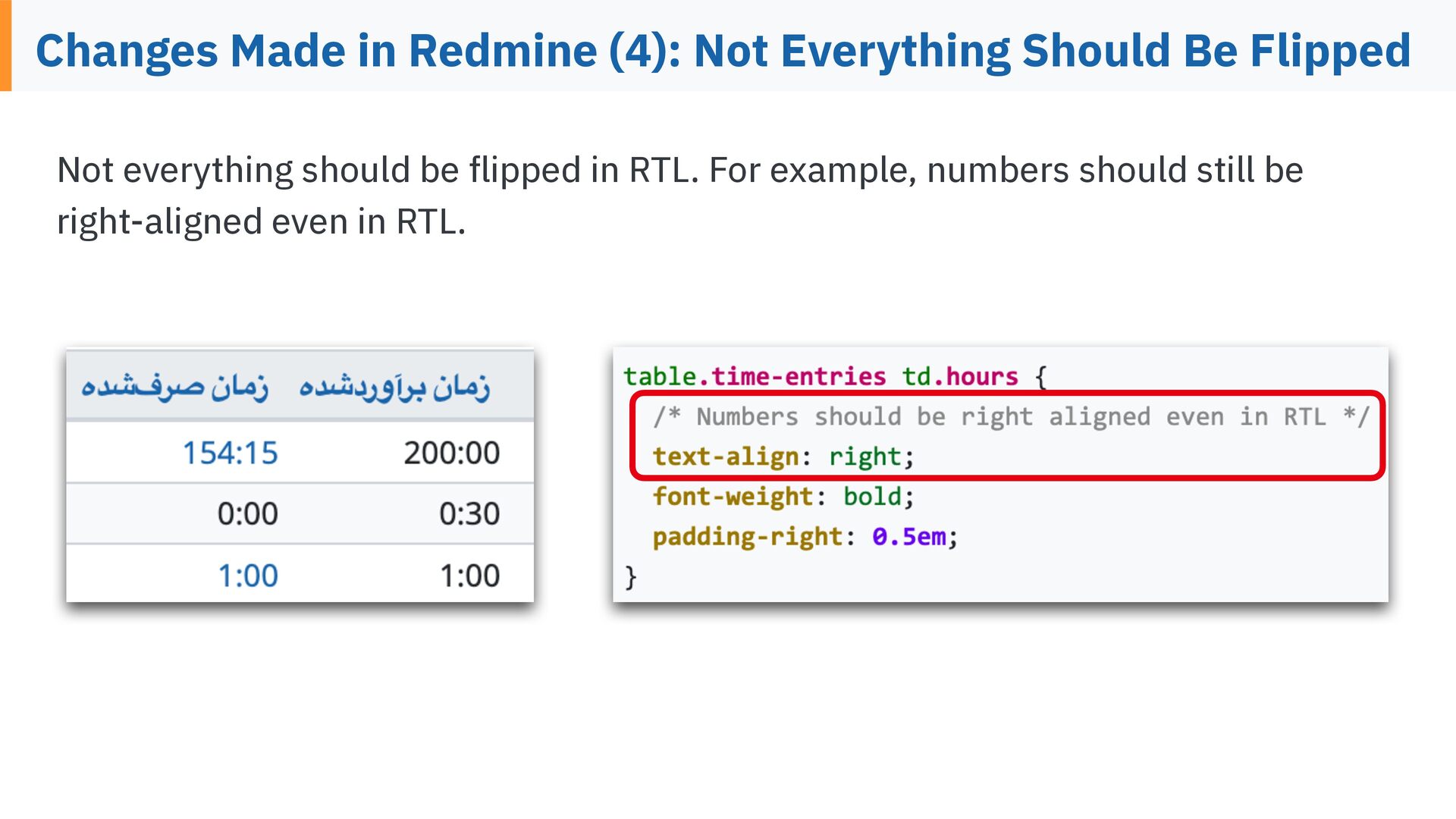
  23. Changes Made in Redmine (4): Not Everything Should Be Flipped

    Not everything should be ipped in RTL. For example, numbers should still be fl right-aligned even in RTL.
  24. How to Add RTL Support to Your Application So far,

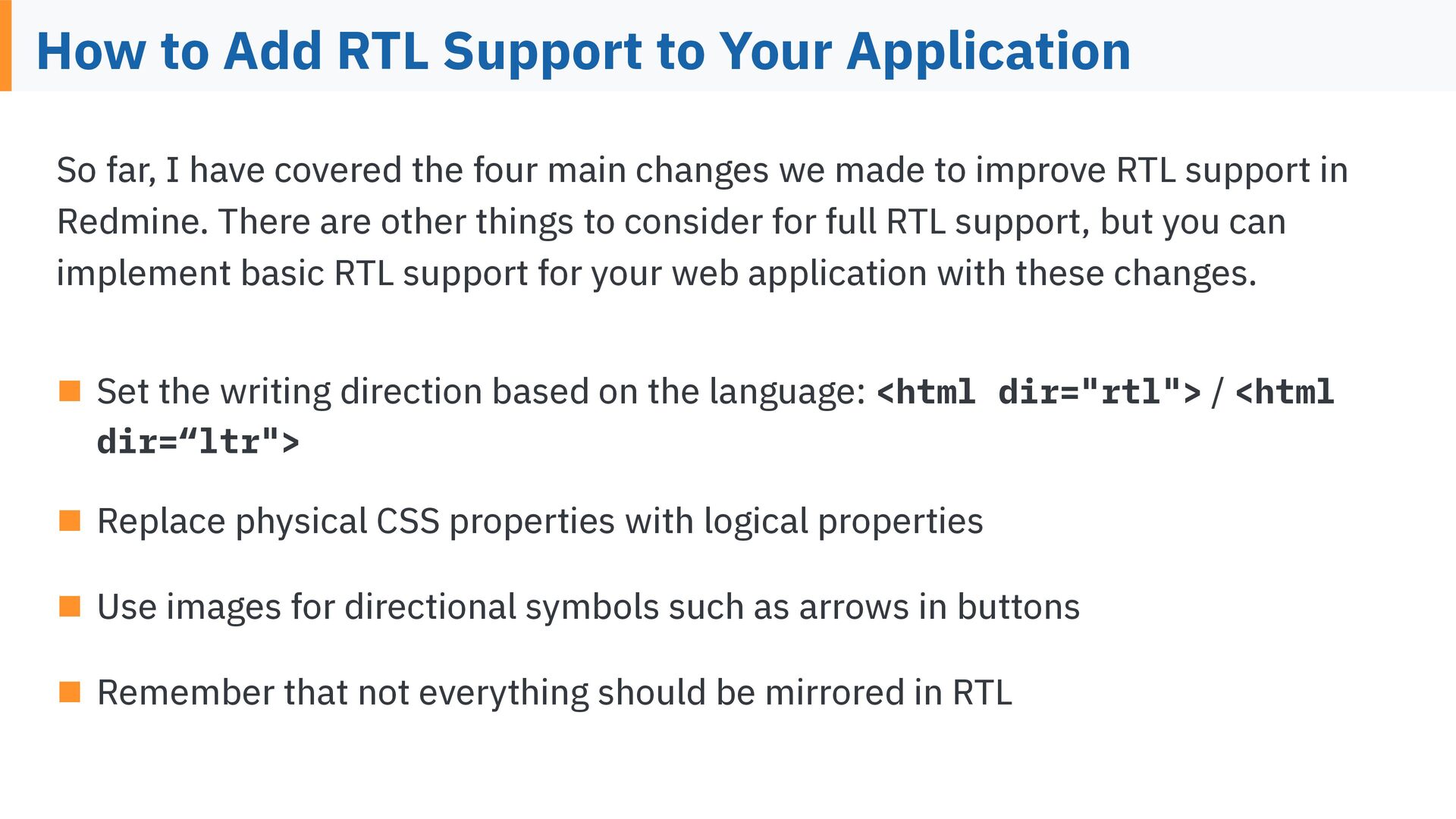
    I have covered the four main changes we made to improve RTL support in Redmine. There are other things to consider for full RTL support, but you can implement basic RTL support for your web application with these changes. ▪ Set the writing direction based on the language: <html dir=“ltr"> dir="rtl"> / <html ▪ Replace physical CSS properties with logical properties ▪ Use images for directional symbols such as arrows in buttons ▪ Remember that not everything should be mirrored in RTL
  25. Thank you for listening to my talk. MAEDA Go (前

    剛) ▪ 29 years of IT industry experience (1997-) ▪ CEO of Far End Technologies Corporation in Japan a project management SaaS provider (2008-) ▪ Founder of “Redmine.JP”, the largest website about Redmine in Japan (2007) x.com/g_maeda fb.me/MAEDA.Go 田 ▪ Redmine development team member(2014-)