Share
Embed
Compose yourself: My journey into Androids new UI
A brief look at how I started to learn Compose & some stumbling blocks I found along the way.
Andy B
December 05, 2022
Transcript
25 slides
-
Compose yourself: My journey into Androids new UI Andy Barber
(@andyb129) Senior Android Developer @ -
Compose? Starting off First steps Building Blocks Stumbling Blocks Helping
hand Next Steps Compose yourself: My journey into Androids new UI ~> https://speakerdeck.com/andyb129/composeyourself @andyb129 -
What is Compose? “Compose is Android’s recommended modern toolkit for
building native UI” (using a declarative API in Kotlin) Compose yourself: My journey into Androids new UI ~> https://speakerdeck.com/andyb129/composeyourself @andyb129 -
Benefits - Interoperable with view UI - Use power of
Kotlin language - Encourages separating state from view (activities/fragments) - Easier to test What is Compose? “Compose is Android’s recommended modern toolkit for building native UI” (using a declarative API in Kotlin) Compose yourself: My journey into Androids new UI ~> https://speakerdeck.com/andyb129/composeyourself @andyb129 -
Starting off • Codelabs ◦ https://developer.android.com/codelabs/jetpack-compose-basics • Sample apps ◦
https://github.com/android/compose-sample • View equivalent ◦ https://www.jetpackcompose.app/What-is-the-equivalent-of-X-in-Je tpack-Compose • Developer Books ◦ Practical Jetpack Compose - Joe Birch (@hitherejoe) ◦ View to Compose - Alex Styl (@alexstyl) Compose yourself: My journey into Androids new UI ~> https://speakerdeck.com/andyb129/composeyourself @andyb129 -
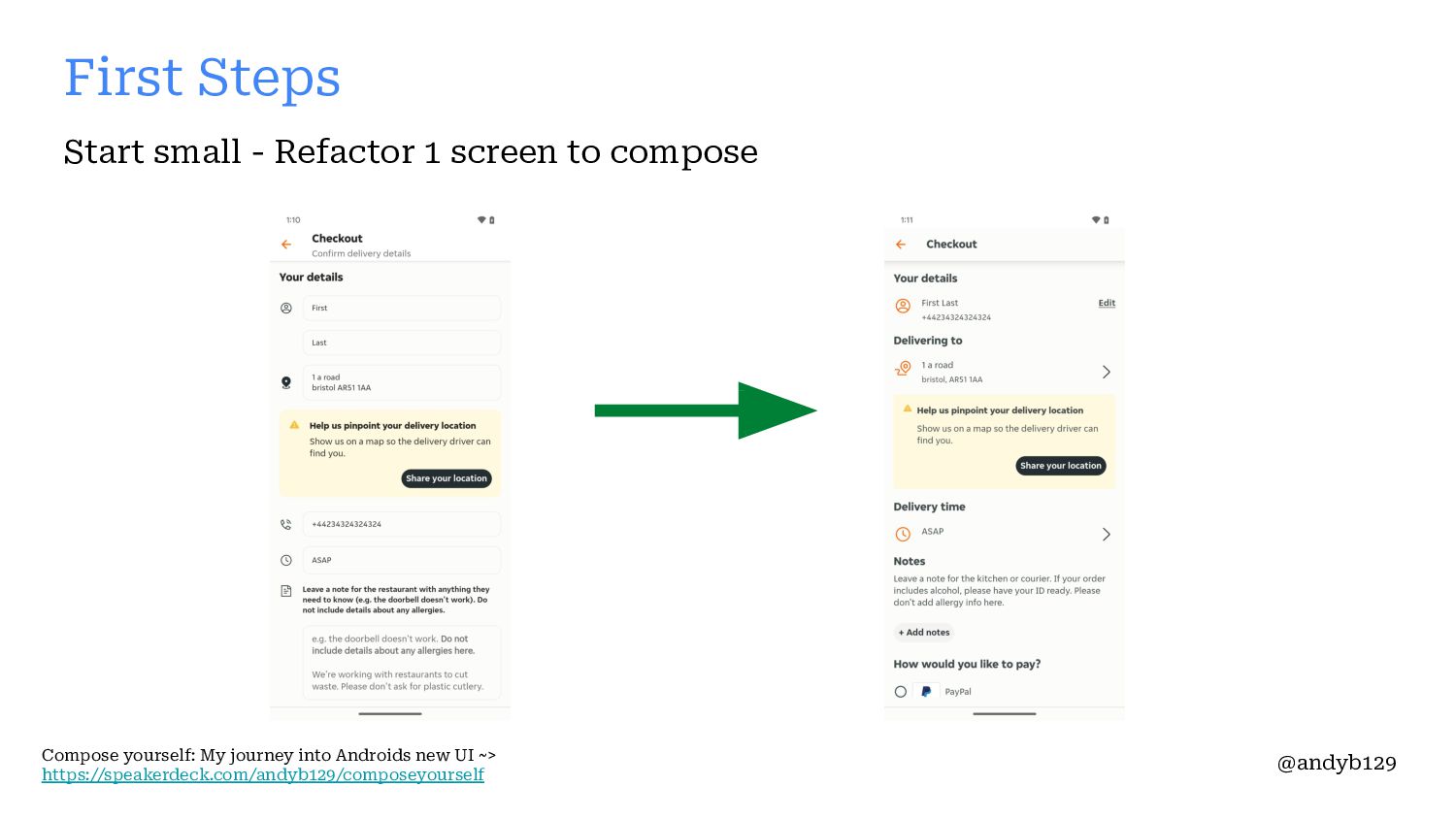
First Steps Start small - Refactor 1 screen to compose
Compose yourself: My journey into Androids new UI ~> https://speakerdeck.com/andyb129/composeyourself @andyb129 -
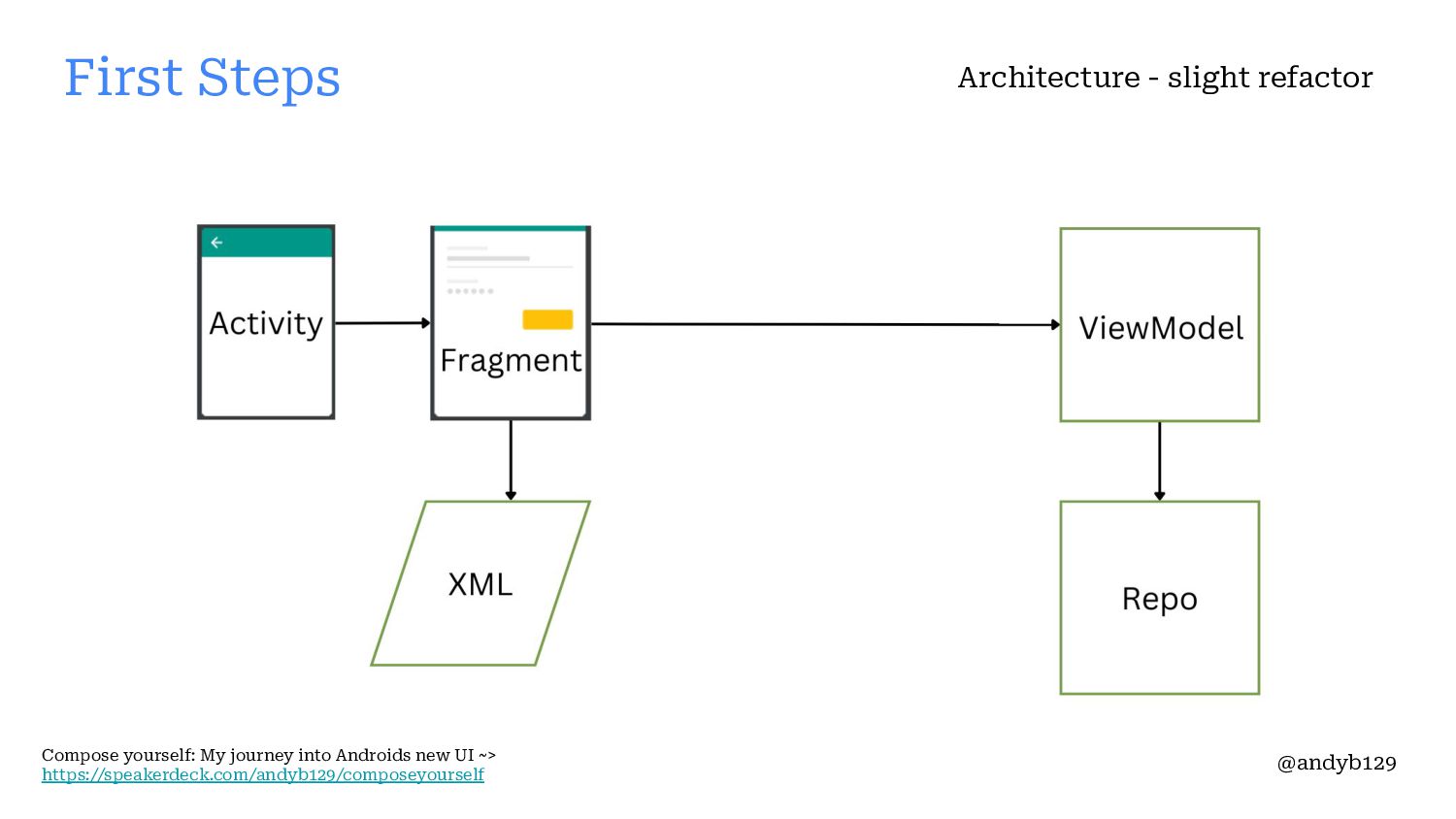
• Architecture - slight refactor • Compose skeleton screen -
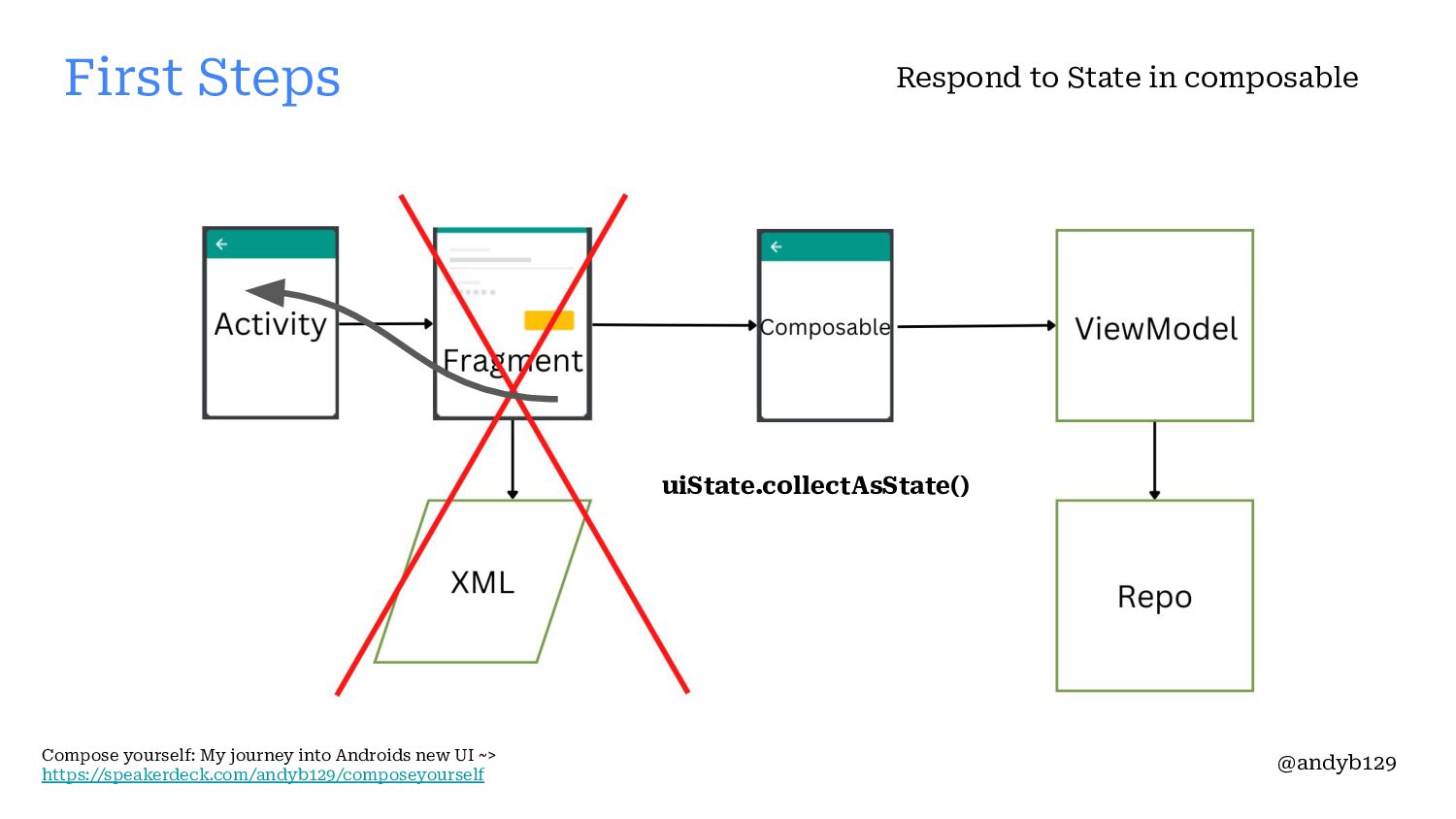
JustEatTakeaway - Android UI library • Respond to State in composable First Steps Compose yourself: My journey into Androids new UI ~> https://speakerdeck.com/andyb129/composeyourself @andyb129 -
First Steps Compose yourself: My journey into Androids new UI
~> https://speakerdeck.com/andyb129/composeyourself @andyb129 Architecture - slight refactor -
First Steps Compose yourself: My journey into Androids new UI
~> https://speakerdeck.com/andyb129/composeyourself @andyb129 Architecture - slight refactor -
First Steps Compose yourself: My journey into Androids new UI
~> https://speakerdeck.com/andyb129/composeyourself @andyb129 Respond to State in composable uiState.collectAsState() -
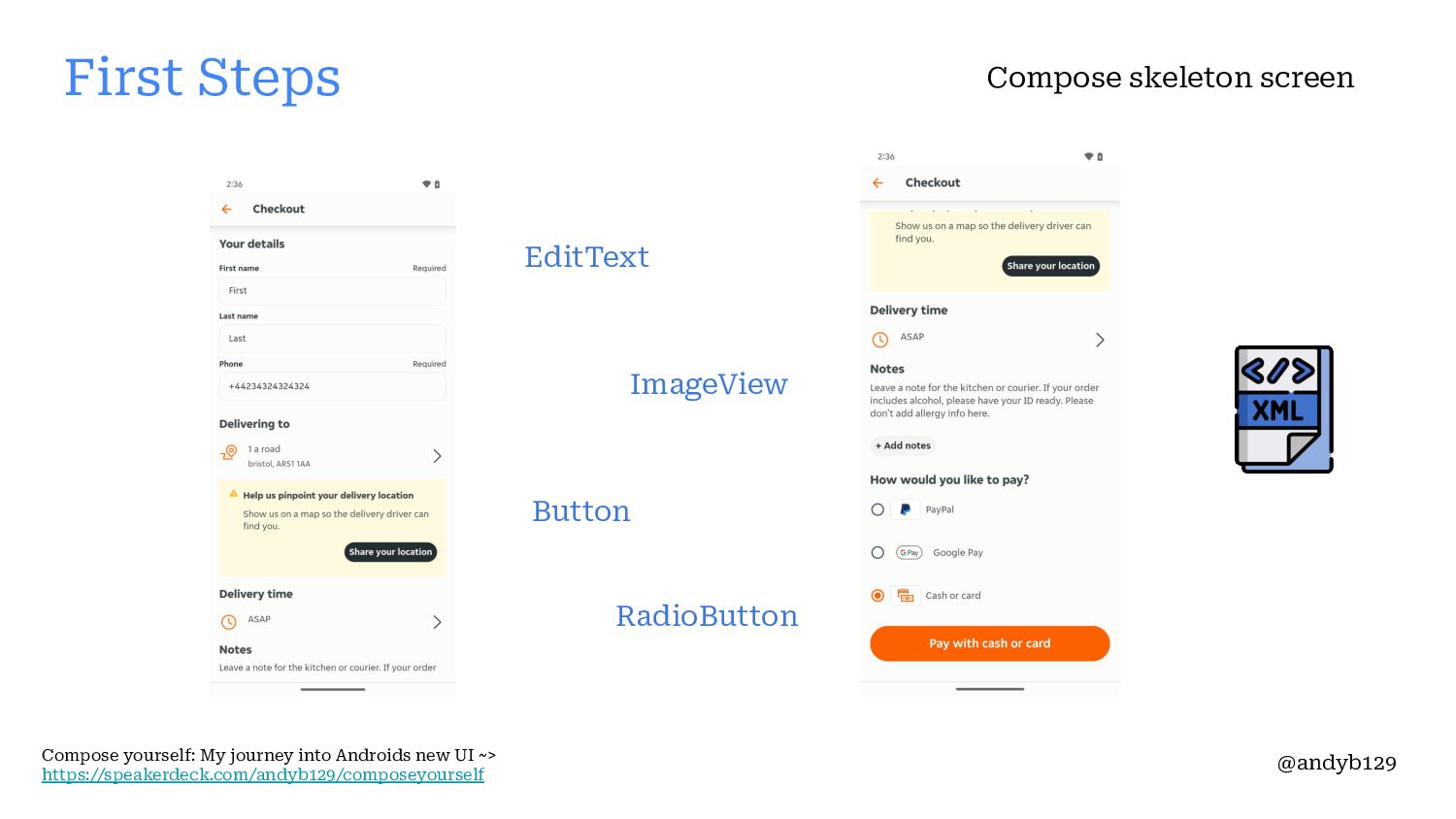
EditText ImageView Button RadioButton Compose skeleton screen First Steps Compose
yourself: My journey into Androids new UI ~> https://speakerdeck.com/andyb129/composeyourself @andyb129 -
BasicTextInput ImageVector Button RadioButton First Steps Compose yourself: My journey
into Androids new UI ~> https://speakerdeck.com/andyb129/composeyourself @andyb129 Compose skeleton screen -
Helping Hand • JustEatTakeaway - Android UI library ◦ https://medium.com/justeattakeaway-tech/android-ui-at-jet-30c8d7a697f5
Compose yourself: My journey into Androids new UI ~> https://speakerdeck.com/andyb129/composeyourself @andyb129 -
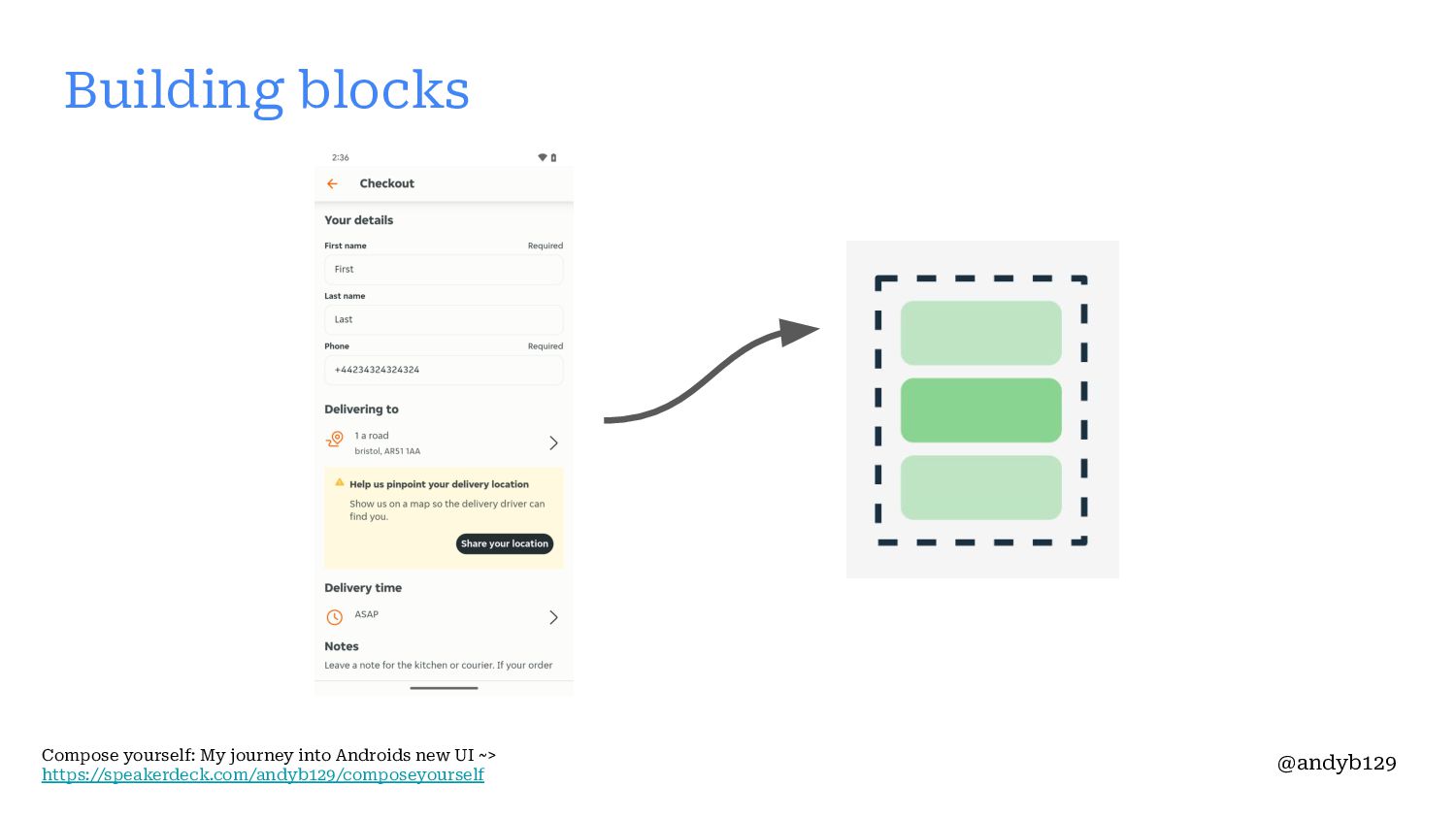
Building blocks Compose yourself: My journey into Androids new UI
~> https://speakerdeck.com/andyb129/composeyourself @andyb129 -
ConstraintLayout Building blocks Compose yourself: My journey into Androids new
UI ~> https://speakerdeck.com/andyb129/composeyourself @andyb129 -
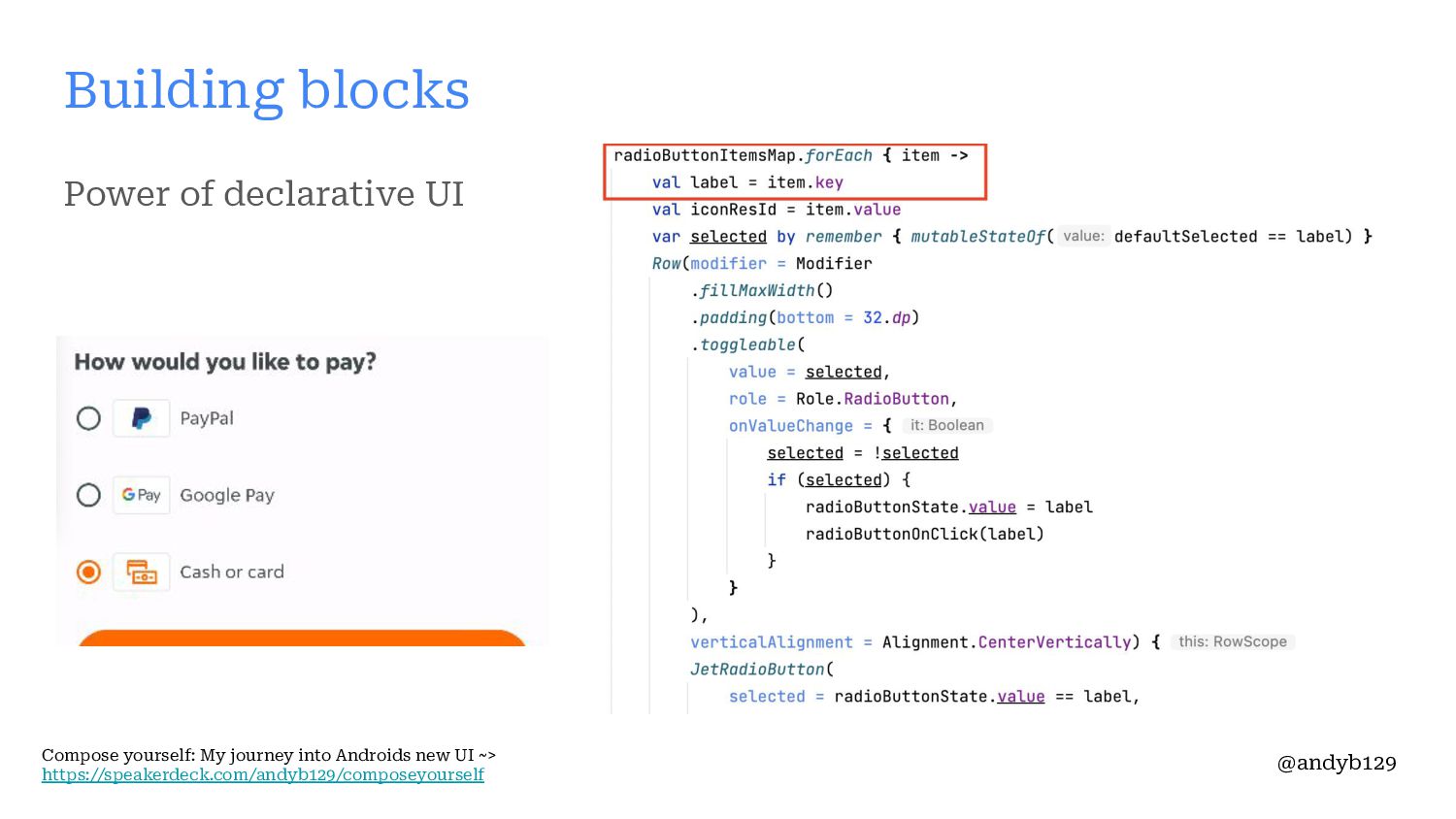
Power of declarative UI Building blocks Compose yourself: My journey
into Androids new UI ~> https://speakerdeck.com/andyb129/composeyourself @andyb129 -
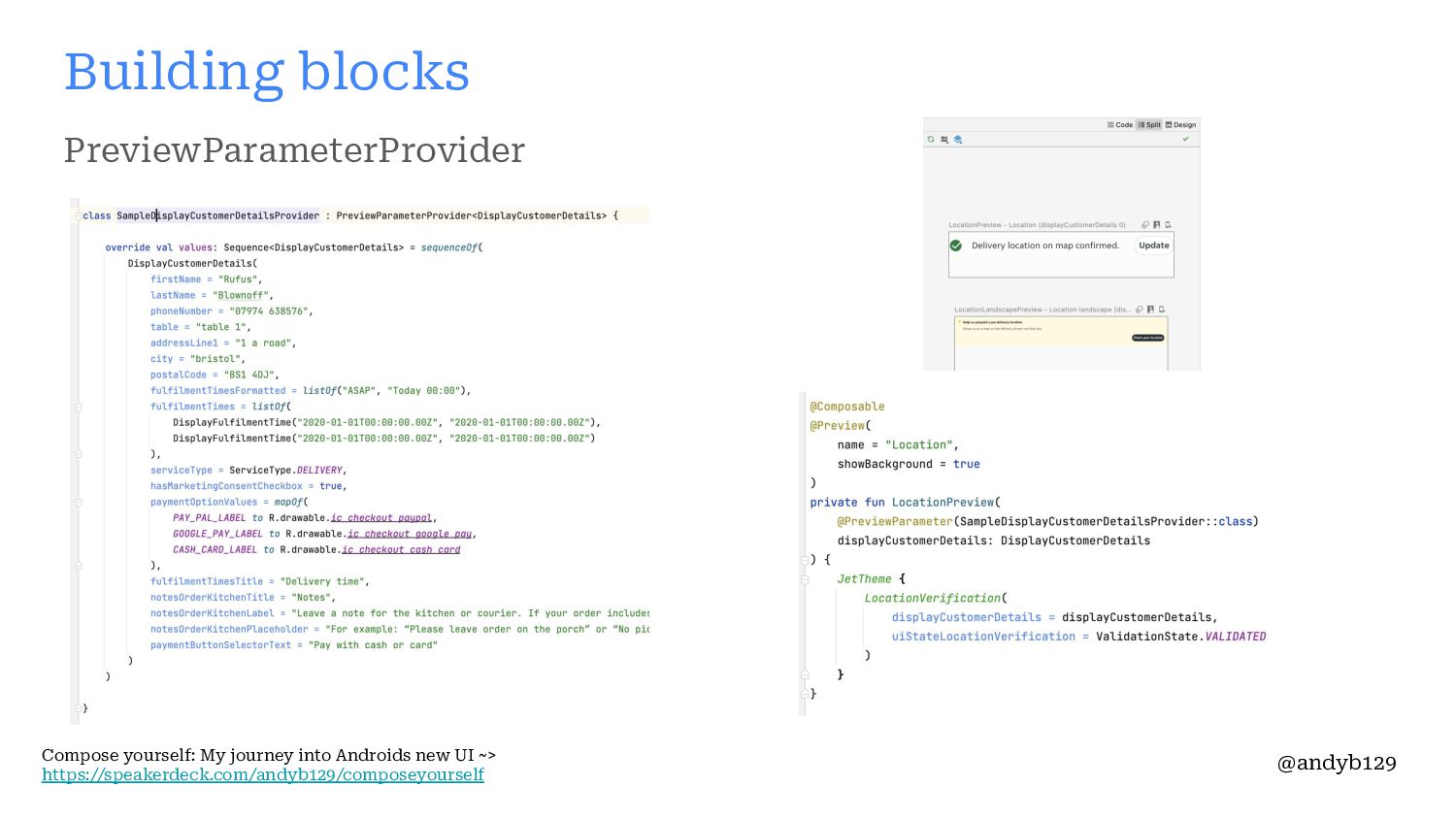
PreviewParameterProvider Building blocks Compose yourself: My journey into Androids new
UI ~> https://speakerdeck.com/andyb129/composeyourself @andyb129 -
Accompanist Building blocks Compose yourself: My journey into Androids new
UI ~> https://speakerdeck.com/andyb129/composeyourself @andyb129 -
Testing Building blocks Compose yourself: My journey into Androids new
UI ~> https://speakerdeck.com/andyb129/composeyourself @andyb129 -
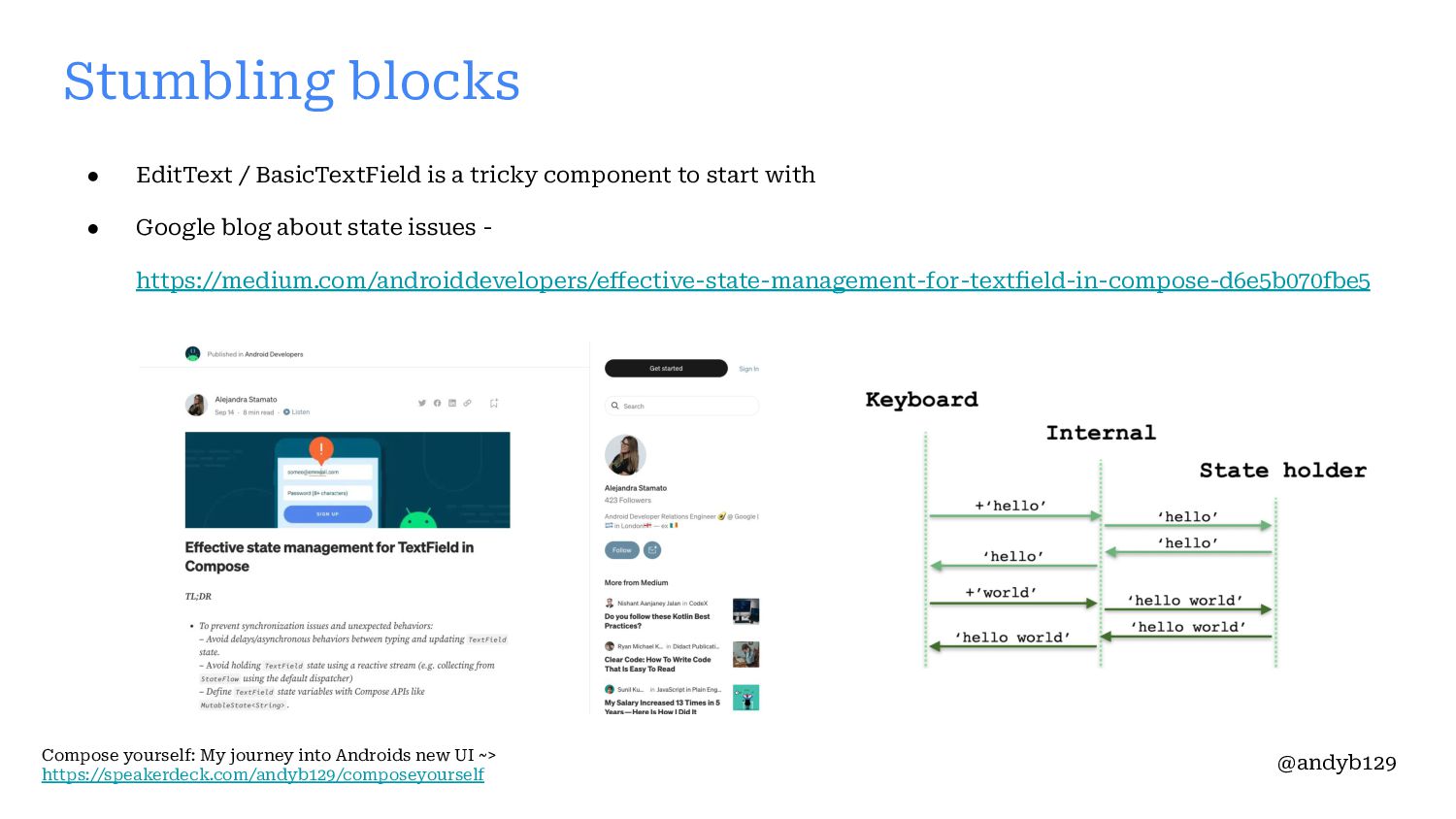
Stumbling blocks • EditText / BasicTextField is a tricky component
to start with • Google blog about state issues - https://medium.com/androiddevelopers/effective-state-management-for-textfield-in-compose-d6e5b070fbe5 Compose yourself: My journey into Androids new UI ~> https://speakerdeck.com/andyb129/composeyourself @andyb129 -
• State management (& where to put it) ◦ Code
lab & Android Dev Summit YouTube video ▪ https://developer.android.com/codelabs/jetpack-compose-state ▪ https://www.youtube.com/watch?v=hWwZ_AuSGfo ◦ Dynamic field validation ▪ https://proandroiddev.com/input-validation-in-jetpack-compose-e99c18b44fe3 ▪ Potentially use derivedStateOf() - https://medium.com/androiddevelopers/jetpack-compose-when-should-i-use-derive dstateof-63ce7954c11b Stumbling blocks Compose yourself: My journey into Androids new UI ~> https://speakerdeck.com/andyb129/composeyourself @andyb129 -
Accessibility changes Compose yourself: My journey into Androids new UI
~> https://speakerdeck.com/andyb129/composeyourself @andyb129 Stumbling blocks -
Next steps • Future testing - adding screenshot testing ◦
• Replace more Fragments with Compose Compose yourself: My journey into Androids new UI ~> https://speakerdeck.com/andyb129/composeyourself @andyb129 -
• Navigation ◦ Compose navigation • ◦ More investigation into
multi module navigation - https://www.droidcon.com/2022/11/15/breaking-the-rules-dynamic-navigati on-in-modularized-apps-2/ Next steps Compose yourself: My journey into Androids new UI ~> https://speakerdeck.com/andyb129/composeyourself @andyb129 -
Thanks for listening Any Questions? Compose yourself: My journey into
Androids new UI ~> https://speakerdeck.com/andyb129/composeyourself @andyb129