Upgrade to Pro — share decks privately, control downloads, hide ads and more …

AI Tools for Research

AI Tools for Research

Exploring how AI transforms research - making it faster, smarter, and more efficient.

Avatar for Maunash Jani

Maunash Jani

April 13, 2026

More Decks by Maunash Jani

Other Decks in Research

Transcript

  1. Artificial Intelligence AI TOOLS FOR RESEARCH Supercharge Your Research Work

    With AI Prompt Engineering Free Tools Apps & Software Research Methods Data & Visualization Ethics & Academic Integrity @MaunashJani Inspired by ideas. Enhanced by AI.
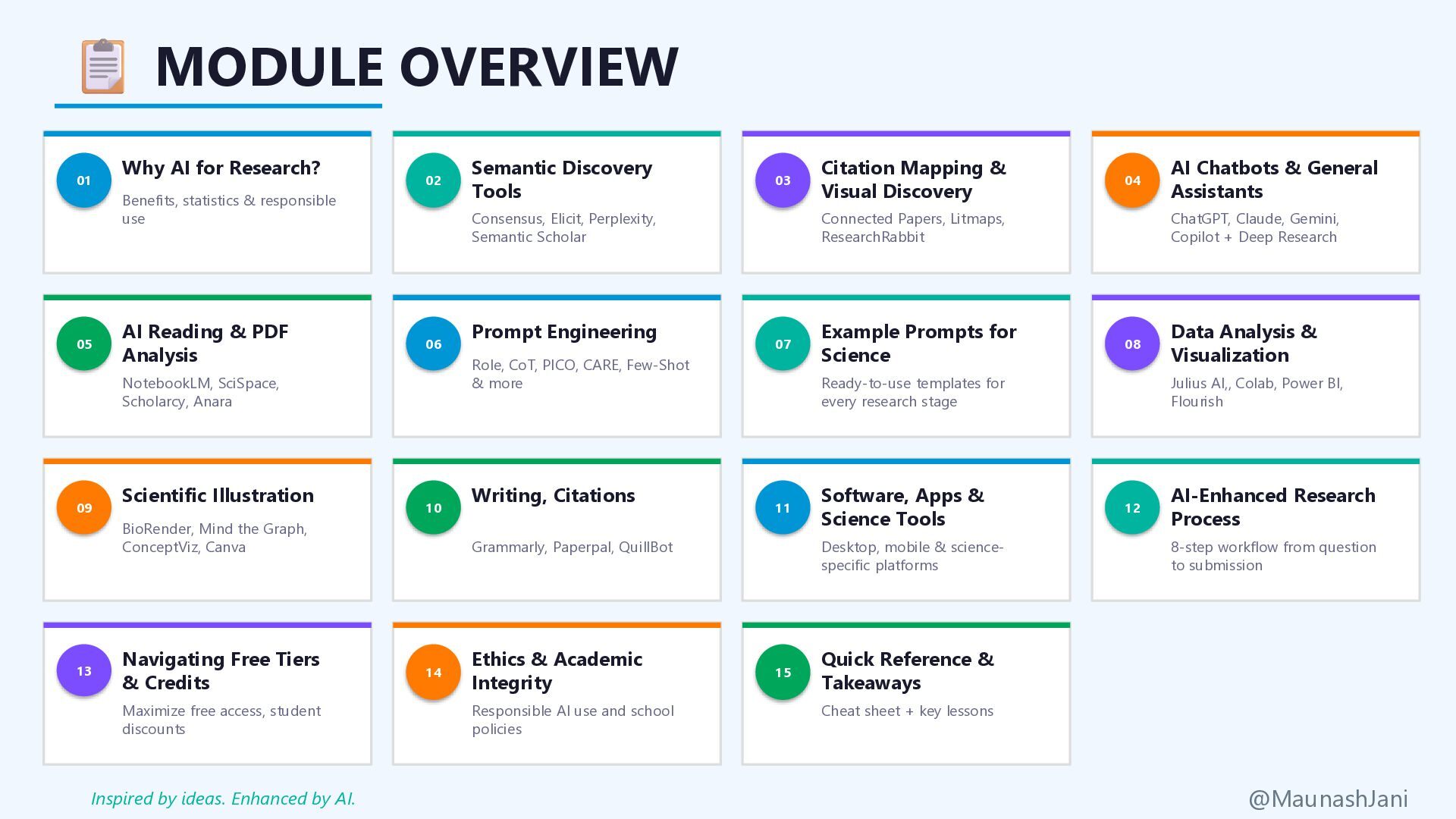
  2. MODULE OVERVIEW 01 Why AI for Research? Benefits, statistics &

    responsible use 02 Semantic Discovery Tools Consensus, Elicit, Perplexity, Semantic Scholar 03 Citation Mapping & Visual Discovery Connected Papers, Litmaps, ResearchRabbit 04 AI Chatbots & General Assistants ChatGPT, Claude, Gemini, Copilot + Deep Research 05 AI Reading & PDF Analysis NotebookLM, SciSpace, Scholarcy, Anara 06 Prompt Engineering Role, CoT, PICO, CARE, Few-Shot & more 07 Example Prompts for Science Ready-to-use templates for every research stage 08 Data Analysis & Visualization Julius AI,, Colab, Power BI, Flourish 09 Scientific Illustration BioRender, Mind the Graph, ConceptViz, Canva 10 Writing, Citations Grammarly, Paperpal, QuillBot 11 Software, Apps & Science Tools Desktop, mobile & science- specific platforms 12 AI-Enhanced Research Process 8-step workflow from question to submission 13 Navigating Free Tiers & Credits Maximize free access, student discounts 14 Ethics & Academic Integrity Responsible AI use and school policies 15 Quick Reference & Takeaways Cheat sheet + key lessons @MaunashJani Inspired by ideas. Enhanced by AI.
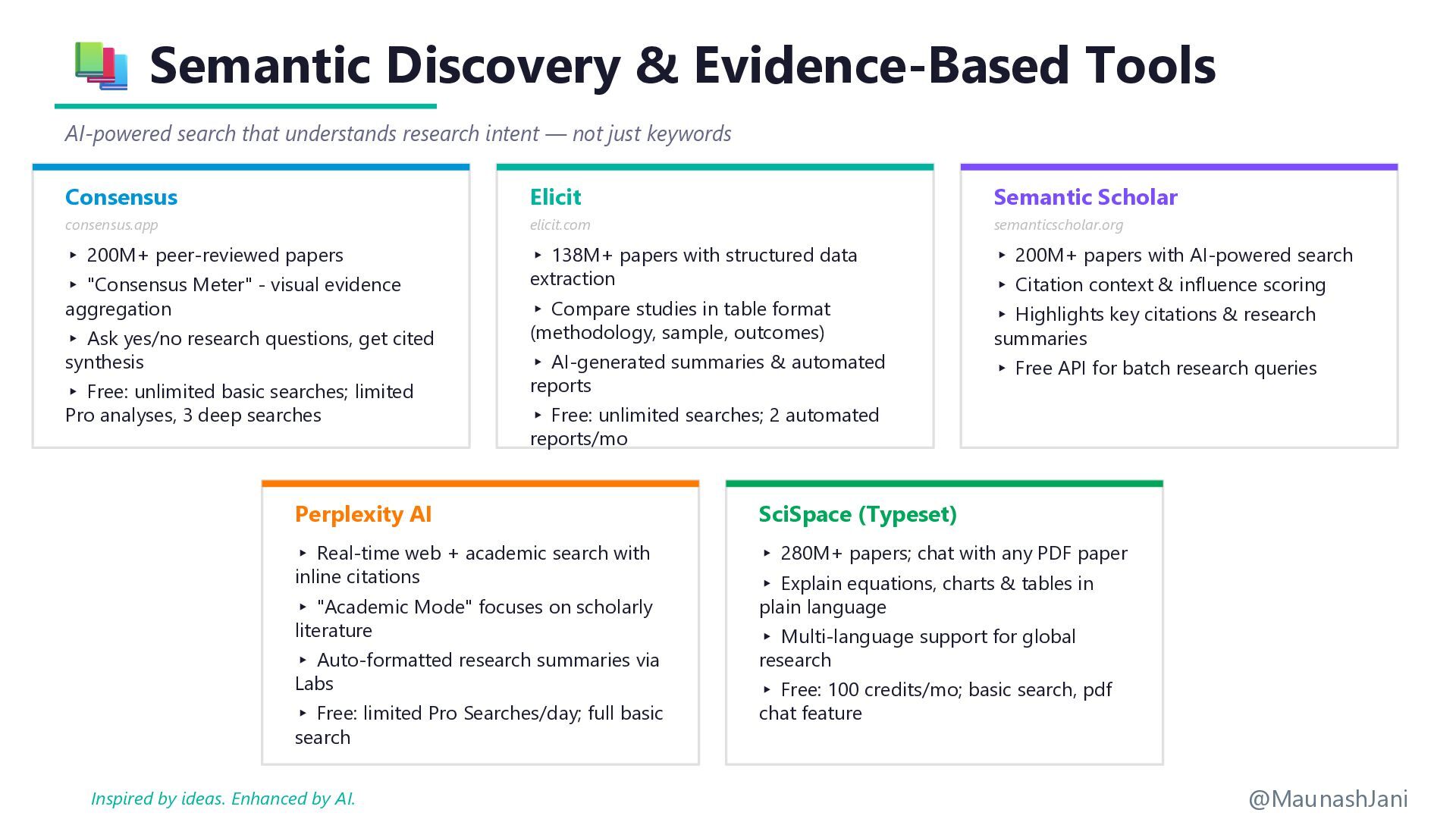
  3. Semantic Discovery & Evidence-Based Tools AI-powered search that understands research

    intent — not just keywords Consensus consensus.app ▸ 200M+ peer-reviewed papers ▸ "Consensus Meter" - visual evidence aggregation ▸ Ask yes/no research questions, get cited synthesis ▸ Free: unlimited basic searches; limited Pro analyses, 3 deep searches Elicit elicit.com ▸ 138M+ papers with structured data extraction ▸ Compare studies in table format (methodology, sample, outcomes) ▸ AI-generated summaries & automated reports ▸ Free: unlimited searches; 2 automated reports/mo Semantic Scholar semanticscholar.org ▸ 200M+ papers with AI-powered search ▸ Citation context & influence scoring ▸ Highlights key citations & research summaries ▸ Free API for batch research queries Perplexity AI ▸ Real-time web + academic search with inline citations ▸ "Academic Mode" focuses on scholarly literature ▸ Auto-formatted research summaries via Labs ▸ Free: limited Pro Searches/day; full basic search SciSpace (Typeset) ▸ 280M+ papers; chat with any PDF paper ▸ Explain equations, charts & tables in plain language ▸ Multi-language support for global research ▸ Free: 100 credits/mo; basic search, pdf chat feature @MaunashJani Inspired by ideas. Enhanced by AI.
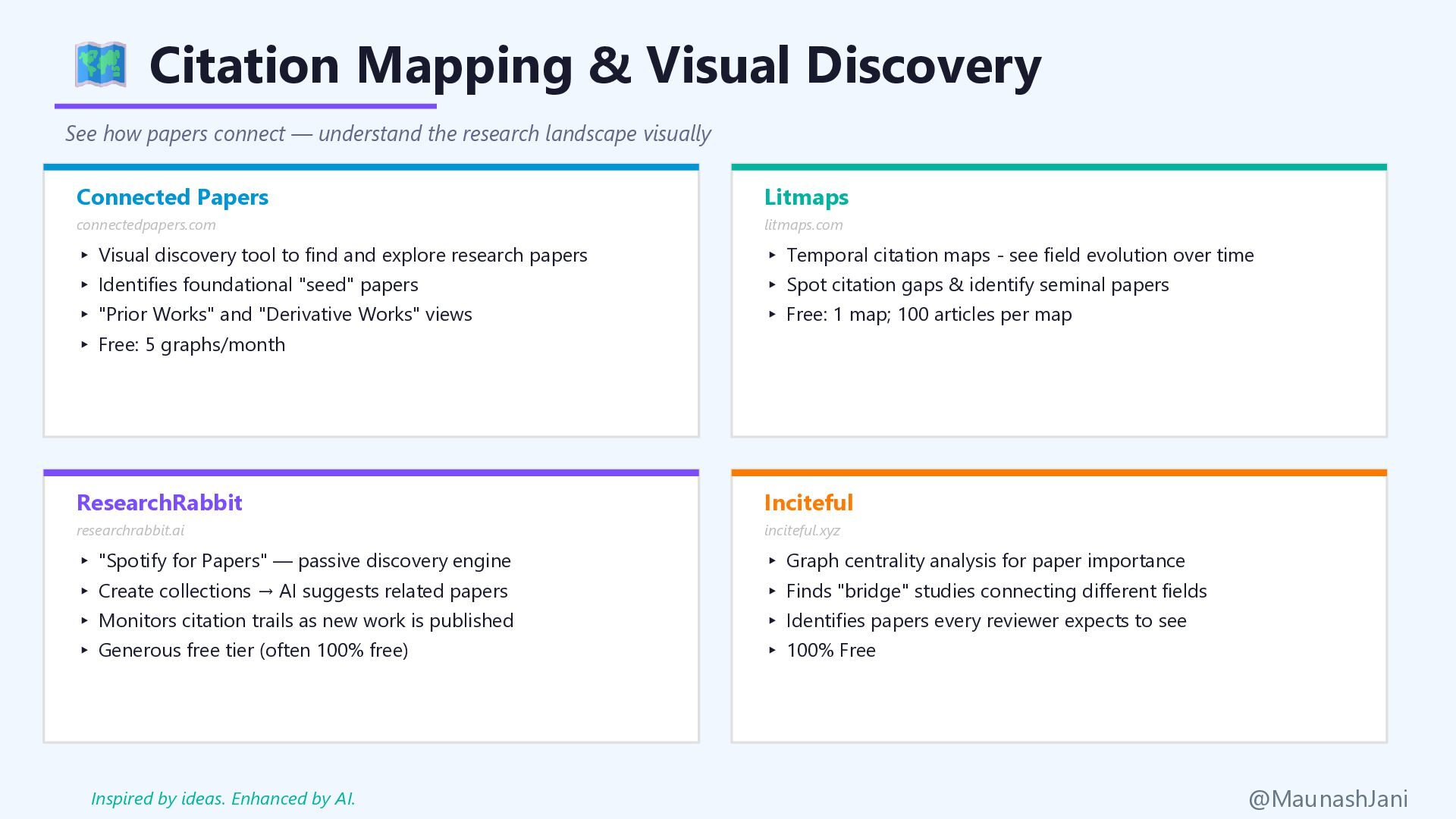
  4. Citation Mapping & Visual Discovery See how papers connect —

    understand the research landscape visually Connected Papers connectedpapers.com ▸ Visual discovery tool to find and explore research papers ▸ Identifies foundational "seed" papers ▸ "Prior Works" and "Derivative Works" views ▸ Free: 5 graphs/month Litmaps litmaps.com ▸ Temporal citation maps - see field evolution over time ▸ Spot citation gaps & identify seminal papers ▸ Free: 1 map; 100 articles per map ResearchRabbit researchrabbit.ai ▸ "Spotify for Papers" — passive discovery engine ▸ Create collections → AI suggests related papers ▸ Monitors citation trails as new work is published ▸ Generous free tier (often 100% free) Inciteful inciteful.xyz ▸ Graph centrality analysis for paper importance ▸ Finds "bridge" studies connecting different fields ▸ Identifies papers every reviewer expects to see ▸ 100% Free @MaunashJani Inspired by ideas. Enhanced by AI.
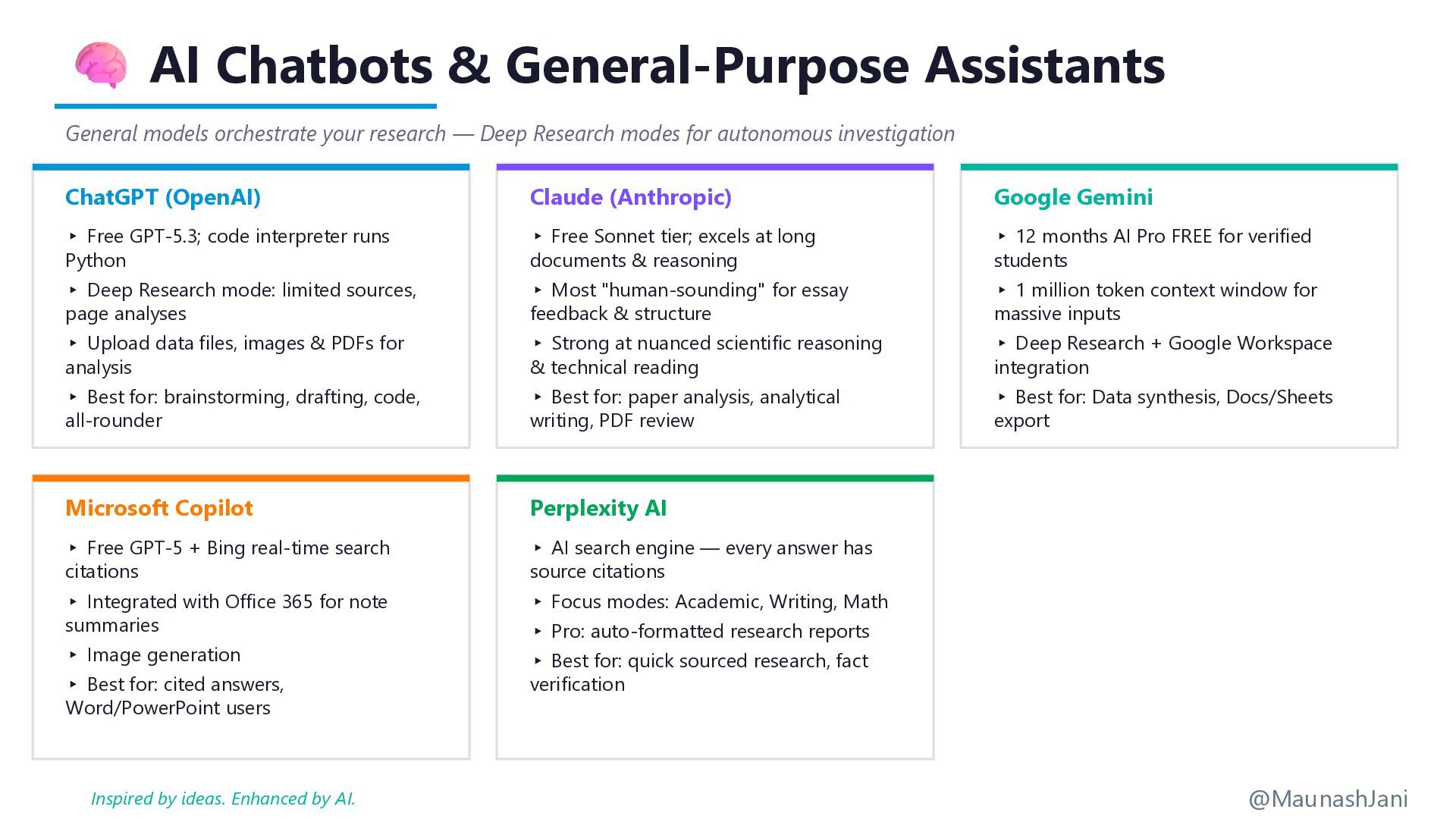
  5. AI Chatbots & General-Purpose Assistants General models orchestrate your research

    — Deep Research modes for autonomous investigation ChatGPT (OpenAI) ▸ Free GPT-5.3; code interpreter runs Python ▸ Deep Research mode: limited sources, page analyses ▸ Upload data files, images & PDFs for analysis ▸ Best for: brainstorming, drafting, code, all-rounder Claude (Anthropic) ▸ Free Sonnet tier; excels at long documents & reasoning ▸ Most "human-sounding" for essay feedback & structure ▸ Strong at nuanced scientific reasoning & technical reading ▸ Best for: paper analysis, analytical writing, PDF review Google Gemini ▸ 12 months AI Pro FREE for verified students ▸ 1 million token context window for massive inputs ▸ Deep Research + Google Workspace integration ▸ Best for: Data synthesis, Docs/Sheets export Microsoft Copilot ▸ Free GPT-5 + Bing real-time search citations ▸ Integrated with Office 365 for note summaries ▸ Image generation ▸ Best for: cited answers, Word/PowerPoint users Perplexity AI ▸ AI search engine — every answer has source citations ▸ Focus modes: Academic, Writing, Math ▸ Pro: auto-formatted research reports ▸ Best for: quick sourced research, fact verification @MaunashJani Inspired by ideas. Enhanced by AI.
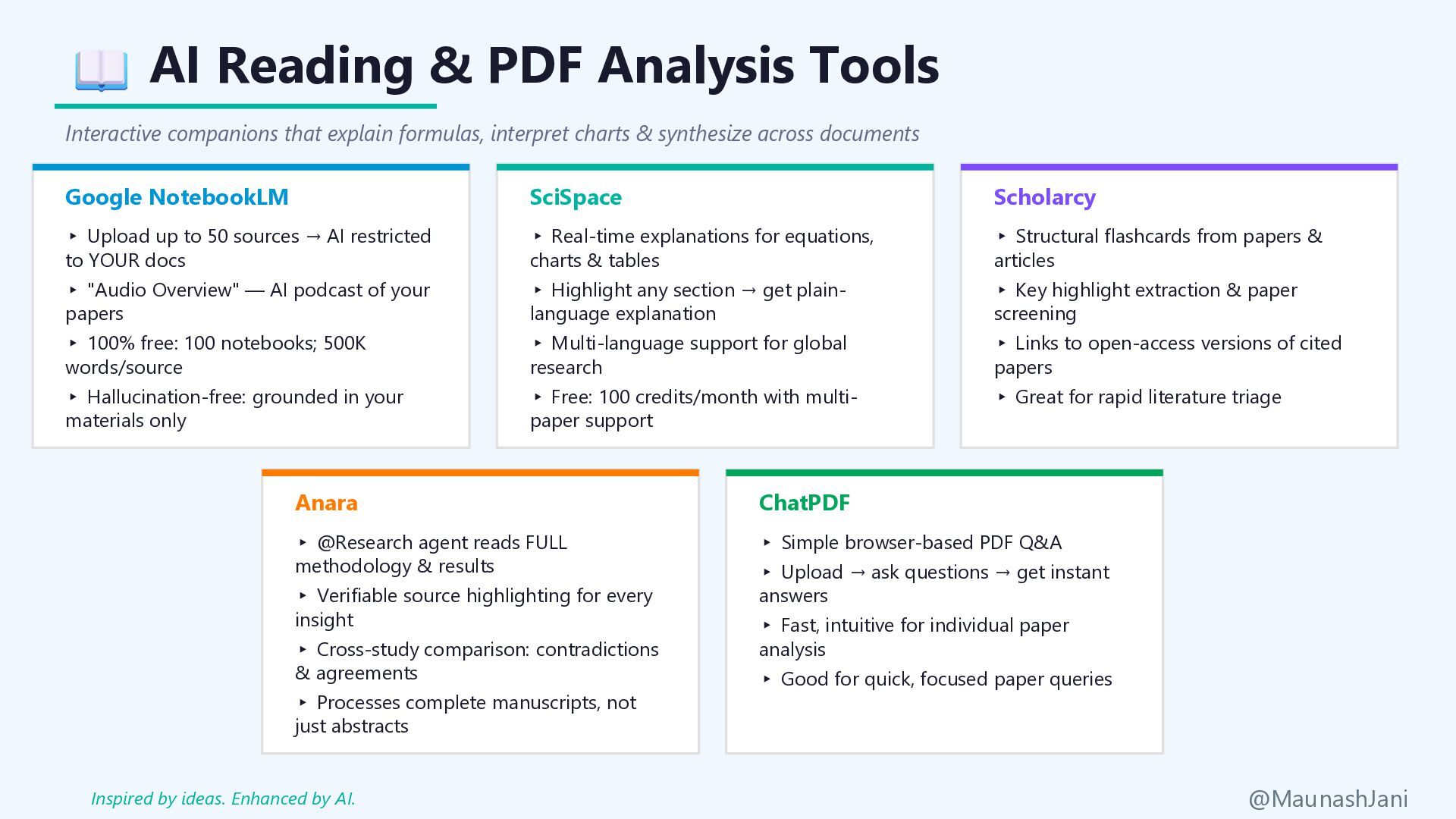
  6. AI Reading & PDF Analysis Tools Interactive companions that explain

    formulas, interpret charts & synthesize across documents Google NotebookLM ▸ Upload up to 50 sources → AI restricted to YOUR docs ▸ "Audio Overview" — AI podcast of your papers ▸ 100% free: 100 notebooks; 500K words/source ▸ Hallucination-free: grounded in your materials only SciSpace ▸ Real-time explanations for equations, charts & tables ▸ Highlight any section → get plain- language explanation ▸ Multi-language support for global research ▸ Free: 100 credits/month with multi- paper support Scholarcy ▸ Structural flashcards from papers & articles ▸ Key highlight extraction & paper screening ▸ Links to open-access versions of cited papers ▸ Great for rapid literature triage Anara ▸ @Research agent reads FULL methodology & results ▸ Verifiable source highlighting for every insight ▸ Cross-study comparison: contradictions & agreements ▸ Processes complete manuscripts, not just abstracts ChatPDF ▸ Simple browser-based PDF Q&A ▸ Upload → ask questions → get instant answers ▸ Fast, intuitive for individual paper analysis ▸ Good for quick, focused paper queries @MaunashJani Inspired by ideas. Enhanced by AI.
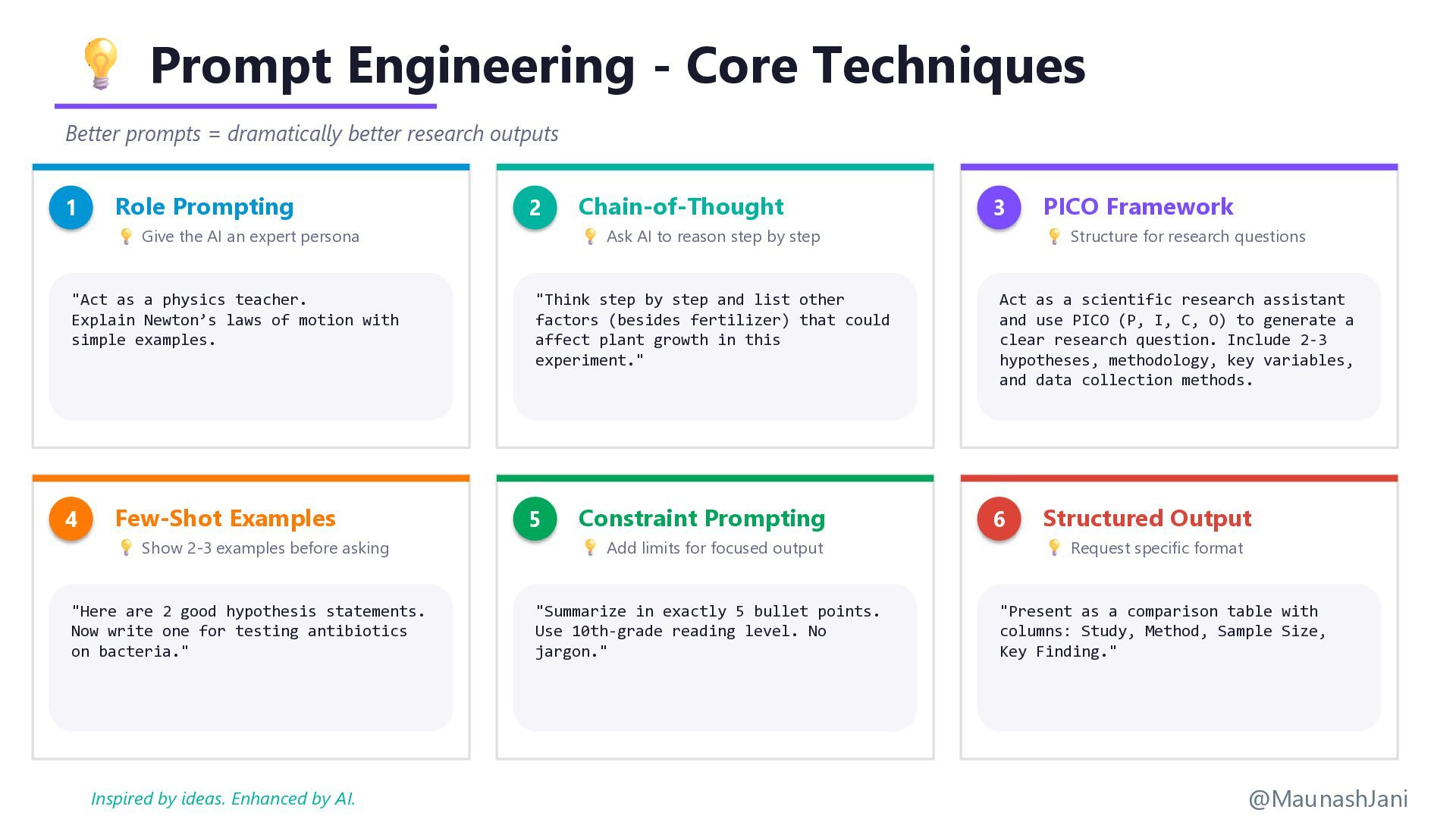
  7. Prompt Engineering - Core Techniques Better prompts = dramatically better

    research outputs 1 Role Prompting Give the AI an expert persona "Act as a physics teacher. Explain Newton’s laws of motion with simple examples. 2 Chain-of-Thought Ask AI to reason step by step "Think step by step and list other factors (besides fertilizer) that could affect plant growth in this experiment." 3 PICO Framework Structure for research questions Act as a scientific research assistant and use PICO (P, I, C, O) to generate a clear research question. Include 2-3 hypotheses, methodology, key variables, and data collection methods. 4 Few-Shot Examples Show 2-3 examples before asking "Here are 2 good hypothesis statements. Now write one for testing antibiotics on bacteria." 5 Constraint Prompting Add limits for focused output "Summarize in exactly 5 bullet points. Use 10th-grade reading level. No jargon." 6 Structured Output Request specific format "Present as a comparison table with columns: Study, Method, Sample Size, Key Finding." @MaunashJani Inspired by ideas. Enhanced by AI.
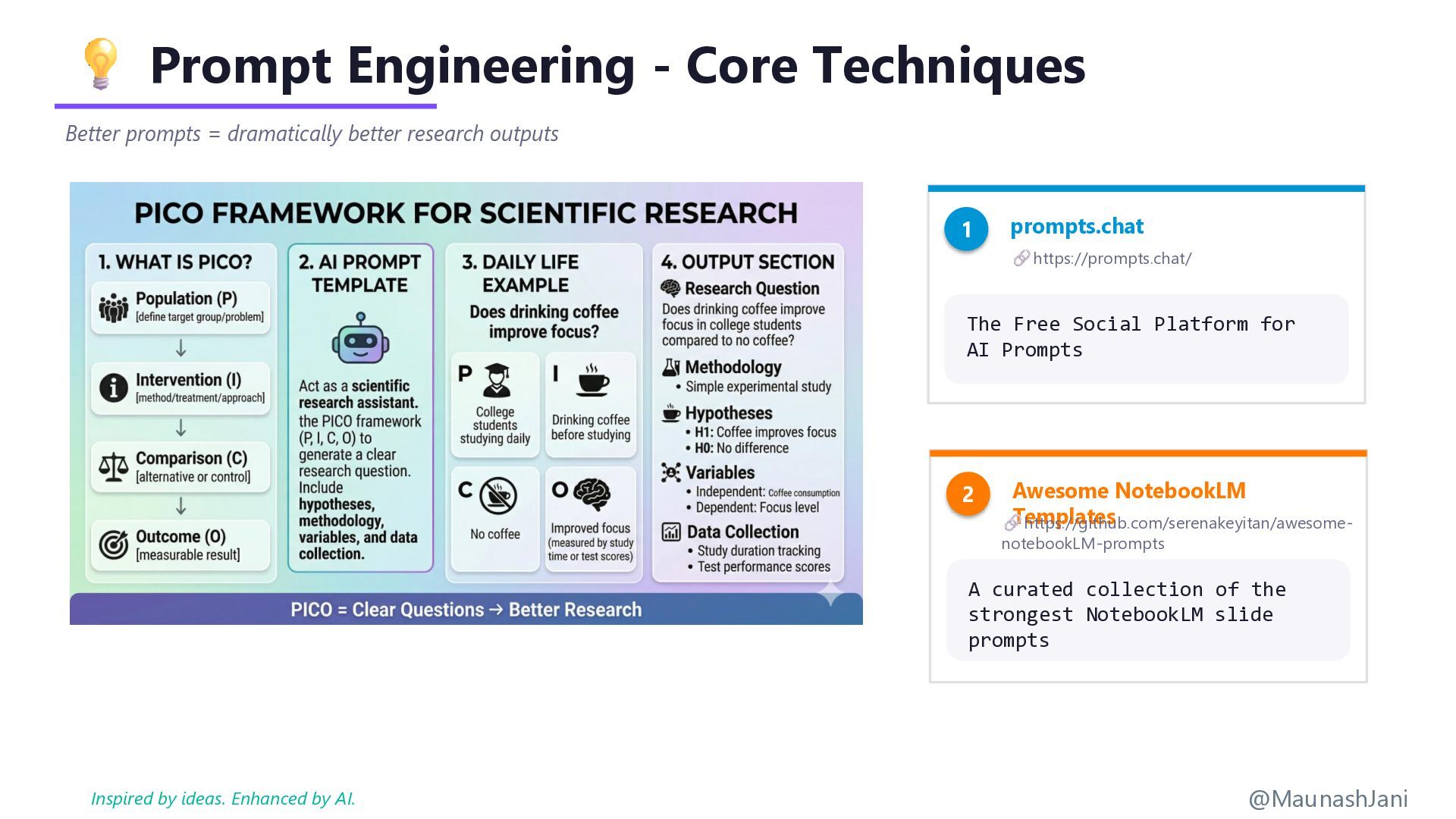
  8. Prompt Engineering - Core Techniques Better prompts = dramatically better

    research outputs @MaunashJani 1 prompts.chat https://prompts.chat/ The Free Social Platform for AI Prompts 2 Awesome NotebookLM Templates https://github.com/serenakeyitan/awesome- notebookLM-prompts A curated collection of the strongest NotebookLM slide prompts Inspired by ideas. Enhanced by AI.
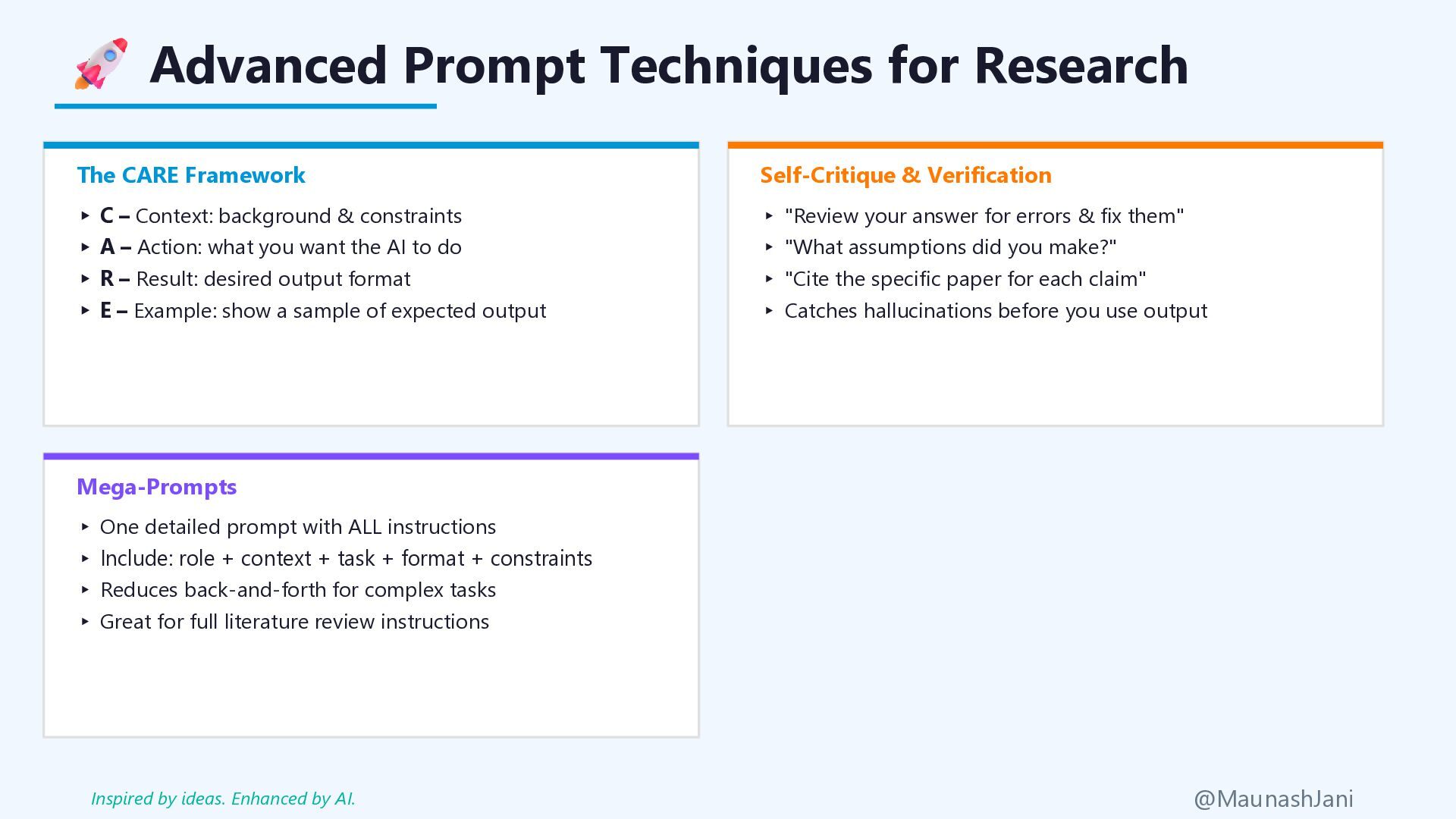
  9. Advanced Prompt Techniques for Research The CARE Framework ▸ C

    – Context: background & constraints ▸ A – Action: what you want the AI to do ▸ R – Result: desired output format ▸ E – Example: show a sample of expected output Mega-Prompts ▸ One detailed prompt with ALL instructions ▸ Include: role + context + task + format + constraints ▸ Reduces back-and-forth for complex tasks ▸ Great for full literature review instructions Self-Critique & Verification ▸ "Review your answer for errors & fix them" ▸ "What assumptions did you make?" ▸ "Cite the specific paper for each claim" ▸ Catches hallucinations before you use output @MaunashJani Inspired by ideas. Enhanced by AI.
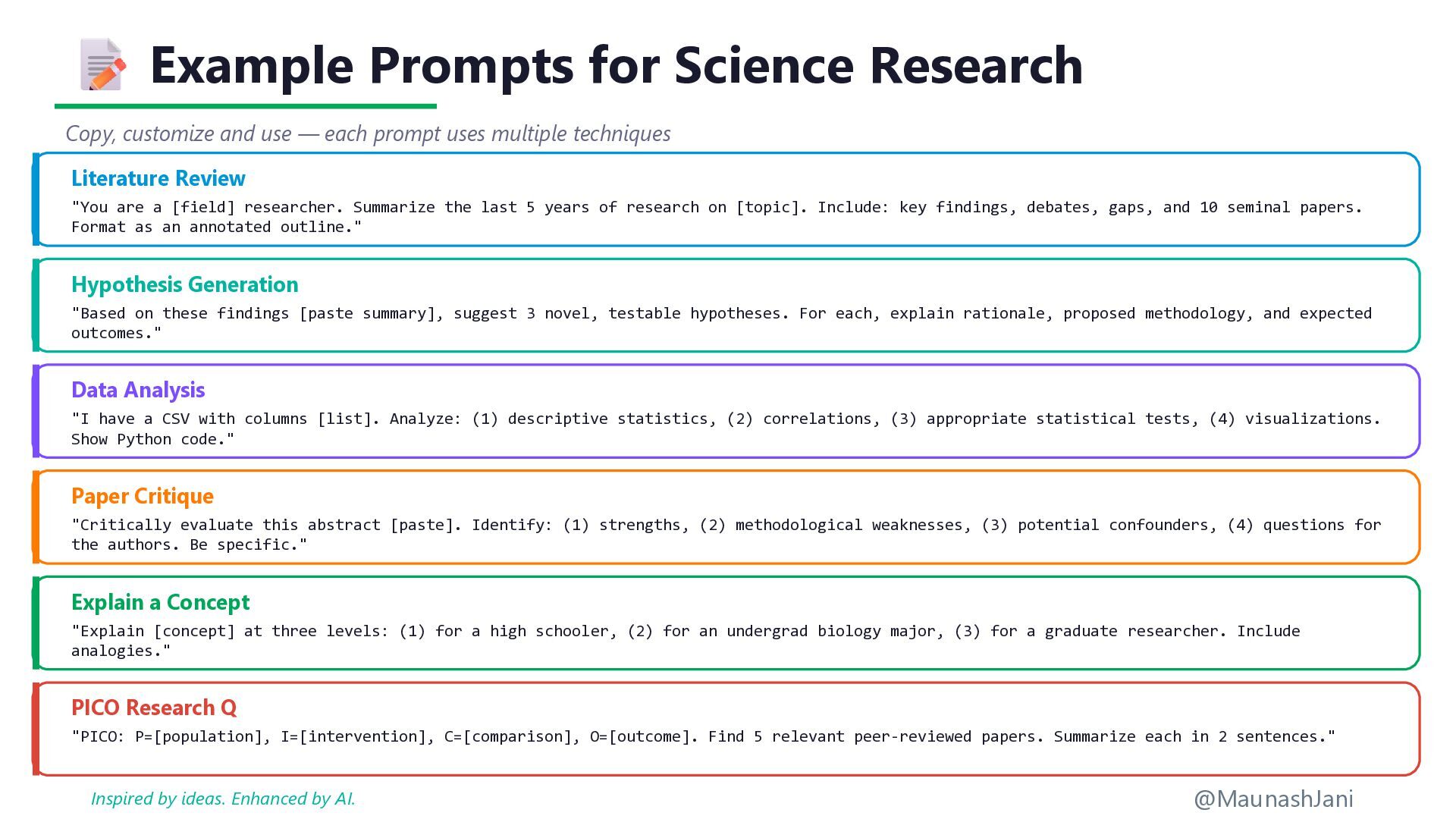
  10. Example Prompts for Science Research Copy, customize and use —

    each prompt uses multiple techniques Literature Review "You are a [field] researcher. Summarize the last 5 years of research on [topic]. Include: key findings, debates, gaps, and 10 seminal papers. Format as an annotated outline." Hypothesis Generation "Based on these findings [paste summary], suggest 3 novel, testable hypotheses. For each, explain rationale, proposed methodology, and expected outcomes." Data Analysis "I have a CSV with columns [list]. Analyze: (1) descriptive statistics, (2) correlations, (3) appropriate statistical tests, (4) visualizations. Show Python code." Paper Critique "Critically evaluate this abstract [paste]. Identify: (1) strengths, (2) methodological weaknesses, (3) potential confounders, (4) questions for the authors. Be specific." Explain a Concept "Explain [concept] at three levels: (1) for a high schooler, (2) for an undergrad biology major, (3) for a graduate researcher. Include analogies." PICO Research Q "PICO: P=[population], I=[intervention], C=[comparison], O=[outcome]. Find 5 relevant peer-reviewed papers. Summarize each in 2 sentences." @MaunashJani Inspired by ideas. Enhanced by AI.
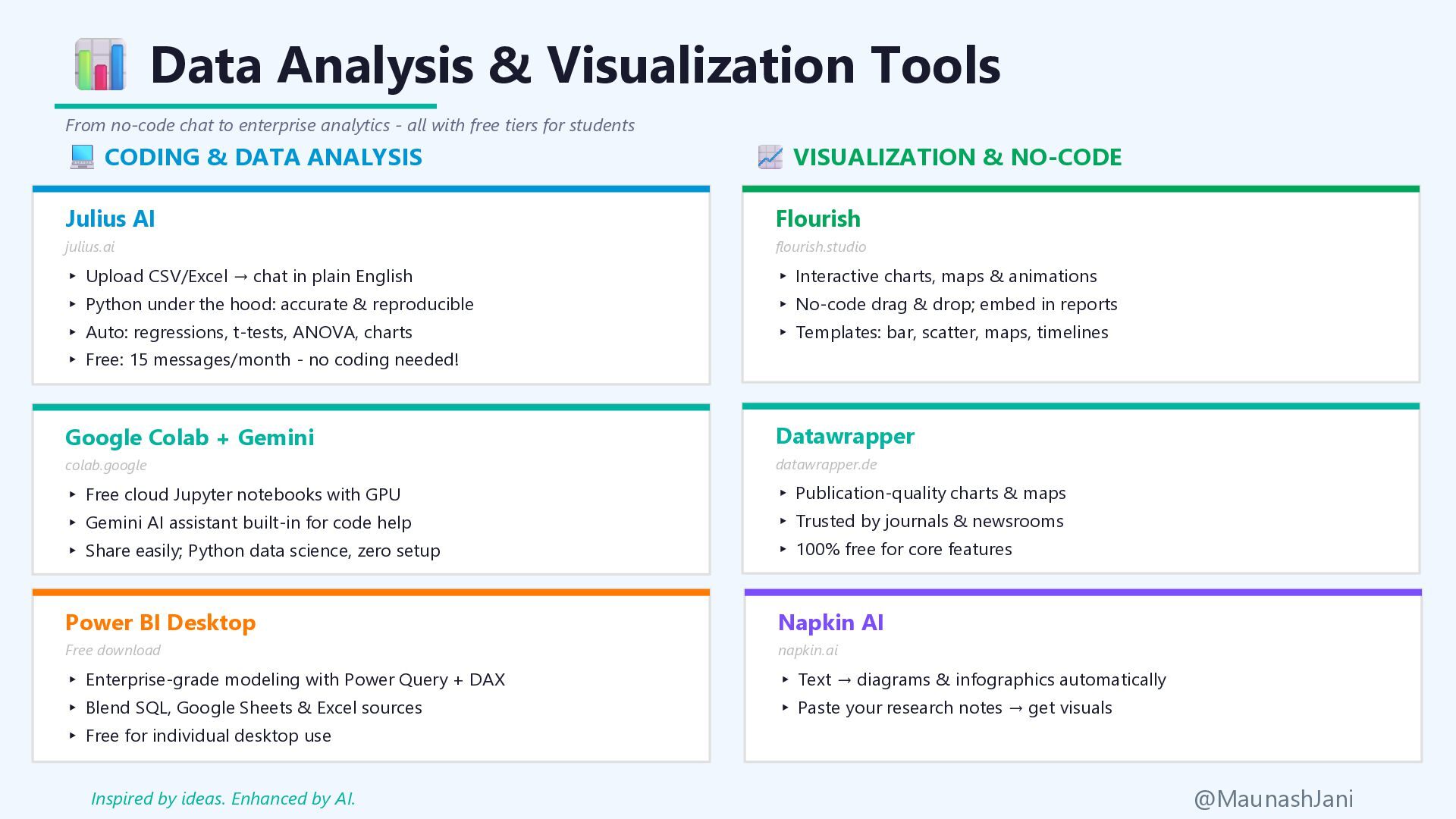
  11. Data Analysis & Visualization Tools From no-code chat to enterprise

    analytics - all with free tiers for students CODING & DATA ANALYSIS VISUALIZATION & NO-CODE Julius AI julius.ai ▸ Upload CSV/Excel → chat in plain English ▸ Python under the hood: accurate & reproducible ▸ Auto: regressions, t-tests, ANOVA, charts ▸ Free: 15 messages/month - no coding needed! Google Colab + Gemini colab.google ▸ Free cloud Jupyter notebooks with GPU ▸ Gemini AI assistant built-in for code help ▸ Share easily; Python data science, zero setup Power BI Desktop Free download ▸ Enterprise-grade modeling with Power Query + DAX ▸ Blend SQL, Google Sheets & Excel sources ▸ Free for individual desktop use Flourish flourish.studio ▸ Interactive charts, maps & animations ▸ No-code drag & drop; embed in reports ▸ Templates: bar, scatter, maps, timelines Datawrapper datawrapper.de ▸ Publication-quality charts & maps ▸ Trusted by journals & newsrooms ▸ 100% free for core features Napkin AI napkin.ai ▸ Text → diagrams & infographics automatically ▸ Paste your research notes → get visuals @MaunashJani Inspired by ideas. Enhanced by AI.
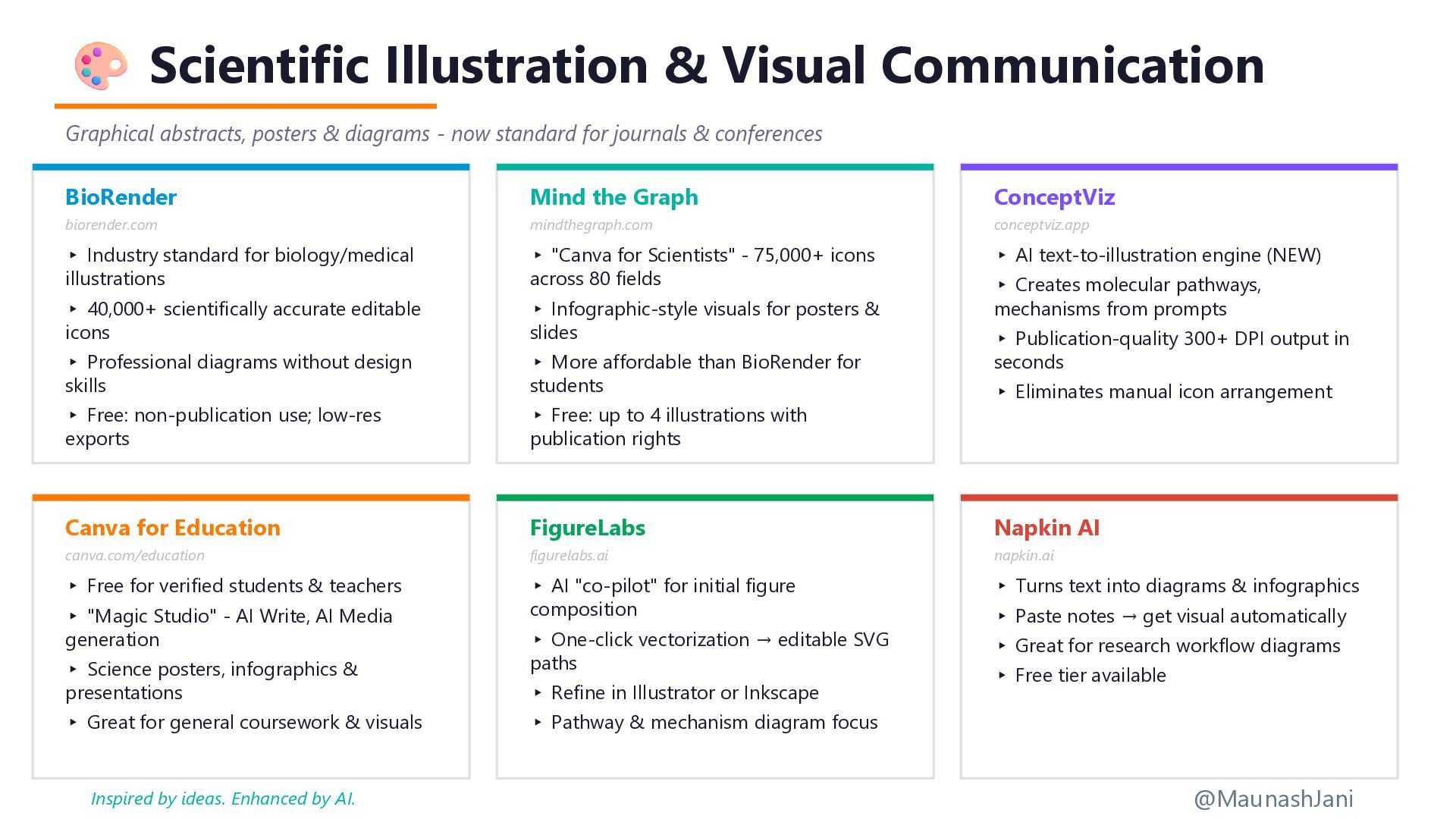
  12. Scientific Illustration & Visual Communication Graphical abstracts, posters & diagrams

    - now standard for journals & conferences BioRender biorender.com ▸ Industry standard for biology/medical illustrations ▸ 40,000+ scientifically accurate editable icons ▸ Professional diagrams without design skills ▸ Free: non-publication use; low-res exports Mind the Graph mindthegraph.com ▸ "Canva for Scientists" - 75,000+ icons across 80 fields ▸ Infographic-style visuals for posters & slides ▸ More affordable than BioRender for students ▸ Free: up to 4 illustrations with publication rights ConceptViz conceptviz.app ▸ AI text-to-illustration engine (NEW) ▸ Creates molecular pathways, mechanisms from prompts ▸ Publication-quality 300+ DPI output in seconds ▸ Eliminates manual icon arrangement Canva for Education canva.com/education ▸ Free for verified students & teachers ▸ "Magic Studio" - AI Write, AI Media generation ▸ Science posters, infographics & presentations ▸ Great for general coursework & visuals FigureLabs figurelabs.ai ▸ AI "co-pilot" for initial figure composition ▸ One-click vectorization → editable SVG paths ▸ Refine in Illustrator or Inkscape ▸ Pathway & mechanism diagram focus Napkin AI napkin.ai ▸ Turns text into diagrams & infographics ▸ Paste notes → get visual automatically ▸ Great for research workflow diagrams ▸ Free tier available @MaunashJani Inspired by ideas. Enhanced by AI.
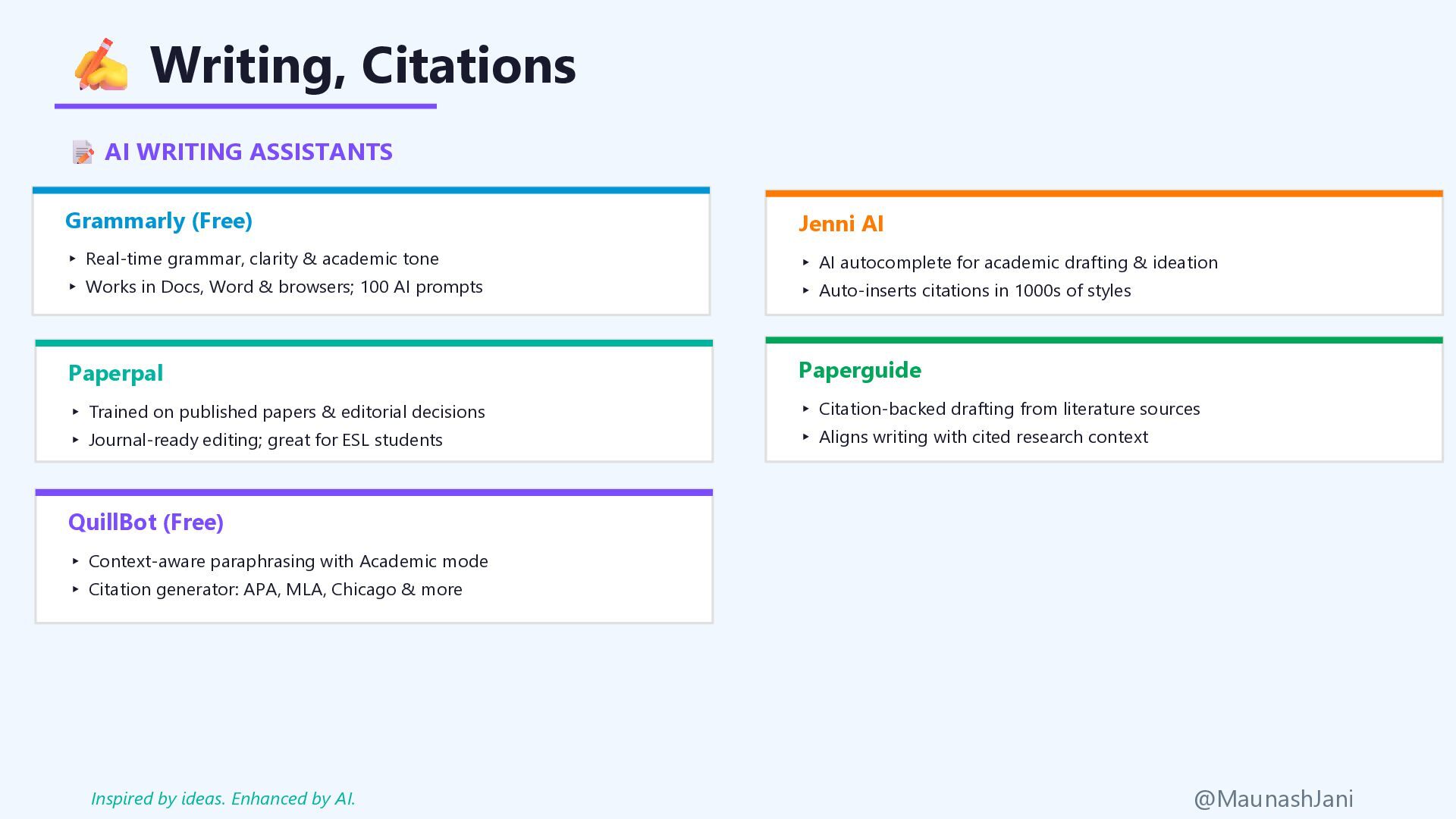
  13. Writing, Citations AI WRITING ASSISTANTS Grammarly (Free) ▸ Real-time grammar,

    clarity & academic tone ▸ Works in Docs, Word & browsers; 100 AI prompts Paperpal ▸ Trained on published papers & editorial decisions ▸ Journal-ready editing; great for ESL students QuillBot (Free) ▸ Context-aware paraphrasing with Academic mode ▸ Citation generator: APA, MLA, Chicago & more Jenni AI ▸ AI autocomplete for academic drafting & ideation ▸ Auto-inserts citations in 1000s of styles Paperguide ▸ Citation-backed drafting from literature sources ▸ Aligns writing with cited research context @MaunashJani Inspired by ideas. Enhanced by AI.
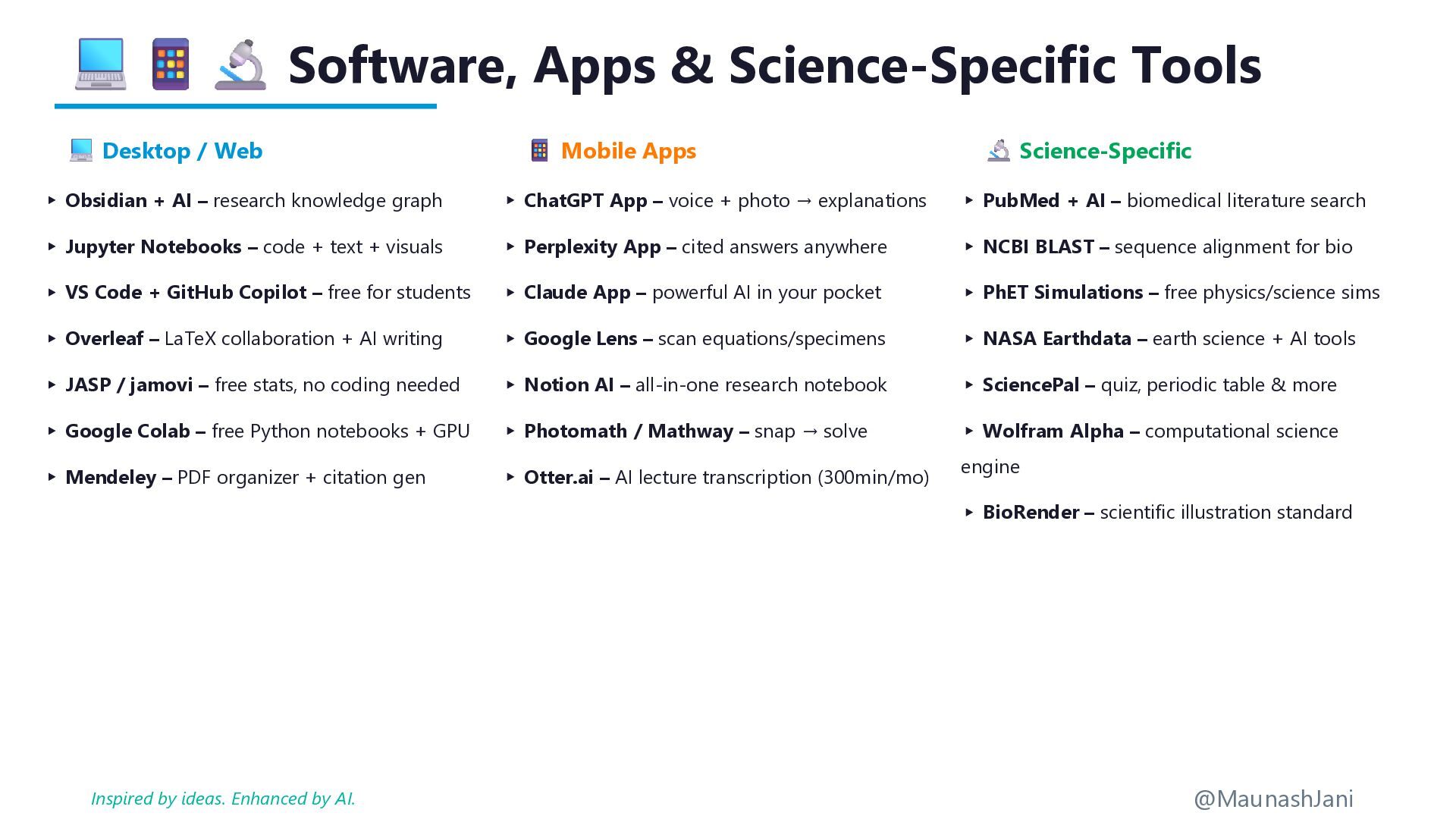
  14. Software, Apps & Science-Specific Tools Desktop / Web Mobile Apps

    Science-Specific ▸ Obsidian + AI – research knowledge graph ▸ Jupyter Notebooks – code + text + visuals ▸ VS Code + GitHub Copilot – free for students ▸ Overleaf – LaTeX collaboration + AI writing ▸ JASP / jamovi – free stats, no coding needed ▸ Google Colab – free Python notebooks + GPU ▸ Mendeley – PDF organizer + citation gen ▸ ChatGPT App – voice + photo → explanations ▸ Perplexity App – cited answers anywhere ▸ Claude App – powerful AI in your pocket ▸ Google Lens – scan equations/specimens ▸ Notion AI – all-in-one research notebook ▸ Photomath / Mathway – snap → solve ▸ Otter.ai – AI lecture transcription (300min/mo) ▸ PubMed + AI – biomedical literature search ▸ NCBI BLAST – sequence alignment for bio ▸ PhET Simulations – free physics/science sims ▸ NASA Earthdata – earth science + AI tools ▸ SciencePal – quiz, periodic table & more ▸ Wolfram Alpha – computational science engine ▸ BioRender – scientific illustration standard @MaunashJani Inspired by ideas. Enhanced by AI.
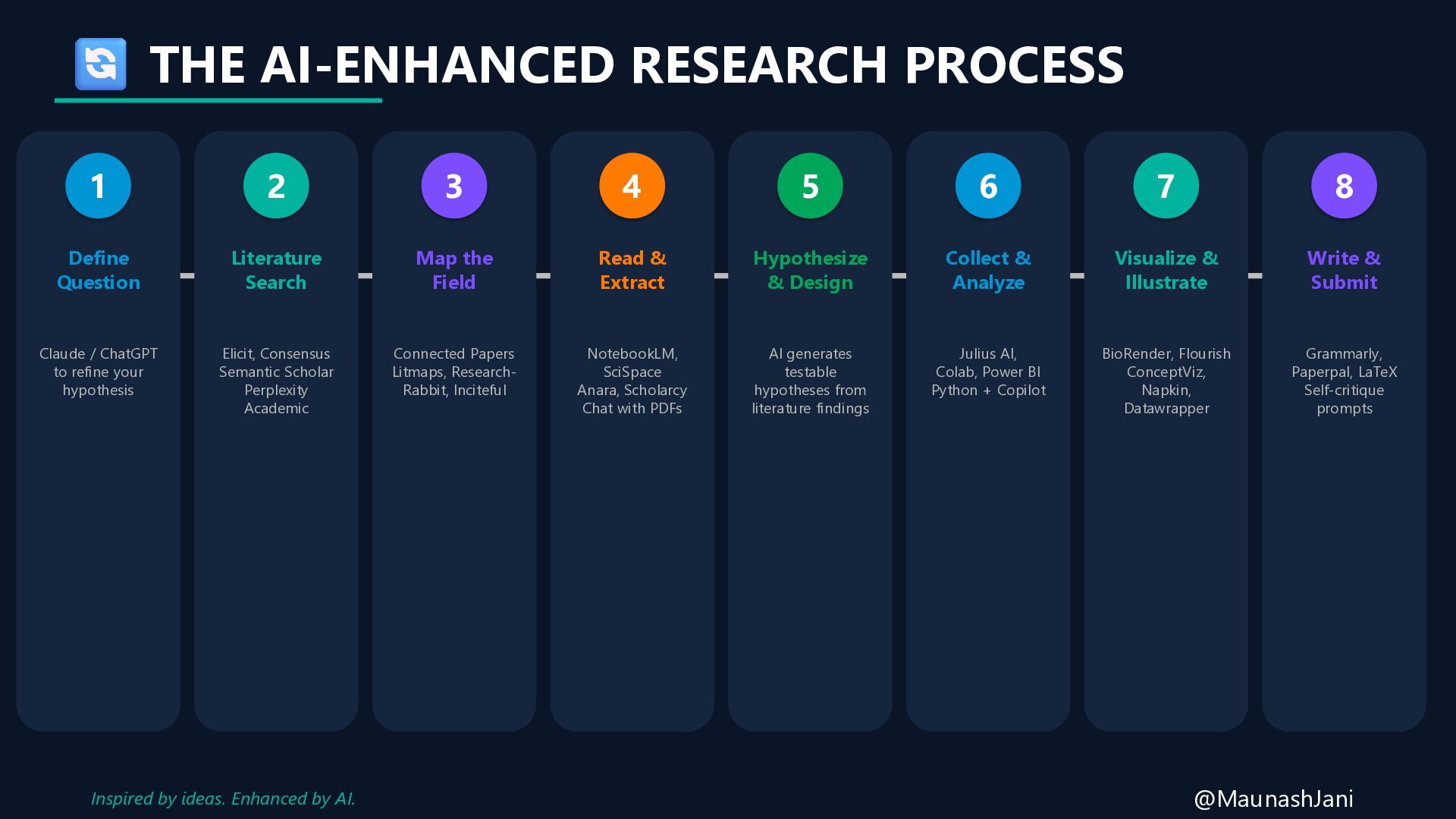
  15. THE AI-ENHANCED RESEARCH PROCESS 1 Define Question Claude / ChatGPT

    to refine your hypothesis 2 Literature Search Elicit, Consensus Semantic Scholar Perplexity Academic 3 Map the Field Connected Papers Litmaps, Research- Rabbit, Inciteful 4 Read & Extract NotebookLM, SciSpace Anara, Scholarcy Chat with PDFs 5 Hypothesize & Design AI generates testable hypotheses from literature findings 6 Collect & Analyze Julius AI, Colab, Power BI Python + Copilot 7 Visualize & Illustrate BioRender, Flourish ConceptViz, Napkin, Datawrapper 8 Write & Submit Grammarly, Paperpal, LaTeX Self-critique prompts @MaunashJani Inspired by ideas. Enhanced by AI.
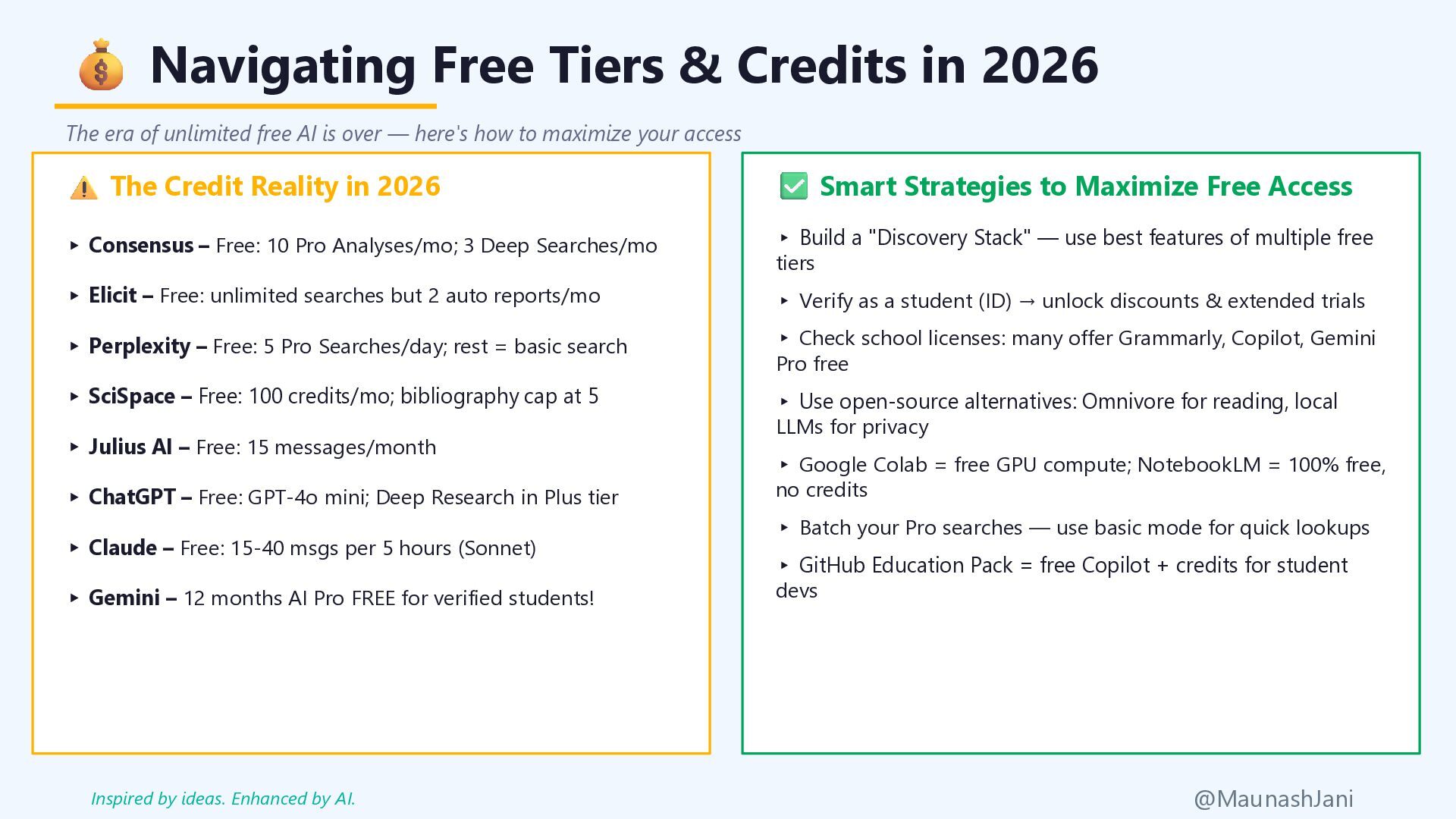
  16. Navigating Free Tiers & Credits in 2026 The era of

    unlimited free AI is over — here's how to maximize your access The Credit Reality in 2026 ▸ Consensus – Free: 10 Pro Analyses/mo; 3 Deep Searches/mo ▸ Elicit – Free: unlimited searches but 2 auto reports/mo ▸ Perplexity – Free: 5 Pro Searches/day; rest = basic search ▸ SciSpace – Free: 100 credits/mo; bibliography cap at 5 ▸ Julius AI – Free: 15 messages/month ▸ ChatGPT – Free: GPT-4o mini; Deep Research in Plus tier ▸ Claude – Free: 15-40 msgs per 5 hours (Sonnet) ▸ Gemini – 12 months AI Pro FREE for verified students! Smart Strategies to Maximize Free Access ▸ Build a "Discovery Stack" — use best features of multiple free tiers ▸ Verify as a student (ID) → unlock discounts & extended trials ▸ Check school licenses: many offer Grammarly, Copilot, Gemini Pro free ▸ Use open-source alternatives: Omnivore for reading, local LLMs for privacy ▸ Google Colab = free GPU compute; NotebookLM = 100% free, no credits ▸ Batch your Pro searches — use basic mode for quick lookups ▸ GitHub Education Pack = free Copilot + credits for student devs @MaunashJani Inspired by ideas. Enhanced by AI.
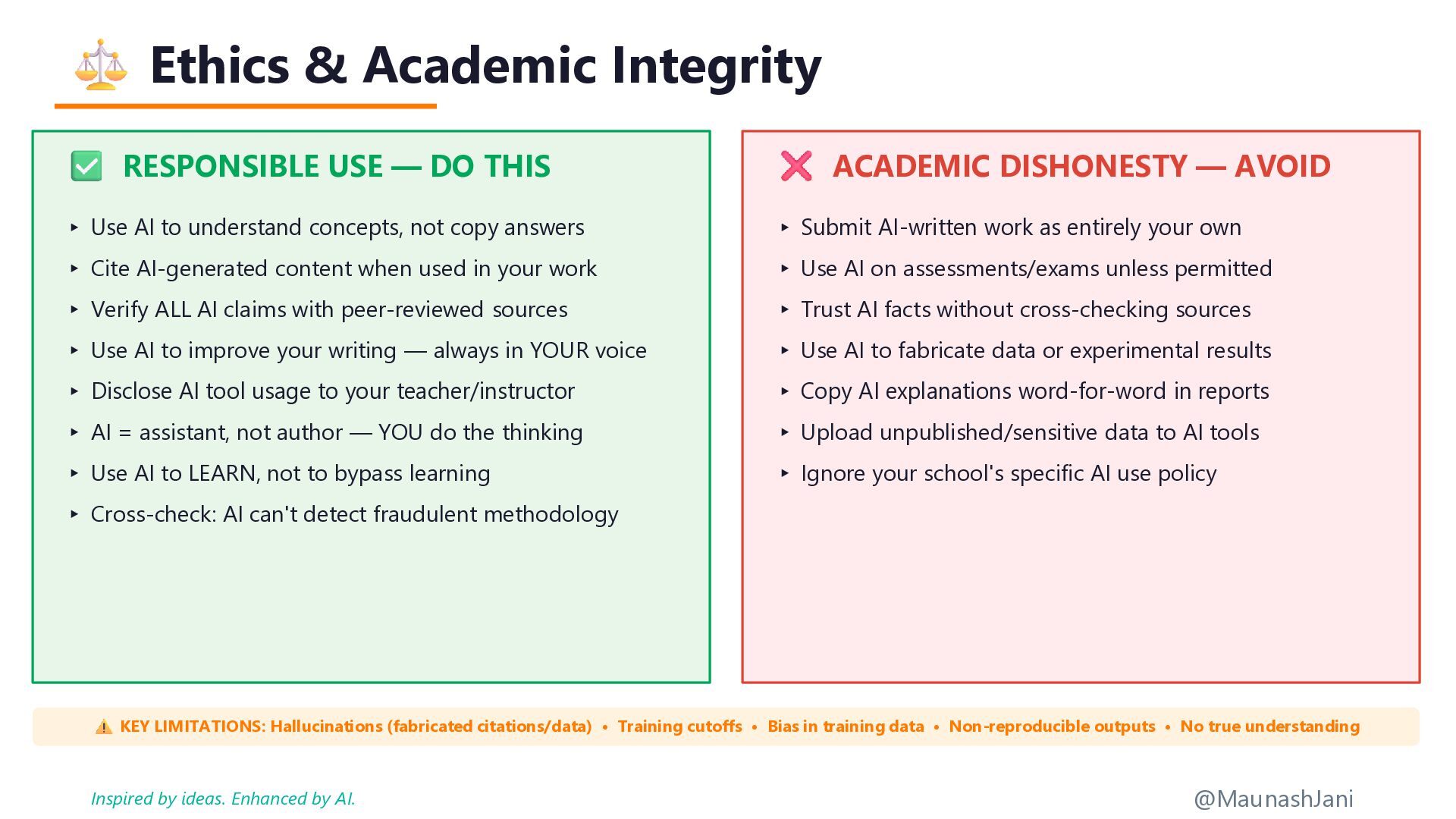
  17. Ethics & Academic Integrity RESPONSIBLE USE — DO THIS ▸

    Use AI to understand concepts, not copy answers ▸ Cite AI-generated content when used in your work ▸ Verify ALL AI claims with peer-reviewed sources ▸ Use AI to improve your writing — always in YOUR voice ▸ Disclose AI tool usage to your teacher/instructor ▸ AI = assistant, not author — YOU do the thinking ▸ Use AI to LEARN, not to bypass learning ▸ Cross-check: AI can't detect fraudulent methodology ACADEMIC DISHONESTY — AVOID ▸ Submit AI-written work as entirely your own ▸ Use AI on assessments/exams unless permitted ▸ Trust AI facts without cross-checking sources ▸ Use AI to fabricate data or experimental results ▸ Copy AI explanations word-for-word in reports ▸ Upload unpublished/sensitive data to AI tools ▸ Ignore your school's specific AI use policy KEY LIMITATIONS: Hallucinations (fabricated citations/data) • Training cutoffs • Bias in training data • Non-reproducible outputs • No true understanding @MaunashJani Inspired by ideas. Enhanced by AI.
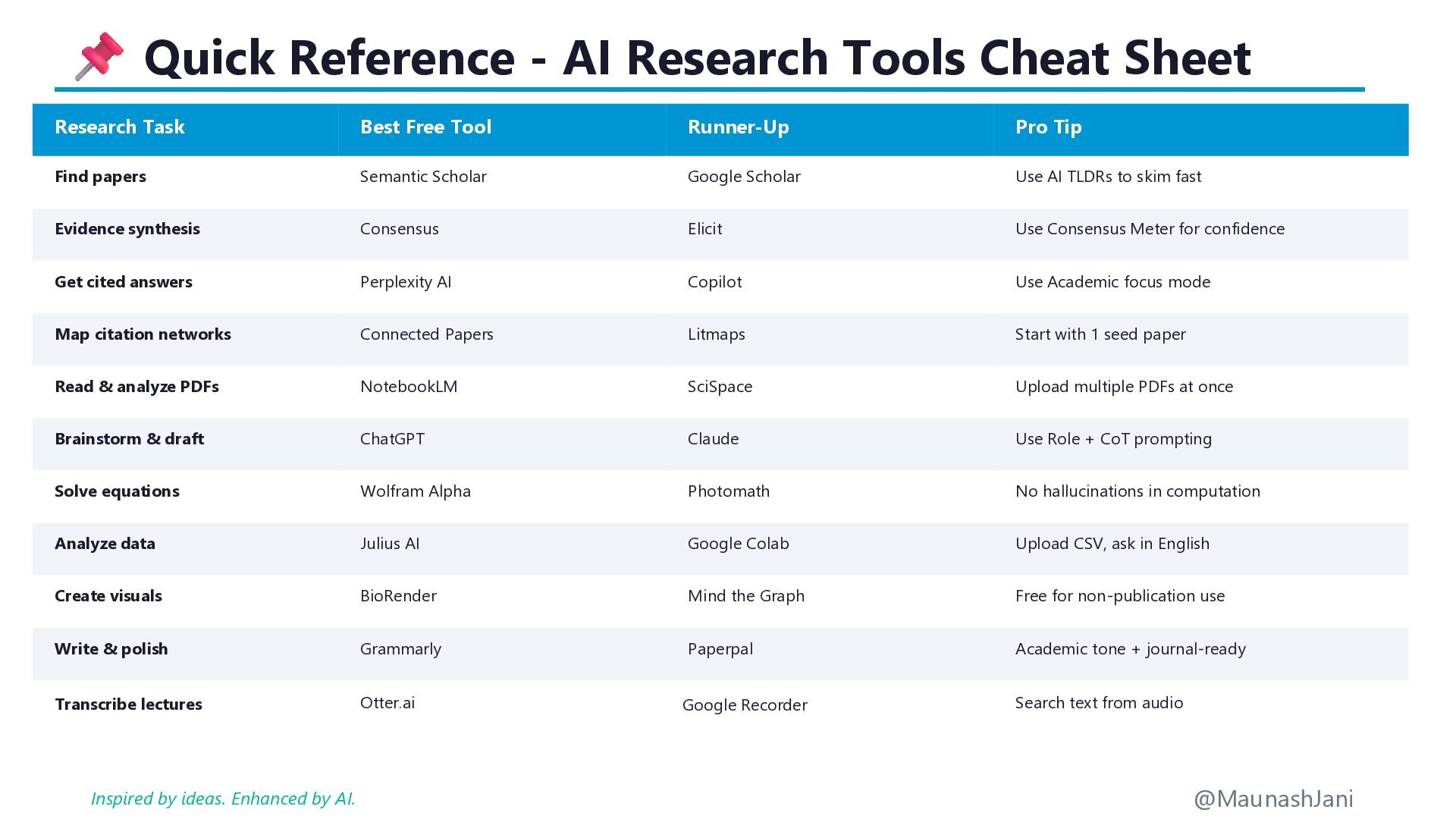
  18. Quick Reference - AI Research Tools Cheat Sheet Research Task

    Best Free Tool Runner-Up Pro Tip Find papers Semantic Scholar Google Scholar Use AI TLDRs to skim fast Evidence synthesis Consensus Elicit Use Consensus Meter for confidence Get cited answers Perplexity AI Copilot Use Academic focus mode Map citation networks Connected Papers Litmaps Start with 1 seed paper Read & analyze PDFs NotebookLM SciSpace Upload multiple PDFs at once Brainstorm & draft ChatGPT Claude Use Role + CoT prompting Solve equations Wolfram Alpha Photomath No hallucinations in computation Analyze data Julius AI Google Colab Upload CSV, ask in English Create visuals BioRender Mind the Graph Free for non-publication use Write & polish Grammarly Paperpal Academic tone + journal-ready Transcribe lectures Otter.ai Google Recorder Search text from audio @MaunashJani Inspired by ideas. Enhanced by AI.
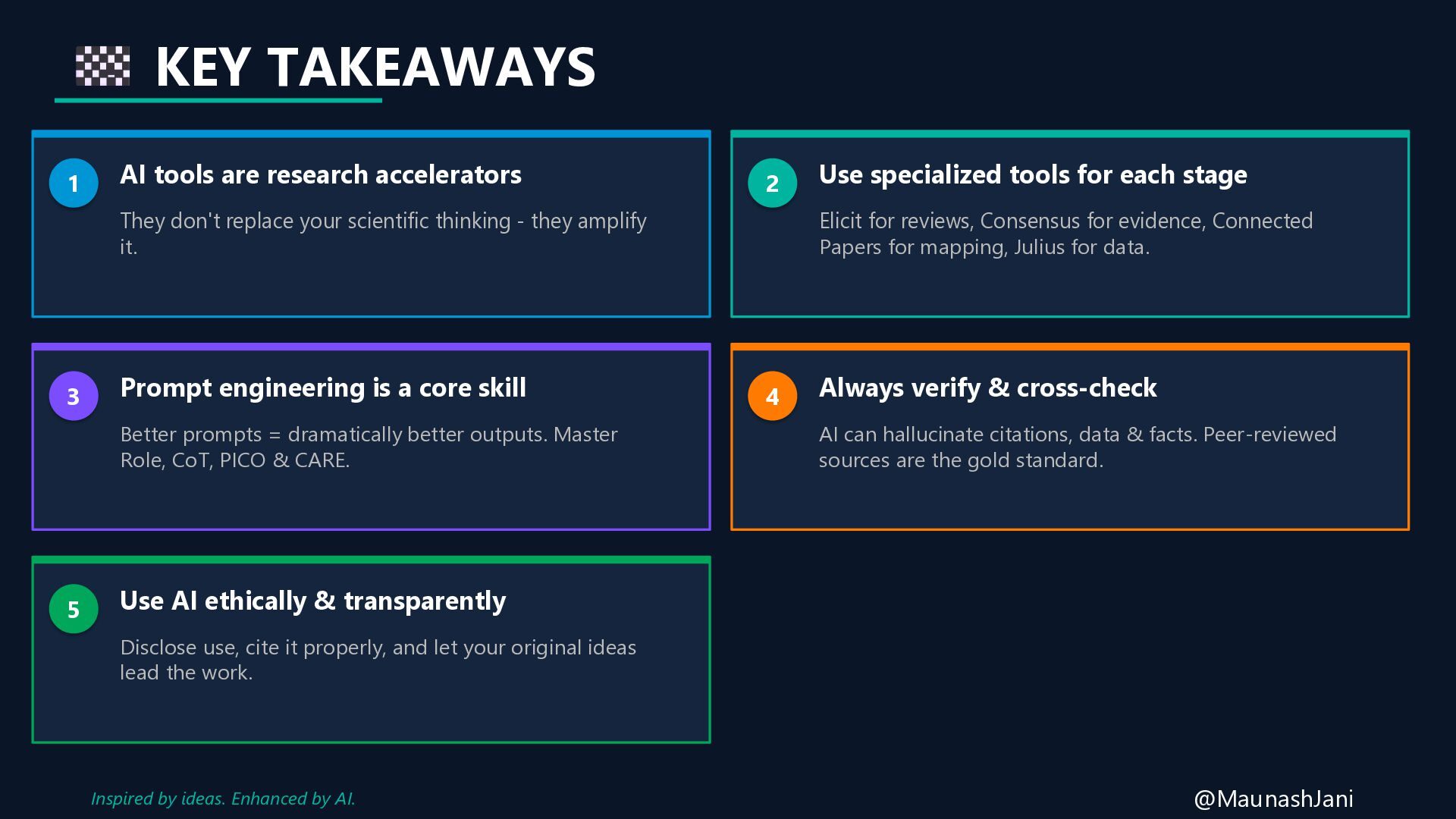
  19. KEY TAKEAWAYS 1 AI tools are research accelerators They don't

    replace your scientific thinking - they amplify it. 2 Use specialized tools for each stage Elicit for reviews, Consensus for evidence, Connected Papers for mapping, Julius for data. 3 Prompt engineering is a core skill Better prompts = dramatically better outputs. Master Role, CoT, PICO & CARE. 4 Always verify & cross-check AI can hallucinate citations, data & facts. Peer-reviewed sources are the gold standard. 5 Use AI ethically & transparently Disclose use, cite it properly, and let your original ideas lead the work. @MaunashJani Inspired by ideas. Enhanced by AI.
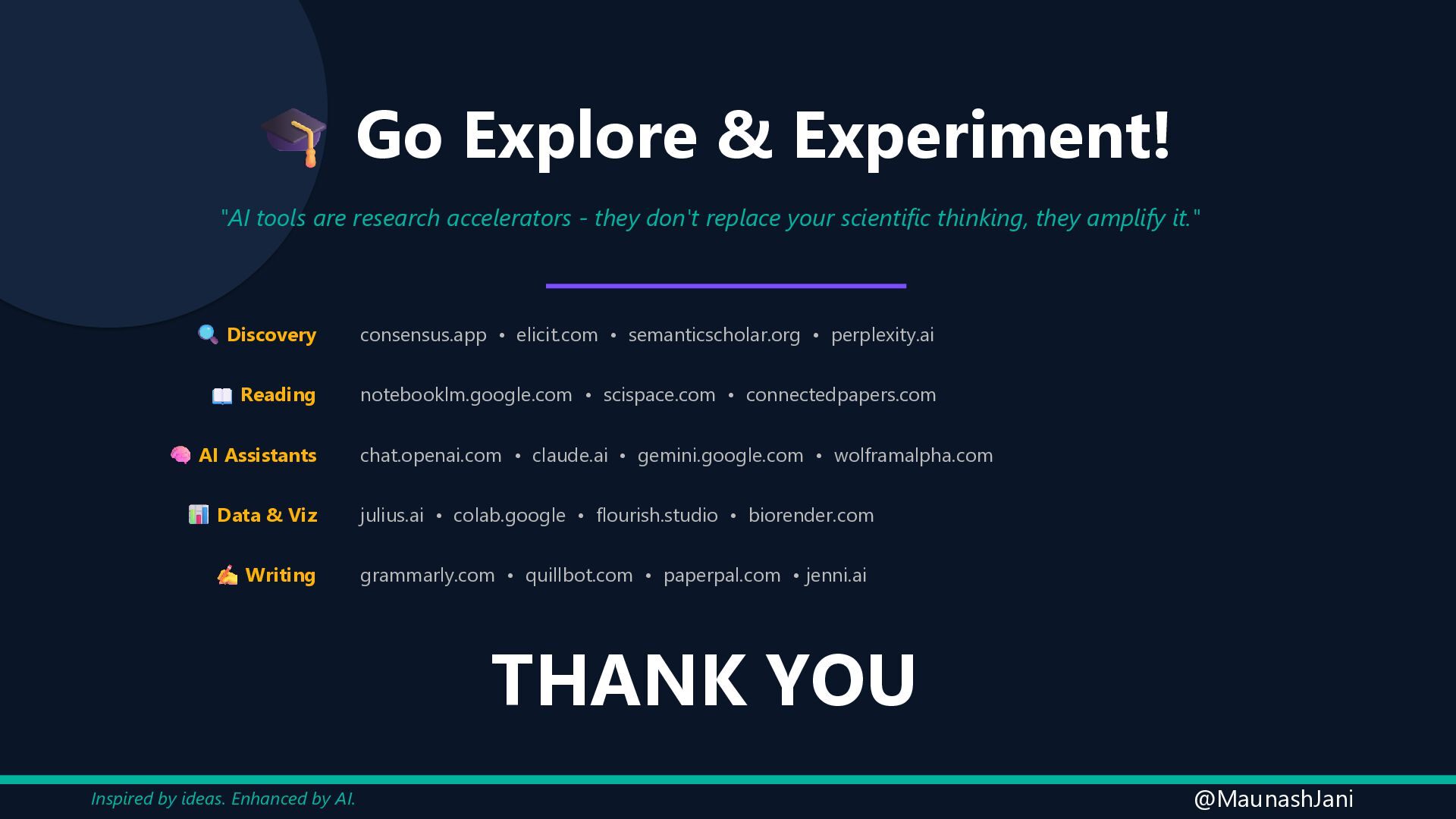
  20. Go Explore & Experiment! "AI tools are research accelerators -

    they don't replace your scientific thinking, they amplify it." Discovery consensus.app • elicit.com • semanticscholar.org • perplexity.ai Reading notebooklm.google.com • scispace.com • connectedpapers.com AI Assistants chat.openai.com • claude.ai • gemini.google.com • wolframalpha.com Data & Viz julius.ai • colab.google • flourish.studio • biorender.com Writing grammarly.com • quillbot.com • paperpal.com • jenni.ai THANK YOU @MaunashJani Inspired by ideas. Enhanced by AI.