Upgrade to Pro — share decks privately, control downloads, hide ads and more …

Engineering GenAI with MLflow

Engineering GenAI with MLflow

Slides from the kickoff session of the Vadodara Databricks User Group (November 28, 2026).

You changed the prompt. Is your GenAI app better now? Can you ship it? This session answers that question with one small app that analyzes customer reviews, and takes it from prototype to production on Databricks Free Edition: versioning the prompt with the Prompt Registry, tracing each request, comparing two prompt versions with LLM judges and reading the results, releasing by moving an alias, deploying with Databricks Apps, and monitoring quality in production.

Notebook: https://github.com/taka-yayoi/engineering-genai-with-mlflow
Questions: https://usergroups.databricks.com/v0/forum/engineering-genai-with-mlflow-331/topic/engineering-genai-with-mlflow-vadodara-dug-nov-28-2026-questions-and-follow-up-903/

インド Vadodara の Databricks User Group キックオフでの登壇資料です。プロンプトを変えたとき、アプリが良くなったのかをどう確かめるかを軸に、MLflow のプロンプトレジストリ、トレース、評価、Databricks Apps へのデプロイ、本番モニタリングまでを Free Edition で一通り説明しています。

Takaaki Yayoi

November 18, 2026

Transcript

28 slides
  1. DUG VADODARA · KICKOFF SESSION Engineering GenAI with MLflow Building

    GenAI apps on Databricks, from prototype to production Takaaki Yayoi Senior Specialist Solutions Architect, Databricks Japan November 28, 2026
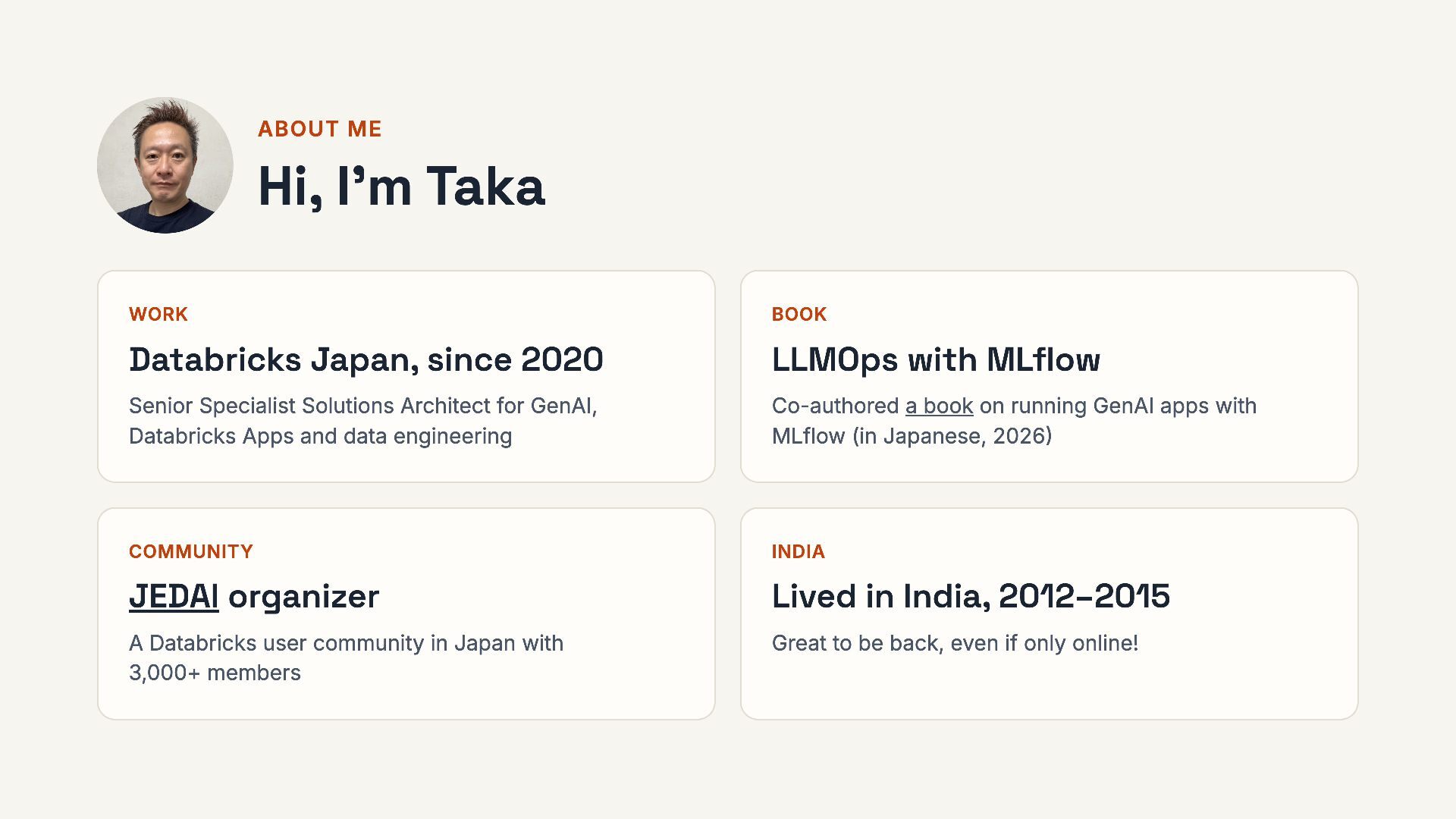
  2. ABOUT ME Hi, I’m Taka WORK BOOK Databricks Japan, since

    2020 LLMOps with MLflow Senior Specialist Solutions Architect for GenAI, Databricks Apps and data engineering Co-authored a book on running GenAI apps with MLflow (in Japanese, 2026) COMMUNITY INDIA JEDAI organizer Lived in India, 2012–2015 A Databricks user community in Japan with 3,000+ members Great to be back, even if only online! 2 / 28
  3. QUICK POLL · REPLY IN THE CHAT Before we start,

    tell me about you QUESTION 1 QUESTION 2 Have you used Databricks before? Have you built a GenAI app? Questions are welcome anytime. Drop them in the chat. 3 / 28
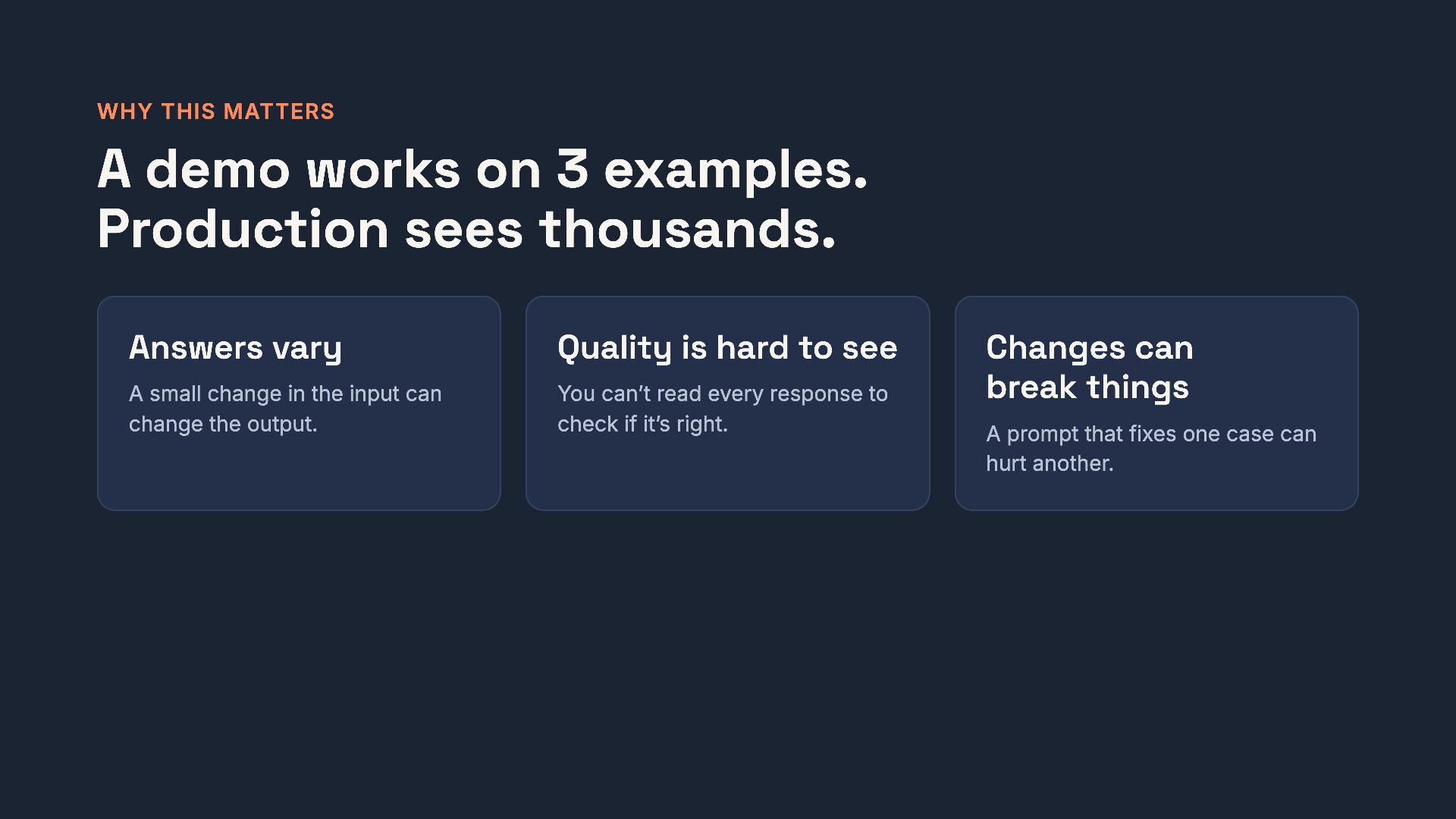
  4. WHY THIS MATTERS A demo works on 3 examples. Production

    sees thousands. Answers vary Quality is hard to see A small change in the input can change the output. You can’t read every response to check if it’s right. Changes can break things A prompt that fixes one case can hurt another. 4 / 28
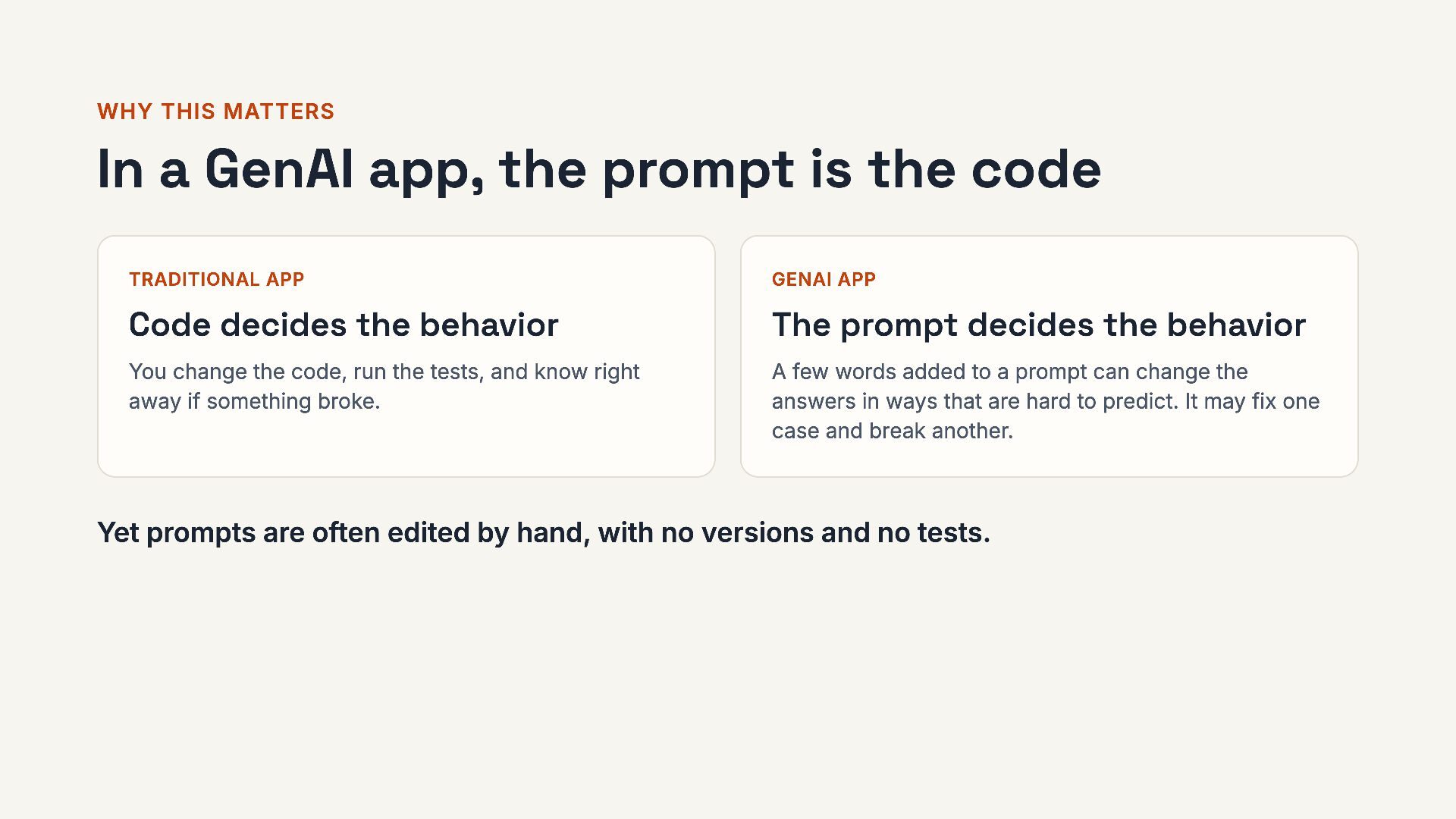
  5. WHY THIS MATTERS In a GenAI app, the prompt is

    the code TRADITIONAL APP GENAI APP Code decides the behavior The prompt decides the behavior You change the code, run the tests, and know right away if something broke. A few words added to a prompt can change the answers in ways that are hard to predict. It may fix one case and break another. Yet prompts are often edited by hand, with no versions and no tests. 5 / 28
  6. THE QUESTION FOR TODAY “I changed the prompt. Is my

    app better now? Can I ship it?” Everything in this session is about answering this question with evidence. 6 / 28
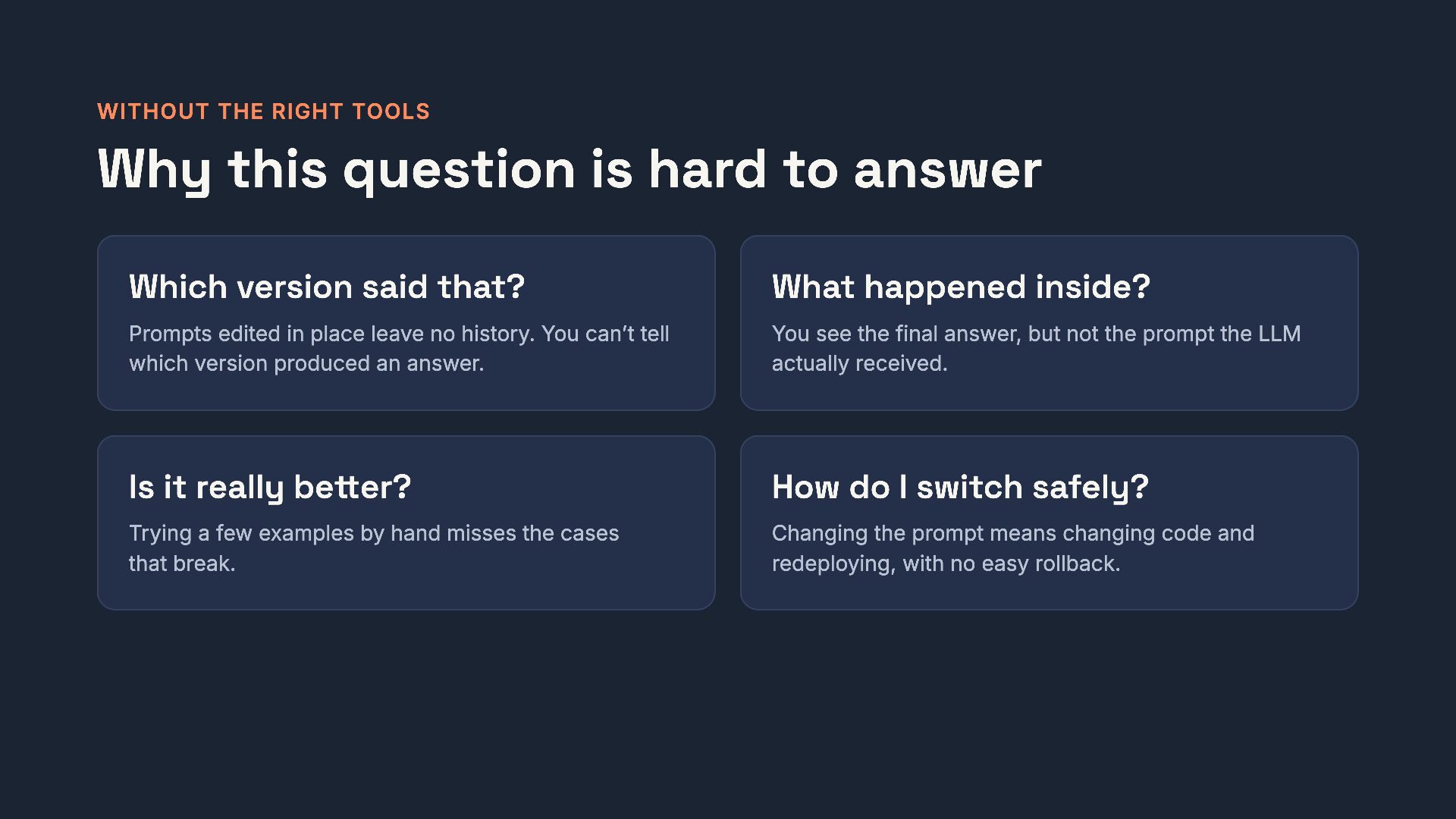
  7. WITHOUT THE RIGHT TOOLS Why this question is hard to

    answer Which version said that? What happened inside? Prompts edited in place leave no history. You can’t tell which version produced an answer. You see the final answer, but not the prompt the LLM actually received. Is it really better? How do I switch safely? Trying a few examples by hand misses the cases that break. Changing the prompt means changing code and redeploying, with no easy rollback. 7 / 28
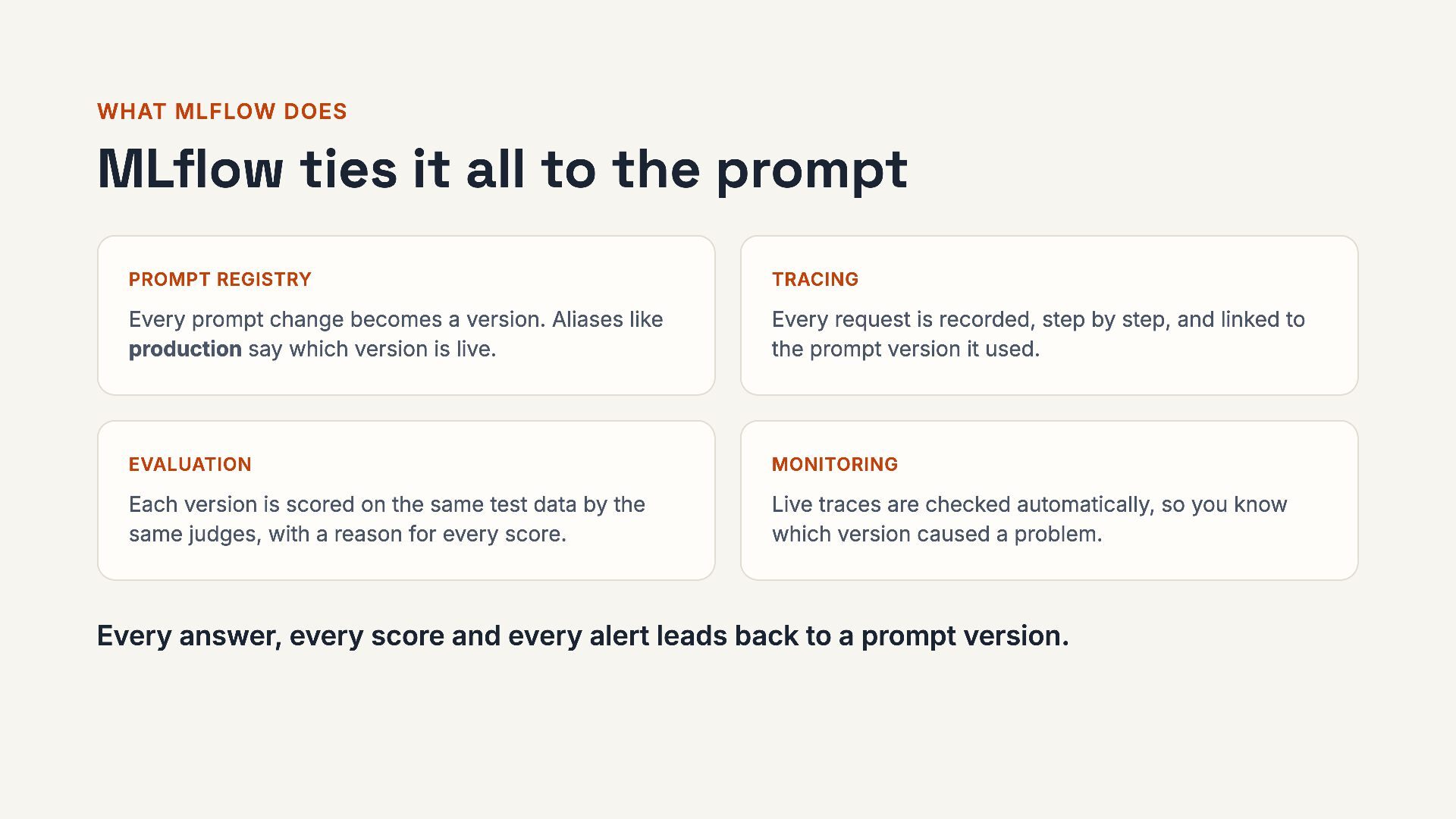
  8. WHAT MLFLOW DOES MLflow ties it all to the prompt

    PROMPT REGISTRY TRACING Every prompt change becomes a version. Aliases like production say which version is live. Every request is recorded, step by step, and linked to the prompt version it used. EVALUATION MONITORING Each version is scored on the same test data by the same judges, with a reason for every score. Live traces are checked automatically, so you know which version caused a problem. Every answer, every score and every alert leads back to a prompt version. 8 / 28
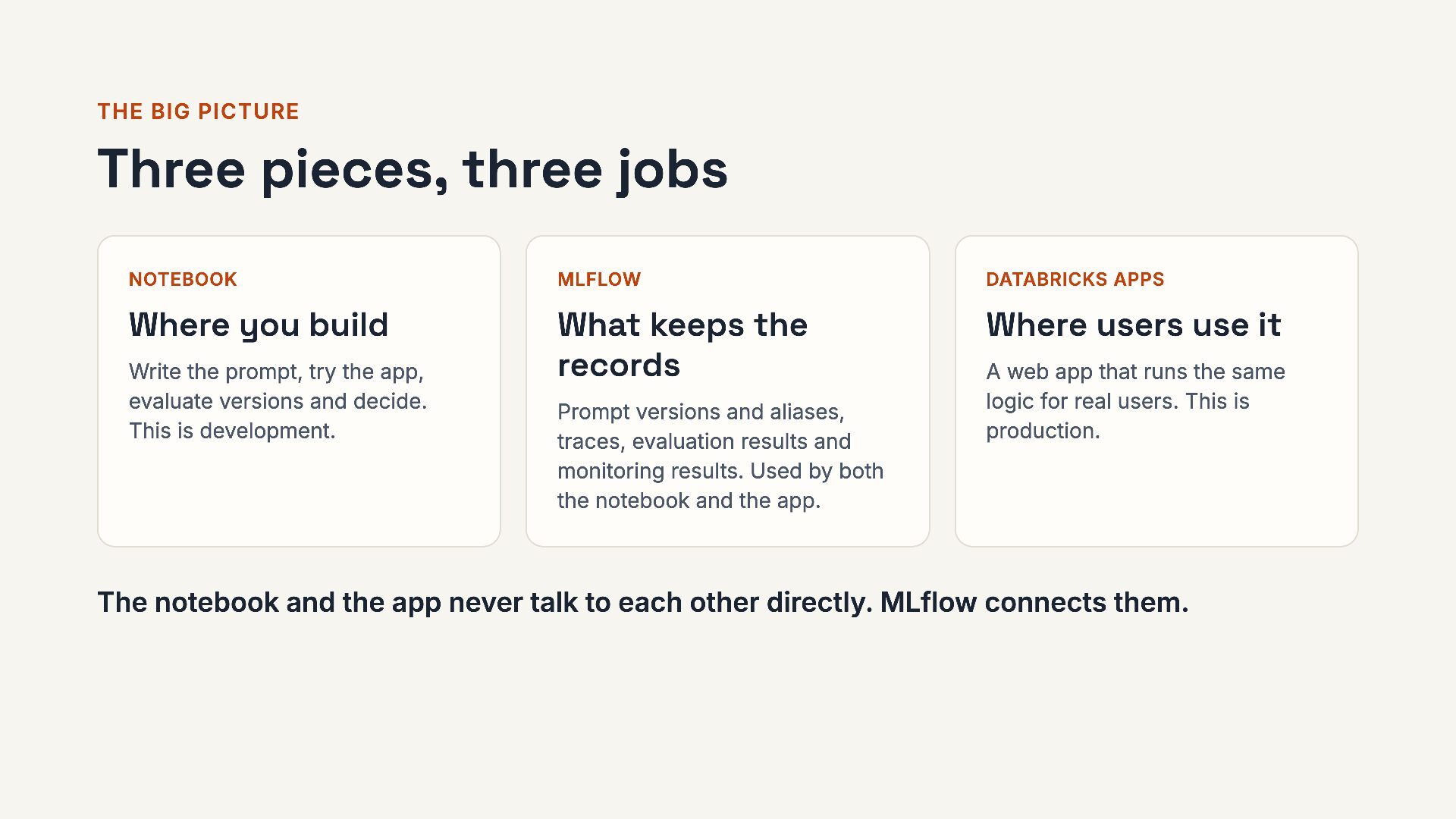
  9. THE BIG PICTURE Three pieces, three jobs NOTEBOOK MLFLOW DATABRICKS

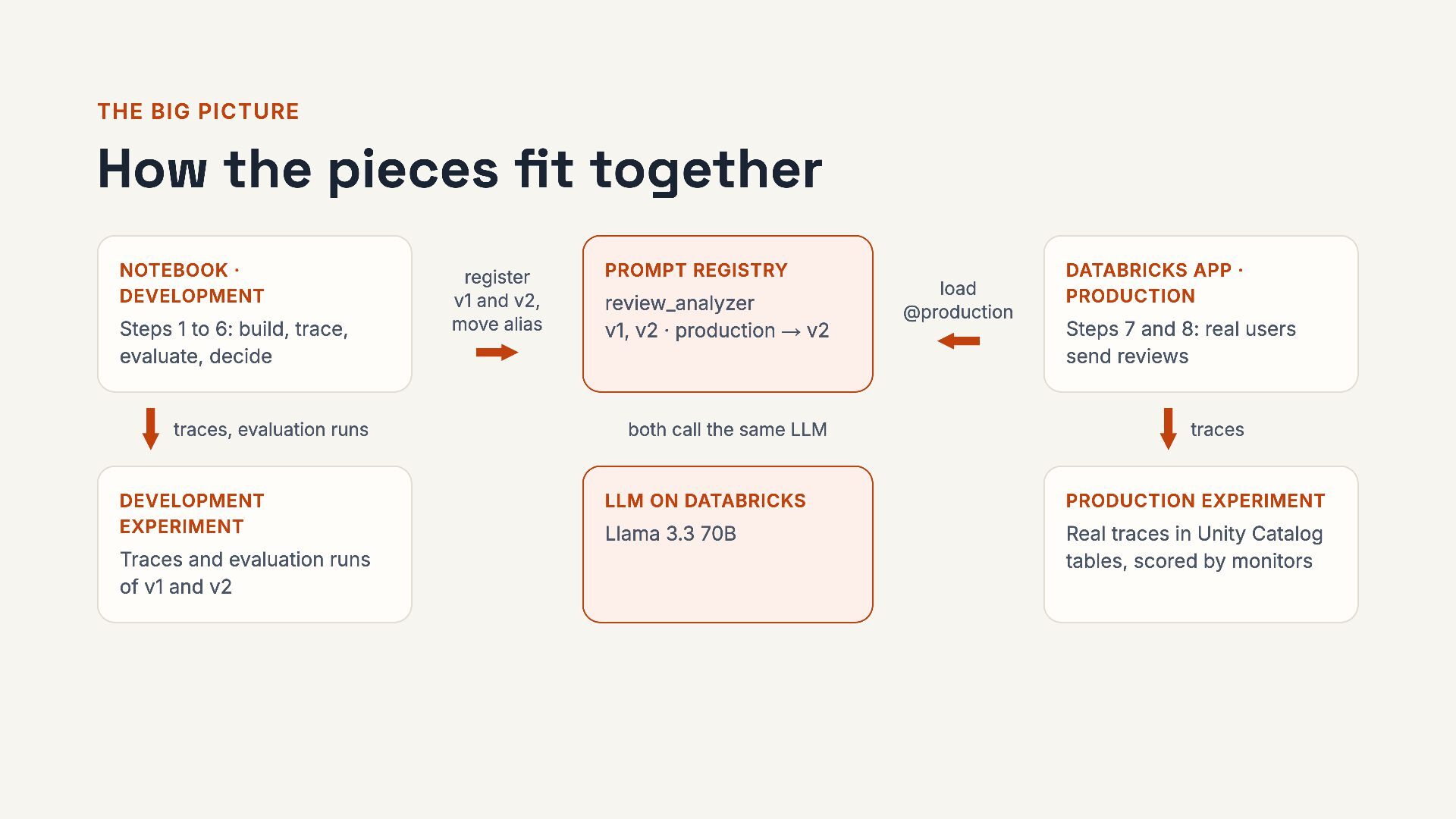
    APPS Where you build What keeps the records Where users use it Write the prompt, try the app, evaluate versions and decide. This is development. Prompt versions and aliases, traces, evaluation results and monitoring results. Used by both the notebook and the app. A web app that runs the same logic for real users. This is production. The notebook and the app never talk to each other directly. MLflow connects them. 9 / 28
  10. THE BIG PICTURE How the pieces fit together NOTEBOOK ·

    DEVELOPMENT Steps 1 to 6: build, trace, evaluate, decide traces, evaluation runs DEVELOPMENT EXPERIMENT Traces and evaluation runs of v1 and v2 register v1 and v2, move alias PROMPT REGISTRY review_analyzer v1, v2 · production → v2 both call the same LLM load @production DATABRICKS APP · PRODUCTION Steps 7 and 8: real users send reviews traces LLM ON DATABRICKS PRODUCTION EXPERIMENT Llama 3.3 70B Real traces in Unity Catalog tables, scored by monitors 10 / 28
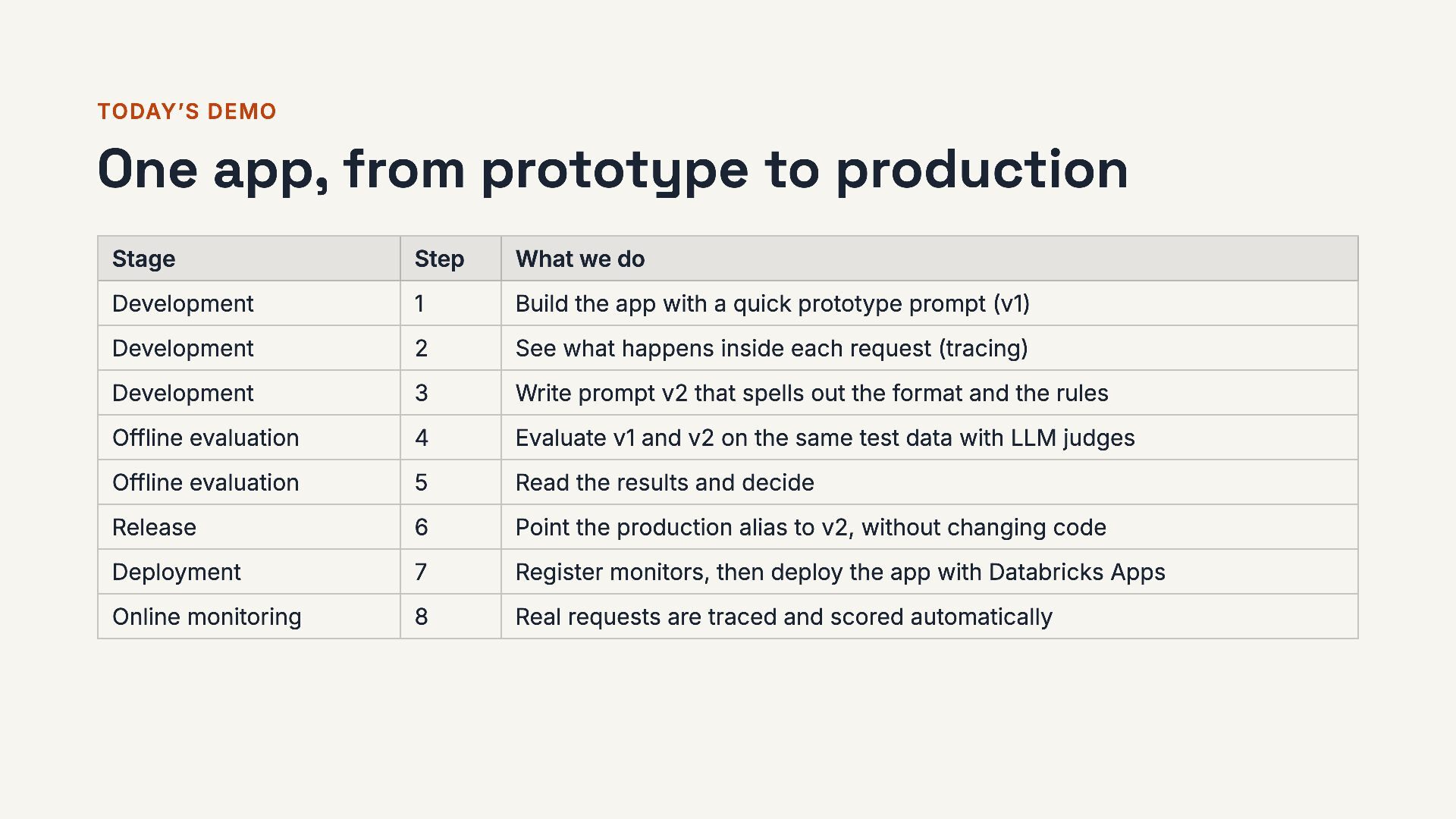
  11. TODAY’S DEMO One app, from prototype to production Stage Step

    What we do Development 1 Build the app with a quick prototype prompt (v1) Development 2 See what happens inside each request (tracing) Development 3 Write prompt v2 that spells out the format and the rules Offline evaluation 4 Evaluate v1 and v2 on the same test data with LLM judges Offline evaluation 5 Read the results and decide Release 6 Point the production alias to v2, without changing code Deployment 7 Register monitors, then deploy the app with Databricks Apps Online monitoring 8 Real requests are traced and scored automatically 11 / 28
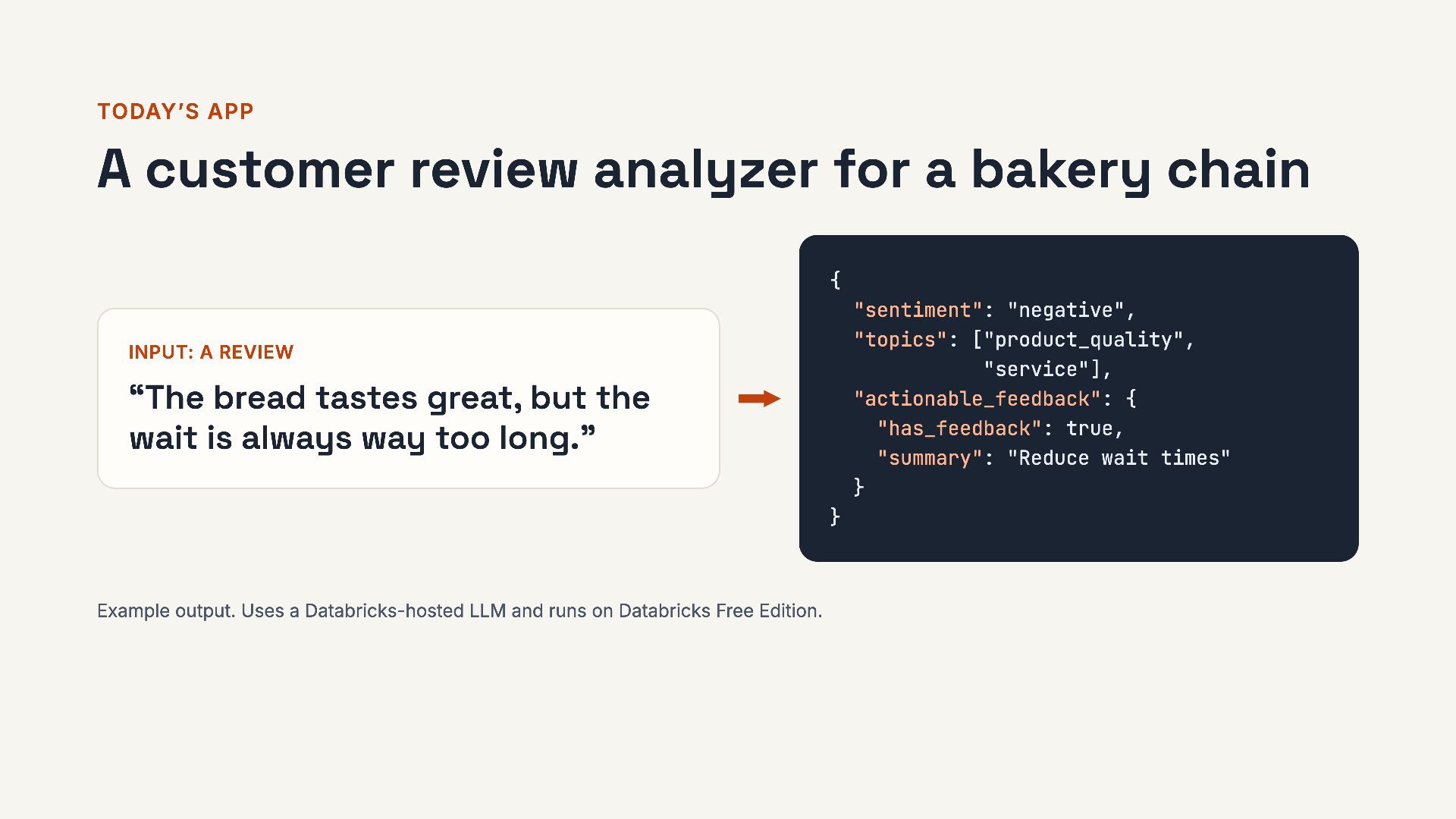
  12. TODAY’S APP A customer review analyzer for a bakery chain

    { "sentiment": "negative", "topics": ["product_quality", "service"], "actionable_feedback": { "has_feedback": true, "summary": "Reduce wait times" } INPUT: A REVIEW “The bread tastes great, but the wait is always way too long.” } Example output. Uses a Databricks-hosted LLM and runs on Databricks Free Edition. 12 / 28
  13. STEP 1 · DEVELOPMENT Register the prompt, load it by

    alias # Save the prompt as version 1 mlflow.genai.register_prompt( name=PROMPT_NAME, template=PROMPT_V1) # "production" points to version 1 mlflow.genai.set_prompt_alias( name=PROMPT_NAME, alias="production", version=1) # The app loads by alias mlflow.genai.load_prompt( f"prompts:/{PROMPT_NAME}@production") 1 Every change is a new version. Versions never change after you save them. 2 An alias says which version is live, so switching needs no code change. 13 / 28
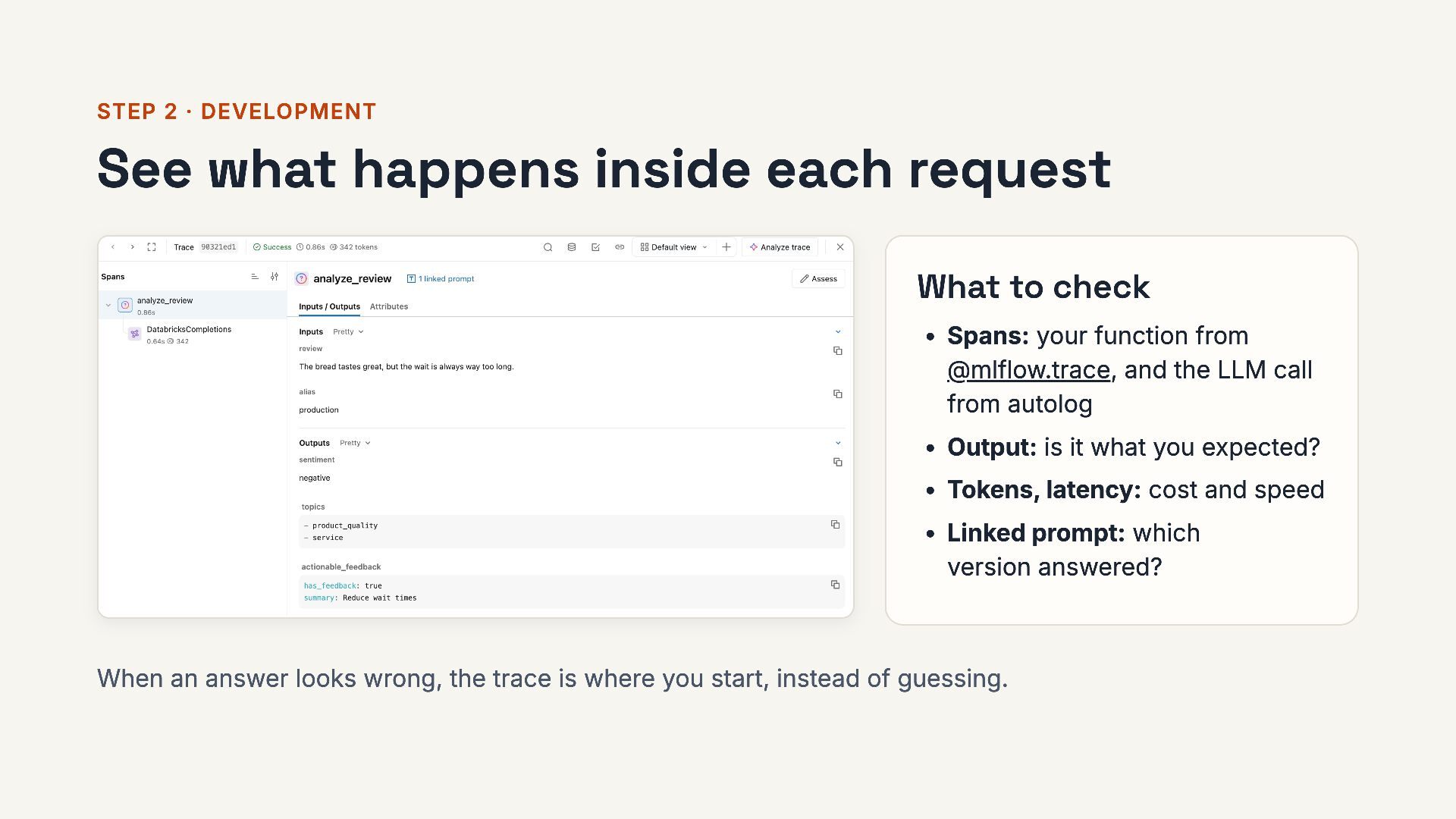
  14. STEP 2 · DEVELOPMENT See what happens inside each request

    What to check 1 Spans: your function from @mlflow.trace, and inside it the LLM call from autolog 2 Output: is it what you expected? 3 Tokens, latency: cost and speed 4 Linked prompt: which version answered? When an answer looks wrong, the trace is where you start, instead of guessing. 14 / 28
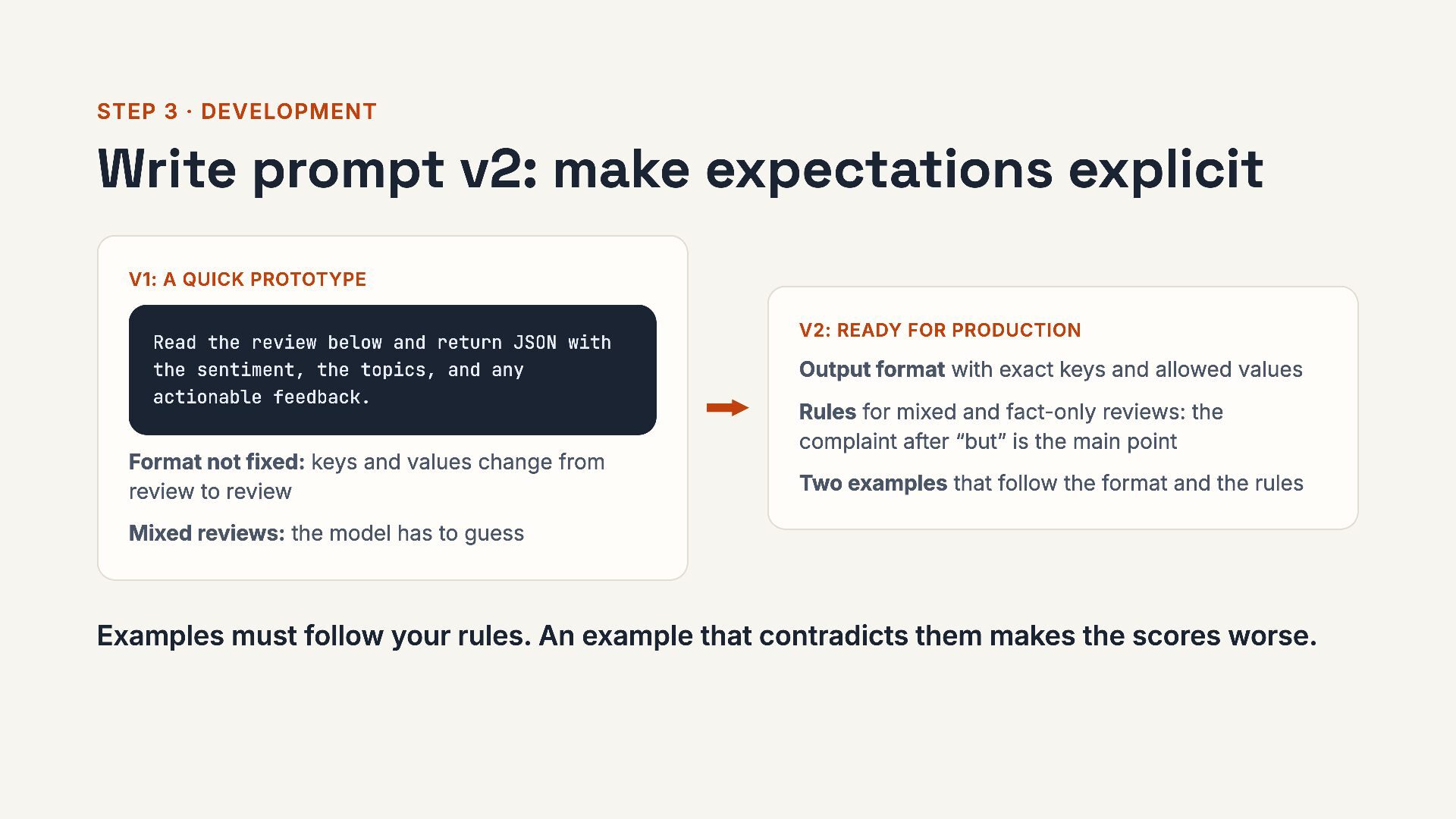
  15. STEP 3 · DEVELOPMENT Write prompt v2: make expectations explicit

    V1: A QUICK PROTOTYPE Read the review below and return JSON with the sentiment, the topics, and any actionable feedback. Format not fixed: keys and values change from review to review V2: READY FOR PRODUCTION Output format with exact keys and allowed values Rules for mixed and fact-only reviews: the complaint after “but” is the main point Two examples that follow the format and the rules Mixed reviews: the model has to guess Examples must follow your rules. An example that contradicts them makes the scores worse. 15 / 28
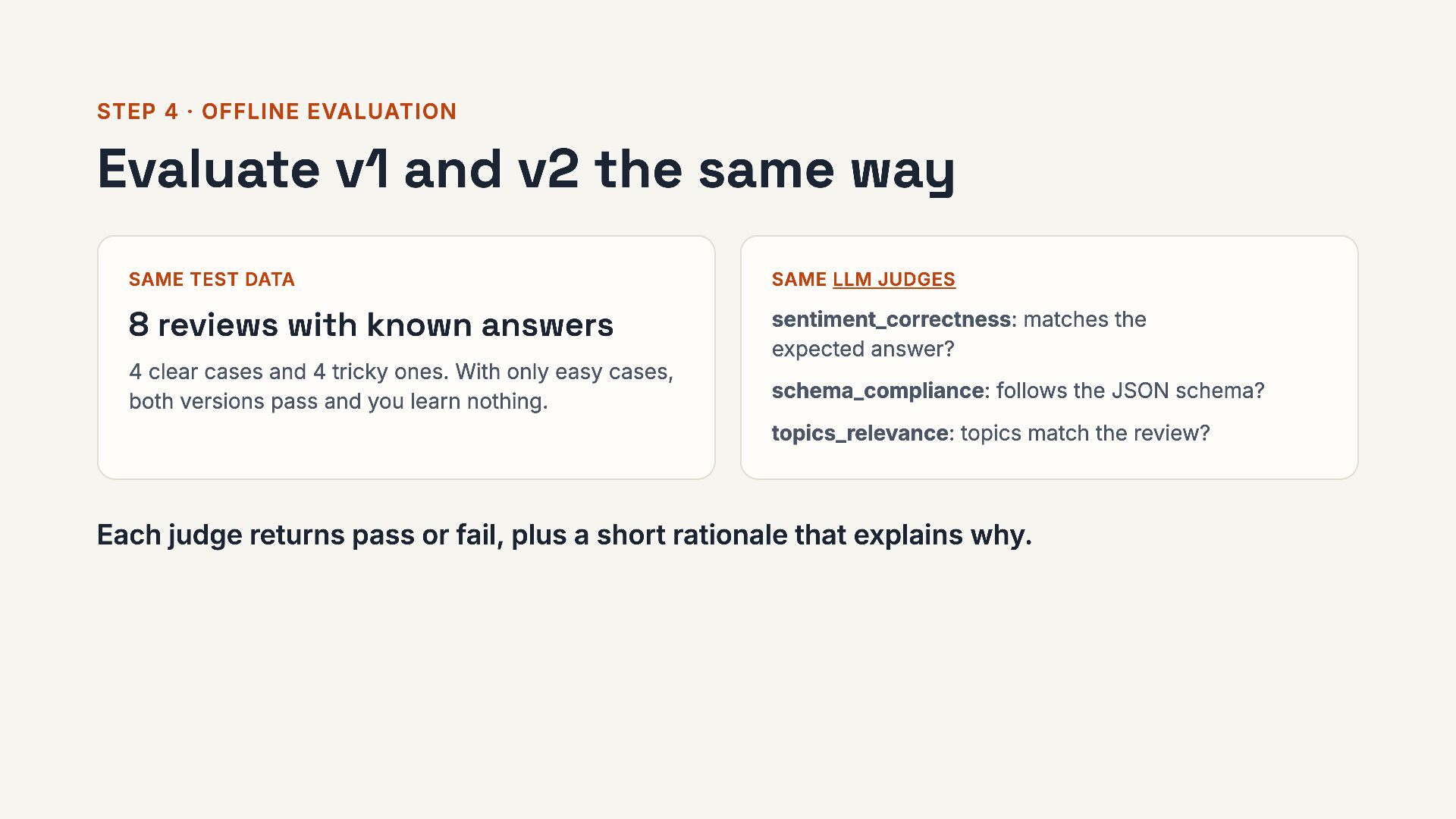
  16. STEP 4 · OFFLINE EVALUATION Evaluate v1 and v2 the

    same way SAME TEST DATA SAME LLM JUDGES 8 reviews with known answers sentiment_correctness: matches the expected answer? 4 clear cases and 4 tricky ones. With only easy cases, both versions pass and you learn nothing. schema_compliance: follows the JSON schema? topics_relevance: topics match the review? Each judge returns pass or fail, plus a short rationale that explains why. 16 / 28
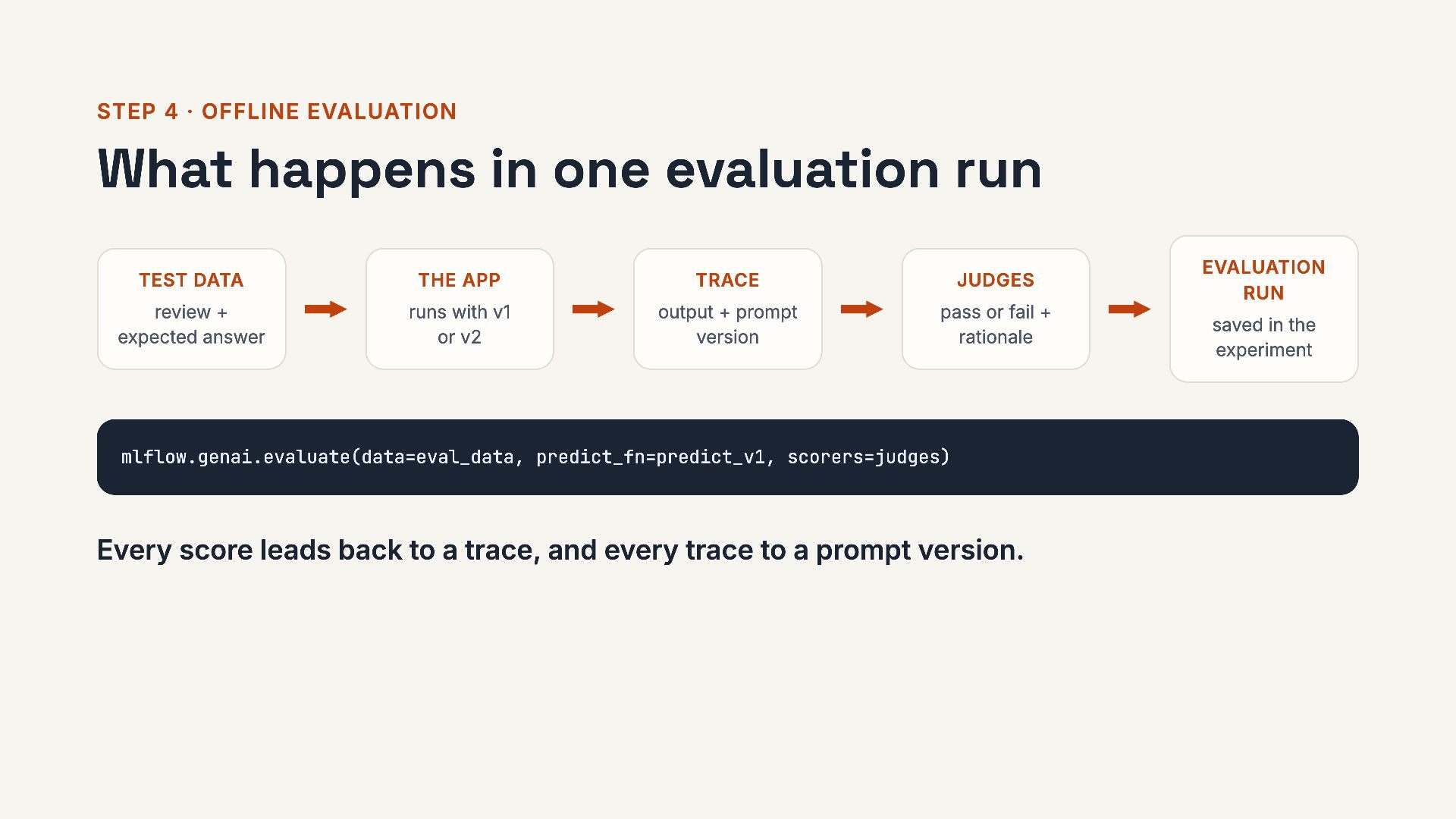
  17. STEP 4 · OFFLINE EVALUATION What happens in one evaluation

    run TEST DATA THE APP TRACE JUDGES review + expected answer runs with v1 or v2 output + prompt version pass or fail + rationale EVALUATION RUN saved in the experiment mlflow.genai.evaluate(data=eval_data, predict_fn=predict_v1, scorers=judges) Every score leads back to a trace, and every trace to a prompt version. 17 / 28
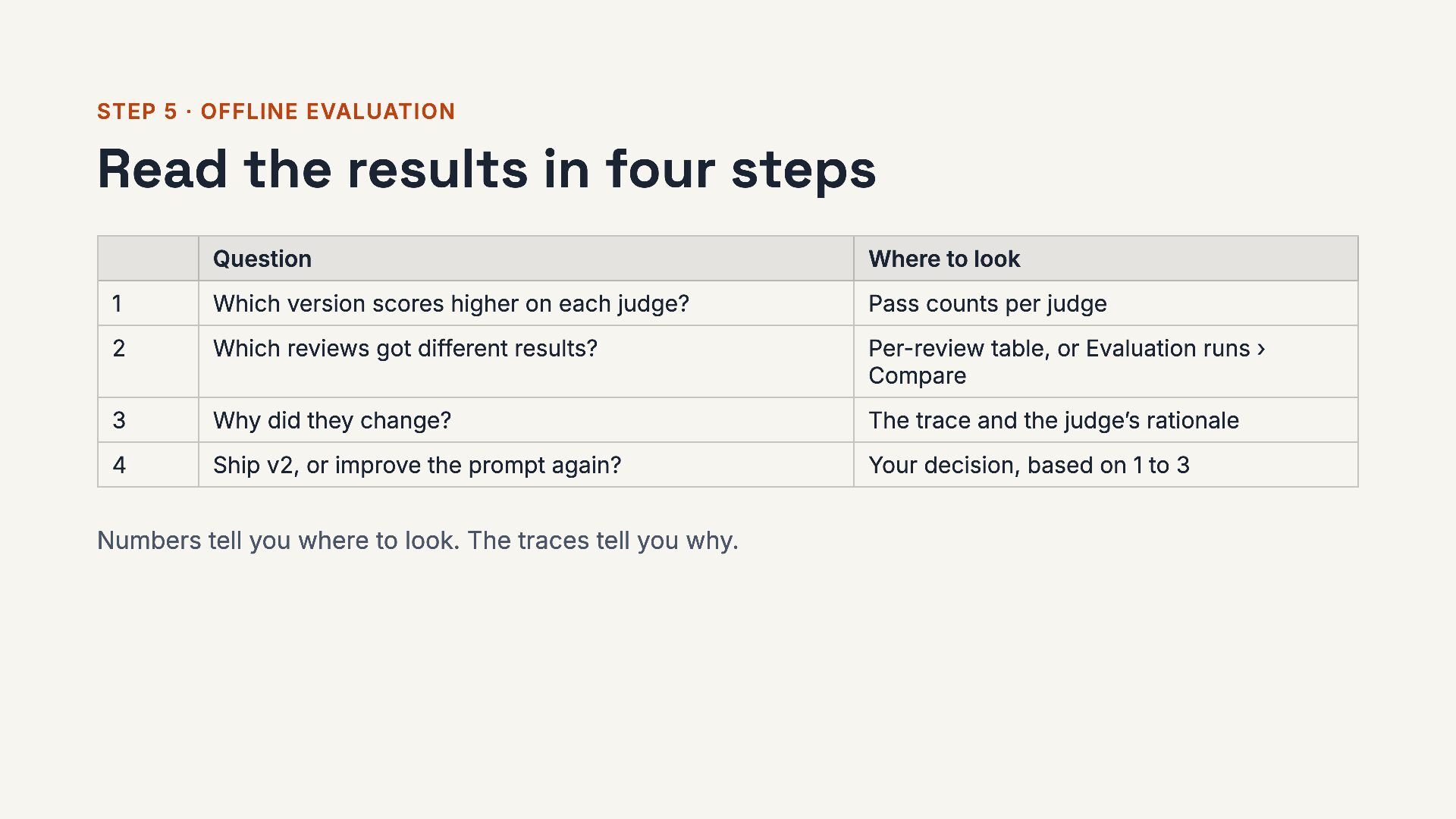
  18. STEP 5 · OFFLINE EVALUATION Read the results in four

    steps Question Where to look 1 Which version scores higher on each judge? Pass counts per judge 2 Which reviews got different results? Per-review table, or Evaluation runs › Compare 3 Why did they change? The trace and the judge’s rationale 4 Ship v2, or improve the prompt again? Your decision, based on 1 to 3 Numbers tell you where to look. The traces tell you why. 18 / 28
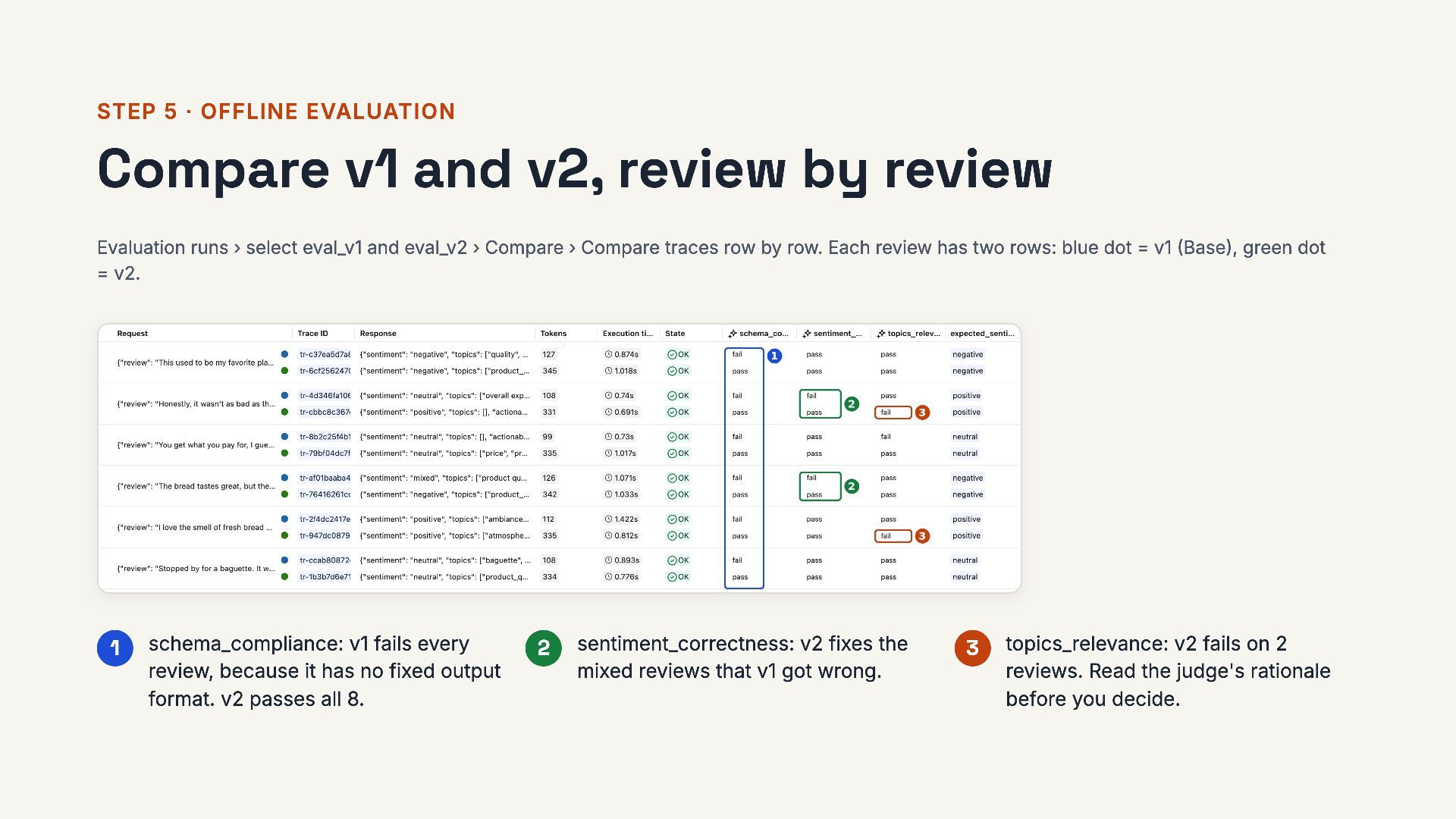
  19. STEP 5 · OFFLINE EVALUATION Compare v1 and v2, review

    by review Evaluation runs › select eval_v1 and eval_v2 › Compare › Compare traces row by row. Each review has two rows, one per version. The dot next to each run name at the top shows its color (here, blue = v1, green = v2). 1 schema_compliance: v1 fails every review, so other systems can’t rely on its JSON. v2 passes all 8. 2 sentiment_correctness: v2 fixes the mixed reviews that v1 got wrong. 3 topics_relevance: v2 fails on 2 reviews. Read the judge's rationale before you decide. 19 / 28
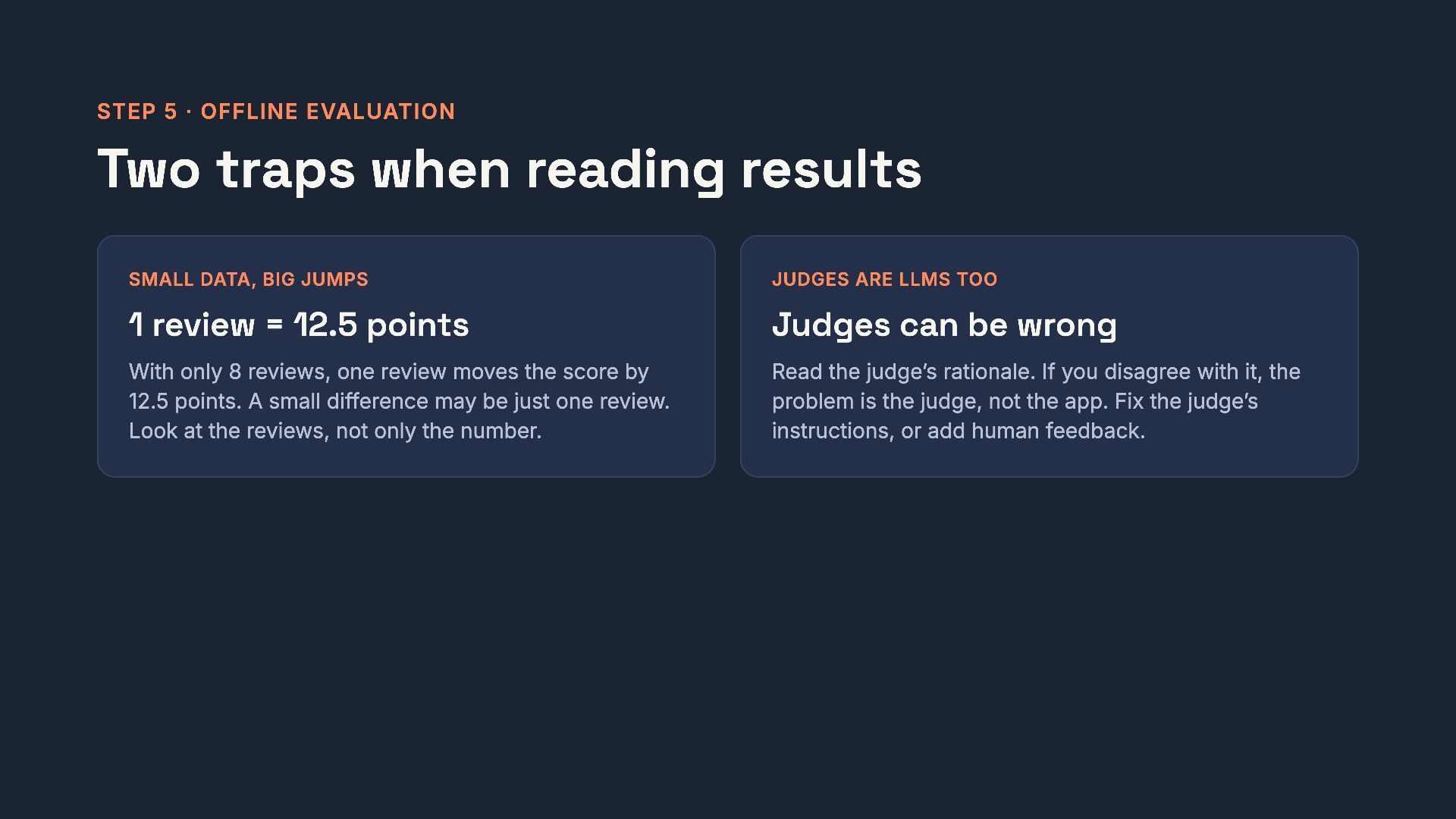
  20. STEP 5 · OFFLINE EVALUATION Two traps when reading results

    SMALL DATA, BIG JUMPS JUDGES ARE LLMS TOO 1 review = 12.5 points Judges can be wrong With only 8 reviews, one review moves the score by 12.5 points. A small difference may be just one review. Look at the reviews, not only the number. Read the judge’s rationale. If you disagree with it, the problem is the judge, not the app. Fix the judge’s instructions, or add human feedback. 20 / 28
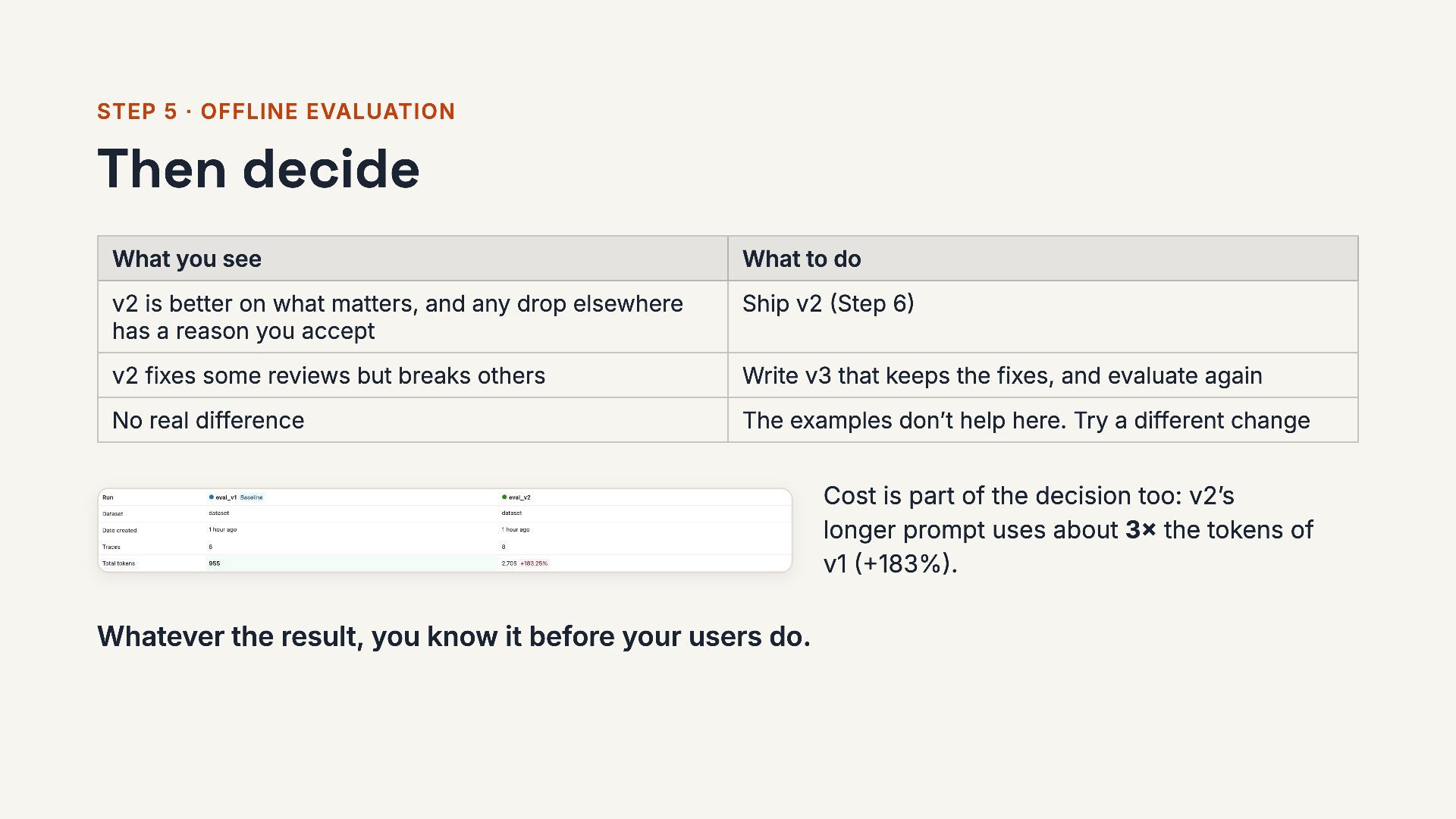
  21. STEP 5 · OFFLINE EVALUATION Then decide What you see

    What to do v2 is better on what matters, and any drop elsewhere has a reason you accept Ship v2 (Step 6) v2 fixes some reviews but breaks others Write v3 that keeps the fixes, and evaluate again No real difference The examples don’t help here. Try a different change Cost is part of the decision too: v2’s longer prompt uses about 3× the tokens of v1 (+183%). Whatever the result, you know it before your users do. 21 / 28
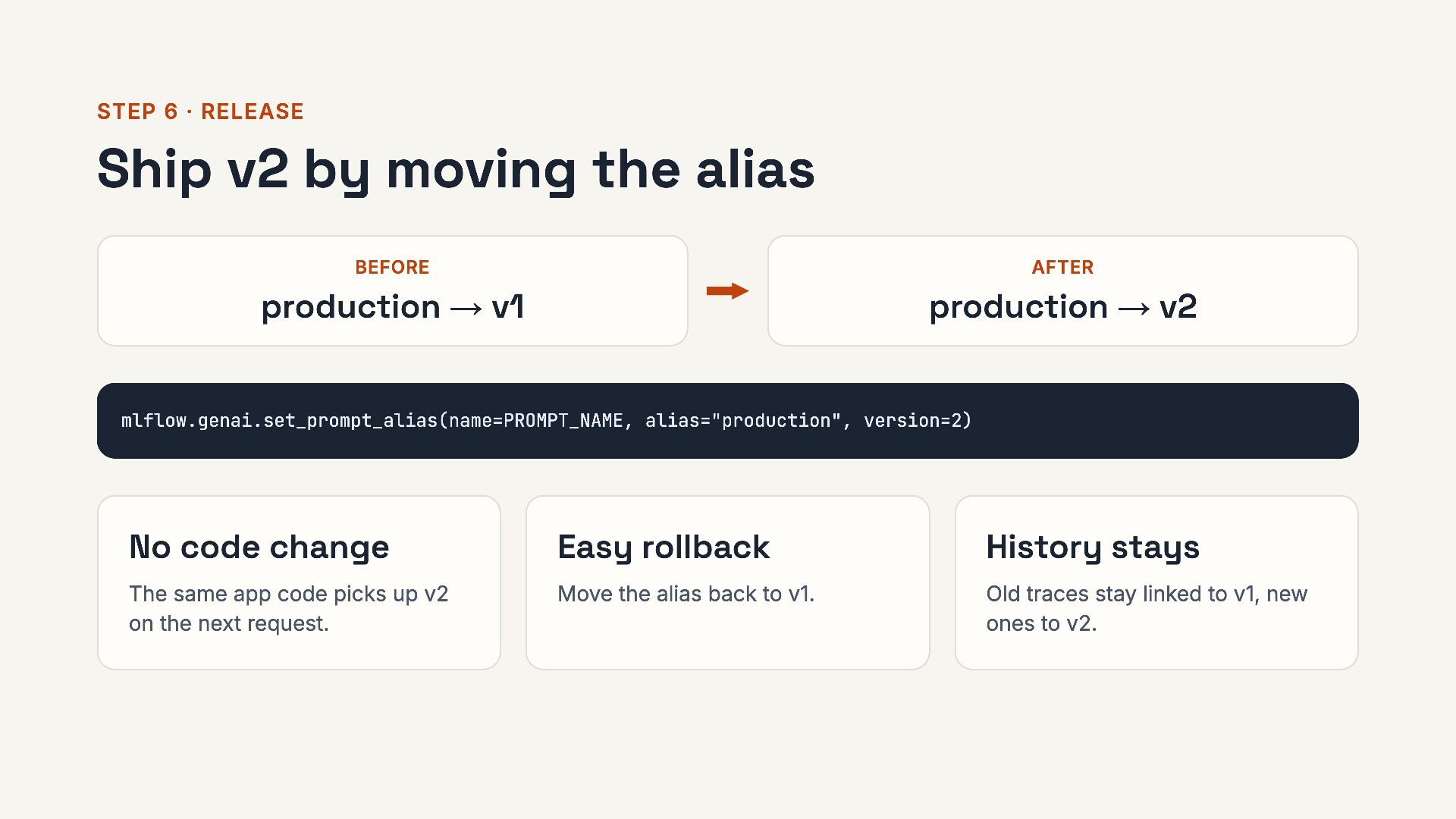
  22. STEP 6 · RELEASE Ship v2 by moving the alias

    BEFORE AFTER production → v1 production → v2 mlflow.genai.set_prompt_alias(name=PROMPT_NAME, alias="production", version=2) No code change Easy rollback History stays The same app code picks up v2 within about a minute. Move the alias back to v1. Old traces stay linked to v1, new ones to v2. 22 / 28
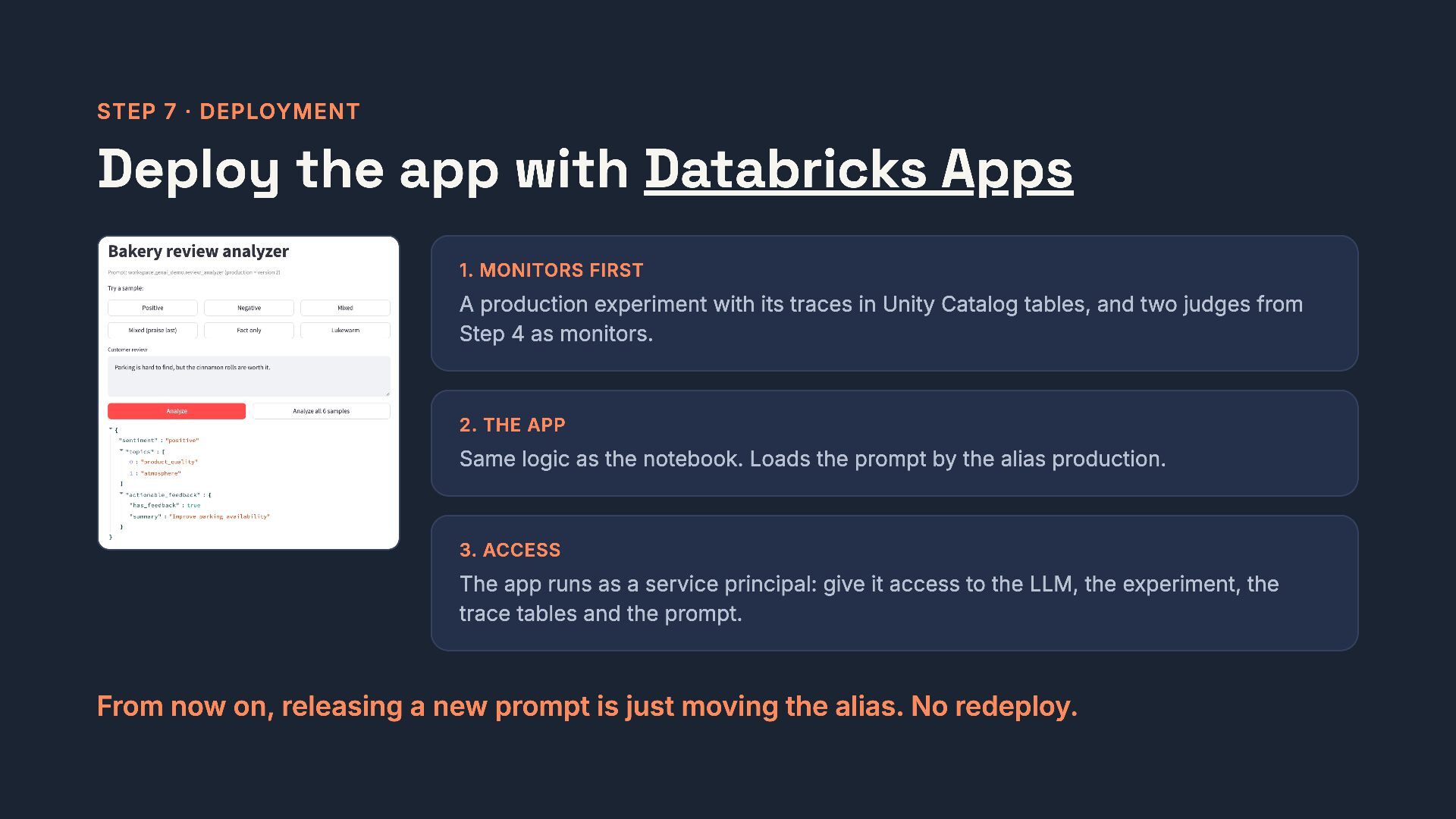
  23. STEP 7 · DEPLOYMENT Deploy the app with Databricks Apps

    1. MONITORS FIRST A production experiment with its traces in Unity Catalog tables, and two judges from Step 4 as monitors. 2. THE APP Same logic as the notebook. Loads the prompt by the alias production. 3. ACCESS The app runs as a service principal: give it access to the LLM, the experiment, the trace tables and the prompt. From now on, releasing a new prompt is just moving the alias. No redeploy. 23 / 28
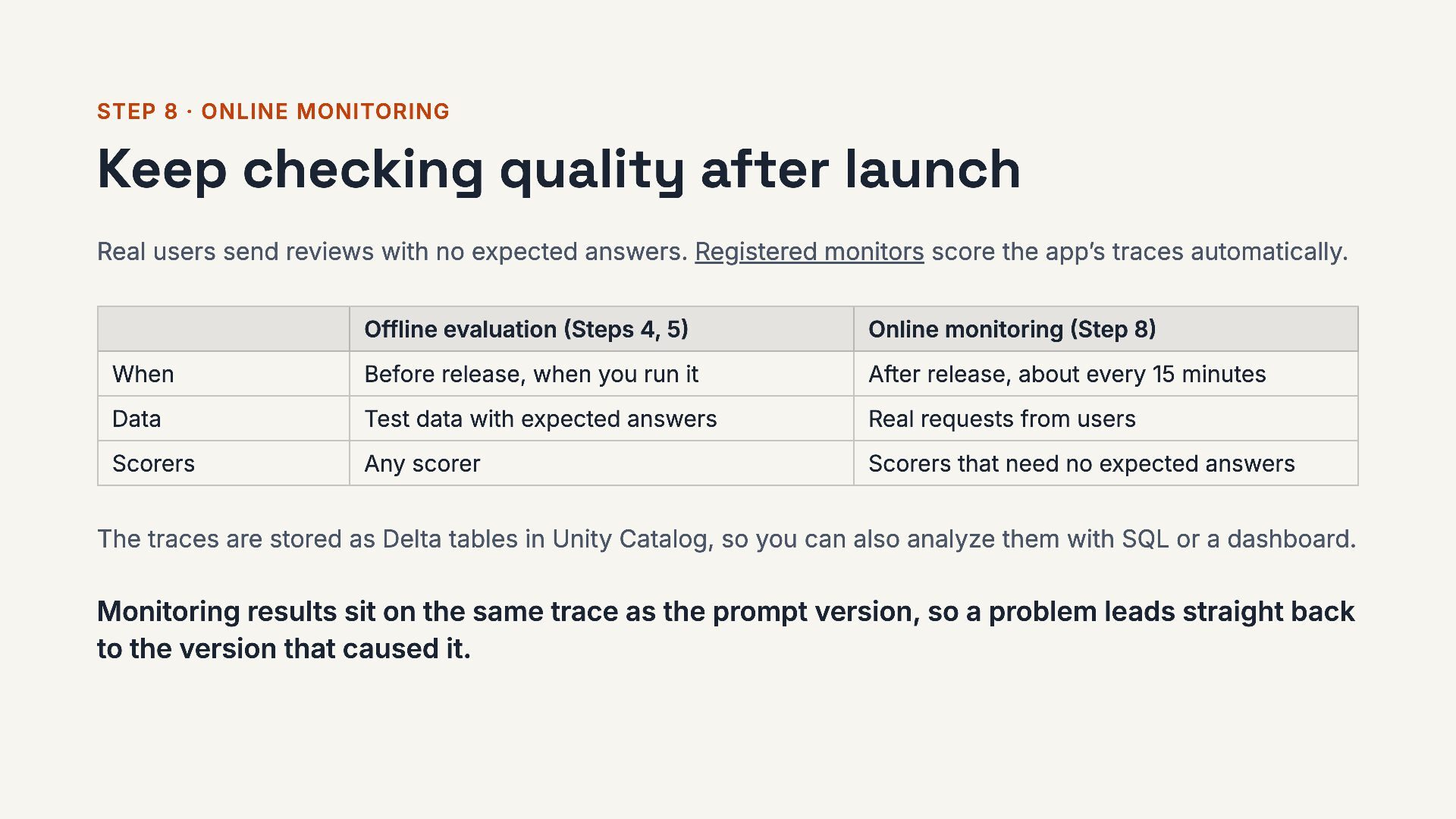
  24. STEP 8 · ONLINE MONITORING Keep checking quality after launch

    Real users send reviews with no expected answers. Registered monitors score the app’s traces automatically. Offline evaluation (Steps 4, 5) Online monitoring (Step 8) When Before release, when you run it After release, about every 15 minutes Data Test data with expected answers Real requests from users Scorers Any scorer Scorers that need no expected answers The traces are stored as Delta tables in Unity Catalog, so you can also analyze them with SQL or a dashboard. Monitoring results sit on the same trace as the prompt version, so a problem leads straight back to the version that caused it. 24 / 28
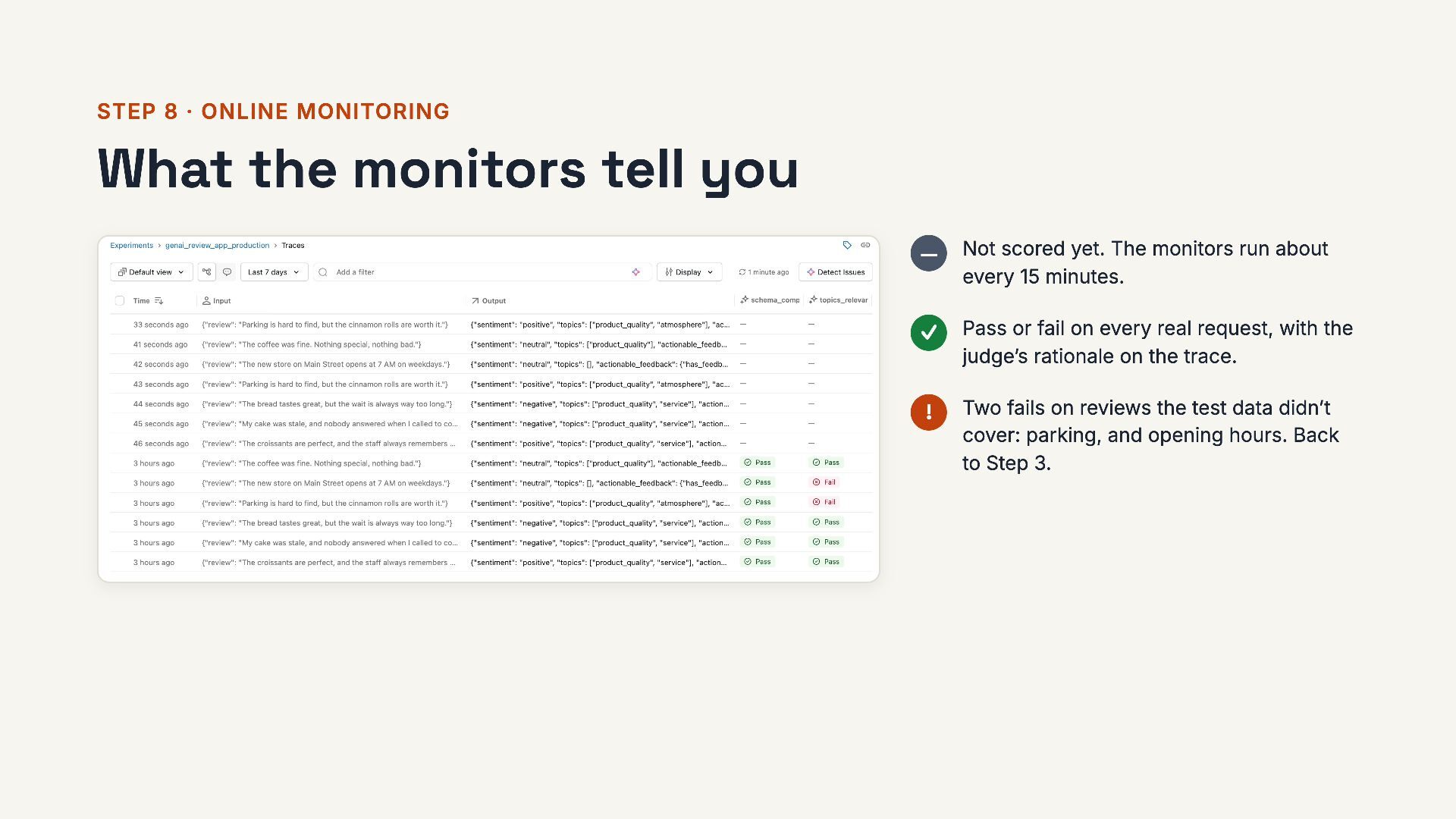
  25. STEP 8 · ONLINE MONITORING What the monitors tell you

    — Not scored yet. The monitors run about every 15 minutes. ✓ Pass or fail on every real request, with the judge’s rationale on the trace. ! Two fails on reviews the test data didn’t cover: parking, and opening hours. Back to Step 3. 25 / 28
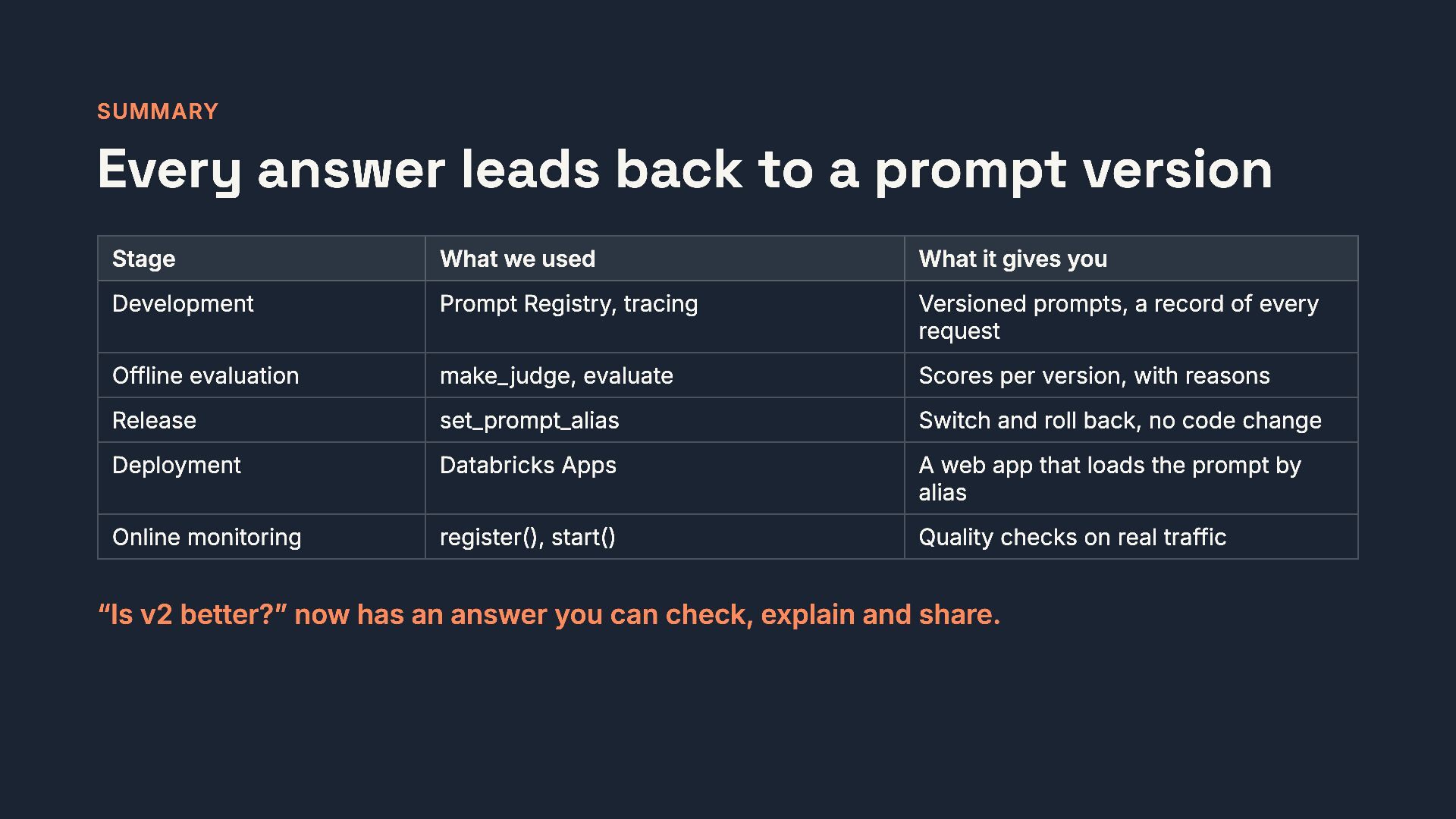
  26. SUMMARY Every answer leads back to a prompt version Stage

    What we used What it gives you Development Prompt Registry, tracing Versioned prompts, a record of every request Offline evaluation make_judge, evaluate Scores per version, with reasons Release set_prompt_alias Switch and roll back, no code change Deployment Databricks Apps A web app that loads the prompt by alias Online monitoring register(), start() Quality checks on real traffic Version your prompts. Evaluate before you release. Keep monitoring after you release. 26 / 28
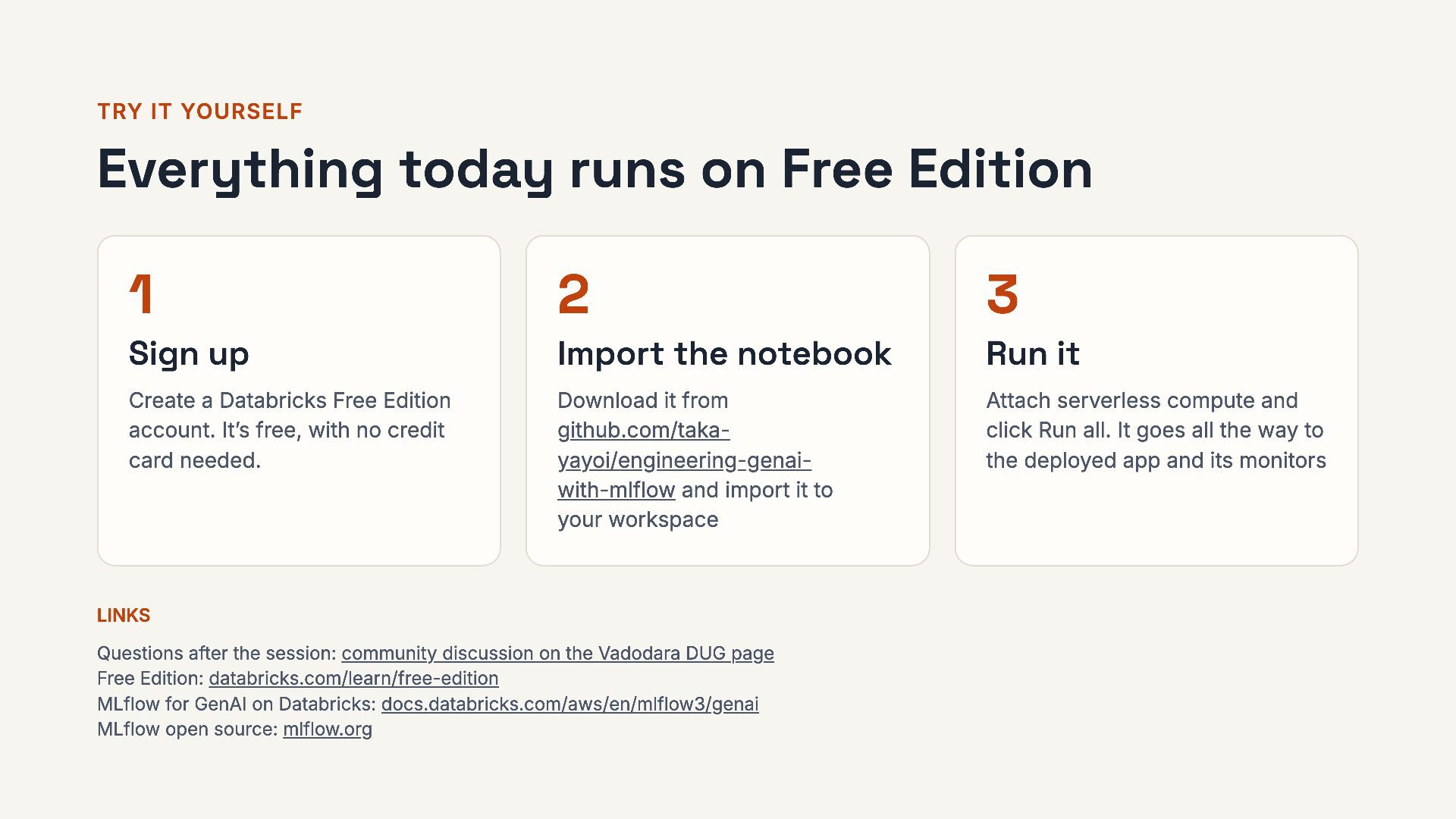
  27. TRY IT YOURSELF Everything today runs on Free Edition 1

    2 3 Sign up Import the notebook Run it Create a Databricks Free Edition account. It’s free, with no credit card needed. Download it from github.com/takayayoi/engineering-genaiwith-mlflow and import it to your workspace Attach serverless compute and click Run all. It goes all the way to the deployed app and its monitors LINKS Questions after the session: community discussion on the Vadodara DUG page Free Edition: databricks.com/learn/free-edition MLflow for GenAI on Databricks: docs.databricks.com/aws/en/mlflow3/genai MLflow open source: mlflow.org 27 / 28
  28. THANK YOU! Questions? More questions later? Post them in the

    community discussion on the Vadodara DUG page. Takaaki Yayoi LinkedIn: Takaaki Yayoi · X: @taka_aki Qiita (in Japanese): @taka_yayoi 28 / 28

More Decks by Takaaki Yayoi

Other Decks in Technology