Upgrade to Pro
— share decks privately, control downloads, hide ads and more …
Speaker Deck
Sign up for free
Menu
Search
Features
All features
Private URLs
Password Protection
Custom URLS
Scheduled publishing
Remove Branding
Restrict embedding
Deck Collections
Notes
Features
All features
Private URLs
Password Protection
Custom URLS
Scheduled publishing
Remove Branding
Restrict embedding
Deck Collections
Notes
Explore
Featured decks
Featured speakers
Programming
Technology
Storyboards
Explore
Featured decks
Featured speakers
Programming
Technology
Storyboards
Pricing
Search
Sign in
Sign up for free
Calling PowerShell from CSharp
Search
tanaka_733
December 21, 2013
Technology
2k
0
Share
Embed
Copy iframe code
Copy JS code
Copy link
Start on current slide
Calling PowerShell from CSharp
第1回PowerShell勉強会で話した資料です
tanaka_733
December 21, 2013
More Decks by tanaka_733
See All by tanaka_733
SRENEXT 2020 [B5] New RelicのSREに学ぶSREのためのNew Relic活用法
tanaka733
2
11k
Garbage Collection in .NET Framework
tanaka733
4
3k
New Features in Visual Studio 2013
tanaka733
0
1.2k
Starting Unity for Windows Store App
tanaka733
0
880
とあるインフラエンジニアのAzure活用
tanaka733
2
630
ぼくの考えた割と普通(c)なデプロイ戦略
tanaka733
1
11k
ASP.NET MVC4 Web APIをバックエンドにして作るストアとWindows Phoneプッシュ通知アプリ
tanaka733
0
1.9k
Yurufuwa_CSharp.pdf
tanaka733
0
5.1k
Windows ストアアプリで Push通知を使いこなそう
tanaka733
0
2.1k
Other Decks in Technology
See All in Technology
WasmをRustにする
sansantech
PRO
0
250
OptunaHub: ブラックボックス最適化のためのプラットフォーム
pfn
PRO
0
140
Getting Started with Google Antigravity
glaforge
0
310
Optunaの最新リリースv5.0について
pfn
PRO
0
120
『SAR衛星データ解析入門』の ご紹介とその応用
syuchimu
0
120
CTO Night|NotionのAIエージェントとFDE
kzkhykw1991
0
190
夫婦で子育てするための育児標準化
codmoninc
PRO
0
400
エンタメ企業のM&Aを支えるデータ基盤 ― 統合から店舗のリアルタイム分析まで / Data Engineering Summit 2026
genda
0
190
JAWS-UGグッズ職人仕事の流儀
kentapapa
0
120
20261017福岡devIO 「AIは"良いダッシュボード"を作れるか?
jtakeda
0
170
re:Invent初参加で変わったこと、2回目にやってみたいこと(JAWS-UG彩の国埼玉 #12)
mhrtech
2
240
TinyGoでオブザーバビリティ?OpenTelemetryはTinyGoで使えるのか / Is OpenTelemetry available in TinyGo environment?
ymotongpoo
2
140
Featured
See All Featured
The #1 spot is gone: here's how to win anyway
tamaranovitovic
4
1.2k
So, you think you're a good person
axbom
PRO
2
2.2k
Groundhog Day: Seeking Process in Gaming for Health
codingconduct
0
410
Jamie Indigo - Trashchat’s Guide to Black Boxes: Technical SEO Tactics for LLMs
techseoconnect
PRO
0
710
The untapped power of vector embeddings
frankvandijk
2
1.9k
<Decoding/> the Language of Devs - We Love SEO 2024
nikkihalliwell
1
360
Building a Modern Day E-commerce SEO Strategy
aleyda
45
9.3k
Stop Working from a Prison Cell
hatefulcrawdad
274
21k
What Being in a Rock Band Can Teach Us About Real World SEO
427marketing
0
1.1k
Why Mistakes Are the Best Teachers: Turning Failure into a Pathway for Growth
auna
0
330
Making Projects Easy
brettharned
120
6.8k
Rebuilding a faster, lazier Slack
samanthasiow
85
9.7k
Transcript
None
仕事 個人 http://tech.tanaka733.net http://www.buildinsider.net/web/iis8
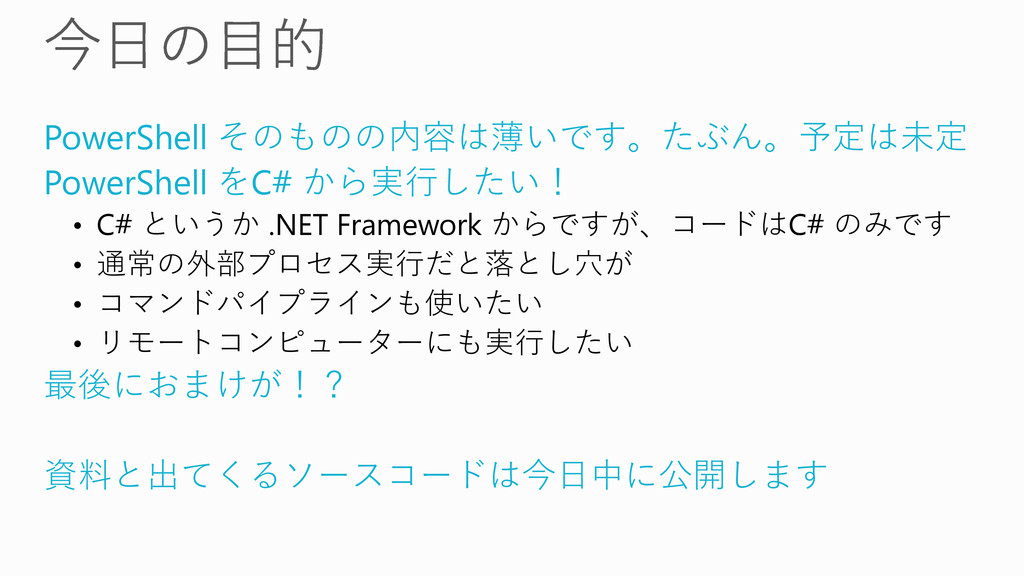
PowerShell そのものの内容は薄いです。たぶん。予定は未定 PowerShell をC# から実行したい! • C# というか .NET Framework
からですが、コードはC# のみです • 通常の外部プロセス実行だと落とし穴が • コマンドパイプラインも使いたい • リモートコンピューターにも実行したい 最後におまけが!? 資料と出てくるソースコードは今日中に公開します
None
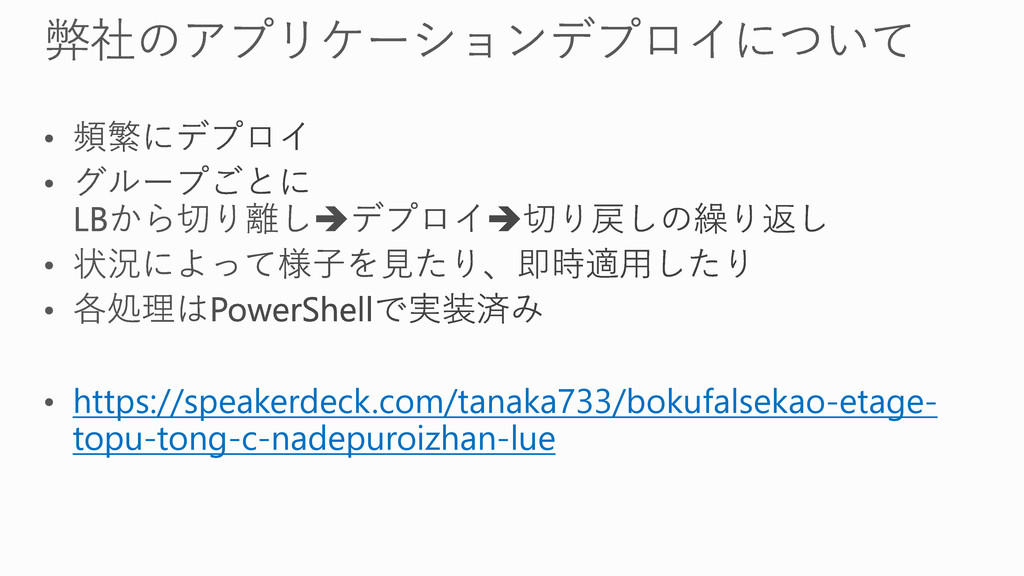
https://speakerdeck.com/tanaka733/bokufalsekao-etage- topu-tong-c-nadepuroizhan-lue
None
None
None
static void Main(string[] args) { var psInfo = new ProcessStartInfo
{ FileName = "powershell.exe", CreateNoWindow = true, UseShellExecute = false, Arguments = "Get-ChildItem", RedirectStandardOutput = true }; var p = Process.Start(psInfo); Console.WriteLine(p.StandardOutput.ReadToEndAsync().Result); Console.ReadKey(); }
None
None
DEMO
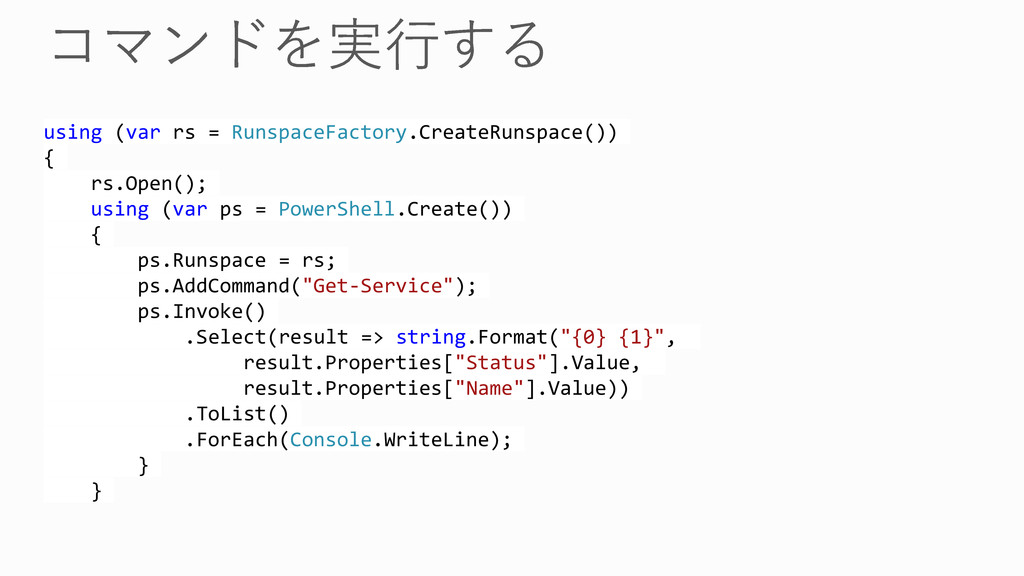
using (var rs = RunspaceFactory.CreateRunspace()) { rs.Open(); using (var ps
= PowerShell.Create()) { ps.Runspace = rs; ps.AddCommand("Get-Service"); ps.Invoke() .Select(result => string.Format("{0} {1}", result.Properties["Status"].Value, result.Properties["Name"].Value)) .ToList() .ForEach(Console.WriteLine); } }
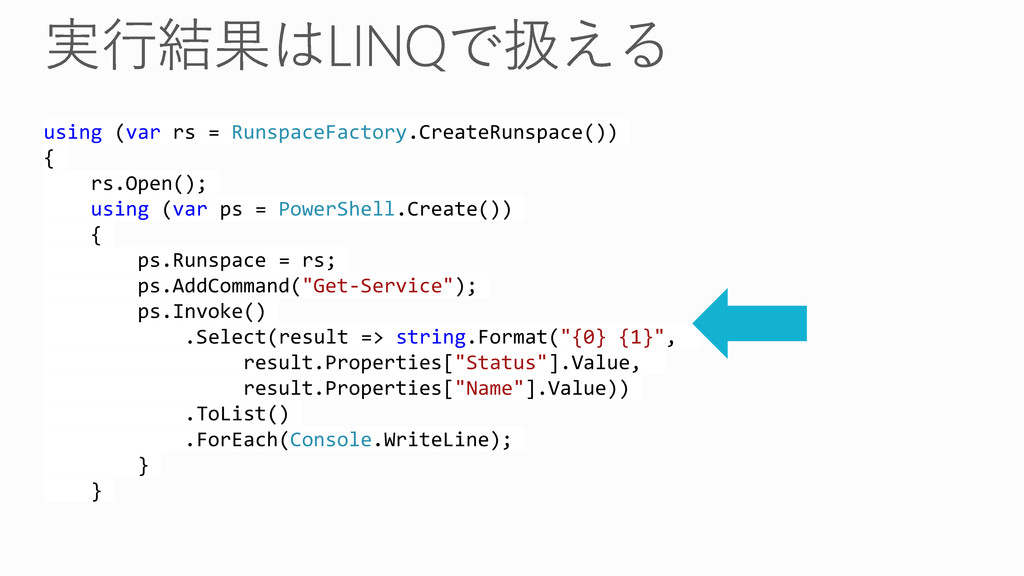
using (var rs = RunspaceFactory.CreateRunspace()) { rs.Open(); using (var ps
= PowerShell.Create()) { ps.Runspace = rs; ps.AddCommand("Get-Service"); ps.Invoke() .Select(result => string.Format("{0} {1}", result.Properties["Status"].Value, result.Properties["Name"].Value)) .ToList() .ForEach(Console.WriteLine); } }
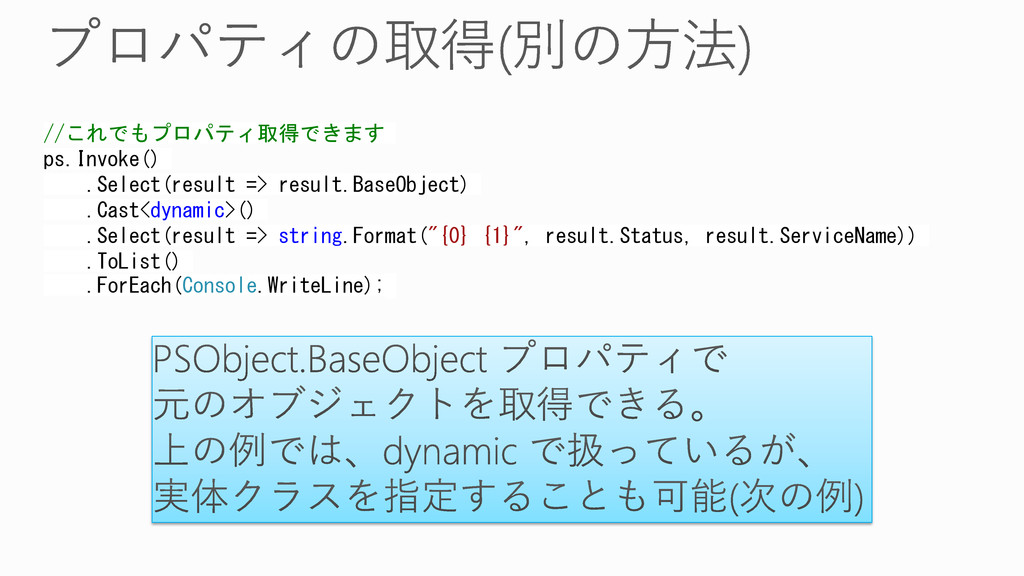
//これでもプロパティ取得できます ps.Invoke() .Select(result => result.BaseObject) .Cast<dynamic>() .Select(result => string.Format("{0} {1}",
result.Status, result.ServiceName)) .ToList() .ForEach(Console.WriteLine);
None
None
DEMO
using (var ps = PowerShell.Create()) { ps.Runspace = rs; ps.AddCommand("Get-Process");
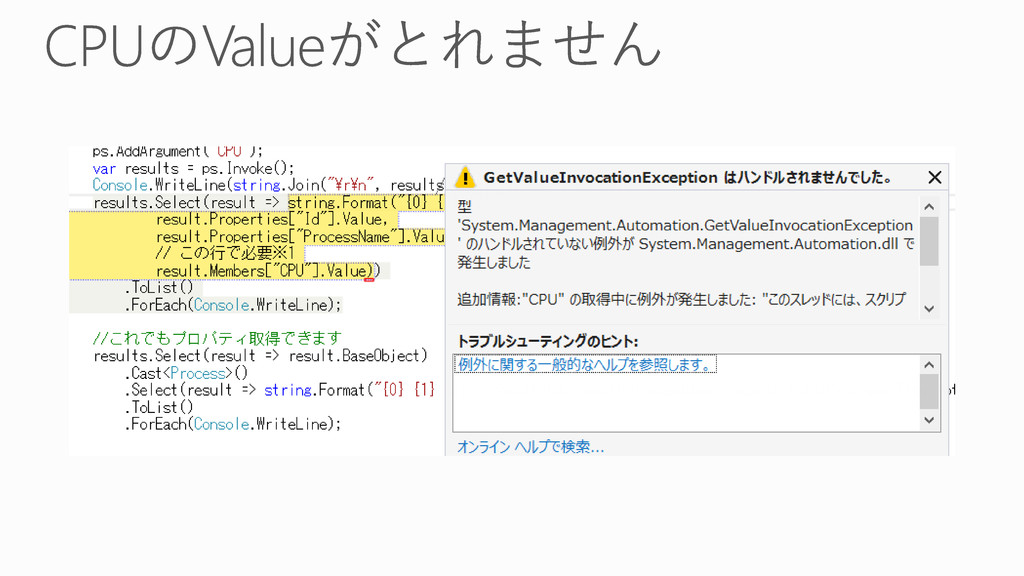
ps.AddArgument("chrome"); ps.AddCommand("Sort-Object"); ps.AddParameter("Descending"); ps.AddArgument("CPU"); var results = ps.Invoke(); results.Select(result => string.Format("{0} {1} {2}", result.Properties["Id"].Value, result.Properties["ProcessName"].Value, result.Members["CPU"].Value)) .ToList() .ForEach(Console.WriteLine); }
None
None
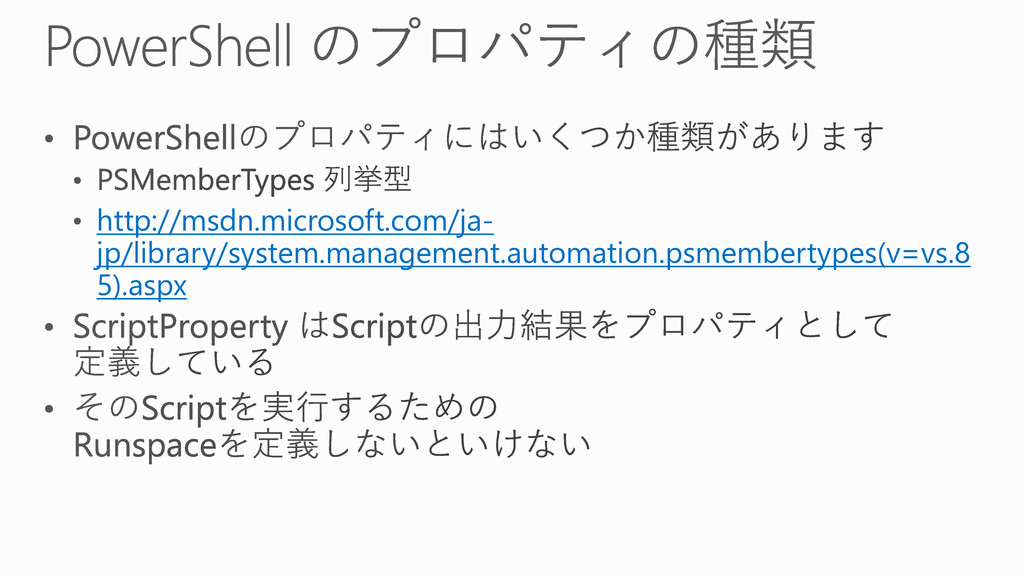
http://msdn.microsoft.com/ja- jp/library/system.management.automation.psmembertypes(v=vs.8 5).aspx
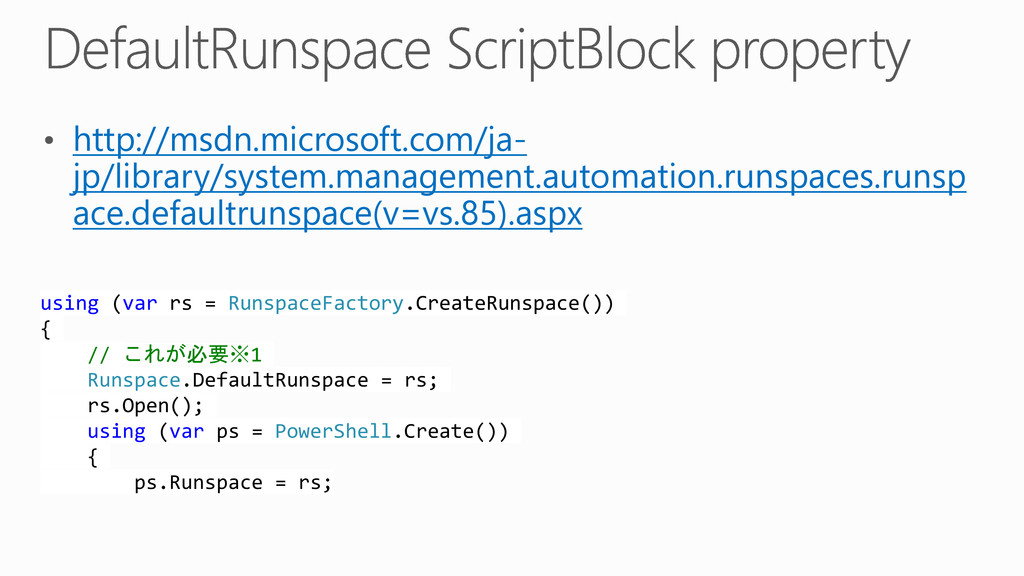
http://msdn.microsoft.com/ja- jp/library/system.management.automation.runspaces.runsp ace.defaultrunspace(v=vs.85).aspx using (var rs = RunspaceFactory.CreateRunspace()) { //
これが必要※1 Runspace.DefaultRunspace = rs; rs.Open(); using (var ps = PowerShell.Create()) { ps.Runspace = rs;
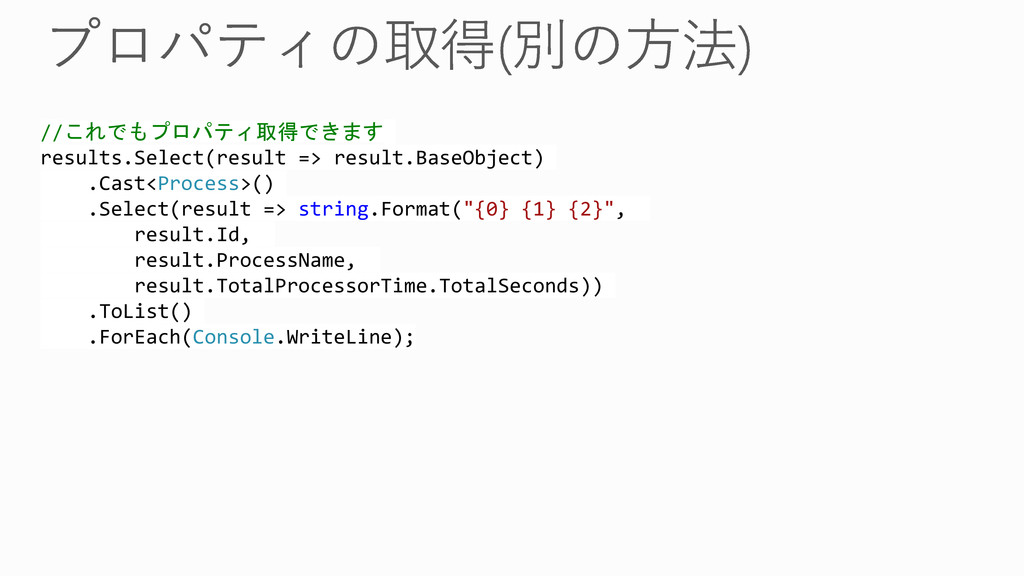
//これでもプロパティ取得できます results.Select(result => result.BaseObject) .Cast<Process>() .Select(result => string.Format("{0} {1} {2}",
result.Id, result.ProcessName, result.TotalProcessorTime.TotalSeconds)) .ToList() .ForEach(Console.WriteLine);
None
None
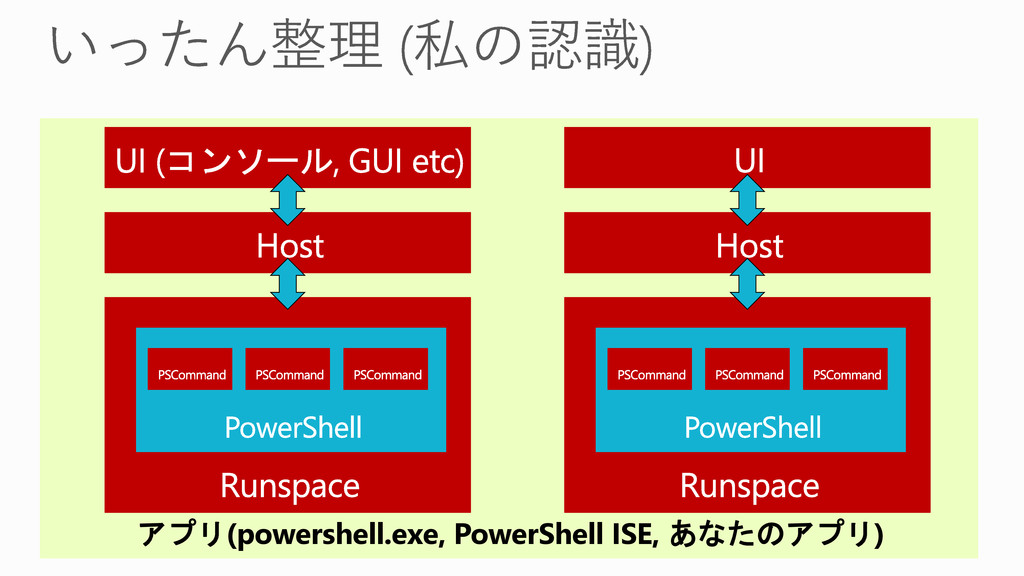
アプリ(powershell.exe, PowerShell ISE, あなたのアプリ)
None
DEMO
None
None
DEMO
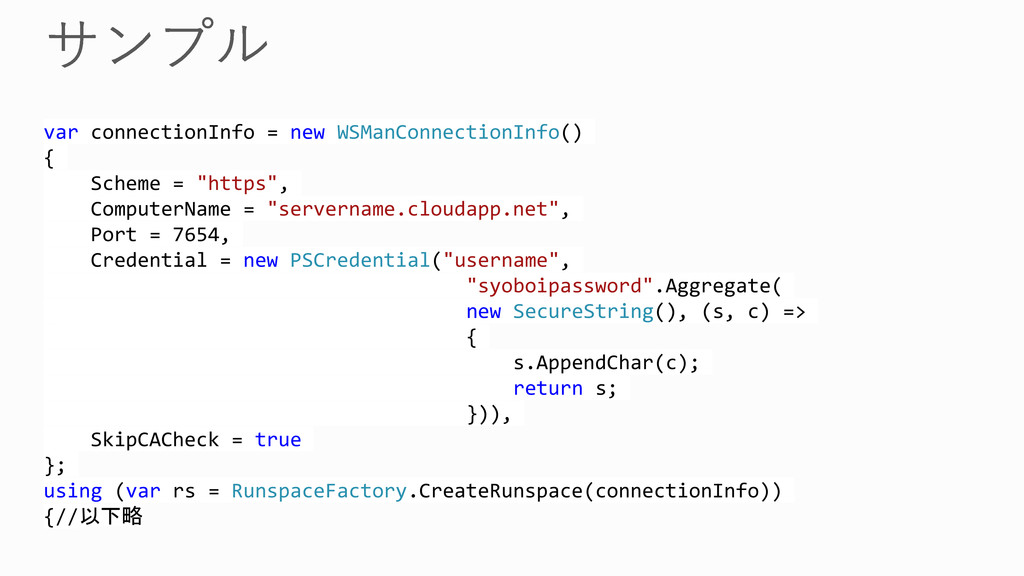
var connectionInfo = new WSManConnectionInfo() { Scheme = "https", ComputerName
= "servername.cloudapp.net", Port = 7654, Credential = new PSCredential("username", "syoboipassword".Aggregate( new SecureString(), (s, c) => { s.AppendChar(c); return s; })), SkipCACheck = true }; using (var rs = RunspaceFactory.CreateRunspace(connectionInfo)) {//以下略
None
None
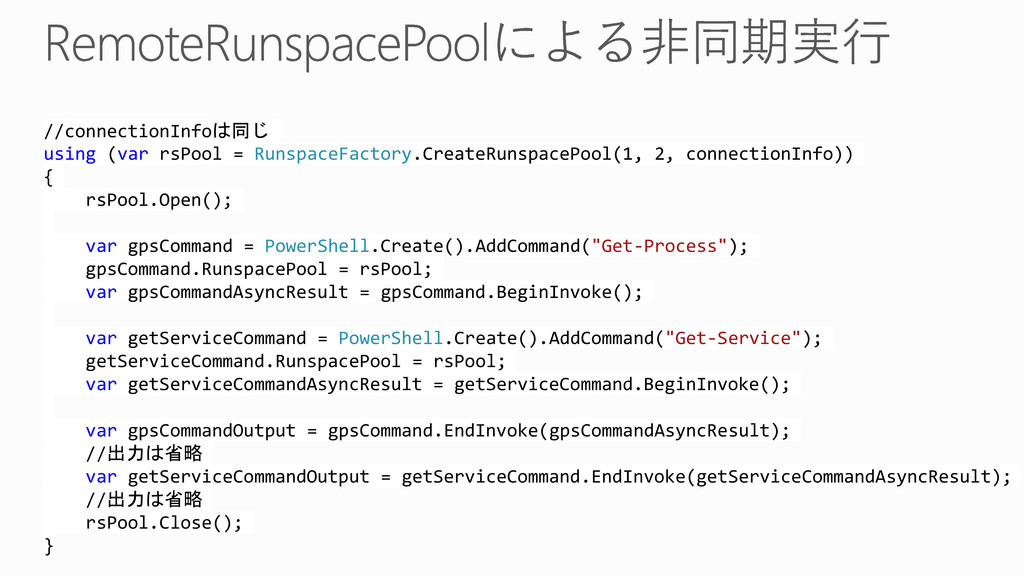
//connectionInfoは同じ using (var rsPool = RunspaceFactory.CreateRunspacePool(1, 2, connectionInfo)) { rsPool.Open();
var gpsCommand = PowerShell.Create().AddCommand("Get-Process"); gpsCommand.RunspacePool = rsPool; var gpsCommandAsyncResult = gpsCommand.BeginInvoke(); var getServiceCommand = PowerShell.Create().AddCommand("Get-Service"); getServiceCommand.RunspacePool = rsPool; var getServiceCommandAsyncResult = getServiceCommand.BeginInvoke(); var gpsCommandOutput = gpsCommand.EndInvoke(gpsCommandAsyncResult); //出力は省略 var getServiceCommandOutput = getServiceCommand.EndInvoke(getServiceCommandAsyncResult); //出力は省略 rsPool.Close(); }
DEMO
None
None
None
None
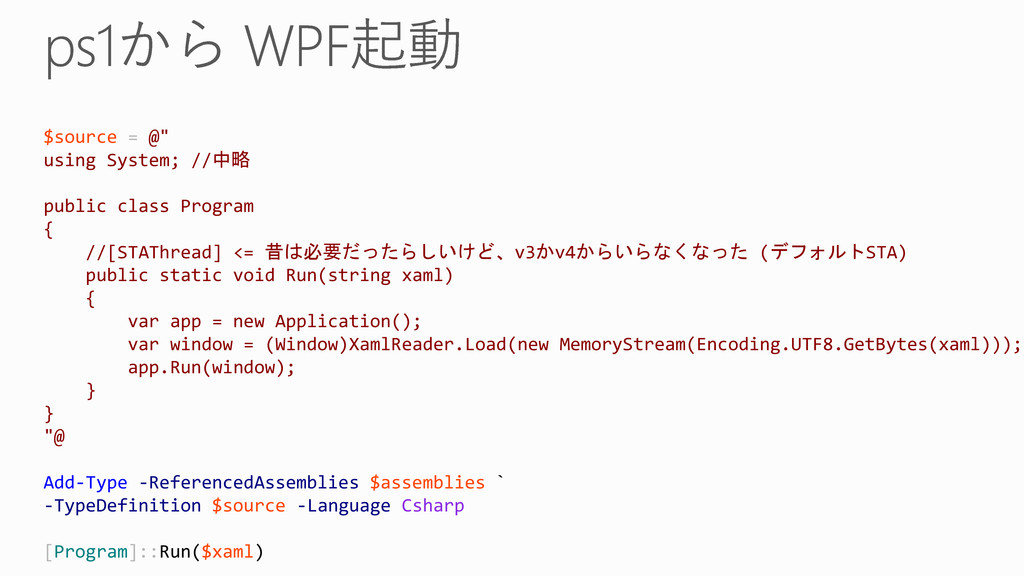
$source = @" using System; //中略 public class Program {
//[STAThread] <= 昔は必要だったらしいけど、v3かv4からいらなくなった (デフォルトSTA) public static void Run(string xaml) { var app = new Application(); var window = (Window)XamlReader.Load(new MemoryStream(Encoding.UTF8.GetBytes(xaml))); app.Run(window); } } "@ Add-Type -ReferencedAssemblies $assemblies ` -TypeDefinition $source -Language Csharp [Program]::Run($xaml)
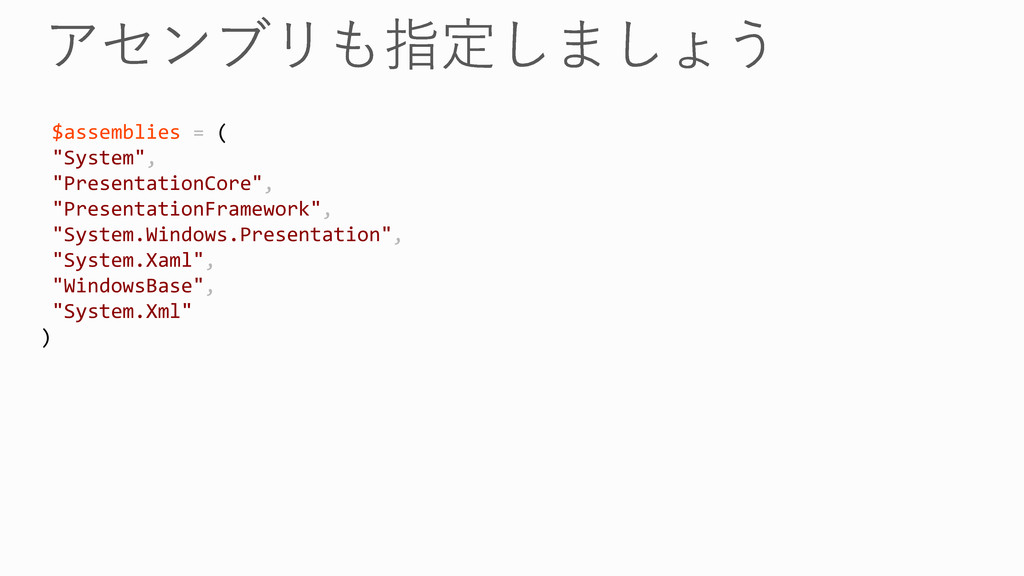
$assemblies = ( "System", "PresentationCore", "PresentationFramework", "System.Windows.Presentation", "System.Xaml", "WindowsBase", "System.Xml"
)
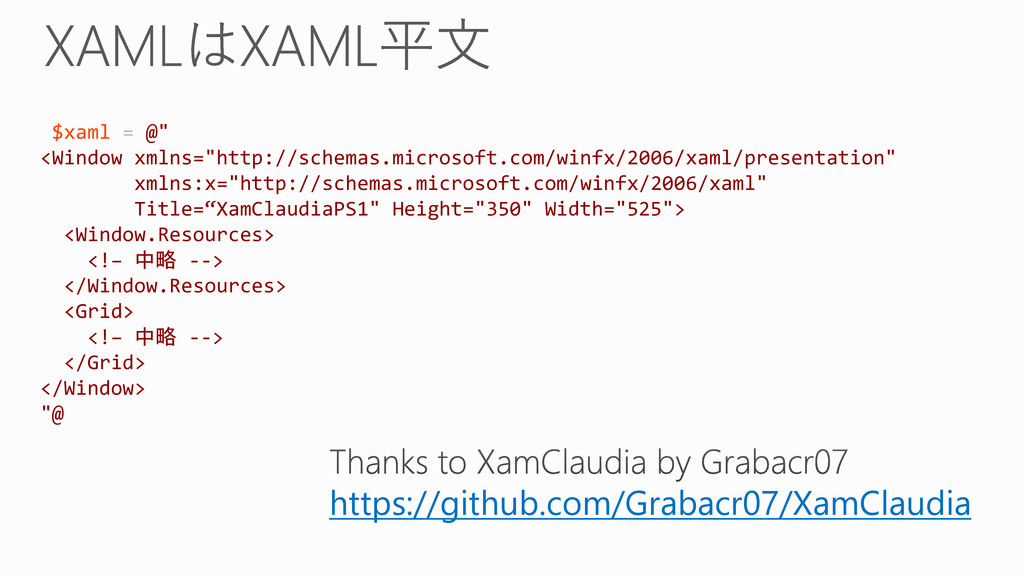
$xaml = @" <Window xmlns="http://schemas.microsoft.com/winfx/2006/xaml/presentation" xmlns:x="http://schemas.microsoft.com/winfx/2006/xaml" Title=“XamClaudiaPS1" Height="350" Width="525"> <Window.Resources>
<!– 中略 --> </Window.Resources> <Grid> <!– 中略 --> </Grid> </Window> "@ https://github.com/Grabacr07/XamClaudia
$signature = @" [DllImport("kernel32.dll", SetLastError = true)] public static extern
Boolean GetSystemPowerStatus(out SystemPowerStatus sps); public struct SystemPowerStatus { public Byte ACLineStatus; public Byte BatteryFlag; public Byte BatteryLifePercent; public Byte Reserved1; public Int32 BatteryLifeTime; public Int32 BatteryFullLifeTime; } "@ Add-Type -MemberDefinition $signature -Name PowerStatus -Namespace PowerStatus $systemPowerStatus = New-Object PowerStatus.PowerStatus+SystemPowerStatus [void][PowerStatus.PowerStatus]::GetSystemPowerStatus([ref]$systemPowerStatus) $systemPowerStatus
None
None
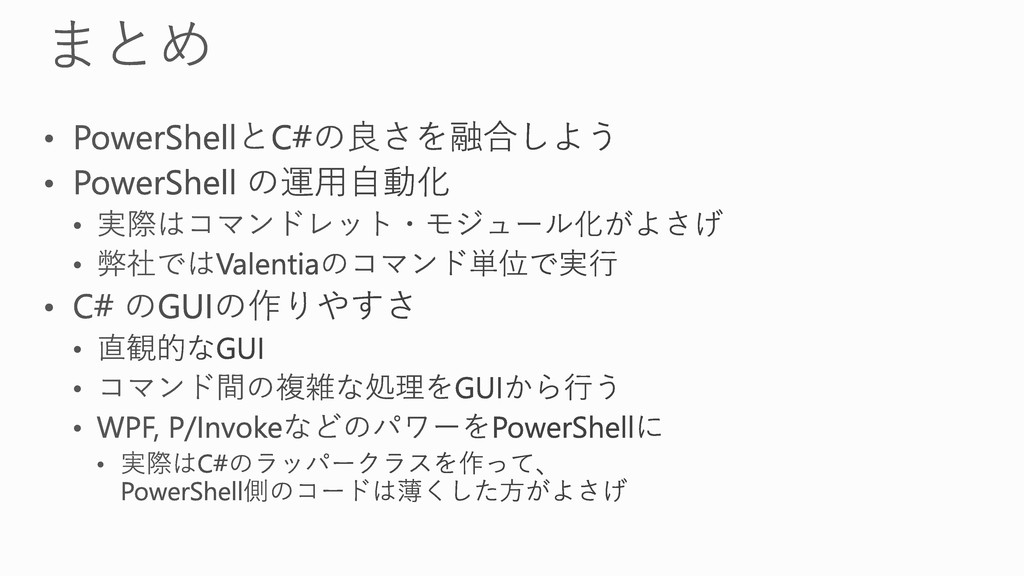
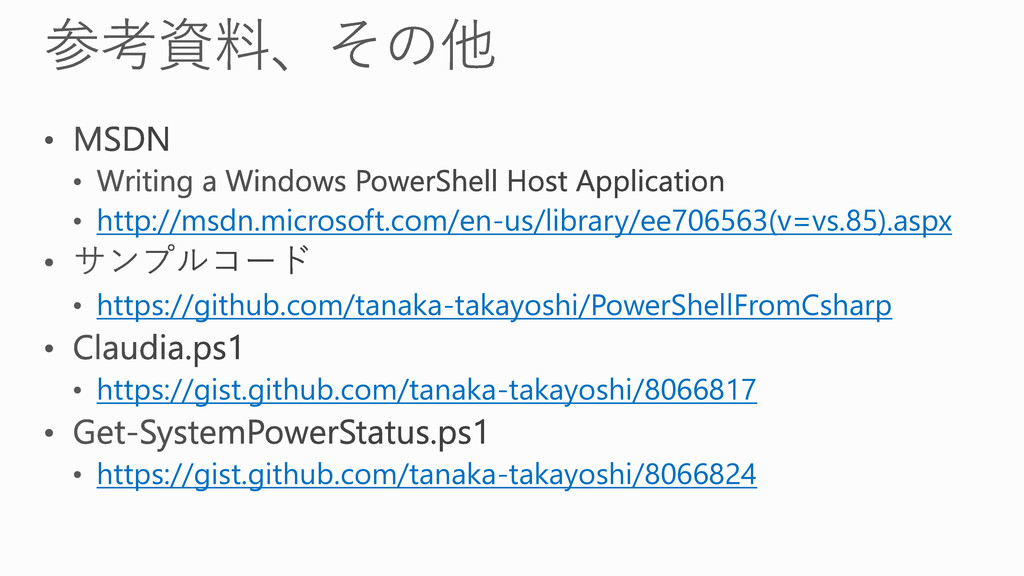
http://msdn.microsoft.com/en-us/library/ee706563(v=vs.85).aspx https://github.com/tanaka-takayoshi/PowerShellFromCsharp https://gist.github.com/tanaka-takayoshi/8066817 https://gist.github.com/tanaka-takayoshi/8066824
await
using
None


 tanaka733
 sansantech
 pfn
pfn
 glaforge
 syuchimu
 kzkhykw1991
 codmoninc
 genda
genda
 kentapapa
 jtakeda
 mhrtech
 ymotongpoo
 tamaranovitovic
 axbom
axbom
 codingconduct
 techseoconnect
 frankvandijk
 nikkihalliwell
 aleyda
 hatefulcrawdad
 427marketing
 auna
auna
 brettharned
 samanthasiow
![static void Main(string[] args) { var psInfo = new ProcessStartInfo](https://files.speakerdeck.com/presentations/18dead604c470131232e460100029ad2/slide_8.jpg)









![$signature = @" [DllImport("kernel32.dll", SetLastError = true)] public static extern](https://files.speakerdeck.com/presentations/18dead604c470131232e460100029ad2/slide_44.jpg)