Upgrade to Pro — share decks privately, control downloads, hide ads and more …

CISA Series - Part 5 Domain 4

Sponsored · Ship Features Fearlessly Turn features on and off without deploys. Used by thousands of Ruby developers.
Avatar for Alison Alison PRO
April 29, 2026

CISA Series - Part 5 Domain 4

Domain 4: Information Systems Operations & Business Resilience

In this part of the series, we move into one of the most practical and heavily tested areas of the CISA exam — day-to-day IT operations and resilience.

This domain brings everything together.

It’s not just about controls on paper — it’s about how systems actually run, how they are monitored, how failures are handled, and how organisations recover when things go wrong.

🔍 What this video covers:

We break Domain 4 into two key areas:

Part A – Information Systems Operations
IT Asset Management (foundation control)
Job Scheduling & Process Automation
System Interfaces & Data Integrity
End-User Computing (EUC risks & controls)
Data Governance & Data Quality
Systems Performance Management
Incident vs Problem Management
Change, Configuration, Release & Patch Management
Service Level Management (SLAs)
Focus: Keeping systems stable, controlled, and performing

Part B – Business Resilience
Business Impact Analysis (BIA)
Backup, Storage & Restoration
Business Continuity Planning (BCP)
Disaster Recovery Planning (DRP)
System Resiliency (hot, warm, cold sites)
Testing & Continuous Assurance

Focus: Ensuring systems are recoverable and aligned to business priorities

This is one of the most scenario-driven domains in the CISA exam — mastering it will significantly improve your ability to answer real-world questions.
Disclaimer:
This content is based on my interpretation and experience in IT governance, risk, and assurance, and is intended to support learning and exam preparation.

Avatar for Alison

Alison PRO

April 29, 2026

More Decks by Alison

Other Decks in Business

Transcript

  1. CISA Series Part 5- Domain 4: Information Systems Operations &

    Business Resilience  Operations + Resilience  Exam-focused structure
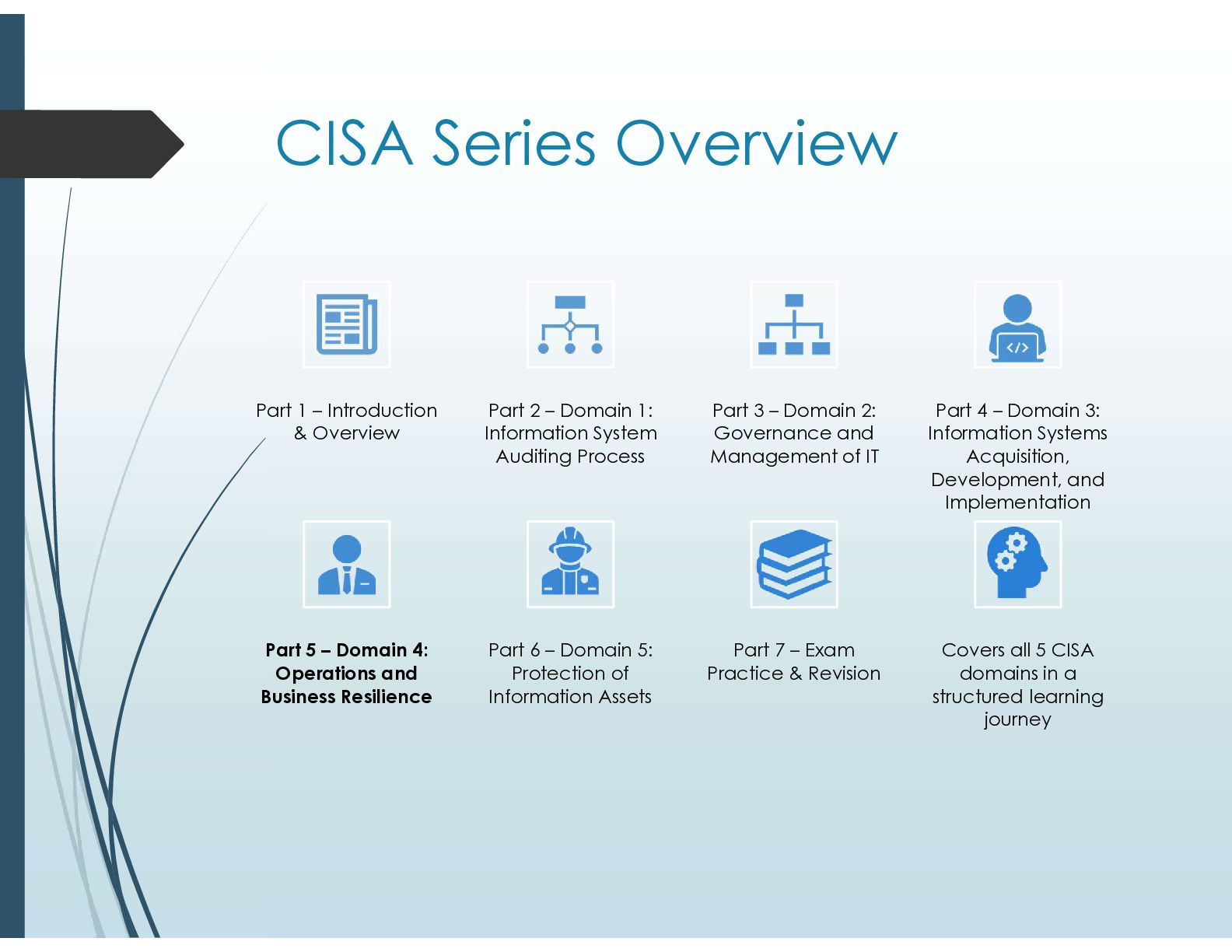
  2. CISA Series Overview Part 1 – Introduction & Overview Part

    2 – Domain 1: Information System Auditing Process Part 3 – Domain 2: Governance and Management of IT Part 4 – Domain 3: Information Systems Acquisition, Development, and Implementation Part 5 – Domain 4: Operations and Business Resilience Part 6 – Domain 5: Protection of Information Assets Part 7 – Exam Practice & Revision Covers all 5 CISA domains in a structured learning journey
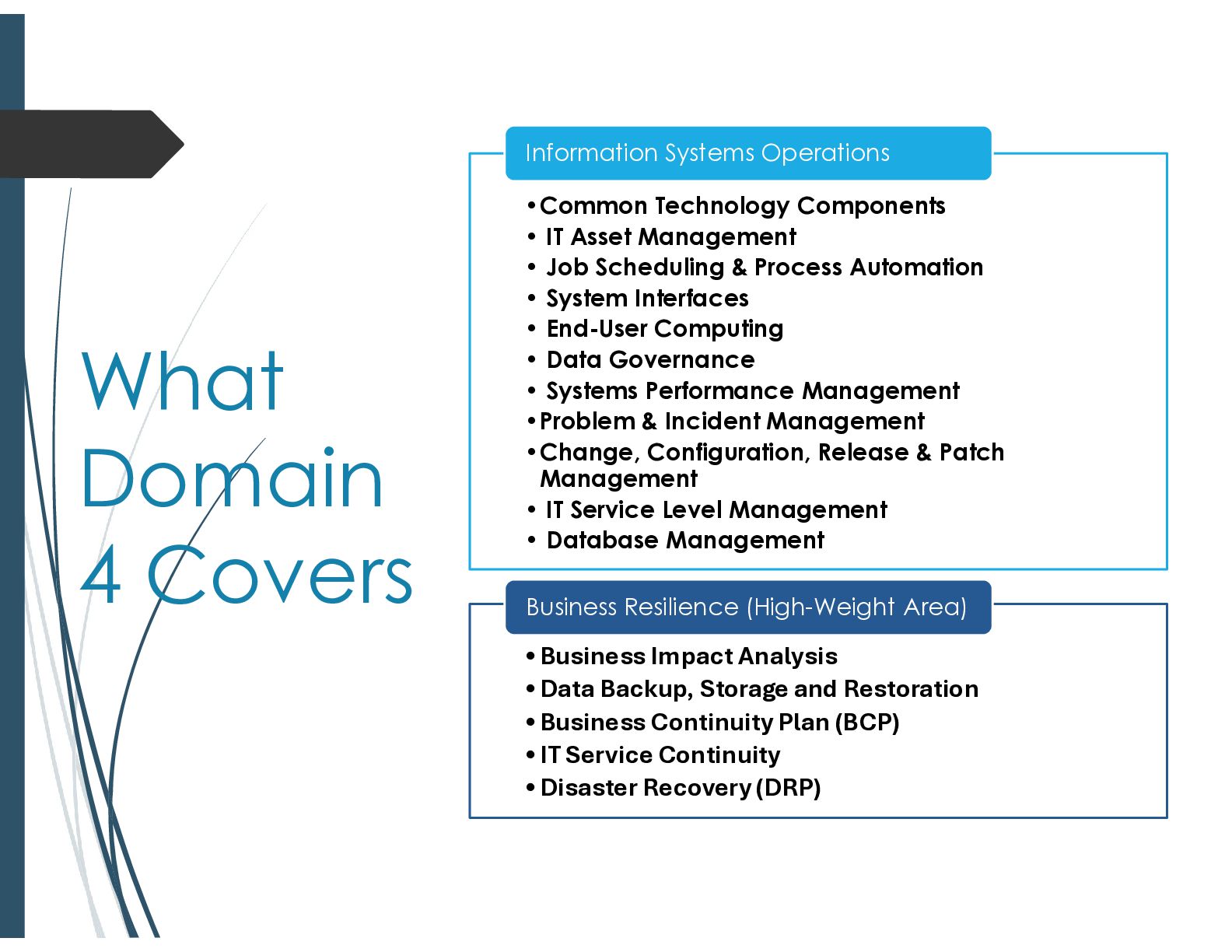
  3. What Domain 4 Covers •Common Technology Components • IT Asset

    Management • Job Scheduling & Process Automation • System Interfaces • End-User Computing • Data Governance • Systems Performance Management •Problem & Incident Management •Change, Configuration, Release & Patch Management • IT Service Level Management • Database Management Information Systems Operations •Business Impact Analysis •Data Backup, Storage and Restoration •Business Continuity Plan (BCP) •IT Service Continuity •Disaster Recovery (DRP) Business Resilience (High-Weight Area)
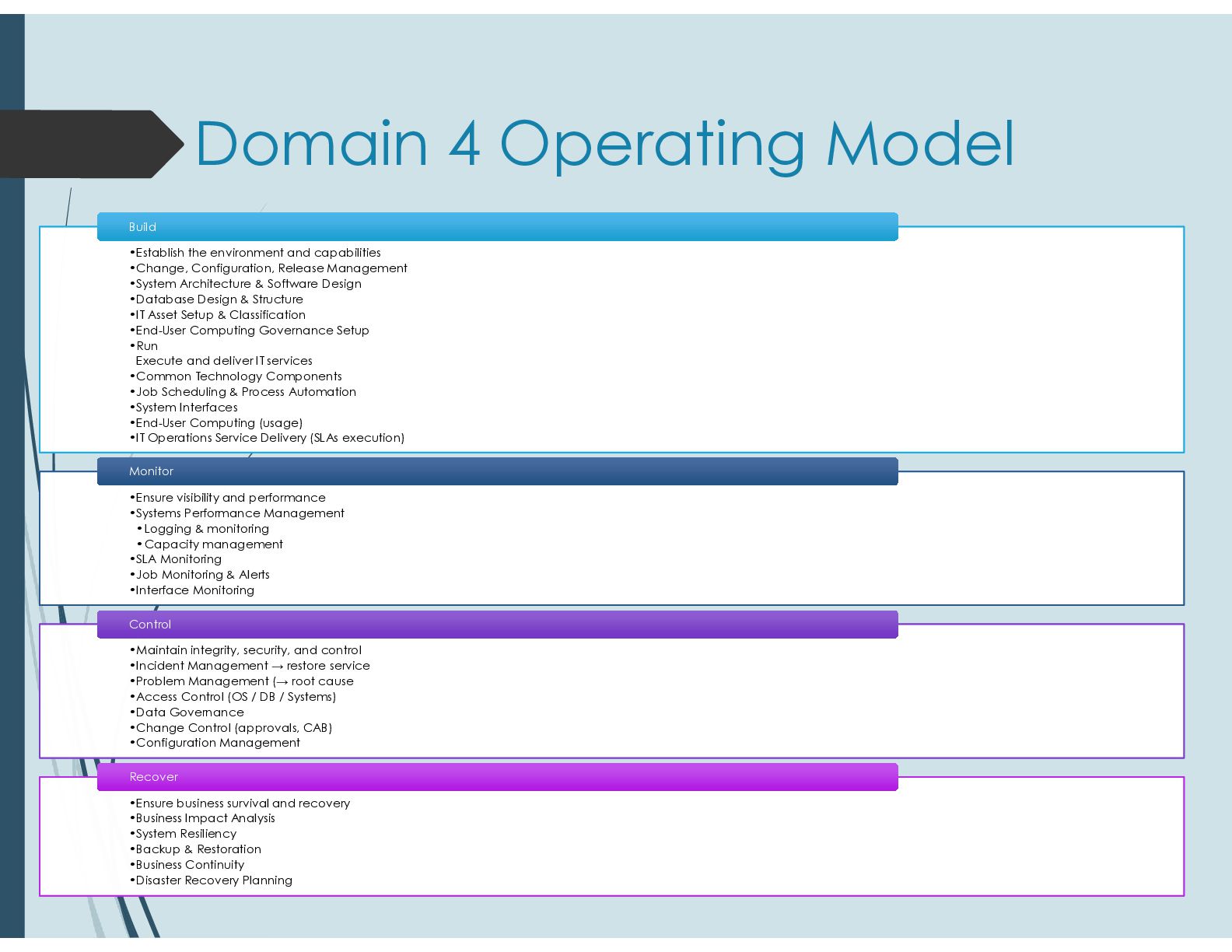
  4. Domain 4 Operating Model •Establish the environment and capabilities •Change,

    Configuration, Release Management •System Architecture & Software Design •Database Design & Structure •IT Asset Setup & Classification •End-User Computing Governance Setup •Run Execute and deliver IT services •Common Technology Components •Job Scheduling & Process Automation •System Interfaces •End-User Computing (usage) •IT Operations Service Delivery (SLAs execution) •Establish the environment and capabilities •Change, Configuration, Release Management •System Architecture & Software Design •Database Design & Structure •IT Asset Setup & Classification •End-User Computing Governance Setup •Run Execute and deliver IT services •Common Technology Components •Job Scheduling & Process Automation •System Interfaces •End-User Computing (usage) •IT Operations Service Delivery (SLAs execution) Build Build •Ensure visibility and performance •Systems Performance Management •Logging & monitoring •Capacity management •SLA Monitoring •Job Monitoring & Alerts •Interface Monitoring •Ensure visibility and performance •Systems Performance Management •Logging & monitoring •Capacity management •SLA Monitoring •Job Monitoring & Alerts •Interface Monitoring Monitor Monitor •Maintain integrity, security, and control •Incident Management → restore service •Problem Management (→ root cause •Access Control (OS / DB / Systems) •Data Governance •Change Control (approvals, CAB) •Configuration Management •Maintain integrity, security, and control •Incident Management → restore service •Problem Management (→ root cause •Access Control (OS / DB / Systems) •Data Governance •Change Control (approvals, CAB) •Configuration Management Control Control •Ensure business survival and recovery •Business Impact Analysis •System Resiliency •Backup & Restoration •Business Continuity •Disaster Recovery Planning •Ensure business survival and recovery •Business Impact Analysis •System Resiliency •Backup & Restoration •Business Continuity •Disaster Recovery Planning Recover Recover
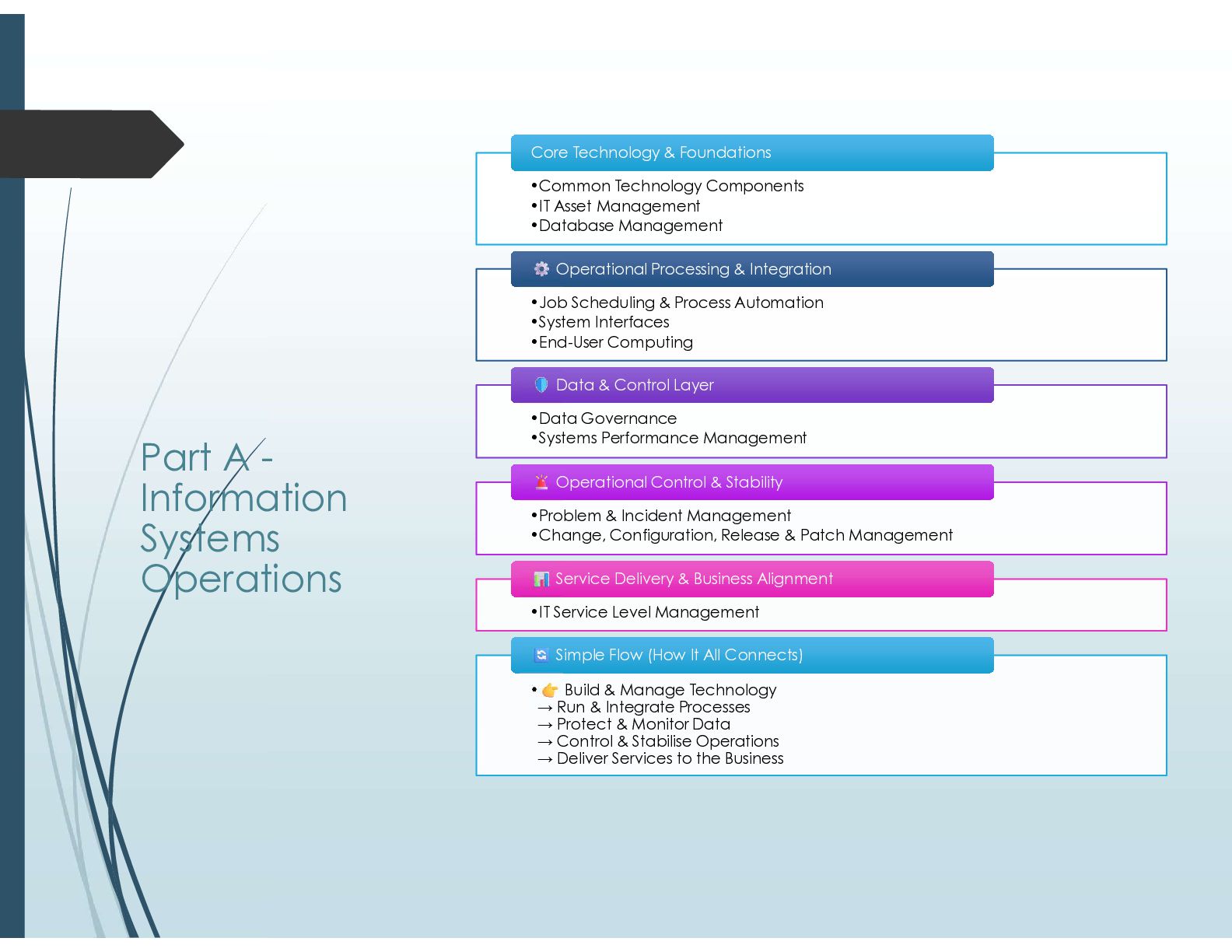
  5. Part A - Information Systems Operations •Common Technology Components •IT

    Asset Management •Database Management Core Technology & Foundations Core Technology & Foundations •Job Scheduling & Process Automation •System Interfaces •End-User Computing Operational Processing & Integration Operational Processing & Integration •Data Governance •Systems Performance Management Data & Control Layer Data & Control Layer •Problem & Incident Management •Change, Configuration, Release & Patch Management Operational Control & Stability Operational Control & Stability •IT Service Level Management Service Delivery & Business Alignment Service Delivery & Business Alignment • Build & Manage Technology → Run & Integrate Processes → Protect & Monitor Data → Control & Stabilise Operations → Deliver Services to the Business Simple Flow (How It All Connects) Simple Flow (How It All Connects)
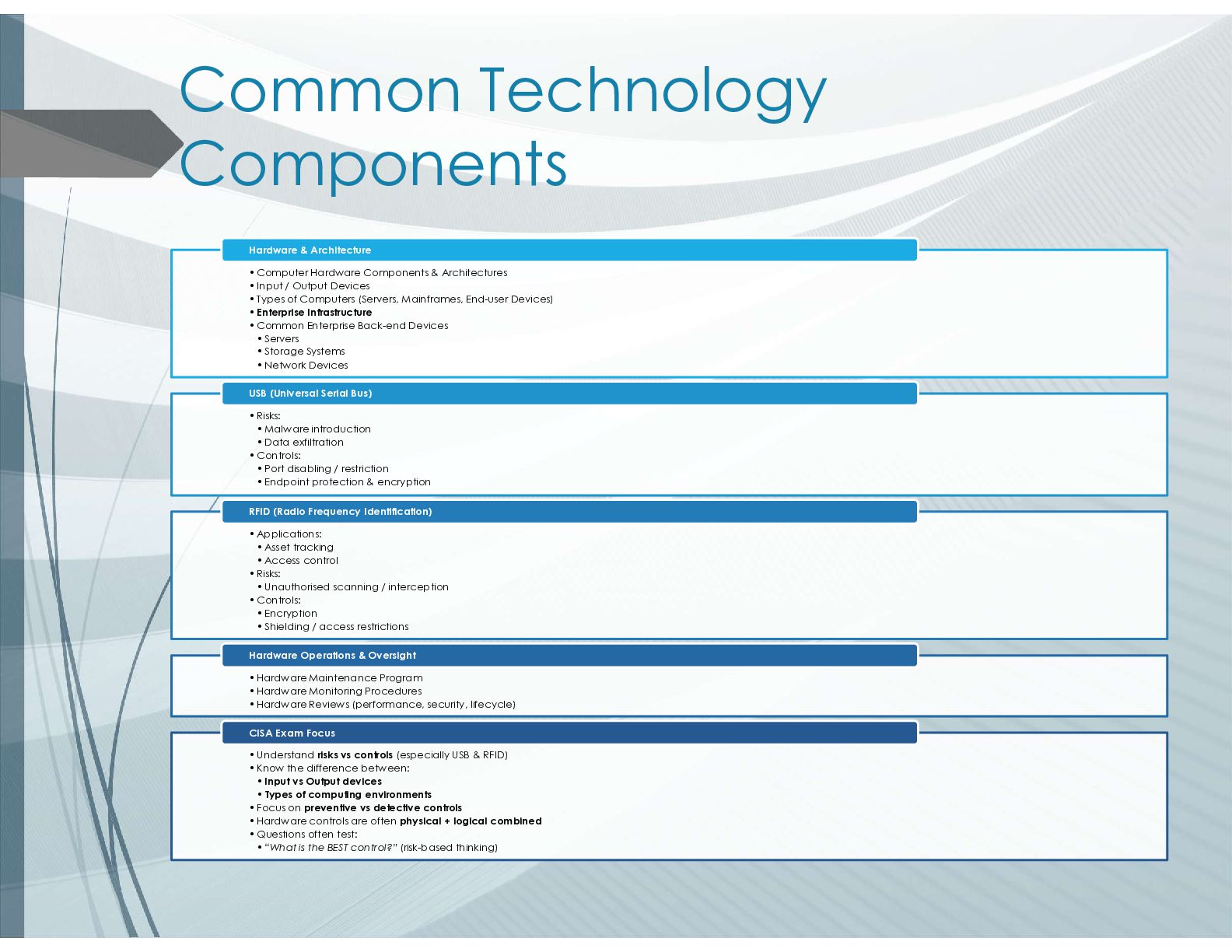
  6. Common Technology Components •Computer Hardware Components & Architectures •Input /

    Output Devices •Types of Computers (Servers, Mainframes, End-user Devices) •Enterprise Infrastructure •Common Enterprise Back-end Devices • Servers • Storage Systems • Network Devices Hardware & Architecture •Risks: • Malware introduction • Data exfiltration •Controls: • Port disabling / restriction • Endpoint protection & encryption USB (Universal Serial Bus) •Applications: • Asset tracking • Access control •Risks: • Unauthorised scanning / interception •Controls: • Encryption • Shielding / access restrictions RFID (Radio Frequency Identification) •Hardware Maintenance Program •Hardware Monitoring Procedures •Hardware Reviews (performance, security, lifecycle) Hardware Operations & Oversight •Understand risks vs controls (especially USB & RFID) •Know the difference between: • Input vs Output devices • Types of computing environments •Focus on preventive vs detective controls •Hardware controls are often physical + logical combined •Questions often test: • “What is the BEST control?” (risk-based thinking) CISA Exam Focus
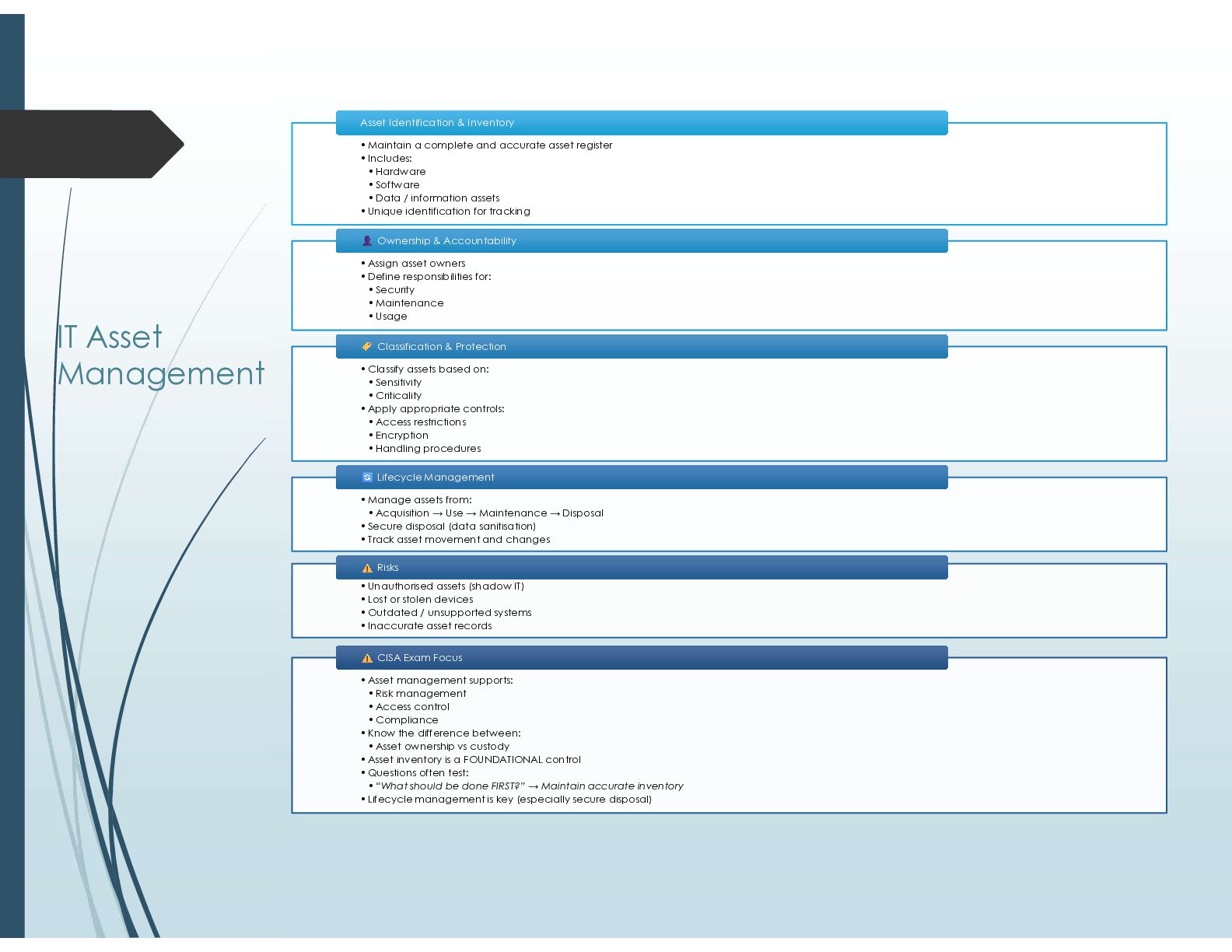
  7. IT Asset Management •Maintain a complete and accurate asset register

    •Includes: • Hardware • Software • Data / information assets •Unique identification for tracking Asset Identification & Inventory Asset Identification & Inventory •Assign asset owners •Define responsibilities for: • Security • Maintenance • Usage Ownership & Accountability Ownership & Accountability •Classify assets based on: • Sensitivity • Criticality •Apply appropriate controls: • Access restrictions • Encryption • Handling procedures Classification & Protection Classification & Protection •Manage assets from: • Acquisition → Use → Maintenance → Disposal •Secure disposal (data sanitisation) •Track asset movement and changes Lifecycle Management Lifecycle Management •Unauthorised assets (shadow IT) •Lost or stolen devices •Outdated / unsupported systems •Inaccurate asset records Risks Risks •Asset management supports: • Risk management • Access control • Compliance •Know the difference between: • Asset ownership vs custody •Asset inventory is a FOUNDATIONAL control •Questions often test: • “What should be done FIRST?” → Maintain accurate inventory •Lifecycle management is key (especially secure disposal) CISA Exam Focus CISA Exam Focus
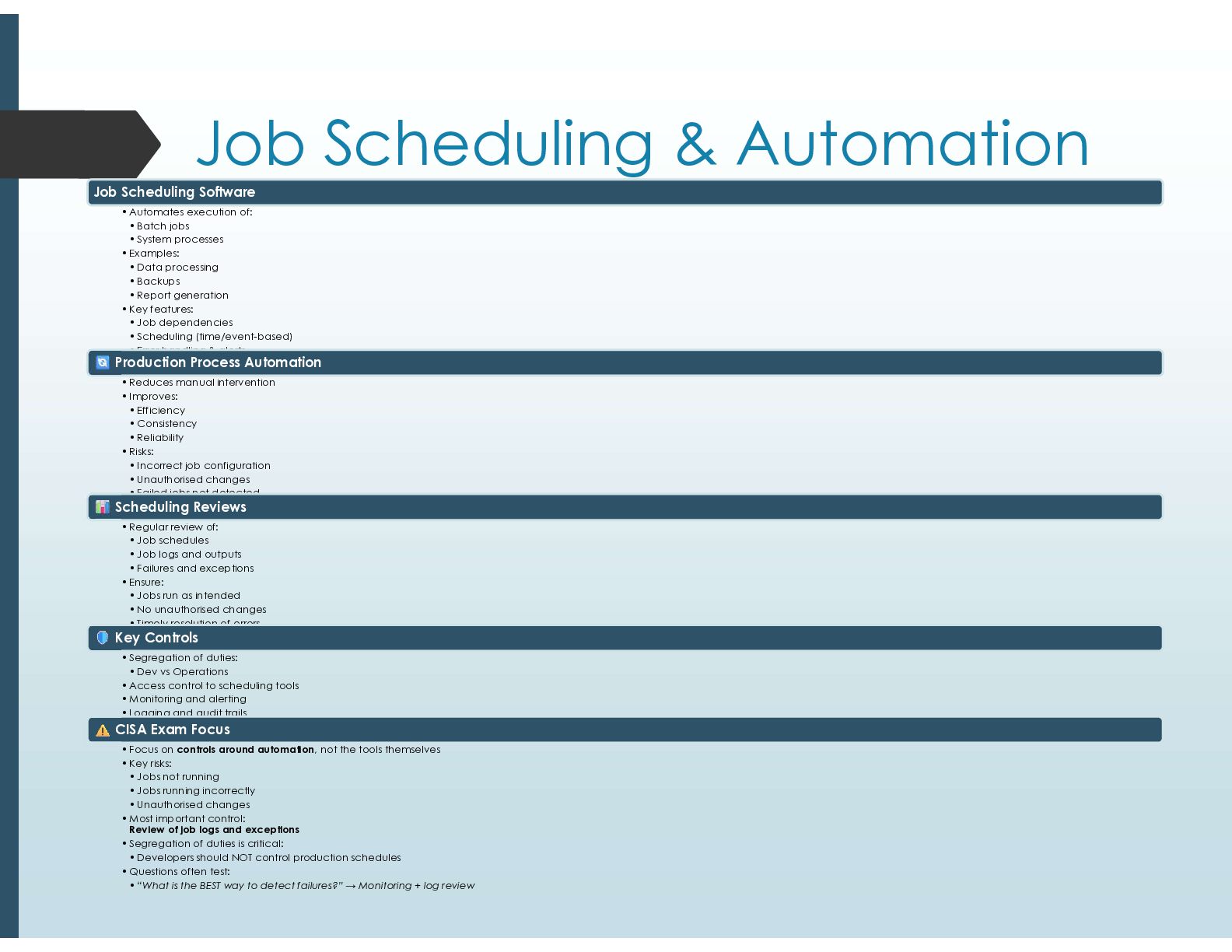
  8. Job Scheduling & Automation Job Scheduling Software •Automates execution of:

    • Batch jobs • System processes •Examples: • Data processing • Backups • Report generation •Key features: • Job dependencies • Scheduling (time/event-based) • Error handling & alerts Production Process Automation •Reduces manual intervention •Improves: • Efficiency • Consistency • Reliability •Risks: • Incorrect job configuration • Unauthorised changes • Failed jobs not detected Scheduling Reviews •Regular review of: • Job schedules • Job logs and outputs • Failures and exceptions •Ensure: • Jobs run as intended • No unauthorised changes • Timely resolution of errors Key Controls •Segregation of duties: • Dev vs Operations •Access control to scheduling tools •Monitoring and alerting •Logging and audit trails CISA Exam Focus •Focus on controls around automation, not the tools themselves •Key risks: • Jobs not running • Jobs running incorrectly • Unauthorised changes •Most important control: Review of job logs and exceptions •Segregation of duties is critical: • Developers should NOT control production schedules •Questions often test: • “What is the BEST way to detect failures?” → Monitoring + log review
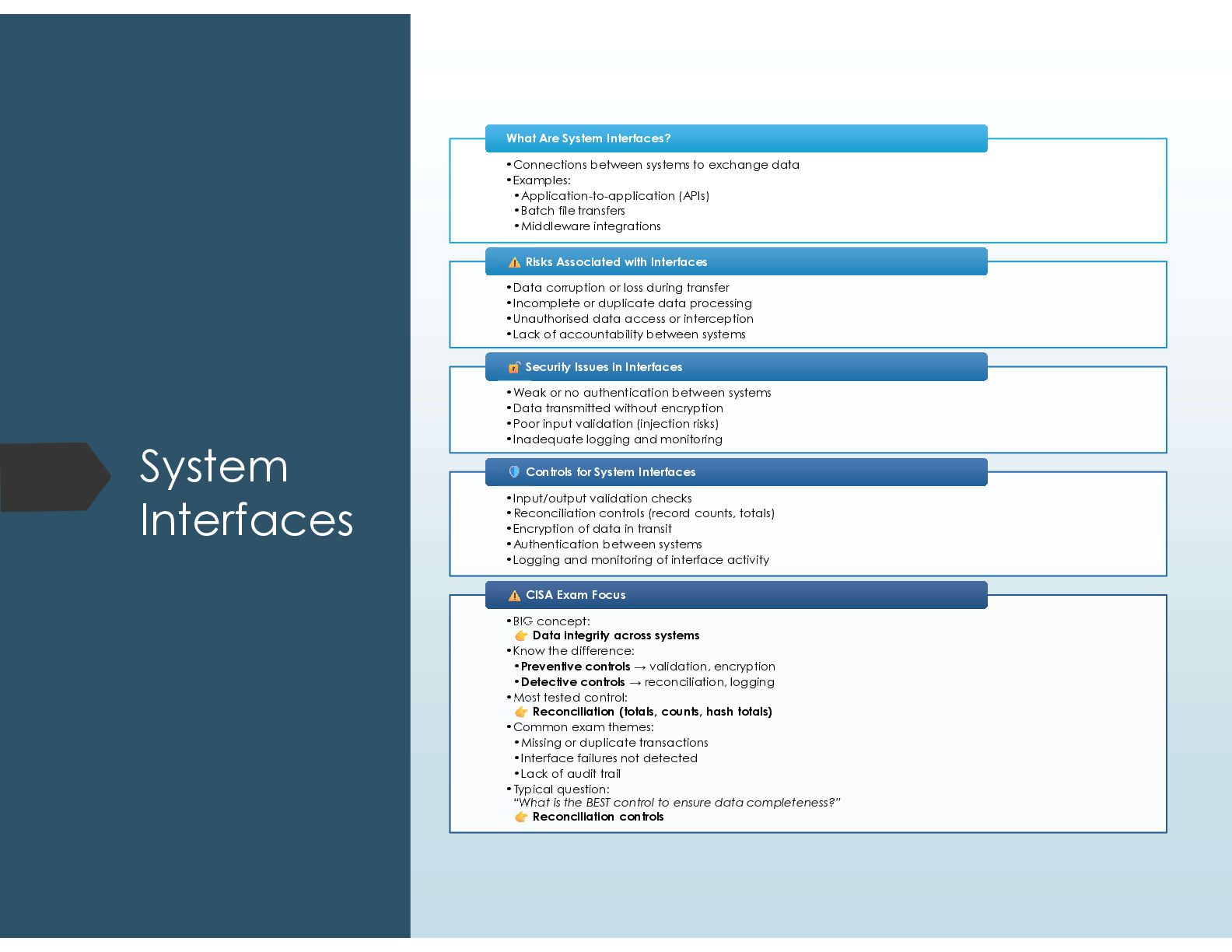
  9. System Interfaces •Connections between systems to exchange data •Examples: •Application-to-application

    (APIs) •Batch file transfers •Middleware integrations What Are System Interfaces? What Are System Interfaces? •Data corruption or loss during transfer •Incomplete or duplicate data processing •Unauthorised data access or interception •Lack of accountability between systems Risks Associated with Interfaces Risks Associated with Interfaces •Weak or no authentication between systems •Data transmitted without encryption •Poor input validation (injection risks) •Inadequate logging and monitoring Security Issues in Interfaces Security Issues in Interfaces •Input/output validation checks •Reconciliation controls (record counts, totals) •Encryption of data in transit •Authentication between systems •Logging and monitoring of interface activity Controls for System Interfaces Controls for System Interfaces •BIG concept: Data integrity across systems •Know the difference: •Preventive controls → validation, encryption •Detective controls → reconciliation, logging •Most tested control: Reconciliation (totals, counts, hash totals) •Common exam themes: •Missing or duplicate transactions •Interface failures not detected •Lack of audit trail •Typical question: “What is the BEST control to ensure data completeness?” Reconciliation controls CISA Exam Focus CISA Exam Focus
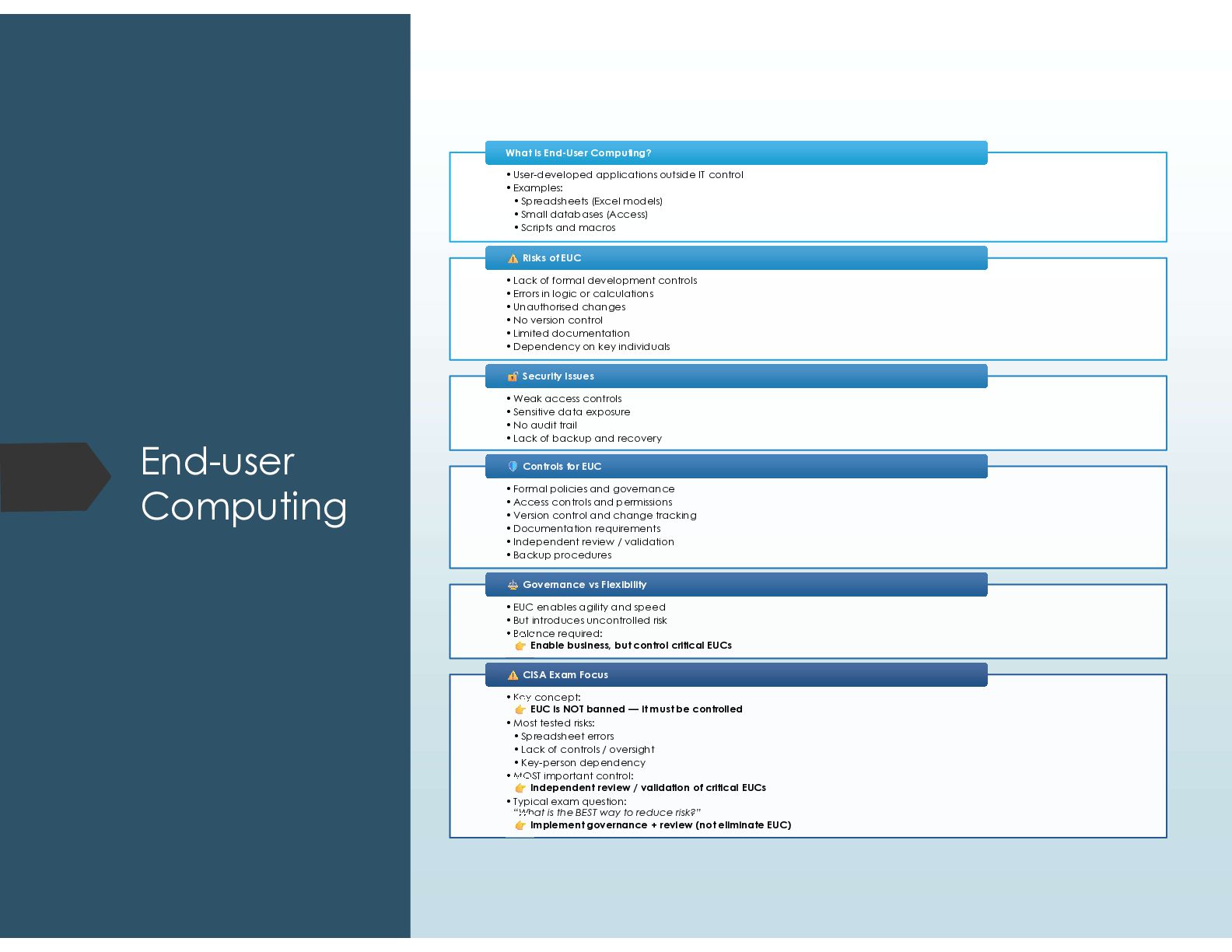
  10. End-user Computing •User-developed applications outside IT control •Examples: • Spreadsheets

    (Excel models) • Small databases (Access) • Scripts and macros What is End-User Computing? What is End-User Computing? •Lack of formal development controls •Errors in logic or calculations •Unauthorised changes •No version control •Limited documentation •Dependency on key individuals Risks of EUC Risks of EUC •Weak access controls •Sensitive data exposure •No audit trail •Lack of backup and recovery Security Issues Security Issues •Formal policies and governance •Access controls and permissions •Version control and change tracking •Documentation requirements •Independent review / validation •Backup procedures Controls for EUC Controls for EUC •EUC enables agility and speed •But introduces uncontrolled risk •Balance required: Enable business, but control critical EUCs Governance vs Flexibility Governance vs Flexibility •Key concept: EUC is NOT banned — it must be controlled •Most tested risks: • Spreadsheet errors • Lack of controls / oversight • Key-person dependency •MOST important control: Independent review / validation of critical EUCs •Typical exam question: “What is the BEST way to reduce risk?” Implement governance + review (not eliminate EUC) CISA Exam Focus CISA Exam Focus
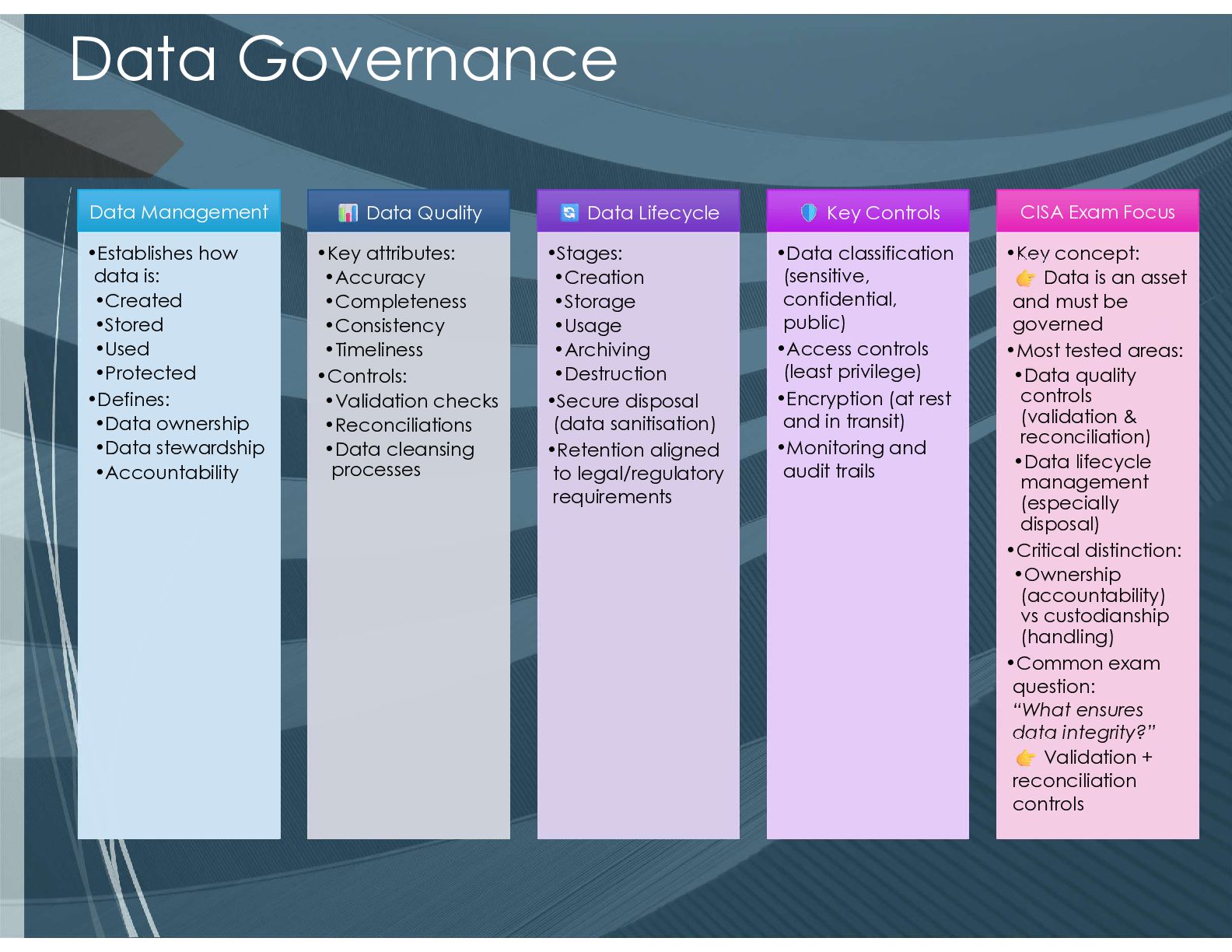
  11. Data Governance Data Management •Establishes how data is: •Created •Stored

    •Used •Protected •Defines: •Data ownership •Data stewardship •Accountability •Establishes how data is: •Created •Stored •Used •Protected •Defines: •Data ownership •Data stewardship •Accountability Data Quality •Key attributes: •Accuracy •Completeness •Consistency •Timeliness •Controls: •Validation checks •Reconciliations •Data cleansing processes •Key attributes: •Accuracy •Completeness •Consistency •Timeliness •Controls: •Validation checks •Reconciliations •Data cleansing processes Data Lifecycle •Stages: •Creation •Storage •Usage •Archiving •Destruction •Secure disposal (data sanitisation) •Retention aligned to legal/regulatory requirements •Stages: •Creation •Storage •Usage •Archiving •Destruction •Secure disposal (data sanitisation) •Retention aligned to legal/regulatory requirements Key Controls •Data classification (sensitive, confidential, public) •Access controls (least privilege) •Encryption (at rest and in transit) •Monitoring and audit trails •Data classification (sensitive, confidential, public) •Access controls (least privilege) •Encryption (at rest and in transit) •Monitoring and audit trails CISA Exam Focus •Key concept: Data is an asset and must be governed •Most tested areas: •Data quality controls (validation & reconciliation) •Data lifecycle management (especially disposal) •Critical distinction: •Ownership (accountability) vs custodianship (handling) •Common exam question: “What ensures data integrity?” Validation + reconciliation controls •Key concept: Data is an asset and must be governed •Most tested areas: •Data quality controls (validation & reconciliation) •Data lifecycle management (especially disposal) •Critical distinction: •Ownership (accountability) vs custodianship (handling) •Common exam question: “What ensures data integrity?” Validation + reconciliation controls
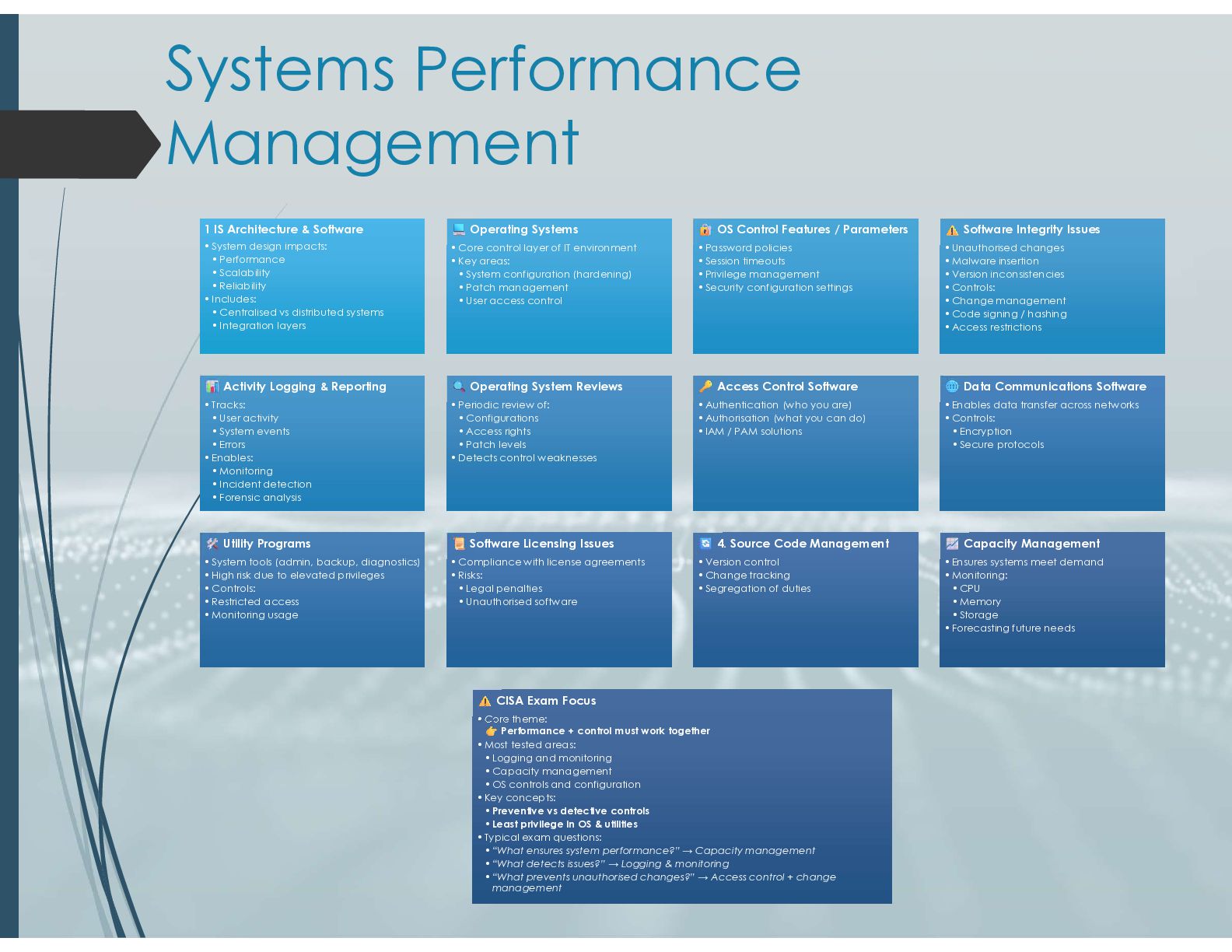
  12. Systems Performance Management 1 IS Architecture & Software •System design

    impacts: • Performance • Scalability • Reliability •Includes: • Centralised vs distributed systems • Integration layers 1 IS Architecture & Software •System design impacts: • Performance • Scalability • Reliability •Includes: • Centralised vs distributed systems • Integration layers Operating Systems •Core control layer of IT environment •Key areas: • System configuration (hardening) • Patch management • User access control Operating Systems •Core control layer of IT environment •Key areas: • System configuration (hardening) • Patch management • User access control OS Control Features / Parameters •Password policies •Session timeouts •Privilege management •Security configuration settings OS Control Features / Parameters •Password policies •Session timeouts •Privilege management •Security configuration settings Software Integrity Issues •Unauthorised changes •Malware insertion •Version inconsistencies •Controls: •Change management •Code signing / hashing •Access restrictions Software Integrity Issues •Unauthorised changes •Malware insertion •Version inconsistencies •Controls: •Change management •Code signing / hashing •Access restrictions Activity Logging & Reporting •Tracks: • User activity • System events • Errors •Enables: • Monitoring • Incident detection • Forensic analysis Activity Logging & Reporting •Tracks: • User activity • System events • Errors •Enables: • Monitoring • Incident detection • Forensic analysis Operating System Reviews •Periodic review of: • Configurations • Access rights • Patch levels •Detects control weaknesses Operating System Reviews •Periodic review of: • Configurations • Access rights • Patch levels •Detects control weaknesses Access Control Software •Authentication (who you are) •Authorisation (what you can do) •IAM / PAM solutions Access Control Software •Authentication (who you are) •Authorisation (what you can do) •IAM / PAM solutions Data Communications Software •Enables data transfer across networks •Controls: • Encryption • Secure protocols Data Communications Software •Enables data transfer across networks •Controls: • Encryption • Secure protocols Utility Programs •System tools (admin, backup, diagnostics) •High risk due to elevated privileges •Controls: •Restricted access •Monitoring usage Utility Programs •System tools (admin, backup, diagnostics) •High risk due to elevated privileges •Controls: •Restricted access •Monitoring usage Software Licensing Issues •Compliance with license agreements •Risks: • Legal penalties • Unauthorised software Software Licensing Issues •Compliance with license agreements •Risks: • Legal penalties • Unauthorised software 4. Source Code Management •Version control •Change tracking •Segregation of duties 4. Source Code Management •Version control •Change tracking •Segregation of duties Capacity Management •Ensures systems meet demand •Monitoring: • CPU • Memory • Storage •Forecasting future needs Capacity Management •Ensures systems meet demand •Monitoring: • CPU • Memory • Storage •Forecasting future needs CISA Exam Focus •Core theme: Performance + control must work together •Most tested areas: • Logging and monitoring • Capacity management • OS controls and configuration •Key concepts: • Preventive vs detective controls • Least privilege in OS & utilities •Typical exam questions: • “What ensures system performance?” → Capacity management • “What detects issues?” → Logging & monitoring • “What prevents unauthorised changes?” → Access control + change management CISA Exam Focus •Core theme: Performance + control must work together •Most tested areas: • Logging and monitoring • Capacity management • OS controls and configuration •Key concepts: • Preventive vs detective controls • Least privilege in OS & utilities •Typical exam questions: • “What ensures system performance?” → Capacity management • “What detects issues?” → Logging & monitoring • “What prevents unauthorised changes?” → Access control + change management
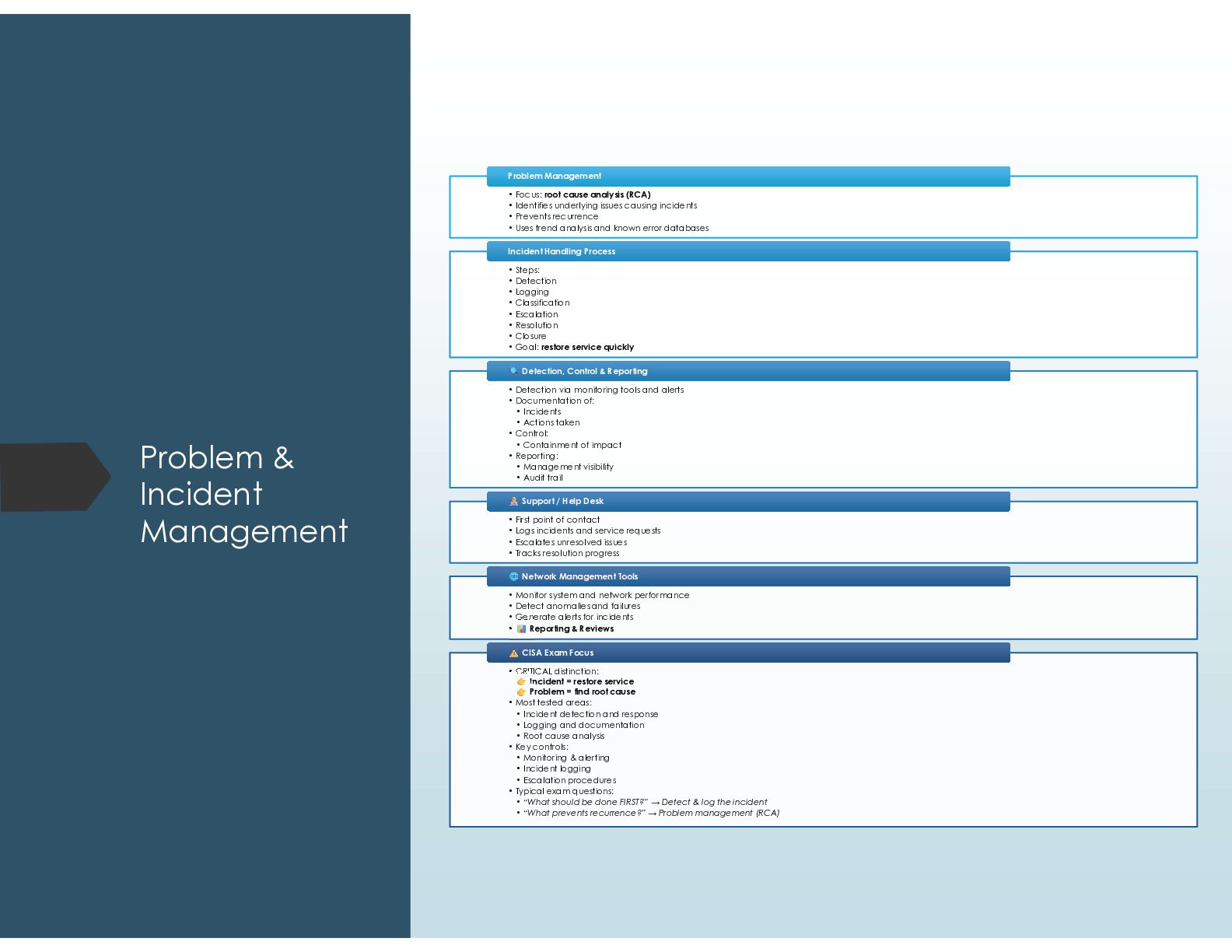
  13. Problem & Incident Management • Focus: root cause analysis (RCA)

    • Identifies underlying issues causing incidents • Prevents recurrence • Uses trend analysis and known error databases Problem Management Problem Management • Steps: • Detection • Logging • Classification • Escalation • Resolution • Closure • Goal: restore service quickly Incident Handling Process Incident Handling Process • Detection via monitoring tools and alerts • Documentation of: • Incidents • Actions taken • Control: • Containment of impact • Reporting: • Management visibility • Audit trail Detection, Control & Reporting Detection, Control & Reporting • First point of contact • Logs incidents and service requests • Escalates unresolved issues • Tracks resolution progress Support / Help Desk Support / Help Desk • Monitor system and network performance • Detect anomalies and failures • Generate alerts for incidents • Reporting & Reviews Network Management Tools Network Management Tools • CRITICAL distinction: Incident = restore service Problem = find root cause • Most tested areas: • Incident detection and response • Logging and documentation • Root cause analysis • Key controls: • Monitoring & alerting • Incident logging • Escalation procedures • Typical exam questions: • “What should be done FIRST?” → Detect & log the incident • “What prevents recurrence?” → Problem management (RCA) CISA Exam Focus CISA Exam Focus
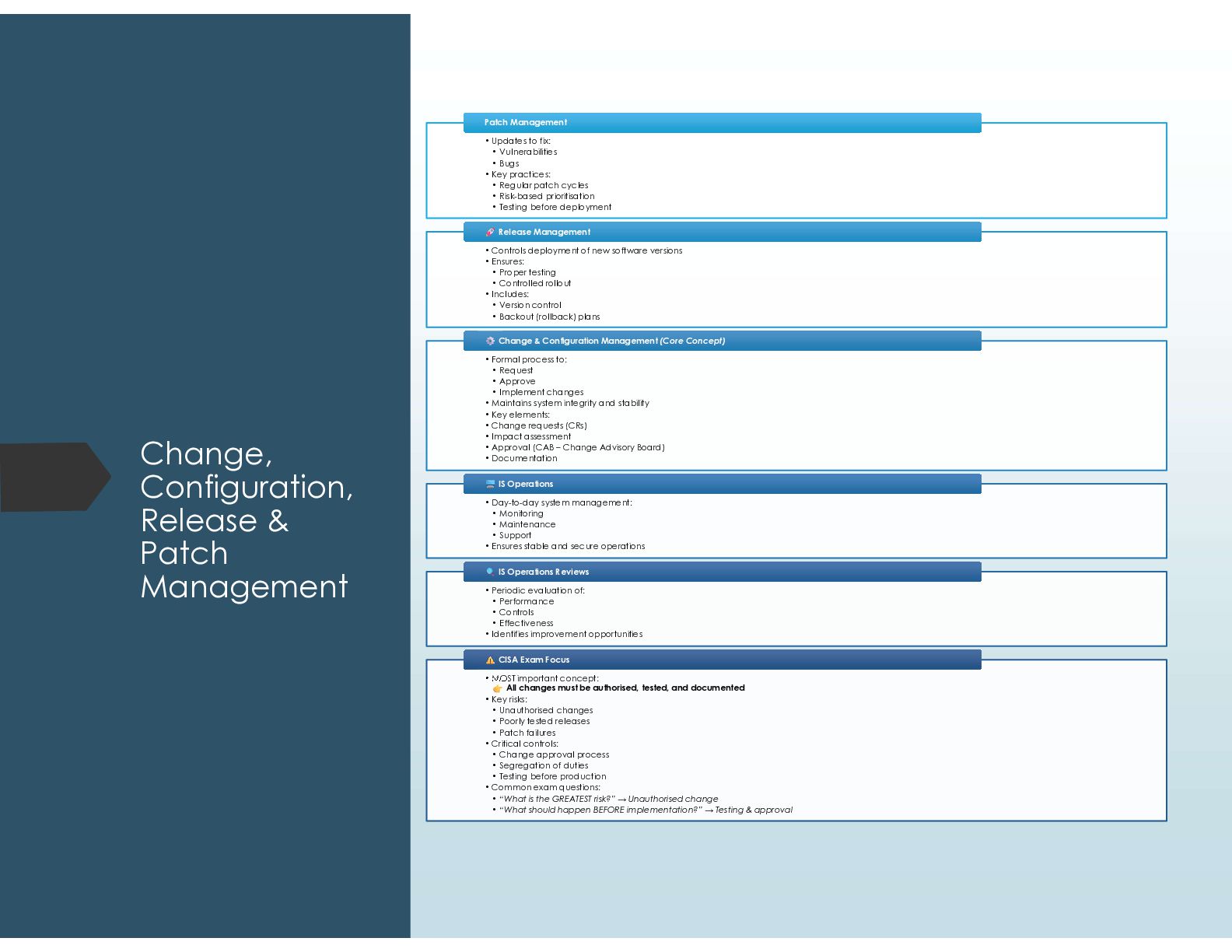
  14. Change, Configuration, Release & Patch Management • Updates to fix:

    • Vulnerabilities • Bugs • Key practices: • Regular patch cycles • Risk-based prioritisation • Testing before deployment Patch Management Patch Management • Controls deployment of new software versions • Ensures: • Proper testing • Controlled rollout • Includes: • Version control • Backout (rollback) plans Release Management Release Management • Formal process to: • Request • Approve • Implement changes • Maintains system integrity and stability • Key elements: • Change requests (CRs) • Impact assessment • Approval (CAB – Change Advisory Board) • Documentation Change & Configuration Management (Core Concept) Change & Configuration Management (Core Concept) • Day-to-day system management: • Monitoring • Maintenance • Support • Ensures stable and secure operations IS Operations IS Operations • Periodic evaluation of: • Performance • Controls • Effectiveness • Identifies improvement opportunities IS Operations Reviews IS Operations Reviews • MOST important concept: All changes must be authorised, tested, and documented • Key risks: • Unauthorised changes • Poorly tested releases • Patch failures • Critical controls: • Change approval process • Segregation of duties • Testing before production • Common exam questions: • “What is the GREATEST risk?” → Unauthorised change • “What should happen BEFORE implementation?” → Testing & approval CISA Exam Focus CISA Exam Focus
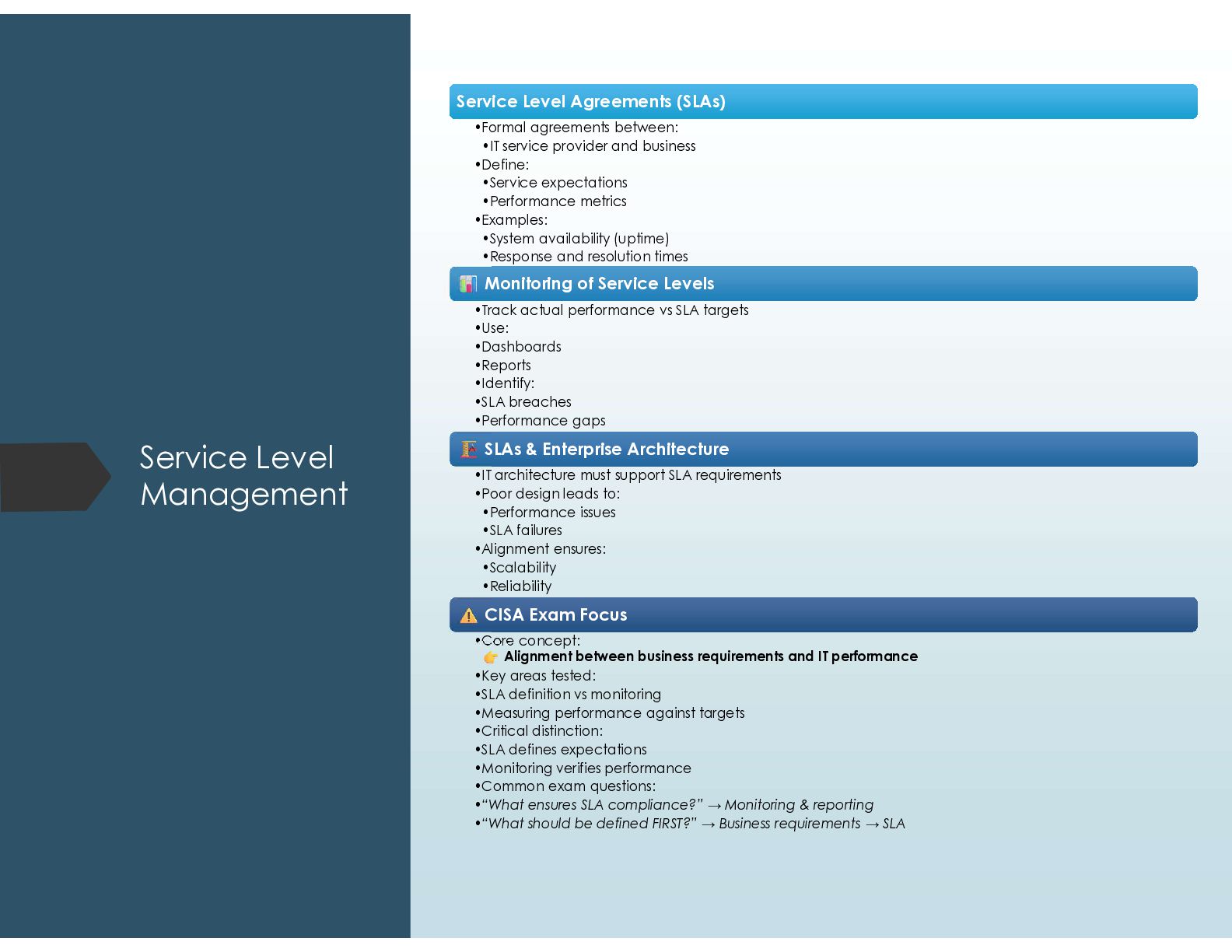
  15. Service Level Management Service Level Agreements (SLAs) Service Level Agreements

    (SLAs) •Formal agreements between: •IT service provider and business •Define: •Service expectations •Performance metrics •Examples: •System availability (uptime) •Response and resolution times Monitoring of Service Levels Monitoring of Service Levels •Track actual performance vs SLA targets •Use: •Dashboards •Reports •Identify: •SLA breaches •Performance gaps SLAs & Enterprise Architecture SLAs & Enterprise Architecture •IT architecture must support SLA requirements •Poor design leads to: •Performance issues •SLA failures •Alignment ensures: •Scalability •Reliability CISA Exam Focus CISA Exam Focus •Core concept: Alignment between business requirements and IT performance •Key areas tested: •SLA definition vs monitoring •Measuring performance against targets •Critical distinction: •SLA defines expectations •Monitoring verifies performance •Common exam questions: •“What ensures SLA compliance?” → Monitoring & reporting •“What should be defined FIRST?” → Business requirements → SLA
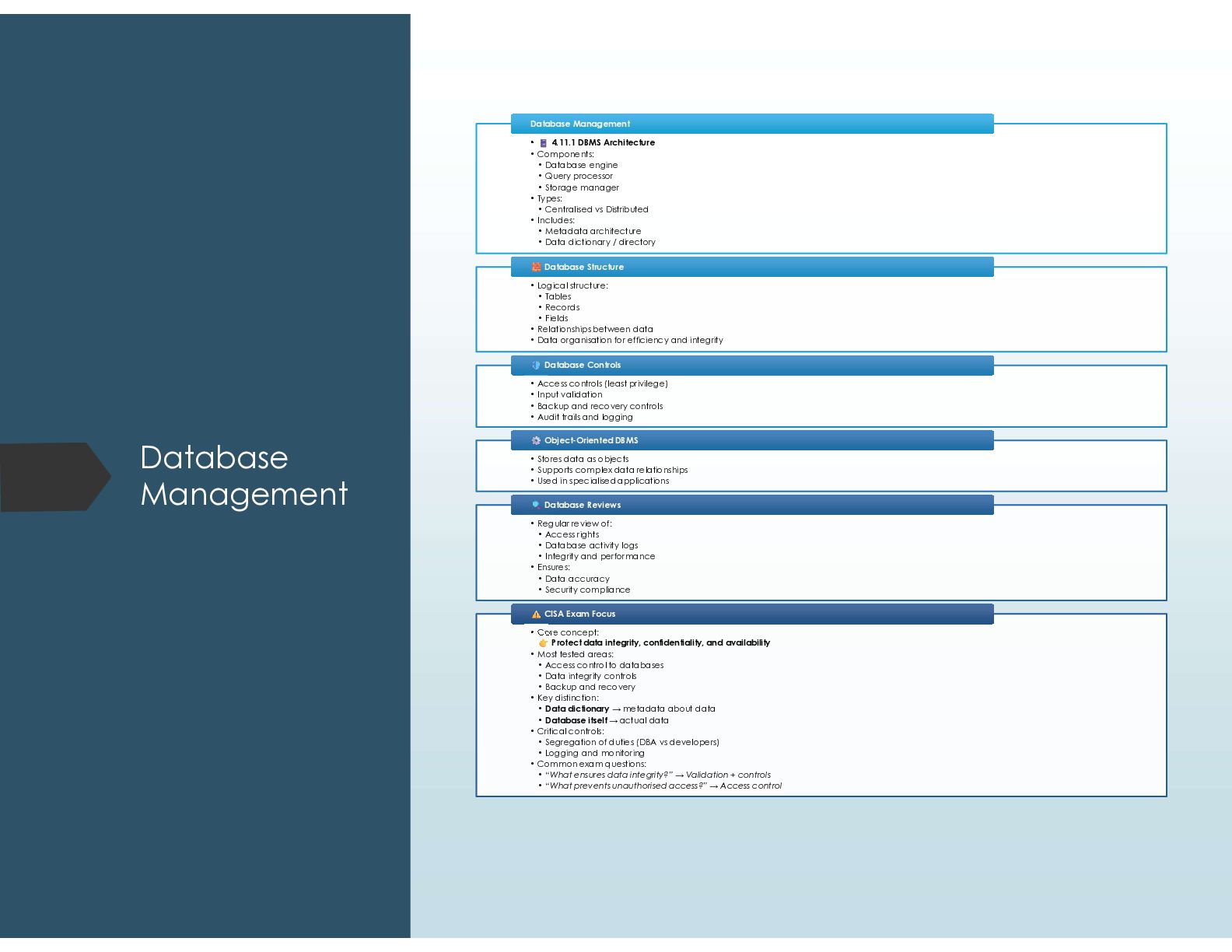
  16. Database Management • 4.11.1 DBMS Architecture • Components: • Database

    engine • Query processor • Storage manager • Types: • Centralised vs Distributed • Includes: • Metadata architecture • Data dictionary / directory Database Management Database Management • Logical structure: • Tables • Records • Fields • Relationships between data • Data organisation for efficiency and integrity Database Structure Database Structure • Access controls (least privilege) • Input validation • Backup and recovery controls • Audit trails and logging Database Controls Database Controls • Stores data as objects • Supports complex data relationships • Used in specialised applications Object-Oriented DBMS Object-Oriented DBMS • Regular review of: • Access rights • Database activity logs • Integrity and performance • Ensures: • Data accuracy • Security compliance Database Reviews Database Reviews • Core concept: Protect data integrity, confidentiality, and availability • Most tested areas: • Access control to databases • Data integrity controls • Backup and recovery • Key distinction: • Data dictionary → metadata about data • Database itself → actual data • Critical controls: • Segregation of duties (DBA vs developers) • Logging and monitoring • Common exam questions: • “What ensures data integrity?” → Validation + controls • “What prevents unauthorised access?” → Access control CISA Exam Focus CISA Exam Focus
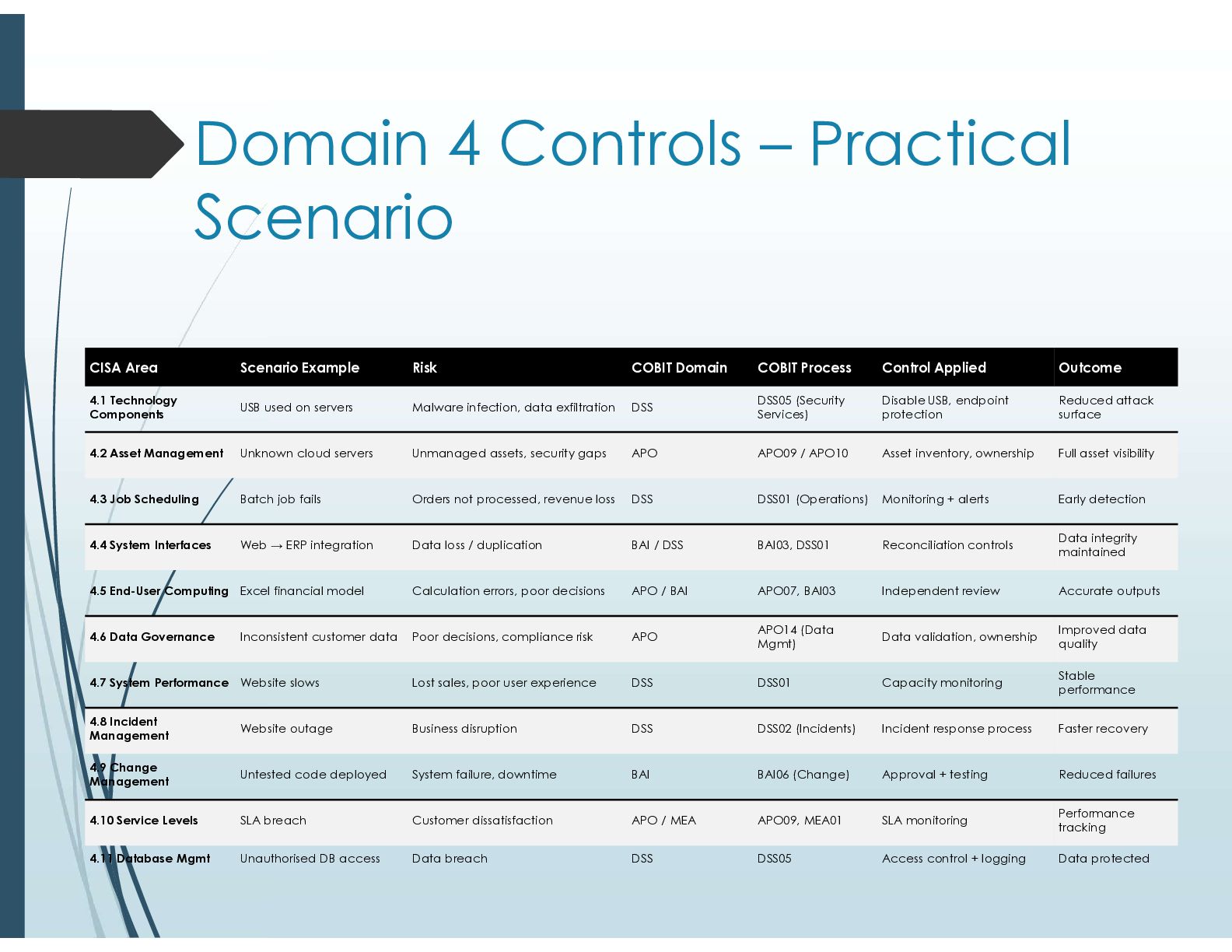
  17. Domain 4 Controls – Practical Scenario Outcome Control Applied COBIT

    Process COBIT Domain Risk Scenario Example CISA Area Reduced attack surface Disable USB, endpoint protection DSS05 (Security Services) DSS Malware infection, data exfiltration USB used on servers 4.1 Technology Components Full asset visibility Asset inventory, ownership APO09 / APO10 APO Unmanaged assets, security gaps Unknown cloud servers 4.2 Asset Management Early detection Monitoring + alerts DSS01 (Operations) DSS Orders not processed, revenue loss Batch job fails 4.3 Job Scheduling Data integrity maintained Reconciliation controls BAI03, DSS01 BAI / DSS Data loss / duplication Web → ERP integration 4.4 System Interfaces Accurate outputs Independent review APO07, BAI03 APO / BAI Calculation errors, poor decisions Excel financial model 4.5 End-User Computing Improved data quality Data validation, ownership APO14 (Data Mgmt) APO Poor decisions, compliance risk Inconsistent customer data 4.6 Data Governance Stable performance Capacity monitoring DSS01 DSS Lost sales, poor user experience Website slows 4.7 System Performance Faster recovery Incident response process DSS02 (Incidents) DSS Business disruption Website outage 4.8 Incident Management Reduced failures Approval + testing BAI06 (Change) BAI System failure, downtime Untested code deployed 4.9 Change Management Performance tracking SLA monitoring APO09, MEA01 APO / MEA Customer dissatisfaction SLA breach 4.10 Service Levels Data protected Access control + logging DSS05 DSS Data breach Unauthorised DB access 4.11 Database Mgmt
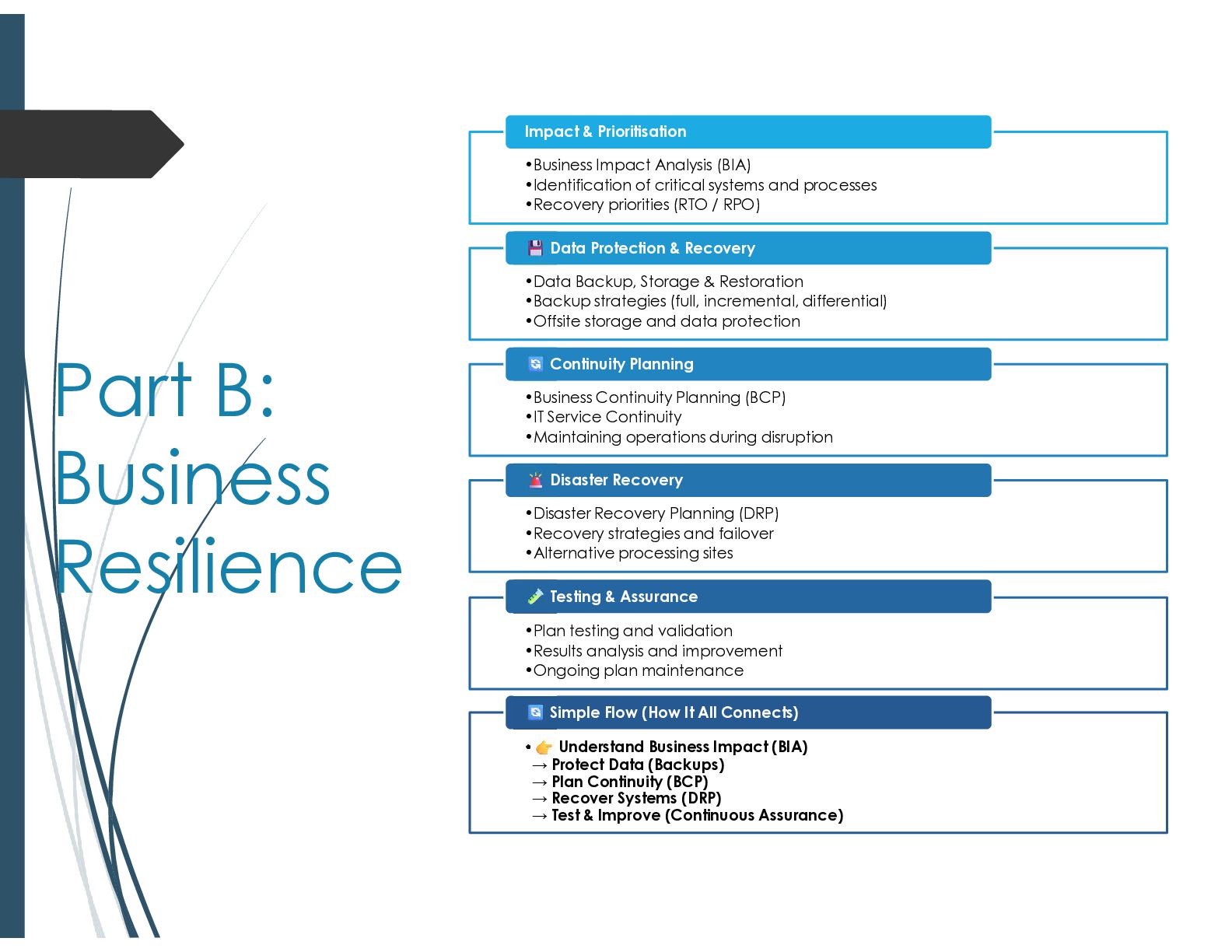
  18. Part B: Business Resilience •Business Impact Analysis (BIA) •Identification of

    critical systems and processes •Recovery priorities (RTO / RPO) Impact & Prioritisation •Data Backup, Storage & Restoration •Backup strategies (full, incremental, differential) •Offsite storage and data protection Data Protection & Recovery •Business Continuity Planning (BCP) •IT Service Continuity •Maintaining operations during disruption Continuity Planning •Disaster Recovery Planning (DRP) •Recovery strategies and failover •Alternative processing sites Disaster Recovery •Plan testing and validation •Results analysis and improvement •Ongoing plan maintenance Testing & Assurance • Understand Business Impact (BIA) → Protect Data (Backups) → Plan Continuity (BCP) → Recover Systems (DRP) → Test & Improve (Continuous Assurance) Simple Flow (How It All Connects)
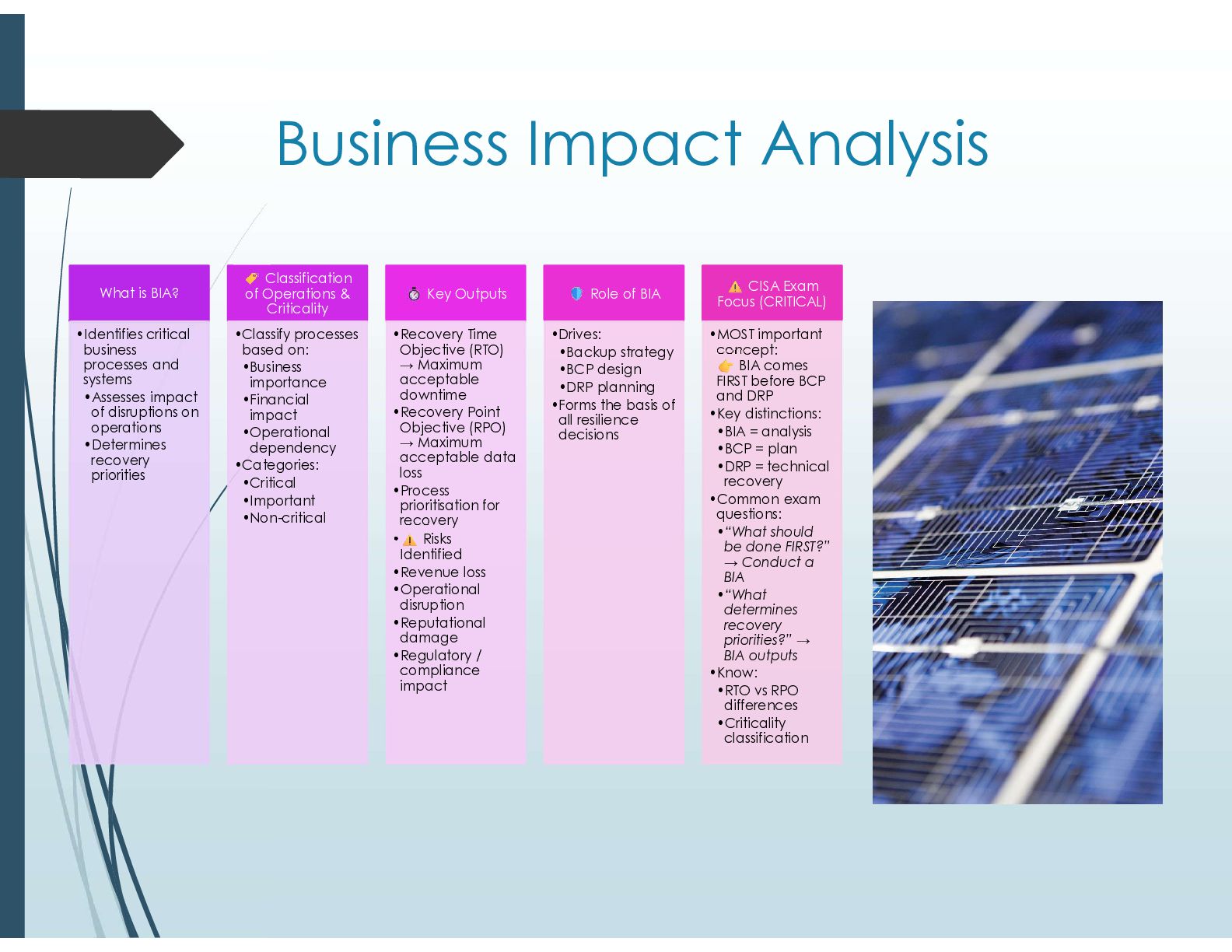
  19. Business Impact Analysis What is BIA? •Identifies critical business processes

    and systems •Assesses impact of disruptions on operations •Determines recovery priorities Classification of Operations & Criticality •Classify processes based on: •Business importance •Financial impact •Operational dependency •Categories: •Critical •Important •Non-critical Key Outputs •Recovery Time Objective (RTO) → Maximum acceptable downtime •Recovery Point Objective (RPO) → Maximum acceptable data loss •Process prioritisation for recovery • Risks Identified •Revenue loss •Operational disruption •Reputational damage •Regulatory / compliance impact Role of BIA •Drives: •Backup strategy •BCP design •DRP planning •Forms the basis of all resilience decisions CISA Exam Focus (CRITICAL) •MOST important concept: BIA comes FIRST before BCP and DRP •Key distinctions: •BIA = analysis •BCP = plan •DRP = technical recovery •Common exam questions: •“What should be done FIRST?” → Conduct a BIA •“What determines recovery priorities?” → BIA outputs •Know: •RTO vs RPO differences •Criticality classification
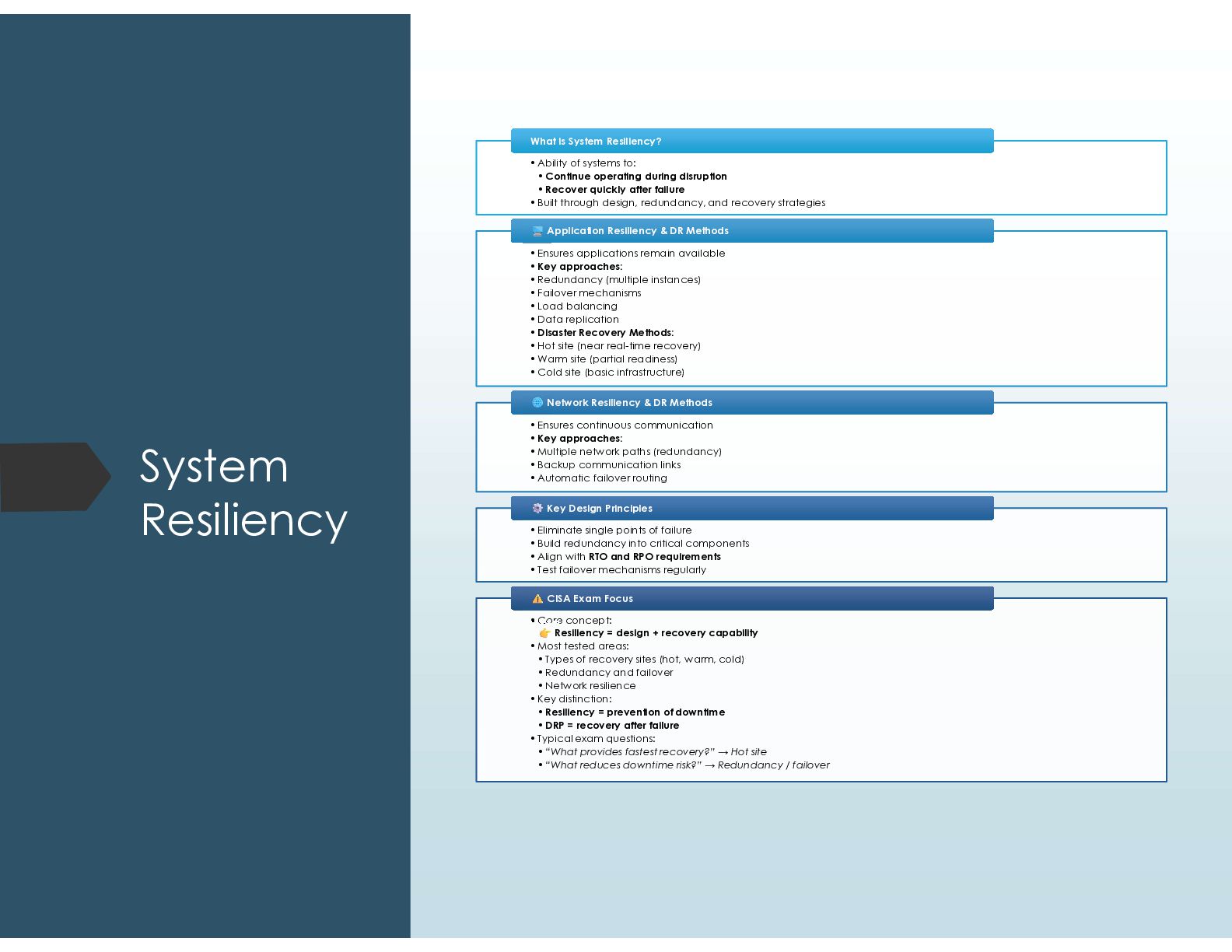
  20. System Resiliency •Ability of systems to: • Continue operating during

    disruption • Recover quickly after failure •Built through design, redundancy, and recovery strategies What is System Resiliency? What is System Resiliency? •Ensures applications remain available •Key approaches: •Redundancy (multiple instances) •Failover mechanisms •Load balancing •Data replication •Disaster Recovery Methods: •Hot site (near real-time recovery) •Warm site (partial readiness) •Cold site (basic infrastructure) Application Resiliency & DR Methods Application Resiliency & DR Methods •Ensures continuous communication •Key approaches: •Multiple network paths (redundancy) •Backup communication links •Automatic failover routing Network Resiliency & DR Methods Network Resiliency & DR Methods •Eliminate single points of failure •Build redundancy into critical components •Align with RTO and RPO requirements •Test failover mechanisms regularly Key Design Principles Key Design Principles •Core concept: Resiliency = design + recovery capability •Most tested areas: • Types of recovery sites (hot, warm, cold) • Redundancy and failover • Network resilience •Key distinction: • Resiliency = prevention of downtime • DRP = recovery after failure •Typical exam questions: • “What provides fastest recovery?” → Hot site • “What reduces downtime risk?” → Redundancy / failover CISA Exam Focus CISA Exam Focus
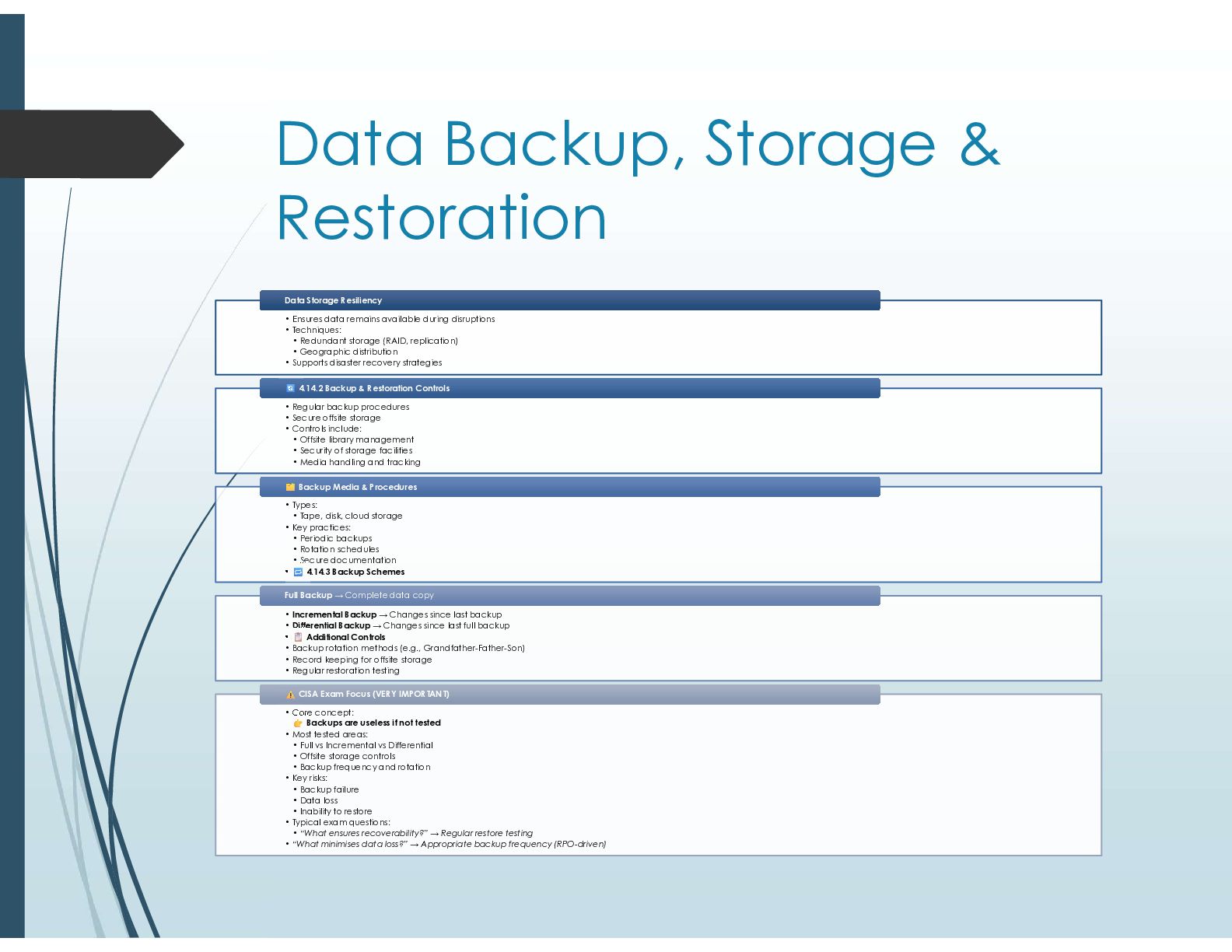
  21. Data Backup, Storage & Restoration • Ensures data remains available

    during disruptions • Techniques: • Redundant storage (RAID, replication) • Geographic distribution • Supports disaster recovery strategies Data Storage Resiliency Data Storage Resiliency • Regular backup procedures • Secure offsite storage • Controls include: • Offsite library management • Security of storage facilities • Media handling and tracking 4.14.2 Backup & Restoration Controls 4.14.2 Backup & Restoration Controls • Types: • Tape, disk, cloud storage • Key practices: • Periodic backups • Rotation schedules • Secure documentation • 4.14.3 Backup Schemes Backup Media & Procedures Backup Media & Procedures • Incremental Backup → Changes since last backup • Differential Backup → Changes since last full backup • Additional Controls • Backup rotation methods (e.g., Grandfather-Father-Son) • Record keeping for offsite storage • Regular restoration testing Full Backup → Complete data copy Full Backup → Complete data copy • Core concept: Backups are useless if not tested • Most tested areas: • Full vs Incremental vs Differential • Offsite storage controls • Backup frequency and rotation • Key risks: • Backup failure • Data loss • Inability to restore • Typical exam questions: • “What ensures recoverability?” → Regular restore testing • “What minimises data loss?” → Appropriate backup frequency (RPO-driven) CISA Exam Focus (VERY IMPORTANT) CISA Exam Focus (VERY IMPORTANT)
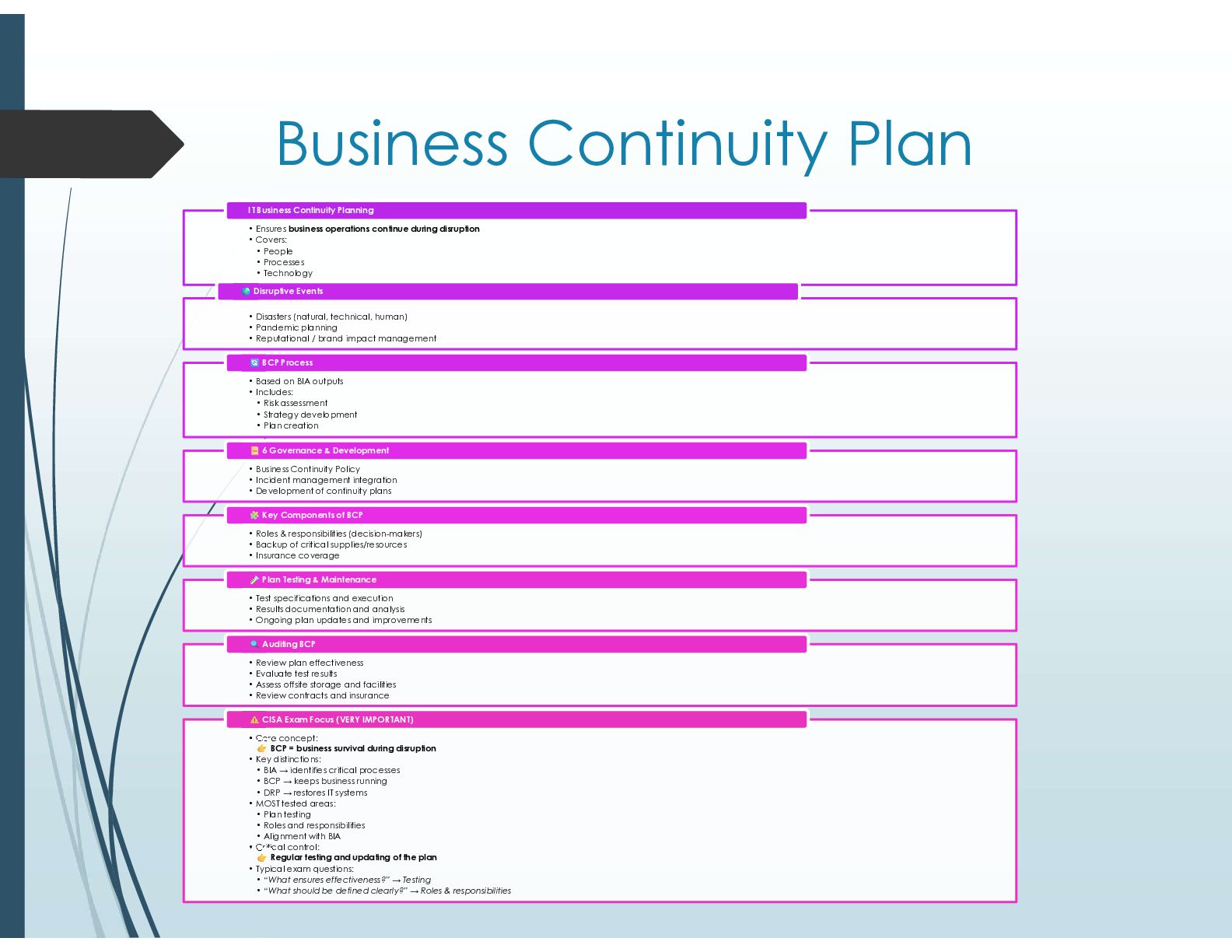
  22. Business Continuity Plan • Ensures business operations continue during disruption

    • Covers: • People • Processes • Technology IT Business Continuity Planning • Disasters (natural, technical, human) • Pandemic planning • Reputational / brand impact management Disruptive Events • Based on BIA outputs • Includes: • Risk assessment • Strategy development • Plan creation BCP Process • Business Continuity Policy • Incident management integration • Development of continuity plans 6 Governance & Development • Roles & responsibilities (decision-makers) • Backup of critical supplies/resources • Insurance coverage Key Components of BCP • Test specifications and execution • Results documentation and analysis • Ongoing plan updates and improvements Plan Testing & Maintenance • Review plan effectiveness • Evaluate test results • Assess offsite storage and facilities • Review contracts and insurance Auditing BCP • Core concept: BCP = business survival during disruption • Key distinctions: • BIA → identifies critical processes • BCP → keeps business running • DRP → restores IT systems • MOST tested areas: • Plan testing • Roles and responsibilities • Alignment with BIA • Critical control: Regular testing and updating of the plan • Typical exam questions: • “What ensures effectiveness?” → Testing • “What should be defined clearly?” → Roles & responsibilities CISA Exam Focus (VERY IMPORTANT)
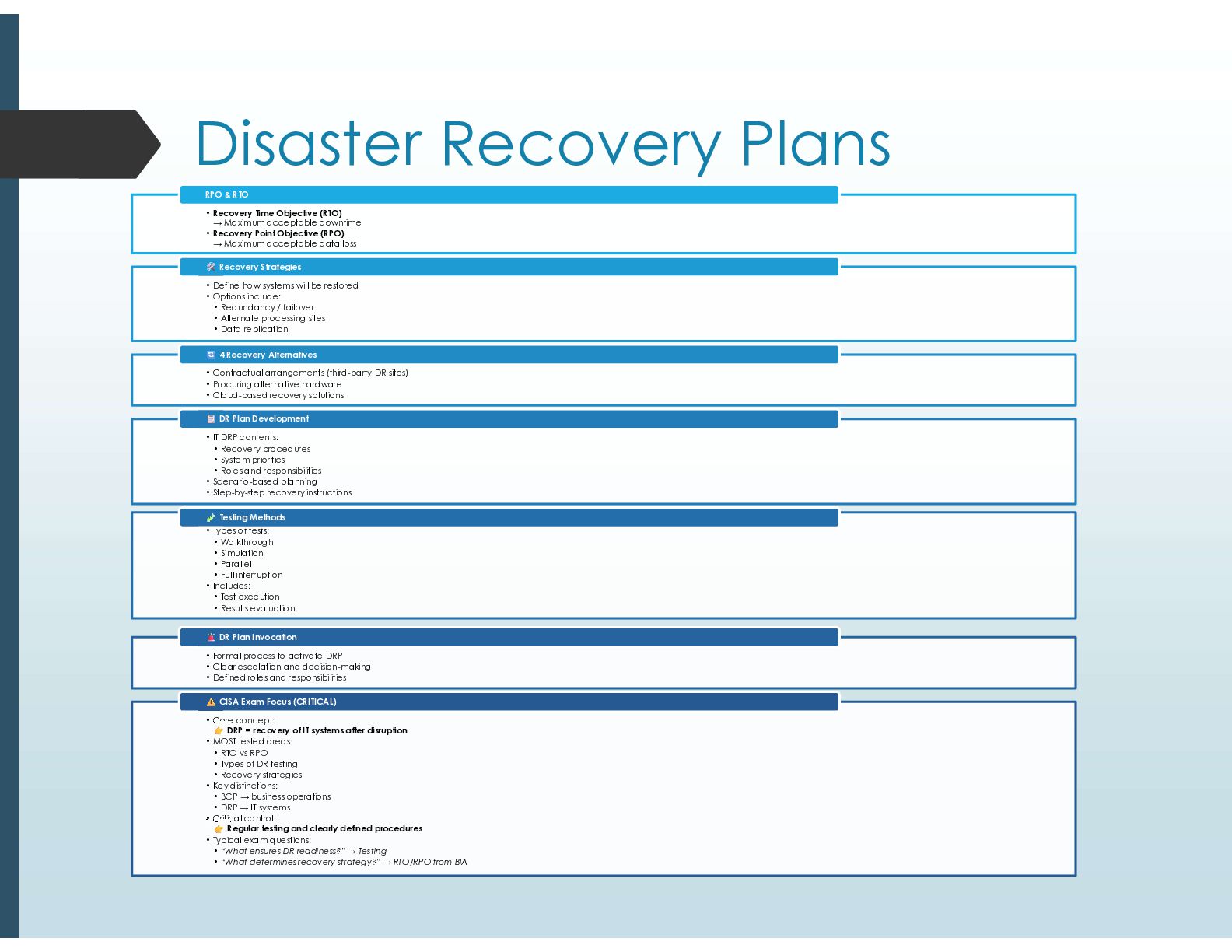
  23. Disaster Recovery Plans • Recovery Time Objective (RTO) → Maximum

    acceptable downtime • Recovery Point Objective (RPO) → Maximum acceptable data loss RPO & RTO • Define how systems will be restored • Options include: • Redundancy / failover • Alternate processing sites • Data replication Recovery Strategies • Contractual arrangements (third-party DR sites) • Procuring alternative hardware • Cloud-based recovery solutions 4 Recovery Alternatives • IT DRP contents: • Recovery procedures • System priorities • Roles and responsibilities • Scenario-based planning • Step-by-step recovery instructions DR Plan Development • Types of tests: • Walkthrough • Simulation • Parallel • Full interruption • Includes: • Test execution • Results evaluation Testing Methods • Formal process to activate DRP • Clear escalation and decision-making • Defined roles and responsibilities DR Plan Invocation • Core concept: DRP = recovery of IT systems after disruption • MOST tested areas: • RTO vs RPO • Types of DR testing • Recovery strategies • Key distinctions: • BCP → business operations • DRP → IT systems • Critical control: Regular testing and clearly defined procedures • Typical exam questions: • “What ensures DR readiness?” → Testing • “What determines recovery strategy?” → RTO/RPO from BIA CISA Exam Focus (CRITICAL)
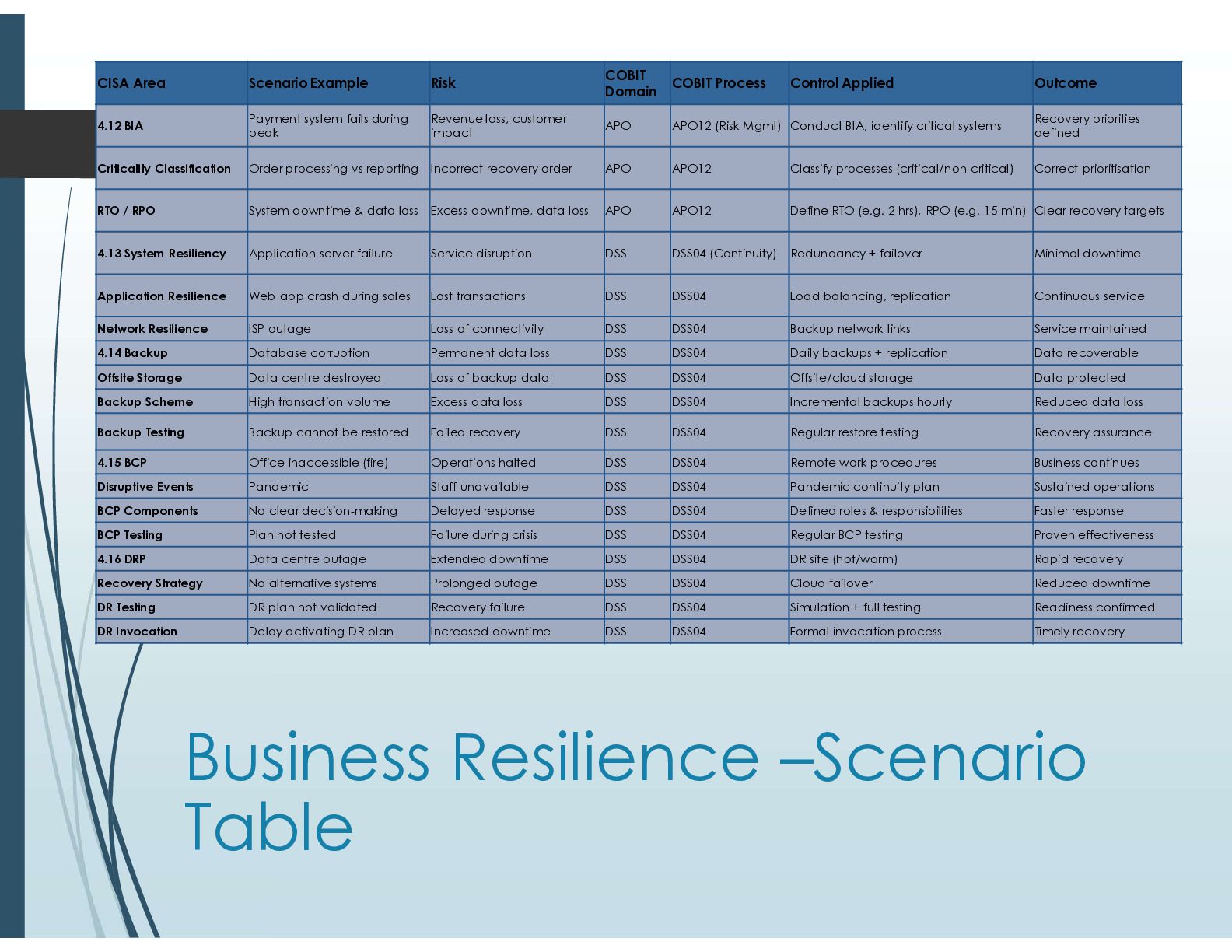
  24. Business Resilience –Scenario Table Outcome Control Applied COBIT Process COBIT

    Domain Risk Scenario Example CISA Area Recovery priorities defined Conduct BIA, identify critical systems APO12 (Risk Mgmt) APO Revenue loss, customer impact Payment system fails during peak 4.12 BIA Correct prioritisation Classify processes (critical/non-critical) APO12 APO Incorrect recovery order Order processing vs reporting Criticality Classification Clear recovery targets Define RTO (e.g. 2 hrs), RPO (e.g. 15 min) APO12 APO Excess downtime, data loss System downtime & data loss RTO / RPO Minimal downtime Redundancy + failover DSS04 (Continuity) DSS Service disruption Application server failure 4.13 System Resiliency Continuous service Load balancing, replication DSS04 DSS Lost transactions Web app crash during sales Application Resilience Service maintained Backup network links DSS04 DSS Loss of connectivity ISP outage Network Resilience Data recoverable Daily backups + replication DSS04 DSS Permanent data loss Database corruption 4.14 Backup Data protected Offsite/cloud storage DSS04 DSS Loss of backup data Data centre destroyed Offsite Storage Reduced data loss Incremental backups hourly DSS04 DSS Excess data loss High transaction volume Backup Scheme Recovery assurance Regular restore testing DSS04 DSS Failed recovery Backup cannot be restored Backup Testing Business continues Remote work procedures DSS04 DSS Operations halted Office inaccessible (fire) 4.15 BCP Sustained operations Pandemic continuity plan DSS04 DSS Staff unavailable Pandemic Disruptive Events Faster response Defined roles & responsibilities DSS04 DSS Delayed response No clear decision-making BCP Components Proven effectiveness Regular BCP testing DSS04 DSS Failure during crisis Plan not tested BCP Testing Rapid recovery DR site (hot/warm) DSS04 DSS Extended downtime Data centre outage 4.16 DRP Reduced downtime Cloud failover DSS04 DSS Prolonged outage No alternative systems Recovery Strategy Readiness confirmed Simulation + full testing DSS04 DSS Recovery failure DR plan not validated DR Testing Timely recovery Formal invocation process DSS04 DSS Increased downtime Delay activating DR plan DR Invocation
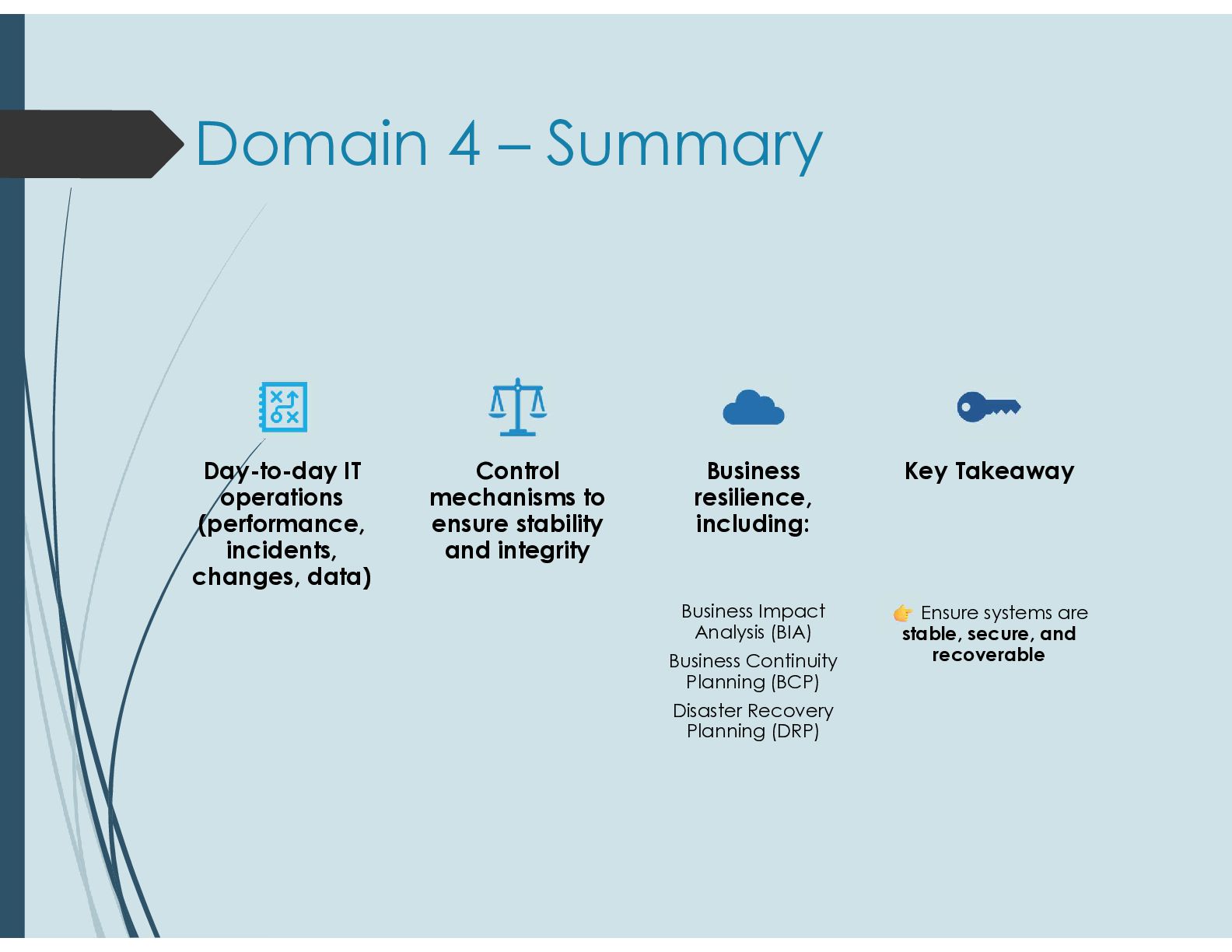
  25. Domain 4 – Summary Day-to-day IT operations (performance, incidents, changes,

    data) Control mechanisms to ensure stability and integrity Business resilience, including: Business Impact Analysis (BIA) Business Continuity Planning (BCP) Disaster Recovery Planning (DRP) Key Takeaway Ensure systems are stable, secure, and recoverable
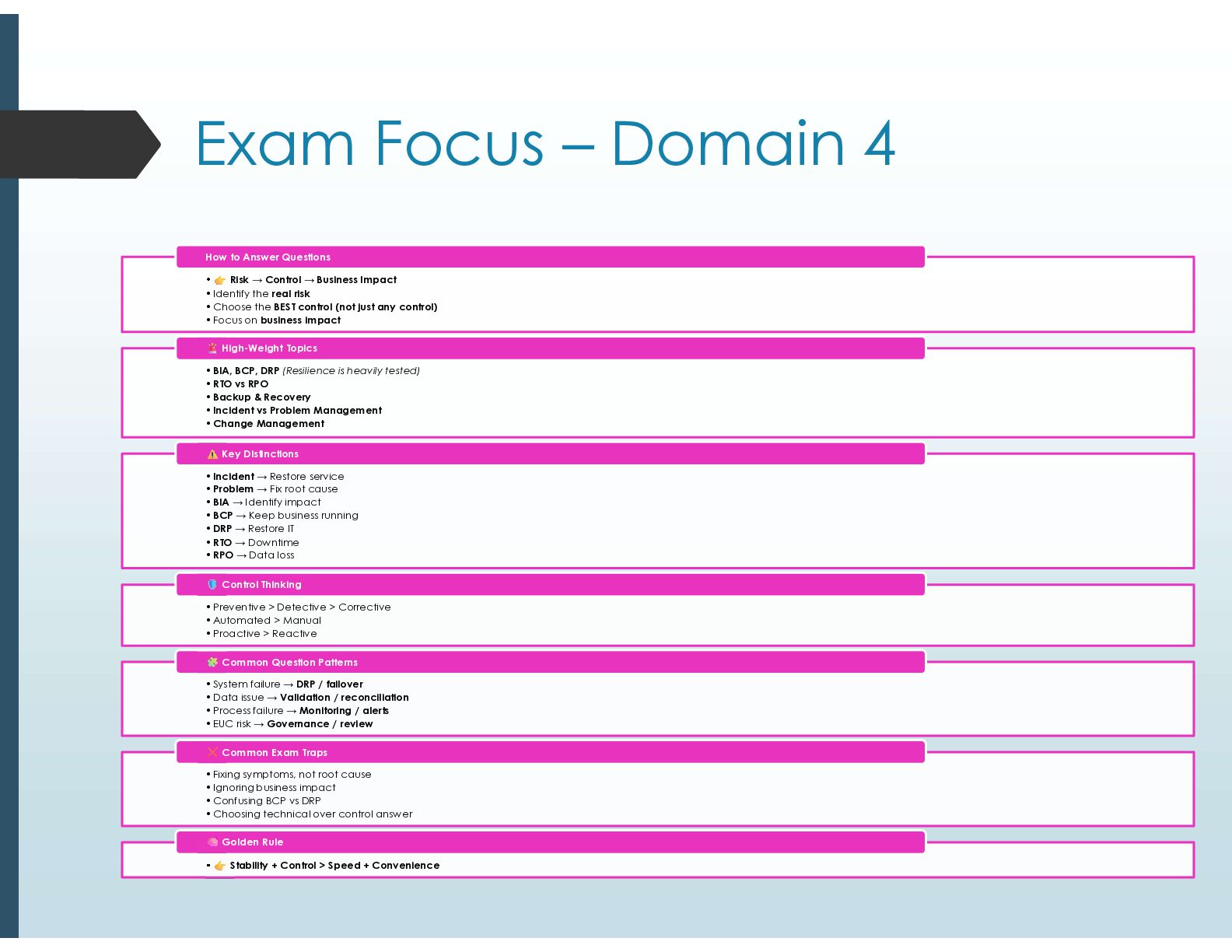
  26. Exam Focus – Domain 4 • Risk → Control →

    Business Impact •Identify the real risk •Choose the BEST control (not just any control) •Focus on business impact How to Answer Questions •BIA, BCP, DRP (Resilience is heavily tested) •RTO vs RPO •Backup & Recovery •Incident vs Problem Management •Change Management High-Weight Topics •Incident → Restore service •Problem → Fix root cause •BIA → Identify impact •BCP → Keep business running •DRP → Restore IT •RTO → Downtime •RPO → Data loss Key Distinctions •Preventive > Detective > Corrective •Automated > Manual •Proactive > Reactive Control Thinking •System failure → DRP / failover •Data issue → Validation / reconciliation •Process failure → Monitoring / alerts •EUC risk → Governance / review Common Question Patterns •Fixing symptoms, not root cause •Ignoring business impact •Confusing BCP vs DRP •Choosing technical over control answer Common Exam Traps • Stability + Control > Speed + Convenience Golden Rule
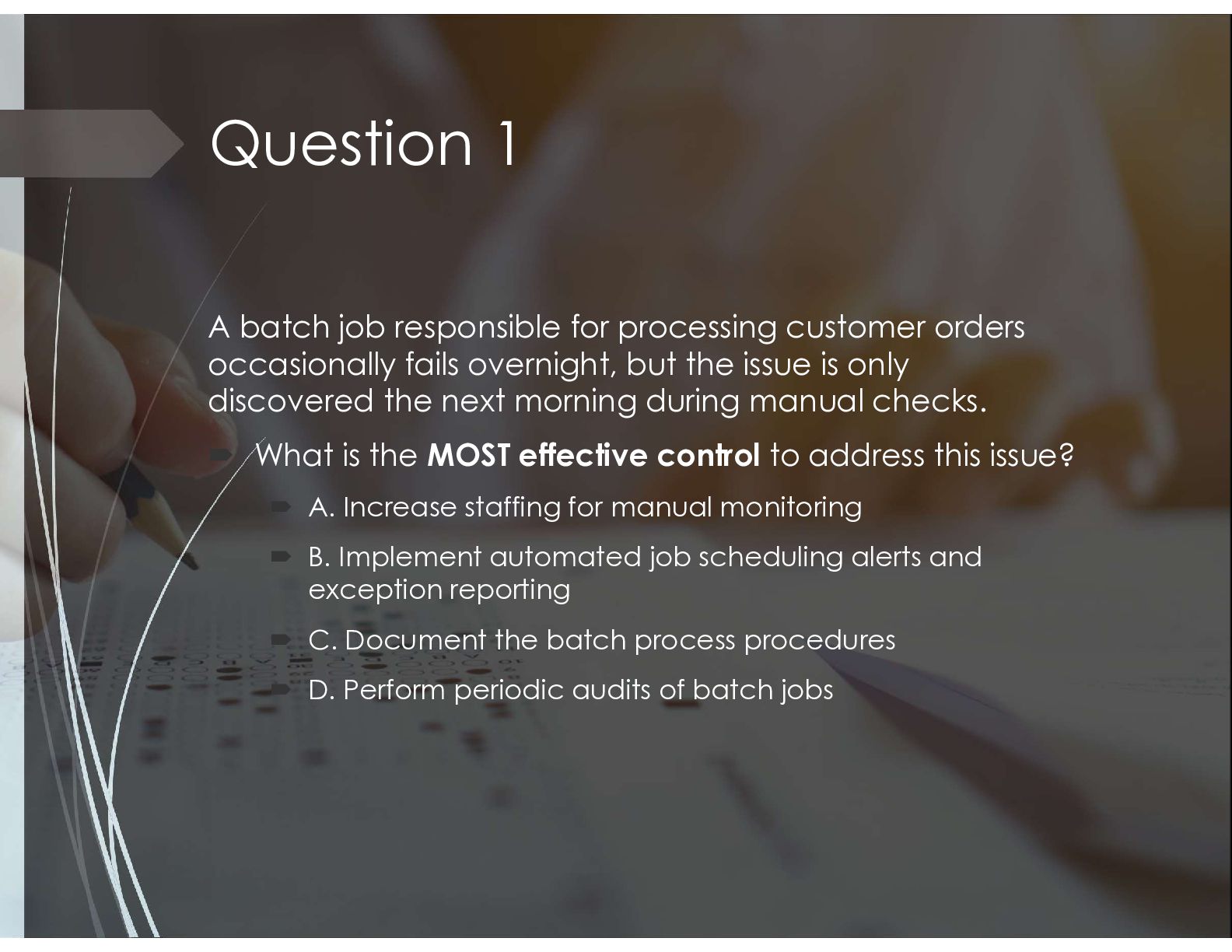
  27. Question 1 A batch job responsible for processing customer orders

    occasionally fails overnight, but the issue is only discovered the next morning during manual checks.  What is the MOST effective control to address this issue?  A. Increase staffing for manual monitoring  B. Implement automated job scheduling alerts and exception reporting  C. Document the batch process procedures  D. Perform periodic audits of batch jobs
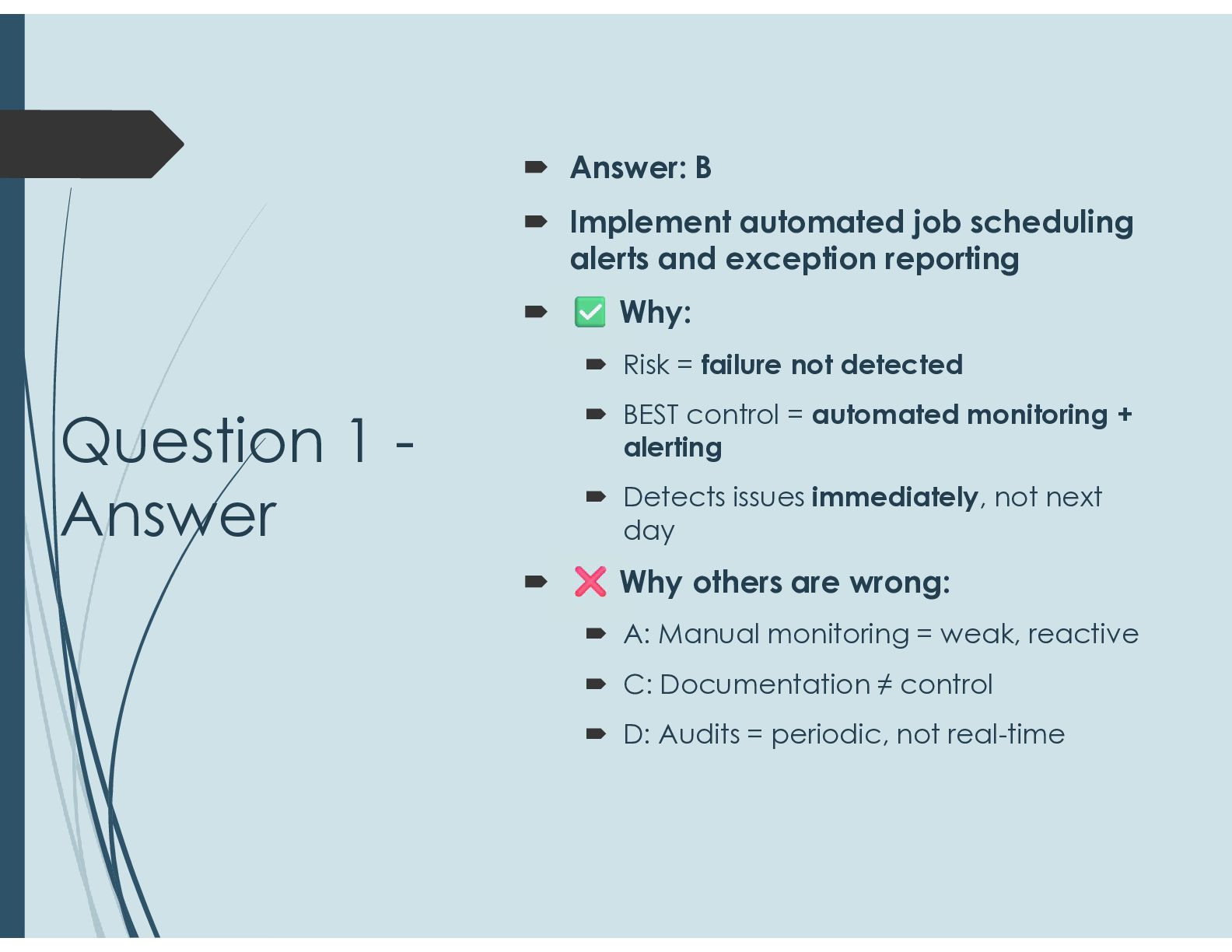
  28. Question 1 - Answer  Answer: B  Implement automated

    job scheduling alerts and exception reporting  Why:  Risk = failure not detected  BEST control = automated monitoring + alerting  Detects issues immediately, not next day  Why others are wrong:  A: Manual monitoring = weak, reactive  C: Documentation ≠ control  D: Audits = periodic, not real-time
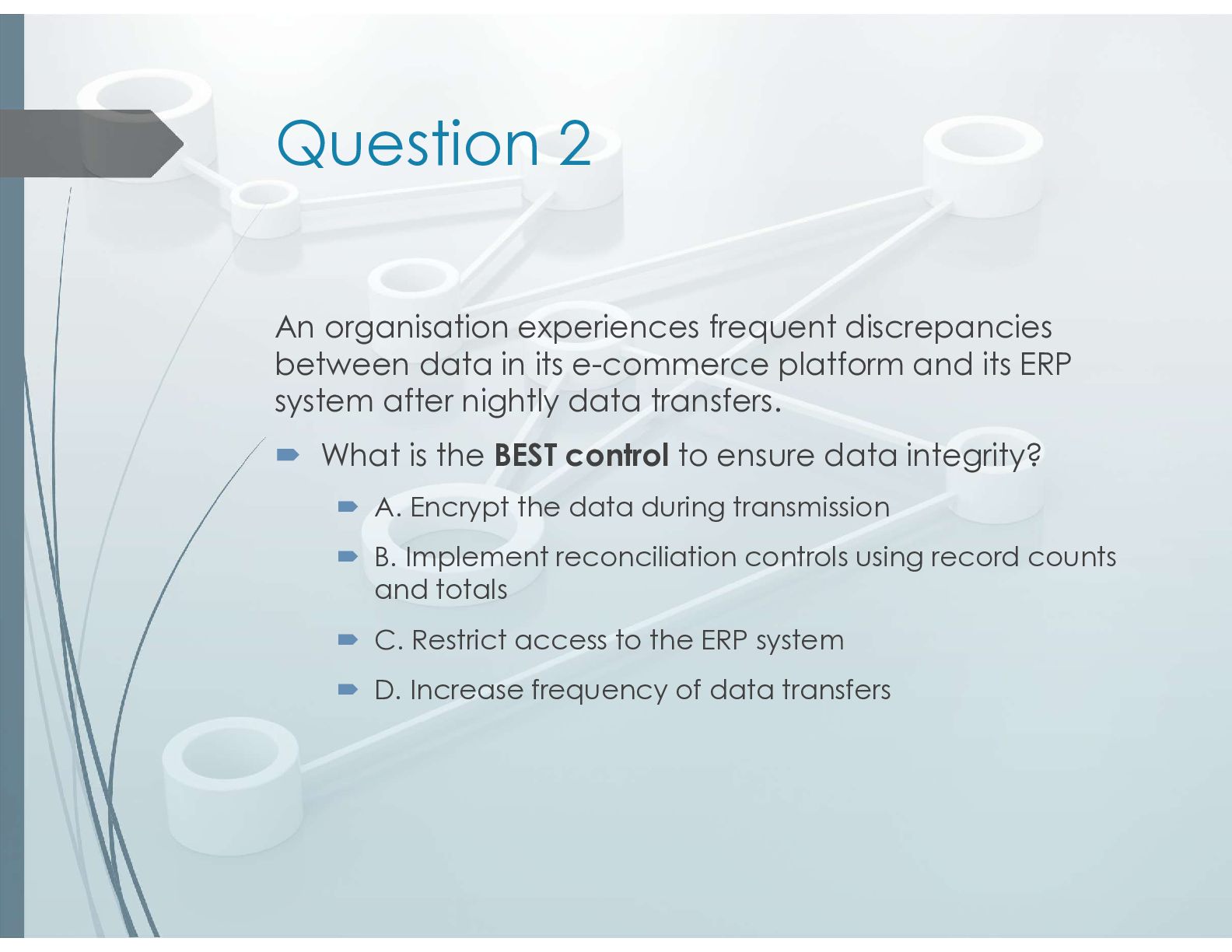
  29. Question 2 An organisation experiences frequent discrepancies between data in

    its e-commerce platform and its ERP system after nightly data transfers.  What is the BEST control to ensure data integrity?  A. Encrypt the data during transmission  B. Implement reconciliation controls using record counts and totals  C. Restrict access to the ERP system  D. Increase frequency of data transfers
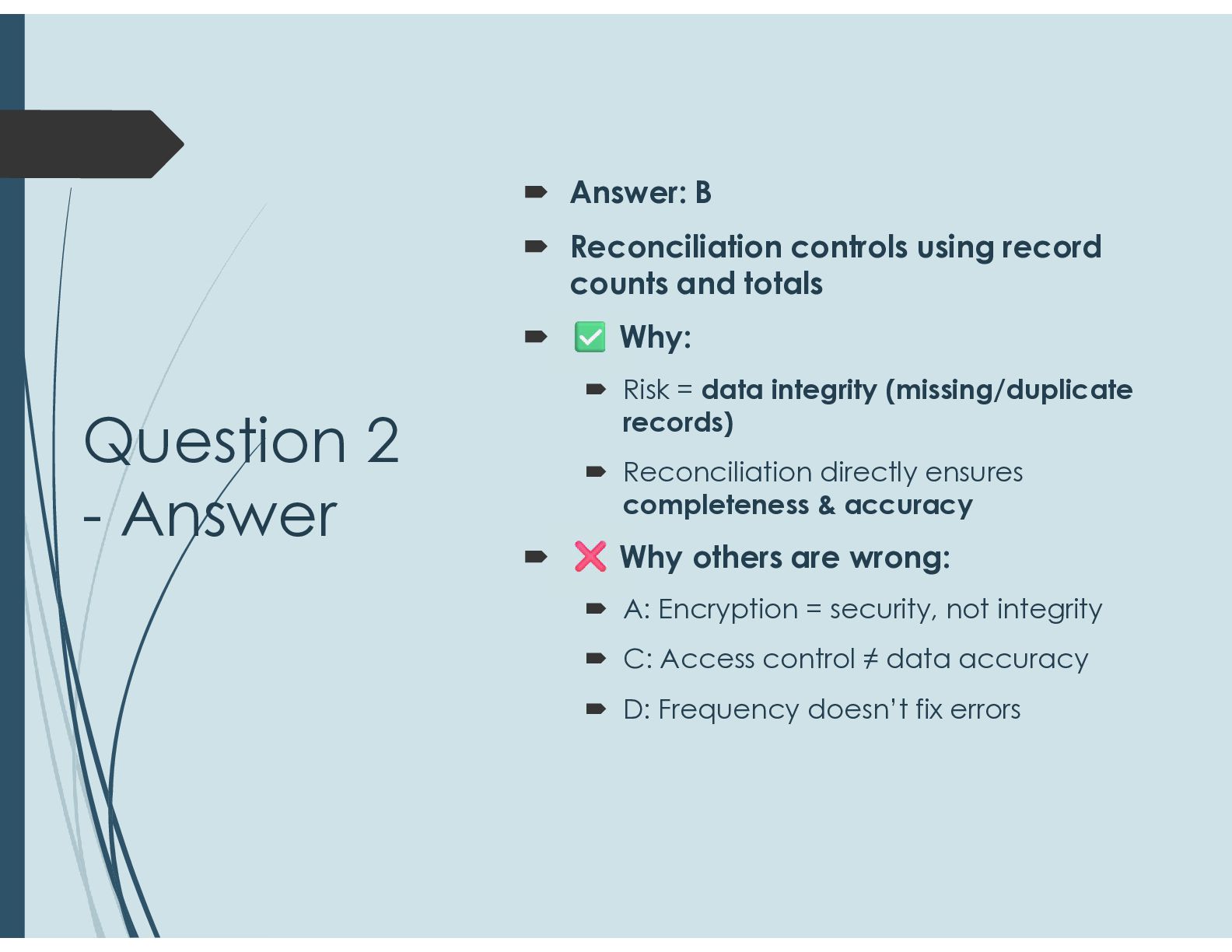
  30. Question 2 - Answer  Answer: B  Reconciliation controls

    using record counts and totals  Why:  Risk = data integrity (missing/duplicate records)  Reconciliation directly ensures completeness & accuracy  Why others are wrong:  A: Encryption = security, not integrity  C: Access control ≠ data accuracy  D: Frequency doesn’t fix errors
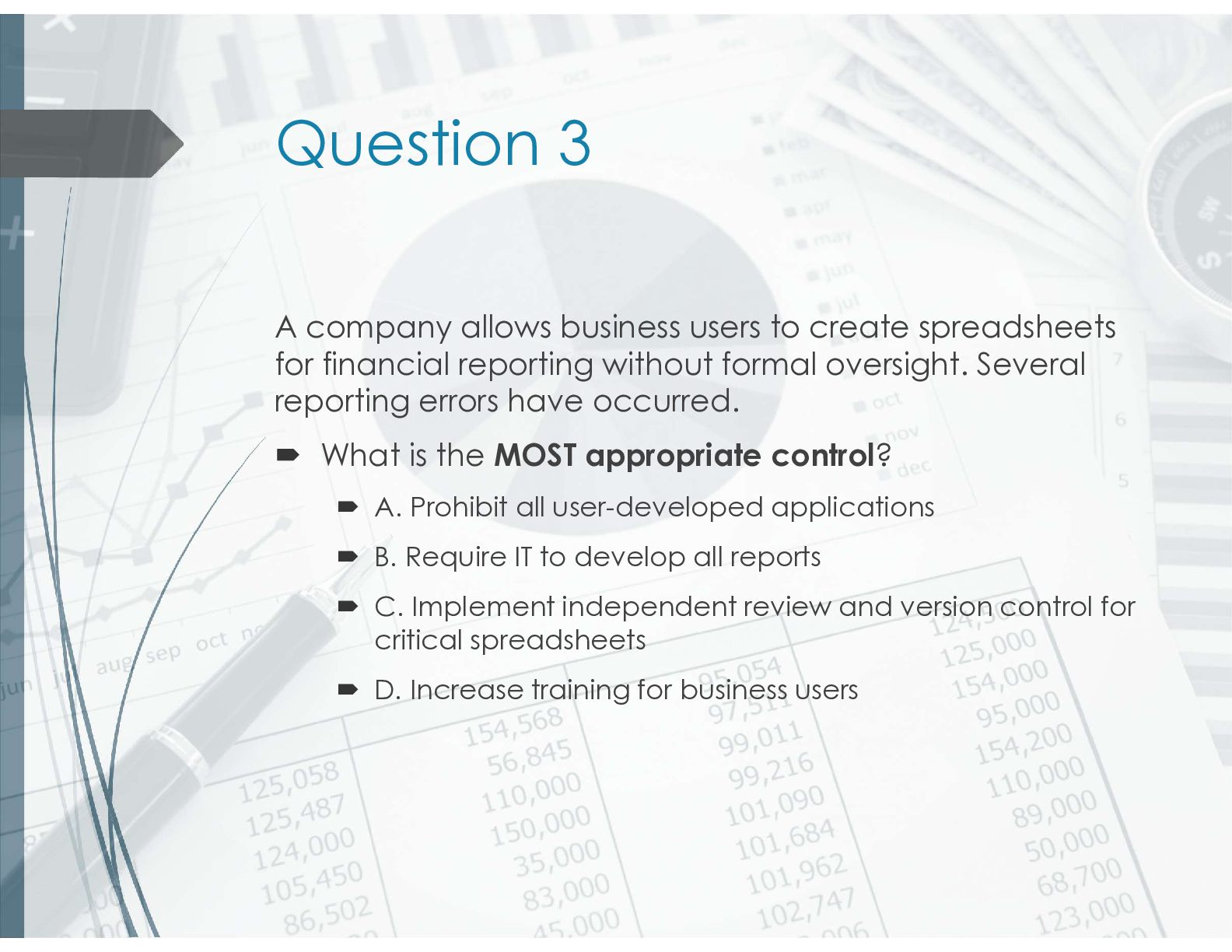
  31. Question 3 A company allows business users to create spreadsheets

    for financial reporting without formal oversight. Several reporting errors have occurred.  What is the MOST appropriate control?  A. Prohibit all user-developed applications  B. Require IT to develop all reports  C. Implement independent review and version control for critical spreadsheets  D. Increase training for business users
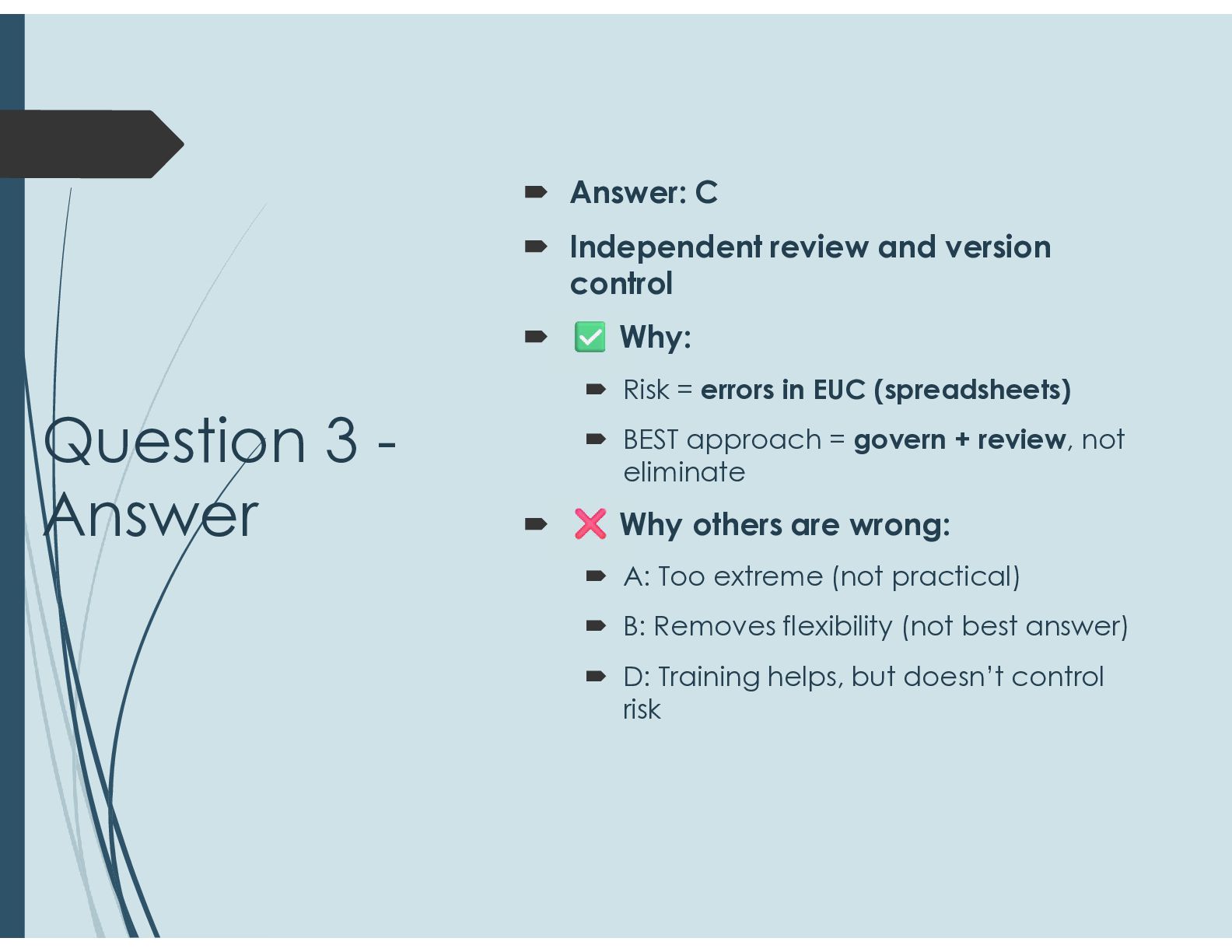
  32. Question 3 - Answer  Answer: C  Independent review

    and version control  Why:  Risk = errors in EUC (spreadsheets)  BEST approach = govern + review, not eliminate  Why others are wrong:  A: Too extreme (not practical)  B: Removes flexibility (not best answer)  D: Training helps, but doesn’t control risk
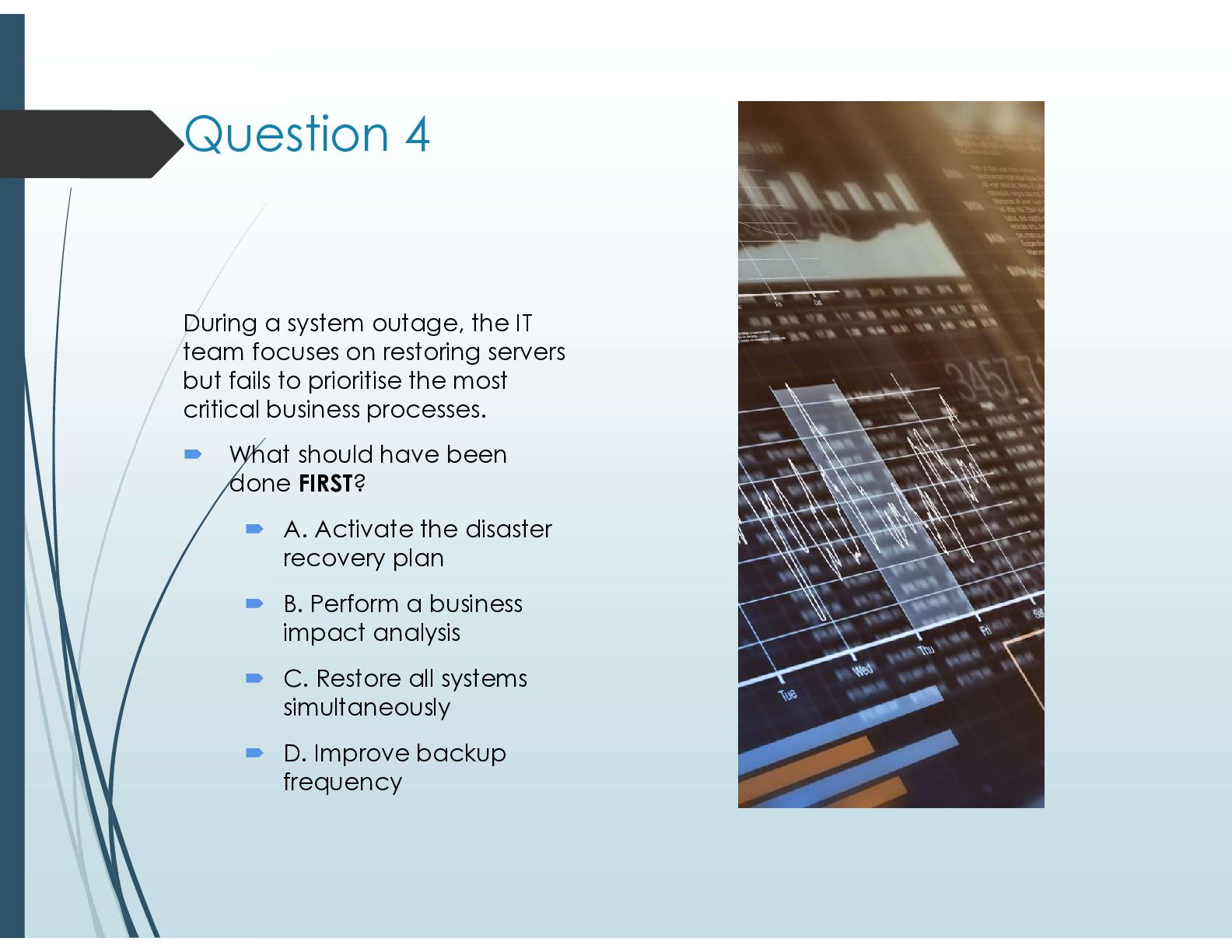
  33. Question 4 During a system outage, the IT team focuses

    on restoring servers but fails to prioritise the most critical business processes.  What should have been done FIRST?  A. Activate the disaster recovery plan  B. Perform a business impact analysis  C. Restore all systems simultaneously  D. Improve backup frequency
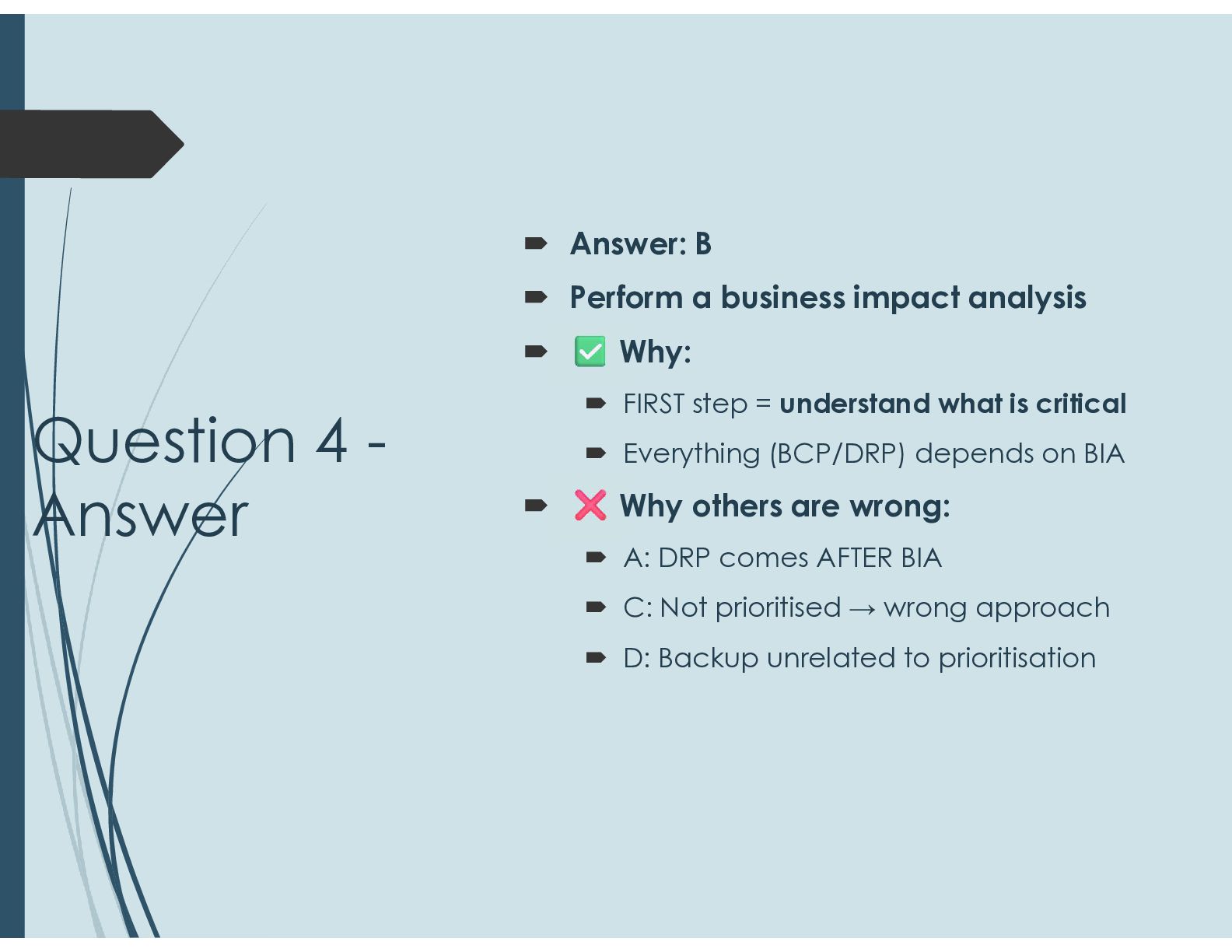
  34. Question 4 - Answer  Answer: B  Perform a

    business impact analysis  Why:  FIRST step = understand what is critical  Everything (BCP/DRP) depends on BIA  Why others are wrong:  A: DRP comes AFTER BIA  C: Not prioritised → wrong approach  D: Backup unrelated to prioritisation
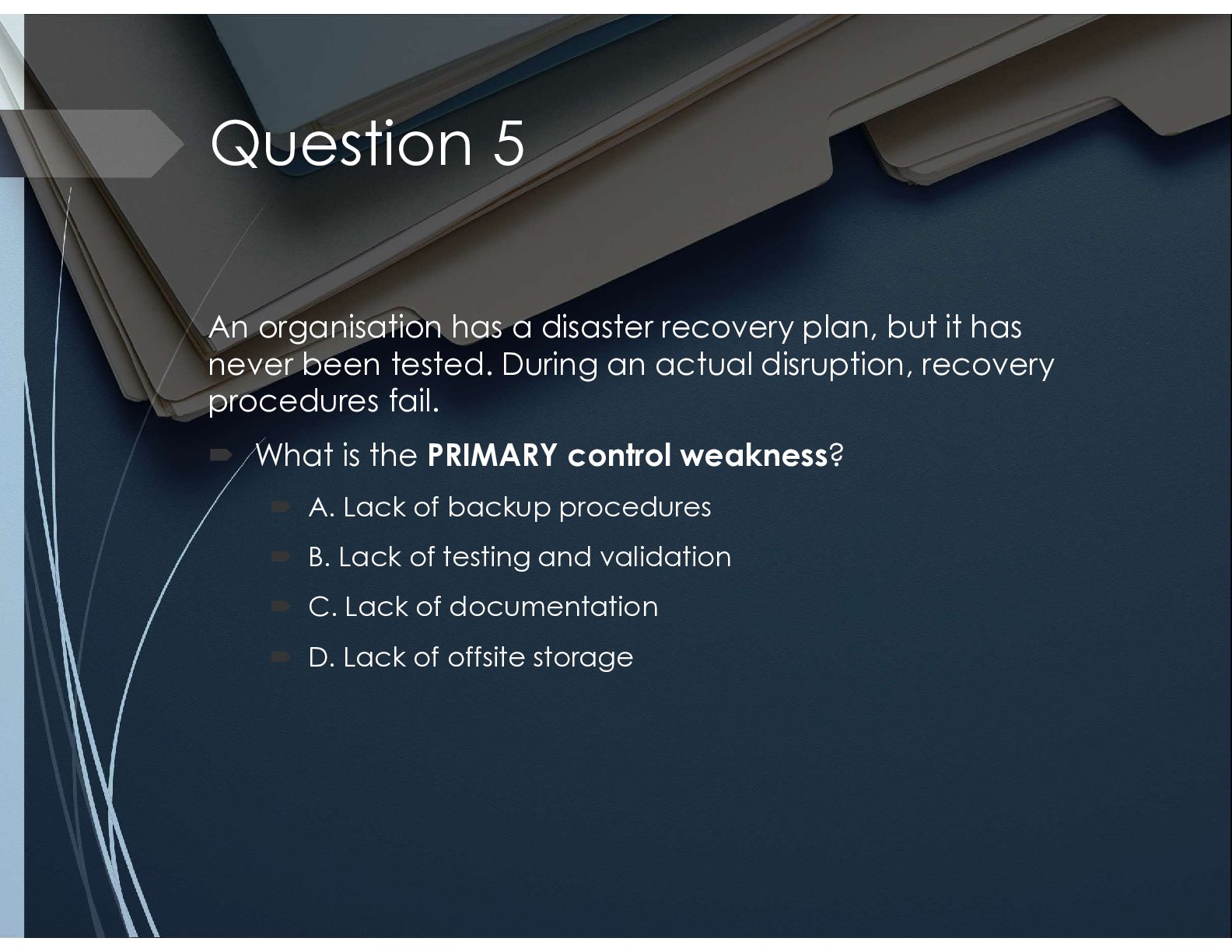
  35. Question 5 An organisation has a disaster recovery plan, but

    it has never been tested. During an actual disruption, recovery procedures fail.  What is the PRIMARY control weakness?  A. Lack of backup procedures  B. Lack of testing and validation  C. Lack of documentation  D. Lack of offsite storage
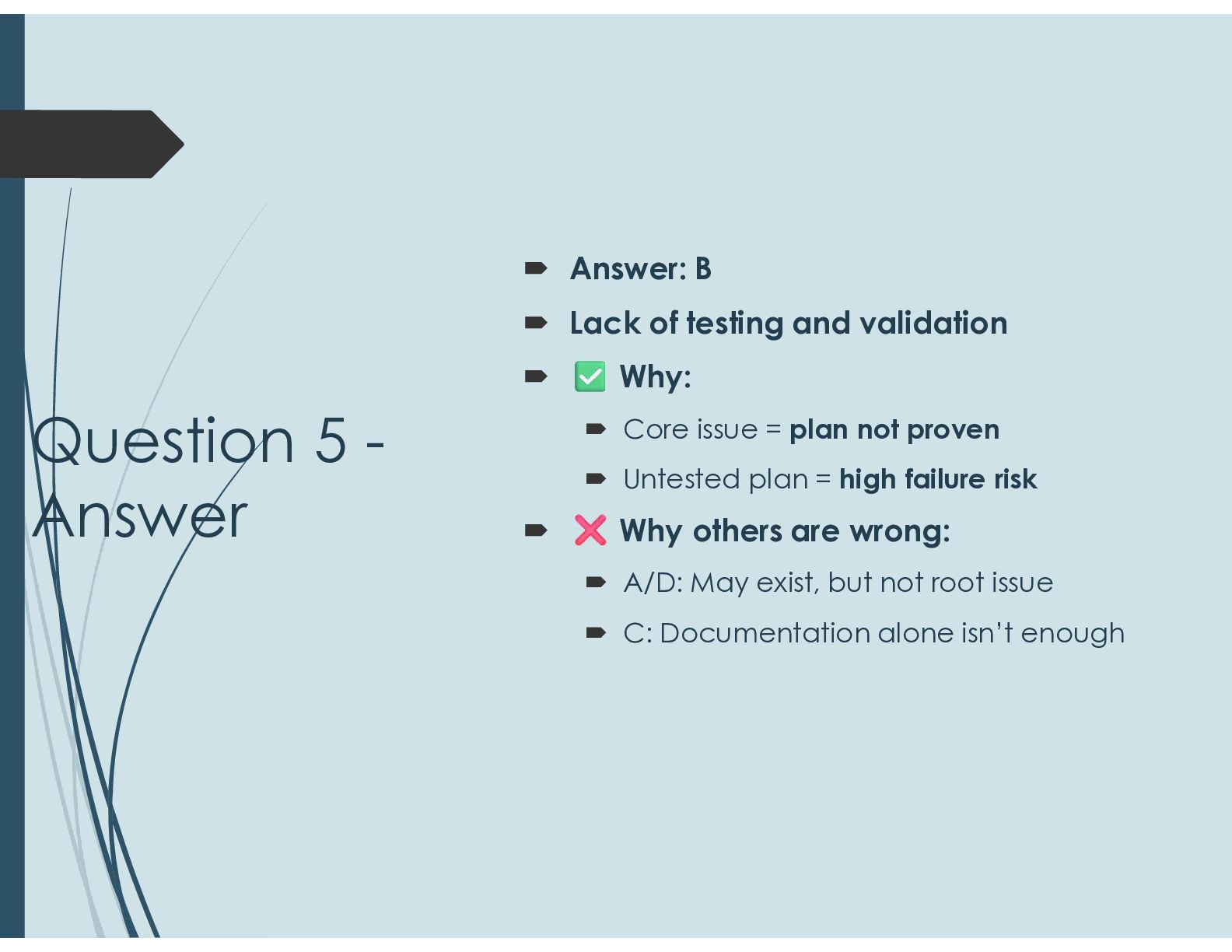
  36. Question 5 - Answer  Answer: B  Lack of

    testing and validation  Why:  Core issue = plan not proven  Untested plan = high failure risk  Why others are wrong:  A/D: May exist, but not root issue  C: Documentation alone isn’t enough
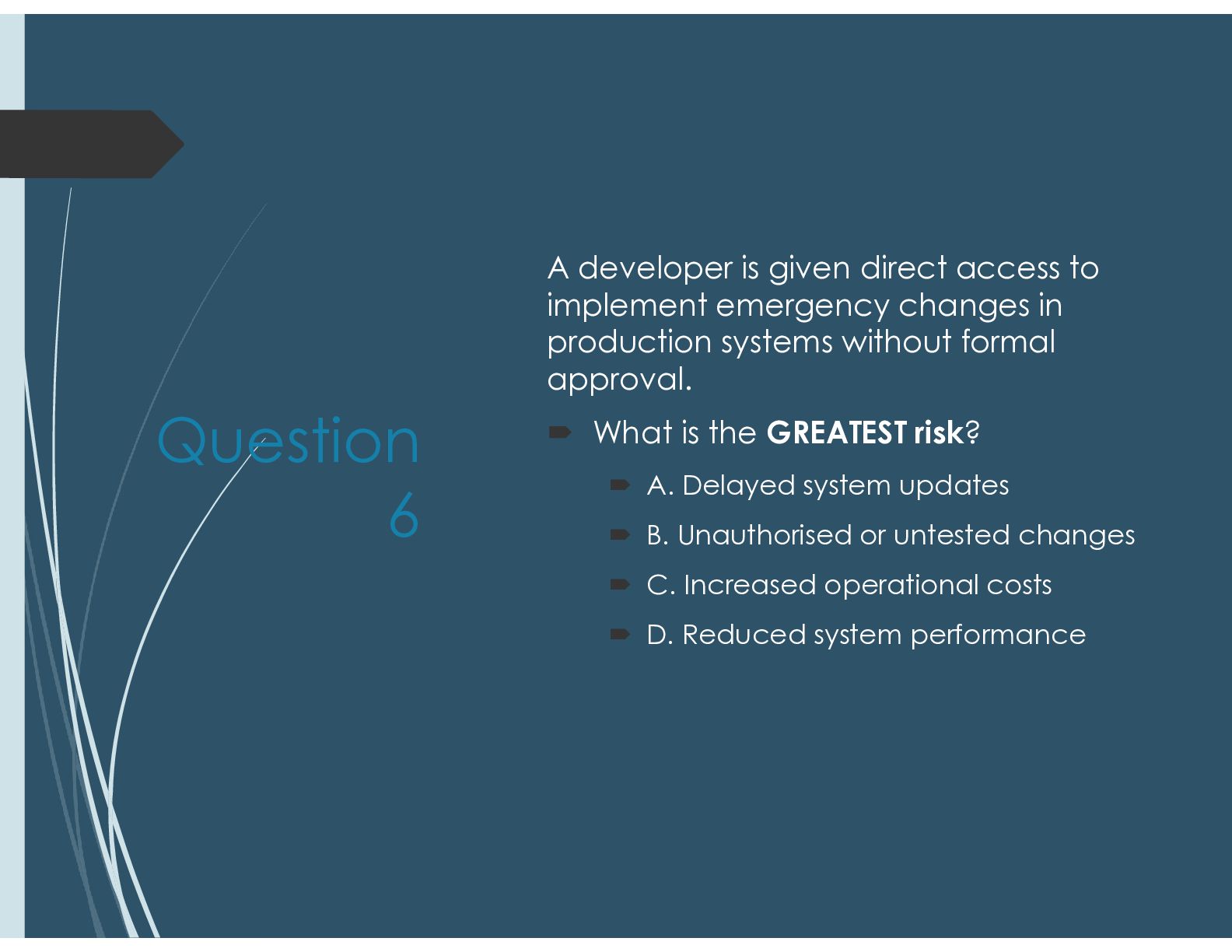
  37. Question 6 A developer is given direct access to implement

    emergency changes in production systems without formal approval.  What is the GREATEST risk?  A. Delayed system updates  B. Unauthorised or untested changes  C. Increased operational costs  D. Reduced system performance
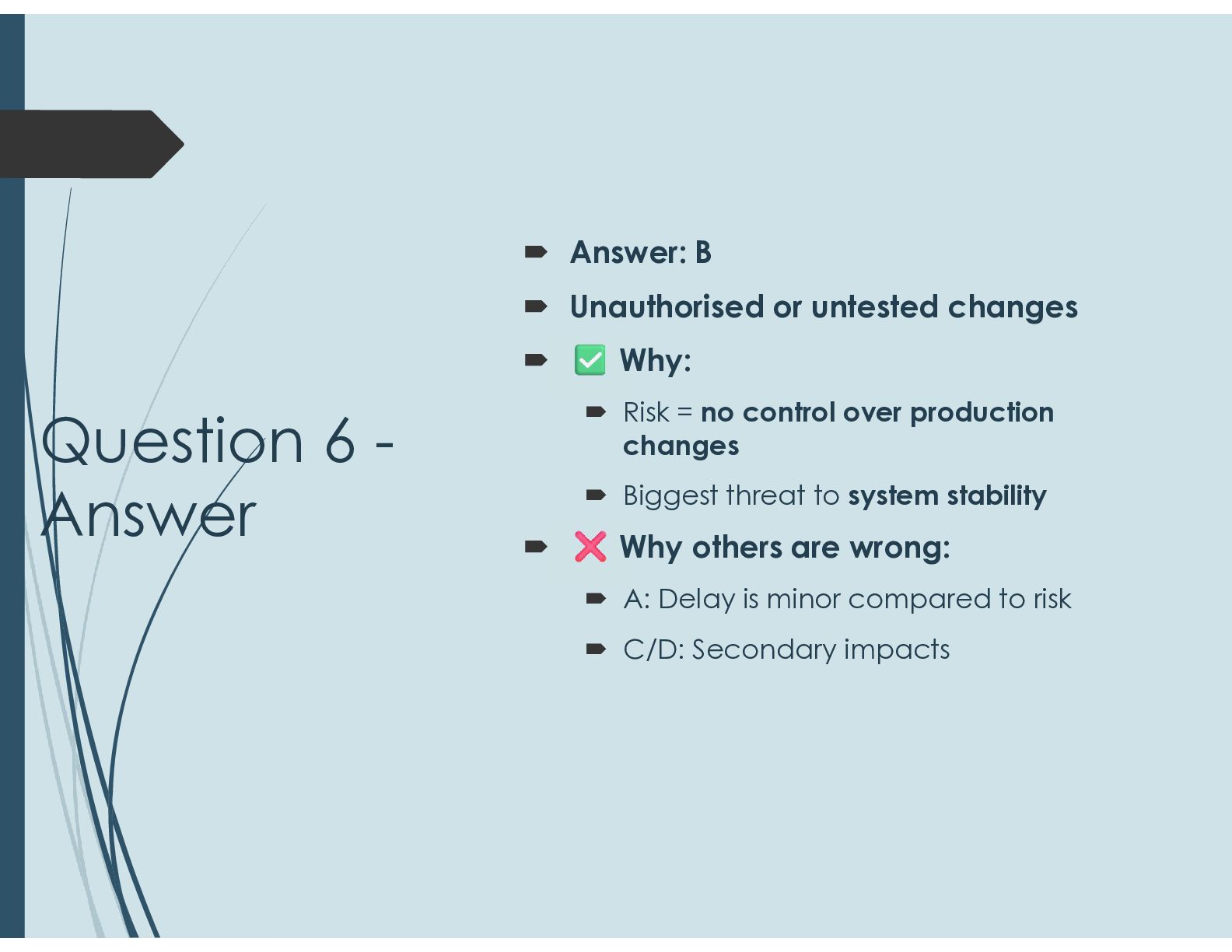
  38. Question 6 - Answer  Answer: B  Unauthorised or

    untested changes  Why:  Risk = no control over production changes  Biggest threat to system stability  Why others are wrong:  A: Delay is minor compared to risk  C/D: Secondary impacts
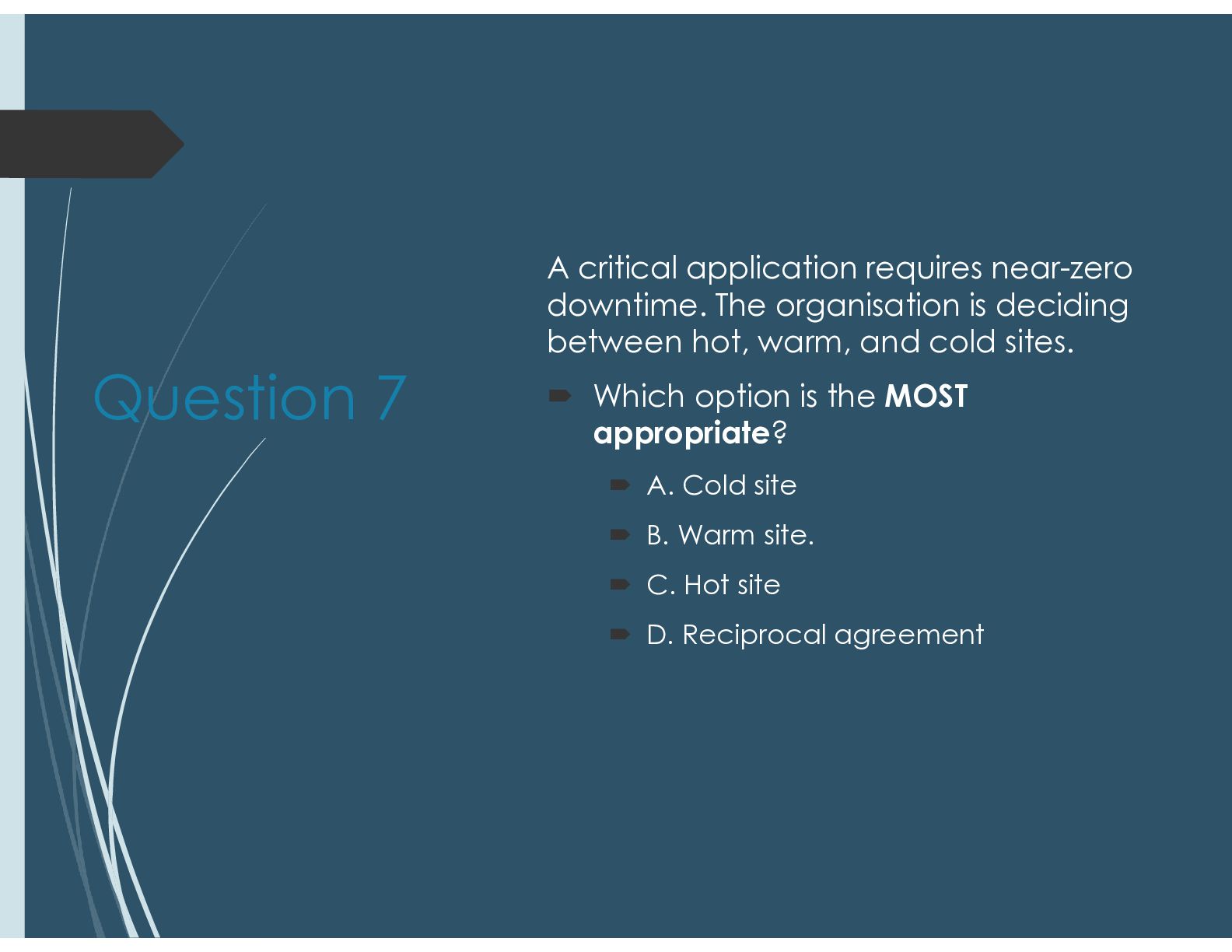
  39. Question 7 A critical application requires near-zero downtime. The organisation

    is deciding between hot, warm, and cold sites.  Which option is the MOST appropriate?  A. Cold site  B. Warm site.  C. Hot site  D. Reciprocal agreement
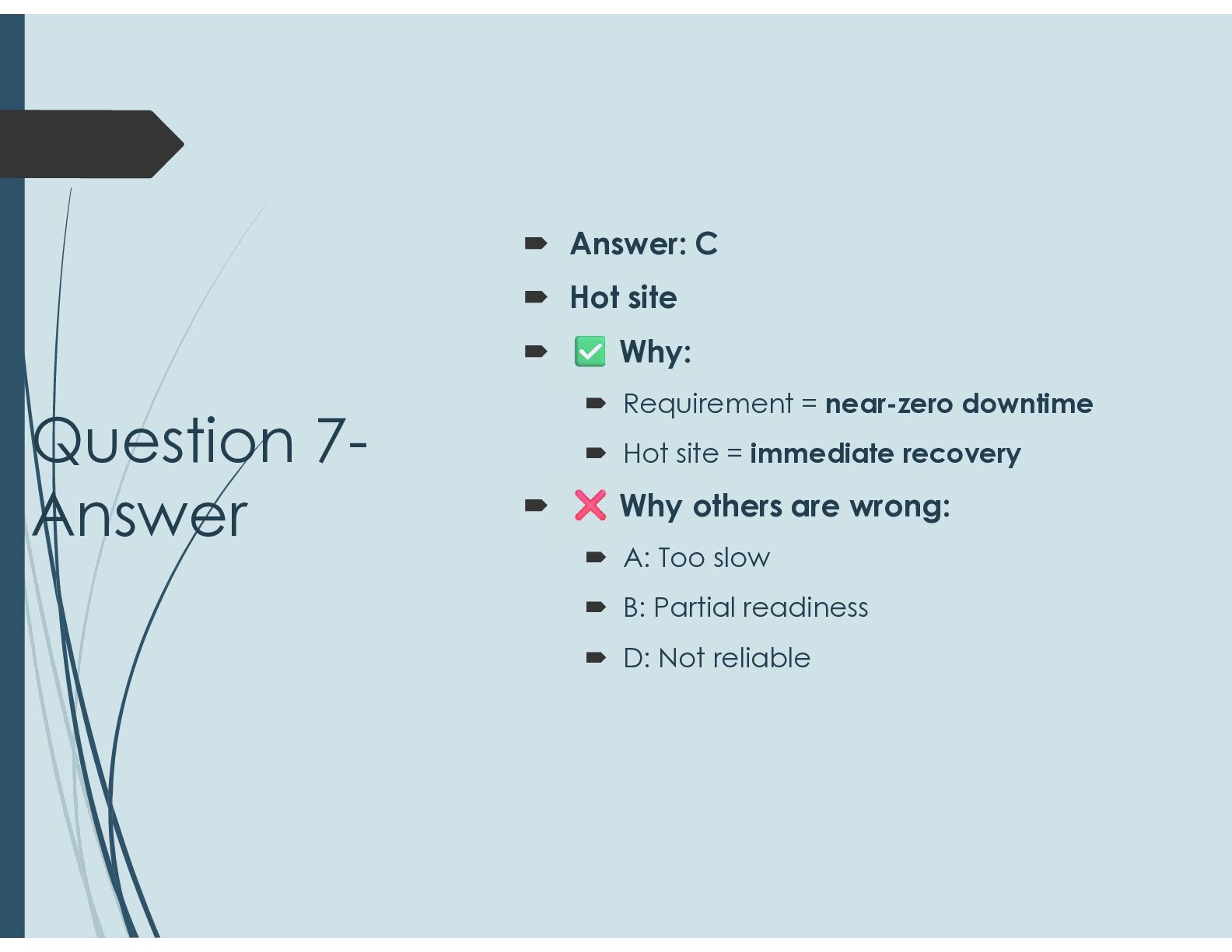
  40. Question 7- Answer  Answer: C  Hot site 

    Why:  Requirement = near-zero downtime  Hot site = immediate recovery  Why others are wrong:  A: Too slow  B: Partial readiness  D: Not reliable
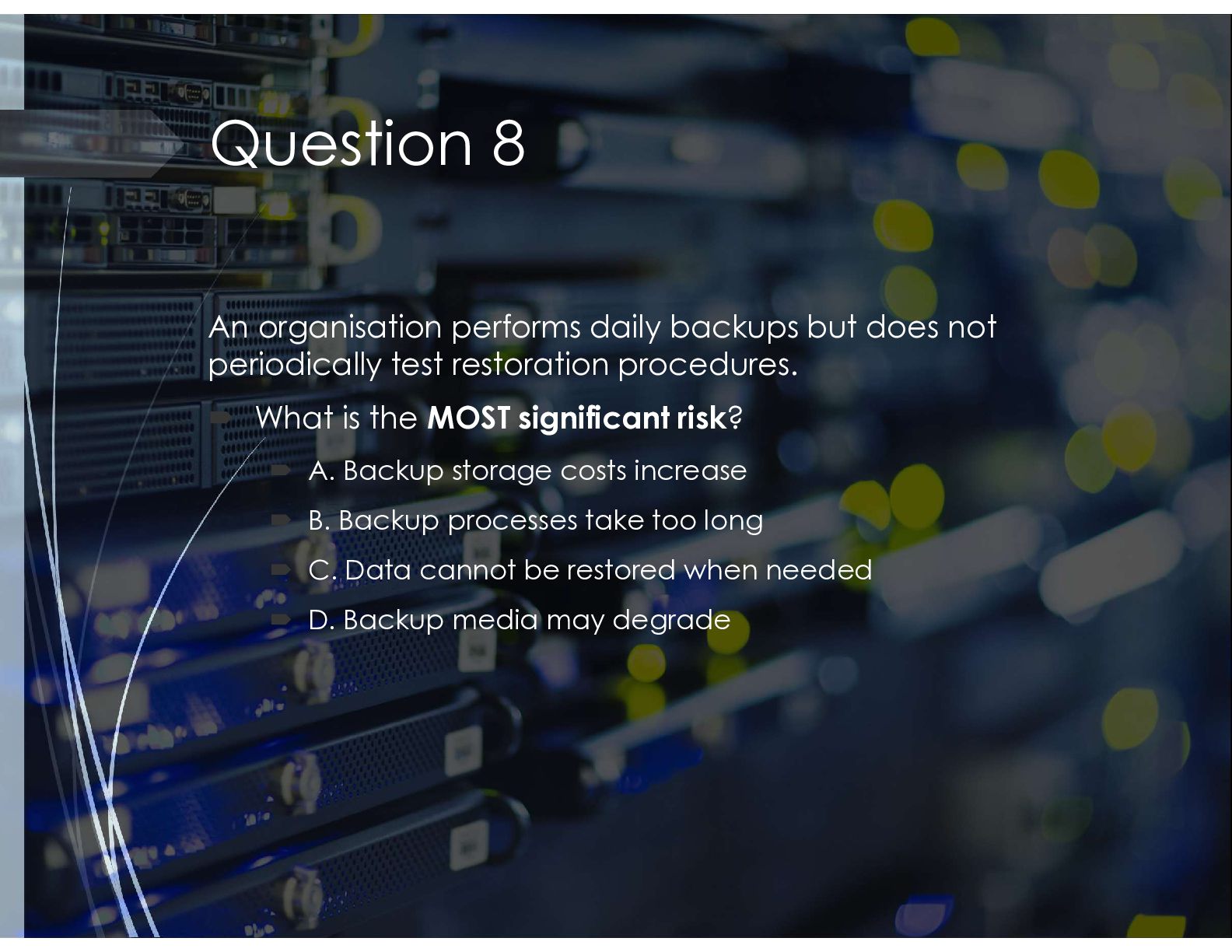
  41. Question 8 An organisation performs daily backups but does not

    periodically test restoration procedures.  What is the MOST significant risk?  A. Backup storage costs increase  B. Backup processes take too long  C. Data cannot be restored when needed  D. Backup media may degrade
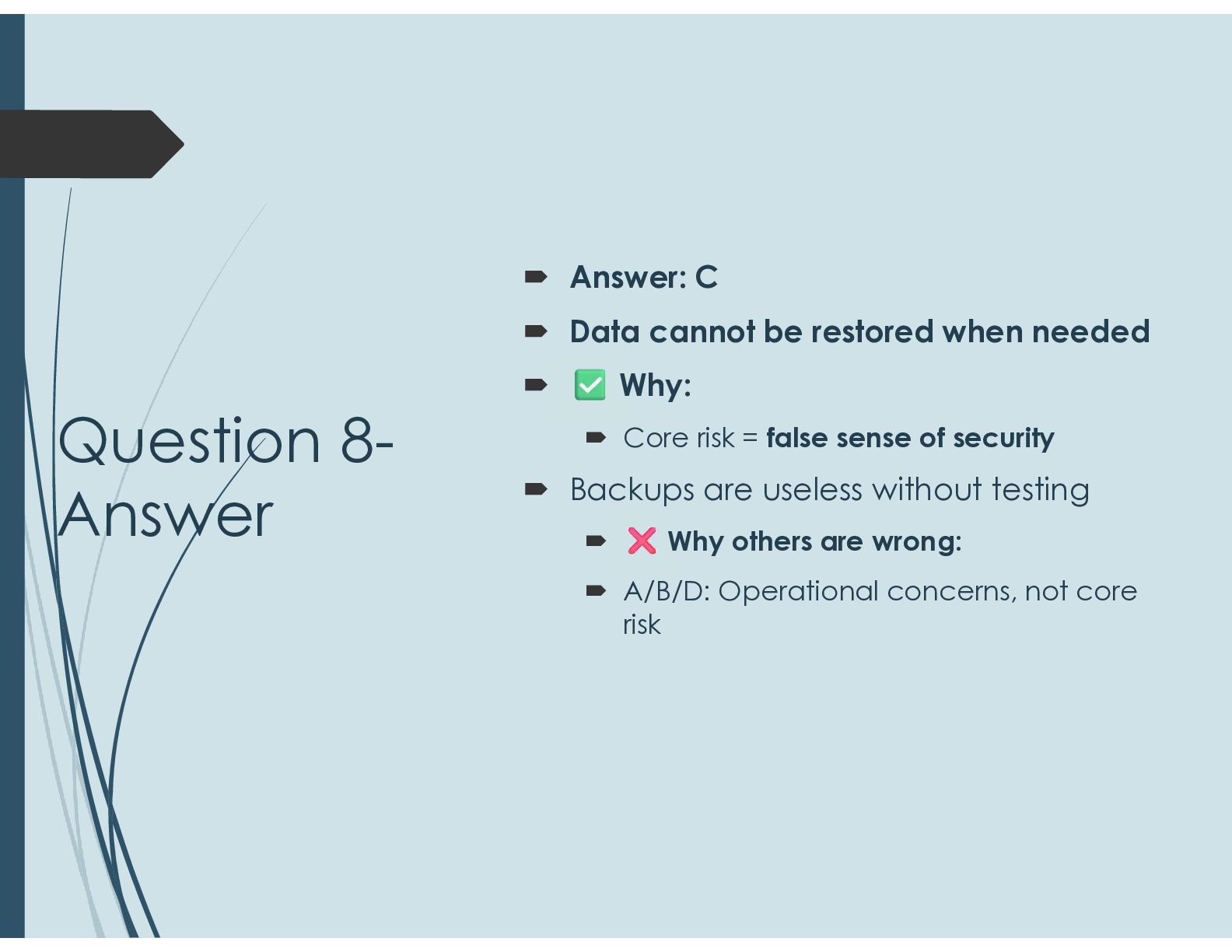
  42. Question 8- Answer  Answer: C  Data cannot be

    restored when needed  Why:  Core risk = false sense of security  Backups are useless without testing  Why others are wrong:  A/B/D: Operational concerns, not core risk
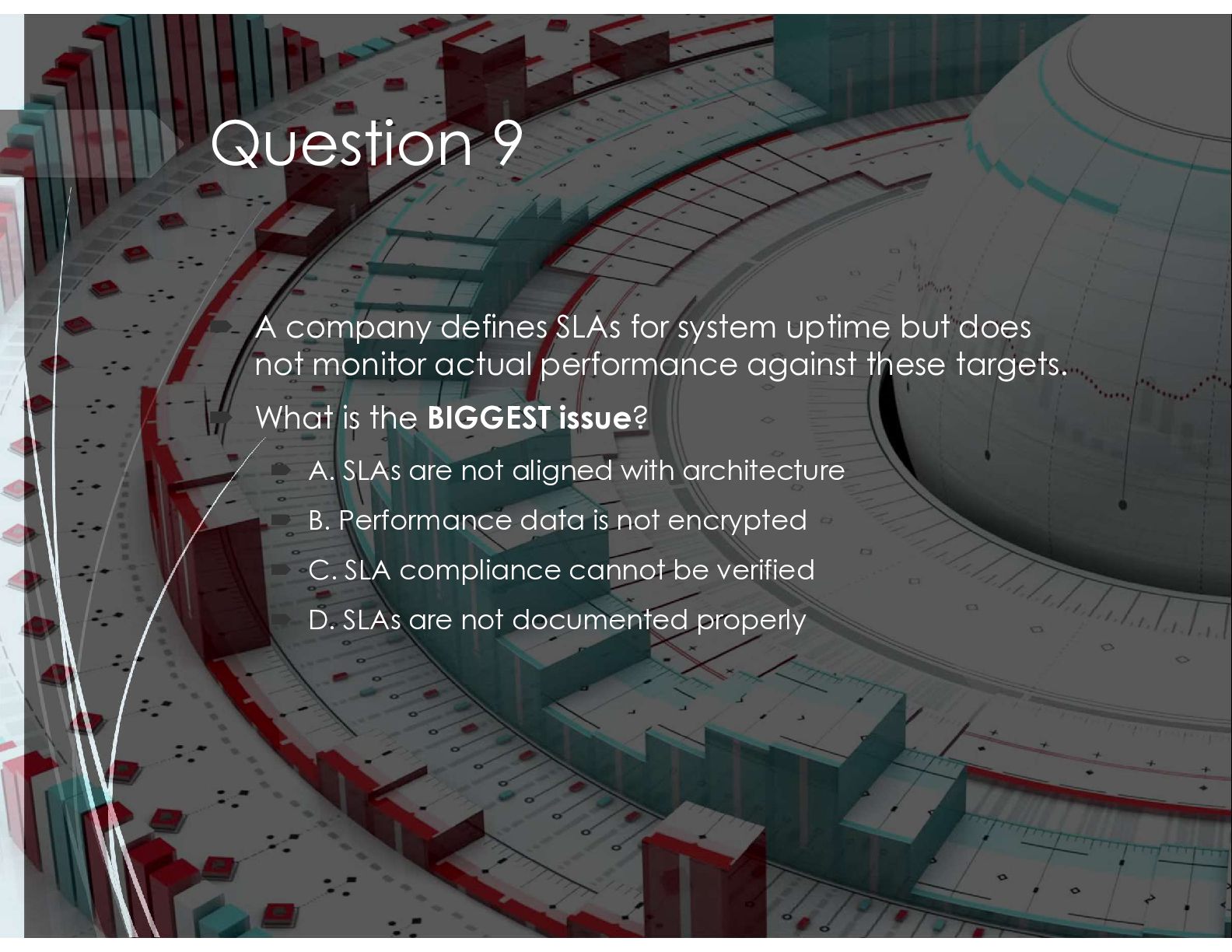
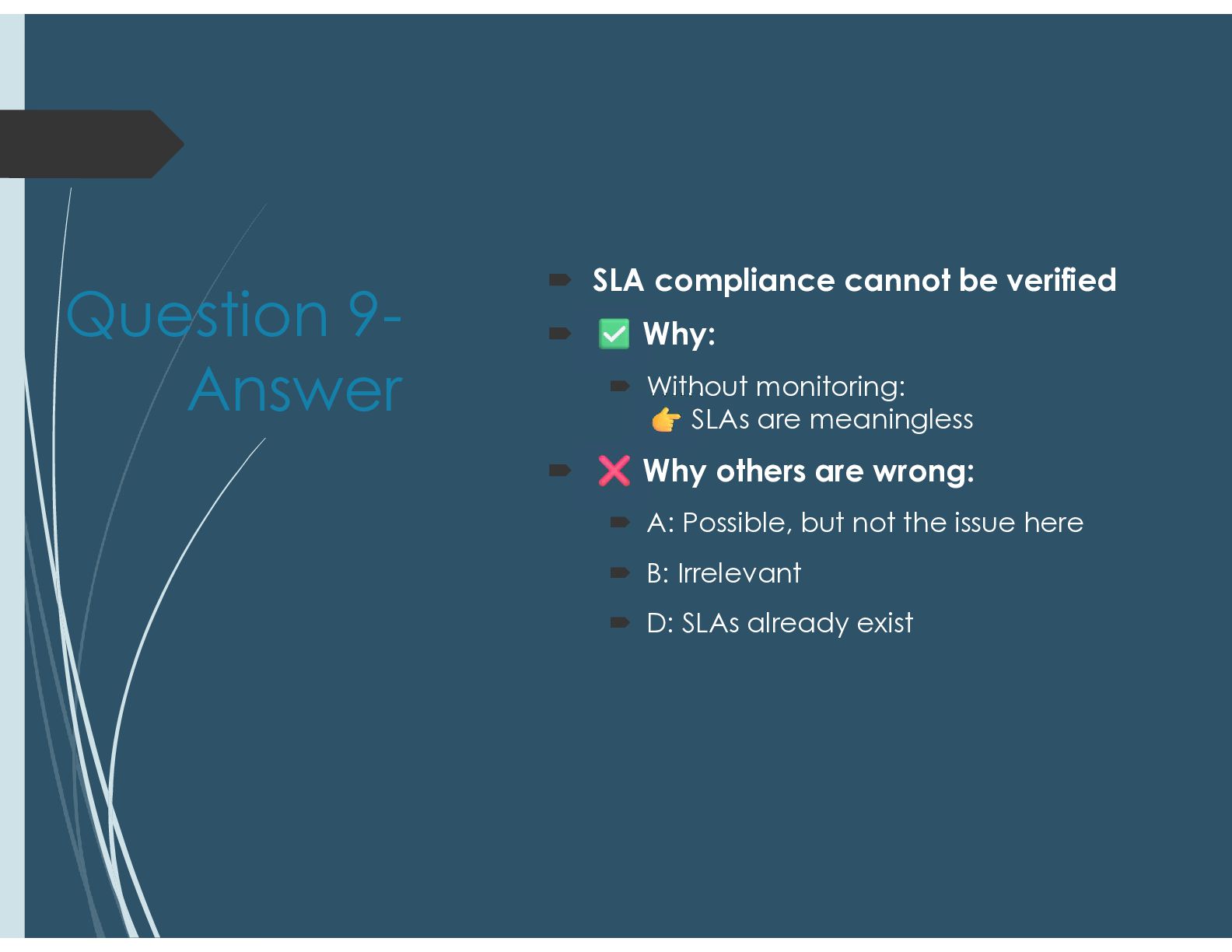
  43. Question 9  A company defines SLAs for system uptime

    but does not monitor actual performance against these targets.  What is the BIGGEST issue?  A. SLAs are not aligned with architecture  B. Performance data is not encrypted  C. SLA compliance cannot be verified  D. SLAs are not documented properly
  44. Question 9- Answer  SLA compliance cannot be verified 

    Why:  Without monitoring: SLAs are meaningless  Why others are wrong:  A: Possible, but not the issue here  B: Irrelevant  D: SLAs already exist
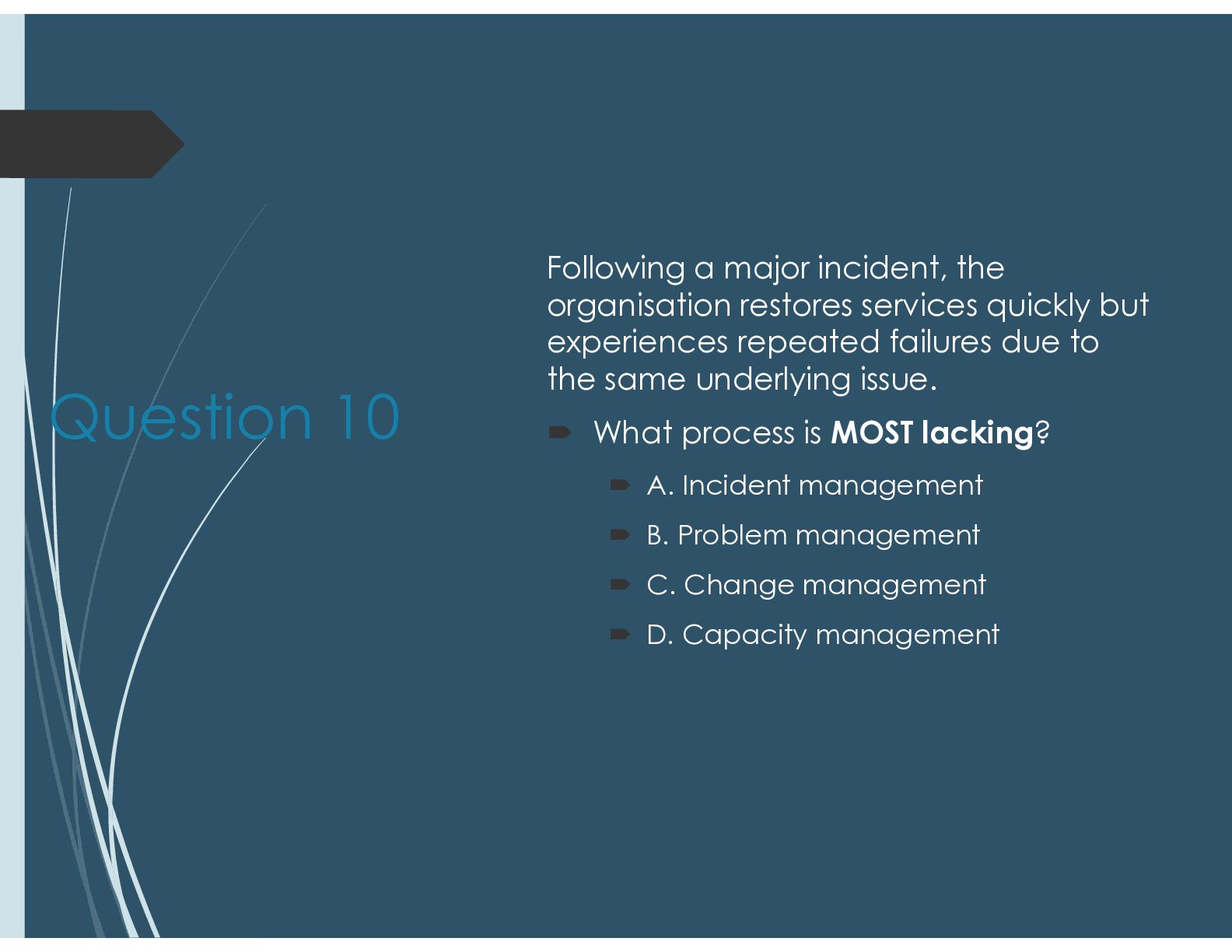
  45. Question 10 Following a major incident, the organisation restores services

    quickly but experiences repeated failures due to the same underlying issue.  What process is MOST lacking?  A. Incident management  B. Problem management  C. Change management  D. Capacity management
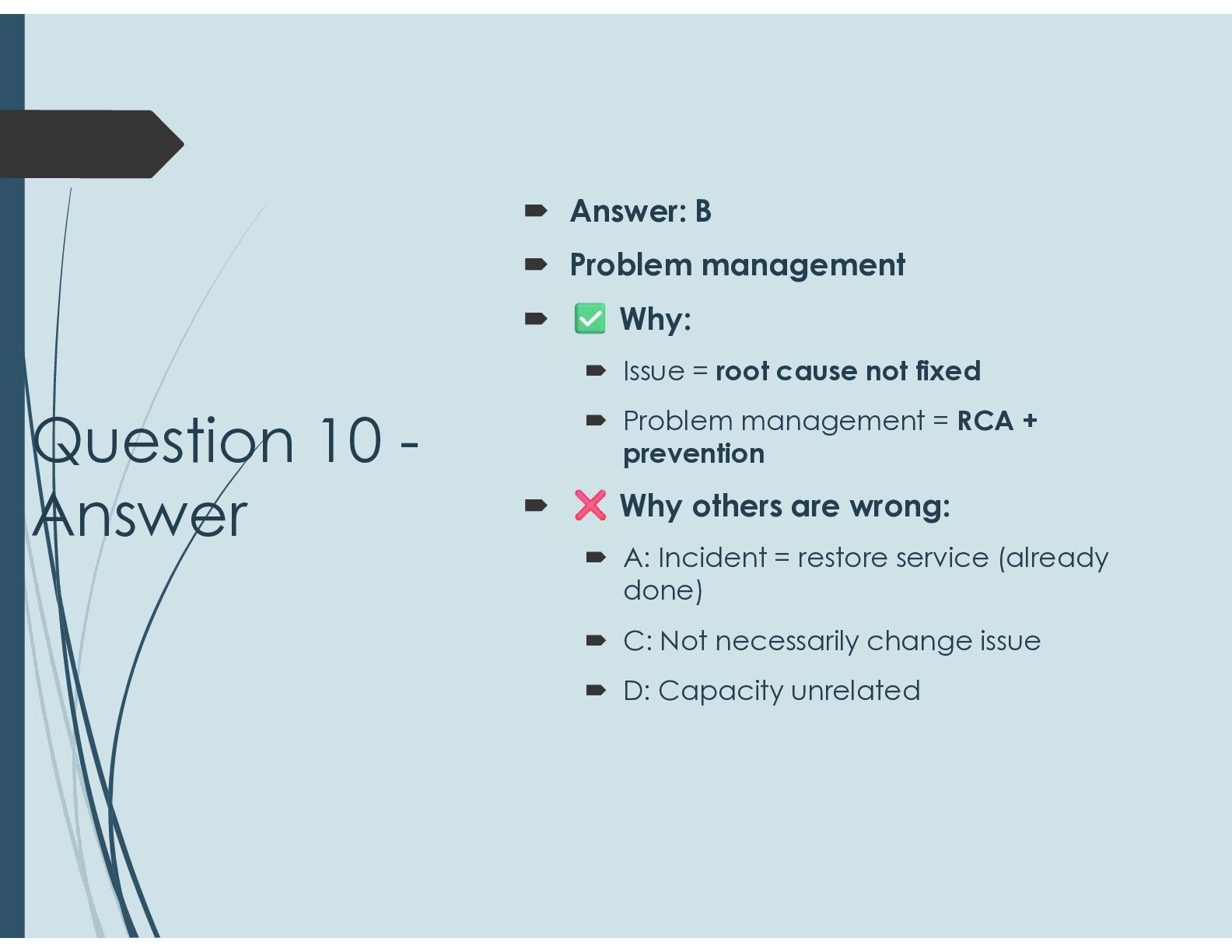
  46. Question 10 - Answer  Answer: B  Problem management

     Why:  Issue = root cause not fixed  Problem management = RCA + prevention  Why others are wrong:  A: Incident = restore service (already done)  C: Not necessarily change issue  D: Capacity unrelated
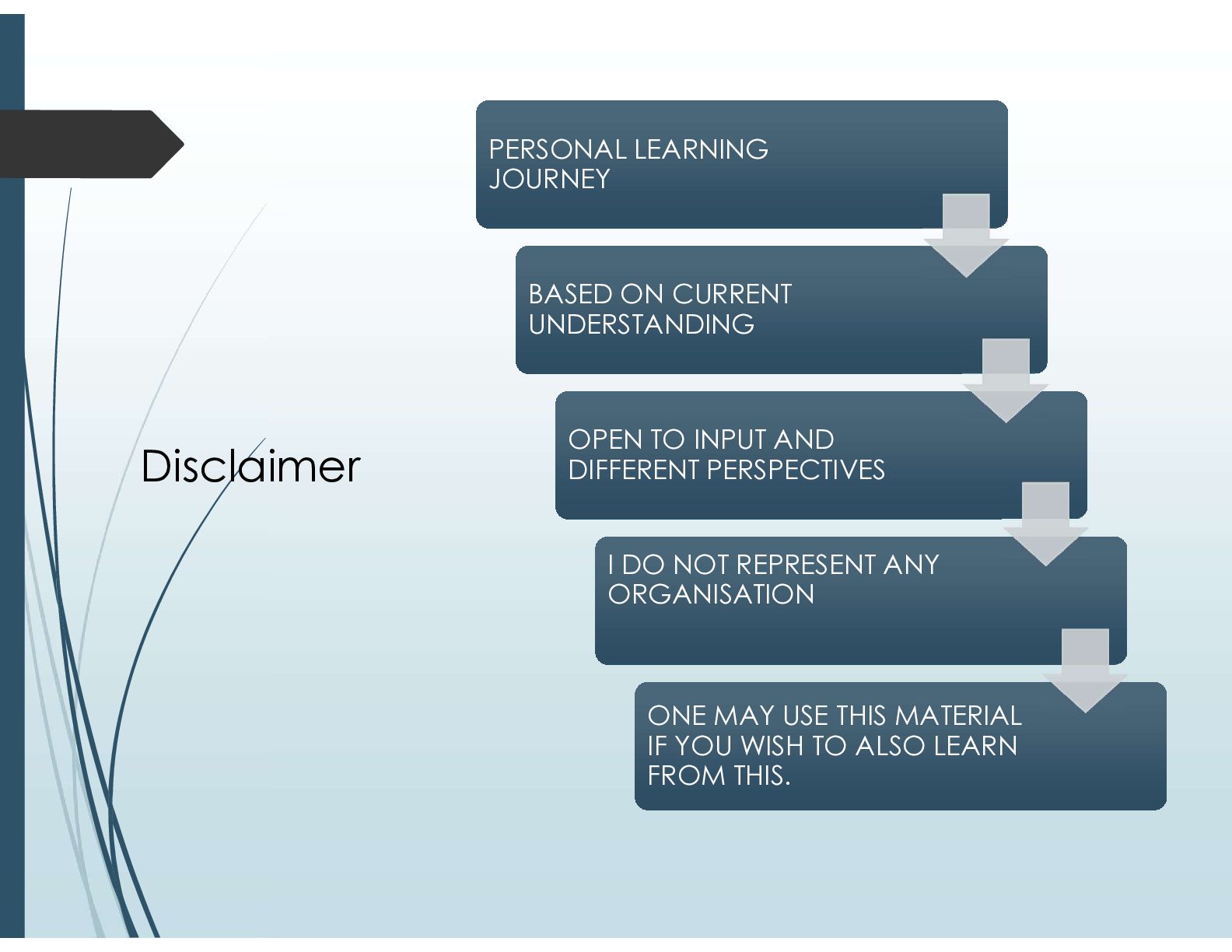
  47. Disclaimer PERSONAL LEARNING JOURNEY PERSONAL LEARNING JOURNEY BASED ON CURRENT

    UNDERSTANDING BASED ON CURRENT UNDERSTANDING OPEN TO INPUT AND DIFFERENT PERSPECTIVES OPEN TO INPUT AND DIFFERENT PERSPECTIVES I DO NOT REPRESENT ANY ORGANISATION I DO NOT REPRESENT ANY ORGANISATION ONE MAY USE THIS MATERIAL IF YOU WISH TO ALSO LEARN FROM THIS. ONE MAY USE THIS MATERIAL IF YOU WISH TO ALSO LEARN FROM THIS.