Upgrade to Pro — share decks privately, control downloads, hide ads and more …

PicoRuby as a Multi-VM Operating System

Sponsored · Ship Features Fearlessly Turn features on and off without deploys. Used by thousands of Ruby developers.

PicoRuby as a Multi-VM Operating System

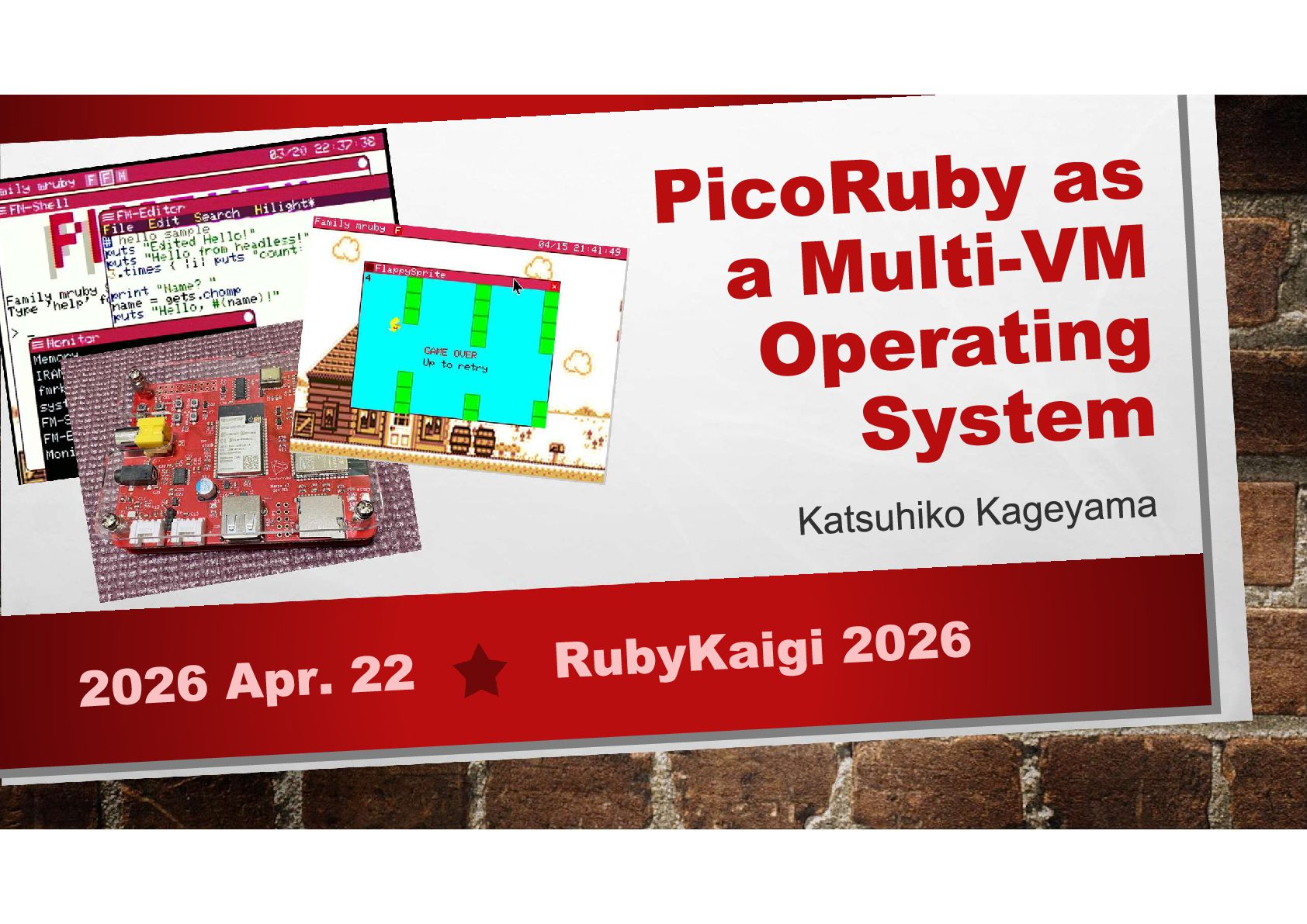
With the emergence of PicoRuby, mruby-centered technologies have increasingly been used as lightweight operating environments for microcontrollers.

In this talk, I present a more self-contained approach: an operating system for microcontrollers built around PicoRuby, where the mruby VM serves as the system core. I call this framework Family mruby OS.

The system enables developers to write and run Ruby applications directly on a microcontroller with a GUI, using a USB keyboard, mouse, and display—without relying on a PC.

By leveraging FreeRTOS, multiple PicoRuby VMs, as well as VMs of other languages, can run concurrently at the machine-code level, enabling true multi-VM execution while keeping Ruby responsible for application lifecycle management.

I will explain the design and implementation of this framework, discuss the key technical challenges involved, and demonstrate the system running on real hardware.

Avatar for Katsuhiko Kageyama

Katsuhiko Kageyama

April 22, 2026

More Decks by Katsuhiko Kageyama

Other Decks in Technology

Transcript

  1. SELF INTRODUCTION Name: Katsuhiko Kageyama X, Github ID: kishima Company:

    aptpod, Inc. Role: IoT edge device development, Engineering Manager Hobbies: electronics, mruby(PicoRuby)
  2. AGENDA • 01 Background • 02 OS Software Design •

    03 Technical Discussion • 03 Demonstration
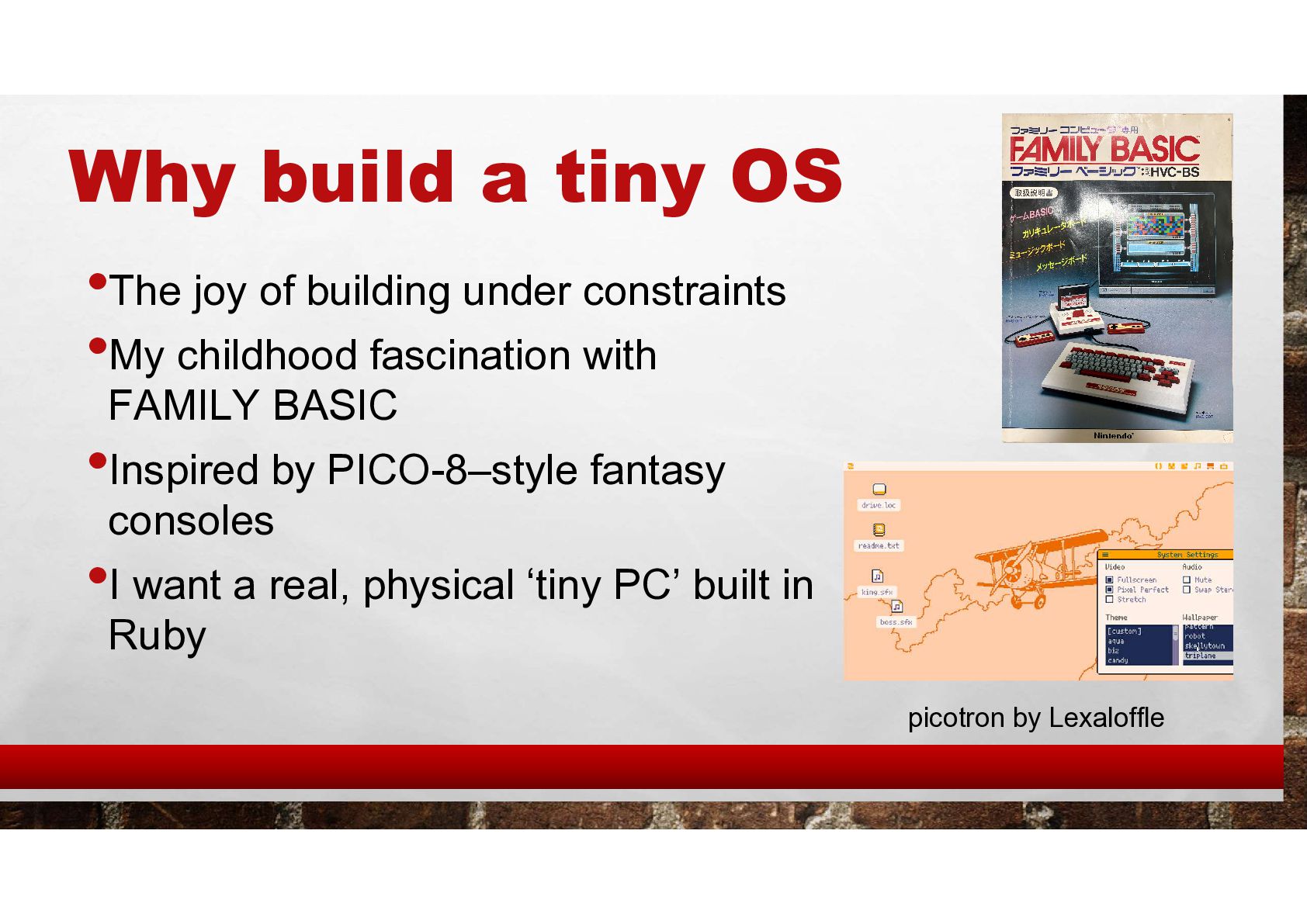
  3. Why build a tiny OS •The joy of building under

    constraints •My childhood fascination with FAMILY BASIC •Inspired by PICO-8–style fantasy consoles •I want a real, physical ‘tiny PC’ built in Ruby picotron by Lexaloffle
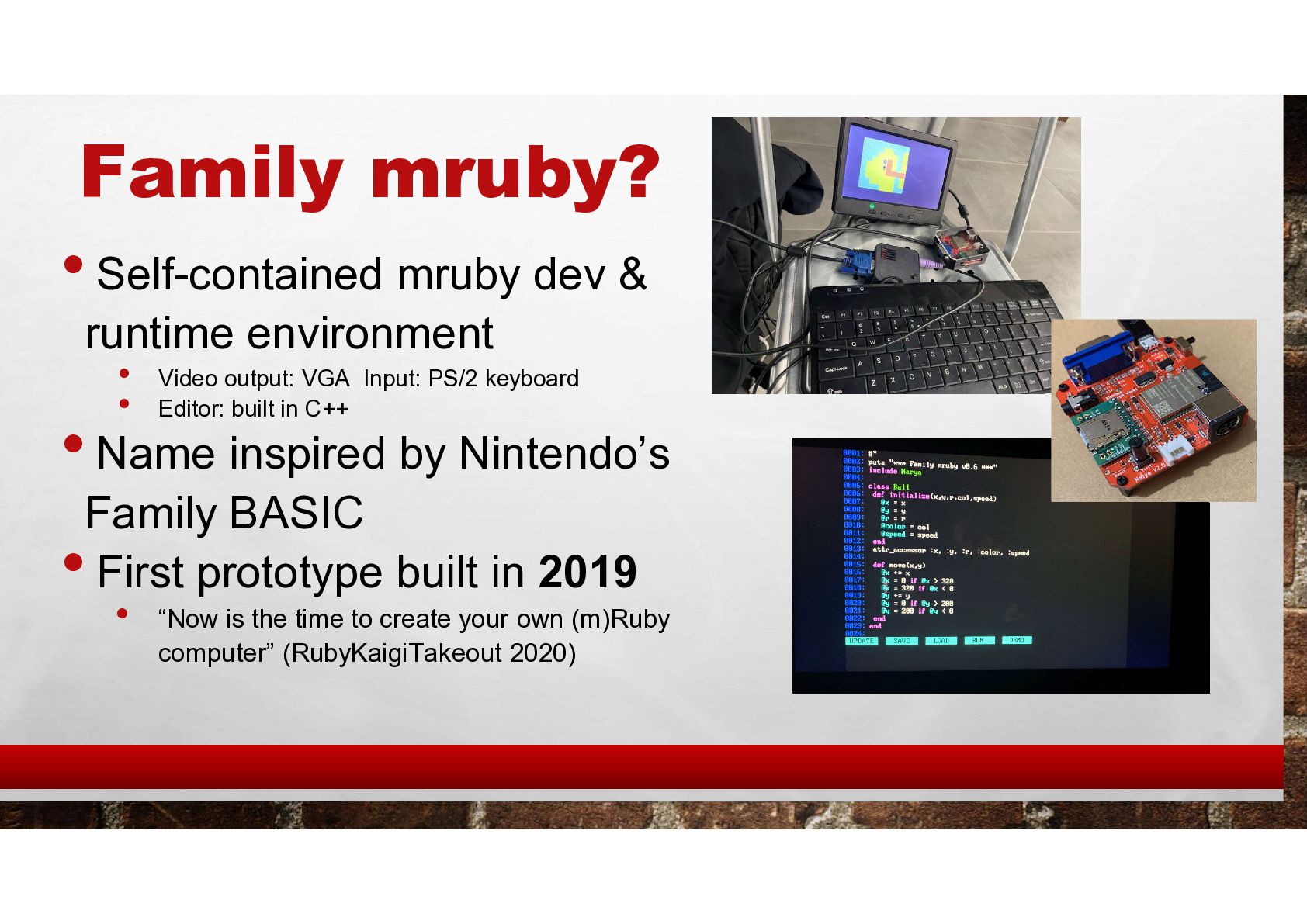
  4. Family mruby? • Self-contained mruby dev & runtime environment •

    Video output: VGA Input: PS/2 keyboard • Editor: built in C++ • Name inspired by Nintendo’s Family BASIC • First prototype built in 2019 • “Now is the time to create your own (m)Ruby computer” (RubyKaigiTakeout 2020)
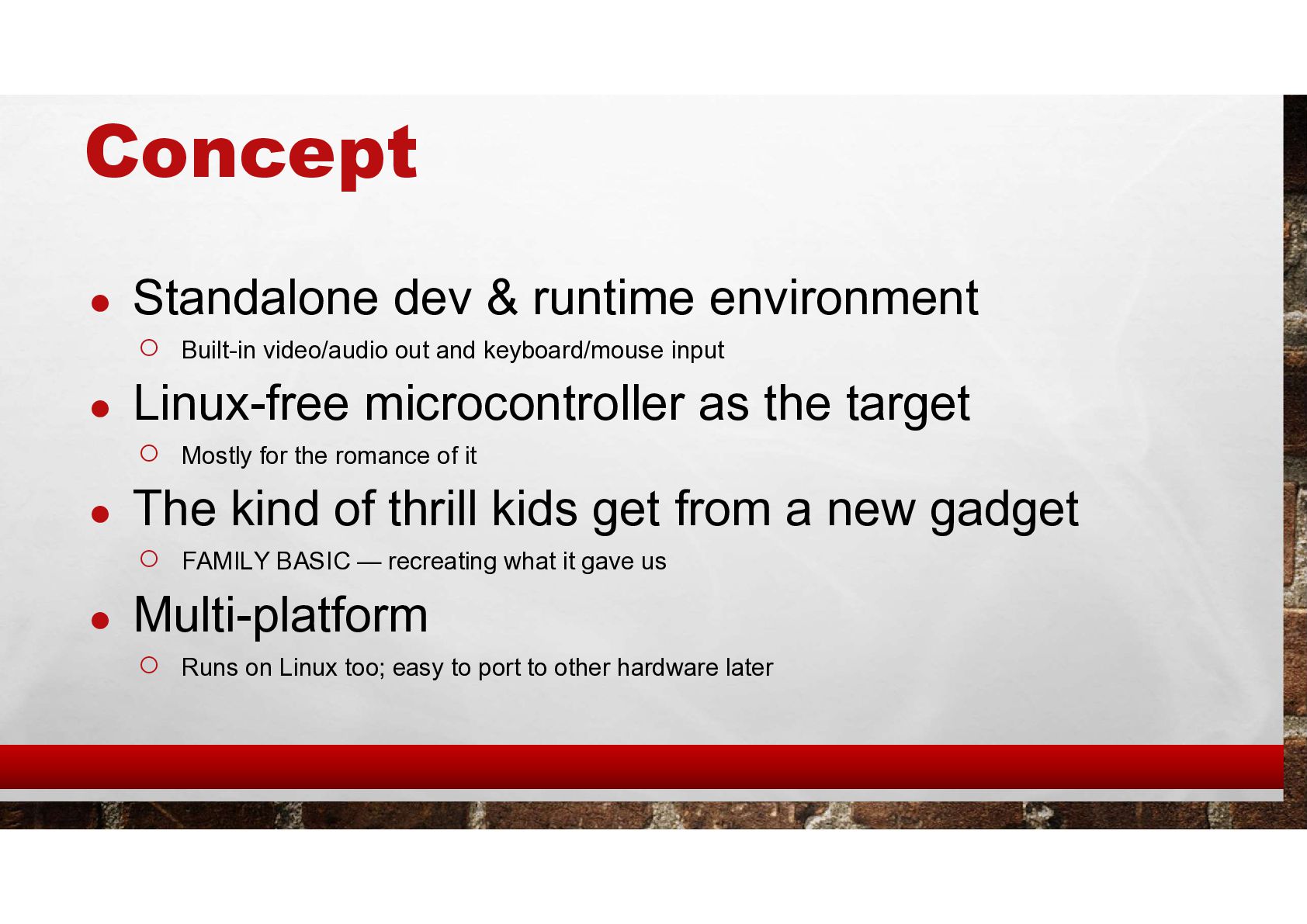
  5. Concept • Standalone dev & runtime environment ◦ Built-in video/audio

    out and keyboard/mouse input • Linux-free microcontroller as the target ◦ Mostly for the romance of it • The kind of thrill kids get from a new gadget ◦ FAMILY BASIC — recreating what it gave us • Multi-platform ◦ Runs on Linux too; easy to port to other hardware later
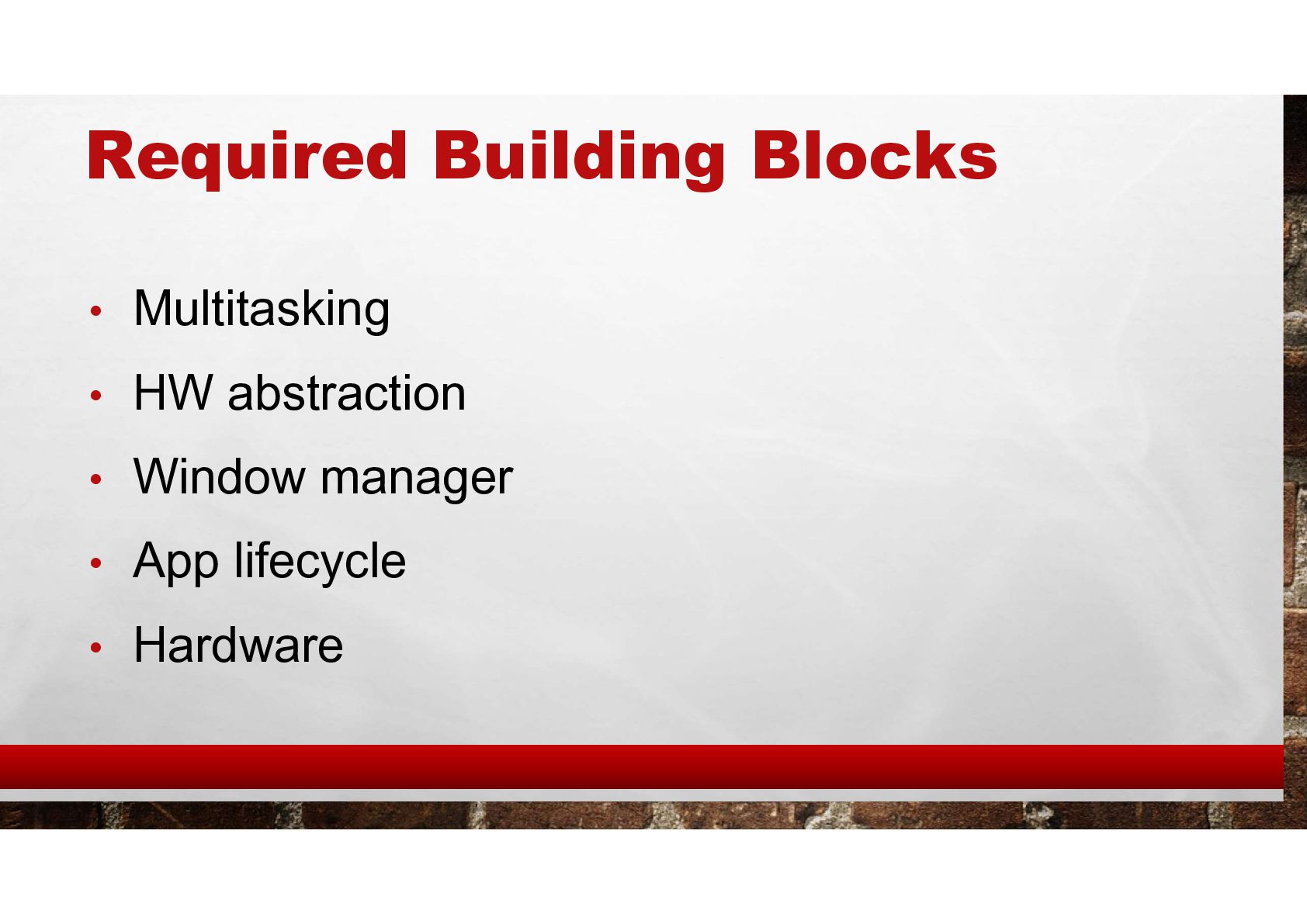
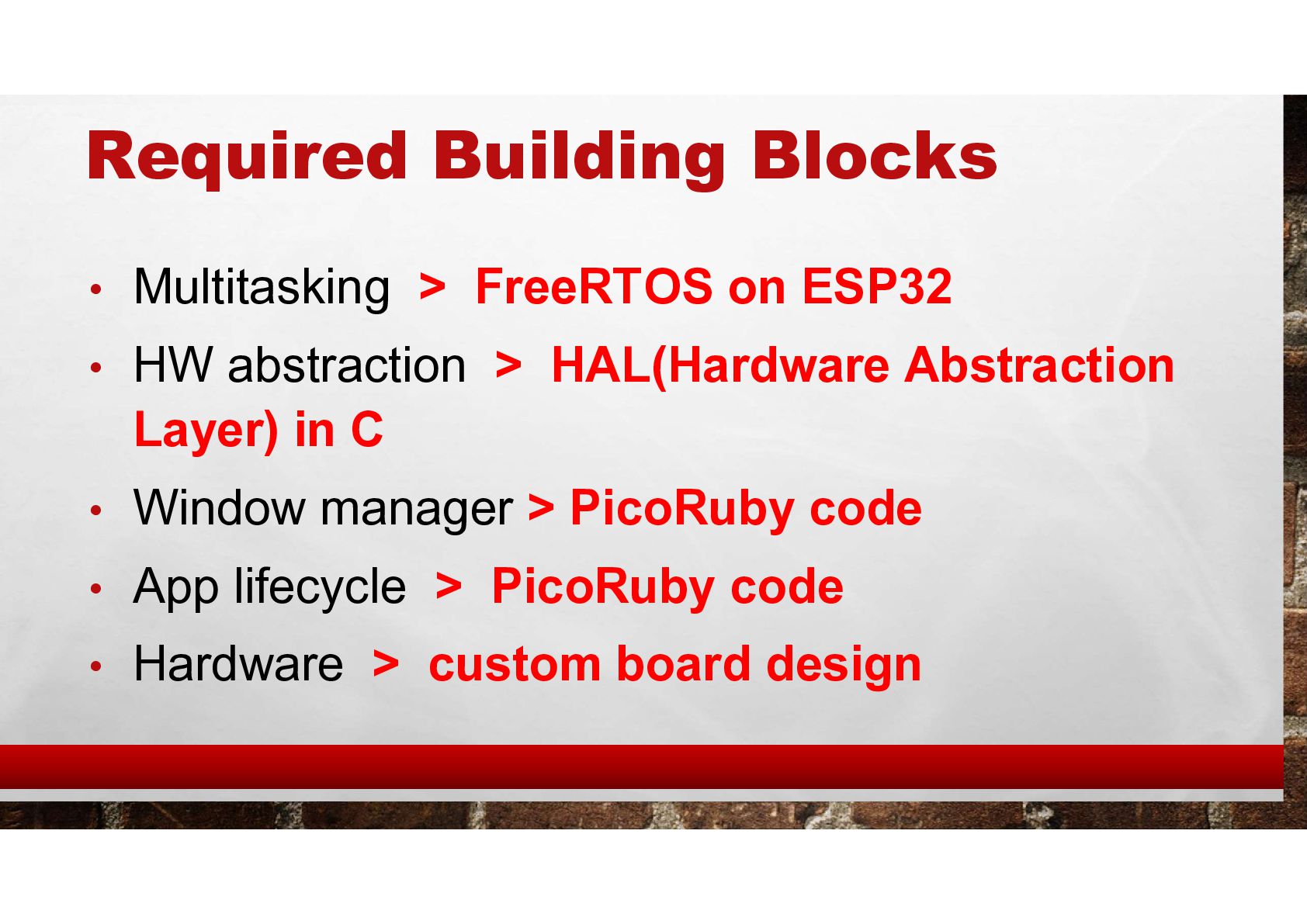
  6. Required Building Blocks • Multitasking > FreeRTOS on ESP32 •

    HW abstraction > HAL(Hardware Abstraction Layer) in C • Window manager > PicoRuby code • App lifecycle > PicoRuby code • Hardware > custom board design
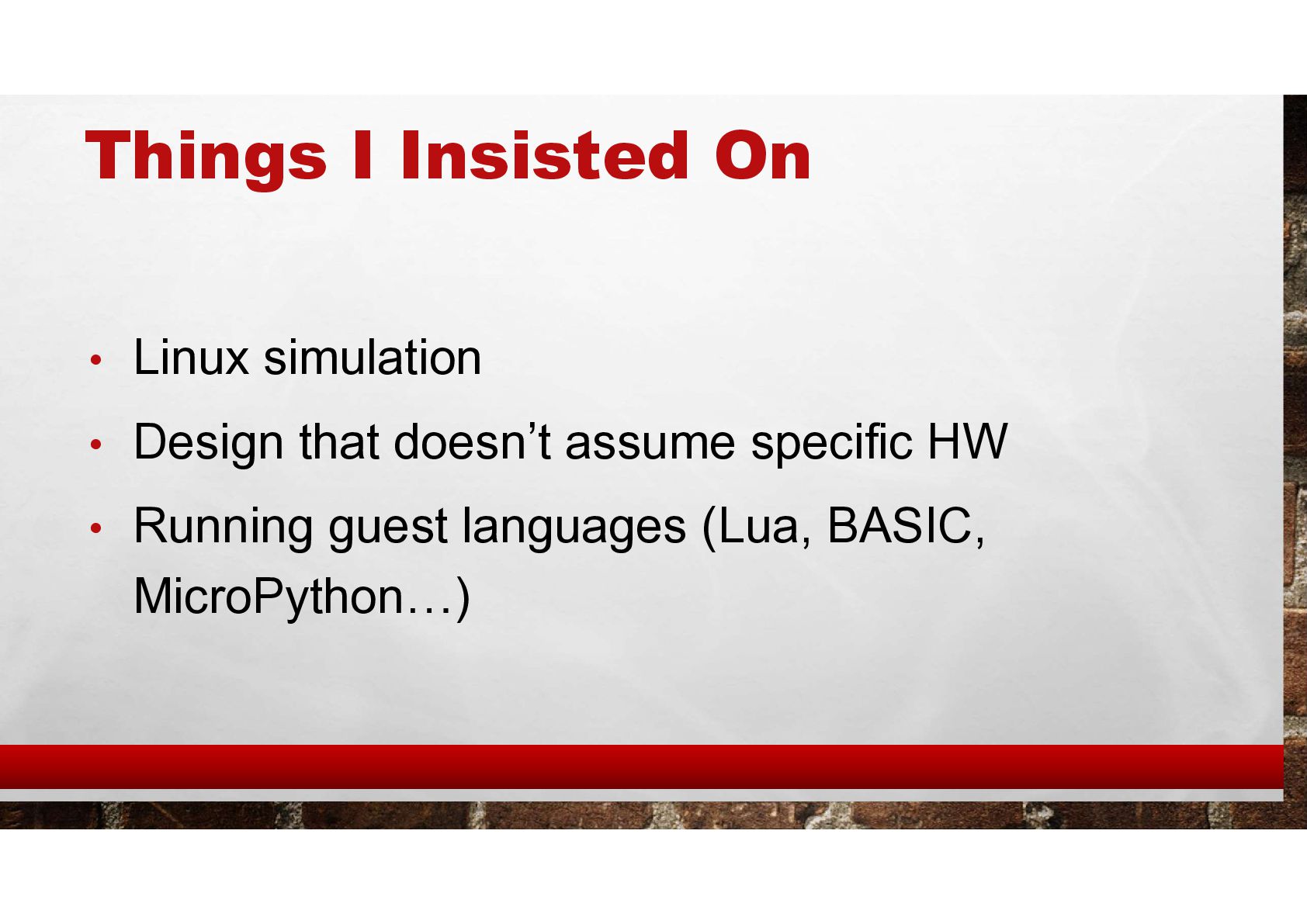
  7. Things I Insisted On • Linux simulation • Design that

    doesn’t assume specific HW • Running guest languages (Lua, BASIC, MicroPython…)
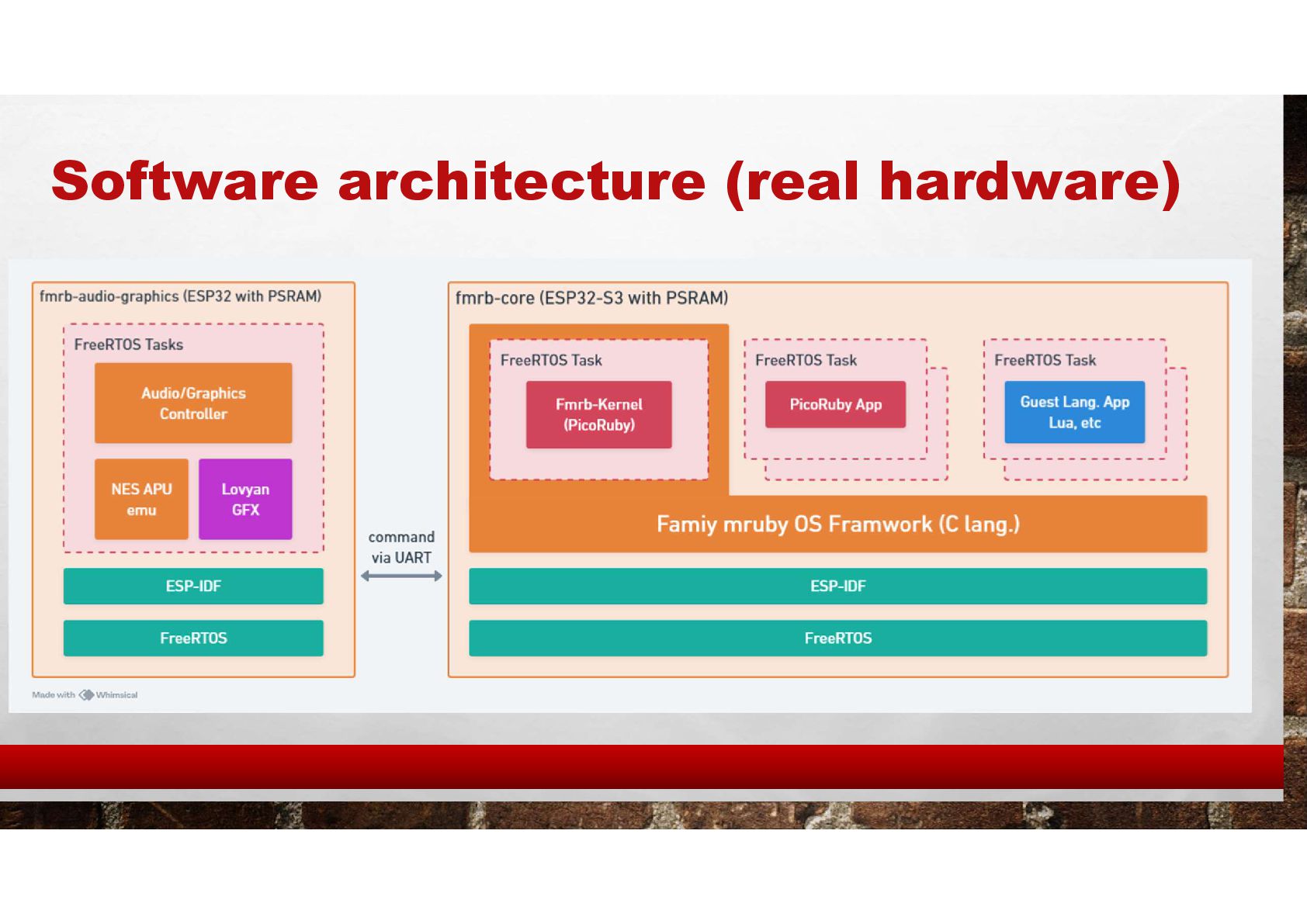
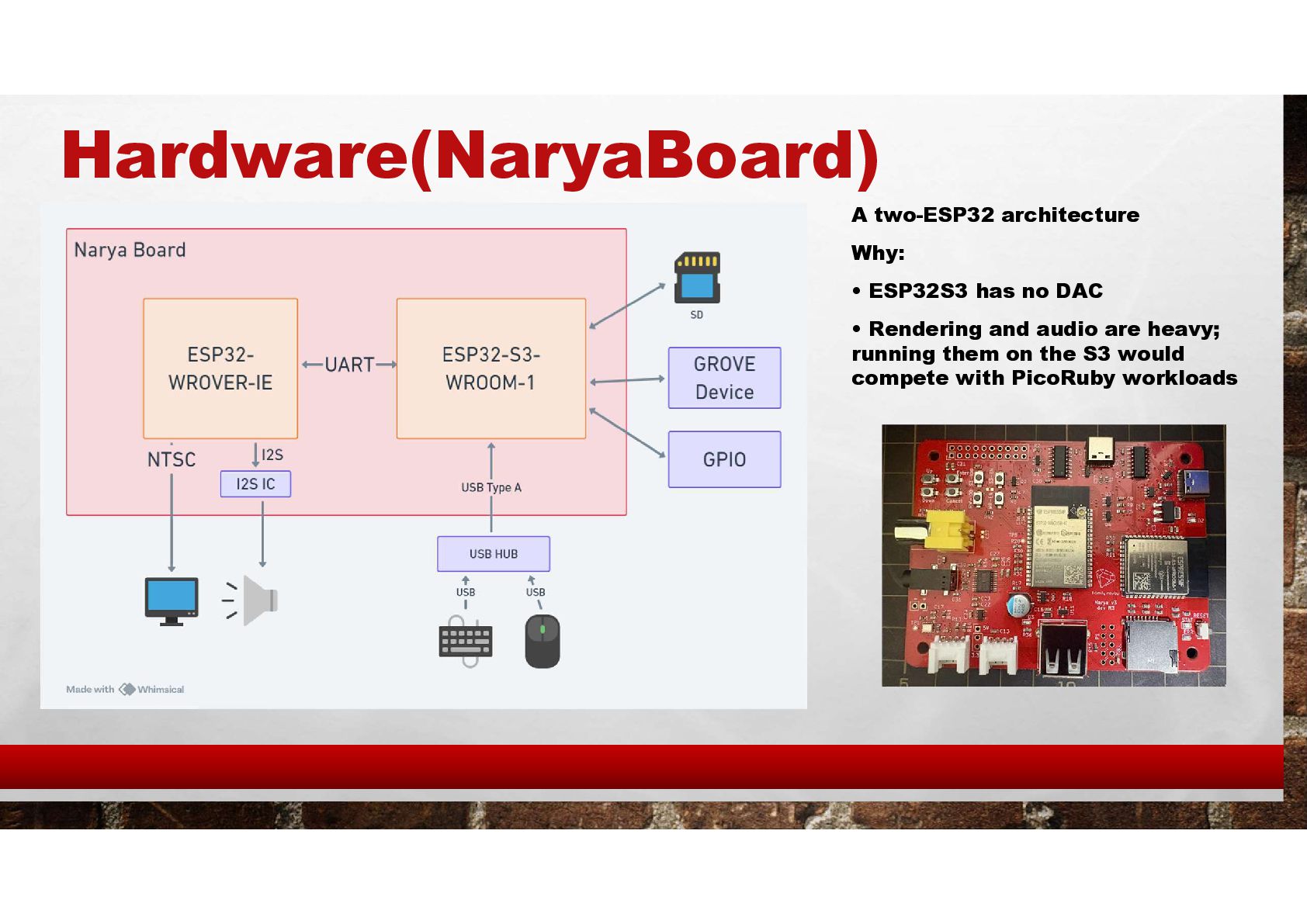
  8. Hardware(NaryaBoard) A two-ESP32 architecture Why: • ESP32S3 has no DAC

    • Rendering and audio are heavy; running them on the S3 would compete with PicoRuby workloads
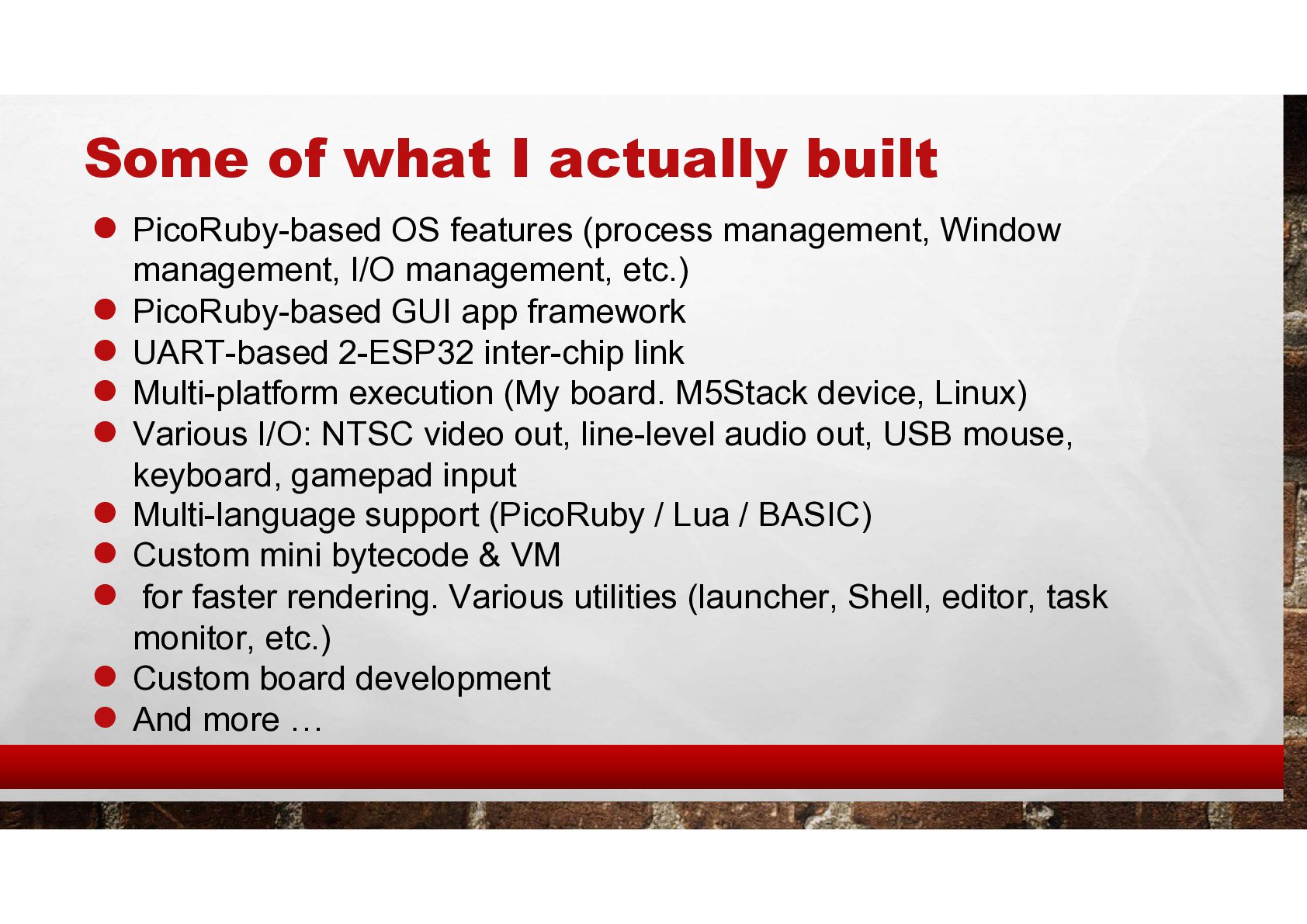
  9. Some of what I actually built • PicoRuby-based OS features

    (process management, Window management, I/O management, etc.) • PicoRuby-based GUI app framework • UART-based 2-ESP32 inter-chip link • Multi-platform execution (My board. M5Stack device, Linux) • Various I/O: NTSC video out, line-level audio out, USB mouse, keyboard, gamepad input • Multi-language support (PicoRuby / Lua / BASIC) • Custom mini bytecode & VM • for faster rendering. Various utilities (launcher, Shell, editor, task monitor, etc.) • Custom board development • And more …
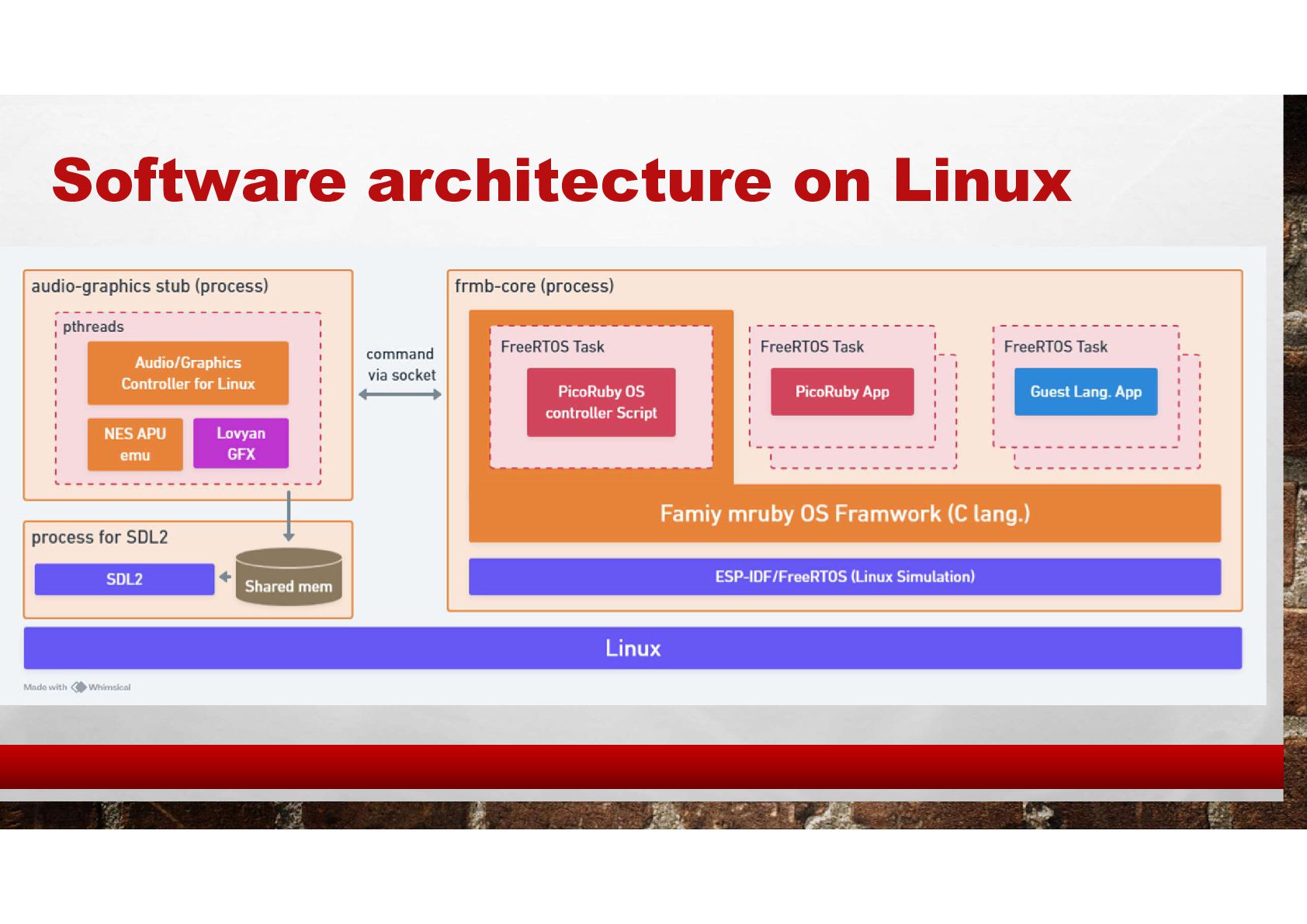
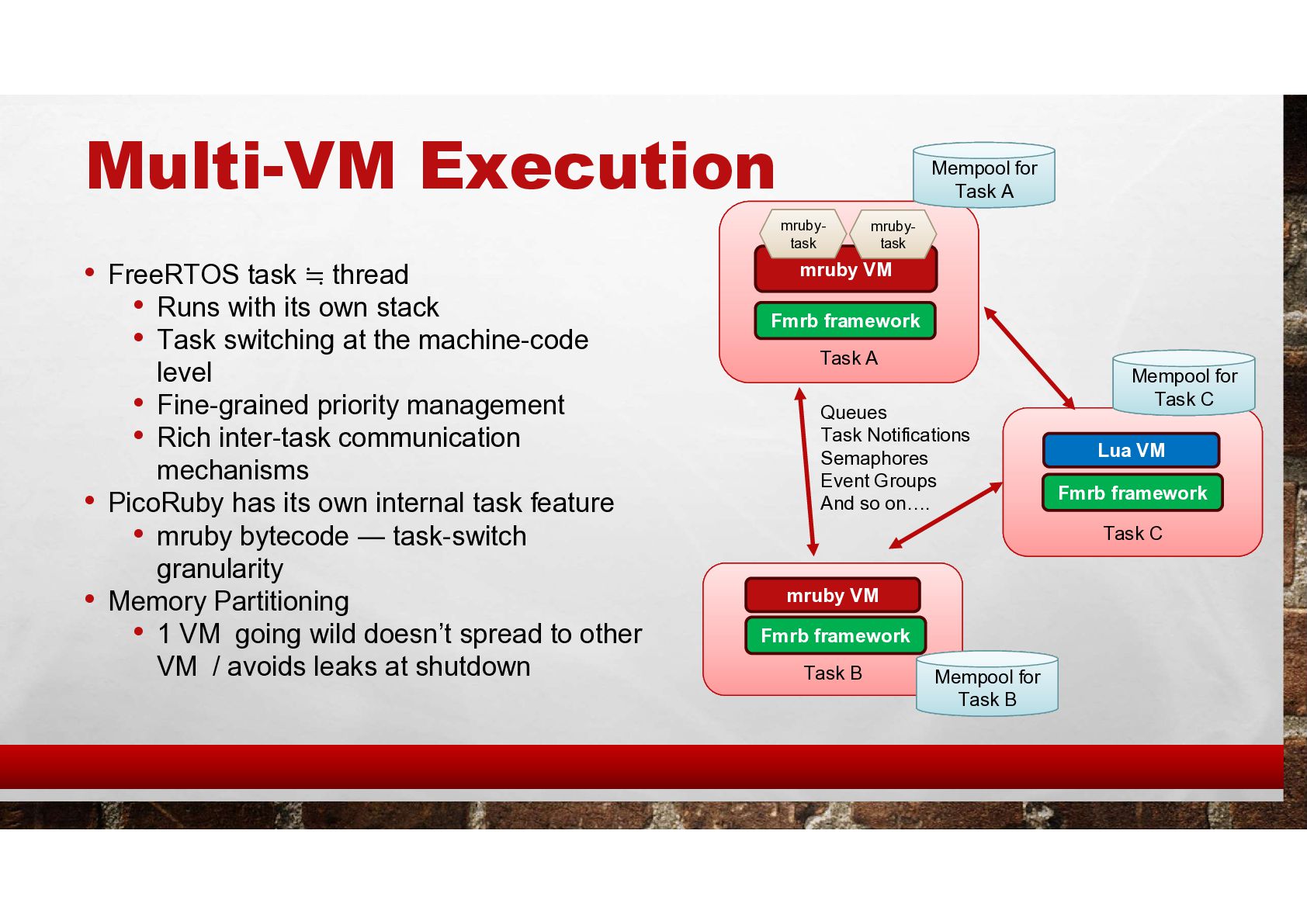
  10. Multi-VM Execution • FreeRTOS task ≒ thread • Runs with

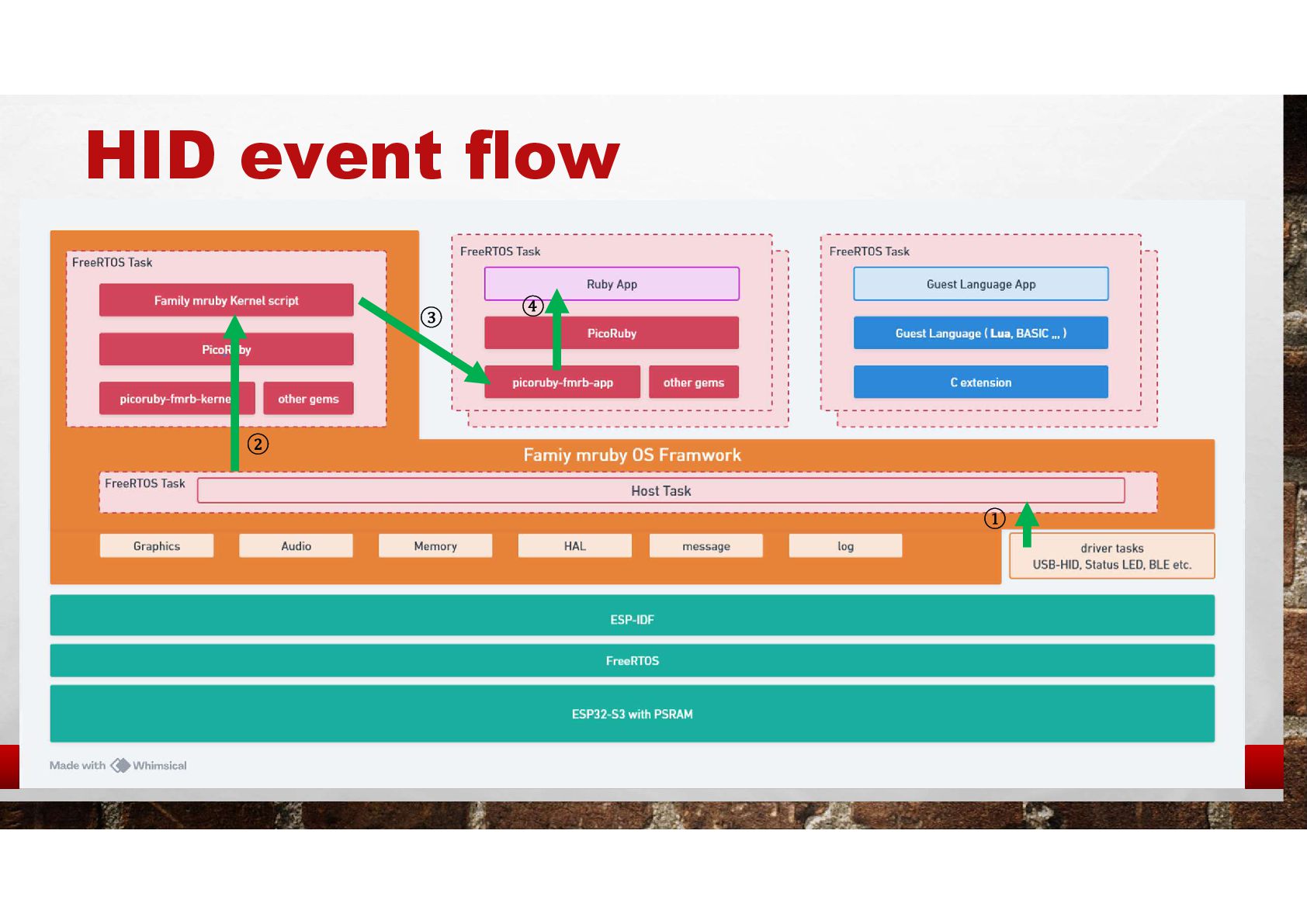
    its own stack • Task switching at the machine-code level • Fine-grained priority management • Rich inter-task communication mechanisms • PicoRuby has its own internal task feature • mruby bytecode — task-switch granularity • Memory Partitioning • 1 VM going wild doesn’t spread to other VM / avoids leaks at shutdown Task A Task C Task B mruby VM mruby VM Lua VM Queues Task Notifications Semaphores Event Groups And so on…. Fmrb framework Fmrb framework Fmrb framework Mempool for Task A Mempool for Task B Mempool for Task C mruby- task mruby- task
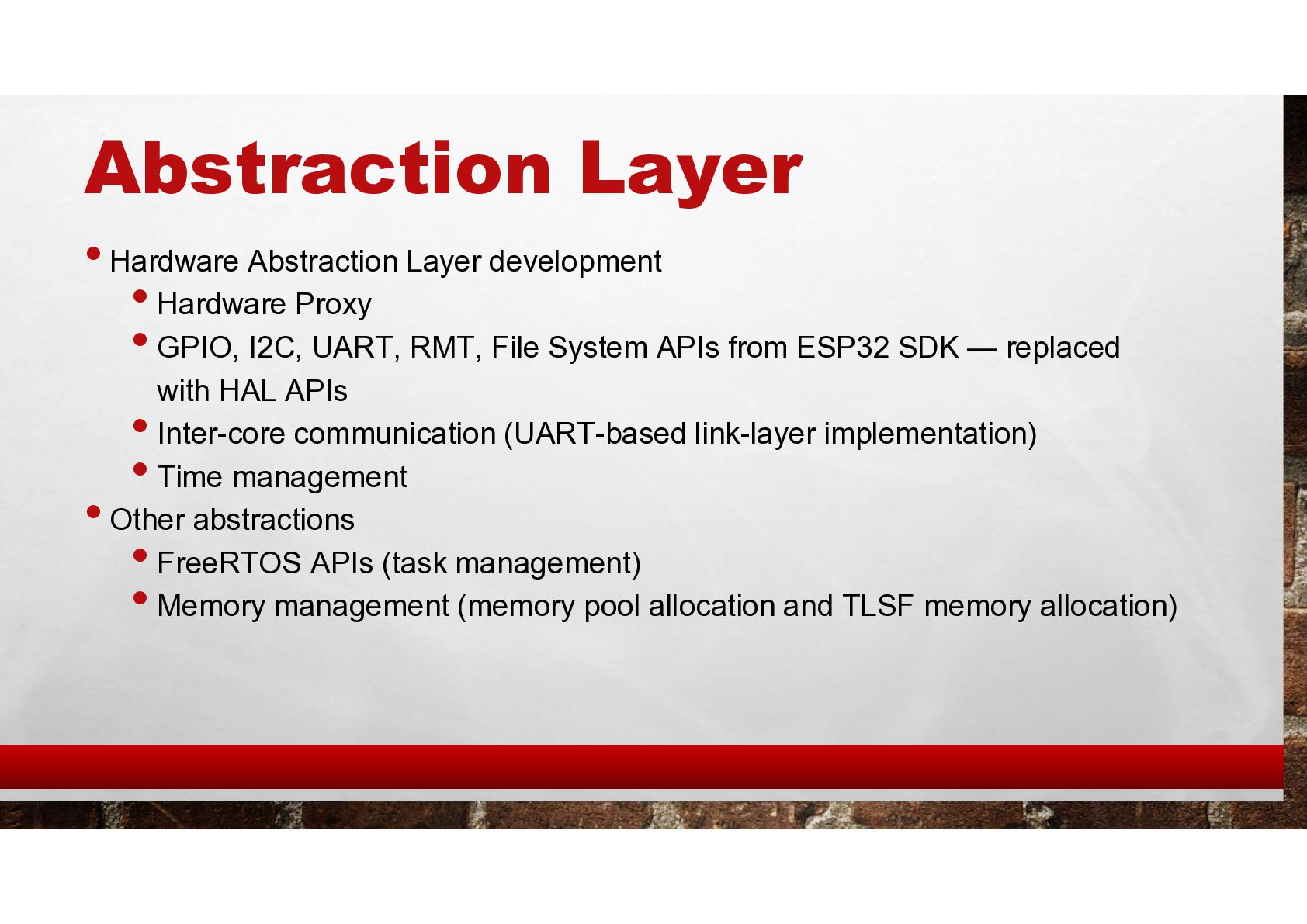
  11. Abstraction Layer • Hardware Abstraction Layer development • Hardware Proxy

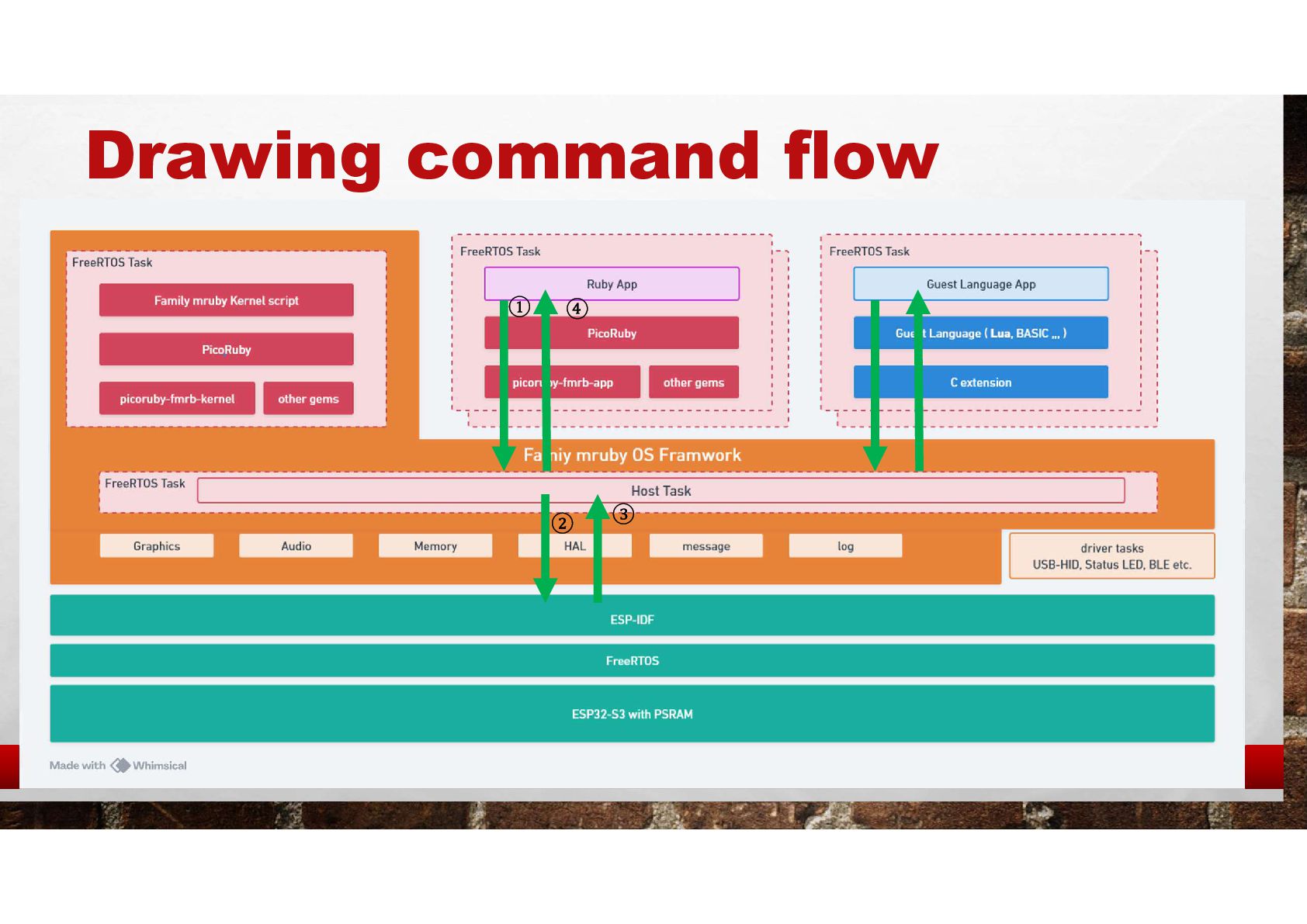
    • GPIO, I2C, UART, RMT, File System APIs from ESP32 SDK — replaced with HAL APIs • Inter-core communication (UART-based link-layer implementation) • Time management • Other abstractions • FreeRTOS APIs (task management) • Memory management (memory pool allocation and TLSF memory allocation)
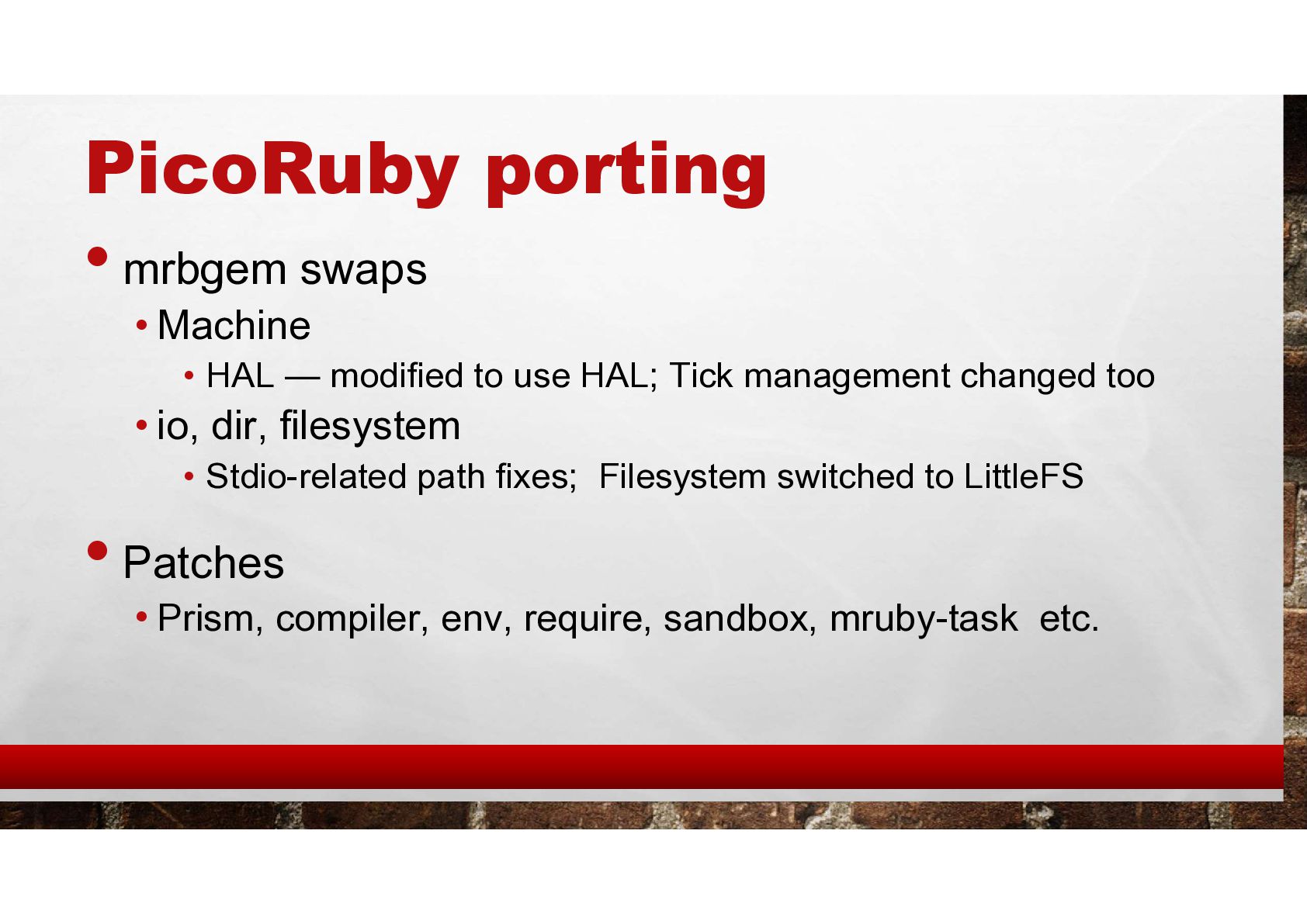
  12. PicoRuby porting •mrbgem swaps • Machine • HAL — modified

    to use HAL; Tick management changed too • io, dir, filesystem • Stdio-related path fixes; Filesystem switched to LittleFS •Patches • Prism, compiler, env, require, sandbox, mruby-task etc.
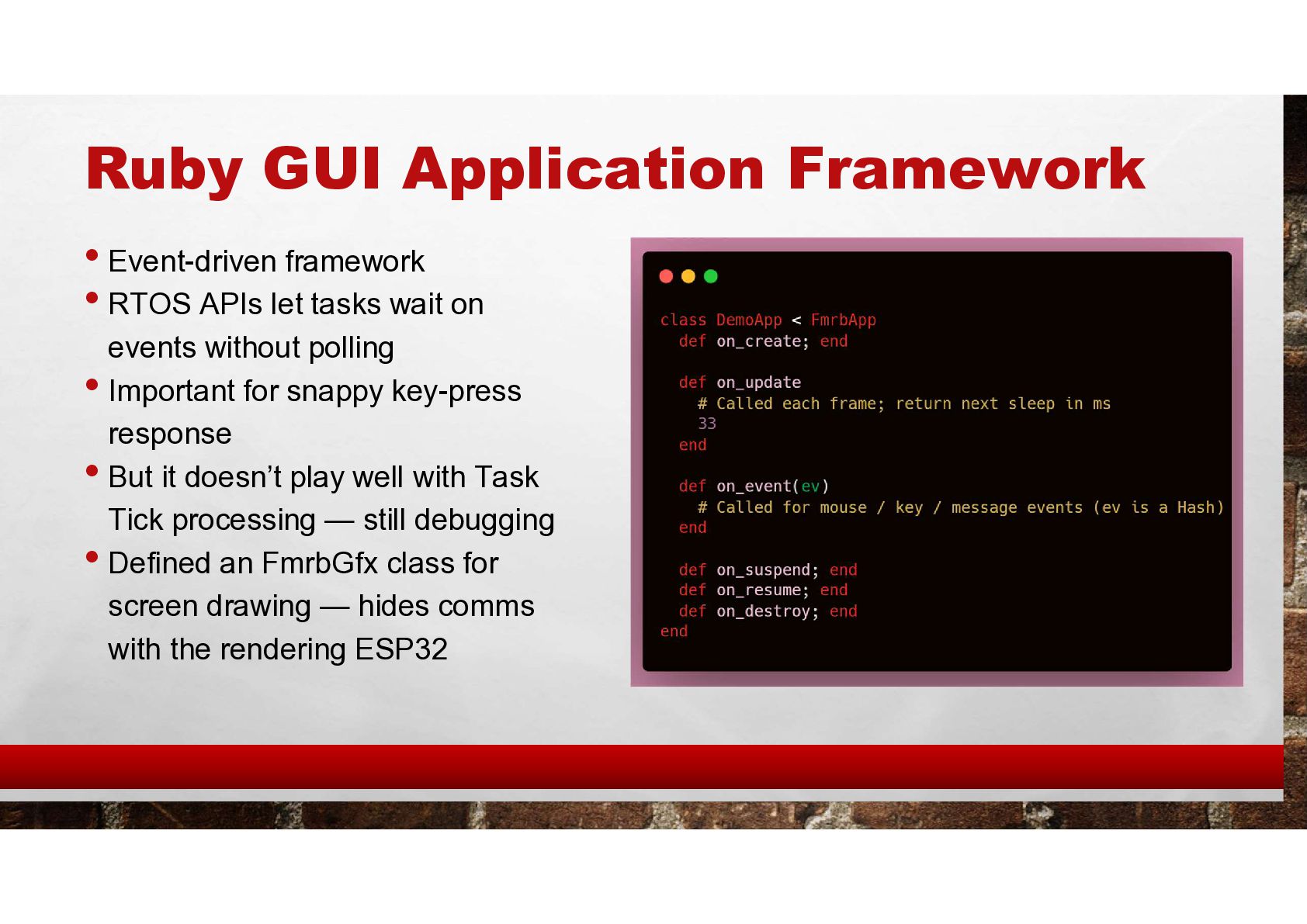
  13. Ruby GUI Application Framework • Event-driven framework • RTOS APIs

    let tasks wait on events without polling • Important for snappy key-press response • But it doesn’t play well with Task Tick processing — still debugging • Defined an FmrbGfx class for screen drawing — hides comms with the rendering ESP32
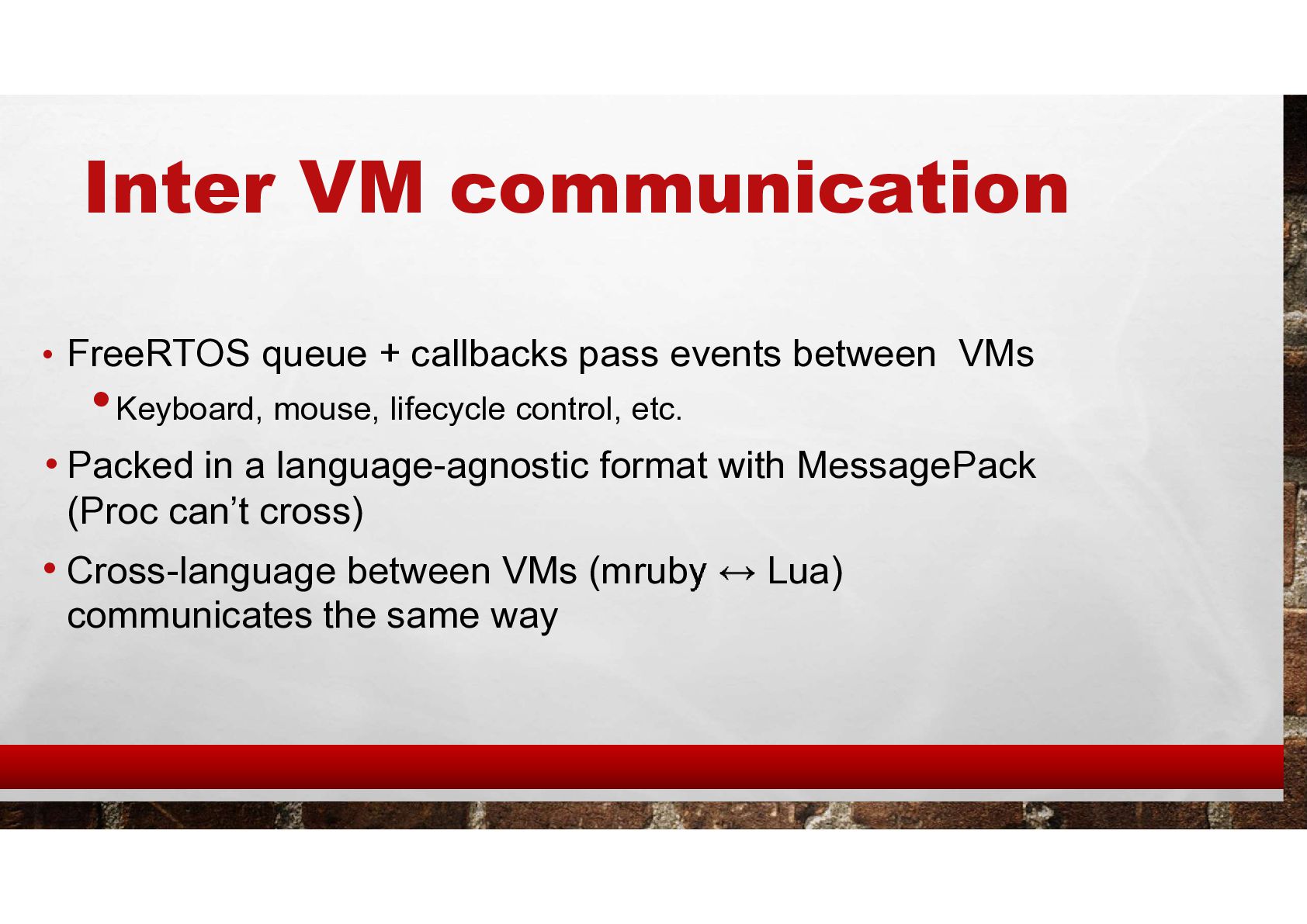
  14. Inter VM communication • FreeRTOS queue + callbacks pass events

    between VMs •Keyboard, mouse, lifecycle control, etc. • Packed in a language-agnostic format with MessagePack (Proc can’t cross) • Cross-language between VMs (mruby Lua) communicates the same way
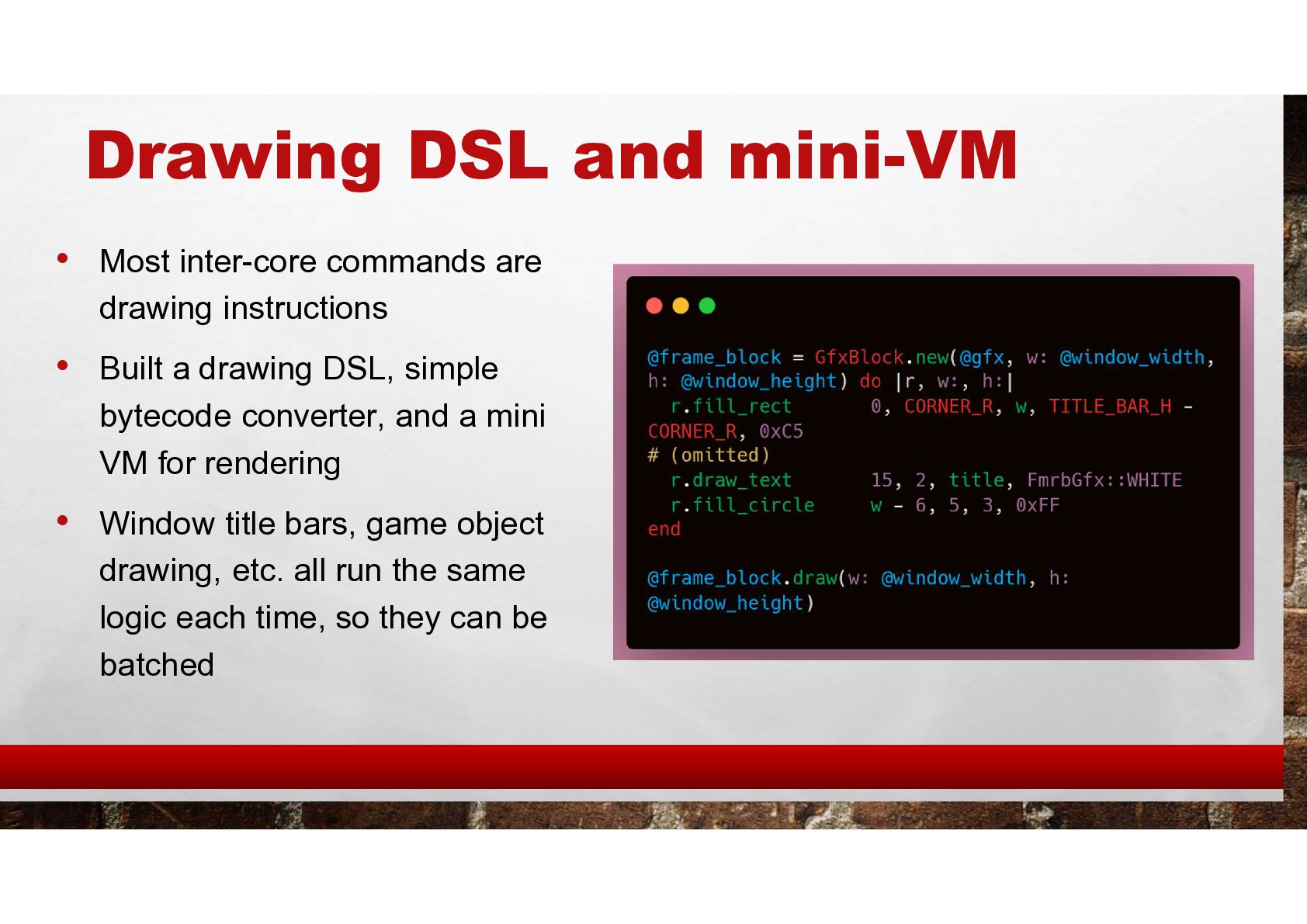
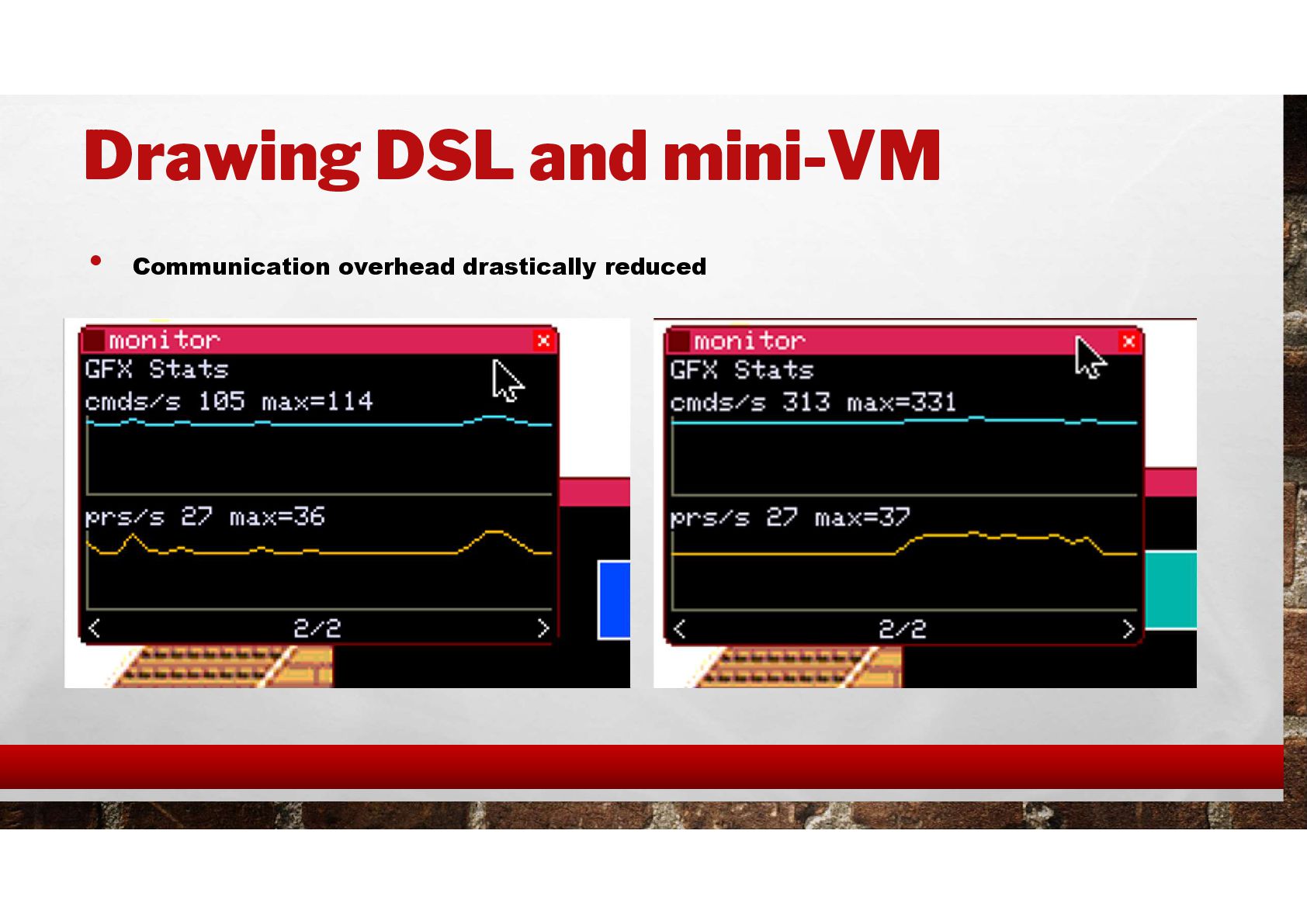
  15. Drawing DSL and mini-VM • Most inter-core commands are drawing

    instructions • Built a drawing DSL, simple bytecode converter, and a mini VM for rendering • Window title bars, game object drawing, etc. all run the same logic each time, so they can be batched
  16. PC Simulation environment • Running on PC is essential for

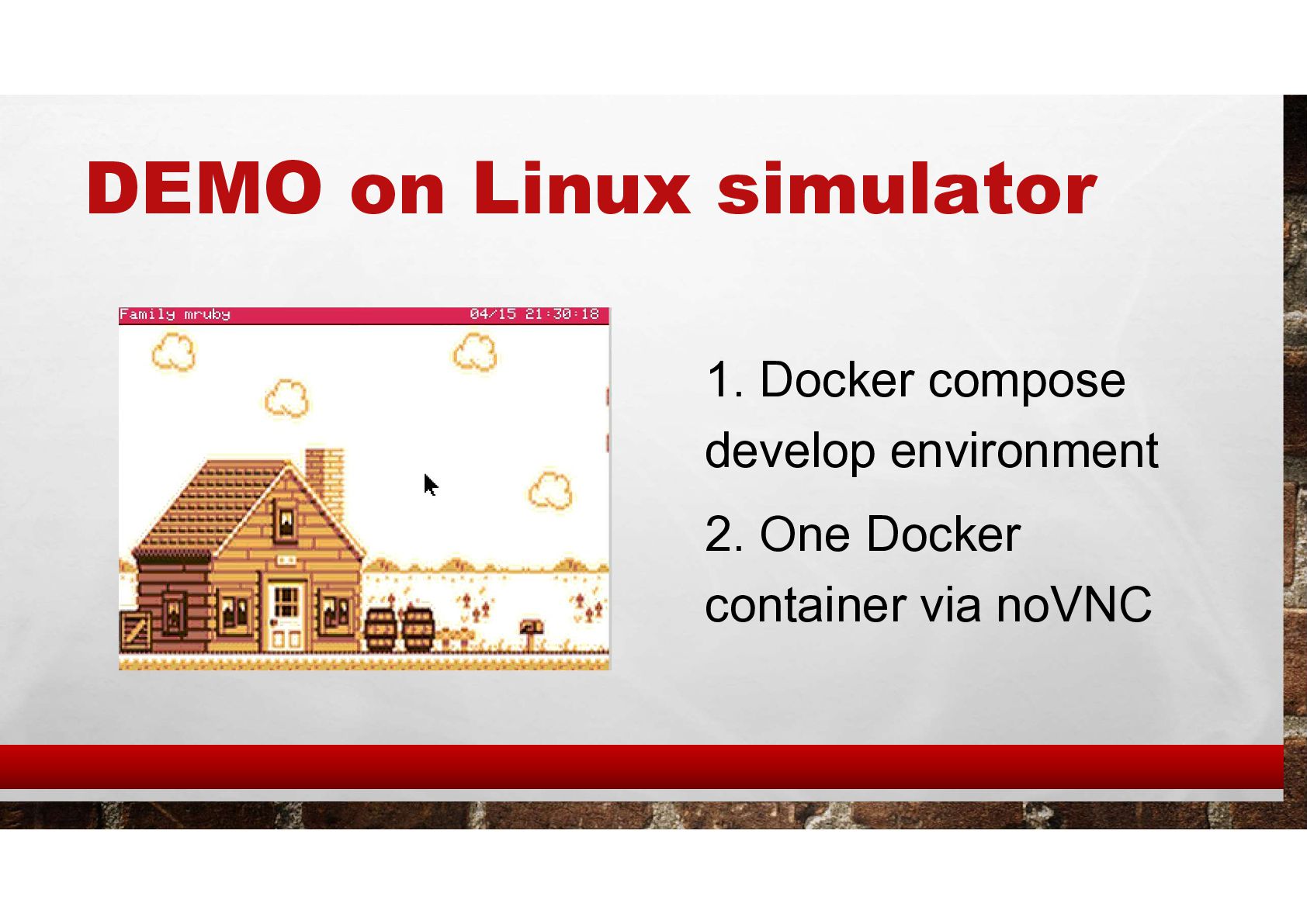
    dev productivity • The same source code (almost untouched) builds and runs on Linux • Docker containers make it easy to try • Tech stack • ESP-IDF Linux build + SDL2 + LovyanGFX • 3-container Docker setup (ESP32S3 + ESP32 + SDL2)
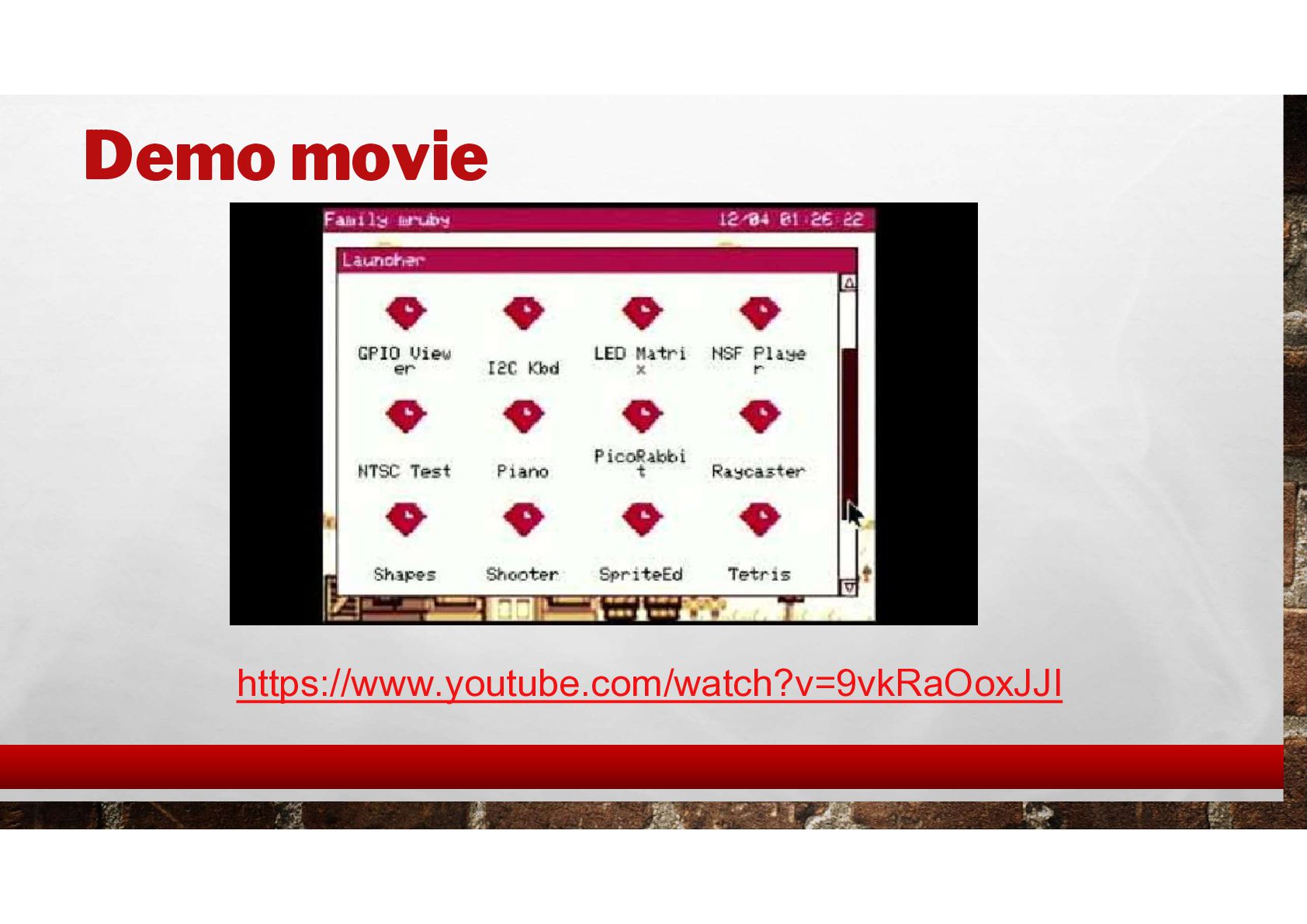
  17. Demo Scenario 2: Multi-language VM [ Simulator demo ] •

    Launch an app written in Lua • Launch an app written in BASIC
  18. On the board I built [ LIVE DEMO ] Narya

    board’s NTSC output to HDMI — converted and shown on screen
  19. Demo Scenario 3: Sound [ LIVE DEMO ] • Open

    the piano app and play notes from the keyboard • Open NSF Player
  20. Demo Scenario 4: Game [ LIVE DEMO ] •Run a

    Flappy Bird- style game •Run 3D game
  21. Demo Scenario 5: Electronics [ Video ] • Open the

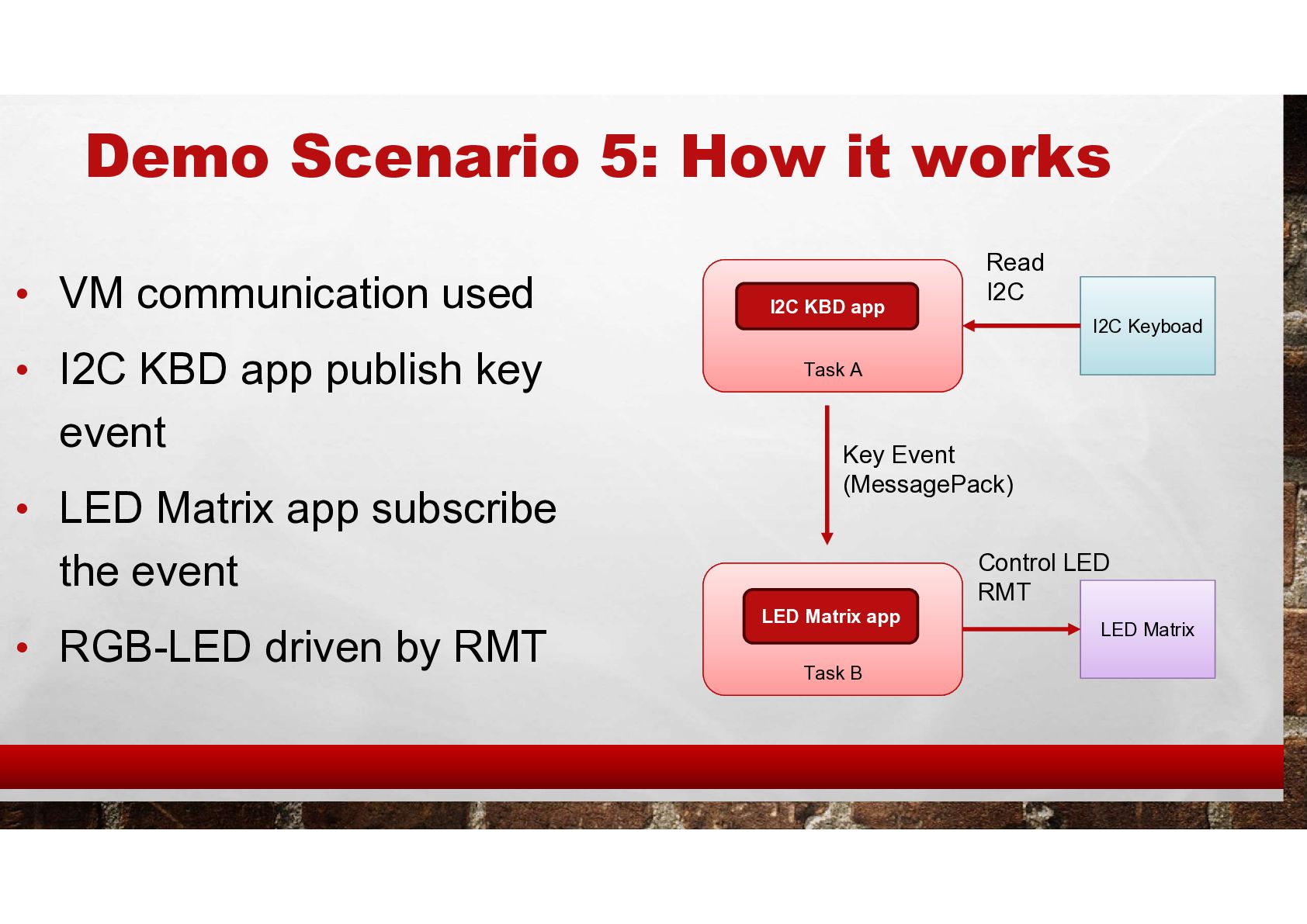
    mini keyboard app — input shows up in the GUI • Open the LED app — the LEDs wired to the computer light up in sync with the screen • Now touch the mini keyboard and the LEDs display the typed characters
  22. Demo Scenario 5: How it works • VM communication used

    • I2C KBD app publish key event • LED Matrix app subscribe the event • RGB-LED driven by RMT Task A Task B I2C KBD app LED Matrix app Key Event (MessagePack) I2C Keyboad LED Matrix Read I2C Control LED RMT
  23. Summary • Built my own dev-anywhere device — OS and

    all — on top of PicoRuby • Achieved performance usable on a microcontroller • SW and HW are both open source — you’re free to hack on it • https://github.com/family-mruby/family-mruby • There are still many bugs and performance issues. • I’ll be selling a small batch of the hardware on BOOTH — if you’re interested, scan the QR code on screen or check my X / blog • Day 2 Afternoon break : I wiil perform demo in Ruby Showcase郭,