Upgrade to Pro — share decks privately, control downloads, hide ads and more …

Backlink Indexing Report Template: A Format You...

Backlink Indexing Report Template: A Format Your Clients Understand

What should a backlink indexing report template include — and why does a links built report
hide the number your client actually pays for?

This 7-page template turns per-URL index verdicts into client-ready reporting: a summary page built around index rate and its period-over-period delta, a per-segment table that shows which vendors and placement types deliver, a stall-bucket breakdown that converts unindexed URLs into an action plan, and a re-submission log that proves the work between periods.

Fillable structure with worked example rows — print it, duplicate it,
or rebuild it in your reporting tool. Method behind the numbers:
https://en.speedyindex.com/how-to-check-backlink-indexation/

Avatar for Linda Bjorkvin

Linda Bjorkvin PRO

September 17, 2026

More Decks by Linda Bjorkvin

Other Decks in Marketing & SEO

Transcript

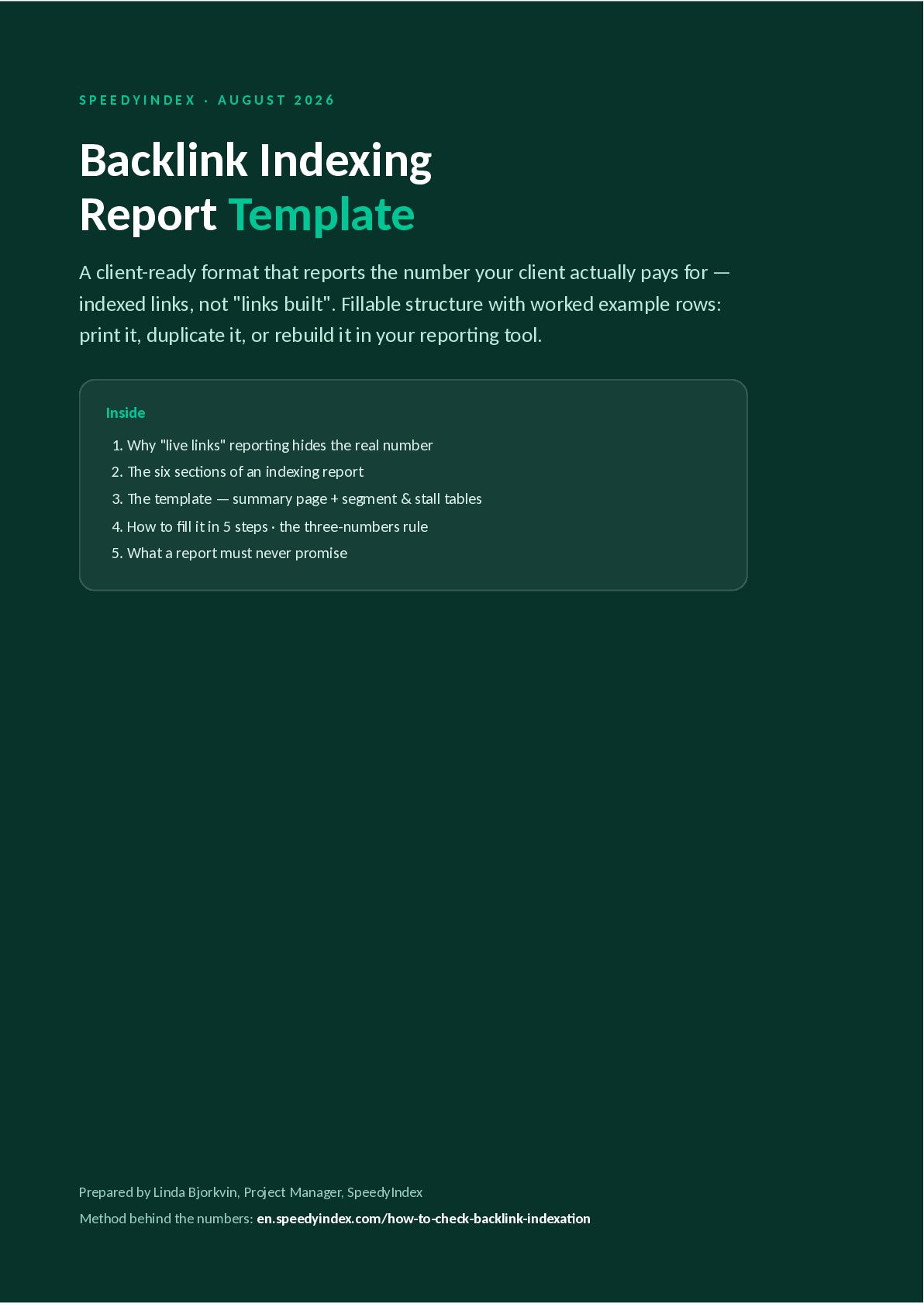
  1. SPEEDYINDEX · AUGUST 2026 Backlink Indexing Report Template A client-ready

    format that reports the number your client actually pays for — indexed links, not "links built". Fillable structure with worked example rows: print it, duplicate it, or rebuild it in your reporting tool. Inside 1. Why "live links" reporting hides the real number 2. The six sections of an indexing report 3. The template — summary page + segment & stall tables 4. How to fill it in 5 steps · the three-numbers rule 5. What a report must never promise Prepared by Linda Bjorkvin, Project Manager, SpeedyIndex Method behind the numbers: en.speedyindex.com/how-to-check-backlink-indexation
  2. THE QUESTION CLIENTS ASK What a backlink indexing report answers

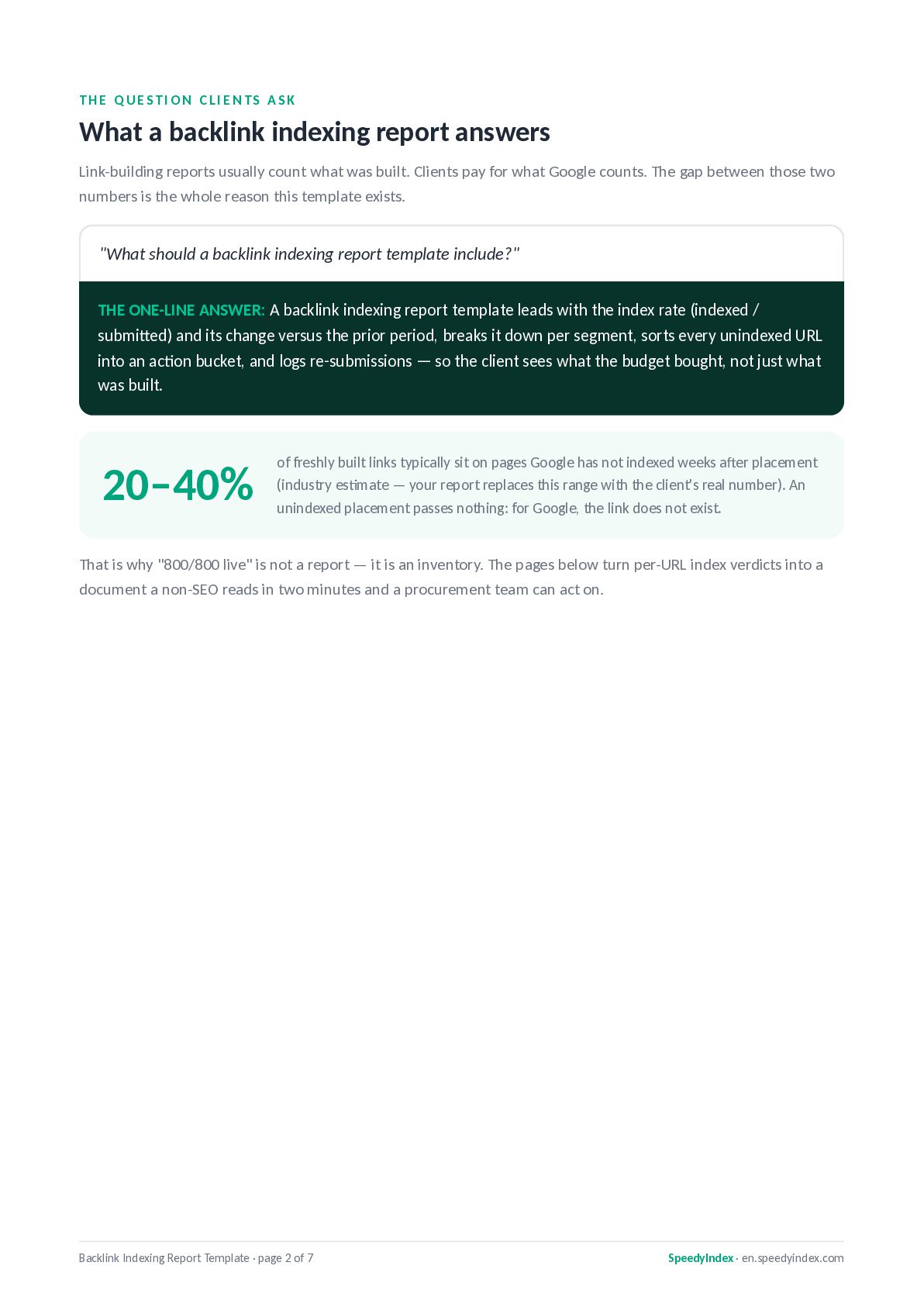
    Link-building reports usually count what was built. Clients pay for what Google counts. The gap between those two numbers is the whole reason this template exists. "What should a backlink indexing report template include?" THE ONE-LINE ANSWER: A backlink indexing report template leads with the index rate (indexed / submitted) and its change versus the prior period, breaks it down per segment, sorts every unindexed URL into an action bucket, and logs re-submissions — so the client sees what the budget bought, not just what was built. 20–40% of freshly built links typically sit on pages Google has not indexed weeks after placement (industry estimate — your report replaces this range with the client's real number). An unindexed placement passes nothing: for Google, the link does not exist. That is why "800/800 live" is not a report — it is an inventory. The pages below turn per-URL index verdicts into a document a non-SEO reads in two minutes and a procurement team can act on. Backlink Indexing Report Template · page 2 of 7 SpeedyIndex · en.speedyindex.com
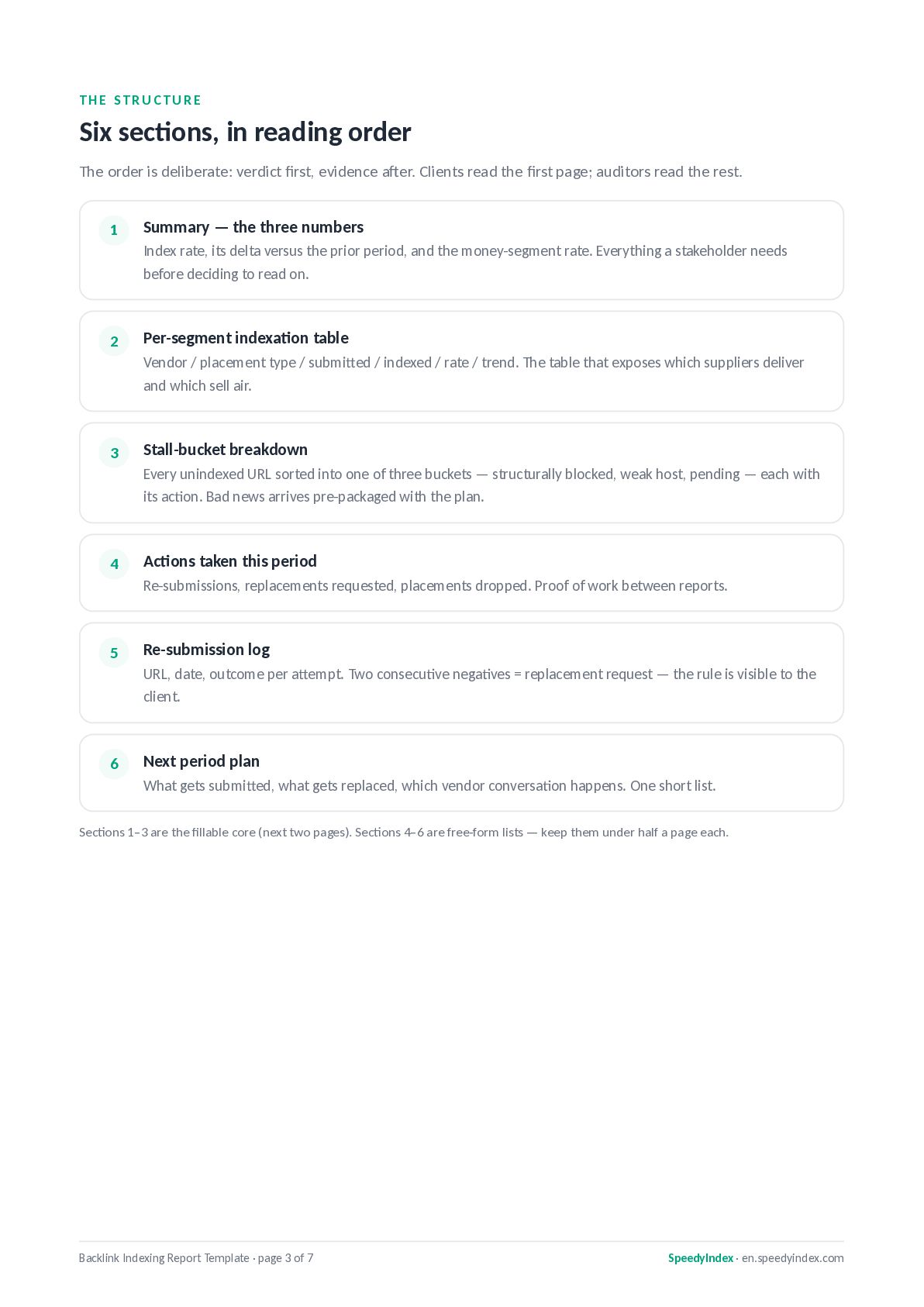
  3. THE STRUCTURE Six sections, in reading order The order is

    deliberate: verdict first, evidence after. Clients read the first page; auditors read the rest. 1 Summary — the three numbers Index rate, its delta versus the prior period, and the money-segment rate. Everything a stakeholder needs before deciding to read on. 2 Per-segment indexation table Vendor / placement type / submitted / indexed / rate / trend. The table that exposes which suppliers deliver and which sell air. 3 Stall-bucket breakdown Every unindexed URL sorted into one of three buckets — structurally blocked, weak host, pending — each with its action. Bad news arrives pre-packaged with the plan. 4 Actions taken this period Re-submissions, replacements requested, placements dropped. Proof of work between reports. 5 Re-submission log URL, date, outcome per attempt. Two consecutive negatives = replacement request — the rule is visible to the client. 6 Next period plan What gets submitted, what gets replaced, which vendor conversation happens. One short list. Sections 1–3 are the fillable core (next two pages). Sections 4–6 are free-form lists — keep them under half a page each. Backlink Indexing Report Template · page 3 of 7 SpeedyIndex · en.speedyindex.com
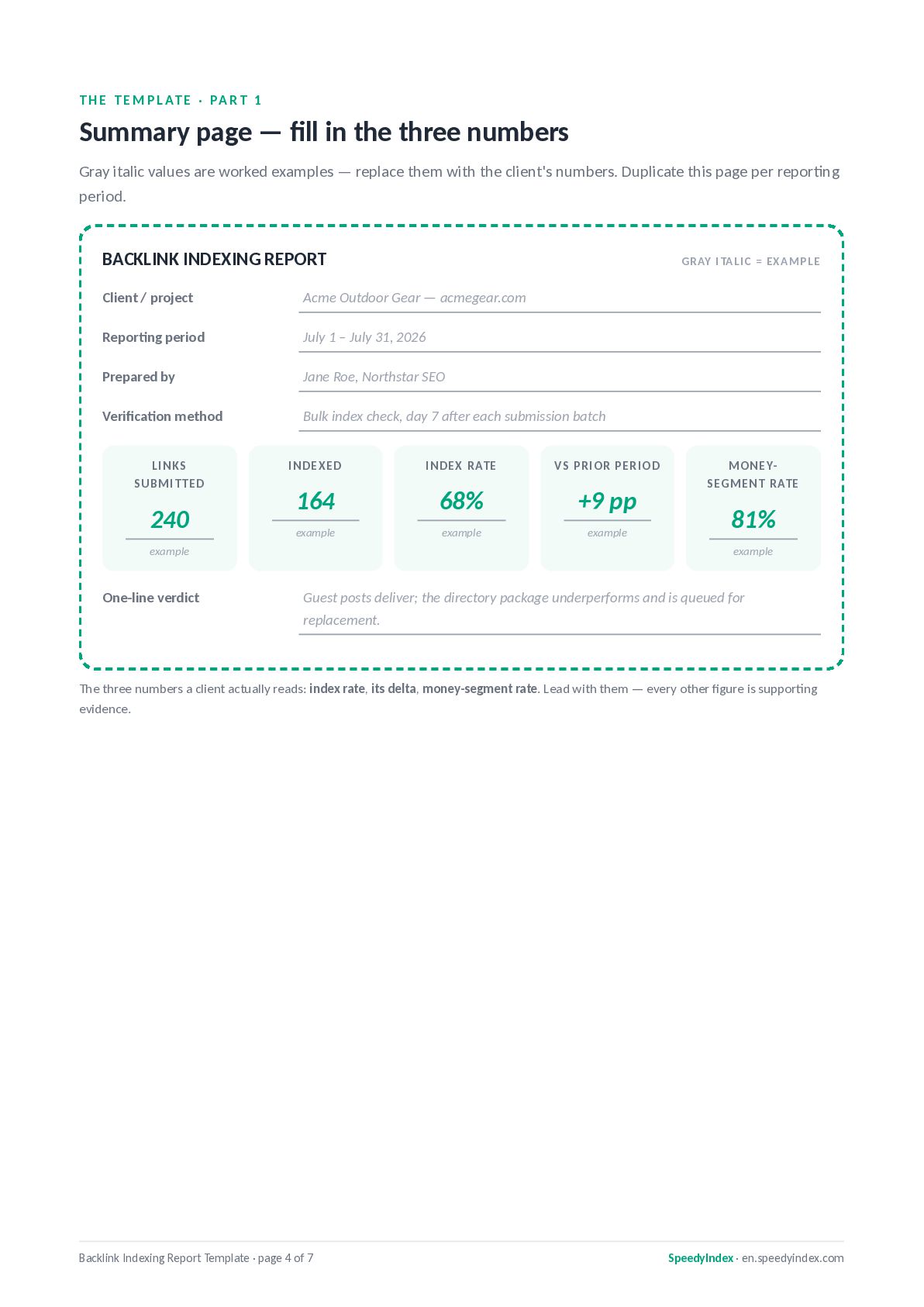
  4. T H E T E M P L AT E

    · PA R T 1 Summary page — fill in the three numbers Gray italic values are worked examples — replace them with the client's numbers. Duplicate this page per reporting period. BACKLINK INDEXING REPORT GR AY I TAL I C = EXA M PLE Client / project Acme Outdoor Gear — acmegear.com Reporting period July 1 – July 31, 2026 Prepared by Jane Roe, Northstar SEO Verification method Bulk index check, day 7 after each submission batch LINKS SUBMIT TED 240 INDEXED INDEX RATE VS PRIOR PERIOD 164 68% +9 pp example example example example One-line verdict MONEYSEGMENT RATE 81% example Guest posts deliver; the directory package underperforms and is queued for replacement. The three numbers a client actually reads: index rate, its delta, money-segment rate. Lead with them — every other figure is supporting evidence. Backlink Indexing Report Template · page 4 of 7 SpeedyIndex · en.speedyindex.com
  5. T H E T E M P L AT E

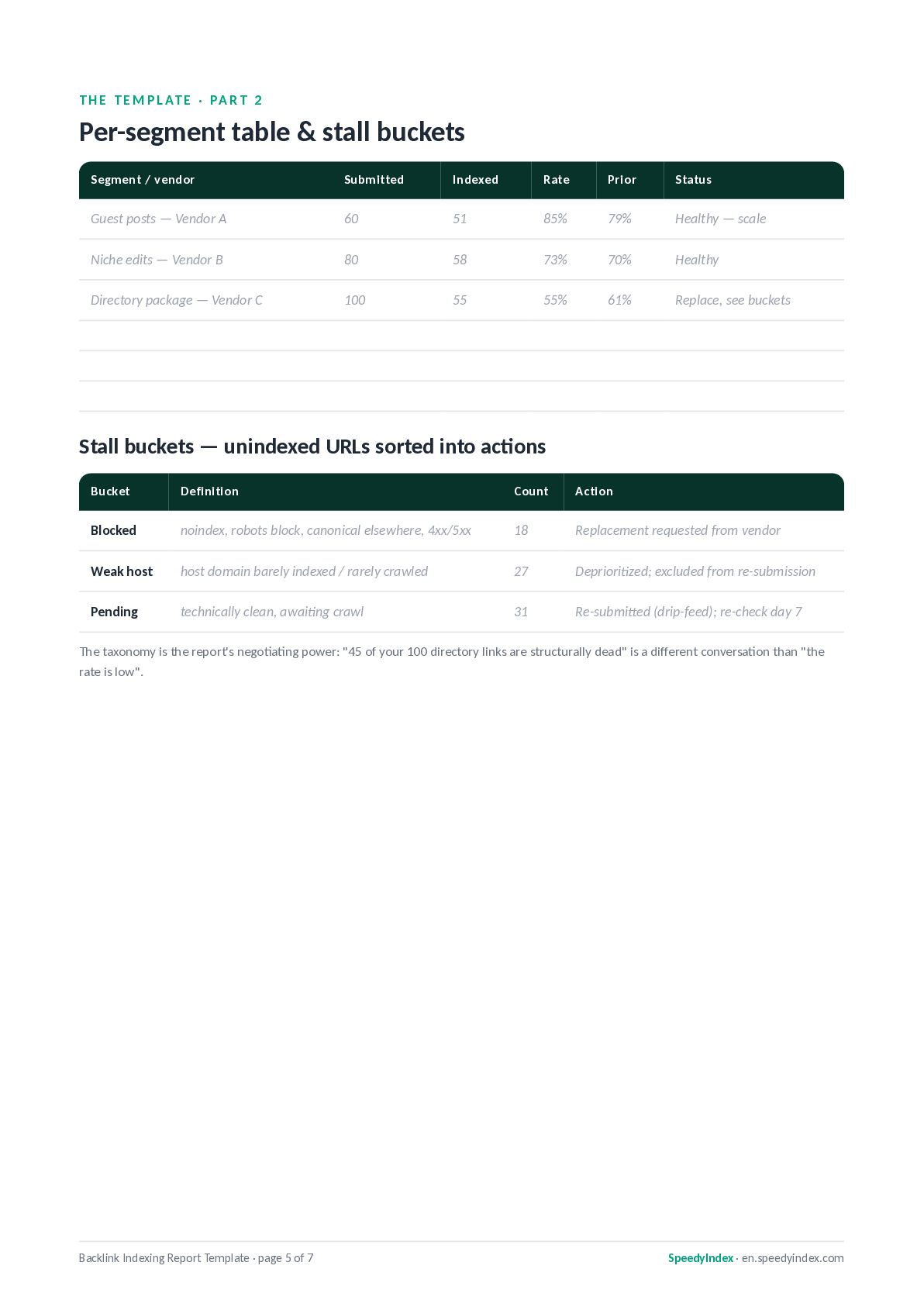
    · PA R T 2 Per-segment table & stall buckets Segment / vendor Submitted Indexed Rate Prior Status Guest posts — Vendor A 60 51 85% 79% Healthy — scale Niche edits — Vendor B 80 58 73% 70% Healthy Directory package — Vendor C 100 55 55% 61% Replace, see buckets Stall buckets — unindexed URLs sorted into actions Bucket Definition Count Action Blocked noindex, robots block, canonical elsewhere, 4xx/5xx 18 Replacement requested from vendor Weak host host domain barely indexed / rarely crawled 27 Deprioritized; excluded from re-submission Pending technically clean, awaiting crawl 31 Re-submitted (drip-feed); re-check day 7 The taxonomy is the report's negotiating power: "45 of your 100 directory links are structurally dead" is a different conversation than "the rate is low". Backlink Indexing Report Template · page 5 of 7 SpeedyIndex · en.speedyindex.com
  6. THE WORKFLOW Fill it in five steps 1 Collect the

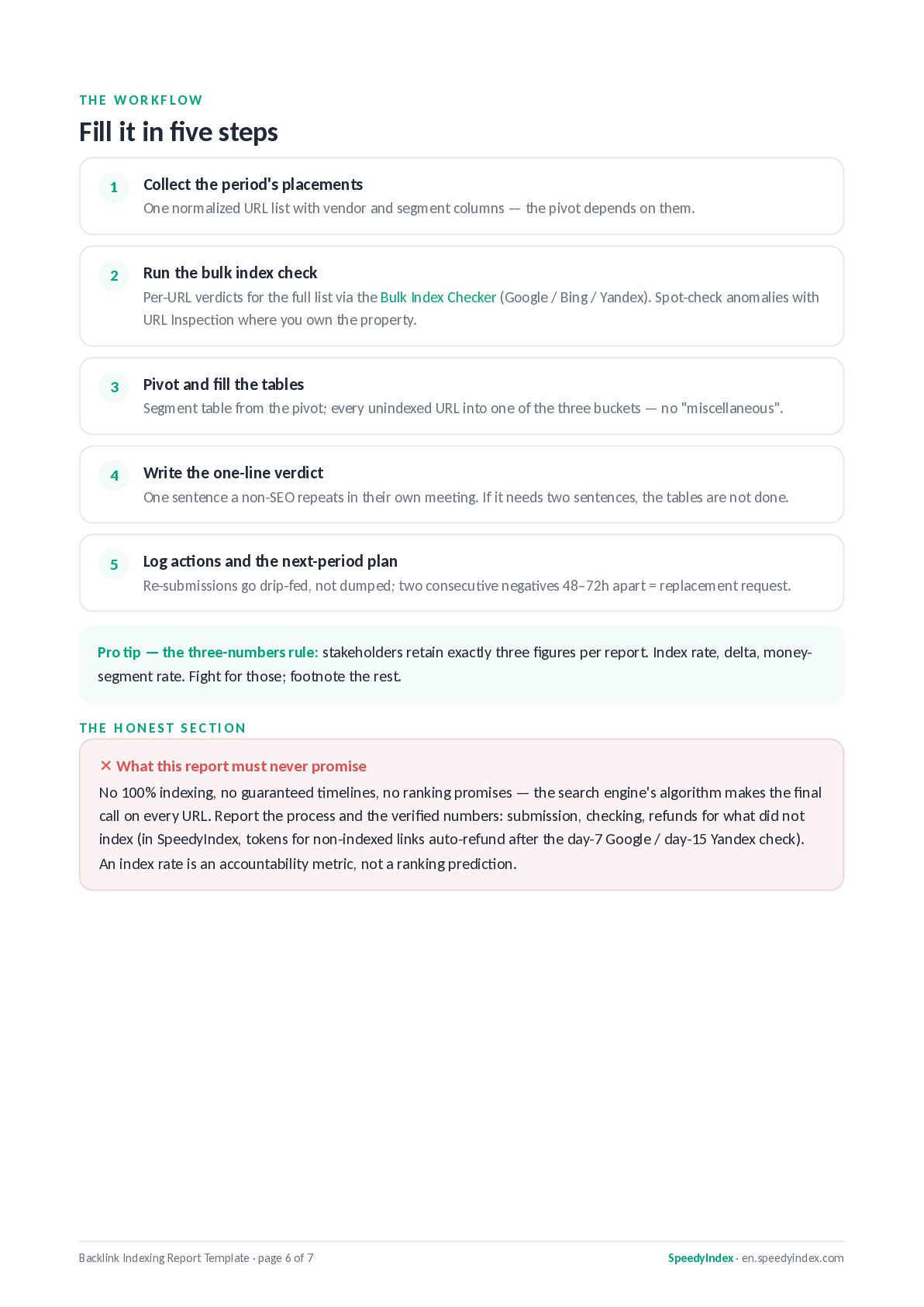
    period's placements One normalized URL list with vendor and segment columns — the pivot depends on them. 2 Run the bulk index check Per-URL verdicts for the full list via the Bulk Index Checker (Google / Bing / Yandex). Spot-check anomalies with URL Inspection where you own the property. 3 Pivot and fill the tables Segment table from the pivot; every unindexed URL into one of the three buckets — no "miscellaneous". 4 Write the one-line verdict One sentence a non-SEO repeats in their own meeting. If it needs two sentences, the tables are not done. 5 Log actions and the next-period plan Re-submissions go drip-fed, not dumped; two consecutive negatives 48–72h apart = replacement request. Pro tip — the three-numbers rule: stakeholders retain exactly three figures per report. Index rate, delta, moneysegment rate. Fight for those; footnote the rest. THE HONEST SECTION ✕ What this report must never promise No 100% indexing, no guaranteed timelines, no ranking promises — the search engine's algorithm makes the final call on every URL. Report the process and the verified numbers: submission, checking, refunds for what did not index (in SpeedyIndex, tokens for non-indexed links auto-refund after the day-7 Google / day-15 Yandex check). An index rate is an accountability metric, not a ranking prediction. Backlink Indexing Report Template · page 6 of 7 SpeedyIndex · en.speedyindex.com
  7. RUN THE NUMBERS Fill your first report this week Everything

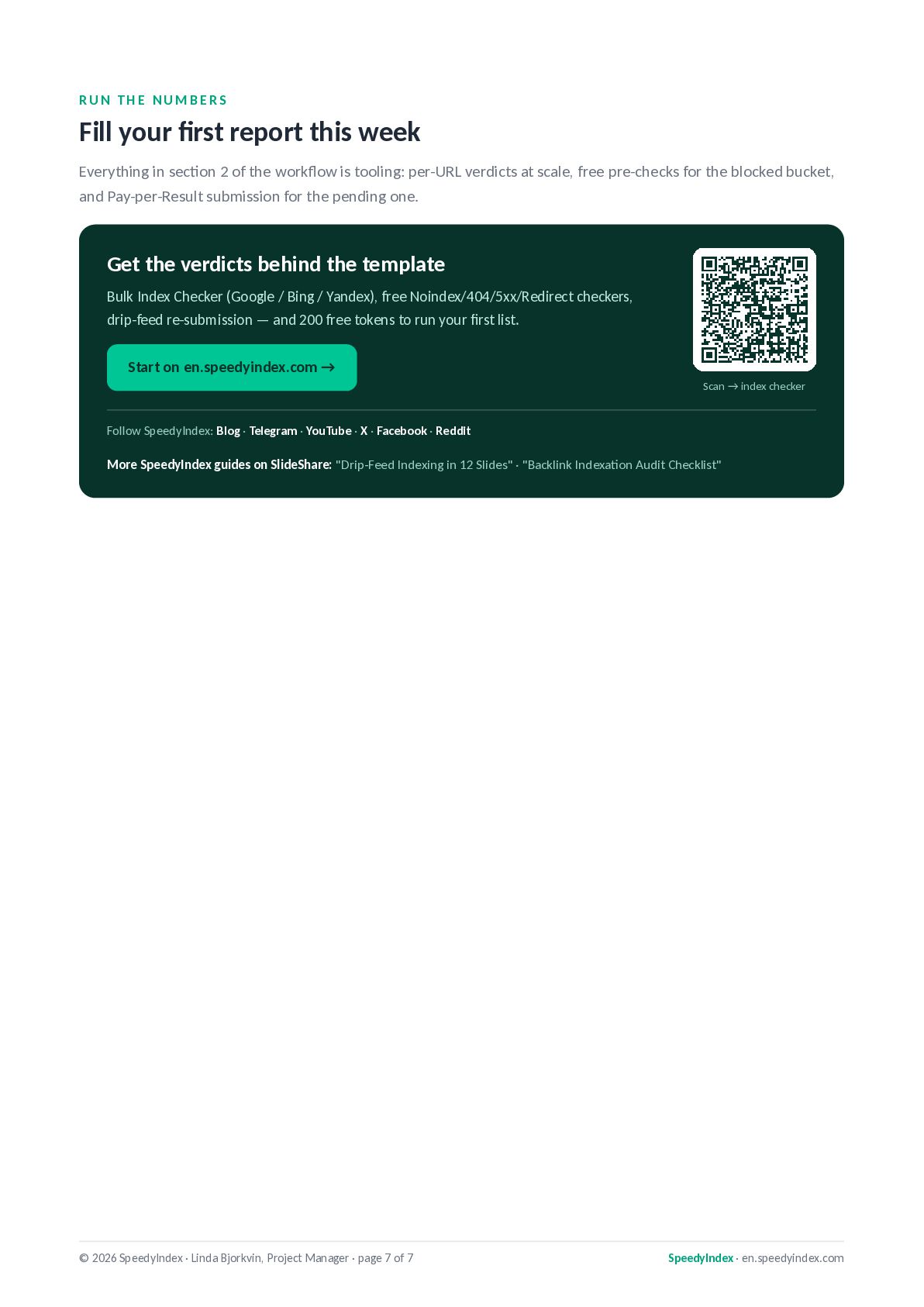
    in section 2 of the workflow is tooling: per-URL verdicts at scale, free pre-checks for the blocked bucket, and Pay-per-Result submission for the pending one. Get the verdicts behind the template Bulk Index Checker (Google / Bing / Yandex), free Noindex/404/5xx/Redirect checkers, drip-feed re-submission — and 200 free tokens to run your first list. Start on en.speedyindex.com → Scan → index checker Follow SpeedyIndex: Blog · Telegram · YouTube · X · Facebook · Reddit More SpeedyIndex guides on SlideShare: "Drip-Feed Indexing in 12 Slides" · "Backlink Indexation Audit Checklist" © 2026 SpeedyIndex · Linda Bjorkvin, Project Manager · page 7 of 7 SpeedyIndex · en.speedyindex.com