Upgrade to Pro — share decks privately, control downloads, hide ads and more …

Quality Control Leveraging the Characteristics ...

Sponsored · Ship Features Fearlessly Turn features on and off without deploys. Used by thousands of Ruby developers. →
Avatar for misako misako
September 07, 2026

Quality Control Leveraging the Characteristics of Proprietary and Open-Source GIS

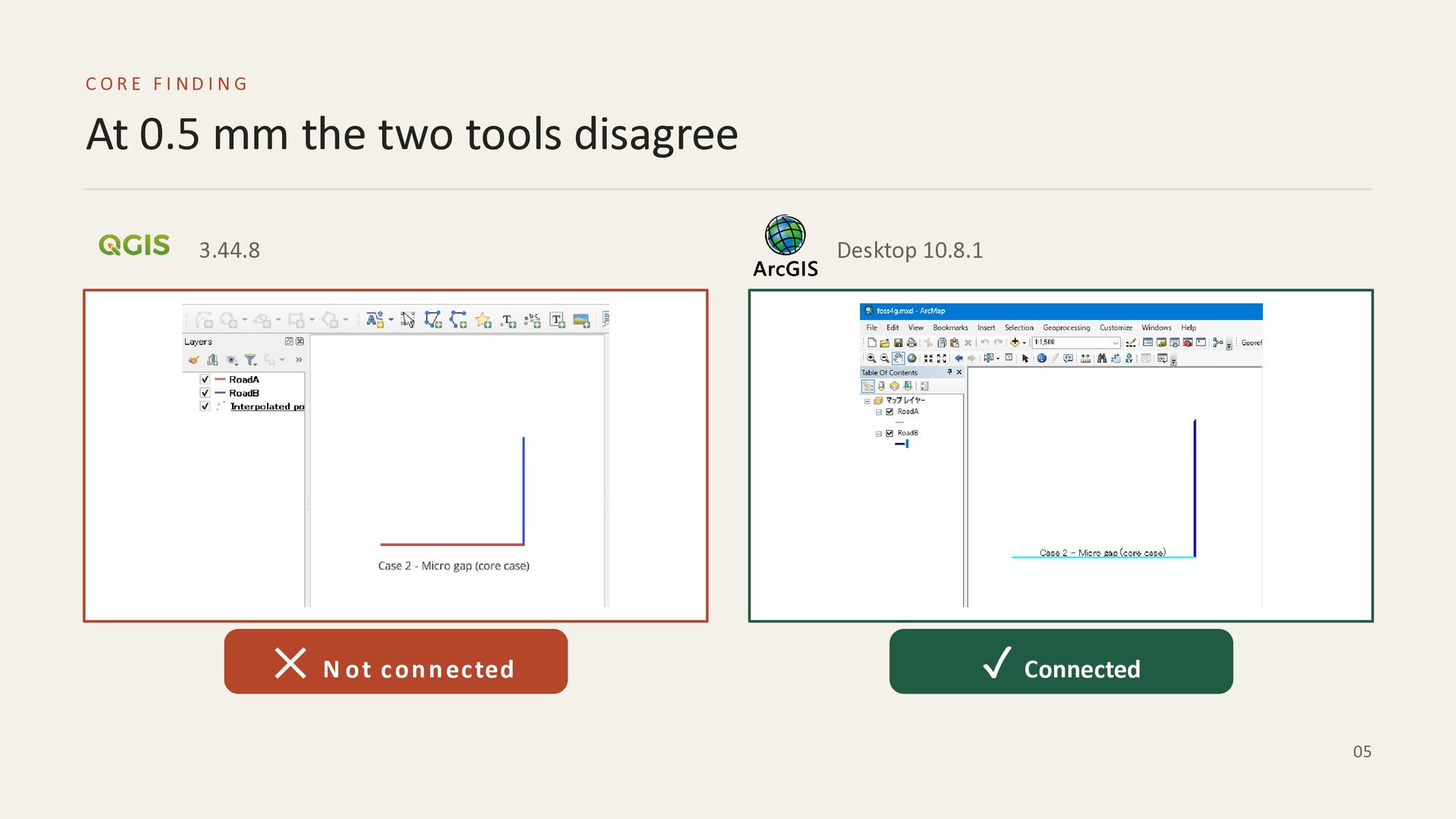
This presentation explores a real-world project discrepancy where road data topology checks produced different results between open-source and proprietary GIS software: QGIS flagged dangle errors ("Not connected"), whereas ArcGIS returned no errors ("Connected") for the exact same data.

Through comparative testing using the "Select By Location (Touch)" method across both tools, the investigation examines how the two platforms handle varying endpoint gaps (0 mm, 0.5 mm, and 10 mm). The core findings reveal that the conflict arises specifically at sub-millimeter levels (such as a 0.5 mm micro gap). This disagreement stems from fundamental differences in their underlying mechanisms and data models:
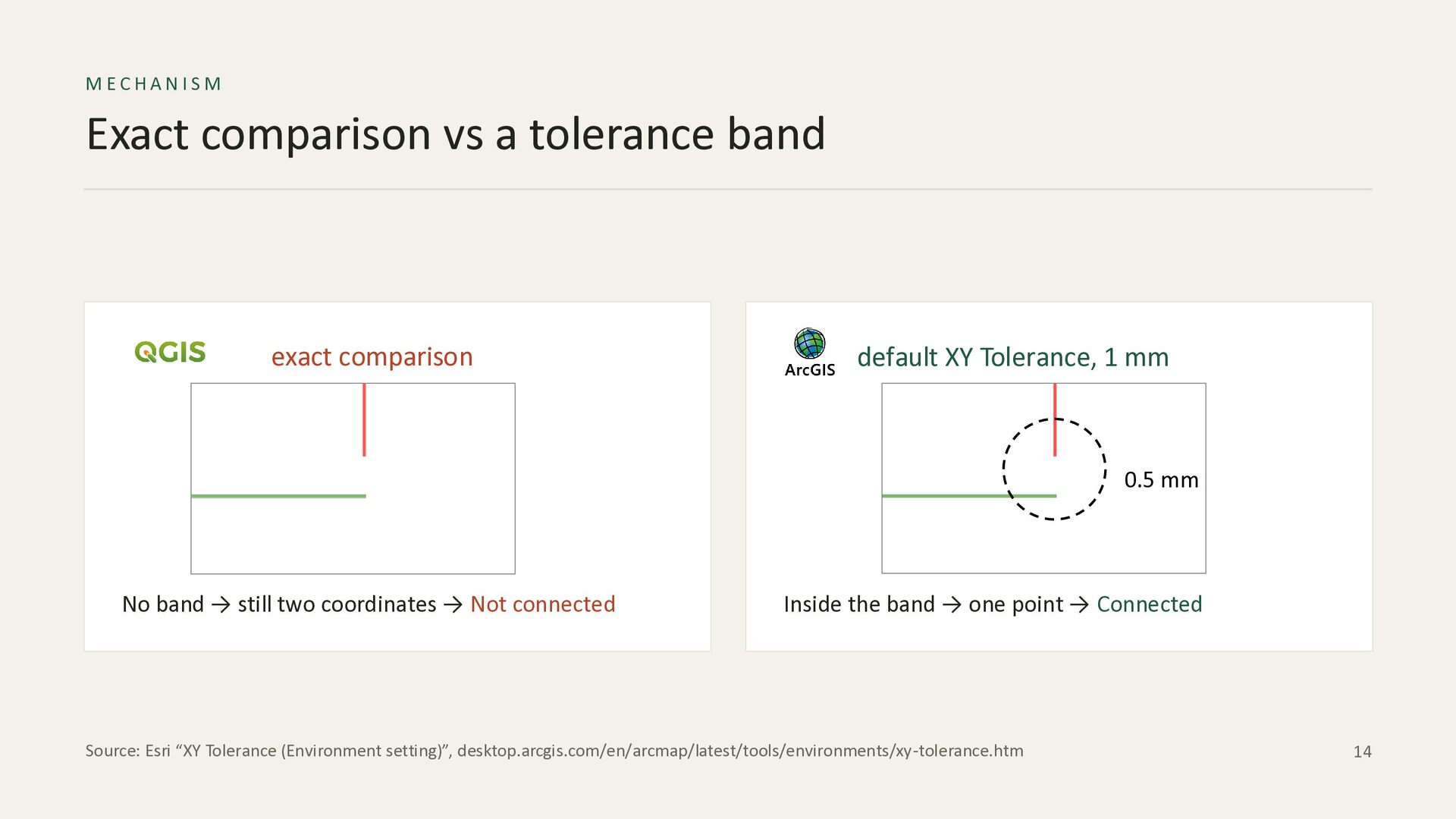
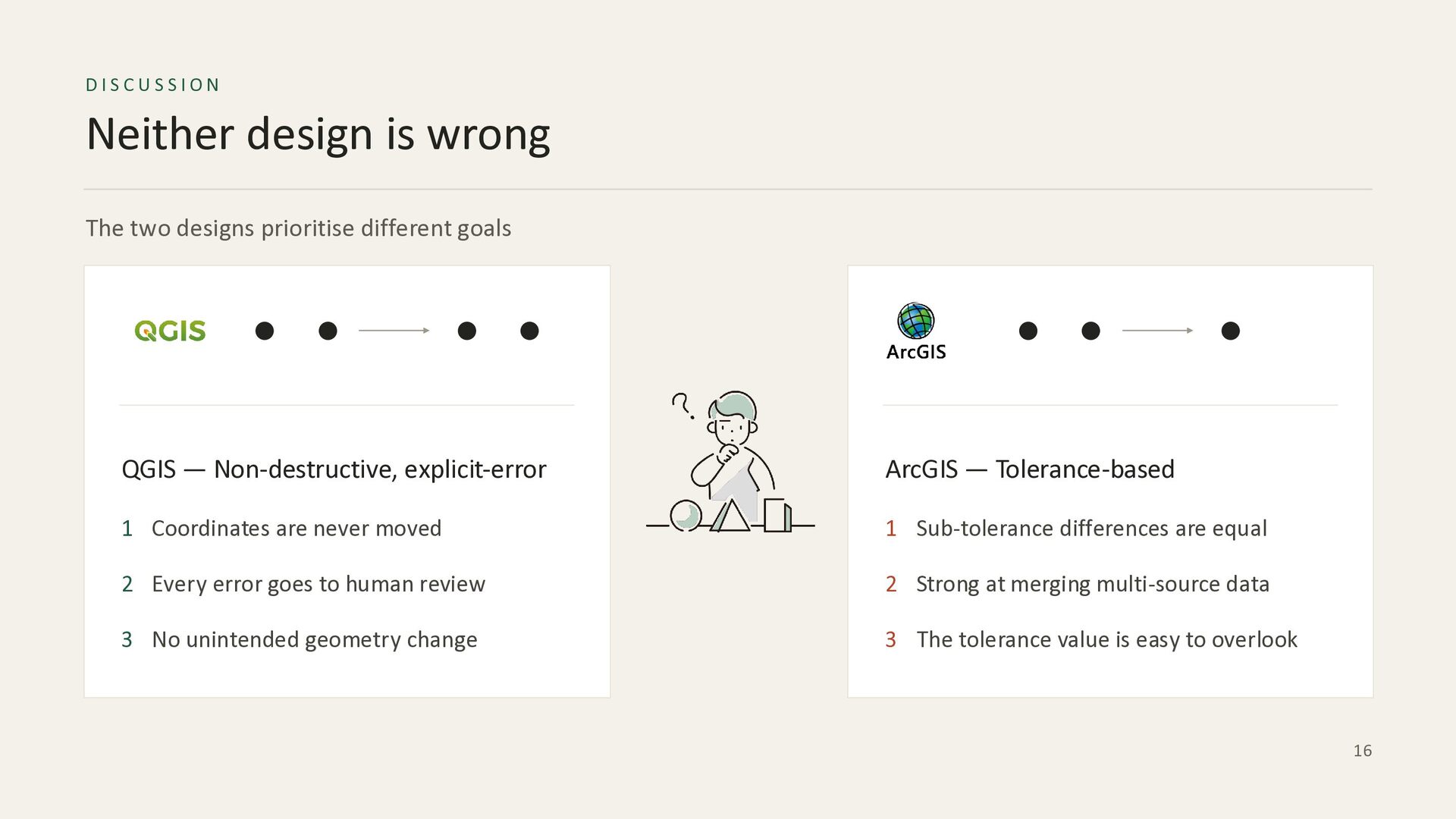
QGIS evaluates raw double-precision coordinates with an exact comparison method (no default search band), prioritizing an explicit-error, non-destructive approach where coordinates are never altered without human review.
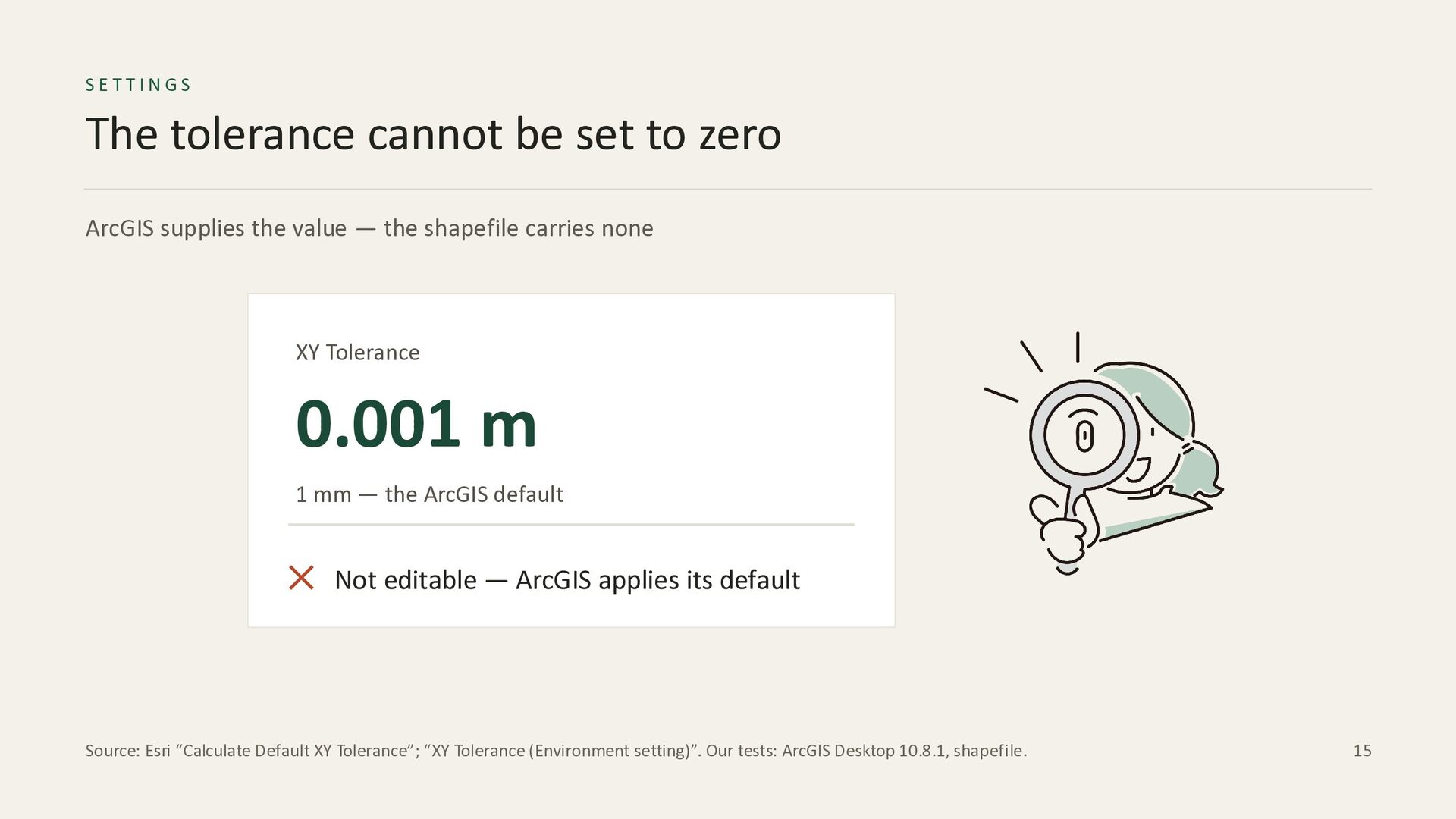
ArcGIS snaps coordinates onto an integer grid and applies a default XY Tolerance of 1 mm, treating any spatial differences within that tolerance band as connected or identical.
The presentation concludes that neither software is incorrect, as they simply answer different spatial questions based on their design priorities. QGIS is highly suitable when coordinate precision and auditability are critical, while ArcGIS excels at large-scale multi-source data integration and automated cleanup. Finally, it offers practical recommendations for project specifications, emphasizing the importance of predefined tolerance values, uniform verification methods, and documenting specific tool versions and settings in deliverables to ensure consistent data quality.

Avatar for misako

misako

September 07, 2026

Other Decks in Business

Transcript

  1. FOSS4G HIROSHIMA Quality Control Leveraging the Characteristics of Proprietary and

    Open-Source GIS Discrepancies in Topology Validation and Strategic Selection Misako Ueno | SOCO Co.,Ltd. 01
  2. AGENDA Talk outline 01 The problem What happened on the

    project, and the two terms behind it behind it 02 The experiment One check, three gaps, and the band we measured 03 The answer Why it happens, and what to write in the specification 02
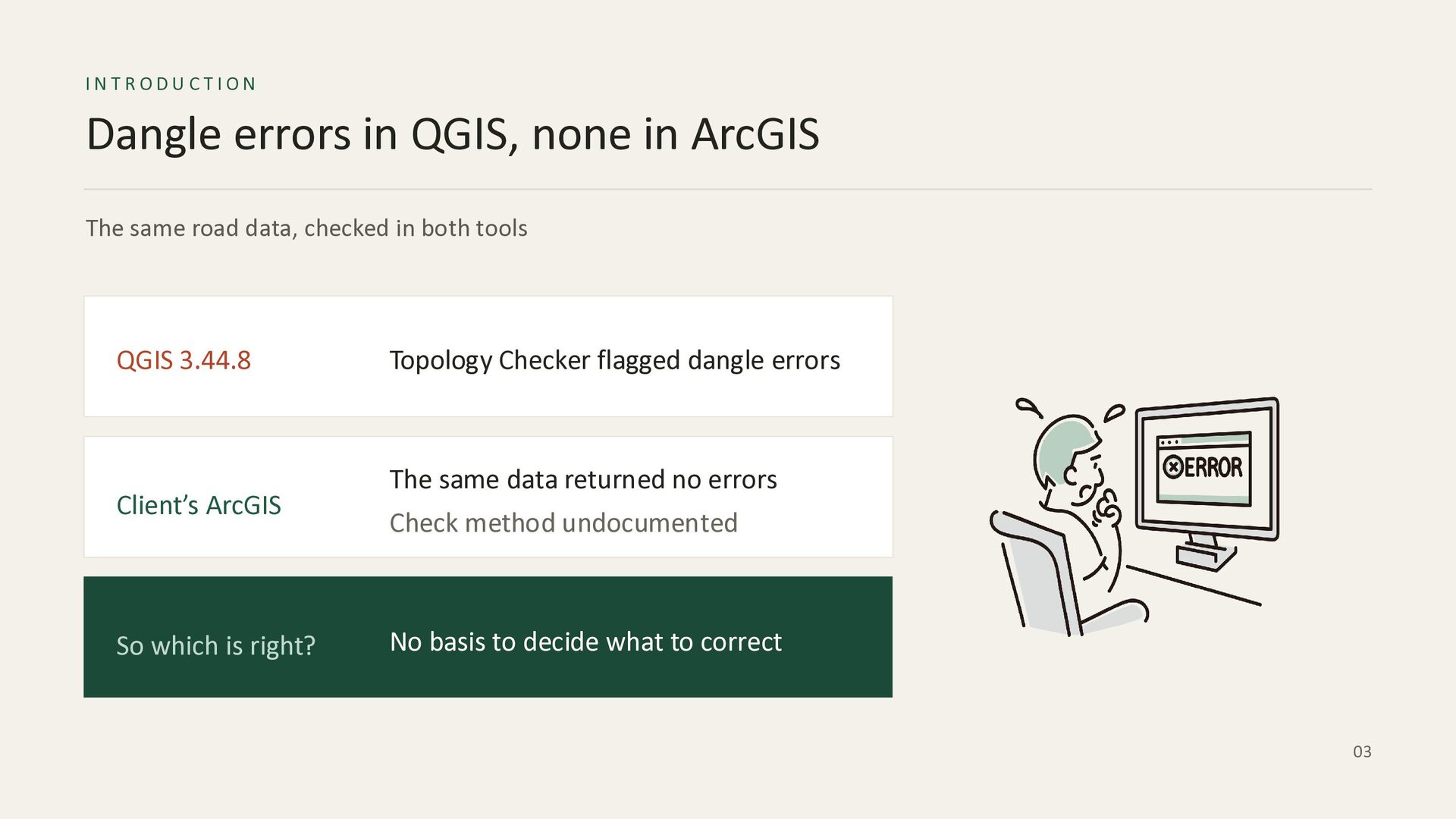
  3. INTRODUCTION Dangle errors in QGIS, none in ArcGIS The same

    road data, checked in both tools QGIS 3.44.8 Client’s ArcGIS So which is right? Topology Checker flagged dangle errors The same data returned no errors Check method undocumented No basis to decide what to correct 03
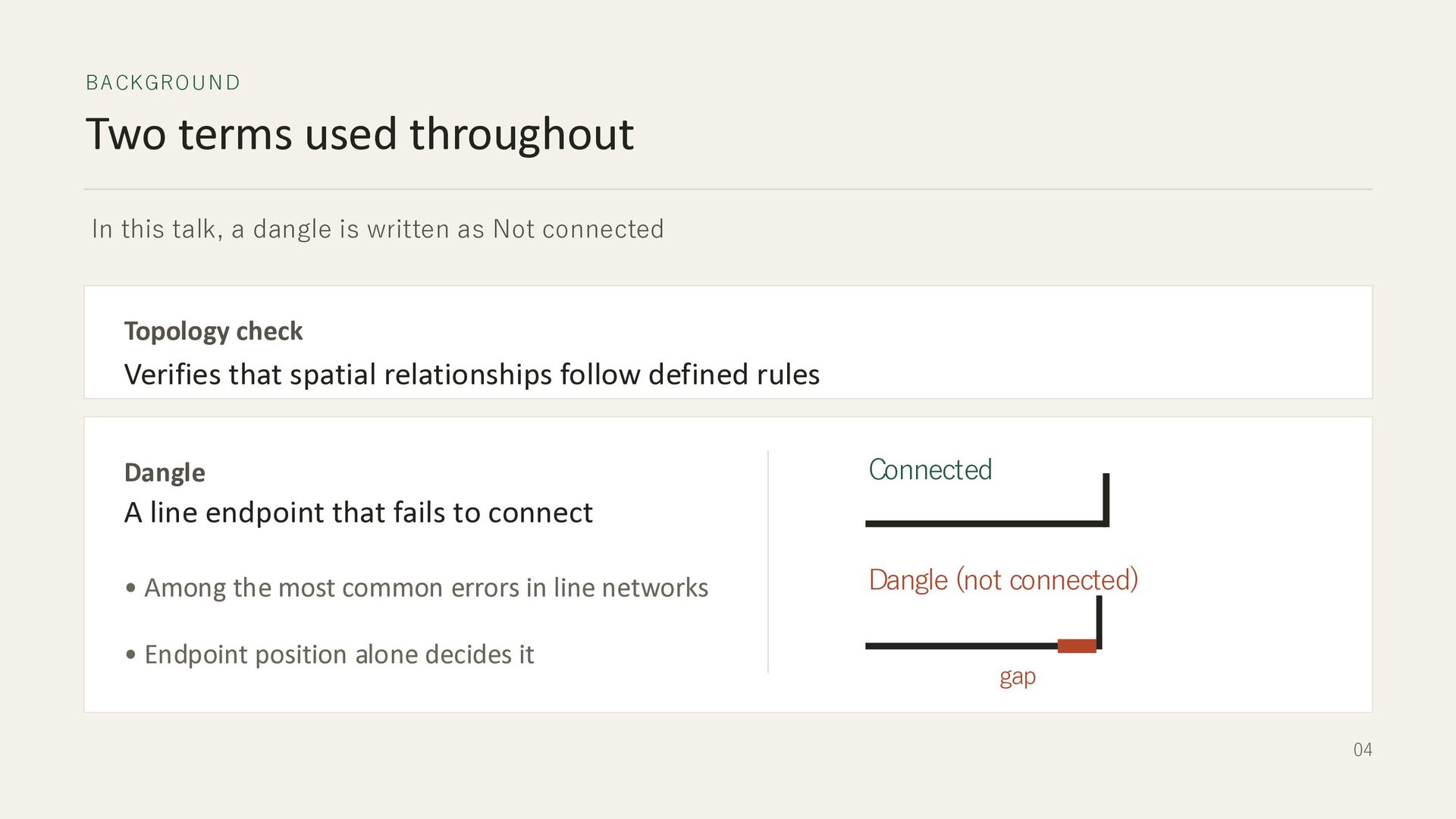
  4. BA CKGRO U N D Two terms used throughout In

    this talk, a dangle is written as Not connected Topology check Verifies that spatial relationships follow defined rules Dangle Connected A line endpoint that fails to connect • Among the most common errors in line networks • Endpoint position alone decides it Dangle (not connected) gap 04
  5. CORE FI ND ING At 0.5 mm the two tools

    disagree 3.44.8 Desktop 10.8.1 ✕ N ot c on n ec ted ✓ Connected 05
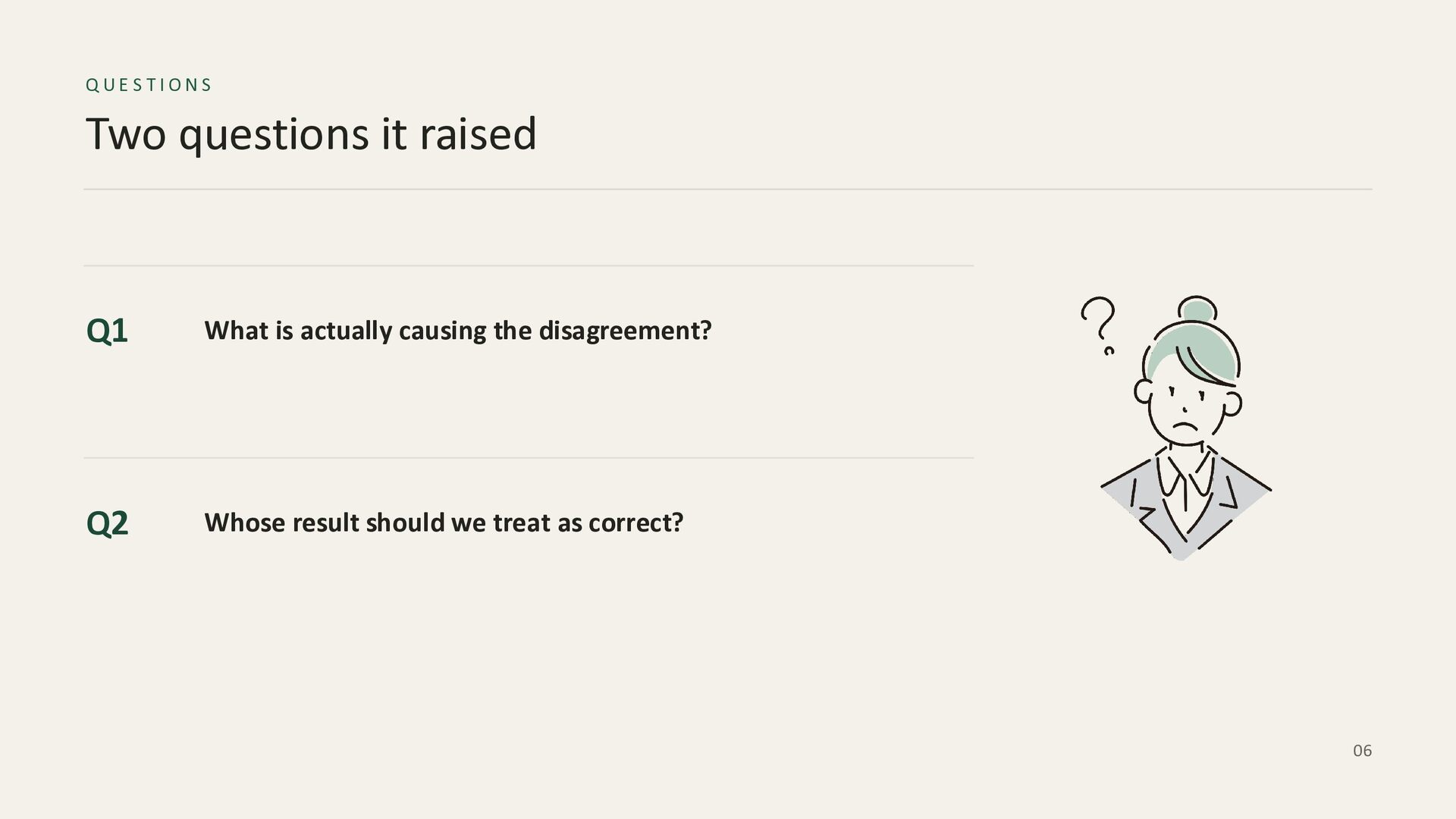
  6. QUESTIONS Two questions it raised Q1 What is actually causing

    the disagreement? Q2 Whose result should we treat as correct? 06
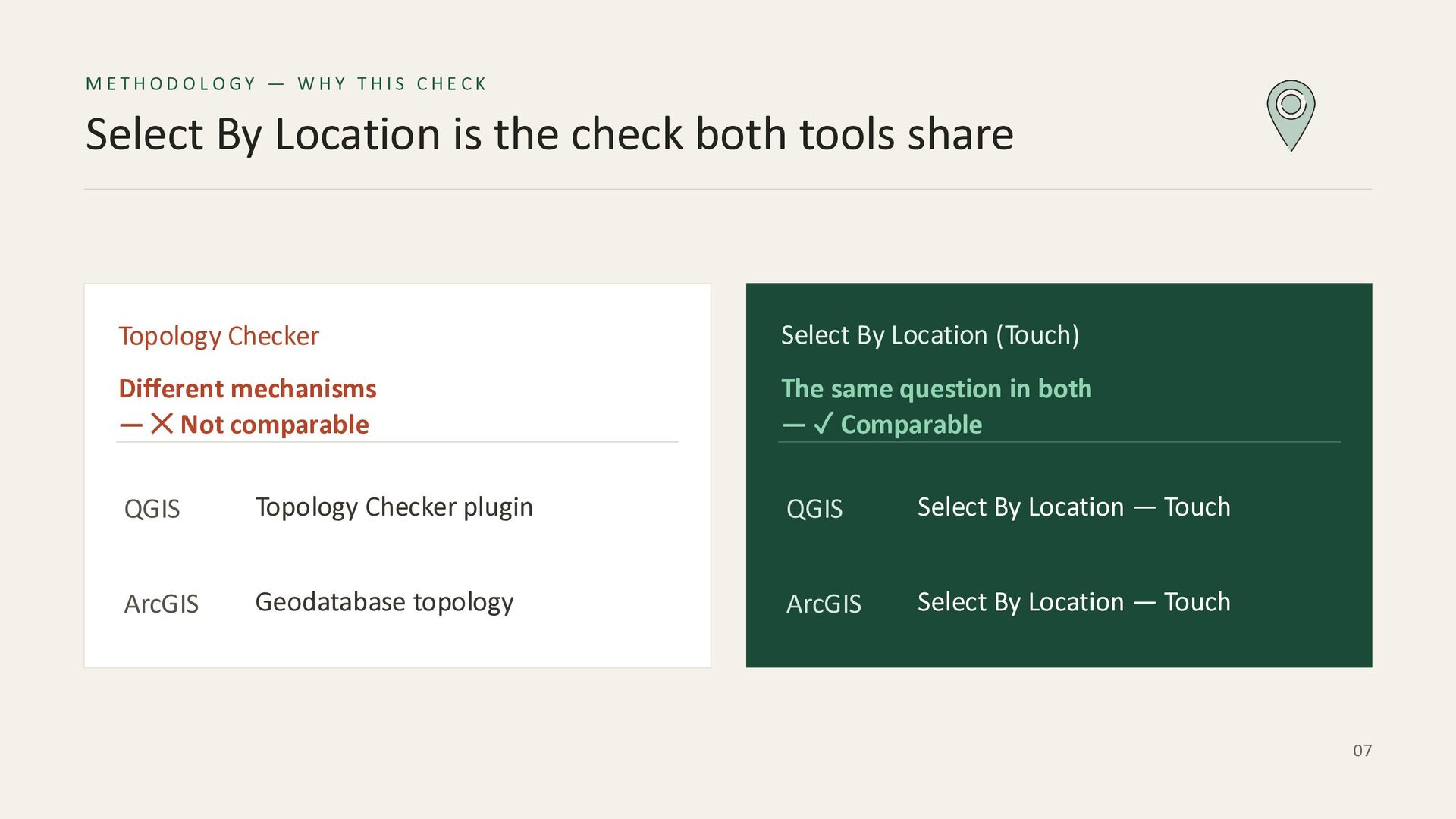
  7. METHODOLOGY — WHY THIS CHECK Select By Location is the

    check both tools share Topology Checker Select By Location (Touch) Different mechanisms — ✕ Not comparable The same question in both — ✓ Comparable QGIS Topology Checker plugin QGIS Select By Location — Touch ArcGIS Geodatabase topology ArcGIS Select By Location — Touch 07
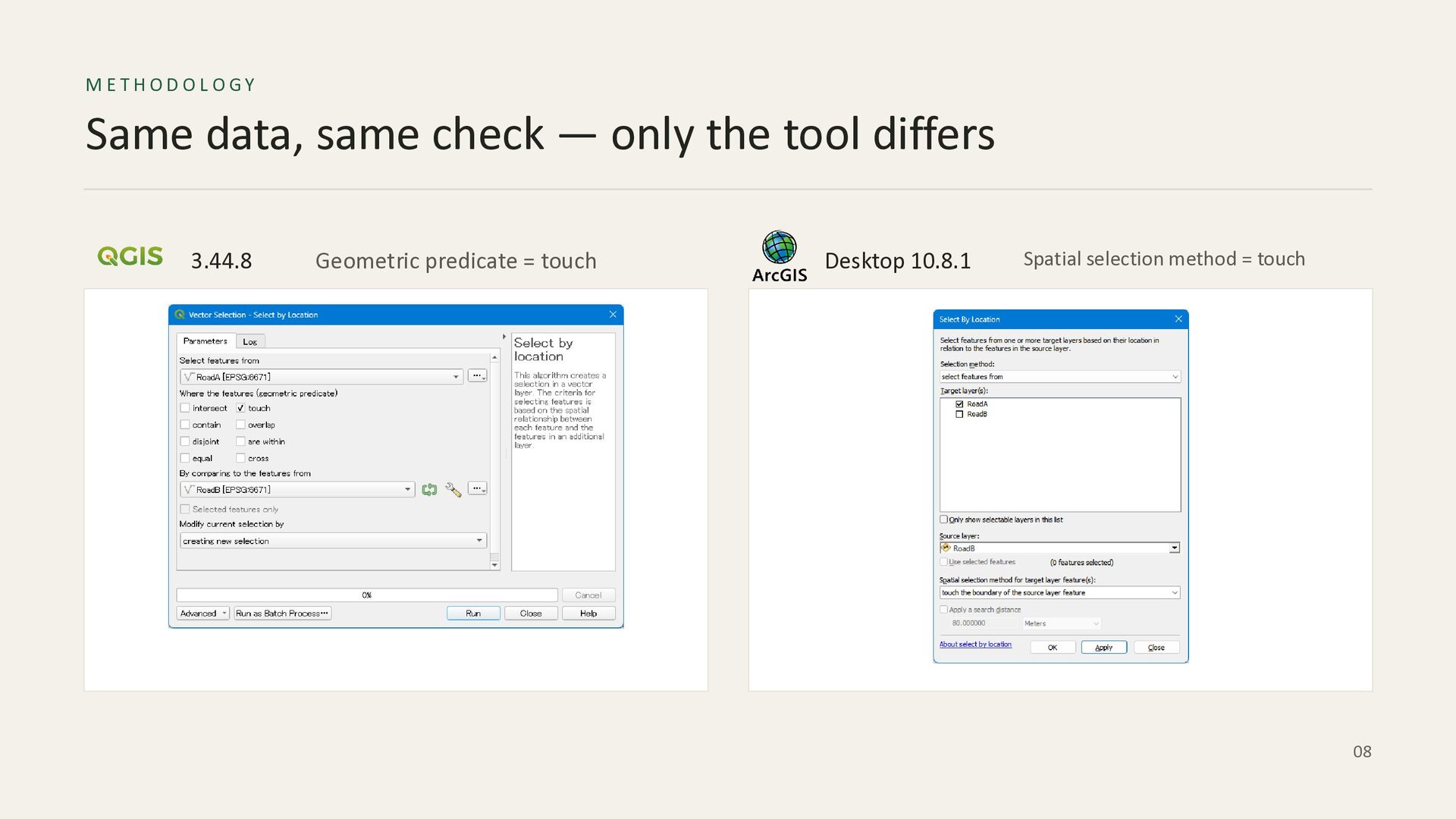
  8. METHODOLOGY Same data, same check — only the tool differs

    3.44.8 Geometric predicate = touch Desktop 10.8.1 Spatial selection method = touch 08
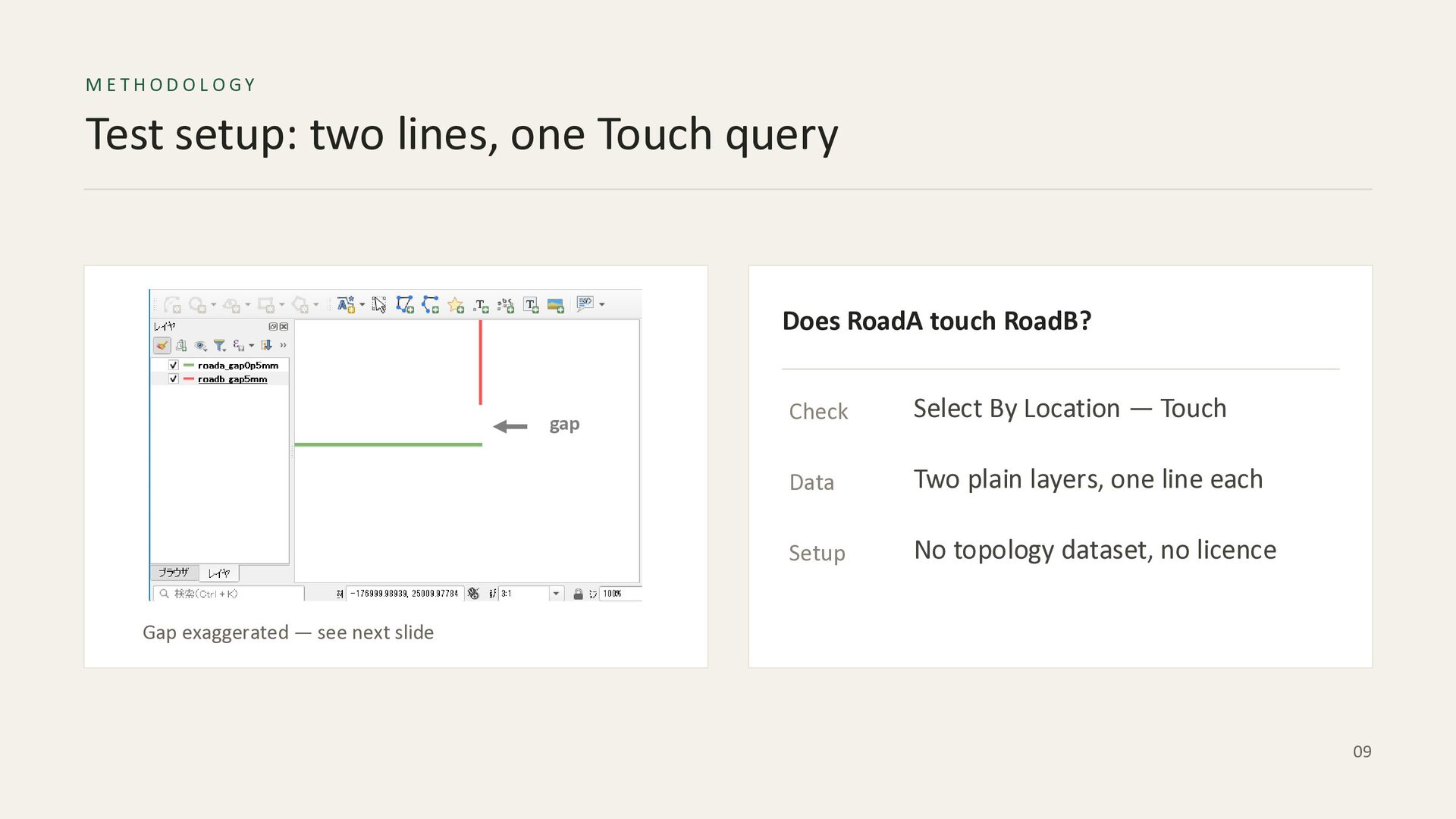
  9. METHODOLOGY Test setup: two lines, one Touch query Does RoadA

    touch RoadB? gap Check Select By Location — Touch Data Two plain layers, one line each Setup No topology dataset, no licence Gap exaggerated — see next slide 09
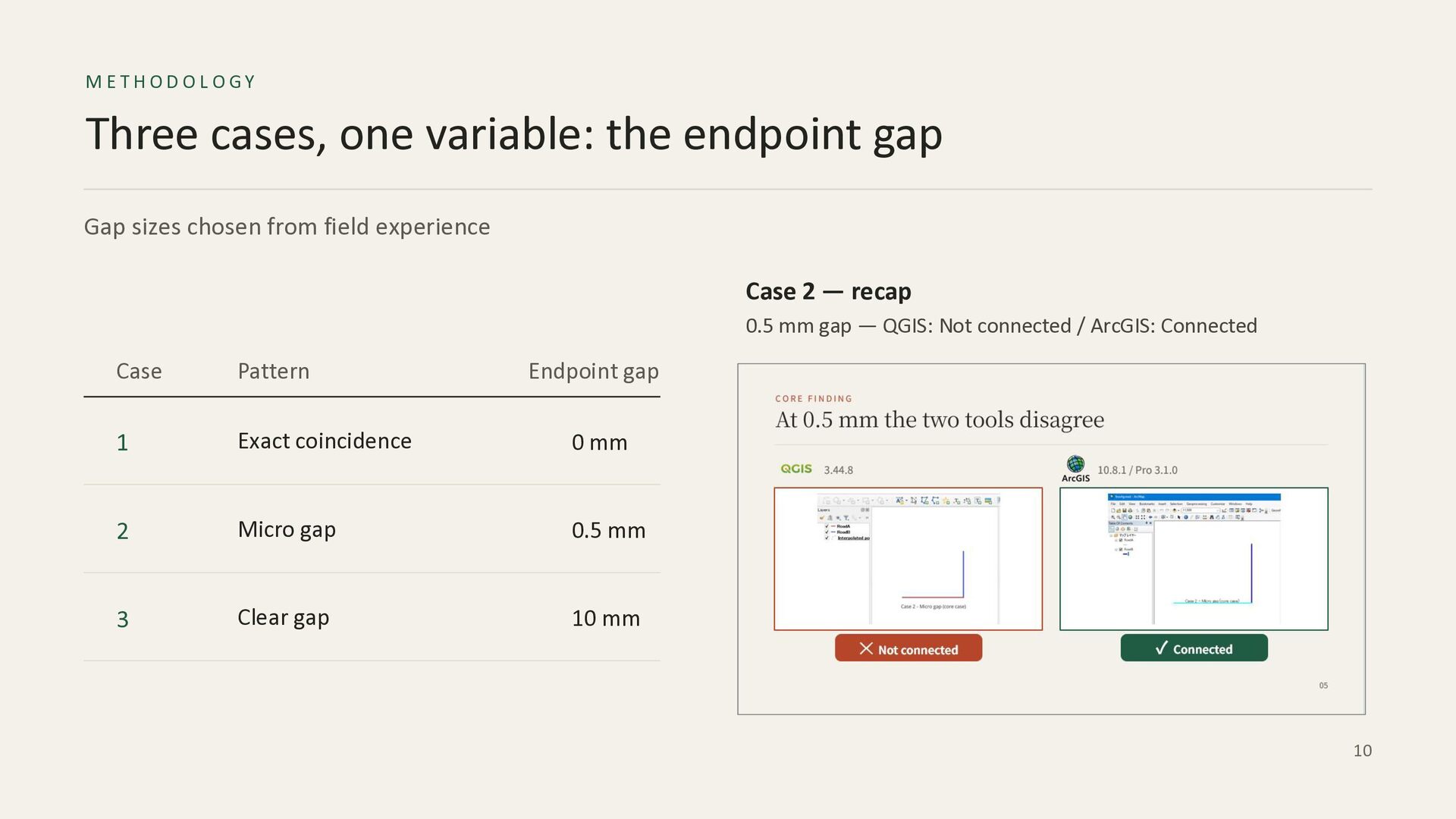
  10. METHODOLOGY Three cases, one variable: the endpoint gap Gap sizes

    chosen from field experience Case 2 — recap 0.5 mm gap — QGIS: Not connected / ArcGIS: Connected Case Pattern Endpoint gap 1 Exact coincidence 0 mm 2 Micro gap 0.5 mm 3 Clear gap 10 mm 10
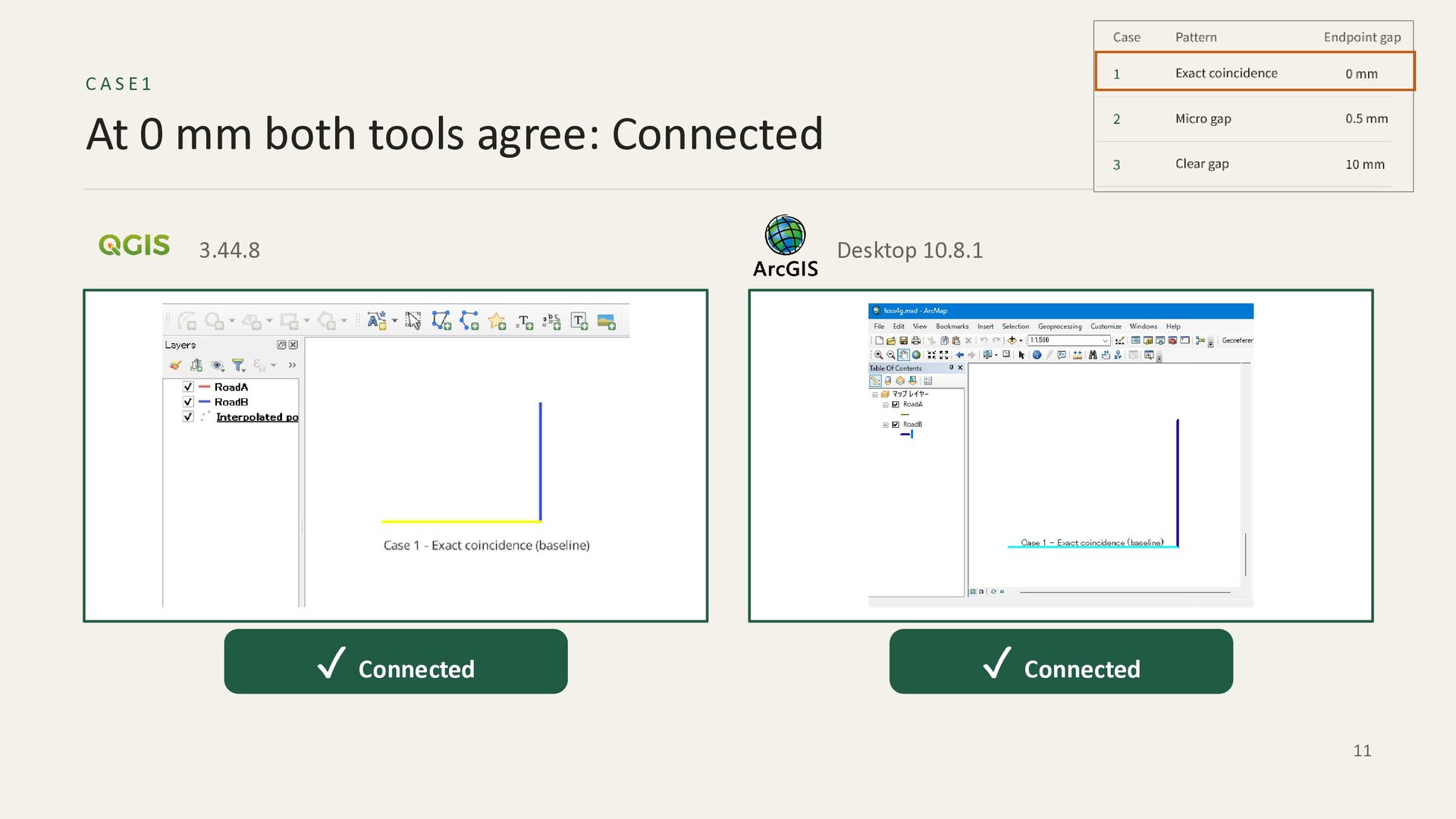
  11. CASE1 At 0 mm both tools agree: Connected 3.44.8 Desktop

    10.8.1 ✓ Connected ✓ Connected 11
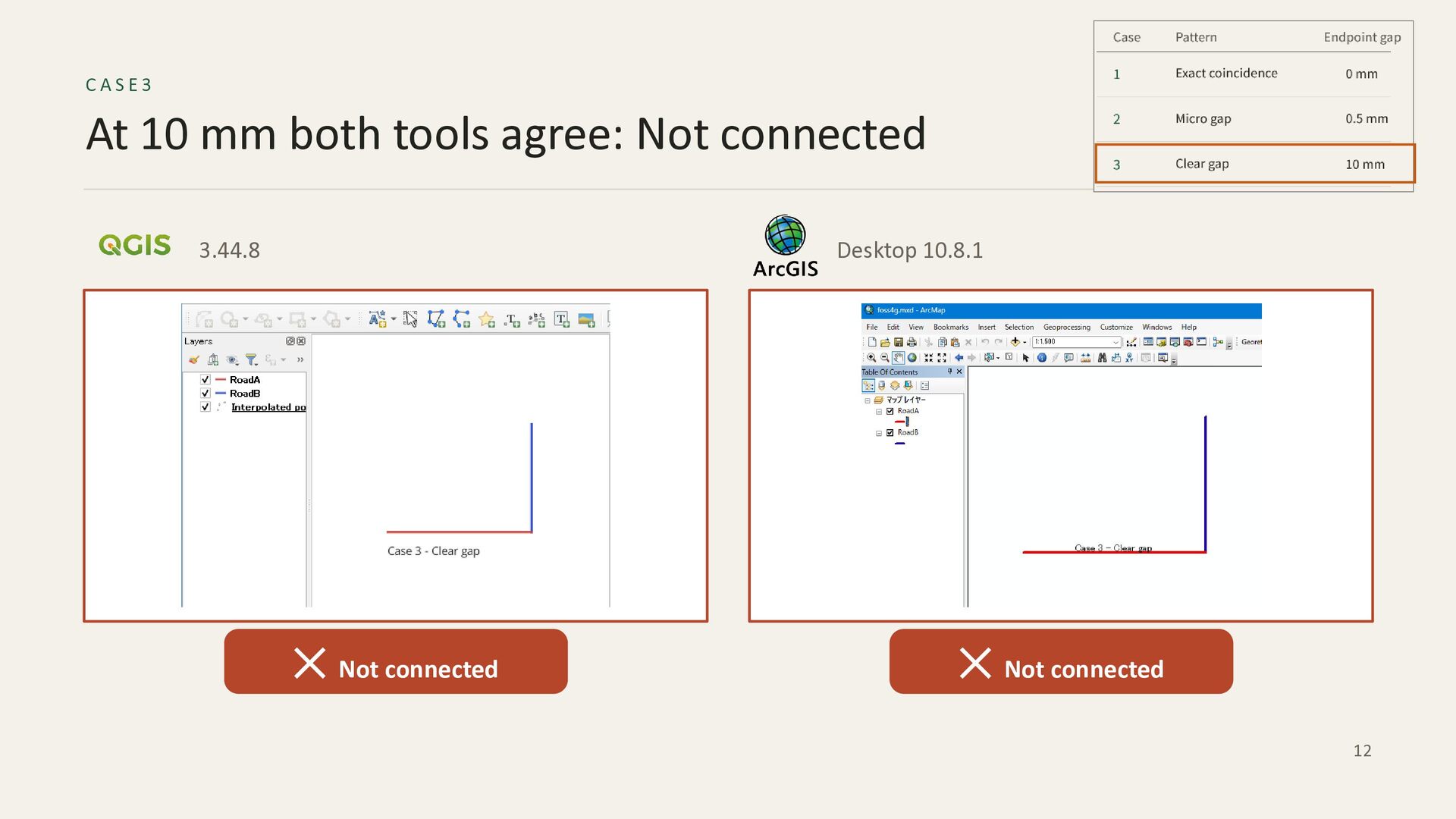
  12. CASE3 At 10 mm both tools agree: Not connected 3.44.8

    Desktop 10.8.1 ✕ Not connected ✕ Not connected 12
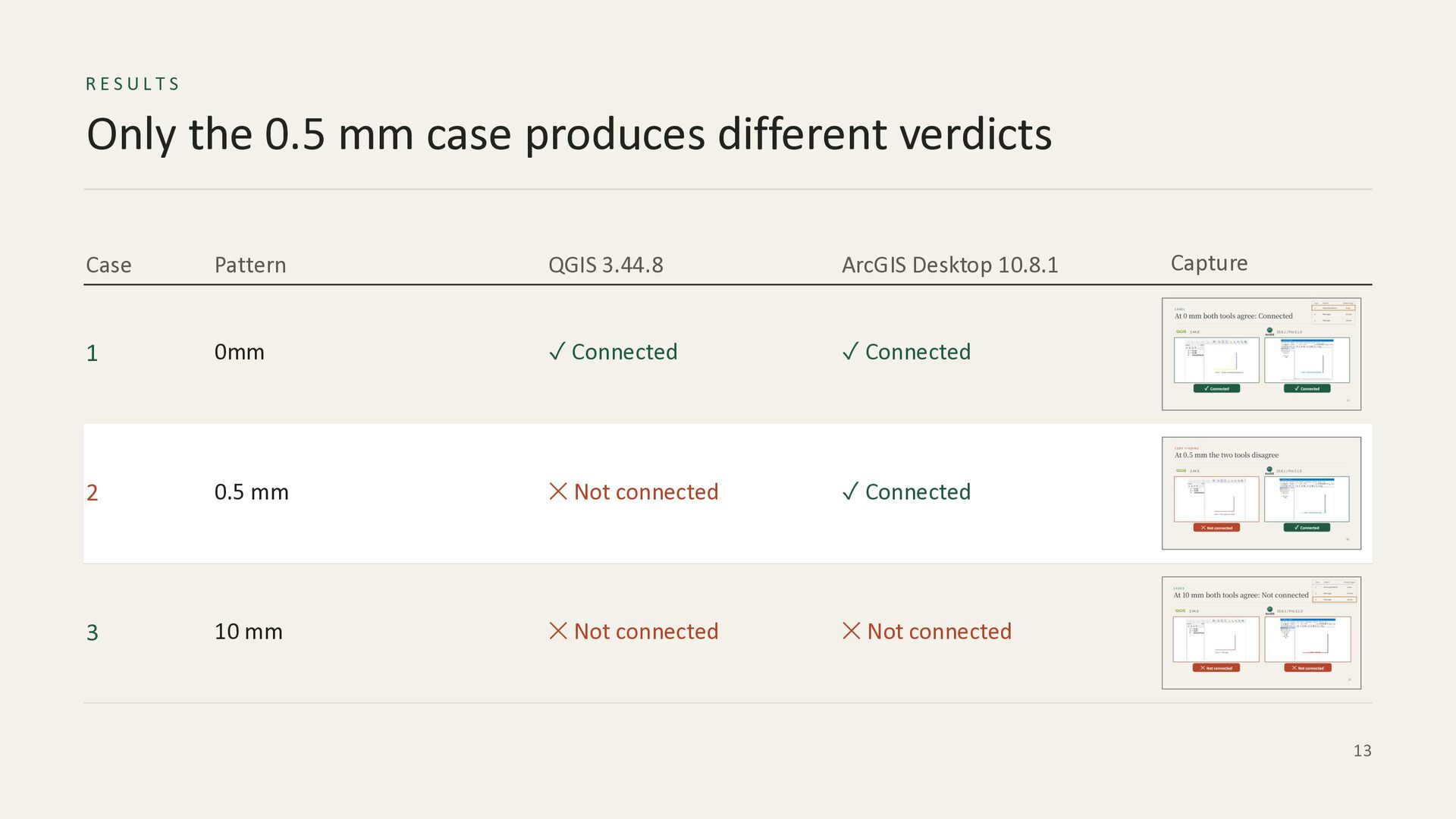
  13. RESULTS Only the 0.5 mm case produces different verdicts Case

    Pattern QGIS 3.44.8 ArcGIS Desktop 10.8.1 1 0mm ✓ Connected ✓ Connected 2 0.5 mm ✕ Not connected ✓ Connected 3 10 mm ✕ Not connected ✕ Not connected Capture 13
  14. MECHANISM Exact comparison vs a tolerance band exact comparison default

    XY Tolerance, 1 mm 0.5 mm No band → still two coordinates → Not connected Inside the band → one point → Connected Source: Esri “XY Tolerance (Environment setting)”, desktop.arcgis.com/en/arcmap/latest/tools/environments/xy-tolerance.htm 14
  15. SETTINGS The tolerance cannot be set to zero ArcGIS supplies

    the value — the shapefile carries none XY Tolerance 0.001 m 1 mm — the ArcGIS default ✕ Not editable — ArcGIS applies its default Source: Esri “Calculate Default XY Tolerance”; “XY Tolerance (Environment setting)”. Our tests: ArcGIS Desktop 10.8.1, shapefile. 15
  16. DISCUSSION Neither design is wrong The two designs prioritise different

    goals QGIS — Non-destructive, explicit-error ArcGIS — Tolerance-based 1 Coordinates are never moved 1 Sub-tolerance differences are equal 2 Every error goes to human review 2 Strong at merging multi-source data 3 No unintended geometry change 3 The tolerance value is easy to overlook 16
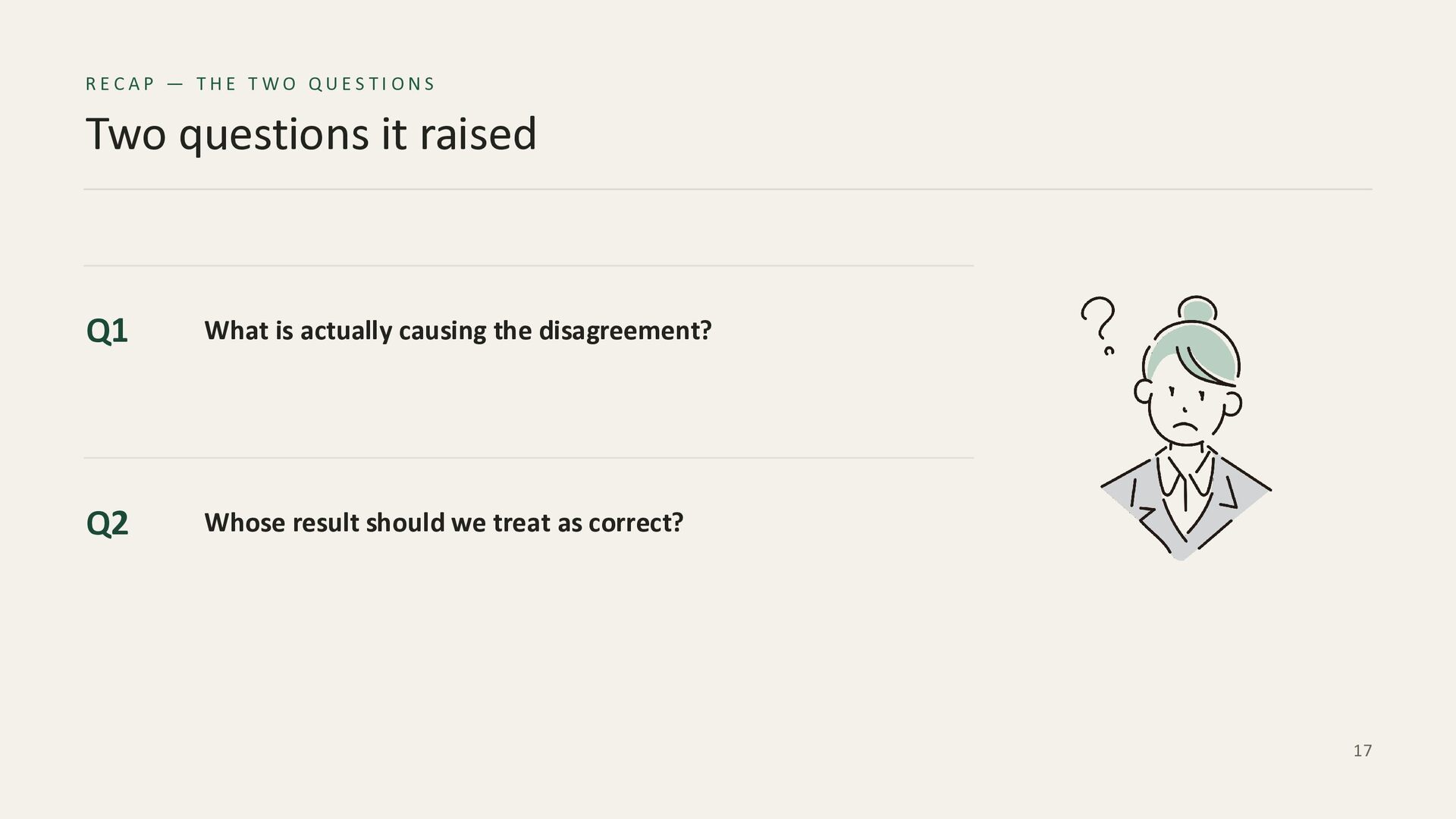
  17. RECAP — THE TWO QUESTI ONS Two questions it raised

    Q1 What is actually causing the disagreement? Q2 Whose result should we treat as correct? 17
  18. CONCLUSI ON 1 / 2 The two tools answer different

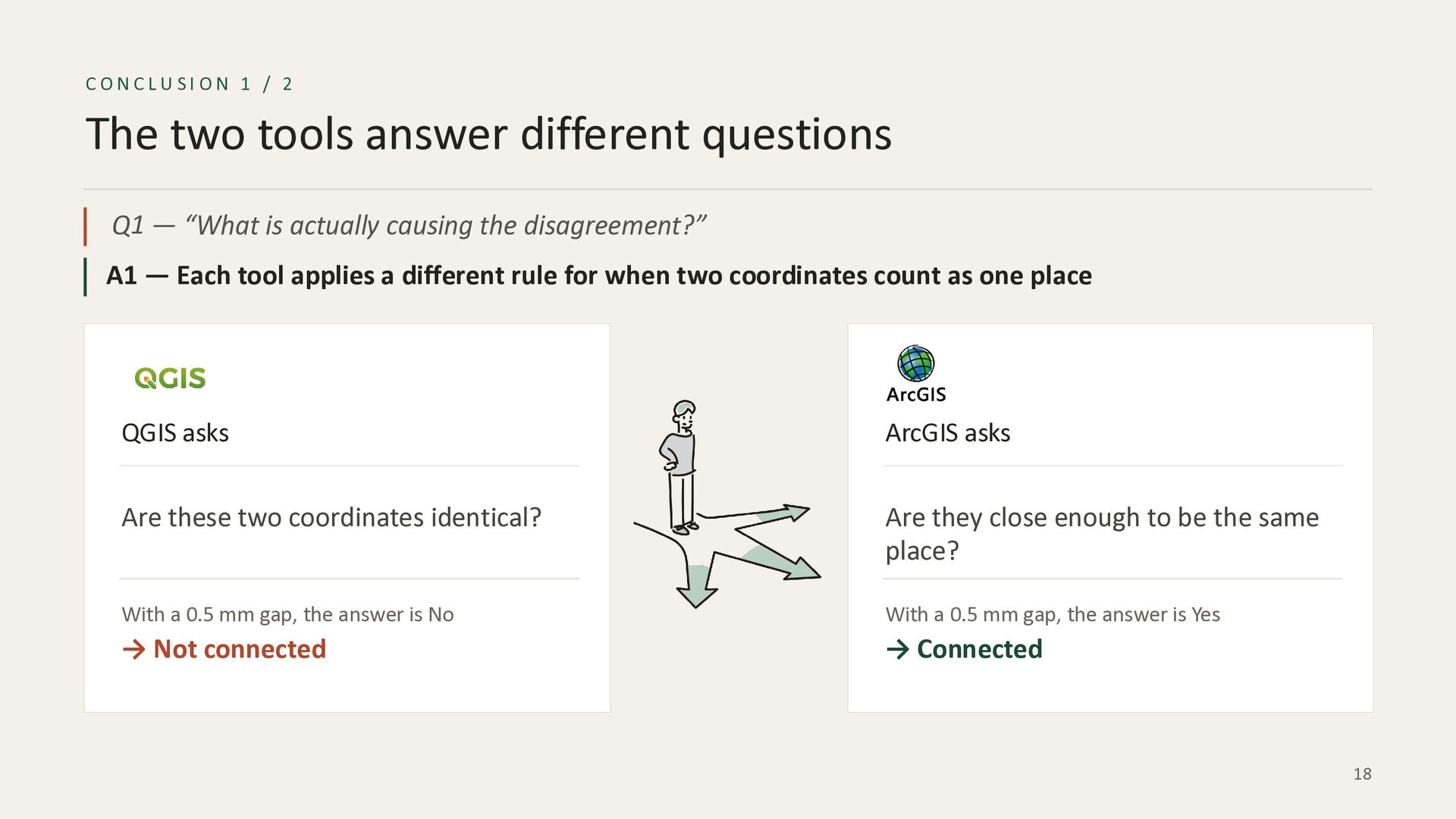
    questions Q1 — “What is actually causing the disagreement?” A1 — Each tool applies a different rule for when two coordinates count as one place QGIS asks ArcGIS asks Are these two coordinates identical? Are they close enough to be the same place? With a 0.5 mm gap, the answer is No With a 0.5 mm gap, the answer is Yes → Not connected → Connected 18
  19. CONCLUSI ON 2 / 2 Both tools are valid choices

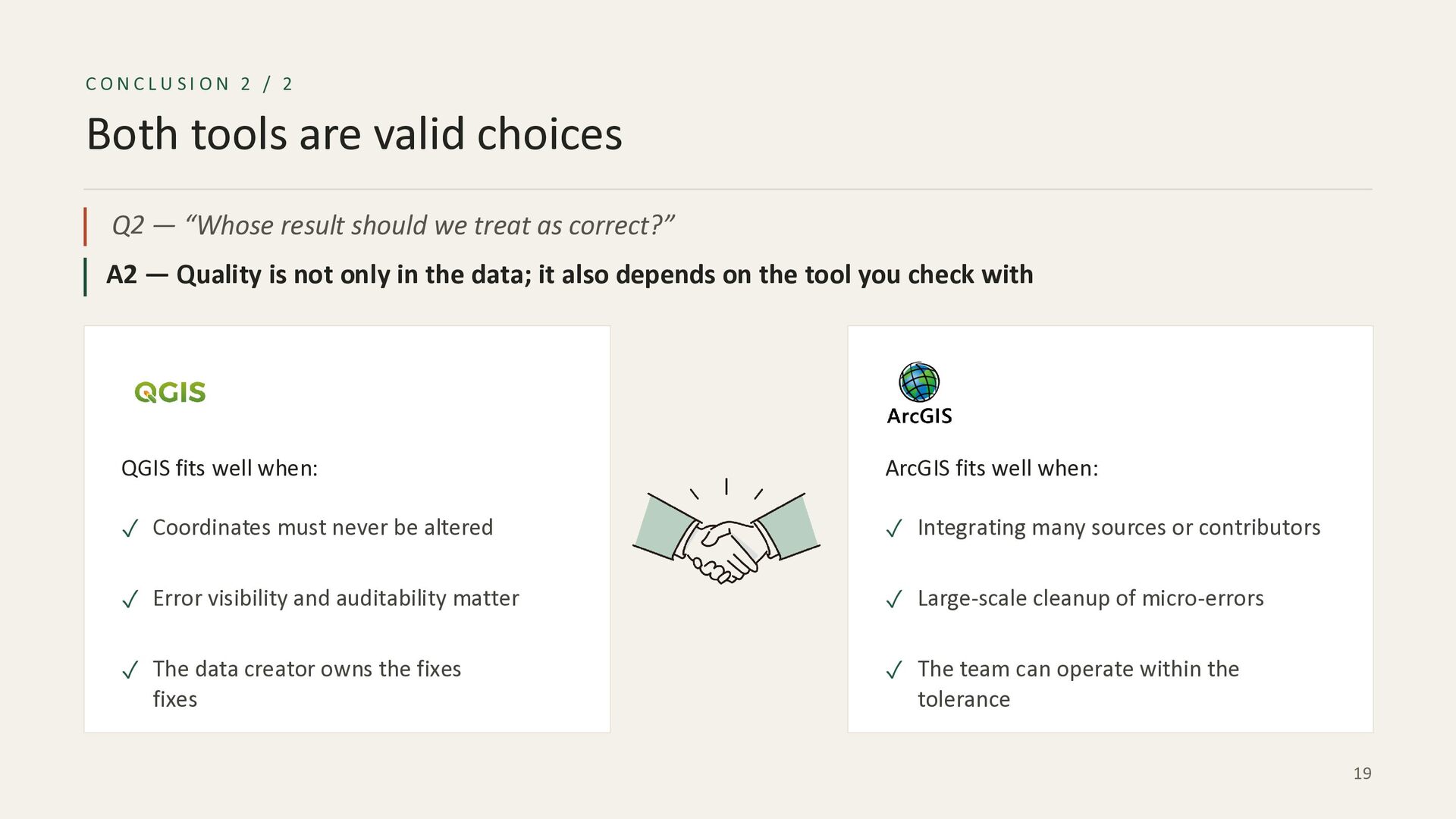
    Q2 — “Whose result should we treat as correct?” A2 — Quality is not only in the data; it also depends on the tool you check with QGIS fits well when: ArcGIS fits well when: ✓ Coordinates must never be altered ✓ Integrating many sources or contributors ✓ Error visibility and auditability matter ✓ Large-scale cleanup of micro-errors ✓ The data creator owns the fixes fixes ✓ The team can operate within the tolerance 19
  20. RECOMMEND ATIO N Agree on one definition before you start

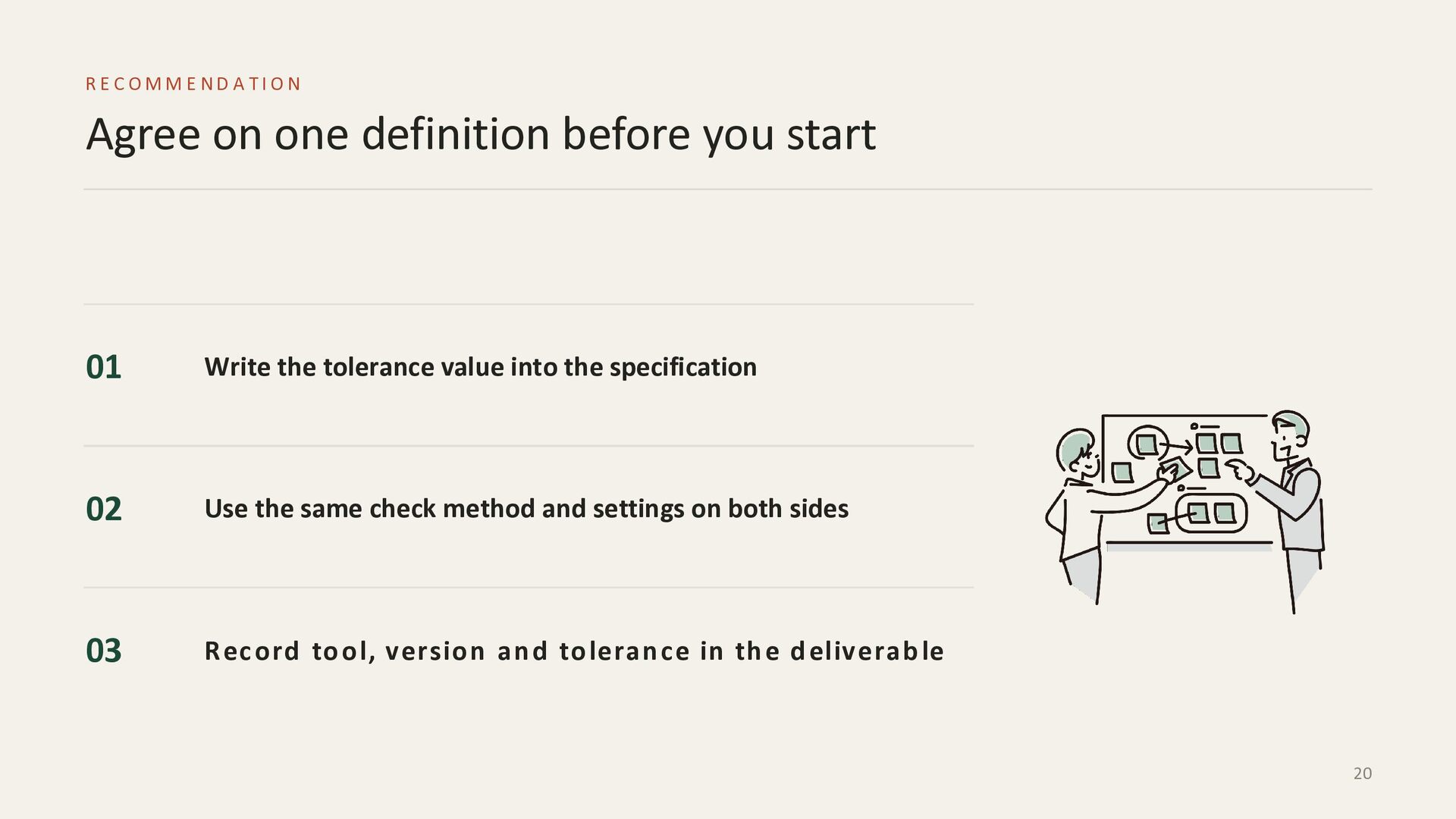
    01 Write the tolerance value into the specification 02 Use the same check method and settings on both sides 03 R ec o rd to o l, versio n an d to leran ce in th e d eliverab le 20
  21. FOSS4G HIROSHIMA HIROSHIMA Thank you the same data can be

    both correct and incorrect, depending on the tolerance the checking tool applies — agree that value before you start. Misako Ueno SOCO Co.,Ltd. [email protected] 21
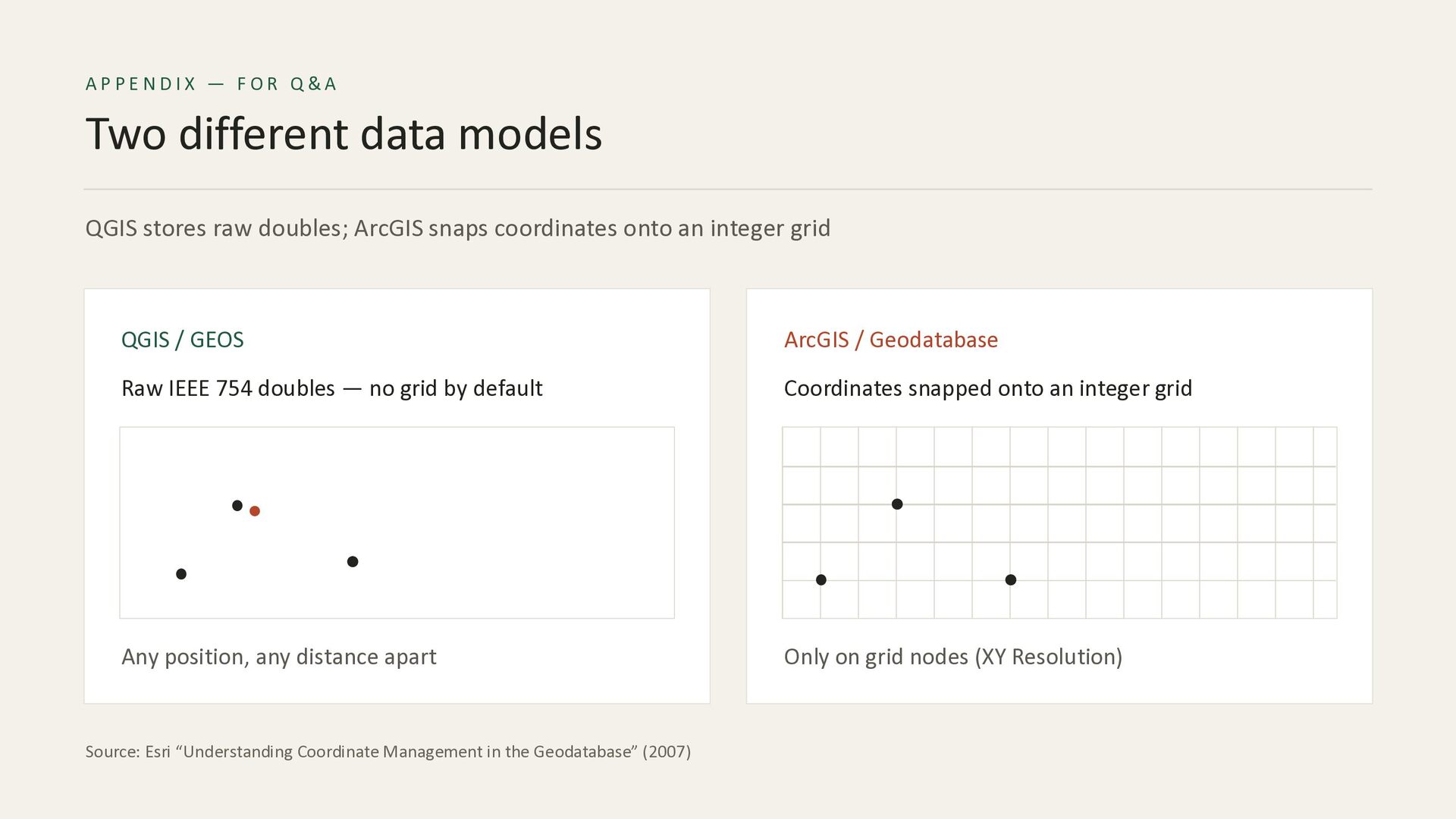
  22. AP PENDIX — FOR Q&A Two different data models QGIS

    stores raw doubles; ArcGIS snaps coordinates onto an integer grid QGIS / GEOS ArcGIS / Geodatabase Raw IEEE 754 doubles — no grid by default Coordinates snapped onto an integer grid Any position, any distance apart Only on grid nodes (XY Resolution) Source: Esri “Understanding Coordinate Management in the Geodatabase” (2007)
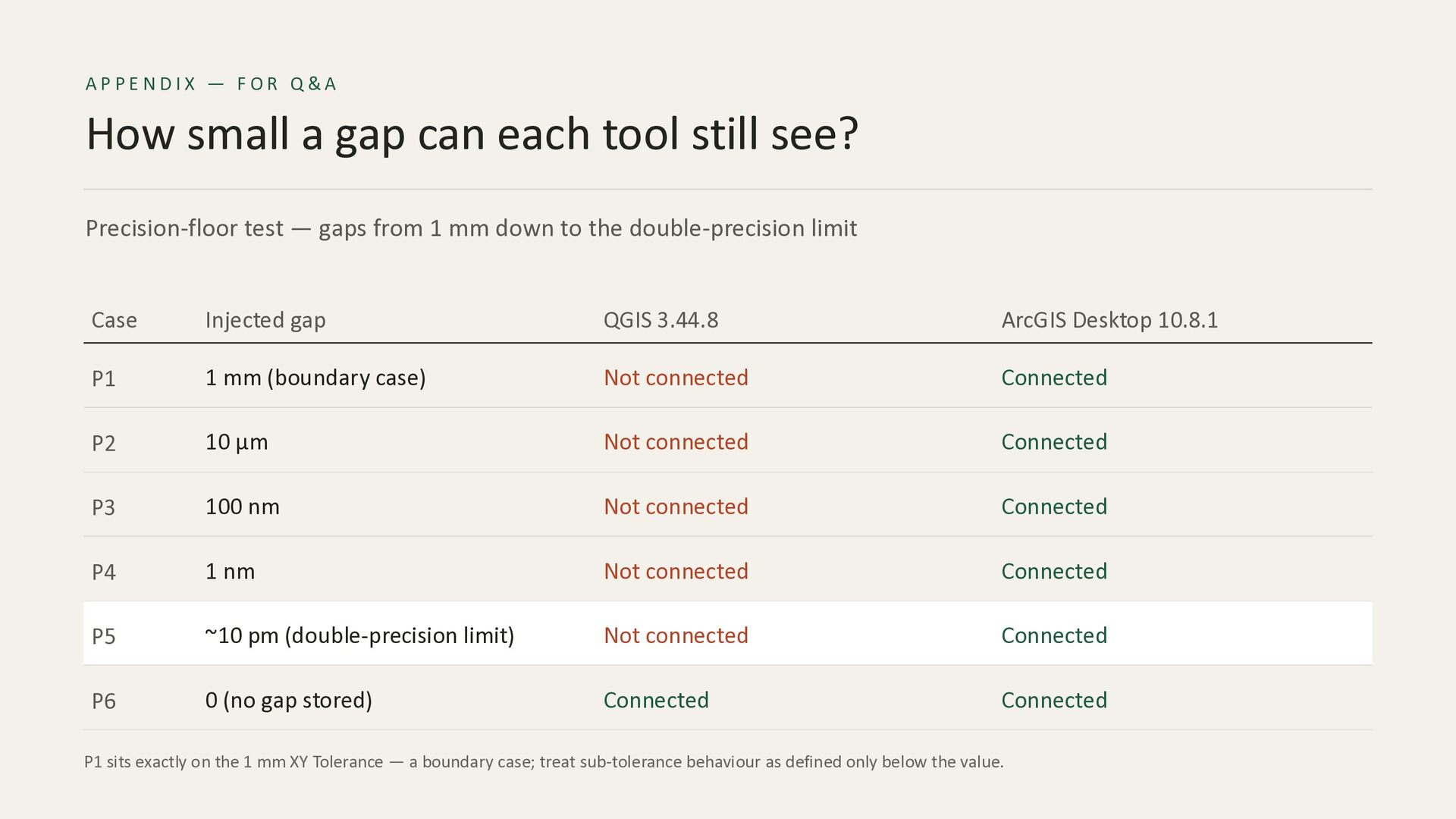
  23. AP PENDIX — FOR Q&A How small a gap can

    each tool still see? Precision-floor test — gaps from 1 mm down to the double-precision limit Case Injected gap QGIS 3.44.8 ArcGIS Desktop 10.8.1 P1 1 mm (boundary case) Not connected Connected P2 10 µm Not connected Connected P3 100 nm Not connected Connected P4 1 nm Not connected Connected P5 ~10 pm (double-precision limit) Not connected Connected P6 0 (no gap stored) Connected Connected P1 sits exactly on the 1 mm XY Tolerance — a boundary case; treat sub-tolerance behaviour as defined only below the value.