Configuration vs Customization in Dynamics 365 CRM | Pros & Cons
Understand the key differences between configuration and customization in Dynamics 365 CRM. Learn which approach suits your business for cost, flexibility, and scalability.
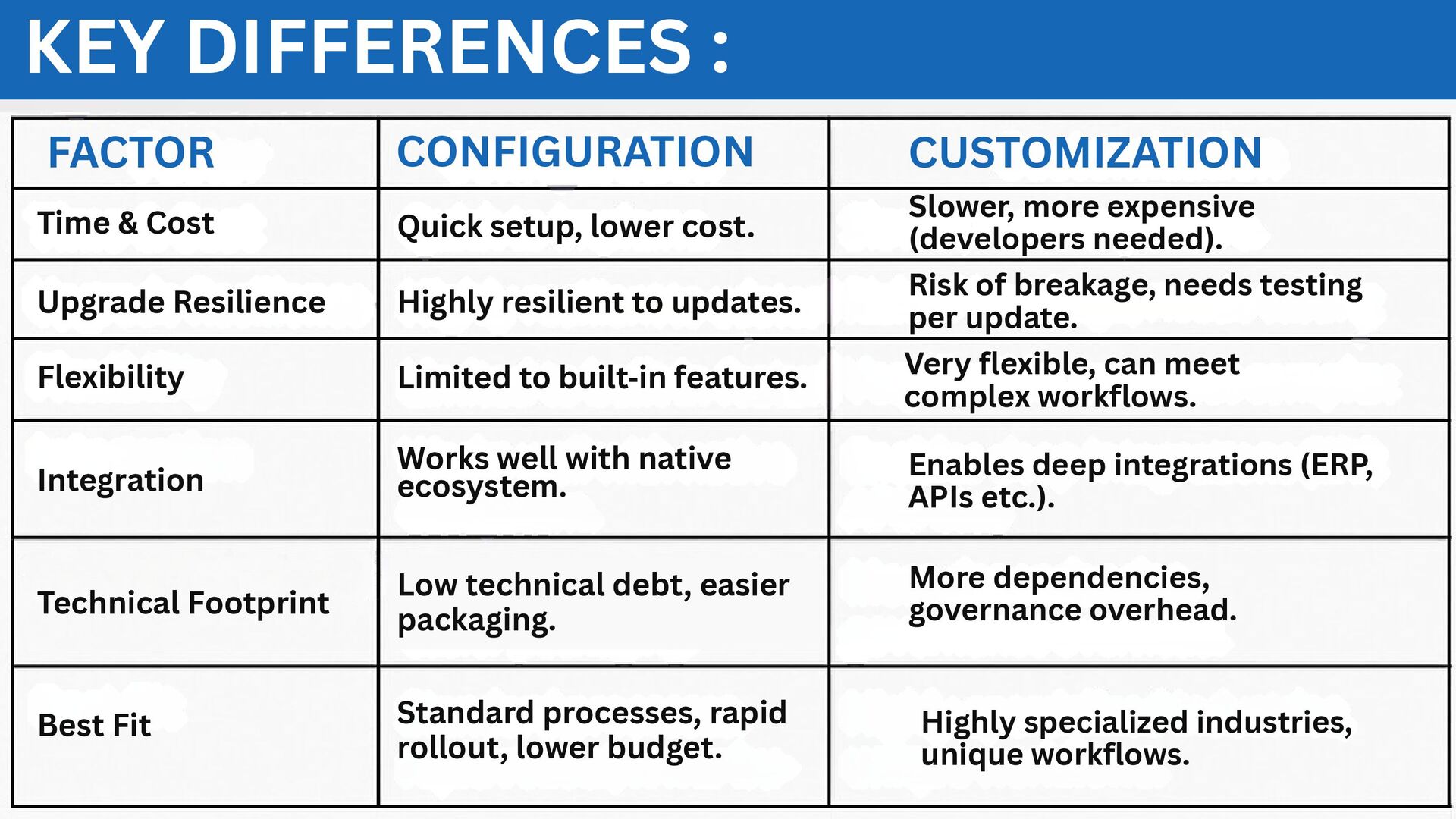
Slower, more expensive (developers needed). Highly resilient to updates. Risk of breakage, needs testing per update. Limited to built‑in features. Very flexible, can meet complex workflows. Works well with native ecosystem. Enables deep integrations (ERP, APIs etc.). Low technical debt, easier packaging. More dependencies, governance overhead. Time & Cost Upgrade Resilience Flexibility Integration Technical Footprint Best Fit Standard processes, rapid rollout, lower budget. Highly specialized industries, unique workflows.
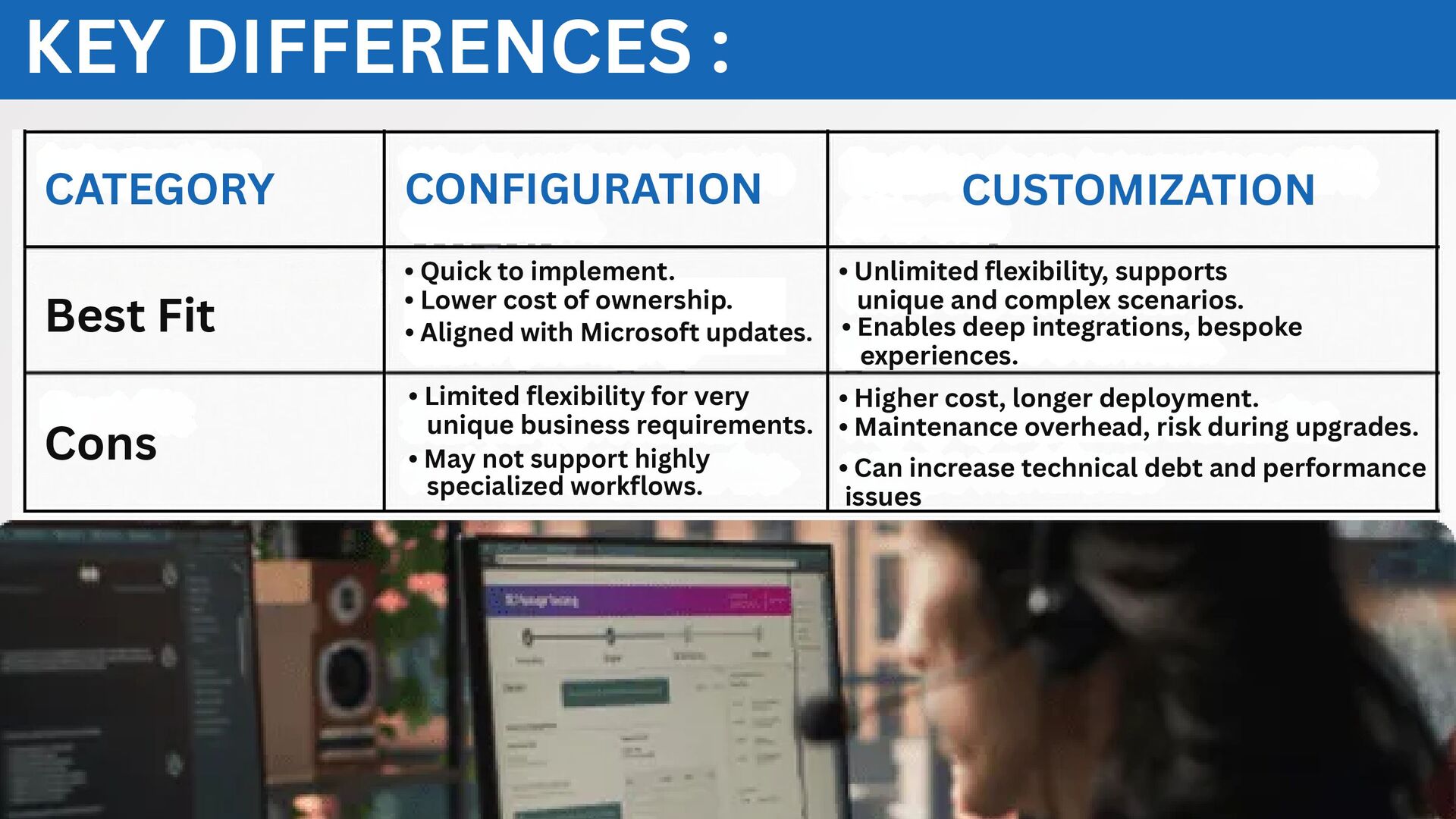
Microsoft updates. • Quick to implement. • Lower cost of ownership. Best Fit Cons • Unlimited flexibility, supports unique and complex scenarios. • Enables deep integrations, bespoke experiences. • May not support highly specialized workflows. • Limited flexibility for very unique business requirements. • Higher cost, longer deployment. • Maintenance overhead, risk during upgrades. • Can increase technical debt and performance issues


 evolvouslimited
 advalistar
 kuraryu0128
 kuradashi
 forest8810
 gpol
gpol
 uniam
uniam
 yasslab
 hubbleinc
 flux
flux
 auditech2022
 hirohasuyoutube
 hrm
hrm
 mfonobong
 tmiket
 tonyrice
 csswizardry
 addyosmani
 holman
 lara
lara
 erikaheidi
 pauljervisheath
 thirion
 palkan
 inesmontani
![CONTACT US +1-888-354-0555 [email protected] https://evolvous.com](https://files.speakerdeck.com/presentations/6e6b43248484481093dcccce76d4137d/slide_4.jpg)